Home › Productivity

PDF Editor - Reader&Converter
Edit, Convert PDF Files
 MG
MG
 USen-US
 AUen-AU
 BEen-GB
 GBen-GB
 JPja
JPja AEen-GB
 AFen-GB
 AGen-GB
 AIen-GB
 ALen-GB
 AMen-GB
 AOen-GB
 ARes-MX
 ATde-DE
 AZen-GB
 BAen-GB
 BBen-GB
 BFen-GB
 BGen-GB
 BHen-GB
 BJen-GB
 BMen-GB
 BNen-GB
 BOes-MX
 BRpt-BR
 BSen-GB
 BTen-GB
 BWen-GB
 BYen-GB
 BZen-GB
 CAen-CA
 CDen-GB
 CGen-GB
 CHde-CH
 CIfr-FR
 CLes-MX
 CMfr-FR
 COes-MX
 CRes-MX
 CVen-GB
 CYen-GB
 CZen-GB
 DEde-DE
 DKen-GB
 DMen-GB
 DOes-MX
 DZen-GB
 ECes-MX
 EEen-GB
 EGen-GB
 ESes-ES
 FIen-GB
 FJen-GB
 FMen-GB
 FRfr-FR
 GAfr-FR
 GDen-GB
 GEen-GB
 GHen-GB
 GMen-GB
 GRen-GB
 GTes-MX
 GWen-GB
 GYen-GB
 HNes-MX
 HRen-GB
 HUen-GB
 IDen-GB
 IEen-GB
 ILen-GB
 INen-GB
 IQen-GB
 ISen-GB
 ITit
ITit JMen-GB
 JOen-GB
 KEen-GB
 KGen-GB
 KHen-GB
 KNen-GB
 KRko
KRko KWen-GB
 KYen-GB
 KZen-GB
 LAen-GB
 LBen-GB
 LCen-GB
 LKen-GB
 LRen-GB
 LTen-GB
 LUen-GB
 LVen-GB
 LYen-GB
 MAen-GB
 MDen-GB
 MEen-GBMGen-GB
 MKen-GB
 MLen-GB
 MMen-GB
 MNen-GB
 MRen-GB
 MSen-GB
 MTen-GB
 MUen-GB
 MVen-GB
 MWen-GB
 MXes-MX
 MYen-GB
 MZen-GB
 NAen-GB
 NEen-GB
 NGen-GB
 NIes-MX
 NLnl
NLnl NOen-GB
 NPen-GB
 NRen-GB
 NZen-AU
 OMen-GB
 PAes-MX
 PEes-MX
 PGen-GB
 PHen-GB
 PKen-GB
 PLen-GB
 PTpt-PT
 PWen-GB
 PYes-MX
 QAen-GB
 ROen-GB
 RSen-GB
 RUru
RUru RWen-GB
 SAen-GB
 SBen-GB
 SCen-GB
 SEsv
SEsv SGen-GB
 SIen-GB
 SKen-GB
 SLen-GB
 SNen-GB
 SRen-GB
 STen-GB
 SVes-MX
 SZen-GB
 TCen-GB
 TDen-GB
 THen-GB
 TJen-GB
 TMen-GB
 TNen-GB
 TOen-GB
 TRen-GB
 TTen-GB
 TWzh-Hant-TW
 TZen-GB
 UAen-GB
 UGen-GB
 UYen-GB
 UZen-GB
 VCen-GB
 VEes-MX
 VGen-GB
 VNen-GB
 VUen-GB
 XKen-GB
 YEen-GB
 ZAen-GB
 ZMen-GB
 ZWen-GB
 CNNot Available
 HKNot Available
 MONot Available
172 of 175 storefronts
Content in en-US
Content in en-US
Information
Apple ID6743733652
Bundle IDcom.pdf.editor.convertfun
SellerSeller
Min iOS14
Min macOS11.0
Device familiesiphone, ipad, ipod
Released2025-04-01
Copyright© Megofun Inc.
Privacy policyLink ↗
Icon history 2 versions
Current←
 Previous
Preview 2 platforms
iPhone 8 images




iPad 8 images


What’s New Version 1.2.0
1.Edit Text on Any Image: Easily modify text on any poster or image.
2.Seamless Scanned Editing: Edit scanned PDFs seamlessly, just like Word.
3.Direct Form Filling: Fill out PDF forms directly without printing.
4.Annotations & Drafts: Add multiple markups and save draft progress.
Description
PDF Editor - Reader&Converter: PDF Edit is your all-in-one PDF toolkit to scan, edit, convert, and manage PDF documents effortlessly. Whether you're editing contracts, filling forms, signing documents, or converting files, our app delivers fast, accurate, and secure results.
Key Features:
Full PDF Editing: Edit PDF text, images, annotations, and rearrange pages with a user-friendly interface
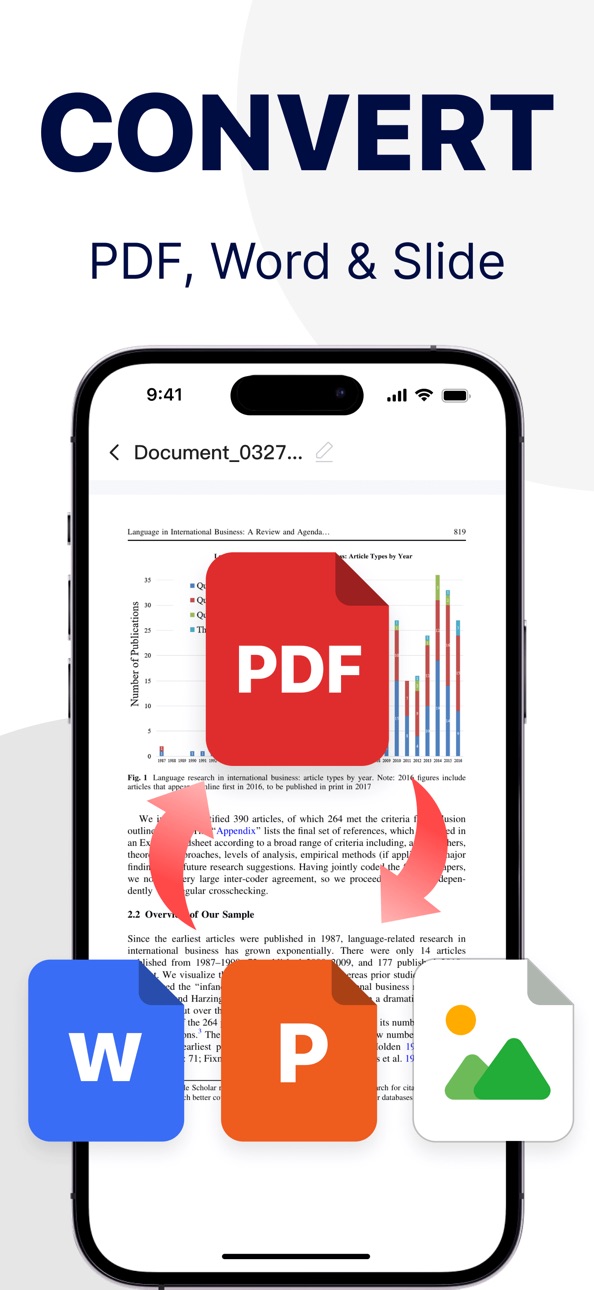
PDF Converter: Convert PDFs to Word, Excel, JPG, PNG, TXT, and PPT — and vice versa
Image to PDF: Batch convert photos to high-quality PDF documents with clarity
PDF Scanner: Scan physical documents with your camera and turn them into editable PDFs
Fill & Sign PDF Forms: Quickly fill out forms and add digital signatures
Merge & Split PDFs: Combine multiple PDFs or split large files into smaller ones
Large File Support: Smoothly handle documents over 100MB without crashing
Password Protection: Encrypt and secure confidential PDF documents
PDF Organizer: Tag, categorize, and manage all your documents with ease
Whether you're a student, teacher, lawyer, freelancer, or office worker, EasePDF Reader helps boost your productivity—anytime, anywhere.
==== Auto-Renewal Membership Statement ====
【Membership Benefits】Unlimited PDF editing,Continuously updated conversion formats...
【Subscription Price】Subject to iAP application information.
【Payment】Upon user confirmation of purchase and payment, it will be recorded in the iTunes account.
【Renewal】Apple iTunes accounts will be charged within 24 hours before the expiration, and upon successful payment, the subscription period will be extended by one subscription period.
【Cancel Renewal】If you wish to cancel the renewal, please manually disable the auto-renewal function in iTunes/Apple ID settings management at least 24 hours before the current subscription period expires.
【Free Trial】Renewal or cancellation of renewal during the free trial period will not revoke the user's right to a free trial. Users can use the trial until the trial period ends.
==== Relevant Agreements ====
Terms of Use Agreement: https://global.easepdf.cc/download/agreement/ios/PDFPro-servicepolicy.html
Privacy Policy Address: https://global.easepdf.cc/download/agreement/ios/PDFPro-privacypolicy.html
In-App Purchases MG pricing
International Membership Subscription
WEEKLY ACCESS · 7 days—
MONTHLY ACCESS · Monthly—
QUARTERLY ACCESS · 3 months—
YEARLY ACCESS · Yearly—
One-Time Purchases
Monthly—
10次卡—
100次卡—
Capabilities
In-App Purchases
Accessibility
ipadiphonemacrealityDevicetvoswatch
Version history 20 versions
Build 886133520v1.2.02026-06-02 08:13:28
1.Edit Text on Any Image: Easily modify text on any poster or image.
2.Seamless Scanned Editing: Edit scanned PDFs seamlessly, just like Word.
3.Direct Form Filling: Fill out PDF forms directly without printing.
4.Annotations & Drafts: Add multiple markups and save draft progress.
Build 884348454v1.1.82026-04-12 10:14:45
【Format Conversion: Faster & More Reliable】
Optimized Transfers: Smoothly convert large files or multiple tasks. No more long waits for uploads or downloads.
Build 881910215v1.1.72026-01-30 14:47:50
HD Scanning Upgrade: Clearer scan images with more complete document details.
Build 880105379v1.1.62025-12-02 06:35:58
PDF Editing: Faster text and table recognition, with smoother and more intuitive editing.
Image to PDF: Smarter auto-cropping and flexible layout control for perfect results.
Smart HD Scanning: Quicker, more accurate auto-detection for a seamless scanning experience.
Build 877842473v1.1.52025-09-08 12:14:48
PDF Editing Enhanced: Now making changes to text, images, and formatting feels faster and more flexible — giving you full control at your fingertips!
Build 876465132v1.1.42025-07-31 13:35:04
PDF editing upgraded: It's now easier to edit text, images, and layout — smoother and simpler than ever!
Build 876273723v1.1.32025-07-16 10:07:29
Smarter File Import: Easily bring in files from device, cloud, or gallery—ready when you are!
Stronger PDF Merge: Even messy formats get cleaned up with one tap. Simple and neat!
Build 876099660v1.1.22025-07-09 08:14:30
New! Convert PDFs to images — export in high quality with one tap. Great for sharing, printing, and saving!
Build 875864513v1.1.12025-07-02 07:18:08
Scan Upgrade:
Auto Capture: Just place the document and it snaps automatically — totally hands-free!
Auto Crop: Detects edges and smartly aligns — no manual adjustments needed!
Build 875647249v1.1.02025-06-23 08:49:16
PDF Editing – Major Upgrade!
1. Eraser Improved: Unwanted text or images? Just wipe them away!
2. New Text Extraction: Copy, convert to Word, even turn image-based PDFs into text!
Build 875452332v1.0.92025-06-14 02:49:20
【Smarter PDF editing — now easier than ever!】
Tap to select text instantly, no fuss
Tap anywhere to add new text on the fly
Erase or extract content from images in seconds
Build 875272366v1.0.82025-06-07 19:38:50
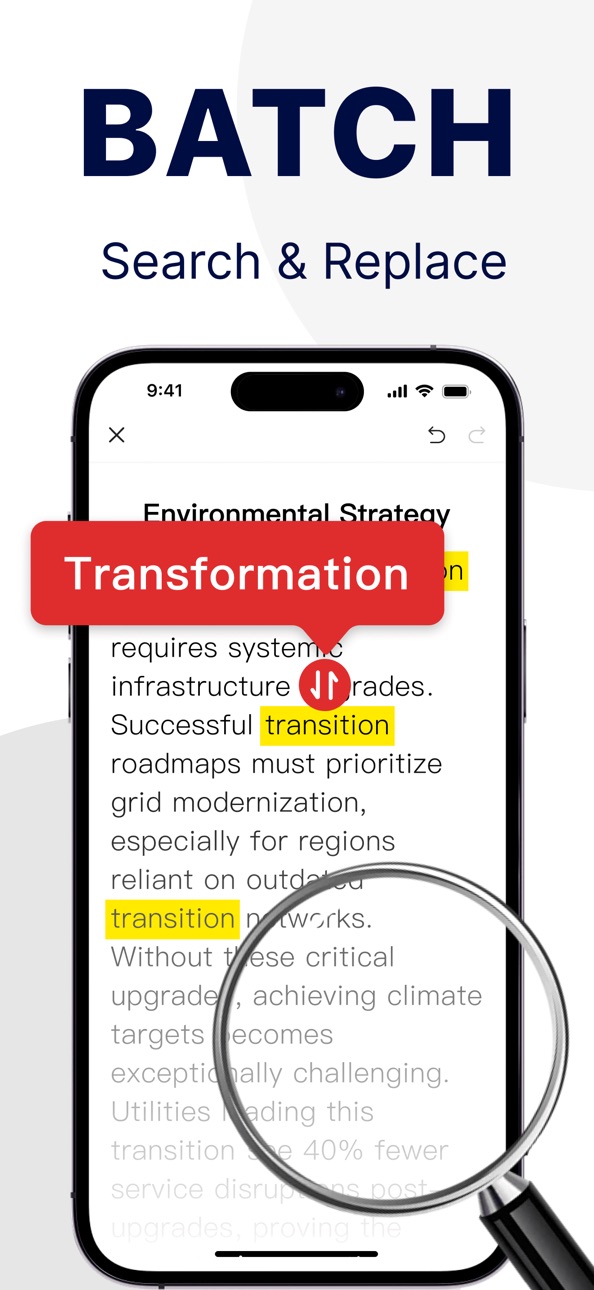
PDF Text Editing: Quickly find and edit multiple texts at once—batch editing boosts efficiency, no more worries with complex documents!
Build 875008246v1.0.72025-06-02 21:35:24
【PDF Editing Enhanced】
Streamlined text modification with one-click precision, redefining document efficiency
Build 874574442v1.0.62025-05-19 08:18:21
Image to PDF Feature Updates:
Supports batch image synthesis and conversion.
Large file processing efficiency increased by 50%.
Build 874419002v1.0.52025-04-30 18:00:48
1.PDF editing automatically matches fonts
2.PDF conversion is more accurate and faster
Build 874276886v1.0.42025-04-25 20:39:25
Editing feature upgrade: Support in-place text modification while retaining original formatting
Conversion feature upgrade: Preserve original layout after conversion
Build 874138528v1.0.32025-04-21 10:03:16
New Features: PDF Editing, Powerful PDF Conversion, High-Quality Scanning
Build 873853865v1.0.22025-04-11 22:30:24
New Features: PDF Editing, Powerful PDF Conversion, High-Quality Scanning
Build 873711730v1.0.12025-04-07 18:00:37
New Features: PDF Editing, Powerful PDF Conversion, High-Quality Scanning
Build 873503721v1.02025-04-01 17:00:07
Price history by region
Currency
Show
Columns
Search
Availability 172 of 175 storefronts
| Region | Language | Price | Ratings | Avg | Version |
|---|---|---|---|---|---|
| US | en-US | Free | 7 | 3.9 | 1.2.0 |
| AU | en-AU | Free | 1 | 1.0 | 1.2.0 |
| BE | en-GB | Free | 1 | 1.0 | 1.2.0 |
| GB | en-GB | Free | 1 | 4.0 | 1.2.0 |
| JP | ja | Free | 1 | 5.0 | 1.2.0 |
| AE | en-GB | Free | 0 | — | 1.2.0 |
| AF | en-GB | Free | 0 | — | 1.2.0 |
| AG | en-GB | Free | 0 | — | 1.2.0 |
| AI | en-GB | Free | 0 | — | 1.2.0 |
| AL | en-GB | Free | 0 | — | 1.2.0 |
| AM | en-GB | Free | 0 | — | 1.2.0 |
| AO | en-GB | Free | 0 | — | 1.2.0 |
| AR | es-MX | Free | 0 | — | 1.2.0 |
| AT | de-DE | Free | 0 | — | 1.2.0 |
| AZ | en-GB | Free | 0 | — | 1.2.0 |
| BA | en-GB | Free | 0 | — | 1.2.0 |
| BB | en-GB | Free | 0 | — | 1.2.0 |
| BF | en-GB | Free | 0 | — | 1.2.0 |
| BG | en-GB | Free | 0 | — | 1.2.0 |
| BH | en-GB | Free | 0 | — | 1.2.0 |
| BJ | en-GB | Free | 0 | — | 1.2.0 |
| BM | en-GB | Free | 0 | — | 1.2.0 |
| BN | en-GB | Free | 0 | — | 1.2.0 |
| BO | es-MX | Free | 0 | — | 1.2.0 |
| BR | pt-BR | Free | 0 | — | 1.2.0 |
| BS | en-GB | Free | 0 | — | 1.2.0 |
| BT | en-GB | Free | 0 | — | 1.2.0 |
| BW | en-GB | Free | 0 | — | 1.2.0 |
| BY | en-GB | Free | 0 | — | 1.2.0 |
| BZ | en-GB | Free | 0 | — | 1.2.0 |
| CA | en-CA | Free | 0 | — | 1.2.0 |
| CD | en-GB | Free | 0 | — | 1.2.0 |
| CG | en-GB | Free | 0 | — | 1.2.0 |
| CH | de-CH | Free | 0 | — | 1.2.0 |
| CI | fr-FR | Free | 0 | — | 1.2.0 |
| CL | es-MX | Free | 0 | — | 1.2.0 |
| CM | fr-FR | Free | 0 | — | 1.2.0 |
| CO | es-MX | Free | 0 | — | 1.2.0 |
| CR | es-MX | Free | 0 | — | 1.2.0 |
| CV | en-GB | Free | 0 | — | 1.2.0 |
| CY | en-GB | Free | 0 | — | 1.2.0 |
| CZ | en-GB | Free | 0 | — | 1.2.0 |
| DE | de-DE | Free | 0 | — | 1.2.0 |
| DK | en-GB | Free | 0 | — | 1.2.0 |
| DM | en-GB | Free | 0 | — | 1.2.0 |
| DO | es-MX | Free | 0 | — | 1.2.0 |
| DZ | en-GB | Free | 0 | — | 1.2.0 |
| EC | es-MX | Free | 0 | — | 1.2.0 |
| EE | en-GB | Free | 0 | — | 1.2.0 |
| EG | en-GB | Free | 0 | — | 1.2.0 |
| ES | es-ES | Free | 0 | — | 1.2.0 |
| FI | en-GB | Free | 0 | — | 1.2.0 |
| FJ | en-GB | Free | 0 | — | 1.2.0 |
| FM | en-GB | Free | 0 | — | 1.2.0 |
| FR | fr-FR | Free | 0 | — | 1.2.0 |
| GA | fr-FR | Free | 0 | — | 1.2.0 |
| GD | en-GB | Free | 0 | — | 1.2.0 |
| GE | en-GB | Free | 0 | — | 1.2.0 |
| GH | en-GB | Free | 0 | — | 1.2.0 |
| GM | en-GB | Free | 0 | — | 1.2.0 |
| GR | en-GB | Free | 0 | — | 1.2.0 |
| GT | es-MX | Free | 0 | — | 1.2.0 |
| GW | en-GB | Free | 0 | — | 1.2.0 |
| GY | en-GB | Free | 0 | — | 1.2.0 |
| HN | es-MX | Free | 0 | — | 1.2.0 |
| HR | en-GB | Free | 0 | — | 1.2.0 |
| HU | en-GB | Free | 0 | — | 1.2.0 |
| ID | en-GB | Free | 0 | — | 1.2.0 |
| IE | en-GB | Free | 0 | — | 1.2.0 |
| IL | en-GB | Free | 0 | — | 1.2.0 |
| IN | en-GB | Free | 0 | — | 1.2.0 |
| IQ | en-GB | Free | 0 | — | 1.2.0 |
| IS | en-GB | Free | 0 | — | 1.2.0 |
| IT | it | Free | 0 | — | 1.2.0 |
| JM | en-GB | Free | 0 | — | 1.2.0 |
| JO | en-GB | Free | 0 | — | 1.2.0 |
| KE | en-GB | Free | 0 | — | 1.2.0 |
| KG | en-GB | Free | 0 | — | 1.2.0 |
| KH | en-GB | Free | 0 | — | 1.2.0 |
| KN | en-GB | Free | 0 | — | 1.2.0 |
| KR | ko | Free | 0 | — | 1.2.0 |
| KW | en-GB | Free | 0 | — | 1.2.0 |
| KY | en-GB | Free | 0 | — | 1.2.0 |
| KZ | en-GB | Free | 0 | — | 1.2.0 |
| LA | en-GB | Free | 0 | — | 1.2.0 |
| LB | en-GB | Free | 0 | — | 1.2.0 |
| LC | en-GB | Free | 0 | — | 1.2.0 |
| LK | en-GB | Free | 0 | — | 1.2.0 |
| LR | en-GB | Free | 0 | — | 1.2.0 |
| LT | en-GB | Free | 0 | — | 1.2.0 |
| LU | en-GB | Free | 0 | — | 1.2.0 |
| LV | en-GB | Free | 0 | — | 1.2.0 |
| LY | en-GB | Free | 0 | — | 1.2.0 |
| MA | en-GB | Free | 0 | — | 1.2.0 |
| MD | en-GB | Free | 0 | — | 1.2.0 |
| ME | en-GB | Free | 0 | — | 1.2.0 |
| MG | en-GB | Free | 0 | — | 1.2.0 |
| MK | en-GB | Free | 0 | — | 1.2.0 |
| ML | en-GB | Free | 0 | — | 1.2.0 |
| MM | en-GB | Free | 0 | — | 1.2.0 |
| MN | en-GB | Free | 0 | — | 1.2.0 |
| MR | en-GB | Free | 0 | — | 1.2.0 |
| MS | en-GB | Free | 0 | — | 1.2.0 |
| MT | en-GB | Free | 0 | — | 1.2.0 |
| MU | en-GB | Free | 0 | — | 1.2.0 |
| MV | en-GB | Free | 0 | — | 1.2.0 |
| MW | en-GB | Free | 0 | — | 1.2.0 |
| MX | es-MX | Free | 0 | — | 1.2.0 |
| MY | en-GB | Free | 0 | — | 1.2.0 |
| MZ | en-GB | Free | 0 | — | 1.2.0 |
| NA | en-GB | Free | 0 | — | 1.2.0 |
| NE | en-GB | Free | 0 | — | 1.2.0 |
| NG | en-GB | Free | 0 | — | 1.2.0 |
| NI | es-MX | Free | 0 | — | 1.2.0 |
| NL | nl | Free | 0 | — | 1.2.0 |
| NO | en-GB | Free | 0 | — | 1.2.0 |
| NP | en-GB | Free | 0 | — | 1.2.0 |
| NR | en-GB | Free | 0 | — | 1.2.0 |
| NZ | en-AU | Free | 0 | — | 1.2.0 |
| OM | en-GB | Free | 0 | — | 1.2.0 |
| PA | es-MX | Free | 0 | — | 1.2.0 |
| PE | es-MX | Free | 0 | — | 1.2.0 |
| PG | en-GB | Free | 0 | — | 1.2.0 |
| PH | en-GB | Free | 0 | — | 1.2.0 |
| PK | en-GB | Free | 0 | — | 1.2.0 |
| PL | en-GB | Free | 0 | — | 1.2.0 |
| PT | pt-PT | Free | 0 | — | 1.2.0 |
| PW | en-GB | Free | 0 | — | 1.2.0 |
| PY | es-MX | Free | 0 | — | 1.2.0 |
| QA | en-GB | Free | 0 | — | 1.2.0 |
| RO | en-GB | Free | 0 | — | 1.2.0 |
| RS | en-GB | Free | 0 | — | 1.2.0 |
| RU | ru | Free | 0 | — | 1.2.0 |
| RW | en-GB | Free | 0 | — | 1.2.0 |
| SA | en-GB | Free | 0 | — | 1.2.0 |
| SB | en-GB | Free | 0 | — | 1.2.0 |
| SC | en-GB | Free | 0 | — | 1.2.0 |
| SE | sv | Free | 0 | — | 1.2.0 |
| SG | en-GB | Free | 0 | — | 1.2.0 |
| SI | en-GB | Free | 0 | — | 1.2.0 |
| SK | en-GB | Free | 0 | — | 1.2.0 |
| SL | en-GB | Free | 0 | — | 1.2.0 |
| SN | en-GB | Free | 0 | — | 1.2.0 |
| SR | en-GB | Free | 0 | — | 1.2.0 |
| ST | en-GB | Free | 0 | — | 1.2.0 |
| SV | es-MX | Free | 0 | — | 1.2.0 |
| SZ | en-GB | Free | 0 | — | 1.2.0 |
| TC | en-GB | Free | 0 | — | 1.2.0 |
| TD | en-GB | Free | 0 | — | 1.2.0 |
| TH | en-GB | Free | 0 | — | 1.2.0 |
| TJ | en-GB | Free | 0 | — | 1.2.0 |
| TM | en-GB | Free | 0 | — | 1.2.0 |
| TN | en-GB | Free | 0 | — | 1.2.0 |
| TO | en-GB | Free | 0 | — | 1.2.0 |
| TR | en-GB | Free | 0 | — | 1.2.0 |
| TT | en-GB | Free | 0 | — | 1.2.0 |
| TW | zh-Hant-TW | Free | 0 | — | 1.2.0 |
| TZ | en-GB | Free | 0 | — | 1.2.0 |
| UA | en-GB | Free | 0 | — | 1.2.0 |
| UG | en-GB | Free | 0 | — | 1.2.0 |
| UY | en-GB | Free | 0 | — | 1.2.0 |
| UZ | en-GB | Free | 0 | — | 1.2.0 |
| VC | en-GB | Free | 0 | — | 1.2.0 |
| VE | es-MX | Free | 0 | — | 1.2.0 |
| VG | en-GB | Free | 0 | — | 1.2.0 |
| VN | en-GB | Free | 0 | — | 1.2.0 |
| VU | en-GB | Free | 0 | — | 1.2.0 |
| XK | en-GB | Free | 0 | — | 1.2.0 |
| YE | en-GB | Free | 0 | — | 1.2.0 |
| ZA | en-GB | Free | 0 | — | 1.2.0 |
| ZM | en-GB | Free | 0 | — | 1.2.0 |
| ZW | en-GB | Free | 0 | — | 1.2.0 |
Not available in: CN, HK, MO
Change log 27 changes · MG
✎
releaseNotes updated
1.Edit Text on Any Image: Easily modify text on any poster or image.
2.Seamless Scanned Editing: Edit scanned PDFs seamlessly, just like Word.
3.Direct Form Fil
✎
description updated
PDF Editor - Reader&Converter: PDF Edit is your all-in-one PDF toolkit to scan, edit, convert, and manage PDF documents effortlessly. Whether you're editing con
✎
subtitle updated
Edit, Convert PDF Files
✎
name updated
PDF Editor - Reader&Converter
▣
App icon changed
✎
Privacy labels 0 → 2 categories
✎
Added: In App Purchases
◆
Version 1.2.0 released
1.Edit Text on Any Image: Easily modify text on any poster or image.
2.Seamless Scanned Editing: Edit scanned PDFs seamlessly, just like Word.
3.Direct Form Filling: Fill out PDF forms directly without printing.
4.Annotations & Drafts: Add
◆
Version 1.1.8 released
【Format Conversion: Faster & More Reliable】
Optimized Transfers: Smoothly convert large files or multiple tasks. No more long waits for uploads or downloads.
◆
Version 1.1.7 released
HD Scanning Upgrade: Clearer scan images with more complete document details.
◆
Version 1.1.6 released
PDF Editing: Faster text and table recognition, with smoother and more intuitive editing.
Image to PDF: Smarter auto-cropping and flexible layout control for perfect results.
Smart HD Scanning: Quicker, more accurate auto-detection for a se
◆
Version 1.1.5 released
PDF Editing Enhanced: Now making changes to text, images, and formatting feels faster and more flexible — giving you full control at your fingertips!
◆
Version 1.1.4 released
PDF editing upgraded: It's now easier to edit text, images, and layout — smoother and simpler than ever!
◆
Version 1.1.3 released
Smarter File Import: Easily bring in files from device, cloud, or gallery—ready when you are!
Stronger PDF Merge: Even messy formats get cleaned up with one tap. Simple and neat!
◆
Version 1.1.2 released
New! Convert PDFs to images — export in high quality with one tap. Great for sharing, printing, and saving!
◆
Version 1.1.1 released
Scan Upgrade:
Auto Capture: Just place the document and it snaps automatically — totally hands-free!
Auto Crop: Detects edges and smartly aligns — no manual adjustments needed!
◆
Version 1.1.0 released
PDF Editing – Major Upgrade!
1. Eraser Improved: Unwanted text or images? Just wipe them away!
2. New Text Extraction: Copy, convert to Word, even turn image-based PDFs into text!
◆
Version 1.0.9 released
【Smarter PDF editing — now easier than ever!】
Tap to select text instantly, no fuss
Tap anywhere to add new text on the fly
Erase or extract content from images in seconds
◆
Version 1.0.8 released
PDF Text Editing: Quickly find and edit multiple texts at once—batch editing boosts efficiency, no more worries with complex documents!
◆
Version 1.0.7 released
【PDF Editing Enhanced】
Streamlined text modification with one-click precision, redefining document efficiency
◆
Version 1.0.6 released
Image to PDF Feature Updates:
Supports batch image synthesis and conversion.
Large file processing efficiency increased by 50%.
◆
Version 1.0.5 released
1.PDF editing automatically matches fonts
2.PDF conversion is more accurate and faster
◆
Version 1.0.4 released
Editing feature upgrade: Support in-place text modification while retaining original formatting
Conversion feature upgrade: Preserve original layout after conversion
◆
Version 1.0.3 released
New Features: PDF Editing, Powerful PDF Conversion, High-Quality Scanning
◆
Version 1.0.2 released
New Features: PDF Editing, Powerful PDF Conversion, High-Quality Scanning
◆
Version 1.0.1 released
New Features: PDF Editing, Powerful PDF Conversion, High-Quality Scanning
◆
Version 1.0 released