Home › Utilities

 US
US
1 of 1 storefronts
Content in en-US
Content in en-US
Information
Preview 2 platforms
iPhone 4 images
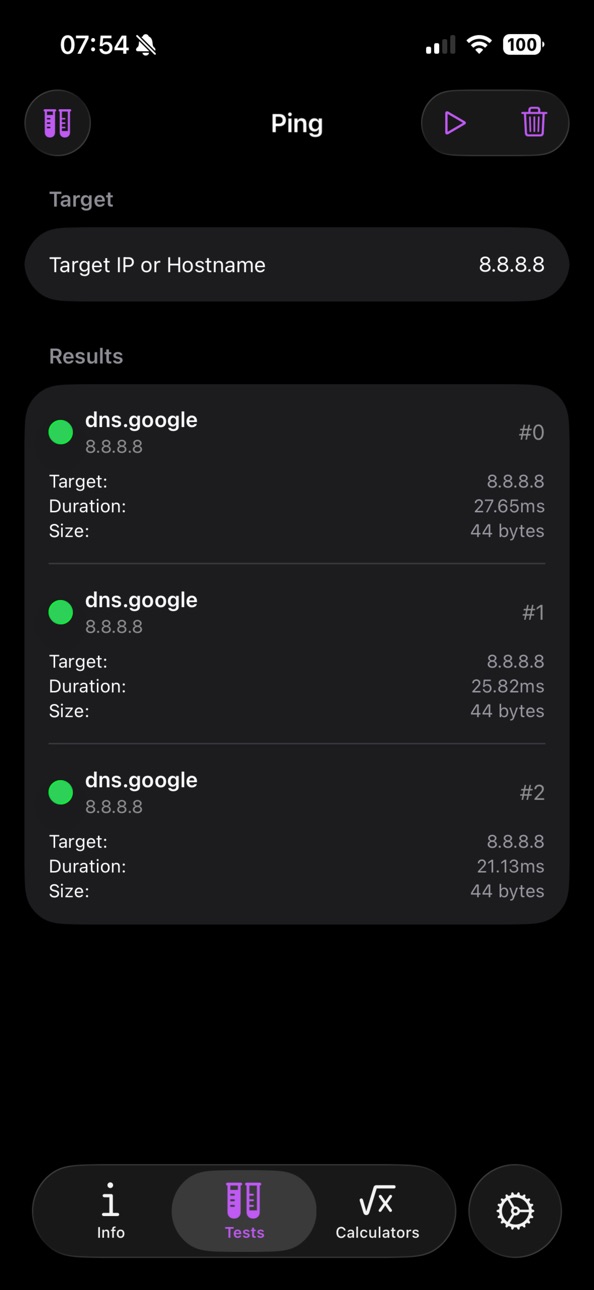
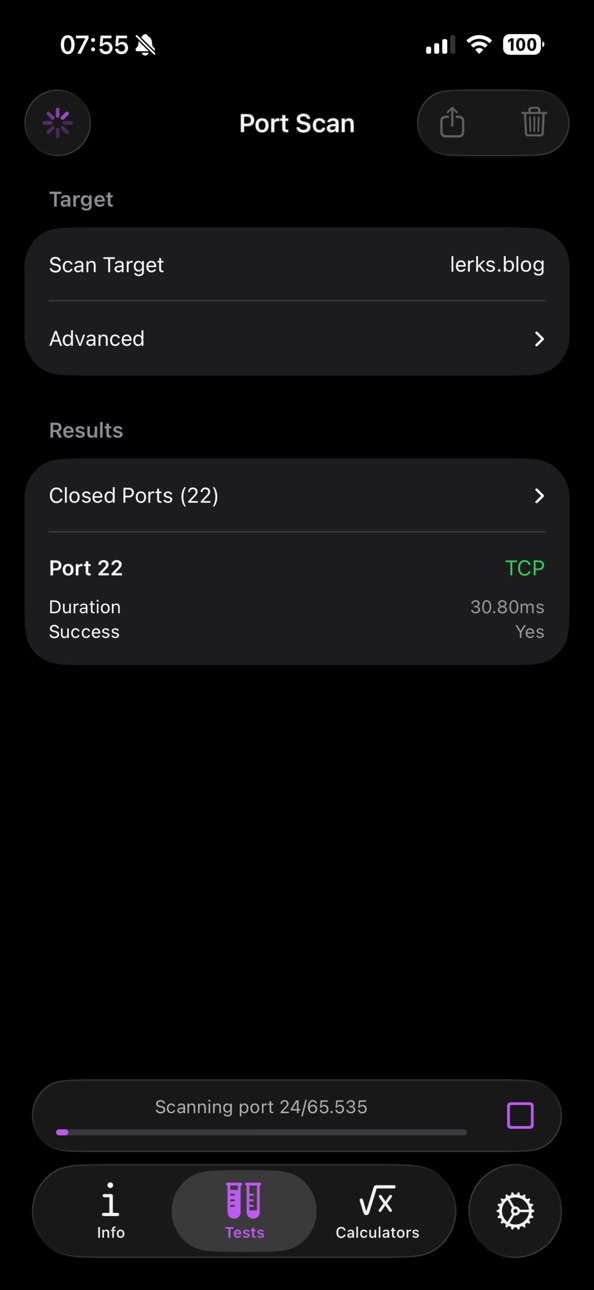


iPad 8 images


What’s New Version 1.5.0
- Added rating / support link to settings
- Removed empty tab accessory
- Updated dependencies
Description
Discover a powerful, ad-free network diagnostics toolkit with essential features like Network Information, Ping, Traceroute, and DNS lookup.
Designed for both professionals and enthusiasts, this app offers a suite of essential tools to help you diagnose and troubleshoot network issues with ease.
Key Features:
• Network Information: Get detailed insights into your network’s configuration and status.
• Ping: Test the reachability of hosts and measure round-trip time for messages.
• Traceroute: Trace the path packets take to reach their destination and identify any bottlenecks.
• Port Scan: Check your firewall configuration and identify issues.
• DNS Lookup: Resolve domain names to IP addresses and gather DNS records.
• IPv4 Calculators: Perform subnetting calculations and conversions to optimize and understand your network setup.
The app is completely free to use, with no ads or analytics, ensuring a seamless and private experience. Whether you’re a network administrator, IT professional, or just curious about your network, this app provides the tools you need to get things done and stay in control without it annoying you with cookie banners, tracking, or ads when you need it most.
Accessibility
ipadiphonemacrealityDevicetvoswatch
Version history 8 versions
Build 886344971v1.5.02026-05-31 18:13:52
- Added rating / support link to settings
- Removed empty tab accessory
- Updated dependencies
Build 881774219v1.4.22026-01-24 09:47:54
The app now shows any data it received during a TCP port scan (server banners).
This causes the scan duration to be increased by 500ms for ports that don't send data but are open.
Build 881753782v1.4.12026-01-22 22:03:42
- Removed empty tab accessory added in iOS 26.2 (sadly the port scan view looks less good now)
- Updated dependencies (DNSClient)
Build 875460843v1.4.02025-09-11 01:08:28
- Compatibility with iOS 26 and Liquid Glass
Build 873230782v1.3.12025-03-14 10:27:31
- Show IPs in interface list
- Add ability to change the app color
Build 873170434v1.3.02025-03-12 09:59:09
• Network/IPv4 Calculators
• Improved Port Scan
• Design Fixes
Build 873140631v1.2.02025-03-11 17:10:29
• Improved test selection
• Port Scanner
• Public IP Check
• Design/Layout improvements
Build 873067122v1.1.12025-03-09 14:49:22
No pricing data captured yet — comparisons appear once the app has paid storefronts or in-app purchases.
Availability 1 of 1 storefronts
| Region | Language | Price | Ratings | Avg | Version |
|---|---|---|---|---|---|
| US | en-US | Free | 0 | — | 1.5.0 |
Change log 12 changes · US
✎
releaseNotes updated
- Added rating / support link to settings
- Removed empty tab accessory
- Updated dependencies
✎
description updated
Discover a powerful, ad-free network diagnostics toolkit with essential features like Network Information, Ping, Traceroute, and DNS lookup.
Designed for both p
✎
subtitle updated
Test or debug your connection.
✎
name updated
Network Tools/Toolkit
◆
Version 1.5.0 released
- Added rating / support link to settings
- Removed empty tab accessory
- Updated dependencies
◆
Version 1.4.2 released
The app now shows any data it received during a TCP port scan (server banners).
This causes the scan duration to be increased by 500ms for ports that don't send data but are open.
◆
Version 1.4.1 released
- Removed empty tab accessory added in iOS 26.2 (sadly the port scan view looks less good now)
- Updated dependencies (DNSClient)
◆
Version 1.4.0 released
- Compatibility with iOS 26 and Liquid Glass
◆
Version 1.3.1 released
- Show IPs in interface list
- Add ability to change the app color
◆
Version 1.3.0 released
• Network/IPv4 Calculators
• Improved Port Scan
• Design Fixes
◆
Version 1.2.0 released
• Improved test selection
• Port Scanner
• Public IP Check
• Design/Layout improvements
◆
Version 1.1.1 released