Home › Utilities

 ZM
ZM
 CNzh-Hans-CN
 USen-US
 DEde-DE
 BRpt-BR
 INen-GB
 CAen-CA
 ESes-ES
 IDen-GB
 ITit
ITit PTpt-PT
 RUru
RUru TRen-GB
 UAen-GB
 AEen-GB
 AFen-GB
 AGen-GB
 ALen-GB
 AMen-GB
 AOen-GB
 ATde-DE
 AUen-AU
 AZen-GB
 BAen-GB
 BBen-GB
 BEen-GB
 BFen-GB
 BGen-GB
 BHen-GB
 BJen-GB
 BMen-GB
 BNen-GB
 BOes-MX
 BSen-GB
 BTen-GB
 BWen-GB
 BYen-GB
 BZen-GB
 CDen-GB
 CGen-GB
 CHde-CH
 CIfr-FR
 CMfr-FR
 COes-MX
 CRes-MX
 CVen-GB
 CYen-GB
 CZen-GB
 DKen-GB
 DMen-GB
 DOes-MX
 DZen-GB
 ECes-MX
 EEen-GB
 EGen-GB
 FIen-GB
 FJen-GB
 FMen-GB
 FRfr-FR
 GAfr-FR
 GBen-GB
 GDen-GB
 GEen-GB
 GHen-GB
 GMen-GB
 GRen-GB
 GTes-MX
 GWen-GB
 GYen-GB
 HKzh-Hant-HK
 HNes-MX
 HRen-GB
 HUen-GB
 IEen-GB
 ILen-GB
 IQen-GB
 ISen-GB
 JMen-GB
 JOen-GB
 JPja
JPja KEen-GB
 KGen-GB
 KHen-GB
 KRko
KRko KWen-GB
 KZen-GB
 LAen-GB
 LBen-GB
 LKen-GB
 LRen-GB
 LTen-GB
 LUen-GB
 LVen-GB
 LYen-GB
 MAen-GB
 MDen-GB
 MEen-GB
 MGen-GB
 MKen-GB
 MLen-GB
 MMen-GB
 MNen-GB
 MOzh-Hant-HK
 MRen-GB
 MTen-GB
 MUen-GB
 MVen-GB
 MWen-GB
 MXes-MX
 MYen-GB
 MZen-GB
 NAen-GB
 NEen-GB
 NGen-GB
 NIes-MX
 NLnl
NLnl NOen-GB
 NPen-GB
 NRen-GB
 NZen-AU
 OMen-GB
 PAes-MX
 PEes-MX
 PGen-GB
 PHen-GB
 PKen-GB
 PLen-GB
 PWen-GB
 PYes-MX
 QAen-GB
 ROen-GB
 RSen-GB
 RWen-GB
 SAen-GB
 SBen-GB
 SCen-GB
 SEsv
SEsv SGen-GB
 SIen-GB
 SKen-GB
 SLen-GB
 SNen-GB
 SRen-GB
 STen-GB
 SVes-MX
 SZen-GB
 TDen-GB
 THen-GB
 TJen-GB
 TMen-GB
 TNen-GB
 TOen-GB
 TTen-GB
 TWzh-Hant-TW
 TZen-GB
 UGen-GB
 UYen-GB
 UZen-GB
 VCen-GB
 VEes-MX
 VGen-GB
 VNen-GB
 VUen-GB
 XKen-GB
 YEen-GB
 ZAen-GBZMen-GB
 ZWen-GB
167 of 167 storefronts
Content in en-US
Content in en-US
Information
Apple ID6739774242
Bundle IDcn.com.zhumang.calvance
SellerSeller
Min iOS15.0
Min macOS12.0
Device familiesiphone, ipad, ipod
Released2025-01-08
Copyright© 2026 Zhumang
Privacy policyLink ↗
Preview 2 platforms
iPhone 7 images




iPad 7 images



What’s New Version 1.11.2
Fixed an issue where formula layout became incorrect after reopening a canvas.
Description
Calvance - Redefining the Calculation Experience
Calvance is a revolutionary calculation tool that perfectly combines infinite canvas with intelligent computing.
# Core Advantages
• Visual Calculation Workflow
Freely layout calculation steps on an infinite canvas, intuitively displaying the complete calculation logic and thought process.
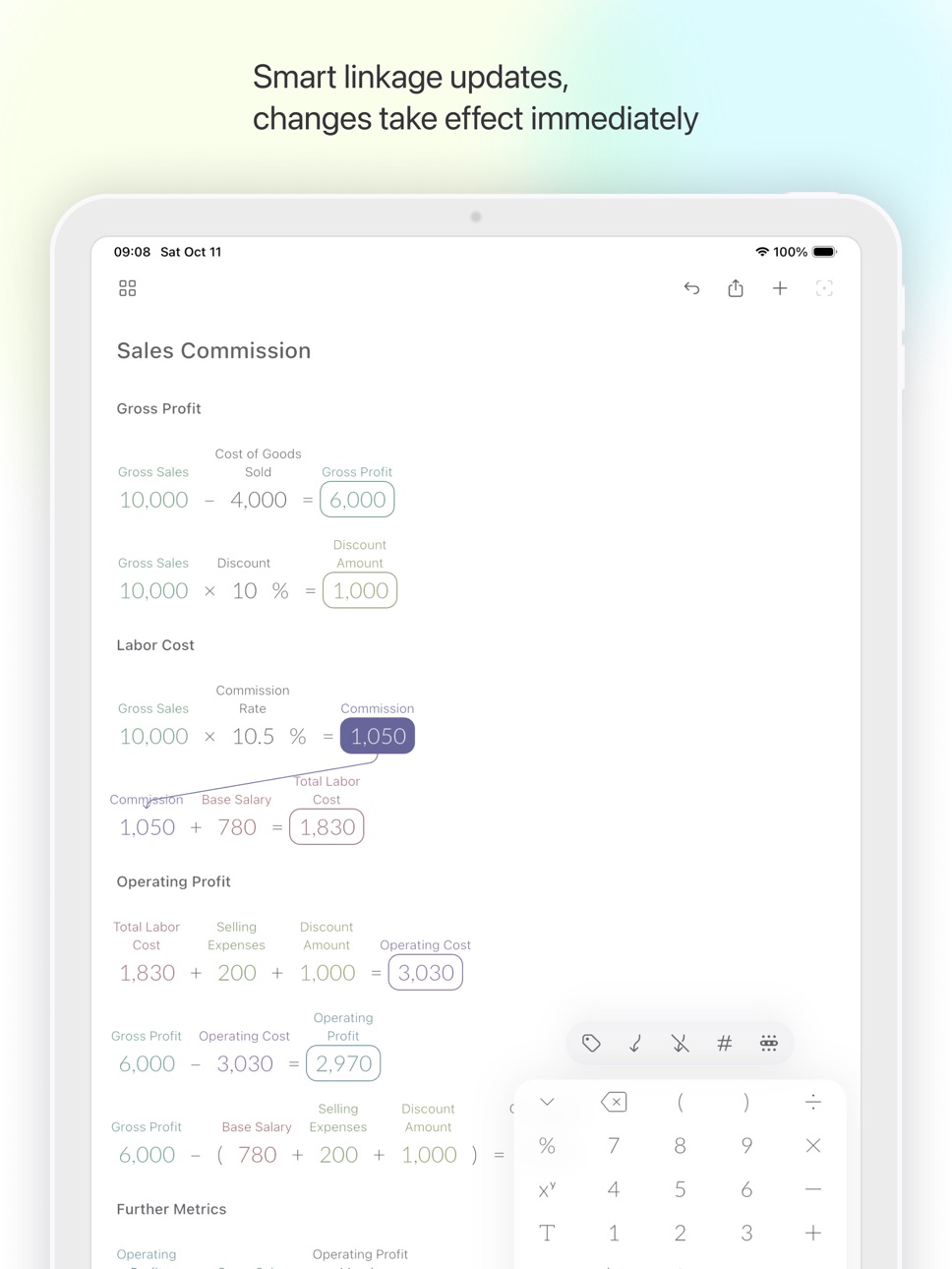
• Smart Linkage Updates
Establish reference relationships between formulas - modify any value and all related calculations update automatically in real-time.
• Say Goodbye to Paper Notes
Automatically save all intermediate results, no manual recording needed, allowing you to focus on core calculations.
• Label Annotation Feature
Add descriptive labels to numbers, transforming complex formulas into easily understandable narratives.
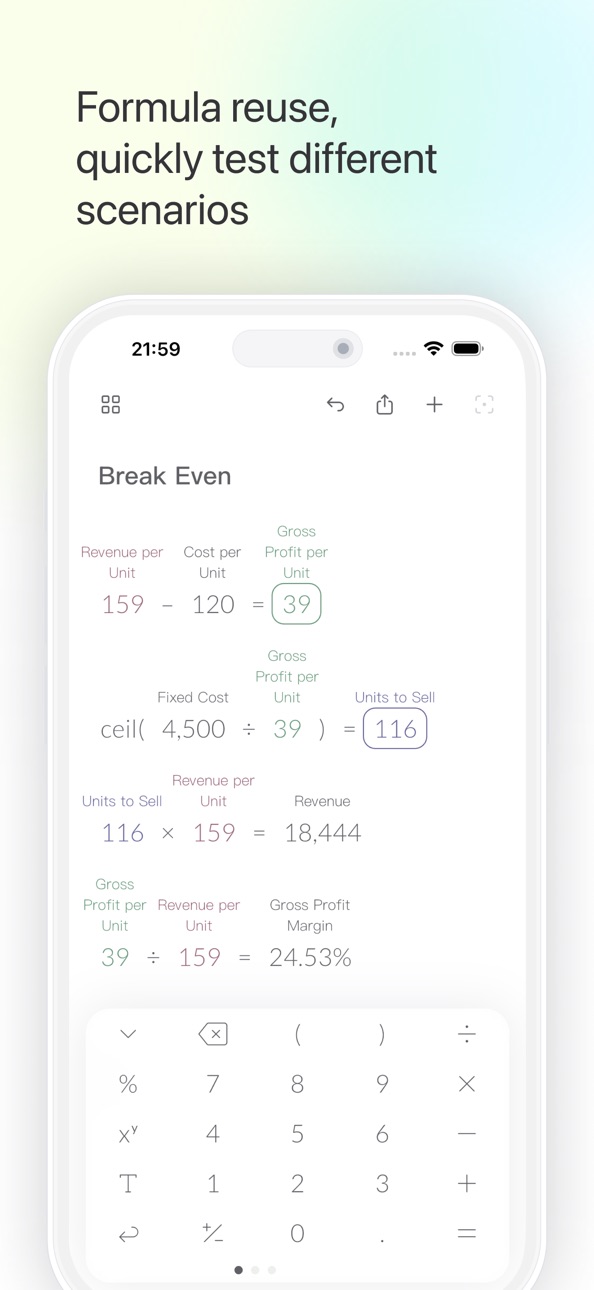
• Formula Reuse
Create calculation templates to quickly test different scenarios and improve work efficiency.
# Key Features
• Canvas Sync (Premium) - Sign in with Apple, Google, or Email to keep canvases consistent across devices
• Physical Keyboard Support - Connect external keyboards for enhanced typing efficiency
• Multi-Canvas Management - Categorize and manage different projects without interference
• Smart Export - Support for image and file export, facilitating collaboration
• Formatting Display - Customize number formats to meet professional requirements
• Flexible Layout - Drag alignment, smart formatting for organized calculations
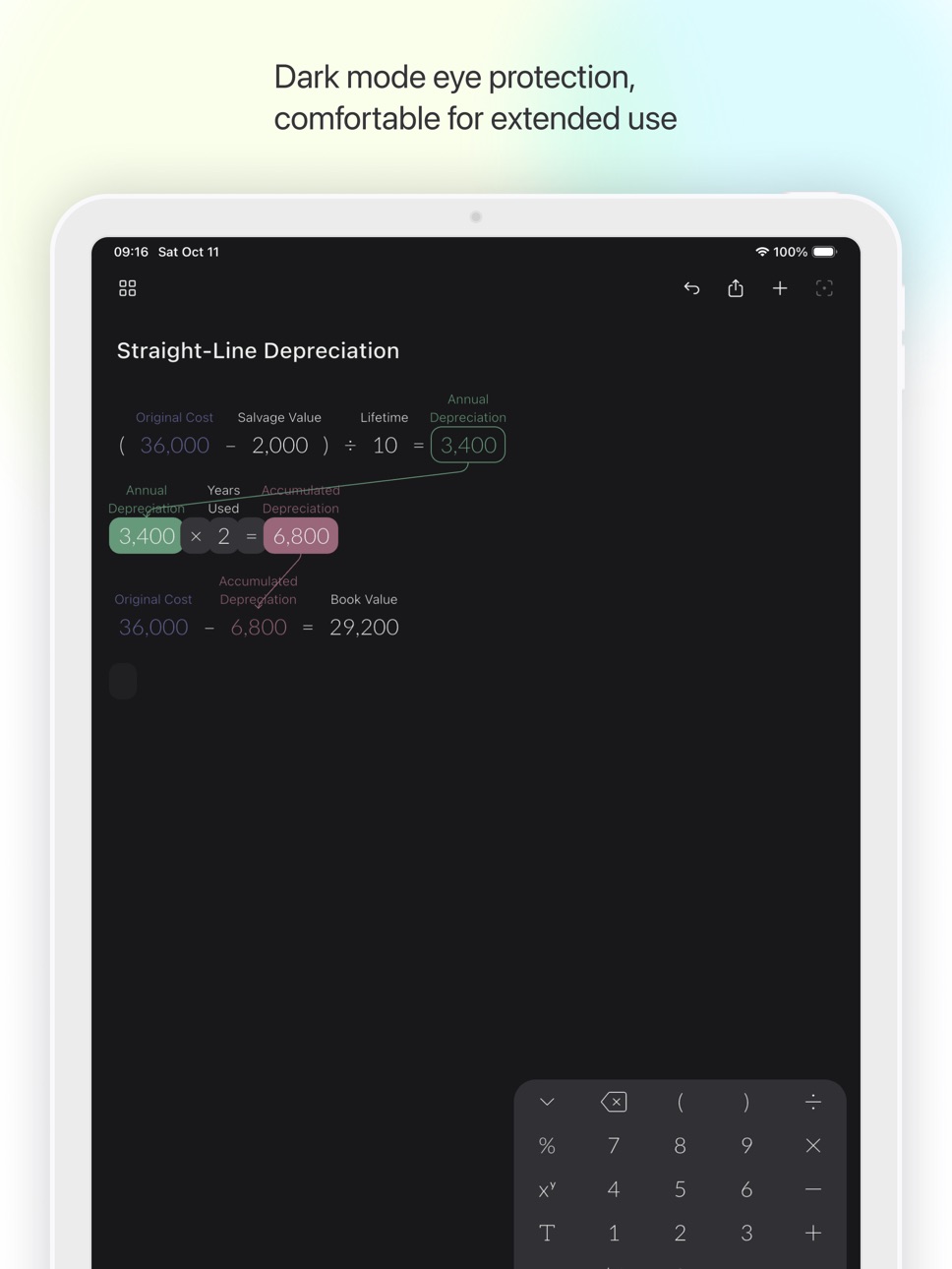
• Dark Mode - Eye-friendly design for comfortable extended use
# Use Cases
• Students - Math homework, physics calculations, statistical analysis
• Engineers - Engineering calculations, data analysis, solution comparison
• Finance Professionals - Financial analysis, investment calculations, budget planning
• Entrepreneurs - Business models, cost analysis, profit forecasting
• Researchers - Scientific calculations, data processing, experimental analysis
Calvance makes complex calculations simple and intuitive - your powerful assistant for work and study!
Terms of Use: https://www.apple.com/legal/internet-services/itunes/dev/stdeula/
In-App Purchases ZM pricing
Premium Subscription
Yearly Premium · Yearly—
Monthly Premium · Monthly—
Capabilities
In-App Purchases
Accessibility
ipadiphonemacrealityDevicetvoswatch
Version history 17 versions
Build 883626328v1.11.22026-03-22 20:28:04
Fixed an issue where formula layout became incorrect after reopening a canvas.
Build 883172252v1.11.12026-03-09 18:20:56
Fixed known issues to improve stability and overall experience.
Build 882223029v1.11.02026-02-06 21:13:34
Added a keyboard haptic feedback toggle, which you can turn on or off in Settings.
Fixed known issues to improve stability and overall experience.
Build 881779141v1.10.22026-01-25 19:12:39
Fixed known issues.
Build 881555728v1.10.12026-01-16 23:18:10
Fixed known issues.
Build 881374359v1.10.02026-01-11 23:37:29
New Features:
• Canvas sync is now available for Premium users, so your canvases stay consistent across devices;
• Sign in with Apple, Google, or Email to enable sync.
Improvements:
• Rebuilt the canvas engine for smoother editing and more reliable interactions;
• Faster canvas loading and thumbnail handling.
Bug Fixes:
• General stability improvements.
Build 878721757v1.9.02025-10-14 06:28:30
New Features:
• Support for physical keyboard input, improving typing efficiency;
• Added support for 9 new languages including German, French, etc.;
• Adopted new canvas file format (.calvx).
Optimizations:
• Toolbar styling;
• iOS 26 style app icon.
Bug Fixes:
• Fixed canvas jitter issue during rapid input;
• Fixed incorrect number link updates when switching positive/negative signs;
• Fixed issue with line breaks in formulas not being properly processed;
• Other discovered issues and stability improvements.
Build 877668937v1.8.02025-08-29 19:16:53
New Features:
• Multiple calculation templates have been added. When creating a new canvas, you can start by selecting a template;
• Negative signs can be added to functions and left parentheses, allowing the creation of calculations such as -ln and -(3 × 5);
• Transparent background images can be exported;
• It is now possible to directly open canvas files shared by other users.
Improvements:
• Optimize the calculation engine to make the calculations more accurate and efficient.
Bug Fixes:
• Corrected the issue of 5% × 5 = ?;
• Corrected the problem of incorrect calculation of 15% + 10%;
• Fixed the issue of animation delay when dragging the calculation result;
• Other discovered issues and stability improvements.
If you encounter any problems during use, please contact us at calvanceapp@gmail.com. Thank you for your feedback, and we will continue to update to provide a better experience!
Build 876291903v1.7.02025-07-10 23:05:43
New Features:
• Dark Mode: Support for dark theme, providing eye-friendly experience in low-light environments and reducing visual fatigue.
Improvements:
• Updated calculation engine, making "100 + 23% = 123".
Bug Fixes:
• Fixed issue where changing system font size would cause incomplete display;
• Fixed issues with abnormal operation on macOS;
• Other discovered issues and stability improvements.
If you encounter any problems during use, please contact us at calvanceapp@gmail.com. Thank you for your feedback, and we will continue to update to provide a better experience!
Build 875961353v1.6.02025-07-02 06:38:26
New Features:
• New Element Cursor: Indicates where new canvas elements will be added.
• Drag Alignment: Automatically aligns canvas elements when dragging.
• Long Formula Line Break: Select the position in a formula where you want to break the line, press the return key on the keyboard to display long formulas with line breaks.
• Insert Empty Line: Select a canvas element, press the return key to insert an empty line below it.
• Drag Selection: Long-press on empty canvas area and drag to create a selection box, quickly selecting multiple canvas elements.
• Select All: Tap on empty canvas area to open the "Select All" menu, one-click selection of all elements on the canvas.
Improvements:
• Redesigned app bar, keyboard, and toolbar
• Removed the number adjustment slider that had limited practical use
• New faster, more precise calculation engine
• New help tutorials
• New app icon
Bug Fixes:
• Fixed the issue where canvas content occupying too large an area would cause incomplete image exports
• Fixed number formatting errors and calculation failures in certain language environments
This update includes significant changes. If you encounter any issues, please contact us at calvanceapp@gmail.com. Thank you for your feedback, and we will continue to update to provide a better experience!
Build 874164926v1.5.12025-04-20 10:59:36
Fixed known issues.
Build 874153486v1.5.02025-04-19 18:15:33
New Features:
• Custom Number Formatting: Now you can format individual calculation results as percentages, set decimal places, and toggle thousand separators for clearer numbers.
Improvements:
• Simplified onboarding experience, making it even easier to understand and start using Calvance quickly.
Bug Fixes:
• Fixed various known issues for improved app stability and performance.
Thanks for your continued support! We keep enhancing Calvance for your best experience.
Build 873797408v1.4.02025-04-06 09:16:56
New Features:
• Text Elements: You can now add text notes, titles, or comments directly on your canvas, making your calculations clearer and easier to understand, enhancing both documentation and sharing.
• Quick Alignment: New alignment tools help you quickly align equations and text elements to the left, center, or right, and tidy up spacing, keeping your canvas neatly organized.
• Duplicate Canvas: Long-press any canvas in the canvas list to create a duplicate, allowing you to easily back up and reuse existing calculations for exploring more possibilities.
Improvements & Fixes:
• Fixed an issue where sliders could unintentionally appear outside their boundaries when adjusting maximum or minimum values.
• Fixed an issue where undoing the deletion of equations arranged at the beginning did not correctly restore their positions.
• Fixed an issue causing repeated use of colors for linked numbers after deleting equations.
• Fixed inaccuracies in the display positions of certain elements within the onboarding tutorial.
• Additional stability improvements and fixes for other reported issues.
Thank you for using Calvance! We’ll keep improving the app to enhance your experience.
Build 873296962v1.3.02025-03-18 07:38:01
# New Features
- Guided Tutorial: A new step-by-step tutorial now appears on first launch to help you quickly master core operations.
# Improvements
- Smoother Value Adjustments: Optimized slider controls ensure precise and fluid number tweaking—say goodbye to accidental slips!
# Bug Fixes
- Stable Canvas Clearing: Fixed unexpected errors that occurred when clearing the canvas.
- Under-the-Hood Fixes: We’ve quietly resolved minor issues to make your calculations even smoother!
Build 872351840v1.2.02025-02-20 11:15:29
New Features:
• One-tap canvas clear for rapid removal of all content;
• Double-tap a number to reset it quickly;
• Preloaded demo data on first launch to help you get started quickly.
Updates:
• Help documentation is now clearer and the usage guide more intuitive;
• The free version now supports 8 formulas instead of 5 for enhanced functionality.
Fixes:
• Fixed issues when adjusting numbers using the slider;
• Optimized menu text overflow display;
• Resolved other minor issues.
Additionally, we have made significant internal optimizations, laying a solid foundation for future enhancements and updates.
Build 871745508v1.1.02025-01-14 22:47:30
- New UI design;
- Added support for landscape mode and iPad;
- Improved user experience;
- Fixed known bugs.
Build 871336770v1.0.02025-01-08 11:43:19
Price history by region
Currency
Show
Columns
Search
Availability 167 of 167 storefronts
| Region | Language | Price | Ratings | Avg | Version |
|---|---|---|---|---|---|
| CN | zh-Hans-CN | Free | 13 | 4.4 | 1.11.2 |
| US | en-US | Free | 6 | 4.0 | 1.11.2 |
| DE | de-DE | Free | 5 | 4.4 | 1.11.2 |
| BR | pt-BR | Free | 2 | 4.5 | 1.11.2 |
| IN | en-GB | Free | 2 | 5.0 | 1.11.2 |
| CA | en-CA | Free | 1 | 5.0 | 1.11.2 |
| ES | es-ES | Free | 1 | 5.0 | 1.11.2 |
| ID | en-GB | Free | 1 | 5.0 | 1.11.2 |
| IT | it | Free | 1 | 5.0 | 1.11.2 |
| PT | pt-PT | Free | 1 | 5.0 | 1.11.2 |
| RU | ru | Free | 1 | 5.0 | 1.11.2 |
| TR | en-GB | Free | 1 | 5.0 | 1.11.2 |
| UA | en-GB | Free | 1 | 5.0 | 1.11.2 |
| AE | en-GB | Free | 0 | — | 1.11.2 |
| AF | en-GB | Free | 0 | — | 1.11.2 |
| AG | en-GB | Free | 0 | — | 1.11.2 |
| AL | en-GB | Free | 0 | — | 1.11.2 |
| AM | en-GB | Free | 0 | — | 1.11.2 |
| AO | en-GB | Free | 0 | — | 1.11.2 |
| AT | de-DE | Free | 0 | — | 1.11.2 |
| AU | en-AU | Free | 0 | — | 1.11.2 |
| AZ | en-GB | Free | 0 | — | 1.11.2 |
| BA | en-GB | Free | 0 | — | 1.11.2 |
| BB | en-GB | Free | 0 | — | 1.11.2 |
| BE | en-GB | Free | 0 | — | 1.11.2 |
| BF | en-GB | Free | 0 | — | 1.11.2 |
| BG | en-GB | Free | 0 | — | 1.11.2 |
| BH | en-GB | Free | 0 | — | 1.11.2 |
| BJ | en-GB | Free | 0 | — | 1.11.2 |
| BM | en-GB | Free | 0 | — | 1.11.2 |
| BN | en-GB | Free | 0 | — | 1.11.2 |
| BO | es-MX | Free | 0 | — | 1.11.2 |
| BS | en-GB | Free | 0 | — | 1.11.2 |
| BT | en-GB | Free | 0 | — | 1.11.2 |
| BW | en-GB | Free | 0 | — | 1.11.2 |
| BY | en-GB | Free | 0 | — | 1.11.2 |
| BZ | en-GB | Free | 0 | — | 1.11.2 |
| CD | en-GB | Free | 0 | — | 1.11.2 |
| CG | en-GB | Free | 0 | — | 1.11.2 |
| CH | de-CH | Free | 0 | — | 1.11.2 |
| CI | fr-FR | Free | 0 | — | 1.11.2 |
| CM | fr-FR | Free | 0 | — | 1.11.2 |
| CO | es-MX | Free | 0 | — | 1.11.2 |
| CR | es-MX | Free | 0 | — | 1.11.2 |
| CV | en-GB | Free | 0 | — | 1.11.2 |
| CY | en-GB | Free | 0 | — | 1.11.2 |
| CZ | en-GB | Free | 0 | — | 1.11.2 |
| DK | en-GB | Free | 0 | — | 1.11.2 |
| DM | en-GB | Free | 0 | — | 1.11.2 |
| DO | es-MX | Free | 0 | — | 1.11.2 |
| DZ | en-GB | Free | 0 | — | 1.11.2 |
| EC | es-MX | Free | 0 | — | 1.11.2 |
| EE | en-GB | Free | 0 | — | 1.11.2 |
| EG | en-GB | Free | 0 | — | 1.11.2 |
| FI | en-GB | Free | 0 | — | 1.11.2 |
| FJ | en-GB | Free | 0 | — | 1.11.2 |
| FM | en-GB | Free | 0 | — | 1.11.2 |
| FR | fr-FR | Free | 0 | — | 1.11.2 |
| GA | fr-FR | Free | 0 | — | 1.11.2 |
| GB | en-GB | Free | 0 | — | 1.11.2 |
| GD | en-GB | Free | 0 | — | 1.11.2 |
| GE | en-GB | Free | 0 | — | 1.11.2 |
| GH | en-GB | Free | 0 | — | 1.11.2 |
| GM | en-GB | Free | 0 | — | 1.11.2 |
| GR | en-GB | Free | 0 | — | 1.11.2 |
| GT | es-MX | Free | 0 | — | 1.11.2 |
| GW | en-GB | Free | 0 | — | 1.11.2 |
| GY | en-GB | Free | 0 | — | 1.11.2 |
| HK | zh-Hant-HK | Free | 0 | — | 1.11.2 |
| HN | es-MX | Free | 0 | — | 1.11.2 |
| HR | en-GB | Free | 0 | — | 1.11.2 |
| HU | en-GB | Free | 0 | — | 1.11.2 |
| IE | en-GB | Free | 0 | — | 1.11.2 |
| IL | en-GB | Free | 0 | — | 1.11.2 |
| IQ | en-GB | Free | 0 | — | 1.11.2 |
| IS | en-GB | Free | 0 | — | 1.11.2 |
| JM | en-GB | Free | 0 | — | 1.11.2 |
| JO | en-GB | Free | 0 | — | 1.11.2 |
| JP | ja | Free | 0 | — | 1.11.2 |
| KE | en-GB | Free | 0 | — | 1.11.2 |
| KG | en-GB | Free | 0 | — | 1.11.2 |
| KH | en-GB | Free | 0 | — | 1.11.2 |
| KR | ko | Free | 0 | — | 1.11.2 |
| KW | en-GB | Free | 0 | — | 1.11.2 |
| KZ | en-GB | Free | 0 | — | 1.11.2 |
| LA | en-GB | Free | 0 | — | 1.11.2 |
| LB | en-GB | Free | 0 | — | 1.11.2 |
| LK | en-GB | Free | 0 | — | 1.11.2 |
| LR | en-GB | Free | 0 | — | 1.11.2 |
| LT | en-GB | Free | 0 | — | 1.11.2 |
| LU | en-GB | Free | 0 | — | 1.11.2 |
| LV | en-GB | Free | 0 | — | 1.11.2 |
| LY | en-GB | Free | 0 | — | 1.11.2 |
| MA | en-GB | Free | 0 | — | 1.11.2 |
| MD | en-GB | Free | 0 | — | 1.11.2 |
| ME | en-GB | Free | 0 | — | 1.11.2 |
| MG | en-GB | Free | 0 | — | 1.11.2 |
| MK | en-GB | Free | 0 | — | 1.11.2 |
| ML | en-GB | Free | 0 | — | 1.11.2 |
| MM | en-GB | Free | 0 | — | 1.11.2 |
| MN | en-GB | Free | 0 | — | 1.11.2 |
| MO | zh-Hant-HK | Free | 0 | — | 1.11.2 |
| MR | en-GB | Free | 0 | — | 1.11.2 |
| MT | en-GB | Free | 0 | — | 1.11.2 |
| MU | en-GB | Free | 0 | — | 1.11.2 |
| MV | en-GB | Free | 0 | — | 1.11.2 |
| MW | en-GB | Free | 0 | — | 1.11.2 |
| MX | es-MX | Free | 0 | — | 1.11.2 |
| MY | en-GB | Free | 0 | — | 1.11.2 |
| MZ | en-GB | Free | 0 | — | 1.11.2 |
| NA | en-GB | Free | 0 | — | 1.11.2 |
| NE | en-GB | Free | 0 | — | 1.11.2 |
| NG | en-GB | Free | 0 | — | 1.11.2 |
| NI | es-MX | Free | 0 | — | 1.11.2 |
| NL | nl | Free | 0 | — | 1.11.2 |
| NO | en-GB | Free | 0 | — | 1.11.2 |
| NP | en-GB | Free | 0 | — | 1.11.2 |
| NR | en-GB | Free | 0 | — | 1.11.2 |
| NZ | en-AU | Free | 0 | — | 1.11.2 |
| OM | en-GB | Free | 0 | — | 1.11.2 |
| PA | es-MX | Free | 0 | — | 1.11.2 |
| PE | es-MX | Free | 0 | — | 1.11.2 |
| PG | en-GB | Free | 0 | — | 1.11.2 |
| PH | en-GB | Free | 0 | — | 1.11.2 |
| PK | en-GB | Free | 0 | — | 1.11.2 |
| PL | en-GB | Free | 0 | — | 1.11.2 |
| PW | en-GB | Free | 0 | — | 1.11.2 |
| PY | es-MX | Free | 0 | — | 1.11.2 |
| QA | en-GB | Free | 0 | — | 1.11.2 |
| RO | en-GB | Free | 0 | — | 1.11.2 |
| RS | en-GB | Free | 0 | — | 1.11.2 |
| RW | en-GB | Free | 0 | — | 1.11.2 |
| SA | en-GB | Free | 0 | — | 1.11.2 |
| SB | en-GB | Free | 0 | — | 1.11.2 |
| SC | en-GB | Free | 0 | — | 1.11.2 |
| SE | sv | Free | 0 | — | 1.11.2 |
| SG | en-GB | Free | 0 | — | 1.11.2 |
| SI | en-GB | Free | 0 | — | 1.11.2 |
| SK | en-GB | Free | 0 | — | 1.11.2 |
| SL | en-GB | Free | 0 | — | 1.11.2 |
| SN | en-GB | Free | 0 | — | 1.11.2 |
| SR | en-GB | Free | 0 | — | 1.11.2 |
| ST | en-GB | Free | 0 | — | 1.11.2 |
| SV | es-MX | Free | 0 | — | 1.11.2 |
| SZ | en-GB | Free | 0 | — | 1.11.2 |
| TD | en-GB | Free | 0 | — | 1.11.2 |
| TH | en-GB | Free | 0 | — | 1.11.2 |
| TJ | en-GB | Free | 0 | — | 1.11.2 |
| TM | en-GB | Free | 0 | — | 1.11.2 |
| TN | en-GB | Free | 0 | — | 1.11.2 |
| TO | en-GB | Free | 0 | — | 1.11.2 |
| TT | en-GB | Free | 0 | — | 1.11.2 |
| TW | zh-Hant-TW | Free | 0 | — | 1.11.2 |
| TZ | en-GB | Free | 0 | — | 1.11.2 |
| UG | en-GB | Free | 0 | — | 1.11.2 |
| UY | en-GB | Free | 0 | — | 1.11.2 |
| UZ | en-GB | Free | 0 | — | 1.11.2 |
| VC | en-GB | Free | 0 | — | 1.11.2 |
| VE | es-MX | Free | 0 | — | 1.11.2 |
| VG | en-GB | Free | 0 | — | 1.11.2 |
| VN | en-GB | Free | 0 | — | 1.11.2 |
| VU | en-GB | Free | 0 | — | 1.11.2 |
| XK | en-GB | Free | 0 | — | 1.11.2 |
| YE | en-GB | Free | 0 | — | 1.11.2 |
| ZA | en-GB | Free | 0 | — | 1.11.2 |
| ZM | en-GB | Free | 0 | — | 1.11.2 |
| ZW | en-GB | Free | 0 | — | 1.11.2 |
Change log 21 changes · ZM
✎
releaseNotes updated
Fixed an issue where formula layout became incorrect after reopening a canvas.
✎
description updated
Calvance - Redefining the Calculation Experience
Calvance is a revolutionary calculation tool that perfectly combines infinite canvas with intelligent computin
✎
subtitle updated
Calculate on canvas
✎
name updated
Calvance Calculator
◆
Version 1.11.2 released
Fixed an issue where formula layout became incorrect after reopening a canvas.
◆
Version 1.11.1 released
Fixed known issues to improve stability and overall experience.
◆
Version 1.11.0 released
Added a keyboard haptic feedback toggle, which you can turn on or off in Settings.
Fixed known issues to improve stability and overall experience.
◆
Version 1.10.2 released
Fixed known issues.
◆
Version 1.10.1 released
Fixed known issues.
◆
Version 1.10.0 released
New Features:
• Canvas sync is now available for Premium users, so your canvases stay consistent across devices;
• Sign in with Apple, Google, or Email to enable sync.
Improvements:
• Rebuilt the canvas engine for smoother editing and more
◆
Version 1.9.0 released
New Features:
• Support for physical keyboard input, improving typing efficiency;
• Added support for 9 new languages including German, French, etc.;
• Adopted new canvas file format (.calvx).
Optimizations:
• Toolbar styling;
• iOS 26 sty
◆
Version 1.8.0 released
New Features:
• Multiple calculation templates have been added. When creating a new canvas, you can start by selecting a template;
• Negative signs can be added to functions and left parentheses, allowing the creation of calculations such a
◆
Version 1.7.0 released
New Features:
• Dark Mode: Support for dark theme, providing eye-friendly experience in low-light environments and reducing visual fatigue.
Improvements:
• Updated calculation engine, making "100 + 23% = 123".
Bug Fixes:
• Fixed issue whe
◆
Version 1.6.0 released
New Features:
• New Element Cursor: Indicates where new canvas elements will be added.
• Drag Alignment: Automatically aligns canvas elements when dragging.
• Long Formula Line Break: Select the position in a formula where you want to break
◆
Version 1.5.1 released
Fixed known issues.
◆
Version 1.5.0 released
New Features:
• Custom Number Formatting: Now you can format individual calculation results as percentages, set decimal places, and toggle thousand separators for clearer numbers.
Improvements:
• Simplified onboarding experience, making it
◆
Version 1.4.0 released
New Features:
• Text Elements: You can now add text notes, titles, or comments directly on your canvas, making your calculations clearer and easier to understand, enhancing both documentation and sharing.
• Quick Alignment: New alignment to
◆
Version 1.3.0 released
# New Features
- Guided Tutorial: A new step-by-step tutorial now appears on first launch to help you quickly master core operations.
# Improvements
- Smoother Value Adjustments: Optimized slider controls ensure precise and fluid number
◆
Version 1.2.0 released
New Features:
• One-tap canvas clear for rapid removal of all content;
• Double-tap a number to reset it quickly;
• Preloaded demo data on first launch to help you get started quickly.
Updates:
• Help documentation is now clearer and the u
◆
Version 1.1.0 released
- New UI design;
- Added support for landscape mode and iPad;
- Improved user experience;
- Fixed known bugs.
◆
Version 1.0.0 released