Home › Sports

 US
US
1 of 1 storefronts
Content in en-US
Content in en-US
Information
Apple ID6738701320
Bundle IDcom.thomashunt.Squad11
SellerSeller
Min iOS17.0
Min macOS14.0
Device familiesiphone, ipad
Released2024-11-27
Copyright© 2026 Thomas Hunt
Privacy policyLink ↗
Preview 2 platforms
iPhone 7 images




iPad 6 images


What’s New Version 3.0
Thanks for supporting Squad11!
Version 3.0 contains major feature and UI updates across the app:
- Animation: You can now record and playback custom animations of all moving pitch UI elements (player circles, lines drawn, football)
- ‘Manage Clubs’ has been moved out of Settings and in to it’s own view, ‘Clubs’
- ‘Saved’ is now ‘Lineups’ with updated UI
- When creating a Club, you can now query Wikidata to pull current player data from real clubs
- ‘Immersive PItch’ toggle in Settings extends pitch colour to the top and bottom of the app
- Updated Settings screen UI
- Updated bottom navigation bar
- Swipe left to delete on lineups and clubs, replacing long-press action
- Hamburger menu on the Squad view can now be repositioned
- Fixed an issue where manually re-positioned player circles were not persisting when saving and reloading lineups
- Updated onboarding
Description
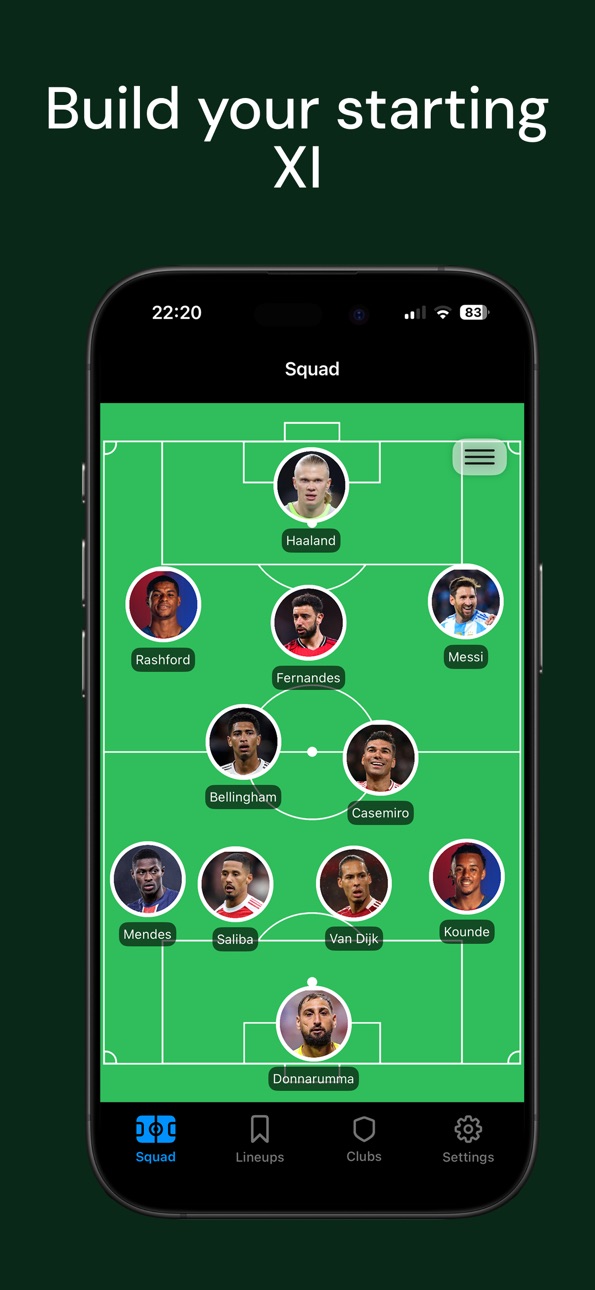
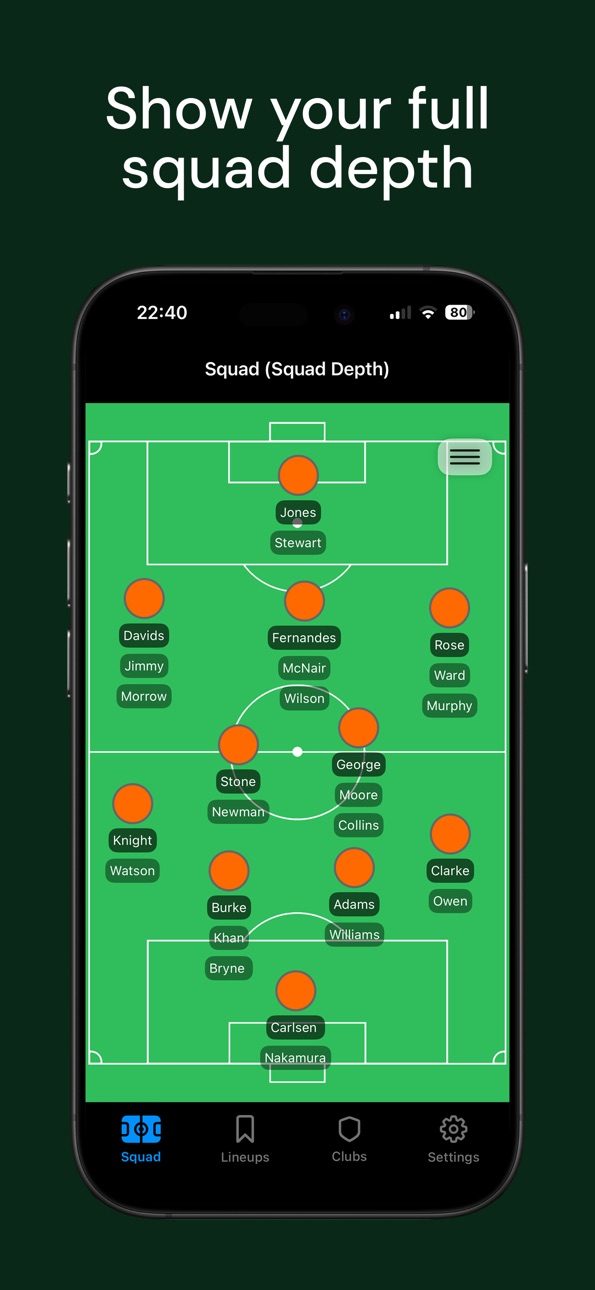
Squad11 is the fastest way to build, animate and share football lineups. Plan formations, draw tactics, show squad depth, record movement and play it back. It's built for coaches, analysts and fantasy fans. No ads or sign-up required.
Key Features
* Record and Replay Tactics: animate player runs, ball movement and pressing patterns to demonstrate ideas frame-by-frame.
* Second XI Mode: Add a second set of players to the pitch to visualise tactical battles or opposition setups.
* Tactical Tools: Draw directional arrows and add a football to the screen to highlight movement or passing patterns.
* Build Custom Lineups: Add players to the pitch and include multiple substitutes to showcase full squad depth.
* Flexible Team Sizes: Choose from 11-a-side, 9-a-side, 7-a-side, or 5-a-side formations.
* Save & Load Lineups: Store multiple teams and return to them anytime for updates or analysis.
* Club Setup: Build a club with pre-defined players for faster team setup. Add players manually or pull from online squad lists.
* Formations Made Easy: Use popular presets or drag and position players manually to build your own tactics.
* Full Customisation: Add player photos, change pitch colours, add player numbers, and change player kit colours to match your team’s look.
Squad11 is designed to stay focused and easy to use. Perfect for coaches, analysts, fantasy football fans, or anyone who loves building their dream XI.
Accessibility
ipadiphonemacrealityDevicetvoswatch
Version history 15 versions
Build 886248897v3.02026-06-01 13:42:46
Thanks for supporting Squad11!
Version 3.0 contains major feature and UI updates across the app:
- Animation: You can now record and playback custom animations of all moving pitch UI elements (player circles, lines drawn, football)
- ‘Manage Clubs’ has been moved out of Settings and in to it’s own view, ‘Clubs’
- ‘Saved’ is now ‘Lineups’ with updated UI
- When creating a Club, you can now query Wikidata to pull current player data from real clubs
- ‘Immersive PItch’ toggle in Settings extends pitch colour to the top and bottom of the app
- Updated Settings screen UI
- Updated bottom navigation bar
- Swipe left to delete on lineups and clubs, replacing long-press action
- Hamburger menu on the Squad view can now be repositioned
- Fixed an issue where manually re-positioned player circles were not persisting when saving and reloading lineups
- Updated onboarding
Build 884628927v2.502026-04-17 18:30:52
- Pitch backgrounds updated to include goal post and penalty arc outlines
Build 878931240v2.412025-10-15 20:54:42
- New app logo and loading screen
- Adjusted onboarding styling
- Adjusted app name and subtitle
Build 878804911v2.42025-10-10 05:56:34
- Added an onboarding setup for new users
- Minor text updates
- Updated app store description
Build 878537461v2.32025-10-01 00:44:56
Updated app store screenshots and previews.
Build 878331203v2.22025-09-22 23:41:11
- You can now set the number of players on the pitch to 11-a-side, 9-a-side, 7-a-side or 5-a-side. Select 'Change Team Size' in Settings. Thanks to MJ for the suggestion!
- Updated UI for iOS 26
Build 876238425v2.12025-07-15 10:01:02
Thanks for supporting Squad11.
Update 2.1 comes with the following improvements:
- You can now assign numbers to players. Tap on a player circle -> ‘Assign Number’
- More player circle colour options: stripes, hoops, diagonal stripe, and increase or decrease player circle size
- Upload Photo option added to player name entry view. Upload a photo to replace player circles.
- Added ‘Draw Lines’ option to the hamburger menu. Hold and drag and draw directional arrows on the pitch. Tap lines to remove them or clear all at the top left.
- Removed ‘Squad11’ watermark from bottom right of app
- General bug fixes and improvements
If you like the app, please consider leaving a review rating!
Build 876156695v2.02025-07-07 17:52:40
Thanks for supporting Squad11. Update 2.0 comes with the following improvements:
- Create a Club: Define a pool of players that you can pick from (Settings -> Manage Clubs). In the Squad view, select the hamburger menu -> Load Club. You can then pick from this pre-defined list of players when tapping on player circles, or exit club mode to return to normal player entry.
- Added ’Send Feedback’ and ‘Rate Squad11’ buttons to the Settings view. If you have any feedback (positive or negative!) or wish to leave a rating, this would be greatly appreciated.
- Updated various view stylings including player name entry, save team, overwrite team.
- Updated screenshots and previews for app store page.
- Refactored code for better data scalability. This should not impact any of your saved teams. If you experience any issues, please send feedback under Settings -> Send Feedback.
Build 875984480v1.0.6 2025-07-01 22:38:21
General bug fixes and improvements.
Build 875267729v1.052025-06-03 15:38:17
- Updated app store previews
- Two new pitch colour options (white, purple)
Build 870988878v1.042024-12-09 02:27:07
Added app store previews
Build 870905971v1.032024-12-05 07:41:19
You can now add a small football to the pitch for tactical demonstrations. Under the hamburger menu, tap 'Show Football'
Build 870792180v1.022024-12-02 11:25:19
- Added the ability to add a second set of player circles to the pitch for tactical visualisations. Under the hamburger menu on the 'Squad' screen, select 'Add Second XI'.
- Changed loading screen font
Build 870741668v1.012024-11-28 07:08:21
- Updated app store screenshots
- Updated app store description
No in-app changes.
Build 870703978v1.02024-11-27 06:13:02
Price history by region
Currency
Show
Columns
Search
Availability 1 of 1 storefronts
| Region | Language | Price | Ratings | Avg | Version |
|---|---|---|---|---|---|
| US | en-US | USD 0.99 | 1 | 4.0 | 3.0 |
Change log 19 changes · US
✎
releaseNotes updated
Thanks for supporting Squad11!
Version 3.0 contains major feature and UI updates across the app:
- Animation: You can now record and playback custom animation
✎
description updated
Squad11 is the fastest way to build, animate and share football lineups. Plan formations, draw tactics, show squad depth, record movement and play it back. It's
✎
subtitle updated
Formation App & Tactics Board
✎
name updated
Squad11 - Soccer Lineup Maker
◆
Version 3.0 released
Thanks for supporting Squad11!
Version 3.0 contains major feature and UI updates across the app:
- Animation: You can now record and playback custom animations of all moving pitch UI elements (player circles, lines drawn, football)
- ‘Man
◆
Version 2.50 released
- Pitch backgrounds updated to include goal post and penalty arc outlines
◆
Version 2.41 released
- New app logo and loading screen
- Adjusted onboarding styling
- Adjusted app name and subtitle
◆
Version 2.4 released
- Added an onboarding setup for new users
- Minor text updates
- Updated app store description
◆
Version 2.3 released
Updated app store screenshots and previews.
◆
Version 2.2 released
- You can now set the number of players on the pitch to 11-a-side, 9-a-side, 7-a-side or 5-a-side. Select 'Change Team Size' in Settings. Thanks to MJ for the suggestion!
- Updated UI for iOS 26
◆
Version 2.1 released
Thanks for supporting Squad11.
Update 2.1 comes with the following improvements:
- You can now assign numbers to players. Tap on a player circle -> ‘Assign Number’
- More player circle colour options: stripes, hoops, diagonal stripe, and
◆
Version 2.0 released
Thanks for supporting Squad11. Update 2.0 comes with the following improvements:
- Create a Club: Define a pool of players that you can pick from (Settings -> Manage Clubs). In the Squad view, select the hamburger menu -> Load Club. You ca
◆
Version 1.0.6 released
General bug fixes and improvements.
◆
Version 1.05 released
- Updated app store previews
- Two new pitch colour options (white, purple)
◆
Version 1.04 released
Added app store previews
◆
Version 1.03 released
You can now add a small football to the pitch for tactical demonstrations. Under the hamburger menu, tap 'Show Football'
◆
Version 1.02 released
- Added the ability to add a second set of player circles to the pitch for tactical visualisations. Under the hamburger menu on the 'Squad' screen, select 'Add Second XI'.
- Changed loading screen font
◆
Version 1.01 released
- Updated app store screenshots
- Updated app store description
No in-app changes.
◆
Version 1.0 released