Home › Utilities

 ZM
ZM
 CNzh-Hans-CN
 USen-US
 TWzh-Hant-TW
 HKzh-Hant-HK
 JPja
JPja VNen-GB
 AUen-AU
 MYen-GB
 CAen-CA
 DEde-DE
 GBen-GB
 TRen-GB
 ITit
ITit MOzh-Hant-HK
 ATde-DE
 INen-GB
 KRko
KRko MXes-MX
 OMen-GB
 RUru
RUru SAen-GB
 CLes-MX
 ESes-ES
 FRfr-FR
 IEen-GB
 KHen-GB
 SEsv
SEsv SGen-GB
 ARes-MX
 BRpt-BR
 HRen-GB
 KWen-GB
 PHen-GB
 PTpt-PT
 UGen-GB
 ZAen-GB
 AEen-GB
 AFen-GB
 AGen-GB
 AIen-GB
 ALen-GB
 AMen-GB
 AOen-GB
 AZen-GB
 BAen-GB
 BBen-GB
 BEen-GB
 BFen-GB
 BGen-GB
 BHen-GB
 BJen-GB
 BMen-GB
 BNen-GB
 BOes-MX
 BSen-GB
 BTen-GB
 BWen-GB
 BYen-GB
 BZen-GB
 CDen-GB
 CGen-GB
 CHde-CH
 CIfr-FR
 CMfr-FR
 COes-MX
 CRes-MX
 CVen-GB
 CYen-GB
 CZen-GB
 DKen-GB
 DMen-GB
 DOes-MX
 DZen-GB
 ECes-MX
 EEen-GB
 EGen-GB
 FIen-GB
 FJen-GB
 FMen-GB
 GAfr-FR
 GDen-GB
 GEen-GB
 GHen-GB
 GMen-GB
 GRen-GB
 GTes-MX
 GWen-GB
 GYen-GB
 HNes-MX
 HUen-GB
 IDen-GB
 ILen-GB
 IQen-GB
 ISen-GB
 JMen-GB
 JOen-GB
 KEen-GB
 KGen-GB
 KNen-GB
 KYen-GB
 KZen-GB
 LAen-GB
 LBen-GB
 LCen-GB
 LKen-GB
 LRen-GB
 LTen-GB
 LUen-GB
 LVen-GB
 LYen-GB
 MAen-GB
 MDen-GB
 MEen-GB
 MGen-GB
 MKen-GB
 MLen-GB
 MMen-GB
 MNen-GB
 MRen-GB
 MSen-GB
 MTen-GB
 MUen-GB
 MVen-GB
 MWen-GB
 MZen-GB
 NAen-GB
 NEen-GB
 NGen-GB
 NIes-MX
 NLnl
NLnl NOen-GB
 NPen-GB
 NRen-GB
 NZen-AU
 PAes-MX
 PEes-MX
 PGen-GB
 PKen-GB
 PLen-GB
 PWen-GB
 PYes-MX
 QAen-GB
 ROen-GB
 RSen-GB
 RWen-GB
 SBen-GB
 SCen-GB
 SIen-GB
 SKen-GB
 SLen-GB
 SNen-GB
 SRen-GB
 STen-GB
 SVes-MX
 SZen-GB
 TCen-GB
 TDen-GB
 THen-GB
 TJen-GB
 TMen-GB
 TNen-GB
 TOen-GB
 TTen-GB
 TZen-GB
 UAen-GB
 UYen-GB
 UZen-GB
 VCen-GB
 VEes-MX
 VGen-GB
 VUen-GB
 XKen-GB
 YEen-GBZMen-GB
 ZWen-GB
175 of 175 storefronts
Content in en-US
Content in en-US
Information
Preview 2 platforms
iPhone 8 images





iPad 5 images



What’s New Version 2.9.2
• Smarter Compression Filters: When Hide Compressed is enabled, items already saved in the ByePhotos album are hidden too, keeping the list focused on media that still needs attention.
• Favorites Cleanup: You can now start Swipe Clean from Favorites and go through the photos and videos you have marked with a heart.
• Live Photo Audio Fix: Live Photo sound now stops correctly after you swipe away or leave the viewer.
Description
ByePhotos helps you easily organize your phone media files and free up valuable storage space.
• Worry-free Security – Completely local processing, no internet connection required, ensuring your privacy
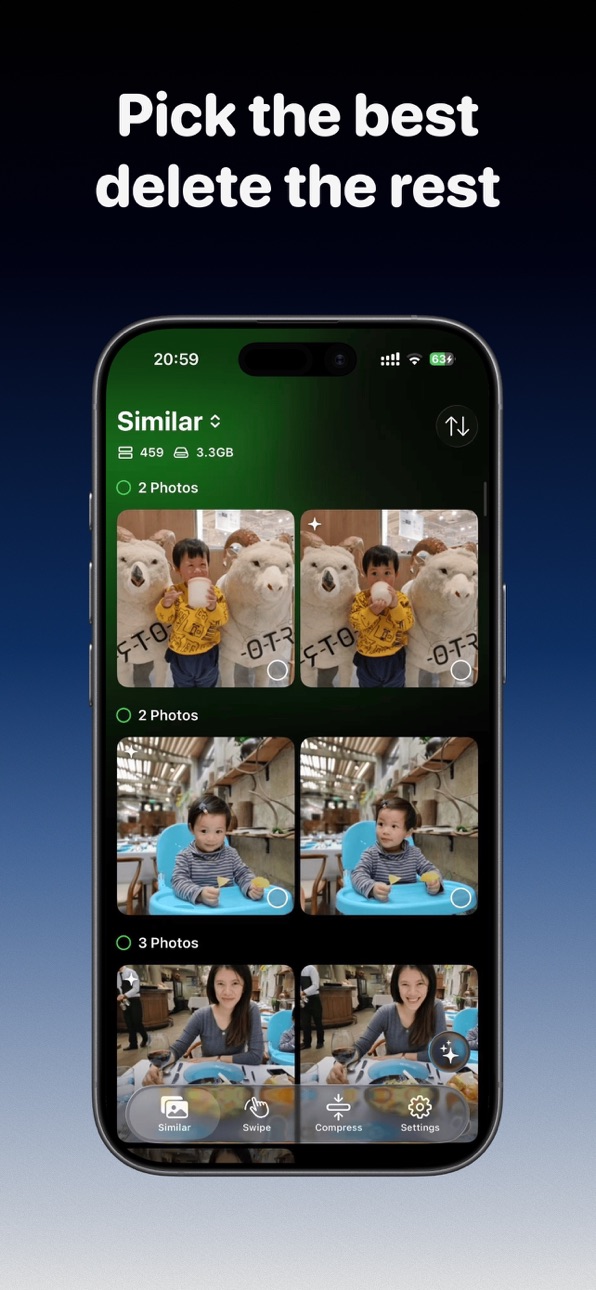
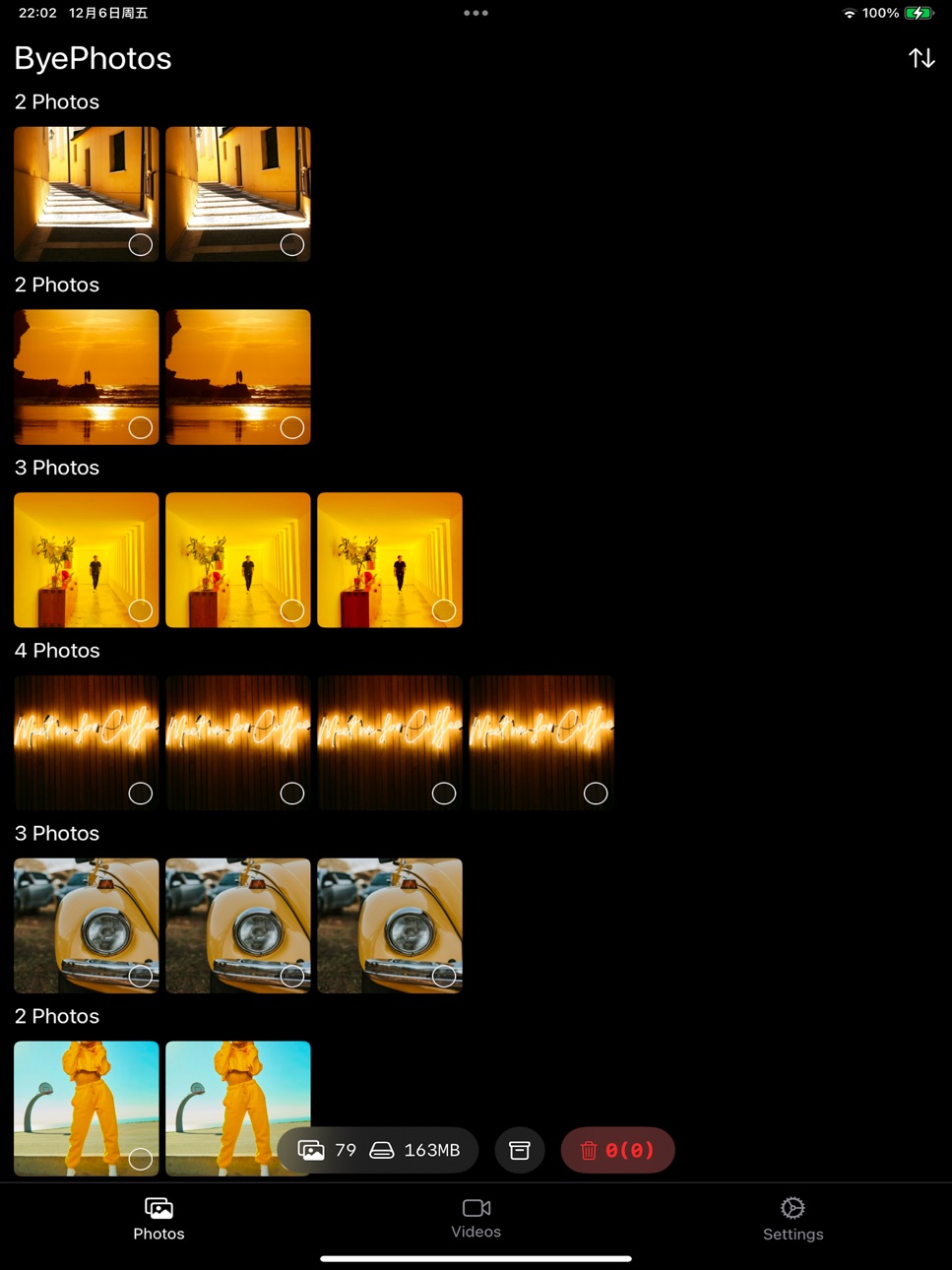
• Smart Recognition – Automatically detects similar/duplicate photos and recommends the best options to keep
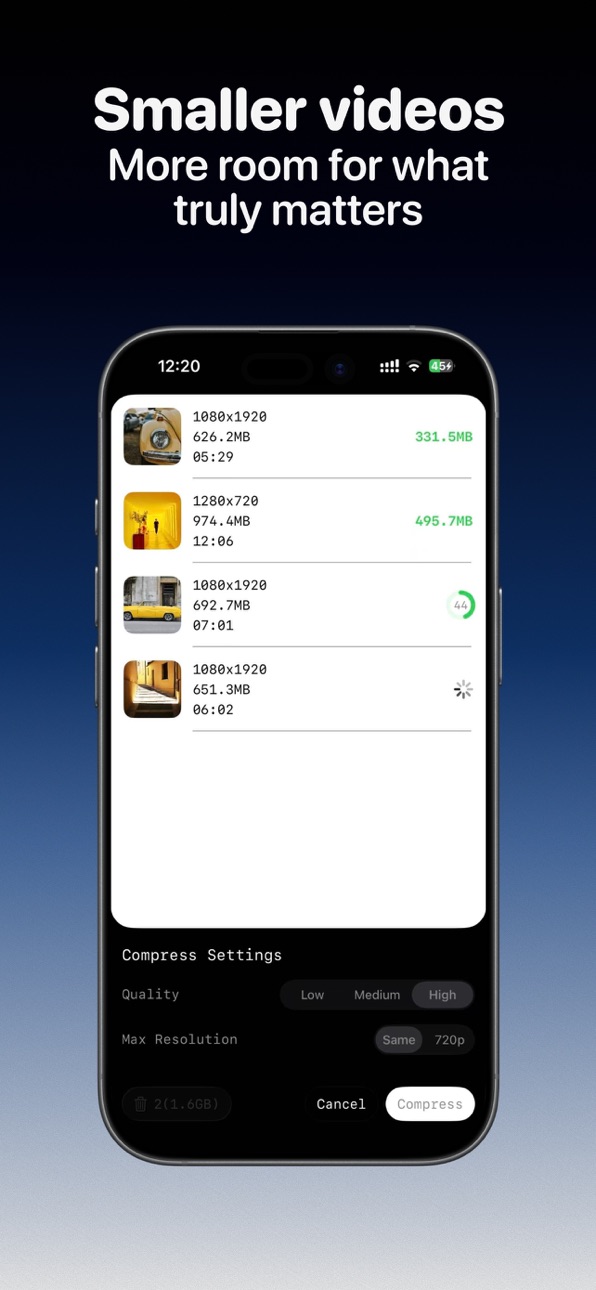
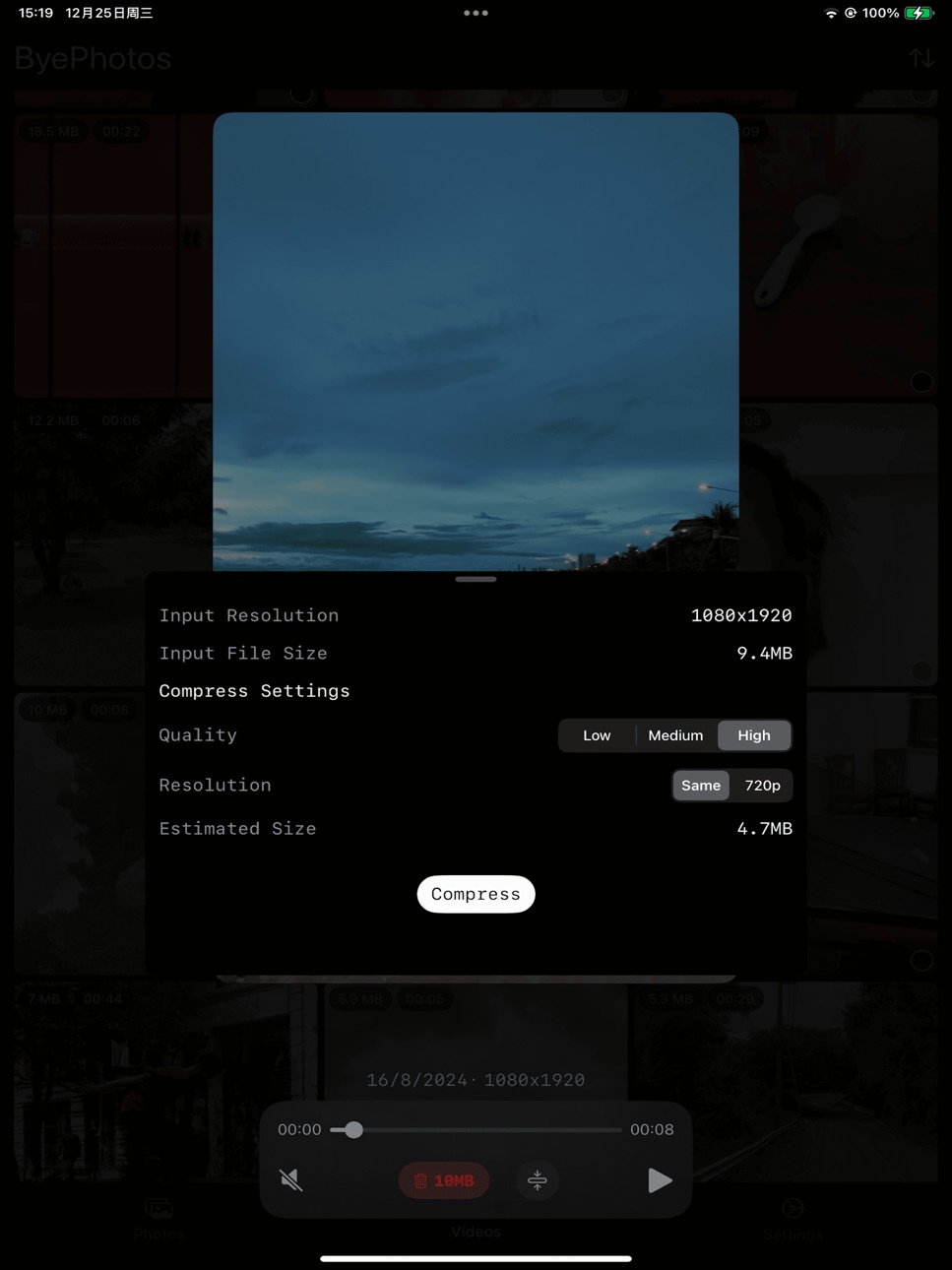
• Video Compression – Reduce file sizes while preserving visual clarity, helping you save space without noticeably compromising quality
• Efficient Organization – Quick classification with gestures, one-click deletion of unwanted photos
• Easy Continuity – Multiple organization modes (Random, By Month, Oldest First, Newest First), real-time progress display, supports pause and resume anytime
• Full Format Support – Compatible with photos, videos, Live Photos
Organize a little bit every day, say goodbye to cluttered albums.
No need to complete all organization work at once. ByePhotos records your progress, allowing you to easily complete the task over multiple sessions, reducing organization stress.
Download ByePhotos and start cleaning up your iPhone photo library now. Rediscover precious memories while freeing up device storage space.
Making organization simple and memories more precious. ByePhotos, your photo organization assistant.
---
Subscription Information
Subscribe to ByePhotos annually or monthly. Members get access to all features with continuous updates.
Subscriptions automatically renew through iTunes. Your account will be charged 24 hours before expiration. To cancel, turn off auto-renewal in your iTunes/Apple ID settings at least 24 hours before the current period ends.
Privacy Policy: https://invincible-crush-b2e.notion.site/ByePhotos-Privacy-Policy-13ddfef9d1128089a471f9be8273aaf5
Terms of Service: https://www.apple.com/legal/internet-services/itunes/dev/stdeula/
In-App Purchases ZM pricing
Subscription Subscription
ByePhotos Monthly Subscription · Monthly—
ByePhotos Annual Subscription · Yearly—
One-Time Purchases
ByePhotos Lifetime Access—
ByePhotos Lifetime Access—
ByePhotos Lifetime Access—
Capabilities
In-App Purchases
Accessibility
ipadiphonemacrealityDevicetvoswatch
Version history 25 versions
Build 887675083v2.9.22026-07-01 23:18:44
• Smarter Compression Filters: When Hide Compressed is enabled, items already saved in the ByePhotos album are hidden too, keeping the list focused on media that still needs attention.
• Favorites Cleanup: You can now start Swipe Clean from Favorites and go through the photos and videos you have marked with a heart.
• Live Photo Audio Fix: Live Photo sound now stops correctly after you swipe away or leave the viewer.
Build 887478085v2.9.12026-06-30 19:18:02
Improved app performance
Build 886653911v2.9.02026-06-12 23:56:14
- Added an album whitelist: photos in whitelisted albums are automatically treated as organized, so you do not need to sort them manually
- Added a Show All Albums button to the bottom toolbar. It shows how many albums the current media item belongs to and opens a sheet with all albums for quick album adding. You can choose whether to show this button in Settings
- Removed the behavior that moved the current media item’s albums to the front, preventing the album strip order from jumping
- Added a setting to hide the Keep/Delete buttons
- Added a Reduce Background Sound setting, so video and Live Photo playback can avoid lowering your background music volume
Build 885549394v2.8.02026-05-13 00:25:55
- Gesture sorting now supports switching from random mode to sequential mode
- Media compression now supports deleting the video component from Live Photos
Build 884872999v2.7.02026-04-28 00:02:58
- Supports selecting while Live Photo is playing
- After finishing monthly photo organization, you can re-enter that month to browse photos directly and continue organizing from a selected photo
- Improved the "On This Day" organizing experience: after finishing today's organization, you can choose another date and continue
- You can adjust a photo's time while organizing
- Added progress feedback for batch operations in the photo library, making batch processing status clearer
- Improved bottom auto-scrolling when swipe-selecting multiple photos
- Fixed an issue where Live Photo playback might not show the full image
- Live Photos remain Live Photos after compression
- Compressed videos are added to the original video's album
If a user purchases lifetime membership during a subscription trial, the subscription settings page will open immediately so they can cancel the subscription more easily.
Build 884611983v2.6.12026-04-18 01:10:29
Improved error message handling.
Build 884355322v2.6.02026-04-16 01:35:19
Improved Gesture Sorting Feature
- Sort by file size when browsing and cleaning photos — tackle the biggest files first
- Album visibility management — hide albums you don't need
- Added "Back to Home" button on the batch cleanup completion screen for a smoother workflow
- Fixed an issue where Live Photo auto-playback could play twice in a row
- Added offline mode toggle, ideal for poor network conditions (e.g. on a train) or when you prefer not to download iCloud resources during cleanup
Other Optimizations
- Video compression now preserves original camera device information
- Storage space is checked before video compression to prevent failures due to insufficient space
Build 884018773v2.5.22026-04-02 01:38:33
New users will receive a reminder about the upcoming subscription charge before their free trial ends.
Build 883573427v2.5.12026-03-21 00:30:47
Major Improvements
- The monthly progress page can now sort years and months independently.
- Optimized the UI for single-video compression.
Bug Fix
- Fixed an issue on iOS 17.x where the album category scrollbar could not be used.
- Fixed an issue on iOS 17.x where tapping a video on the compression page could cause the app to freeze.
Build 882496558v2.5.02026-03-18 03:17:42
Improved Gesture Sorting Feature
- Reworked the core module of Swipe Clean, significantly reducing frame drops during swiping.
- Photo categorization now supports long-pressing an album name to assign a photo without triggering swipe switching, making it easier to add one photo to multiple albums.
- Added an option to hide already organized photos in the Gesture Organization list view.
- Fixed an issue where the button text in photo categorization could appear inconsistently sized.
- The album organization progress page now supports viewing by folder hierarchy.
Added a fallback deletion method
In rare cases, the system Photos service may be temporarily unavailable, preventing ByePhotos from completing the deletion. You can use the fallback method: add the photos to the “ByePhotos Temp Trash” album, then delete the photos in that album from the system Photos app.
Other Optimizations
- Fixed an offset issue when viewing photo locations on the map.
- Fixed an issue where the UI could be clipped when the system Larger Text (Accessibility) mode is enabled.
Build 881405715v2.4.02026-01-13 09:25:22
Improved Offline Experience
Images loaded while offline are now clearer, and incorrect error prompts have been reduced.
Optimized Volume Control
When videos are played in mute mode, background music volume will no longer be reduced.
Fixed a potential issue when deleting an empty album.
Build 881084239v2.3.02026-01-06 13:06:16
Customizable Group Size in Swipe Clean
- Swipe Clean now lets you set the number of items per group, making it easier to organize large photo libraries.
Improved Video Playback Controls in Swipe Clean
- Video playback now lowers the background music volume instead of interrupting it.
Other Optimizations
- Fixed an issue where the album bar would flicker when switching photos in Swipe Clean.
- Fixed an issue where the video playback controls might not appear in Swipe Clean.
Build 880797728v2.2.02025-12-24 01:01:06
Widgets
Added On This Day and Random Organization Home Screen widgets, allowing quick access to the Swipe Clean interface.
Media Compression
Media compression now includes a Live Photo category.
Aspect Ratio Grid
Swipe Clean gallery view support Aspect Ratio Grid.
Build 880537609v2.1.02025-12-17 01:04:22
- Added long-press gesture to album organization, allowing users to open the ScrollPeak view for quickly browsing photos near the current one.
- Optimized the performance of album organization, improving the speed when entering Random mode.
Build 880500463v2.0.22025-12-11 00:40:43
Fixed an issue that could cause a crash.
Build 880463707v2.0.12025-12-09 23:10:13
Fixed an issue that could cause a crash.
Build 880396603v2.0.02025-12-08 01:02:00
A Fresh New Look
- Improved UI Layout
- Light Theme
- Added customizable Accent Colors (you can also turn them off for the classic B&W look).
New Photo Compression feature
- You can also sort photos by size to compress them in batches.
Other Optimizations
- Added options to reset your progress or rescan for similar photos.
- A new horizontal layout for browsing similar photos.
- Long press the video to play at 2.5x speed.
- In the album reordering view, you can create albums, folders, and add media to albums.
Build 879138650v1.17.02025-10-22 22:17:09
The “Video Compression” tab now supports filtering videos by album, making it easier and faster to find the videos you want to compress.
Build 879030359v1.16.42025-10-19 21:00:44
- Fixed an issue where video playback controls would not reappear after being hidden on the photo organization screen.
Build 878996042v1.16.32025-10-17 08:10:05
Small bug fix
Build 878941945v1.16.22025-10-15 15:57:57
- Fixed the issue where the TabView was delayed in displaying when returning from the photo organization screen to the organization progress screen.
- Tapping a video on the photo organization screen now hides the video playback controls.
- Added a semi-transparent black overlay to indicate selection more clearly on the similar photos and videos list pages.
Build 878878951v1.16.12025-10-13 21:31:33
Fix the issue where the background of the video compression options appears white in iOS 17/18.
Build 878549397v1.16.02025-10-09 10:16:01
Similar photos are now displayed in batches.
- You can customize the number of groups per batch in Settings (Default: 10).
Cross-Row Selection.
- Multi-select now works across multiple rows.
Added an image loading resolution setting.
- Options include Low (1080p), Medium (2048p), and High (4096p). Selecting a lower resolution can speed up image loading for a smoother browsing experience. The default is Low.
Build 878411169v1.15.32025-09-25 22:54:52
Improved Similar Photos Feature
Addressed an issue where the "Delete" button was unresponsive on the similar photos detail screen.
Improved Gesture Sorting Feature
On the album organization screen, you can now long-press an album and select "Delete Remaining Photos" to mark all unorganized photos in that album for deletion.
Other Optimizations
An "HD" button now appears in the top-right corner when you zoom in on a photo, allowing you to load the high-resolution version.
Build 878400655v1.15.22025-09-24 21:41:47
Major Improvements
- Enhanced the randomization of the photo shuffle
- The photo details screen now shows information such as ISO, focal length, and aperture.
Price history by region
Currency
Show
Columns
Search
Availability 175 of 175 storefronts
| Region | Language | Price | Ratings | Avg | Version |
|---|---|---|---|---|---|
| CN | zh-Hans-CN | Free | 901 | 4.9 | 2.9.2 |
| US | en-US | Free | 94 | 4.9 | 2.9.2 |
| TW | zh-Hant-TW | Free | 75 | 4.8 | 2.9.2 |
| HK | zh-Hant-HK | Free | 35 | 4.6 | 2.9.2 |
| JP | ja | Free | 11 | 4.1 | 2.9.2 |
| VN | en-GB | Free | 11 | 4.6 | 2.9.2 |
| AU | en-AU | Free | 8 | 4.9 | 2.9.2 |
| MY | en-GB | Free | 6 | 4.8 | 2.9.2 |
| CA | en-CA | Free | 5 | 5.0 | 2.9.2 |
| DE | de-DE | Free | 5 | 5.0 | 2.9.2 |
| GB | en-GB | Free | 5 | 4.8 | 2.9.2 |
| TR | en-GB | Free | 5 | 5.0 | 2.9.2 |
| IT | it | Free | 4 | 4.8 | 2.9.2 |
| MO | zh-Hant-HK | Free | 4 | 4.8 | 2.9.2 |
| AT | de-DE | Free | 3 | 2.3 | 2.9.2 |
| IN | en-GB | Free | 3 | 5.0 | 2.9.2 |
| KR | ko | Free | 3 | 4.3 | 2.9.2 |
| MX | es-MX | Free | 3 | 5.0 | 2.9.2 |
| OM | en-GB | Free | 3 | 5.0 | 2.9.2 |
| RU | ru | Free | 3 | 5.0 | 2.9.2 |
| SA | en-GB | Free | 3 | 5.0 | 2.9.2 |
| CL | es-MX | Free | 2 | 5.0 | 2.9.2 |
| ES | es-ES | Free | 2 | 4.0 | 2.9.2 |
| FR | fr-FR | Free | 2 | 5.0 | 2.9.2 |
| IE | en-GB | Free | 2 | 4.5 | 2.9.2 |
| KH | en-GB | Free | 2 | 4.5 | 2.9.2 |
| SE | sv | Free | 2 | 4.0 | 2.9.2 |
| SG | en-GB | Free | 2 | 5.0 | 2.9.2 |
| AR | es-MX | Free | 1 | 5.0 | 2.9.2 |
| BR | pt-BR | Free | 1 | 5.0 | 2.9.2 |
| HR | en-GB | Free | 1 | 5.0 | 2.9.2 |
| KW | en-GB | Free | 1 | 5.0 | 2.9.2 |
| PH | en-GB | Free | 1 | 5.0 | 2.9.2 |
| PT | pt-PT | Free | 1 | 5.0 | 2.9.2 |
| UG | en-GB | Free | 1 | 5.0 | 2.9.2 |
| ZA | en-GB | Free | 1 | 5.0 | 2.9.2 |
| AE | en-GB | Free | 0 | — | 2.9.2 |
| AF | en-GB | Free | 0 | — | 2.9.2 |
| AG | en-GB | Free | 0 | — | 2.9.2 |
| AI | en-GB | Free | 0 | — | 2.9.2 |
| AL | en-GB | Free | 0 | — | 2.9.2 |
| AM | en-GB | Free | 0 | — | 2.9.2 |
| AO | en-GB | Free | 0 | — | 2.9.2 |
| AZ | en-GB | Free | 0 | — | 2.9.2 |
| BA | en-GB | Free | 0 | — | 2.9.2 |
| BB | en-GB | Free | 0 | — | 2.9.2 |
| BE | en-GB | Free | 0 | — | 2.9.2 |
| BF | en-GB | Free | 0 | — | 2.9.2 |
| BG | en-GB | Free | 0 | — | 2.9.2 |
| BH | en-GB | Free | 0 | — | 2.9.2 |
| BJ | en-GB | Free | 0 | — | 2.9.2 |
| BM | en-GB | Free | 0 | — | 2.9.2 |
| BN | en-GB | Free | 0 | — | 2.9.2 |
| BO | es-MX | Free | 0 | — | 2.9.2 |
| BS | en-GB | Free | 0 | — | 2.9.2 |
| BT | en-GB | Free | 0 | — | 2.9.2 |
| BW | en-GB | Free | 0 | — | 2.9.2 |
| BY | en-GB | Free | 0 | — | 2.9.2 |
| BZ | en-GB | Free | 0 | — | 2.9.2 |
| CD | en-GB | Free | 0 | — | 2.9.2 |
| CG | en-GB | Free | 0 | — | 2.9.2 |
| CH | de-CH | Free | 0 | — | 2.9.2 |
| CI | fr-FR | Free | 0 | — | 2.9.2 |
| CM | fr-FR | Free | 0 | — | 2.9.2 |
| CO | es-MX | Free | 0 | — | 2.9.2 |
| CR | es-MX | Free | 0 | — | 2.9.2 |
| CV | en-GB | Free | 0 | — | 2.9.2 |
| CY | en-GB | Free | 0 | — | 2.9.2 |
| CZ | en-GB | Free | 0 | — | 2.9.2 |
| DK | en-GB | Free | 0 | — | 2.9.2 |
| DM | en-GB | Free | 0 | — | 2.9.2 |
| DO | es-MX | Free | 0 | — | 2.9.2 |
| DZ | en-GB | Free | 0 | — | 2.9.2 |
| EC | es-MX | Free | 0 | — | 2.9.2 |
| EE | en-GB | Free | 0 | — | 2.9.2 |
| EG | en-GB | Free | 0 | — | 2.9.2 |
| FI | en-GB | Free | 0 | — | 2.9.2 |
| FJ | en-GB | Free | 0 | — | 2.9.2 |
| FM | en-GB | Free | 0 | — | 2.9.2 |
| GA | fr-FR | Free | 0 | — | 2.9.2 |
| GD | en-GB | Free | 0 | — | 2.9.2 |
| GE | en-GB | Free | 0 | — | 2.9.2 |
| GH | en-GB | Free | 0 | — | 2.9.2 |
| GM | en-GB | Free | 0 | — | 2.9.2 |
| GR | en-GB | Free | 0 | — | 2.9.2 |
| GT | es-MX | Free | 0 | — | 2.9.2 |
| GW | en-GB | Free | 0 | — | 2.9.2 |
| GY | en-GB | Free | 0 | — | 2.9.2 |
| HN | es-MX | Free | 0 | — | 2.9.2 |
| HU | en-GB | Free | 0 | — | 2.9.2 |
| ID | en-GB | Free | 0 | — | 2.9.2 |
| IL | en-GB | Free | 0 | — | 2.9.2 |
| IQ | en-GB | Free | 0 | — | 2.9.2 |
| IS | en-GB | Free | 0 | — | 2.9.2 |
| JM | en-GB | Free | 0 | — | 2.9.2 |
| JO | en-GB | Free | 0 | — | 2.9.2 |
| KE | en-GB | Free | 0 | — | 2.9.2 |
| KG | en-GB | Free | 0 | — | 2.9.2 |
| KN | en-GB | Free | 0 | — | 2.9.2 |
| KY | en-GB | Free | 0 | — | 2.9.2 |
| KZ | en-GB | Free | 0 | — | 2.9.2 |
| LA | en-GB | Free | 0 | — | 2.9.2 |
| LB | en-GB | Free | 0 | — | 2.9.2 |
| LC | en-GB | Free | 0 | — | 2.9.2 |
| LK | en-GB | Free | 0 | — | 2.9.2 |
| LR | en-GB | Free | 0 | — | 2.9.2 |
| LT | en-GB | Free | 0 | — | 2.9.2 |
| LU | en-GB | Free | 0 | — | 2.9.2 |
| LV | en-GB | Free | 0 | — | 2.9.2 |
| LY | en-GB | Free | 0 | — | 2.9.2 |
| MA | en-GB | Free | 0 | — | 2.9.2 |
| MD | en-GB | Free | 0 | — | 2.9.2 |
| ME | en-GB | Free | 0 | — | 2.9.2 |
| MG | en-GB | Free | 0 | — | 2.9.2 |
| MK | en-GB | Free | 0 | — | 2.9.2 |
| ML | en-GB | Free | 0 | — | 2.9.2 |
| MM | en-GB | Free | 0 | — | 2.9.2 |
| MN | en-GB | Free | 0 | — | 2.9.2 |
| MR | en-GB | Free | 0 | — | 2.9.2 |
| MS | en-GB | Free | 0 | — | 2.9.2 |
| MT | en-GB | Free | 0 | — | 2.9.2 |
| MU | en-GB | Free | 0 | — | 2.9.2 |
| MV | en-GB | Free | 0 | — | 2.9.2 |
| MW | en-GB | Free | 0 | — | 2.9.2 |
| MZ | en-GB | Free | 0 | — | 2.9.2 |
| NA | en-GB | Free | 0 | — | 2.9.2 |
| NE | en-GB | Free | 0 | — | 2.9.2 |
| NG | en-GB | Free | 0 | — | 2.9.2 |
| NI | es-MX | Free | 0 | — | 2.9.2 |
| NL | nl | Free | 0 | — | 2.9.2 |
| NO | en-GB | Free | 0 | — | 2.9.2 |
| NP | en-GB | Free | 0 | — | 2.9.2 |
| NR | en-GB | Free | 0 | — | 2.9.2 |
| NZ | en-AU | Free | 0 | — | 2.9.2 |
| PA | es-MX | Free | 0 | — | 2.9.2 |
| PE | es-MX | Free | 0 | — | 2.9.2 |
| PG | en-GB | Free | 0 | — | 2.9.2 |
| PK | en-GB | Free | 0 | — | 2.9.2 |
| PL | en-GB | Free | 0 | — | 2.9.2 |
| PW | en-GB | Free | 0 | — | 2.9.2 |
| PY | es-MX | Free | 0 | — | 2.9.2 |
| QA | en-GB | Free | 0 | — | 2.9.2 |
| RO | en-GB | Free | 0 | — | 2.9.2 |
| RS | en-GB | Free | 0 | — | 2.9.2 |
| RW | en-GB | Free | 0 | — | 2.9.2 |
| SB | en-GB | Free | 0 | — | 2.9.2 |
| SC | en-GB | Free | 0 | — | 2.9.2 |
| SI | en-GB | Free | 0 | — | 2.9.2 |
| SK | en-GB | Free | 0 | — | 2.9.2 |
| SL | en-GB | Free | 0 | — | 2.9.2 |
| SN | en-GB | Free | 0 | — | 2.9.2 |
| SR | en-GB | Free | 0 | — | 2.9.2 |
| ST | en-GB | Free | 0 | — | 2.9.2 |
| SV | es-MX | Free | 0 | — | 2.9.2 |
| SZ | en-GB | Free | 0 | — | 2.9.2 |
| TC | en-GB | Free | 0 | — | 2.9.2 |
| TD | en-GB | Free | 0 | — | 2.9.2 |
| TH | en-GB | Free | 0 | — | 2.9.2 |
| TJ | en-GB | Free | 0 | — | 2.9.2 |
| TM | en-GB | Free | 0 | — | 2.9.2 |
| TN | en-GB | Free | 0 | — | 2.9.2 |
| TO | en-GB | Free | 0 | — | 2.9.2 |
| TT | en-GB | Free | 0 | — | 2.9.2 |
| TZ | en-GB | Free | 0 | — | 2.9.2 |
| UA | en-GB | Free | 0 | — | 2.9.2 |
| UY | en-GB | Free | 0 | — | 2.9.2 |
| UZ | en-GB | Free | 0 | — | 2.9.2 |
| VC | en-GB | Free | 0 | — | 2.9.2 |
| VE | es-MX | Free | 0 | — | 2.9.2 |
| VG | en-GB | Free | 0 | — | 2.9.2 |
| VU | en-GB | Free | 0 | — | 2.9.2 |
| XK | en-GB | Free | 0 | — | 2.9.2 |
| YE | en-GB | Free | 0 | — | 2.9.2 |
| ZM | en-GB | Free | 0 | — | 2.9.2 |
| ZW | en-GB | Free | 0 | — | 2.9.2 |
Change log 29 changes · ZM
✎
releaseNotes updated
• Smarter Compression Filters: When Hide Compressed is enabled, items already saved in the ByePhotos album are hidden too, keeping the list focused on media tha
✎
description updated
ByePhotos helps you easily organize your phone media files and free up valuable storage space.
• Worry-free Security – Completely local processing, no internet
✎
subtitle updated
Photo Clean, Delete Duplicates
✎
name updated
ByePhotos - Free Up Storage
◆
Version 2.9.2 released
• Smarter Compression Filters: When Hide Compressed is enabled, items already saved in the ByePhotos album are hidden too, keeping the list focused on media that still needs attention.
• Favorites Cleanup: You can now start Swipe Clean from
◆
Version 2.9.1 released
Improved app performance
◆
Version 2.9.0 released
- Added an album whitelist: photos in whitelisted albums are automatically treated as organized, so you do not need to sort them manually
- Added a Show All Albums button to the bottom toolbar. It shows how many albums the current media ite
◆
Version 2.8.0 released
- Gesture sorting now supports switching from random mode to sequential mode
- Media compression now supports deleting the video component from Live Photos
◆
Version 2.7.0 released
- Supports selecting while Live Photo is playing
- After finishing monthly photo organization, you can re-enter that month to browse photos directly and continue organizing from a selected photo
- Improved the "On This Day" organizing exper
◆
Version 2.6.1 released
Improved error message handling.
◆
Version 2.6.0 released
Improved Gesture Sorting Feature
- Sort by file size when browsing and cleaning photos — tackle the biggest files first
- Album visibility management — hide albums you don't need
- Added "Back to Home" button on the batch cleanup completio
◆
Version 2.5.2 released
New users will receive a reminder about the upcoming subscription charge before their free trial ends.
◆
Version 2.5.1 released
Major Improvements
- The monthly progress page can now sort years and months independently.
- Optimized the UI for single-video compression.
Bug Fix
- Fixed an issue on iOS 17.x where the album category scrollbar could not be used.
- Fix
◆
Version 2.5.0 released
Improved Gesture Sorting Feature
- Reworked the core module of Swipe Clean, significantly reducing frame drops during swiping.
- Photo categorization now supports long-pressing an album name to assign a photo without triggering swipe switc
◆
Version 2.4.0 released
Improved Offline Experience
Images loaded while offline are now clearer, and incorrect error prompts have been reduced.
Optimized Volume Control
When videos are played in mute mode, background music volume will no longer be reduced.
Fix
◆
Version 2.3.0 released
Customizable Group Size in Swipe Clean
- Swipe Clean now lets you set the number of items per group, making it easier to organize large photo libraries.
Improved Video Playback Controls in Swipe Clean
- Video playback now lowers the back
◆
Version 2.2.0 released
Widgets
Added On This Day and Random Organization Home Screen widgets, allowing quick access to the Swipe Clean interface.
Media Compression
Media compression now includes a Live Photo category.
Aspect Ratio Grid
Swipe Clean gallery vi
◆
Version 2.1.0 released
- Added long-press gesture to album organization, allowing users to open the ScrollPeak view for quickly browsing photos near the current one.
- Optimized the performance of album organization, improving the speed when entering Random mode
◆
Version 2.0.2 released
Fixed an issue that could cause a crash.
◆
Version 2.0.1 released
Fixed an issue that could cause a crash.
◆
Version 2.0.0 released
A Fresh New Look
- Improved UI Layout
- Light Theme
- Added customizable Accent Colors (you can also turn them off for the classic B&W look).
New Photo Compression feature
- You can also sort photos by size to compress them in batches.
◆
Version 1.17.0 released
The “Video Compression” tab now supports filtering videos by album, making it easier and faster to find the videos you want to compress.
◆
Version 1.16.4 released
- Fixed an issue where video playback controls would not reappear after being hidden on the photo organization screen.
◆
Version 1.16.3 released
Small bug fix
◆
Version 1.16.2 released
- Fixed the issue where the TabView was delayed in displaying when returning from the photo organization screen to the organization progress screen.
- Tapping a video on the photo organization screen now hides the video playback controls.
-
◆
Version 1.16.1 released
Fix the issue where the background of the video compression options appears white in iOS 17/18.
◆
Version 1.16.0 released
Similar photos are now displayed in batches.
- You can customize the number of groups per batch in Settings (Default: 10).
Cross-Row Selection.
- Multi-select now works across multiple rows.
Added an image loading resolution setting.
◆
Version 1.15.3 released
Improved Similar Photos Feature
Addressed an issue where the "Delete" button was unresponsive on the similar photos detail screen.
Improved Gesture Sorting Feature
On the album organization screen, you can now long-press an album and sel
◆
Version 1.15.2 released
Major Improvements
- Enhanced the randomization of the photo shuffle
- The photo details screen now shows information such as ISO, focal length, and aperture.