Home › Utilities

Information
Apple ID6737130377
Bundle IDcom.slaman.pdftools
SellerSeller
Min iOS15.6
Min macOS12.5
Device familiesiphone, ipad, ipod
Released2024-10-20
Copyright© 2024 [YanBo]. All rights reserved.
Privacy policyLink ↗
Icon history 2 versions
Current←
 Previous
Preview 2 platforms
iPhone 5 images
1 older version

1 older version


1 older version


1 older version


1 older version

iPad 5 images

1 older version


1 older version


1 older version


1 older version

1 older version

What’s New Version 1.4.0
What's New
• Continue conversion in the background when possible until finished
• Convert up to 10 PDFs at once, with up to 2 running in parallel
• Get a local notification when conversion completes in the background
Description
Overview
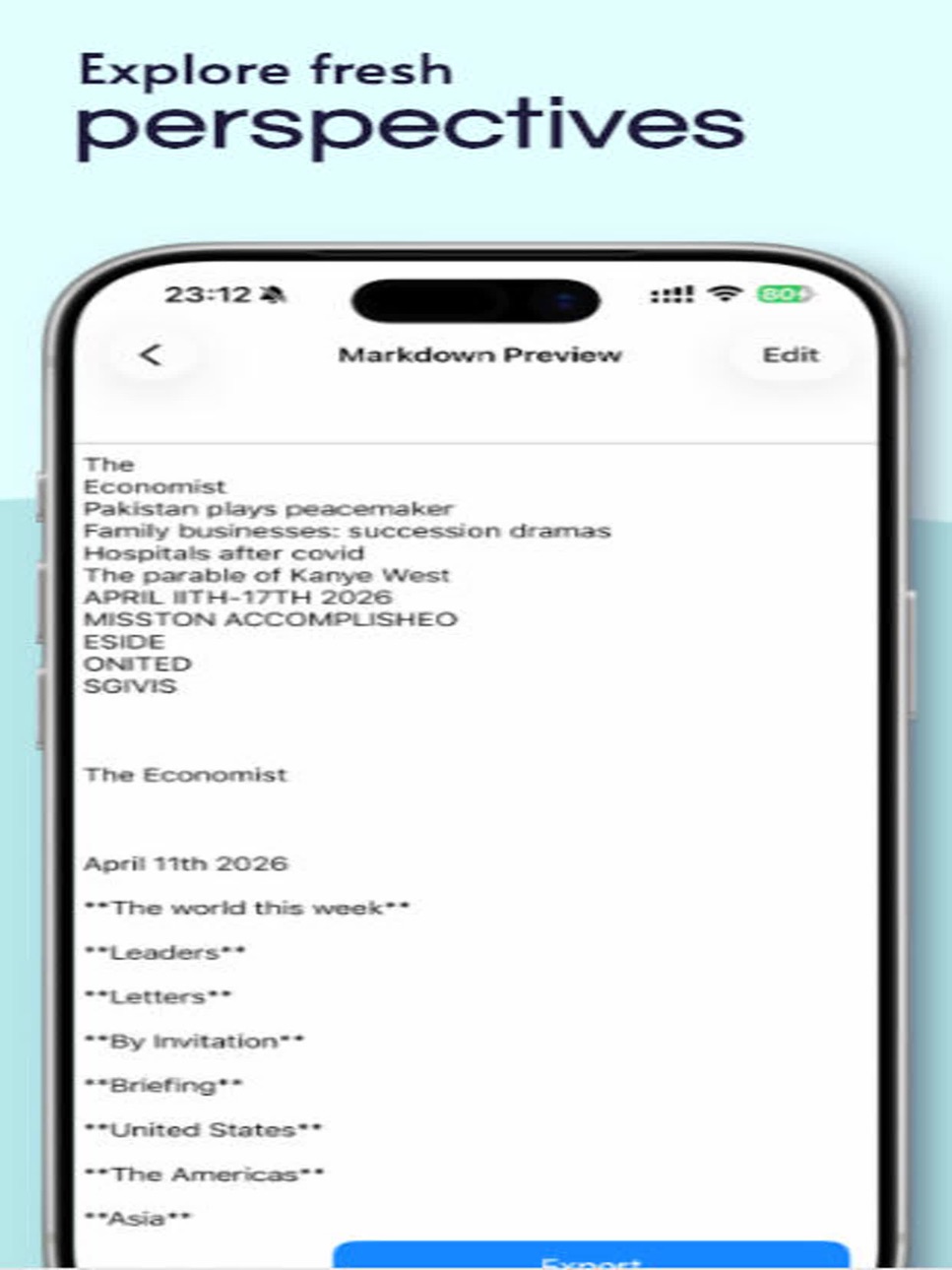
This app is a powerful tool for converting PDF files into Markdown format without requiring an internet connection. After conversion, only a single Markdown file is generated. Images embedded in the PDF will be processed and converted into text where possible; if no text can be recognized, they will not be displayed. Whether handling large or small PDFs, the app ensures smooth conversion, making it easier to manage and share your documents.
Key Features
- Offline Conversion: Convert PDF files to Markdown anytime, anywhere without the need for internet access.
- No File Size Limits: Supports PDF files of any size, with no restrictions.
- File Output: Generates a single Markdown file with a clear and structured format.
- Easy Sharing: Quickly share the Markdown file via AirDrop or other commonly used apps.
- User-Friendly: A simple and intuitive interface that makes file conversion and sharing effortless, even without technical expertise.
This app is continuously being improved. It currently provides basic features such as extracting text from PDF files and sharing the results. If the PDF consists of images, the app will attempt to recognize text within those images; if recognition fails, the corresponding content will not be displayed. All operations are performed locally on your device, ensuring your data remains private and secure.
Thank you for your understanding regarding any imperfections.
Accessibility
ipadiphonemacrealityDevicetvoswatch
Version history 13 versions
Build 887911032v1.4.02026-07-07 23:13:34
What's New
• Continue conversion in the background when possible until finished
• Convert up to 10 PDFs at once, with up to 2 running in parallel
• Get a local notification when conversion completes in the background
Build 886811004v1.3.02026-06-11 19:23:31
What's New
1.Refreshed app icon
2.Import PDFs from the share sheet with Import to PDF2MD
Build 885166730v1.2.42026-05-01 19:50:25
Scrollbar fast positioning
Build 884828713v1.2.32026-04-23 18:27:52
Fix compatibility issues in preview mode.
Build 884756048v1.2.12026-04-22 00:28:20
Update the app name and fix known issues.
Build 884814170v1.2.22026-04-22 23:29:47
Fix occasional document conversion failures.
Build 884707410v1.2.02026-04-20 20:03:21
Supports exporting a PDF file as a single Markdown file, where previously extracted image resources are processed with text recognition and their content is consolidated into the same Markdown file.
Build 884552151v1.1.12026-04-15 20:14:40
Fix edit mode and add multilingual support.
Build 881642490v1.1.02026-01-20 19:09:14
Enhanced the UI presentation
Build 872697233v1.0.32025-02-22 00:10:51
Updated some of the UI interactions.
Build 872513618v1.0.22025-02-15 14:40:21
Adapted for iOS 18
Build 869935457v1.0.12024-10-24 16:55:26
Fix known issues
Build 869826471v1.02024-10-20 14:05:27
Price history by region
Currency
Show
Columns
Search
Availability 31 of 31 storefronts
| Region | Language | Price | Ratings | Avg | Version |
|---|---|---|---|---|---|
 US US | en-US | USD 0.99 | 2 | 2.5 | 1.4.0 |
 HK HK | zh-Hant-HK | HKD 8 | 1 | 3.0 | 1.4.0 |
 AI AI | en-GB | USD 0.99 | 0 | — | 1.4.0 |
 BN BN | en-GB | USD 0.99 | 0 | — | 1.4.0 |
 BW BW | en-GB | USD 0.99 | 0 | — | 1.4.0 |
 CL CL | es-MX | CLP 990 | 0 | — | 1.4.0 |
 CN CN | zh-Hans-CN | CNY 8 | 0 | — | 1.4.0 |
 CO CO | es-MX | COP 4900 | 0 | — | 1.4.0 |
 CY CY | en-GB | EUR 0.99 | 0 | — | 1.4.0 |
 DE DE | de-DE | EUR 0.99 | 0 | — | 1.4.0 |
 EC EC | es-MX | USD 0.99 | 0 | — | 1.4.0 |
 ES ES | es-ES | EUR 0.99 | 0 | — | 1.4.0 |
 FR FR | fr-FR | EUR 0.99 | 0 | — | 1.4.0 |
 JP JP | ja | JPY 150 | 0 | — | 1.4.0 |
 KE KE | en-GB | USD 0.99 | 0 | — | 1.4.0 |
 KY KY | en-GB | USD 0.99 | 0 | — | 1.4.0 |
 LC LC | en-GB | USD 0.99 | 0 | — | 1.4.0 |
 MD MD | en-GB | USD 0.99 | 0 | — | 1.4.0 |
 ME ME | en-GB | EUR 0.99 | 0 | — | 1.4.0 |
 MO MO | zh-Hant-HK | USD 0.99 | 0 | — | 1.4.0 |
 MT MT | en-GB | EUR 0.99 | 0 | — | 1.4.0 |
 MU MU | en-GB | USD 0.99 | 0 | — | 1.4.0 |
 MY MY | en-GB | MYR 4.9 | 0 | — | 1.4.0 |
 PE PE | es-MX | PEN 4.9 | 0 | — | 1.4.0 |
 PY PY | es-MX | USD 0.99 | 0 | — | 1.4.0 |
 SC SC | en-GB | USD 0.99 | 0 | — | 1.4.0 |
 TW TW | zh-Hant-TW | TWD 30 | 0 | — | 1.4.0 |
 VC VC | en-GB | USD 0.99 | 0 | — | 1.4.0 |
 VE VE | es-MX | USD 0.99 | 0 | — | 1.4.0 |
 XK XK | en-GB | EUR 0.99 | 0 | — | 1.4.0 |
 ZM ZM | en-GB | USD 0.99 | 0 | — | 1.4.0 |
Change log 22 changes · MO
✎
releaseNotes updated
What's New
• Continue conversion in the background when possible until finished
• Convert up to 10 PDFs at once, with up to 2 running in parallel
• Get a local
✎
description updated
Overview
This app is a powerful tool for converting PDF files into Markdown format without requiring an internet connection. After conversion, only a single Mar
▣
App icon changed
▣
Screenshots updated
◆
Version changed
1.3.0 → 1.4.0
◆
Version 1.4.0 released
What's New
• Continue conversion in the background when possible until finished
• Convert up to 10 PDFs at once, with up to 2 running in parallel
• Get a local notification when conversion completes in the background
✎
releaseNotes updated
What's New
1.Refreshed app icon
2.Import PDFs from the share sheet with Import to PDF2MD
✎
description updated
**Overview**
This app is a powerful tool for converting PDF files into Markdown format without requiring an internet connection. After conversion, only a single
✎
subtitle updated
PDF to MarkDown
✎
name updated
PDF2MD
◆
Version 1.3.0 released
What's New
1.Refreshed app icon
2.Import PDFs from the share sheet with Import to PDF2MD
◆
Version 1.2.4 released
Scrollbar fast positioning
◆
Version 1.2.3 released
Fix compatibility issues in preview mode.
◆
Version 1.2.2 released
Fix occasional document conversion failures.
◆
Version 1.2.1 released
Update the app name and fix known issues.
◆
Version 1.2.0 released
Supports exporting a PDF file as a single Markdown file, where previously extracted image resources are processed with text recognition and their content is consolidated into the same Markdown file.
◆
Version 1.1.1 released
Fix edit mode and add multilingual support.
◆
Version 1.1.0 released
Enhanced the UI presentation
◆
Version 1.0.3 released
Updated some of the UI interactions.
◆
Version 1.0.2 released
Adapted for iOS 18
◆
Version 1.0.1 released
Fix known issues
◆
Version 1.0 released