Home › Utilities

 MT
MT
 SIen-GB
 AEen-GB
 AFen-GB
 AGen-GB
 AIen-GB
 ALen-GB
 AMen-GB
 AOen-GB
 ARes-MX
 ATde-DE
 AUen-AU
 AZen-GB
 BAen-GB
 BBen-GB
 BEen-GB
 BFen-GB
 BGen-GB
 BHen-GB
 BJen-GB
 BMen-GB
 BNen-GB
 BOes-MX
 BRpt-BR
 BSen-GB
 BTen-GB
 BWen-GB
 BYen-GB
 BZen-GB
 CAen-CA
 CDen-GB
 CGen-GB
 CHde-CH
 CIfr-FR
 CLes-MX
 CMfr-FR
 CNzh-Hans-CN
 COes-MX
 CRes-MX
 CVen-GB
 CYen-GB
 CZen-GB
 DEde-DE
 DKen-GB
 DMen-GB
 DOes-MX
 DZen-GB
 ECes-MX
 EEen-GB
 EGen-GB
 ESes-ES
 FIen-GB
 FJen-GB
 FMen-GB
 FRfr-FR
 GAfr-FR
 GBen-GB
 GDen-GB
 GEen-GB
 GHen-GB
 GMen-GB
 GRen-GB
 GTes-MX
 GWen-GB
 GYen-GB
 HKzh-Hant-HK
 HNes-MX
 HRen-GB
 HUen-GB
 IDen-GB
 IEen-GB
 ILen-GB
 INen-GB
 IQen-GB
 ISen-GB
 ITit
ITit JMen-GB
 JOen-GB
 JPja
JPja KEen-GB
 KGen-GB
 KHen-GB
 KNen-GB
 KRko
KRko KWen-GB
 KYen-GB
 KZen-GB
 LAen-GB
 LBen-GB
 LCen-GB
 LKen-GB
 LRen-GB
 LTen-GB
 LUen-GB
 LVen-GB
 LYen-GB
 MAen-GB
 MDen-GB
 MEen-GB
 MGen-GB
 MKen-GB
 MLen-GB
 MMen-GB
 MNen-GB
 MOzh-Hant-HK
 MRen-GB
 MSen-GBMTen-GB
 MUen-GB
 MVen-GB
 MWen-GB
 MXes-MX
 MYen-GB
 MZen-GB
 NAen-GB
 NEen-GB
 NGen-GB
 NIes-MX
 NLnl
NLnl NOen-GB
 NPen-GB
 NRen-GB
 NZen-AU
 OMen-GB
 PAes-MX
 PEes-MX
 PGen-GB
 PHen-GB
 PKen-GB
 PLen-GB
 PTpt-PT
 PWen-GB
 PYes-MX
 QAen-GB
 ROen-GB
 RSen-GB
 RUru
RUru RWen-GB
 SAen-GB
 SBen-GB
 SCen-GB
 SEsv
SEsv SGen-GB
 SKen-GB
 SLen-GB
 SNen-GB
 SRen-GB
 STen-GB
 SVes-MX
 SZen-GB
 TCen-GB
 TDen-GB
 THen-GB
 TJen-GB
 TMen-GB
 TNen-GB
 TOen-GB
 TRen-GB
 TTen-GB
 TWzh-Hant-TW
 TZen-GB
 UAen-GB
 UGen-GB
 USen-US
 UYen-GB
 UZen-GB
 VCen-GB
 VEes-MX
 VGen-GB
 VNen-GB
 VUen-GB
 XKen-GB
 YEen-GB
 ZAen-GB
 ZMen-GB
 ZWen-GB
175 of 175 storefronts
Content in en-US
Content in en-US
Information
Preview 2 platforms
iPhone 6 images


iPad 6 images




What’s New Version 4.3.1
- Read device password from QR code during local setup
- Show/hide toggle on password fields
- Various bug fixes, connection reliability improvements
- Performance improvements
Description
OptiMOON connects devices that use, produce or store larger amounts of electricity. It determines when it makes sense to use, produce or store just the right amount of electricity via utilising our AI Strategies.
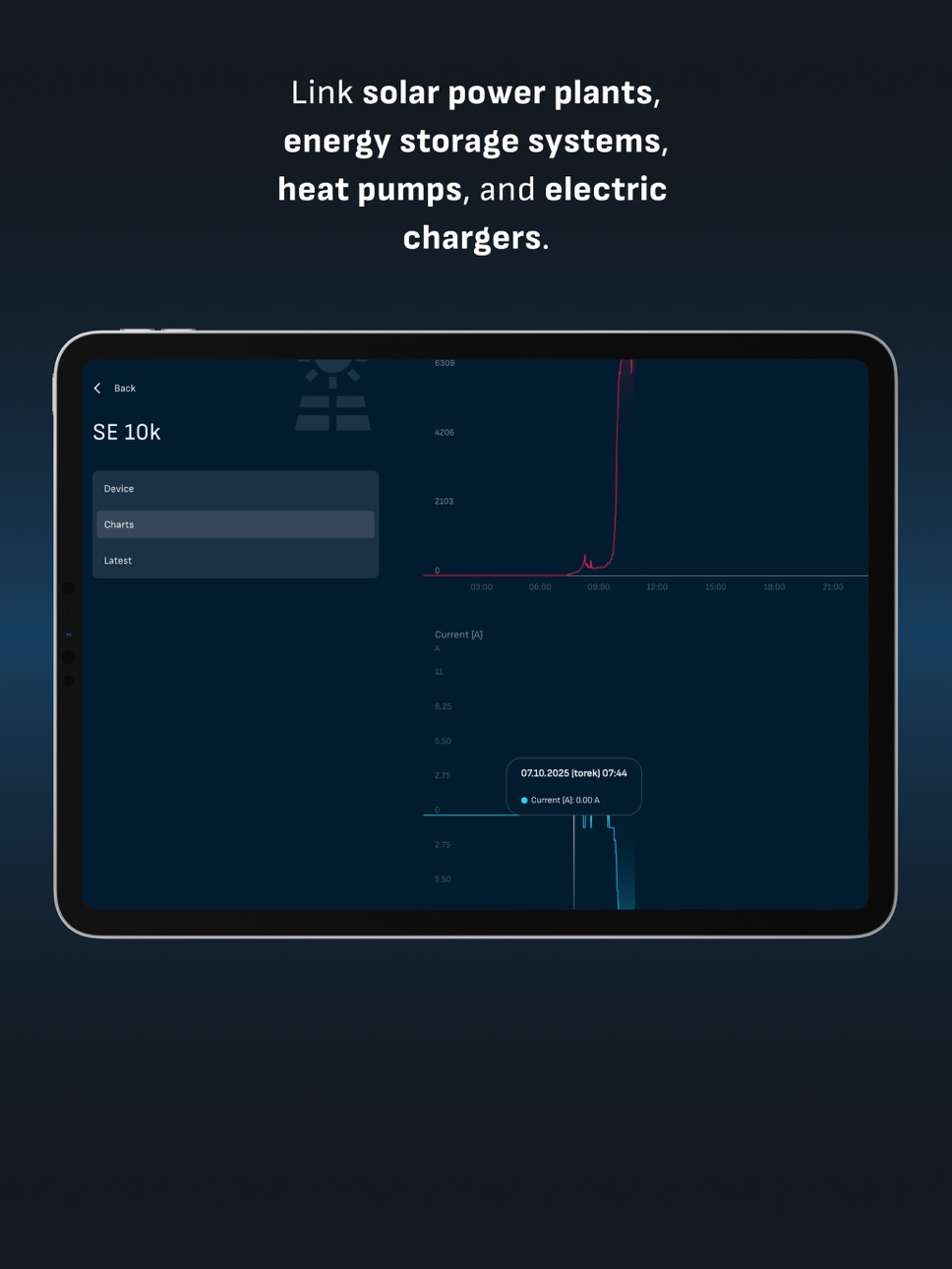
OptiMOON Controller links solar power plants, energy storage systems, heat pumps, and electric chargers to the OptiMOON system. It manages electricity production and consumption, adjusts power draw from the grid, and uses advanced algorithms to ensure cost-effective energy use and maximum self-sufficiency.
OptiMOON Gateway This extension of the OptiMOON system converts RS485 serial signals into TCP/IP signals. It is used when the OptiMOON Controller’s two RS485 inputs are insufficient or when the device’s distance makes cable connections impractical. Additionally, the Gateway can control third-party devices via two relay outputs, such as a heat pump using SmartGrid Ready (SG Ready) or an EVU contact.
The OptiMOON Converters capture billing measurement data from meters with specific outputs without the need of additional power. The P1 and P1 – WiFi model wirelessly connects meters like the Iskraemeco AM550 to your network via WiFi or cable. The I1 (M-Bus) – Cable model connects meters like the Landis+Gyr E350 and E450 to the OptiMOON controller via a wired connection.
We optimize:
OptiMOON connects devices that use, produce or store larger amounts of electricity. It determines when it makes sense to use, produce or store just the right amount of electricity via utilising our AI Strategies.
Smart EV Charging:
When you at your home or in work, your vehicle could and should be charged the way it gets the battery full for the lowest cost possible. This becomes even more important if your company owns and charges multiple vehicles.
Demand Response:
When there is too much electricity available on the market, the result in low or even negative energy prices. You can benefit by adapting your use or production of energy to match what the market needs: use less or more, depending on the time.
Supported devices:
OptiMOON can connect to more than 250 devices across 50 brands.
Accessibility
ipadiphonemacrealityDevicetvoswatch
Version history 25 versions
Build 887581055v4.3.12026-07-01 08:22:02
- Read device password from QR code during local setup
- Show/hide toggle on password fields
- Various bug fixes, connection reliability improvements
- Performance improvements
Build 886564660v4.3.02026-06-08 08:05:44
- Introducing AI EV Charging — smarter charging management powered by AI
- Clearer guidance when AI features require licence activation
- Various bug fixes and minor improvements
Build 884074233v4.2.02026-04-02 21:04:13
* Enable subsidies and fees in pricing plans
* Improve savings calculations
* Proofread Polish translations
* Other fixes and improvements
Build 882002593v4.1.02026-02-02 08:06:31
Various bugfixes
Build 880553299v4.0.02025-12-12 01:54:05
This update introduces a new stacked chart in the dashboard overview, adds Romanian language support, and improves the language settings experience. We’ve also refined the dashboard’s net chart for more accurate data.
Build 879588162v3.10.02025-11-08 23:43:32
This update brings smoother and more accurate energy charting throughout the app. We’ve redesigned the dashboard charts for better clarity and fixed several issues with range selection and missing data on various screens. A new image for P1WiFi DIN devices has been added, and translations have been improved for a more polished experience. Overall performance and compatibility have also been enhanced to ensure the app runs more reliably on the latest devices.
Build 879207877v3.9.02025-10-25 17:27:25
We’ve improved the utility rate plan screen by adding a power usage chart and allowing you to view available pricing plans. The electricity data display has also been corrected for more accurate information. You can now find a contact email in the About section and during configuration, making it easier to get support.
Build 878729868v3.8.02025-10-19 16:46:09
In this update, we’ve improved stability and added new features to enhance your experience. The app now supports bidirectional communication for EV chargers and includes clearer maintenance notifications on the login and dashboard screens. We’ve also introduced new options for managing marketing consent in your profile and during registration. Additionally, the dashboard visuals have been refreshed, translations corrected, and several connection issues resolved for smoother performance.
Build 878624657v3.7.02025-10-06 19:57:33
This update brings clearer meter details, easier setup with new options for P1WiFi and cloud connection, refreshed device images, and improved translations. We’ve also made charts more intuitive and fixed issues with dashboard interaction and QR code scanning.
Build 878069161v3.5.02025-09-13 22:09:06
App introduces continuous monitoring of the connection between P1WiFi and the meter, along with support for initial meter configuration. Local configuration flow has been improved with the ability to refresh WiFi network lists and better error translations.
The dashboard now displays savings and a weather forecast. A welcome screen is now shown when no locations are available, and sign in errors are described more clearly.
Several bug fixes were also implemented.
Build 877051770v3.4.12025-08-07 21:36:53
We now also show you if the connection is established between P1WiFi and your meter. The app will now remember your password when you connect to a WiFi network to set up local devices, and we have added filtering to remove empty locations from search results. This update also includes several bug fixes, including a fix for the network scan and the "gateway already configured" message. We've also made some changes to the registration and device setup process to improve your experience.
Build 876632841v3.3.02025-07-24 08:25:36
This update simplifies device setup with a new QR code scanner and automatic cloud addition for Reduxi Gateway devices. We've improved local configuration options and enhanced the dashboard for clearer system information. Utility rate plan data accuracy has also been fixed for a smoother experience.
Build 876671145v3.3.22025-07-24 21:03:31
Fixed local connection throttle.
Build 876223403v3.2.02025-07-08 22:33:01
In this release you can access all your Reduxi devices directly from the menu drawer. A new demo account lets you explore live location and real‑world data without needing your own device or account. The controller settings screen now uses a single combined connection card for a smoother setup experience. Device images for controllers and P1WiFi hardware have been refreshed. Establishing a tunnel connection no longer requires an extra popup, and real‑time updates are now more reliable.
Build 875760352v3.1.12025-06-21 08:56:22
Added updated flow for sync local device to cloud. Added local interface and tunnel connection to OEM devices.
Updated location serach. Removed deprecated features and screens. Fixed navigation bar being hidden bellow navigation buttons. Bux fixes.
Build 875470823v3.0.12025-06-10 22:48:08
In the 3.0 major update we added support for locally setting up controller or P1WiFi device. We also introduced many bug fixes.
Build 875024389v2.6.02025-05-23 22:55:59
This update brings multiple bug fixes, including a resolved timezone issue on location charts and fixes for missing translations and error messages across the app. Additionally, performance and responsiveness have been improved through several behind-the-scenes enhancements, making the application faster and more stable.
Build 874392932v2.5.12025-04-29 18:52:09
Fixed utility rates now calculates fees. Added dynamic legend for supplier buy and sell prices.
Build 874297950v2.5.02025-04-25 15:38:42
Version 2.5.0 adds a range option to the chart selector, an on-tap widget for production comparison, and a dynamic legend. Filters for selectors and a help dialog for P1WiFi power limits are included. The term "Controller" is now "Reduxi device." We've fixed issues with icon sizes, QR code reading, diagnostics units, and the "no Reduxi device connected" error.
Build 873926718v2.4.02025-04-10 16:03:14
Added P1WiFi device support and updated dashboard real time view. Users can now assign P1WiFi device to a location.
Build 873662047v2.3.12025-04-01 06:54:36
Fixed updating location and shownig negative values on utility rate plan.
Build 873430009v2.3.02025-03-21 19:47:07
Added new layout of menu drawer. Updated utility rate plan screen to support 15 minutes interval. Updated base api url.
Build 873182853v2.2.0+1072025-03-14 18:23:40
Version 2.2.0 introduces MojElektro integration for network fee comparisons in Slovenia and a new location screen for editing location information. The month and year pickers for charts have been updated, and the self-sufficiency card and net power-energy chart now allow selecting specific data subsets. Trigger areas for buttons have been enlarged, and the layout of devices on the control screen has been updated. Various bug fixes have also been implemented.
Build 872818160v2.1.12025-02-26 20:25:09
Default refresh rate interval on dashboard is set to 1 second to get real time data. On onboarding screens new user can now change language of application. Better handling of notifications on location – added special text if there are no alarms or error is present.
This version alsow fixes units on device details screen and removes deprecated open_mail package.
Build 872324980v2.0.0+1012025-02-11 06:27:38
Reduxi app just received its first major update with version 2.0!
The app now fully supports landscape mode and tablets, including complete compatibility with iPadOS. We’ve also added five new languages: Bulgarian, Spanish, Finnish, French, and Slovak.
No pricing data captured yet — comparisons appear once the app has paid storefronts or in-app purchases.
Availability 175 of 175 storefronts
| Region | Language | Price | Ratings | Avg | Version |
|---|---|---|---|---|---|
| SI | en-GB | Free | 1 | 5.0 | 4.3.1 |
| AE | en-GB | Free | 0 | — | 4.3.1 |
| AF | en-GB | Free | 0 | — | 4.3.1 |
| AG | en-GB | Free | 0 | — | 4.3.1 |
| AI | en-GB | Free | 0 | — | 4.3.1 |
| AL | en-GB | Free | 0 | — | 4.3.1 |
| AM | en-GB | Free | 0 | — | 4.3.1 |
| AO | en-GB | Free | 0 | — | 4.3.1 |
| AR | es-MX | Free | 0 | — | 4.3.1 |
| AT | de-DE | Free | 0 | — | 4.3.1 |
| AU | en-AU | Free | 0 | — | 4.3.1 |
| AZ | en-GB | Free | 0 | — | 4.3.1 |
| BA | en-GB | Free | 0 | — | 4.3.1 |
| BB | en-GB | Free | 0 | — | 4.3.1 |
| BE | en-GB | Free | 0 | — | 4.3.1 |
| BF | en-GB | Free | 0 | — | 4.3.1 |
| BG | en-GB | Free | 0 | — | 4.3.1 |
| BH | en-GB | Free | 0 | — | 4.3.1 |
| BJ | en-GB | Free | 0 | — | 4.3.1 |
| BM | en-GB | Free | 0 | — | 4.3.1 |
| BN | en-GB | Free | 0 | — | 4.3.1 |
| BO | es-MX | Free | 0 | — | 4.3.1 |
| BR | pt-BR | Free | 0 | — | 4.3.1 |
| BS | en-GB | Free | 0 | — | 4.3.1 |
| BT | en-GB | Free | 0 | — | 4.3.1 |
| BW | en-GB | Free | 0 | — | 4.3.1 |
| BY | en-GB | Free | 0 | — | 4.3.1 |
| BZ | en-GB | Free | 0 | — | 4.3.1 |
| CA | en-CA | Free | 0 | — | 4.3.1 |
| CD | en-GB | Free | 0 | — | 4.3.1 |
| CG | en-GB | Free | 0 | — | 4.3.1 |
| CH | de-CH | Free | 0 | — | 4.3.1 |
| CI | fr-FR | Free | 0 | — | 4.3.1 |
| CL | es-MX | Free | 0 | — | 4.3.1 |
| CM | fr-FR | Free | 0 | — | 4.3.1 |
| CN | zh-Hans-CN | Free | 0 | — | 4.3.1 |
| CO | es-MX | Free | 0 | — | 4.3.1 |
| CR | es-MX | Free | 0 | — | 4.3.1 |
| CV | en-GB | Free | 0 | — | 4.3.1 |
| CY | en-GB | Free | 0 | — | 4.3.1 |
| CZ | en-GB | Free | 0 | — | 4.3.1 |
| DE | de-DE | Free | 0 | — | 4.3.1 |
| DK | en-GB | Free | 0 | — | 4.3.1 |
| DM | en-GB | Free | 0 | — | 4.3.1 |
| DO | es-MX | Free | 0 | — | 4.3.1 |
| DZ | en-GB | Free | 0 | — | 4.3.1 |
| EC | es-MX | Free | 0 | — | 4.3.1 |
| EE | en-GB | Free | 0 | — | 4.3.1 |
| EG | en-GB | Free | 0 | — | 4.3.1 |
| ES | es-ES | Free | 0 | — | 4.3.1 |
| FI | en-GB | Free | 0 | — | 4.3.1 |
| FJ | en-GB | Free | 0 | — | 4.3.1 |
| FM | en-GB | Free | 0 | — | 4.3.1 |
| FR | fr-FR | Free | 0 | — | 4.3.1 |
| GA | fr-FR | Free | 0 | — | 4.3.1 |
| GB | en-GB | Free | 0 | — | 4.3.1 |
| GD | en-GB | Free | 0 | — | 4.3.1 |
| GE | en-GB | Free | 0 | — | 4.3.1 |
| GH | en-GB | Free | 0 | — | 4.3.1 |
| GM | en-GB | Free | 0 | — | 4.3.1 |
| GR | en-GB | Free | 0 | — | 4.3.1 |
| GT | es-MX | Free | 0 | — | 4.3.1 |
| GW | en-GB | Free | 0 | — | 4.3.1 |
| GY | en-GB | Free | 0 | — | 4.3.1 |
| HK | zh-Hant-HK | Free | 0 | — | 4.3.1 |
| HN | es-MX | Free | 0 | — | 4.3.1 |
| HR | en-GB | Free | 0 | — | 4.3.1 |
| HU | en-GB | Free | 0 | — | 4.3.1 |
| ID | en-GB | Free | 0 | — | 4.3.1 |
| IE | en-GB | Free | 0 | — | 4.3.1 |
| IL | en-GB | Free | 0 | — | 4.3.1 |
| IN | en-GB | Free | 0 | — | 4.3.1 |
| IQ | en-GB | Free | 0 | — | 4.3.1 |
| IS | en-GB | Free | 0 | — | 4.3.1 |
| IT | it | Free | 0 | — | 4.3.1 |
| JM | en-GB | Free | 0 | — | 4.3.1 |
| JO | en-GB | Free | 0 | — | 4.3.1 |
| JP | ja | Free | 0 | — | 4.3.1 |
| KE | en-GB | Free | 0 | — | 4.3.1 |
| KG | en-GB | Free | 0 | — | 4.3.1 |
| KH | en-GB | Free | 0 | — | 4.3.1 |
| KN | en-GB | Free | 0 | — | 4.3.1 |
| KR | ko | Free | 0 | — | 4.3.1 |
| KW | en-GB | Free | 0 | — | 4.3.1 |
| KY | en-GB | Free | 0 | — | 4.3.1 |
| KZ | en-GB | Free | 0 | — | 4.3.1 |
| LA | en-GB | Free | 0 | — | 4.3.1 |
| LB | en-GB | Free | 0 | — | 4.3.1 |
| LC | en-GB | Free | 0 | — | 4.3.1 |
| LK | en-GB | Free | 0 | — | 4.3.1 |
| LR | en-GB | Free | 0 | — | 4.3.1 |
| LT | en-GB | Free | 0 | — | 4.3.1 |
| LU | en-GB | Free | 0 | — | 4.3.1 |
| LV | en-GB | Free | 0 | — | 4.3.1 |
| LY | en-GB | Free | 0 | — | 4.3.1 |
| MA | en-GB | Free | 0 | — | 4.3.1 |
| MD | en-GB | Free | 0 | — | 4.3.1 |
| ME | en-GB | Free | 0 | — | 4.3.1 |
| MG | en-GB | Free | 0 | — | 4.3.1 |
| MK | en-GB | Free | 0 | — | 4.3.1 |
| ML | en-GB | Free | 0 | — | 4.3.1 |
| MM | en-GB | Free | 0 | — | 4.3.1 |
| MN | en-GB | Free | 0 | — | 4.3.1 |
| MO | zh-Hant-HK | Free | 0 | — | 4.3.1 |
| MR | en-GB | Free | 0 | — | 4.3.1 |
| MS | en-GB | Free | 0 | — | 4.3.1 |
| MT | en-GB | Free | 0 | — | 4.3.1 |
| MU | en-GB | Free | 0 | — | 4.3.1 |
| MV | en-GB | Free | 0 | — | 4.3.1 |
| MW | en-GB | Free | 0 | — | 4.3.1 |
| MX | es-MX | Free | 0 | — | 4.3.1 |
| MY | en-GB | Free | 0 | — | 4.3.1 |
| MZ | en-GB | Free | 0 | — | 4.3.1 |
| NA | en-GB | Free | 0 | — | 4.3.1 |
| NE | en-GB | Free | 0 | — | 4.3.1 |
| NG | en-GB | Free | 0 | — | 4.3.1 |
| NI | es-MX | Free | 0 | — | 4.3.1 |
| NL | nl | Free | 0 | — | 4.3.1 |
| NO | en-GB | Free | 0 | — | 4.3.1 |
| NP | en-GB | Free | 0 | — | 4.3.1 |
| NR | en-GB | Free | 0 | — | 4.3.1 |
| NZ | en-AU | Free | 0 | — | 4.3.1 |
| OM | en-GB | Free | 0 | — | 4.3.1 |
| PA | es-MX | Free | 0 | — | 4.3.1 |
| PE | es-MX | Free | 0 | — | 4.3.1 |
| PG | en-GB | Free | 0 | — | 4.3.1 |
| PH | en-GB | Free | 0 | — | 4.3.1 |
| PK | en-GB | Free | 0 | — | 4.3.1 |
| PL | en-GB | Free | 0 | — | 4.3.1 |
| PT | pt-PT | Free | 0 | — | 4.3.1 |
| PW | en-GB | Free | 0 | — | 4.3.1 |
| PY | es-MX | Free | 0 | — | 4.3.1 |
| QA | en-GB | Free | 0 | — | 4.3.1 |
| RO | en-GB | Free | 0 | — | 4.3.1 |
| RS | en-GB | Free | 0 | — | 4.3.1 |
| RU | ru | Free | 0 | — | 4.3.1 |
| RW | en-GB | Free | 0 | — | 4.3.1 |
| SA | en-GB | Free | 0 | — | 4.3.1 |
| SB | en-GB | Free | 0 | — | 4.3.1 |
| SC | en-GB | Free | 0 | — | 4.3.1 |
| SE | sv | Free | 0 | — | 4.3.1 |
| SG | en-GB | Free | 0 | — | 4.3.1 |
| SK | en-GB | Free | 0 | — | 4.3.1 |
| SL | en-GB | Free | 0 | — | 4.3.1 |
| SN | en-GB | Free | 0 | — | 4.3.1 |
| SR | en-GB | Free | 0 | — | 4.3.1 |
| ST | en-GB | Free | 0 | — | 4.3.1 |
| SV | es-MX | Free | 0 | — | 4.3.1 |
| SZ | en-GB | Free | 0 | — | 4.3.1 |
| TC | en-GB | Free | 0 | — | 4.3.1 |
| TD | en-GB | Free | 0 | — | 4.3.1 |
| TH | en-GB | Free | 0 | — | 4.3.1 |
| TJ | en-GB | Free | 0 | — | 4.3.1 |
| TM | en-GB | Free | 0 | — | 4.3.1 |
| TN | en-GB | Free | 0 | — | 4.3.1 |
| TO | en-GB | Free | 0 | — | 4.3.1 |
| TR | en-GB | Free | 0 | — | 4.3.1 |
| TT | en-GB | Free | 0 | — | 4.3.1 |
| TW | zh-Hant-TW | Free | 0 | — | 4.3.1 |
| TZ | en-GB | Free | 0 | — | 4.3.1 |
| UA | en-GB | Free | 0 | — | 4.3.1 |
| UG | en-GB | Free | 0 | — | 4.3.1 |
| US | en-US | Free | 0 | — | 4.3.1 |
| UY | en-GB | Free | 0 | — | 4.3.1 |
| UZ | en-GB | Free | 0 | — | 4.3.1 |
| VC | en-GB | Free | 0 | — | 4.3.1 |
| VE | es-MX | Free | 0 | — | 4.3.1 |
| VG | en-GB | Free | 0 | — | 4.3.1 |
| VN | en-GB | Free | 0 | — | 4.3.1 |
| VU | en-GB | Free | 0 | — | 4.3.1 |
| XK | en-GB | Free | 0 | — | 4.3.1 |
| YE | en-GB | Free | 0 | — | 4.3.1 |
| ZA | en-GB | Free | 0 | — | 4.3.1 |
| ZM | en-GB | Free | 0 | — | 4.3.1 |
| ZW | en-GB | Free | 0 | — | 4.3.1 |
Change log 28 changes · MT
✎
releaseNotes updated
- Read device password from QR code during local setup
- Show/hide toggle on password fields
✎
description updated
OptiMOON connects devices that use, produce or store larger amounts of electricity. It determines when it makes sense to use, produce or store just the right am
✎
name updated
OptiMOON
◆
Version 4.3.1 released
- Read device password from QR code during local setup
- Show/hide toggle on password fields
◆
Version 4.3.0 released
- Introducing AI EV Charging — smarter charging management powered by AI
- Clearer guidance when AI features require licence activation
- Various bug fixes and minor improvements
◆
Version 4.2.0 released
* Enable subsidies and fees in pricing plans
* Improve savings calculations
* Proofread Polish translations
* Other fixes and improvements
◆
Version 4.1.0 released
Various bugfixes
◆
Version 4.0.0 released
This update introduces a new stacked chart in the dashboard overview, adds Romanian language support, and improves the language settings experience. We’ve also refined the dashboard’s net chart for more accurate data.
◆
Version 3.10.0 released
This update brings smoother and more accurate energy charting throughout the app. We’ve redesigned the dashboard charts for better clarity and fixed several issues with range selection and missing data on various screens. A new image for P1
◆
Version 3.9.0 released
We’ve improved the utility rate plan screen by adding a power usage chart and allowing you to view available pricing plans. The electricity data display has also been corrected for more accurate information. You can now find a contact email
◆
Version 3.8.0 released
In this update, we’ve improved stability and added new features to enhance your experience. The app now supports bidirectional communication for EV chargers and includes clearer maintenance notifications on the login and dashboard screens.
◆
Version 3.7.0 released
This update brings clearer meter details, easier setup with new options for P1WiFi and cloud connection, refreshed device images, and improved translations. We’ve also made charts more intuitive and fixed issues with dashboard interaction a
◆
Version 3.5.0 released
App introduces continuous monitoring of the connection between P1WiFi and the meter, along with support for initial meter configuration. Local configuration flow has been improved with the ability to refresh WiFi network lists and better er
◆
Version 3.4.1 released
We now also show you if the connection is established between P1WiFi and your meter. The app will now remember your password when you connect to a WiFi network to set up local devices, and we have added filtering to remove empty locations f
◆
Version 3.3.2 released
Fixed local connection throttle.
◆
Version 3.3.0 released
This update simplifies device setup with a new QR code scanner and automatic cloud addition for Reduxi Gateway devices. We've improved local configuration options and enhanced the dashboard for clearer system information. Utility rate plan
◆
Version 3.2.0 released
In this release you can access all your Reduxi devices directly from the menu drawer. A new demo account lets you explore live location and real‑world data without needing your own device or account. The controller settings screen now uses
◆
Version 3.1.1 released
Added updated flow for sync local device to cloud. Added local interface and tunnel connection to OEM devices.
Updated location serach. Removed deprecated features and screens. Fixed navigation bar being hidden bellow navigation buttons.
◆
Version 3.0.1 released
In the 3.0 major update we added support for locally setting up controller or P1WiFi device. We also introduced many bug fixes.
◆
Version 2.6.0 released
This update brings multiple bug fixes, including a resolved timezone issue on location charts and fixes for missing translations and error messages across the app. Additionally, performance and responsiveness have been improved through seve
◆
Version 2.5.1 released
Fixed utility rates now calculates fees. Added dynamic legend for supplier buy and sell prices.
◆
Version 2.5.0 released
Version 2.5.0 adds a range option to the chart selector, an on-tap widget for production comparison, and a dynamic legend. Filters for selectors and a help dialog for P1WiFi power limits are included. The term "Controller" is now "Reduxi de
◆
Version 2.4.0 released
Added P1WiFi device support and updated dashboard real time view. Users can now assign P1WiFi device to a location.
◆
Version 2.3.1 released
Fixed updating location and shownig negative values on utility rate plan.
◆
Version 2.3.0 released
Added new layout of menu drawer. Updated utility rate plan screen to support 15 minutes interval. Updated base api url.
◆
Version 2.2.0+107 released
Version 2.2.0 introduces MojElektro integration for network fee comparisons in Slovenia and a new location screen for editing location information. The month and year pickers for charts have been updated, and the self-sufficiency card and n
◆
Version 2.1.1 released
Default refresh rate interval on dashboard is set to 1 second to get real time data. On onboarding screens new user can now change language of application. Better handling of notifications on location – added special text if there are no al
◆
Version 2.0.0+101 released
Reduxi app just received its first major update with version 2.0!
The app now fully supports landscape mode and tablets, including complete compatibility with iPadOS. We’ve also added five new languages: Bulgarian, Spanish, Finnish, French