Home › Productivity

 BB
BB
 DEde-DE
 CHde-CH
 USen-US
 AEen-GB
 AFen-GB
 AGen-GB
 AIen-GB
 ALen-GB
 AMen-GB
 AOen-GB
 ARes-MX
 ATde-DE
 AUen-AU
 AZen-GB
 BAen-GBBBen-GB
 BEen-GB
 BFen-GB
 BGen-GB
 BHen-GB
 BJen-GB
 BMen-GB
 BNen-GB
 BOes-MX
 BRpt-BR
 BSen-GB
 BTen-GB
 BWen-GB
 BYen-GB
 BZen-GB
 CAen-CA
 CDen-GB
 CGen-GB
 CIfr-FR
 CLes-MX
 CMfr-FR
 CNzh-Hans-CN
 COes-MX
 CRes-MX
 CVen-GB
 CYen-GB
 CZen-GB
 DKen-GB
 DMen-GB
 DOes-MX
 DZen-GB
 ECes-MX
 EEen-GB
 EGen-GB
 ESes-ES
 FIen-GB
 FJen-GB
 FMen-GB
 FRfr-FR
 GAfr-FR
 GBen-GB
 GDen-GB
 GEen-GB
 GHen-GB
 GMen-GB
 GRen-GB
 GTes-MX
 GWen-GB
 GYen-GB
 HKzh-Hant-HK
 HNes-MX
 HRen-GB
 HUen-GB
 IDen-GB
 IEen-GB
 ILen-GB
 INen-GB
 IQen-GB
 ISen-GB
 ITit
ITit JMen-GB
 JOen-GB
 JPja
JPja KEen-GB
 KGen-GB
 KHen-GB
 KNen-GB
 KRko
KRko KWen-GB
 KYen-GB
 KZen-GB
 LAen-GB
 LBen-GB
 LCen-GB
 LKen-GB
 LRen-GB
 LTen-GB
 LUen-GB
 LVen-GB
 LYen-GB
 MAen-GB
 MDen-GB
 MEen-GB
 MGen-GB
 MKen-GB
 MLen-GB
 MMen-GB
 MNen-GB
 MOzh-Hant-HK
 MRen-GB
 MSen-GB
 MTen-GB
 MUen-GB
 MVen-GB
 MWen-GB
 MXes-MX
 MYen-GB
 MZen-GB
 NAen-GB
 NEen-GB
 NGen-GB
 NIes-MX
 NLnl
NLnl NOen-GB
 NPen-GB
 NRen-GB
 NZen-AU
 OMen-GB
 PAes-MX
 PEes-MX
 PGen-GB
 PHen-GB
 PKen-GB
 PLen-GB
 PTpt-PT
 PWen-GB
 PYes-MX
 QAen-GB
 ROen-GB
 RSen-GB
 RUru
RUru RWen-GB
 SAen-GB
 SBen-GB
 SCen-GB
 SEsv
SEsv SGen-GB
 SIen-GB
 SKen-GB
 SLen-GB
 SNen-GB
 SRen-GB
 STen-GB
 SVes-MX
 SZen-GB
 TCen-GB
 TDen-GB
 THen-GB
 TJen-GB
 TMen-GB
 TNen-GB
 TOen-GB
 TRen-GB
 TTen-GB
 TWzh-Hant-TW
 TZen-GB
 UAen-GB
 UGen-GB
 UYen-GB
 UZen-GB
 VCen-GB
 VEes-MX
 VGen-GB
 VNen-GB
 VUen-GB
 XKen-GB
 YEen-GB
 ZAen-GB
 ZMen-GB
 ZWen-GB
175 of 175 storefronts
Content in en-US
Content in en-US
Information
Apple ID6630386981
Bundle IDheckel.tech.TimeTracker
SellerSeller
Min iOS18.0
Min macOS15.0
Device familiesiphone, ipad
Released2024-08-14
Copyright© 2024-2026 Tobias Heckel
Privacy policyLink ↗
Preview 2 platforms
iPhone 9 images


iPad 9 images


What’s New Version 1.22.0
Two new features help you organize your tracked time – on two independent levels: by project and by tag.
Projects
Every entry belongs to exactly one project – for example a client or a job. This way you can see where your hours are going.
• Filter the calendar and statistics by a single project.
• Export a project's hours as a PDF – for example as proof for an invoice or a report.
Tags
Tags describe the context of your work – such as working from home or in the office. An entry can have any number of tags, completely independent of the project, and tags are always optional.
• You assign tags when creating or editing an entry – even while tracking is in progress. Tagged entries are marked with an icon in the calendar.
• In the statistics you can see, for each of your tags, the total hours and the number of days you used it – for example to document your home office days for your tax return.
Also new
• Running balance in the calendar – If you like, each day can additionally show your cumulative balance up to that day. Enable it under Settings → Calendar view.
Questions, requests, or feedback?
Feel free to write to us at TimeLogger@heckel.tech – we look forward to hearing from you!
Description
TimeLogger – Take Control of Your Time. Powerful. Clear. Flexible.
TimeLogger is a powerful time tracker with a clean, uncluttered interface – all the complexity stays in the background so you can focus on your work.
Smart Time Tracking
- Quick Durations: Tap your most-used work durations to log time instantly – no manual clock setting needed
- "Finished by" display: See right in the Start/Stop button when you'll reach your target hours
- Home Screen Quick Actions: Start or stop tracking and add new entries without even opening the app
- Siri Shortcuts: Control TimeLogger with your voice – start tracking, add entries, open statistics, or export as PDF
- Midnight time tracking: Flexibly allocate shifts to the start day, end day, or split across both
- Add missed entries manually at any time
Projects & Tags
- Projects: Assign every entry to a project – such as a client or job – and keep track of where your hours go
- Project Export: Export a project's hours as a PDF – perfect as proof for an invoice or a report
- Tags: Describe the context of your work with any number of tags like working from home or office – independent of the project and always optional
- Tag Breakdown: See in statistics the total hours and number of days for each of your tags – for example your working-from-home days for your tax return
- Filter: Narrow the calendar and statistics down to a single project
Reminders & Notifications
- Reminders to clock in and out, plus alerts when you reach your target hours or an automatic break applies
- Configurable separately for each weekday
- Naturally stays quiet on vacation, holidays, and sick days
Target Time & Work Balance
- Set individual target hours for each weekday
- Daily and weekly target time tracking with automatic running balance
- Running Total Balance: Optionally, the calendar shows your cumulative balance up to each day right alongside it
- Missed targets are shown as negative balance in weekly and monthly charts
- Support for half workdays (e.g. Christmas Eve, New Year's Eve)
- Automatic breaks: Configurable legally or company-required break rules
- Track and manage work breaks manually
Vacation & Absence Management
- Built-in vacation management: track available, planned, and taken days
- Create vacation with a single tap – right from the detail view
- Vacation Preview: instantly see how many vacation days a period will use before you confirm
- Manual entry of holidays and additional absence types
- Visual statistics with a comprehensive overview of all absences (sickness, vacation, and more)
Insights & Statistics
- Insights section: Discover patterns in your work behavior
- Clear, visual summaries of your time at a glance
Widgets & Live Activities
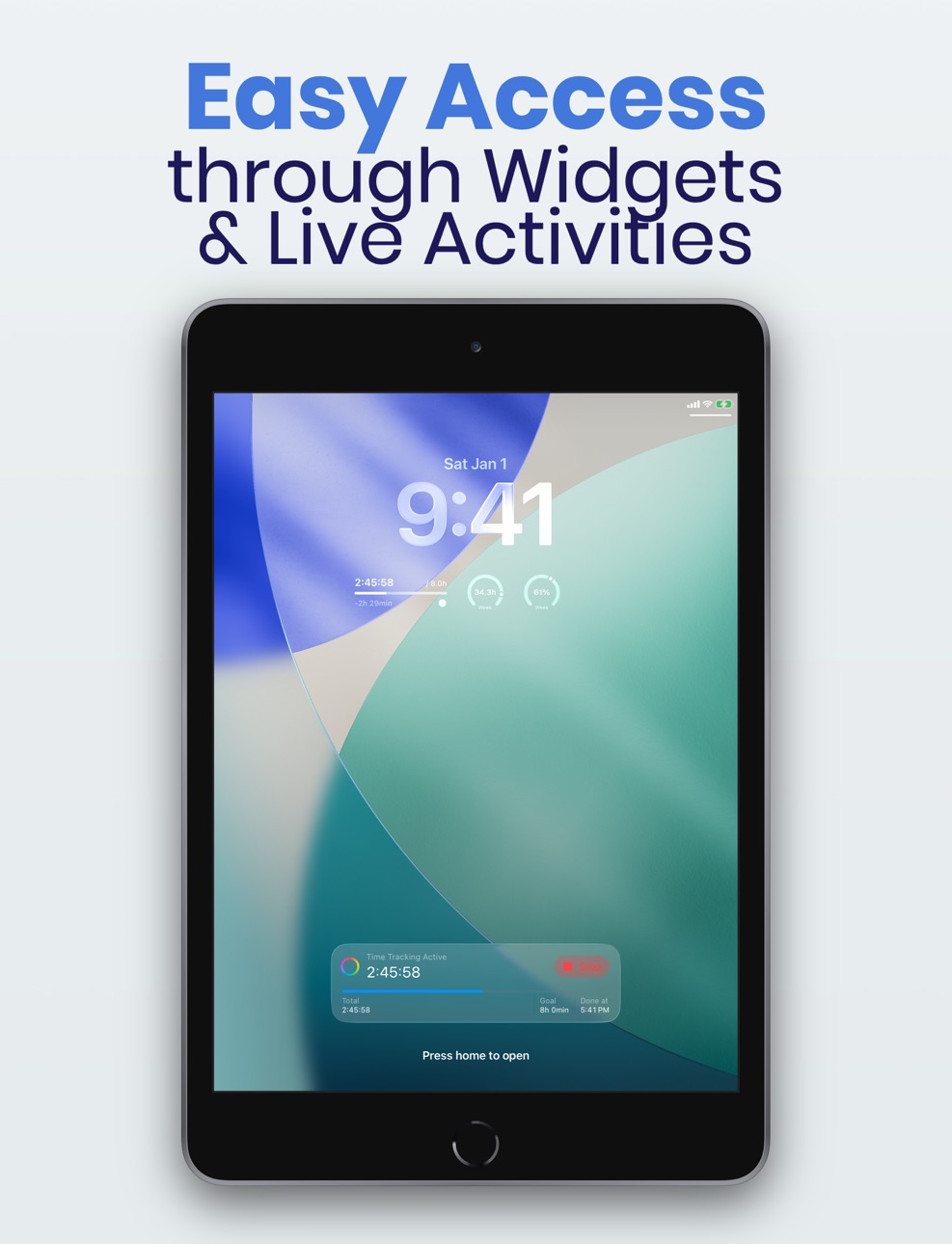
- Live Activity & Lock Screen Widgets: daily, weekly, and monthly progress on your lock screen and in the Dynamic Island
First-Class iPad Support
- Sidebar navigation and a thoughtfully designed layout optimized for the big screen
Questions, feedback, or suggestions?
Feel free to email us at TimeLogger@heckel.tech – we'd love to hear from you!
Accessibility
ipadiphonemacrealityDevicetvoswatch
Version history 25 versions
Build 887306746v1.22.02026-06-25 05:38:03
Two new features help you organize your tracked time – on two independent levels: by project and by tag.
Projects
Every entry belongs to exactly one project – for example a client or a job. This way you can see where your hours are going.
• Filter the calendar and statistics by a single project.
• Export a project's hours as a PDF – for example as proof for an invoice or a report.
Tags
Tags describe the context of your work – such as working from home or in the office. An entry can have any number of tags, completely independent of the project, and tags are always optional.
• You assign tags when creating or editing an entry – even while tracking is in progress. Tagged entries are marked with an icon in the calendar.
• In the statistics you can see, for each of your tags, the total hours and the number of days you used it – for example to document your home office days for your tax return.
Also new
• Running balance in the calendar – If you like, each day can additionally show your cumulative balance up to that day. Enable it under Settings → Calendar view.
Questions, requests, or feedback?
Feel free to write to us at TimeLogger@heckel.tech – we look forward to hearing from you!
Build 886542553v1.21.12026-06-04 23:01:07
Bug Fixes
• Reminders are now scheduled reliably, even when you start time tracking from outside the app – for example via Siri, Shortcuts, the Live Activity, a widget, or the Home Screen quick action.
• When you stop tracking from outside the app, reminders you no longer need are now cancelled right away – so you won't get an alert after you've already clocked out.
Questions, requests, or feedback?
Feel free to write to us at TimeLogger@heckel.tech – we look forward to hearing from you!
Build 885930842v1.21.02026-05-29 18:53:00
New Features
• Notifications & reminders – TimeLogger now reminds you to clock in and out and lets you know when you've reached your target hours or when an automatic break applies. Everything can be set separately for each weekday – and on vacation, holidays, and sick days it naturally stays quiet.
• "Finished by" display – Right in the Start/Stop button you now see when you'll reach your daily target.
• Add vacation faster – Create new vacation entries with a single tap straight from the detail view.
Bug Fixes
• Automatic breaks are now only deducted once your working time exceeds the break threshold – not the moment it's reached. This keeps the break calculation compliant with legal requirements (e.g. German working-time law).
Questions, requests, or feedback?
Feel free to write to us at TimeLogger@heckel.tech – we look forward to hearing from you!
Build 884355425v1.20.02026-04-16 20:39:51
New Features
• Quick Durations – Tap frequently used work durations when logging time, without having to set the clock manually.
• Home Screen Quick Actions – Start or stop time tracking and add new entries directly from your Home Screen.
• Siri Shortcuts – Control TimeLogger with your voice: start and stop tracking, add entries, open statistics, or trigger a PDF export.
• Vacation Preview – When adding vacation days, instantly see how many of your vacation days will be used in the selected period.
• Negative Balance in Charts – Missed targets are now also shown in the weekly and monthly charts.
• Redesigned Settings – The settings page has been restructured into clearly organized sections.
Bug Fixes
• The daily target time in the widget now correctly accounts for vacation, holidays, and more.
• Creating duplicate running time entries is now prevented.
Questions, requests, or feedback?
Feel free to write to us at TimeLogger@heckel.tech – we look forward to hearing from you!
Build 884341740v1.19.22026-04-09 23:44:54
• Bug fix: In the calendar view, the last day of vacation and full-day entries was sometimes not shown – for single-day absences, this could cause the entry to be missing entirely.
Questions, requests, or feedback?
Feel free to write to us at TimeLogger@heckel.tech – we look forward to hearing from you!
Build 884251377v1.19.12026-04-07 22:07:06
• Fixed: Contact & Feedback now works correctly on iPad again.
• Fixed: Lock screen widgets were not reliably updated when deleting time entries.
• Fixed: Lock screen widgets incorrectly showed 0% instead of 100% for weeks/months with a target time of 0.0h.
Questions, requests, or feedback?
Feel free to write to us at TimeLogger@heckel.tech – we look forward to hearing from you!
Build 884011624v1.19.02026-04-02 20:36:53
• iPad support: TimeLogger now features a completely redesigned layout for iPad – with a clear sidebar and a view optimized for the larger screen
• New languages: Polish, Turkish, Vietnamese, Korean, and Simplified Chinese are now supported
• Bug fix: Weekly progress now correctly shows all entries when a week spans a month boundary
Questions, requests, or feedback?
Feel free to write to us at TimeLogger@heckel.tech – we look forward to hearing from you!
Build 883013795v1.18.02026-03-31 17:46:59
What's new:
• Live Activity & Lock Screen Widgets – Track your workday directly on the lock screen and in the Dynamic Island.
· New widgets for daily, weekly, and monthly progress with progress bars
· Individual display format per widget: hours or percentage
• 6 new languages – TimeLogger is now available in Hindi, Indonesian, Italian, Romanian, Russian, and Ukrainian.
Questions, requests, or feedback?
Feel free to write to us at TimeLogger@heckel.tech – we look forward to hearing from you!
Build 882532404v1.17.12026-03-03 18:24:25
• Fixed a bug where March 31 and October 31 were missing from the calendar view
• Fixed calculation errors in time tracking around daylight saving time transitions
Questions, requests, or feedback?
Feel free to write to us at TimeLogger@heckel.tech – we look forward to hearing from you!
Build 882328366v1.17.02026-02-14 17:08:26
• New onboarding: A new setup assistant guides you step by step through the most important settings on first launch – working hours, starting values, and more.
• Starting values for time balance and vacation days: You can now set an existing time balance and already taken vacation days as starting values – perfect when switching from another app or at the start of a new year. Can also be changed later in the settings.
Questions, requests, or feedback?
Feel free to write to us at TimeLogger@heckel.tech – we look forward to hearing from you!
Build 882185907v1.16.22026-02-09 18:17:12
• Improved Performance: Various under-the-hood improvements ensure the app runs more smoothly – especially on older devices.
• Fixed: Times spanning past midnight caused incorrect balance values at the start of the week, which only corrected themselves by the weekend.
Questions, requests, or feedback?
Feel free to write to us at TimeLogger@heckel.tech – we look forward to hearing from you!
Build 881841984v1.16.12026-01-26 18:31:56
**New Features & Improvements:**
• Interactive bar charts with overtime visualization
**Bug Fixes:**
• Average weekly balance for previous years is now calculated correctly, even when the start date doesn't align with the beginning of the year
• Days/weeks/months with zero target time are now correctly displayed as 100% complete
• Work pattern by weekday is now displayed correctly for times tracked in 2024
• Various calculation errors in average weekly balance fixed
Questions, requests, or feedback?
Feel free to write to us at TimeLogger@heckel.tech – we look forward to hearing from you!
Build 881352748v1.16.02026-01-09 22:59:10
**New in Version 1.16.0:**
• Progress Overview: See at a glance how your day, week, and month are going – with new circular charts for quick insight
• Time Format Setting: Choose whether to display times in decimal format (e.g., 8.5h) or classic hour format (e.g., 8:30h)
• Improved Balance Calculation: Your time balance is now calculated more precisely and correctly carried over across year boundaries
• Fixed error in calculating average weekly working time
• Fixed issue that in rare cases led to miscalculations after daylight saving time changes
Questions, requests, or feedback?
Feel free to write to us at TimeLogger@heckel.tech – we look forward to hearing from you!
Build 881228167v1.15.42026-01-06 08:54:21
• Fixed automatic break display to properly account for existing manual breaks
• Fixed issue where automatic break indicator was shown even when the feature was disabled
• Improved stability and reliability of break calculations
Questions, requests, or feedback?
Feel free to write to us at TimeLogger@heckel.tech – we look forward to hearing from you!
Build 881196430v1.15.32026-01-05 06:53:51
**New Features:**
• Automatic breaks are now calculated per work entry and assigned to the day with the largest portion of working time
• The "Jump to today" button now scrolls directly to today's date instead of just the current month
**Bug Fixes:**
• The view now updates reliably after waking from sleep mode or at midnight
• Current date highlighting now works correctly in dark mode
• Fixed rare app crash when switching between statistics and insights
Questions, requests, or feedback?
Feel free to write to us at TimeLogger@heckel.tech – we look forward to hearing from you!
Build 881048025v1.15.22025-12-29 00:55:09
Calculation fix: Automatic break duration is no longer incorrectly double-counted for split times
Questions, requests, or feedback?
Feel free to write to us at TimeLogger@heckel.tech – we look forward to hearing from you!
Build 880955320v1.15.02025-12-27 00:53:24
• The app is now available in even more languages: Spanish, French, and Japanese have been added
• All texts and features are fully translated into the new languages
• Improved stability and performance
Questions, requests, or feedback?
Feel free to write to us at TimeLogger@heckel.tech – we look forward to hearing from you!
Build 881032392v1.15.12025-12-27 23:35:05
• Bug fix: Automatic break duration calculation now works reliably, even when times are split across midnight
• Improvement: Split break durations are now displayed with one decimal place when necessary
• Performance optimization: The app runs more smoothly thanks to optimized calculations
Questions, requests, or feedback?
Feel free to write to us at TimeLogger@heckel.tech – we look forward to hearing from you!
Build 880469119v1.14.02025-12-10 18:01:01
• Redesigned statistics area with better visualization and overview of all absences (sickness, vacation, ...) for the year
• New "Insights" section allows you to recognize patterns in your own work behavior
• New calendar sorting setting now allows switching between newest day on top and oldest day on top
• Larger, redesigned button for starting and stopping the time tracker
• Fixed a small bug that could lead to incorrect results in balance calculation when times crossed midnight
Questions, requests, or feedback?
Feel free to write to us at TimeLogger@heckel.tech – we look forward to hearing from you!
Build 880004125v1.13.02025-11-24 21:36:12
New Features:
• Work Breaks: Track your breaks with the new "Work Break" entry type
• Automatic Breaks: Configure legally or company-required break times that are automatically deducted from work time
• Flexible Break Rules: Customize automatic break rules to match your requirements
• Midnight Time Tracking: Choose how work times spanning midnight are allocated - split across both days, count on start day, or count on end day
Questions, feedback, or suggestions?
Feel free to email us at TimeLogger@heckel.tech – we'd love to hear from you!
Build 879671017v1.12.02025-11-12 23:26:20
- Adjustments for iOS 26
- New entry type Half Vacation Day
- Target working time can now be set with minute-level precision
Questions, feedback, or suggestions?
Feel free to email us at TimeLogger@heckel.tech – we'd love to hear from you!
Build 879095530v1.11.02025-10-27 15:50:28
- PDF Export – You can now easily export your working hours as a PDF file
- Added contact option – Get in touch with us directly from the app
- Added link to rate the app – Share your feedback directly via the App Store
- Current day is now highlighted in calendar view – Making it easier to stay on top of your schedule
- Bug fix: In some cases, incorrect years were displayed during the year transition
Questions, feedback, or suggestions?
Feel free to email us at TimeLogger@heckel.tech – we'd love to hear from you!
Build 878842234v1.10.12025-10-13 10:13:33
- Fixed an issue that prevented time tracking from stopping when the app was closed in the meantime.
- Fixed an issue where the Lock Screen widget sometimes failed to hide again.
Questions, feedback, or suggestions?
Feel free to email us at TimeLogger@heckel.tech – we'd love to hear from you!
Build 878228539v1.10.02025-10-08 10:28:29
- Clearer User Interface with tab bar
Questions, feedback, or suggestions?
Feel free to email us at TimeLogger@heckel.tech – we'd love to hear from you!
Build 876283387v1.9.02025-09-02 15:49:57
New in this version
- All new history view with daily summaries for better clarity and traceability
- Completely redesigned views for editing and adding entries
- Color coding for each absence type – instantly see what kind of entry it is
- Noticeably improved performance with a large number of entries
- Interface now reacts immediately to changes
- Fixed an issue where buttons in the widget and Live Activity sometimes had no effect
- Additional minor bug fixes and improvements
No pricing data captured yet — comparisons appear once the app has paid storefronts or in-app purchases.
Availability 175 of 175 storefronts
| Region | Language | Price | Ratings | Avg | Version |
|---|---|---|---|---|---|
| DE | de-DE | Free | 8 | 5.0 | 1.22.0 |
| CH | de-CH | Free | 1 | 5.0 | 1.22.0 |
| US | en-US | Free | 1 | 5.0 | 1.22.0 |
| AE | en-GB | Free | 0 | — | 1.22.0 |
| AF | en-GB | Free | 0 | — | 1.22.0 |
| AG | en-GB | Free | 0 | — | 1.22.0 |
| AI | en-GB | Free | 0 | — | 1.22.0 |
| AL | en-GB | Free | 0 | — | 1.22.0 |
| AM | en-GB | Free | 0 | — | 1.22.0 |
| AO | en-GB | Free | 0 | — | 1.22.0 |
| AR | es-MX | Free | 0 | — | 1.22.0 |
| AT | de-DE | Free | 0 | — | 1.22.0 |
| AU | en-AU | Free | 0 | — | 1.22.0 |
| AZ | en-GB | Free | 0 | — | 1.22.0 |
| BA | en-GB | Free | 0 | — | 1.22.0 |
| BB | en-GB | Free | 0 | — | 1.22.0 |
| BE | en-GB | Free | 0 | — | 1.22.0 |
| BF | en-GB | Free | 0 | — | 1.22.0 |
| BG | en-GB | Free | 0 | — | 1.22.0 |
| BH | en-GB | Free | 0 | — | 1.22.0 |
| BJ | en-GB | Free | 0 | — | 1.22.0 |
| BM | en-GB | Free | 0 | — | 1.22.0 |
| BN | en-GB | Free | 0 | — | 1.22.0 |
| BO | es-MX | Free | 0 | — | 1.22.0 |
| BR | pt-BR | Free | 0 | — | 1.22.0 |
| BS | en-GB | Free | 0 | — | 1.22.0 |
| BT | en-GB | Free | 0 | — | 1.22.0 |
| BW | en-GB | Free | 0 | — | 1.22.0 |
| BY | en-GB | Free | 0 | — | 1.22.0 |
| BZ | en-GB | Free | 0 | — | 1.22.0 |
| CA | en-CA | Free | 0 | — | 1.22.0 |
| CD | en-GB | Free | 0 | — | 1.22.0 |
| CG | en-GB | Free | 0 | — | 1.22.0 |
| CI | fr-FR | Free | 0 | — | 1.22.0 |
| CL | es-MX | Free | 0 | — | 1.22.0 |
| CM | fr-FR | Free | 0 | — | 1.22.0 |
| CN | zh-Hans-CN | Free | 0 | — | 1.22.0 |
| CO | es-MX | Free | 0 | — | 1.22.0 |
| CR | es-MX | Free | 0 | — | 1.22.0 |
| CV | en-GB | Free | 0 | — | 1.22.0 |
| CY | en-GB | Free | 0 | — | 1.22.0 |
| CZ | en-GB | Free | 0 | — | 1.22.0 |
| DK | en-GB | Free | 0 | — | 1.22.0 |
| DM | en-GB | Free | 0 | — | 1.22.0 |
| DO | es-MX | Free | 0 | — | 1.22.0 |
| DZ | en-GB | Free | 0 | — | 1.22.0 |
| EC | es-MX | Free | 0 | — | 1.22.0 |
| EE | en-GB | Free | 0 | — | 1.22.0 |
| EG | en-GB | Free | 0 | — | 1.22.0 |
| ES | es-ES | Free | 0 | — | 1.22.0 |
| FI | en-GB | Free | 0 | — | 1.22.0 |
| FJ | en-GB | Free | 0 | — | 1.22.0 |
| FM | en-GB | Free | 0 | — | 1.22.0 |
| FR | fr-FR | Free | 0 | — | 1.22.0 |
| GA | fr-FR | Free | 0 | — | 1.22.0 |
| GB | en-GB | Free | 0 | — | 1.22.0 |
| GD | en-GB | Free | 0 | — | 1.22.0 |
| GE | en-GB | Free | 0 | — | 1.22.0 |
| GH | en-GB | Free | 0 | — | 1.22.0 |
| GM | en-GB | Free | 0 | — | 1.22.0 |
| GR | en-GB | Free | 0 | — | 1.22.0 |
| GT | es-MX | Free | 0 | — | 1.22.0 |
| GW | en-GB | Free | 0 | — | 1.22.0 |
| GY | en-GB | Free | 0 | — | 1.22.0 |
| HK | zh-Hant-HK | Free | 0 | — | 1.22.0 |
| HN | es-MX | Free | 0 | — | 1.22.0 |
| HR | en-GB | Free | 0 | — | 1.22.0 |
| HU | en-GB | Free | 0 | — | 1.22.0 |
| ID | en-GB | Free | 0 | — | 1.22.0 |
| IE | en-GB | Free | 0 | — | 1.22.0 |
| IL | en-GB | Free | 0 | — | 1.22.0 |
| IN | en-GB | Free | 0 | — | 1.22.0 |
| IQ | en-GB | Free | 0 | — | 1.22.0 |
| IS | en-GB | Free | 0 | — | 1.22.0 |
| IT | it | Free | 0 | — | 1.22.0 |
| JM | en-GB | Free | 0 | — | 1.22.0 |
| JO | en-GB | Free | 0 | — | 1.22.0 |
| JP | ja | Free | 0 | — | 1.22.0 |
| KE | en-GB | Free | 0 | — | 1.22.0 |
| KG | en-GB | Free | 0 | — | 1.22.0 |
| KH | en-GB | Free | 0 | — | 1.22.0 |
| KN | en-GB | Free | 0 | — | 1.22.0 |
| KR | ko | Free | 0 | — | 1.22.0 |
| KW | en-GB | Free | 0 | — | 1.22.0 |
| KY | en-GB | Free | 0 | — | 1.22.0 |
| KZ | en-GB | Free | 0 | — | 1.22.0 |
| LA | en-GB | Free | 0 | — | 1.22.0 |
| LB | en-GB | Free | 0 | — | 1.22.0 |
| LC | en-GB | Free | 0 | — | 1.22.0 |
| LK | en-GB | Free | 0 | — | 1.22.0 |
| LR | en-GB | Free | 0 | — | 1.22.0 |
| LT | en-GB | Free | 0 | — | 1.22.0 |
| LU | en-GB | Free | 0 | — | 1.22.0 |
| LV | en-GB | Free | 0 | — | 1.22.0 |
| LY | en-GB | Free | 0 | — | 1.22.0 |
| MA | en-GB | Free | 0 | — | 1.22.0 |
| MD | en-GB | Free | 0 | — | 1.22.0 |
| ME | en-GB | Free | 0 | — | 1.22.0 |
| MG | en-GB | Free | 0 | — | 1.22.0 |
| MK | en-GB | Free | 0 | — | 1.22.0 |
| ML | en-GB | Free | 0 | — | 1.22.0 |
| MM | en-GB | Free | 0 | — | 1.22.0 |
| MN | en-GB | Free | 0 | — | 1.22.0 |
| MO | zh-Hant-HK | Free | 0 | — | 1.22.0 |
| MR | en-GB | Free | 0 | — | 1.22.0 |
| MS | en-GB | Free | 0 | — | 1.22.0 |
| MT | en-GB | Free | 0 | — | 1.22.0 |
| MU | en-GB | Free | 0 | — | 1.22.0 |
| MV | en-GB | Free | 0 | — | 1.22.0 |
| MW | en-GB | Free | 0 | — | 1.22.0 |
| MX | es-MX | Free | 0 | — | 1.22.0 |
| MY | en-GB | Free | 0 | — | 1.22.0 |
| MZ | en-GB | Free | 0 | — | 1.22.0 |
| NA | en-GB | Free | 0 | — | 1.22.0 |
| NE | en-GB | Free | 0 | — | 1.22.0 |
| NG | en-GB | Free | 0 | — | 1.22.0 |
| NI | es-MX | Free | 0 | — | 1.22.0 |
| NL | nl | Free | 0 | — | 1.22.0 |
| NO | en-GB | Free | 0 | — | 1.22.0 |
| NP | en-GB | Free | 0 | — | 1.22.0 |
| NR | en-GB | Free | 0 | — | 1.22.0 |
| NZ | en-AU | Free | 0 | — | 1.22.0 |
| OM | en-GB | Free | 0 | — | 1.22.0 |
| PA | es-MX | Free | 0 | — | 1.22.0 |
| PE | es-MX | Free | 0 | — | 1.22.0 |
| PG | en-GB | Free | 0 | — | 1.22.0 |
| PH | en-GB | Free | 0 | — | 1.22.0 |
| PK | en-GB | Free | 0 | — | 1.22.0 |
| PL | en-GB | Free | 0 | — | 1.22.0 |
| PT | pt-PT | Free | 0 | — | 1.22.0 |
| PW | en-GB | Free | 0 | — | 1.22.0 |
| PY | es-MX | Free | 0 | — | 1.22.0 |
| QA | en-GB | Free | 0 | — | 1.22.0 |
| RO | en-GB | Free | 0 | — | 1.22.0 |
| RS | en-GB | Free | 0 | — | 1.22.0 |
| RU | ru | Free | 0 | — | 1.22.0 |
| RW | en-GB | Free | 0 | — | 1.22.0 |
| SA | en-GB | Free | 0 | — | 1.22.0 |
| SB | en-GB | Free | 0 | — | 1.22.0 |
| SC | en-GB | Free | 0 | — | 1.22.0 |
| SE | sv | Free | 0 | — | 1.22.0 |
| SG | en-GB | Free | 0 | — | 1.22.0 |
| SI | en-GB | Free | 0 | — | 1.22.0 |
| SK | en-GB | Free | 0 | — | 1.22.0 |
| SL | en-GB | Free | 0 | — | 1.22.0 |
| SN | en-GB | Free | 0 | — | 1.22.0 |
| SR | en-GB | Free | 0 | — | 1.22.0 |
| ST | en-GB | Free | 0 | — | 1.22.0 |
| SV | es-MX | Free | 0 | — | 1.22.0 |
| SZ | en-GB | Free | 0 | — | 1.22.0 |
| TC | en-GB | Free | 0 | — | 1.22.0 |
| TD | en-GB | Free | 0 | — | 1.22.0 |
| TH | en-GB | Free | 0 | — | 1.22.0 |
| TJ | en-GB | Free | 0 | — | 1.22.0 |
| TM | en-GB | Free | 0 | — | 1.22.0 |
| TN | en-GB | Free | 0 | — | 1.22.0 |
| TO | en-GB | Free | 0 | — | 1.22.0 |
| TR | en-GB | Free | 0 | — | 1.22.0 |
| TT | en-GB | Free | 0 | — | 1.22.0 |
| TW | zh-Hant-TW | Free | 0 | — | 1.22.0 |
| TZ | en-GB | Free | 0 | — | 1.22.0 |
| UA | en-GB | Free | 0 | — | 1.22.0 |
| UG | en-GB | Free | 0 | — | 1.22.0 |
| UY | en-GB | Free | 0 | — | 1.22.0 |
| UZ | en-GB | Free | 0 | — | 1.22.0 |
| VC | en-GB | Free | 0 | — | 1.22.0 |
| VE | es-MX | Free | 0 | — | 1.22.0 |
| VG | en-GB | Free | 0 | — | 1.22.0 |
| VN | en-GB | Free | 0 | — | 1.22.0 |
| VU | en-GB | Free | 0 | — | 1.22.0 |
| XK | en-GB | Free | 0 | — | 1.22.0 |
| YE | en-GB | Free | 0 | — | 1.22.0 |
| ZA | en-GB | Free | 0 | — | 1.22.0 |
| ZM | en-GB | Free | 0 | — | 1.22.0 |
| ZW | en-GB | Free | 0 | — | 1.22.0 |
Change log 29 changes · BB
✎
releaseNotes updated
Two new features help you organize your tracked time – on two independent levels: by project and by tag.
Projects
Every entry belongs to exactly one project –
✎
description updated
TimeLogger – Take Control of Your Time. Powerful. Clear. Flexible.
TimeLogger is a powerful time tracker with a clean, uncluttered interface – all the complexi
✎
subtitle updated
Time Tracking made easy
✎
name updated
SimpleTimeLogger
◆
Version 1.22.0 released
Two new features help you organize your tracked time – on two independent levels: by project and by tag.
Projects
Every entry belongs to exactly one project – for example a client or a job. This way you can see where your hours are going.
◆
Version 1.21.1 released
Bug Fixes
• Reminders are now scheduled reliably, even when you start time tracking from outside the app – for example via Siri, Shortcuts, the Live Activity, a widget, or the Home Screen quick action.
• When you stop tracking from outside
◆
Version 1.21.0 released
New Features
• Notifications & reminders – TimeLogger now reminds you to clock in and out and lets you know when you've reached your target hours or when an automatic break applies. Everything can be set separately for each weekday – and on
◆
Version 1.20.0 released
New Features
• Quick Durations – Tap frequently used work durations when logging time, without having to set the clock manually.
• Home Screen Quick Actions – Start or stop time tracking and add new entries directly from your Home Screen.
•
◆
Version 1.19.2 released
• Bug fix: In the calendar view, the last day of vacation and full-day entries was sometimes not shown – for single-day absences, this could cause the entry to be missing entirely.
Questions, requests, or feedback?
Feel free to write to us
◆
Version 1.19.1 released
• Fixed: Contact & Feedback now works correctly on iPad again.
• Fixed: Lock screen widgets were not reliably updated when deleting time entries.
• Fixed: Lock screen widgets incorrectly showed 0% instead of 100% for weeks/months with a tar
◆
Version 1.19.0 released
• iPad support: TimeLogger now features a completely redesigned layout for iPad – with a clear sidebar and a view optimized for the larger screen
• New languages: Polish, Turkish, Vietnamese, Korean, and Simplified Chinese are now supported
◆
Version 1.18.0 released
What's new:
• Live Activity & Lock Screen Widgets – Track your workday directly on the lock screen and in the Dynamic Island.
· New widgets for daily, weekly, and monthly progress with progress bars
· Individual display format per widg
◆
Version 1.17.1 released
• Fixed a bug where March 31 and October 31 were missing from the calendar view
• Fixed calculation errors in time tracking around daylight saving time transitions
Questions, requests, or feedback?
Feel free to write to us at TimeLogger@he
◆
Version 1.17.0 released
• New onboarding: A new setup assistant guides you step by step through the most important settings on first launch – working hours, starting values, and more.
• Starting values for time balance and vacation days: You can now set an existin
◆
Version 1.16.2 released
• Improved Performance: Various under-the-hood improvements ensure the app runs more smoothly – especially on older devices.
• Fixed: Times spanning past midnight caused incorrect balance values at the start of the week, which only correcte
◆
Version 1.16.1 released
**New Features & Improvements:**
• Interactive bar charts with overtime visualization
**Bug Fixes:**
• Average weekly balance for previous years is now calculated correctly, even when the start date doesn't align with the beginning of th
◆
Version 1.16.0 released
**New in Version 1.16.0:**
• Progress Overview: See at a glance how your day, week, and month are going – with new circular charts for quick insight
• Time Format Setting: Choose whether to display times in decimal format (e.g., 8.5h) or c
◆
Version 1.15.4 released
• Fixed automatic break display to properly account for existing manual breaks
• Fixed issue where automatic break indicator was shown even when the feature was disabled
• Improved stability and reliability of break calculations
Questions,
◆
Version 1.15.3 released
**New Features:**
• Automatic breaks are now calculated per work entry and assigned to the day with the largest portion of working time
• The "Jump to today" button now scrolls directly to today's date instead of just the current month
*
◆
Version 1.15.2 released
Calculation fix: Automatic break duration is no longer incorrectly double-counted for split times
Questions, requests, or feedback?
Feel free to write to us at TimeLogger@heckel.tech – we look forward to hearing from you!
◆
Version 1.15.1 released
• Bug fix: Automatic break duration calculation now works reliably, even when times are split across midnight
• Improvement: Split break durations are now displayed with one decimal place when necessary
• Performance optimization: The app r
◆
Version 1.15.0 released
• The app is now available in even more languages: Spanish, French, and Japanese have been added
• All texts and features are fully translated into the new languages
• Improved stability and performance
Questions, requests, or feedback?
Fe
◆
Version 1.14.0 released
• Redesigned statistics area with better visualization and overview of all absences (sickness, vacation, ...) for the year
• New "Insights" section allows you to recognize patterns in your own work behavior
• New calendar sorting setting no
◆
Version 1.13.0 released
New Features:
• Work Breaks: Track your breaks with the new "Work Break" entry type
• Automatic Breaks: Configure legally or company-required break times that are automatically deducted from work time
• Flexible Break Rules: Customize autom
◆
Version 1.12.0 released
- Adjustments for iOS 26
- New entry type Half Vacation Day
- Target working time can now be set with minute-level precision
Questions, feedback, or suggestions?
Feel free to email us at TimeLogger@heckel.tech – we'd love to hear from you!
◆
Version 1.11.0 released
- PDF Export – You can now easily export your working hours as a PDF file
- Added contact option – Get in touch with us directly from the app
- Added link to rate the app – Share your feedback directly via the App Store
- Current day
◆
Version 1.10.1 released
- Fixed an issue that prevented time tracking from stopping when the app was closed in the meantime.
- Fixed an issue where the Lock Screen widget sometimes failed to hide again.
Questions, feedback, or suggestions?
Feel free to email us a
◆
Version 1.10.0 released
- Clearer User Interface with tab bar
Questions, feedback, or suggestions?
Feel free to email us at TimeLogger@heckel.tech – we'd love to hear from you!
◆
Version 1.9.0 released
New in this version
- All new history view with daily summaries for better clarity and traceability
- Completely redesigned views for editing and adding entries
- Color coding for each absence type – instantly see what kind of entry it