Home › Business

 BB
BB
 USen-US
 AEen-GB
 AFen-GB
 AGen-GB
 AIen-GB
 ALen-GB
 AMen-GB
 AOen-GB
 ARes-MX
 ATde-DE
 AUen-AU
 AZen-GB
 BAen-GBBBen-GB
 BEen-GB
 BFen-GB
 BGen-GB
 BHen-GB
 BJen-GB
 BMen-GB
 BNen-GB
 BOes-MX
 BRpt-BR
 BSen-GB
 BTen-GB
 BWen-GB
 BYen-GB
 BZen-GB
 CAen-CA
 CDen-GB
 CGen-GB
 CHde-CH
 CIfr-FR
 CLes-MX
 CMfr-FR
 CNzh-Hans-CN
 COes-MX
 CRes-MX
 CVen-GB
 CYen-GB
 CZen-GB
 DEde-DE
 DKen-GB
 DMen-GB
 DOes-MX
 DZen-GB
 ECes-MX
 EEen-GB
 EGen-GB
 ESes-ES
 FIen-GB
 FJen-GB
 FMen-GB
 FRfr-FR
 GAfr-FR
 GBen-GB
 GDen-GB
 GEen-GB
 GHen-GB
 GMen-GB
 GRen-GB
 GTes-MX
 GWen-GB
 GYen-GB
 HKzh-Hant-HK
 HNes-MX
 HRen-GB
 HUen-GB
 IDen-GB
 IEen-GB
 ILen-GB
 INen-GB
 IQen-GB
 ISen-GB
 ITit
ITit JMen-GB
 JOen-GB
 JPja
JPja KEen-GB
 KGen-GB
 KHen-GB
 KNen-GB
 KRko
KRko KWen-GB
 KYen-GB
 KZen-GB
 LAen-GB
 LBen-GB
 LCen-GB
 LKen-GB
 LRen-GB
 LTen-GB
 LUen-GB
 LVen-GB
 LYen-GB
 MAen-GB
 MDen-GB
 MEen-GB
 MGen-GB
 MKen-GB
 MLen-GB
 MMen-GB
 MNen-GB
 MOzh-Hant-HK
 MRen-GB
 MSen-GB
 MTen-GB
 MUen-GB
 MVen-GB
 MWen-GB
 MXes-MX
 MYen-GB
 MZen-GB
 NAen-GB
 NEen-GB
 NGen-GB
 NIes-MX
 NLnl
NLnl NOen-GB
 NPen-GB
 NRen-GB
 NZen-AU
 OMen-GB
 PAes-MX
 PEes-MX
 PGen-GB
 PHen-GB
 PKen-GB
 PLen-GB
 PTpt-PT
 PWen-GB
 PYes-MX
 QAen-GB
 ROen-GB
 RSen-GB
 RUru
RUru RWen-GB
 SAen-GB
 SBen-GB
 SCen-GB
 SEsv
SEsv SGen-GB
 SIen-GB
 SKen-GB
 SLen-GB
 SNen-GB
 SRen-GB
 STen-GB
 SVes-MX
 SZen-GB
 TCen-GB
 TDen-GB
 THen-GB
 TJen-GB
 TMen-GB
 TNen-GB
 TOen-GB
 TRen-GB
 TTen-GB
 TWzh-Hant-TW
 TZen-GB
 UAen-GB
 UGen-GB
 UYen-GB
 UZen-GB
 VCen-GB
 VEes-MX
 VGen-GB
 VNen-GB
 VUen-GB
 XKen-GB
 YEen-GB
 ZAen-GB
 ZMen-GB
 ZWen-GB
175 of 175 storefronts
Content in en-US
Content in en-US
Information
Preview 2 platforms
iPhone 5 images


iPad 8 images




What’s New Version 3.0.1
This release focuses on a smoother typing experience and a redesigned CinchTrack detail view.
KEYBOARD IMPROVEMENTS
• Input fields now stay visible and scroll into view above the keyboard across every form — work orders, invoices, proposals, scope of work, inspections, users, settings, calculators, and Create-a-Bid.
• Fixed the Login and Forgot Password screens so the keyboard no longer flickers or jumps.
• Fixed the CinchIQ chat input being clipped behind the keyboard.
• Rich-text editors (proposal description, message, disclaimer, notes) now scroll into view when tapped.
• The last field on long forms is no longer cut off at the bottom.
CINCHTRACK DETAIL VIEW
• Redesigned the site detail view to match the web, with a cleaner, more organized layout (Cleaner Information, Work Details, Map Details).
• Now uses Google Maps with an accurate location pin and the geofence area shown on the map.
• Tap any assigned cleaner to see their latest check-in and check-out, plotted on the map.
• New "View Full" daily work schedule — budgeted vs. logged hours and check-in/out history for the selected cleaner.
• Added a fullscreen "Expand" map view.
Plus general performance and stability improvements.
It's Simple. It's Cinch.
Description
Cinch — Janitorial Business Software
The all-in-one mobile platform built exclusively for commercial cleaning companies — not for individual or consumer use.
Clean Cinch brings your entire janitorial operation into one app: win new business, manage customers, run the field, and keep your crews in sync. Built for efficiency and accountability, Cinch gives every role on your team the right tools, from the office to the job site.
This app is not for public use. Access is restricted to companies on the Cinch platform and the team members they invite. Login credentials are issued by your company.
WHAT YOU CAN DO WITH CINCH
Win more work
• Create a Bid: go from prospect to proposal to sent in minutes
• CRM: manage prospects and customers in one place
• Proposals: build janitorial and residential proposals, send for e-approval
• Invoicing: create, send, and track invoices
Run the field
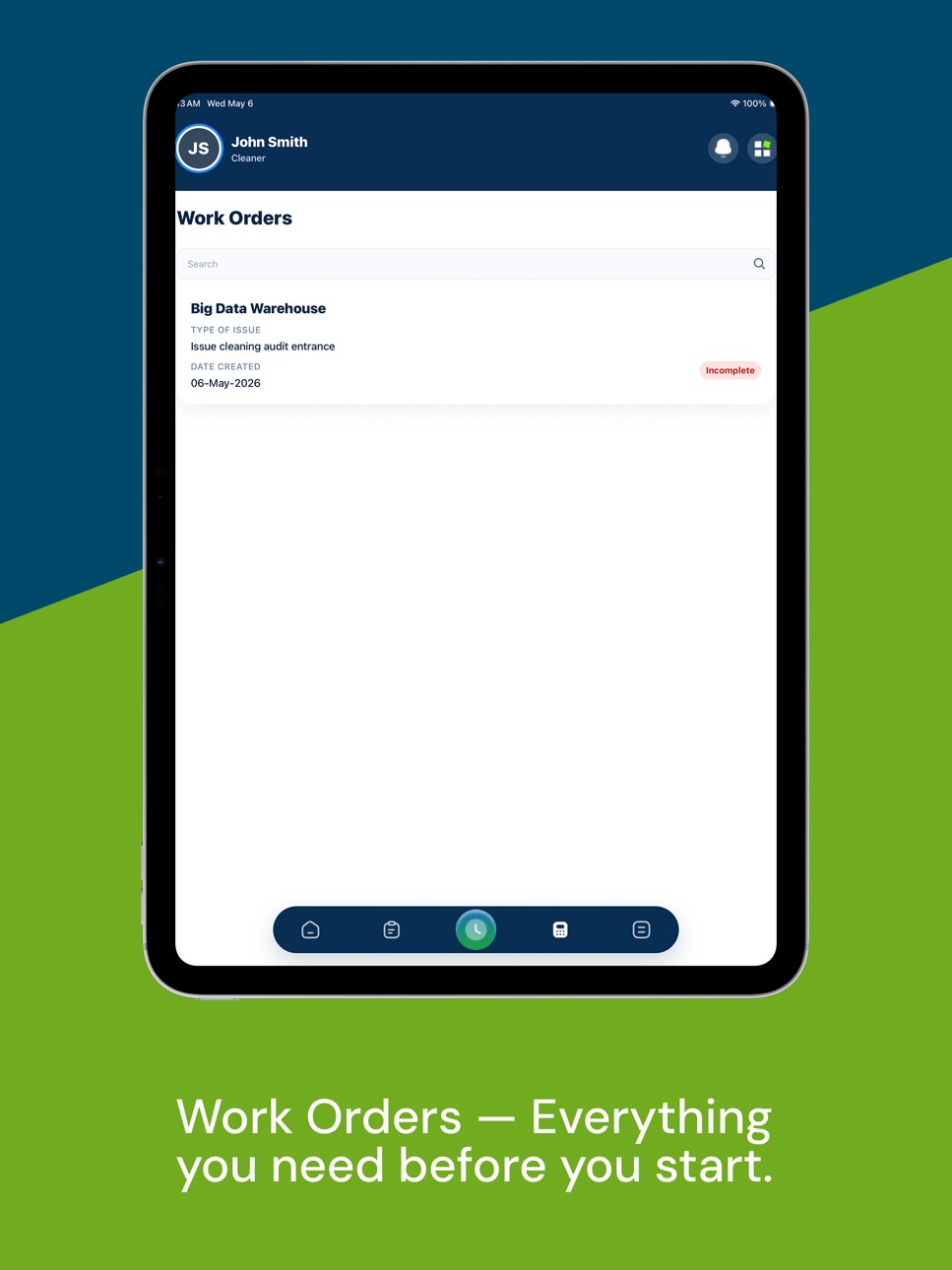
• Work Orders: assign, view, and complete jobs
• Schedules: keep shifts and crews organized
• Scope of Work: job-specific tasks and areas, ready on site
• Inspections: score work and document quality
• CinchTrack: GPS check-in/out and live crew status
Manage your team & tools
• Employees: manage your team and permissions by role
• Calculator: price jobs fast and consistently
• CinchIQ: an AI assistant for your business data
• Google Drive: keep documents close at hand
Built for the way you work
• Role-based access for owners, admins, managers, sales, supervisors, and cleaners
• Commercial and residential modes
• Full English and Spanish support
• Fast, clean, and reliable on iPhone and iPad
FOR CLEANING TEAMS IN THE FIELD
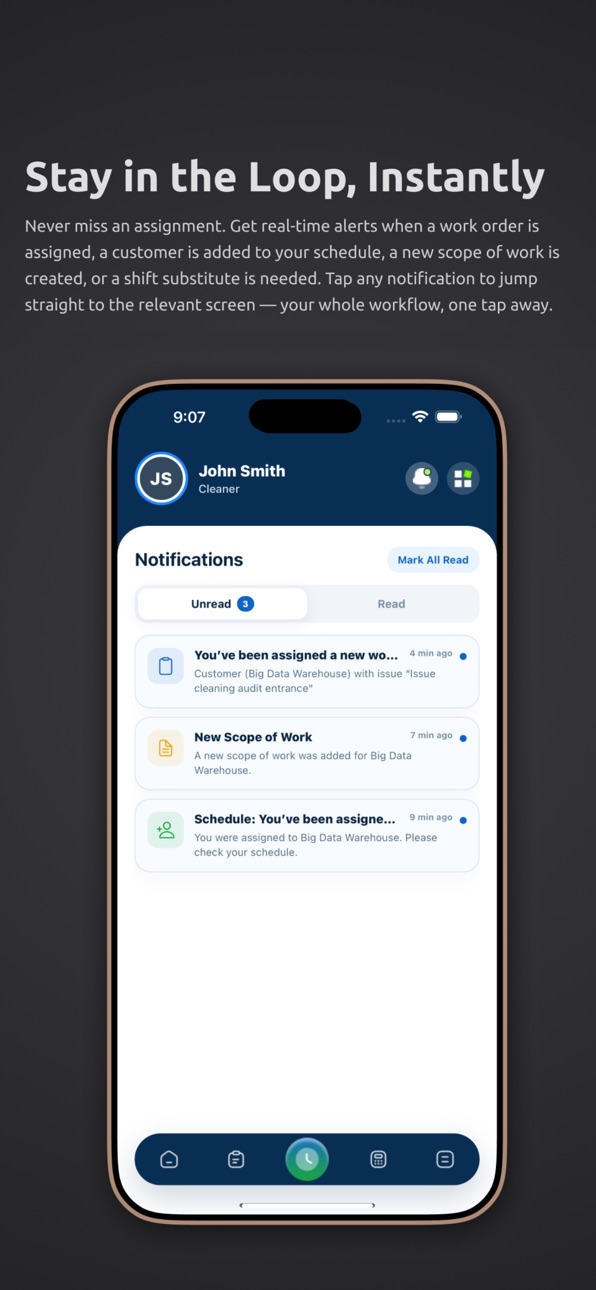
Assigned cleaners can view and complete work orders, follow the scope of work, track schedules and shifts, log hours, mark tasks complete, and stay in sync with their team from anywhere.
IMPORTANT — BUSINESS ACCESS ONLY
• Exclusively for commercial cleaning and janitorial companies
• Not for individual or consumer use
• No public sign-up and no individual accounts
• No in-app purchases
• Access requires an account on the Cinch platform, with credentials provided by your employer
Interested in using Cinch for your janitorial business?
Visit cleancinch.com to get started.
It's Simple. It's Cinch.
Accessibility
ipadiphonemacrealityDevicetvoswatch
Version history 6 versions
Build 887211689v3.0.12026-06-20 17:42:58
This release focuses on a smoother typing experience and a redesigned CinchTrack detail view.
KEYBOARD IMPROVEMENTS
• Input fields now stay visible and scroll into view above the keyboard across every form — work orders, invoices, proposals, scope of work, inspections, users, settings, calculators, and Create-a-Bid.
• Fixed the Login and Forgot Password screens so the keyboard no longer flickers or jumps.
• Fixed the CinchIQ chat input being clipped behind the keyboard.
• Rich-text editors (proposal description, message, disclaimer, notes) now scroll into view when tapped.
• The last field on long forms is no longer cut off at the bottom.
CINCHTRACK DETAIL VIEW
• Redesigned the site detail view to match the web, with a cleaner, more organized layout (Cleaner Information, Work Details, Map Details).
• Now uses Google Maps with an accurate location pin and the geofence area shown on the map.
• Tap any assigned cleaner to see their latest check-in and check-out, plotted on the map.
• New "View Full" daily work schedule — budgeted vs. logged hours and check-in/out history for the selected cleaner.
• Added a fullscreen "Expand" map view.
Plus general performance and stability improvements.
It's Simple. It's Cinch.
Build 887205908v3.0.02026-06-19 23:58:35
Cinch 3.0 is our biggest update yet — the app is now a complete business platform for commercial cleaning companies, not just a tool for cleaners. Every role on your team gets the right tools, from winning new work to running the field.
NEW: WIN MORE WORK
• Create a Bid — go from prospect to proposal to sent in minutes
• CRM for managing prospects and customers
• Build janitorial and residential proposals, with reusable templates
• Send proposals for e-approval and email them with attachments
• Create, send, and track invoices
NEW: RUN THE FIELD
• Assign, view, and complete work orders
• Schedules for shifts and crews
• Job-specific Scope of Work, ready on site
• Inspections to score and document quality
• CinchTrack — GPS check-in/out and live crew status
NEW: TEAM & TOOLS
• Manage employees with role-based permissions
• Job pricing Calculator
• CinchIQ — an AI assistant for your business data
• Google Drive access
NEW: BUILT FOR EVERYONE ON YOUR TEAM
• Role-based access for owners, admins, managers, sales, supervisors, and cleaners
• Commercial and residential modes
• Full English and Spanish support throughout the app
REDESIGNED
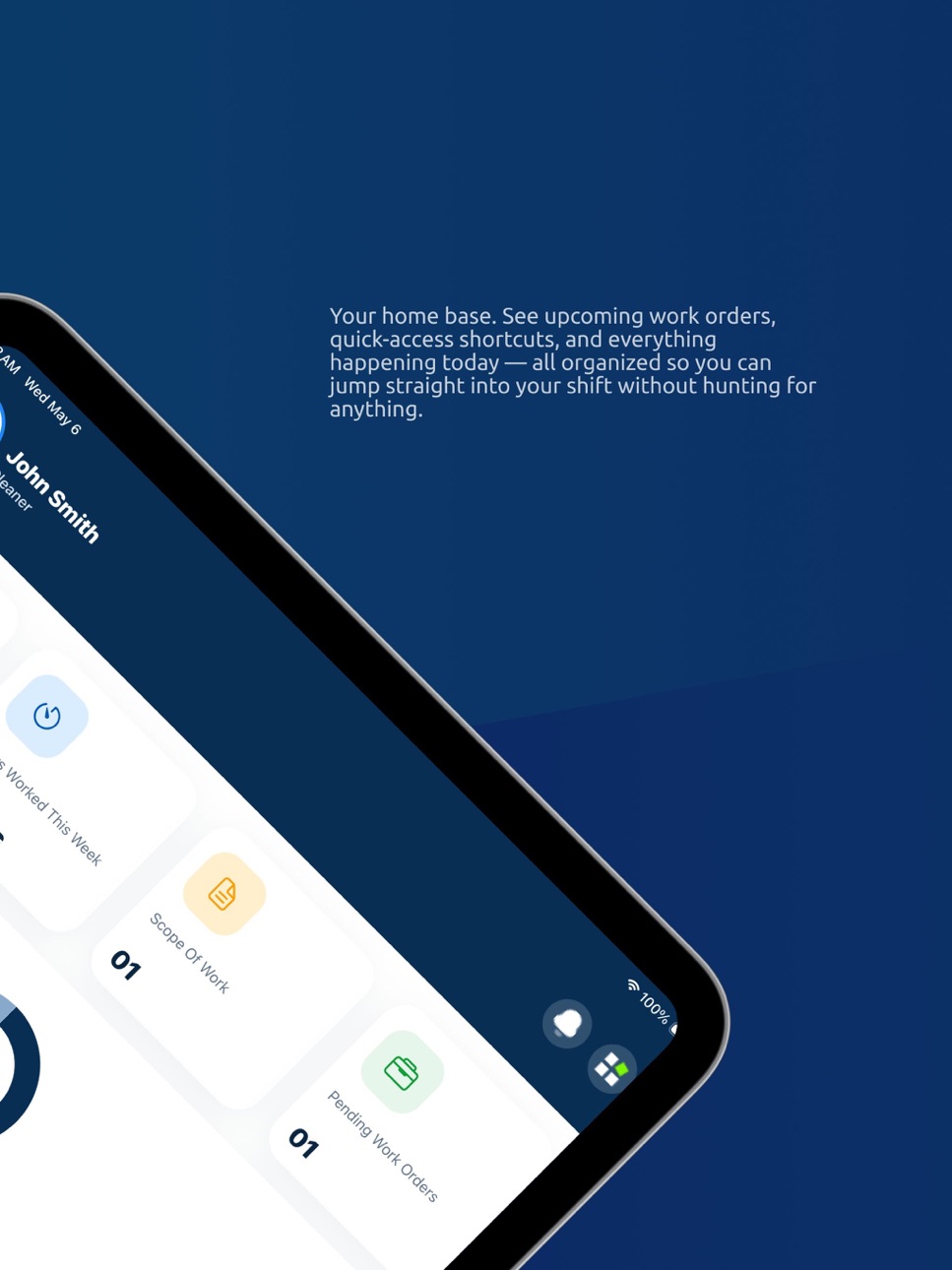
• A modern, faster Quick Menu and cleaner dashboard experience
• Optimized image uploads and more reliable proposal emails
• Numerous performance and stability improvements
• iPad-ready
Cleaners keep everything they rely on — work orders, scope of work, schedules, hours, and clock-in — now part of one connected platform.
It's Simple. It's Cinch.
Build 885679582v2.0.12026-05-14 22:43:14
Improved overall UI and user experience
Enhanced app performance and responsiveness
Fixed minor bugs and stability issues
Optimized navigation and screen transitions
General improvements for a smoother experience
Build 885178415v2.0.02026-05-06 18:21:49
Version 2.0.0 - The Cleaner Update
This is the biggest update to Cinch yet, rebuilt from the ground up for the cleaners who use it every day.
Complete Work Orders with Confidence
Completing a job is now front and center. A clear, full-width "Complete Work Order" button replaces the tiny icon that was easy to miss. Tap it, add your completion notes, attach photos or files, and confirm, all in one smooth flow.
Brand New Work Order & Scope of Work View
Work order details now show everything you need at a glance: customer info, date, assigned cleaner, notes, and attached files — all in a clean, modern layout. Scope of work previews show tasks by area with filter chips so you can focus on one room at a time.
Smarter Keyboard Handling
Forms across the app now scroll correctly when the keyboard is open, no more content getting stuck behind the keyboard on login, forgot password, or the complete work order sheet.
Visual Overhaul
Every screen has been refined with a consistent design: cleaner cards, better typography, improved color hierarchy, and status badges that actually communicate what's happening.
Build 877036123v1.12025-08-07 09:03:05
Optimized Image Uploads
- iPhone images are now automatically compressed and resized to 1600px width before uploading — improving performance and reducing bandwidth usage.
Updated Scope of Work View
- Removed the "Complete" button from the preview page for a cleaner interface.
- The Scope of Work list now displays all scopes, not just pending ones.
Build 868134753v1.02025-07-23 19:55:15
No pricing data captured yet — comparisons appear once the app has paid storefronts or in-app purchases.
Availability 175 of 175 storefronts
| Region | Language | Price | Ratings | Avg | Version |
|---|---|---|---|---|---|
| US | en-US | Free | 1 | 5.0 | 3.0.1 |
| AE | en-GB | Free | 0 | — | 3.0.1 |
| AF | en-GB | Free | 0 | — | 3.0.1 |
| AG | en-GB | Free | 0 | — | 3.0.1 |
| AI | en-GB | Free | 0 | — | 3.0.1 |
| AL | en-GB | Free | 0 | — | 3.0.1 |
| AM | en-GB | Free | 0 | — | 3.0.1 |
| AO | en-GB | Free | 0 | — | 3.0.1 |
| AR | es-MX | Free | 0 | — | 3.0.1 |
| AT | de-DE | Free | 0 | — | 3.0.1 |
| AU | en-AU | Free | 0 | — | 3.0.1 |
| AZ | en-GB | Free | 0 | — | 3.0.1 |
| BA | en-GB | Free | 0 | — | 3.0.1 |
| BB | en-GB | Free | 0 | — | 3.0.1 |
| BE | en-GB | Free | 0 | — | 3.0.1 |
| BF | en-GB | Free | 0 | — | 3.0.1 |
| BG | en-GB | Free | 0 | — | 3.0.1 |
| BH | en-GB | Free | 0 | — | 3.0.1 |
| BJ | en-GB | Free | 0 | — | 3.0.1 |
| BM | en-GB | Free | 0 | — | 3.0.1 |
| BN | en-GB | Free | 0 | — | 3.0.1 |
| BO | es-MX | Free | 0 | — | 3.0.1 |
| BR | pt-BR | Free | 0 | — | 3.0.1 |
| BS | en-GB | Free | 0 | — | 3.0.1 |
| BT | en-GB | Free | 0 | — | 3.0.1 |
| BW | en-GB | Free | 0 | — | 3.0.1 |
| BY | en-GB | Free | 0 | — | 3.0.1 |
| BZ | en-GB | Free | 0 | — | 3.0.1 |
| CA | en-CA | Free | 0 | — | 3.0.1 |
| CD | en-GB | Free | 0 | — | 3.0.1 |
| CG | en-GB | Free | 0 | — | 3.0.1 |
| CH | de-CH | Free | 0 | — | 3.0.1 |
| CI | fr-FR | Free | 0 | — | 3.0.1 |
| CL | es-MX | Free | 0 | — | 3.0.1 |
| CM | fr-FR | Free | 0 | — | 3.0.1 |
| CN | zh-Hans-CN | Free | 0 | — | 3.0.1 |
| CO | es-MX | Free | 0 | — | 3.0.1 |
| CR | es-MX | Free | 0 | — | 3.0.1 |
| CV | en-GB | Free | 0 | — | 3.0.1 |
| CY | en-GB | Free | 0 | — | 3.0.1 |
| CZ | en-GB | Free | 0 | — | 3.0.1 |
| DE | de-DE | Free | 0 | — | 3.0.1 |
| DK | en-GB | Free | 0 | — | 3.0.1 |
| DM | en-GB | Free | 0 | — | 3.0.1 |
| DO | es-MX | Free | 0 | — | 3.0.1 |
| DZ | en-GB | Free | 0 | — | 3.0.1 |
| EC | es-MX | Free | 0 | — | 3.0.1 |
| EE | en-GB | Free | 0 | — | 3.0.1 |
| EG | en-GB | Free | 0 | — | 3.0.1 |
| ES | es-ES | Free | 0 | — | 3.0.1 |
| FI | en-GB | Free | 0 | — | 3.0.1 |
| FJ | en-GB | Free | 0 | — | 3.0.1 |
| FM | en-GB | Free | 0 | — | 3.0.1 |
| FR | fr-FR | Free | 0 | — | 3.0.1 |
| GA | fr-FR | Free | 0 | — | 3.0.1 |
| GB | en-GB | Free | 0 | — | 3.0.1 |
| GD | en-GB | Free | 0 | — | 3.0.1 |
| GE | en-GB | Free | 0 | — | 3.0.1 |
| GH | en-GB | Free | 0 | — | 3.0.1 |
| GM | en-GB | Free | 0 | — | 3.0.1 |
| GR | en-GB | Free | 0 | — | 3.0.1 |
| GT | es-MX | Free | 0 | — | 3.0.1 |
| GW | en-GB | Free | 0 | — | 3.0.1 |
| GY | en-GB | Free | 0 | — | 3.0.1 |
| HK | zh-Hant-HK | Free | 0 | — | 3.0.1 |
| HN | es-MX | Free | 0 | — | 3.0.1 |
| HR | en-GB | Free | 0 | — | 3.0.1 |
| HU | en-GB | Free | 0 | — | 3.0.1 |
| ID | en-GB | Free | 0 | — | 3.0.1 |
| IE | en-GB | Free | 0 | — | 3.0.1 |
| IL | en-GB | Free | 0 | — | 3.0.1 |
| IN | en-GB | Free | 0 | — | 3.0.1 |
| IQ | en-GB | Free | 0 | — | 3.0.1 |
| IS | en-GB | Free | 0 | — | 3.0.1 |
| IT | it | Free | 0 | — | 3.0.1 |
| JM | en-GB | Free | 0 | — | 3.0.1 |
| JO | en-GB | Free | 0 | — | 3.0.1 |
| JP | ja | Free | 0 | — | 3.0.1 |
| KE | en-GB | Free | 0 | — | 3.0.1 |
| KG | en-GB | Free | 0 | — | 3.0.1 |
| KH | en-GB | Free | 0 | — | 3.0.1 |
| KN | en-GB | Free | 0 | — | 3.0.1 |
| KR | ko | Free | 0 | — | 3.0.1 |
| KW | en-GB | Free | 0 | — | 3.0.1 |
| KY | en-GB | Free | 0 | — | 3.0.1 |
| KZ | en-GB | Free | 0 | — | 3.0.1 |
| LA | en-GB | Free | 0 | — | 3.0.1 |
| LB | en-GB | Free | 0 | — | 3.0.1 |
| LC | en-GB | Free | 0 | — | 3.0.1 |
| LK | en-GB | Free | 0 | — | 3.0.1 |
| LR | en-GB | Free | 0 | — | 3.0.1 |
| LT | en-GB | Free | 0 | — | 3.0.1 |
| LU | en-GB | Free | 0 | — | 3.0.1 |
| LV | en-GB | Free | 0 | — | 3.0.1 |
| LY | en-GB | Free | 0 | — | 3.0.1 |
| MA | en-GB | Free | 0 | — | 3.0.1 |
| MD | en-GB | Free | 0 | — | 3.0.1 |
| ME | en-GB | Free | 0 | — | 3.0.1 |
| MG | en-GB | Free | 0 | — | 3.0.1 |
| MK | en-GB | Free | 0 | — | 3.0.1 |
| ML | en-GB | Free | 0 | — | 3.0.1 |
| MM | en-GB | Free | 0 | — | 3.0.1 |
| MN | en-GB | Free | 0 | — | 3.0.1 |
| MO | zh-Hant-HK | Free | 0 | — | 3.0.1 |
| MR | en-GB | Free | 0 | — | 3.0.1 |
| MS | en-GB | Free | 0 | — | 3.0.1 |
| MT | en-GB | Free | 0 | — | 3.0.1 |
| MU | en-GB | Free | 0 | — | 3.0.1 |
| MV | en-GB | Free | 0 | — | 3.0.1 |
| MW | en-GB | Free | 0 | — | 3.0.1 |
| MX | es-MX | Free | 0 | — | 3.0.1 |
| MY | en-GB | Free | 0 | — | 3.0.1 |
| MZ | en-GB | Free | 0 | — | 3.0.1 |
| NA | en-GB | Free | 0 | — | 3.0.1 |
| NE | en-GB | Free | 0 | — | 3.0.1 |
| NG | en-GB | Free | 0 | — | 3.0.1 |
| NI | es-MX | Free | 0 | — | 3.0.1 |
| NL | nl | Free | 0 | — | 3.0.1 |
| NO | en-GB | Free | 0 | — | 3.0.1 |
| NP | en-GB | Free | 0 | — | 3.0.1 |
| NR | en-GB | Free | 0 | — | 3.0.1 |
| NZ | en-AU | Free | 0 | — | 3.0.1 |
| OM | en-GB | Free | 0 | — | 3.0.1 |
| PA | es-MX | Free | 0 | — | 3.0.1 |
| PE | es-MX | Free | 0 | — | 3.0.1 |
| PG | en-GB | Free | 0 | — | 3.0.1 |
| PH | en-GB | Free | 0 | — | 3.0.1 |
| PK | en-GB | Free | 0 | — | 3.0.1 |
| PL | en-GB | Free | 0 | — | 3.0.1 |
| PT | pt-PT | Free | 0 | — | 3.0.1 |
| PW | en-GB | Free | 0 | — | 3.0.1 |
| PY | es-MX | Free | 0 | — | 3.0.1 |
| QA | en-GB | Free | 0 | — | 3.0.1 |
| RO | en-GB | Free | 0 | — | 3.0.1 |
| RS | en-GB | Free | 0 | — | 3.0.1 |
| RU | ru | Free | 0 | — | 3.0.1 |
| RW | en-GB | Free | 0 | — | 3.0.1 |
| SA | en-GB | Free | 0 | — | 3.0.1 |
| SB | en-GB | Free | 0 | — | 3.0.1 |
| SC | en-GB | Free | 0 | — | 3.0.1 |
| SE | sv | Free | 0 | — | 3.0.1 |
| SG | en-GB | Free | 0 | — | 3.0.1 |
| SI | en-GB | Free | 0 | — | 3.0.1 |
| SK | en-GB | Free | 0 | — | 3.0.1 |
| SL | en-GB | Free | 0 | — | 3.0.1 |
| SN | en-GB | Free | 0 | — | 3.0.1 |
| SR | en-GB | Free | 0 | — | 3.0.1 |
| ST | en-GB | Free | 0 | — | 3.0.1 |
| SV | es-MX | Free | 0 | — | 3.0.1 |
| SZ | en-GB | Free | 0 | — | 3.0.1 |
| TC | en-GB | Free | 0 | — | 3.0.1 |
| TD | en-GB | Free | 0 | — | 3.0.1 |
| TH | en-GB | Free | 0 | — | 3.0.1 |
| TJ | en-GB | Free | 0 | — | 3.0.1 |
| TM | en-GB | Free | 0 | — | 3.0.1 |
| TN | en-GB | Free | 0 | — | 3.0.1 |
| TO | en-GB | Free | 0 | — | 3.0.1 |
| TR | en-GB | Free | 0 | — | 3.0.1 |
| TT | en-GB | Free | 0 | — | 3.0.1 |
| TW | zh-Hant-TW | Free | 0 | — | 3.0.1 |
| TZ | en-GB | Free | 0 | — | 3.0.1 |
| UA | en-GB | Free | 0 | — | 3.0.1 |
| UG | en-GB | Free | 0 | — | 3.0.1 |
| UY | en-GB | Free | 0 | — | 3.0.1 |
| UZ | en-GB | Free | 0 | — | 3.0.1 |
| VC | en-GB | Free | 0 | — | 3.0.1 |
| VE | es-MX | Free | 0 | — | 3.0.1 |
| VG | en-GB | Free | 0 | — | 3.0.1 |
| VN | en-GB | Free | 0 | — | 3.0.1 |
| VU | en-GB | Free | 0 | — | 3.0.1 |
| XK | en-GB | Free | 0 | — | 3.0.1 |
| YE | en-GB | Free | 0 | — | 3.0.1 |
| ZA | en-GB | Free | 0 | — | 3.0.1 |
| ZM | en-GB | Free | 0 | — | 3.0.1 |
| ZW | en-GB | Free | 0 | — | 3.0.1 |
Change log 10 changes · BB
✎
releaseNotes updated
This release focuses on a smoother typing experience and a redesigned CinchTrack detail view.
KEYBOARD IMPROVEMENTS
• Input fields now stay visible and scrol
✎
description updated
Cinch — Janitorial Business Software
The all-in-one mobile platform built exclusively for commercial cleaning companies — not for individual or consumer use.
✎
subtitle updated
It's Simple, It's Cinch
✎
name updated
Clean Cinch
◆
Version 3.0.1 released
This release focuses on a smoother typing experience and a redesigned CinchTrack detail view.
KEYBOARD IMPROVEMENTS
• Input fields now stay visible and scroll into view above the keyboard across every form — work orders, invoices, propos
◆
Version 3.0.0 released
Cinch 3.0 is our biggest update yet — the app is now a complete business platform for commercial cleaning companies, not just a tool for cleaners. Every role on your team gets the right tools, from winning new work to running the field.
NE
◆
Version 2.0.1 released
Improved overall UI and user experience
Enhanced app performance and responsiveness
Fixed minor bugs and stability issues
Optimized navigation and screen transitions
General improvements for a smoother experience
◆
Version 2.0.0 released
Version 2.0.0 - The Cleaner Update
This is the biggest update to Cinch yet, rebuilt from the ground up for the cleaners who use it every day.
Complete Work Orders with Confidence
Completing a job is now front and center. A clear, full-wi
◆
Version 1.1 released
Optimized Image Uploads
- iPhone images are now automatically compressed and resized to 1600px width before uploading — improving performance and reducing bandwidth usage.
Updated Scope of Work View
- Removed the "Complete" button from t
◆
Version 1.0 released