Home › Productivity

 CD
CD
 BRpt-BR
 AGen-GB
 AIen-GB
 AOen-GB
 ARes-MX
 BBen-GB
 BFen-GB
 BJen-GB
 BSen-GB
 BWen-GB
 BZen-GBCDen-GB
 CGen-GB
 CIfr-FR
 CLes-MX
 CMfr-FR
 CRes-MX
 CVen-GB
 DMen-GB
 DOes-MX
 DZen-GB
 ECes-MX
 GAfr-FR
 GDen-GB
 GHen-GB
 GMen-GB
 GTes-MX
 GWen-GB
 GYen-GB
 HNes-MX
 JMen-GB
 KEen-GB
 KNen-GB
 KYen-GB
 LCen-GB
 LRen-GB
 LYen-GB
 MAen-GB
 MGen-GB
 MLen-GB
 MSen-GB
 MUen-GB
 MWen-GB
 MXes-MX
 MZen-GB
 NAen-GB
 NEen-GB
 NGen-GB
 NIes-MX
 PAes-MX
 PEes-MX
 RWen-GB
 SCen-GB
 SLen-GB
 SNen-GB
 SRen-GB
 STen-GB
 SVes-MX
 TCen-GB
 TDen-GB
 TNen-GB
 TTen-GB
 TZen-GB
 UGen-GB
 USen-US
 UYen-GB
 VCen-GB
 VEes-MX
 VGen-GB
 ZMen-GB
 ZWen-GB
71 of 71 storefronts
Content in en-US
Content in en-US
Information
Preview 4 platforms
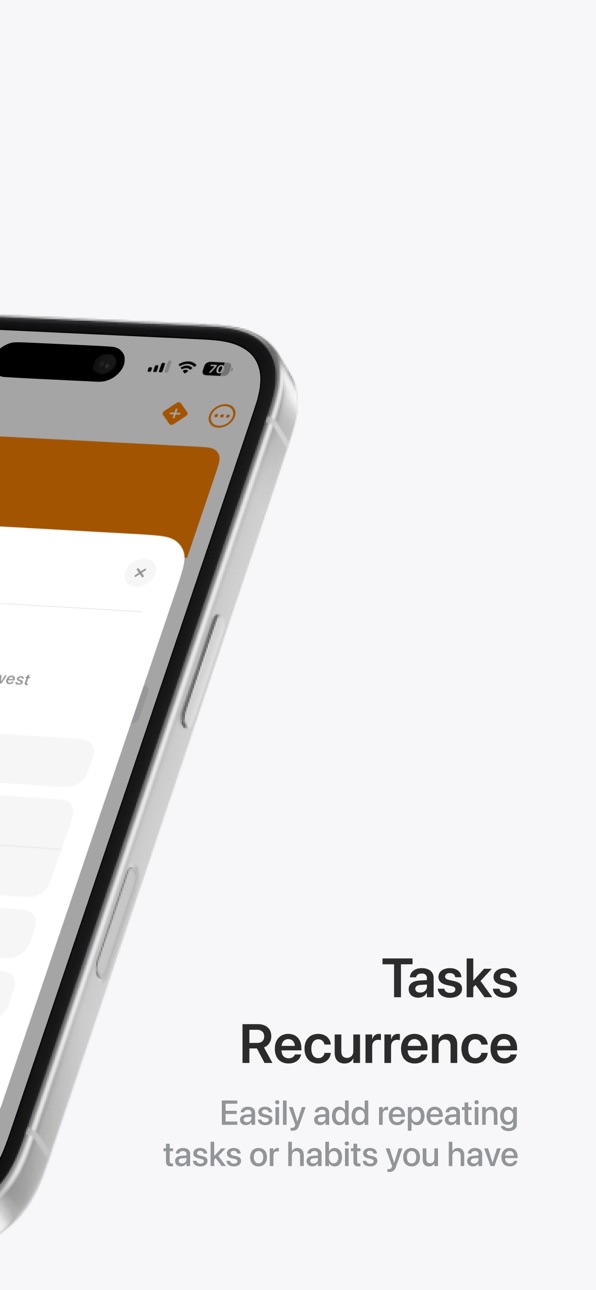
iPhone 6 images



iPad 4 images


Mac 3 images

Apple Watch 2 images


What’s New Version 2.0.3
Check out all of the changes in https://www.flickplanner.com/whats-new
Description
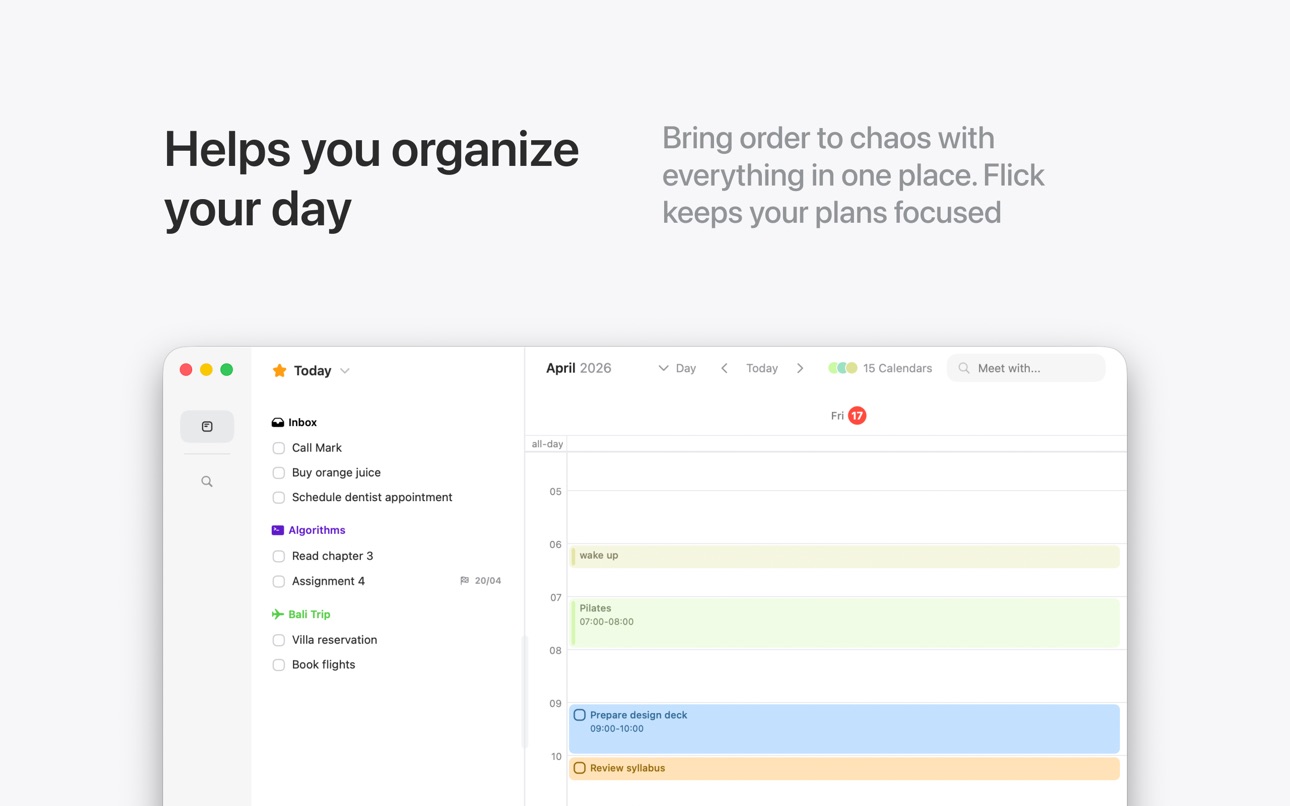
Stay on top of your tasks and schedule with Flick, the intelligent and effortless way to plan your life. Designed to help you spend less time organizing and more time doing, Flick brings together powerful task management and calendar features in a beautifully simple interface.
Why You'll Love Flick
• Seamless Task & Calendar Integration - See all your to-dos and events in one place, so nothing slips through the cracks.
• Projects, Areas & Sections - Organize your tasks in a way that makes sense for you, whether it's work, school, or personal goals. All of your bucket lists organized!
• Quick Add & Natural Language Input - Create tasks in seconds with an intuitive, frictionless workflow.
Flick Pro
• Unlimited Projects – Keep track of everything without limits.
• Task Reminders - Never miss a deadline with flexible reminders.
• Cloud Sync & Multi-Device Support - Access your tasks across iPhone, iPad, and Mac with seamless syncing.
• Advanced Planning & Smart Insights – Get deeper insights and optimizations for your workflow.
• Priority Support & Exclusive Features – Enjoy early access to new features and premium support.
Join thousands of productive users and start your journey to a more organized life today!
Get Flick now and let your productivity take the lead!
Privacy Policy:
https://www.flickplanner.com/privacy
Terms of Service:
https://www.flickplanner.com/terms
Capabilities
In-App Purchases
Accessibility
ipadiphonemacrealityDevicetvoswatch
Version history 24 versions
Build 886610355v2.0.32026-06-06 21:49:31
Check out all of the changes in https://www.flickplanner.com/whats-new
Build 885885895v2.0.22026-05-20 18:43:03
Check out all of the changes in https://www.flickplanner.com/whats-new
Build 885549430v2.0.12026-05-16 02:46:32
Check out all of the changes in https://www.flickplanner.com/whats-new
Build 884522651v2.0.02026-04-19 21:34:20
Check out all of the changes in https://www.flickplanner.com/whats-new
Build 883951743v1.6.02026-03-31 22:46:53
Check out all of the changes in https://www.flickplanner.com/whats-new
Build 882570338v1.5.02026-02-18 23:21:09
Check out all of the changes in https://www.flickplanner.com/whats-new
Build 882133892v1.4.12026-02-04 05:53:27
To see all of the changes, head to https://www.flickplanner.com/whats-new
Build 882073823v1.4.02026-02-02 20:17:10
To see all of the changes, head to https://www.flickplanner.com/whats-new
Build 881316757v1.3.52026-01-08 22:38:58
To see all of the changes, head to https://www.flickplanner.com/whats-new
Build 880825041v1.3.42026-01-05 09:24:43
To see all of the changes, head to https://www.flickplanner.com/whats-new
Build 880427043v1.3.32025-12-08 22:18:02
To see all of the changes, head to https://www.flickplanner.com/whats-new
Build 880005069v1.3.22025-11-24 21:49:48
To see all of the changes, head to https://www.flickplanner.com/whats-new
Build 879483273v1.3.12025-11-04 22:35:08
To see all of the changes, head to https://www.flickplanner.com/whats-new
Build 877837751v1.3.02025-10-30 10:11:35
PawTask is now Flick!
To see all of the changes, head to https://www.flickplanner.com/whats-new
Build 876924952v1.2.32025-08-25 15:40:12
We're always making improvements to the app experience, fixing bugs and implementing new features.
To see all of the changes, head to https://www.pawtask.com/whats-new
Build 876681912v1.2.22025-07-28 10:56:14
We're always making improvements to the app experience, fixing bugs and implementing new features.
To see all of the changes, head to https://www.pawtask.com/whats-new
Build 876343086v1.2.12025-07-14 01:58:06
We're always making improvements to the app experience, fixing bugs and implementing new features.
To see all of the changes, head to https://www.pawtask.com/whats-new
Build 876082830v1.2.02025-07-06 09:55:50
In version 1.2.0 we add a long awaited feature: Google Calendar integration! We've also addressed various bugs and improved the performance of the iOS editors, so that the app feels snappier than ever!
--- Google Calendar Integration ---
You can now connect your Google account to see and edit your Google Calendar events right inside PawTask!
To add a Google account you can go to the Settings tab and click on Connections. From there you can add all of your desired calendar accounts!
We're still improving the integration, with the ability to select which calendars to show coming to iOS with the next version, together with more improvements to event editing.
--- Improved App Tray ---
Editing tasks, events and making selections is now snappier with the improvements we made to the main app tray system!
--- Additional Improvements & Fixes ---
- Drag and drop should be more stable on the overall app;
- Fixed a bug where recurring tasks reminders wouldn't be correctly set;
- Visual refinements, making some parts of the app more consistent;
- Improved the app architecture to make it more reliable.
--- We Value Your Feedback! ---
We're always on the work to deliver more features and fixes based on your needs!
As always, if you've got any feedback or run into something weird, make sure to submit a feedback report or contact us at team@pawtask.com, so that we can work on implementing even more features suited to your needs!
Build 874662514v1.1.32025-05-12 23:58:21
This update introduces smoother interactions, enhanced scheduling, and fixes.
--- Drag to Resize Tasks ---
Effortlessly resize tasks by dragging their edges directly in the planner view on the Mac, making schedule management easier than ever.
--- Improved Title Display ---
Task and event titles now scroll correctly on the editors, ensuring longer titles are fully visible and clear.
--- Reminders for Repeating Tasks ---
Set reminders for recurring tasks, helping you stay consistently organized without missing deadlines.
--- Task Time Configuration Fixes ---
We've resolved issues with task time settings, making your scheduling experience more reliable and intuitive.
--- Smoother Task Animations ---
Enjoy smoother transitions and animations when opening tasks and events, adding polish to your daily interactions.
--- Additional Improvements & Bug Fixes ---
Minor performance enhancements and fixes to improve overall stability.
We’re always working to make PawTask better. Thanks for your continued support!
Build 874452807v1.1.22025-05-01 21:22:37
This update brings speed enhancements, smarter scheduling, and improved multitasking to ensure PawTask continues to be reliable and enjoyable.
--- Faster Task Loading ---
Tasks now load much quicker when opening PawTask, so you can dive straight into managing your day.
--- Natural Language Date Recognition ---
Quickly schedule tasks by typing dates and reminders directly into task titles (e.g., "Send team feedback tomorrow at 3pm"). PawTask handles the rest!
--- Improved Calendar & Event Editor ---
• Calendar on macOS loads faster with a cleaner, refreshed interface.
• Redesigned event editor simplifies editing, making event management quicker and more intuitive.
--- Multitasking & Interface Enhancements ---
PawTask now fully supports Split View and Slide Over on iPad for seamless multitasking with other apps.
--- Bug Fixes & Improvements ---
• Fixed a Mac calendar issue where task lists didn’t refresh properly.
• Corrected user "member since" dates.
• Improved task time settings.
• Resolved various drag-and-drop bugs.
We’re always working to make PawTask better. Thanks for your continued support!
Build 873916110v1.1.12025-04-10 09:10:07
This update focuses on improving stability and making sure your tasks behave just the way you expect.
--- Task Repeat Improvements ---
Fixed issues that caused some recurring tasks not to repeat properly. Repetition should now work smoothly and reliably!
--- Bug Fixes & Interface Tweaks ---
• Resolved a bug where the Mac date picker didn’t show the current month correctly.
• Polished the task editor with better gesture handling and improved overall efficiency.
We’re always working to make PawTask better. Thank you for your continued support!
Build 873797916v1.1.02025-04-06 00:58:36
We’ve got a fresh batch of updates for you in version 1.1.0 – packed with polish, improvements, and fixes we’ve all been waiting for.
--- A Brand New App Icon ---
PawTask’s got a new look on your home screen! Let us know what you think about the new icon, and, if you happen to prefer the old one, you can always change it in the app settings.
--- Refreshed Interface ---
We've been working hard on the past few months to get this new app interface ready for everyone! You'll probably notice a new sleek task editor, a more colorful projects tab and some new ways to navigate through the app's pages!
--- Drag Tasks into the Planner on iOS ---
YES – it’s finally here! You can now drag and drop tasks in the planner on iOS. Planning your week just got a lot easier.
--- Bug Fixes ---
The planner month name now changes properly when scrolling through days and weeks.
We fixed a bug where some of the calendar events would not show up correctly.
There was a bug affecting the creation of recurring tasks. This is now solved!
Build 873082528v1.0.12025-03-09 10:28:44
Better Planning Experience
Side-by-side events now display correctly, making your planner clearer than ever.
A brand-new Day Summary feature (PawTask Premium exclusive) gives you a daily and weekly overview of your most important events - exams, meetings, and birthdays - so you’re always prepared!
Sync & Stability Fixes
We’ve squashed some sync bugs to ensure your tasks stay up to date across all devices.
Localization Enhancements
Fixed missing Portuguese translations for a smoother experience.
New Pet Customization – Pirate Hat!
Your pet can now channel their inner pirate with a brand-new hat! Find it in the pet store and set sail on your productivity journey.
You can check all of the updates on our release notes in the app's "About" settings.
Build 867324768v1.02025-02-26 14:49:01
No pricing data captured yet — comparisons appear once the app has paid storefronts or in-app purchases.
Availability 71 of 71 storefronts
| Region | Language | Price | Ratings | Avg | Version |
|---|---|---|---|---|---|
| BR | pt-BR | Free | 5 | 5.0 | 2.0.3 |
| AG | en-GB | Free | 0 | — | 2.0.3 |
| AI | en-GB | Free | 0 | — | 2.0.3 |
| AO | en-GB | Free | 0 | — | 2.0.3 |
| AR | es-MX | Free | 0 | — | 2.0.3 |
| BB | en-GB | Free | 0 | — | 2.0.3 |
| BF | en-GB | Free | 0 | — | 2.0.3 |
| BJ | en-GB | Free | 0 | — | 2.0.3 |
| BS | en-GB | Free | 0 | — | 2.0.3 |
| BW | en-GB | Free | 0 | — | 2.0.3 |
| BZ | en-GB | Free | 0 | — | 2.0.3 |
| CD | en-GB | Free | 0 | — | 2.0.3 |
| CG | en-GB | Free | 0 | — | 2.0.3 |
| CI | fr-FR | Free | 0 | — | 2.0.3 |
| CL | es-MX | Free | 0 | — | 2.0.3 |
| CM | fr-FR | Free | 0 | — | 2.0.3 |
| CR | es-MX | Free | 0 | — | 2.0.3 |
| CV | en-GB | Free | 0 | — | 2.0.3 |
| DM | en-GB | Free | 0 | — | 2.0.3 |
| DO | es-MX | Free | 0 | — | 2.0.3 |
| DZ | en-GB | Free | 0 | — | 2.0.3 |
| EC | es-MX | Free | 0 | — | 2.0.3 |
| GA | fr-FR | Free | 0 | — | 2.0.3 |
| GD | en-GB | Free | 0 | — | 2.0.3 |
| GH | en-GB | Free | 0 | — | 2.0.3 |
| GM | en-GB | Free | 0 | — | 2.0.3 |
| GT | es-MX | Free | 0 | — | 2.0.3 |
| GW | en-GB | Free | 0 | — | 2.0.3 |
| GY | en-GB | Free | 0 | — | 2.0.3 |
| HN | es-MX | Free | 0 | — | 2.0.3 |
| JM | en-GB | Free | 0 | — | 2.0.3 |
| KE | en-GB | Free | 0 | — | 2.0.3 |
| KN | en-GB | Free | 0 | — | 2.0.3 |
| KY | en-GB | Free | 0 | — | 2.0.3 |
| LC | en-GB | Free | 0 | — | 2.0.3 |
| LR | en-GB | Free | 0 | — | 2.0.3 |
| LY | en-GB | Free | 0 | — | 2.0.3 |
| MA | en-GB | Free | 0 | — | 2.0.3 |
| MG | en-GB | Free | 0 | — | 2.0.3 |
| ML | en-GB | Free | 0 | — | 2.0.3 |
| MS | en-GB | Free | 0 | — | 2.0.3 |
| MU | en-GB | Free | 0 | — | 2.0.3 |
| MW | en-GB | Free | 0 | — | 2.0.3 |
| MX | es-MX | Free | 0 | — | 2.0.3 |
| MZ | en-GB | Free | 0 | — | 2.0.3 |
| NA | en-GB | Free | 0 | — | 2.0.3 |
| NE | en-GB | Free | 0 | — | 2.0.3 |
| NG | en-GB | Free | 0 | — | 2.0.3 |
| NI | es-MX | Free | 0 | — | 2.0.3 |
| PA | es-MX | Free | 0 | — | 2.0.3 |
| PE | es-MX | Free | 0 | — | 2.0.3 |
| RW | en-GB | Free | 0 | — | 2.0.3 |
| SC | en-GB | Free | 0 | — | 2.0.3 |
| SL | en-GB | Free | 0 | — | 2.0.3 |
| SN | en-GB | Free | 0 | — | 2.0.3 |
| SR | en-GB | Free | 0 | — | 2.0.3 |
| ST | en-GB | Free | 0 | — | 2.0.3 |
| SV | es-MX | Free | 0 | — | 2.0.3 |
| TC | en-GB | Free | 0 | — | 2.0.3 |
| TD | en-GB | Free | 0 | — | 2.0.3 |
| TN | en-GB | Free | 0 | — | 2.0.3 |
| TT | en-GB | Free | 0 | — | 2.0.3 |
| TZ | en-GB | Free | 0 | — | 2.0.3 |
| UG | en-GB | Free | 0 | — | 2.0.3 |
| US | en-US | Free | 0 | — | 2.0.3 |
| UY | en-GB | Free | 0 | — | 2.0.3 |
| VC | en-GB | Free | 0 | — | 2.0.3 |
| VE | es-MX | Free | 0 | — | 2.0.3 |
| VG | en-GB | Free | 0 | — | 2.0.3 |
| ZM | en-GB | Free | 0 | — | 2.0.3 |
| ZW | en-GB | Free | 0 | — | 2.0.3 |
Change log 28 changes · CD
✎
releaseNotes updated
Check out all of the changes in https://www.flickplanner.com/whats-new
✎
description updated
Stay on top of your tasks and schedule with Flick, the intelligent and effortless way to plan your life. Designed to help you spend less time organizing and mor
✎
subtitle updated
Time block your tasks
✎
name updated
Flick Planner
◆
Version 2.0.3 released
Check out all of the changes in https://www.flickplanner.com/whats-new
◆
Version 2.0.2 released
Check out all of the changes in https://www.flickplanner.com/whats-new
◆
Version 2.0.1 released
Check out all of the changes in https://www.flickplanner.com/whats-new
◆
Version 2.0.0 released
Check out all of the changes in https://www.flickplanner.com/whats-new
◆
Version 1.6.0 released
Check out all of the changes in https://www.flickplanner.com/whats-new
◆
Version 1.5.0 released
Check out all of the changes in https://www.flickplanner.com/whats-new
◆
Version 1.4.1 released
To see all of the changes, head to https://www.flickplanner.com/whats-new
◆
Version 1.4.0 released
To see all of the changes, head to https://www.flickplanner.com/whats-new
◆
Version 1.3.5 released
To see all of the changes, head to https://www.flickplanner.com/whats-new
◆
Version 1.3.4 released
To see all of the changes, head to https://www.flickplanner.com/whats-new
◆
Version 1.3.3 released
To see all of the changes, head to https://www.flickplanner.com/whats-new
◆
Version 1.3.2 released
To see all of the changes, head to https://www.flickplanner.com/whats-new
◆
Version 1.3.1 released
To see all of the changes, head to https://www.flickplanner.com/whats-new
◆
Version 1.3.0 released
PawTask is now Flick!
To see all of the changes, head to https://www.flickplanner.com/whats-new
◆
Version 1.2.3 released
We're always making improvements to the app experience, fixing bugs and implementing new features.
To see all of the changes, head to https://www.pawtask.com/whats-new
◆
Version 1.2.2 released
We're always making improvements to the app experience, fixing bugs and implementing new features.
To see all of the changes, head to https://www.pawtask.com/whats-new
◆
Version 1.2.1 released
We're always making improvements to the app experience, fixing bugs and implementing new features.
To see all of the changes, head to https://www.pawtask.com/whats-new
◆
Version 1.2.0 released
In version 1.2.0 we add a long awaited feature: Google Calendar integration! We've also addressed various bugs and improved the performance of the iOS editors, so that the app feels snappier than ever!
--- Google Calendar Integration ---
◆
Version 1.1.3 released
This update introduces smoother interactions, enhanced scheduling, and fixes.
--- Drag to Resize Tasks ---
Effortlessly resize tasks by dragging their edges directly in the planner view on the Mac, making schedule management easier than
◆
Version 1.1.2 released
This update brings speed enhancements, smarter scheduling, and improved multitasking to ensure PawTask continues to be reliable and enjoyable.
--- Faster Task Loading ---
Tasks now load much quicker when opening PawTask, so you can dive s
◆
Version 1.1.1 released
This update focuses on improving stability and making sure your tasks behave just the way you expect.
--- Task Repeat Improvements ---
Fixed issues that caused some recurring tasks not to repeat properly. Repetition should now work smooth
◆
Version 1.1.0 released
We’ve got a fresh batch of updates for you in version 1.1.0 – packed with polish, improvements, and fixes we’ve all been waiting for.
--- A Brand New App Icon ---
PawTask’s got a new look on your home screen! Let us know what you think ab
◆
Version 1.0.1 released
Better Planning Experience
Side-by-side events now display correctly, making your planner clearer than ever.
A brand-new Day Summary feature (PawTask Premium exclusive) gives you a daily and weekly overview of your most important events -
◆
Version 1.0 released