Home › Business

 US
US
1 of 1 storefronts
Content in en-US
Content in en-US
Information
Preview 3 platforms
iPhone 5 images


iPad 5 images


Mac 3 images


What’s New Version 3.6
• Discover new templates for documents, photos, and labels
• Enjoy faster and more reliable printing
• Improved compatibility with a wider range of printers
• Enhanced performance for a smoother experience
• Minor bug fixes and overall stability improvements
Description
Smart Printer Scanner is a Print Master that helps you scan & print photos.
Smart Printer and Scanner lets you print photos and documents easily from your phone. Our incredible smart printer app supports various printer models, including popular brands like HP, Canon, Brother, and Epson.
Print photos, documents, PDF files, invoices, receipts, boarding passes, and more with ease, sharing them with family and friends using the smart printer app. Experience seamless use of the print master capabilities to print everything you need.
The smart printer app functions as a print master, supporting multiple printer models. Like the Canon printer and Brother apps, the printer app operates smoothly and precisely, enhancing the user experience.
HP all-in-one printer remote & Canon printer will automatically resize your paper based on the printer’s capability and the type of document you’re printing using the smart printer app.
Enjoy easy Wi-Fi printing from your mobile device through the smart printer app. Download this Brother printer app for a seamless printing and scanning experience!
Smart Printing and Sharing with Canon and HP smart printer app:
Print photos and share them with family and friends using our print master app. Print documents, PDFs, invoices, and receipts with the smart printer app, which functions as a comprehensive remote app for all your printing needs at home, work, or on the go!
The smart printer app acts as an all-in-one remote, much like other smart printing solutions. This Brother printer app supports printing and scanning from your phone, enabling the printing of photos, documents, and web pages. With the HP Smart Tank 580 printer, you can edit scanned documents and then print, email, or share them easily.
Print Photos Directly from Anywhere:
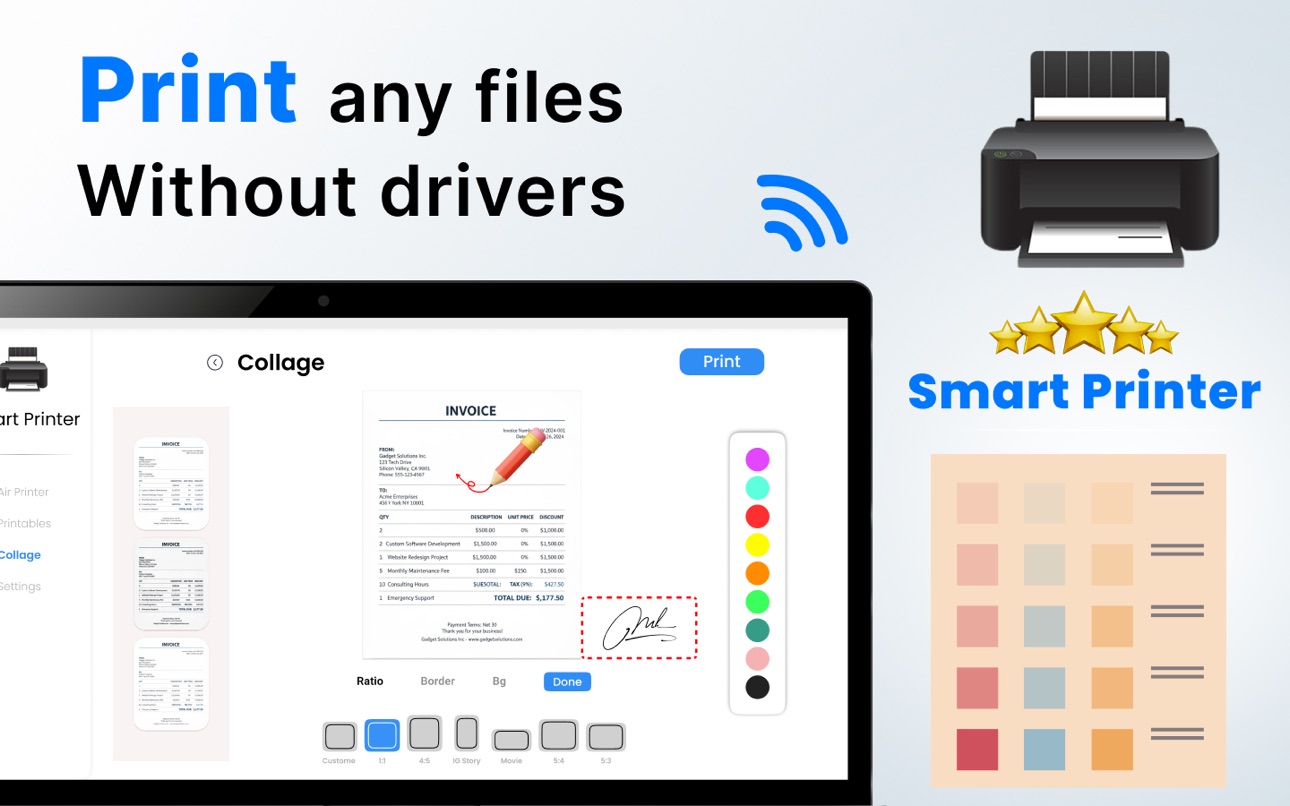
With our smart printer app, you can print several photos on a single page by creating photo collages. The app keeps your printed files safe and easy to find. Ensure your phone and Brother printer app-enabled printer are on the same Wi-Fi network. Get the print master app now for stress-free printing!
The all-in-one printer remote app and scanner work with various printers such as HP, Canon, Epson, Brother, and more. Whether for home or office, if it supports AirPrint, the smart printer app is your go-to tool.
The paid subscription plans
- Weekly Subscription
- Monthly Subscription
- Yearly Subscription
The price for each plan may vary according to the country from where a user gets subscribed. Payment will be charged to your iTunes account at confirmation of purchase. Your subscription will automatically renew unless auto-renew is turned off at least 24 hours before the end of the current subscription period. Your account will be charged for renewal within 24 hours before the end of the current subscription period. You can manage your subscriptions and turn off auto-renewal by going to your Account Settings on the App Store after purchase.
Privacy Policy & Terms & Conditions
https://izharapps.blogspot.com/2024/01/term-of-use.html
https://izharapps.blogspot.com/2023/10/privacy-policy-for-izhar-ullah.html
Capabilities
In-App Purchases
Accessibility
ipadiphonemacrealityDevicetvoswatch
Version history 25 versions
Build 887324084v3.62026-07-09 21:47:40
• Discover new templates for documents, photos, and labels
• Enjoy faster and more reliable printing
• Improved compatibility with a wider range of printers
• Enhanced performance for a smoother experience
• Minor bug fixes and overall stability improvements
Build 877610356v3.52026-06-03 20:52:08
Improve App Performance
Bug Fix
Build 876496872v3.42025-07-18 17:22:01
Fixed minor bug.
Build 876400196v3.32025-07-16 16:57:31
Fixed minor bug.
Build 876070847v3.22025-07-03 13:18:09
- Minor Bug Fixes
- Performance improvement
Build 875867001v3.12025-06-26 19:52:20
• Minor Bug fixes
• performance improvements
Build 875644723v3.02025-06-17 14:24:34
Fixed minor bug.
Build 875283310v2.92025-06-06 10:00:07
- Bug Fixes
- Performance Improvements
Build 873176320v2.82025-03-12 13:29:36
Fixed minor bug.
Build 873051574v2.72025-03-07 19:55:40
Fixed Minior bug.
Build 872646357v2.62025-02-20 10:53:07
Fixed minor bug.
Build 872502945v2.52025-02-17 11:24:37
Fixed minor bug.
Build 872376331v2.42025-02-11 06:20:50
Slightly updated the UI for an improved experience.
Build 872367367v2.32025-02-10 09:24:08
Fixed minor bug.
Build 872339739v2.22025-02-09 15:38:01
Fixed minor bug.
Build 872309126v2.02025-02-07 10:25:08
Bug fixes and performance improvements.
Build 872319267v2.12025-02-07 21:26:38
Bug fixes and performance improvements.
Build 872097602v1.72025-02-06 07:09:33
Performance improved and bug fixed.
Build 872288602v1.92025-02-06 17:53:57
Fixed bug.
Build 871971952v1.62025-01-25 13:51:05
- Minor Bug Fixes
- Smart Connective Issue Solved
- Working on Performance Improvements
Build 871778613v1.52025-01-16 20:36:56
Updated user interface for a more seamless experience.
Added image cropping functionality for easier editing.
Build 871665184v1.42025-01-12 11:02:13
- Performance Improvement
- HP Printer connect issue solved
Build 871480833v1.32025-01-05 08:56:01
Fixed minor bugs.
Build 871399836v1.22024-12-31 15:00:15
What's New: Experience faster printing with enhanced performance! Enjoy a refreshed user interface for smoother navigation and added support for multiple file formats. Bug fixes and optimizations ensure seamless printing every time. Update now for the best experience!
Build 871293517v1.12024-12-23 11:43:51
Fixed minor bugs
No pricing data captured yet — comparisons appear once the app has paid storefronts or in-app purchases.
Availability 1 of 1 storefronts
| Region | Language | Price | Ratings | Avg | Version |
|---|---|---|---|---|---|
| US | en-US | Free | 53 | 3.9 | 3.6 |
Change log 29 changes · US
✎
releaseNotes updated
• Discover new templates for documents, photos, and labels
• Enjoy faster and more reliable printing
• Improved compatibility with a wider range of printers
• E
✎
description updated
Smart Printer Scanner is a Print Master that helps you scan & print photos.
Smart Printer and Scanner lets you print photos and documents easily from your phon
✎
subtitle updated
For HP, Canon, Brother & Epson
✎
name updated
iPrint Scan Smart Printer App
◆
Version 3.6 released
• Discover new templates for documents, photos, and labels
• Enjoy faster and more reliable printing
• Improved compatibility with a wider range of printers
• Enhanced performance for a smoother experience
• Minor bug fixes and overall stab
◆
Version 3.5 released
Improve App Performance
Bug Fix
◆
Version 3.4 released
Fixed minor bug.
◆
Version 3.3 released
Fixed minor bug.
◆
Version 3.2 released
- Minor Bug Fixes
- Performance improvement
◆
Version 3.1 released
• Minor Bug fixes
• performance improvements
◆
Version 3.0 released
Fixed minor bug.
◆
Version 2.9 released
- Bug Fixes
- Performance Improvements
◆
Version 2.8 released
Fixed minor bug.
◆
Version 2.7 released
Fixed Minior bug.
◆
Version 2.6 released
Fixed minor bug.
◆
Version 2.5 released
Fixed minor bug.
◆
Version 2.4 released
Slightly updated the UI for an improved experience.
◆
Version 2.3 released
Fixed minor bug.
◆
Version 2.2 released
Fixed minor bug.
◆
Version 2.1 released
Bug fixes and performance improvements.
◆
Version 2.0 released
Bug fixes and performance improvements.
◆
Version 1.9 released
Fixed bug.
◆
Version 1.7 released
Performance improved and bug fixed.
◆
Version 1.6 released
- Minor Bug Fixes
- Smart Connective Issue Solved
- Working on Performance Improvements
◆
Version 1.5 released
Updated user interface for a more seamless experience.
Added image cropping functionality for easier editing.
◆
Version 1.4 released
- Performance Improvement
- HP Printer connect issue solved
◆
Version 1.3 released
Fixed minor bugs.
◆
Version 1.2 released
What's New: Experience faster printing with enhanced performance! Enjoy a refreshed user interface for smoother navigation and added support for multiple file formats. Bug fixes and optimizations ensure seamless printing every time. Update
◆
Version 1.1 released
Fixed minor bugs