Home › Utilities

 PY
PY
 USen-US
 DOes-MX
 HNes-MX
 NIes-MX
 PAes-MX
 AGen-GB
 AIen-GB
 AOen-GB
 ARes-MX
 BBen-GB
 BFen-GB
 BJen-GB
 BOes-MX
 BRpt-BR
 BSen-GB
 BWen-GB
 BZen-GB
 CDen-GB
 CGen-GB
 CIfr-FR
 CLes-MX
 CMfr-FR
 COes-MX
 CRes-MX
 CVen-GB
 DMen-GB
 DZen-GB
 ECes-MX
 GAfr-FR
 GDen-GB
 GHen-GB
 GMen-GB
 GTes-MX
 GWen-GB
 GYen-GB
 JMen-GB
 KEen-GB
 KNen-GB
 KYen-GB
 LCen-GB
 LRen-GB
 LYen-GB
 MAen-GB
 MGen-GB
 MLen-GB
 MSen-GB
 MUen-GB
 MWen-GB
 MXes-MX
 MZen-GB
 NAen-GB
 NEen-GB
 NGen-GB
 PEes-MXPYes-MX
 RWen-GB
 SCen-GB
 SLen-GB
 SNen-GB
 SRen-GB
 STen-GB
 SVes-MX
 SZen-GB
 TCen-GB
 TDen-GB
 TNen-GB
 TTen-GB
 TZen-GB
 UGen-GB
 UYen-GB
 VCen-GB
 VEes-MX
 VGen-GB
 ZMen-GB
 ZWen-GB
75 of 75 storefronts
Content in en-US
Content in en-US
Information
Apple ID6503047096
Bundle IDcom.fangjunyu.piglet
SellerSeller
Min iOS17.0
Device familiesmac, iphone, ipad
Released2024-05-30
Copyright© 2024 fangjunyu Inc
Privacy policyLink ↗
Preview 3 platforms
iPhone 6 images




iPad 6 images



Mac 6 images


What’s New Version 1.1.2
1. Added sidebar navigation support for iPad and Mac to improve the browsing experience on larger screens.
2. Improved the deposit and withdrawal records view. It now appears as a pop-up window for a clearer experience.
3. Added personal avatar and name features. Avatars can be synced to iCloud Drive, and data is stored only locally or in the user’s iCloud.
4. Added 13 new currency symbols with corresponding national flags.
5. Improved the Premium page layout and plan selection style.
6. Improved the Premium feature logic for icons, backgrounds, animations, and related pages. Tapping locked features now opens the Premium page directly.
7. Improved the About Us page with new Contact Us and More Apps sections.
8. Added widget support for 29 more languages to improve the multilingual experience.
9. Fixed known issues and improved overall stability and interface experience.
Description
Make saving money more fun with Banklet!
Download the latest version of Banklet for iPhone and iPad and experience a smarter, safer, and easier way to save. Easily manage your piggy banks, enjoy iCloud syncing, and track your savings progress across multiple devices. Download Banklet now and start your savings journey!
* New Features
Redesigned Interface: Fully upgraded UI/UX for easier operation and a more beautiful interface, making saving money more enjoyable.
Multilingual Support: Added support for 70 languages, making it easier for more users to use.
Revamped Activities View: New features like living fund activities, making it easier to create and manage multiple savings goals.
Recurring Deposits: Support for daily, weekly, monthly, and yearly automatic deposits, turning manual saving into automated management.
Debt Mode: Allows negative initial balances and managing expenses beyond current savings.
Animated Widgets: In-app animations can be displayed on the home screen via widgets, with fun transparent characters.
* Core Features
iCloud Sync: Seamlessly sync data between iPhone and iPad to always see the latest progress.
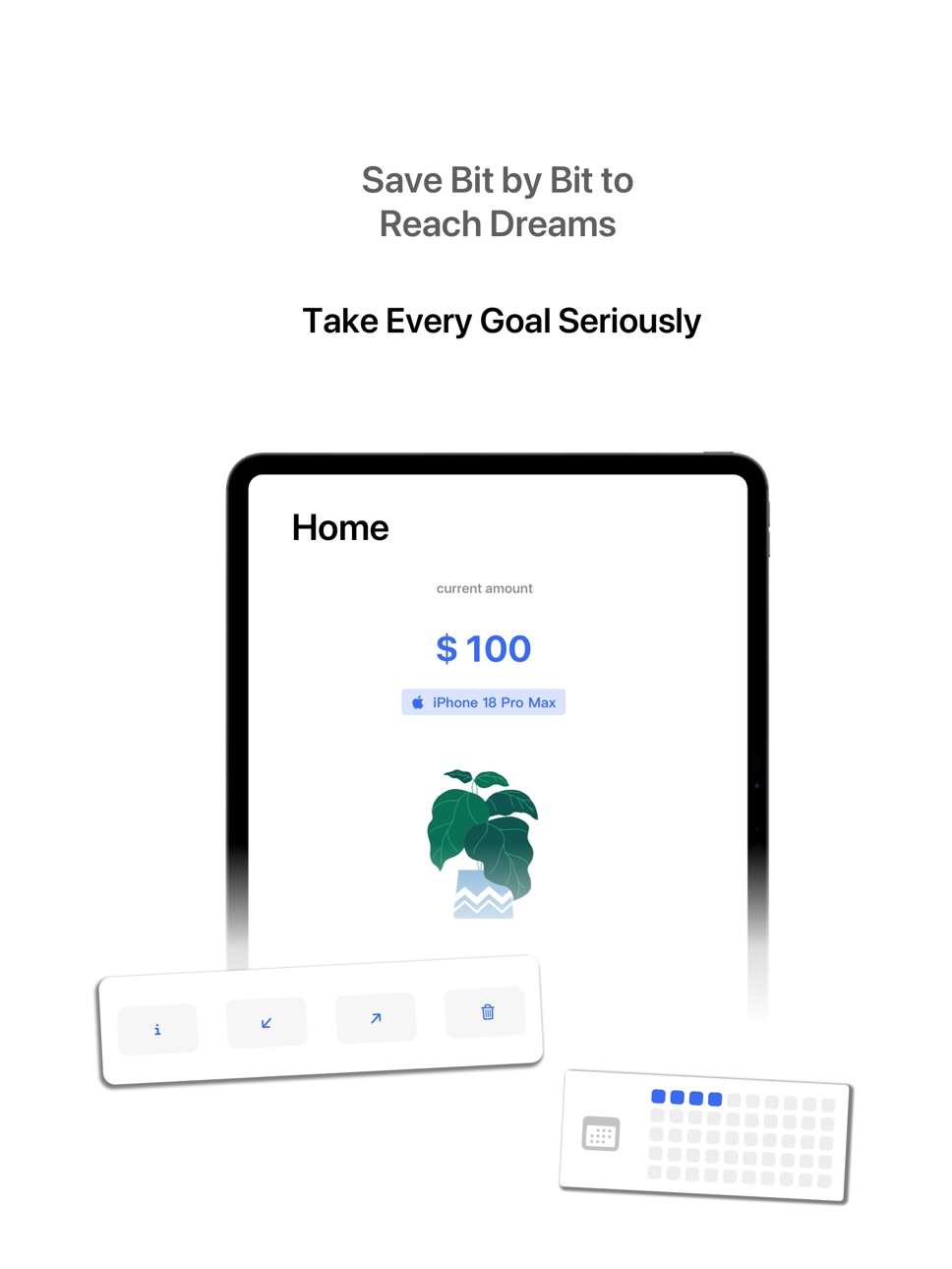
Multiple Piggy Bank Management: Create multiple piggy banks with custom names, target amounts, icons, initial amounts, recurring deposits, and deadlines.
Quick Deposit & Withdrawal: Deposit or withdraw funds with one click, add notes, and clearly track money flow.
Progress Tracking: View progress and history of each piggy bank through grids and lists.
Main Piggy Bank Settings & Sorting: Set a main piggy bank, adjust order, or delete unused ones.
Personalization: Supports silent mode, debt mode, custom currency symbols, app icons, and animated backgrounds.
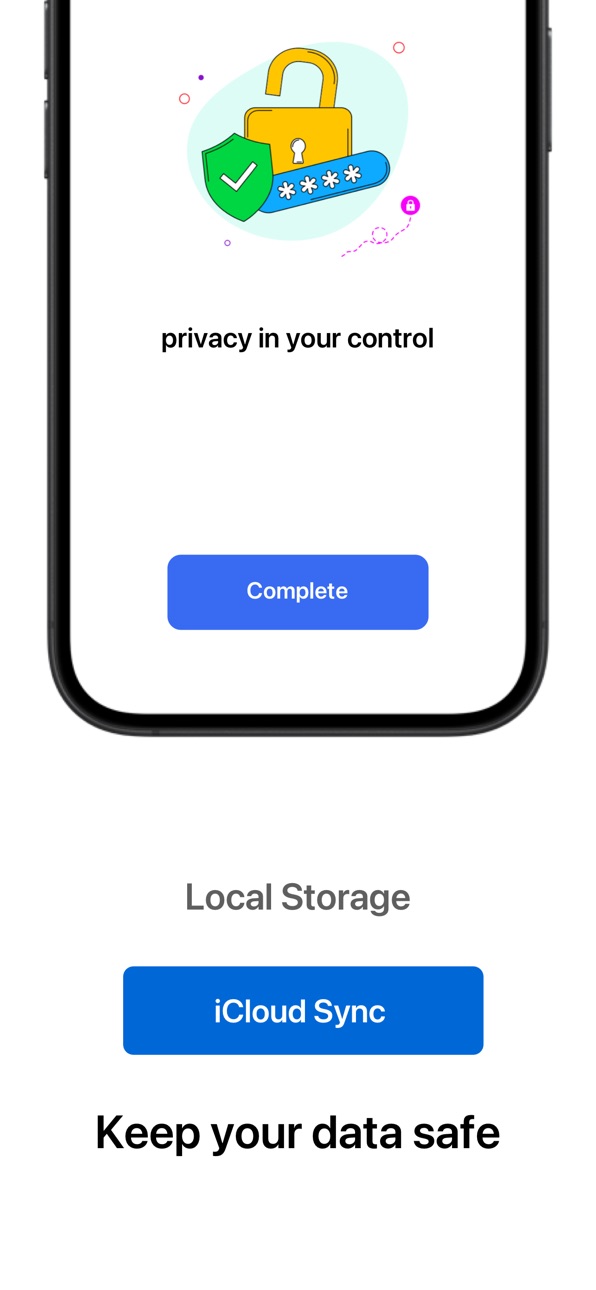
Security & Privacy: Data stored only on the device and iCloud, ad-free, with password protection for security and reliability.
Banklet makes saving intuitive and simple, giving each goal a clear plan.
* Thank you to every user for your valuable feedback—it continuously helps improve Banklet and benefits more people.
Download now and experience an efficient, visual way to save!
In-App Purchases PY pricing
Premium Membership Subscription
Monthly Plan · Monthly—
Annual Plan · Yearly—
One-Time Purchases
Permanent Membership—
Capabilities
In-App Purchases
Accessibility
ipadiphonemacrealityDevicetvoswatch
Version history 12 versions
Build 886605975v1.1.22026-06-06 15:32:59
1. Added sidebar navigation support for iPad and Mac to improve the browsing experience on larger screens.
2. Improved the deposit and withdrawal records view. It now appears as a pop-up window for a clearer experience.
3. Added personal avatar and name features. Avatars can be synced to iCloud Drive, and data is stored only locally or in the user’s iCloud.
4. Added 13 new currency symbols with corresponding national flags.
5. Improved the Premium page layout and plan selection style.
6. Improved the Premium feature logic for icons, backgrounds, animations, and related pages. Tapping locked features now opens the Premium page directly.
7. Improved the About Us page with new Contact Us and More Apps sections.
8. Added widget support for 29 more languages to improve the multilingual experience.
9. Fixed known issues and improved overall stability and interface experience.
Build 878322197v1.1.02025-12-22 07:26:28
Version Update Notes:
1. Brand New Interface Overhaul: A completely redesigned UI/UX makes the interface more beautiful and operations smoother, significantly elevating your user experience.
2. Mac + iPhone/iPad Sync: Now available on the Mac App Store with support for multi-device data synchronization, allowing you to seamlessly manage your savings jars.
3. Recurring Deposit Upgrade: Supports daily, weekly, monthly, and yearly automatic savings, making saving money easier than ever.
4. Activity Interface Optimization: Added "Emergency Fund" with creative animations to help you easily plan more comprehensive goals.
5. Debt Mode: Allows expenses to exceed current balance. You can now set a negative initial value when creating savings jars for more flexible financial management.
6. Animated Widgets: Main view animations can now be displayed on the Home Screen. The transparent effect decorates your desktop, making it both beautiful and practical.
7. Compatibility Optimization: Fixed an issue where some interfaces were unresponsive on iOS 18, improving overall stability.
8. User Feedback Addressed: We have addressed all user feedback in this update and are continuously optimizing the app experience.
9. More Optimizations: Further improvements to details and experience. Update now to try it out!
Build 874318120v1.0.112025-06-16 16:45:50
** Main updates **
1. Added sound effects and vibration settings to provide feedback for saving money and some operations.
2. Optimized the style of the saving grid in the "Statistics" view to display data for the past 12 months.
3. Optimized the style of the top area of the main view.
4. Optimized the display color in silent mode.
5. Added a toast prompt when clicking "Reminder Time" when there is no notification permission.
6. Optimized the experience when changing the app icon and hid unnecessary system pop-ups.
7. Fixed the problem that iCloud configuration could not be synchronized normally after reinstalling the app.
** Other updates **
1. Optimized the horizontal and vertical screen adaptation code in the main view.
2. Cancel the iCloud synchronization operation of the app icon.
3. Optimized the display of the dividing line style and the right arrow.
4. Fixed the problem that Xcode 16 caused Image to fail to obtain the App icon.
5. Adapted the dark mode display in the "Activity" view.
6. Fixed the issue that the image size of widgets in Xcode 16 caused preview errors.
Build 873348401v1.0.102025-03-25 13:29:23
Saving Money Pig v1.0.10 Update Content
** New Features **
1. "Activity" view: Added "Activity" page to view the series of activities of the piggy bank. You can close the entrance in the settings.
2. "Lifetime Piggy Bank" activity: Quickly predict lifetime wealth based on age and annual salary, and add the results to the piggy bank list.
3. Home page drop-down function reservation: Added a drop-down gesture on the home page, which currently has no actual function and is prepared for subsequent version updates.
4. iCloud synchronization is turned on by default: After new users install the app, iCloud synchronization is automatically enabled. This feature was turned off by default in a previous version.
5. "Sponsorship" unlock display: Display skins, animations and icons unlocked through "sponsorship" to further promote in-app purchases.
6. "Deposit and Withdrawal Notes" function: Added a new note function, which can be turned on in the settings. After enabling, you can fill in the note information when depositing and withdrawing the amount.
Optimize the experience, more surprises are waiting for you to discover!
Build 872906369v1.0.92025-03-02 15:06:10
iOS app update content:
1. Further fix the problem of independent saving records remaining that was not completely solved in version 1.0.6;
2. Optimize the iCloud synchronization experience, so that iPhone, iPad and Mac devices can synchronize personalized configurations such as animations and backgrounds through iCloud.
Build 872842908v1.0.82025-02-27 17:10:22
New version update content:
** Features **
Added app rating function: When the user clicks the animation, the second click will trigger the rating view. This feature is designed to encourage user feedback and help promote the app. Please note that the rating view will only be triggered after installation and the second click on the main view animation, and each user will only trigger the rating pop-up window once.
** Optimization **
Fixed the problem in the statistics view that the icon does not display when there is no money in the piggy bank. After the fix, the chart will display normally even when the data is empty.
Build 872733641v1.0.72025-02-25 02:39:24
** New features **
1. The progress information at the top of the main view can now be switched to display the amount deposited, providing more customized viewing options.
2. A new saving progress ring is added to the main view to clearly display the current saving progress.
3. A new Watch app is added to support the display of 50 saving proverbs and piggy bank progress, and synchronization is achieved through iCloud.
4. A new Widget view is added to support the display of the saving progress and small-size wallpaper of the main piggy bank.
** Fixed bugs **
1. Fixed the problem of not being able to turn off the iCloud synchronization button.
2. Important update: On February 24, 2025, the iCloud synchronization failure caused by the architecture problem was fixed, which currently affects all users. The synchronization problem has been resolved. Although it may affect some historical data, it is not related to this update and is a container problem.
Build 872447556v1.0.62025-02-13 00:24:04
** Function optimization and additions **
1. Optimization of the detailed information button on the left: Add a thumbnail progress chart to intuitively display the progress of saving money.
2. Add "Silent Mode": Hide the main view button, only keep the animation effect, and reduce visual interference.
3. Add "Currency Symbol" setting: Support custom currency symbols of piggy banks to adapt to the needs of different countries.
4. Add "Reminder Time" function: You can set daily saving reminders to improve the habit of saving money.
5. Add "Statistics" view: View data such as cumulative deposit amount, number of deposits, access calendar, etc., to understand the saving situation more intuitively.
6. Optimize menu names to improve readability and operation experience.
7. Remove functions that are only for in-app purchase testing to keep the simplicity of the official version.
** Bug fixes **
1. Fix the display problem of long texts such as Russian to prevent text from being omitted.
2. Fix icon errors caused by text direction to ensure that the animation is consistent with the interface.
3. Fixed the problem that the access records were not completely cleared after deleting the piggy bank in the old version (before 1.0.6) to ensure data consistency.
** Other improvements **
1. Test and optimize the deep link of the application to ensure the correct jump logic.
Build 872199372v1.0.52025-02-06 12:04:09
New features:
1. Background image update: A large number of background images have been added, and some dark backgrounds have been removed. The update may cause changes to the background images.
2. Main interface animation: Supports switching of main interface animation roles, and can set loop playback effects to make the interface more dynamic.
3. Replaceable application icons: Added icon customization function, users can freely choose application icons.
4. Test function online: This test function is an update of the "Saving Progress" view. Currently, it is limited to sponsored user experience. The test function can be turned on in the "General" view.
5. Dark mode optimization: Improve dark mode adaptation, darker background, clearer text, and better reading experience.
6. Added open source view: The application code has been hosted on GitHub, and the entire project source code is open for learning and reference. At the same time, we promise that user data is only stored locally and in iCloud, and will not be uploaded to third-party servers.
7. Management view optimization: Based on user feedback, the "Management" view is optimized to make the piggy bank list clearer. You can directly view all savings plans/goals without entering separately. Click the avatar to switch the piggy bank.
8. Added startup page: Optimize the app startup experience, display the app icon and name at startup, and avoid a blank screen.
9. Optimize the full mark: Add a "completion date" field after the piggy bank is full to facilitate viewing the time of achievement.
Problem fixes:
1. Fixed the problem of invalid localization in some English (non-US) languages.
2. After the in-app purchase is refunded, the in-app purchase rights mark will be automatically removed, and users will no longer be able to enjoy the relevant rights (this feature is still in the testing phase).
This update aims to improve the user experience. Thank you for your support and feedback!
Build 872000047v1.0.42025-01-27 08:25:35
The following are the new features and optimizations of this major version update of Banklet:
1. iCloud synchronization: Support syncing the piggy bank amount to iCloud, making data safer and more convenient.
2. Main interface background: Add a variety of background themes to optimize the visual experience.
3. Password protection: Add password protection function to the piggy bank to ensure privacy and security.
4. Horizontal and vertical screen adaptation: Adapt to mainstream devices of iPhone and iPad, support vertical and horizontal screen display.
5. Multi-piggy bank management: Support creation and management of multiple piggy banks, more efficient planning.
6. Deposit and access records: Add detailed deposit and access record function to facilitate viewing and management of savings progress at any time.
7. Proverb motivation: Add interesting proverbs to make your savings life easier and more motivating.
8. Problem feedback function: Add a new problem feedback portal, users can submit opinions and suggestions at any time.
Banklet, save every penny and achieve every dream!
Build 866345944v1.0.12024-05-31 07:11:46
The content of this update is: 39 languages of localized application names and subtitles have been added, so that users can search and access them more conveniently by keywords in the local Apple Store.
Build 866157439v1.02024-05-30 10:58:19
Price history by region
Currency
Show
Columns
Search
Availability 75 of 75 storefronts
| Region | Language | Price | Ratings | Avg | Version |
|---|---|---|---|---|---|
| US | en-US | Free | 3 | 5.0 | 1.1.2 |
| DO | es-MX | Free | 1 | 5.0 | 1.1.2 |
| HN | es-MX | Free | 1 | 5.0 | 1.1.2 |
| NI | es-MX | Free | 1 | 5.0 | 1.1.2 |
| PA | es-MX | Free | 1 | 5.0 | 1.1.2 |
| AG | en-GB | Free | 0 | — | 1.1.2 |
| AI | en-GB | Free | 0 | — | 1.1.2 |
| AO | en-GB | Free | 0 | — | 1.1.2 |
| AR | es-MX | Free | 0 | — | 1.1.2 |
| BB | en-GB | Free | 0 | — | 1.1.2 |
| BF | en-GB | Free | 0 | — | 1.1.2 |
| BJ | en-GB | Free | 0 | — | 1.1.2 |
| BO | es-MX | Free | 0 | — | 1.1.2 |
| BR | pt-BR | Free | 0 | — | 1.1.2 |
| BS | en-GB | Free | 0 | — | 1.1.2 |
| BW | en-GB | Free | 0 | — | 1.1.2 |
| BZ | en-GB | Free | 0 | — | 1.1.2 |
| CD | en-GB | Free | 0 | — | 1.1.2 |
| CG | en-GB | Free | 0 | — | 1.1.2 |
| CI | fr-FR | Free | 0 | — | 1.1.2 |
| CL | es-MX | Free | 0 | — | 1.1.2 |
| CM | fr-FR | Free | 0 | — | 1.1.2 |
| CO | es-MX | Free | 0 | — | 1.1.2 |
| CR | es-MX | Free | 0 | — | 1.1.2 |
| CV | en-GB | Free | 0 | — | 1.1.2 |
| DM | en-GB | Free | 0 | — | 1.1.2 |
| DZ | en-GB | Free | 0 | — | 1.1.2 |
| EC | es-MX | Free | 0 | — | 1.1.2 |
| GA | fr-FR | Free | 0 | — | 1.1.2 |
| GD | en-GB | Free | 0 | — | 1.1.2 |
| GH | en-GB | Free | 0 | — | 1.1.2 |
| GM | en-GB | Free | 0 | — | 1.1.2 |
| GT | es-MX | Free | 0 | — | 1.1.2 |
| GW | en-GB | Free | 0 | — | 1.1.2 |
| GY | en-GB | Free | 0 | — | 1.1.2 |
| JM | en-GB | Free | 0 | — | 1.1.2 |
| KE | en-GB | Free | 0 | — | 1.1.2 |
| KN | en-GB | Free | 0 | — | 1.1.2 |
| KY | en-GB | Free | 0 | — | 1.1.2 |
| LC | en-GB | Free | 0 | — | 1.1.2 |
| LR | en-GB | Free | 0 | — | 1.1.2 |
| LY | en-GB | Free | 0 | — | 1.1.2 |
| MA | en-GB | Free | 0 | — | 1.1.2 |
| MG | en-GB | Free | 0 | — | 1.1.2 |
| ML | en-GB | Free | 0 | — | 1.1.2 |
| MS | en-GB | Free | 0 | — | 1.1.2 |
| MU | en-GB | Free | 0 | — | 1.1.2 |
| MW | en-GB | Free | 0 | — | 1.1.2 |
| MX | es-MX | Free | 0 | — | 1.1.2 |
| MZ | en-GB | Free | 0 | — | 1.1.2 |
| NA | en-GB | Free | 0 | — | 1.1.2 |
| NE | en-GB | Free | 0 | — | 1.1.2 |
| NG | en-GB | Free | 0 | — | 1.1.2 |
| PE | es-MX | Free | 0 | — | 1.1.2 |
| PY | es-MX | Free | 0 | — | 1.1.2 |
| RW | en-GB | Free | 0 | — | 1.1.2 |
| SC | en-GB | Free | 0 | — | 1.1.2 |
| SL | en-GB | Free | 0 | — | 1.1.2 |
| SN | en-GB | Free | 0 | — | 1.1.2 |
| SR | en-GB | Free | 0 | — | 1.1.2 |
| ST | en-GB | Free | 0 | — | 1.1.2 |
| SV | es-MX | Free | 0 | — | 1.1.2 |
| SZ | en-GB | Free | 0 | — | 1.1.2 |
| TC | en-GB | Free | 0 | — | 1.1.2 |
| TD | en-GB | Free | 0 | — | 1.1.2 |
| TN | en-GB | Free | 0 | — | 1.1.2 |
| TT | en-GB | Free | 0 | — | 1.1.2 |
| TZ | en-GB | Free | 0 | — | 1.1.2 |
| UG | en-GB | Free | 0 | — | 1.1.2 |
| UY | en-GB | Free | 0 | — | 1.1.2 |
| VC | en-GB | Free | 0 | — | 1.1.2 |
| VE | es-MX | Free | 0 | — | 1.1.2 |
| VG | en-GB | Free | 0 | — | 1.1.2 |
| ZM | en-GB | Free | 0 | — | 1.1.2 |
| ZW | en-GB | Free | 0 | — | 1.1.2 |
Change log 16 changes · PY
✎
releaseNotes updated
1. Added sidebar navigation support for iPad and Mac to improve the browsing experience on larger screens.
2. Improved the deposit and withdrawal records view.
✎
description updated
Make saving money more fun with Banklet!
Download the latest version of Banklet for iPhone and iPad and experience a smarter, safer, and easier way to save. Ea
✎
subtitle updated
Wishes and savings
✎
name updated
Banklet - Savings Plan
◆
Version 1.1.2 released
1. Added sidebar navigation support for iPad and Mac to improve the browsing experience on larger screens.
2. Improved the deposit and withdrawal records view. It now appears as a pop-up window for a clearer experience.
3. Added personal av
◆
Version 1.1.0 released
Version Update Notes:
1. Brand New Interface Overhaul: A completely redesigned UI/UX makes the interface more beautiful and operations smoother, significantly elevating your user experience.
2. Mac + iPhone/iPad Sync: Now available on the M
◆
Version 1.0.11 released
** Main updates **
1. Added sound effects and vibration settings to provide feedback for saving money and some operations.
2. Optimized the style of the saving grid in the "Statistics" view to display data for the past 12 months.
3. Optimi
◆
Version 1.0.10 released
Saving Money Pig v1.0.10 Update Content
** New Features **
1. "Activity" view: Added "Activity" page to view the series of activities of the piggy bank. You can close the entrance in the settings.
2. "Lifetime Piggy Bank" activity: Quick
◆
Version 1.0.9 released
iOS app update content:
1. Further fix the problem of independent saving records remaining that was not completely solved in version 1.0.6;
2. Optimize the iCloud synchronization experience, so that iPhone, iPad and Mac devices can synchron
◆
Version 1.0.8 released
New version update content:
** Features **
Added app rating function: When the user clicks the animation, the second click will trigger the rating view. This feature is designed to encourage user feedback and help promote the app. Please n
◆
Version 1.0.7 released
** New features **
1. The progress information at the top of the main view can now be switched to display the amount deposited, providing more customized viewing options.
2. A new saving progress ring is added to the main view to clearly di
◆
Version 1.0.6 released
** Function optimization and additions **
1. Optimization of the detailed information button on the left: Add a thumbnail progress chart to intuitively display the progress of saving money.
2. Add "Silent Mode": Hide the main view button, o
◆
Version 1.0.5 released
New features:
1. Background image update: A large number of background images have been added, and some dark backgrounds have been removed. The update may cause changes to the background images.
2. Main interface animation: Supports switchi
◆
Version 1.0.4 released
The following are the new features and optimizations of this major version update of Banklet:
1. iCloud synchronization: Support syncing the piggy bank amount to iCloud, making data safer and more convenient.
2. Main interface background: A
◆
Version 1.0.1 released
The content of this update is: 39 languages of localized application names and subtitles have been added, so that users can search and access them more conveniently by keywords in the local Apple Store.
◆
Version 1.0 released