Home › Music

 EC
EC
 USen-US
 DEde-DE
 GBen-GB
 ARes-MX
 ATde-DE
 CRes-MX
 DKen-GB
 FRfr-FR
 INen-GB
 ITit
ITit KRko
KRko PEes-MX
 PLen-GB
 PTpt-PT
 ZAen-GB
 AEen-GB
 AFen-GB
 AGen-GB
 AIen-GB
 ALen-GB
 AMen-GB
 AOen-GB
 AUen-AU
 AZen-GB
 BAen-GB
 BBen-GB
 BEen-GB
 BFen-GB
 BGen-GB
 BHen-GB
 BJen-GB
 BMen-GB
 BNen-GB
 BOes-MX
 BRpt-BR
 BSen-GB
 BTen-GB
 BWen-GB
 BYen-GB
 BZen-GB
 CAen-CA
 CDen-GB
 CGen-GB
 CHde-CH
 CIfr-FR
 CLes-MX
 CMfr-FR
 CNzh-Hans-CN
 COes-MX
 CVen-GB
 CYen-GB
 CZen-GB
 DMen-GB
 DOes-MX
 DZen-GBECes-MX
 EEen-GB
 EGen-GB
 ESes-ES
 FIen-GB
 FJen-GB
 FMen-GB
 GAfr-FR
 GDen-GB
 GEen-GB
 GHen-GB
 GMen-GB
 GRen-GB
 GTes-MX
 GWen-GB
 GYen-GB
 HKzh-Hant-HK
 HNes-MX
 HRen-GB
 HUen-GB
 IDen-GB
 IEen-GB
 ILen-GB
 IQen-GB
 ISen-GB
 JMen-GB
 JOen-GB
 JPja
JPja KEen-GB
 KGen-GB
 KHen-GB
 KNen-GB
 KWen-GB
 KYen-GB
 KZen-GB
 LAen-GB
 LBen-GB
 LCen-GB
 LKen-GB
 LRen-GB
 LTen-GB
 LUen-GB
 LVen-GB
 LYen-GB
 MAen-GB
 MDen-GB
 MEen-GB
 MGen-GB
 MKen-GB
 MLen-GB
 MMen-GB
 MNen-GB
 MOzh-Hant-HK
 MRen-GB
 MSen-GB
 MTen-GB
 MUen-GB
 MVen-GB
 MWen-GB
 MXes-MX
 MYen-GB
 MZen-GB
 NAen-GB
 NEen-GB
 NGen-GB
 NIes-MX
 NLnl
NLnl NOen-GB
 NPen-GB
 NRen-GB
 NZen-AU
 OMen-GB
 PAes-MX
 PGen-GB
 PHen-GB
 PKen-GB
 PWen-GB
 PYes-MX
 QAen-GB
 ROen-GB
 RSen-GB
 RUru
RUru RWen-GB
 SAen-GB
 SBen-GB
 SCen-GB
 SEsv
SEsv SGen-GB
 SIen-GB
 SKen-GB
 SLen-GB
 SNen-GB
 SRen-GB
 STen-GB
 SVes-MX
 SZen-GB
 TCen-GB
 TDen-GB
 THen-GB
 TJen-GB
 TMen-GB
 TNen-GB
 TOen-GB
 TRen-GB
 TTen-GB
 TWzh-Hant-TW
 TZen-GB
 UAen-GB
 UGen-GB
 UYen-GB
 UZen-GB
 VCen-GB
 VEes-MX
 VGen-GB
 VNen-GB
 VUen-GB
 XKen-GB
 YEen-GB
 ZMen-GB
 ZWen-GB
175 of 175 storefronts
Content in en-US
Content in en-US
Information
Preview 2 platforms
iPhone 10 images




iPad 10 images






What’s New Version 2.0.1
New in 2.0.1
- Fixed undo/redo history getting spammed when moving Encoders
- Fixed playing position jumping with zoomed out Automation
- Fixed Automation envelopes getting oversimplified
- Made Automation editing with long Automation more stable
- Made Grid zooming in and out better in Sequencer
- You can now zoom out up to Grid 8
- Record + Encoder now changes dial Automation selection instead of long press on an Encoder (Device View)
- Fixed Duplicate Loop with decoupled Automation active
- Made note length and velocity overlays a bit wider, with a wider hit target
Description
Touch your sounds with 7III Tap, the smallest yet most capable Ableton Live controller for iPhone and iPad. It is always with you and gives you deep control over Ableton Live wherever inspiration strikes. Make music anywhere with:
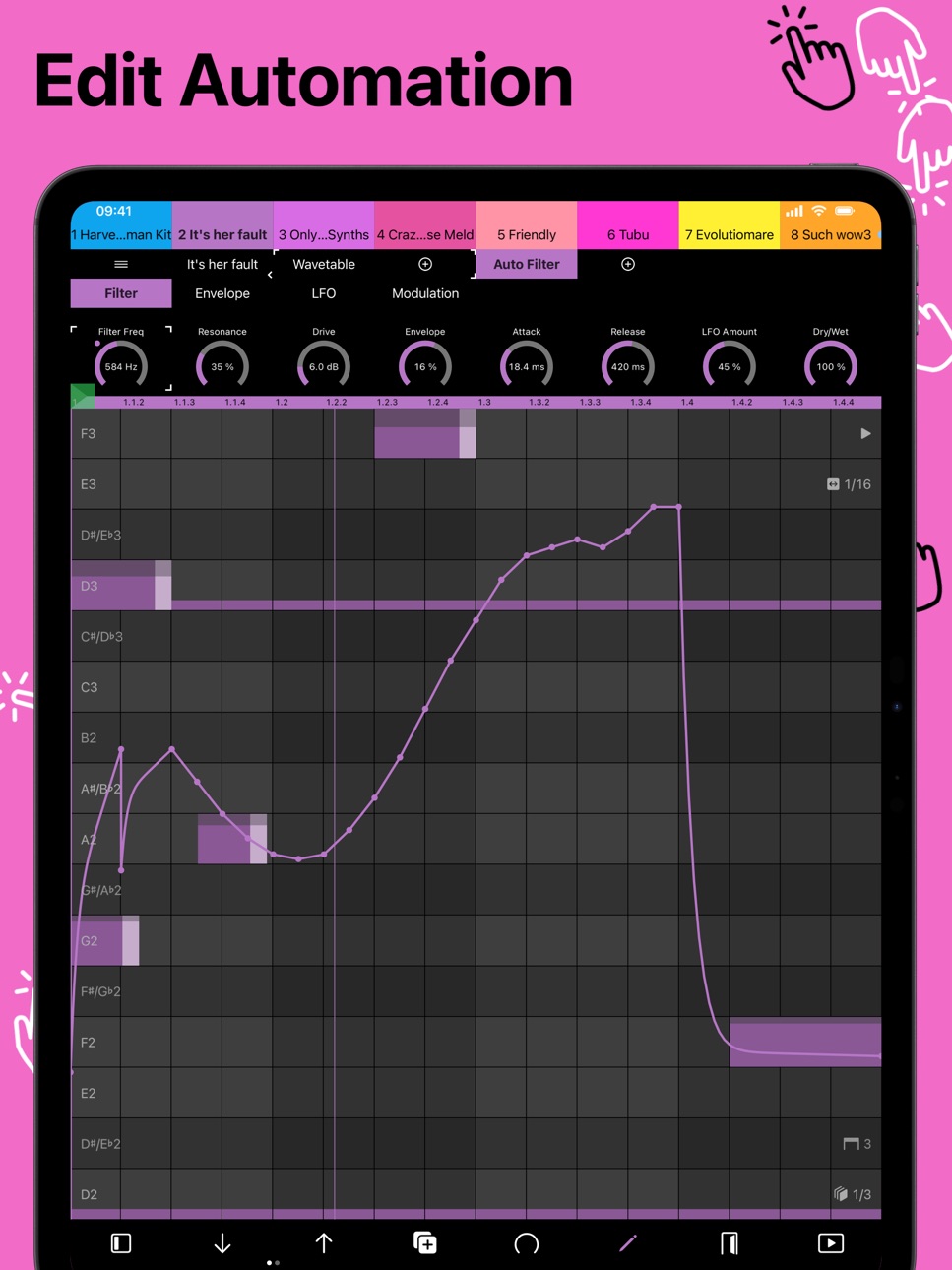
- Automation Editing with drawing, recording, editing, and automation independent of loop playback
- Follow Actions for creating evolving clips and performances
- Companion with generative MIDI mutations, creative pattern transformations, and intelligent musical variations
- Rhythm Generator for quickly creating new grooves and ideas
- Macro Variations and Randomization for instant sound exploration
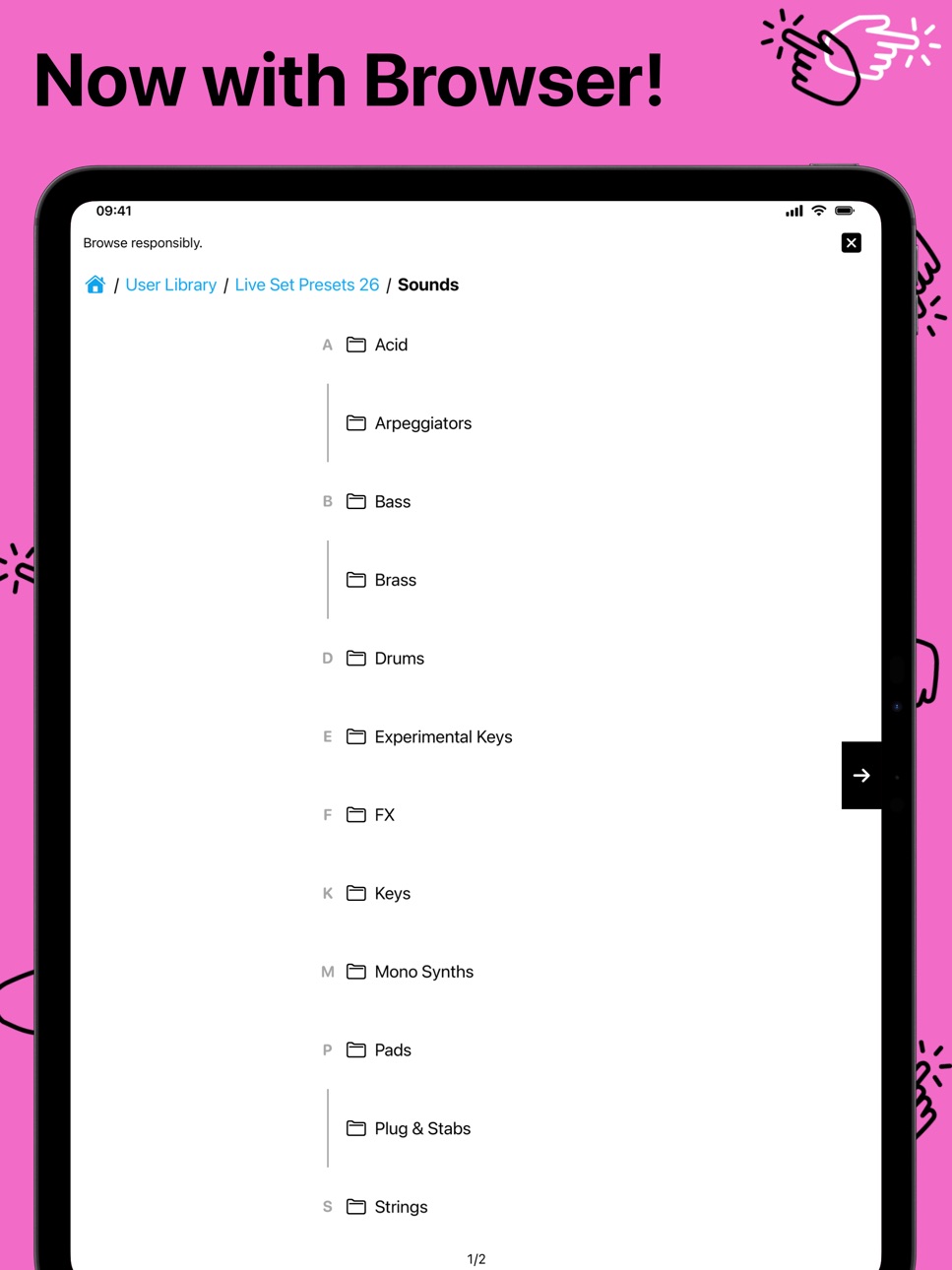
- Browser for quickly adding devices and effects
- Deep encoder integration with real Ableton Live values (Hz, %, lists such as waveforms, musical divisions) and on/off buttons
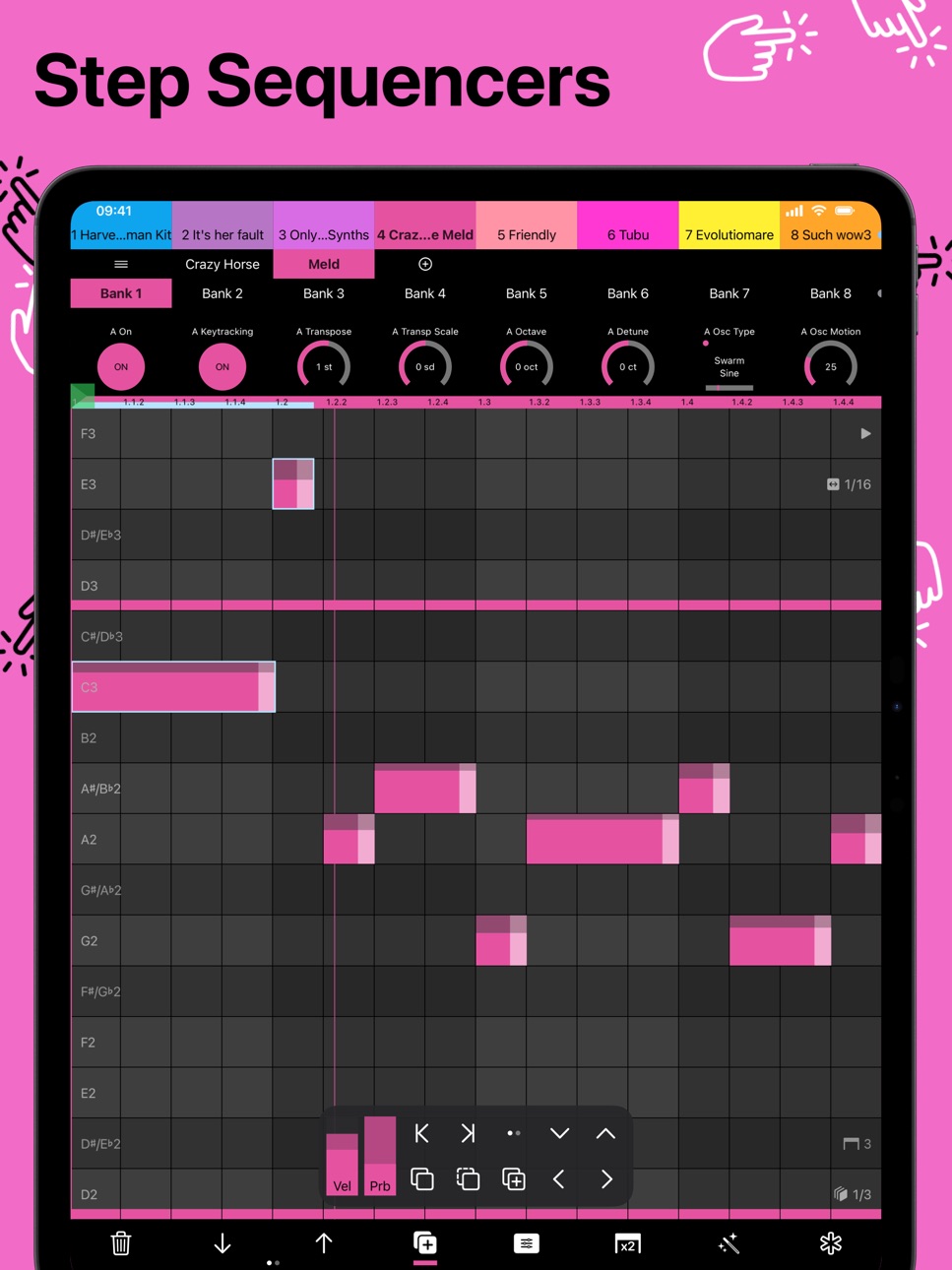
- Device view with MIDI keyboards, melodic and drum step sequencers with powerful note editing and modulation, scales, banks, and 8 encoders
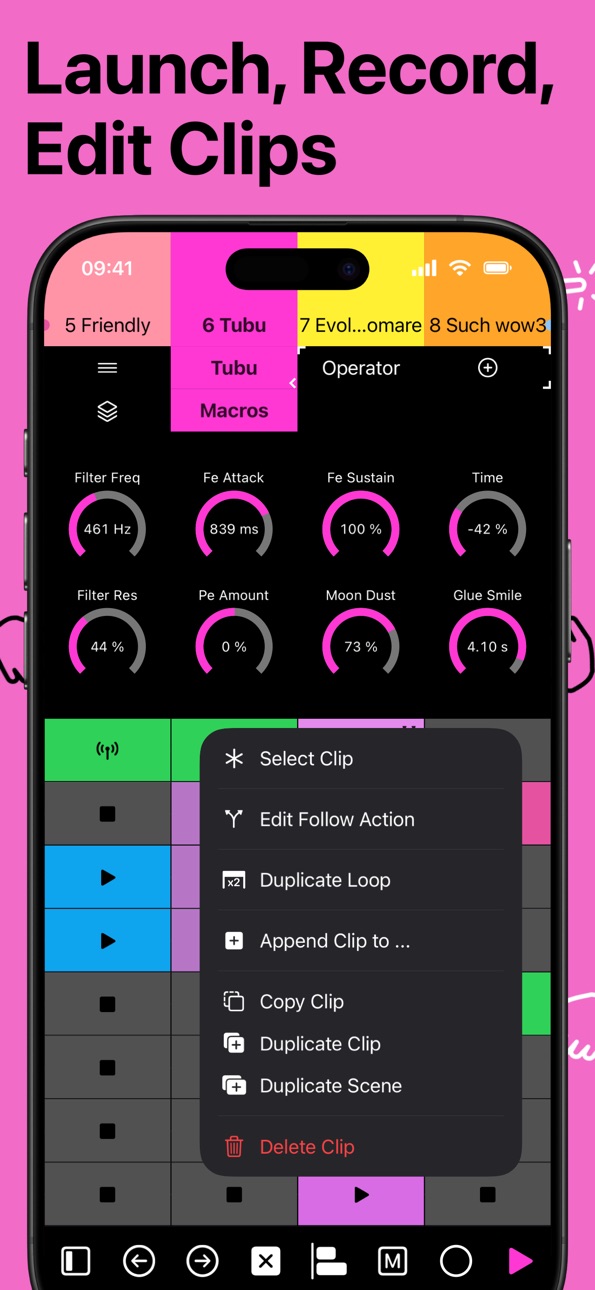
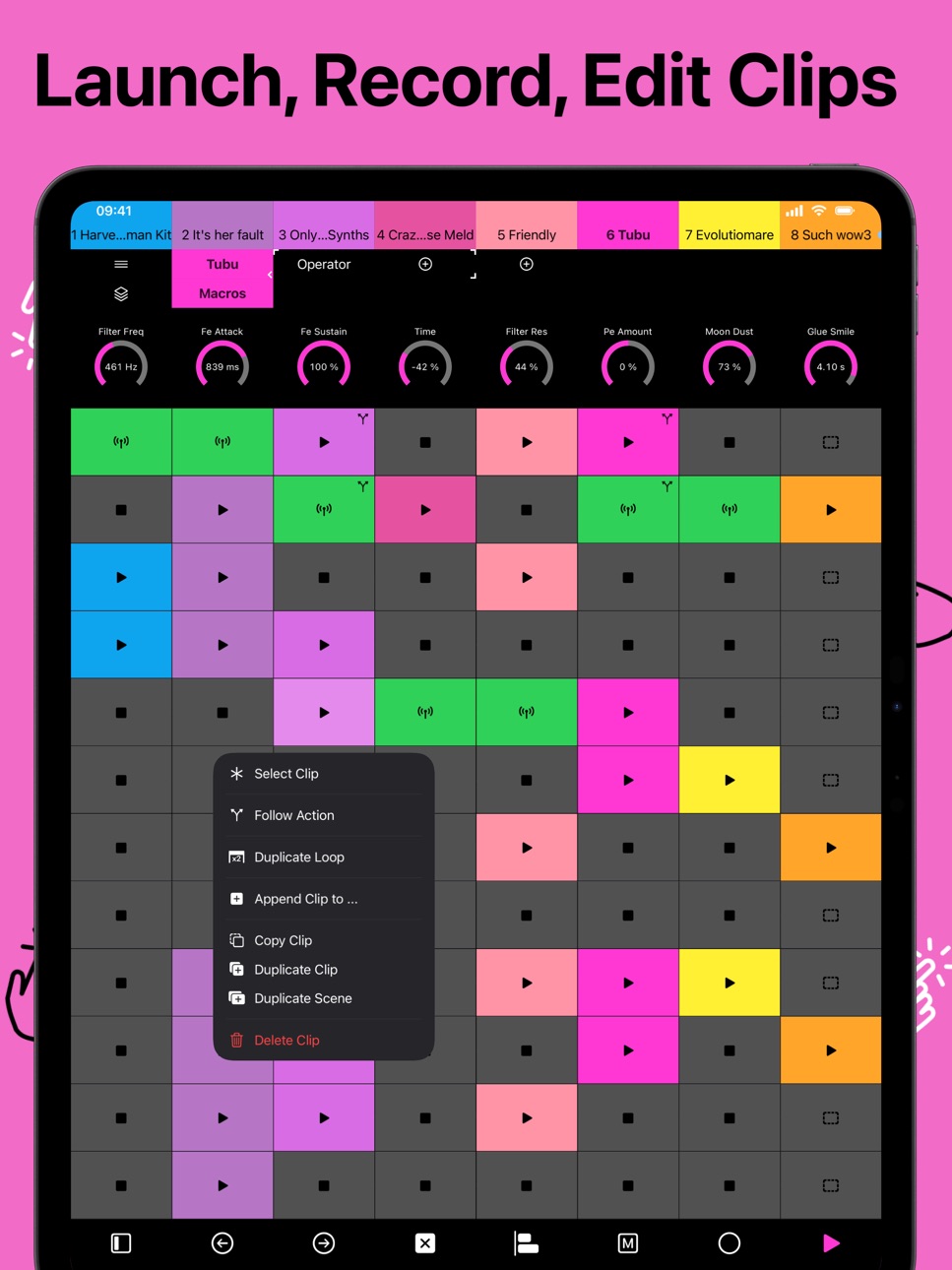
- Clips view for triggering, recording and editing clips and scenes, with 8 encoders to control devices
- Mixer view with integrated clips panel for simultaneous mixing and launching
- Customizable and universal MIDI CC to control any MIDI-compatible device or software
- Plug and play via USB or Wi-Fi with the included custom Ableton Live Remote Script, just like Push without extra software
- Portrait and landscape modes on iPad
Despite fitting in your pocket, Tap is one of the best controllers available for Ableton Live. Designed with live performance in mind, it brings deep hands-on control of your set to the stage, the studio, and everywhere in between. Tap is designed to let you play Ableton Live like an instrument, with deep integration at your fingertips.
Download now and tap into your music. The free version includes all premium features, allowing you to experience the full power of Tap for 15 minutes of MIDI use every 24 hours. Ready to create without limits? Upgrade to Tap Premium for unlimited use. No subscriptions, buy once, jam forever.
Important: Requires Ableton Live and custom MIDI Control Script (available at project7iii.com/tap) for full functionality. Does not help you finish tracks or make your music sound less horrible. Ableton Live is a trademark of Ableton AG, registered in the United States and other countries. This app is a third-party tool and is not officially affiliated with Ableton.
Terms of Use: https://www.apple.com/legal/internet-services/itunes/dev/stdeula/
In-App Purchases EC pricing
One-Time Purchases
Tap Premium—
Capabilities
In-App Purchases
Accessibility
ipadiphonemacrealityDevicetvoswatch
Version history 16 versions
Build 887098648v2.0.12026-06-18 07:04:38
New in 2.0.1
- Fixed undo/redo history getting spammed when moving Encoders
- Fixed playing position jumping with zoomed out Automation
- Fixed Automation envelopes getting oversimplified
- Made Automation editing with long Automation more stable
- Made Grid zooming in and out better in Sequencer
- You can now zoom out up to Grid 8
- Record + Encoder now changes dial Automation selection instead of long press on an Encoder (Device View)
- Fixed Duplicate Loop with decoupled Automation active
- Made note length and velocity overlays a bit wider, with a wider hit target
Build 886726749v2.02026-06-10 17:58:42
New in 2.0
- Added Automation, including automation independent of loop playback
- Added Follow Actions
- Added Companions and Rhythm Generator
- Added a new Controls bank with Volume, Pan, Sends, Pressure, Mod Wheel, and other track controls
- Added Macro Variations and randomizations
- Added grid size adjustment by pinching
- Added Metronome and Tap Tempo
- Added automation indicators to the Mixer View
- Added automation re-enable/remove actions to the Track context menu
- Added grouped track folding and unfolding
- Added Grid Snap for notes to the Track context menu
- Added a default MIDI layout setting
- Added a 5-pad fourths layout for iPhone
- Added a custom algorithm control for Operator
- Improved effect moving and insertion, especially with racks
- Improved fine movement by locking horizontal and vertical gestures
- Parameter changes now work correctly with Max for Live devices
- Added parameter name change listeners
- Browser state now resets correctly
- Sequencers can now step beyond clip length
- Improved set change synchronization
- Tempo synchronization is now more reliable
- Fixed crashes caused by Shaper, LFO, and related devices in Live 12.4
- Fixed Select All in the sequencer not selecting the full range
- Fixed a Play button issue
- Various bug fixes and stability improvements
Build 886117841v1.5.32026-05-25 22:48:40
- Fixed track and device header taps not always selecting or switching views
- Improved Strategy Card flinging
Build 884769261v1.5.22026-04-22 05:48:15
- Added Harmonic Minor scale
- Added a new scale mode: Chromatic
- Scale mode now supports both In Key and Chromatic
- Fixed multiple scale-related bugs
- Fixed a broken email address
- Fixed SysEx encoding issues
- Added Strategy Cards
- Added an always-on dark mode option
Build 884451620v1.5.12026-04-14 07:34:36
- Moved Lil Helper Menu a bit more down
- Fixed two bugs where notes playing would not update after recording and capturing MIDI
Build 880597476v1.52026-04-10 12:26:32
New in 1.5
- Added Browser for devices and effects
- Deep encoder improvements: value display (Hz, %, names, musical divisions, etc.) and on/off buttons
- Added localizations for German, Spanish, French, Italian, Portuguese, Japanese, Korean
- Added a new performance feature (find it in Settings)
- Improved duplication of clips
- Added an end to the Clips view so you can scroll back if you overshoot
- Added a play menu to all device views (except return tracks)
- Added "Select Main Track" button to Clips view footer and play menu in Device view
- Added custom menus
- Added loop length to sequencers
- Mixer meters now show peak indicators and turn red above 0 dB
- Fixed grouped tracks breaking Clips view ("apocalypse now" bug, found and named by Steo Le Panda, thank you)
- Made key and pad names stay visible while playing pads
- Fixed Drum Synth mappings
- Merging clips now works
- Added MIDI Remote Script version check
- Made most views significantly more efficient
- Many improvements
- Many bug fixes
Build 879904745v1.42025-11-25 15:12:57
- Performance Features now activated by default
- New performance feature: dragging now creates selections in Step Sequencer
- Select a drum pad in the Step Sequencer by long-pressing on the row
- Added edit and mutation menus to the Step Sequencer
- Added recording for audio clips, toggle arm for audio tracks
- Tap now remembers selected clip page, octave, layout per clip
- Added tempo edit
- You can now combine MIDI clips in the Clips View
- Added automation status to device dials
- You can now open and close racks
- Many minor improvements and bug fixes
Build 876075363v1.3.22025-07-02 18:34:50
- Added a Tips & Tricks section
Build 876030548v1.3.12025-07-01 18:00:52
- Added the missing version history and info about Tap 1.3
Build 875882287v1.32025-06-29 19:09:40
- Added landscape mode for iPad!
- Device Chains will get opened and displayed in full in the Devices Bar
- You can now change velocity of notes in the Step Sequencers
- New Setting to have octave / drum page up and down buttons
- Ability to select a drum pad via duplicate button
- Now displaying the root note in pads
- Many performance improvements
Build 873813477v1.22025-04-09 13:55:47
- Added step sequencers to the device view
- Added device controls to the clips view
- Added clips to the mixer view
- Now showing drum pad names
- Bug fixes
Build 873420346v1.1.12025-03-21 16:07:02
Fixed a bug that would cause the app to not connect to Ableton Live even though Tap Premium was purchased.
Build 869867072v1.12024-10-24 14:02:49
→ Make sure to download the new MIDI Remote Script (version 1.0.3) at project7iii.com/tap before using this version.
- Added touch visualization option (great for filming tutorials etc.)
- iPad support (only portrait orientation for now)
- Now also works on devices that only support iOS 16
- Minor bug fixes
- MIDI Remote Script
- Fixed auto arm in Ableton when no device is connected
- Changing to a new set will now update the channels after some time (best we can do at the time)
- Fixed groups for clips view and made them visible in the tracks nav bar
- Fixed some note indication issues
Build 869349806v1.0.32024-09-28 19:06:24
Fixed a bug that prevented users from connecting to Ableton Live after purchasing Tap Premium if they had already used up their daily time.
Build 869181613v1.0.12024-09-22 09:23:35
Make sure to download the new and improved MIDI Remote Script before using this version: https://project7iii.com/tap
This has changed:
- Fixed a lot of bugs and made improvements (mostly for the clips view)
- Added an option to turn the navigation buttons in the footer bar into undo & redo buttons (undo & redo is long press by default)
Build 865360225v1.02024-09-10 09:53:26
Price history by region
Currency
Show
Columns
Search
Availability 175 of 175 storefronts
| Region | Language | Price | Ratings | Avg | Version |
|---|---|---|---|---|---|
| US | en-US | Free | 13 | 4.6 | 2.0.1 |
| DE | de-DE | Free | 7 | 4.6 | 2.0.1 |
| GB | en-GB | Free | 4 | 5.0 | 2.0.1 |
| AR | es-MX | Free | 2 | 5.0 | 2.0.1 |
| AT | de-DE | Free | 1 | 5.0 | 2.0.1 |
| CR | es-MX | Free | 1 | 5.0 | 2.0.1 |
| DK | en-GB | Free | 1 | 5.0 | 2.0.1 |
| FR | fr-FR | Free | 1 | 5.0 | 2.0.1 |
| IN | en-GB | Free | 1 | 5.0 | 2.0.1 |
| IT | it | Free | 1 | 5.0 | 2.0.1 |
| KR | ko | Free | 1 | 5.0 | 2.0.1 |
| PE | es-MX | Free | 1 | 5.0 | 2.0.1 |
| PL | en-GB | Free | 1 | 5.0 | 2.0.1 |
| PT | pt-PT | Free | 1 | 5.0 | 2.0.1 |
| ZA | en-GB | Free | 1 | 5.0 | 2.0.1 |
| AE | en-GB | Free | 0 | — | 2.0.1 |
| AF | en-GB | Free | 0 | — | 2.0.1 |
| AG | en-GB | Free | 0 | — | 2.0.1 |
| AI | en-GB | Free | 0 | — | 2.0.1 |
| AL | en-GB | Free | 0 | — | 2.0.1 |
| AM | en-GB | Free | 0 | — | 2.0.1 |
| AO | en-GB | Free | 0 | — | 2.0.1 |
| AU | en-AU | Free | 0 | — | 2.0.1 |
| AZ | en-GB | Free | 0 | — | 2.0.1 |
| BA | en-GB | Free | 0 | — | 2.0.1 |
| BB | en-GB | Free | 0 | — | 2.0.1 |
| BE | en-GB | Free | 0 | — | 2.0.1 |
| BF | en-GB | Free | 0 | — | 2.0.1 |
| BG | en-GB | Free | 0 | — | 2.0.1 |
| BH | en-GB | Free | 0 | — | 2.0.1 |
| BJ | en-GB | Free | 0 | — | 2.0.1 |
| BM | en-GB | Free | 0 | — | 2.0.1 |
| BN | en-GB | Free | 0 | — | 2.0.1 |
| BO | es-MX | Free | 0 | — | 2.0.1 |
| BR | pt-BR | Free | 0 | — | 2.0.1 |
| BS | en-GB | Free | 0 | — | 2.0.1 |
| BT | en-GB | Free | 0 | — | 2.0.1 |
| BW | en-GB | Free | 0 | — | 2.0.1 |
| BY | en-GB | Free | 0 | — | 2.0.1 |
| BZ | en-GB | Free | 0 | — | 2.0.1 |
| CA | en-CA | Free | 0 | — | 2.0.1 |
| CD | en-GB | Free | 0 | — | 2.0.1 |
| CG | en-GB | Free | 0 | — | 2.0.1 |
| CH | de-CH | Free | 0 | — | 2.0.1 |
| CI | fr-FR | Free | 0 | — | 2.0.1 |
| CL | es-MX | Free | 0 | — | 2.0.1 |
| CM | fr-FR | Free | 0 | — | 2.0.1 |
| CN | zh-Hans-CN | Free | 0 | — | 2.0.1 |
| CO | es-MX | Free | 0 | — | 2.0.1 |
| CV | en-GB | Free | 0 | — | 2.0.1 |
| CY | en-GB | Free | 0 | — | 2.0.1 |
| CZ | en-GB | Free | 0 | — | 2.0.1 |
| DM | en-GB | Free | 0 | — | 2.0.1 |
| DO | es-MX | Free | 0 | — | 2.0.1 |
| DZ | en-GB | Free | 0 | — | 2.0.1 |
| EC | es-MX | Free | 0 | — | 2.0.1 |
| EE | en-GB | Free | 0 | — | 2.0.1 |
| EG | en-GB | Free | 0 | — | 2.0.1 |
| ES | es-ES | Free | 0 | — | 2.0.1 |
| FI | en-GB | Free | 0 | — | 2.0.1 |
| FJ | en-GB | Free | 0 | — | 2.0.1 |
| FM | en-GB | Free | 0 | — | 2.0.1 |
| GA | fr-FR | Free | 0 | — | 2.0.1 |
| GD | en-GB | Free | 0 | — | 2.0.1 |
| GE | en-GB | Free | 0 | — | 2.0.1 |
| GH | en-GB | Free | 0 | — | 2.0.1 |
| GM | en-GB | Free | 0 | — | 2.0.1 |
| GR | en-GB | Free | 0 | — | 2.0.1 |
| GT | es-MX | Free | 0 | — | 2.0.1 |
| GW | en-GB | Free | 0 | — | 2.0.1 |
| GY | en-GB | Free | 0 | — | 2.0.1 |
| HK | zh-Hant-HK | Free | 0 | — | 2.0.1 |
| HN | es-MX | Free | 0 | — | 2.0.1 |
| HR | en-GB | Free | 0 | — | 2.0.1 |
| HU | en-GB | Free | 0 | — | 2.0.1 |
| ID | en-GB | Free | 0 | — | 2.0.1 |
| IE | en-GB | Free | 0 | — | 2.0.1 |
| IL | en-GB | Free | 0 | — | 2.0.1 |
| IQ | en-GB | Free | 0 | — | 2.0.1 |
| IS | en-GB | Free | 0 | — | 2.0.1 |
| JM | en-GB | Free | 0 | — | 2.0.1 |
| JO | en-GB | Free | 0 | — | 2.0.1 |
| JP | ja | Free | 0 | — | 2.0.1 |
| KE | en-GB | Free | 0 | — | 2.0.1 |
| KG | en-GB | Free | 0 | — | 2.0.1 |
| KH | en-GB | Free | 0 | — | 2.0.1 |
| KN | en-GB | Free | 0 | — | 2.0.1 |
| KW | en-GB | Free | 0 | — | 2.0.1 |
| KY | en-GB | Free | 0 | — | 2.0.1 |
| KZ | en-GB | Free | 0 | — | 2.0.1 |
| LA | en-GB | Free | 0 | — | 2.0.1 |
| LB | en-GB | Free | 0 | — | 2.0.1 |
| LC | en-GB | Free | 0 | — | 2.0.1 |
| LK | en-GB | Free | 0 | — | 2.0.1 |
| LR | en-GB | Free | 0 | — | 2.0.1 |
| LT | en-GB | Free | 0 | — | 2.0.1 |
| LU | en-GB | Free | 0 | — | 2.0.1 |
| LV | en-GB | Free | 0 | — | 2.0.1 |
| LY | en-GB | Free | 0 | — | 2.0.1 |
| MA | en-GB | Free | 0 | — | 2.0.1 |
| MD | en-GB | Free | 0 | — | 2.0.1 |
| ME | en-GB | Free | 0 | — | 2.0.1 |
| MG | en-GB | Free | 0 | — | 2.0.1 |
| MK | en-GB | Free | 0 | — | 2.0.1 |
| ML | en-GB | Free | 0 | — | 2.0.1 |
| MM | en-GB | Free | 0 | — | 2.0.1 |
| MN | en-GB | Free | 0 | — | 2.0.1 |
| MO | zh-Hant-HK | Free | 0 | — | 2.0.1 |
| MR | en-GB | Free | 0 | — | 2.0.1 |
| MS | en-GB | Free | 0 | — | 2.0.1 |
| MT | en-GB | Free | 0 | — | 2.0.1 |
| MU | en-GB | Free | 0 | — | 2.0.1 |
| MV | en-GB | Free | 0 | — | 2.0.1 |
| MW | en-GB | Free | 0 | — | 2.0.1 |
| MX | es-MX | Free | 0 | — | 2.0.1 |
| MY | en-GB | Free | 0 | — | 2.0.1 |
| MZ | en-GB | Free | 0 | — | 2.0.1 |
| NA | en-GB | Free | 0 | — | 2.0.1 |
| NE | en-GB | Free | 0 | — | 2.0.1 |
| NG | en-GB | Free | 0 | — | 2.0.1 |
| NI | es-MX | Free | 0 | — | 2.0.1 |
| NL | nl | Free | 0 | — | 2.0.1 |
| NO | en-GB | Free | 0 | — | 2.0.1 |
| NP | en-GB | Free | 0 | — | 2.0.1 |
| NR | en-GB | Free | 0 | — | 2.0.1 |
| NZ | en-AU | Free | 0 | — | 2.0.1 |
| OM | en-GB | Free | 0 | — | 2.0.1 |
| PA | es-MX | Free | 0 | — | 2.0.1 |
| PG | en-GB | Free | 0 | — | 2.0.1 |
| PH | en-GB | Free | 0 | — | 2.0.1 |
| PK | en-GB | Free | 0 | — | 2.0.1 |
| PW | en-GB | Free | 0 | — | 2.0.1 |
| PY | es-MX | Free | 0 | — | 2.0.1 |
| QA | en-GB | Free | 0 | — | 2.0.1 |
| RO | en-GB | Free | 0 | — | 2.0.1 |
| RS | en-GB | Free | 0 | — | 2.0.1 |
| RU | ru | Free | 0 | — | 2.0.1 |
| RW | en-GB | Free | 0 | — | 2.0.1 |
| SA | en-GB | Free | 0 | — | 2.0.1 |
| SB | en-GB | Free | 0 | — | 2.0.1 |
| SC | en-GB | Free | 0 | — | 2.0.1 |
| SE | sv | Free | 0 | — | 2.0.1 |
| SG | en-GB | Free | 0 | — | 2.0.1 |
| SI | en-GB | Free | 0 | — | 2.0.1 |
| SK | en-GB | Free | 0 | — | 2.0.1 |
| SL | en-GB | Free | 0 | — | 2.0.1 |
| SN | en-GB | Free | 0 | — | 2.0.1 |
| SR | en-GB | Free | 0 | — | 2.0.1 |
| ST | en-GB | Free | 0 | — | 2.0.1 |
| SV | es-MX | Free | 0 | — | 2.0.1 |
| SZ | en-GB | Free | 0 | — | 2.0.1 |
| TC | en-GB | Free | 0 | — | 2.0.1 |
| TD | en-GB | Free | 0 | — | 2.0.1 |
| TH | en-GB | Free | 0 | — | 2.0.1 |
| TJ | en-GB | Free | 0 | — | 2.0.1 |
| TM | en-GB | Free | 0 | — | 2.0.1 |
| TN | en-GB | Free | 0 | — | 2.0.1 |
| TO | en-GB | Free | 0 | — | 2.0.1 |
| TR | en-GB | Free | 0 | — | 2.0.1 |
| TT | en-GB | Free | 0 | — | 2.0.1 |
| TW | zh-Hant-TW | Free | 0 | — | 2.0.1 |
| TZ | en-GB | Free | 0 | — | 2.0.1 |
| UA | en-GB | Free | 0 | — | 2.0.1 |
| UG | en-GB | Free | 0 | — | 2.0.1 |
| UY | en-GB | Free | 0 | — | 2.0.1 |
| UZ | en-GB | Free | 0 | — | 2.0.1 |
| VC | en-GB | Free | 0 | — | 2.0.1 |
| VE | es-MX | Free | 0 | — | 2.0.1 |
| VG | en-GB | Free | 0 | — | 2.0.1 |
| VN | en-GB | Free | 0 | — | 2.0.1 |
| VU | en-GB | Free | 0 | — | 2.0.1 |
| XK | en-GB | Free | 0 | — | 2.0.1 |
| YE | en-GB | Free | 0 | — | 2.0.1 |
| ZM | en-GB | Free | 0 | — | 2.0.1 |
| ZW | en-GB | Free | 0 | — | 2.0.1 |
Change log 20 changes · EC
✎
releaseNotes updated
New in 2.0.1
- Fixed undo/redo history getting spammed when moving Encoders
- Fixed playing position jumping with zoomed out Automation
- Fixed Automation envel
✎
description updated
Touch your sounds with 7III Tap, the smallest yet most capable Ableton Live controller for iPhone and iPad. It is always with you and gives you deep control ove
✎
subtitle updated
Ableton Live Controller
✎
name updated
7III Tap: Live MIDI Controller
◆
Version 2.0.1 released
New in 2.0.1
- Fixed undo/redo history getting spammed when moving Encoders
- Fixed playing position jumping with zoomed out Automation
- Fixed Automation envelopes getting oversimplified
- Made Automation editing with long Automation more
◆
Version 2.0 released
New in 2.0
- Added Automation, including automation independent of loop playback
- Added Follow Actions
- Added Companions and Rhythm Generator
- Added a new Controls bank with Volume, Pan, Sends, Pressure, Mod Wheel, and other track contro
◆
Version 1.5.3 released
- Fixed track and device header taps not always selecting or switching views
- Improved Strategy Card flinging
◆
Version 1.5.2 released
- Added Harmonic Minor scale
- Added a new scale mode: Chromatic
- Scale mode now supports both In Key and Chromatic
- Fixed multiple scale-related bugs
- Fixed a broken email address
- Fixed SysEx encoding issues
- Added Strategy Cards
- A
◆
Version 1.5.1 released
- Moved Lil Helper Menu a bit more down
- Fixed two bugs where notes playing would not update after recording and capturing MIDI
◆
Version 1.5 released
New in 1.5
- Added Browser for devices and effects
- Deep encoder improvements: value display (Hz, %, names, musical divisions, etc.) and on/off buttons
- Added localizations for German, Spanish, French, Italian, Portuguese, Japanese, Korea
◆
Version 1.4 released
- Performance Features now activated by default
- New performance feature: dragging now creates selections in Step Sequencer
- Select a drum pad in the Step Sequencer by long-pressing on the row
- Added edit and mutation menus to the Step S
◆
Version 1.3.2 released
- Added a Tips & Tricks section
◆
Version 1.3.1 released
- Added the missing version history and info about Tap 1.3
◆
Version 1.3 released
- Added landscape mode for iPad!
- Device Chains will get opened and displayed in full in the Devices Bar
- You can now change velocity of notes in the Step Sequencers
- New Setting to have octave / drum page up and down buttons
- A
◆
Version 1.2 released
- Added step sequencers to the device view
- Added device controls to the clips view
- Added clips to the mixer view
- Now showing drum pad names
- Bug fixes
◆
Version 1.1.1 released
Fixed a bug that would cause the app to not connect to Ableton Live even though Tap Premium was purchased.
◆
Version 1.1 released
→ Make sure to download the new MIDI Remote Script (version 1.0.3) at project7iii.com/tap before using this version.
- Added touch visualization option (great for filming tutorials etc.)
- iPad support (only portrait orientation for now)
-
◆
Version 1.0.3 released
Fixed a bug that prevented users from connecting to Ableton Live after purchasing Tap Premium if they had already used up their daily time.
◆
Version 1.0.1 released
Make sure to download the new and improved MIDI Remote Script before using this version: https://project7iii.com/tap
This has changed:
- Fixed a lot of bugs and made improvements (mostly for the clips view)
- Added an option to turn the nav
◆
Version 1.0 released