Home › Photo & Video

 DO
DO
 USen-US
 CNzh-Hans-CN
 DEde-DE
 CAen-CA
 ITit
ITit AUen-AU
 FRfr-FR
 GBen-GB
 CHde-CH
 ESes-ES
 JPja
JPja NLnl
NLnl TWzh-Hant-TW
 RUru
RUru TRen-GB
 ATde-DE
 CLes-MX
 COes-MX
 GRen-GB
 HKzh-Hant-HK
 HUen-GB
 ILen-GB
 INen-GB
 KRko
KRko MYen-GB
 PLen-GB
 PTpt-PT
 SEsv
SEsv SIen-GB
 THen-GB
 UAen-GB
 AEen-GB
 AFen-GB
 AGen-GB
 AIen-GB
 ALen-GB
 AMen-GB
 AOen-GB
 ARes-MX
 AZen-GB
 BAen-GB
 BBen-GB
 BEen-GB
 BFen-GB
 BGen-GB
 BHen-GB
 BJen-GB
 BMen-GB
 BNen-GB
 BOes-MX
 BRpt-BR
 BSen-GB
 BTen-GB
 BWen-GB
 BYen-GB
 BZen-GB
 CDen-GB
 CGen-GB
 CIfr-FR
 CMfr-FR
 CRes-MX
 CVen-GB
 CYen-GB
 CZen-GB
 DKen-GB
 DMen-GBDOes-MX
 DZen-GB
 ECes-MX
 EEen-GB
 EGen-GB
 FIen-GB
 FJen-GB
 FMen-GB
 GAfr-FR
 GDen-GB
 GEen-GB
 GHen-GB
 GMen-GB
 GTes-MX
 GWen-GB
 GYen-GB
 HNes-MX
 HRen-GB
 IDen-GB
 IEen-GB
 IQen-GB
 ISen-GB
 JMen-GB
 JOen-GB
 KEen-GB
 KGen-GB
 KHen-GB
 KNen-GB
 KWen-GB
 KYen-GB
 KZen-GB
 LAen-GB
 LBen-GB
 LCen-GB
 LKen-GB
 LRen-GB
 LTen-GB
 LUen-GB
 LVen-GB
 LYen-GB
 MAen-GB
 MDen-GB
 MEen-GB
 MGen-GB
 MKen-GB
 MLen-GB
 MMen-GB
 MNen-GB
 MOzh-Hant-HK
 MRen-GB
 MSen-GB
 MTen-GB
 MUen-GB
 MVen-GB
 MWen-GB
 MXes-MX
 MZen-GB
 NAen-GB
 NEen-GB
 NGen-GB
 NIes-MX
 NOen-GB
 NPen-GB
 NRen-GB
 NZen-AU
 OMen-GB
 PAes-MX
 PEes-MX
 PGen-GB
 PHen-GB
 PKen-GB
 PWen-GB
 PYes-MX
 QAen-GB
 ROen-GB
 RSen-GB
 RWen-GB
 SAen-GB
 SBen-GB
 SCen-GB
 SGen-GB
 SKen-GB
 SLen-GB
 SNen-GB
 SRen-GB
 STen-GB
 SVes-MX
 SZen-GB
 TCen-GB
 TDen-GB
 TJen-GB
 TMen-GB
 TNen-GB
 TOen-GB
 TTen-GB
 TZen-GB
 UGen-GB
 UYen-GB
 UZen-GB
 VCen-GB
 VEes-MX
 VGen-GB
 VNen-GB
 VUen-GB
 XKen-GB
 YEen-GB
 ZAen-GB
 ZMen-GB
 ZWen-GB
175 of 175 storefronts
Content in en-US
Content in en-US
Information
Apple ID6471922894
Bundle IDcom.wutian.SpatialToolbox
SellerSeller
Min iOS17.5
Min macOS14.5
Device familiesiphone, ipad
Released2023-12-08
Copyright© 2024 Wutian
Privacy policyLink ↗
Preview 2 platforms
iPhone 7 images


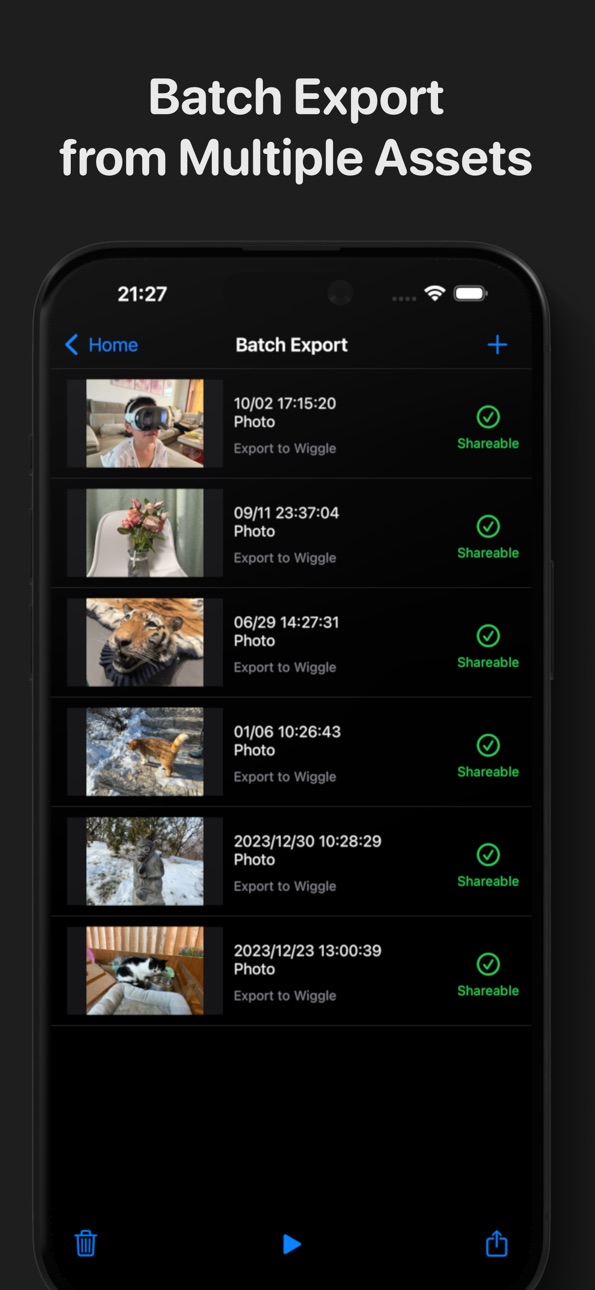

iPad 5 images


What’s New Version 2.6
Pro Spatial Camera:
• Record in Apple Log with LUT preview during recording and playback
• Capture Spatial Videos in ProRes or HEVC SBS format
• Use overexposure and focus peaking indicators while recording
• Record directly to external storage
Media browsing experience updates:
• Redesigned playback interface
• More accurate HDR playback colors
• View detailed file properties in the Media Info panel
• Quickly browse media from non-spatial albums
Apple Projected Media Profile support:
• Play videos with Apple Projected Media Profile metadata
• Export APMP-compatible FSBS and FOU video files
Description
Spatialify is a utility app built around spatial photos and videos:
Capture: (iPhone 15 Pro series, iPhone 16 or newer only)
• Capture 4K HDR spatial videos
• Capture Apple Log ProRes stereo videos with real-time LUT preview
• Capture 12MP HDR spatial photos with Live Photo and Portrait Depth
• Launch the camera via Camera Control, Action Button, Lock Screen, or Shortcuts
Playback & Streaming:
• View spatial videos and photos on your phone using parallel viewing, anaglyph glasses, wigglegram, or Cardboard
• Check detailed media parameters via the "Media Info" panel
• Connect to supported AR glasses or large screens to quickly browse spatial videos and photos
Export & Make:
• Convert spatial media into common 3D formats for viewing on other VR devices or sharing to social platforms
• Create spatial videos and photos using other 3D formats
Accessibility
ipadiphonemacrealityDevicetvoswatch
Version history 24 versions
Build 885493684v2.62026-05-21 19:09:05
Pro Spatial Camera:
• Record in Apple Log with LUT preview during recording and playback
• Capture Spatial Videos in ProRes or HEVC SBS format
• Use overexposure and focus peaking indicators while recording
• Record directly to external storage
Media browsing experience updates:
• Redesigned playback interface
• More accurate HDR playback colors
• View detailed file properties in the Media Info panel
• Quickly browse media from non-spatial albums
Apple Projected Media Profile support:
• Play videos with Apple Projected Media Profile metadata
• Export APMP-compatible FSBS and FOU video files
Build 883846687v2.4.22026-03-27 19:02:25
• Fixed an issue where changing certain settings in the Spatial Camera would not take effect immediately
Recent Updates:
Redesigned Spatial Camera interface brings more features:
• Adjust exposure, turn on the flash, and set the timer
• Long-press the viewfinder to lock focus
• Record Spatial Videos at 25 or 50 fps
• Set higher bitrate for Spatial Video recordings
Playback & Sharing updates:
• Hear the ambient sound of Live Photos while browsing Spatial Photos
• Support exporting Wigglegrams to video
Build 883799253v2.4.12026-03-26 20:08:00
• Fix a crash when opening or filtering the spatial album
Recent Updates:
Redesigned Spatial Camera interface brings more features:
• Adjust exposure, turn on the flash, and set the timer
• Long-press the viewfinder to lock focus
• Record Spatial Videos at 25 or 50 fps
• Set higher bitrate for Spatial Video recordings
Playback & Sharing updates:
• Hear the ambient sound of Live Photos while browsing Spatial Photos
• Support exporting Wigglegrams to video
Build 883636318v2.4.02026-03-25 17:21:47
Redesigned Spatial Camera interface brings more features:
• Adjust exposure, turn on the flash, and set the timer
• Long-press the viewfinder to lock focus
• Record Spatial Videos at 25 or 50 fps
• Set higher bitrate for Spatial Video recordings
Playback & Sharing updates:
• Hear the ambient sound of Live Photos while browsing Spatial Photos
• Support exporting Wigglegrams to video
Build 883061760v2.3.32026-03-10 14:41:15
• Fixed a crash on the latest iOS versions
Build 878369468v2.3.22025-09-24 12:36:31
• Fixed a potential crash when running on visionOS 26
Recent Updates:
• Updated for iOS 26 and Liquid Glass
• AirPods Recording Support: Use AirPods as a remote control or microphone with the Spatial Camera (requires H2 chip or newer)
• Full Spatial Audio Recording: Enable spatial audio across all spatial video recording formats
• Wigglegrams with Audio: Export a Live Photo Wigglegram with sound when the original spatial photo contains a Live Photo
• Spatial Video Screenshots: While playing a spatial video, capture any frame as a spatial photo
Build 878297874v2.3.12025-09-22 21:56:56
• Fix an issue on the iPhone 17 series where capturing a Spatial Photo might fail to save when Live Photo is turned off.
Recent Updates:
• Updated for iOS 26 and Liquid Glass
• AirPods Recording Support: Use AirPods as a remote control or microphone with the Spatial Camera (requires H2 chip or newer)
• Full Spatial Audio Recording: Enable spatial audio across all spatial video recording formats
• Wigglegrams with Audio: Export a Live Photo Wigglegram with sound when the original spatial photo contains a Live Photo
• Spatial Video Screenshots: While playing a spatial video, capture any frame as a spatial photo
Build 878108176v2.3.02025-09-17 11:47:59
• Updated for iOS 26 and Liquid Glass
• AirPods Recording Support: Use AirPods as a remote control or microphone with the Spatial Camera (requires H2 chip or newer)
• Full Spatial Audio Recording: Enable spatial audio across all spatial video recording formats
• Wigglegrams with Audio: Export a Live Photo Wigglegram with sound when the original spatial photo contains a Live Photo
• Spatial Video Screenshots: While playing a spatial video, capture any frame as a spatial photo
Build 872325265v2.2.22025-02-08 06:07:27
• Added an option for adjusting the compression quality of captured and converted spatial photos.
• Fixed an issue where the quality of converted spatial photos was too low in some cases.
Recent Update:
• Full-featured Spatial Photos: 12MP Adaptive HDR, Live Photo video clips and portrait depth data.
• Spatial Audio Recording: When recording spatial videos in some formats, you can opt to capture 4-channel first order ambisonics spatial audio.
• Wigglegram Support: View, export and share your spatial photos in a brand-new 'wigglegram' format
• Locked Spatial Capture: Quickly launch the spatial camera from the 'Camera Control', 'Action Button' or 'Lock Screen', without unlocking iPhone first.
• Stabilized Video Recording: Video stabilization can now be enabled when recording spatial videos in 1080p30 SDR.
• Use the 'Camera Control' button on iPhone 16 and iPhone 16 Pro to quickly switch between Spatial Camera modes.
Build 869766563v2.2.12024-10-17 02:10:11
• HDR Spatial Photo Support: Capture 12MP Adaptive HDR spatial photos using the spatial camera, and view or export them in high dynamic range format.
• Full-featured Spatial Photos: Capture Live Photo video clips and portrait depth data when taking spatial photos.
• Spatial Audio Recording: When recording spatial videos in some formats, you can opt to capture 4-channel first order ambisonics spatial audio.
• Adjusting camera exposure with the "Camera Controls" button on the iPhone 16 series
• Batch export tool now supports Live Photo Wigglegram format
• If the app unexpectedly exits during the Live Photo capture, it will prompt to recover unsaved files upon the next launch.
• Fixed crashes occurring when running on macOS and visionOS platforms.
Recent Update:
• Wigglegram Support: View, export and share your spatial photos in a brand-new 'wigglegram' format
• Locked Spatial Capture: Quickly launch the spatial camera from the 'Camera Control', 'Action Button' or 'Lock Screen', without unlocking iPhone first.
• Stabilized Video Recording: Video stabilization can now be enabled when recording spatial videos in 1080p30 SDR.
• Use the 'Camera Control' button on iPhone 16 and iPhone 16 Pro to quickly switch between Spatial Camera modes.
Build 869683317v2.22024-10-15 12:00:27
• HDR Spatial Photo Support: Capture 12MP Adaptive HDR spatial photos using the spatial camera, and view or export them in high dynamic range format.
• Full-featured Spatial Photos: Capture Live Photo video clips and portrait depth data when taking spatial photos.
• Spatial Audio Recording: When recording spatial videos in some formats, you can opt to capture 4-channel first order ambisonics spatial audio.
• Adjusting camera exposure with the "Camera Controls" button on the iPhone 16 series
• Batch export tool now supports Live Photo Wigglegram format
Recent Update:
• Wigglegram Support: View, export and share your spatial photos in a brand-new 'wigglegram' format
• Locked Spatial Capture: Quickly launch the spatial camera from the 'Camera Control', 'Action Button' or 'Lock Screen', without unlocking iPhone first.
• Stabilized Video Recording: Video stabilization can now be enabled when recording spatial videos in 1080p30 SDR.
• Use the 'Camera Control' button on iPhone 16 and iPhone 16 Pro to quickly switch between Spatial Camera modes.
Build 869187020v2.12024-09-23 23:45:16
• Use the 'Camera Control' button on iPhone 16 and iPhone 16 Pro to quickly switch between Spatial Camera modes.
• Wigglegrams can now be exported in high resolution Live Photo format.
Recent Update:
• Wigglegram Support: View, export and share your spatial photos in a brand-new 'wigglegram' format
• Locked Spatial Capture: Quickly launch the spatial camera from the 'Camera Control', 'Action Button' or 'Lock Screen', without unlocking iPhone first.
• Stabilized Video Recording: Video stabilization can now be enabled when recording spatial videos in 1080p30 SDR.
• Photo Library Favorites: List all 'Favorited' spatial photos and videos from your photo library, and add more anytime while browsing.
• Recording File Recovery: If Spatialify unexpectedly quits during video recording, it will attempt to recover the recorded fragments and notify you the next time it is launched.
• Added 'too close' and 'too low light' hint when using Spatial Camera.
• Improved compatibility with spatial photos generated by Apple Vision Pro.
Build 868831814v2.02024-09-16 15:17:23
• Wigglegram Support: View, export and share your spatial photos in a brand-new 'wigglegram' format
• Locked Spatial Capture: Quickly launch the spatial camera from the 'Camera Control', 'Action Button' or 'Lock Screen', without unlocking iPhone first.
• Stabilized Video Recording: Video stabilization can now be enabled when recording spatial videos in 1080p30 SDR.
• Photo Library Favorites: List all 'Favorited' spatial photos and videos from your photo library, and add more anytime while browsing.
• Recording File Recovery: If Spatialify unexpectedly quits during video recording, it will attempt to recover the recorded fragments and notify you the next time it is launched.
• Added 'too close' and 'too low light' hint when using Spatial Camera.
• Improved compatibility with spatial photos generated by Apple Vision Pro.
Build 868265912v1.3.52024-08-19 09:18:30
• Added Spatial Photo Metadata Fix Tool for latest visionOS compatibility issues
• Improved Spatial Camera compatibility with latest iOS versions
• The "What's New" page now shows new features for previous versions
Recent Update:
• Navigate using bluetooth remotes, game controllers or external keyboards when browsing.
• Spatial Camera now supports spatial video recording (iPhone 15 Pro series only)
• With up to 4K@30fps HDR, 1080p@60fps HDR, and uncropped 4:3 aspect ratio format support.
• Long-press home screen app icon to launch the Spatial Camera quickly.
• Supports capturing, playback and export of 10-bit HDR and wide color gamut videos.
• Create spatial photos from common 3D formats with updated Spatial Media creation tool.
Build 867303819v1.3.42024-07-29 23:24:31
• Improved Spatial Camera compatibility with latest iOS versions.
• Fixed potential crash when exporting.
Recent Update:
• Navigate using bluetooth remotes, game controllers or external keyboards when browsing.
• Spatial Camera now supports spatial video recording (iPhone 15 Pro series only)
• With up to 4K@30fps HDR, 1080p@60fps HDR, and uncropped 4:3 aspect ratio format support.
• Long-press home screen app icon to launch the Spatial Camera quickly.
• Supports capturing, playback and export of 10-bit HDR and wide color gamut videos.
• Create spatial photos from common 3D formats with updated Spatial Media creation tool.
Build 865225678v1.3.32024-05-01 05:35:44
- Navigate using bluetooth remotes, game controllers or external keyboards when using Cardboard mode
- Fixes potential crash after using Cardboard mode
Recent Update:
• Spatial Camera now supports spatial video recording (iPhone 15 Pro series only)
• With up to 4K@30fps HDR, 1080p@60fps HDR, and uncropped 4:3 aspect ratio format support.
• Long-press home screen app icon to launch the Spatial Camera quickly.
• Supports capturing, playback and export of 10-bit HDR and wide color gamut videos.
• Create spatial photos from common 3D formats with updated Spatial Media creation tool.
Build 864838826v1.3.22024-04-02 02:27:53
• Long-press home screen app icon to launch the Spatial Camera quickly.
• Fixed an issue that causes system to transcode captured spatial video to 2D when AirDrop it with default settings.
• Fixed compatibility issues between creation tool generated spatial photos and visionOS.
• Fixed the issue of the screen automatically locking during video capture.
• Minor UI tweaks.
Recent Update:
• Spatial Camera now supports spatial video recording (iPhone 15 Pro series only)
• With up to 4K@30fps HDR, 1080p@60fps HDR, and uncropped 4:3 aspect ratio format support.
• Supports capturing, playback and export of 10-bit HDR and wide color gamut videos.
• Create spatial photos from common 3D formats with updated Spatial Media creation tool.
Build 864742309v1.3.12024-03-28 07:27:30
• Fix color issues of recordered HDR videos
Recent Update:
• Spatial Camera now supports video recording, with up to 4K@30fps HDR, 1080p@60fps HDR, and uncropped 4:3 aspect ratio format support.
• Supports capturing, playback and export of 10-bit HDR and wide color gamut videos.
• Create spatial photos from common 3D formats with updated Spatial Media creation tool.
Build 864681104v1.3.02024-03-26 13:53:40
• Spatial Camera now supports video recording, with up to 4K@30fps HDR, 1080p@60fps HDR, and uncropped 4:3 aspect ratio format support.
• Supports capturing, playback and export of 10-bit HDR and wide color gamut videos.
• Create spatial photos from common 3D formats with updated Spatial Media creation tool.
Build 863822350v1.2.22024-02-18 13:02:00
• Improved compatibility of captured spatial photos with visionOS 1.0
• Added "Spatial Photo Orientation Fix Tool" to fix visionOS compatibility issues in spatial photos captured in previous versions
• Temporary workaround for spatial photo capture issue on some recent iOS versions
• Added help about exporting and uploading videos to Youtube
Recent Updates:
• Streaming to AR Glasses and large screens via USB-C or AirPlay mirroring
• Anaglyph Format Support
• Support geotagging when capturing spatial photos
Build 862731724v1.2.12024-01-08 07:52:36
• Support geotagging when capturing spatial photos
• Support exporting HSBS and HOU formats at higher resolution
• Fixed incorrect scaling of some captured spatial photos
Recent Updates:
• Streaming to AR Glasses and large screens via USB-C or AirPlay mirroring
• Anaglyph Format Support
Build 862302825v1.22024-01-04 11:49:03
Streaming to AR Glasses and large screens:
• Automatically stream in stereoscopic format when connected to an external screen via USB-C or AirPlay mirroring. Spatial media can be more easily viewed on supported AR glasses, 3D TVs, or other large screens
Anaglyph Format Support:
• Browse and export spatial media in the traditional red-cyan anaglyph format. By using a pair of anaglyph glasses, you can more easily experience the stereoscopic effect in photos and videos
Build 862257188v1.12023-12-18 11:02:32
Spatialify now supports spatial photo browsing and capture!
• Spatial Photos: View and export spatial photos in a similar way to spatial videos.
• Spatial Camera: Capture spatial photos within the app using the new spatial camera (exclusive to iPhone 15 Pro series).
• System Integration: Quickly activate the spatial camera via the Action Button, Siri, or shortcuts.
Build 861427433v1.02023-12-09 07:18:52
Price history by region
Currency
Show
Columns
Search
Availability 175 of 175 storefronts
| Region | Language | Price | Ratings | Avg | Version |
|---|---|---|---|---|---|
| US | en-US | USD 2.99 | 63 | 4.0 | 2.6 |
| CN | zh-Hans-CN | CNY 18 | 25 | 3.9 | 2.6 |
| DE | de-DE | EUR 2.99 | 18 | 3.8 | 2.6 |
| CA | en-CA | CAD 3.99 | 9 | 4.4 | 2.6 |
| IT | it | EUR 2.99 | 9 | 4.0 | 2.6 |
| AU | en-AU | AUD 4.99 | 7 | 5.0 | 2.6 |
| FR | fr-FR | EUR 2.99 | 7 | 4.1 | 2.6 |
| GB | en-GB | GBP 2.99 | 5 | 4.4 | 2.6 |
| CH | de-CH | CHF 3 | 4 | 4.8 | 2.6 |
| ES | es-ES | EUR 2.99 | 4 | 2.0 | 2.6 |
| JP | ja | JPY 500 | 4 | 4.5 | 2.6 |
| NL | nl | EUR 2.99 | 4 | 4.3 | 2.6 |
| TW | zh-Hant-TW | TWD 90 | 3 | 3.7 | 2.6 |
| RU | ru | RUB 249 | 2 | 4.0 | 2.6 |
| TR | en-GB | TRY 149.99 | 2 | 3.0 | 2.6 |
| AT | de-DE | EUR 2.99 | 1 | 5.0 | 2.6 |
| CL | es-MX | CLP 2990 | 1 | 5.0 | 2.6 |
| CO | es-MX | COP 14900 | 1 | 5.0 | 2.6 |
| GR | en-GB | EUR 2.99 | 1 | 5.0 | 2.6 |
| HK | zh-Hant-HK | HKD 22 | 1 | 1.0 | 2.6 |
| HU | en-GB | HUF 1490 | 1 | 5.0 | 2.6 |
| IL | en-GB | ILS 9.9 | 1 | 5.0 | 2.6 |
| IN | en-GB | INR 299 | 1 | 5.0 | 2.6 |
| KR | ko | KRW 4400 | 1 | 5.0 | 2.6 |
| MY | en-GB | MYR 14.9 | 1 | 5.0 | 2.6 |
| PL | en-GB | PLN 14.99 | 1 | 5.0 | 2.6 |
| PT | pt-PT | EUR 2.99 | 1 | 5.0 | 2.6 |
| SE | sv | SEK 39 | 1 | 5.0 | 2.6 |
| SI | en-GB | EUR 2.99 | 1 | 3.0 | 2.6 |
| TH | en-GB | THB 99 | 1 | 5.0 | 2.6 |
| UA | en-GB | USD 3.99 | 1 | 5.0 | 2.6 |
| AE | en-GB | AED 12.99 | 0 | — | 2.6 |
| AF | en-GB | USD 2.99 | 0 | — | 2.6 |
| AG | en-GB | USD 2.99 | 0 | — | 2.6 |
| AI | en-GB | USD 2.99 | 0 | — | 2.6 |
| AL | en-GB | USD 3.99 | 0 | — | 2.6 |
| AM | en-GB | USD 3.99 | 0 | — | 2.6 |
| AO | en-GB | USD 2.99 | 0 | — | 2.6 |
| AR | es-MX | USD 2.99 | 0 | — | 2.6 |
| AZ | en-GB | USD 3.99 | 0 | — | 2.6 |
| BA | en-GB | EUR 2.99 | 0 | — | 2.6 |
| BB | en-GB | USD 3.99 | 0 | — | 2.6 |
| BE | en-GB | EUR 2.99 | 0 | — | 2.6 |
| BF | en-GB | USD 2.99 | 0 | — | 2.6 |
| BG | en-GB | EUR 2.99 | 0 | — | 2.6 |
| BH | en-GB | USD 2.99 | 0 | — | 2.6 |
| BJ | en-GB | USD 3.99 | 0 | — | 2.6 |
| BM | en-GB | USD 2.99 | 0 | — | 2.6 |
| BN | en-GB | USD 2.99 | 0 | — | 2.6 |
| BO | es-MX | USD 2.99 | 0 | — | 2.6 |
| BR | pt-BR | BRL 19.9 | 0 | — | 2.6 |
| BS | en-GB | USD 2.99 | 0 | — | 2.6 |
| BT | en-GB | USD 2.99 | 0 | — | 2.6 |
| BW | en-GB | USD 2.99 | 0 | — | 2.6 |
| BY | en-GB | USD 3.99 | 0 | — | 2.6 |
| BZ | en-GB | USD 2.99 | 0 | — | 2.6 |
| CD | en-GB | USD 2.99 | 0 | — | 2.6 |
| CG | en-GB | USD 2.99 | 0 | — | 2.6 |
| CI | fr-FR | USD 3.99 | 0 | — | 2.6 |
| CM | fr-FR | USD 3.99 | 0 | — | 2.6 |
| CR | es-MX | USD 2.99 | 0 | — | 2.6 |
| CV | en-GB | USD 2.99 | 0 | — | 2.6 |
| CY | en-GB | EUR 2.99 | 0 | — | 2.6 |
| CZ | en-GB | CZK 79 | 0 | — | 2.6 |
| DK | en-GB | DKK 29 | 0 | — | 2.6 |
| DM | en-GB | USD 2.99 | 0 | — | 2.6 |
| DO | es-MX | USD 2.99 | 0 | — | 2.6 |
| DZ | en-GB | USD 2.99 | 0 | — | 2.6 |
| EC | es-MX | USD 2.99 | 0 | — | 2.6 |
| EE | en-GB | EUR 2.99 | 0 | — | 2.6 |
| EG | en-GB | EGP 149.99 | 0 | — | 2.6 |
| FI | en-GB | EUR 2.99 | 0 | — | 2.6 |
| FJ | en-GB | USD 2.99 | 0 | — | 2.6 |
| FM | en-GB | USD 2.99 | 0 | — | 2.6 |
| GA | fr-FR | USD 2.99 | 0 | — | 2.6 |
| GD | en-GB | USD 2.99 | 0 | — | 2.6 |
| GE | en-GB | USD 3.99 | 0 | — | 2.6 |
| GH | en-GB | USD 3.99 | 0 | — | 2.6 |
| GM | en-GB | USD 2.99 | 0 | — | 2.6 |
| GT | es-MX | USD 2.99 | 0 | — | 2.6 |
| GW | en-GB | USD 2.99 | 0 | — | 2.6 |
| GY | en-GB | USD 2.99 | 0 | — | 2.6 |
| HN | es-MX | USD 2.99 | 0 | — | 2.6 |
| HR | en-GB | EUR 2.99 | 0 | — | 2.6 |
| ID | en-GB | IDR 49000 | 0 | — | 2.6 |
| IE | en-GB | EUR 2.99 | 0 | — | 2.6 |
| IQ | en-GB | USD 2.99 | 0 | — | 2.6 |
| IS | en-GB | USD 3.99 | 0 | — | 2.6 |
| JM | en-GB | USD 2.99 | 0 | — | 2.6 |
| JO | en-GB | USD 2.99 | 0 | — | 2.6 |
| KE | en-GB | USD 3.99 | 0 | — | 2.6 |
| KG | en-GB | USD 2.99 | 0 | — | 2.6 |
| KH | en-GB | USD 2.99 | 0 | — | 2.6 |
| KN | en-GB | USD 2.99 | 0 | — | 2.6 |
| KW | en-GB | USD 2.99 | 0 | — | 2.6 |
| KY | en-GB | USD 2.99 | 0 | — | 2.6 |
| KZ | en-GB | KZT 1790 | 0 | — | 2.6 |
| LA | en-GB | USD 2.99 | 0 | — | 2.6 |
| LB | en-GB | USD 2.99 | 0 | — | 2.6 |
| LC | en-GB | USD 2.99 | 0 | — | 2.6 |
| LK | en-GB | USD 2.99 | 0 | — | 2.6 |
| LR | en-GB | USD 2.99 | 0 | — | 2.6 |
| LT | en-GB | EUR 2.99 | 0 | — | 2.6 |
| LU | en-GB | EUR 2.99 | 0 | — | 2.6 |
| LV | en-GB | EUR 2.99 | 0 | — | 2.6 |
| LY | en-GB | USD 2.99 | 0 | — | 2.6 |
| MA | en-GB | USD 2.99 | 0 | — | 2.6 |
| MD | en-GB | USD 3.99 | 0 | — | 2.6 |
| ME | en-GB | EUR 2.99 | 0 | — | 2.6 |
| MG | en-GB | USD 2.99 | 0 | — | 2.6 |
| MK | en-GB | USD 2.99 | 0 | — | 2.6 |
| ML | en-GB | USD 2.99 | 0 | — | 2.6 |
| MM | en-GB | USD 2.99 | 0 | — | 2.6 |
| MN | en-GB | USD 2.99 | 0 | — | 2.6 |
| MO | zh-Hant-HK | USD 2.99 | 0 | — | 2.6 |
| MR | en-GB | USD 2.99 | 0 | — | 2.6 |
| MS | en-GB | USD 2.99 | 0 | — | 2.6 |
| MT | en-GB | EUR 2.99 | 0 | — | 2.6 |
| MU | en-GB | USD 3.99 | 0 | — | 2.6 |
| MV | en-GB | USD 2.99 | 0 | — | 2.6 |
| MW | en-GB | USD 2.99 | 0 | — | 2.6 |
| MX | es-MX | MXN 69 | 0 | — | 2.6 |
| MZ | en-GB | USD 2.99 | 0 | — | 2.6 |
| NA | en-GB | USD 2.99 | 0 | — | 2.6 |
| NE | en-GB | USD 2.99 | 0 | — | 2.6 |
| NG | en-GB | NGN 4900 | 0 | — | 2.6 |
| NI | es-MX | USD 2.99 | 0 | — | 2.6 |
| NO | en-GB | NOK 39 | 0 | — | 2.6 |
| NP | en-GB | USD 3.99 | 0 | — | 2.6 |
| NR | en-GB | USD 2.99 | 0 | — | 2.6 |
| NZ | en-AU | NZD 4.99 | 0 | — | 2.6 |
| OM | en-GB | USD 2.99 | 0 | — | 2.6 |
| PA | es-MX | USD 2.99 | 0 | — | 2.6 |
| PE | es-MX | PEN 12.9 | 0 | — | 2.6 |
| PG | en-GB | USD 2.99 | 0 | — | 2.6 |
| PH | en-GB | PHP 199 | 0 | — | 2.6 |
| PK | en-GB | PKR 900 | 0 | — | 2.6 |
| PW | en-GB | USD 2.99 | 0 | — | 2.6 |
| PY | es-MX | USD 2.99 | 0 | — | 2.6 |
| QA | en-GB | QAR 9.99 | 0 | — | 2.6 |
| RO | en-GB | RON 14.99 | 0 | — | 2.6 |
| RS | en-GB | EUR 2.99 | 0 | — | 2.6 |
| RW | en-GB | USD 2.99 | 0 | — | 2.6 |
| SA | en-GB | SAR 12.99 | 0 | — | 2.6 |
| SB | en-GB | USD 2.99 | 0 | — | 2.6 |
| SC | en-GB | USD 2.99 | 0 | — | 2.6 |
| SG | en-GB | SGD 3.98 | 0 | — | 2.6 |
| SK | en-GB | EUR 2.99 | 0 | — | 2.6 |
| SL | en-GB | USD 2.99 | 0 | — | 2.6 |
| SN | en-GB | USD 3.99 | 0 | — | 2.6 |
| SR | en-GB | USD 2.99 | 0 | — | 2.6 |
| ST | en-GB | USD 2.99 | 0 | — | 2.6 |
| SV | es-MX | USD 2.99 | 0 | — | 2.6 |
| SZ | en-GB | USD 2.99 | 0 | — | 2.6 |
| TC | en-GB | USD 2.99 | 0 | — | 2.6 |
| TD | en-GB | USD 2.99 | 0 | — | 2.6 |
| TJ | en-GB | USD 2.99 | 0 | — | 2.6 |
| TM | en-GB | USD 2.99 | 0 | — | 2.6 |
| TN | en-GB | USD 2.99 | 0 | — | 2.6 |
| TO | en-GB | USD 2.99 | 0 | — | 2.6 |
| TT | en-GB | USD 2.99 | 0 | — | 2.6 |
| TZ | en-GB | TZS 9900 | 0 | — | 2.6 |
| UG | en-GB | USD 3.99 | 0 | — | 2.6 |
| UY | en-GB | USD 2.99 | 0 | — | 2.6 |
| UZ | en-GB | USD 2.99 | 0 | — | 2.6 |
| VC | en-GB | USD 2.99 | 0 | — | 2.6 |
| VE | es-MX | USD 2.99 | 0 | — | 2.6 |
| VG | en-GB | USD 2.99 | 0 | — | 2.6 |
| VN | en-GB | VND 99000 | 0 | — | 2.6 |
| VU | en-GB | USD 2.99 | 0 | — | 2.6 |
| XK | en-GB | EUR 2.99 | 0 | — | 2.6 |
| YE | en-GB | USD 2.99 | 0 | — | 2.6 |
| ZA | en-GB | ZAR 59.99 | 0 | — | 2.6 |
| ZM | en-GB | USD 3.99 | 0 | — | 2.6 |
| ZW | en-GB | USD 3.99 | 0 | — | 2.6 |
Change log 28 changes · DO
✎
releaseNotes updated
Pro Spatial Camera:
• Record in Apple Log with LUT preview during recording and playback
• Capture Spatial Videos in ProRes or HEVC SBS format
• Use overexposur
✎
description updated
Spatialify is a utility app built around spatial photos and videos:
Capture: (iPhone 15 Pro series, iPhone 16 or newer only)
• Capture 4K HDR spatial videos
•
✎
subtitle updated
Spatial Camera & Toolbox
✎
name updated
Spatialify
◆
Version 2.6 released
Pro Spatial Camera:
• Record in Apple Log with LUT preview during recording and playback
• Capture Spatial Videos in ProRes or HEVC SBS format
• Use overexposure and focus peaking indicators while recording
• Record directly to external sto
◆
Version 2.4.2 released
• Fixed an issue where changing certain settings in the Spatial Camera would not take effect immediately
Recent Updates:
Redesigned Spatial Camera interface brings more features:
• Adjust exposure, turn on the flash, and set the timer
• L
◆
Version 2.4.1 released
• Fix a crash when opening or filtering the spatial album
Recent Updates:
Redesigned Spatial Camera interface brings more features:
• Adjust exposure, turn on the flash, and set the timer
• Long-press the viewfinder to lock focus
• Record
◆
Version 2.4.0 released
Redesigned Spatial Camera interface brings more features:
• Adjust exposure, turn on the flash, and set the timer
• Long-press the viewfinder to lock focus
• Record Spatial Videos at 25 or 50 fps
• Set higher bitrate for Spatial Video recor
◆
Version 2.3.3 released
• Fixed a crash on the latest iOS versions
◆
Version 2.3.2 released
• Fixed a potential crash when running on visionOS 26
Recent Updates:
• Updated for iOS 26 and Liquid Glass
• AirPods Recording Support: Use AirPods as a remote control or microphone with the Spatial Camera (requires H2 chip or newer)
• Fu
◆
Version 2.3.1 released
• Fix an issue on the iPhone 17 series where capturing a Spatial Photo might fail to save when Live Photo is turned off.
Recent Updates:
• Updated for iOS 26 and Liquid Glass
• AirPods Recording Support: Use AirPods as a remote control or
◆
Version 2.3.0 released
• Updated for iOS 26 and Liquid Glass
• AirPods Recording Support: Use AirPods as a remote control or microphone with the Spatial Camera (requires H2 chip or newer)
• Full Spatial Audio Recording: Enable spatial audio across all spatial vid
◆
Version 2.2.2 released
• Added an option for adjusting the compression quality of captured and converted spatial photos.
• Fixed an issue where the quality of converted spatial photos was too low in some cases.
Recent Update:
• Full-featured Spatial Photos: 12MP
◆
Version 2.2.1 released
• HDR Spatial Photo Support: Capture 12MP Adaptive HDR spatial photos using the spatial camera, and view or export them in high dynamic range format.
• Full-featured Spatial Photos: Capture Live Photo video clips and portrait depth data whe
◆
Version 2.2 released
• HDR Spatial Photo Support: Capture 12MP Adaptive HDR spatial photos using the spatial camera, and view or export them in high dynamic range format.
• Full-featured Spatial Photos: Capture Live Photo video clips and portrait depth data whe
◆
Version 2.1 released
• Use the 'Camera Control' button on iPhone 16 and iPhone 16 Pro to quickly switch between Spatial Camera modes.
• Wigglegrams can now be exported in high resolution Live Photo format.
Recent Update:
• Wigglegram Support: View, export and
◆
Version 2.0 released
• Wigglegram Support: View, export and share your spatial photos in a brand-new 'wigglegram' format
• Locked Spatial Capture: Quickly launch the spatial camera from the 'Camera Control', 'Action Button' or 'Lock Screen', without unlocking i
◆
Version 1.3.5 released
• Added Spatial Photo Metadata Fix Tool for latest visionOS compatibility issues
• Improved Spatial Camera compatibility with latest iOS versions
• The "What's New" page now shows new features for previous versions
Recent Update:
• Navigat
◆
Version 1.3.4 released
• Improved Spatial Camera compatibility with latest iOS versions.
• Fixed potential crash when exporting.
Recent Update:
• Navigate using bluetooth remotes, game controllers or external keyboards when browsing.
• Spatial Camera now support
◆
Version 1.3.3 released
- Navigate using bluetooth remotes, game controllers or external keyboards when using Cardboard mode
- Fixes potential crash after using Cardboard mode
Recent Update:
• Spatial Camera now supports spatial video recording (iPhone 15 Pro ser
◆
Version 1.3.2 released
• Long-press home screen app icon to launch the Spatial Camera quickly.
• Fixed an issue that causes system to transcode captured spatial video to 2D when AirDrop it with default settings.
• Fixed compatibility issues between creation tool
◆
Version 1.3.1 released
• Fix color issues of recordered HDR videos
Recent Update:
• Spatial Camera now supports video recording, with up to 4K@30fps HDR, 1080p@60fps HDR, and uncropped 4:3 aspect ratio format support.
• Supports capturing, playback and export of
◆
Version 1.3.0 released
• Spatial Camera now supports video recording, with up to 4K@30fps HDR, 1080p@60fps HDR, and uncropped 4:3 aspect ratio format support.
• Supports capturing, playback and export of 10-bit HDR and wide color gamut videos.
• Create spatial ph
◆
Version 1.2.2 released
• Improved compatibility of captured spatial photos with visionOS 1.0
• Added "Spatial Photo Orientation Fix Tool" to fix visionOS compatibility issues in spatial photos captured in previous versions
• Temporary workaround for spatial photo
◆
Version 1.2.1 released
• Support geotagging when capturing spatial photos
• Support exporting HSBS and HOU formats at higher resolution
• Fixed incorrect scaling of some captured spatial photos
Recent Updates:
• Streaming to AR Glasses and large screens via USB-
◆
Version 1.2 released
Streaming to AR Glasses and large screens:
• Automatically stream in stereoscopic format when connected to an external screen via USB-C or AirPlay mirroring. Spatial media can be more easily viewed on supported AR glasses, 3D TVs, or other
◆
Version 1.1 released
Spatialify now supports spatial photo browsing and capture!
• Spatial Photos: View and export spatial photos in a similar way to spatial videos.
• Spatial Camera: Capture spatial photos within the app using the new spatial camera (exclusiv
◆
Version 1.0 released