Home › Productivity

 BJ
BJ
 PKen-GB
 AEen-GB
 AFen-GB
 AGen-GB
 AIen-GB
 ALen-GB
 AMen-GB
 AOen-GB
 ARes-MX
 AUen-AU
 AZen-GB
 BAen-GB
 BBen-GB
 BEen-GB
 BFen-GB
 BGen-GB
 BHen-GBBJen-GB
 BMen-GB
 BNen-GB
 BOes-MX
 BRpt-BR
 BSen-GB
 BTen-GB
 BWen-GB
 BYen-GB
 BZen-GB
 CAen-CA
 CDen-GB
 CGen-GB
 CHde-CH
 CIfr-FR
 CLes-MX
 CMfr-FR
 CNzh-Hans-CN
 COes-MX
 CRes-MX
 CVen-GB
 CYen-GB
 CZen-GB
 DEde-DE
 DKen-GB
 DMen-GB
 DOes-MX
 DZen-GB
 ECes-MX
 EEen-GB
 EGen-GB
 ESes-ES
 FJen-GB
 FMen-GB
 FRfr-FR
 GAfr-FR
 GBen-GB
 GDen-GB
 GEen-GB
 GHen-GB
 GMen-GB
 GRen-GB
 GTes-MX
 GWen-GB
 GYen-GB
 HKzh-Hant-HK
 HNes-MX
 HRen-GB
 HUen-GB
 IDen-GB
 IEen-GB
 ILen-GB
 INen-GB
 IQen-GB
 ISen-GB
 ITit
ITit JMen-GB
 JOen-GB
 JPja
JPja KEen-GB
 KGen-GB
 KHen-GB
 KNen-GB
 KRko
KRko KWen-GB
 KYen-GB
 KZen-GB
 LAen-GB
 LBen-GB
 LCen-GB
 LKen-GB
 LRen-GB
 LTen-GB
 LUen-GB
 LVen-GB
 LYen-GB
 MAen-GB
 MDen-GB
 MEen-GB
 MGen-GB
 MKen-GB
 MLen-GB
 MMen-GB
 MNen-GB
 MOzh-Hant-HK
 MRen-GB
 MSen-GB
 MTen-GB
 MUen-GB
 MVen-GB
 MWen-GB
 MXes-MX
 MYen-GB
 MZen-GB
 NAen-GB
 NEen-GB
 NGen-GB
 NIes-MX
 NLnl
NLnl NPen-GB
 NRen-GB
 NZen-AU
 OMen-GB
 PAes-MX
 PEes-MX
 PGen-GB
 PHen-GB
 PTpt-PT
 PWen-GB
 PYes-MX
 QAen-GB
 ROen-GB
 RSen-GB
 RUru
RUru RWen-GB
 SAen-GB
 SBen-GB
 SCen-GB
 SEsv
SEsv SGen-GB
 SIen-GB
 SKen-GB
 SLen-GB
 SNen-GB
 SRen-GB
 STen-GB
 SVes-MX
 SZen-GB
 TCen-GB
 TDen-GB
 THen-GB
 TJen-GB
 TMen-GB
 TNen-GB
 TOen-GB
 TRen-GB
 TTen-GB
 TWzh-Hant-TW
 TZen-GB
 UAen-GB
 UGen-GB
 USen-US
 UYen-GB
 UZen-GB
 VCen-GB
 VEes-MX
 VGen-GB
 VNen-GB
 VUen-GB
 XKen-GB
 YEen-GB
 ZAen-GB
 ZMen-GB
 ZWen-GB
171 of 171 storefronts
Content in en-US
Content in en-US
Information
Apple ID6464158747
Bundle IDai.launchx.myday
SellerSeller
Min iOS15.0
Min macOS12.0
Device familiesiphone, ipad, ipod
Released2023-11-13
Copyright©️ LAUNCHX AI TECHNOLOGIES (PRIVATE) LIMITED
Privacy policyLink ↗
Preview 2 platforms
iPhone 8 images





iPad 4 images


What’s New Version 2.0
A whole new level of productivity is here.
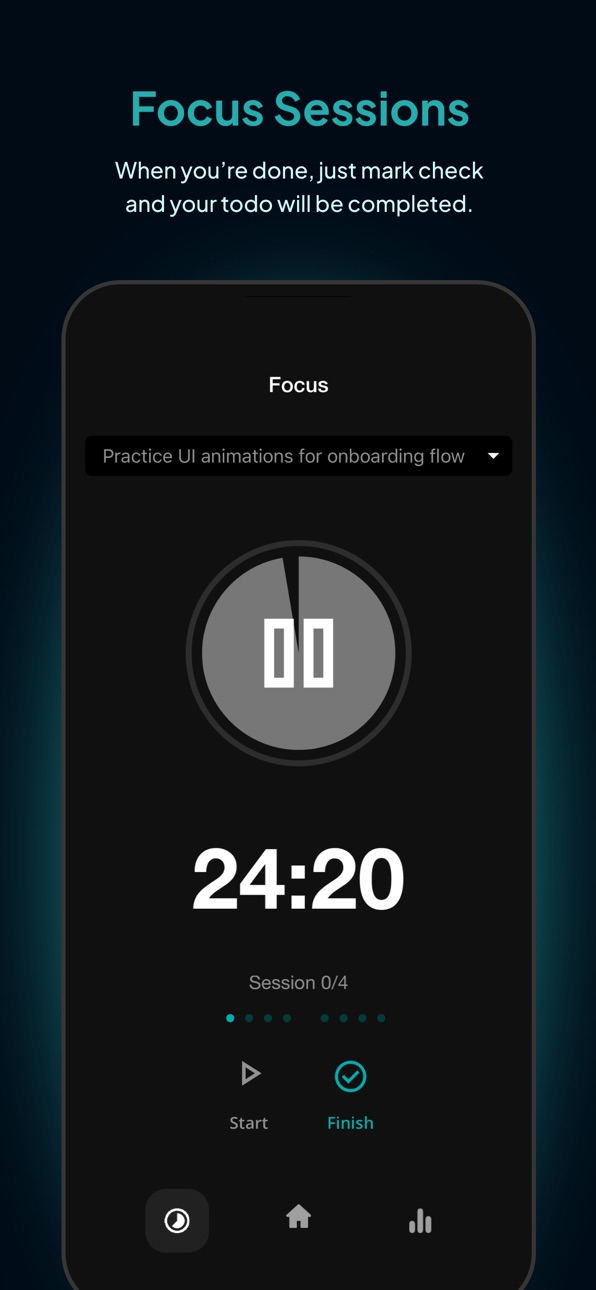
• Focus Timer — Stay locked in and boost deep work sessions.
• Smart Reminders — Never miss important tasks and deadlines.
• Calendar View — Plan your schedule with a clean visual timeline.
• Collaborate — Work together and share tasks with your team.
• Analytics — Track productivity and gain powerful insights.
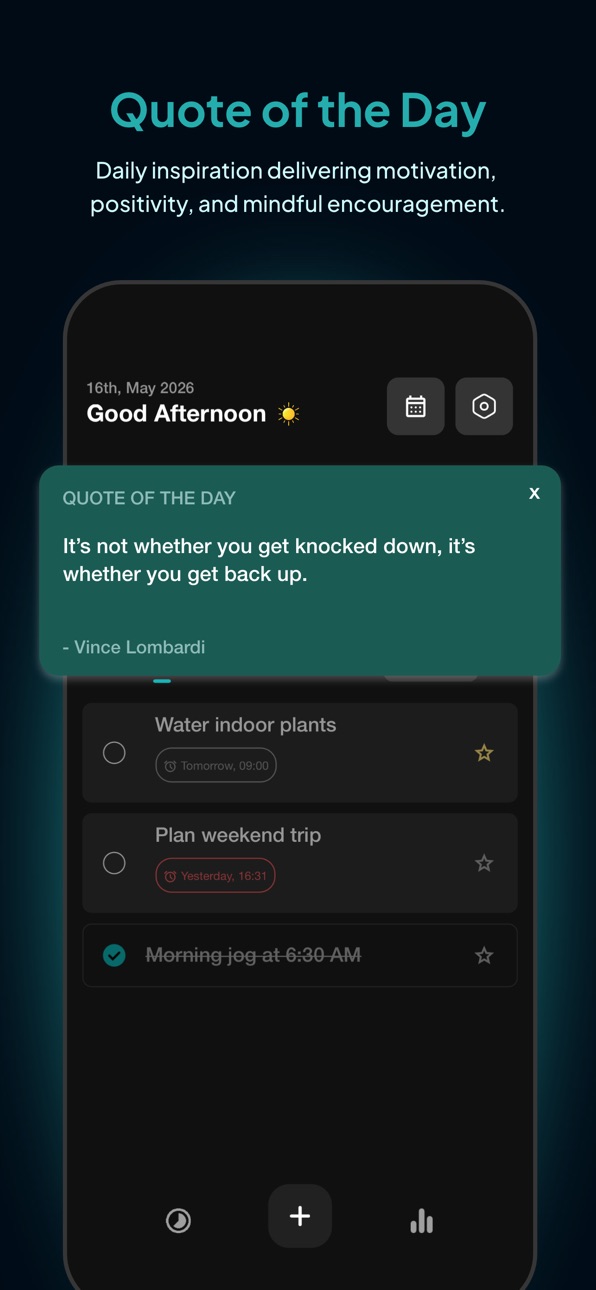
• Quote of the Day — Start every day with fresh motivation.
Plus performance improvements, smoother experience, and important bug fixes for faster and more reliable task management.
Description
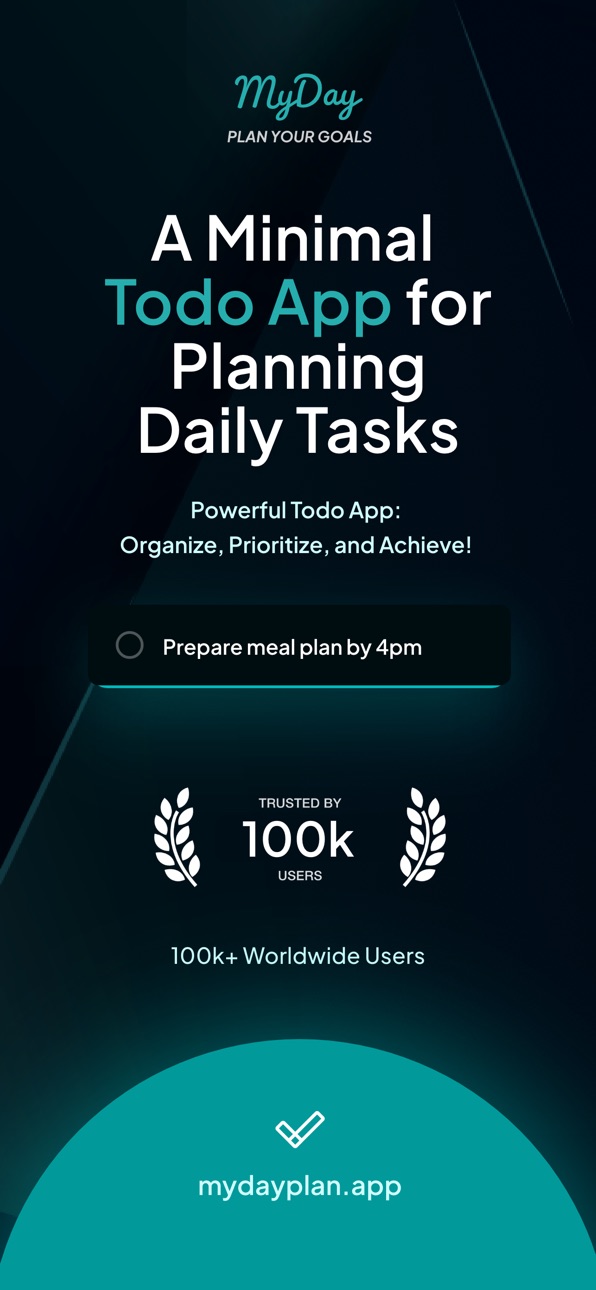
My Day – Simple Daily Task Planner
My Day is a minimal, intuitive to-do app designed to help you plan your day, stay focused, and get things done without overwhelm. Whether you're managing work, studies, or personal goals, My Day keeps your priorities clear and your progress visible.
Stay organized, effortlessly
Add tasks in seconds and break them into smaller, manageable steps so nothing feels overwhelming. Mark important tasks to keep your focus where it matters most and track your progress throughout the day.
Designed for simplicity
My Day’s clean, distraction-free interface makes task management fast and enjoyable. No clutter, no confusion — just a straightforward way to plan your day and stay productive.
Features that work for you
• Create tasks and subtasks for better planning
• Mark priorities to focus on what matters most
• Set reminders so you never miss a task
• Add recurring tasks for routines and habits
• Organize tasks by projects or goals
• Track your daily progress at a glance
Built for everyday life
Whether you're a student, professional, parent, or entrepreneur, My Day helps you stay organized, reduce stress, and make steady progress toward your goals.
And this is just the beginning — exciting new features are on the way to make planning your day even smarter and more enjoyable.
Plan better. Focus more. Achieve more — with My Day.
Capabilities
In-App Purchases
Accessibility
ipadiphonemacrealityDevicetvoswatch
Version history 7 versions
Build 884630290v2.02026-05-18 11:57:20
A whole new level of productivity is here.
• Focus Timer — Stay locked in and boost deep work sessions.
• Smart Reminders — Never miss important tasks and deadlines.
• Calendar View — Plan your schedule with a clean visual timeline.
• Collaborate — Work together and share tasks with your team.
• Analytics — Track productivity and gain powerful insights.
• Quote of the Day — Start every day with fresh motivation.
Plus performance improvements, smoother experience, and important bug fixes for faster and more reliable task management.
Build 871694680v1.72026-04-16 16:58:08
• Getting app ready for Premium Plan in v2.0 (Coming soon)
• Performance Improvements
• Improves App startup and Todos loading time
Simply download the app from the App Store. Open it and start creating and managing your todos.
We hope you enjoy My Day!
Feel free to reach out to us for any feature requests or issues in the app:
hello@mydayplan.app
Build 866462387v1.42024-06-05 13:04:19
· Sorting fixes
· Performance improvements
Build 866268269v1.32024-05-28 12:25:43
· Added a Chronological Sort feature
· Steps and Notes flow improvements
Build 862722728v1.22024-01-08 00:46:45
App size reduced to nearly 80%
Performance and stability improvements
Build 861454917v1.12023-11-24 20:03:18
What's new:
• Added Steps features
• Notes features for Todo
• Pull To Refresh Todos
• Offline mode
Bug Fixes:
• Improves App startup and Todos loading time
Build 859625186v1.02023-11-13 19:54:47
No pricing data captured yet — comparisons appear once the app has paid storefronts or in-app purchases.
Availability 171 of 171 storefronts
| Region | Language | Price | Ratings | Avg | Version |
|---|---|---|---|---|---|
| PK | en-GB | Free | 3 | 5.0 | 2.0 |
| AE | en-GB | Free | 0 | — | 2.0 |
| AF | en-GB | Free | 0 | — | 2.0 |
| AG | en-GB | Free | 0 | — | 2.0 |
| AI | en-GB | Free | 0 | — | 2.0 |
| AL | en-GB | Free | 0 | — | 2.0 |
| AM | en-GB | Free | 0 | — | 2.0 |
| AO | en-GB | Free | 0 | — | 2.0 |
| AR | es-MX | Free | 0 | — | 2.0 |
| AU | en-AU | Free | 0 | — | 2.0 |
| AZ | en-GB | Free | 0 | — | 2.0 |
| BA | en-GB | Free | 0 | — | 2.0 |
| BB | en-GB | Free | 0 | — | 2.0 |
| BE | en-GB | Free | 0 | — | 2.0 |
| BF | en-GB | Free | 0 | — | 2.0 |
| BG | en-GB | Free | 0 | — | 2.0 |
| BH | en-GB | Free | 0 | — | 2.0 |
| BJ | en-GB | Free | 0 | — | 2.0 |
| BM | en-GB | Free | 0 | — | 2.0 |
| BN | en-GB | Free | 0 | — | 2.0 |
| BO | es-MX | Free | 0 | — | 2.0 |
| BR | pt-BR | Free | 0 | — | 2.0 |
| BS | en-GB | Free | 0 | — | 2.0 |
| BT | en-GB | Free | 0 | — | 2.0 |
| BW | en-GB | Free | 0 | — | 2.0 |
| BY | en-GB | Free | 0 | — | 2.0 |
| BZ | en-GB | Free | 0 | — | 2.0 |
| CA | en-CA | Free | 0 | — | 2.0 |
| CD | en-GB | Free | 0 | — | 2.0 |
| CG | en-GB | Free | 0 | — | 2.0 |
| CH | de-CH | Free | 0 | — | 2.0 |
| CI | fr-FR | Free | 0 | — | 2.0 |
| CL | es-MX | Free | 0 | — | 2.0 |
| CM | fr-FR | Free | 0 | — | 2.0 |
| CN | zh-Hans-CN | Free | 0 | — | 2.0 |
| CO | es-MX | Free | 0 | — | 2.0 |
| CR | es-MX | Free | 0 | — | 2.0 |
| CV | en-GB | Free | 0 | — | 2.0 |
| CY | en-GB | Free | 0 | — | 2.0 |
| CZ | en-GB | Free | 0 | — | 2.0 |
| DE | de-DE | Free | 0 | — | 2.0 |
| DK | en-GB | Free | 0 | — | 2.0 |
| DM | en-GB | Free | 0 | — | 2.0 |
| DO | es-MX | Free | 0 | — | 2.0 |
| DZ | en-GB | Free | 0 | — | 2.0 |
| EC | es-MX | Free | 0 | — | 2.0 |
| EE | en-GB | Free | 0 | — | 2.0 |
| EG | en-GB | Free | 0 | — | 2.0 |
| ES | es-ES | Free | 0 | — | 2.0 |
| FJ | en-GB | Free | 0 | — | 2.0 |
| FM | en-GB | Free | 0 | — | 2.0 |
| FR | fr-FR | Free | 0 | — | 2.0 |
| GA | fr-FR | Free | 0 | — | 2.0 |
| GB | en-GB | Free | 0 | — | 2.0 |
| GD | en-GB | Free | 0 | — | 2.0 |
| GE | en-GB | Free | 0 | — | 2.0 |
| GH | en-GB | Free | 0 | — | 2.0 |
| GM | en-GB | Free | 0 | — | 2.0 |
| GR | en-GB | Free | 0 | — | 2.0 |
| GT | es-MX | Free | 0 | — | 2.0 |
| GW | en-GB | Free | 0 | — | 2.0 |
| GY | en-GB | Free | 0 | — | 2.0 |
| HK | zh-Hant-HK | Free | 0 | — | 2.0 |
| HN | es-MX | Free | 0 | — | 2.0 |
| HR | en-GB | Free | 0 | — | 2.0 |
| HU | en-GB | Free | 0 | — | 2.0 |
| ID | en-GB | Free | 0 | — | 2.0 |
| IE | en-GB | Free | 0 | — | 2.0 |
| IL | en-GB | Free | 0 | — | 2.0 |
| IN | en-GB | Free | 0 | — | 2.0 |
| IQ | en-GB | Free | 0 | — | 2.0 |
| IS | en-GB | Free | 0 | — | 2.0 |
| IT | it | Free | 0 | — | 2.0 |
| JM | en-GB | Free | 0 | — | 2.0 |
| JO | en-GB | Free | 0 | — | 2.0 |
| JP | ja | Free | 0 | — | 2.0 |
| KE | en-GB | Free | 0 | — | 2.0 |
| KG | en-GB | Free | 0 | — | 2.0 |
| KH | en-GB | Free | 0 | — | 2.0 |
| KN | en-GB | Free | 0 | — | 2.0 |
| KR | ko | Free | 0 | — | 2.0 |
| KW | en-GB | Free | 0 | — | 2.0 |
| KY | en-GB | Free | 0 | — | 2.0 |
| KZ | en-GB | Free | 0 | — | 2.0 |
| LA | en-GB | Free | 0 | — | 2.0 |
| LB | en-GB | Free | 0 | — | 2.0 |
| LC | en-GB | Free | 0 | — | 2.0 |
| LK | en-GB | Free | 0 | — | 2.0 |
| LR | en-GB | Free | 0 | — | 2.0 |
| LT | en-GB | Free | 0 | — | 2.0 |
| LU | en-GB | Free | 0 | — | 2.0 |
| LV | en-GB | Free | 0 | — | 2.0 |
| LY | en-GB | Free | 0 | — | 2.0 |
| MA | en-GB | Free | 0 | — | 2.0 |
| MD | en-GB | Free | 0 | — | 2.0 |
| ME | en-GB | Free | 0 | — | 2.0 |
| MG | en-GB | Free | 0 | — | 2.0 |
| MK | en-GB | Free | 0 | — | 2.0 |
| ML | en-GB | Free | 0 | — | 2.0 |
| MM | en-GB | Free | 0 | — | 2.0 |
| MN | en-GB | Free | 0 | — | 2.0 |
| MO | zh-Hant-HK | Free | 0 | — | 2.0 |
| MR | en-GB | Free | 0 | — | 2.0 |
| MS | en-GB | Free | 0 | — | 2.0 |
| MT | en-GB | Free | 0 | — | 2.0 |
| MU | en-GB | Free | 0 | — | 2.0 |
| MV | en-GB | Free | 0 | — | 2.0 |
| MW | en-GB | Free | 0 | — | 2.0 |
| MX | es-MX | Free | 0 | — | 2.0 |
| MY | en-GB | Free | 0 | — | 2.0 |
| MZ | en-GB | Free | 0 | — | 2.0 |
| NA | en-GB | Free | 0 | — | 2.0 |
| NE | en-GB | Free | 0 | — | 2.0 |
| NG | en-GB | Free | 0 | — | 2.0 |
| NI | es-MX | Free | 0 | — | 2.0 |
| NL | nl | Free | 0 | — | 2.0 |
| NP | en-GB | Free | 0 | — | 2.0 |
| NR | en-GB | Free | 0 | — | 2.0 |
| NZ | en-AU | Free | 0 | — | 2.0 |
| OM | en-GB | Free | 0 | — | 2.0 |
| PA | es-MX | Free | 0 | — | 2.0 |
| PE | es-MX | Free | 0 | — | 2.0 |
| PG | en-GB | Free | 0 | — | 2.0 |
| PH | en-GB | Free | 0 | — | 2.0 |
| PT | pt-PT | Free | 0 | — | 2.0 |
| PW | en-GB | Free | 0 | — | 2.0 |
| PY | es-MX | Free | 0 | — | 2.0 |
| QA | en-GB | Free | 0 | — | 2.0 |
| RO | en-GB | Free | 0 | — | 2.0 |
| RS | en-GB | Free | 0 | — | 2.0 |
| RU | ru | Free | 0 | — | 2.0 |
| RW | en-GB | Free | 0 | — | 2.0 |
| SA | en-GB | Free | 0 | — | 2.0 |
| SB | en-GB | Free | 0 | — | 2.0 |
| SC | en-GB | Free | 0 | — | 2.0 |
| SE | sv | Free | 0 | — | 2.0 |
| SG | en-GB | Free | 0 | — | 2.0 |
| SI | en-GB | Free | 0 | — | 2.0 |
| SK | en-GB | Free | 0 | — | 2.0 |
| SL | en-GB | Free | 0 | — | 2.0 |
| SN | en-GB | Free | 0 | — | 2.0 |
| SR | en-GB | Free | 0 | — | 2.0 |
| ST | en-GB | Free | 0 | — | 2.0 |
| SV | es-MX | Free | 0 | — | 2.0 |
| SZ | en-GB | Free | 0 | — | 2.0 |
| TC | en-GB | Free | 0 | — | 2.0 |
| TD | en-GB | Free | 0 | — | 2.0 |
| TH | en-GB | Free | 0 | — | 2.0 |
| TJ | en-GB | Free | 0 | — | 2.0 |
| TM | en-GB | Free | 0 | — | 2.0 |
| TN | en-GB | Free | 0 | — | 2.0 |
| TO | en-GB | Free | 0 | — | 2.0 |
| TR | en-GB | Free | 0 | — | 2.0 |
| TT | en-GB | Free | 0 | — | 2.0 |
| TW | zh-Hant-TW | Free | 0 | — | 2.0 |
| TZ | en-GB | Free | 0 | — | 2.0 |
| UA | en-GB | Free | 0 | — | 2.0 |
| UG | en-GB | Free | 0 | — | 2.0 |
| US | en-US | Free | 0 | — | 2.0 |
| UY | en-GB | Free | 0 | — | 2.0 |
| UZ | en-GB | Free | 0 | — | 2.0 |
| VC | en-GB | Free | 0 | — | 2.0 |
| VE | es-MX | Free | 0 | — | 2.0 |
| VG | en-GB | Free | 0 | — | 2.0 |
| VN | en-GB | Free | 0 | — | 2.0 |
| VU | en-GB | Free | 0 | — | 2.0 |
| XK | en-GB | Free | 0 | — | 2.0 |
| YE | en-GB | Free | 0 | — | 2.0 |
| ZA | en-GB | Free | 0 | — | 2.0 |
| ZM | en-GB | Free | 0 | — | 2.0 |
| ZW | en-GB | Free | 0 | — | 2.0 |
Change log 11 changes · BJ
✎
releaseNotes updated
A whole new level of productivity is here.
• Focus Timer — Stay locked in and boost deep work sessions.
• Smart Reminders — Never miss important tasks and dead
✎
description updated
My Day – Simple Daily Task Planner
My Day is a minimal, intuitive to-do app designed to help you plan your day, stay focused, and get things done without overw
✎
subtitle updated
Focus on What Matters Most
✎
name updated
My Day: Plan your Goals
◆
Version 2.0 released
A whole new level of productivity is here.
• Focus Timer — Stay locked in and boost deep work sessions.
• Smart Reminders — Never miss important tasks and deadlines.
• Calendar View — Plan your schedule with a clean visual timeline.
• Coll
◆
Version 1.7 released
• Getting app ready for Premium Plan in v2.0 (Coming soon)
• Performance Improvements
• Improves App startup and Todos loading time
Simply download the app from the App Store. Open it and start creating and managing your todos.
We hope yo
◆
Version 1.4 released
· Sorting fixes
· Performance improvements
◆
Version 1.3 released
· Added a Chronological Sort feature
· Steps and Notes flow improvements
◆
Version 1.2 released
App size reduced to nearly 80%
Performance and stability improvements
◆
Version 1.1 released
What's new:
• Added Steps features
• Notes features for Todo
• Pull To Refresh Todos
• Offline mode
Bug Fixes:
• Improves App startup and Todos loading time
◆
Version 1.0 released