Home › Finance

TradeSmart: Stock, F&O Trading
TradeSmart – Demat, TradingApp
 PG
PG
 INen-GB
 AEen-GB
 FRfr-FR
 AFen-GB
 AGen-GB
 AIen-GB
 ALen-GB
 AMen-GB
 AOen-GB
 ARes-MX
 ATde-DE
 AUen-AU
 AZen-GB
 BAen-GB
 BBen-GB
 BEen-GB
 BFen-GB
 BGen-GB
 BHen-GB
 BJen-GB
 BMen-GB
 BNen-GB
 BOes-MX
 BRpt-BR
 BSen-GB
 BTen-GB
 BWen-GB
 BYen-GB
 BZen-GB
 CAen-CA
 CDen-GB
 CGen-GB
 CHde-CH
 CIfr-FR
 CLes-MX
 CMfr-FR
 CNzh-Hans-CN
 COes-MX
 CRes-MX
 CVen-GB
 CYen-GB
 CZen-GB
 DEde-DE
 DKen-GB
 DMen-GB
 DOes-MX
 DZen-GB
 ECes-MX
 EEen-GB
 EGen-GB
 ESes-ES
 FIen-GB
 FJen-GB
 FMen-GB
 GAfr-FR
 GBen-GB
 GDen-GB
 GEen-GB
 GHen-GB
 GMen-GB
 GRen-GB
 GTes-MX
 GWen-GB
 GYen-GB
 HKzh-Hant-HK
 HNes-MX
 HRen-GB
 HUen-GB
 IDen-GB
 IEen-GB
 ILen-GB
 IQen-GB
 ISen-GB
 ITit
ITit JMen-GB
 JOen-GB
 JPja
JPja KEen-GB
 KGen-GB
 KHen-GB
 KNen-GB
 KRko
KRko KWen-GB
 KYen-GB
 KZen-GB
 LAen-GB
 LBen-GB
 LCen-GB
 LKen-GB
 LRen-GB
 LTen-GB
 LUen-GB
 LVen-GB
 LYen-GB
 MAen-GB
 MDen-GB
 MEen-GB
 MGen-GB
 MKen-GB
 MLen-GB
 MMen-GB
 MNen-GB
 MOzh-Hant-HK
 MRen-GB
 MSen-GB
 MTen-GB
 MUen-GB
 MVen-GB
 MWen-GB
 MXes-MX
 MYen-GB
 MZen-GB
 NAen-GB
 NEen-GB
 NGen-GB
 NIes-MX
 NLnl
NLnl NOen-GB
 NPen-GB
 NRen-GB
 NZen-AU
 OMen-GB
 PAes-MX
 PEes-MXPGen-GB
 PHen-GB
 PKen-GB
 PLen-GB
 PTpt-PT
 PWen-GB
 PYes-MX
 QAen-GB
 ROen-GB
 RSen-GB
 RUru
RUru RWen-GB
 SAen-GB
 SBen-GB
 SCen-GB
 SEsv
SEsv SGen-GB
 SIen-GB
 SKen-GB
 SLen-GB
 SNen-GB
 SRen-GB
 STen-GB
 SVes-MX
 SZen-GB
 TCen-GB
 TDen-GB
 THen-GB
 TJen-GB
 TMen-GB
 TNen-GB
 TOen-GB
 TRen-GB
 TTen-GB
 TWzh-Hant-TW
 TZen-GB
 UAen-GB
 UGen-GB
 USen-US
 UYen-GB
 UZen-GB
 VCen-GB
 VEes-MX
 VGen-GB
 VNen-GB
 VUen-GB
 XKen-GB
 YEen-GB
 ZAen-GB
 ZMen-GB
 ZWen-GB
175 of 175 storefronts
Content in en-US
Content in en-US
Information
Preview 2 platforms
iPhone 10 images


iPad 3 images


What’s New Version 2.30.1
1. Remember F&O Quantity – Now Save your preferred F&O order quantity and have it automatically pre-filled during future order placements for a faster trading experience.
2. Enhanced Scalper Performance – Experience faster trade execution
3. Bulk Orders Cancellation – Cancel multiple pending orders at once, enabling faster and more efficient order management.
4. UI enhancements, bug fixes and optimizations - Enhanced performance and smoother user experience.
Description
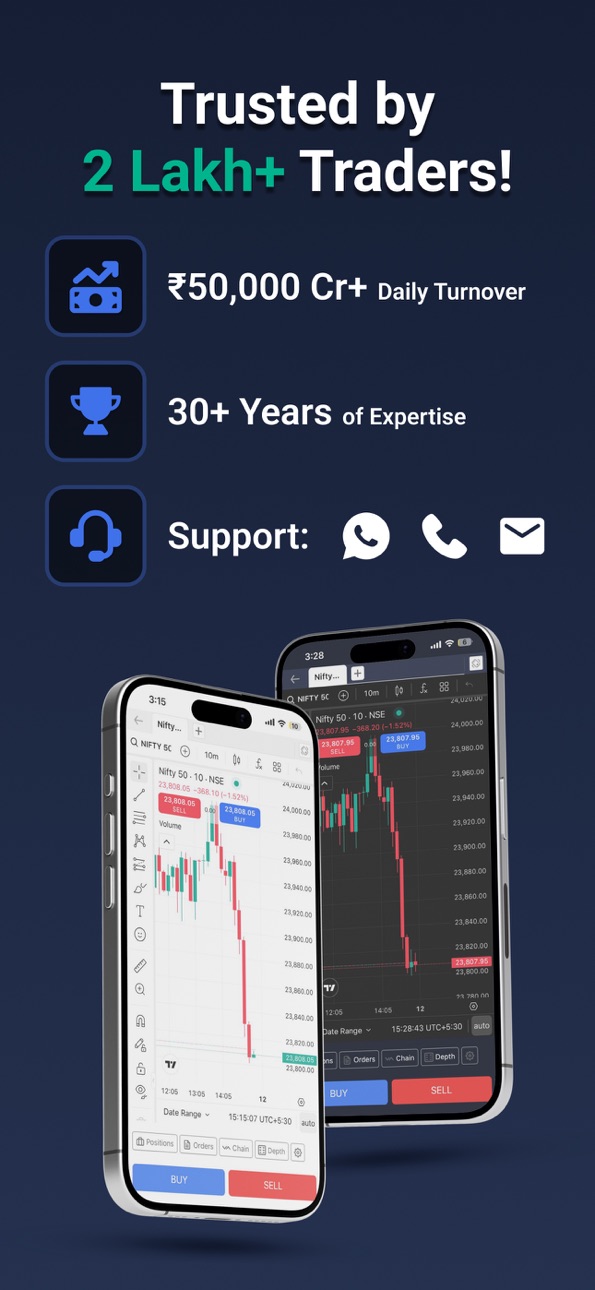
TradeSmart is a fast and reliable stock trading app India built for intraday traders, Options traders, Algo traders and investors. Trusted by traders since 1994, TradeSmart offers a powerful, low brokerage trading app India designed for speed and execution.
With 30+ years of experience, TradeSmart delivers a stable platform with minimal latency, advanced tools, and real human support.
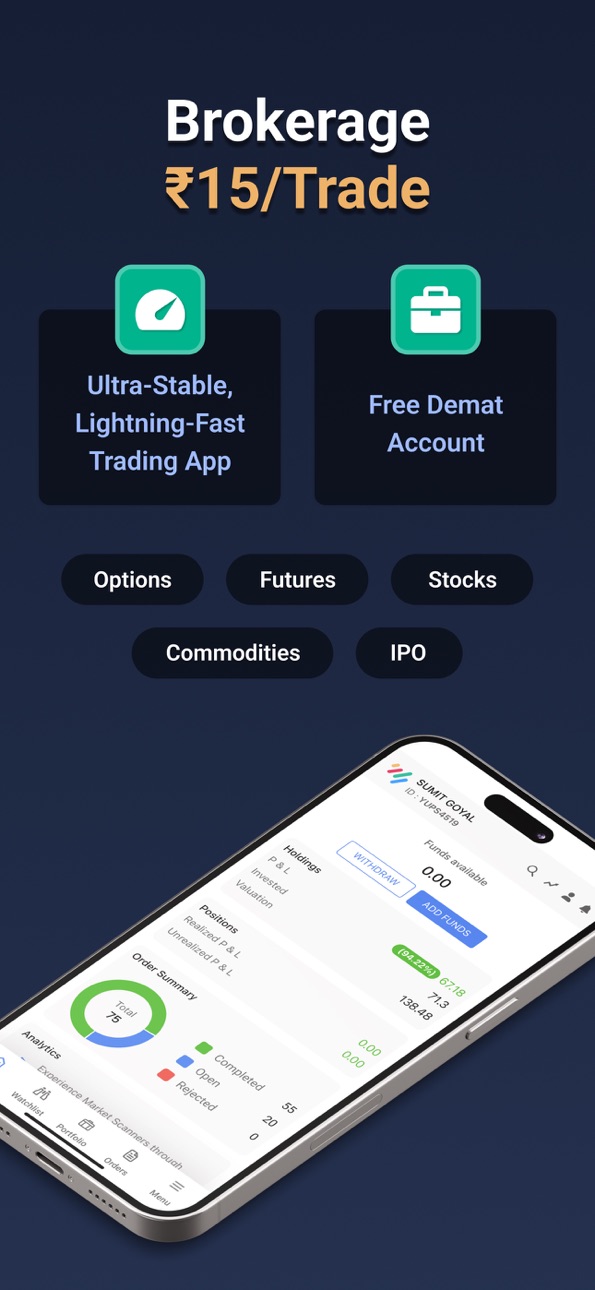
Open a FREE Demat account in minutes with our open demat account app and start trading on NSE, BSE, and MCX instantly. This share market app India gives you everything you need to trade with confidence.
Why Choose TradeSmart?
30+ Years of Market Experience
Real human support - Phone, WhatsApp, Email, In-app chat
High-Speed Trading Platform - Works even in low network zones
₹15 Flat Brokerage - Transparent pricing
Multi-device Login - Mobile, desktop & web
Products for Every Trader
Equity & Commodity Trading - NSE, BSE & MCX
Derivatives (F&O) - Basket Orders, Iceberg Orders, GTT Orders, Trailing Stop Loss
Intraday Trading - Fast execution for daily trades
IPO Investments - Apply seamlessly
Algo Trading App - No-code strategies with SmartAlgo
Powerful Features for Active Traders
Trade from Charts - Place orders directly from TradingView charts
TradingView Charts - Advanced charting with premium features
100+ Technical Indicators - RSI, MACD, Moving Averages & more
Trailing Stop Loss - Dynamic risk management
Scalper Mode - Ultra-fast options trading experience
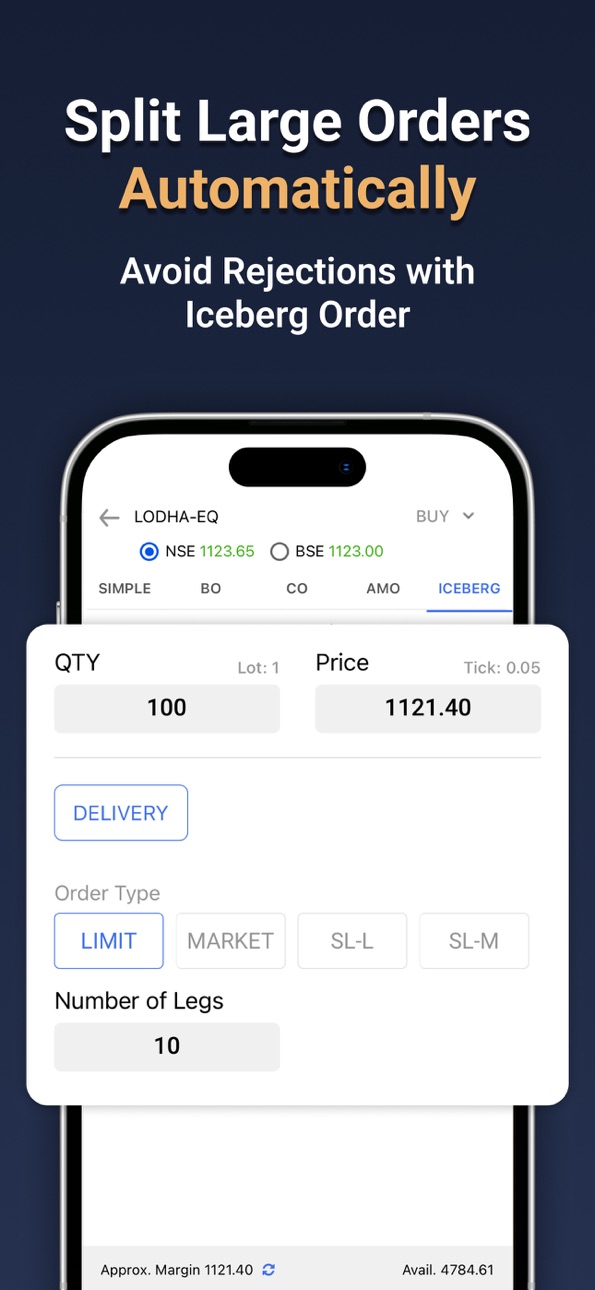
Auto Slice Orders - Execute large orders efficiently
Option Chain - Simplified options view
Market Scanners - Identify key movers instantly
Portfolio Dashboard - Holdings, positions & analytics
Margin Against Shares - Increase buying power
MTF (Margin Trading Facility) - Up to 4x leverage
GTT Orders - Valid up to 365 days
SmartAlgo - Algo Trading Made Simple
Build and automate strategies without coding:
Zero Brokerage on Algo Trades*
No-Code Strategy Builder
Backtest & Practice Mode
TradingView Alerts to Auto Trades
Fast execution for active traders
*T&C apply
Built for Active Traders in India
TradeSmart works as:
Intraday trading app
Options trading app India
F&O trading app
Demat account app India
Low brokerage trading app
Why Traders Choose TradeSmart
₹15 per Order - Simple pricing
Works in low connectivity
Expert human support
Secure trading platform
Get Started Now
Open your Free Demat Account and start trading with a fast, reliable trading app India built for serious traders.
We’re Here to Help:
Email: support@tradesmartonline.in
Call: +91 022-61208000
Website: https://tradesmartonline.in/
Follow Us:
Facebook: https://www.facebook.com/tradesmartonline
Instagram: https://www.instagram.com/tradesmart.online/
YouTube: https://www.youtube.com/user/tradesmartonline
Twitter: https://x.com/TradeSmartFin
Regulatory Information:
TradeSmart Fintech Securities Limited
CIN No: U67120UP1995PLC018225
CDSL: IN-DP-CDSL-208-2003
SEBI REG: INZ000247736
Member Code: NSE - 09643
BSE: 3279
MCX: 16830
Accessibility
ipadiphonemacrealityDevicetvoswatch
Version history 25 versions
Build 886835146v2.30.12026-06-11 20:55:29
1. Remember F&O Quantity – Now Save your preferred F&O order quantity and have it automatically pre-filled during future order placements for a faster trading experience.
2. Enhanced Scalper Performance – Experience faster trade execution
3. Bulk Orders Cancellation – Cancel multiple pending orders at once, enabling faster and more efficient order management.
4. UI enhancements, bug fixes and optimizations - Enhanced performance and smoother user experience.
Build 885605634v2.29.32026-05-20 19:59:24
1. New Launch – SmartAlgo: Explore automated trading strategies with our newly introduced algo trading platform.
2. Order Book performance optmized
3. Placing an order is now faster.
4. Access Help and Support, including the “Chat with Us” option.
5. Portfolio UI Enhanced: Experience an improved portfolio interface for position and the newly added Day’s P&L view in Holdings.
6. Improved Stop Loss Validation: Error messages for incorrect price inputs are now simpler and easier to understand.
Build 883016506v2.28.72026-04-17 22:10:52
1. Optimized order placement sequence in basket orders to improve margin utilization during execution.
2. Enhancement in orders, positions, and holdings to improve response times and system performance.
3. Equity and Commodity segments are now merged, enabling seamless use of added funds across both segments.
4. The option chain now includes additional contracts, providing broader trading opportunities.
5. Watchlist now displays a Scalper banner.
6. UI enhancements, bug fixes and optimizations -
Build 881890474v2.27.52026-01-27 19:39:11
1. Optimized order placement sequence in basket orders to improve margin utilization during execution.
2. Enhancement in orders, positions, and holdings to improve response times and system performance.
3. Equity and Commodity segments are now merged, enabling seamless use of added funds across both segments.
4. The option chain now includes additional contracts, providing broader trading opportunities.
5. Watchlist now displays a Scalper banner.
6. UI enhancements, bug fixes and optimizations
Build 881017029v2.26.32025-12-27 00:58:23
1. Scrolling for market indices which is easier along with drag & drop
2. Reverse Position Made Easy: Switch from long to short
3. A new MTF promotional banner on the Home and Watchlist screens.
4. NSE/BSE Exchange Switch in Movers
5. Auto-Refreshing Required Margin: Margin requirements on place order screen now stay up to date automatically
6. Top Traded Derivatives Upgrade: The Top Traded Options & Futures list now includes MCX instruments.
7. UI enhancements, bug fixes and optimizations.
Build 879855630v2.25.32025-11-20 20:46:56
1. Option Chain Enhancements - Added Volume and OI Change columns to provide deeper insights into market activity and position trends
2. Sorting in Strategies - Added sorting functionality under Scanners
3. Orders & Positions Enhancement - Introduced auto-refresh functionality in the Orders and Positions sections. Data now updates automatically in real time, ensuring you always see the latest order and position details without manual refresh
4. Scalper Settings Update
Build 877954755v2.23.22025-09-11 09:19:26
1. Market Depth on Order Screen: You can now view real-time market depth directly on the Place an Order screen. Get a better view of bid/ask levels before placing your order.
2. Fund History Icon Added.
3. Quick Scalper Access: Access the Scalper tool directly from the Indices bottom sheet for faster execution and convenience.
4. Updated Layout of Individual Technicals for a Smoother Experience
5. UI enhancements, bug fixes and optimisations
Build 877143578v2.22.22025-08-11 17:23:35
1. Redesigned 'Place an Order' Screen -The order placement experience with a cleaner layout, improved navigation, and faster performance to help you place orders more easily and efficiently
2. Cover & Bracket orders made simpler -
3. Introducing MTF (Margin Trading Facility) -
4. Introducing Order Slicing - Execute large trades smarter by automatically splitting them into smaller orders
5. Introducing Technical Scanners
6. UI enhancements, bug fixes and optimizations -
Build 875202389v2.21.42025-05-30 23:19:01
1. Trade from Charts
You can now trade directly from your Charts with Instant order Execution feature. Also view positions, Orders, option Chain & market depth all in one screen without switching tabs
2. Scalper Mode
Introducing Scalper mode, built for fast-paced, high frequency trading.
One-tap Buy/Sell buttons
Rapid entry & exit with fewer confirmation steps
Smart UI optimized for speed and clarity
3. Holdings filter in watchlist
Use the new “Holdings” filter to display only the instruments you currently hold positions in.
Spot your active holdings at a glance
Easily manage your portfolio without switching tabs
Works across all synced watchlists
4. Enhancement in Basket orders functionality
5. UI enhancements, bug fixes and optimizations - Enhanced performance and smoother user experience
Build 874697172v2.20.52025-05-13 01:23:49
Bug Fixes and Performance Enhancement.
Build 872739462v2.20.32025-04-11 06:47:28
1. Description of Scanners for better insights along with FNO Scanners
2. Enhancement in Basket orders functionality
3. UI enhancements, bug fixes and optimizations - Enhanced performance and smoother user experience
Build 872562581v2.19.32025-02-21 08:33:46
1. Managing your watchlists just got even better!
Create New Watchlists – Organize your favorites the way you want.
Rename Existing Watchlists –
2. See Holding Quantity in Watchlist – Now, view the number of shares you own directly in your watchlist for quick insights.
3. Option Calculator – Get real-time insights on option pricing & strategies
4 Margin Calculator – Quickly estimate margin requirements for your trades
5. Bug fixes and optimizations
Build 871448646v2.18.12025-01-07 14:20:52
1. Now login with TOTP (time-based one time password) as two-factor authentication along with OTP based login.
2. Universal search issue fix
3. UI Enhancement & bug fixes
Build 871194914v2.17.12024-12-17 12:40:30
1. Technical Indicators - Now get the Technical indicators to analyze price movements, volume, and other market data to identify trends, patterns, and potential trading opportunities.
2. Do pledge from the Holding screen directly now to increase the trading limits
3. Now get the Cash balance info separately in the Funds section
4. Allowed login access now for dormant users and simplified the reactivation process
5. Enhancement & bug fixes
Build 869966823v2.16.22024-11-26 16:57:12
1. New Enhanced Dashboard - Enhanced Dashboard screen along with some new features i.e. Top traded Futures & Options Contracts, Show day & overall PnL both for Holdings, 3rd party Integrations link on dashboard etc.
2. Now get the Available margin info (Cash + Collateral) in Dashboard
3. Notify to users in case of probable order rejection due to Margin Shortfall
4. Open/Close & High/Low prices to show up and down in bottom sheet to enhance customer experience.
5. Improvement in Feedback screen to enhance the customer experience. By this change, customers can now suggest us ideas to improve our app or report any screen specific issues to us.
6. Retain tab selection in Orders & Portfolio screens when coming back from any other screens.
7. Connection indicator in case of web socket disconnection in price feeds due to External issues i.e. Internet etc
8. Enhancement & bug fixes
Build 869261038v2.15.22024-10-24 14:30:33
1. Basket Orders - Introducing Basket orders which allows users to Buy or Sell multiple securities in one go rather than placing individual orders for each security.
2. Indices Constituents - Now get constituents details for Indices
3. Enhancement & bug fixes in Price feed
4. UI enhancement in Option Chain screen
5. Enhanced bottomsheet in Orders & Option Chain screens
6. Simplified order rejections to enhance the customer experience
Build 868412742v2.14.52024-09-25 07:42:24
1. New Dashboard Page - Now get all the summarized info related to trading account i.e. Funds, Holdings, Positions, Orders and access to Market Movers, Indices, Analytics, IPO section, Profile, Alerts & Notifications in one go via Dashboard page
2. New Enhanced Watchlist - User may scroll now from one watchlist to other via swiping action for better experience
3. Login with Mobile Number - Now user may login with registered mobile number along with user ID
4. Show Pledged Quantity in Holdings - Get Pledged quantity info now out of total available quantity in Holdings
5. Show Funds info from Upfront indices Icon - now User will get funds info as well on click of Upfront Indices icon (Besides universal search)
6. Collateral Values separately in Funds - Now user will get pledged collateral values separately in Funds under Total available balance
7. Third party Integration Link under Menu - Now user will be redirected to the available best third party platforms
8. Videos - Guide to TradeSmart mobile app on YouTube
9. UI Enhancement & bug fixes i.e. Market protection related issues, Trigger price hide under keypad etc
Build 868033586v2.13.52024-08-12 09:14:03
Push Notification Bug Fixed
Build 867734021v2.13.42024-07-31 20:23:20
1. Optimization and resolution of Price Feed Issue
2. GTT (Good Till Triggered) orders enable traders to automate trade executions based on predefined conditions.
3. Displaying the invested amount for each stock separately in the Holdings section.
4. Sorting the Holdings section based on Invested amount, Profit & Loss amount, and Profit & Loss percentage.
5. Sorting the Positions section based on Profit & Loss amount.
6. Optimization and bug fixes in Iceberg feature.
Build 866701246v2.12.72024-06-19 17:51:07
Optimization of server
Build 866426571v2.12.52024-06-04 12:00:29
New Feature
Iceberg Orders - If large quantity orders are placed, the Iceberg order type will automatically divide the order into smaller orders.
Bug Fixing related to price feed issue.
Build 866160823v2.11.02024-05-27 07:08:26
New Feature
Interoperability - Settle your trades through single Clearing Corporation irrespective of the Exchange where trades are executed.
Bug fixes.
Build 865236330v2.8.22024-04-30 12:35:28
New feature ( Movers ) added.
Chart Iq added for charts.
You can save templates in tradingview chart.
Bug Fixes and Stability Improvement
Build 864949305v2.6.22024-04-08 17:37:50
A new feature ( Analytics ) is added.
Bug Fixes and Stability Improvement
Build 864611340v2.5.22024-03-28 20:00:58
New feature ( Analysis ) added.
Bug Fixes.
No pricing data captured yet — comparisons appear once the app has paid storefronts or in-app purchases.
Availability 175 of 175 storefronts
| Region | Language | Price | Ratings | Avg | Version |
|---|---|---|---|---|---|
| IN | en-GB | Free | 47 | 4.4 | 2.30.1 |
| AE | en-GB | Free | 2 | 4.5 | 2.30.1 |
| FR | fr-FR | Free | 1 | 5.0 | 2.30.1 |
| AF | en-GB | Free | 0 | — | 2.30.1 |
| AG | en-GB | Free | 0 | — | 2.31.1 |
| AI | en-GB | Free | 0 | — | 2.31.1 |
| AL | en-GB | Free | 0 | — | 2.30.1 |
| AM | en-GB | Free | 0 | — | 2.30.1 |
| AO | en-GB | Free | 0 | — | 2.31.1 |
| AR | es-MX | Free | 0 | — | 2.31.1 |
| AT | de-DE | Free | 0 | — | 2.30.1 |
| AU | en-AU | Free | 0 | — | 2.30.1 |
| AZ | en-GB | Free | 0 | — | 2.30.1 |
| BA | en-GB | Free | 0 | — | 2.30.1 |
| BB | en-GB | Free | 0 | — | 2.31.1 |
| BE | en-GB | Free | 0 | — | 2.30.1 |
| BF | en-GB | Free | 0 | — | 2.31.1 |
| BG | en-GB | Free | 0 | — | 2.30.1 |
| BH | en-GB | Free | 0 | — | 2.30.1 |
| BJ | en-GB | Free | 0 | — | 2.31.1 |
| BM | en-GB | Free | 0 | — | 2.30.1 |
| BN | en-GB | Free | 0 | — | 2.30.1 |
| BO | es-MX | Free | 0 | — | 2.31.1 |
| BR | pt-BR | Free | 0 | — | 2.31.1 |
| BS | en-GB | Free | 0 | — | 2.31.1 |
| BT | en-GB | Free | 0 | — | 2.30.1 |
| BW | en-GB | Free | 0 | — | 2.31.1 |
| BY | en-GB | Free | 0 | — | 2.30.1 |
| BZ | en-GB | Free | 0 | — | 2.31.1 |
| CA | en-CA | Free | 0 | — | 2.30.1 |
| CD | en-GB | Free | 0 | — | 2.31.1 |
| CG | en-GB | Free | 0 | — | 2.31.1 |
| CH | de-CH | Free | 0 | — | 2.30.1 |
| CI | fr-FR | Free | 0 | — | 2.31.1 |
| CL | es-MX | Free | 0 | — | 2.31.1 |
| CM | fr-FR | Free | 0 | — | 2.31.1 |
| CN | zh-Hans-CN | Free | 0 | — | 2.30.1 |
| CO | es-MX | Free | 0 | — | 2.31.1 |
| CR | es-MX | Free | 0 | — | 2.31.1 |
| CV | en-GB | Free | 0 | — | 2.31.1 |
| CY | en-GB | Free | 0 | — | 2.30.1 |
| CZ | en-GB | Free | 0 | — | 2.30.1 |
| DE | de-DE | Free | 0 | — | 2.30.1 |
| DK | en-GB | Free | 0 | — | 2.30.1 |
| DM | en-GB | Free | 0 | — | 2.31.1 |
| DO | es-MX | Free | 0 | — | 2.31.1 |
| DZ | en-GB | Free | 0 | — | 2.31.1 |
| EC | es-MX | Free | 0 | — | 2.31.1 |
| EE | en-GB | Free | 0 | — | 2.30.1 |
| EG | en-GB | Free | 0 | — | 2.30.1 |
| ES | es-ES | Free | 0 | — | 2.30.1 |
| FI | en-GB | Free | 0 | — | 2.30.1 |
| FJ | en-GB | Free | 0 | — | 2.30.1 |
| FM | en-GB | Free | 0 | — | 2.30.1 |
| GA | fr-FR | Free | 0 | — | 2.31.1 |
| GB | en-GB | Free | 0 | — | 2.30.1 |
| GD | en-GB | Free | 0 | — | 2.31.1 |
| GE | en-GB | Free | 0 | — | 2.30.1 |
| GH | en-GB | Free | 0 | — | 2.31.1 |
| GM | en-GB | Free | 0 | — | 2.31.1 |
| GR | en-GB | Free | 0 | — | 2.30.1 |
| GT | es-MX | Free | 0 | — | 2.31.1 |
| GW | en-GB | Free | 0 | — | 2.31.1 |
| GY | en-GB | Free | 0 | — | 2.31.1 |
| HK | zh-Hant-HK | Free | 0 | — | 2.30.1 |
| HN | es-MX | Free | 0 | — | 2.31.1 |
| HR | en-GB | Free | 0 | — | 2.30.1 |
| HU | en-GB | Free | 0 | — | 2.30.1 |
| ID | en-GB | Free | 0 | — | 2.30.1 |
| IE | en-GB | Free | 0 | — | 2.30.1 |
| IL | en-GB | Free | 0 | — | 2.30.1 |
| IQ | en-GB | Free | 0 | — | 2.30.1 |
| IS | en-GB | Free | 0 | — | 2.30.1 |
| IT | it | Free | 0 | — | 2.30.1 |
| JM | en-GB | Free | 0 | — | 2.31.1 |
| JO | en-GB | Free | 0 | — | 2.30.1 |
| JP | ja | Free | 0 | — | 2.30.1 |
| KE | en-GB | Free | 0 | — | 2.31.1 |
| KG | en-GB | Free | 0 | — | 2.30.1 |
| KH | en-GB | Free | 0 | — | 2.30.1 |
| KN | en-GB | Free | 0 | — | 2.31.1 |
| KR | ko | Free | 0 | — | 2.30.1 |
| KW | en-GB | Free | 0 | — | 2.30.1 |
| KY | en-GB | Free | 0 | — | 2.31.1 |
| KZ | en-GB | Free | 0 | — | 2.30.1 |
| LA | en-GB | Free | 0 | — | 2.30.1 |
| LB | en-GB | Free | 0 | — | 2.30.1 |
| LC | en-GB | Free | 0 | — | 2.31.1 |
| LK | en-GB | Free | 0 | — | 2.30.1 |
| LR | en-GB | Free | 0 | — | 2.31.1 |
| LT | en-GB | Free | 0 | — | 2.30.1 |
| LU | en-GB | Free | 0 | — | 2.30.1 |
| LV | en-GB | Free | 0 | — | 2.30.1 |
| LY | en-GB | Free | 0 | — | 2.31.1 |
| MA | en-GB | Free | 0 | — | 2.31.1 |
| MD | en-GB | Free | 0 | — | 2.30.1 |
| ME | en-GB | Free | 0 | — | 2.30.1 |
| MG | en-GB | Free | 0 | — | 2.31.1 |
| MK | en-GB | Free | 0 | — | 2.30.1 |
| ML | en-GB | Free | 0 | — | 2.31.1 |
| MM | en-GB | Free | 0 | — | 2.30.1 |
| MN | en-GB | Free | 0 | — | 2.30.1 |
| MO | zh-Hant-HK | Free | 0 | — | 2.30.1 |
| MR | en-GB | Free | 0 | — | 2.30.1 |
| MS | en-GB | Free | 0 | — | 2.31.1 |
| MT | en-GB | Free | 0 | — | 2.30.1 |
| MU | en-GB | Free | 0 | — | 2.31.1 |
| MV | en-GB | Free | 0 | — | 2.30.1 |
| MW | en-GB | Free | 0 | — | 2.31.1 |
| MX | es-MX | Free | 0 | — | 2.31.1 |
| MY | en-GB | Free | 0 | — | 2.30.1 |
| MZ | en-GB | Free | 0 | — | 2.31.1 |
| NA | en-GB | Free | 0 | — | 2.31.1 |
| NE | en-GB | Free | 0 | — | 2.31.1 |
| NG | en-GB | Free | 0 | — | 2.31.1 |
| NI | es-MX | Free | 0 | — | 2.31.1 |
| NL | nl | Free | 0 | — | 2.30.1 |
| NO | en-GB | Free | 0 | — | 2.30.1 |
| NP | en-GB | Free | 0 | — | 2.30.1 |
| NR | en-GB | Free | 0 | — | 2.30.1 |
| NZ | en-AU | Free | 0 | — | 2.30.1 |
| OM | en-GB | Free | 0 | — | 2.30.1 |
| PA | es-MX | Free | 0 | — | 2.31.1 |
| PE | es-MX | Free | 0 | — | 2.31.1 |
| PG | en-GB | Free | 0 | — | 2.30.1 |
| PH | en-GB | Free | 0 | — | 2.30.1 |
| PK | en-GB | Free | 0 | — | 2.30.1 |
| PL | en-GB | Free | 0 | — | 2.30.1 |
| PT | pt-PT | Free | 0 | — | 2.30.1 |
| PW | en-GB | Free | 0 | — | 2.30.1 |
| PY | es-MX | Free | 0 | — | 2.31.1 |
| QA | en-GB | Free | 0 | — | 2.30.1 |
| RO | en-GB | Free | 0 | — | 2.30.1 |
| RS | en-GB | Free | 0 | — | 2.30.1 |
| RU | ru | Free | 0 | — | 2.30.1 |
| RW | en-GB | Free | 0 | — | 2.31.1 |
| SA | en-GB | Free | 0 | — | 2.30.1 |
| SB | en-GB | Free | 0 | — | 2.30.1 |
| SC | en-GB | Free | 0 | — | 2.31.1 |
| SE | sv | Free | 0 | — | 2.30.1 |
| SG | en-GB | Free | 0 | — | 2.30.1 |
| SI | en-GB | Free | 0 | — | 2.30.1 |
| SK | en-GB | Free | 0 | — | 2.30.1 |
| SL | en-GB | Free | 0 | — | 2.31.1 |
| SN | en-GB | Free | 0 | — | 2.31.1 |
| SR | en-GB | Free | 0 | — | 2.31.1 |
| ST | en-GB | Free | 0 | — | 2.31.1 |
| SV | es-MX | Free | 0 | — | 2.31.1 |
| SZ | en-GB | Free | 0 | — | 2.31.1 |
| TC | en-GB | Free | 0 | — | 2.31.1 |
| TD | en-GB | Free | 0 | — | 2.31.1 |
| TH | en-GB | Free | 0 | — | 2.30.1 |
| TJ | en-GB | Free | 0 | — | 2.30.1 |
| TM | en-GB | Free | 0 | — | 2.30.1 |
| TN | en-GB | Free | 0 | — | 2.31.1 |
| TO | en-GB | Free | 0 | — | 2.30.1 |
| TR | en-GB | Free | 0 | — | 2.30.1 |
| TT | en-GB | Free | 0 | — | 2.31.1 |
| TW | zh-Hant-TW | Free | 0 | — | 2.30.1 |
| TZ | en-GB | Free | 0 | — | 2.31.1 |
| UA | en-GB | Free | 0 | — | 2.30.1 |
| UG | en-GB | Free | 0 | — | 2.31.1 |
| US | en-US | Free | 0 | — | 2.30.1 |
| UY | en-GB | Free | 0 | — | 2.31.1 |
| UZ | en-GB | Free | 0 | — | 2.30.1 |
| VC | en-GB | Free | 0 | — | 2.31.1 |
| VE | es-MX | Free | 0 | — | 2.31.1 |
| VG | en-GB | Free | 0 | — | 2.31.1 |
| VN | en-GB | Free | 0 | — | 2.30.1 |
| VU | en-GB | Free | 0 | — | 2.30.1 |
| XK | en-GB | Free | 0 | — | 2.30.1 |
| YE | en-GB | Free | 0 | — | 2.30.1 |
| ZA | en-GB | Free | 0 | — | 2.30.1 |
| ZM | en-GB | Free | 0 | — | 2.31.1 |
| ZW | en-GB | Free | 0 | — | 2.31.1 |
Change log 29 changes · PG
✎
releaseNotes updated
1. Remember F&O Quantity – Now Save your preferred F&O order quantity and have it automatically pre-filled during future order placements for a faster trading e
✎
description updated
TradeSmart is a fast and reliable stock trading app India built for intraday traders, Options traders, Algo traders and investors. Trusted by traders since 1994
✎
subtitle updated
TradeSmart – Demat, TradingApp
✎
name updated
TradeSmart: Stock, F&O Trading
◆
Version 2.30.1 released
1. Remember F&O Quantity – Now Save your preferred F&O order quantity and have it automatically pre-filled during future order placements for a faster trading experience.
2. Enhanced Scalper Performance – Experience faster trade execution
◆
Version 2.29.3 released
1. New Launch – SmartAlgo: Explore automated trading strategies with our newly introduced algo trading platform.
2. Order Book performance optmized
3. Placing an order is now faster.
4. Access Help and Support, including the “Chat with Us”
◆
Version 2.28.7 released
1. Optimized order placement sequence in basket orders to improve margin utilization during execution.
2. Enhancement in orders, positions, and holdings to improve response times and system performance.
3. Equity and Commodity segments are
◆
Version 2.27.5 released
1. Optimized order placement sequence in basket orders to improve margin utilization during execution.
2. Enhancement in orders, positions, and holdings to improve response times and system performance.
3. Equity and Commodity segments are
◆
Version 2.26.3 released
1. Scrolling for market indices which is easier along with drag & drop
2. Reverse Position Made Easy: Switch from long to short
3. A new MTF promotional banner on the Home and Watchlist screens.
4. NSE/BSE Exchange Switch in Movers
5. Auto-
◆
Version 2.25.3 released
1. Option Chain Enhancements - Added Volume and OI Change columns to provide deeper insights into market activity and position trends
2. Sorting in Strategies - Added sorting functionality under Scanners
3. Orders & Positions Enhancement -
◆
Version 2.23.2 released
1. Market Depth on Order Screen: You can now view real-time market depth directly on the Place an Order screen. Get a better view of bid/ask levels before placing your order.
2. Fund History Icon Added.
3. Quick Scalper Access: Access the S
◆
Version 2.22.2 released
1. Redesigned 'Place an Order' Screen -The order placement experience with a cleaner layout, improved navigation, and faster performance to help you place orders more easily and efficiently
2. Cover & Bracket orders made simpler -
3. Intro
◆
Version 2.21.4 released
1. Trade from Charts
You can now trade directly from your Charts with Instant order Execution feature. Also view positions, Orders, option Chain & market depth all in one screen without switching tabs
2. Scalper Mode
Introducing Scalper mo
◆
Version 2.20.5 released
Bug Fixes and Performance Enhancement.
◆
Version 2.20.3 released
1. Description of Scanners for better insights along with FNO Scanners
2. Enhancement in Basket orders functionality
3. UI enhancements, bug fixes and optimizations - Enhanced performance and smoother user experience
◆
Version 2.19.3 released
1. Managing your watchlists just got even better!
Create New Watchlists – Organize your favorites the way you want.
Rename Existing Watchlists –
2. See Holding Quantity in Watchlist – Now, view the number of shares you own directly in
◆
Version 2.18.1 released
1. Now login with TOTP (time-based one time password) as two-factor authentication along with OTP based login.
2. Universal search issue fix
3. UI Enhancement & bug fixes
◆
Version 2.17.1 released
1. Technical Indicators - Now get the Technical indicators to analyze price movements, volume, and other market data to identify trends, patterns, and potential trading opportunities.
2. Do pledge from the Holding screen directly now to i
◆
Version 2.16.2 released
1. New Enhanced Dashboard - Enhanced Dashboard screen along with some new features i.e. Top traded Futures & Options Contracts, Show day & overall PnL both for Holdings, 3rd party Integrations link on dashboard etc.
2. Now get the Availabl
◆
Version 2.15.2 released
1. Basket Orders - Introducing Basket orders which allows users to Buy or Sell multiple securities in one go rather than placing individual orders for each security.
2. Indices Constituents - Now get constituents details for Indices
3. En
◆
Version 2.14.5 released
1. New Dashboard Page - Now get all the summarized info related to trading account i.e. Funds, Holdings, Positions, Orders and access to Market Movers, Indices, Analytics, IPO section, Profile, Alerts & Notifications in one go via Dashboard
◆
Version 2.13.5 released
Push Notification Bug Fixed
◆
Version 2.13.4 released
1. Optimization and resolution of Price Feed Issue
2. GTT (Good Till Triggered) orders enable traders to automate trade executions based on predefined conditions.
3. Displaying the invested amount for each stock separately in the Holdings s
◆
Version 2.12.7 released
Optimization of server
◆
Version 2.12.5 released
New Feature
Iceberg Orders - If large quantity orders are placed, the Iceberg order type will automatically divide the order into smaller orders.
Bug Fixing related to price feed issue.
◆
Version 2.11.0 released
New Feature
Interoperability - Settle your trades through single Clearing Corporation irrespective of the Exchange where trades are executed.
Bug fixes.
◆
Version 2.8.2 released
New feature ( Movers ) added.
Chart Iq added for charts.
You can save templates in tradingview chart.
Bug Fixes and Stability Improvement
◆
Version 2.6.2 released
A new feature ( Analytics ) is added.
Bug Fixes and Stability Improvement
◆
Version 2.5.2 released
New feature ( Analysis ) added.
Bug Fixes.