Home › Productivity

 PY
PY
 ESes-ES
 FRfr-FR
 AEen-GB
 AFen-GB
 AGen-GB
 AIen-GB
 ALen-GB
 AMen-GB
 AOen-GB
 ARes-MX
 ATde-DE
 AUen-AU
 AZen-GB
 BAen-GB
 BBen-GB
 BEen-GB
 BFen-GB
 BGen-GB
 BHen-GB
 BJen-GB
 BMen-GB
 BNen-GB
 BOes-MX
 BRpt-BR
 BSen-GB
 BTen-GB
 BWen-GB
 BYen-GB
 BZen-GB
 CAen-CA
 CDen-GB
 CGen-GB
 CHde-CH
 CIfr-FR
 CLes-MX
 CMfr-FR
 CNzh-Hans-CN
 COes-MX
 CRes-MX
 CVen-GB
 CYen-GB
 CZen-GB
 DEde-DE
 DKen-GB
 DMen-GB
 DOes-MX
 DZen-GB
 ECes-MX
 EEen-GB
 EGen-GB
 FIen-GB
 FJen-GB
 FMen-GB
 GAfr-FR
 GBen-GB
 GDen-GB
 GEen-GB
 GHen-GB
 GMen-GB
 GRen-GB
 GTes-MX
 GWen-GB
 GYen-GB
 HKzh-Hant-HK
 HNes-MX
 HRen-GB
 HUen-GB
 IDen-GB
 IEen-GB
 ILen-GB
 INen-GB
 IQen-GB
 ISen-GB
 ITit
ITit JMen-GB
 JOen-GB
 JPja
JPja KEen-GB
 KGen-GB
 KHen-GB
 KNen-GB
 KRko
KRko KWen-GB
 KYen-GB
 KZen-GB
 LAen-GB
 LBen-GB
 LCen-GB
 LKen-GB
 LRen-GB
 LTen-GB
 LUen-GB
 LVen-GB
 LYen-GB
 MAen-GB
 MDen-GB
 MEen-GB
 MGen-GB
 MKen-GB
 MLen-GB
 MMen-GB
 MNen-GB
 MOzh-Hant-HK
 MRen-GB
 MSen-GB
 MTen-GB
 MUen-GB
 MVen-GB
 MWen-GB
 MXes-MX
 MYen-GB
 MZen-GB
 NAen-GB
 NEen-GB
 NGen-GB
 NIes-MX
 NLnl
NLnl NOen-GB
 NPen-GB
 NRen-GB
 NZen-AU
 OMen-GB
 PAes-MX
 PEes-MX
 PGen-GB
 PHen-GB
 PKen-GB
 PLen-GB
 PTpt-PT
 PWen-GBPYes-MX
 QAen-GB
 ROen-GB
 RSen-GB
 RUru
RUru RWen-GB
 SAen-GB
 SBen-GB
 SCen-GB
 SEsv
SEsv SGen-GB
 SIen-GB
 SKen-GB
 SLen-GB
 SNen-GB
 SRen-GB
 STen-GB
 SVes-MX
 SZen-GB
 TCen-GB
 TDen-GB
 THen-GB
 TJen-GB
 TMen-GB
 TNen-GB
 TOen-GB
 TRen-GB
 TTen-GB
 TWzh-Hant-TW
 TZen-GB
 UAen-GB
 UGen-GB
 USen-US
 UYen-GB
 UZen-GB
 VCen-GB
 VEes-MX
 VGen-GB
 VNen-GB
 VUen-GB
 XKen-GB
 YEen-GB
 ZAen-GB
 ZMen-GB
 ZWen-GB
175 of 175 storefronts
Content in en-US
Content in en-US
Information
Preview 1 platform
iPhone 6 images


What’s New Version 1.1.7
- You can now preset the usual periods of your workday and reuse them when creating new shifts, without entering
them manually every time
- The workday list now includes filters so you can find the information you need faster by date
- PDF exports are now more complete: you can choose summary or detailed mode, include comments, and reuse your
personal details
- Period comments are shown more clearly and the app now displays clearer messages when there are no workdays
available
- Subscribers now have more visible access to WorkIO Web directly from the app
- Design and usability improvements
- Bug fixes and stability improvements
Description
Imagine a typical day at work, filled with a variety of tasks, meetings, and deadlines. Amidst this hustle, it's often hard to keep track of how much time each activity actually consumes. That's exactly what WorkIO is here to help with, acting as your personal time management assistant, bringing clarity and efficiency to your work hours.
Whether you're a committed office employee, a creative professional in a dynamic environment, or a freelancer juggling multiple projects, WorkIO is your key to unlocking a deeper understanding of how your time is spent. It's designed to effortlessly capture every minute devoted to your work, transforming the way you view and manage your day.
Dealing with numbers, especially when it comes to time tracking, can be daunting. This is where WorkIO's Simple Logging feature comes to your rescue. With just a few quick entries, you can record when your tasks begin and end. The Automated Calculations then take over, accurately adding up your hours, making the process seamless and error-free.
As you continue to use WorkIO, you gain valuable insights into your work habits. The Cumulative Overview provides a quick snapshot of the total hours you've worked, helping you stay aligned with your goals. For those who seek a more detailed analysis, our Detailed Statistics are invaluable. They offer an in-depth look into your daily, weekly, and monthly work patterns, an especially useful feature for freelancers who need to closely monitor their time across various projects.
But WorkIO is more than just a time tracker; it's a tool that enriches your work life. It empowers you to understand and improve your work habits, optimize your schedule, and achieve a greater sense of accomplishment and balance, regardless of your work setting.
Moreover, the benefits of WorkIO extend beyond just professional life. By helping you manage your time more effectively at work, it frees up more time for your personal life, leading to a better work-life balance. You'll find more time for family, hobbies, and relaxation, enhancing your overall quality of life. With WorkIO, you're not just optimizing your professional hours – you're enriching your entire life, making every day more productive, balanced, and fulfilling.
Join the many professionals and freelancers who have already discovered how people can transform not just their workday but their entire life. With WorkIO, you're not just tracking time – you're mastering it for a more productive and rewarding existence.
In-App Purchases PY pricing
Ad-Free WorkIO Monthly Subscription
Subscription—
Capabilities
In-App Purchases
Accessibility
ipadiphonemacrealityDevicetvoswatch
Version history 17 versions
Build 885572829v1.1.72026-05-12 20:53:58
- You can now preset the usual periods of your workday and reuse them when creating new shifts, without entering
them manually every time
- The workday list now includes filters so you can find the information you need faster by date
- PDF exports are now more complete: you can choose summary or detailed mode, include comments, and reuse your
personal details
- Period comments are shown more clearly and the app now displays clearer messages when there are no workdays
available
- Subscribers now have more visible access to WorkIO Web directly from the app
- Design and usability improvements
- Bug fixes and stability improvements
Build 885404251v1.1.62026-05-08 17:13:40
- You can now preset the usual periods of your workday and reuse them when creating new shifts, without entering
them manually every time
- The workday list now includes filters so you can find the information you need faster by date
- PDF exports are now more complete: you can choose summary or detailed mode, include comments, and reuse your
personal details
- Period comments are shown more clearly and the app now displays clearer messages when there are no workdays
available
- Subscribers now have more visible access to WorkIO Web directly from the app
- Design and usability improvements
- Bug fixes and stability improvements
Build 885193926v1.1.52026-05-03 01:56:19
- You can now preset the usual periods of your workday and reuse them when creating new shifts, without entering
them manually every time
- The workday list now includes filters so you can find the information you need faster by date
- PDF exports are now more complete: you can choose summary or detailed mode, include comments, and reuse your
personal details
- Period comments are shown more clearly and the app now displays clearer messages when there are no workdays
available
- Subscribers now have more visible access to WorkIO Web directly from the app
- Design and usability improvements
- Bug fixes and stability improvements
Build 881536153v1.1.42026-01-15 23:43:54
- Fewer ads for a smoother experience
- Improved login with password visibility and recovery
- Visual improvements to charts, calendar and recent workdays
- Bug fixes and stability improvements
Build 878968930v1.1.32025-10-16 17:17:12
- Fixed an issue with currencies in Portuguese (Portugal) language
- New statistics chart with percentages by hour type
- Design and color adjustments
- Improvements to the main calendar screen
- Optimized data loading when returning from background
- Minor bug fixes
Build 872361657v1.1.12025-02-10 06:09:49
- Fixed an error generating the PDF report
- Fixed an issue when setting an hourly rate with decimals
- Usability improvements
- Bug fixes
Build 871984821v1.1.02025-01-27 03:12:28
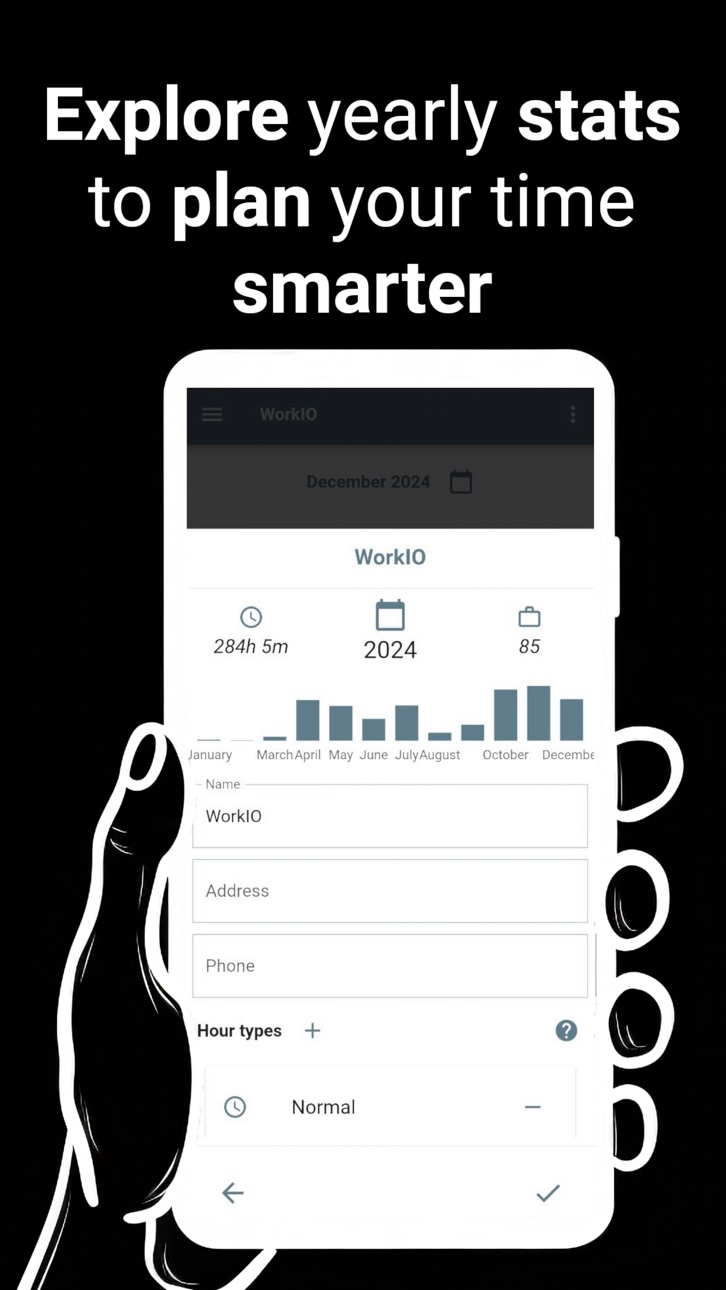
· Added year stats to the job details screen
· New updates dialog to keep you informed about the latest changes
· Password recovery available with a limit of one request every 15 days
· Design and usability adjustments for smoother navigation
· Discreetly integrated ads in strategic locations
· Bug fixes and general performance improvements
Build 865843961v1.0.92025-01-22 09:51:37
· Redesigned subscription dialog for a more intuitive experience
· New updates dialog to keep you informed about the latest changes
· Password recovery available with a limit of one request every 15 days
· Design and usability adjustments for smoother navigation
· Discreetly integrated ads in strategic locations
· Bug fixes and general performance improvements
Build 862397146v1.0.82024-01-10 14:02:22
* Improved user session management with auto login
* User experience and interface improvements
* PDF report improvements
* Bug fixes
Build 860378949v1.0.72023-10-05 17:35:23
* New button to call jobs with stored phone numbers
* Improved user interface, texts, and usability
* Bug fixes
Build 860259627v1.0.62023-09-28 17:31:20
* The workdays of other jobs/projects are displayed as related on the details screen.
* Added text indicating the total time and salary for all jobs/projects.
* The list of workdays also displays their comments.
* Usability and design improvements.
* Bug fixes.
Build 859853737v1.0.52023-09-12 20:44:52
* Logo in splash screen
* Bug fixes
Build 859263658v1.0.42023-09-06 00:14:47
* Limited the number of ads displayed to one for every three days added.
* Monthly subscription option to remove ads.
* New screen to view the details of a day when selected from the list.
* The name of the day is displayed in the PDF.
* Improvements in the interface and user experience.
* Bug fixes.
Build 858573969v1.0.32023-07-18 21:42:56
* Fixed an error displaying the schedule in the calendar
* Buttons are blocked while the network operation is performed
* The name of the day is displayed in the schedule list and exported PDF
* User interface and usability improvements
* Bug fixes
Build 858145041v1.0.22023-06-29 00:47:11
* User interface and usability improvements
* Bug fixes
Build 858019209v1.0.12023-06-26 19:12:01
* Hours in workday ordered by start date
* Month evolution summary chart on the workdays list
* Terms of service verification
* Minor bug fixes
Build 856290821v1.02023-06-20 19:24:48
Price history by region
Currency
Show
Columns
Search
Availability 175 of 175 storefronts
| Region | Language | Price | Ratings | Avg | Version |
|---|---|---|---|---|---|
| ES | es-ES | Free | 8 | 3.6 | 1.1.7 |
| FR | fr-FR | Free | 1 | 5.0 | 1.1.7 |
| AE | en-GB | Free | 0 | — | 1.1.7 |
| AF | en-GB | Free | 0 | — | 1.1.7 |
| AG | en-GB | Free | 0 | — | 1.1.7 |
| AI | en-GB | Free | 0 | — | 1.1.7 |
| AL | en-GB | Free | 0 | — | 1.1.7 |
| AM | en-GB | Free | 0 | — | 1.1.7 |
| AO | en-GB | Free | 0 | — | 1.1.7 |
| AR | es-MX | Free | 0 | — | 1.1.7 |
| AT | de-DE | Free | 0 | — | 1.1.7 |
| AU | en-AU | Free | 0 | — | 1.1.7 |
| AZ | en-GB | Free | 0 | — | 1.1.7 |
| BA | en-GB | Free | 0 | — | 1.1.7 |
| BB | en-GB | Free | 0 | — | 1.1.7 |
| BE | en-GB | Free | 0 | — | 1.1.7 |
| BF | en-GB | Free | 0 | — | 1.1.7 |
| BG | en-GB | Free | 0 | — | 1.1.7 |
| BH | en-GB | Free | 0 | — | 1.1.7 |
| BJ | en-GB | Free | 0 | — | 1.1.7 |
| BM | en-GB | Free | 0 | — | 1.1.7 |
| BN | en-GB | Free | 0 | — | 1.1.7 |
| BO | es-MX | Free | 0 | — | 1.1.7 |
| BR | pt-BR | Free | 0 | — | 1.1.7 |
| BS | en-GB | Free | 0 | — | 1.1.7 |
| BT | en-GB | Free | 0 | — | 1.1.7 |
| BW | en-GB | Free | 0 | — | 1.1.7 |
| BY | en-GB | Free | 0 | — | 1.1.7 |
| BZ | en-GB | Free | 0 | — | 1.1.7 |
| CA | en-CA | Free | 0 | — | 1.1.7 |
| CD | en-GB | Free | 0 | — | 1.1.7 |
| CG | en-GB | Free | 0 | — | 1.1.7 |
| CH | de-CH | Free | 0 | — | 1.1.7 |
| CI | fr-FR | Free | 0 | — | 1.1.7 |
| CL | es-MX | Free | 0 | — | 1.1.7 |
| CM | fr-FR | Free | 0 | — | 1.1.7 |
| CN | zh-Hans-CN | Free | 0 | — | 1.1.7 |
| CO | es-MX | Free | 0 | — | 1.1.7 |
| CR | es-MX | Free | 0 | — | 1.1.7 |
| CV | en-GB | Free | 0 | — | 1.1.7 |
| CY | en-GB | Free | 0 | — | 1.1.7 |
| CZ | en-GB | Free | 0 | — | 1.1.7 |
| DE | de-DE | Free | 0 | — | 1.1.7 |
| DK | en-GB | Free | 0 | — | 1.1.7 |
| DM | en-GB | Free | 0 | — | 1.1.7 |
| DO | es-MX | Free | 0 | — | 1.1.7 |
| DZ | en-GB | Free | 0 | — | 1.1.7 |
| EC | es-MX | Free | 0 | — | 1.1.7 |
| EE | en-GB | Free | 0 | — | 1.1.7 |
| EG | en-GB | Free | 0 | — | 1.1.7 |
| FI | en-GB | Free | 0 | — | 1.1.7 |
| FJ | en-GB | Free | 0 | — | 1.1.7 |
| FM | en-GB | Free | 0 | — | 1.1.7 |
| GA | fr-FR | Free | 0 | — | 1.1.7 |
| GB | en-GB | Free | 0 | — | 1.1.7 |
| GD | en-GB | Free | 0 | — | 1.1.7 |
| GE | en-GB | Free | 0 | — | 1.1.7 |
| GH | en-GB | Free | 0 | — | 1.1.7 |
| GM | en-GB | Free | 0 | — | 1.1.7 |
| GR | en-GB | Free | 0 | — | 1.1.7 |
| GT | es-MX | Free | 0 | — | 1.1.7 |
| GW | en-GB | Free | 0 | — | 1.1.7 |
| GY | en-GB | Free | 0 | — | 1.1.7 |
| HK | zh-Hant-HK | Free | 0 | — | 1.1.7 |
| HN | es-MX | Free | 0 | — | 1.1.7 |
| HR | en-GB | Free | 0 | — | 1.1.7 |
| HU | en-GB | Free | 0 | — | 1.1.7 |
| ID | en-GB | Free | 0 | — | 1.1.7 |
| IE | en-GB | Free | 0 | — | 1.1.7 |
| IL | en-GB | Free | 0 | — | 1.1.7 |
| IN | en-GB | Free | 0 | — | 1.1.7 |
| IQ | en-GB | Free | 0 | — | 1.1.7 |
| IS | en-GB | Free | 0 | — | 1.1.7 |
| IT | it | Free | 0 | — | 1.1.7 |
| JM | en-GB | Free | 0 | — | 1.1.7 |
| JO | en-GB | Free | 0 | — | 1.1.7 |
| JP | ja | Free | 0 | — | 1.1.7 |
| KE | en-GB | Free | 0 | — | 1.1.7 |
| KG | en-GB | Free | 0 | — | 1.1.7 |
| KH | en-GB | Free | 0 | — | 1.1.7 |
| KN | en-GB | Free | 0 | — | 1.1.7 |
| KR | ko | Free | 0 | — | 1.1.7 |
| KW | en-GB | Free | 0 | — | 1.1.7 |
| KY | en-GB | Free | 0 | — | 1.1.7 |
| KZ | en-GB | Free | 0 | — | 1.1.7 |
| LA | en-GB | Free | 0 | — | 1.1.7 |
| LB | en-GB | Free | 0 | — | 1.1.7 |
| LC | en-GB | Free | 0 | — | 1.1.7 |
| LK | en-GB | Free | 0 | — | 1.1.7 |
| LR | en-GB | Free | 0 | — | 1.1.7 |
| LT | en-GB | Free | 0 | — | 1.1.7 |
| LU | en-GB | Free | 0 | — | 1.1.7 |
| LV | en-GB | Free | 0 | — | 1.1.7 |
| LY | en-GB | Free | 0 | — | 1.1.7 |
| MA | en-GB | Free | 0 | — | 1.1.7 |
| MD | en-GB | Free | 0 | — | 1.1.7 |
| ME | en-GB | Free | 0 | — | 1.1.7 |
| MG | en-GB | Free | 0 | — | 1.1.7 |
| MK | en-GB | Free | 0 | — | 1.1.7 |
| ML | en-GB | Free | 0 | — | 1.1.7 |
| MM | en-GB | Free | 0 | — | 1.1.7 |
| MN | en-GB | Free | 0 | — | 1.1.7 |
| MO | zh-Hant-HK | Free | 0 | — | 1.1.7 |
| MR | en-GB | Free | 0 | — | 1.1.7 |
| MS | en-GB | Free | 0 | — | 1.1.7 |
| MT | en-GB | Free | 0 | — | 1.1.7 |
| MU | en-GB | Free | 0 | — | 1.1.7 |
| MV | en-GB | Free | 0 | — | 1.1.7 |
| MW | en-GB | Free | 0 | — | 1.1.7 |
| MX | es-MX | Free | 0 | — | 1.1.7 |
| MY | en-GB | Free | 0 | — | 1.1.7 |
| MZ | en-GB | Free | 0 | — | 1.1.7 |
| NA | en-GB | Free | 0 | — | 1.1.7 |
| NE | en-GB | Free | 0 | — | 1.1.7 |
| NG | en-GB | Free | 0 | — | 1.1.7 |
| NI | es-MX | Free | 0 | — | 1.1.7 |
| NL | nl | Free | 0 | — | 1.1.7 |
| NO | en-GB | Free | 0 | — | 1.1.7 |
| NP | en-GB | Free | 0 | — | 1.1.7 |
| NR | en-GB | Free | 0 | — | 1.1.7 |
| NZ | en-AU | Free | 0 | — | 1.1.7 |
| OM | en-GB | Free | 0 | — | 1.1.7 |
| PA | es-MX | Free | 0 | — | 1.1.7 |
| PE | es-MX | Free | 0 | — | 1.1.7 |
| PG | en-GB | Free | 0 | — | 1.1.7 |
| PH | en-GB | Free | 0 | — | 1.1.7 |
| PK | en-GB | Free | 0 | — | 1.1.7 |
| PL | en-GB | Free | 0 | — | 1.1.7 |
| PT | pt-PT | Free | 0 | — | 1.1.7 |
| PW | en-GB | Free | 0 | — | 1.1.7 |
| PY | es-MX | Free | 0 | — | 1.1.7 |
| QA | en-GB | Free | 0 | — | 1.1.7 |
| RO | en-GB | Free | 0 | — | 1.1.7 |
| RS | en-GB | Free | 0 | — | 1.1.7 |
| RU | ru | Free | 0 | — | 1.1.7 |
| RW | en-GB | Free | 0 | — | 1.1.7 |
| SA | en-GB | Free | 0 | — | 1.1.7 |
| SB | en-GB | Free | 0 | — | 1.1.7 |
| SC | en-GB | Free | 0 | — | 1.1.7 |
| SE | sv | Free | 0 | — | 1.1.7 |
| SG | en-GB | Free | 0 | — | 1.1.7 |
| SI | en-GB | Free | 0 | — | 1.1.7 |
| SK | en-GB | Free | 0 | — | 1.1.7 |
| SL | en-GB | Free | 0 | — | 1.1.7 |
| SN | en-GB | Free | 0 | — | 1.1.7 |
| SR | en-GB | Free | 0 | — | 1.1.7 |
| ST | en-GB | Free | 0 | — | 1.1.7 |
| SV | es-MX | Free | 0 | — | 1.1.7 |
| SZ | en-GB | Free | 0 | — | 1.1.7 |
| TC | en-GB | Free | 0 | — | 1.1.7 |
| TD | en-GB | Free | 0 | — | 1.1.7 |
| TH | en-GB | Free | 0 | — | 1.1.7 |
| TJ | en-GB | Free | 0 | — | 1.1.7 |
| TM | en-GB | Free | 0 | — | 1.1.7 |
| TN | en-GB | Free | 0 | — | 1.1.7 |
| TO | en-GB | Free | 0 | — | 1.1.7 |
| TR | en-GB | Free | 0 | — | 1.1.7 |
| TT | en-GB | Free | 0 | — | 1.1.7 |
| TW | zh-Hant-TW | Free | 0 | — | 1.1.7 |
| TZ | en-GB | Free | 0 | — | 1.1.7 |
| UA | en-GB | Free | 0 | — | 1.1.7 |
| UG | en-GB | Free | 0 | — | 1.1.7 |
| US | en-US | Free | 0 | — | 1.1.7 |
| UY | en-GB | Free | 0 | — | 1.1.7 |
| UZ | en-GB | Free | 0 | — | 1.1.7 |
| VC | en-GB | Free | 0 | — | 1.1.7 |
| VE | es-MX | Free | 0 | — | 1.1.7 |
| VG | en-GB | Free | 0 | — | 1.1.7 |
| VN | en-GB | Free | 0 | — | 1.1.7 |
| VU | en-GB | Free | 0 | — | 1.1.7 |
| XK | en-GB | Free | 0 | — | 1.1.7 |
| YE | en-GB | Free | 0 | — | 1.1.7 |
| ZA | en-GB | Free | 0 | — | 1.1.7 |
| ZM | en-GB | Free | 0 | — | 1.1.7 |
| ZW | en-GB | Free | 0 | — | 1.1.7 |
Change log 21 changes · PY
✎
releaseNotes updated
- You can now preset the usual periods of your workday and reuse them when creating new shifts, without entering
them manually every time
- The workday
✎
description updated
Imagine a typical day at work, filled with a variety of tasks, meetings, and deadlines. Amidst this hustle, it's often hard to keep track of how much time each
✎
subtitle updated
Track work time effortlessly
✎
name updated
WorkIO Pro - Work Time
◆
Version 1.1.7 released
- You can now preset the usual periods of your workday and reuse them when creating new shifts, without entering
them manually every time
- The workday list now includes filters so you can find the information you need faster by dat
◆
Version 1.1.6 released
- You can now preset the usual periods of your workday and reuse them when creating new shifts, without entering
them manually every time
- The workday list now includes filters so you can find the information you need faster by dat
◆
Version 1.1.5 released
- You can now preset the usual periods of your workday and reuse them when creating new shifts, without entering
them manually every time
- The workday list now includes filters so you can find the information you need faster by dat
◆
Version 1.1.4 released
- Fewer ads for a smoother experience
- Improved login with password visibility and recovery
- Visual improvements to charts, calendar and recent workdays
- Bug fixes and stability improvements
◆
Version 1.1.3 released
- Fixed an issue with currencies in Portuguese (Portugal) language
- New statistics chart with percentages by hour type
- Design and color adjustments
- Improvements to the main calendar screen
- Optimized data loading when returnin
◆
Version 1.1.1 released
- Fixed an error generating the PDF report
- Fixed an issue when setting an hourly rate with decimals
- Usability improvements
- Bug fixes
◆
Version 1.1.0 released
· Added year stats to the job details screen
· New updates dialog to keep you informed about the latest changes
· Password recovery available with a limit of one request every 15 days
· Design and usability adjustments for smoother navigati
◆
Version 1.0.9 released
· Redesigned subscription dialog for a more intuitive experience
· New updates dialog to keep you informed about the latest changes
· Password recovery available with a limit of one request every 15 days
· Design and usability adjustments f
◆
Version 1.0.8 released
* Improved user session management with auto login
* User experience and interface improvements
* PDF report improvements
* Bug fixes
◆
Version 1.0.7 released
* New button to call jobs with stored phone numbers
* Improved user interface, texts, and usability
* Bug fixes
◆
Version 1.0.6 released
* The workdays of other jobs/projects are displayed as related on the details screen.
* Added text indicating the total time and salary for all jobs/projects.
* The list of workdays also displays their comments.
* Usability and design impro
◆
Version 1.0.5 released
* Logo in splash screen
* Bug fixes
◆
Version 1.0.4 released
* Limited the number of ads displayed to one for every three days added.
* Monthly subscription option to remove ads.
* New screen to view the details of a day when selected from the list.
* The name of the day is displayed in the PDF.
◆
Version 1.0.3 released
* Fixed an error displaying the schedule in the calendar
* Buttons are blocked while the network operation is performed
* The name of the day is displayed in the schedule list and exported PDF
* User interface and usability improvements
* B
◆
Version 1.0.2 released
* User interface and usability improvements
* Bug fixes
◆
Version 1.0.1 released
* Hours in workday ordered by start date
* Month evolution summary chart on the workdays list
* Terms of service verification
* Minor bug fixes
◆
Version 1.0 released