Home › Music

 CD
CD
 USen-US
 MXes-MX
 ARes-MX
 BRpt-BR
 CLes-MX
 PAes-MX
 AGen-GB
 AIen-GB
 AOen-GB
 BBen-GB
 BFen-GB
 BJen-GB
 BOes-MX
 BSen-GB
 BWen-GB
 BZen-GBCDen-GB
 CGen-GB
 CIfr-FR
 CMfr-FR
 COes-MX
 CRes-MX
 CVen-GB
 DMen-GB
 DOes-MX
 DZen-GB
 ECes-MX
 GAfr-FR
 GDen-GB
 GHen-GB
 GMen-GB
 GTes-MX
 GWen-GB
 GYen-GB
 HNes-MX
 JMen-GB
 KEen-GB
 KNen-GB
 KYen-GB
 LCen-GB
 LRen-GB
 LYen-GB
 MAen-GB
 MGen-GB
 MLen-GB
 MSen-GB
 MUen-GB
 MWen-GB
 MZen-GB
 NAen-GB
 NEen-GB
 NGen-GB
 NIes-MX
 PEes-MX
 PYes-MX
 RWen-GB
 SCen-GB
 SLen-GB
 SNen-GB
 SRen-GB
 STen-GB
 SVes-MX
 SZen-GB
 TCen-GB
 TDen-GB
 TNen-GB
 TTen-GB
 TZen-GB
 UGen-GB
 UYen-GB
 VCen-GB
 VEes-MX
 VGen-GB
 ZMen-GB
 ZWen-GB
75 of 75 storefronts
Content in en-US
Content in en-US
Information
Preview 2 platforms
iPhone 8 images




iPad 8 images


What’s New Version 2.0.2
- Various internal fixes
Description
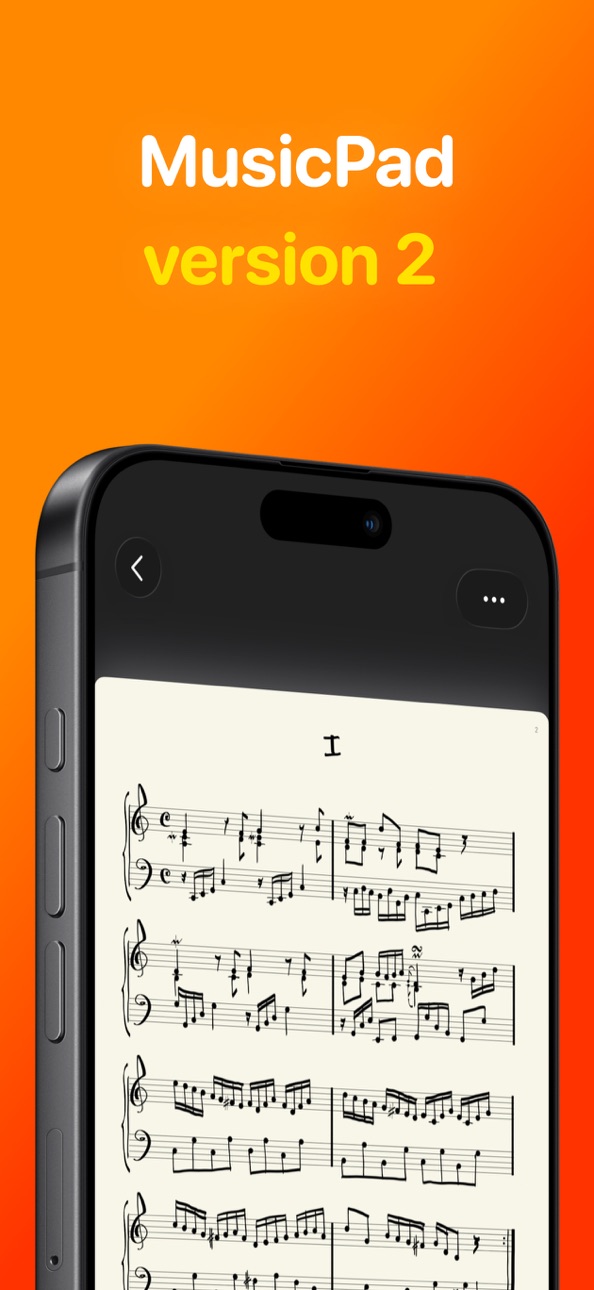
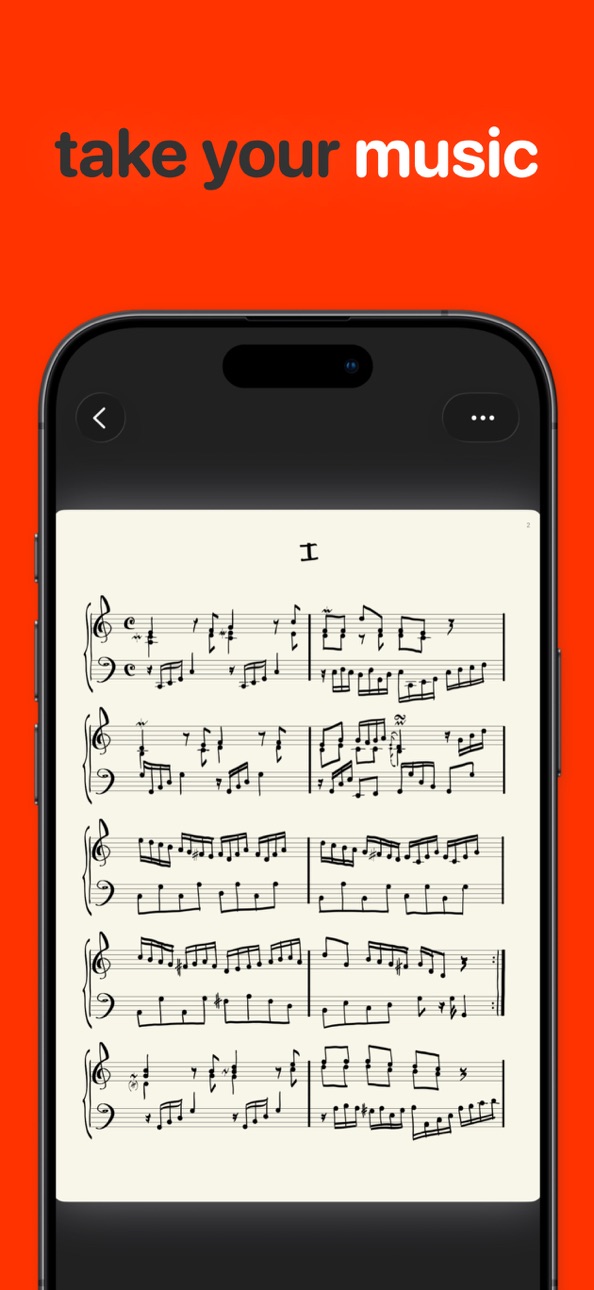
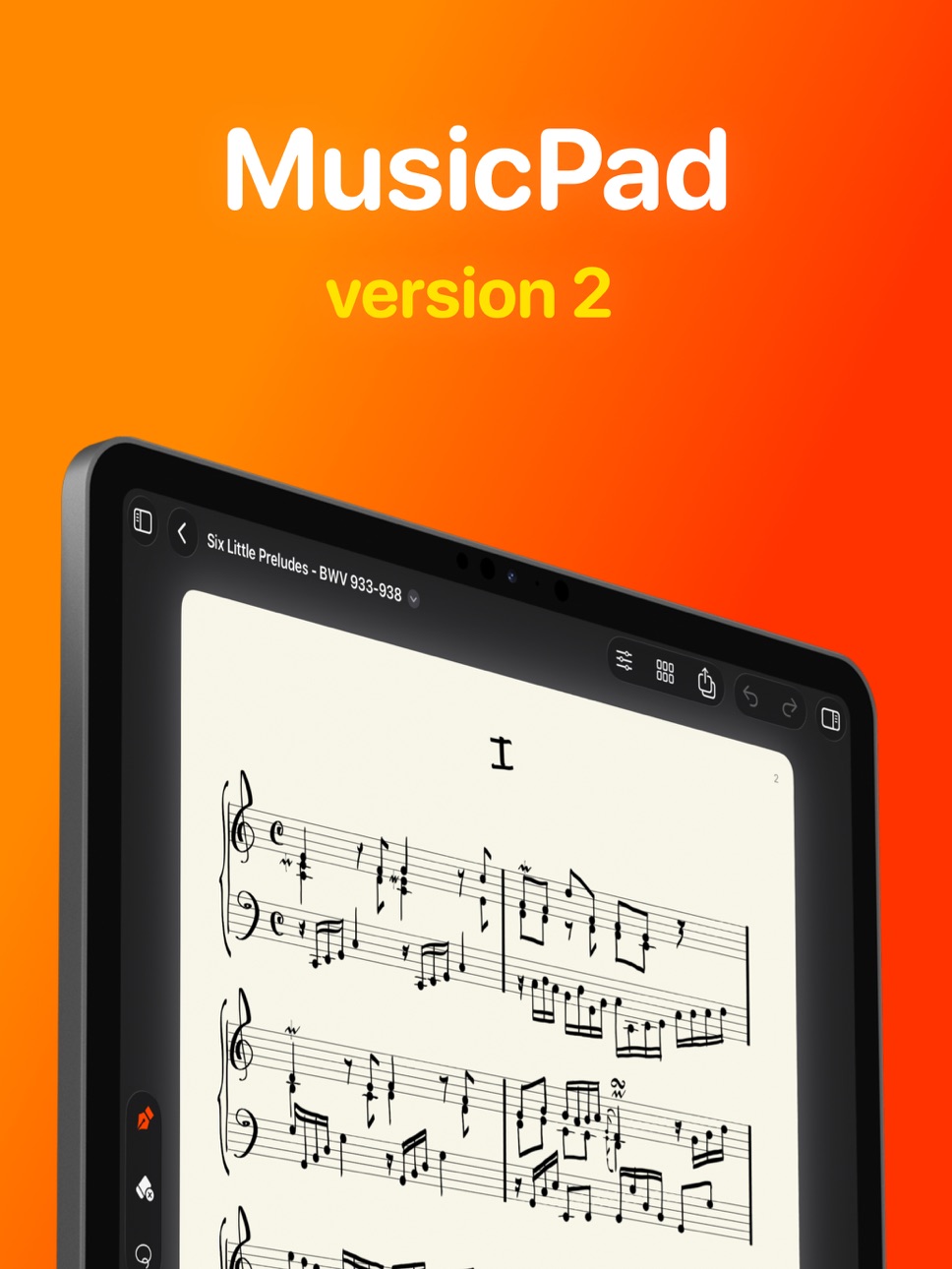
From detailed hand-written scores to fleeting ideas you don’t want to lose, MusicPad is a modern pen-and-paper experience designed specifically for musicians and composers.
— A true handwritten notation
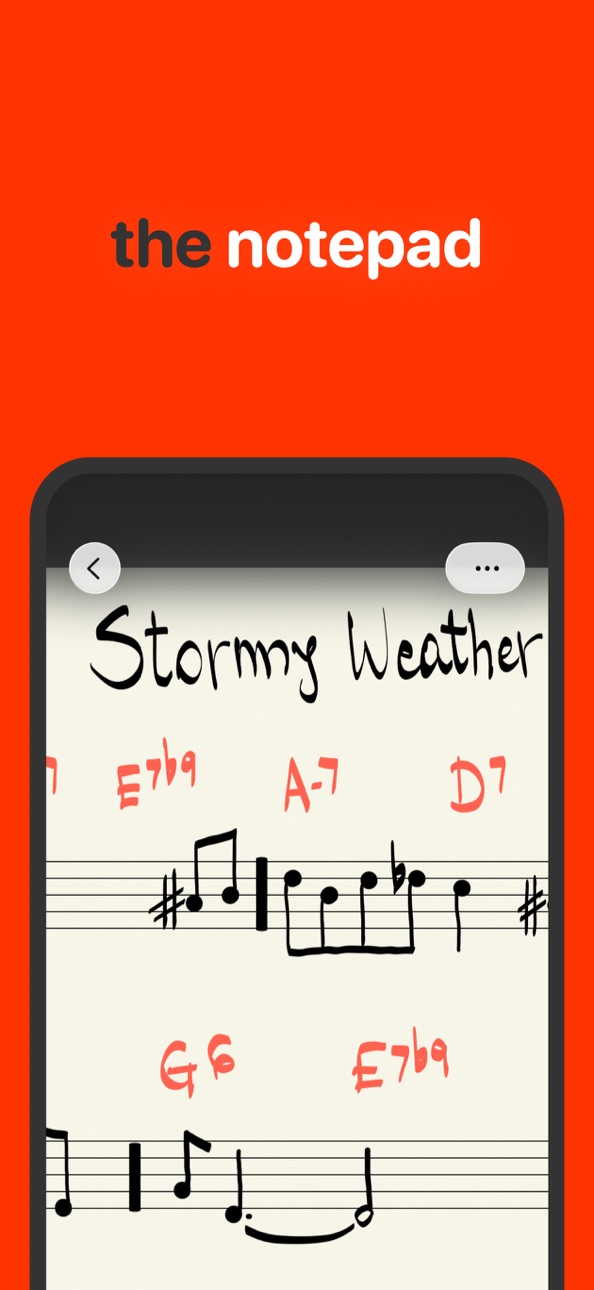
Built on Apple’s PencilKit, MusicPad delivers near-zero latency and natural handwriting — turning your iPad into a real music notebook for sheet music and scoring.
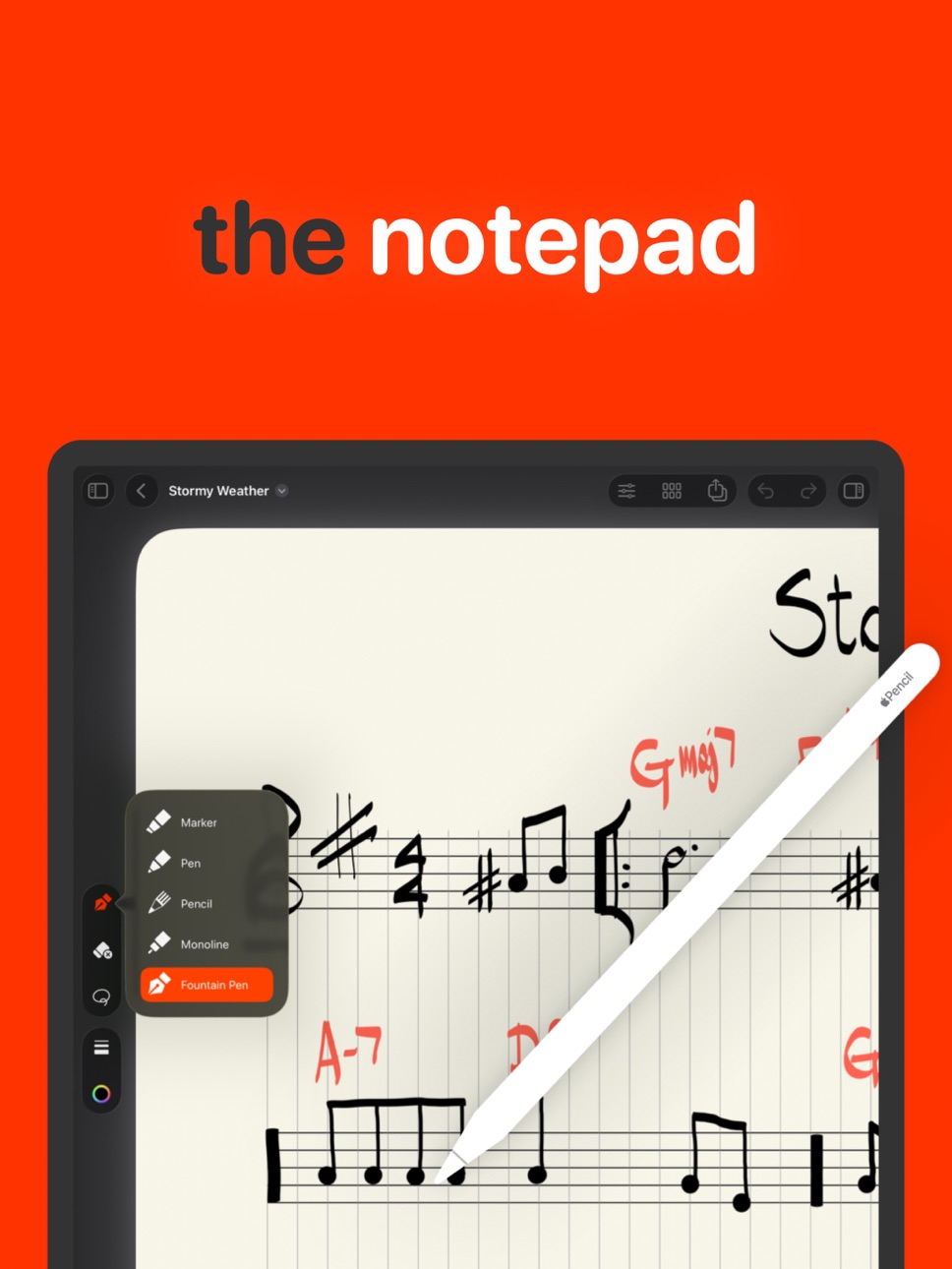
• Handwrite music with Apple Pencil using expressive inks and gesture-based tools
• Solid undo across multiple pages for confident edits
• Redesigned tool picker and smooth vector-based zooming
• On-screen controls for zoom, grid, and gestures
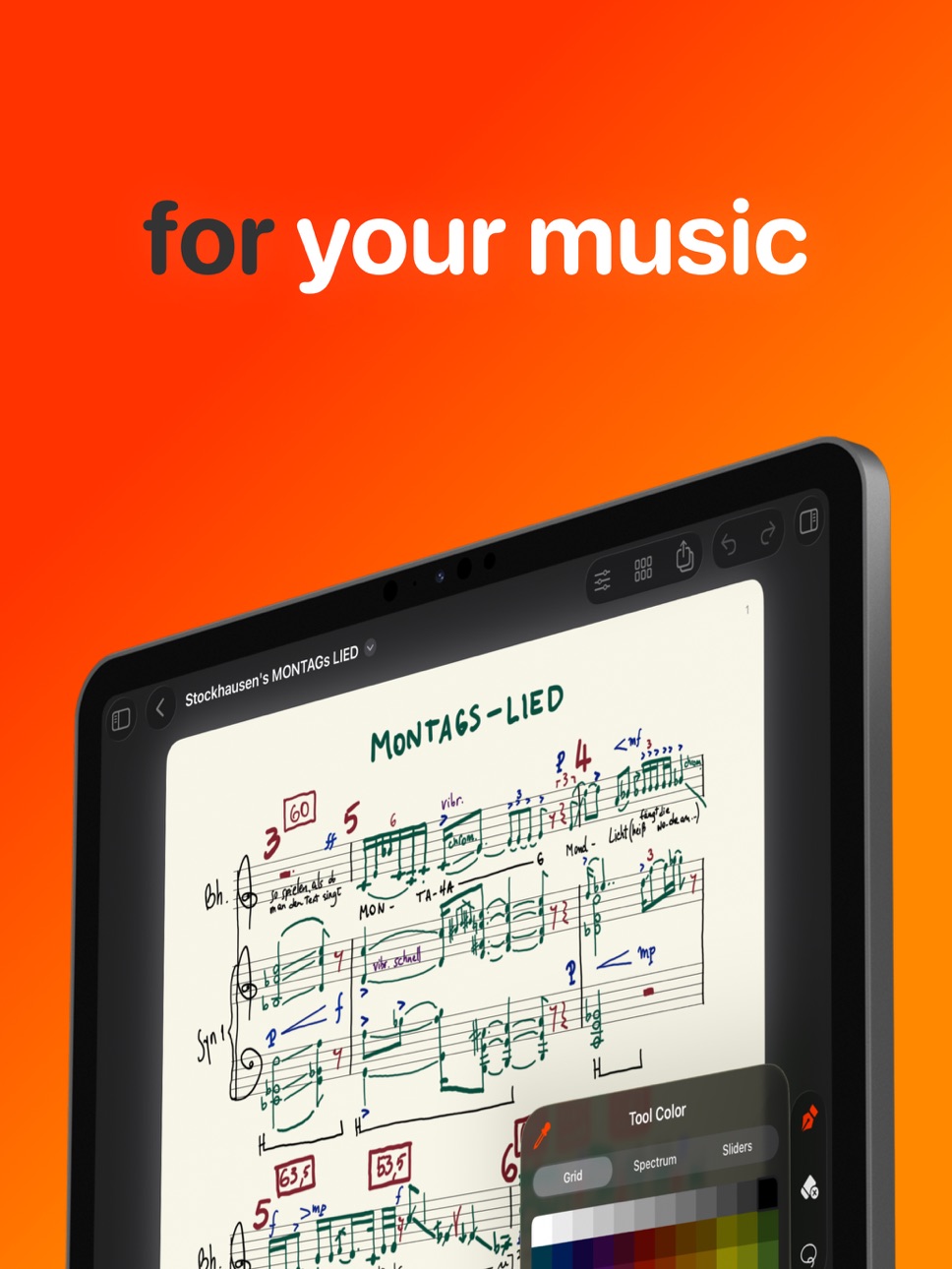
Whether you’re working on classical notation, contemporary scoring, or harmonic exercises, MusicPad adapts to your workflow.
— Pages that adapt to your score
Every composition evolves differently. MusicPad lets each page adapt to your notation style.
• Unlimited notepads with customizable sheet music pages
• Per-page configuration: page size, margins, stave layout, spacing, and visibility
• Show or hide staves — ideal for graphic notation, diagrams, or title pages
• Grouped staves and vertical grid for structured layout and clean engraving
Designed for real composers who value both freedom and clarity.
— Effortless navigation
Navigate your score as naturally as paper and as powerfully as a graphic editor.
• Pinch to zoom, scroll, and swipe between pages
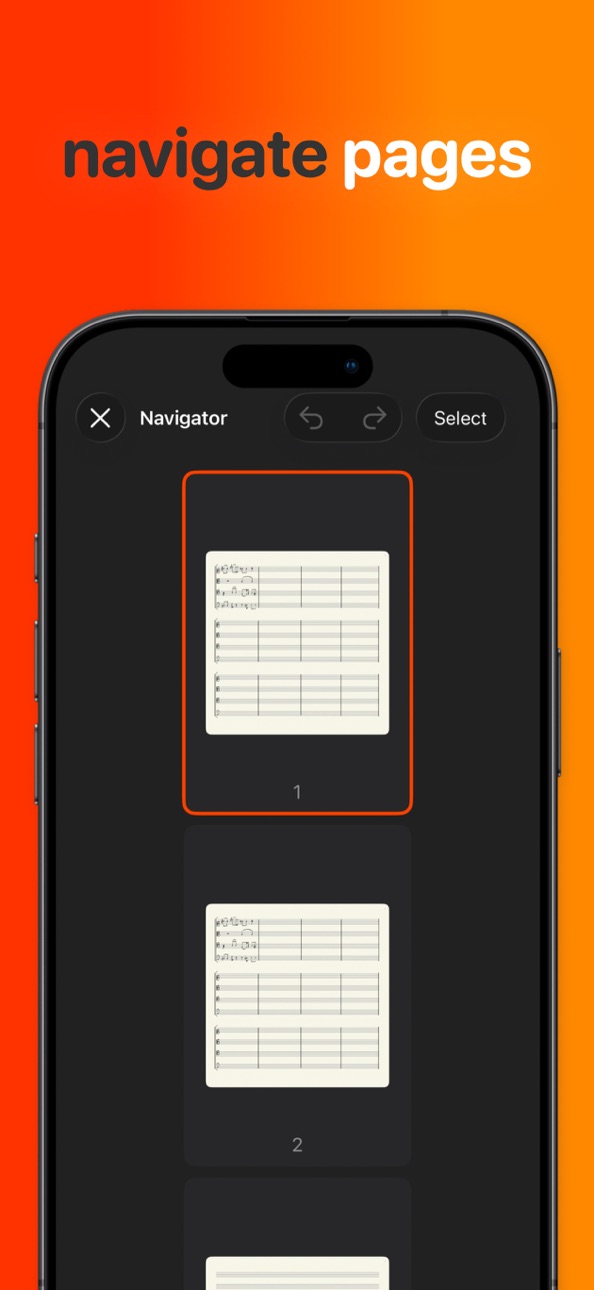
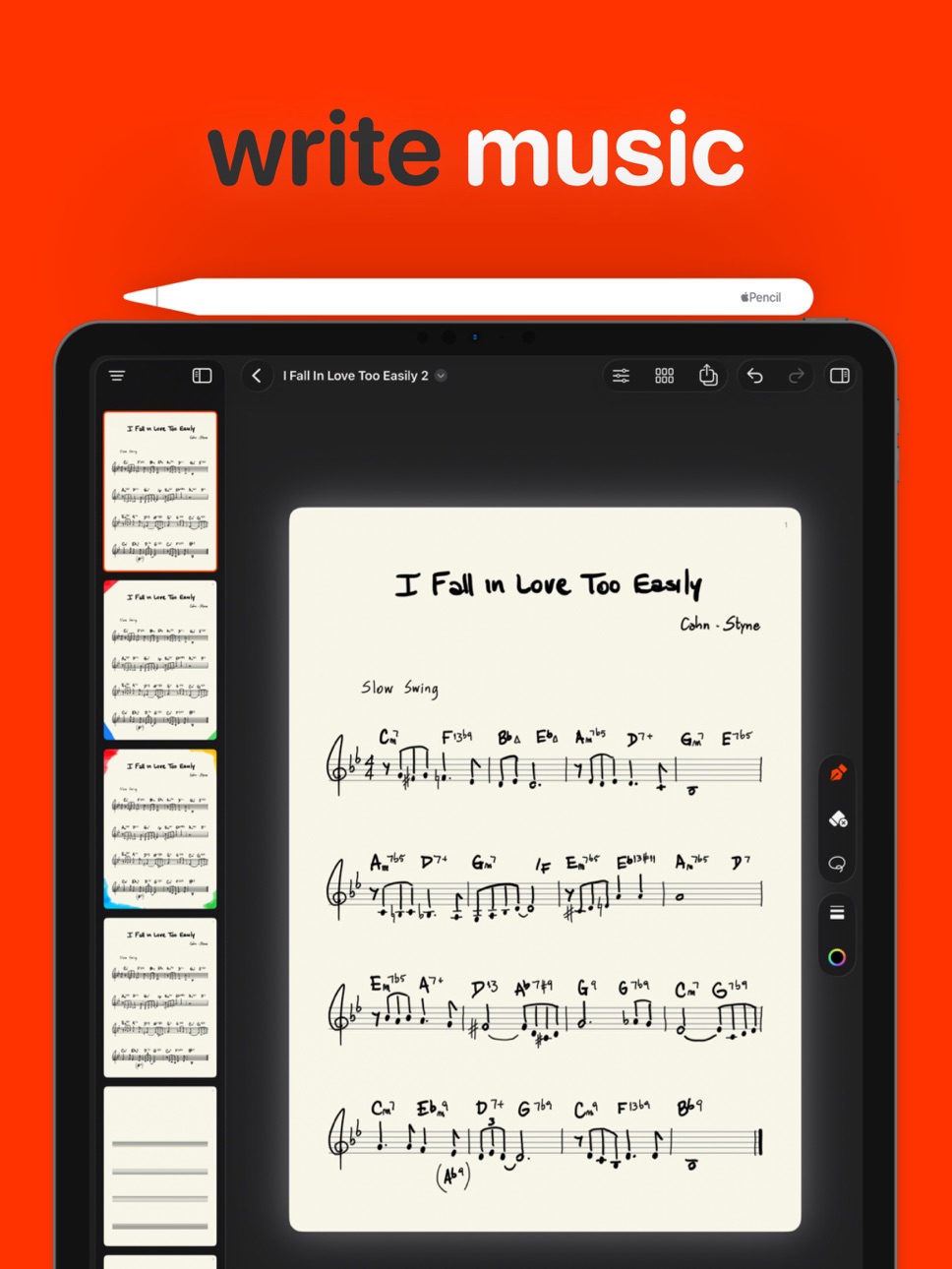
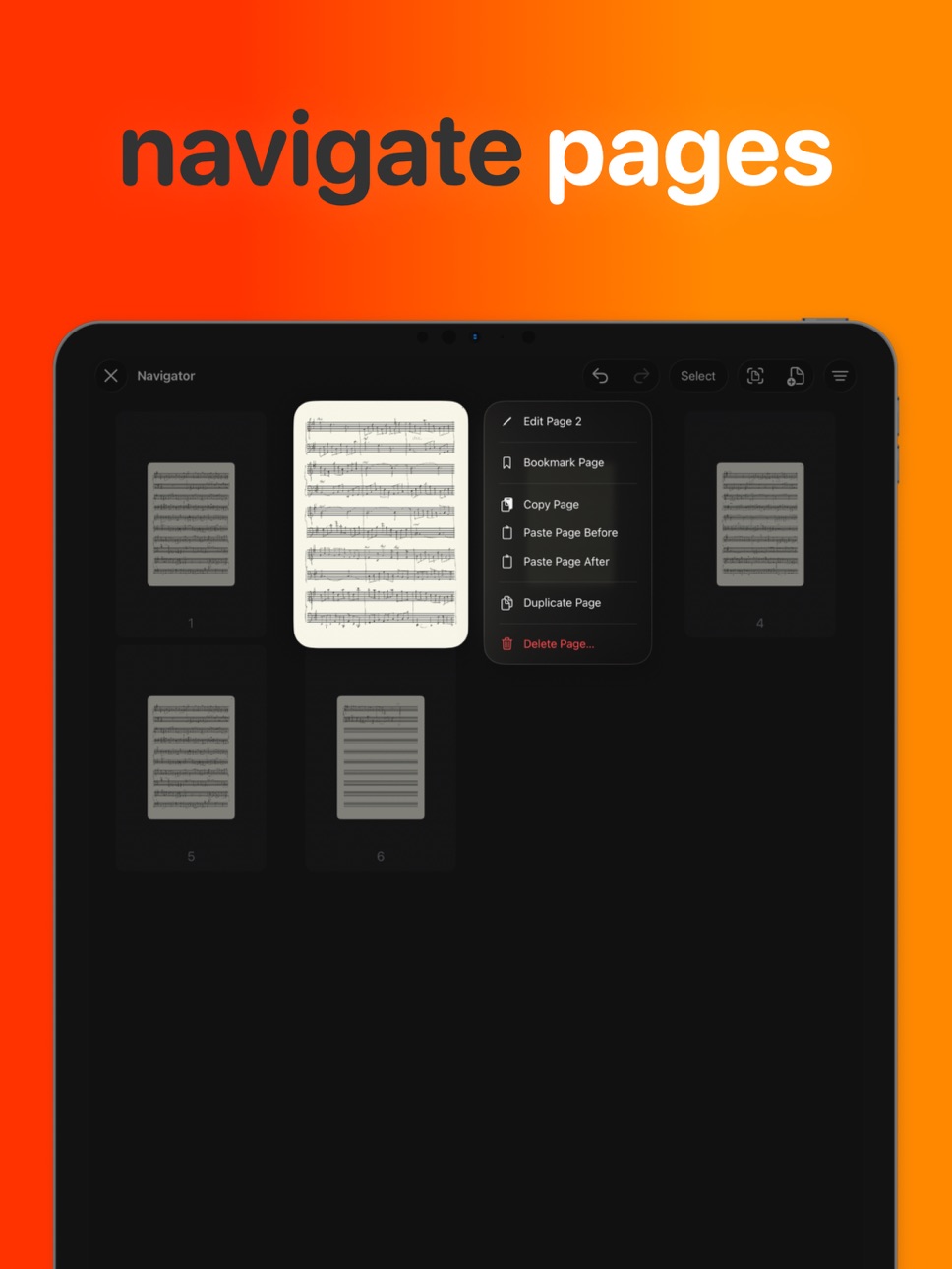
• Navigator to reorder, copy, and paste full pages
• Add multiple pages at once
• Built to support long-form scoring and complex compositions
— Built for the Apple Ecosystem
MusicPad integrates seamlessly with iPadOS and iOS.
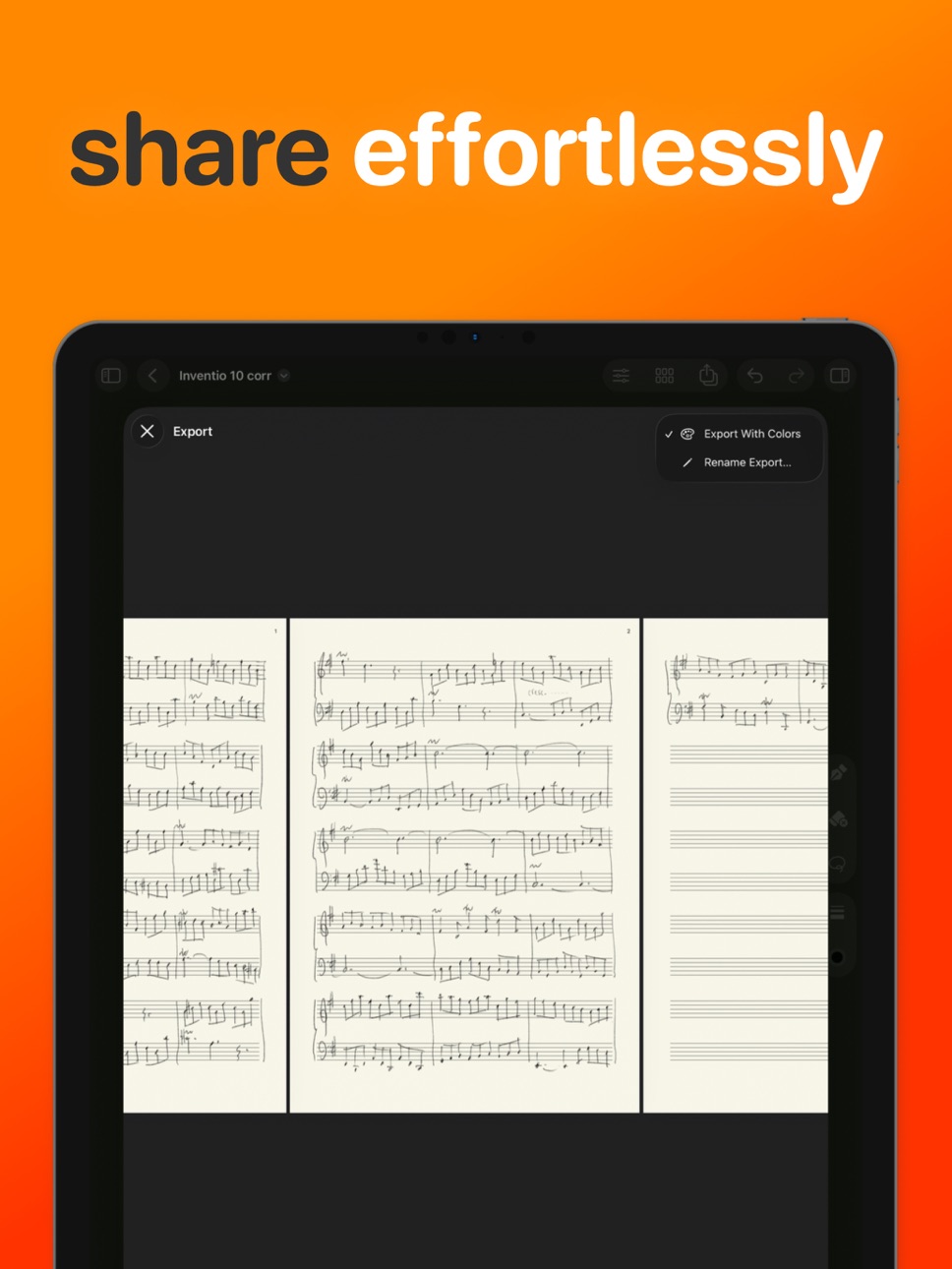
• Export full scores as PDF
• Share MusicPad files with musicians, students, and collaborators
• System-wide page thumbnails for easy file recognition
• Native file system integration with iCloud syncing
• Full support for Apple Pencil Pro, including hover, squeeze, and double-tap
Designed for iPad. Available everywhere.
MusicPad 2.0 is optimized for iPad as your primary writing surface, with iPhone support focused on viewing and page editing.
Please note that writing on the iPhone is not supported.
FREE APP
The free version lets you:
• Create unlimited MusicPad files
• Add up to one page per document
• Access all writing tools
• Sync files across devices with iCloud
UNLOCK ALL FEATURES
Support the ongoing development of MusicPad with a one-time purchase and unlock:
• Unlimited pages
• Full page configuration and navigation
• Export documents as PDF
• Bookmarks, grids, and advanced layout tools
Educational institutions may purchase "MusicPad for Education" without in-app purchases.
For individual purchases please look for "MusicPad – Writing Music".
MusicPad 2.0 runs on iOS and iPadOS 18 or later.
Create music. Simplified.
In-App Purchases CD pricing
One-Time Purchases
Unlock All Features—
Small Tip—
Large Tip—
Extra Large Tip—
Regular Tip—
Capabilities
In-App Purchases
Accessibility
ipadiphonemacrealityDevicetvoswatch
Version history 12 versions
Build 884558224v2.0.22026-04-20 07:50:24
- Various internal fixes
Build 884074585v2.0.12026-04-08 20:56:20
- Improved compatibility with iPadOS 26.4
- Various internal fixes
Build 881573348v2.02026-03-25 07:08:08
MusicPad 2 brings major improvements to writing, navigation, and score organization — built from real composing sessions and community feedback.
— Writing & Tools
• Redesigned Tool Picker for faster access to all writing tools
• Expressive Apple inks for natural handwritten notation
• Improved per-page undo for precise, non-destructive editing
• Smoother vector-based zooming for detailed sheet music work
• On-screen controls for zoom, grid, gestures, and page management
— Navigation & Organization
• Brand new Navigator to browse, reorder, copy, and paste full pages
• Add multiple pages at once for long-form scoring
• Bookmarks for quick access to important sections of your score
• System-wide file thumbnails showing the current page
— Layout & Configuration
• Expanded stave and page configuration options
• Grouped staves for faster formatting
• Optional vertical grids for structured alignment
• Improved page interaction performance
— Workflow & Integration
• Enhanced export options
• Better document management from the title menu
• Full support for Apple Pencil Pro features including hover, squeeze, and double-tap
• Overall workflow refinements and UI polish
Build 878369804v1.4.32025-11-29 09:11:12
FIX: Opening files crash affecting some devices on iPadOS 26.1 is now resolved
Build 878169067v1.4.22025-09-17 11:37:19
FIX: The zoom menu has been re-enabled and the UI zooming glitch has been fixed
Build 878048119v1.4.12025-09-16 11:34:05
FIX: The eraser tool shows up correctly on iOS and iPadOS 26
FIX: Small cosmetic improvements
KNOWN ISSUE: The zoom menu has been temporarily disabled due to a bug affecting some users. As a workaround you can use a pinch finger gesture to zoom in and out on a page. Sorry for the inconvenience. A fix is currently under development.
Build 872625015v1.42025-09-02 10:07:08
New in MusicPad 1.4
– Ads preliminary support for iOS and iPadOS 26
– New cleaner UI: toolbar, zoom and page menus
– New page scrolling experience
– Up to 5x zoom with vector detail rendering
Fixes:
– Previous known issues related to the toolbar and its controls
– Various under-the-hood improvements
Build 870136495v1.3.12024-11-01 19:33:09
New in MusicPad 1.3.1
– Adds preliminary support for 18.1
– Solves an issue on iPadOS 18.x that would render the screen black on document opening
– Prepares for the upcoming MusicPad 2.0 release
Known issues related to 18.x include:
- Transparent toolbar background
- File menu not showing up (re-opening the document solves this issue)
- Toolbar customization resets to showing all buttons
Build 857576146v1.32024-01-18 15:23:04
NEW in MusicPad 1.3:
– Version 1.3 is packed with new features and functionalities: pages are now fully configurable, the UI has been simplified, there are new gestures to interact with, and more enhancements! Check the "What's New" panel for more.
– MusicPad is getting ready for future versions and our new file format allows us to add more features and bring better support for your musicpad files.
HELP & SUPPORT:
To report a bug or tell us about an issue please write to info@musicpad.app or use the available options under "Help & Support" in the file title menu.
Build 855286801v1.22023-03-03 13:32:17
IMPROVED:
– Blazing-fast navigation: pages can now be turned at fast speeds. This works both with the toolbar controls as well as with a 2-finger swipe gesture.
– Zooming experience has been greatly improved.
FIXED:
– Zoom and page position are now correctly saved (and loaded).
– General memory consumption.
Build 854545668v1.12023-02-16 12:28:32
NEW
– We added support for iOS 16.2+, so now MusicPad can run on compatible iPhones.
– You can now use your finger to draw on a page (we still recommend the Apple Pencil on the iPad as a main input device).
– On iPadOS, the main toolbar can now be reordered and customized.
– A new Export window allows you to export either the current or all pages as a PDF and shows a small preview of the PDF as well.
– You can now swipe forwards or backwards with 2 fingers on a page to navigate to the next or previous page respectively.
IMPROVED
– Zoom positioning has been improved and unnecessary animations have been scraped off.
FIXED
– Zoom reset issue on certain device orientations.
– Memory issues when exporting large files.
– Paste contextual menu now appears correctly after a long press on an empty area of the page.
Build 852753016v1.02022-12-31 14:03:53
Price history by region
Currency
Show
Columns
Search
Availability 75 of 75 storefronts
| Region | Language | Price | Ratings | Avg | Version |
|---|---|---|---|---|---|
| US | en-US | Free | 57 | 4.2 | 2.0.2 |
| MX | es-MX | Free | 4 | 4.5 | 2.0.2 |
| AR | es-MX | Free | 1 | 5.0 | 2.0.2 |
| BR | pt-BR | Free | 1 | 4.0 | 2.0.2 |
| CL | es-MX | Free | 1 | 3.0 | 2.0.2 |
| PA | es-MX | Free | 1 | 5.0 | 2.0.2 |
| AG | en-GB | Free | 0 | — | 2.0.2 |
| AI | en-GB | Free | 0 | — | 2.0.2 |
| AO | en-GB | Free | 0 | — | 2.0.2 |
| BB | en-GB | Free | 0 | — | 2.0.2 |
| BF | en-GB | Free | 0 | — | 2.0.2 |
| BJ | en-GB | Free | 0 | — | 2.0.2 |
| BO | es-MX | Free | 0 | — | 2.0.2 |
| BS | en-GB | Free | 0 | — | 2.0.2 |
| BW | en-GB | Free | 0 | — | 2.0.2 |
| BZ | en-GB | Free | 0 | — | 2.0.2 |
| CD | en-GB | Free | 0 | — | 2.0.2 |
| CG | en-GB | Free | 0 | — | 2.0.2 |
| CI | fr-FR | Free | 0 | — | 2.0.2 |
| CM | fr-FR | Free | 0 | — | 2.0.2 |
| CO | es-MX | Free | 0 | — | 2.0.2 |
| CR | es-MX | Free | 0 | — | 2.0.2 |
| CV | en-GB | Free | 0 | — | 2.0.2 |
| DM | en-GB | Free | 0 | — | 2.0.2 |
| DO | es-MX | Free | 0 | — | 2.0.2 |
| DZ | en-GB | Free | 0 | — | 2.0.2 |
| EC | es-MX | Free | 0 | — | 2.0.2 |
| GA | fr-FR | Free | 0 | — | 2.0.2 |
| GD | en-GB | Free | 0 | — | 2.0.2 |
| GH | en-GB | Free | 0 | — | 2.0.2 |
| GM | en-GB | Free | 0 | — | 2.0.2 |
| GT | es-MX | Free | 0 | — | 2.0.2 |
| GW | en-GB | Free | 0 | — | 2.0.2 |
| GY | en-GB | Free | 0 | — | 2.0.2 |
| HN | es-MX | Free | 0 | — | 2.0.2 |
| JM | en-GB | Free | 0 | — | 2.0.2 |
| KE | en-GB | Free | 0 | — | 2.0.2 |
| KN | en-GB | Free | 0 | — | 2.0.2 |
| KY | en-GB | Free | 0 | — | 2.0.2 |
| LC | en-GB | Free | 0 | — | 2.0.2 |
| LR | en-GB | Free | 0 | — | 2.0.2 |
| LY | en-GB | Free | 0 | — | 2.0.2 |
| MA | en-GB | Free | 0 | — | 2.0.2 |
| MG | en-GB | Free | 0 | — | 2.0.2 |
| ML | en-GB | Free | 0 | — | 2.0.2 |
| MS | en-GB | Free | 0 | — | 2.0.2 |
| MU | en-GB | Free | 0 | — | 2.0.2 |
| MW | en-GB | Free | 0 | — | 2.0.2 |
| MZ | en-GB | Free | 0 | — | 2.0.2 |
| NA | en-GB | Free | 0 | — | 2.0.2 |
| NE | en-GB | Free | 0 | — | 2.0.2 |
| NG | en-GB | Free | 0 | — | 2.0.2 |
| NI | es-MX | Free | 0 | — | 2.0.2 |
| PE | es-MX | Free | 0 | — | 2.0.2 |
| PY | es-MX | Free | 0 | — | 2.0.2 |
| RW | en-GB | Free | 0 | — | 2.0.2 |
| SC | en-GB | Free | 0 | — | 2.0.2 |
| SL | en-GB | Free | 0 | — | 2.0.2 |
| SN | en-GB | Free | 0 | — | 2.0.2 |
| SR | en-GB | Free | 0 | — | 2.0.2 |
| ST | en-GB | Free | 0 | — | 2.0.2 |
| SV | es-MX | Free | 0 | — | 2.0.2 |
| SZ | en-GB | Free | 0 | — | 2.0.2 |
| TC | en-GB | Free | 0 | — | 2.0.2 |
| TD | en-GB | Free | 0 | — | 2.0.2 |
| TN | en-GB | Free | 0 | — | 2.0.2 |
| TT | en-GB | Free | 0 | — | 2.0.2 |
| TZ | en-GB | Free | 0 | — | 2.0.2 |
| UG | en-GB | Free | 0 | — | 2.0.2 |
| UY | en-GB | Free | 0 | — | 2.0.2 |
| VC | en-GB | Free | 0 | — | 2.0.2 |
| VE | es-MX | Free | 0 | — | 2.0.2 |
| VG | en-GB | Free | 0 | — | 2.0.2 |
| ZM | en-GB | Free | 0 | — | 2.0.2 |
| ZW | en-GB | Free | 0 | — | 2.0.2 |
Change log 16 changes · CD
✎
releaseNotes updated
- Various internal fixes
✎
description updated
From detailed hand-written scores to fleeting ideas you don’t want to lose, MusicPad is a modern pen-and-paper experience designed specifically for musicians an
✎
subtitle updated
Write, compose & score music
✎
name updated
MusicPad – Music Writing
◆
Version 2.0.2 released
- Various internal fixes
◆
Version 2.0.1 released
- Improved compatibility with iPadOS 26.4
- Various internal fixes
◆
Version 2.0 released
MusicPad 2 brings major improvements to writing, navigation, and score organization — built from real composing sessions and community feedback.
— Writing & Tools
• Redesigned Tool Picker for faster access to all writing tools
• Expressive
◆
Version 1.4.3 released
FIX: Opening files crash affecting some devices on iPadOS 26.1 is now resolved
◆
Version 1.4.2 released
FIX: The zoom menu has been re-enabled and the UI zooming glitch has been fixed
◆
Version 1.4.1 released
FIX: The eraser tool shows up correctly on iOS and iPadOS 26
FIX: Small cosmetic improvements
KNOWN ISSUE: The zoom menu has been temporarily disabled due to a bug affecting some users. As a workaround you can use a pinch finger gesture to
◆
Version 1.4 released
New in MusicPad 1.4
– Ads preliminary support for iOS and iPadOS 26
– New cleaner UI: toolbar, zoom and page menus
– New page scrolling experience
– Up to 5x zoom with vector detail rendering
Fixes:
– Previous known issues related to the t
◆
Version 1.3.1 released
New in MusicPad 1.3.1
– Adds preliminary support for 18.1
– Solves an issue on iPadOS 18.x that would render the screen black on document opening
– Prepares for the upcoming MusicPad 2.0 release
Known issues related to 18.x include:
- Tra
◆
Version 1.3 released
NEW in MusicPad 1.3:
– Version 1.3 is packed with new features and functionalities: pages are now fully configurable, the UI has been simplified, there are new gestures to interact with, and more enhancements! Check the "What's New" panel f
◆
Version 1.2 released
IMPROVED:
– Blazing-fast navigation: pages can now be turned at fast speeds. This works both with the toolbar controls as well as with a 2-finger swipe gesture.
– Zooming experience has been greatly improved.
FIXED:
– Zoom and page positi
◆
Version 1.1 released
NEW
– We added support for iOS 16.2+, so now MusicPad can run on compatible iPhones.
– You can now use your finger to draw on a page (we still recommend the Apple Pencil on the iPad as a main input device).
– On iPadOS, the main toolbar can
◆
Version 1.0 released