Home › Business

 US
US
USen-US CDen-GB
 BRpt-BR
 MXes-MX
 AOen-GB
 GWen-GB
 NGen-GB
 ZWen-GB
 COes-MX
 CVen-GB
 MAen-GB
 SNen-GB
 SRen-GB
 AGen-GB
 AIen-GB
 ARes-MX
 BBen-GB
 BFen-GB
 BJen-GB
 BSen-GB
 BWen-GB
 BZen-GB
 CGen-GB
 CIfr-FR
 CLes-MX
 CMfr-FR
 DMen-GB
 DZen-GB
 ECes-MX
 GAfr-FR
 GDen-GB
 GHen-GB
 GMen-GB
 GYen-GB
 KEen-GB
 KNen-GB
 KYen-GB
 LCen-GB
 LRen-GB
 LYen-GB
 MGen-GB
 MLen-GB
 MSen-GB
 MUen-GB
 MWen-GB
 MZen-GB
 NAen-GB
 NEen-GB
 PEes-MX
 PYes-MX
 RWen-GB
 SCen-GB
 SLen-GB
 STen-GB
 SZen-GB
 TCen-GB
 TDen-GB
 TNen-GB
 TTen-GB
 TZen-GB
 UGen-GB
 UYen-GB
 VCen-GB
 VGen-GB
 ZMen-GB
 VENot Available
65 of 66 storefronts
Content in en-US
Content in en-US
Information
Preview 1 platform
iPhone 10 images




What’s New Version 2.3.2
- Faster document scanning
- Document file sizes reduced by 4–5 times without any loss of quality
- Documents save and open 4–5 times faster
- Faster document conversion
- Faster document sending
Description
Welcome to Scanius Pro, your ultimate solution for effortless document scanning on the go! Say goodbye to bulky scanners and messy paperwork, as Scanius Pro transforms your smartphone into a powerful portable scanner. Whether you're digitizing receipts or contracts Scanius Pro simplifies the process, ensuring crisp, clear scans with just a few taps. Scanning, editing, signing, and sharing multipage documents in high-quality PDF, JPEG, PNG formats has never been easier.
INSTANT SCANNING
With Scanius Pro, capture documents in seconds. Simply point your camera, and Scanius Pro automatically detects edges, enhances image quality, and produces high-resolution scans. Scan quickly and smoothly:
- Business documents, agreements, letters, invoices, order sheets;
- Paper notes and sketches so they are always at hand;
- Rent payments, credit notes, invoices, or any other printed documents.
AI FUNCTIONS WITH GPT-5.1
- Work with text. Edit, summarize, reduce, enlarge, rephrase, and paraphrase.
- Translate text into any language in one click.
- Convert documents to pdf, png, jpg, docx, pptx, txt, xml, txt, json and more.
- Use assistants: study, work, horoscope, health, sports, etc.
CONVERT SCANNED DOCS TO VARIOUS FORMATS
- Convert pdf to other docs: docx, pptx and xlsx
- Convert pdf to images: png and jpg
AUTO-CROP & PERSPECTIVE CORRECTION
No need to worry about aligning your documents perfectly. Our intelligent algorithms automatically crop and correct perspective, delivering professional-looking scans every time.
OCR - OPTICAL CHARACTER RECOGNITION
Transform scanned documents into editable text with OCR feature. Easily extract text from scans, making it convenient to search, copy, and edit your documents.
- Extract and modify text from books, invoices, scans, and more;
- Both printed and handwritten text are automatically detected;
- Translate recognized text.
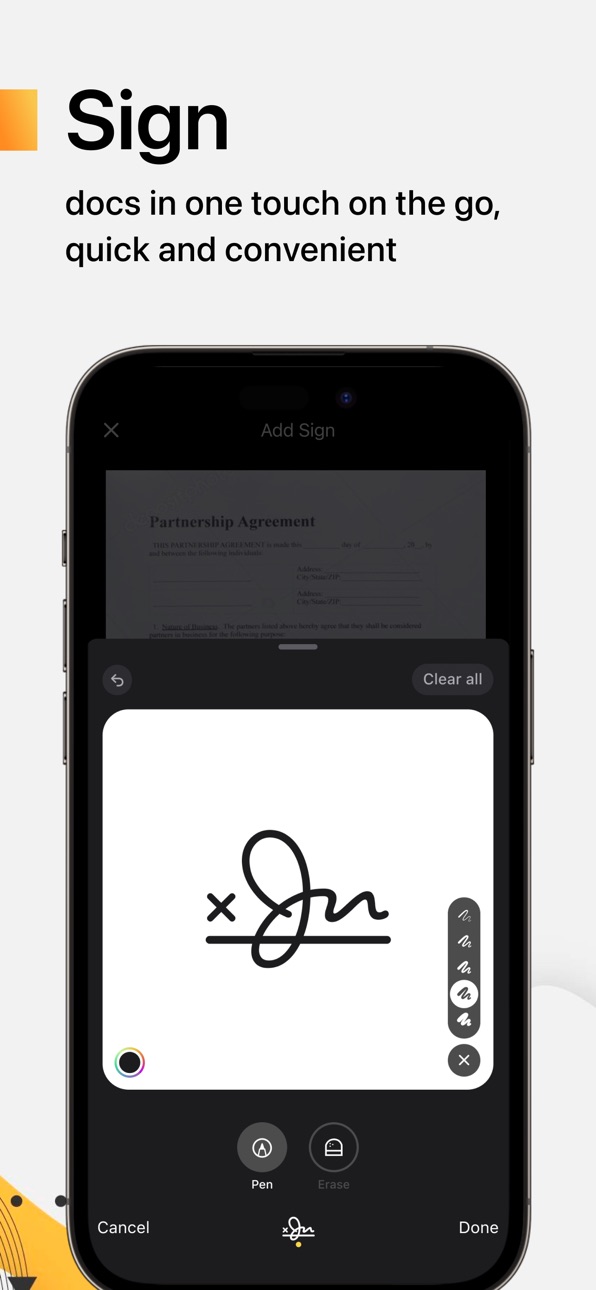
SIGN SCANS IN THE APP
E-Sign scanned documents directly on your device:
- Create one or multiple signatures within the app;
- Easily add them to any scanned pages with a single tap.
MULTI-PAGE SCANNING
Effortlessly scan multiple pages into a single document. Scanius Pro streamlines the process, allowing you to add pages seamlessly to create comprehensive PDFs.
CUSTOMIZABLE SETTINGS
Tailor Scanius Pro to suit your preferences with customizable settings. Adjust resolution, file format, and other parameters to meet your specific scanning needs.
SECURE SHARING
Share your scans securely with password protected sharing feature. Send documents via email, messaging apps, or directly to colleagues and clients, knowing your data is protected.
- Email or messaging in PDF, JPEG, or PNG formats, or save directly to Photos;
- Export to Dropbox, Google Drive, or open in any third-party application.
ORGANIZATIONAL TOOLS
Keep your scanned documents organized with Scanius Pro's intuitive file management system. Create folders and easily locate your documents for quick access.
Scanius Pro is essential for remote workers, students, professionals in various industries such as accounting, real estate, management, and law. Effortlessly digitize essential documents including contracts, tax forms, tickets, receipts, handwritten notes, and assignments, then export them in PDF, JPG, PNG formats.
SCANIUS PRO
- Subscribe to access Pro features of the app. Payment will be charged upon purchase confirmation.
- A free trial period is available with the subscription, which automatically extends to a paid subscription after the trial period ends.
- Subscriptions automatically renew 24 hours before the expiration date. You can cancel the free trial or subscription at any time in the account settings on the App Store.
Privacy Policy: https://scaniusapp.com/privacy
Terms of Use: https://scaniusapp.com/terms
Your feedback matters! Share your thoughts by leaving a review to assist us make Scanius Pro better. And feel free to contact us support@scaniusapp.com
In-App Purchases US pricing
All access Subscription
(yearly) · Yearly$49.99
Scanius Pro (All access) · 7 days 3-day free trial$4.99
Scanius Pro (All access) · 6 months$24.99
Scanius Pro (All access) · 7 days 3-day free trial$6.99
Scanius Pro (All access) · Monthly 3-day free trial$6.99
Scanius Pro (All access) · Monthly 3-day free trial$4.99
(monthly) · Monthly 3-day free trial$9.99
(weekly) · 7 days 3-day free trial$9.99
(year) · Yearly 3-day free trial$59.99
Capabilities
In-App Purchases
Accessibility
ipadiphonemacrealityDevicetvoswatch
Version history 25 versions
Build 884249467v2.3.22026-04-12 05:13:19
- Faster document scanning
- Document file sizes reduced by 4–5 times without any loss of quality
- Documents save and open 4–5 times faster
- Faster document conversion
- Faster document sending
Build 880886356v2.3.12026-03-14 21:44:26
- Added support for liquid glass.
- Fixed minor bugs.
Build 874923673v2.3.02025-06-18 14:06:37
The converter is now in Scanius!
You can now convert pdf document to docx, xlsx, pptx, txt, png and jpg. And then share it in any convenient way.
Build 874686181v2.2.02025-05-19 22:28:45
Now you can send scanned PDF documents directly to AI chat. You can also send a photo from the gallery or a snapshot from the camera.
You can also recognize text from a document with AI and continue working with it without leaving the chat.
Thank you for your support!
Build 873586283v2.1.12025-03-27 16:39:59
Bug fixes and minor improvements.
Build 873096665v2.1.02025-03-11 16:14:37
Added working with the document using AI. Send a scanned document to chat and translate, summarize, abbreviate, rewrite and more.
Build 872287073v2.0.32025-02-10 19:33:53
Fixed minor bugs.
Build 871480719v2.0.22025-02-04 19:58:05
Fixed minor bugs.
Build 870871471v2.0.12024-12-05 09:08:32
Small improvements to AI chat.
Build 869650696v2.0.02024-11-05 21:24:32
Big update!
We have added gpt-4o based AI.
- Work with text. Summarize, reduce, enlarge, rewrite and retell.
- Translate your document into any language.
- Convert your documents to txt, docx, pptx, pdf, xlsx, json, xml and other formats.
- Ask questions about your text or create a new one.
- Write code and edit code in all programming languages.
- Use assistants: finance, horoscope, health, work, study and more.
Build 869185913v1.2.92024-09-24 20:28:02
Fixing minor bugs.
Build 868615458v1.2.82024-09-16 09:58:07
- Fixed a bug with applying a filter when scanning a document with multiple pages.
- Removed watermarks in the free version.
- Fixed a bug with trial activation for some users.
- Fixed a bug with a second banner appearing after scanning a document in the free version.
- Changed the colour of the Share icon to make it more visible.
- Fixed a bug with enabling the camera on the iPad.
Thank you for using Scanius.
Build 868051574v1.2.72024-08-21 01:38:13
- Fixed a serious bug that made it impossible to scan more than one document.
- Fixed a bug where the application hangs after opening if there is no internet access.
- Stability improvement.
Thank you for writing to us about bugs to support.
Build 867119156v1.2.62024-07-15 22:14:30
Small interface improvements and bug fixes.
Build 866617909v1.2.52024-06-11 21:57:36
The original name of the Scanius app has been returned.
Build 866248711v1.2.42024-06-09 12:12:51
We've sped up the application considerably.
- The document is saved 5-7 times faster after scanning.
- The document is opened 3-4 times faster.
- The document is prepared for mailing about 5 times faster.
It is important for us that the application works as fast as possible on all devices. That's why we improve its performance all the time in addition to adding new features.
Thank you for your trust.
Build 866049168v1.2.32024-05-21 07:46:27
Updated the welcome screen and improved the stability of the app.
Build 865689833v1.2.22024-05-06 08:51:47
Fixed a small bug related to cache.
Build 865688980v1.2.12024-05-05 05:36:07
Fixed minor bugs and added diplinks.
Build 865092039v1.2.02024-04-30 12:39:54
We've added form filling in pdf documents!
Import documents into the app and quickly fill in text entry fields. Save and mail the document!
We also improved the performance of the app and fixed some bugs. For example, when the preview of a document with a signature was displayed incorrectly.
Thank you for your support.
Build 864833702v1.1.82024-03-31 11:15:57
Minor updates.
Build 864736675v1.1.72024-03-27 02:39:27
Minor fixes.
Build 864507440v1.1.62024-03-18 03:15:18
Minor updates.
Build 864139620v1.1.52024-03-09 00:02:03
Small UI improvements.
Build 864014919v1.1.42024-02-27 08:13:42
Minor UI improvements.
Price history by region
Currency
Show
Columns
Search
Availability 65 of 66 storefronts
| Region | Language | Price | Ratings | Avg | Version |
|---|---|---|---|---|---|
| US | en-US | Free | 478 | 4.7 | 2.3.2 |
| CD | en-GB | Free | 4 | 4.5 | 2.3.2 |
| BR | pt-BR | Free | 3 | 5.0 | 2.3.2 |
| MX | es-MX | Free | 3 | 2.3 | 2.3.2 |
| AO | en-GB | Free | 2 | 3.5 | 2.3.2 |
| GW | en-GB | Free | 2 | 5.0 | 2.3.2 |
| NG | en-GB | Free | 2 | 3.5 | 2.3.2 |
| ZW | en-GB | Free | 2 | 5.0 | 2.3.2 |
| CO | es-MX | Free | 1 | 5.0 | 2.3.2 |
| CV | en-GB | Free | 1 | 5.0 | 2.3.2 |
| MA | en-GB | Free | 1 | 1.0 | 2.3.2 |
| SN | en-GB | Free | 1 | 5.0 | 2.3.2 |
| SR | en-GB | Free | 1 | 5.0 | 2.3.2 |
| AG | en-GB | Free | 0 | — | 2.3.2 |
| AI | en-GB | Free | 0 | — | 2.3.2 |
| AR | es-MX | Free | 0 | — | 2.3.2 |
| BB | en-GB | Free | 0 | — | 2.3.2 |
| BF | en-GB | Free | 0 | — | 2.3.2 |
| BJ | en-GB | Free | 0 | — | 2.3.2 |
| BS | en-GB | Free | 0 | — | 2.3.2 |
| BW | en-GB | Free | 0 | — | 2.3.2 |
| BZ | en-GB | Free | 0 | — | 2.3.2 |
| CG | en-GB | Free | 0 | — | 2.3.2 |
| CI | fr-FR | Free | 0 | — | 2.3.2 |
| CL | es-MX | Free | 0 | — | 2.3.2 |
| CM | fr-FR | Free | 0 | — | 2.3.2 |
| DM | en-GB | Free | 0 | — | 2.3.2 |
| DZ | en-GB | Free | 0 | — | 2.3.2 |
| EC | es-MX | Free | 0 | — | 2.3.2 |
| GA | fr-FR | Free | 0 | — | 2.3.2 |
| GD | en-GB | Free | 0 | — | 2.3.2 |
| GH | en-GB | Free | 0 | — | 2.3.2 |
| GM | en-GB | Free | 0 | — | 2.3.2 |
| GY | en-GB | Free | 0 | — | 2.3.2 |
| KE | en-GB | Free | 0 | — | 2.3.2 |
| KN | en-GB | Free | 0 | — | 2.3.2 |
| KY | en-GB | Free | 0 | — | 2.3.2 |
| LC | en-GB | Free | 0 | — | 2.3.2 |
| LR | en-GB | Free | 0 | — | 2.3.2 |
| LY | en-GB | Free | 0 | — | 2.3.2 |
| MG | en-GB | Free | 0 | — | 2.3.2 |
| ML | en-GB | Free | 0 | — | 2.3.2 |
| MS | en-GB | Free | 0 | — | 2.3.2 |
| MU | en-GB | Free | 0 | — | 2.3.2 |
| MW | en-GB | Free | 0 | — | 2.3.2 |
| MZ | en-GB | Free | 0 | — | 2.3.2 |
| NA | en-GB | Free | 0 | — | 2.3.2 |
| NE | en-GB | Free | 0 | — | 2.3.2 |
| PE | es-MX | Free | 0 | — | 2.3.2 |
| PY | es-MX | Free | 0 | — | 2.3.2 |
| RW | en-GB | Free | 0 | — | 2.3.2 |
| SC | en-GB | Free | 0 | — | 2.3.2 |
| SL | en-GB | Free | 0 | — | 2.3.2 |
| ST | en-GB | Free | 0 | — | 2.3.2 |
| SZ | en-GB | Free | 0 | — | 2.3.2 |
| TC | en-GB | Free | 0 | — | 2.3.2 |
| TD | en-GB | Free | 0 | — | 2.3.2 |
| TN | en-GB | Free | 0 | — | 2.3.2 |
| TT | en-GB | Free | 0 | — | 2.3.2 |
| TZ | en-GB | Free | 0 | — | 2.3.2 |
| UG | en-GB | Free | 0 | — | 2.3.2 |
| UY | en-GB | Free | 0 | — | 2.3.2 |
| VC | en-GB | Free | 0 | — | 2.3.2 |
| VG | en-GB | Free | 0 | — | 2.3.2 |
| ZM | en-GB | Free | 0 | — | 2.3.2 |
Not available in: VE
Change log 29 changes · US
✎
releaseNotes updated
- Faster document scanning
- Document file sizes reduced by 4–5 times without any loss of quality
- Documents save and open 4–5 times faster
- Faster document c
✎
description updated
Welcome to Scanius Pro, your ultimate solution for effortless document scanning on the go! Say goodbye to bulky scanners and messy paperwork, as Scanius Pro tra
✎
subtitle updated
Scan PDF Documents & Converter
✎
name updated
Doc Scanner PDF, Convert & OCR
◆
Version 2.3.2 released
- Faster document scanning
- Document file sizes reduced by 4–5 times without any loss of quality
- Documents save and open 4–5 times faster
- Faster document conversion
- Faster document sending
◆
Version 2.3.1 released
- Added support for liquid glass.
- Fixed minor bugs.
◆
Version 2.3.0 released
The converter is now in Scanius!
You can now convert pdf document to docx, xlsx, pptx, txt, png and jpg. And then share it in any convenient way.
◆
Version 2.2.0 released
Now you can send scanned PDF documents directly to AI chat. You can also send a photo from the gallery or a snapshot from the camera.
You can also recognize text from a document with AI and continue working with it without leaving the chat
◆
Version 2.1.1 released
Bug fixes and minor improvements.
◆
Version 2.1.0 released
Added working with the document using AI. Send a scanned document to chat and translate, summarize, abbreviate, rewrite and more.
◆
Version 2.0.3 released
Fixed minor bugs.
◆
Version 2.0.2 released
Fixed minor bugs.
◆
Version 2.0.1 released
Small improvements to AI chat.
◆
Version 2.0.0 released
Big update!
We have added gpt-4o based AI.
- Work with text. Summarize, reduce, enlarge, rewrite and retell.
- Translate your document into any language.
- Convert your documents to txt, docx, pptx, pdf, xlsx, json, xml and other form
◆
Version 1.2.9 released
Fixing minor bugs.
◆
Version 1.2.8 released
- Fixed a bug with applying a filter when scanning a document with multiple pages.
- Removed watermarks in the free version.
- Fixed a bug with trial activation for some users.
- Fixed a bug with a second banner appearing after scanning a
◆
Version 1.2.7 released
- Fixed a serious bug that made it impossible to scan more than one document.
- Fixed a bug where the application hangs after opening if there is no internet access.
- Stability improvement.
Thank you for writing to us about bugs to sup
◆
Version 1.2.6 released
Small interface improvements and bug fixes.
◆
Version 1.2.5 released
The original name of the Scanius app has been returned.
◆
Version 1.2.4 released
We've sped up the application considerably.
- The document is saved 5-7 times faster after scanning.
- The document is opened 3-4 times faster.
- The document is prepared for mailing about 5 times faster.
It is important for us that t
◆
Version 1.2.3 released
Updated the welcome screen and improved the stability of the app.
◆
Version 1.2.2 released
Fixed a small bug related to cache.
◆
Version 1.2.1 released
Fixed minor bugs and added diplinks.
◆
Version 1.2.0 released
We've added form filling in pdf documents!
Import documents into the app and quickly fill in text entry fields. Save and mail the document!
We also improved the performance of the app and fixed some bugs. For example, when the preview of
◆
Version 1.1.8 released
Minor updates.
◆
Version 1.1.7 released
Minor fixes.
◆
Version 1.1.6 released
Minor updates.
◆
Version 1.1.5 released
Small UI improvements.
◆
Version 1.1.4 released
Minor UI improvements.