Home › Reference

 JP
JP
 USen-US
 MXes-MX
 BRpt-BR
 CAen-CA
 PHen-GB
 AUen-AU
 CLes-MX
 GBen-GB
 NZen-AU
 PEes-MX
 FRfr-FR
 GTes-MX
 TWzh-Hant-TWJPja
 HNes-MX
 DOes-MX
 ECes-MX
 COes-MX
 GHen-GB
 ARes-MX
 ESes-ES
 DEde-DE
 NGen-GB
 ZAen-GB
 KRko
KRko UYen-GB
 ITit
ITit RUru
RUru CRes-MX
 CHde-CH
 BOes-MX
 PTpt-PT
 PAes-MX
 SVes-MX
 VEes-MX
 HKzh-Hant-HK
 PYes-MX
 SEsv
SEsv THen-GB
 INen-GB
 AEen-GB
 CDen-GB
 CIfr-FR
 IDen-GB
 NIes-MX
 NOen-GB
 TOen-GB
 UAen-GB
 VNen-GB
 FIen-GB
 MNen-GB
 NLnl
NLnl SLen-GB
 ATde-DE
 KHen-GB
 BEen-GB
 CVen-GB
 TRen-GB
 CGen-GB
 FJen-GB
 IEen-GB
 MYen-GB
 QAen-GB
 SGen-GB
 ZWen-GB
 AOen-GB
 ALen-GB
 DKen-GB
 MZen-GB
 UGen-GB
 BFen-GB
 JMen-GB
 KWen-GB
 PKen-GB
 BWen-GB
 CMfr-FR
 CZen-GB
 HUen-GB
 KEen-GB
 MGen-GB
 SAen-GB
 AMen-GB
 BGen-GB
 BJen-GB
 FMen-GB
 GRen-GB
 MOzh-Hant-HK
 PLen-GB
 TTen-GB
 BZen-GB
 EEen-GB
 GYen-GB
 JOen-GB
 KZen-GB
 LKen-GB
 LRen-GB
 LVen-GB
 MLen-GB
 ROen-GB
 TZen-GB
 BBen-GB
 BNen-GB
 BYen-GB
 DZen-GB
 HRen-GB
 KNen-GB
 KYen-GB
 MDen-GB
 MTen-GB
 NAen-GB
 OMen-GB
 SIen-GB
 SKen-GB
 SNen-GB
 SRen-GB
 TCen-GB
 UZen-GB
 AFen-GB
 AGen-GB
 AIen-GB
 AZen-GB
 BAen-GB
 BHen-GB
 BMen-GB
 BSen-GB
 BTen-GB
 CYen-GB
 DMen-GB
 EGen-GB
 GAfr-FR
 GDen-GB
 GEen-GB
 GMen-GB
 GWen-GB
 ILen-GB
 IQen-GB
 ISen-GB
 KGen-GB
 LAen-GB
 LBen-GB
 LCen-GB
 LTen-GB
 LUen-GB
 LYen-GB
 MAen-GB
 MEen-GB
 MKen-GB
 MMen-GB
 MRen-GB
 MSen-GB
 MUen-GB
 MVen-GB
 MWen-GB
 NEen-GB
 NPen-GB
 NRen-GB
 PGen-GB
 PWen-GB
 RSen-GB
 RWen-GB
 SBen-GB
 SCen-GB
 STen-GB
 SZen-GB
 TDen-GB
 TJen-GB
 TMen-GB
 TNen-GB
 VCen-GB
 VGen-GB
 VUen-GB
 XKen-GB
 YEen-GB
 ZMen-GB
 CNNot Available
174 of 175 storefronts
Content in ja
Content in ja
Information
Icon history 2 versions
Current←
 Previous
Preview 2 platforms
iPhone 9 images





iPad 9 images




What’s New Version 7.7.0
Signing In
• Added Church Account profile image to the top right of Home.
• Added a Sign In option in the overflow menu, when not signed in.
• Improved visibility of the Patriarchal Blessings feature for users who aren’t signed in.
• Improved visibility of the General Handbook Search Assistant for users who aren’t signed in.
• Users are encouraged to sign in to to preserve their highlights, notes, study plans, and playlists, access calling-based content and tools, see local ward or branch information, and access personal features like patriarchal blessings.
FSY Sunday Lessons
• Added an FSY Sunday Lessons card on Home to support the new youth curriculum that starts in September.
• Added a summary page with links to the FSY guide chapter and supporting magazine articles for each month.
• Starting in July, the card is visible by default to signed-in youth, parents of youth, and youth leaders. It can also be enabled in Edit Home.
More Improvements
• Updated the Come, Follow Me and Sunday lesson cards on Home to show future weeks.
• Updated the Select Ward panel to keep track of up to 10 recently-visited wards.
• Improved support for Sunday lessons in wards with multiple elders quorums or Relief Societies.
• Updated the video player for general conference talks to automatically enter full screen.
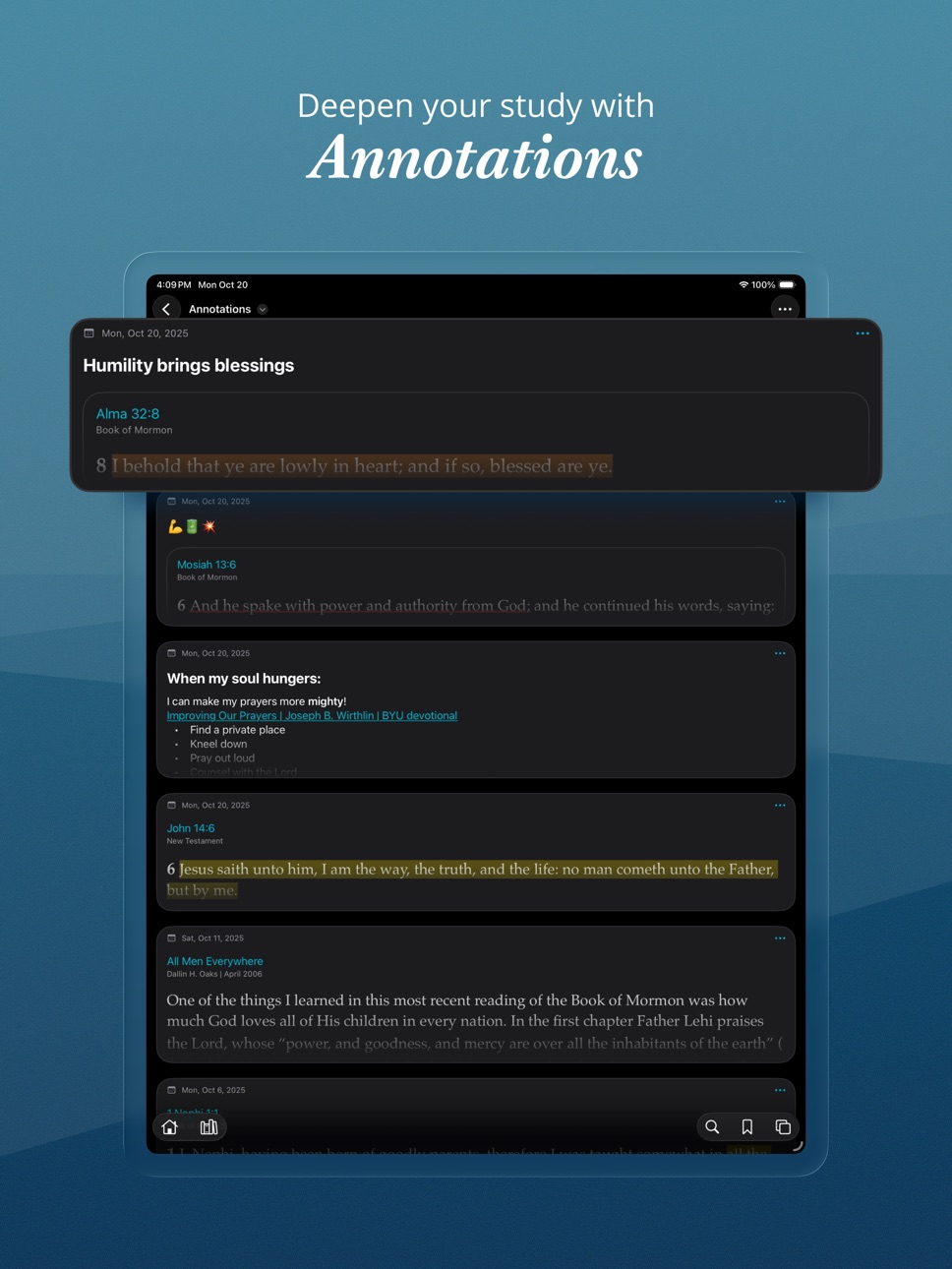
• Added icons in the Choose Highlight panel (when tapping overlapped highlights) to distinguish between highlights with notes, tags, notebooks, or links.
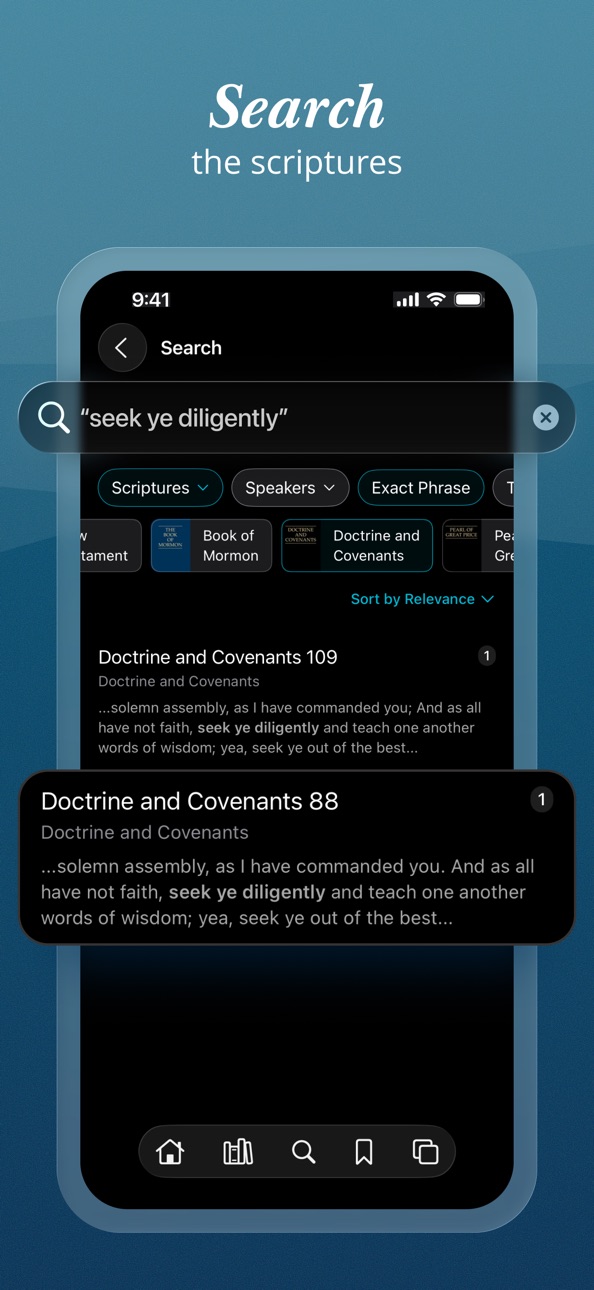
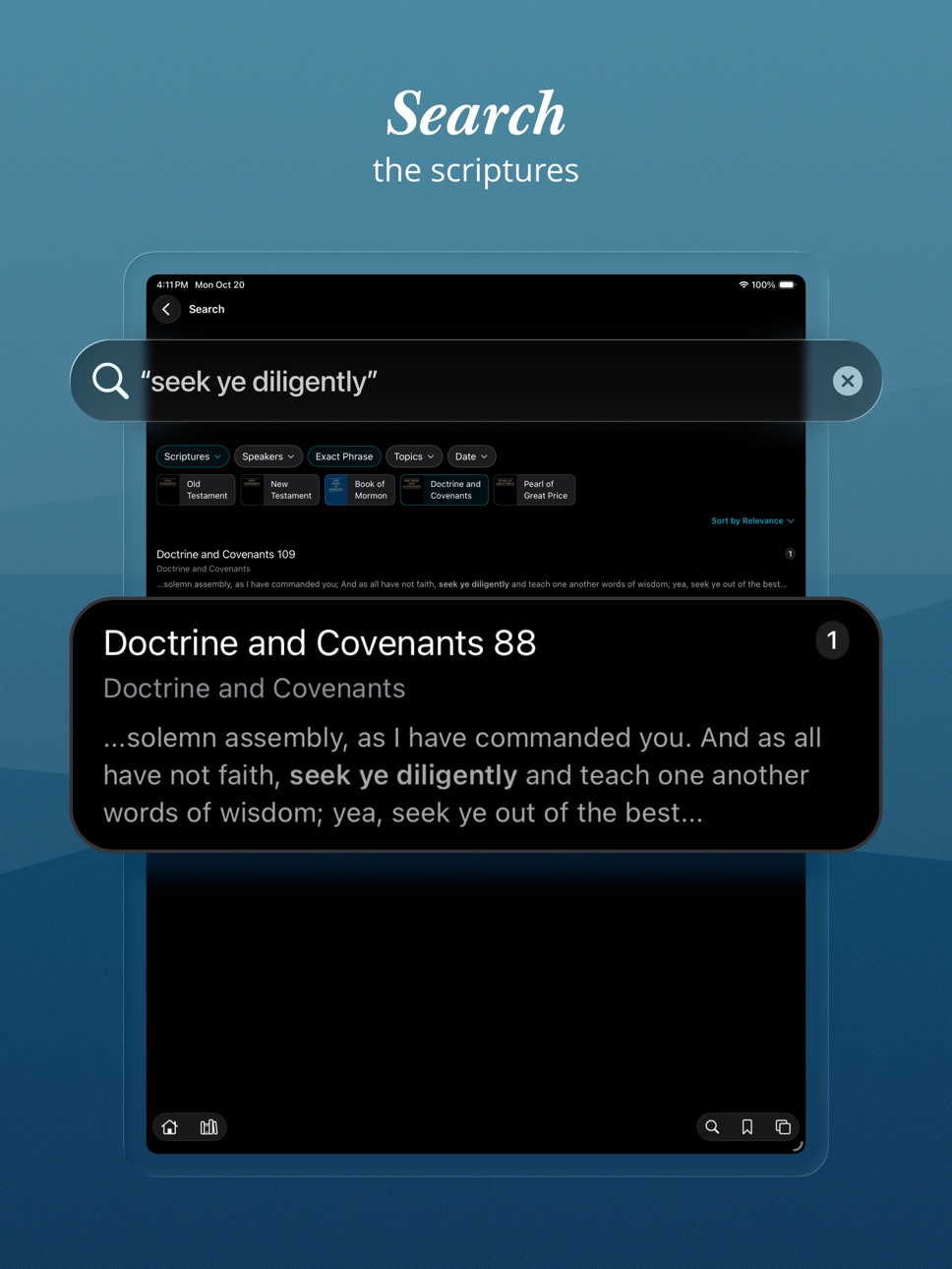
• Added a “Hymns for Home and Church” filter in Search (after filtering to Music).
• Added the ability to share a link to featured study plans.
• Added the ability to edit or remove hyperlinks in a note.
Bug Fixes
• Fixed an issue where note titles didn’t wrap in the note editor.
• Fixed an issue where scrolling was jittery in PDF sheet music.
• Fixed an issue where Hymns for Home and Church song titles didn’t display correctly in Japanese.
• Fixed an issue where the audio speed setting didn’t work reliably for text-to-speech audio.
• Fixed an issue where general conference videos weren’t accessible with VoiceOver.
• Fixed an issue where Tip of the Week didn’t show consistently on Home.
• Fixed an issue where Download All in the library didn’t download everything.
• Fixed a few cases where highlight rectangles didn’t align correctly with underlying text.
• Fixed a few theming issues in dark mode with light display options.
• Fixed an issue that could cause toolbar buttons to get misaligned and unresponsive.
Description
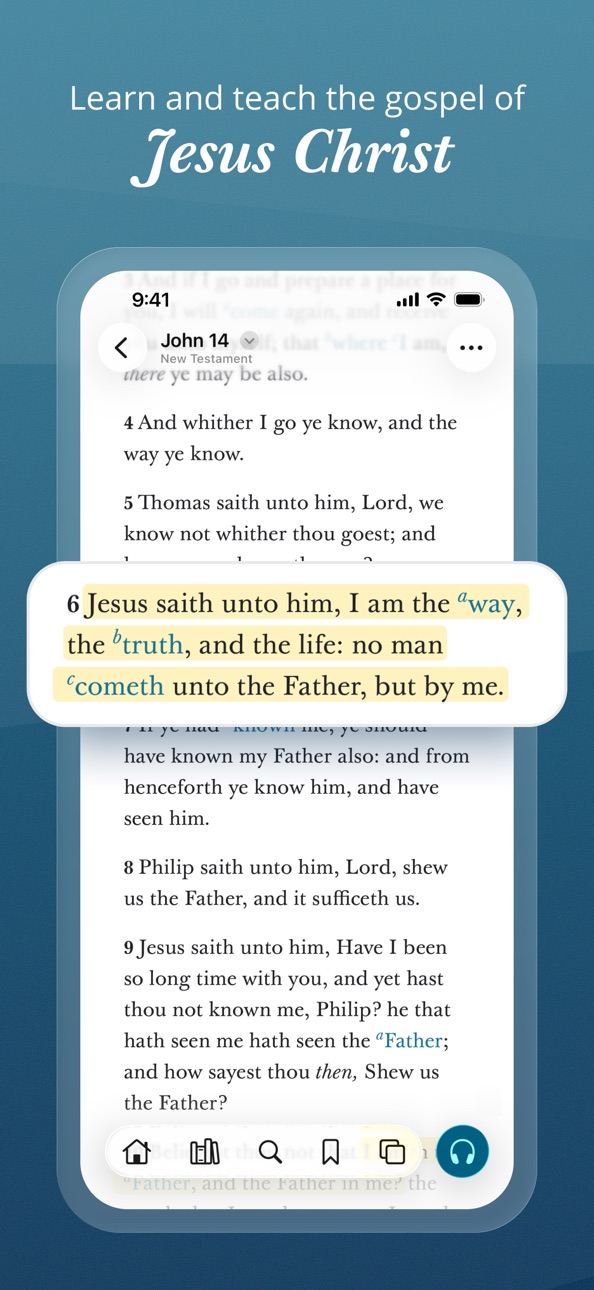
福音ライブラリーは,末日聖徒イエス・キリスト教会の福音学習用アプリです。ライブラリーには,以下のものが含まれます:聖典,総大会説教,音楽,学習手引き,教授手引き,教会機関誌,ビデオ,録音音声,福音の視覚資料集など。多岐にわたるコレクションを学習し,調べ,印を付け,シェアしましょう。
Accessibility
ipadiphonemacrealityDevicetvoswatch
Version history 26 versions
Build 888031477v7.7.12026-07-11 17:32:12
• Improved layout of Sunday lesson cards on Home when multiple talks are selected for a given week.
• Fixed an issue where the app could become unresponsive if a large number of screens were open.
• Fixed responsiveness when tapping footnote links or toolbar buttons.
• Fixed lag when navigating, scrolling sheet music, opening the sidebar, or switching screens.
• Fixed an issue where an error could appear when adding to a playlist or updating a bookmark.
• Fixed an issue where the iOS text selection menu could overlap the annotation menu.
• Fixed an issue where annotation margin indicators overlapped text in right-to-left languages.
• Fixed an issue that prevented highlighting text in certain General Handbook chapters.
• Fixed a crash when tapping a highlighted footnote on iOS 17, iOS 18, and macOS.
• Fixed a crash when creating an annotation link.
• Fixed an issue that prevented some general conference links from navigating.
• Fixed an issue where certain links unexpectedly opened to the Help section.
Build 887299671v7.7.02026-06-25 20:49:18
Signing In
• Added Church Account profile image to the top right of Home.
• Added a Sign In option in the overflow menu, when not signed in.
• Improved visibility of the Patriarchal Blessings feature for users who aren’t signed in.
• Improved visibility of the General Handbook Search Assistant for users who aren’t signed in.
• Users are encouraged to sign in to to preserve their highlights, notes, study plans, and playlists, access calling-based content and tools, see local ward or branch information, and access personal features like patriarchal blessings.
FSY Sunday Lessons
• Added an FSY Sunday Lessons card on Home to support the new youth curriculum that starts in September.
• Added a summary page with links to the FSY guide chapter and supporting magazine articles for each month.
• Starting in July, the card is visible by default to signed-in youth, parents of youth, and youth leaders. It can also be enabled in Edit Home.
More Improvements
• Updated the Come, Follow Me and Sunday lesson cards on Home to show future weeks.
• Updated the Select Ward panel to keep track of up to 10 recently-visited wards.
• Improved support for Sunday lessons in wards with multiple elders quorums or Relief Societies.
• Updated the video player for general conference talks to automatically enter full screen.
• Added icons in the Choose Highlight panel (when tapping overlapped highlights) to distinguish between highlights with notes, tags, notebooks, or links.
• Added a “Hymns for Home and Church” filter in Search (after filtering to Music).
• Added the ability to share a link to featured study plans.
• Added the ability to edit or remove hyperlinks in a note.
Bug Fixes
• Fixed an issue where note titles didn’t wrap in the note editor.
• Fixed an issue where scrolling was jittery in PDF sheet music.
• Fixed an issue where Hymns for Home and Church song titles didn’t display correctly in Japanese.
• Fixed an issue where the audio speed setting didn’t work reliably for text-to-speech audio.
• Fixed an issue where general conference videos weren’t accessible with VoiceOver.
• Fixed an issue where Tip of the Week didn’t show consistently on Home.
• Fixed an issue where Download All in the library didn’t download everything.
• Fixed a few cases where highlight rectangles didn’t align correctly with underlying text.
• Fixed a few theming issues in dark mode with light display options.
• Fixed an issue that could cause toolbar buttons to get misaligned and unresponsive.
Build 884253071v7.6.02026-04-08 21:18:10
Image of the Week
• Added an Image of the Week card on Home with artwork depicting the life and mission of Jesus Christ.
• Added an Image of the Week widget that can be added on your iOS home screen.
• Added a setting to receive notifications for Image of the Week.
Ward and Branch Features
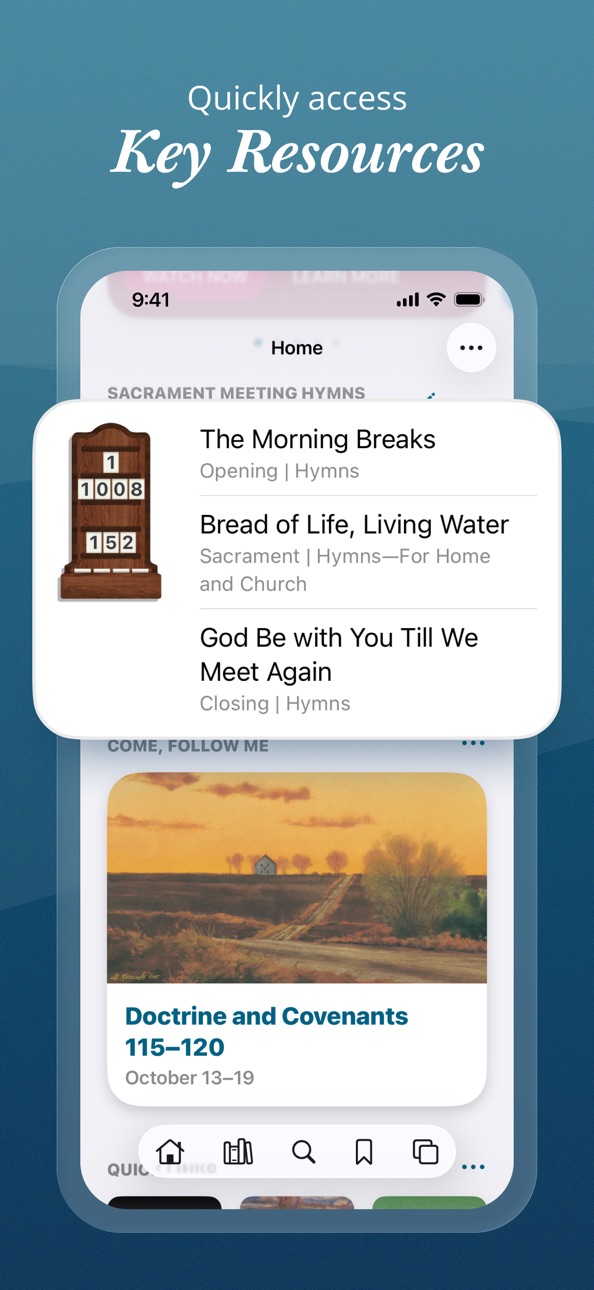
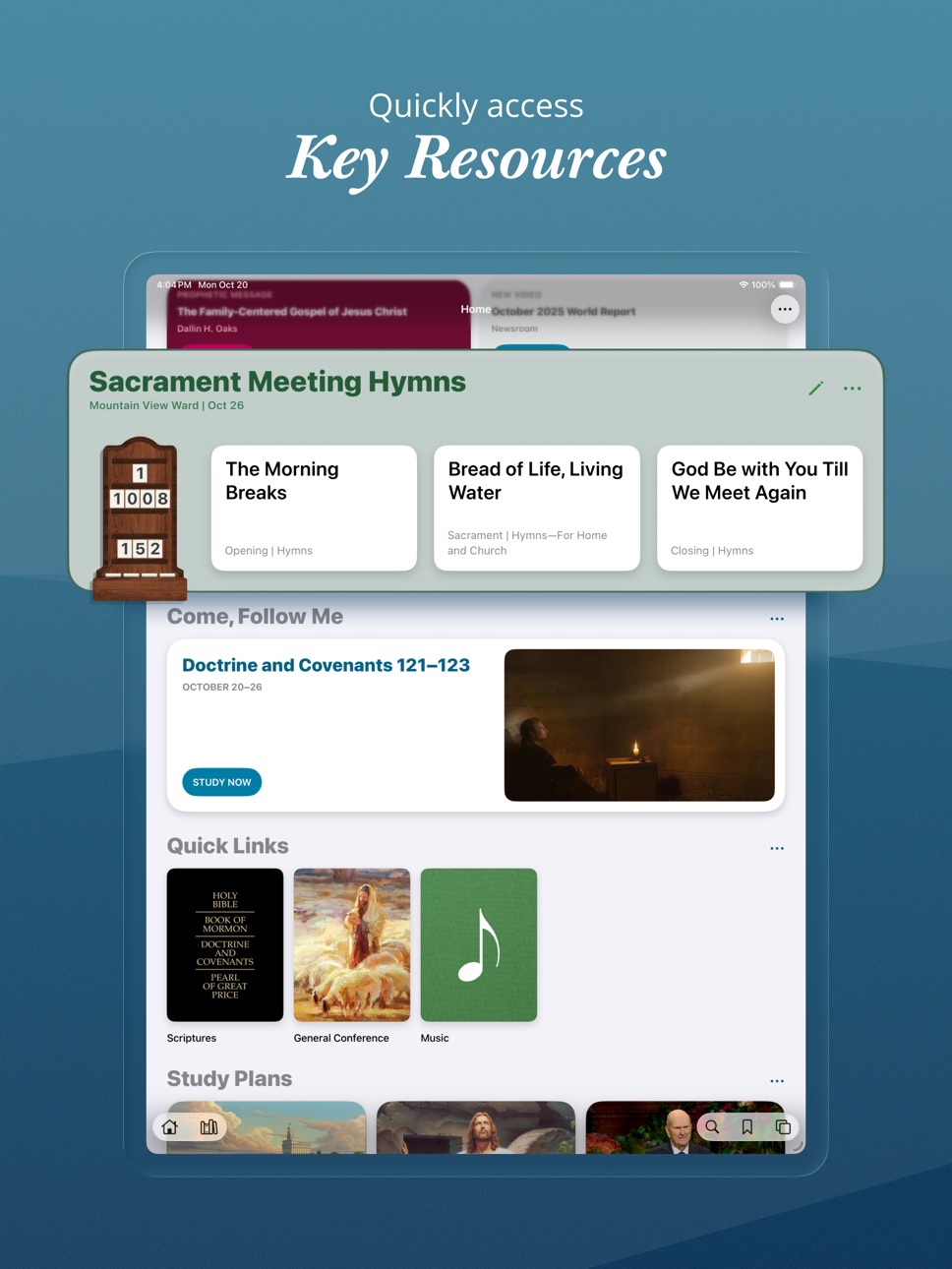
• Added the ability to view sacrament meeting hymns when visiting other wards.
• Added the ability to view Relief Society and elders quorum lessons when visiting other wards.
• Added an option to choose which lessons you want to see (elders quorum or Relief Society).
• Added a Sunday Lessons card that shows when there are no classes selected.
• Updated the Callings card to show correctly for users with callings in multiple wards.
Other Improvements
• Restored previous full screen behavior (double-tap to enter and exit full screen).
• Added a scroll to full screen setting in Display Options.
• Updated app to automatically show the keyboard when starting a search.
• Added the ability to add a schedule to featured study plans.
• Added the ability to share a link to a featured study plan.
• Improved the flow for creating and editing study plans.
Bug fixes
• Fixed an issue where search results could reset unexpectedly.
• Fixed an issue where the Home button didn’t respond after opening a search result.
• Fixed an issue that could prevent highlights from showing on macOS.
• Fixed an issue where spaces were sometimes missing when copying and pasting.
• Fixed an issue where the supertitle for Chapter 3 was missing in Preach My Gospel.
• Fixed an issue where patriarchal blessing PDFs didn’t display correctly in dark mode.
• Fixed an issue where featured message notifications could send multiple times.
• Fixed an issue where daily study streaks could show incorrect data temporarily after switching time zones.
• Fixed an issue that prevented creating an annotation link to content that wasn’t previously installed.
• Fixed a couple of issues when editing a custom collection.
• Fixed an issue where Japanese ruby text didn’t appear correctly in the sidebar.
• Fixed a few issues in right-to-left languages.
Build 881600752v7.5.42026-01-18 15:47:55
• Added the ability to go to the previous or next track by swiping in the audio player.
• Fixed an issue that could cause sign-in to expire more often than expected.
Build 881495152v7.5.32026-01-15 15:21:42
• Added the ability to switch languages in the book picker when creating a custom study plan.
• Added suggestions, recent content, and search as options when creating a custom study plan.
• Updated sign-in screens to support additional multi-factor authentication options.
• Fixed an issue where content snippets didn’t show consistently in related content and annotations.
• Fixed an issue where the audio player sometimes showed incorrect forward and back buttons.
• Fixed an issue where the top bar flickered when scrolling short chapters in the reading view.
• Fixed an issue where the translation feedback banner was difficult to use in iOS 26.
Build 879948498v7.5.22025-11-23 20:39:29
• Added an indicator on role-based content in the library.
• Fixed an issue where related content wasn’t accessible when using VoiceOver.
• Fixed an issue where the screens panel didn’t always scroll to the current screen.
• Fixed an issue where content flickered after switching screens.
• Fixed an issue where new content notifications opened to a blank screen.
• Fixed an issue where the reading view didn’t always load completely after downloading content.
• Fixed an issue where scrolling could be buggy after swiping between chapters.
• Fixed an issue where the formatting bar in the note editor was inaccessible on macOS.
• Fixed an issue where the Choose Highlight panel was blank on macOS.
• Improved error handling when playing a playlist while offline.
• Improved full screen experience on iOS 17.
Build 879216432v7.5.12025-10-27 01:53:55
Playlists
• Added the ability to create audio playlists.
• Added the ability to share playlists with other Gospel Library users.
• Added a Playlists section on Home.
• Added menu options throughout the app for adding content to a playlist.
• Added support for syncing playlists from the Sacred Music app, for signed-in users.
• Added playlists to CarPlay.
iOS 26 Updates
• Updated Gospel Library to support the visual changes in iOS 26 (Liquid Glass).
• Modernized the look and feel of the audio player.
• Moved buttons for Accompanist Mode (in music) and Search Assistant (in the General Handbook) to the top of the screen.
Other Improvements
• Added support for opening Sacred Music app URLs.
• Added a new full-screen experience in the reading view (top and bottom bars will go away when scrolling down, and reappear when scrolling up).
• Improved the full-screen experience in sheet music.
• Improved support for writing with Apple Pencil in the note editor.
• Fixed an issue that prevented accessing related content with VoiceOver.
• Fixed an issue where footnote numbers were hard to tap in general conference talks.
• Fixed an issue that made it difficult to scroll in large tables of contents, such as the Topical Guide.
• Fixed an issue where downloading audio in bulk could time out early, resulting in a partial download.
Gospel Library 7.5.1 requires iOS 17 or newer.
Build 879038509v7.5.02025-10-23 19:23:05
Playlists
• Added the ability to create audio playlists.
• Added the ability to share playlists with other Gospel Library users.
• Added a Playlists section on Home.
• Added menu options throughout the app for adding content to a playlist.
• Added support for syncing playlists from the Sacred Music app, for signed-in users.
• Added playlists to CarPlay.
iOS 26 Updates
• Updated Gospel Library to support the visual changes in iOS 26 (Liquid Glass).
• Modernized the look and feel of the audio player.
• Moved buttons for Accompanist Mode (in music) and Search Assistant (in the General Handbook) to the top of the screen.
Other Improvements
• Added support for opening Sacred Music app URLs.
• Added a new full-screen experience in the reading view (top and bottom bars will go away when scrolling down, and reappear when scrolling up).
• Improved the full-screen experience in sheet music.
• Improved support for writing with Apple Pencil in the note editor.
• Fixed an issue that prevented accessing related content with VoiceOver.
• Fixed an issue where footnote numbers were hard to tap in general conference talks.
• Fixed an issue that made it difficult to scroll in large tables of contents, such as the Topical Guide.
• Fixed an issue where downloading audio in bulk could time out early, resulting in a partial download.
Gospel Library 7.5.0 requires iOS 17 or newer.
Build 876233652v7.4.02025-07-09 15:19:28
• Added a Patriarchal Blessing card on Home for signed-in users (staged rollout starting in Mexico and Brazil).
• Added a translation feedback option and banner for content where translation is in progress.
• Updated the Download Audio menu option to show the download size.
• Updated highlight colors in dark mode for higher contrast.
• Fixed a potential crash when rotating between portrait and landscape in Accompanist Mode.
• Fixed an issue that could cause the reading view to enter full screen mode when selecting text on macOS.
• Fixed an issue where Find on Page didn’t work as expected when accessed from Search.
• Fixed an issue where highlights didn’t load if one of the referenced paragraphs was missing.
• Fixed an issue where overlapping icons sometimes showed in the bottom bar.
• Fixed an issue that could cause the bottom bar to disappear unexpectedly.
• Fixed an issue where the keyboard would appear then disappear when editing a note on iPad in split screen.
• Fixed an issue that prevented creating a study plan for a publication that wasn’t installed.
• Fixed an issue where content in the sidebar sometimes showed in the wrong language.
Build 875206873v7.3.12025-05-30 22:04:01
Fixed an issue that could cause a crash on launch.
Build 875114033v7.3.02025-05-28 16:06:19
Accompanist Mode
Accompanist Mode provides a tailored sheet music experience for pianists and organists, especially on large screens. When viewing sheet music, you can enter Accompanist Mode by tapping the piano keys button in the bottom right.
• In Accompanist Mode, sheet music is arranged horizontally instead of vertically.
• Turn pages by swiping, tapping on the left or right side of the screen, or using a bluetooth page turner.
• See two pages at a time in landscape.
• Buttons at the bottom allow you to move to the previous or next song.
• Fixed (PDF) sheet music is the default, or you can switch to responsive sheet music for more control over the font size and style.
• Screen lock is disabled while in Accompanist Mode.
Additional Music Improvements
• Added the ability to switch sheet music types (in content where multiple types are available).
• Added additional verses, credits, and context information below responsive sheet music.
• Added album artwork and Play and Shuffle buttons when viewing a list of songs.
• Improved logic for downloading sheet music.
General Conference Improvements
• Added paragraph numbers in general conference talks for easier reference in class and quorum meetings.
• Updated the general conference quick link to switch based on conference availability in the current language.
• Added the ability for elders quorum and Relief Society presidencies to choose talks from the past two conferences for lessons in April and October, and to choose talks from any installed content language.
Other Improvements
• Improved how links to related resources display in the sidebar.
• Improved quick scroll index to show the current letter or number in a bubble when scrubbing.
• Improved alphabetic sorting in non-English languages.
• Improved reliability and speed when syncing data for signed-in users.
• Fixed an issue where the app didn’t always remember its location when opening or switching screens.
• Fixed an issue where the Display Options panel didn’t close when interacting with content above it.
• Fixed an issue where the sort menu in search didn’t reset when starting a new search, which could lead to less-relevant search results.
• Fixed an issue where the draggable bookmark indicator didn’t draw correctly.
• Fixed an issue where the sidebar didn’t consistently scroll with the main content.
• Fixed a potential crash when watching a video in the sidebar.
• Various accessibility improvements.
Build 873708615v7.2.32025-04-02 23:53:22
• Fixed an issue that caused some highlights to display incorrectly.
• Fixed an issue that could cause a blank screen when opening a book.
Build 873676530v7.2.22025-04-01 18:36:19
Fixed an issue that caused some highlights to display incorrectly.
Build 873376873v7.2.12025-03-20 19:34:30
• Fixed an issue where the reading view jumped to the bottom of the page in iOS 16.
• Fixed an issue that prevented highlighting or tapping links in iOS 16.3 and earlier.
• Fixed an issue where text selection didn’t work as expected after using Find on Page.
• Fixed an issue where the Add Tag and Add to Notebook panels weren’t themed correctly.
• Fixed an issue where the sidebar didn’t consistently scroll with the main content.
• Fixed an issue where Japanese furigana (ruby) characters weren’t handled well when copy/pasting.
Build 873163468v7.2.02025-03-12 20:24:51
Improvements
• Added a search assistant feature to the General Handbook.
• Added filters in the sidebar to adjust visibility of related content.
• Added the ability to edit the selection range for an existing highlight.
• Improved experience for creating highlights with Apple Pencil.
• Improved responsiveness when loading or scrolling through a chapter with a lot of highlights.
• Added common terms and recent searches as search suggestions.
• Added an up arrow next to each search suggestion row, to copy text into the search bar.
• Added publication artwork in the sidebar when linking to related resources (such as scripture stories for children).
• Added the ability to choose a sacrament meeting hymn by topic.
• Improved calculation of Daily Study streaks.
Bug fixes
• Fixed a crash when tapping Define on the annotation menu on macOS.
• Fixed an issue that could cause videos to play in the wrong language.
• Fixed an issue where screen titles were difficult to see in dark mode.
• Fixed an issue that could cause the app to check for new content more frequently than expected.
• Fixed an issue where the Account card didn’t show again on Home after signing out.
• Fixed an issue that could cause margin indicators to get duplicated when resizing the sidebar.
• Fixed an issue where some images weren’t tappable after navigating back.
• Fixed an issue where highlights could jump to words that weren’t selected.
• Fixed an issue where highlights could get misaligned with the text.
• Behind-the-scenes refactoring related to navigation, highlighting, and content management.
Build 870568959v7.1.12024-11-26 21:30:37
Fixed an issue that could prevent ward and branch information from syncing after moving to a different unit.
Build 870243621v7.1.02024-11-06 21:20:54
• Added “Tip of the Week” card in Home.
• Added a notification setting for Tip of the Week.
• Fixed an issue where the note editor sometimes closed automatically after opening.
• Fixed an issue where the search results list wasn’t preserved when going back.
Build 869662982v7.0.32024-10-16 02:47:02
• Fixed a crash when scrolling Home on large screens.
• Fixed theme colors in Home when running Gospel Library on macOS.
• Fixed issues where ward and branch features on Home didn't always reload correctly.
• Fixed an issue that could cause a blank screen to show when opening an invalid link.
• Fixed an issue that could prevent going to Home after using search go-to suggestions.
• Fixed an issue where the default iOS selection menu could overlap Gospel Library’s annotation menu.
• Fixed an issue where the General Conference quick link on Home was sometimes unresponsive.
Build 869170400v7.0.22024-09-23 17:58:21
• Updated app icon to work better with color tints in iOS 18.
• Fixed an issue that prevented the History panel from loading on iOS 16.
• Fixed an issue that could cause the back button to skip back too far.
• Improved reliability when opening links to Gospel Library content.
• Improved light/dark theming in the Help section.
Build 868762605v7.0.12024-09-07 16:29:43
Redesigned Home section
• Updated Home to a more modern and delightful look and feel.
• Improved how Home adjusts for landscape and large screens.
• Added the ability to long-press and drag to rearrange sections in Home.
Other improvements
• Updated the study plans section of Home to accommodate more featured plans.
• Updated Verse and Quote of the Day widgets to match the changes in Home.
• Added Church Account profile image in Settings.
• Changed media streaming and download to respect the “Limit Cellular Data Use” setting.
• Improved stability in navigation, study plans, and other areas.
Build 868600989v7.0.02024-09-03 15:23:23
Redesigned Home section
• Updated Home to a more modern and delightful look and feel.
• Improved how Home adjusts for landscape and large screens.
• Added the ability to long-press and drag to rearrange sections in Home.
Other improvements
• Updated the study plans section of Home to accommodate more featured plans.
• Updated Verse and Quote of the Day widgets to match the changes in Home.
• Added Church Account profile image in Settings.
• Changed media streaming and download to respect the “Limit Cellular Data Use” setting.
• Improved stability in navigation, study plans, and other areas.
Build 866893280v6.9.12024-06-27 20:47:24
• Added improvements to support Topics and Questions content.
• Fixed an issue where tapping an item in Home sometimes opened a new screen.
• Increased stability by refactoring code in various sections of the app.
Build 865969054v6.9.02024-05-16 22:31:42
• Added new content to the Help section, including overview videos and tips for using Gospel Library.
• Added the ability for music coordinators to choose sacrament meeting hymns from either the hymnbook or Children’s Songbook.
• Added the ability for music coordinators in multilingual wards to choose sacrament meeting hymns in any installed content language.
• Added a quick edit button to the Sacrament Meeting Hymns, Elders Quorum Lesson, and Relief Society Lesson cards for users with edit rights.
• Renamed the Hymns quick link to Music, and changed it to link to the Music section.
• Fixed an issue that could prevent sacrament meeting hymns and elders quorum or Relief Society lessons from showing.
Build 865816512v6.8.22024-05-11 16:13:19
• Fixed an issue that prevented selecting sacrament meeting hymns for some users.
• Fixed an issue where images were missing when creating a study plan.
• Fixed an issue that could prevent accessing role-based content.
Build 865337435v6.8.12024-04-22 18:52:49
• Added the ability to print sheet music PDFs.
• Updated the audio player to reload what was being listened to when the app restarts.
• Fixed an issue where the audio player would sometimes show at the top of the screen.
• Fixed an issue where text-to-speech audio didn’t work correctly in Chinese content.
• Fixed an issue where Japanese text didn’t display correctly in the sidebar.
• Fixed an issue where the sidebar width was reset after switching apps.
• Fixed an issue that prevented adding tags to selected text on macOS.
Build 864569359v6.8.02024-03-20 18:28:36
New audio experience
• Added support for Apple CarPlay.
• Simplified the audio mini-player.
• Changed the audio player to remain available while navigating throughout the app.
• Added an expanded state for the audio player (tap or pull upward on the mini-player).
Additional audio improvements
• Added the ability to control playback speed and other settings separately for spoken content and music.
• Added the ability to listen to study plans sequentially when they draw from multiple publications.
• Added Shuffle, Repeat, and Audio Type options in the expanded player.
• Added a Sleep Timer option in the expanded player for pausing audio after a set amount of time.
• Added an option in the expanded player to navigate to the currently-playing content.
• Added the ability to switch between music audio types (for example, Vocal or Accompaniment).
• Added the ability to rearrange or remove items from the audio queue.
• Improved stability for text-to-speech and general audio playback.
Other improvements
• Added spelling correction in Search.
• Added a way to mark previous study plan items complete by long-pressing on a reading segment.
• Added a Sign In Again option when a user is signed in but the session has expired.
• Added a new Help section (new help content will be added in a future release).
• Bug fixes and increased stability.
iOS 15 is no longer supported (Gospel Library 6.8.0 requires iOS 16 or newer).
No pricing data captured yet — comparisons appear once the app has paid storefronts or in-app purchases.
Availability 174 of 175 storefronts
| Region | Language | Price | Ratings | Avg | Version |
|---|---|---|---|---|---|
| US | en-US | Free | 13.0k | 4.4 | 7.7.1 |
| MX | es-MX | Free | 625 | 4.5 | 7.7.0 |
| BR | pt-BR | Free | 615 | 4.7 | 7.7.0 |
| CA | en-CA | Free | 354 | 4.3 | 7.7.0 |
| PH | en-GB | Free | 318 | 4.4 | 7.7.0 |
| AU | en-AU | Free | 237 | 4.5 | 7.7.0 |
| CL | es-MX | Free | 196 | 4.4 | 7.7.0 |
| GB | en-GB | Free | 188 | 4.1 | 7.7.1 |
| NZ | en-AU | Free | 137 | 4.6 | 7.7.0 |
| PE | es-MX | Free | 131 | 4.5 | 7.7.0 |
| FR | fr-FR | Free | 126 | 4.5 | 7.7.0 |
| GT | es-MX | Free | 119 | 4.6 | 7.7.0 |
| TW | zh-Hant-TW | Free | 115 | 4.3 | 7.7.0 |
| JP | ja | Free | 104 | 3.9 | 7.7.0 |
| HN | es-MX | Free | 94 | 4.2 | 7.7.0 |
| DO | es-MX | Free | 90 | 4.7 | 7.7.0 |
| EC | es-MX | Free | 76 | 4.6 | 7.7.0 |
| CO | es-MX | Free | 73 | 4.8 | 7.7.0 |
| GH | en-GB | Free | 71 | 4.2 | 7.7.0 |
| AR | es-MX | Free | 68 | 4.6 | 7.7.0 |
| ES | es-ES | Free | 67 | 4.5 | 7.7.0 |
| DE | de-DE | Free | 60 | 4.4 | 7.7.0 |
| NG | en-GB | Free | 52 | 4.5 | 7.7.0 |
| ZA | en-GB | Free | 44 | 4.5 | 7.7.0 |
| KR | ko | Free | 42 | 4.8 | 7.7.0 |
| UY | en-GB | Free | 39 | 4.7 | 7.7.0 |
| IT | it | Free | 34 | 4.2 | 7.7.0 |
| RU | ru | Free | 33 | 4.5 | 7.7.0 |
| CR | es-MX | Free | 29 | 4.4 | 7.7.0 |
| CH | de-CH | Free | 28 | 4.8 | 7.7.0 |
| BO | es-MX | Free | 27 | 4.7 | 7.7.0 |
| PT | pt-PT | Free | 27 | 4.8 | 7.7.0 |
| PA | es-MX | Free | 26 | 4.7 | 7.7.0 |
| SV | es-MX | Free | 26 | 4.8 | 7.7.0 |
| VE | es-MX | Free | 26 | 4.3 | 7.7.0 |
| HK | zh-Hant-HK | Free | 24 | 4.8 | 7.7.0 |
| PY | es-MX | Free | 24 | 4.8 | 7.7.0 |
| SE | sv | Free | 21 | 4.5 | 7.7.0 |
| TH | en-GB | Free | 21 | 4.5 | 7.7.0 |
| IN | en-GB | Free | 20 | 4.5 | 7.7.0 |
| AE | en-GB | Free | 19 | 5.0 | 7.7.0 |
| CD | en-GB | Free | 17 | 4.4 | 7.7.0 |
| CI | fr-FR | Free | 17 | 4.4 | 7.7.0 |
| ID | en-GB | Free | 16 | 4.9 | 7.7.0 |
| NI | es-MX | Free | 16 | 4.7 | 7.7.0 |
| NO | en-GB | Free | 16 | 4.9 | 7.7.0 |
| TO | en-GB | Free | 16 | 4.8 | 7.7.0 |
| UA | en-GB | Free | 16 | 4.6 | 7.7.0 |
| VN | en-GB | Free | 16 | 4.8 | 7.7.0 |
| FI | en-GB | Free | 14 | 3.6 | 7.7.0 |
| MN | en-GB | Free | 14 | 4.6 | 7.7.0 |
| NL | nl | Free | 14 | 4.2 | 7.7.0 |
| SL | en-GB | Free | 14 | 4.4 | 7.7.0 |
| AT | de-DE | Free | 13 | 4.7 | 7.7.0 |
| KH | en-GB | Free | 12 | 4.2 | 7.7.0 |
| BE | en-GB | Free | 9 | 4.6 | 7.7.0 |
| CV | en-GB | Free | 9 | 4.4 | 7.7.0 |
| TR | en-GB | Free | 9 | 5.0 | 7.7.0 |
| CG | en-GB | Free | 8 | 3.6 | 7.7.0 |
| FJ | en-GB | Free | 8 | 4.8 | 7.7.0 |
| IE | en-GB | Free | 8 | 4.5 | 7.7.0 |
| MY | en-GB | Free | 8 | 4.4 | 7.7.0 |
| QA | en-GB | Free | 8 | 5.0 | 7.7.0 |
| SG | en-GB | Free | 8 | 4.9 | 7.7.0 |
| ZW | en-GB | Free | 8 | 3.9 | 7.7.0 |
| AO | en-GB | Free | 7 | 4.3 | 7.7.0 |
| AL | en-GB | Free | 6 | 5.0 | 7.7.0 |
| DK | en-GB | Free | 6 | 4.3 | 7.7.0 |
| MZ | en-GB | Free | 6 | 3.3 | 7.7.0 |
| UG | en-GB | Free | 6 | 3.8 | 7.7.0 |
| BF | en-GB | Free | 5 | 4.2 | 7.7.0 |
| JM | en-GB | Free | 5 | 4.2 | 7.7.0 |
| KW | en-GB | Free | 5 | 4.0 | 7.7.0 |
| PK | en-GB | Free | 5 | 5.0 | 7.7.0 |
| BW | en-GB | Free | 4 | 3.0 | 7.7.0 |
| CM | fr-FR | Free | 4 | 4.0 | 7.7.0 |
| CZ | en-GB | Free | 4 | 5.0 | 7.7.0 |
| HU | en-GB | Free | 4 | 5.0 | 7.7.0 |
| KE | en-GB | Free | 4 | 4.5 | 7.7.0 |
| MG | en-GB | Free | 4 | 4.8 | 7.7.0 |
| SA | en-GB | Free | 4 | 4.0 | 7.7.0 |
| AM | en-GB | Free | 3 | 5.0 | 7.7.0 |
| BG | en-GB | Free | 3 | 4.3 | 7.7.0 |
| BJ | en-GB | Free | 3 | 4.0 | 7.7.0 |
| FM | en-GB | Free | 3 | 4.0 | 7.7.0 |
| GR | en-GB | Free | 3 | 4.3 | 7.7.0 |
| MO | zh-Hant-HK | Free | 3 | 3.0 | 7.7.0 |
| PL | en-GB | Free | 3 | 4.7 | 7.7.0 |
| TT | en-GB | Free | 3 | 5.0 | 7.7.0 |
| BZ | en-GB | Free | 2 | 5.0 | 7.7.1 |
| EE | en-GB | Free | 2 | 5.0 | 7.7.0 |
| GY | en-GB | Free | 2 | 5.0 | 7.7.1 |
| JO | en-GB | Free | 2 | 3.5 | 7.7.0 |
| KZ | en-GB | Free | 2 | 5.0 | 7.7.0 |
| LK | en-GB | Free | 2 | 4.0 | 7.7.0 |
| LR | en-GB | Free | 2 | 5.0 | 7.7.0 |
| LV | en-GB | Free | 2 | 4.5 | 7.7.0 |
| ML | en-GB | Free | 2 | 4.0 | 7.7.0 |
| RO | en-GB | Free | 2 | 5.0 | 7.7.0 |
| TZ | en-GB | Free | 2 | 5.0 | 7.7.0 |
| BB | en-GB | Free | 1 | 4.0 | 7.7.0 |
| BN | en-GB | Free | 1 | 5.0 | 7.7.0 |
| BY | en-GB | Free | 1 | 5.0 | 7.7.0 |
| DZ | en-GB | Free | 1 | 5.0 | 7.7.0 |
| HR | en-GB | Free | 1 | 5.0 | 7.7.0 |
| KN | en-GB | Free | 1 | 5.0 | 7.7.1 |
| KY | en-GB | Free | 1 | 5.0 | 7.7.1 |
| MD | en-GB | Free | 1 | 5.0 | 7.7.0 |
| MT | en-GB | Free | 1 | 2.0 | 7.7.0 |
| NA | en-GB | Free | 1 | 5.0 | 7.7.0 |
| OM | en-GB | Free | 1 | 5.0 | 7.7.0 |
| SI | en-GB | Free | 1 | 5.0 | 7.7.0 |
| SK | en-GB | Free | 1 | 5.0 | 7.7.0 |
| SN | en-GB | Free | 1 | 5.0 | 7.7.0 |
| SR | en-GB | Free | 1 | 5.0 | 7.7.1 |
| TC | en-GB | Free | 1 | 5.0 | 7.7.1 |
| UZ | en-GB | Free | 1 | 4.0 | 7.7.0 |
| AF | en-GB | Free | 0 | — | 7.7.0 |
| AG | en-GB | Free | 0 | — | 7.7.1 |
| AI | en-GB | Free | 0 | — | 7.7.1 |
| AZ | en-GB | Free | 0 | — | 7.7.0 |
| BA | en-GB | Free | 0 | — | 7.7.0 |
| BH | en-GB | Free | 0 | — | 7.7.0 |
| BM | en-GB | Free | 0 | — | 7.7.0 |
| BS | en-GB | Free | 0 | — | 7.7.0 |
| BT | en-GB | Free | 0 | — | 7.7.0 |
| CY | en-GB | Free | 0 | — | 7.7.0 |
| DM | en-GB | Free | 0 | — | 7.7.1 |
| EG | en-GB | Free | 0 | — | 7.7.0 |
| GA | fr-FR | Free | 0 | — | 7.7.0 |
| GD | en-GB | Free | 0 | — | 7.7.1 |
| GE | en-GB | Free | 0 | — | 7.7.0 |
| GM | en-GB | Free | 0 | — | 7.7.0 |
| GW | en-GB | Free | 0 | — | 7.7.0 |
| IL | en-GB | Free | 0 | — | 7.7.0 |
| IQ | en-GB | Free | 0 | — | 7.7.0 |
| IS | en-GB | Free | 0 | — | 7.7.0 |
| KG | en-GB | Free | 0 | — | 7.7.0 |
| LA | en-GB | Free | 0 | — | 7.7.0 |
| LB | en-GB | Free | 0 | — | 7.7.0 |
| LC | en-GB | Free | 0 | — | 7.7.1 |
| LT | en-GB | Free | 0 | — | 7.7.0 |
| LU | en-GB | Free | 0 | — | 7.7.0 |
| LY | en-GB | Free | 0 | — | 7.7.0 |
| MA | en-GB | Free | 0 | — | 7.7.0 |
| ME | en-GB | Free | 0 | — | 7.7.0 |
| MK | en-GB | Free | 0 | — | 7.7.0 |
| MM | en-GB | Free | 0 | — | 7.7.0 |
| MR | en-GB | Free | 0 | — | 7.7.0 |
| MS | en-GB | Free | 0 | — | 7.7.1 |
| MU | en-GB | Free | 0 | — | 7.7.0 |
| MV | en-GB | Free | 0 | — | 7.7.0 |
| MW | en-GB | Free | 0 | — | 7.7.0 |
| NE | en-GB | Free | 0 | — | 7.7.0 |
| NP | en-GB | Free | 0 | — | 7.7.0 |
| NR | en-GB | Free | 0 | — | 7.7.0 |
| PG | en-GB | Free | 0 | — | 7.7.0 |
| PW | en-GB | Free | 0 | — | 7.7.0 |
| RS | en-GB | Free | 0 | — | 7.7.0 |
| RW | en-GB | Free | 0 | — | 7.7.1 |
| SB | en-GB | Free | 0 | — | 7.7.0 |
| SC | en-GB | Free | 0 | — | 7.7.0 |
| ST | en-GB | Free | 0 | — | 7.7.0 |
| SZ | en-GB | Free | 0 | — | 7.7.0 |
| TD | en-GB | Free | 0 | — | 7.7.0 |
| TJ | en-GB | Free | 0 | — | 7.7.0 |
| TM | en-GB | Free | 0 | — | 7.7.0 |
| TN | en-GB | Free | 0 | — | 7.7.0 |
| VC | en-GB | Free | 0 | — | 7.7.1 |
| VG | en-GB | Free | 0 | — | 7.7.1 |
| VU | en-GB | Free | 0 | — | 7.7.0 |
| XK | en-GB | Free | 0 | — | 7.7.0 |
| YE | en-GB | Free | 0 | — | 7.7.0 |
| ZM | en-GB | Free | 0 | — | 7.7.0 |
Not available in: CN
Reviews 30 reviews · JP
★★★★★ · edited
文字の選択が自由にできない
Ios18
アノテーションをつけたりマークしたりする時に自分の好きな文字だけを選択することができない
Androidはできる
改善してください
そこの愛一郎2025-10-14
★★★★★
鳥肌
『ONE PIECE』って、ただのバトル漫画じゃなくて、生き方とか大事なものを教えてくれる作品だと思う。ルフィの「仲間を絶対に見捨てない」姿勢とか、どんなにヤバい状況でも前に進もうとする強さを見てると、自分も頑張ろうって思える。何かを信じて突き進むことの大切さをめちゃくちゃ感じる。
キャラ一人ひとりの過去とか信念がちゃんと描かれてるのもすごい。敵キャラも単なる悪じゃなくて、それぞれに事情や正義があるから、戦いにも重みが増すし、どのキャラにも感情移入しちゃう。エースの最期とかメリー号との別れのシーンは、本当に涙止まらなかった。
あと、伏線の回収がエグすぎる。昔のシーンが後になって意味を持ってくることが多すぎて、何回読んでも新しい発見がある。「Dの意志」とか「空白の100年」とか、世界の謎が少しずつ明かされていく感じもワクワクする。最初はただの冒険漫画かと思ってたけど、話が進むにつれて世界観のデカさに圧倒される。
『ONE PIECE』は、笑えて泣けて、めちゃくちゃ熱くなれる最高の漫画。読むたびに元気をもらえるし、これからもずっとルフィたちの旅を見届けたい!
yes!!!キリスト2025-03-16
★★★★★
メモ機能
聖句にマークをつけてメモを保存したくて学んだことを書き込んだのに、タイトルしか保存されてませんでした。何回も試しましたが、タイトルしか保存されません。
おいすぃね2025-01-12
★★★★★
読み上げの有料機能はバグだらけ
読み上げ機能を使いたくて課金したのに、同じところをループして先に進まない事態が多発します。
その度に操作してます。
しかし家事やりながらなど、ハンズフリーで聴きたい時は煩わしい。
課金しなければよかったと後悔するレベルです。
不良モルモン教徒2024-08-03
★★★★★
音声が聞き取りにくい。
以前は音声が人によって語られていて聞きやすかったが、今はAIに変わりアクセントが強く自然な言葉使いでなくなった為聞き取りにくい。以前のように人間の普通の言葉に直すよう切にお願いいたします。
クヨクヨするな2024-06-16
★★★★★
讃美歌が表示されない
讃美歌の楽譜がずっと「ダウンロード中です…」のままいくら待っても出てこない。
あと、どこに何が入っているのかジャンル分けが分かりづらい。咄嗟の時に使えない。
kometsubu2023-03-12
★★★★★
今回の改悪でものすごく使いづらくなりました。
コンテンツは最高!
UIが最悪!
オープン中の文書(ウィンドウ)のリストが、前はタイトルが列挙されていてそれから選べたのは良かった。今は、タイトルのリストではなく、箱がたくさん並ぶだけ、それも真っ白な箱が並んでいるだけで自分の行きたい文書を選ぶのは不可能!
どうにかして欲しいです!
耳が遠いので2021-12-20
★★★★★
聖典音声の不具合
先日、iOS15.1にアップデートしたのですが、その後聖典の音声再生をすると、以前のものとは異なり、端末の読上げ機能が読んでいる音声になり、且つ、フリガナも含めて読んでいるので、大変聞き難い音声になってしまいました。是非、なるべく早くに改善をして頂けましたら嬉しいです。よろしくお願い致します!
motoshigek2021-11-18
★★★★★
聖典の音声にトラブル
重宝して喜んで聞いていましたが、最近聖典の音声に問題があります。自動で、本文もふりがなも全て皆読み上げ、意味不明です。以前は人が読んだ物の録音が再生されていました。是非直してください‼︎
宜しくお願いします。
つよいこのミロ2021-11-17
★★★★★
聖典の音声不具合
いつも活用させて頂いてます。先日、iOSを最新バージョン(15.1)にアップデートしたら、聖典の音声が、ルビを含めた自動音声になってしまい、とても聞き辛くなってしまいました。これまでは末日聖典は問題なかったので、今後も同様に対応出来ると仕事で移動中も聖典を学べます。対応宜しくお願いします。
midorimom2021-11-16
★★★★★
いつでも読めて良いです。が…
アプリ感謝してます。聖典の音読の時、ふりがなも読んでしまっているようで、例:福ふく音いんをそのままふくふくいんいんなどです。なんとなくわかるのですが、改善して頂ければ幸いです。
ひなるるう2021-11-15
★★★★★
ふりがなについて
いつもお世話になっております。
使用している端末はiPhone7で、iOS全てで生じるか分かりませんが、報告させて頂きます。
アプリ内で引用聖句のリンクをタップするとその聖句が横からスライドして出てくるのですが、その漢字のふりがなが漢字の上ではなく、漢字一字ごとに右隣に同じ大きさで併記されて読みづらいのです。
どうにかなりませんでしょうか。
pobodoq2020-06-13
★★★★★
アップデートしないほうがいいです
最新のアップデートにより、ワード検索しか出来なくなりました。今までは、大きな画面から、選択してすすむことができましたが、アップデート後は、今までの選択できる画面がなくなり、最初から聖典の画面しか開きません。
非常に使いづらいです。
前のものに戻してくれるとありがたいです。
さたやあわ2020-04-12
★★★★★
アップデート毎に書籍データを削除しないで欲しい
最近のアップデートで、新旧約聖書が加わったのは、とても嬉しかったですが、反面、リアホナ、聖徒の道の1999年以前のデータが完全に消えたのには、全てをダウンロードして、活用していたので、非常にガッカリしました。
確かに、教会書籍等は、改訂や刷新する事もあるので、致し方ないかもしれませんが、預言者の言葉を掲載した、リアホナ、聖徒の道については、いかがなものかと思いました。
怒怒怒!!!!!!!2019-11-17
★★★★★
不具合報告
とても便利に利用しております。
バージョン5.2.6にしてから、聖典の音声再生機能に不具合が起こっています。
(1)一時停止してアプリを終了したり電源を切ったりすると、次にアプリを起動した時に再生位置が章の最初になり、以前のように続きから再生できない。
(2)10秒戻しは正常に機能するが、10秒送りをしようとすると章の最初から再生されてしまい、10秒送りができない。
(3)再生時間は表示されるが、残り時間は常に「-0:00」と表示されて変化しない。
(4)再生位置の表示が再生していても動かず、スライドさせると位置に関係なく章の最初から再生されてしまい、再生位置の制御ができない。
使用環境はiPhone 6S Plus、iOS 12.4です。
以下、バージョン5.3.0についてです。
上記(2)、(3)、(4)は修正されました。ありがとうございます。(1)はさらに別の問題になり、アプリを終了すると次に開いた時は必ず最初の「ライブラリー」画面のみ表示され、複数開いていたタブも保持されなくなりました。ブックマーク機能を使えば開いていたページを再度開くことはできますが、音声の再生位置は保持されません。隙間時間に聖典学習をしていて、高価な真珠のジョセフ・スミス-歴史などの一章分が長いところを聞いていると、前回の再生位置が保持されないのは残念です。
もう一つ新たな問題として、音声をダウンロー
fr.ed.2019-10-02
★★★★★
いつもありがとうございます。
便利に使わせていただいていますが、少し気になる点があるので、レビューさせていただきます。
教師用テキストなどにある聖典の引用等を開くと(iPhoneのみかもしれませんが)出てきた文章の漢字の部分の後に読み仮名が付いてきて、とても読みづらい状態になっています。
『漢かん字じ』←と言う具合。
ルビなどがそのまま表示されているのかもしれませんが、使いやすいアプリなので、少し残念な気持ちになります。
是非修正をお願いします。
show81092018-04-16
★★★★★
OSがフリーズしてしまいます
アプリを開くと、最悪の場合、再起動しなければIpadが動かなくなってしまいます。もう第三世代Ipadではうまく対応できなくなったのでしょうか??
利用者1922018-04-01
★★★★★
アップデートは少し待った方がいいでしょう。
もし最新のヴァージョンにアップデートしていないのならば、今はアップデートしないことをお勧めします。
アップデートにより、これまでにあったコンテンツの多数が減っています。機能優先のアップデートだったようで、コンテンツの最適化と準備までは時間がかかるのでしょう。
アップデートは少し待ち、コンテンツの様子を確認してからアップデートをすると良いと思います。
Rin20132016-12-26
★★★★★
モルモン書がアプリで聴けるなんて。
モルモン書を目で読んでると疲れてきて内容が忘れがちになってて、聞いて理解する事が出来るアプリがある事に素晴らしいと感じました。
台風の目☆*:.。. o(≧▽≦)o .。.:*☆2016-02-24
★★★★★
便利
複数の画面を開いておけるので便利です。
またリアホナや教材などの資料も豊富で、モルモン書などはオーディオでも再生できるのがとても便利。
版権の理由で仕方がないかもしれませんが、聖書があれば完璧です。
くの2014-12-08
★★★★★
心から感謝の気持ちでいっぱいです!!
地方の小さな支部に家族で集っています。若い女性のクラスにアメリカ人の姉妹が来て、このアプリを教えてくれました。家族で福音の勉強をする時や家庭の夕べでも役立つし、若い女性のクラスでも日本語と英語でレッスンがしやすいし、求道者にも見せやすいし、本当に感謝の気持ちでいっぱいですm(_ _)m ありがとうございます!
ウィップル姉妹2014-11-16
Change log 49 changes · JP
◆
Version changed
7.7.0 → 7.7.1
◆
Version changed
7.7.0 → 7.7.1
◆
Version changed
7.7.0 → 7.7.1
◆
Version changed
7.7.0 → 7.7.1
◆
Version changed
7.7.0 → 7.7.1
◆
Version changed
7.7.0 → 7.7.1
◆
Version changed
7.7.0 → 7.7.1
◆
Version changed
7.7.0 → 7.7.1
◆
Version changed
7.7.0 → 7.7.1
◆
Version changed
7.7.0 → 7.7.1
◆
Version changed
7.7.0 → 7.7.1
◆
Version changed
7.7.0 → 7.7.1
◆
Version changed
7.7.0 → 7.7.1
◆
Version changed
7.7.0 → 7.7.1
◆
Version changed
7.7.0 → 7.7.1
◆
Version changed
7.7.0 → 7.7.1
✎
releaseNotes updated
• Improved layout of Sunday lesson cards on Home when multiple talks are selected for a given week.
• Fixed an issue where the app could become unresponsive if
▣
App icon changed
◆
Version changed
7.7.0 → 7.7.1
◆
Version 7.7.1 released
• Improved layout of Sunday lesson cards on Home when multiple talks are selected for a given week.
• Fixed an issue where the app could become unresponsive if a large number of screens were open.
• Fixed responsiveness when tapping footnot
✎
releaseNotes updated
Signing In
• Added Church Account profile image to the top right of Home.
• Added a Sign In option in the overflow menu, when not signed in.
• Improved visibili
✎
description updated
Gospel Library is the gospel study app of The Church of Jesus Christ of Latter-day Saints. The library includes the scriptures, general conference addresses, mu
✎
subtitle updated
Study the word of God
✎
name updated
Gospel Library
◆
Version 7.7.0 released
Signing In
• Added Church Account profile image to the top right of Home.
• Added a Sign In option in the overflow menu, when not signed in.
• Improved visibility of the Patriarchal Blessings feature for users who aren’t signed in.
• Improv
◆
Version 7.6.0 released
Image of the Week
• Added an Image of the Week card on Home with artwork depicting the life and mission of Jesus Christ.
• Added an Image of the Week widget that can be added on your iOS home screen.
• Added a setting to receive notificatio
◆
Version 7.5.4 released
• Added the ability to go to the previous or next track by swiping in the audio player.
• Fixed an issue that could cause sign-in to expire more often than expected.
◆
Version 7.5.3 released
• Added the ability to switch languages in the book picker when creating a custom study plan.
• Added suggestions, recent content, and search as options when creating a custom study plan.
• Updated sign-in screens to support additional mult
◆
Version 7.5.2 released
• Added an indicator on role-based content in the library.
• Fixed an issue where related content wasn’t accessible when using VoiceOver.
• Fixed an issue where the screens panel didn’t always scroll to the current screen.
• Fixed an issue
◆
Version 7.5.1 released
Playlists
• Added the ability to create audio playlists.
• Added the ability to share playlists with other Gospel Library users.
• Added a Playlists section on Home.
• Added menu options throughout the app for adding content to a playlist.
◆
Version 7.5.0 released
Playlists
• Added the ability to create audio playlists.
• Added the ability to share playlists with other Gospel Library users.
• Added a Playlists section on Home.
• Added menu options throughout the app for adding content to a playlist.
◆
Version 7.4.0 released
• Added a Patriarchal Blessing card on Home for signed-in users (staged rollout starting in Mexico and Brazil).
• Added a translation feedback option and banner for content where translation is in progress.
• Updated the Download Audio menu
◆
Version 7.3.1 released
Fixed an issue that could cause a crash on launch.
◆
Version 7.3.0 released
Accompanist Mode
Accompanist Mode provides a tailored sheet music experience for pianists and organists, especially on large screens. When viewing sheet music, you can enter Accompanist Mode by tapping the piano keys button in the bottom r
◆
Version 7.2.3 released
• Fixed an issue that caused some highlights to display incorrectly.
• Fixed an issue that could cause a blank screen when opening a book.
◆
Version 7.2.2 released
Fixed an issue that caused some highlights to display incorrectly.
◆
Version 7.2.1 released
• Fixed an issue where the reading view jumped to the bottom of the page in iOS 16.
• Fixed an issue that prevented highlighting or tapping links in iOS 16.3 and earlier.
• Fixed an issue where text selection didn’t work as expected after u
◆
Version 7.2.0 released
Improvements
• Added a search assistant feature to the General Handbook.
• Added filters in the sidebar to adjust visibility of related content.
• Added the ability to edit the selection range for an existing highlight.
• Improved experienc
◆
Version 7.1.1 released
Fixed an issue that could prevent ward and branch information from syncing after moving to a different unit.
◆
Version 7.1.0 released
• Added “Tip of the Week” card in Home.
• Added a notification setting for Tip of the Week.
• Fixed an issue where the note editor sometimes closed automatically after opening.
• Fixed an issue where the search results list wasn’t preserved
◆
Version 7.0.3 released
• Fixed a crash when scrolling Home on large screens.
• Fixed theme colors in Home when running Gospel Library on macOS.
• Fixed issues where ward and branch features on Home didn't always reload correctly.
• Fixed an issue that could cause
◆
Version 7.0.2 released
• Updated app icon to work better with color tints in iOS 18.
• Fixed an issue that prevented the History panel from loading on iOS 16.
• Fixed an issue that could cause the back button to skip back too far.
• Improved reliability when open
◆
Version 7.0.1 released
Redesigned Home section
• Updated Home to a more modern and delightful look and feel.
• Improved how Home adjusts for landscape and large screens.
• Added the ability to long-press and drag to rearrange sections in Home.
Other improvements
◆
Version 7.0.0 released
Redesigned Home section
• Updated Home to a more modern and delightful look and feel.
• Improved how Home adjusts for landscape and large screens.
• Added the ability to long-press and drag to rearrange sections in Home.
Other improvements
◆
Version 6.9.1 released
• Added improvements to support Topics and Questions content.
• Fixed an issue where tapping an item in Home sometimes opened a new screen.
• Increased stability by refactoring code in various sections of the app.
◆
Version 6.9.0 released
• Added new content to the Help section, including overview videos and tips for using Gospel Library.
• Added the ability for music coordinators to choose sacrament meeting hymns from either the hymnbook or Children’s Songbook.
• Added the
◆
Version 6.8.2 released
• Fixed an issue that prevented selecting sacrament meeting hymns for some users.
• Fixed an issue where images were missing when creating a study plan.
• Fixed an issue that could prevent accessing role-based content.
◆
Version 6.8.1 released
• Added the ability to print sheet music PDFs.
• Updated the audio player to reload what was being listened to when the app restarts.
• Fixed an issue where the audio player would sometimes show at the top of the screen.
• Fixed an issue wh
◆
Version 6.8.0 released
New audio experience
• Added support for Apple CarPlay.
• Simplified the audio mini-player.
• Changed the audio player to remain available while navigating throughout the app.
• Added an expanded state for the audio player (tap or pull upwa