Home › Productivity

 US
US
USen-US JPja
JPja CNzh-Hans-CN
 MXes-MX
 BRpt-BR
 GBen-GB
 THen-GB
 INen-GB
 DEde-DE
 VNen-GB
 CAen-CA
 COes-MX
 FRfr-FR
 AUen-AU
 ESes-ES
 SAen-GB
 ITit
ITit KRko
KRko IDen-GB
 TRen-GB
 TWzh-Hant-TW
 RUru
RUru NLnl
NLnl CLes-MX
 PHen-GB
 HKzh-Hant-HK
 MYen-GB
 ARes-MX
 AEen-GB
 CHde-CH
 EGen-GB
 PEes-MX
 ZAen-GB
 BEen-GB
 SGen-GB
 ECes-MX
 SEsv
SEsv PTpt-PT
 UAen-GB
 PLen-GB
 ATde-DE
 DKen-GB
 NOen-GB
 DOes-MX
 CRes-MX
 GTes-MX
 PKen-GB
 ILen-GB
 NZen-AU
 ROen-GB
 HUen-GB
 CZen-GB
 GRen-GB
 NGen-GB
 KZen-GB
 KHen-GB
 IEen-GB
 KWen-GB
 PAes-MX
 LKen-GB
 QAen-GB
 GHen-GB
 JOen-GB
 HNes-MX
 KEen-GB
 FIen-GB
 BOes-MX
 SVes-MX
 UYen-GB
 VEes-MX
 SKen-GB
 MNen-GB
 BGen-GB
 PYes-MX
 OMen-GB
 HRen-GB
 TZen-GB
 LBen-GB
 AZen-GB
 ALen-GB
 BYen-GB
 MAen-GB
 UZen-GB
 SNen-GB
 BHen-GB
 DZen-GB
 MOzh-Hant-HK
 LUen-GB
 NIes-MX
 NPen-GB
 UGen-GB
 LTen-GB
 SIen-GB
 AOen-GB
 CYen-GB
 IQen-GB
 LVen-GB
 AMen-GB
 ZWen-GB
 EEen-GB
 MTen-GB
 KGen-GB
 RSen-GB
 CIfr-FR
 TTen-GB
 JMen-GB
 MZen-GB
 MDen-GB
 TNen-GB
 ISen-GB
 LAen-GB
 NAen-GB
 MUen-GB
 MKen-GB
 MLen-GB
 GEen-GB
 ZMen-GB
 BWen-GB
 MMen-GB
 YEen-GB
 MRen-GB
 CGen-GB
 BNen-GB
 BFen-GB
 TJen-GB
 MVen-GB
 CMfr-FR
 BJen-GB
 BSen-GB
 MGen-GB
 LYen-GB
 BAen-GB
 RWen-GB
 MWen-GB
 BBen-GB
 FJen-GB
 GYen-GB
 BZen-GB
 AFen-GB
 SLen-GB
 BTen-GB
 SRen-GB
 GMen-GB
 LRen-GB
 KYen-GB
 MEen-GB
 SZen-GB
 PWen-GB
 TDen-GB
 NEen-GB
 AGen-GB
 TMen-GB
 CVen-GB
 PGen-GB
 GAfr-FR
 BMen-GB
 LCen-GB
 SCen-GB
 TCen-GB
 GDen-GB
 KNen-GB
 VCen-GB
 DMen-GB
 VGen-GB
 GWen-GB
 AIen-GB
 SBen-GB
 FMen-GB
 TOen-GB
 STen-GB
 VUen-GB
 MSen-GB
 NRen-GB
 CDNot Available
 XKNot Available
173 of 175 storefronts
Content in en-US
Content in en-US
Information
Preview 3 platforms





iPhone 7 images


iPad 7 images


Apple Vision Pro 3 images


What’s New Version 2.111.3
• General quality and performance enhancements.
Description
Review files and run data analysis on the go. Customise tables the way you want with robust formatting tools and great features. Excel lets you build your spreadsheet to meet your specific needs.
Get the power of AI with Copilot in your favourite apps when you sign in with your Microsoft 365 subscription. Create templates, edit spreadsheets, organise charts and share with ease when you download Microsoft Excel.
Tables and Spreadsheets: Create, Calculate and Analyse
• Jump-start your budget, task list, accounting or financial analysis with Excel’s modern templates.
• Rich productivity features and formatting options make your workbook easier to read and use.
Productivity App: Review, Edit and Work Anywhere
• Refresh sheet data or update your task list from anywhere.
• Spreadsheet features like sort and filter columns help focus your reviews.
• Create, duplicate, hide and unhide sheets easily.
Data Analysis: Discover Key Insights on the Go
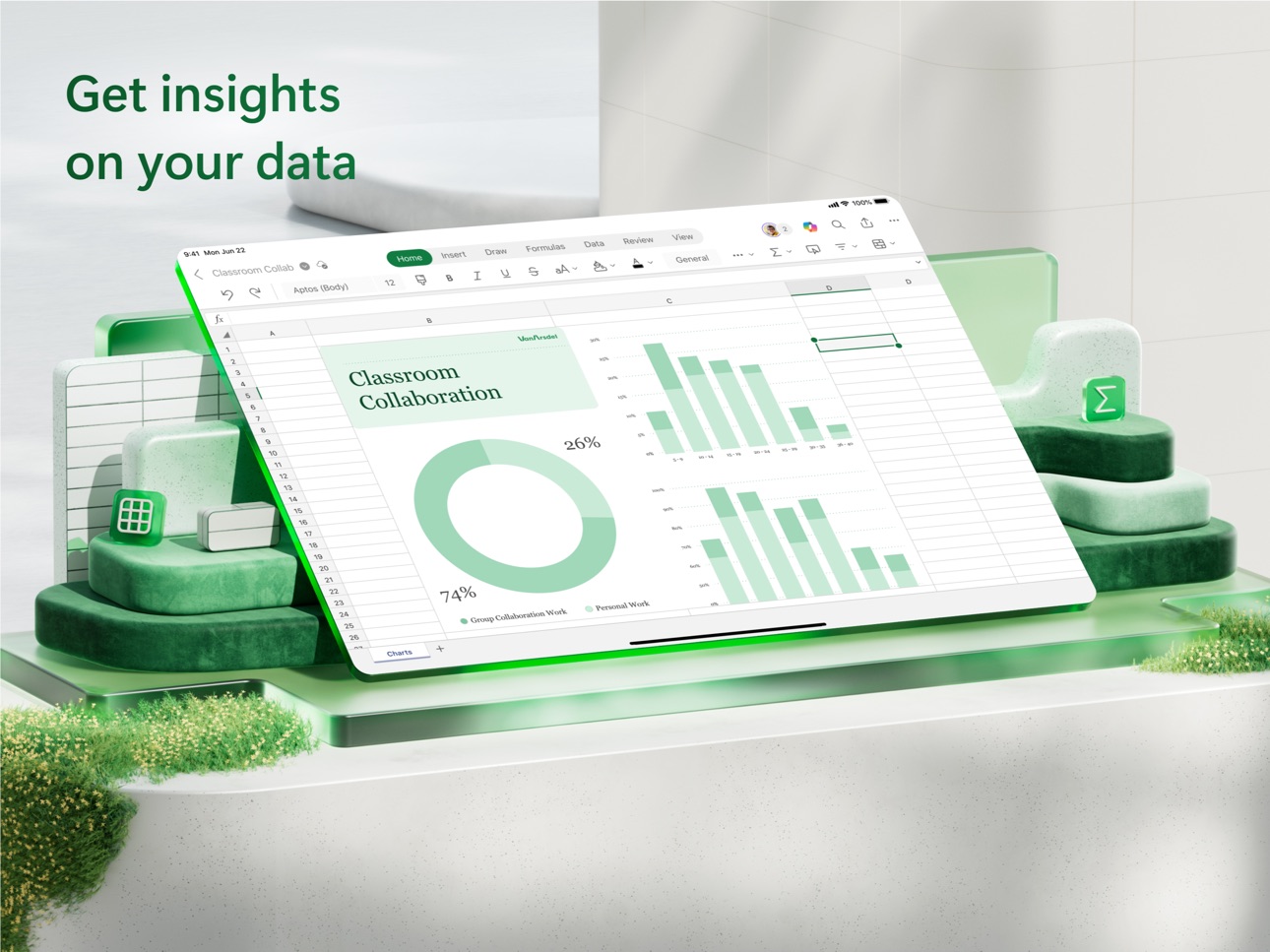
• Analyse data using charts and graphs.
• Highlight key insights using chart labelling features.
• Visualise data at a glance.
Finance Budgeting and Accounting: Simplify Personal Finance
• Use spreadsheets and charts to help manage budgets.
• Familiar tools to help you drill down to your exact finance needs.
• Calculate tax estimates, personal finances and more.
Draw and Annotate with Ink: Capture Ideas on the Page
• Make notes, highlight your worksheet, create shapes or write equations using the draw tab feature on devices with touch capabilities.
Sharing Made Easy: Collaborate Anywhere
• Share your files with a few taps to quickly invite others to edit, view or leave comments directly in your workbooks.
• Copy the content of your worksheet in the body of an email message with its format intact or attach or copy a link to your workbook for other sharing options.
• Send worksheet content in an email while preserving formatting or send a link to your workbook.
AI Assistance with Copilot*
• Summarise data and highlight trends quickly.
• Generate charts and tables from raw data with simple prompts.
• Get intelligent recommendations for budgeting and forecasting.
REQUIREMENTS:
1 GB RAM or above
To create or edit documents, sign in with a free Microsoft account on devices with a screen size smaller than 10.1 inches.
*Unlock the full Microsoft 365 experience with a qualifying Microsoft 365 subscription for your phone, tablet, PC and Mac.
This app is provided by either Microsoft or a third-party app publisher and is subject to a separate privacy statement and terms and conditions. Data provided through the use of this store and this app may be accessible to Microsoft or the third-party app publisher, where applicable, and transferred to, stored and processed in the United States or any other country where Microsoft or the app publisher and their affiliates or service providers maintain facilities.
Please refer to Microsoft's EULA for Terms of Service for Microsoft 365 on iOS. By installing the app, you agree to these terms and conditions: http://aka.ms/eula
In-App Purchases US pricing
Microsoft 365 Family Subscription
Monthly 1-month free trial$12.99
Yearly 1-month free trial$129.99
Microsoft 365 Personal Subscription
Monthly 1-month free trial$9.99
Yearly 1-month free trial$99.99
Microsoft 365 Premium Subscription
Monthly · Monthly 1-month free trial$19.99
Microsoft Copilot Pro Subscription
Monthly$20.00
Office 365 Home Subscription
Monthly 1-month free trial$12.99
Yearly$129.99
Office 365 Personal Subscription
Monthly 1-month free trial$6.99
Yearly$69.99
Capabilities
In-App Purchases
Accessibility
ipadiphonemacrealityDevicetvoswatch
Version history 25 versions
Build 887662018v2.111.32026-07-06 04:10:41
• General quality and performance enhancements.
Build 887509396v2.111.22026-06-29 04:09:30
• General quality and performance enhancements.
Build 887360494v2.111.12026-06-26 08:09:08
• General quality and performance enhancements.
Build 887102721v2.1112026-06-22 04:12:12
• General quality and performance enhancements.
Build 886698762v2.1102026-06-15 04:01:40
• General quality and performance enhancements.
Build 886592314v2.109.42026-06-08 04:01:43
• General quality and performance enhancements.
Build 886298951v2.109.32026-06-01 04:11:01
• General quality and performance enhancements.
Build 886030856v2.109.22026-05-25 04:04:33
• General quality and performance enhancements.
Build 885735009v2.109.12026-05-18 04:06:49
• General quality and performance enhancements.
Build 885253347v2.1092026-05-11 04:08:43
• Modernized comments experience: The updated Comments pane experience improves the clarity and usability of mobile commenting by making comment threads easier to find, read, and act on.
Build 885165974v2.108.32026-05-04 04:19:54
• General quality and performance enhancements.
Build 884907195v2.108.22026-04-27 04:20:35
• General quality and performance enhancements.
Build 884642412v2.108.12026-04-20 04:16:05
• General quality and performance enhancements.
Build 884208538v2.1082026-04-13 04:06:49
• General quality and performance enhancements.
Build 884112563v2.107.42026-04-06 06:46:48
• General quality and performance enhancements.
Build 883856951v2.107.32026-03-30 04:09:37
• General quality and performance enhancements.
Build 883601832v2.107.22026-03-23 04:03:56
• General quality and performance enhancements.
Build 883352169v2.107.12026-03-16 04:03:51
• General quality and performance enhancements.
Build 882957947v2.1072026-03-09 04:02:38
• General quality and performance enhancements.
Build 882874243v2.106.32026-03-02 05:10:58
• General quality and performance enhancements.
Build 882645032v2.106.22026-02-23 05:06:01
• General quality and performance enhancements.
Build 882452297v2.106.12026-02-17 02:52:35
• General quality and performance enhancements.
Build 882127588v2.1062026-02-09 05:06:19
• General quality and performance enhancements.
Build 882027333v2.105.42026-02-02 05:05:22
• General quality and performance enhancements.
Build 881913343v2.105.32026-01-28 07:08:53
• Fixes an issue that prevented opening drop down lists or using formula bar buttons.
Price history by region
Currency
Show
Columns
Search
App performance US
Availability 173 of 175 storefronts
| Region | Language | Price | Ratings | Avg | Version |
|---|---|---|---|---|---|
| US | en-US | Free | 1.4M | 4.8 | 2.111.3 |
| JP | ja | Free | 513.5k | 4.4 | 2.111.3 |
| CN | zh-Hans-CN | Free | 405.9k | 4.8 | 2.111.3 |
| MX | es-MX | Free | 361.5k | 4.8 | 2.111.3 |
| BR | pt-BR | Free | 300.1k | 4.8 | 2.111.3 |
| GB | en-GB | Free | 274.7k | 4.7 | 2.111.5 |
| TH | en-GB | Free | 256.9k | 4.8 | 2.111.3 |
| IN | en-GB | Free | 232.7k | 4.7 | 2.111.3 |
| DE | de-DE | Free | 227.7k | 4.6 | 2.111.3 |
| VN | en-GB | Free | 217.6k | 4.8 | 2.111.3 |
| CA | en-CA | Free | 172.5k | 4.7 | 2.111.5 |
| CO | es-MX | Free | 157.3k | 4.9 | 2.111.3 |
| FR | fr-FR | Free | 154.7k | 4.6 | 2.111.3 |
| AU | en-AU | Free | 130.7k | 4.6 | 2.111.5 |
| ES | es-ES | Free | 128.9k | 4.7 | 2.111.3 |
| SA | en-GB | Free | 118.4k | 4.6 | 2.111.3 |
| IT | it | Free | 113.1k | 4.6 | 2.111.3 |
| KR | ko | Free | 112.9k | 4.8 | 2.111.3 |
| ID | en-GB | Free | 110.1k | 4.9 | 2.111.3 |
| TR | en-GB | Free | 107.1k | 4.7 | 2.111.3 |
| TW | zh-Hant-TW | Free | 105.9k | 4.8 | 2.111.3 |
| RU | ru | Free | 97.2k | 4.8 | 2.111.3 |
| NL | nl | Free | 83.8k | 4.6 | 2.111.3 |
| CL | es-MX | Free | 74.7k | 4.8 | 2.111.3 |
| PH | en-GB | Free | 71.2k | 4.8 | 2.111.3 |
| HK | zh-Hant-HK | Free | 66.4k | 4.7 | 2.111.3 |
| MY | en-GB | Free | 63.6k | 4.8 | 2.111.3 |
| AR | es-MX | Free | 57.1k | 4.8 | 2.111.3 |
| AE | en-GB | Free | 56.7k | 4.7 | 2.111.3 |
| CH | de-CH | Free | 55.1k | 4.6 | 2.111.3 |
| EG | en-GB | Free | 51.0k | 4.8 | 2.111.3 |
| PE | es-MX | Free | 47.3k | 4.8 | 2.111.3 |
| ZA | en-GB | Free | 44.3k | 4.7 | 2.111.3 |
| BE | en-GB | Free | 39.2k | 4.6 | 2.111.3 |
| SG | en-GB | Free | 38.0k | 4.7 | 2.111.3 |
| EC | es-MX | Free | 36.3k | 4.8 | 2.111.3 |
| SE | sv | Free | 34.1k | 4.5 | 2.111.3 |
| PT | pt-PT | Free | 33.9k | 4.7 | 2.111.3 |
| UA | en-GB | Free | 33.5k | 4.8 | 2.111.3 |
| PL | en-GB | Free | 28.5k | 4.7 | 2.111.3 |
| AT | de-DE | Free | 27.3k | 4.6 | 2.111.3 |
| DK | en-GB | Free | 25.3k | 4.5 | 2.111.3 |
| NO | en-GB | Free | 24.8k | 4.6 | 2.111.3 |
| DO | es-MX | Free | 21.8k | 4.9 | 2.111.3 |
| CR | es-MX | Free | 20.9k | 4.9 | 2.111.3 |
| GT | es-MX | Free | 20.8k | 4.8 | 2.111.3 |
| PK | en-GB | Free | 20.1k | 4.7 | 2.111.3 |
| IL | en-GB | Free | 19.2k | 4.6 | 2.111.3 |
| NZ | en-AU | Free | 19.0k | 4.6 | 2.111.3 |
| RO | en-GB | Free | 18.7k | 4.8 | 2.111.3 |
| HU | en-GB | Free | 18.5k | 4.7 | 2.111.3 |
| CZ | en-GB | Free | 18.4k | 4.7 | 2.111.3 |
| GR | en-GB | Free | 17.2k | 4.7 | 2.111.3 |
| NG | en-GB | Free | 17.2k | 4.7 | 2.111.5 |
| KZ | en-GB | Free | 16.3k | 4.8 | 2.111.3 |
| KH | en-GB | Free | 14.4k | 4.7 | 2.111.3 |
| IE | en-GB | Free | 14.4k | 4.7 | 2.111.5 |
| KW | en-GB | Free | 12.9k | 4.7 | 2.111.3 |
| PA | es-MX | Free | 12.6k | 4.8 | 2.111.3 |
| LK | en-GB | Free | 11.4k | 4.8 | 2.111.3 |
| QA | en-GB | Free | 11.1k | 4.8 | 2.111.3 |
| GH | en-GB | Free | 10.9k | 4.6 | 2.111.5 |
| JO | en-GB | Free | 9.7k | 4.7 | 2.111.3 |
| HN | es-MX | Free | 8.7k | 4.8 | 2.111.3 |
| KE | en-GB | Free | 8.5k | 4.8 | 2.111.5 |
| FI | en-GB | Free | 8.1k | 4.3 | 2.111.3 |
| BO | es-MX | Free | 8.0k | 4.7 | 2.111.3 |
| SV | es-MX | Free | 7.9k | 4.8 | 2.111.3 |
| UY | en-GB | Free | 7.8k | 4.8 | 2.111.3 |
| VE | es-MX | Free | 7.6k | 4.8 | 2.111.3 |
| SK | en-GB | Free | 7.4k | 4.7 | 2.111.3 |
| MN | en-GB | Free | 7.2k | 4.8 | 2.111.3 |
| BG | en-GB | Free | 7.0k | 4.8 | 2.111.3 |
| PY | es-MX | Free | 6.9k | 4.8 | 2.111.3 |
| OM | en-GB | Free | 6.9k | 4.6 | 2.111.3 |
| HR | en-GB | Free | 6.4k | 4.8 | 2.111.3 |
| TZ | en-GB | Free | 6.2k | 4.8 | 2.111.5 |
| LB | en-GB | Free | 6.1k | 4.7 | 2.111.3 |
| AZ | en-GB | Free | 6.1k | 4.9 | 2.111.3 |
| AL | en-GB | Free | 5.6k | 4.8 | 2.111.3 |
| BY | en-GB | Free | 5.3k | 4.8 | 2.111.3 |
| MA | en-GB | Free | 5.2k | 4.7 | 2.111.3 |
| UZ | en-GB | Free | 5.1k | 4.8 | 2.111.3 |
| SN | en-GB | Free | 4.6k | 4.5 | 2.111.3 |
| BH | en-GB | Free | 4.5k | 4.7 | 2.111.3 |
| DZ | en-GB | Free | 4.4k | 4.7 | 2.111.3 |
| MO | zh-Hant-HK | Free | 4.2k | 4.8 | 2.111.3 |
| LU | en-GB | Free | 3.9k | 4.6 | 2.111.3 |
| NI | es-MX | Free | 3.6k | 4.7 | 2.111.3 |
| NP | en-GB | Free | 3.4k | 4.6 | 2.111.3 |
| UG | en-GB | Free | 3.4k | 4.7 | 2.111.3 |
| LT | en-GB | Free | 3.2k | 4.8 | 2.111.3 |
| SI | en-GB | Free | 3.1k | 4.7 | 2.111.3 |
| AO | en-GB | Free | 2.9k | 4.6 | 2.111.3 |
| CY | en-GB | Free | 2.8k | 4.7 | 2.111.3 |
| IQ | en-GB | Free | 2.7k | 4.6 | 2.111.3 |
| LV | en-GB | Free | 2.6k | 4.7 | 2.111.3 |
| AM | en-GB | Free | 2.5k | 4.9 | 2.111.3 |
| ZW | en-GB | Free | 2.5k | 4.7 | 2.111.3 |
| EE | en-GB | Free | 2.5k | 4.8 | 2.111.3 |
| MT | en-GB | Free | 2.5k | 4.8 | 2.111.3 |
| KG | en-GB | Free | 2.2k | 4.8 | 2.111.3 |
| RS | en-GB | Free | 2.2k | 4.8 | 2.111.3 |
| CI | fr-FR | Free | 2.2k | 4.6 | 2.111.3 |
| TT | en-GB | Free | 2.0k | 4.7 | 2.111.3 |
| JM | en-GB | Free | 1.9k | 4.7 | 2.111.3 |
| MZ | en-GB | Free | 1.8k | 4.7 | 2.111.3 |
| MD | en-GB | Free | 1.8k | 4.8 | 2.111.3 |
| TN | en-GB | Free | 1.5k | 4.6 | 2.111.3 |
| IS | en-GB | Free | 1.5k | 4.6 | 2.111.3 |
| LA | en-GB | Free | 1.4k | 4.6 | 2.111.3 |
| NA | en-GB | Free | 1.4k | 4.6 | 2.111.3 |
| MU | en-GB | Free | 1.3k | 4.6 | 2.111.3 |
| MK | en-GB | Free | 1.3k | 4.8 | 2.111.3 |
| ML | en-GB | Free | 1.3k | 4.5 | 2.111.3 |
| GE | en-GB | Free | 1.3k | 4.8 | 2.111.3 |
| ZM | en-GB | Free | 1.2k | 4.7 | 2.111.3 |
| BW | en-GB | Free | 1.2k | 4.6 | 2.111.3 |
| MM | en-GB | Free | 1.1k | 4.6 | 2.111.3 |
| YE | en-GB | Free | 913 | 4.5 | 2.111.3 |
| MR | en-GB | Free | 805 | 4.5 | 2.111.3 |
| CG | en-GB | Free | 787 | 4.5 | 2.111.3 |
| BN | en-GB | Free | 740 | 4.7 | 2.111.3 |
| BF | en-GB | Free | 736 | 4.5 | 2.111.3 |
| TJ | en-GB | Free | 674 | 4.8 | 2.111.3 |
| MV | en-GB | Free | 662 | 4.7 | 2.111.3 |
| CM | fr-FR | Free | 652 | 4.4 | 2.111.3 |
| BJ | en-GB | Free | 636 | 4.6 | 2.111.3 |
| BS | en-GB | Free | 579 | 4.7 | 2.111.3 |
| MG | en-GB | Free | 564 | 4.5 | 2.111.3 |
| LY | en-GB | Free | 538 | 4.5 | 2.111.3 |
| BA | en-GB | Free | 525 | 4.8 | 2.111.3 |
| RW | en-GB | Free | 517 | 4.6 | 2.111.3 |
| MW | en-GB | Free | 470 | 4.6 | 2.111.3 |
| BB | en-GB | Free | 449 | 4.6 | 2.111.3 |
| FJ | en-GB | Free | 436 | 4.6 | 2.111.3 |
| GY | en-GB | Free | 413 | 4.7 | 2.111.3 |
| BZ | en-GB | Free | 389 | 4.7 | 2.111.3 |
| AF | en-GB | Free | 358 | 4.6 | 2.111.3 |
| SL | en-GB | Free | 348 | 4.6 | 2.111.3 |
| BT | en-GB | Free | 313 | 4.5 | 2.111.3 |
| SR | en-GB | Free | 313 | 4.6 | 2.111.3 |
| GM | en-GB | Free | 276 | 4.5 | 2.111.3 |
| LR | en-GB | Free | 274 | 4.5 | 2.111.3 |
| KY | en-GB | Free | 264 | 4.7 | 2.111.3 |
| ME | en-GB | Free | 245 | 4.8 | 2.111.3 |
| SZ | en-GB | Free | 201 | 4.6 | 2.111.3 |
| PW | en-GB | Free | 198 | 4.8 | 2.111.3 |
| TD | en-GB | Free | 198 | 4.6 | 2.111.3 |
| NE | en-GB | Free | 196 | 4.6 | 2.111.3 |
| AG | en-GB | Free | 190 | 4.6 | 2.111.3 |
| TM | en-GB | Free | 183 | 4.7 | 2.111.3 |
| CV | en-GB | Free | 178 | 4.6 | 2.111.3 |
| PG | en-GB | Free | 169 | 4.6 | 2.111.3 |
| GA | fr-FR | Free | 162 | 4.5 | 2.111.3 |
| BM | en-GB | Free | 152 | 4.7 | 2.111.3 |
| LC | en-GB | Free | 144 | 4.7 | 2.111.3 |
| SC | en-GB | Free | 144 | 4.6 | 2.111.3 |
| TC | en-GB | Free | 133 | 4.8 | 2.111.3 |
| GD | en-GB | Free | 130 | 4.7 | 2.111.3 |
| KN | en-GB | Free | 118 | 4.6 | 2.111.3 |
| VC | en-GB | Free | 118 | 4.7 | 2.111.3 |
| DM | en-GB | Free | 109 | 4.8 | 2.111.3 |
| VG | en-GB | Free | 78 | 4.7 | 2.111.3 |
| GW | en-GB | Free | 77 | 4.4 | 2.111.3 |
| AI | en-GB | Free | 74 | 4.7 | 2.111.3 |
| SB | en-GB | Free | 25 | 4.6 | 2.111.3 |
| FM | en-GB | Free | 23 | 4.6 | 2.111.3 |
| TO | en-GB | Free | 22 | 4.7 | 2.111.3 |
| ST | en-GB | Free | 12 | 4.6 | 2.111.3 |
| VU | en-GB | Free | 11 | 5.0 | 2.111.3 |
| MS | en-GB | Free | 9 | 4.3 | 2.111.3 |
| NR | en-GB | Free | 5 | 4.6 | 2.111.3 |
Not available in: CD, XK
Reviews 30 reviews · US
★★★★★
Broken
UPDATE: It’s gotten worse. Now, when I delete the app and redownload, it crashes the first time; after a force quit it will open the doc, but the problem I had with text entry is still there. So now I can’t even fix it for a little while.
It stopped working with the update to the liquid glass version. The bugs have changed some with updates since but it’s still broken. My current biggest issue now is getting a contextual menu for text in the formula bar—it works for a few hours, but then simply won’t, so if you need to revise what’s there you’re out of luck. I have to delete the app and re-
ccih2026-04-26
★★★★★
Excellent
Microsoft Excel is a powerful spreadsheet tool widely used for organizing, analyzing, and visualizing data. Its extensive set of formulas, chart options, and pivot tables makes it ideal for tasks ranging from simple budgeting to complex financial modeling. Excel integrates well with other Microsoft Office apps and supports collaboration through cloud services. While its advanced features can have a steep learning curve for beginners, its versatility and reliability make it an essential tool for professionals and students alike.
Tawhid.Alam2026-04-25
★★★★★
Generally awful
The app really limits usability. Especially the file viewing setup. There is no way to customize the recents page, of size of each thumbnail. They take up the entire display and also do not display the actual sheet, its just blank.
Recent files are not shared across devices, so when I create a file on my ipad, it wont show up anywhere on my recents on my phone unless I manually search for it. Theres no way to sort files when browsing. I frequently get in app errors. Like failed to remove from list, or failed to close, things like that. When in a spreadsheet, the different sheets are hidden an
qqq1010102026-04-24
★★★★★
Excel & Word
Last year I was able to print out of Excel and Word. This year I cannot, it seemed with every update through this app or the iOS on the iPad fifth GEN I can’t find the print option or it has completely disappeared, ONLY in the Microsoft apps! I can print my emails, I can print out of Bible study fellowship app, but I cannot print a Word or an Excel document! The help that I get off of Google is worthless because under share or whatever else you want me to use to print, doesn’t exist. Print is nowhere in this app or in any of the apps that come from Microsoft, I pay over $100 a year for this pr
Begonia8512026-03-21
★★★★★
DO NOT SUBSCRIBE THROUGH APPLE
I have been subscribed to MS 365 through apple for over a year, and not once have I logged in and been able to access and edit my spreadsheets. It always has the “subscribe to edit” banner across the top, even though it’s on autopay. Every time I’ve spent 15-20 minutes with some combination of updates, logging out and in, clicking around and reloading to app to get it to work. All of my complaints to MS have been ignored. This time I can’t get it to work after a half hour of trying everything and I’ve finally had enough. I’ve cancelled my subscription and spending the time to move all of my sh
Ndantoni2026-02-24
★★★★★
Changes dates after I have typed them
This has started to change dates to random dates when I go to sort and column by ascending order. Changed everything from 2025 to 2026 and randomly changes the day and month for some of the dates as well when I do this. I have been using Excel for a while and it seems every time an update comes along it will fix one thing and then break another. It’s really sad what tech companies have become, incapable of releasing a fully finished/complete product. Update, after leaving excel to write this review and going back to excel it reset me to a different version of the document from earlier in the d
red.head4202026-02-10
★★★★★
Very Usable
It’s obvious the menu bar functionality of the Office suite for iPadOS has not been fully implemented, as the menu items are pretty generic so far. On PC/Windows, the menu bar has been gone for a while, but it lives on in macOS. I’ve been using Excel on iPad Pros from the original 12.9”, the 2020, and now the 2024 M4 iPad Pro. I have used and loved Excel since the early 90s. I’m no longer a power user, so I have not noticed any limitations. I use this in conjunction with the desktop counterpart without issue. Occasionally a version has glitches, which gets fixed. I appreciate that in the stand
KrunchDown2026-01-11
★★★★★
Bugs again
I’ve been using Excel for years and I do mean years, as in since it existed and it’s always been fine. Most of that time though, I was using it on a PC. Now I’m using the app version on an iPad and even then it’s mostly been just fine. Slightly scaled back version of the PC version and that’s ok because my spreadsheets on the iPad are simple ledger sheets. But now I’m having an issue that is really frustrating. I get these pop up message balloons suggesting content for the cell. That’s fine. They’ve always been there but now they’re not going away. Type in a name in column B and it off
STSlish2026-01-08
★★★★★
No idea what incompetent developer was in charge of this nonsense waste of an application
Whoever was in charge of the Microsoft Suite for iPad needs to be fired. Nothing works, especially given the iPad’s desire to replace your laptop…You can’t create or edit documents and expect to be able to do anything with them. You can’t reliably print them; if you create a spreadsheet on your iPad, don’t expect to be able to open it on your desktop...or even back on your iPad again because for some reason it STILL saves into corrupted files. Only work around is to open in apple’s FREE numbers app and resave it there. Also don’t expect any kind of formatting to carry over between the iPad app
cmal922026-01-04
★★★★★
Updates keep killing it
Worked perfectly fine months ago, would have rated 5 stars. They completely broke it for a while then fixed it. Now more issues. Biggest issues now is with typing in descriptions or numbers. For descriptions if there’s the same thing in cells above in the column it will pop up that option as your typing but won’t enter properly. With numbers if you’re entering them in they disappear as you are doing so in the viewable pane.
I suggest proper testing and actually using the app before pushing updates. Seems basic functionality is always clearly broken.
ZangeithI2025-12-19
★★★★★
More than half my life
I began using Excel in 1993 when I was in my very early 20’s while working for the county government, throughout my life and still use it today. It had already been around for almost 10 years. Being a math freak I had so much fun with it in the beginning even taking a certification class and then using the program, at the time to probably it’s fullest capabilities. I even bought the software for my home as it became more interesting than Nintendo or Atari. Creating formula and calculation sheets for work, fun and even helping a few friends with their businesses in my off hours. I eventually mo
FrancoPI2025-11-30
★★★★★
Does Not Properly Save Files
I’ve had Excel on my iPhone and iPad for years and never have had this issue. The latest versions have terrible saving functionality. Often times, my files do not save (even after manually switching off auto-save and force saving). There’s no way to confirm if the file saves even though you shouldn’t have to anyways. This needs to be resolved soon, as the app is no longer reliable. I’ve spent over 3 hours the past two days redoing files I thought had previously saved. SAVE yourself the time and do not use this app until a fix is in place.
keithhof2025-11-17
★★★★★
Gets worse every time I use it!
The cells go blank when typing and the formula bar does not display the formula. It’s very annoying and has been happening for as long as I can remember. Please fix and stop breaking it. Now copy/cut/paste stopped working. App also has a hard time connecting to the cloud and does not reliably sync with other devices. Has a hard time merging changes. I’ve also been experiencing the program freezing and locking up. The app closes when switching to another app. Remind me exactly why I’m paying a monthly fee for this program? How about making sure that the bugs are fixed and the app works before
Beauuuui2025-11-14
★★★★★
Not able to use cut/paste/delete or use any edits
I have been using excel for a long time and use it to budget which requires a lot of editing of cells. The recent update has removed that so now I can’t edit my spreadsheets to be more accurate. Which is disrupting the purpose of these excel sheets I use. I have done all the steps listed in the forum and see many others have the same issue. Get this updated asap so many of us who rely on those cell edits aren’t being inconvenienced with incorrect data because the edit function was removed.
mcsnogiod2025-11-13
★★★★★
Received feedback request the moment I installed the app
Continuously bombarding me with request for feedback on your program drives me crazy. That’s one of the reasons I removed it a long time ago. However, today I needed it and I installed it and the very first thing that happened was a pop-up request requesting me to provide a review. I literally hadn’t even had a chance to press a single button in the app before it asked me for my review. Please rethink the timing of these requests as as well as how many times you send these types of request, whether through the app or email. Consumers should not have to be bombarded with constant request for fe
gilmores2025-11-11
★★★★★
Amazing: Syncing a work in progress
I use Excel and MS Office on an iPad and iPhone. I think Microsoft and Apple should work closer together to make dual booting monitors for iPad cheaper and more seamless for office professionals. I think being able to have multiple instances of the OneDrive/Word/Excel apps open for the same account on different iOS monitors, while being able to save on both instances of the same app with one or two devices would make Excel way more productive.
Ms. Miyagi2025-11-10
★★★★★
Temporary fix for the Update screwup
All! I have a temporary fix for the latest update disasters. This works for me, not sure it will work for all, but perhaps it will give the developers something to work with to resolve the issue.
So what I HAVE to do on my iPad is delete the app, close all my open apps, then restart my iPad. Then I reinstall Excel app. It will then work fine, for me. This lasts either until I have too many apps open or about 24 hours. Not certain time is the key here, but device memory could be. Hopefully someone else can confirm this will work for them, until the Developers discover a fix. Good luck to us al
tnewguy2025-10-24
★★★★★
Rendered Useless by Update
As with the rest of the Office 365 suite, Excel has been rendered completely unusable by the latest update. You cannot do anything—and I mean literally anything—on the app without it crashing within ten seconds. Navigate to the home screen? Can’t open any of the files directly in app. You have to go to your Files App. Try to create a new spreadsheet? Good luck. Even if you manage to make one, the app will freeze on you shortly thereafter and you will be unable to click on any cells or type in anything. Open an old file using the Files App? It’ll freeze within moments of your first edit, and if
ahdkdlshdkslahh2025-10-23
★★★★★
Thrilled and Happy To Have Excel Back On My iPhone!
I did have a bad experience with a recent update to the app and was incredibly worried I had lost my beloved Excel on my slightly older iPhone 12 Pro forever. I updated to the new Liquid Glass adapted version of excel and nothing worked but now with this recent update it actually seems faster than ever! Not sure what caused the short term glitch but I’m so happy it’s back and working better than ever and I’m so glad the team at Microsoft was able to fix it and improve the experience to make this so much better and bring back my favorite tool for tacking all sorts of items via spreadsheets!
iamthenameless12025-10-21
★★★★★
Great for the first month….but THEN!
I spend my life on the road and do everything on my phone. I recently switched from another spreadsheet app to THIS one. I assumed it would be easier to collaborate with people in my home office, and at first, it was. However, no that I’ve invested time, effort, and data that I need - I can’t work with my data! When I open a worksheet and scroll at all, the screen just turns solid white where my populated cells should be, then it freezes entirely! I’ve deleted the app and re-installed, but it does the same thing. I’m hoping I can open the files with my OLD spreadsheet app so that I can s
Diamond Dave VT2025-10-21
★★★★★
Still not working
I rely on this daily. Now for the past 2 weeks there are multiple bugs and errors. The only way to make it function at all was to log out and back in every time you wanted to access your files without them looking blank or unable to navigate them. These are known issues, because I have seen multiple reports on them. Finally we get an update today that was supposed to fix this. Instead it is worse and no matter what I do, that app doesn’t work. Where is the Microsoft quality control?
TheInternetLady2025-10-20
★★★★★
Fire the developers
I have used this app every day for at least 5 years. I maintain, update, and audit our family budget in a formula-heavy custom spreadsheet with macros. Since the last update, I am unable to select cells or change tabs. As someone who works professionally in IT, I am literally and absolutely dumbfounded at how this managed to pass ANY QA testing whatsoever, especially considering my experience is NOT isolated. Whoever was in charge of this project, the QA team, and the developers responsible for this update should be fired immediately. This is inexcusable and unacceptable. Did they use ChatGPT
MisterBigJake2025-10-20
★★★★★
IOS 18 and 26 Excel version frozen and not working
I’ve been using Microsoft Excel for years, and this latest version is shockingly unstable on iPadOS 26. The app freezes almost every time I open a workbook — sometimes immediately after launch, sometimes while editing. This is happening across many users, yet Microsoft still pushed this version live.
It’s unacceptable that such a critical productivity app was released without proper testing or compatibility validation for the latest iPadOS. Both Apple and Microsoft users have been flooding support forums with the same issue for weeks, and there’s still no fix or even a clear acknowledgment fr
Needfullcapabilityfrom3652025-10-20
★★★★★
App freezes and does not load files
The new update is terrible. Docs are slow to load on my iPhone. When I click a cell to edit, the screen just freezes. I have to restart the app several times just to edit a cell. Dark mode is dysfunctional, several logos are not visible in dark mode. There is a severe lag with opening documents. I have never experienced this kind of dysfunctionalilty with a Microsoft app update. I need to be able to use mobile MS app for school and work and this has caused excessive delays in my ability to accessibly use the apps for this purpose, leading me to research other companies and options that can per
Jeeplady872025-10-19
★★★★★
Freezing and Failing
I’m tired of having to start everything over, having to close out every Excel window just to get back to work. It’s been even worse since the most recent update. I’ve made sure my IOS is updated, I’ve got tons of available memory. Excel is an invaluable tool for my work, I’ve even managed to adapt to the iPad version which (as I agree with other reviewers) is ridiculously lacking in shortcuts that could mimic the desktop version but are inexplicably absent or altered. I wish I could have liked other reviews as I verified it wasn’t just me.
ARosePangia2025-10-18
★★★★★
The latest update broke editing functionality
Review
After the most recent update, Excel became unusable. When I open a file, the cursor doesn’t appear and I can’t edit any cells at all. I have to completely close the app and reopen it, and only then does it work — but not always. This issue started right after the icon changed, so it’s clearly from the latest update. Please fix this as soon as possible because Excel is an essential tool, and right now it’s impossible to use for data entry or editing.
Después de la actualización más reciente, Excel se volvió inutilizable. Cuando abro un archivo, el cursor no aparece y no puedo editar ninguna c
Juansrc_882025-10-18
★★★★★
The app is buggy
I have complained about these more than once. The app will have problems saving and will say strange things like the file is being used by someone else and it won’t save the last several steps…forcing me to exit and abandon changes. The other problem is when I turn off AutoSave, after a certain amount of time designated by Microsoft, the AutoSave feature turns itself back on. Why did you do this? You don’t do that on any other product. If I have decided to turn off the AutoSave, why do you think that I want it back on?
iPadBrian2025-10-17
★★★★★
Autosave not functioning, cost me my job.
I don’t know if it’s because I fill it out, and email it too quickly, but it caused my hours to be inaccurate. My company thought I was trying to skim the til, and FIRED me because the hours didn’t match my actual work. This is a disastrous error, you need to make manual save the automatic option, considering on iPad it’s not immediately obvious that there’s even an option to switch to manual save: not the buggy JOB-COSTING “auto save” that may or may not work. So thanks; now I’m on my 21 hour trip home, a month early, because of your garbage product issue, and possibly BLACK LISTED. From my
Sarahmaeburry2025-10-01
★★★★★
Okay…
I’ve been using Excel for several decades. Moving from a windows computer to this iPad version means having to take a step down. I use basic functions, but keep many spreadsheets going at a time for several business functions which ALWAYS causes a crash in the program, killing what productivity I have made prior to my last save. I didn’t think I did anything that special on this program, but I have run into consistent limitations. Probably my fault for trying to run a Microsoft-heavy business with an iPad. I still prefer it to Apple’s Numbers program.
Corb-n-Court2025-09-25
★★★★★
Greed, as if Microsoft needs more money
I have been using this app for over 11 years without any issues at all. Lately, however, it seems Microsoft needs to end the free use of their software. When I open the app, nothing is there and when I hit ‘recent’, nothing there either. 3,400 entries, poof, gone! I open documents, find my file, click on it and it opens with Excel. The file is in Dropbox. I have to do this every morning and sometimes, the file will not open. Moreover, I will get a message stating that if I don’t purchas a monthly subscription, which I will be paying for the rest of my life, I cannot open any of my files. This
Billiieyboy2025-09-05
Change log 39 changes · US
◆
Version changed
2.111.3 → 2.111.5
◆
Version changed
2.111.3 → 2.111.5
◆
Version changed
2.111.3 → 2.111.5
◆
Version changed
2.111.3 → 2.111.5
◆
Version changed
2.111.3 → 2.111.5
◆
Version changed
2.111.3 → 2.111.5
◆
Version changed
2.111.3 → 2.111.5
◆
Version changed
2.111.3 → 2.111.5
⊕
Office 365 Home price changed
99.99 → 129.99 USD
⊕
Office 365 Home price changed
9.99 → 12.99 USD
✎
releaseNotes updated
• General quality and performance enhancements.
✎
description updated
Review files and run data analysis on the go. Customise tables the way you want with robust formatting tools and great features. Excel lets you build your sprea
✎
subtitle updated
Organize Your Data and Budget
✎
name updated
Microsoft Excel
◆
Version 2.111.3 released
• General quality and performance enhancements.
◆
Version 2.111.2 released
• General quality and performance enhancements.
◆
Version 2.111.1 released
• General quality and performance enhancements.
◆
Version 2.111 released
• General quality and performance enhancements.
◆
Version 2.110 released
• General quality and performance enhancements.
◆
Version 2.109.4 released
• General quality and performance enhancements.
◆
Version 2.109.3 released
• General quality and performance enhancements.
◆
Version 2.109.2 released
• General quality and performance enhancements.
◆
Version 2.109.1 released
• General quality and performance enhancements.
◆
Version 2.109 released
• Modernized comments experience: The updated Comments pane experience improves the clarity and usability of mobile commenting by making comment threads easier to find, read, and act on.
◆
Version 2.108.3 released
• General quality and performance enhancements.
◆
Version 2.108.2 released
• General quality and performance enhancements.
◆
Version 2.108.1 released
• General quality and performance enhancements.
◆
Version 2.108 released
• General quality and performance enhancements.
◆
Version 2.107.4 released
• General quality and performance enhancements.
◆
Version 2.107.3 released
• General quality and performance enhancements.
◆
Version 2.107.2 released
• General quality and performance enhancements.
◆
Version 2.107.1 released
• General quality and performance enhancements.
◆
Version 2.107 released
• General quality and performance enhancements.
◆
Version 2.106.3 released
• General quality and performance enhancements.
◆
Version 2.106.2 released
• General quality and performance enhancements.
◆
Version 2.106.1 released
• General quality and performance enhancements.
◆
Version 2.106 released
• General quality and performance enhancements.
◆
Version 2.105.4 released
• General quality and performance enhancements.
◆
Version 2.105.3 released
• Fixes an issue that prevented opening drop down lists or using formula bar buttons.