Home › Utilities

 DO
DO
 USen-US
 GBen-GB
 DEde-DE
 AUen-AU
 CAen-CA
 CHde-CH
 FRfr-FR
 RUru
RUru CNzh-Hans-CN
 CYen-GB
 HUen-GB
 IEen-GB
 KRko
KRko KZen-GB
 MXes-MX
 NOen-GB
 SEsv
SEsv AEen-GB
 AFen-GB
 AGen-GB
 AIen-GB
 ALen-GB
 AMen-GB
 AOen-GB
 ARes-MX
 ATde-DE
 AZen-GB
 BAen-GB
 BBen-GB
 BEen-GB
 BFen-GB
 BGen-GB
 BHen-GB
 BJen-GB
 BMen-GB
 BNen-GB
 BOes-MX
 BRpt-BR
 BSen-GB
 BTen-GB
 BWen-GB
 BYen-GB
 BZen-GB
 CDen-GB
 CGen-GB
 CIfr-FR
 CLes-MX
 CMfr-FR
 COes-MX
 CRes-MX
 CVen-GB
 CZen-GB
 DKen-GB
 DMen-GBDOes-MX
 DZen-GB
 ECes-MX
 EEen-GB
 EGen-GB
 ESes-ES
 FIen-GB
 FJen-GB
 FMen-GB
 GAfr-FR
 GDen-GB
 GEen-GB
 GHen-GB
 GMen-GB
 GRen-GB
 GTes-MX
 GWen-GB
 GYen-GB
 HKzh-Hant-HK
 HNes-MX
 HRen-GB
 IDen-GB
 ILen-GB
 INen-GB
 IQen-GB
 ISen-GB
 ITit
ITit JMen-GB
 JOen-GB
 JPja
JPja KEen-GB
 KGen-GB
 KHen-GB
 KNen-GB
 KWen-GB
 KYen-GB
 LAen-GB
 LBen-GB
 LCen-GB
 LKen-GB
 LRen-GB
 LTen-GB
 LUen-GB
 LVen-GB
 LYen-GB
 MAen-GB
 MDen-GB
 MEen-GB
 MGen-GB
 MKen-GB
 MLen-GB
 MMen-GB
 MNen-GB
 MOzh-Hant-HK
 MRen-GB
 MSen-GB
 MTen-GB
 MUen-GB
 MVen-GB
 MWen-GB
 MYen-GB
 MZen-GB
 NAen-GB
 NEen-GB
 NGen-GB
 NIes-MX
 NLnl
NLnl NPen-GB
 NRen-GB
 NZen-AU
 OMen-GB
 PAes-MX
 PEes-MX
 PGen-GB
 PHen-GB
 PKen-GB
 PLen-GB
 PTpt-PT
 PWen-GB
 PYes-MX
 QAen-GB
 ROen-GB
 RSen-GB
 RWen-GB
 SAen-GB
 SBen-GB
 SCen-GB
 SGen-GB
 SIen-GB
 SKen-GB
 SLen-GB
 SNen-GB
 SRen-GB
 STen-GB
 SVes-MX
 SZen-GB
 TCen-GB
 TDen-GB
 THen-GB
 TJen-GB
 TMen-GB
 TNen-GB
 TOen-GB
 TRen-GB
 TTen-GB
 TWzh-Hant-TW
 TZen-GB
 UAen-GB
 UGen-GB
 UYen-GB
 UZen-GB
 VCen-GB
 VEes-MX
 VGen-GB
 VNen-GB
 VUen-GB
 XKen-GB
 YEen-GB
 ZAen-GB
 ZMen-GB
 ZWen-GB
175 of 175 storefronts
Content in en-US
Content in en-US
Information
Preview 2 platforms
iPhone 5 images


iPad 5 images


What’s New Version 3.0
Added an option to display seconds in clock mode
Added support for controlling the timer, stopwatch, and clock via the iOS Shortcuts app
Made the flash effect more subtle when the system "Accessibility > Motion > Dim Flashing Lights" option is enabled
Description
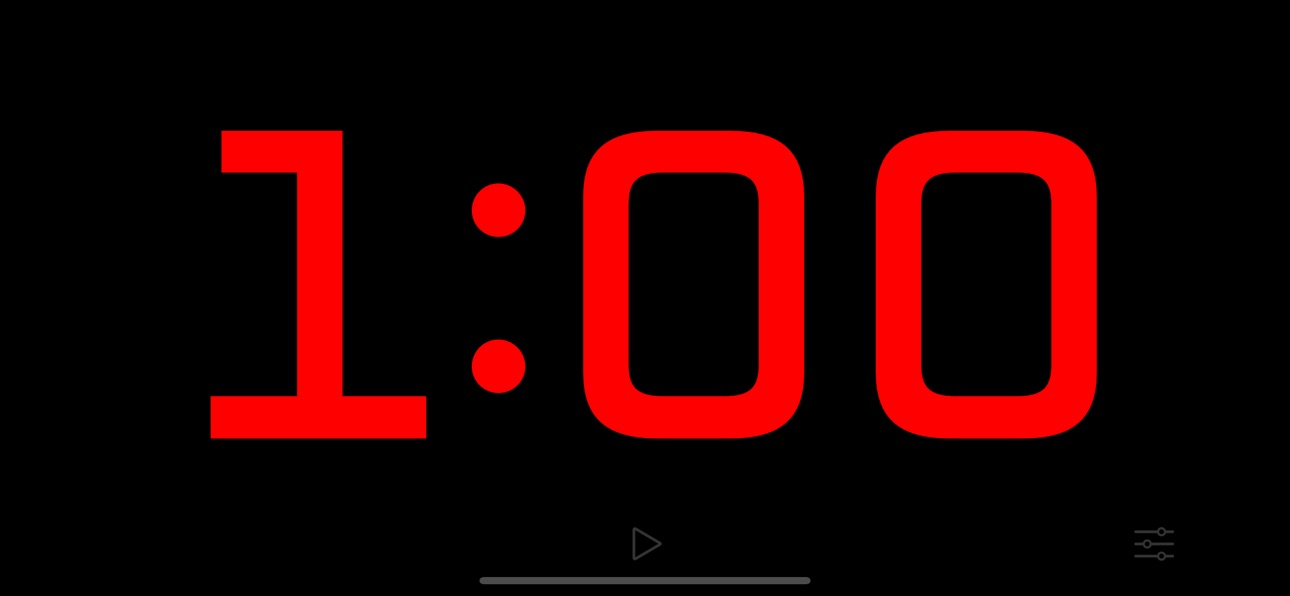
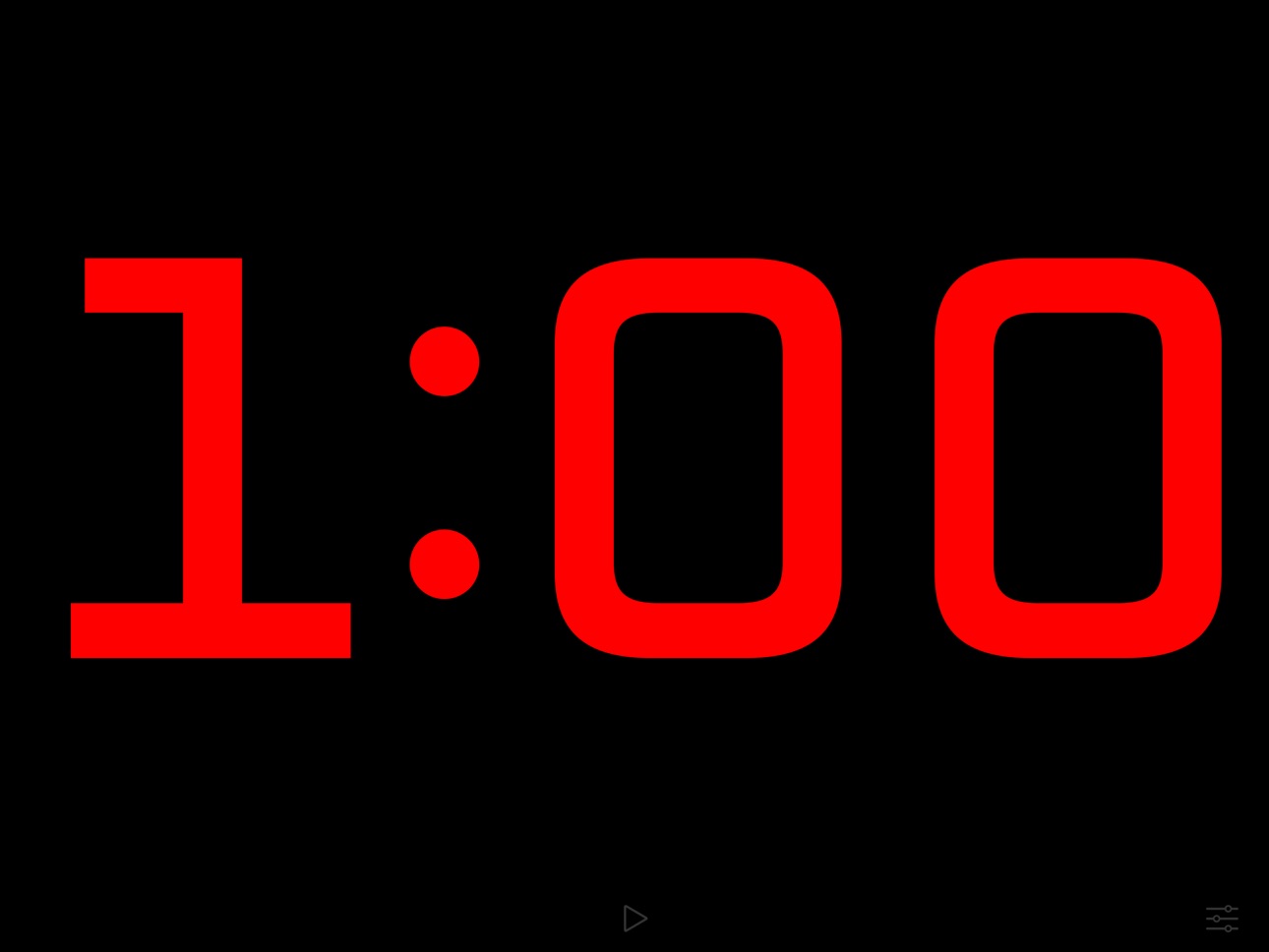
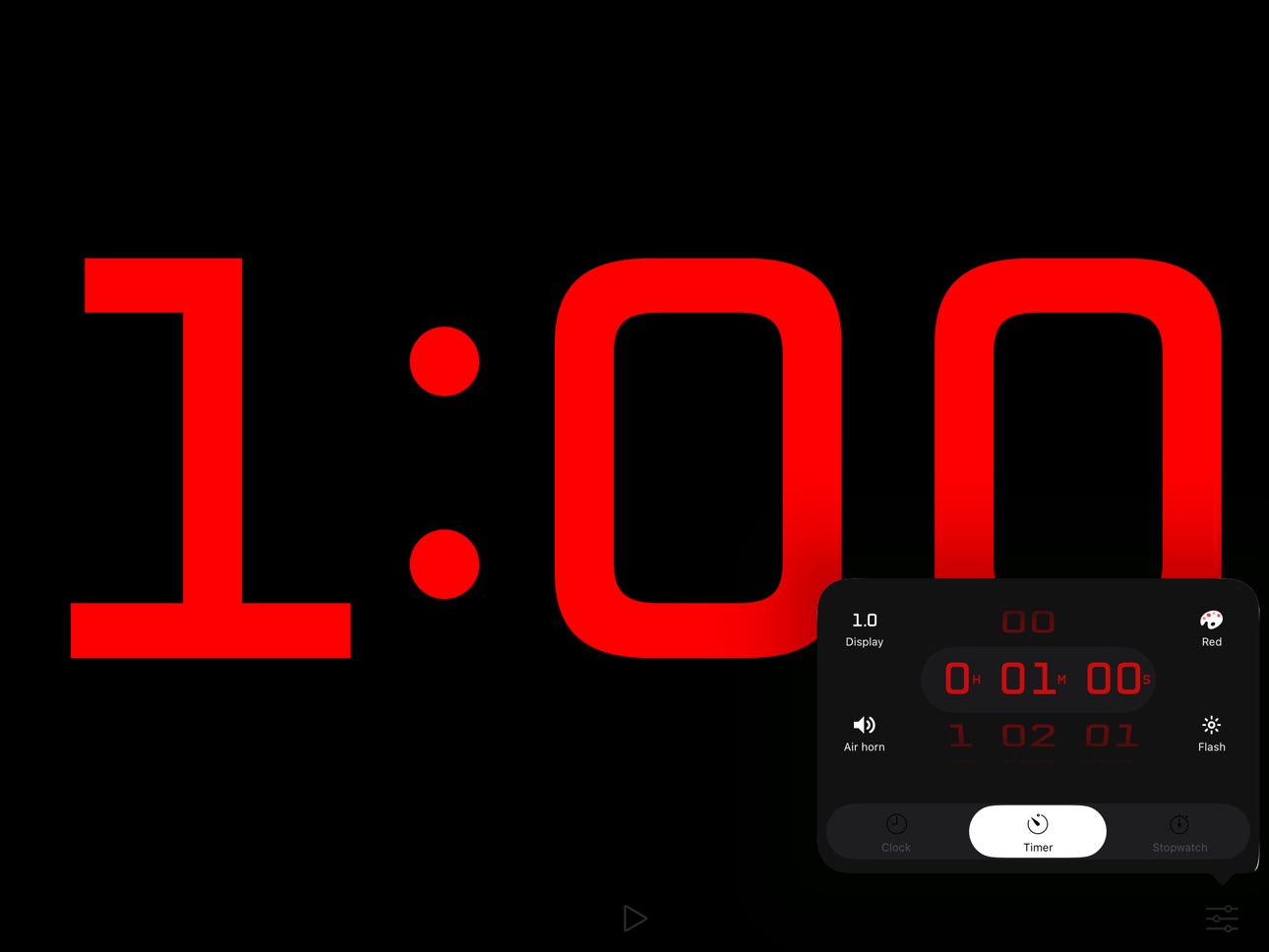
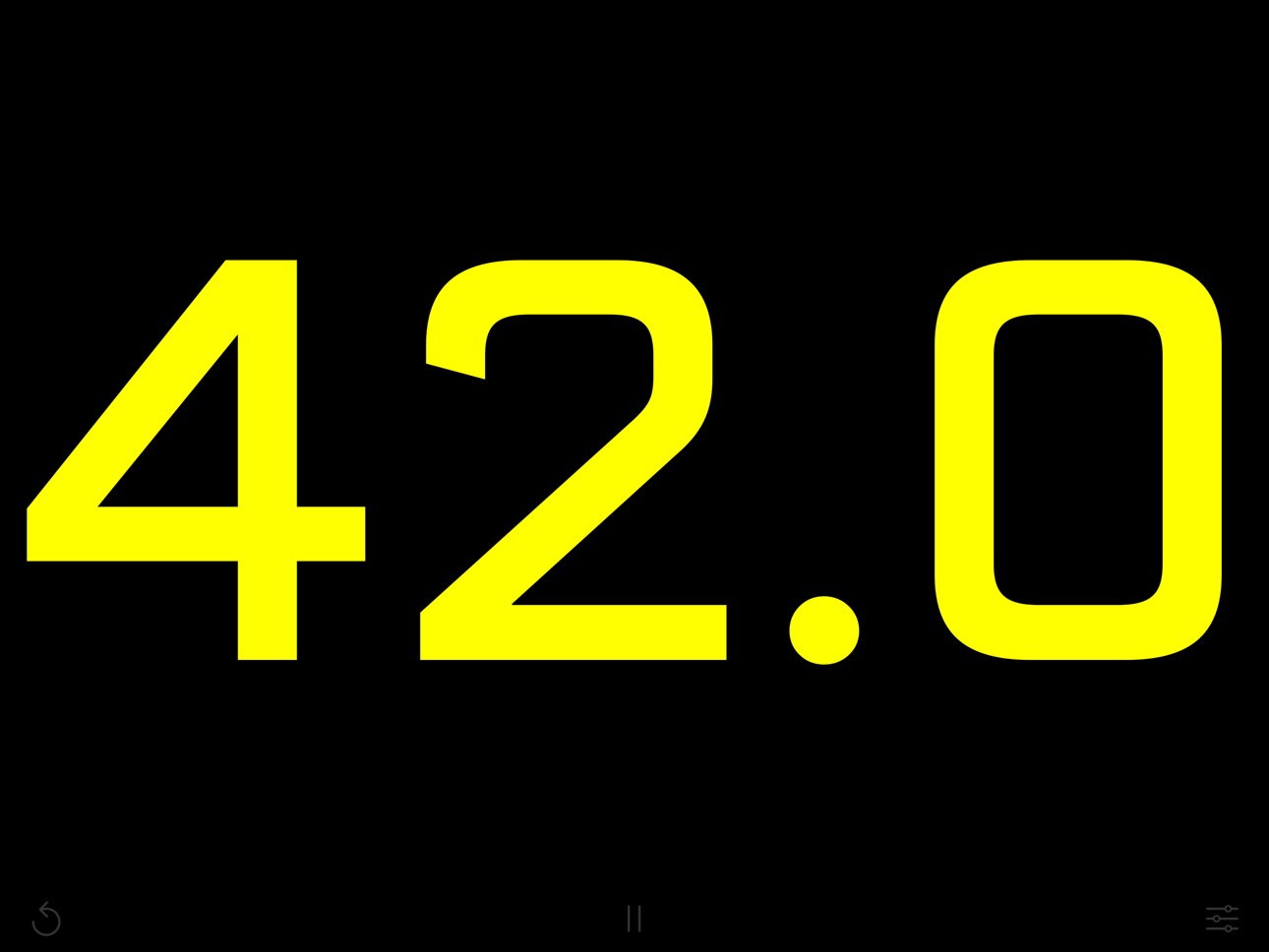
Replace the old sand timer in your favorite game with one that packs a punch! The countdown takes center stage in this app as a full-screen timer counts down the seconds. Run silently, or play a chime or air horn sound to let everyone know that time is up!
Perfect for TV broadcasts, classrooms, debates, game shows, sporting events, or anywhere a highly visible stopwatch, timer, or clock with a streamlined appearance is needed.
Features:
+ Beautiful design, maximizing countdown visibility
+ Tap anywhere to start or stop the countdown
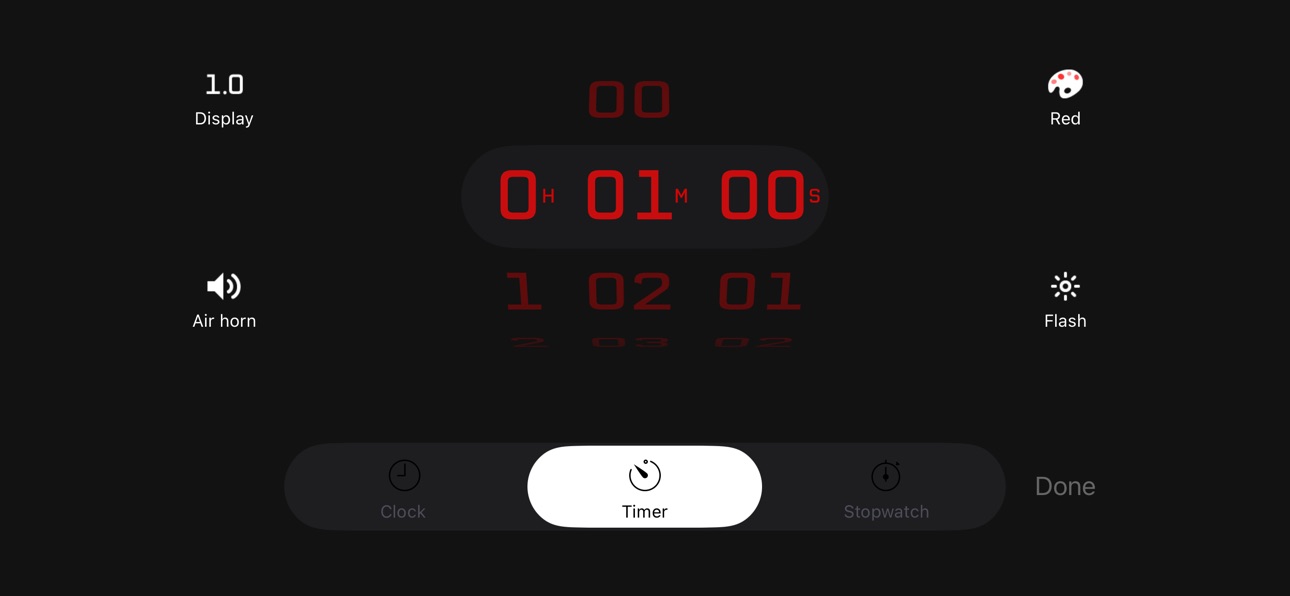
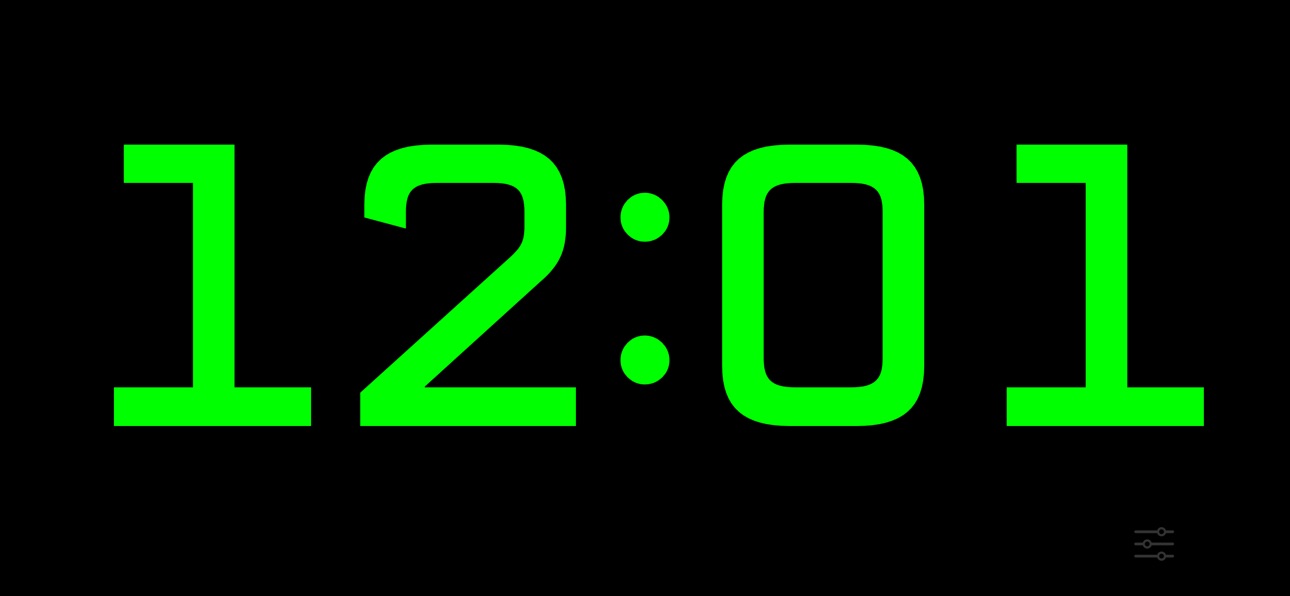
+ Three modes - stopwatch, timer, or clock
+ Set a countdown up to 10 hours
+ Display the time in red, orange, yellow, green, blue, or purple
Advanced features:
+ Optionally show tenths of a second during the last minute for extra excitement
+ Optionally flash during the last ten seconds
+ Optionally play an air horn or a chime sound when time is up
+ Optionally show elapsed time after the timer reaches 0:00 (double-tap or long-press the Timer icon on the settings screen to choose)
+ The device will not sleep while the timer is running
+ Background notifications make sure you know when your timer ends
+ Double-tap the time on the settings screen to switch between 1, 5, and 15-second increments
Super-advanced features:
+ Control the timer remotely using a Bluetooth keyboard: The space bar starts/stops, escape resets, and you can change the countdown time by typing a number followed by enter.
+ Display the timer on an external screen using AirPlay mirroring, while keeping the controls visible only on your device!
+ Use side-by-side with other apps on iPad in slide-over or split-view mode
Accessibility
ipadiphonemacrealityDevicetvoswatch
Version history 20 versions
Build 881166315v3.02026-01-31 15:48:33
Added an option to display seconds in clock mode
Added support for controlling the timer, stopwatch, and clock via the iOS Shortcuts app
Made the flash effect more subtle when the system "Accessibility > Motion > Dim Flashing Lights" option is enabled
Build 880747790v2.9.02025-12-17 13:48:47
Honor 24-hour clock display preference
Build 880614963v2.8.02025-12-15 14:58:05
Updated for iOS and iPadOS 26
Build 848095090v2.7.22022-04-04 14:03:36
Fixed bug changing "show elapsed time" setting on iPad
Fixed bug showing elapsed time after countdown expired
Build 835886845v2.7.12020-05-09 23:51:54
Improved iPad split-view and slide-over support
Streamlined timer and stopwatch controls
Build 835743124v2.7.02020-04-30 19:47:59
Updates and bug fixes
Build 833774953v2.6.02019-11-27 10:56:01
Updates for iOS 13
Build 817917510v2.5.12016-06-29 02:14:51
2.5.0 changes:
Added an option to choose whether the timer stops or shows elapsed time after reaching 0:00
Double-tap or long-press the Timer icon on the settings screen to access this setting
2.5.1 changes:
Ensure the keyboard shortcut toolbar is not shown
Build 817894817v2.5.02016-06-25 21:48:40
Added an option to choose whether the timer stops or shows elapsed time after reaching 0:00
Double-tap or long-press the Timer icon on the settings screen to access this setting
Build 813012781v2.4.22015-08-04 19:54:41
Bug fixes
Build 812317689v2.4.12015-05-05 20:32:12
AirPlay orientation fixes
Build 811624730v2.42015-02-02 22:54:07
If you enjoy using Countdown, a review would be greatly appreciated. Thanks!
New in 2.4: Double-tap the settings screen to switch between 1, 5, and 15-second increments
Build 811544449v2.32015-01-22 03:31:55
This update makes it easier than ever to use Countdown with a crowd:
- Control the timer remotely using a Bluetooth keyboard! The space bar starts/stops, escape resets, and you can change the countdown time by typing a number followed by enter.
- Display the timer on an Apple TV using AirPlay mirroring, while keeping the controls visible only on your device!
If you enjoy using Countdown, and have a minute to spare (time pun), a review would be greatly appreciated. Thanks!
Build 23562834v2.22013-09-25 00:34:08
Updates for iOS 7 and iPhone 5s
Build 15520415v2.1.12013-06-06 00:37:23
+ Bug fixes
New in 2.1:
+ Color options: Red, orange, yellow, green, blue, or purple
+ Sound options: Air horn or chime
+ Display options: show or hide tenths of a second
+ Added background notifications
+ Bug fixes
Build 15481076v2.12013-05-31 07:25:15
+ Color options: red, orange, yellow, green, blue, or purple
+ Sound options: air horn or chime
+ Display options: show or hide tenths of a second
+ Added background notifications
+ Bug fixes
Build 14989152v2.02013-04-07 19:15:46
✓ Clock mode
✓ Redesigned setup
Build 14168775v1.22013-02-22 03:06:20
New features:
✓ Set the timer to 0 to count up
✓ Tap directly on the time to start or stop the countdown
✓ The countdown is now even bigger on iPad screens
Bug fixes
Build 12893861v1.12012-12-12 02:45:49
Features:
✓ Flash at 1 minute when the timer is set for at least 2 minutes
✓ Flash at 2 minutes when the timer is set for at least 4 minutes
Bug fixes:
✓ Set time correctly when closing setup while pickers are scrolling
✓ Fix slight air horn delay which occurs first time it plays
Build 12561984v1.02012-12-06 22:11:59
Price history by region
Currency
Show
Columns
Search
Availability 175 of 175 storefronts
| Region | Language | Price | Ratings | Avg | Version |
|---|---|---|---|---|---|
| US | en-US | USD 1.99 | 41 | 4.1 | 3.0 |
| GB | en-GB | GBP 1.99 | 8 | 4.5 | 3.0 |
| DE | de-DE | EUR 1.99 | 4 | 5.0 | 3.0 |
| AU | en-AU | AUD 2.99 | 3 | 3.7 | 3.0 |
| CA | en-CA | CAD 2.99 | 3 | 4.3 | 3.0 |
| CH | de-CH | CHF 2 | 2 | 5.0 | 3.0 |
| FR | fr-FR | EUR 1.99 | 2 | 3.0 | 3.0 |
| RU | ru | RUB 199 | 2 | 5.0 | 3.0 |
| CN | zh-Hans-CN | CNY 15 | 1 | 5.0 | 3.0 |
| CY | en-GB | EUR 1.99 | 1 | 5.0 | 3.0 |
| HU | en-GB | HUF 999 | 1 | 4.0 | 3.0 |
| IE | en-GB | EUR 1.99 | 1 | 5.0 | 3.0 |
| KR | ko | KRW 3300 | 1 | 4.0 | 3.0 |
| KZ | en-GB | KZT 999 | 1 | 5.0 | 3.0 |
| MX | es-MX | MXN 39 | 1 | 5.0 | 3.0 |
| NO | en-GB | NOK 29 | 1 | 5.0 | 3.0 |
| SE | sv | SEK 29 | 1 | 1.0 | 3.0 |
| AE | en-GB | AED 7.99 | 0 | — | 3.0 |
| AF | en-GB | USD 1.99 | 0 | — | 3.0 |
| AG | en-GB | USD 1.99 | 0 | — | 3.0 |
| AI | en-GB | USD 1.99 | 0 | — | 3.0 |
| AL | en-GB | USD 1.99 | 0 | — | 3.0 |
| AM | en-GB | USD 1.99 | 0 | — | 3.0 |
| AO | en-GB | USD 1.99 | 0 | — | 3.0 |
| AR | es-MX | USD 1.99 | 0 | — | 3.0 |
| AT | de-DE | EUR 1.99 | 0 | — | 3.0 |
| AZ | en-GB | USD 1.99 | 0 | — | 3.0 |
| BA | en-GB | EUR 1.99 | 0 | — | 3.0 |
| BB | en-GB | USD 1.99 | 0 | — | 3.0 |
| BE | en-GB | EUR 1.99 | 0 | — | 3.0 |
| BF | en-GB | USD 1.99 | 0 | — | 3.0 |
| BG | en-GB | EUR 1.99 | 0 | — | 3.0 |
| BH | en-GB | USD 1.99 | 0 | — | 3.0 |
| BJ | en-GB | USD 1.99 | 0 | — | 3.0 |
| BM | en-GB | USD 1.99 | 0 | — | 3.0 |
| BN | en-GB | USD 1.99 | 0 | — | 3.0 |
| BO | es-MX | USD 1.99 | 0 | — | 3.0 |
| BR | pt-BR | BRL 12.9 | 0 | — | 3.0 |
| BS | en-GB | USD 1.99 | 0 | — | 3.0 |
| BT | en-GB | USD 1.99 | 0 | — | 3.0 |
| BW | en-GB | USD 1.99 | 0 | — | 3.0 |
| BY | en-GB | USD 1.99 | 0 | — | 3.0 |
| BZ | en-GB | USD 1.99 | 0 | — | 3.0 |
| CD | en-GB | USD 1.99 | 0 | — | 3.0 |
| CG | en-GB | USD 1.99 | 0 | — | 3.0 |
| CI | fr-FR | USD 1.99 | 0 | — | 3.0 |
| CL | es-MX | CLP 1990 | 0 | — | 3.0 |
| CM | fr-FR | USD 1.99 | 0 | — | 3.0 |
| CO | es-MX | COP 9900 | 0 | — | 3.0 |
| CR | es-MX | USD 1.99 | 0 | — | 3.0 |
| CV | en-GB | USD 1.99 | 0 | — | 3.0 |
| CZ | en-GB | CZK 49 | 0 | — | 3.0 |
| DK | en-GB | DKK 19 | 0 | — | 3.0 |
| DM | en-GB | USD 1.99 | 0 | — | 3.0 |
| DO | es-MX | USD 1.99 | 0 | — | 3.0 |
| DZ | en-GB | USD 1.99 | 0 | — | 3.0 |
| EC | es-MX | USD 1.99 | 0 | — | 3.0 |
| EE | en-GB | EUR 1.99 | 0 | — | 3.0 |
| EG | en-GB | EGP 99.99 | 0 | — | 3.0 |
| ES | es-ES | EUR 1.99 | 0 | — | 3.0 |
| FI | en-GB | EUR 1.99 | 0 | — | 3.0 |
| FJ | en-GB | USD 1.99 | 0 | — | 3.0 |
| FM | en-GB | USD 1.99 | 0 | — | 3.0 |
| GA | fr-FR | USD 1.99 | 0 | — | 3.0 |
| GD | en-GB | USD 1.99 | 0 | — | 3.0 |
| GE | en-GB | USD 1.99 | 0 | — | 3.0 |
| GH | en-GB | USD 1.99 | 0 | — | 3.0 |
| GM | en-GB | USD 1.99 | 0 | — | 3.0 |
| GR | en-GB | EUR 1.99 | 0 | — | 3.0 |
| GT | es-MX | USD 1.99 | 0 | — | 3.0 |
| GW | en-GB | USD 1.99 | 0 | — | 3.0 |
| GY | en-GB | USD 1.99 | 0 | — | 3.0 |
| HK | zh-Hant-HK | HKD 18 | 0 | — | 3.0 |
| HN | es-MX | USD 1.99 | 0 | — | 3.0 |
| HR | en-GB | EUR 1.99 | 0 | — | 3.0 |
| ID | en-GB | IDR 29000 | 0 | — | 3.0 |
| IL | en-GB | ILS 7.9 | 0 | — | 3.0 |
| IN | en-GB | INR 199 | 0 | — | 3.0 |
| IQ | en-GB | USD 1.99 | 0 | — | 3.0 |
| IS | en-GB | USD 1.99 | 0 | — | 3.0 |
| IT | it | EUR 1.99 | 0 | — | 3.0 |
| JM | en-GB | USD 1.99 | 0 | — | 3.0 |
| JO | en-GB | USD 1.99 | 0 | — | 3.0 |
| JP | ja | JPY 300 | 0 | — | 3.0 |
| KE | en-GB | USD 1.99 | 0 | — | 3.0 |
| KG | en-GB | USD 1.99 | 0 | — | 3.0 |
| KH | en-GB | USD 1.99 | 0 | — | 3.0 |
| KN | en-GB | USD 1.99 | 0 | — | 3.0 |
| KW | en-GB | USD 1.99 | 0 | — | 3.0 |
| KY | en-GB | USD 1.99 | 0 | — | 3.0 |
| LA | en-GB | USD 1.99 | 0 | — | 3.0 |
| LB | en-GB | USD 1.99 | 0 | — | 3.0 |
| LC | en-GB | USD 1.99 | 0 | — | 3.0 |
| LK | en-GB | USD 1.99 | 0 | — | 3.0 |
| LR | en-GB | USD 1.99 | 0 | — | 3.0 |
| LT | en-GB | EUR 1.99 | 0 | — | 3.0 |
| LU | en-GB | EUR 1.99 | 0 | — | 3.0 |
| LV | en-GB | EUR 1.99 | 0 | — | 3.0 |
| LY | en-GB | USD 1.99 | 0 | — | 3.0 |
| MA | en-GB | USD 1.99 | 0 | — | 3.0 |
| MD | en-GB | USD 1.99 | 0 | — | 3.0 |
| ME | en-GB | EUR 1.99 | 0 | — | 3.0 |
| MG | en-GB | USD 1.99 | 0 | — | 3.0 |
| MK | en-GB | USD 1.99 | 0 | — | 3.0 |
| ML | en-GB | USD 1.99 | 0 | — | 3.0 |
| MM | en-GB | USD 1.99 | 0 | — | 3.0 |
| MN | en-GB | USD 1.99 | 0 | — | 3.0 |
| MO | zh-Hant-HK | USD 1.99 | 0 | — | 3.0 |
| MR | en-GB | USD 1.99 | 0 | — | 3.0 |
| MS | en-GB | USD 1.99 | 0 | — | 3.0 |
| MT | en-GB | EUR 1.99 | 0 | — | 3.0 |
| MU | en-GB | USD 1.99 | 0 | — | 3.0 |
| MV | en-GB | USD 1.99 | 0 | — | 3.0 |
| MW | en-GB | USD 1.99 | 0 | — | 3.0 |
| MY | en-GB | MYR 9.9 | 0 | — | 3.0 |
| MZ | en-GB | USD 1.99 | 0 | — | 3.0 |
| NA | en-GB | USD 1.99 | 0 | — | 3.0 |
| NE | en-GB | USD 1.99 | 0 | — | 3.0 |
| NG | en-GB | NGN 3200 | 0 | — | 3.0 |
| NI | es-MX | USD 1.99 | 0 | — | 3.0 |
| NL | nl | EUR 1.99 | 0 | — | 3.0 |
| NP | en-GB | USD 1.99 | 0 | — | 3.0 |
| NR | en-GB | USD 1.99 | 0 | — | 3.0 |
| NZ | en-AU | NZD 3.99 | 0 | — | 3.0 |
| OM | en-GB | USD 1.99 | 0 | — | 3.0 |
| PA | es-MX | USD 1.99 | 0 | — | 3.0 |
| PE | es-MX | PEN 9.9 | 0 | — | 3.0 |
| PG | en-GB | USD 1.99 | 0 | — | 3.0 |
| PH | en-GB | PHP 129 | 0 | — | 3.0 |
| PK | en-GB | PKR 500 | 0 | — | 3.0 |
| PL | en-GB | PLN 9.99 | 0 | — | 3.0 |
| PT | pt-PT | EUR 1.99 | 0 | — | 3.0 |
| PW | en-GB | USD 1.99 | 0 | — | 3.0 |
| PY | es-MX | USD 1.99 | 0 | — | 3.0 |
| QA | en-GB | QAR 7.99 | 0 | — | 3.0 |
| RO | en-GB | RON 9.99 | 0 | — | 3.0 |
| RS | en-GB | EUR 1.99 | 0 | — | 3.0 |
| RW | en-GB | USD 1.99 | 0 | — | 3.0 |
| SA | en-GB | SAR 9.99 | 0 | — | 3.0 |
| SB | en-GB | USD 1.99 | 0 | — | 3.0 |
| SC | en-GB | USD 1.99 | 0 | — | 3.0 |
| SG | en-GB | SGD 2.98 | 0 | — | 3.0 |
| SI | en-GB | EUR 1.99 | 0 | — | 3.0 |
| SK | en-GB | EUR 1.99 | 0 | — | 3.0 |
| SL | en-GB | USD 1.99 | 0 | — | 3.0 |
| SN | en-GB | USD 1.99 | 0 | — | 3.0 |
| SR | en-GB | USD 1.99 | 0 | — | 3.0 |
| ST | en-GB | USD 1.99 | 0 | — | 3.0 |
| SV | es-MX | USD 1.99 | 0 | — | 3.0 |
| SZ | en-GB | USD 1.99 | 0 | — | 3.0 |
| TC | en-GB | USD 1.99 | 0 | — | 3.0 |
| TD | en-GB | USD 1.99 | 0 | — | 3.0 |
| TH | en-GB | THB 79 | 0 | — | 3.0 |
| TJ | en-GB | USD 1.99 | 0 | — | 3.0 |
| TM | en-GB | USD 1.99 | 0 | — | 3.0 |
| TN | en-GB | USD 1.99 | 0 | — | 3.0 |
| TO | en-GB | USD 1.99 | 0 | — | 3.0 |
| TR | en-GB | TRY 99.99 | 0 | — | 3.0 |
| TT | en-GB | USD 1.99 | 0 | — | 3.0 |
| TW | zh-Hant-TW | TWD 60 | 0 | — | 3.0 |
| TZ | en-GB | TZS 5900 | 0 | — | 3.0 |
| UA | en-GB | USD 1.99 | 0 | — | 3.0 |
| UG | en-GB | USD 1.99 | 0 | — | 3.0 |
| UY | en-GB | USD 1.99 | 0 | — | 3.0 |
| UZ | en-GB | USD 1.99 | 0 | — | 3.0 |
| VC | en-GB | USD 1.99 | 0 | — | 3.0 |
| VE | es-MX | USD 1.99 | 0 | — | 3.0 |
| VG | en-GB | USD 1.99 | 0 | — | 3.0 |
| VN | en-GB | VND 59000 | 0 | — | 3.0 |
| VU | en-GB | USD 1.99 | 0 | — | 3.0 |
| XK | en-GB | EUR 1.99 | 0 | — | 3.0 |
| YE | en-GB | USD 1.99 | 0 | — | 3.0 |
| ZA | en-GB | ZAR 39.99 | 0 | — | 3.0 |
| ZM | en-GB | USD 1.99 | 0 | — | 3.0 |
| ZW | en-GB | USD 1.99 | 0 | — | 3.0 |
Change log 24 changes · DO
✎
releaseNotes updated
Added an option to display seconds in clock mode
Added support for controlling the timer, stopwatch, and clock via the iOS Shortcuts app
Made the flash effect
✎
description updated
Replace the old sand timer in your favorite game with one that packs a punch! The countdown takes center stage in this app as a full-screen timer counts down th
✎
subtitle updated
Minimalist full-screen timer
✎
name updated
Countdown: Big Timer & Clock
◆
Version 3.0 released
Added an option to display seconds in clock mode
Added support for controlling the timer, stopwatch, and clock via the iOS Shortcuts app
Made the flash effect more subtle when the system "Accessibility > Motion > Dim Flashing Lights" opti
◆
Version 2.9.0 released
Honor 24-hour clock display preference
◆
Version 2.8.0 released
Updated for iOS and iPadOS 26
◆
Version 2.7.2 released
Fixed bug changing "show elapsed time" setting on iPad
Fixed bug showing elapsed time after countdown expired
◆
Version 2.7.1 released
Improved iPad split-view and slide-over support
Streamlined timer and stopwatch controls
◆
Version 2.7.0 released
Updates and bug fixes
◆
Version 2.6.0 released
Updates for iOS 13
◆
Version 2.5.1 released
2.5.0 changes:
Added an option to choose whether the timer stops or shows elapsed time after reaching 0:00
Double-tap or long-press the Timer icon on the settings screen to access this setting
2.5.1 changes:
Ensure the keyboard shortcut to
◆
Version 2.5.0 released
Added an option to choose whether the timer stops or shows elapsed time after reaching 0:00
Double-tap or long-press the Timer icon on the settings screen to access this setting
◆
Version 2.4.2 released
Bug fixes
◆
Version 2.4.1 released
AirPlay orientation fixes
◆
Version 2.4 released
If you enjoy using Countdown, a review would be greatly appreciated. Thanks!
New in 2.4: Double-tap the settings screen to switch between 1, 5, and 15-second increments
◆
Version 2.3 released
This update makes it easier than ever to use Countdown with a crowd:
- Control the timer remotely using a Bluetooth keyboard! The space bar starts/stops, escape resets, and you can change the countdown time by typing a number followed by en
◆
Version 2.2 released
Updates for iOS 7 and iPhone 5s
◆
Version 2.1.1 released
+ Bug fixes
New in 2.1:
+ Color options: Red, orange, yellow, green, blue, or purple
+ Sound options: Air horn or chime
+ Display options: show or hide tenths of a second
+ Added background notifications
+ Bug fixes
◆
Version 2.1 released
+ Color options: red, orange, yellow, green, blue, or purple
+ Sound options: air horn or chime
+ Display options: show or hide tenths of a second
+ Added background notifications
+ Bug fixes
◆
Version 2.0 released
✓ Clock mode
✓ Redesigned setup
◆
Version 1.2 released
New features:
✓ Set the timer to 0 to count up
✓ Tap directly on the time to start or stop the countdown
✓ The countdown is now even bigger on iPad screens
Bug fixes
◆
Version 1.1 released
Features:
✓ Flash at 1 minute when the timer is set for at least 2 minutes
✓ Flash at 2 minutes when the timer is set for at least 4 minutes
Bug fixes:
✓ Set time correctly when closing setup while pickers are scrolling
✓ Fix slight air ho
◆
Version 1.0 released