Home › Business

 MA
MA
 AUen-AU
 NZen-AU
 SGen-GB
 AEen-GB
 AFen-GB
 AGen-GB
 AIen-GB
 ALen-GB
 AMen-GB
 AOen-GB
 ARes-MX
 ATde-DE
 AZen-GB
 BAen-GB
 BBen-GB
 BEen-GB
 BFen-GB
 BGen-GB
 BHen-GB
 BJen-GB
 BMen-GB
 BOes-MX
 BRpt-BR
 BSen-GB
 BWen-GB
 BYen-GB
 BZen-GB
 CAen-CA
 CDen-GB
 CGen-GB
 CHde-CH
 CIfr-FR
 CLes-MX
 CMfr-FR
 CNzh-Hans-CN
 COes-MX
 CRes-MX
 CVen-GB
 CYen-GB
 CZen-GB
 DEde-DE
 DKen-GB
 DMen-GB
 DOes-MX
 DZen-GB
 ECes-MX
 EEen-GB
 EGen-GB
 ESes-ES
 FIen-GB
 FJen-GB
 FRfr-FR
 GAfr-FR
 GBen-GB
 GDen-GB
 GEen-GB
 GHen-GB
 GMen-GB
 GRen-GB
 GTes-MX
 GWen-GB
 GYen-GB
 HKzh-Hant-HK
 HNes-MX
 HRen-GB
 HUen-GB
 IDen-GB
 IEen-GB
 ILen-GB
 INen-GB
 IQen-GB
 ISen-GB
 ITit
ITit JMen-GB
 JOen-GB
 JPja
JPja KEen-GB
 KGen-GB
 KHen-GB
 KNen-GB
 KRko
KRko KWen-GB
 KYen-GB
 LAen-GB
 LBen-GB
 LCen-GB
 LKen-GB
 LRen-GB
 LTen-GB
 LUen-GB
 LVen-GB
 LYen-GBMAen-GB
 MDen-GB
 MEen-GB
 MGen-GB
 MKen-GB
 MLen-GB
 MMen-GB
 MNen-GB
 MOzh-Hant-HK
 MRen-GB
 MSen-GB
 MTen-GB
 MUen-GB
 MVen-GB
 MWen-GB
 MXes-MX
 MYen-GB
 MZen-GB
 NAen-GB
 NEen-GB
 NGen-GB
 NIes-MX
 NLnl
NLnl NOen-GB
 NPen-GB
 OMen-GB
 PAes-MX
 PEes-MX
 PHen-GB
 PKen-GB
 PLen-GB
 PTpt-PT
 PYes-MX
 QAen-GB
 ROen-GB
 RSen-GB
 RUru
RUru RWen-GB
 SAen-GB
 SCen-GB
 SEsv
SEsv SIen-GB
 SKen-GB
 SLen-GB
 SNen-GB
 SRen-GB
 STen-GB
 SVes-MX
 SZen-GB
 TCen-GB
 TDen-GB
 THen-GB
 TMen-GB
 TNen-GB
 TRen-GB
 TTen-GB
 TWzh-Hant-TW
 TZen-GB
 UAen-GB
 UGen-GB
 USen-US
 UYen-GB
 VCen-GB
 VEes-MX
 VGen-GB
 VNen-GB
 VUen-GB
 XKen-GB
 YEen-GB
 ZMen-GB
 ZWen-GB
163 of 163 storefronts
Content in en-US
Content in en-US
Information
Preview 2 platforms
iPhone 10 images



iPad 9 images
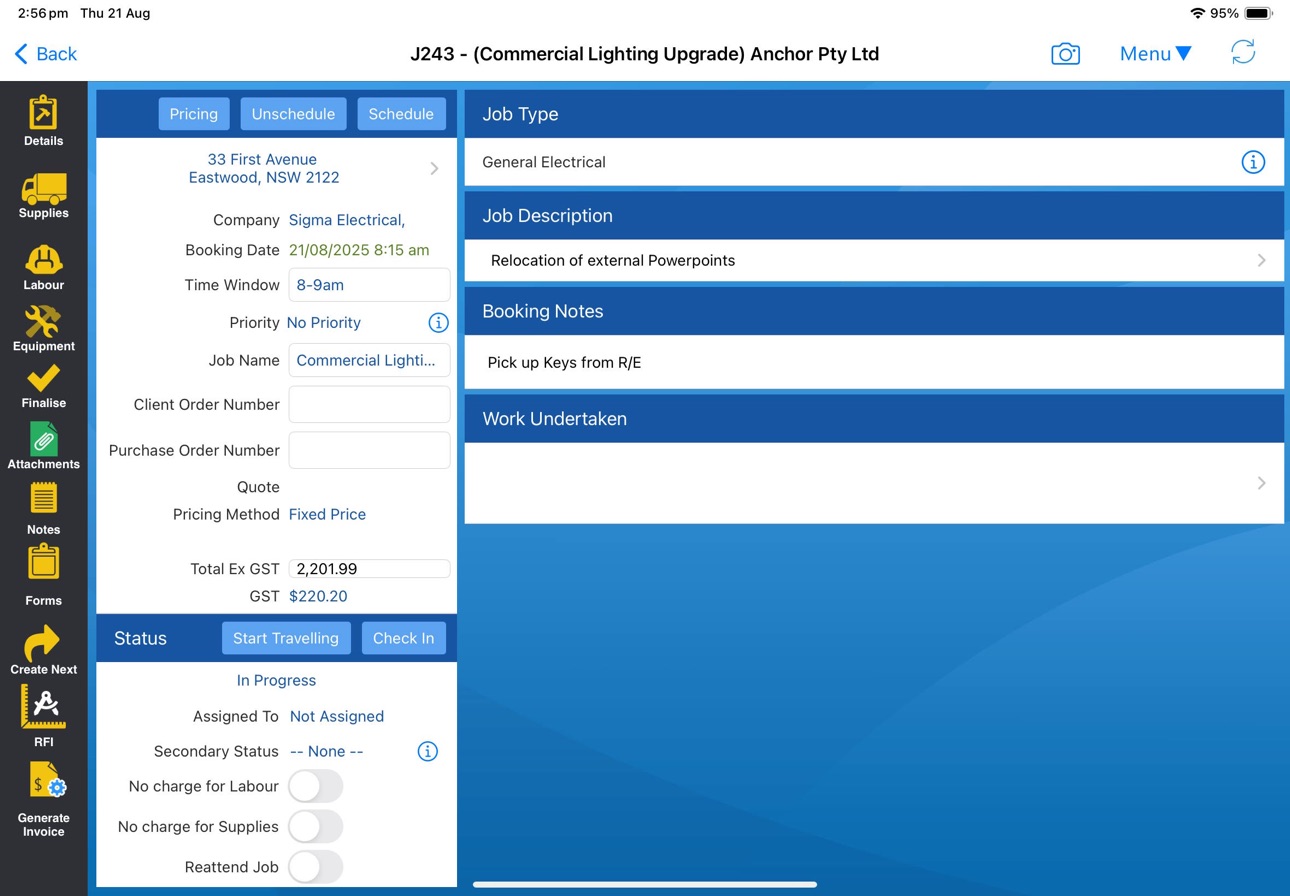
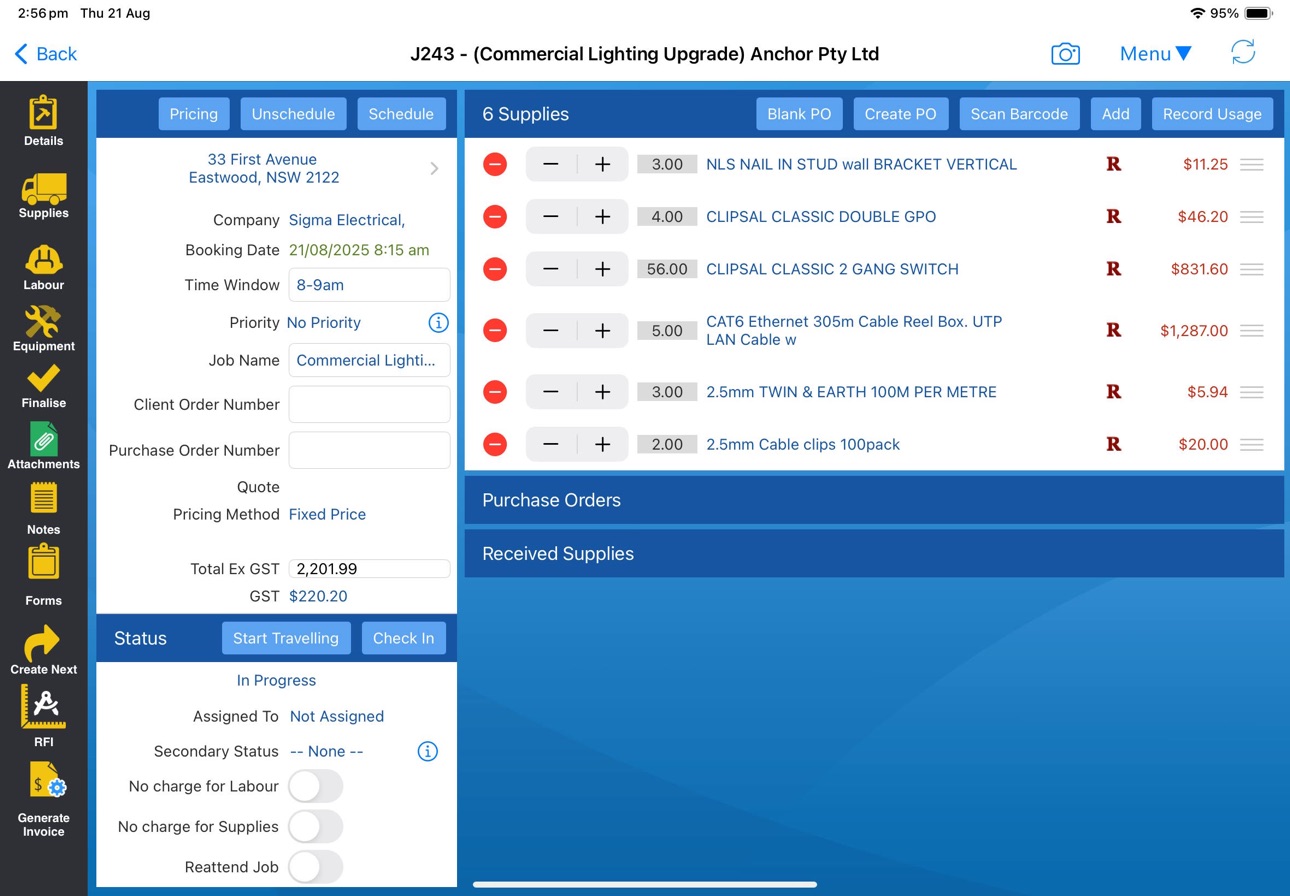
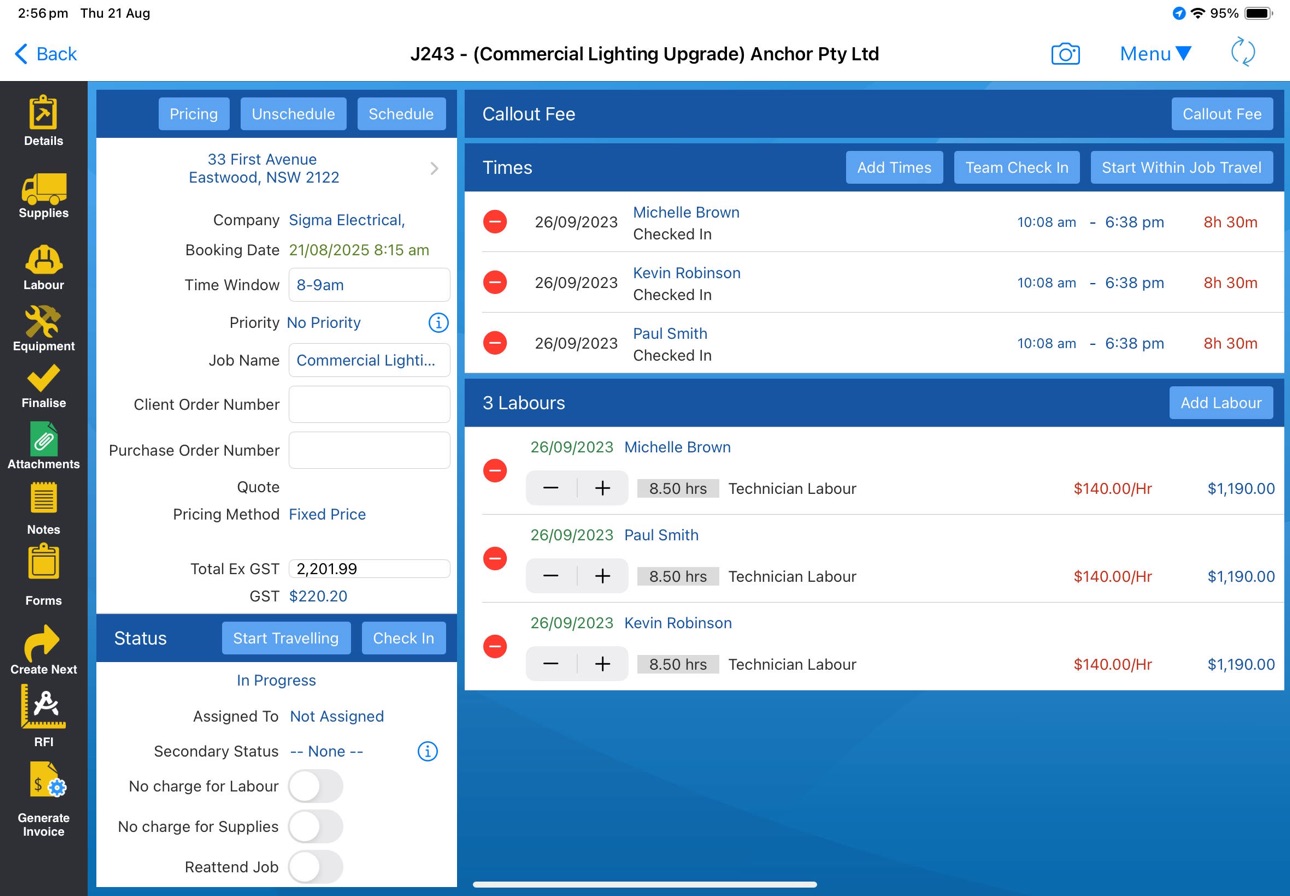

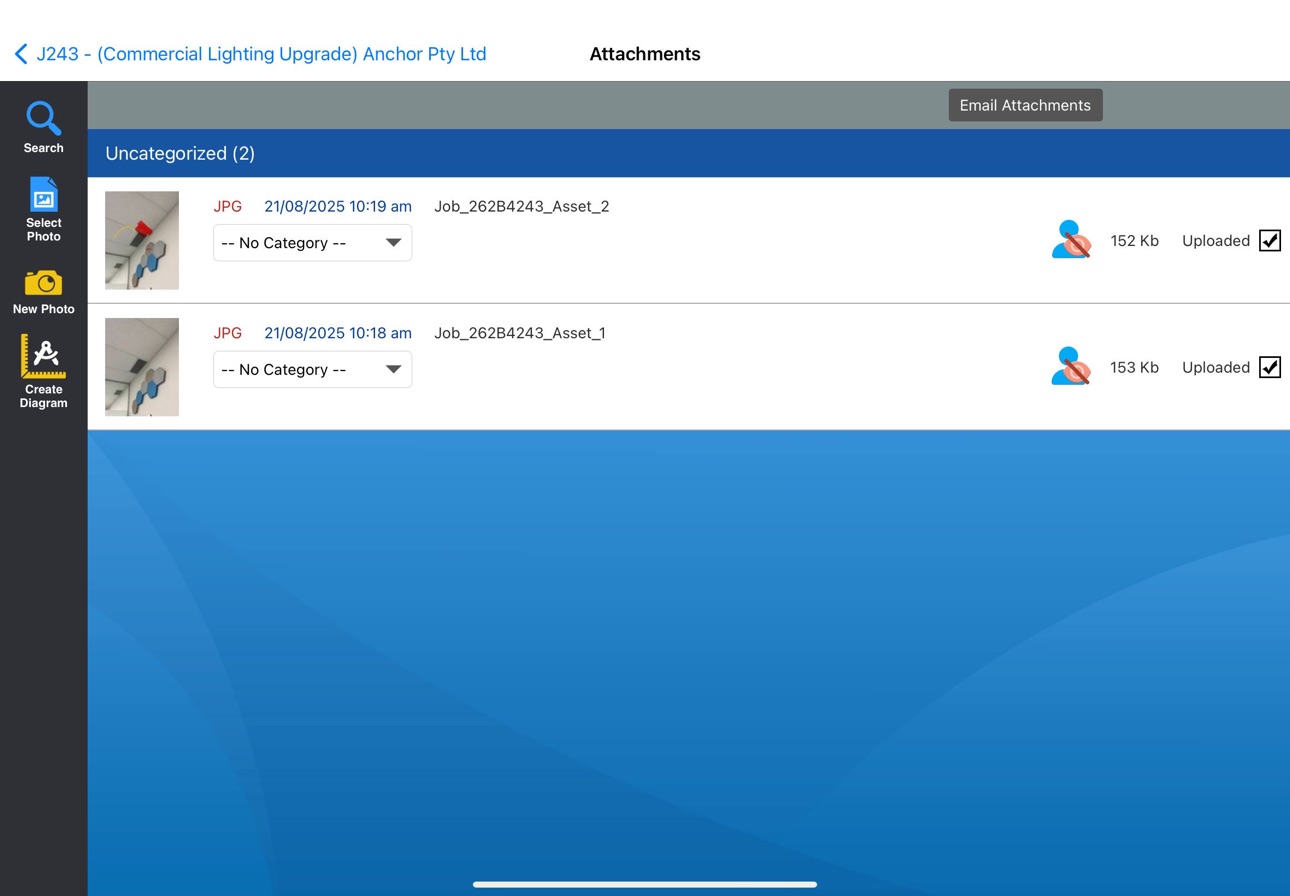


What’s New Version 7.28
New: Live Activities for time tracking. See your active job, quote, or travel timer on the Lock Screen and Dynamic Island — tap to open the job/quote, or check out right from the Lock Screen.
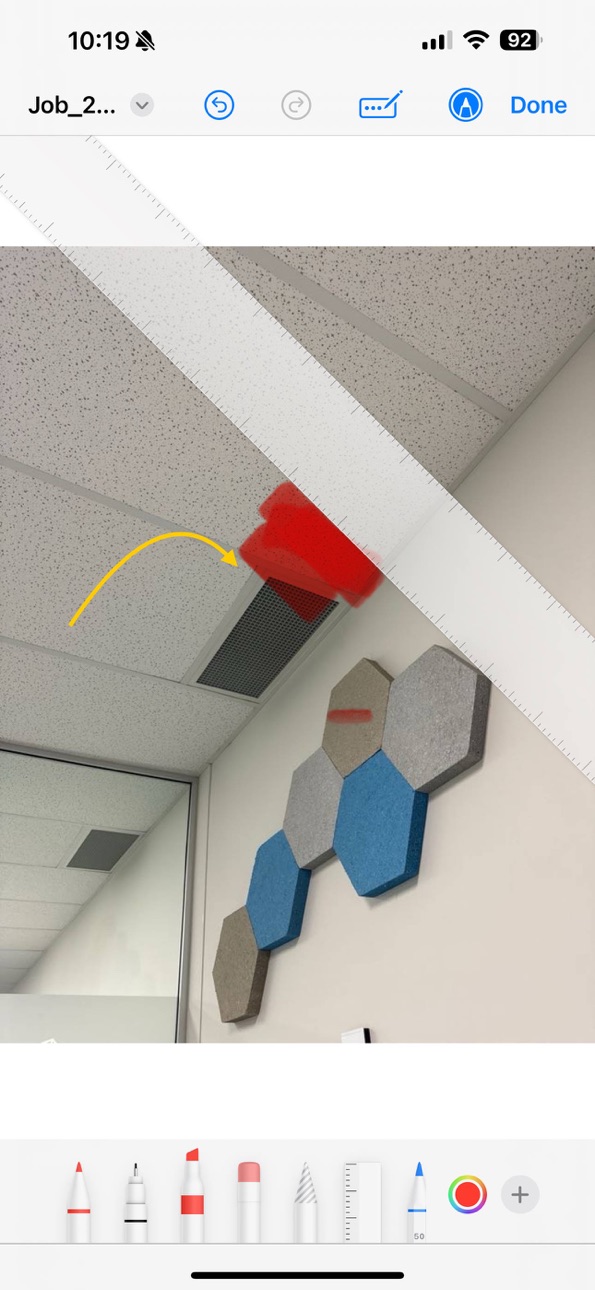
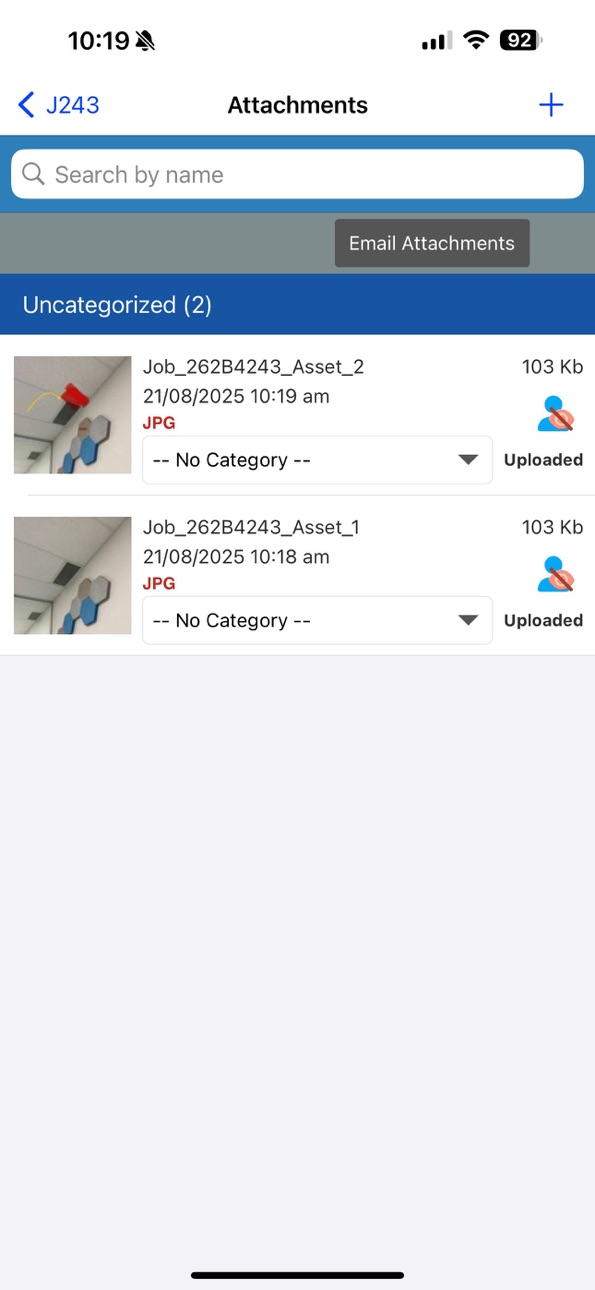
Fixed: sharing files into Ascora works again, and you now get a confirmation when an attachment is added.
Stability: fixed several crashes reported.
Description
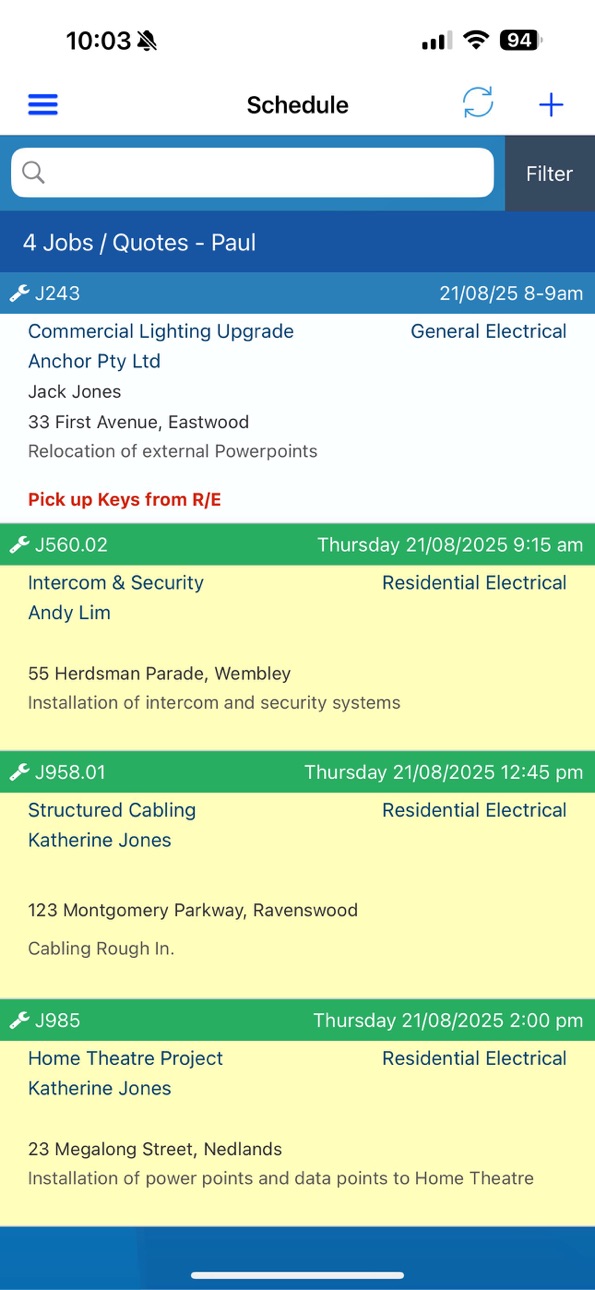
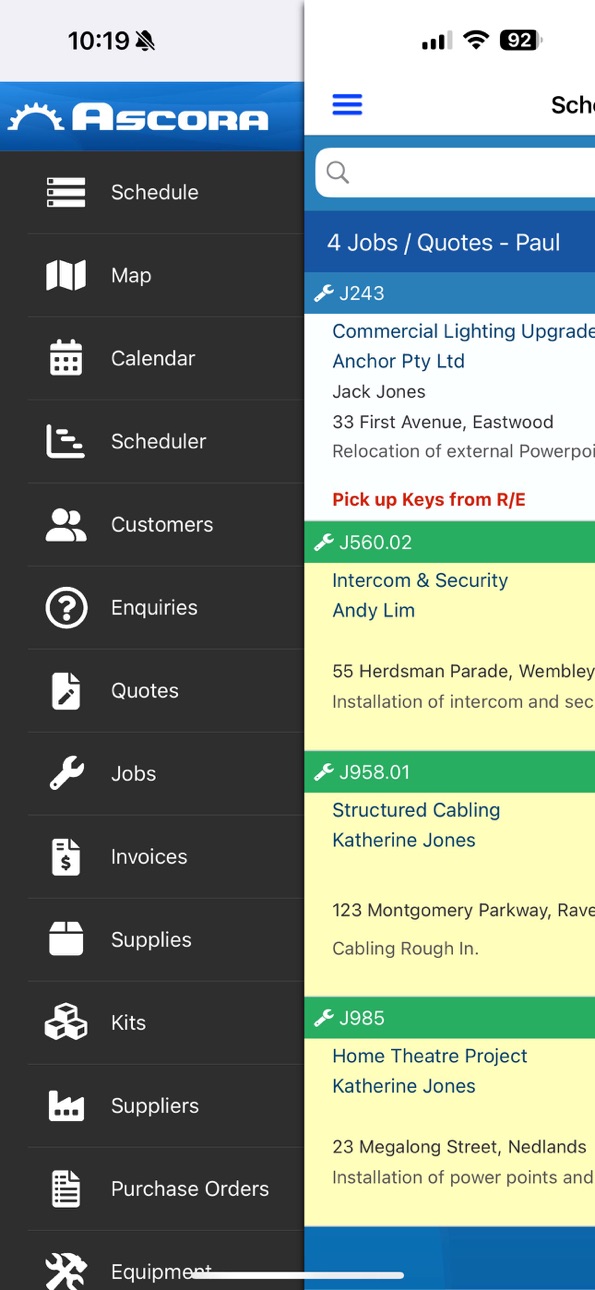
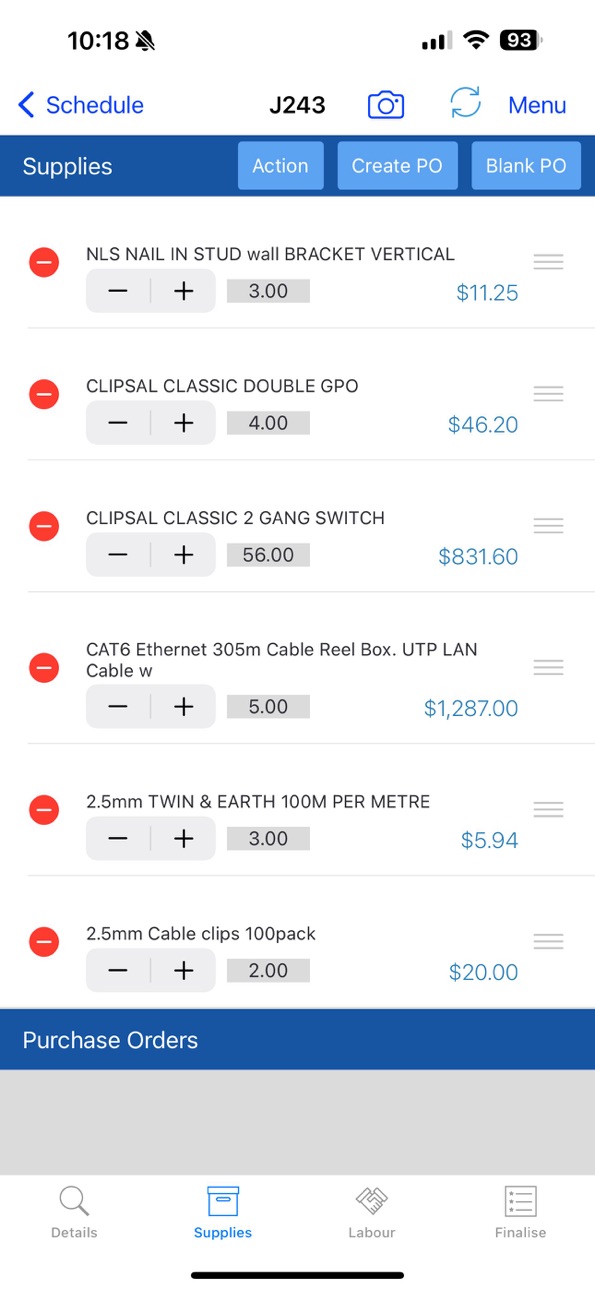
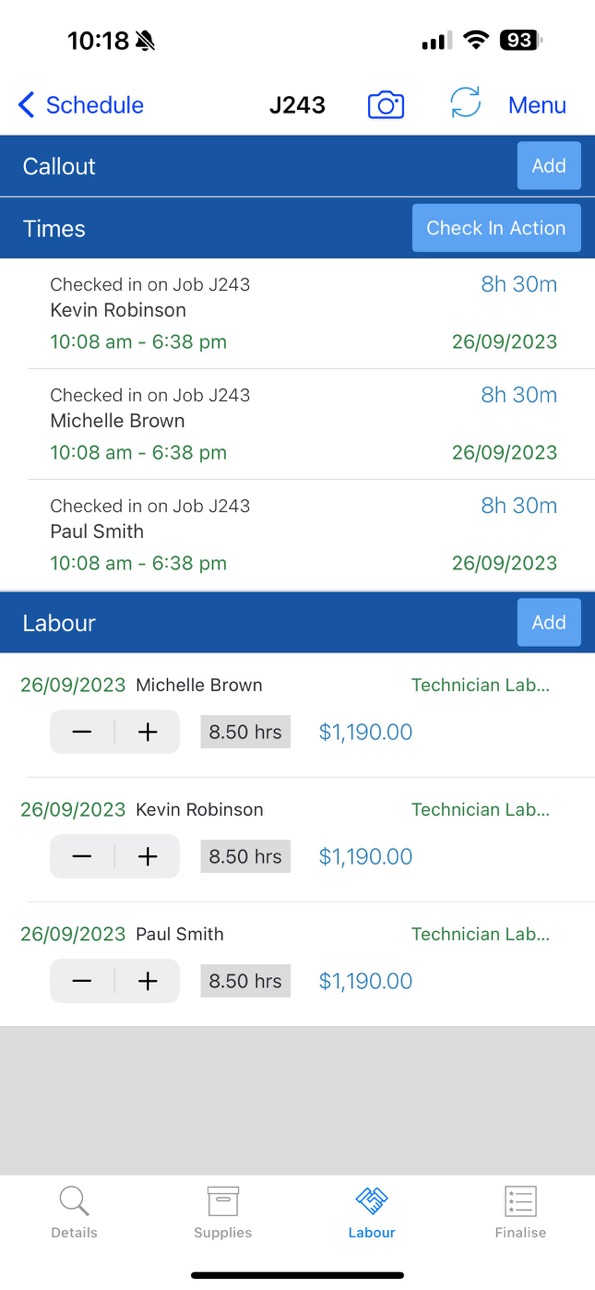
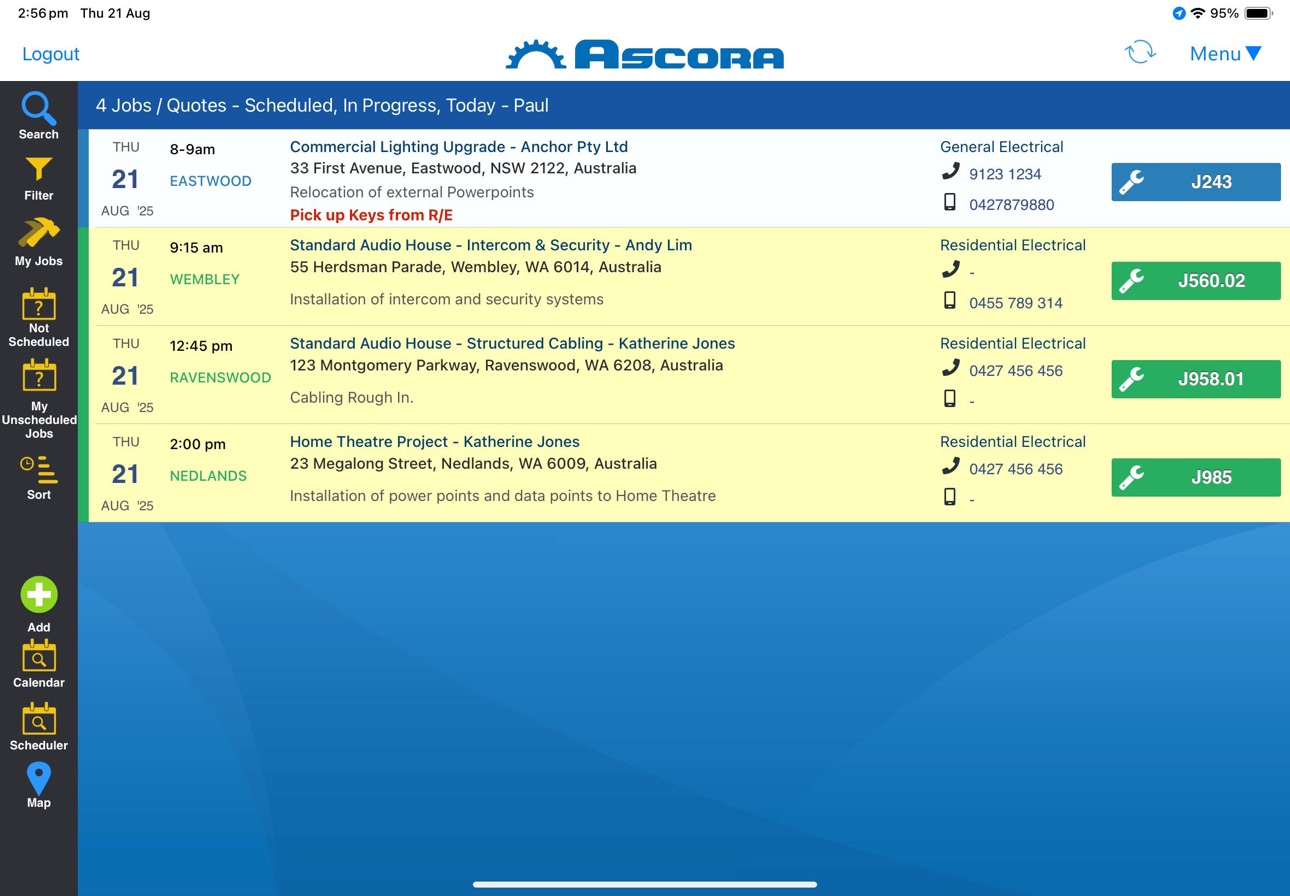
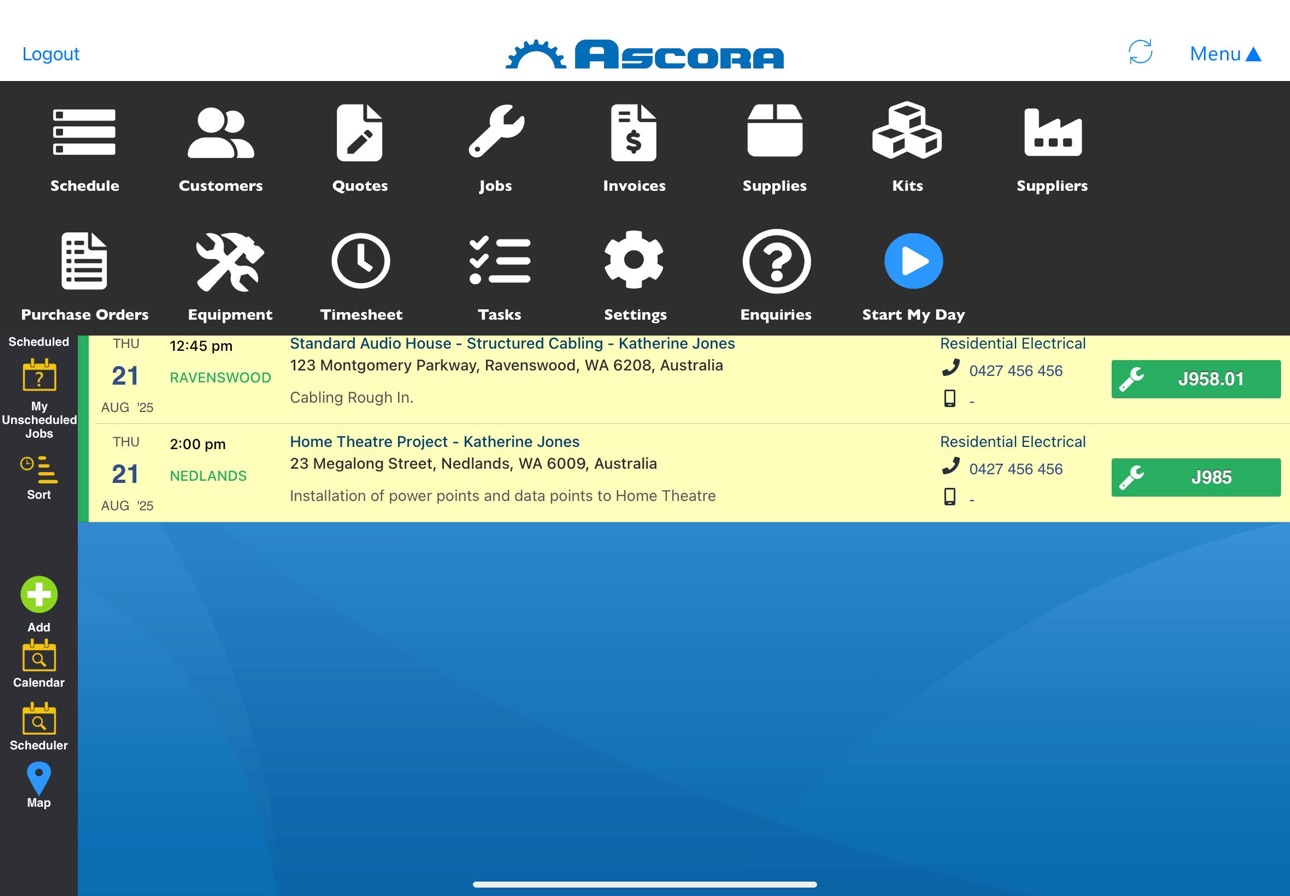
Ascora is your all-in-one solution for reducing administration overhead and improving productivity by providing customers, quotes, jobs, invoices and supplies management directly from your iPad.
Ascora was built specifically to assist with the management and operations of a mobile workforce or workers in the field. This includes businesses such as Air Conditioning, Electricians, Plumbers, Cleaners, Security Installers and Photocopier Technicians to name a few. If you have a workforce that’s out and about Ascora is for you! See how Ascora can revolutionise your business today!
Please note that this app requires an Ascora account.
Accessibility
ipadiphonemacrealityDevicetvoswatch
Version history 25 versions
Build 886842475v7.282026-06-15 15:22:47
New: Live Activities for time tracking. See your active job, quote, or travel timer on the Lock Screen and Dynamic Island — tap to open the job/quote, or check out right from the Lock Screen.
Fixed: sharing files into Ascora works again, and you now get a confirmation when an attachment is added.
Stability: fixed several crashes reported.
Build 886623548v7.272026-06-09 18:43:12
This update brings two big additions to make managing your jobs faster and safer than ever:
Face ID Login - Sign in instantly and securely with a glance. No more typing passwords when logging into the app.
CarPlay Support - Stay connected on the road. View your schedule, navigate to jobs, and keep your day moving - all from your car's display, hands-free.
As always, thanks for using Ascora. Got feedback? We'd love to hear it.
Build 886365618v7.262026-06-01 16:48:11
Adjustments to the flow of creating Labour from Timesheets to reduce the time keeping burden!
Build 886309588v7.252026-05-30 18:14:57
Enhancements around form generation - sped up processes for retrieving attachments and selecting them on custom forms.
We're always enhancing what's available in Ascora to make it as seamless as possible for techs on the road.
Build 886244748v7.242026-05-28 18:50:54
Resolved issue with Contact phone number display and Attachment transfer indicator display.
Build 886083679v7.232026-05-27 05:49:57
Minor fixes addressing issues from previous release.
Build 886021162v7.222026-05-23 22:43:38
- Significant adjustments to improve memory usage, especially on older devices.
- Increased size and quality of images taken directly in the Ascora app.
- Camera mode now includes flash options toggle allowing you to set Auto, On, Off for your flash settings.
- Improved loading of Attachments List.
- Adjustments to automatic checkin geofence handling for improved battery life.
- Users are now able to add General Timesheets even if they don't have permission to add Timesheets on Jobs.
- Resolved issue where tapping a custom form answer would incorrectly select the first option.
- Jobs List on iPhone now prominently displays a "Clear All Filters" option.
Build 884868543v7.212026-05-01 14:48:16
- Custom Field Values now displayed again in the Job/Quote List (temporarily taken off while we improved performance)
- Performance improvements for fetching custom field values.
- "End my Day" now stops automatic checkins from occuring.
Build 884266741v7.202026-04-09 16:04:35
- Improved performance loading Quote, Job or Equipment Details when there are a significant number of custom fields.
- "Add Barcode" button has been renamed to "Scan Barcode" in the Equipment List in the Job Details.
Build 883830574v7.192026-03-29 01:13:35
- Auto-Check In will now check you in and out of a Job without the need for tapping "Travel To" - perfect if the team don't record travel time or just forget!
- Improved performance of Equipment List when scrolling inside the Job.
- Resolved Team Check In pop-up header appearing white under iOS 26.
Build 883217063v7.182026-03-12 23:43:47
1. Photos taken in Custom Forms and added to the Job are no longer “framed” by the form answer row and will appear as a regular photo.
2. The selected Currency in your tap-to-pay settings now flows to the payment display as expected.
3. Balance displayed on invoice is now updated immediately rather than on next screen refresh.
4. New automatic checks added for Timesheets – coming to the Ascora Portal Timesheet settings soon!
Build 881309656v7.172026-03-04 17:21:37
1. Viewing the Job Details from the Jobs list now displays the list of Bookings as expected.
2. Resolved issue whereby Site Customer mobile could be incorrectly displayed if the related Contact that was set on the Job was later archived.
3. Resolved issue that occurs under iOS 26 when saving a diagram and the background is coloured black
4. Quotations now display if they are a “Variation For” a particular Job allowing you to quickly navigate from the Variation to the originating Job.
5. When setting the label on photos, the entered details now apply to the entire batch of photos (as was previously the case)
6. Resolved issue with the Attachment List when auto-downloading attachments and refreshing.
7. Synchronisation improvements around the handling of custom field values.
Build 879902910v7.162025-11-19 23:05:20
1. Now able to search for Supplies based on Annotation – making even easier to find what you’re looking for in Ascora.
2. You can now swipe on Attachments to download a fresh copy of the related Attachment file.
3. Resolved issue where Start and Stop Travel may not result in a Check In / Check Out Location being stored.
4. Resolved issue whereby you had to take twice on a Custom Form question to record the desired answer.
5. Creating Write In’s on the iPad now uses the “Must Be Ordered” defaults.
Build 879112475v7.152025-10-22 17:29:29
1. Attachment Fix – Resolved issue whereby tapping on a particular Attachment could display the incorrect Attachment image.
2. Attachment Improvement – Opening the Attachment list will now automatically download all attachments for you!
Build 878963891v7.142025-10-19 07:11:52
1. Significantly improved performance on Attachment refresh when adding or selecting photos.
2. Job Completed - Buttons displayed on the Finalise Tab have been adjusted for consistency. Now when a Job is completed it must be re-opened to mark that “Reattendance is Required”.
3. Adjustments for the latest iOS 26 display.
Build 878780954v7.132025-10-12 08:12:15
1. Significant memory handling enhancements when taking photos on Quotes, Jobs or Custom Forms.
Build 878193977v7.122025-09-18 08:42:02
1. Overhaul of Service Interval selection when creating new Equipment or using the new Save and Copy function when creating an Equipment. The app will now automatically apply all of the related Equipment Service Interval settings.
2. Quoting – When creating a Quote from a Job, the address on the Job will automatically flow to the Quote rather than resetting to the Site Address for the Site Customer.
3. Custom Fields Selection – When utilising Custom Fields with super long options, the text presented will now expand to as many lines as needed allowing you to use some really long options!
Build 878025486v7.112025-09-12 17:19:09
- Stripe Payment flow capture now set to automatic - resolves issue if the payment flow did not appear completed within Stripe Transactions.
- Resolved issue with mobile/phone number appearing truncated if it contains spaces.
- Day of Week now also displayed if a Time Window is entered rather than just a booking time.
Build 877870392v7.102025-09-07 22:17:36
- Resolved issue with Job Description display in Job List showing placeholder data above new formatted description.
Build 877583356v7.092025-09-03 23:51:16
1. Improved Schedule List – Customer Phone and Mobile number now displayed on iPhone. Also improved performance for the display of complex formatted Job Descriptions.
2. Progress Indicators Hidden – Progress Indicators when uploading new Photos on the Jobs are hidden so they don’t get in the way. We’ve also hidden the loading view on the Jobs List while auto-syncing.
3. Job Scheduling Fix – Resolved an issue where users were unable to adjust the Job duration on the Scheduler.
Build 877281291v7.082025-08-21 16:30:20
1. Creating Quotes utilising Templates now also brings across the Inclusions, Exclusions, Assumptions and Checklists built into the new level of Ascora Templates. Enables you to quickly create new detailed Quotes with just a few taps!
2. Equipment Save & Copy – Out on Site creating a LOT of new Equipment? Now Ascora has you covered! Just enter the details and use the new Save and Copy command to copy all of the Equipment Details including Custom Fields. Adjust what you need to and Copy again to quickly create all the Equipment you need for a Site.
3. Fast Equipment Creation – In Addition to the Save & Copy function you can now also select the Equipment Service Interval while creating the Equipment. Super quick and easy!
4. Timesheet User List – We now include the current user in the List of Another to make it quick to create timesheets for yourself and the others on your team in one go!
5. Stop Travel & Check out buttons now appear as red to highlight the Stop actions.
6. Fixed – Some amount fields in email templates were not displaying the dollar sign.
7. Fixed – On the iPad starting travel when opening the Job from the Jobs List could cause the details to appear blank and not start travel as expected.
Build 876692698v7.072025-07-25 21:31:09
1. Task Lists now show the Site and Billing Customer and Address of the related Quote/Job.
2. When converting an Enquiry to a Quote / Job the Work Required is now also copied across in additional to the related Notes.
Build 876394577v7.062025-07-21 08:25:49
1. Negative Quantities – You can now enter negative quantities against Supplies and Kits on Quotes and Jobs! This makes it even easier to record rebates, discounts or item swaps.
2. Optional Sections – If having optional items on Quotes was not enough for you, this update is for you! You can now make full sections optional. Perfect for if you’re presenting a number of scenarios to your clients.
3. Assigned User on Quotes – You can now see and adjust the Assigned User on a Quote giving you more power in your Quote process.
4. Note Notifications – You can now select from All Users in your account! (Yes – even the office team!)
5. Day Display – The Schedule List will now also display the day of week!
6. Equipment Service Interval Entry – this is now tied to the Service Interval linked to the exact Equipment rather than the generic Equipment Type Intervals.
7. The Total Amount field, as expected, is no longer editable on completed Jobs.
8. Resolved issue that could cause duplicate entries in the Audit Log when the Description was overwritten.
9. Resolved issue with the Stop Travelling button (iPad only)
Build 875422319v7.052025-06-09 08:24:55
- Resolved crash that could occur when setting Booking Notes while creating a new Booking for a New Job (introduced in 7.04).
Build 874615137v7.042025-06-06 22:03:56
1. Tap to Pay – Making Payment processing even easier in Ascora! Now when you connect and configure your Stripe account you will have access to Tap to Pay. When you go to take a credit card payment simply tap on “Tap to Pay on iPhone” and it will launch the Tap to Pay screen. All it takes is then a tap of the Clients credit card and the Invoice is paid! It’s that easy with Ascora!
2. Unit of Measure now available in all places you’d expect – in Supplies, on Quotes, Jobs and Invoices!
3. Request for Information (RFI) is now available. You can view the RFI associated with a Job and also view or email the related RFI documentation. Providing even greater control and management of your Job processes.
4. Email Notification for Notes – When you create Notes in Ascora you can now select the Users you would like notified. They’ll receive an email notification of all the related note details!
No pricing data captured yet — comparisons appear once the app has paid storefronts or in-app purchases.
Availability 163 of 163 storefronts
| Region | Language | Price | Ratings | Avg | Version |
|---|---|---|---|---|---|
| AU | en-AU | Free | 55 | 3.3 | 7.28 |
| NZ | en-AU | Free | 2 | 5.0 | 7.28 |
| SG | en-GB | Free | 1 | 1.0 | 7.28 |
| AE | en-GB | Free | 0 | — | 7.28 |
| AF | en-GB | Free | 0 | — | 7.28 |
| AG | en-GB | Free | 0 | — | 7.28 |
| AI | en-GB | Free | 0 | — | 7.28 |
| AL | en-GB | Free | 0 | — | 7.28 |
| AM | en-GB | Free | 0 | — | 7.28 |
| AO | en-GB | Free | 0 | — | 7.28 |
| AR | es-MX | Free | 0 | — | 7.28 |
| AT | de-DE | Free | 0 | — | 7.28 |
| AZ | en-GB | Free | 0 | — | 7.28 |
| BA | en-GB | Free | 0 | — | 7.28 |
| BB | en-GB | Free | 0 | — | 7.28 |
| BE | en-GB | Free | 0 | — | 7.28 |
| BF | en-GB | Free | 0 | — | 7.28 |
| BG | en-GB | Free | 0 | — | 7.28 |
| BH | en-GB | Free | 0 | — | 7.28 |
| BJ | en-GB | Free | 0 | — | 7.28 |
| BM | en-GB | Free | 0 | — | 7.28 |
| BO | es-MX | Free | 0 | — | 7.28 |
| BR | pt-BR | Free | 0 | — | 7.28 |
| BS | en-GB | Free | 0 | — | 7.28 |
| BW | en-GB | Free | 0 | — | 7.28 |
| BY | en-GB | Free | 0 | — | 7.28 |
| BZ | en-GB | Free | 0 | — | 7.28 |
| CA | en-CA | Free | 0 | — | 7.28 |
| CD | en-GB | Free | 0 | — | 7.28 |
| CG | en-GB | Free | 0 | — | 7.28 |
| CH | de-CH | Free | 0 | — | 7.28 |
| CI | fr-FR | Free | 0 | — | 7.28 |
| CL | es-MX | Free | 0 | — | 7.28 |
| CM | fr-FR | Free | 0 | — | 7.28 |
| CN | zh-Hans-CN | Free | 0 | — | 7.28 |
| CO | es-MX | Free | 0 | — | 7.28 |
| CR | es-MX | Free | 0 | — | 7.28 |
| CV | en-GB | Free | 0 | — | 7.28 |
| CY | en-GB | Free | 0 | — | 7.28 |
| CZ | en-GB | Free | 0 | — | 7.28 |
| DE | de-DE | Free | 0 | — | 7.28 |
| DK | en-GB | Free | 0 | — | 7.28 |
| DM | en-GB | Free | 0 | — | 7.28 |
| DO | es-MX | Free | 0 | — | 7.28 |
| DZ | en-GB | Free | 0 | — | 7.28 |
| EC | es-MX | Free | 0 | — | 7.28 |
| EE | en-GB | Free | 0 | — | 7.28 |
| EG | en-GB | Free | 0 | — | 7.28 |
| ES | es-ES | Free | 0 | — | 7.28 |
| FI | en-GB | Free | 0 | — | 7.28 |
| FJ | en-GB | Free | 0 | — | 7.28 |
| FR | fr-FR | Free | 0 | — | 7.28 |
| GA | fr-FR | Free | 0 | — | 7.28 |
| GB | en-GB | Free | 0 | — | 7.28 |
| GD | en-GB | Free | 0 | — | 7.28 |
| GE | en-GB | Free | 0 | — | 7.28 |
| GH | en-GB | Free | 0 | — | 7.28 |
| GM | en-GB | Free | 0 | — | 7.28 |
| GR | en-GB | Free | 0 | — | 7.28 |
| GT | es-MX | Free | 0 | — | 7.28 |
| GW | en-GB | Free | 0 | — | 7.28 |
| GY | en-GB | Free | 0 | — | 7.28 |
| HK | zh-Hant-HK | Free | 0 | — | 7.28 |
| HN | es-MX | Free | 0 | — | 7.28 |
| HR | en-GB | Free | 0 | — | 7.28 |
| HU | en-GB | Free | 0 | — | 7.28 |
| ID | en-GB | Free | 0 | — | 7.28 |
| IE | en-GB | Free | 0 | — | 7.28 |
| IL | en-GB | Free | 0 | — | 7.28 |
| IN | en-GB | Free | 0 | — | 7.28 |
| IQ | en-GB | Free | 0 | — | 7.28 |
| IS | en-GB | Free | 0 | — | 7.28 |
| IT | it | Free | 0 | — | 7.28 |
| JM | en-GB | Free | 0 | — | 7.28 |
| JO | en-GB | Free | 0 | — | 7.28 |
| JP | ja | Free | 0 | — | 7.28 |
| KE | en-GB | Free | 0 | — | 7.28 |
| KG | en-GB | Free | 0 | — | 7.28 |
| KH | en-GB | Free | 0 | — | 7.28 |
| KN | en-GB | Free | 0 | — | 7.28 |
| KR | ko | Free | 0 | — | 7.28 |
| KW | en-GB | Free | 0 | — | 7.28 |
| KY | en-GB | Free | 0 | — | 7.28 |
| LA | en-GB | Free | 0 | — | 7.28 |
| LB | en-GB | Free | 0 | — | 7.28 |
| LC | en-GB | Free | 0 | — | 7.28 |
| LK | en-GB | Free | 0 | — | 7.28 |
| LR | en-GB | Free | 0 | — | 7.28 |
| LT | en-GB | Free | 0 | — | 7.28 |
| LU | en-GB | Free | 0 | — | 7.28 |
| LV | en-GB | Free | 0 | — | 7.28 |
| LY | en-GB | Free | 0 | — | 7.28 |
| MA | en-GB | Free | 0 | — | 7.28 |
| MD | en-GB | Free | 0 | — | 7.28 |
| ME | en-GB | Free | 0 | — | 7.28 |
| MG | en-GB | Free | 0 | — | 7.28 |
| MK | en-GB | Free | 0 | — | 7.28 |
| ML | en-GB | Free | 0 | — | 7.28 |
| MM | en-GB | Free | 0 | — | 7.28 |
| MN | en-GB | Free | 0 | — | 7.28 |
| MO | zh-Hant-HK | Free | 0 | — | 7.28 |
| MR | en-GB | Free | 0 | — | 7.28 |
| MS | en-GB | Free | 0 | — | 7.28 |
| MT | en-GB | Free | 0 | — | 7.28 |
| MU | en-GB | Free | 0 | — | 7.28 |
| MV | en-GB | Free | 0 | — | 7.28 |
| MW | en-GB | Free | 0 | — | 7.28 |
| MX | es-MX | Free | 0 | — | 7.28 |
| MY | en-GB | Free | 0 | — | 7.28 |
| MZ | en-GB | Free | 0 | — | 7.28 |
| NA | en-GB | Free | 0 | — | 7.28 |
| NE | en-GB | Free | 0 | — | 7.28 |
| NG | en-GB | Free | 0 | — | 7.28 |
| NI | es-MX | Free | 0 | — | 7.28 |
| NL | nl | Free | 0 | — | 7.28 |
| NO | en-GB | Free | 0 | — | 7.28 |
| NP | en-GB | Free | 0 | — | 7.28 |
| OM | en-GB | Free | 0 | — | 7.28 |
| PA | es-MX | Free | 0 | — | 7.28 |
| PE | es-MX | Free | 0 | — | 7.28 |
| PH | en-GB | Free | 0 | — | 7.28 |
| PK | en-GB | Free | 0 | — | 7.28 |
| PL | en-GB | Free | 0 | — | 7.28 |
| PT | pt-PT | Free | 0 | — | 7.28 |
| PY | es-MX | Free | 0 | — | 7.28 |
| QA | en-GB | Free | 0 | — | 7.28 |
| RO | en-GB | Free | 0 | — | 7.28 |
| RS | en-GB | Free | 0 | — | 7.28 |
| RU | ru | Free | 0 | — | 7.28 |
| RW | en-GB | Free | 0 | — | 7.28 |
| SA | en-GB | Free | 0 | — | 7.28 |
| SC | en-GB | Free | 0 | — | 7.28 |
| SE | sv | Free | 0 | — | 7.28 |
| SI | en-GB | Free | 0 | — | 7.28 |
| SK | en-GB | Free | 0 | — | 7.28 |
| SL | en-GB | Free | 0 | — | 7.28 |
| SN | en-GB | Free | 0 | — | 7.28 |
| SR | en-GB | Free | 0 | — | 7.28 |
| ST | en-GB | Free | 0 | — | 7.28 |
| SV | es-MX | Free | 0 | — | 7.28 |
| SZ | en-GB | Free | 0 | — | 7.28 |
| TC | en-GB | Free | 0 | — | 7.28 |
| TD | en-GB | Free | 0 | — | 7.28 |
| TH | en-GB | Free | 0 | — | 7.28 |
| TM | en-GB | Free | 0 | — | 7.28 |
| TN | en-GB | Free | 0 | — | 7.28 |
| TR | en-GB | Free | 0 | — | 7.28 |
| TT | en-GB | Free | 0 | — | 7.28 |
| TW | zh-Hant-TW | Free | 0 | — | 7.28 |
| TZ | en-GB | Free | 0 | — | 7.28 |
| UA | en-GB | Free | 0 | — | 7.28 |
| UG | en-GB | Free | 0 | — | 7.28 |
| US | en-US | Free | 0 | — | 7.28 |
| UY | en-GB | Free | 0 | — | 7.28 |
| VC | en-GB | Free | 0 | — | 7.28 |
| VE | es-MX | Free | 0 | — | 7.28 |
| VG | en-GB | Free | 0 | — | 7.28 |
| VN | en-GB | Free | 0 | — | 7.28 |
| VU | en-GB | Free | 0 | — | 7.28 |
| XK | en-GB | Free | 0 | — | 7.28 |
| YE | en-GB | Free | 0 | — | 7.28 |
| ZM | en-GB | Free | 0 | — | 7.28 |
| ZW | en-GB | Free | 0 | — | 7.28 |
Change log 29 changes · MA
✎
releaseNotes updated
New: Live Activities for time tracking. See your active job, quote, or travel timer on the Lock Screen and Dynamic Island — tap to open the job/quote, or check
✎
description updated
Ascora is your all-in-one solution for reducing administration overhead and improving productivity by providing customers, quotes, jobs, invoices and supplies m
✎
subtitle updated
Field Service Management
✎
name updated
Ascora
◆
Version 7.28 released
New: Live Activities for time tracking. See your active job, quote, or travel timer on the Lock Screen and Dynamic Island — tap to open the job/quote, or check out right from the Lock Screen.
Fixed: sharing files into Ascora works again, an
◆
Version 7.27 released
This update brings two big additions to make managing your jobs faster and safer than ever:
Face ID Login - Sign in instantly and securely with a glance. No more typing passwords when logging into the app.
CarPlay Support - Stay connected
◆
Version 7.26 released
Adjustments to the flow of creating Labour from Timesheets to reduce the time keeping burden!
◆
Version 7.25 released
Enhancements around form generation - sped up processes for retrieving attachments and selecting them on custom forms.
We're always enhancing what's available in Ascora to make it as seamless as possible for techs on the road.
◆
Version 7.24 released
Resolved issue with Contact phone number display and Attachment transfer indicator display.
◆
Version 7.23 released
Minor fixes addressing issues from previous release.
◆
Version 7.22 released
- Significant adjustments to improve memory usage, especially on older devices.
- Increased size and quality of images taken directly in the Ascora app.
- Camera mode now includes flash options toggle allowing you to set Auto, On, Off for y
◆
Version 7.21 released
- Custom Field Values now displayed again in the Job/Quote List (temporarily taken off while we improved performance)
- Performance improvements for fetching custom field values.
- "End my Day" now stops automatic checkins from occuring.
◆
Version 7.20 released
- Improved performance loading Quote, Job or Equipment Details when there are a significant number of custom fields.
- "Add Barcode" button has been renamed to "Scan Barcode" in the Equipment List in the Job Details.
◆
Version 7.19 released
- Auto-Check In will now check you in and out of a Job without the need for tapping "Travel To" - perfect if the team don't record travel time or just forget!
- Improved performance of Equipment List when scrolling inside the Job.
- Resolv
◆
Version 7.18 released
1. Photos taken in Custom Forms and added to the Job are no longer “framed” by the form answer row and will appear as a regular photo.
2. The selected Currency in your tap-to-pay settings now flows to the payment display as expected.
3. B
◆
Version 7.17 released
1. Viewing the Job Details from the Jobs list now displays the list of Bookings as expected.
2. Resolved issue whereby Site Customer mobile could be incorrectly displayed if the related Contact that was set on the Job was later archived.
◆
Version 7.16 released
1. Now able to search for Supplies based on Annotation – making even easier to find what you’re looking for in Ascora.
2. You can now swipe on Attachments to download a fresh copy of the related Attachment file.
3. Resolved issue where St
◆
Version 7.15 released
1. Attachment Fix – Resolved issue whereby tapping on a particular Attachment could display the incorrect Attachment image.
2. Attachment Improvement – Opening the Attachment list will now automatically download all attachments for you!
◆
Version 7.14 released
1. Significantly improved performance on Attachment refresh when adding or selecting photos.
2. Job Completed - Buttons displayed on the Finalise Tab have been adjusted for consistency. Now when a Job is completed it must be re-opened to
◆
Version 7.13 released
1. Significant memory handling enhancements when taking photos on Quotes, Jobs or Custom Forms.
◆
Version 7.12 released
1. Overhaul of Service Interval selection when creating new Equipment or using the new Save and Copy function when creating an Equipment. The app will now automatically apply all of the related Equipment Service Interval settings.
2.
◆
Version 7.11 released
- Stripe Payment flow capture now set to automatic - resolves issue if the payment flow did not appear completed within Stripe Transactions.
- Resolved issue with mobile/phone number appearing truncated if it contains spaces.
- Day of Week
◆
Version 7.10 released
- Resolved issue with Job Description display in Job List showing placeholder data above new formatted description.
◆
Version 7.09 released
1. Improved Schedule List – Customer Phone and Mobile number now displayed on iPhone. Also improved performance for the display of complex formatted Job Descriptions.
2. Progress Indicators Hidden – Progress Indicators when uploading new
◆
Version 7.08 released
1. Creating Quotes utilising Templates now also brings across the Inclusions, Exclusions, Assumptions and Checklists built into the new level of Ascora Templates. Enables you to quickly create new detailed Quotes with just a few taps!
2
◆
Version 7.07 released
1. Task Lists now show the Site and Billing Customer and Address of the related Quote/Job.
2. When converting an Enquiry to a Quote / Job the Work Required is now also copied across in additional to the related Notes.
◆
Version 7.06 released
1. Negative Quantities – You can now enter negative quantities against Supplies and Kits on Quotes and Jobs! This makes it even easier to record rebates, discounts or item swaps.
2. Optional Sections – If having optional items on Quotes w
◆
Version 7.05 released
- Resolved crash that could occur when setting Booking Notes while creating a new Booking for a New Job (introduced in 7.04).
◆
Version 7.04 released
1. Tap to Pay – Making Payment processing even easier in Ascora! Now when you connect and configure your Stripe account you will have access to Tap to Pay. When you go to take a credit card payment simply tap on “Tap to Pay on iPhone” and