Home › Lifestyle

 CH
CH
 USen-US
 KEen-GB
 NZen-AU
 ARes-MX
 AUen-AU
 CAen-CACHde-CH
 CNzh-Hans-CN
 DEde-DE
 EGen-GB
 FRfr-FR
 GBen-GB
 HKzh-Hant-HK
 IDen-GB
 ILen-GB
 INen-GB
 JPja
JPja MXes-MX
 MYen-GB
 NGen-GB
 PHen-GB
 RUru
RUru SGen-GB
 THen-GB
 VNen-GB
 ZAen-GB
 AEen-GB
 AFen-GB
 AGen-GB
 AIen-GB
 ALen-GB
 AMen-GB
 AOen-GB
 ATde-DE
 AZen-GB
 BAen-GB
 BBen-GB
 BEen-GB
 BFen-GB
 BGen-GB
 BHen-GB
 BJen-GB
 BMen-GB
 BNen-GB
 BOes-MX
 BRpt-BR
 BSen-GB
 BTen-GB
 BWen-GB
 BYen-GB
 BZen-GB
 CDen-GB
 CGen-GB
 CIfr-FR
 CLes-MX
 CMfr-FR
 COes-MX
 CRes-MX
 CVen-GB
 CYen-GB
 CZen-GB
 DKen-GB
 DMen-GB
 DOes-MX
 DZen-GB
 ECes-MX
 EEen-GB
 ESes-ES
 FIen-GB
 FJen-GB
 FMen-GB
 GAfr-FR
 GDen-GB
 GEen-GB
 GHen-GB
 GMen-GB
 GRen-GB
 GTes-MX
 GWen-GB
 GYen-GB
 HNes-MX
 HRen-GB
 HUen-GB
 IEen-GB
 IQen-GB
 ISen-GB
 ITit
ITit JMen-GB
 JOen-GB
 KGen-GB
 KHen-GB
 KNen-GB
 KRko
KRko KWen-GB
 KYen-GB
 KZen-GB
 LAen-GB
 LBen-GB
 LCen-GB
 LKen-GB
 LRen-GB
 LTen-GB
 LUen-GB
 LVen-GB
 LYen-GB
 MAen-GB
 MDen-GB
 MEen-GB
 MGen-GB
 MKen-GB
 MLen-GB
 MMen-GB
 MNen-GB
 MOzh-Hant-HK
 MRen-GB
 MSen-GB
 MTen-GB
 MUen-GB
 MVen-GB
 MWen-GB
 MZen-GB
 NAen-GB
 NEen-GB
 NIes-MX
 NLnl
NLnl NOen-GB
 NPen-GB
 NRen-GB
 OMen-GB
 PAes-MX
 PEes-MX
 PGen-GB
 PKen-GB
 PLen-GB
 PTpt-PT
 PWen-GB
 PYes-MX
 QAen-GB
 ROen-GB
 RSen-GB
 RWen-GB
 SAen-GB
 SBen-GB
 SCen-GB
 SEsv
SEsv SIen-GB
 SKen-GB
 SLen-GB
 SNen-GB
 SRen-GB
 STen-GB
 SVes-MX
 SZen-GB
 TCen-GB
 TDen-GB
 TJen-GB
 TMen-GB
 TNen-GB
 TOen-GB
 TRen-GB
 TTen-GB
 TWzh-Hant-TW
 TZen-GB
 UAen-GB
 UGen-GB
 UYen-GB
 UZen-GB
 VCen-GB
 VEes-MX
 VGen-GB
 VUen-GB
 XKen-GB
 YEen-GB
 ZMen-GB
 ZWen-GB
175 of 175 storefronts
Content in en-US
Content in en-US
Information
Preview 3 platforms
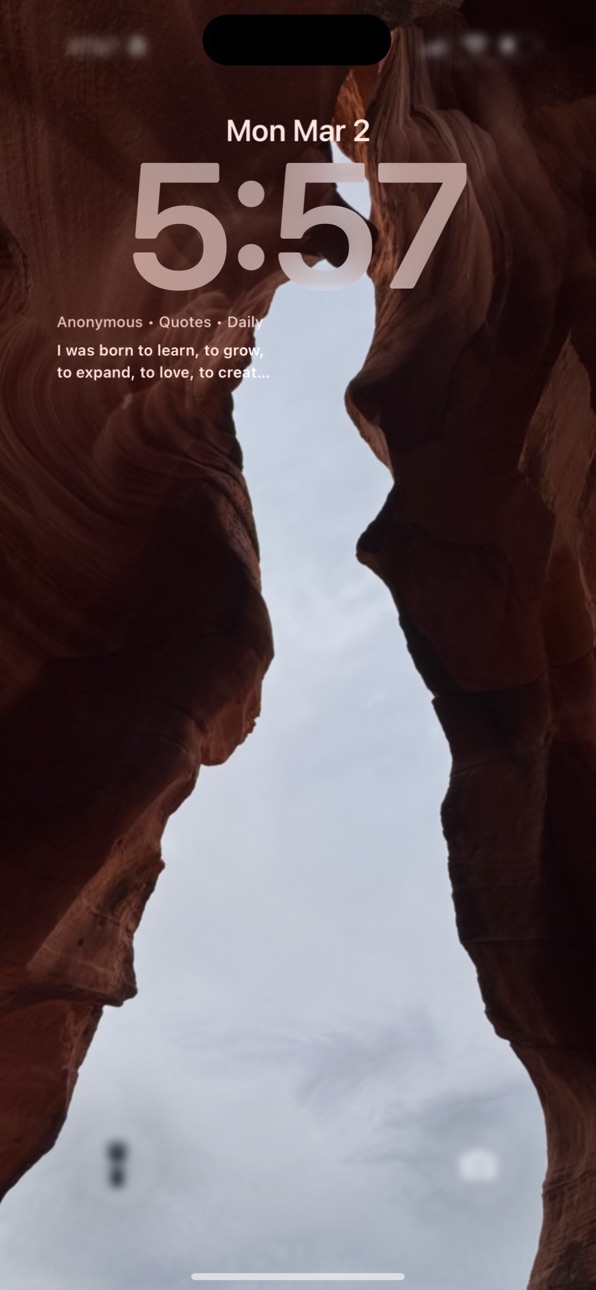
iPhone 10 images


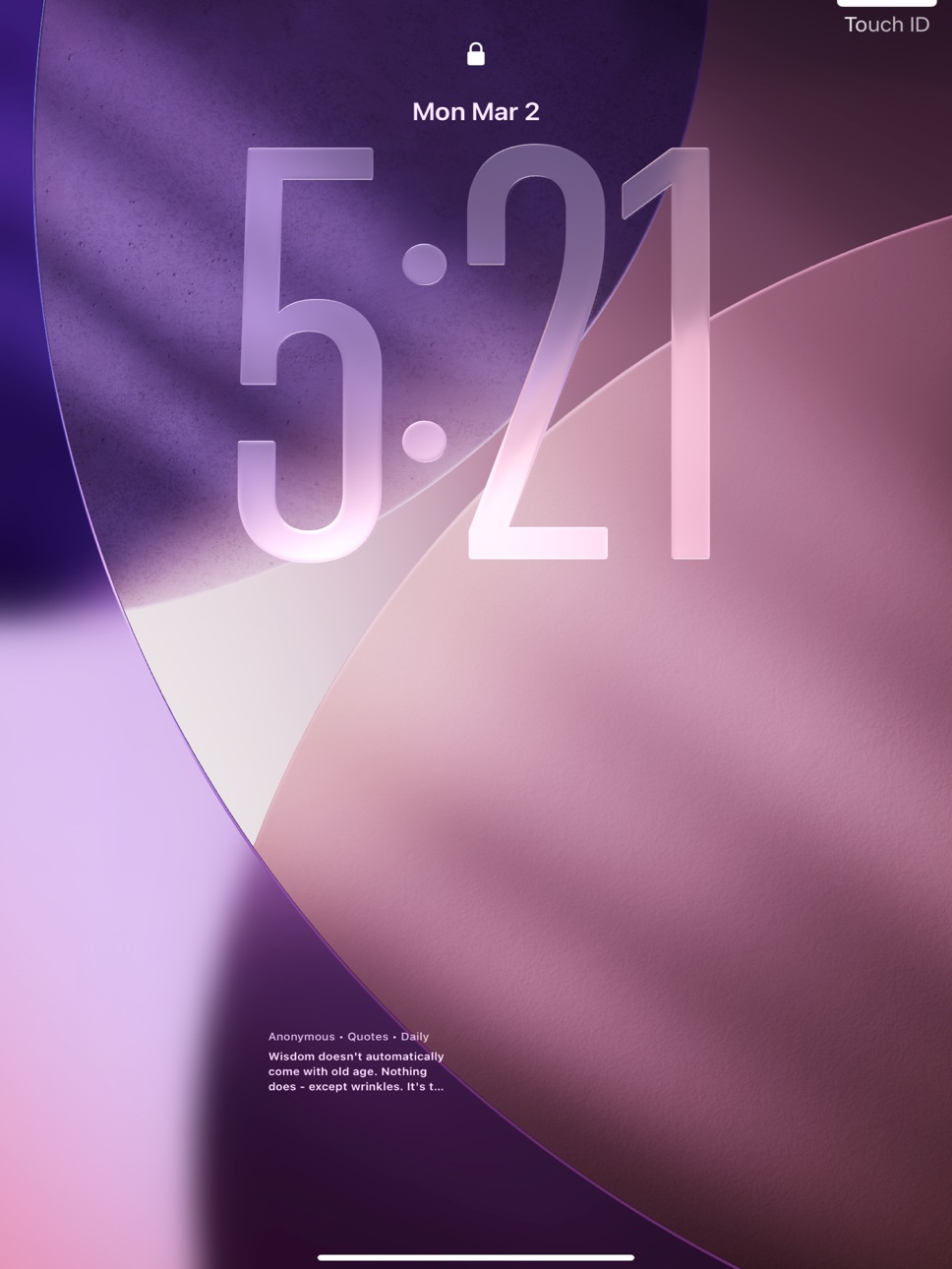
iPad 10 images


Apple Watch 6 images


What’s New Version 7.0.0
QuoteIt 7.0.0 is the major library, recitation, and intelligence release since 6.5.2.
- 89 community datasets are now bundled directly in the app, and Gujarati Bhakti is bundled as a first-class source too.
- Imported copies now shadowed by bundled app versions are automatically cleaned up so the visible library stays simpler after upgrade.
- The Choose Dataset language sheet now sorts installed languages alphabetically while keeping All Languages pinned first.
- Source picker search matches the English name of bundled datasets, and non-Latin-script datasets can show an English secondary label for easier discovery.
- The quieter quote-screen chrome from 6.5.2 remains in place, with clear scripture jump labels including Bhagavad Gita chapter names where available.
- Bhagavad Gita chapter recitation playback is now available, and the Quran sidecar now includes all 114 surah recitations.
- QuoteIt now supports hybrid media resolution across 40+ sources using bundled/group media, curated picks, and search-based fallback where supported.
- When media is available, the action bar can show a video/play control for the current item.
- You can save a preferred recitation video for a verse or quote, and those choices now persist across relaunches and sync deletions correctly across devices when iCloud key-value sync is available.
- Recitations support background audio plus working lock-screen and Control Center play-pause controls.
- The expanded recitation player now keeps Show Text, Playback Speed, Sleep Timer, and AirPlay behind a compact ... menu, and Minimize Player keeps those controls reachable from the mini player too.
- On iPad, the recitation player opens as a compact draggable window — drop it anywhere on screen and your position is remembered across launches, rotation, Split View, and Stage Manager.
- The action bar and floating tab bar adopt iOS 26's Liquid Glass materials on supported devices; older OSes keep the existing chrome unchanged.
- The Wisdom Timeline gains a "What's lifting you up" insight that surfaces the themes from quotes journaled on your best-mood days.
- Reading a quote via Siri or Shortcuts now returns a structured Quote entity, so you can chain actions on it and compose it inside Apple Intelligence workflows.
- iOS 26 devices see an on-device AI sentence starter inside the Reflect prompt — generated from the current quote, with no data leaving the device.
- A streak Live Activity appears on the Lock Screen and Dynamic Island (where supported) when you open QuoteIt with an active streak, showing the day count plus a snippet of today's quote for up to four hours.
- The Journal toolbar gains a Journaling Suggestions picker (iOS 17.2+), so you can pick a system-curated moment from your day to pair with a quote.
- Reader continuity is smoother, with better position preservation and less jumpy cross-item reading.
- Search, dataset browsing, and stability received additional polish.
Description
Quote It is a multi-library inspiration app for quotes, proverbs, scripture, and classic public-domain wisdom texts.
Read in Random or Browse mode, switch datasets instantly, save favorites, and create your own Image Posts and Video Posts.
New in 6.5.0:
- Google Photos background selection in Choose Background
- Explicit selected-photo flow using Google's picker API
- Local cached-copy behavior for selected Google Photos images
- Google Photos connection and disconnect status in Settings
Quote It also includes:
- Random and Browse reading modes
- Explore search across current dataset or all visible datasets
- For Me recommendations based on favorites and reading behavior
- Image Post and Video Post creator tools
- Creator Assist for Premium user expression
- Video draft workspace with rendered outputs and share history
- Share as text, styled image, or narrated video post
- Reading Programs with progress and daily quote routing
- Reflection and mood journaling with timeline history
- Voice playback, system or Personal Voice, and dictation support
- Safari New Tab extension and iMessage extension
- Apple Watch companion and widgets support
- Premium monthly and annual subscriptions
Terms of Use (EULA): https://www.apple.com/legal/internet-services/itunes/dev/stdeula/
Dataset Import is fully on-device: import txt, md, csv, tsv, json, and pdf files, review parsed records in a guided Import Wizard, and publish as a custom dataset.
In-App Purchases CH pricing
QuoteIt Premium Subscription
Monthly · Monthly—
Annual · Yearly—
One-Time Purchases
Include Inspirational Videos, and Alarm, remove advertisements—
Capabilities
In-App PurchasesiMessageSafari extension
Accessibility
ipadiphonemacrealityDevicetvoswatch
Version history 25 versions
Build 885739518v6.5.22026-05-22 00:33:01
QuoteIt 6.5.2 makes datasets easier to find, adds appearance control, and tidies up the main quote screen.
- Picker search now matches the English name of bundled datasets. Type "Gita", "Bhagavad", "Iqbal", and other Latin-script terms to surface datasets whose primary title is in Devanagari, Arabic, Urdu, Japanese, or another non-Latin script.
- Non-Latin-script datasets now show their English name as a secondary line in the picker, so they are easier to spot at a glance.
- Reading & Display now includes an Appearance setting, so QuoteIt can follow System or stay pinned to Light or Dark mode.
- The bottom tab bar now stays visible after the rest of the on-canvas chrome auto-hides, so navigation is always one tap away.
- The Choose Dataset pill is slimmer: just the books icon, the dataset name, and the chevron.
- The verse-jump shortcut for scriptures now sits as a quieter labeled chip right next to the source pill.
- Tap the Reading Program chip to jump directly to today's program quote.
- "Save Image" moved into the Share sheet (Share → Save Image), so the on-canvas action bar has one less button.
- Reflect moved into the long-press quick menu next to Copy and About Author, leaving a calmer four-button action bar.
- A small info dot next to the author name makes the About Author panel easier to discover.
- When you have both an active reading program and a 3+ day streak, the two chips combine into a single tidier chip.
- The long-press quick menu now uses a quieter gradient backdrop, groups copy / about / reflect with dividers, points an arrow at your tap, gives each row a larger tap target, and dismisses with Escape on iPad.
- Tapping the heart now shows a brief "Saved to Favorites" / "Removed from Favorites" confirmation, matching the existing copy toast.
- Minor stability polish.
Build 885990714v7.0.02026-05-22 03:44:58
QuoteIt 7.0.0 is the major library, recitation, and intelligence release since 6.5.2.
- 89 community datasets are now bundled directly in the app, and Gujarati Bhakti is bundled as a first-class source too.
- Imported copies now shadowed by bundled app versions are automatically cleaned up so the visible library stays simpler after upgrade.
- The Choose Dataset language sheet now sorts installed languages alphabetically while keeping All Languages pinned first.
- Source picker search matches the English name of bundled datasets, and non-Latin-script datasets can show an English secondary label for easier discovery.
- The quieter quote-screen chrome from 6.5.2 remains in place, with clear scripture jump labels including Bhagavad Gita chapter names where available.
- Bhagavad Gita chapter recitation playback is now available, and the Quran sidecar now includes all 114 surah recitations.
- QuoteIt now supports hybrid media resolution across 40+ sources using bundled/group media, curated picks, and search-based fallback where supported.
- When media is available, the action bar can show a video/play control for the current item.
- You can save a preferred recitation video for a verse or quote, and those choices now persist across relaunches and sync deletions correctly across devices when iCloud key-value sync is available.
- Recitations support background audio plus working lock-screen and Control Center play-pause controls.
- The expanded recitation player now keeps Show Text, Playback Speed, Sleep Timer, and AirPlay behind a compact ... menu, and Minimize Player keeps those controls reachable from the mini player too.
- On iPad, the recitation player opens as a compact draggable window — drop it anywhere on screen and your position is remembered across launches, rotation, Split View, and Stage Manager.
- The action bar and floating tab bar adopt iOS 26's Liquid Glass materials on supported devices; older OSes keep the existing chrome unchanged.
- The Wisdom Timeline gains a "What's lifting you up" insight that surfaces the themes from quotes journaled on your best-mood days.
- Reading a quote via Siri or Shortcuts now returns a structured Quote entity, so you can chain actions on it and compose it inside Apple Intelligence workflows.
- iOS 26 devices see an on-device AI sentence starter inside the Reflect prompt — generated from the current quote, with no data leaving the device.
- A streak Live Activity appears on the Lock Screen and Dynamic Island (where supported) when you open QuoteIt with an active streak, showing the day count plus a snippet of today's quote for up to four hours.
- The Journal toolbar gains a Journaling Suggestions picker (iOS 17.2+), so you can pick a system-curated moment from your day to pair with a quote.
- Reader continuity is smoother, with better position preservation and less jumpy cross-item reading.
- Search, dataset browsing, and stability received additional polish.
Build 885550449v6.5.12026-05-13 19:40:37
QuoteIt 6.5.1 fixes a small but annoying bug in Reading Mode on iPad.
- When supplemental content is displayed alongside a quote, the Details panel (word-by-word, translation, commentary) now updates instantly as you scroll between verses — no more waiting for the scroll to settle.
- Section, language, and provider selectors correctly reset when the next verse has a different set of supplemental sections available.
- VoiceOver now announces the verse currently centered on screen, instead of the previous one.
- Minor stability polish.
Build 885081140v6.5.02026-04-30 18:23:38
QuoteIt 6.5.0 adds Google Photos to Choose Background.
- Pick a background from Google Photos through Google's picker flow.
- Sign in with Google only when you explicitly choose that source.
- QuoteIt stores a local cached copy only for the photos you select.
- Removing a saved Google Photos background from QuoteIt does not delete the original in Google Photos.
- Settings now shows Google Photos connection status and a local disconnect action.
Build 884906483v6.4.02026-04-27 17:04:04
Creator Studio gets a major video upgrade in 6.4.0.
- Use short background video clips from Files, Photos, or the in-app camera recorder.
- Trim clips visually, save multiple scenes, and reorder them before export.
- Mix scenes from more than one imported clip in the same video project.
- Keep original clip audio with adjustable level and narration ducking.
- Shared video history is now archived independently from local rendered files.
- Settings now includes a Premium screen with subscription status, restore purchases, and App Store management actions.
Build 884457147v6.3.02026-04-14 16:39:46
Creator Assist is here for Premium users.
- Refine your own thoughts into polished quote drafts inside Create.
- Use a QuoteIt source as inspiration while keeping the original text unchanged.
- Generate AI-assisted quote text, video hooks, and share captions.
- Keep refining with guided hints such as clearer, sharper, warmer, simpler, caption-ready, and hook-ready.
- Review, edit, accept, or undo drafts before saving or sharing.
- Accepted drafts are labeled as AI-assisted in the creator flow.
Build 884405673v6.2.02026-04-12 21:45:26
- New Create workspace: start Image Posts and Video Posts from one guided creator.
- Drafts, Videos, and Shared tabs: keep unfinished video projects, rendered outputs, and share history in one place.
- Better video posts: templates, Reels/TikTok/Shorts presets, hook styles, subtitle styles, soundtrack selection, imported audio, recorded narration, and motion backgrounds.
- Cleaner navigation: Create is now a top-level tab, and duplicate floating create actions were removed from reading screens.
- Share flow cleanup: the same modern share surface now appears consistently across supported quote routes.
Build 884214161v6.1.02026-04-07 19:13:15
- Audiogram: share any quote as a 15-second video with word-by-word animation and voice — perfect for TikTok, Reels, and Stories.
- Weekly Wisdom Wrap: every Sunday, get a summary card of quotes read, streak, mood trend, top author, and a resurfaced favorite. Share it as an image.
- Mood-matched For Me: tap your mood at the top of For Me to instantly re-rank recommendations by how you feel.
- Full app localization: the entire app UI is now available in Hindi, Spanish (Mexico), Portuguese (Brazil), Arabic, Turkish, and Indonesian.
- Quote text in daily notifications: your morning push now shows the actual quote and author.
- Premium subscription with 7-day free trial: unlock audiograms, full journal, unlimited favorites, all programs, and more.
Build 884064345v6.0.22026-04-04 11:44:06
Smoother Reader mode scrolling by deferring heavy work until you stop scrolling.
Faster navigation across large libraries with reduced mid-scroll pauses.
Improved stability for extensions and sharing surfaces.
Build 883382178v6.0.12026-03-16 13:55:30
- Improved social media sharing: verified image card previews on Facebook and Instagram.
- Added Universal Link support to all shared quotes—open directly in the app or view on the web.
- Added auto-random navigation mode when selecting the bundled Quotes dataset for a more varied reading experience.
- Updated project metadata and refined performance across all supported platforms.
Build 883280658v6.0.02026-03-12 17:34:31
- Added multilingual Discover Library with language filter for datasets, packs, and programs.
- Added direct catalog deep links (`quoteit://catalog/import?...`) to open install flow from web or shared links.
- Added preferred content language setting to improve For Me, daily quote, and notification relevance.
- Improved online catalog resilience with snapshot fallback and graceful partial-load handling.
- Improved remote install integrity: catalog package hash is validated before install.
- Expanded global language coverage and curated dataset availability, now delivered via AWS CDN-backed catalog endpoints.
Build 883063490v5.4.02026-03-06 18:00:32
- Added Reading Programs with progress tracking and active-program quote flow.
- Added reflection + mood journaling improvements with deterministic prompt fallback.
- Improved quote sharing with deterministic deep links and QR-enabled export cards.
- Added About Author quick learning links from quote long-press context menu.
- Improved iMessage and Safari extension routing to open Quote It safely and deterministically.
- Improved CarPlay experience with tabbed entry points and stable rendered-audio playback.
- Added Engagement surfaces (streaks, weekly goals, Quote DNA) with Settings navigation/search support.
Build 882956455v5.3.02026-03-03 11:44:26
- Expanded Quote It widgets with mode selection:
- Quote of the Day
- For Me Spotlight
- Dataset Spotlight
- Added widget refresh action for quick next-item rotation in supported widget families.
- Improved one-tap routing from widget opens into exact app destinations.
- Added route-safe fallback behavior when a target quote is no longer available.
- Improved Explore relevance with semantic-assisted ranking while keeping search simple.
- Improved For Me recommendations using behavior plus semantic affinity.
- Improved startup responsiveness and first-screen stability.
Build 882925204v5.2.02026-03-02 19:29:16
- Added a full Apple Watch experience with quick quote reading, haptic Next action, and favorites list.
- Added watch mood filters: Motivated, Calm, Focus, Confidence, and Gratitude.
- Added watch context modes: General, Focus, Workout, and Sleep.
- Added watch-side For Me recommendations and two-way favorite sync with iPhone.
- Added watch daily motivation scheduling and optional workout cadence reminders.
- Added Siri/App Intent "Get Quote" support on watch.
- Added watch streak tracking and complication controls.
- Added Explore scope control to search current dataset or all visible datasets with clear dataset labeling.
- Improved For Me recommendation quality while keeping controls simple.
Build 882883790v5.1.02026-02-28 22:14:26
- Added additional public-domain Bible edition support with stable book/chapter/verse navigation.
- Improved Explore and Jump-To behavior across scripture datasets.
- Redesigned Choose Dataset with Quick Access (Core/Pinned/Recent), grouped categories, and cleaner hide/show management.
- Expanded category-driven browsing (for example Faith and Devotion, Classics and Philosophy, Life Themes) to improve discovery for broader audiences.
- Added remote broadcast notification platform foundations with safer routing behavior.
- Improved per-dataset reading consistency across Favorites, sharing, and Reader mode.
- Apple Watch support is back with Quote of the Day companion availability.
Build 882761861v5.0.02026-02-25 19:08:05
- Expanded multi-library dataset coverage with stronger category breadth.
- Added polished export history with quick re-share and cleanup controls.
- Improved source switching and browse-first reading workflows.
- Added Surprise Me shortcut (double-tap QuoteIt tab) for random visible dataset + item + background.
- Daily notification tap now opens the exact item in-app when available.
- Expanded App Store and in-app guidance for legal-safe public-domain dataset usage.
Build 882692513v4.6.02026-02-23 18:15:52
- Added iPad supplemental study panel with section/language/provider filtering.
- Added richer study dataset support with generic supplemental content schema.
- Added full-screen Import Wizard (File, Intent, Model, Review, Finalize).
- Added Import Model management with bundled/imported model selection support.
- Added full-screen Quote Builder Wizard with quick/advanced styles and preset reuse.
- Added continuous Reader mode stream behavior across Quote and Detail screens.
- Added reader-to-card continuity (card resumes at the last centered reader item).
- Added quick dataset switch chip under Jump To on Quote screen.
- Added swipe up/down entry from Card mode into Reader mode.
- Improved dataset import flow with iterative rerun/review and better defaults.
- Expanded in-app help and settings documentation for advanced dataset workflows.
Build 882615366v4.5.02026-02-20 04:02:04
- Added expanded built-in libraries (Bible, Stoicism Classics, Proverbs, Dhammapada, Tao Te Ching, Art of War).
- Added source import foundation with smart file parsing preview.
- Improved large-library performance with faster source loading and search.
- Improved startup and reading flow polish.
- Updated Unsplash attribution compliance for image sharing flow.
Build 882589843v4.4.02026-02-19 17:04:26
- Multi-source reading with dynamic source discovery for bundled datasets.
- Navigation modes in Settings: Random and Browse with deterministic sequence behavior.
- Runtime grouping in Explore for structured datasets (for example chapter/verse).
- Unified background chooser with in-chooser "Refresh from Web", source badges, and per-image delete.
- Improved voice selection by source language, including system voices and Personal Voice mode.
- Improved quote card metadata formatting and stability updates across source switching.
Build 882549601v4.1.02026-02-18 02:49:55
Customize your quote cards with new background controls (blur, dim, tint, zoom, reposition) and text styling modes (Auto, White, Black, Gradient). We also improved save/share reliability so exported images better match what you see on screen, including orientation and styling. Explore/Favorites/Settings are now easier to close with a dedicated top-right button and active-tab toggle behavior, selected quotes stay active when you return to QuoteIt, and exported cards now include subtle QuoteIt branding.
Build 882557109v4.3.02026-02-18 22:22:40
Create your own quote cards with custom text and your own photos from Camera or Photos. Your personal quotes are saved locally on your device, automatically added to Favorites, and easy to find using the My Quotes filter. You can also edit or delete your personal quotes in Explore/Favorites, and exports for your own quotes omit Quote It branding. Voice & Dictation now supports configurable read-aloud voices, Personal Voice access/selection, and quote dictation.
Build 830014385v4.02026-02-17 16:26:26
Completely redesigned UI
Random quote on launch with swipe navigation
Author browsing and search
Improved sharing and text‑to‑speech
Background image support via Unsplash / Pexels
Updated notifications and settings
Build 615944263v2.52014-07-11 05:23:20
Updated photo download logic.
Build 60962633v2.42013-10-03 21:34:51
iOS Update and minor enhancement.
Build 14941101v2.3.12013-04-04 20:40:34
App will not stop the music that is playing while opening.
Price history by region
Currency
Show
Columns
Search
Availability 175 of 175 storefronts
| Region | Language | Price | Ratings | Avg | Version |
|---|---|---|---|---|---|
| US | en-US | Free | 10 | 4.4 | 7.0.0 |
| KE | en-GB | Free | 2 | 3.5 | 7.0.0 |
| NZ | en-AU | Free | 2 | 3.5 | 7.0.0 |
| AR | es-MX | Free | 1 | 2.0 | 7.0.0 |
| AU | en-AU | Free | 1 | 5.0 | 7.0.0 |
| CA | en-CA | Free | 1 | 1.0 | 7.0.0 |
| CH | de-CH | Free | 1 | 3.0 | 7.0.0 |
| CN | zh-Hans-CN | Free | 1 | 5.0 | 7.0.0 |
| DE | de-DE | Free | 1 | 4.0 | 7.0.0 |
| EG | en-GB | Free | 1 | 3.0 | 7.0.0 |
| FR | fr-FR | Free | 1 | 5.0 | 7.0.0 |
| GB | en-GB | Free | 1 | 4.0 | 7.0.0 |
| HK | zh-Hant-HK | Free | 1 | 5.0 | 7.0.0 |
| ID | en-GB | Free | 1 | 3.0 | 7.0.0 |
| IL | en-GB | Free | 1 | 5.0 | 7.0.0 |
| IN | en-GB | Free | 1 | 5.0 | 7.0.0 |
| JP | ja | Free | 1 | 5.0 | 7.0.0 |
| MX | es-MX | Free | 1 | 4.0 | 7.0.0 |
| MY | en-GB | Free | 1 | 3.0 | 7.0.0 |
| NG | en-GB | Free | 1 | 1.0 | 7.0.0 |
| PH | en-GB | Free | 1 | 4.0 | 7.0.0 |
| RU | ru | Free | 1 | 1.0 | 7.0.0 |
| SG | en-GB | Free | 1 | 5.0 | 7.0.0 |
| TH | en-GB | Free | 1 | 5.0 | 7.0.0 |
| VN | en-GB | Free | 1 | 5.0 | 7.0.0 |
| ZA | en-GB | Free | 1 | 4.0 | 7.0.0 |
| AE | en-GB | Free | 0 | — | 7.0.0 |
| AF | en-GB | Free | 0 | — | 7.0.0 |
| AG | en-GB | Free | 0 | — | 7.0.0 |
| AI | en-GB | Free | 0 | — | 7.0.0 |
| AL | en-GB | Free | 0 | — | 7.0.0 |
| AM | en-GB | Free | 0 | — | 7.0.0 |
| AO | en-GB | Free | 0 | — | 7.0.0 |
| AT | de-DE | Free | 0 | — | 7.0.0 |
| AZ | en-GB | Free | 0 | — | 7.0.0 |
| BA | en-GB | Free | 0 | — | 7.0.0 |
| BB | en-GB | Free | 0 | — | 7.0.0 |
| BE | en-GB | Free | 0 | — | 7.0.0 |
| BF | en-GB | Free | 0 | — | 7.0.0 |
| BG | en-GB | Free | 0 | — | 7.0.0 |
| BH | en-GB | Free | 0 | — | 7.0.0 |
| BJ | en-GB | Free | 0 | — | 7.0.0 |
| BM | en-GB | Free | 0 | — | 7.0.0 |
| BN | en-GB | Free | 0 | — | 7.0.0 |
| BO | es-MX | Free | 0 | — | 7.0.0 |
| BR | pt-BR | Free | 0 | — | 7.0.0 |
| BS | en-GB | Free | 0 | — | 7.0.0 |
| BT | en-GB | Free | 0 | — | 7.0.0 |
| BW | en-GB | Free | 0 | — | 7.0.0 |
| BY | en-GB | Free | 0 | — | 7.0.0 |
| BZ | en-GB | Free | 0 | — | 7.0.0 |
| CD | en-GB | Free | 0 | — | 7.0.0 |
| CG | en-GB | Free | 0 | — | 7.0.0 |
| CI | fr-FR | Free | 0 | — | 7.0.0 |
| CL | es-MX | Free | 0 | — | 7.0.0 |
| CM | fr-FR | Free | 0 | — | 7.0.0 |
| CO | es-MX | Free | 0 | — | 7.0.0 |
| CR | es-MX | Free | 0 | — | 7.0.0 |
| CV | en-GB | Free | 0 | — | 7.0.0 |
| CY | en-GB | Free | 0 | — | 7.0.0 |
| CZ | en-GB | Free | 0 | — | 7.0.0 |
| DK | en-GB | Free | 0 | — | 7.0.0 |
| DM | en-GB | Free | 0 | — | 7.0.0 |
| DO | es-MX | Free | 0 | — | 7.0.0 |
| DZ | en-GB | Free | 0 | — | 7.0.0 |
| EC | es-MX | Free | 0 | — | 7.0.0 |
| EE | en-GB | Free | 0 | — | 7.0.0 |
| ES | es-ES | Free | 0 | — | 7.0.0 |
| FI | en-GB | Free | 0 | — | 7.0.0 |
| FJ | en-GB | Free | 0 | — | 7.0.0 |
| FM | en-GB | Free | 0 | — | 7.0.0 |
| GA | fr-FR | Free | 0 | — | 7.0.0 |
| GD | en-GB | Free | 0 | — | 7.0.0 |
| GE | en-GB | Free | 0 | — | 7.0.0 |
| GH | en-GB | Free | 0 | — | 7.0.0 |
| GM | en-GB | Free | 0 | — | 7.0.0 |
| GR | en-GB | Free | 0 | — | 7.0.0 |
| GT | es-MX | Free | 0 | — | 7.0.0 |
| GW | en-GB | Free | 0 | — | 7.0.0 |
| GY | en-GB | Free | 0 | — | 7.0.0 |
| HN | es-MX | Free | 0 | — | 7.0.0 |
| HR | en-GB | Free | 0 | — | 7.0.0 |
| HU | en-GB | Free | 0 | — | 7.0.0 |
| IE | en-GB | Free | 0 | — | 7.0.0 |
| IQ | en-GB | Free | 0 | — | 7.0.0 |
| IS | en-GB | Free | 0 | — | 7.0.0 |
| IT | it | Free | 0 | — | 7.0.0 |
| JM | en-GB | Free | 0 | — | 7.0.0 |
| JO | en-GB | Free | 0 | — | 7.0.0 |
| KG | en-GB | Free | 0 | — | 7.0.0 |
| KH | en-GB | Free | 0 | — | 7.0.0 |
| KN | en-GB | Free | 0 | — | 7.0.0 |
| KR | ko | Free | 0 | — | 7.0.0 |
| KW | en-GB | Free | 0 | — | 7.0.0 |
| KY | en-GB | Free | 0 | — | 7.0.0 |
| KZ | en-GB | Free | 0 | — | 7.0.0 |
| LA | en-GB | Free | 0 | — | 7.0.0 |
| LB | en-GB | Free | 0 | — | 7.0.0 |
| LC | en-GB | Free | 0 | — | 7.0.0 |
| LK | en-GB | Free | 0 | — | 7.0.0 |
| LR | en-GB | Free | 0 | — | 7.0.0 |
| LT | en-GB | Free | 0 | — | 7.0.0 |
| LU | en-GB | Free | 0 | — | 7.0.0 |
| LV | en-GB | Free | 0 | — | 7.0.0 |
| LY | en-GB | Free | 0 | — | 7.0.0 |
| MA | en-GB | Free | 0 | — | 7.0.0 |
| MD | en-GB | Free | 0 | — | 7.0.0 |
| ME | en-GB | Free | 0 | — | 7.0.0 |
| MG | en-GB | Free | 0 | — | 7.0.0 |
| MK | en-GB | Free | 0 | — | 7.0.0 |
| ML | en-GB | Free | 0 | — | 7.0.0 |
| MM | en-GB | Free | 0 | — | 7.0.0 |
| MN | en-GB | Free | 0 | — | 7.0.0 |
| MO | zh-Hant-HK | Free | 0 | — | 7.0.0 |
| MR | en-GB | Free | 0 | — | 7.0.0 |
| MS | en-GB | Free | 0 | — | 7.0.0 |
| MT | en-GB | Free | 0 | — | 7.0.0 |
| MU | en-GB | Free | 0 | — | 7.0.0 |
| MV | en-GB | Free | 0 | — | 7.0.0 |
| MW | en-GB | Free | 0 | — | 7.0.0 |
| MZ | en-GB | Free | 0 | — | 7.0.0 |
| NA | en-GB | Free | 0 | — | 7.0.0 |
| NE | en-GB | Free | 0 | — | 7.0.0 |
| NI | es-MX | Free | 0 | — | 7.0.0 |
| NL | nl | Free | 0 | — | 7.0.0 |
| NO | en-GB | Free | 0 | — | 7.0.0 |
| NP | en-GB | Free | 0 | — | 7.0.0 |
| NR | en-GB | Free | 0 | — | 7.0.0 |
| OM | en-GB | Free | 0 | — | 7.0.0 |
| PA | es-MX | Free | 0 | — | 7.0.0 |
| PE | es-MX | Free | 0 | — | 7.0.0 |
| PG | en-GB | Free | 0 | — | 7.0.0 |
| PK | en-GB | Free | 0 | — | 7.0.0 |
| PL | en-GB | Free | 0 | — | 7.0.0 |
| PT | pt-PT | Free | 0 | — | 7.0.0 |
| PW | en-GB | Free | 0 | — | 7.0.0 |
| PY | es-MX | Free | 0 | — | 7.0.0 |
| QA | en-GB | Free | 0 | — | 7.0.0 |
| RO | en-GB | Free | 0 | — | 7.0.0 |
| RS | en-GB | Free | 0 | — | 7.0.0 |
| RW | en-GB | Free | 0 | — | 7.0.0 |
| SA | en-GB | Free | 0 | — | 7.0.0 |
| SB | en-GB | Free | 0 | — | 7.0.0 |
| SC | en-GB | Free | 0 | — | 7.0.0 |
| SE | sv | Free | 0 | — | 7.0.0 |
| SI | en-GB | Free | 0 | — | 7.0.0 |
| SK | en-GB | Free | 0 | — | 7.0.0 |
| SL | en-GB | Free | 0 | — | 7.0.0 |
| SN | en-GB | Free | 0 | — | 7.0.0 |
| SR | en-GB | Free | 0 | — | 7.0.0 |
| ST | en-GB | Free | 0 | — | 7.0.0 |
| SV | es-MX | Free | 0 | — | 7.0.0 |
| SZ | en-GB | Free | 0 | — | 7.0.0 |
| TC | en-GB | Free | 0 | — | 7.0.0 |
| TD | en-GB | Free | 0 | — | 7.0.0 |
| TJ | en-GB | Free | 0 | — | 7.0.0 |
| TM | en-GB | Free | 0 | — | 7.0.0 |
| TN | en-GB | Free | 0 | — | 7.0.0 |
| TO | en-GB | Free | 0 | — | 7.0.0 |
| TR | en-GB | Free | 0 | — | 7.0.0 |
| TT | en-GB | Free | 0 | — | 7.0.0 |
| TW | zh-Hant-TW | Free | 0 | — | 7.0.0 |
| TZ | en-GB | Free | 0 | — | 7.0.0 |
| UA | en-GB | Free | 0 | — | 7.0.0 |
| UG | en-GB | Free | 0 | — | 7.0.0 |
| UY | en-GB | Free | 0 | — | 7.0.0 |
| UZ | en-GB | Free | 0 | — | 7.0.0 |
| VC | en-GB | Free | 0 | — | 7.0.0 |
| VE | es-MX | Free | 0 | — | 7.0.0 |
| VG | en-GB | Free | 0 | — | 7.0.0 |
| VU | en-GB | Free | 0 | — | 7.0.0 |
| XK | en-GB | Free | 0 | — | 7.0.0 |
| YE | en-GB | Free | 0 | — | 7.0.0 |
| ZM | en-GB | Free | 0 | — | 7.0.0 |
| ZW | en-GB | Free | 0 | — | 7.0.0 |
Change log 29 changes · CH
✎
releaseNotes updated
QuoteIt 7.0.0 is the major library, recitation, and intelligence release since 6.5.2.
- 89 community datasets are now bundled directly in the app, and Gujarati
✎
description updated
Quote It is a multi-library inspiration app for quotes, proverbs, scripture, and classic public-domain wisdom texts.
Read in Random or Browse mode, switch data
✎
subtitle updated
Quotes and creator tools
✎
name updated
Quote It - Creator Assist
◆
Version 7.0.0 released
QuoteIt 7.0.0 is the major library, recitation, and intelligence release since 6.5.2.
- 89 community datasets are now bundled directly in the app, and Gujarati Bhakti is bundled as a first-class source too.
- Imported copies now shadowed b
◆
Version 6.5.2 released
QuoteIt 6.5.2 makes datasets easier to find, adds appearance control, and tidies up the main quote screen.
- Picker search now matches the English name of bundled datasets. Type "Gita", "Bhagavad", "Iqbal", and other Latin-script terms to
◆
Version 6.5.1 released
QuoteIt 6.5.1 fixes a small but annoying bug in Reading Mode on iPad.
- When supplemental content is displayed alongside a quote, the Details panel (word-by-word, translation, commentary) now updates instantly as you scroll between verses
◆
Version 6.5.0 released
QuoteIt 6.5.0 adds Google Photos to Choose Background.
- Pick a background from Google Photos through Google's picker flow.
- Sign in with Google only when you explicitly choose that source.
- QuoteIt stores a local cached copy only for th
◆
Version 6.4.0 released
Creator Studio gets a major video upgrade in 6.4.0.
- Use short background video clips from Files, Photos, or the in-app camera recorder.
- Trim clips visually, save multiple scenes, and reorder them before export.
- Mix scenes from more t
◆
Version 6.3.0 released
Creator Assist is here for Premium users.
- Refine your own thoughts into polished quote drafts inside Create.
- Use a QuoteIt source as inspiration while keeping the original text unchanged.
- Generate AI-assisted quote text, video hooks,
◆
Version 6.2.0 released
- New Create workspace: start Image Posts and Video Posts from one guided creator.
- Drafts, Videos, and Shared tabs: keep unfinished video projects, rendered outputs, and share history in one place.
- Better video posts: templates, Reels/T
◆
Version 6.1.0 released
- Audiogram: share any quote as a 15-second video with word-by-word animation and voice — perfect for TikTok, Reels, and Stories.
- Weekly Wisdom Wrap: every Sunday, get a summary card of quotes read, streak, mood trend, top author, and a r
◆
Version 6.0.2 released
Smoother Reader mode scrolling by deferring heavy work until you stop scrolling.
Faster navigation across large libraries with reduced mid-scroll pauses.
Improved stability for extensions and sharing surfaces.
◆
Version 6.0.1 released
- Improved social media sharing: verified image card previews on Facebook and Instagram.
- Added Universal Link support to all shared quotes—open directly in the app or view on the web.
- Added auto-random navigation mode when selecting the
◆
Version 6.0.0 released
- Added multilingual Discover Library with language filter for datasets, packs, and programs.
- Added direct catalog deep links (`quoteit://catalog/import?...`) to open install flow from web or shared links.
- Added preferred content langua
◆
Version 5.4.0 released
- Added Reading Programs with progress tracking and active-program quote flow.
- Added reflection + mood journaling improvements with deterministic prompt fallback.
- Improved quote sharing with deterministic deep links and QR-enabled expor
◆
Version 5.3.0 released
- Expanded Quote It widgets with mode selection:
- Quote of the Day
- For Me Spotlight
- Dataset Spotlight
- Added widget refresh action for quick next-item rotation in supported widget families.
- Improved one-tap routing from widget
◆
Version 5.2.0 released
- Added a full Apple Watch experience with quick quote reading, haptic Next action, and favorites list.
- Added watch mood filters: Motivated, Calm, Focus, Confidence, and Gratitude.
- Added watch context modes: General, Focus, Workout, and
◆
Version 5.1.0 released
- Added additional public-domain Bible edition support with stable book/chapter/verse navigation.
- Improved Explore and Jump-To behavior across scripture datasets.
- Redesigned Choose Dataset with Quick Access (Core/Pinned/Recent), grouped
◆
Version 5.0.0 released
- Expanded multi-library dataset coverage with stronger category breadth.
- Added polished export history with quick re-share and cleanup controls.
- Improved source switching and browse-first reading workflows.
- Added Surprise Me shortcut
◆
Version 4.6.0 released
- Added iPad supplemental study panel with section/language/provider filtering.
- Added richer study dataset support with generic supplemental content schema.
- Added full-screen Import Wizard (File, Intent, Model, Review, Finalize).
- Adde
◆
Version 4.5.0 released
- Added expanded built-in libraries (Bible, Stoicism Classics, Proverbs, Dhammapada, Tao Te Ching, Art of War).
- Added source import foundation with smart file parsing preview.
- Improved large-library performance with faster source loadin
◆
Version 4.4.0 released
- Multi-source reading with dynamic source discovery for bundled datasets.
- Navigation modes in Settings: Random and Browse with deterministic sequence behavior.
- Runtime grouping in Explore for structured datasets (for example chapter/ve
◆
Version 4.3.0 released
Create your own quote cards with custom text and your own photos from Camera or Photos. Your personal quotes are saved locally on your device, automatically added to Favorites, and easy to find using the My Quotes filter. You can also edit
◆
Version 4.1.0 released
Customize your quote cards with new background controls (blur, dim, tint, zoom, reposition) and text styling modes (Auto, White, Black, Gradient). We also improved save/share reliability so exported images better match what you see on scree
◆
Version 4.0 released
Completely redesigned UI
Random quote on launch with swipe navigation
Author browsing and search
Improved sharing and text‑to‑speech
Background image support via Unsplash / Pexels
Updated notifications and settings
◆
Version 2.5 released
Updated photo download logic.
◆
Version 2.4 released
iOS Update and minor enhancement.
◆
Version 2.3.1 released
App will not stop the music that is playing while opening.