Home › Photo & Video

 CA
CA
 USen-US
 INen-GB
 THen-GB
 GBen-GB
 DEde-DE
 IDen-GB
 ITitCAen-CA
 FRfr-FR
 PHen-GB
 JPja
JPja PLen-GB
 AUen-AU
 ROen-GB
 MYen-GB
 CZen-GB
 NLnl
NLnl CHde-CH
 SEsv
SEsv SGen-GB
 PTpt-PT
 BEen-GB
 HKzh-Hant-HK
 EGen-GB
 KRko
KRko GRen-GB
 ATde-DE
 HUen-GB
 AEen-GB
 BGen-GB
 KGen-GB
 NOen-GB
 VEes-MX
 ZAen-GB
 FIen-GB
 SKen-GB
 LKen-GB
 HRen-GB
 AZen-GB
 IEen-GB
 RSen-GB
 NGen-GB
 DKen-GB
 MDen-GB
 NZen-AU
 UZen-GB
 MAen-GB
 DOes-MX
 PYes-MX
 AMen-GB
 DZen-GB
 SVes-MX
 OMen-GB
 HNes-MX
 JOen-GB
 ALen-GB
 MKen-GB
 SIen-GB
 IQen-GB
 QAen-GB
 KWen-GB
 LBen-GB
 LUen-GB
 MNen-GB
 NIes-MX
 KEen-GB
 MTen-GB
 UGen-GB
 MMen-GB
 XKen-GB
 ISen-GB
 YEen-GB
 JMen-GB
 CDen-GB
 BNen-GB
 MGen-GB
 MRen-GB
 MVen-GB
 MZen-GB
 CGen-GB
 MLen-GB
 BJen-GB
 AFen-GB
 BZen-GB
 TMen-GB
 BTen-GB
 RWen-GB
 NEen-GB
 PGen-GB
 SCen-GB
 SZen-GB
 TDen-GB
 BFen-GB
 FJen-GB
 GAfr-FR
 SBen-GB
 STen-GB
 TOen-GB
98 of 98 storefronts
Content in en-CA
Content in en-CA
Information
Preview 2 platforms

iPhone 10 images


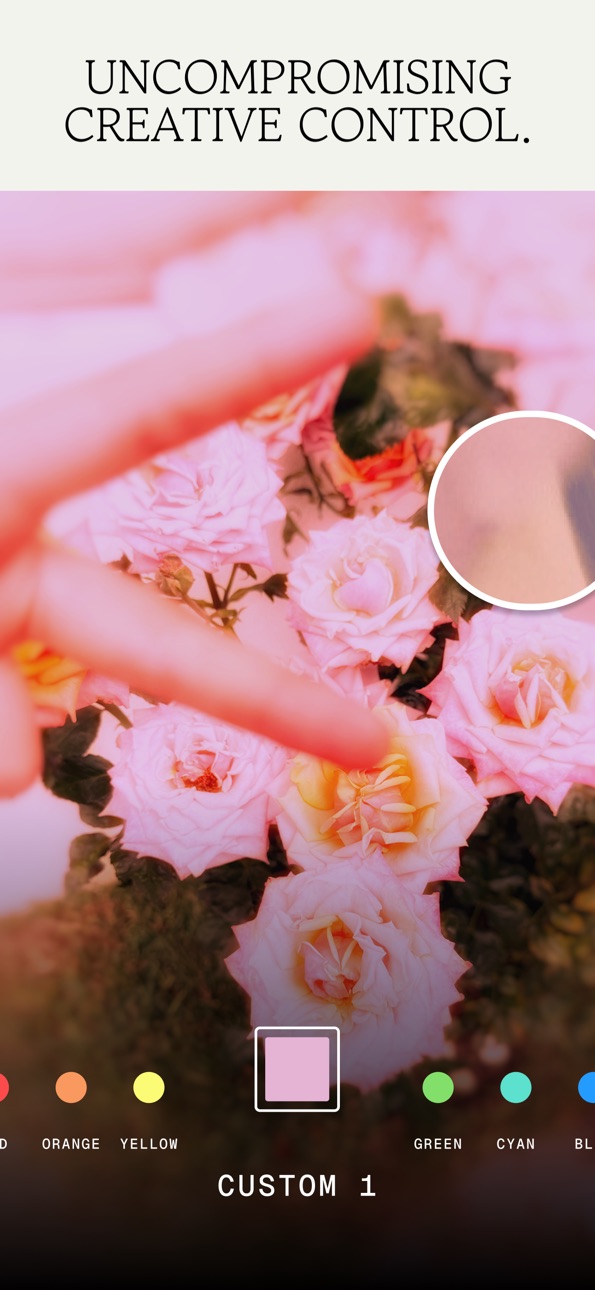


iPad 9 images


What’s New Version 4.0.4
Keep it moving. We’ve taken care of a few minor issues behind the scenes so your experience stays fast, smooth, and reliable.
Description
Snapseed is a complete and professional photo editor developed by Google. Pro-level tools, authentic film simulations, smart masking and more — all with no strings attached.
== KEY FEATURES ==
• No Strings Attached: Get 30+ pro tools and filters - no subscriptions, purchases, ads, or watermarks
• Vintage Styles: realistic film filters, plus Halation, Bloom, and Grain tools
• Smart Masking: Instantly and intelligently isolate subjects or backgrounds with a single tap for fast, targeted edits
• Batch Editing: Quickly apply your favourite looks and edits to multiple photos
• Snapseed Camera: Capture using custom styles or film looks. Save time with real-time effects that can be edited or reset later
• Non-destructive Editing: Easily undo changes or revert to your original photo at any time
• RAW Support: Open and edit JPG and RAW files with precise control
== PRO TOOLS & FILTERS ==
• Snapseed Camera: shoot directly in your favourite film simulations or custom looks to capture your unique style in real-time and skip the editing step
• Adjust: adjust exposure and colour automatically or manually with fine, precise control
• One-Touch Masking: instantly select subjects or backgrounds with smart precision for seamless targeted edits
• Selective: precisely adjust brightness, contrast, or saturation in specific areas without affecting the rest of your photo
• Healing: remove the uninvited neighbour from a group picture
• Film: get beautiful looks with our completely updated, realistic film simulations of historic film stocks
• Batch Edit: apply your custom looks and edits to an entire batch of photos instantly
• Halation: add an authentic highlight glow to replicate classic analogue lens effects
• Bloom: create a soft, dreamy optical diffusion to light sources for a cinematic finish
• RAW Develop: open and tweak some RAW file types
• Double Exposure: combine two photos using blend modes inspired by film and digital processing
• Portrait: modern tools to quickly enhance lighting, adjust poses, and refine facial features
• Details: magically brings out surface structures in images
• Crop and rotate: crop to standard sizes, rotate by 90°, or straighten a skewed horizon.
• Perspective: fix skewed lines and perfect the geometry of horizons or buildings
• White Balance: adjust the colours so that the image looks more natural
• Brush: selectively retouch exposure, saturation, brightness or warmth
• Vignette: darken image corners for a classic photographic effect
• Curves: have precise control over the brightness levels in your photos
• Colour HSL: precisely adjust hue, saturation, and luminance of any colour
• Dehaze: instantly clear haze, fog, or glare for better contrast and detail
• Expand: increase the size of your canvas
• Lens Blur: add a beautiful Bokeh to images (background softening)
• Glow: add a fine glow to images, great for fashion or portraits
• Tonality: boost details selectively in the shadows, midtones and highlights
• Black & White: classic Black and White look straight out of the darkroom
• and more!
Accessibility
ipadiphonemacrealityDevicetvoswatch
Version history 25 versions
Build 886740968v4.0.42026-06-26 18:28:51
Keep it moving. We’ve taken care of a few minor issues behind the scenes so your experience stays fast, smooth, and reliable.
Build 886263205v4.0.32026-06-09 14:31:12
Keep it moving. We’ve taken care of a few minor issues behind the scenes so your experience stays fast, smooth, and reliable.
Build 885551640v4.0.22026-05-29 00:49:05
Behind-the-scenes polish. We’ve swept up some background bugs and optimized performance to keep your editing flow completely seamless. Just pure, uninterrupted creativity.
Build 885444175v4.0.12026-05-09 03:20:29
We’ve refreshed the Snapseed experience to make your editing process smoother and more intuitive. This milestone update also includes two powerful new tools designed to bring the soul of classic cinematography to your mobile photography:
• Refreshed Interface and Expanded Favorites: We’ve updated the look and feel of the app for a smoother, more intuitive workflow. You can now further customize your workspace by adding more favorited tools, keeping your most-used features right at your fingertips.
• Add a dreamlike glow with Bloom: Give your photos a soft, ethereal quality inspired by vintage haze filters. The Bloom tool expands light sources into a gentle glow—use Strength to control the intensity, Size to set the spread of the haze, and Range to target exactly which tones catch the light.
• Capture the cinematic warmth of Halation: Recreate the iconic red-orange fringe found in classic film stocks. This effect simulates light reflecting off the film base for a truly authentic look. Use Threshold to pick your light sources and Strength to dial in the perfect color intensity.
explore the new look and find your glow,
team snapseed
Build 885292462v4.0.02026-05-08 16:51:30
We’ve refreshed the Snapseed experience to make your editing process smoother and more intuitive. This milestone update also includes two powerful new tools designed to bring the soul of classic cinematography to your mobile photography:
• Refreshed Interface and Expanded Favorites: We’ve updated the look and feel of the app for a smoother, more intuitive workflow. You can now further customize your workspace by adding more favorited tools, keeping your most-used features right at your fingertips.
• Add a dreamlike glow with Bloom: Give your photos a soft, ethereal quality inspired by vintage haze filters. The Bloom tool expands light sources into a gentle glow—use Strength to control the intensity, Size to set the spread of the haze, and Range to target exactly which tones catch the light.
• Capture the cinematic warmth of Halation: Recreate the iconic red-orange fringe found in classic film stocks. This effect simulates light reflecting off the film base for a truly authentic look. Use Threshold to pick your light sources and Strength to dial in the perfect color intensity.
explore the new look and find your glow,
team snapseed
Build 885141791v3.20.12026-05-01 02:41:16
To provide the best experience possible, we have made stability improvements and general refinements to the app.
Build 884998319v3.202026-04-29 04:09:02
To provide the best experience possible, we have made stability improvements and general refinements to the app.
Build 884556940v3.19.12026-04-24 20:52:52
To provide the best experience possible, we have made stability improvements and general refinements to the app.
Build 884346429v3.19.02026-04-14 22:25:31
To provide the best experience possible, we have made stability improvements and general refinements to the app.
Build 884069121v3.18.12026-04-10 00:36:03
This is a routine maintenance update. We have improved the app's performance and fixed minor bugs for a better experience.
Build 883860920v3.17.12026-04-02 01:19:04
Focus on what matters most in your photos. This update transforms the Portrait tool, making it easier to highlight the unique features of every subject:
◆ Individual face selection: Improved detection now recognizes multiple people in one shot. You now have the flexibility of editing faces one by one, rather than applying the same changes to everyone at once.
◆ Targeted adjustments: Bring out the best in every detail. You can now adjust lighting, definition, and clarity across specific areas—including the skin, eyes, and mouth.
see the difference for yourself, team snapseed
Build 884038106v3.18.02026-04-02 04:04:18
This is a routine maintenance update. We have improved the app's performance and fixed minor bugs for a better experience.
Build 883519211v3.17.02026-03-28 02:13:47
Focus on what matters most in your photos. This update transforms the Portrait tool, making it easier to highlight the unique features of every subject:
◆ Individual face selection: Improved detection now recognizes multiple people in one shot. You now have the flexibility of editing faces one by one, rather than applying the same changes to everyone at once.
◆ Targeted adjustments: Bring out the best in every detail. You can now adjust lighting, definition, and clarity across specific areas—including the skin, eyes, and mouth.
see the difference for yourself, team snapseed
Build 883073648v3.16.22026-03-05 22:55:41
We have updated the app to include performance optimizations that keep your creative process seamless.
Build 882954952v3.16.12026-03-02 22:36:21
We have updated the app to include performance optimizations that keep your creative process seamless.
Build 882651586v3.16.02026-02-27 00:52:26
We have updated the app to include performance optimizations that keep your creative process seamless.
Build 882395781v3.15.02026-02-19 01:50:33
Your creative process now starts the moment you press the shutter. This update introduces the Snapseed camera, designed to give you professional control over every shot you take:
◆ Professional manual controls: Fine-tune your captures with manual adjustments for exposure and focus. You can also shoot using any of your custom saved looks or film emulations to see your final vision in real-time.
◆ Non-destructive captures: Every photo you take includes a full editing stack. This means you can change, fine-tune, or revert any part of the look even after the photo is saved to your gallery.
◆ Ready in a flash: Stay in the moment by launching the camera directly from your Lock Screen widget or via the Camera Control button on compatible devices.
capture something beautiful today, team snapseed
Build 882616346v3.15.12026-02-19 22:46:31
Your creative process now starts the moment you press the shutter. This update introduces the Snapseed camera, designed to give you professional control over every shot you take:
◆ Professional manual controls: Fine-tune your captures with manual adjustments for exposure and focus. You can also shoot using any of your custom saved looks or film emulations to see your final vision in real-time.
◆ Non-destructive captures: Every photo you take includes a full editing stack. This means you can change, fine-tune, or revert any part of the look even after the photo is saved to your gallery.
◆ Ready in a flash: Stay in the moment by launching the camera directly from your Lock Screen widget or via the Camera Control button on compatible devices.
capture something beautiful today, team snapseed
Build 882245467v3.14.12026-02-07 03:39:47
This update contains bug fixes and general improvements to ensure everything is working correctly.
Build 881803831v3.14.02026-01-31 04:42:54
This update contains bug fixes and general improvements to ensure everything is working correctly.
Build 881724483v3.13.12026-01-23 20:53:36
Experience your photos in a whole new light. This version introduces fresh ways to handle the elements and fine-tune your edits for a more natural look:
◆ Restore clarity with Dehaze: Atmospheric interference can flatten a great photo. Our new Dehaze tool analyzes your image to remove glare and mist, adding immediate depth and punch to your favorite captures.
◆ Enhanced Color tool: You can now adjust the Spread of your color edits. This gives you the flexibility to define the exact reach of your selection—whether you want a subtle, localized shift or a smooth blend across similar tones in your image.
◆ New Film Grain patterns: Give your edits an authentic, tactile feel with an expanded library of grain styles. These new patterns make it easier to achieve a classic film aesthetic in your vintage or black-and-white photography.
happy editing, team snapseed
Build 881686231v3.13.02026-01-21 19:10:11
Experience your photos in a whole new light. This version introduces fresh ways to handle the elements and fine-tune your edits for a more natural look:
◆ Restore clarity with Dehaze: Atmospheric interference can flatten a great photo. Our new Dehaze tool analyzes your image to remove glare and mist, adding immediate depth and punch to your favorite captures.
◆ Enhanced Color tool: You can now adjust the Spread of your color edits. This gives you the flexibility to define the exact reach of your selection—whether you want a subtle, localized shift or a smooth blend across similar tones in your image.
◆ New Film Grain patterns: Give your edits an authentic, tactile feel with an expanded library of grain styles. These new patterns make it easier to achieve a classic film aesthetic in your vintage or black-and-white photography.
happy editing, team snapseed
Build 880952677v3.122026-01-07 01:32:24
Small changes for a better experience. We’ve optimized the app’s performance and resolved minor technical issues.
Build 880785465v3.11.02025-12-19 23:24:24
We are constantly working to make Snapseed better. This version focuses on stability fixes and general performance enhancements.
Build 880574655v3.10.02025-12-15 23:10:43
We’ve made internal adjustments to improve stability and keep the app running smoothly. As always, thank you for editing with us.
No pricing data captured yet — comparisons appear once the app has paid storefronts or in-app purchases.
Availability 98 of 98 storefronts
| Region | Language | Price | Ratings | Avg | Version |
|---|---|---|---|---|---|
| US | en-US | Free | 17.6k | 4.9 | 4.0.4 |
| IN | en-GB | Free | 5.4k | 4.7 | 4.0.4 |
| TH | en-GB | Free | 4.3k | 4.9 | 4.0.4 |
| GB | en-GB | Free | 3.9k | 4.8 | 4.0.4 |
| DE | de-DE | Free | 3.9k | 4.8 | 4.0.4 |
| ID | en-GB | Free | 3.6k | 4.9 | 4.0.4 |
| IT | it | Free | 3.0k | 4.8 | 4.0.4 |
| CA | en-CA | Free | 2.9k | 4.9 | 4.0.4 |
| FR | fr-FR | Free | 2.5k | 4.8 | 4.0.4 |
| PH | en-GB | Free | 2.5k | 4.9 | 4.0.4 |
| JP | ja | Free | 2.1k | 4.6 | 4.0.4 |
| PL | en-GB | Free | 1.5k | 4.9 | 4.0.4 |
| AU | en-AU | Free | 1.5k | 4.8 | 4.0.4 |
| RO | en-GB | Free | 1.3k | 4.9 | 4.0.4 |
| MY | en-GB | Free | 1.3k | 4.9 | 4.0.4 |
| CZ | en-GB | Free | 1.0k | 4.9 | 4.0.4 |
| NL | nl | Free | 932 | 4.8 | 4.0.4 |
| CH | de-CH | Free | 707 | 4.8 | 4.0.4 |
| SE | sv | Free | 691 | 4.7 | 4.0.4 |
| SG | en-GB | Free | 673 | 4.7 | 4.0.4 |
| PT | pt-PT | Free | 611 | 4.8 | 4.0.4 |
| BE | en-GB | Free | 603 | 4.8 | 4.0.4 |
| HK | zh-Hant-HK | Free | 564 | 4.7 | 4.0.4 |
| EG | en-GB | Free | 561 | 4.7 | 4.0.4 |
| KR | ko | Free | 540 | 4.8 | 4.0.4 |
| GR | en-GB | Free | 478 | 4.8 | 4.0.4 |
| AT | de-DE | Free | 476 | 4.8 | 4.0.4 |
| HU | en-GB | Free | 475 | 4.9 | 4.0.4 |
| AE | en-GB | Free | 459 | 4.7 | 4.0.4 |
| BG | en-GB | Free | 423 | 4.9 | 4.0.4 |
| KG | en-GB | Free | 377 | 4.6 | 4.0.4 |
| NO | en-GB | Free | 362 | 4.7 | 4.0.4 |
| VE | es-MX | Free | 346 | 4.9 | 4.0.4 |
| ZA | en-GB | Free | 343 | 4.8 | 4.0.4 |
| FI | en-GB | Free | 340 | 4.7 | 4.0.4 |
| SK | en-GB | Free | 307 | 4.9 | 4.0.4 |
| LK | en-GB | Free | 304 | 4.6 | 4.0.4 |
| HR | en-GB | Free | 303 | 4.9 | 4.0.4 |
| AZ | en-GB | Free | 300 | 4.8 | 4.0.4 |
| IE | en-GB | Free | 297 | 4.8 | 4.0.4 |
| RS | en-GB | Free | 288 | 4.9 | 4.0.4 |
| NG | en-GB | Free | 268 | 4.6 | 4.0.4 |
| DK | en-GB | Free | 237 | 4.8 | 4.0.4 |
| MD | en-GB | Free | 208 | 4.9 | 4.0.4 |
| NZ | en-AU | Free | 205 | 4.9 | 4.0.4 |
| UZ | en-GB | Free | 204 | 4.5 | 4.0.4 |
| MA | en-GB | Free | 201 | 4.7 | 4.0.4 |
| DO | es-MX | Free | 197 | 4.9 | 4.0.4 |
| PY | es-MX | Free | 176 | 4.8 | 4.0.4 |
| AM | en-GB | Free | 150 | 4.8 | 4.0.4 |
| DZ | en-GB | Free | 141 | 4.6 | 4.0.4 |
| SV | es-MX | Free | 134 | 4.9 | 4.0.4 |
| OM | en-GB | Free | 127 | 4.5 | 4.0.4 |
| HN | es-MX | Free | 119 | 4.9 | 4.0.4 |
| JO | en-GB | Free | 110 | 4.8 | 4.0.4 |
| AL | en-GB | Free | 91 | 4.8 | 4.0.4 |
| MK | en-GB | Free | 91 | 4.9 | 4.0.4 |
| SI | en-GB | Free | 87 | 4.8 | 4.0.4 |
| IQ | en-GB | Free | 80 | 4.4 | 4.0.4 |
| QA | en-GB | Free | 75 | 4.8 | 4.0.4 |
| KW | en-GB | Free | 70 | 4.7 | 4.0.4 |
| LB | en-GB | Free | 68 | 4.5 | 4.0.4 |
| LU | en-GB | Free | 59 | 4.8 | 4.0.4 |
| MN | en-GB | Free | 52 | 4.6 | 4.0.4 |
| NI | es-MX | Free | 52 | 4.8 | 4.0.4 |
| KE | en-GB | Free | 50 | 4.9 | 4.0.4 |
| MT | en-GB | Free | 34 | 4.9 | 4.0.4 |
| UG | en-GB | Free | 33 | 4.6 | 4.0.4 |
| MM | en-GB | Free | 29 | 4.6 | 4.0.4 |
| XK | en-GB | Free | 29 | 4.9 | 4.0.4 |
| IS | en-GB | Free | 23 | 4.7 | 4.0.4 |
| YE | en-GB | Free | 23 | 4.5 | 4.0.4 |
| JM | en-GB | Free | 19 | 5.0 | 4.0.4 |
| CD | en-GB | Free | 15 | 3.5 | 4.0.4 |
| BN | en-GB | Free | 12 | 4.8 | 4.0.4 |
| MG | en-GB | Free | 11 | 4.6 | 4.0.4 |
| MR | en-GB | Free | 11 | 4.7 | 4.0.4 |
| MV | en-GB | Free | 10 | 4.5 | 4.0.4 |
| MZ | en-GB | Free | 8 | 4.9 | 4.0.4 |
| CG | en-GB | Free | 7 | 5.0 | 4.0.4 |
| ML | en-GB | Free | 7 | 4.3 | 4.0.4 |
| BJ | en-GB | Free | 6 | 4.3 | 4.0.4 |
| AF | en-GB | Free | 5 | 5.0 | 4.0.4 |
| BZ | en-GB | Free | 5 | 4.0 | 4.0.4 |
| TM | en-GB | Free | 5 | 5.0 | 4.0.4 |
| BT | en-GB | Free | 4 | 5.0 | 4.0.4 |
| RW | en-GB | Free | 4 | 3.5 | 4.0.4 |
| NE | en-GB | Free | 3 | 3.3 | 4.0.4 |
| PG | en-GB | Free | 3 | 5.0 | 4.0.4 |
| SC | en-GB | Free | 2 | 3.0 | 4.0.4 |
| SZ | en-GB | Free | 2 | 5.0 | 4.0.4 |
| TD | en-GB | Free | 2 | 2.0 | 4.0.4 |
| BF | en-GB | Free | 1 | 5.0 | 4.0.4 |
| FJ | en-GB | Free | 1 | 4.0 | 4.0.4 |
| GA | fr-FR | Free | 0 | — | 4.0.4 |
| SB | en-GB | Free | 0 | — | 4.0.4 |
| ST | en-GB | Free | 0 | — | 4.0.4 |
| TO | en-GB | Free | 0 | — | 4.0.4 |
Reviews 30 reviews · CA
★★★★★
Best free photo editing app
Used this app since 5 years now.. almost has all features as Lightroom
KHOSA 👀2026-06-08
★★★★★
Android UI is better
This app is great but the old UI /Android UI was significantly better.
Em (LTMF)2026-06-04
★★★★★
Very nice but some tweaks would be nice
Nice app for photo editing but it would be nice if the canvas didn’t reset the zoom after each action
Dev.cs2026-06-03
★★★★★
OG
I used to use this app a lot for expanding photos and other small stuff. Their features in the past were rather bare, and I had never anticipated that Google would come back here.
This is a massive W to its consumers. These new changes are massive and amazing. I’m going to miss the old app, but this is just too good.
theabysssss2026-06-02
★★★★★
So insanely good
The app is super easy to use as a begginner and also unlike most apps out there it is free and works soooo good.
Mélodyst2026-05-31
★★★★★
My go to but new update is killing me
You create a good workflow and the app developers come in like a wrecking ball and destroy everything… it was already tedious to adjust the mask on double exposition, now it’s nightmarish. Also please allow us to use next/previous when manipulating double exposition. It would save us so much time. Other then that, great app, hope it stays free for a long time 🤞🏼
Sahnaaio2026-05-30
★★★★★
So feature rich.
I cannot get over the sheer amount of features and options available in this application for no cost. The results I have achieved with minimal effort is mind blowing.
Gerald Button2026-05-27
★★★★★ · edited
Thank goddess for this update
The previous update was A TERRIBLE user experience and the adjustment dials a nightmare. While the interface looks a little less pro, at least the sliders have been fixed. The camera remains garbage as swiping for preferred filters is impossible and it’s not an intuitive tool.
dl16092026-05-25
★★★★★
Too Many Bugs
Too many bugs always start crashing after getting evry update
The Weekndd2026-05-19
★★★★★
Hidden gem
Snapseed is truly one of the best gems on the App Store that I have ever found, and it’s free! The app is constantly getting updates to the UI/UX and not being afraid to be stylized, which I think that more apps should do. It’s easy to use and has all the features I ever need to make a photo look better. Thank you for this app and I pray this never ends up on the “killed by Google” graveyard
Caplump2026-05-14
★★★★★
A Gift For Photographer’s
Been using Snapseed for years! It’s quite remarkable how this app has evolved over time.
Thank you Team Snapseed for your dedication and attention to detail.
KoombaSSI2026-05-12
★★★★★
Pro level.
I love that Snapseed has always understood the audience and adapted but the recent update ui its feels to forced. As if just for the sake of doing something new a good interface had been ruined. 5 stars because functionality is top notch but new ui is not up to the mark. Whats not broken must be left alone.
Tollfreerider2026-05-12
★★★★★
Poor support since Google takeover
It’s now 2026 and still no one ever replies to support requests. Total failure on that part.
Heyalbee2026-04-14
★★★★★
Great App and easy to use
I’ve been using Snapseed for over 10 years, and no matter how many times I change my phone, this is always one of the first apps I download for photo editing.
The recent interface update has made the overall experience better, and fresh look, It feels more modern.
Overall, I really love this app and hope more people discover how great it is.
Softlipa03242026-04-04
★★★★★
LOVE THE PORTRAIT TOOL ADDON
The addition of the portrait tool added more freedom when editing. HANDS OFF TO EVERYONE BEHIND THIS AMAZING APP!
May we request as well if you can add another tool that will help reshape facial features like tweaking eyes size, brows, nose, lips, head/jaw/chin shapes? Forever grateful with your team!
Reviews™2026-03-13
★★★★★
Hopefully it stays free
I actually really really love this app. you can even adjust curves n stuff!
nimi meme2026-03-03
★★★★★
I would recommend
This app is easy to use and very helpful for someone who isn’t great with their phone. I’m a hairstylist who has to always make social media content and this makes it so simple.
Secret person33052026-02-24
★★★★★
My go to photo editing app
I have been using Snapseed for over a decade. I have also used it for my professional work where I needed to send examples quickly. I love the new updates too. Thanks Snapseed!
oscarhalder2026-02-16
★★★★★
Like the older version better
I have used Snapseed for years and it’s a great editing app. But recent changes have made it more work for me. It now requires an extra step to first import photos, and then when saving it does not default to a separate folder, thus requiring finding the edited photos in my main photo stream. Small issues if you’re not editing a ton of photos but I do. One more note - I would love more overlay text options. These have not changed in many years.
Kailmat2026-02-15
★★★★★
This app endures
Remarkably capable editor that also has lots of fun options. Strikes a balance between simple and powerful.
Rebecca Burridge2026-02-14
★★★★★
Love the perspective
The perspective tool easily adjusts my room shots by allowing me to straighten walls and adjust repositions for clear and balanced money shot!
shjg12026-02-08
Change log 29 changes · CA
✎
releaseNotes updated
Keep it moving. We’ve taken care of a few minor issues behind the scenes so your experience stays fast, smooth, and reliable.
✎
description updated
Snapseed is a complete and professional photo editor developed by Google. Pro-level tools, authentic film simulations, smart masking and more — all with no stri
✎
subtitle updated
30+ pro tools, film filters
✎
name updated
Snapseed: Photo Editor
◆
Version 4.0.4 released
Keep it moving. We’ve taken care of a few minor issues behind the scenes so your experience stays fast, smooth, and reliable.
◆
Version 4.0.3 released
Keep it moving. We’ve taken care of a few minor issues behind the scenes so your experience stays fast, smooth, and reliable.
◆
Version 4.0.2 released
Behind-the-scenes polish. We’ve swept up some background bugs and optimized performance to keep your editing flow completely seamless. Just pure, uninterrupted creativity.
◆
Version 4.0.1 released
We’ve refreshed the Snapseed experience to make your editing process smoother and more intuitive. This milestone update also includes two powerful new tools designed to bring the soul of classic cinematography to your mobile photography:
•
◆
Version 4.0.0 released
We’ve refreshed the Snapseed experience to make your editing process smoother and more intuitive. This milestone update also includes two powerful new tools designed to bring the soul of classic cinematography to your mobile photography:
•
◆
Version 3.20.1 released
To provide the best experience possible, we have made stability improvements and general refinements to the app.
◆
Version 3.20 released
To provide the best experience possible, we have made stability improvements and general refinements to the app.
◆
Version 3.19.1 released
To provide the best experience possible, we have made stability improvements and general refinements to the app.
◆
Version 3.19.0 released
To provide the best experience possible, we have made stability improvements and general refinements to the app.
◆
Version 3.18.1 released
This is a routine maintenance update. We have improved the app's performance and fixed minor bugs for a better experience.
◆
Version 3.18.0 released
This is a routine maintenance update. We have improved the app's performance and fixed minor bugs for a better experience.
◆
Version 3.17.1 released
Focus on what matters most in your photos. This update transforms the Portrait tool, making it easier to highlight the unique features of every subject:
◆ Individual face selection: Improved detection now recognizes multiple people in one
◆
Version 3.17.0 released
Focus on what matters most in your photos. This update transforms the Portrait tool, making it easier to highlight the unique features of every subject:
◆ Individual face selection: Improved detection now recognizes multiple people in one
◆
Version 3.16.2 released
We have updated the app to include performance optimizations that keep your creative process seamless.
◆
Version 3.16.1 released
We have updated the app to include performance optimizations that keep your creative process seamless.
◆
Version 3.16.0 released
We have updated the app to include performance optimizations that keep your creative process seamless.
◆
Version 3.15.1 released
Your creative process now starts the moment you press the shutter. This update introduces the Snapseed camera, designed to give you professional control over every shot you take:
◆ Professional manual controls: Fine-tune your captures with
◆
Version 3.15.0 released
Your creative process now starts the moment you press the shutter. This update introduces the Snapseed camera, designed to give you professional control over every shot you take:
◆ Professional manual controls: Fine-tune your captures with
◆
Version 3.14.1 released
This update contains bug fixes and general improvements to ensure everything is working correctly.
◆
Version 3.14.0 released
This update contains bug fixes and general improvements to ensure everything is working correctly.
◆
Version 3.13.1 released
Experience your photos in a whole new light. This version introduces fresh ways to handle the elements and fine-tune your edits for a more natural look:
◆ Restore clarity with Dehaze: Atmospheric interference can flatten a great photo. Our
◆
Version 3.13.0 released
Experience your photos in a whole new light. This version introduces fresh ways to handle the elements and fine-tune your edits for a more natural look:
◆ Restore clarity with Dehaze: Atmospheric interference can flatten a great photo. Our
◆
Version 3.12 released
Small changes for a better experience. We’ve optimized the app’s performance and resolved minor technical issues.
◆
Version 3.11.0 released
We are constantly working to make Snapseed better. This version focuses on stability fixes and general performance enhancements.
◆
Version 3.10.0 released
We’ve made internal adjustments to improve stability and keep the app running smoothly. As always, thank you for editing with us.