Home › Productivity

 PY
PY
 USen-US
 BRpt-BRPYes-MX
 AGen-GB
 AOen-GB
 ARes-MX
 BBen-GB
 BFen-GB
 BJen-GB
 BOes-MX
 BSen-GB
 BWen-GB
 BZen-GB
 CDen-GB
 CGen-GB
 CIfr-FR
 CLes-MX
 CMfr-FR
 COes-MX
 CRes-MX
 CVen-GB
 DOes-MX
 DZen-GB
 ECes-MX
 GAfr-FR
 GHen-GB
 GMen-GB
 GTes-MX
 GWen-GB
 GYen-GB
 HNes-MX
 JMen-GB
 KEen-GB
 LRen-GB
 LYen-GB
 MAen-GB
 MGen-GB
 MLen-GB
 MUen-GB
 MWen-GB
 MXes-MX
 MZen-GB
 NAen-GB
 NEen-GB
 NGen-GB
 NIes-MX
 PAes-MX
 PEes-MX
 RWen-GB
 SCen-GB
 SLen-GB
 SNen-GB
 SRen-GB
 STen-GB
 SVes-MX
 SZen-GB
 TDen-GB
 TNen-GB
 TTen-GB
 TZen-GB
 UGen-GB
 UYen-GB
 VEes-MX
 ZMen-GB
 ZWen-GB
65 of 65 storefronts
Content in en-US
Content in en-US
Information
Preview 2 platforms
iPhone 6 images




iPad 6 images


What’s New Version 27.0
MathPad is a great app for creating math documents - useful to anyone who is studying math, teaching math, or dealing with complex mathematical expressions on a daily basis.
The continuous scroll and shortcuts on the easy-to-use MathPad keyboard let you edit mathematical documents like never before!
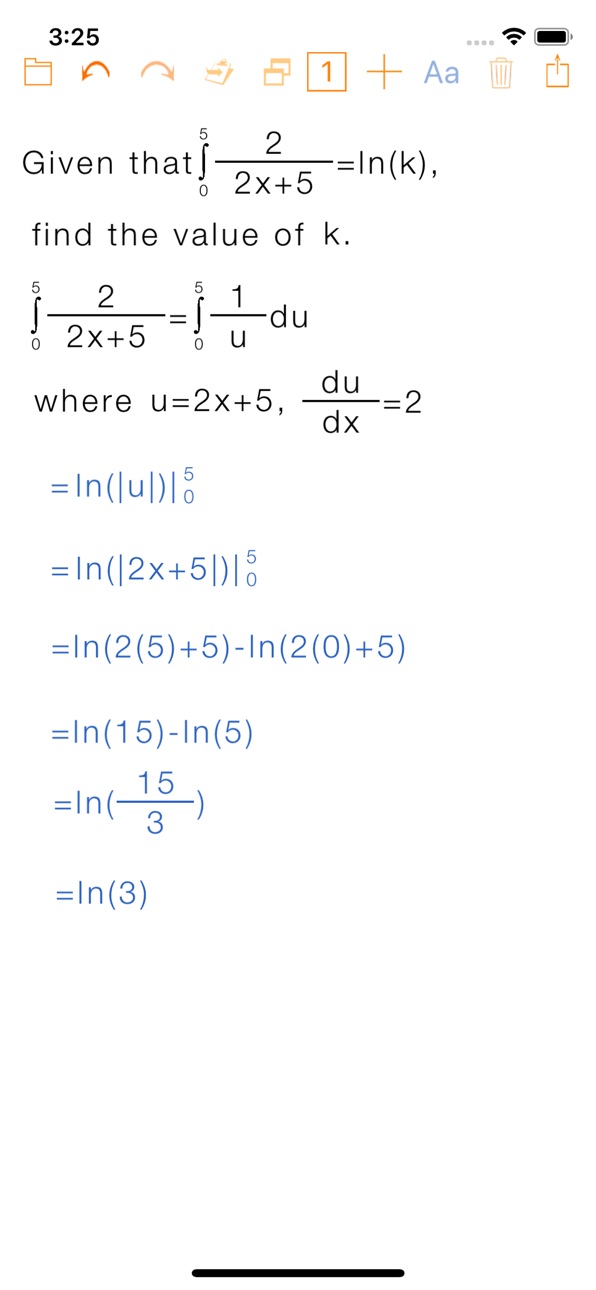
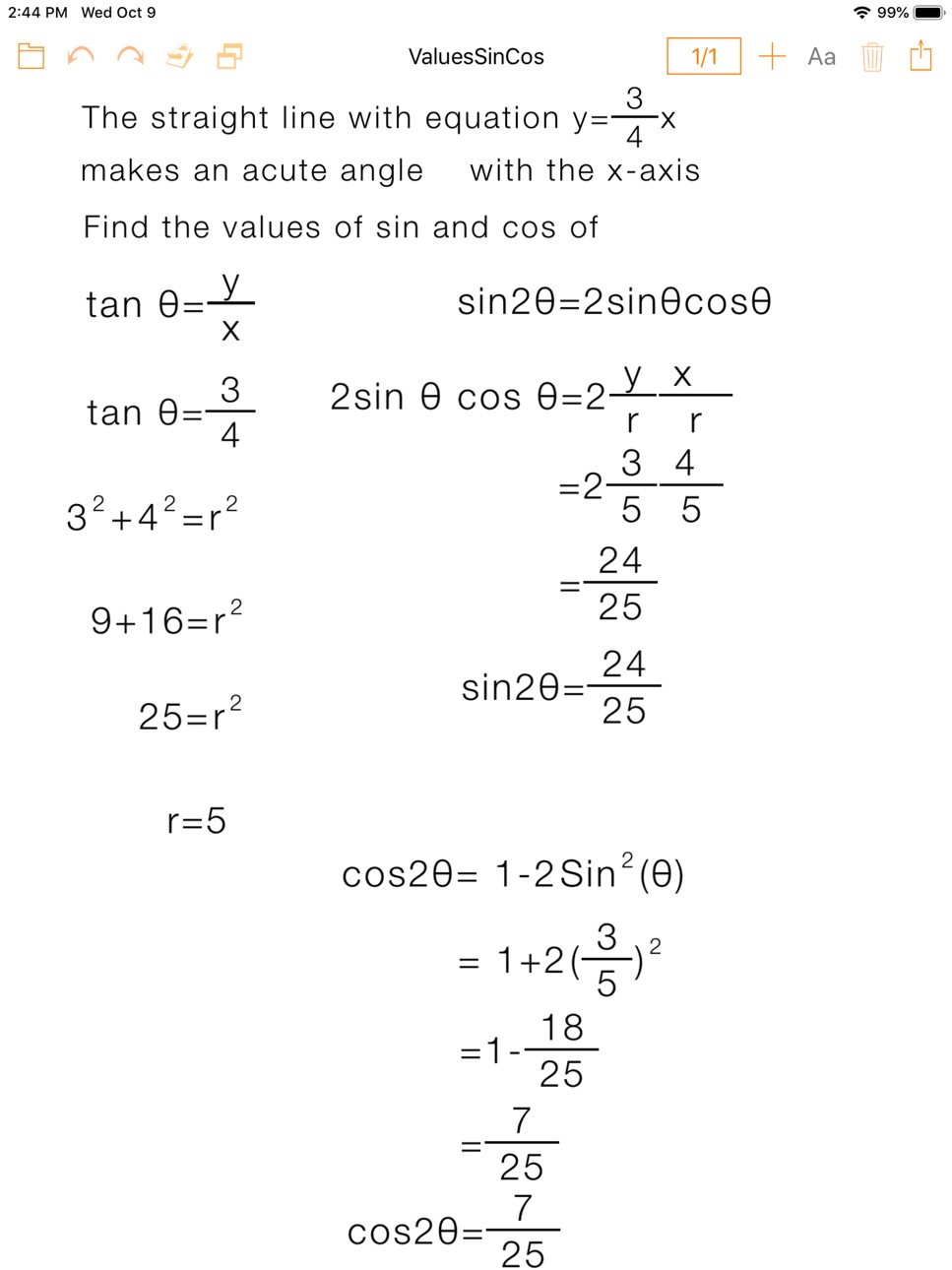
• Add mathematical expressions that automatically draw, re-size, and align according to their content
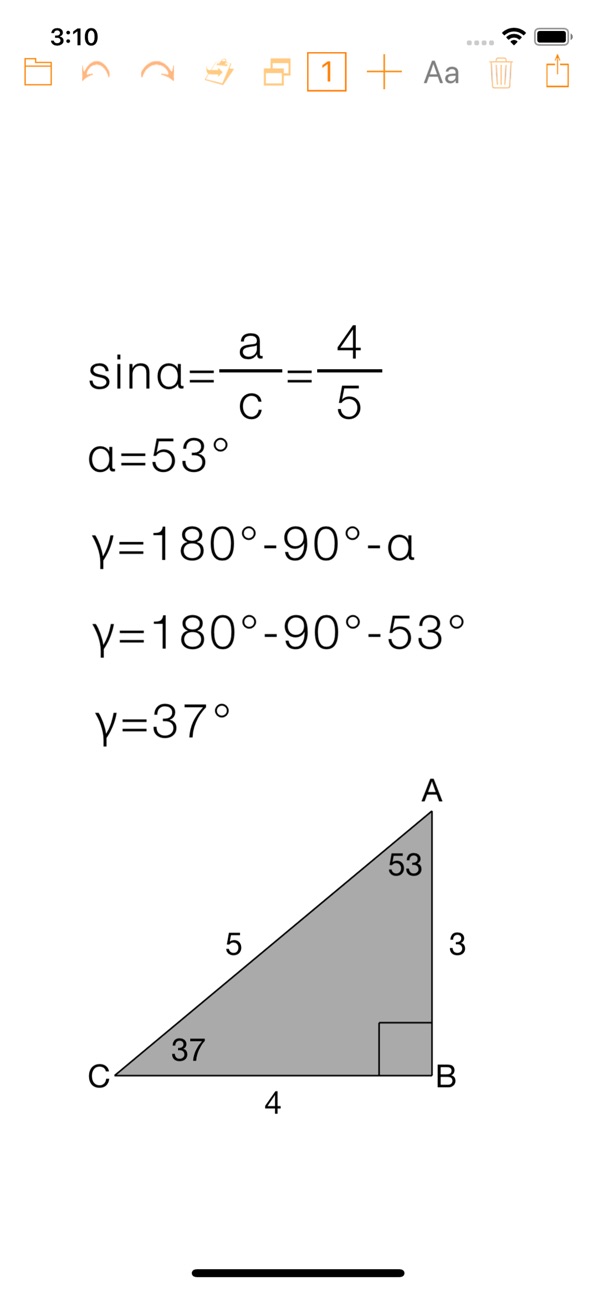
• Include in your documents geometrical shape figures with editable notations
• Email an editable copy of the document to other users or to yourself
Thank you for using our app and for your feedback that helps us to continuously improve your user's experience.
Description
MathPad allows you to create documents that include:
• Mathematical expressions that automatically draw, re-size, and align according to their content
• Geometrical shapes with editable notations: circle, equilateral triangle, isosceles triangle, right triangle, obtuse triangle, acute triangle, square, rectangle
• Other elements: matrices, images, and text
• The easy-to-use math keyboard lets you edit equations like never before with continuous scroll and shortcuts to the 8 areas: numbers, brackets, functions, matrices, set notations, lowercase letters, uppercase letters, Greek letters
• Change the font size or color of each selected expression
• Use iCloud to save and open your files on other computers and devices
• Print or email the documents you create in PDF format
• Storage rights to the ZurApps Vault to export and import documents using a private key
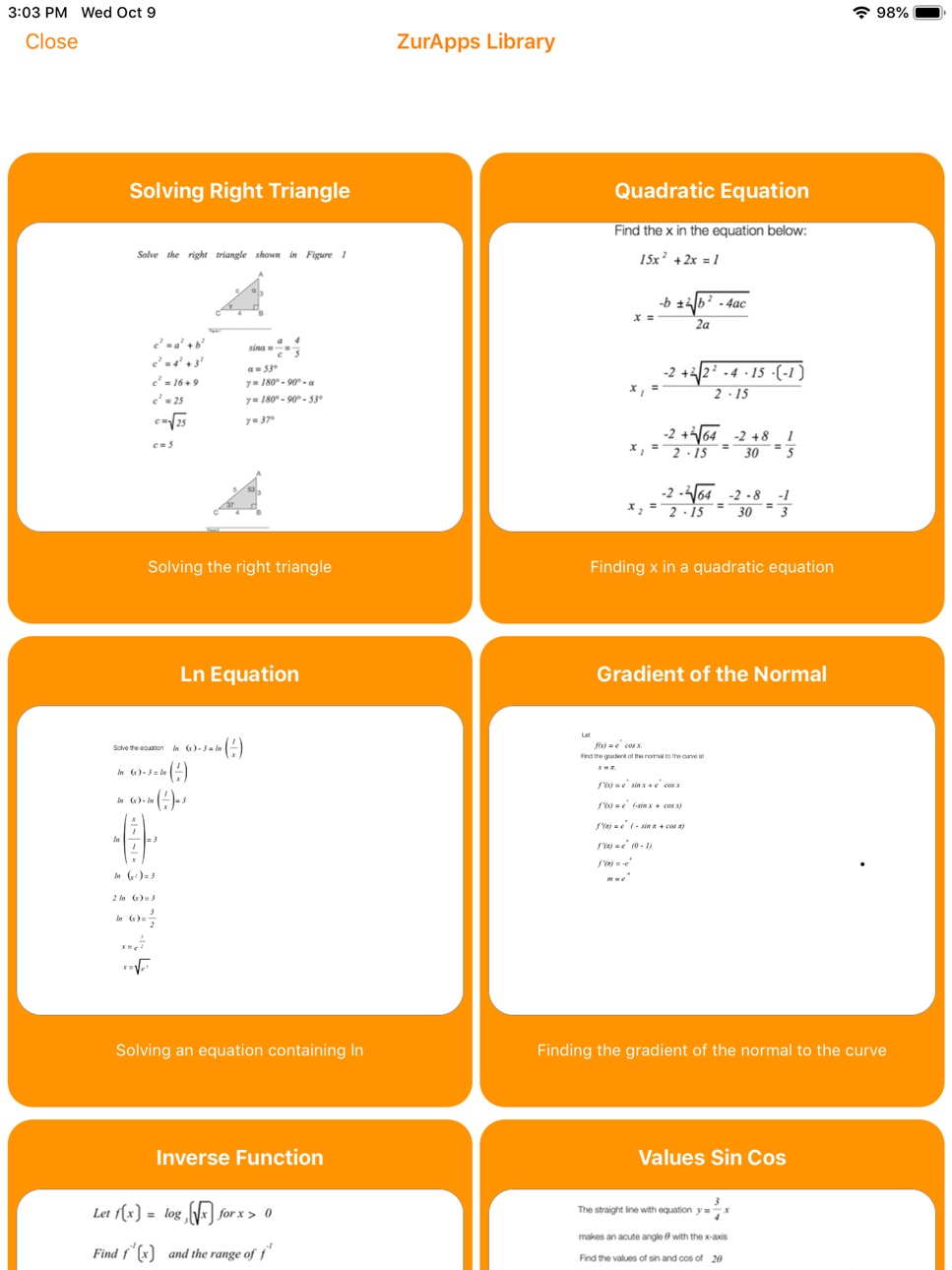
• Download sample documents from ZurApps Library
• Email an editable copy of the document to other users or to yourself, for backup
• Email JPGs of all document expressions
• Copy Image of selected expression or entire document to clipboard
MathPad FAMILY OF APPS INCLUDES:
• MathPad – iOS app
• MathPad EDU* – iOS app
• MathPad – macOS app
• MathPad EDU* – macOS app
*EDU includes perpetual access to the capabilities included with PREMIUM Subscription and does not include any In-App Purchases.
Facebook: https://www.facebook.com/MathPadApp/
Twitter: @ZurApps
Video Tutorials available at http://www.zurapps.com/mathpad
5-STAR USER REVIEWS FROM AROUND THE WORLD:
"Cool app - I can make mathematical expressions easily. I recommend this app." (Brazil)
"Matrices - I've been trying to find an app that would let me write Matrices! Found it!" (Canada)
"Great concept! - This is a great concept, especially for kids with disgraphia. I'd like to see it do more stuff specifically for elementary and middle school math […]" (USA)
PREMIUM Subscription
• Activates several ways of sharing documents
• Unlocks storage rights to the ZurApps Vault to export and import documents using a private key
Three subscription options are available:
• 1 Month priced at $4.99(USD) / 4,99€ (EUR)
• 3 Months priced at $9.99(USD) / 9,99€ (EUR) (SAVE 33%)
• 1 Year priced at $29.99(USD) / 29,99€ (EUR) (SAVE 50%)
ZurApps Vault
• Provides private storage
• Export documents using a private key
• Is hosted by ZurApps Research
ZurApps Library
• Contains documents created by ZurApps Research as well as with user submitted documents monitored and approved by ZurApps Research
• Continuously updated with new documents and is hosted by ZurApps Research
TRY BEFORE YOU BUY!
FREE VERSION allows user to:
• Create documents with one page
• Open and edit documents shared by other MathPad users
• Open and edit documents created during any active subscription periods
• Import documents from the ZurApps Vault using a private key
• Use all the app features with the exception of features in the Share menu
Privacy Policy:
http://zurapps.com/privacy/privacy-en.htm
Terms of Use:
http://zurapps.com/all/index.php/math/terms-of-use-mathpad/
In-App Purchases PY pricing
Option Subscription
PREMIUM Subscription · Monthly—
PREMIUM Subscription · 3 months—
PREMIUM Subscription · Yearly—
One-Time Purchases
MathPad MultiDocs—
Capabilities
In-App Purchases
Accessibility
ipadiphonemacrealityDevicetvoswatch
Version history 25 versions
Build 846018733v27.02022-02-22 00:44:33
MathPad is a great app for creating math documents - useful to anyone who is studying math, teaching math, or dealing with complex mathematical expressions on a daily basis.
The continuous scroll and shortcuts on the easy-to-use MathPad keyboard let you edit mathematical documents like never before!
• Add mathematical expressions that automatically draw, re-size, and align according to their content
• Include in your documents geometrical shape figures with editable notations
• Email an editable copy of the document to other users or to yourself
Thank you for using our app and for your feedback that helps us to continuously improve your user's experience.
Build 842119649v26.82021-06-05 12:33:48
• Users now have the option to Rate MathPad on the App Store from inside the app
• Improved user interface
Build 839707990v26.72020-12-20 01:40:28
• Added adaptive colors for Light/Dark modes
• MathPad documents are now viewed and edited as full screen pages to give more usable space
• Resolved issue with dragging for expressions, images, and text
• Resolved issue with document view being cut off when the plain text (standard) keyboard was used
Build 834782653v26.62020-02-21 22:40:53
The banner ads have been removed when overlapping the onscreen keyboard.
Build 833966632v26.52019-12-12 05:03:51
Changes to the Terms of Use
Build 833727703v26.42019-12-10 22:26:19
• User Interface Enhancements
Build 833386400v26.32019-10-30 02:54:30
Changes to ads integration in the free app
Build 833238675v26.22019-10-19 00:08:11
Minor Corrections
Build 833137745v26.12019-10-17 16:08:50
App Store update
Build 830992899v26.02019-10-10 21:18:19
Significant Upgrade
• New Interface
• Enhanced user experience
• Redesigned software components
• Compatibility with iPhone
• New app icon
MathPad Keyboard with continuous scroll
• Buttons grouped by type
• Round buttons to go directly to a group
• Left and right arrow buttons to move the cursor inside the expression
Build 829455303v25.12018-12-30 14:49:05
Corrected alignment for expressions containing power exponents
Build 829364774v25.02018-11-21 17:14:25
Linear Input on standard keyboard for creating mathematical expressions by typing natural keywords for operators
INFO menu includes a PDF that shows the correspondence of MathPad Operations to keywords for linear input and provides examples
Build 829282381v24.22018-11-15 02:35:08
Corrected issue with last expression not saved in certain circumstances
Build 829244340v24.12018-11-09 22:29:27
• Interface compatibility with iOS 12
Build 826650338v24.02018-04-19 20:55:01
Fixed bug where typing in iOS 11 would become unresponsive
Added iOS 11 Document Browser
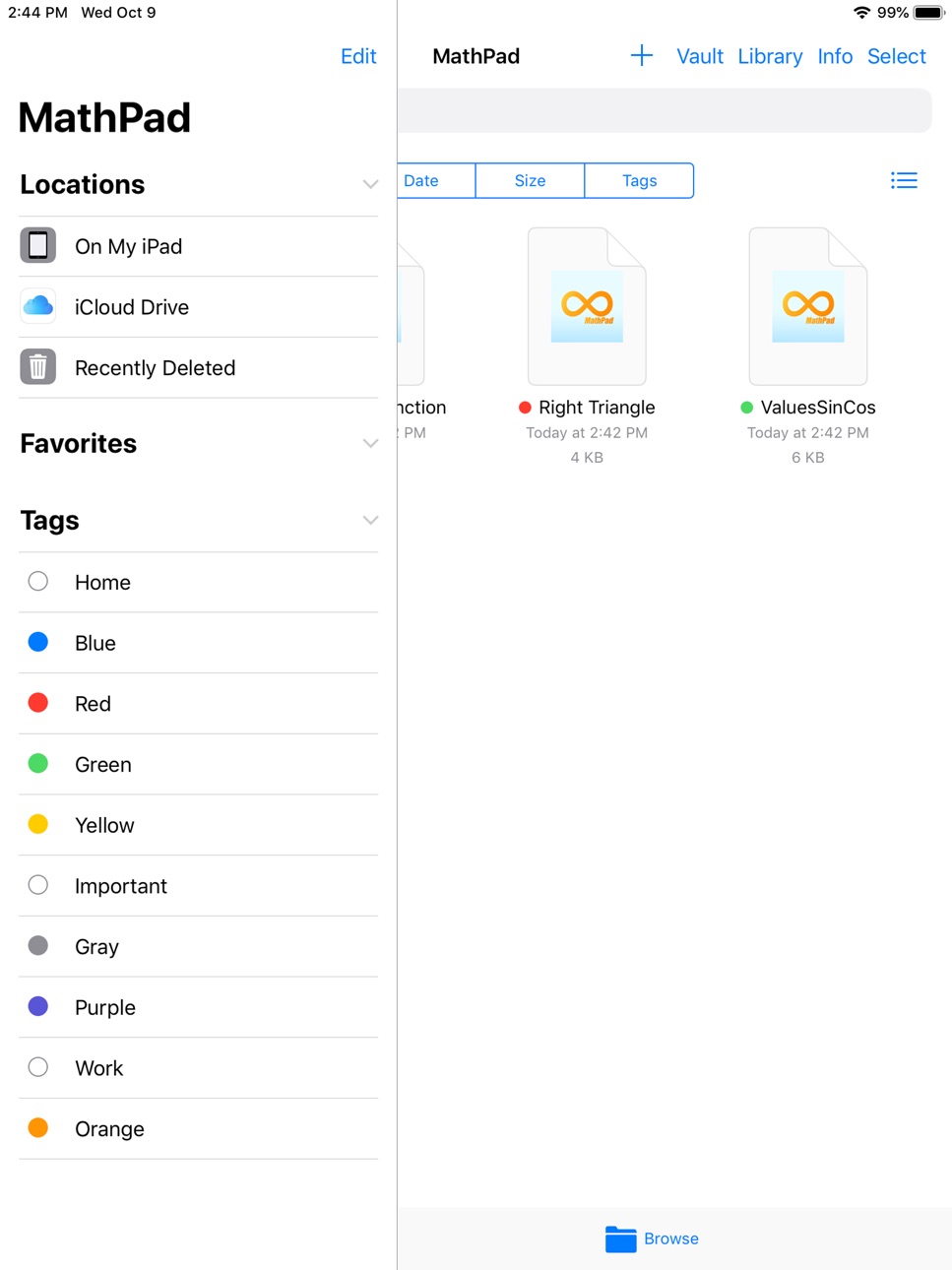
• Files become accessible by the Files app
• Easily move documents from local storage to iCloud Drive or other external storage
• Full support for existing MathPad documents from previous versions
• Long tap the app icon on the home screen to quickly view/open your most recent files.
Redesigned the document interface
• Reorganized buttons position and look
• Added new expression colour button
• Long tap the letter button to add text boxes
• New icons in-line with Apple’s system icons and full support for Retina display
• Updated user interface for ZurApps Library and alerts
Build 826014477v23.02018-03-02 22:23:33
• Additional subscription options that offer a significant saving
Build 822860070v22.22017-07-11 19:36:34
• Corrected minor errors
Build 822822209v22.12017-07-07 19:50:45
• Corrected issue when opening documents from Mail
Build 822758594v222017-07-05 18:00:01
• All users have access to the list of documents in the ZurApps Library
• All users are able to submit documents to ZurApps Library
• Users that have the PREMIUM subscription are able to download documents from ZurApps Library
Functionality Improvements:
• Ability to navigate across equations using left and right arrow keys that were added to the mathematical keyboard
• Support for special characters in filenames
• Support for iPad PRO 10.5”
• Fixed minor issues
Undo and Redo actions are under re-development and they have been disabled temporarily
Build 820816070v21.42017-02-08 14:00:26
• Support for special characters in file names
• Corrected issue with app closing when opening documents from attachments in the Mail app
Build 820715659v21.32017-01-27 19:58:11
Improved display for:
• Brackets
• Exponents
• Integrals
• Summations
Build 820651155v21.22017-01-25 01:09:14
Improved display for the function operator
Build 819999371v21.12016-12-05 02:39:34
Performance improvements
Build 818583584v21.02016-11-24 13:46:55
PREMIUM Subscription**
• Unlocks storage rights to the ZurApps Vault to export and import documents using a private key
• Grants unlimited access to download and upload documents within ZurApps Library
• Activates additional features such as creating multiple documents and several ways of sharing documents
• TRY BEFORE YOU BUY! A free trial period of one month will begin when subscribing to the monthly subscription, priced at $4.99(USD) / 4,99€ (EUR)
• The FULL VERSION module that was previously available as an In-app Purchase provides perpetual access to the capabilities included in the Premium Subscription
Thank you for using our app and for your feedback that helps us to continuously improve your user’s experience.
______
**See app description for details
Build 817905267v20.32016-06-29 21:10:03
Drawn Graph - new object type that allows to draw a graph with your finger and:
1. Select the position of Axis in the center or in any of the corners
2. Show/Hide
• Ticks
• Arrows
• Extensions
3. Select
• Color
• Thickness
4. Line Detection - On/Off
(helps drawing straight lines)
Price history by region
Currency
Show
Columns
Search
Availability 65 of 65 storefronts
| Region | Language | Price | Ratings | Avg | Version |
|---|---|---|---|---|---|
| US | en-US | Free | 5 | 1.8 | 27.0 |
| BR | pt-BR | Free | 3 | 2.3 | 27.0 |
| PY | es-MX | Free | 1 | 1.0 | 27.0 |
| AG | en-GB | Free | 0 | — | 27.0 |
| AO | en-GB | Free | 0 | — | 27.0 |
| AR | es-MX | Free | 0 | — | 27.0 |
| BB | en-GB | Free | 0 | — | 27.0 |
| BF | en-GB | Free | 0 | — | 27.0 |
| BJ | en-GB | Free | 0 | — | 27.0 |
| BO | es-MX | Free | 0 | — | 27.0 |
| BS | en-GB | Free | 0 | — | 27.0 |
| BW | en-GB | Free | 0 | — | 27.0 |
| BZ | en-GB | Free | 0 | — | 27.0 |
| CD | en-GB | Free | 0 | — | 27.0 |
| CG | en-GB | Free | 0 | — | 27.0 |
| CI | fr-FR | Free | 0 | — | 27.0 |
| CL | es-MX | Free | 0 | — | 27.0 |
| CM | fr-FR | Free | 0 | — | 27.0 |
| CO | es-MX | Free | 0 | — | 27.0 |
| CR | es-MX | Free | 0 | — | 27.0 |
| CV | en-GB | Free | 0 | — | 27.0 |
| DO | es-MX | Free | 0 | — | 27.0 |
| DZ | en-GB | Free | 0 | — | 27.0 |
| EC | es-MX | Free | 0 | — | 27.0 |
| GA | fr-FR | Free | 0 | — | 27.0 |
| GH | en-GB | Free | 0 | — | 27.0 |
| GM | en-GB | Free | 0 | — | 27.0 |
| GT | es-MX | Free | 0 | — | 27.0 |
| GW | en-GB | Free | 0 | — | 27.0 |
| GY | en-GB | Free | 0 | — | 27.0 |
| HN | es-MX | Free | 0 | — | 27.0 |
| JM | en-GB | Free | 0 | — | 27.0 |
| KE | en-GB | Free | 0 | — | 27.0 |
| LR | en-GB | Free | 0 | — | 27.0 |
| LY | en-GB | Free | 0 | — | 27.0 |
| MA | en-GB | Free | 0 | — | 27.0 |
| MG | en-GB | Free | 0 | — | 27.0 |
| ML | en-GB | Free | 0 | — | 27.0 |
| MU | en-GB | Free | 0 | — | 27.0 |
| MW | en-GB | Free | 0 | — | 27.0 |
| MX | es-MX | Free | 0 | — | 27.0 |
| MZ | en-GB | Free | 0 | — | 27.0 |
| NA | en-GB | Free | 0 | — | 27.0 |
| NE | en-GB | Free | 0 | — | 27.0 |
| NG | en-GB | Free | 0 | — | 27.0 |
| NI | es-MX | Free | 0 | — | 27.0 |
| PA | es-MX | Free | 0 | — | 27.0 |
| PE | es-MX | Free | 0 | — | 27.0 |
| RW | en-GB | Free | 0 | — | 27.0 |
| SC | en-GB | Free | 0 | — | 27.0 |
| SL | en-GB | Free | 0 | — | 27.0 |
| SN | en-GB | Free | 0 | — | 27.0 |
| SR | en-GB | Free | 0 | — | 27.0 |
| ST | en-GB | Free | 0 | — | 27.0 |
| SV | es-MX | Free | 0 | — | 27.0 |
| SZ | en-GB | Free | 0 | — | 27.0 |
| TD | en-GB | Free | 0 | — | 27.0 |
| TN | en-GB | Free | 0 | — | 27.0 |
| TT | en-GB | Free | 0 | — | 27.0 |
| TZ | en-GB | Free | 0 | — | 27.0 |
| UG | en-GB | Free | 0 | — | 27.0 |
| UY | en-GB | Free | 0 | — | 27.0 |
| VE | es-MX | Free | 0 | — | 27.0 |
| ZM | en-GB | Free | 0 | — | 27.0 |
| ZW | en-GB | Free | 0 | — | 27.0 |
Change log 29 changes · PY
✎
releaseNotes updated
MathPad is a great app for creating math documents - useful to anyone who is studying math, teaching math, or dealing with complex mathematical expressions on a
✎
description updated
MathPad allows you to create documents that include:
• Mathematical expressions that automatically draw, re-size, and align according to their content
• Geome
✎
subtitle updated
Create mathematical documents
✎
name updated
MathPad
◆
Version 27.0 released
MathPad is a great app for creating math documents - useful to anyone who is studying math, teaching math, or dealing with complex mathematical expressions on a daily basis.
The continuous scroll and shortcuts on the easy-to-use MathPad ke
◆
Version 26.8 released
• Users now have the option to Rate MathPad on the App Store from inside the app
• Improved user interface
◆
Version 26.7 released
• Added adaptive colors for Light/Dark modes
• MathPad documents are now viewed and edited as full screen pages to give more usable space
• Resolved issue with dragging for expressions, images, and text
• Resolved issue with document
◆
Version 26.6 released
The banner ads have been removed when overlapping the onscreen keyboard.
◆
Version 26.5 released
Changes to the Terms of Use
◆
Version 26.4 released
• User Interface Enhancements
◆
Version 26.3 released
Changes to ads integration in the free app
◆
Version 26.2 released
Minor Corrections
◆
Version 26.1 released
App Store update
◆
Version 26.0 released
Significant Upgrade
• New Interface
• Enhanced user experience
• Redesigned software components
• Compatibility with iPhone
• New app icon
MathPad Keyboard with continuous scroll
• Buttons grouped by type
• Round buttons to go directly
◆
Version 25.1 released
Corrected alignment for expressions containing power exponents
◆
Version 25.0 released
Linear Input on standard keyboard for creating mathematical expressions by typing natural keywords for operators
INFO menu includes a PDF that shows the correspondence of MathPad Operations to keywords for linear input and provides example
◆
Version 24.2 released
Corrected issue with last expression not saved in certain circumstances
◆
Version 24.1 released
• Interface compatibility with iOS 12
◆
Version 24.0 released
Fixed bug where typing in iOS 11 would become unresponsive
Added iOS 11 Document Browser
• Files become accessible by the Files app
• Easily move documents from local storage to iCloud Drive or other external storage
• Full support for exi
◆
Version 23.0 released
• Additional subscription options that offer a significant saving
◆
Version 22.2 released
• Corrected minor errors
◆
Version 22.1 released
• Corrected issue when opening documents from Mail
◆
Version 22 released
• All users have access to the list of documents in the ZurApps Library
• All users are able to submit documents to ZurApps Library
• Users that have the PREMIUM subscription are able to download documents from ZurApps Library
Functionalit
◆
Version 21.4 released
• Support for special characters in file names
• Corrected issue with app closing when opening documents from attachments in the Mail app
◆
Version 21.3 released
Improved display for:
• Brackets
• Exponents
• Integrals
• Summations
◆
Version 21.2 released
Improved display for the function operator
◆
Version 21.1 released
Performance improvements
◆
Version 21.0 released
PREMIUM Subscription**
• Unlocks storage rights to the ZurApps Vault to export and import documents using a private key
• Grants unlimited access to download and upload documents within ZurApps Library
• Activates additional features such
◆
Version 20.3 released
Drawn Graph - new object type that allows to draw a graph with your finger and:
1. Select the position of Axis in the center or in any of the corners
2. Show/Hide
• Ticks
• Arrows
• Extensions
3. Select
• Color
• Thickness
4. Line De