Home › Music

 US
US
1 of 1 storefronts
Content in en-US
Content in en-US
Information
Preview 2 platforms
iPhone 6 images


iPad 6 images


What’s New Version 2.5.16
Compatibility updates.
Description
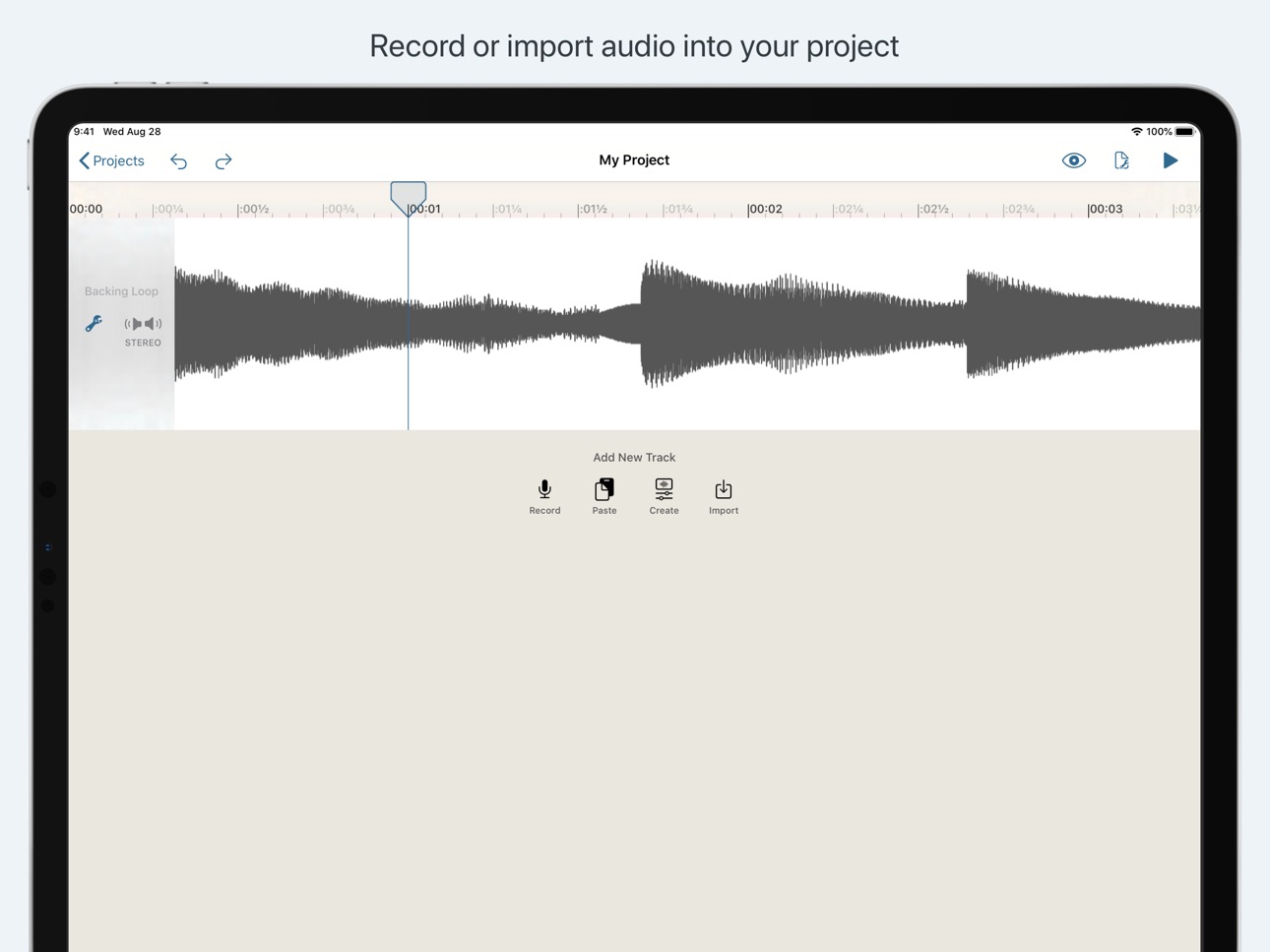
Hokusai is a multitrack audio editor for iPhone, iPad or iPod touch. Record or import a track, and make it sound the way you want it to: not just trimming the ends, but full cut, copy, paste and delete, and a suite of filters and special effects available.
"Beautiful clutter-free interface" — TouchProducer.com
"Hokusai will convince you that audio was meant to be edited with a touch screen — it's just so natural within this app that you’ll find yourself consistently coming back to it." — iOS Music And You
Edit many tracks side-by-side, mix them together, and export to Wave or MP4 format — then transfer them to your computer, send them to another app on your device, or upload to cloud services.
Hokusai is streamlined to give you a clean, clear view of your tracks. Use the familiar pinch and swipe gestures to zoom right in and fiddle with fine detail, or step back to see the big picture. Select pieces of audio. Live "scrubbing" means you can hear the sound under your fingertip as you make your adjustments. And you needn't fear a bad edit with our full undo/redo support — even after closing your project.
Hokusai comes free with a set of useful tools such as fade in/out, normalise volume levels, reverse time, and basic synthesis. If you need more power, you can upgrade from inside the app to add new tools and effects, including: Per-track volume/mute/panning, selecting across multiple tracks at once, presets and favourites, grain synthesis, noise gating, time-stretching, pitch-bending, echo, reverb, modulation (AM & FM), resonance, distortion, grunge, vocal levelling, monster voice, high/low/band-pass/notch-cut filter and more — many of which can be previewed live.
In-App Purchases US pricing
One-Time Purchases
Hokusai 2 Pro Pack (Upgrade)$4.99
Hokusai 2 Pro Pack$9.99
Capabilities
In-App Purchases
Accessibility
ipadiphonemacrealityDevicetvoswatch
Version history 25 versions
Build 886297759v2.5.162026-05-29 18:51:09
Compatibility updates.
Build 882503844v2.5.152026-02-17 14:56:49
Bugfixes.
Build 879062023v2.5.142025-10-21 16:10:42
• Bugfixes
Build 878336636v2.5.132025-09-23 09:07:21
• Accessibility improvements.
Build 878093511v2.5.122025-09-15 15:28:17
• Compatibility and accessibility improvements
Build 875259967v2.5.112025-06-05 12:39:39
Various small improvements.
Build 873763137v2.5.102025-04-07 08:36:21
Compatibility updates.
Build 865189180v2.5.92024-04-14 21:35:20
Compatibility improvements.
Build 864922587v2.5.82024-04-03 11:14:32
Compatibility and accessibility improvements.
Build 852116058v2.5.72022-09-10 13:49:09
Compatibility update.
Build 842226919v2.5.62021-05-15 21:57:27
Fixes a compatibility issue when run on iOS 13.
Build 842111114v2.5.52021-05-10 13:49:33
• Various performance, user-experience & reliability improvements
Build 840443222v2.5.42021-02-11 21:35:19
This update fixes a compatibility issue with some older versions of iOS.
Build 840394035v2.5.32021-02-08 08:48:58
Bug fixes and performance improvements.
Build 840374400v2.5.22021-02-06 00:38:29
• Various fixes and improvements.
In Hokusai 2.5:
• Enhanced controls for Noise Reduction (note: requires Hokusai 2 Pro)
• Improvements to support Scribble (Apple Pencil handwriting) text editing when using iPad OS 14.
• Various fixes and improvements.
Build 837956558v2.5.12020-09-27 23:45:38
• Various fixes and improvements.
In Hokusai 2.5:
• Enhanced controls for Noise Reduction (note: requires Hokusai 2 Pro)
• Improvements to support Scribble (Apple Pencil handwriting) text editing when using iPad OS 14.
• Various fixes and improvements.
Build 837752438v2.52020-09-16 21:17:07
• Enhanced controls for Noise Reduction (note: requires Hokusai 2 Pro)
• Improvements to support Scribble (Apple Pencil handwriting) text editing when using iPad OS 14.
• Various fixes and improvements.
Build 836479379v2.4.12020-06-18 23:25:34
• Various fixes and performance improvements.
In version 2.4:
• iOS 13.4: Enhanced Mouse/Trackpad Support.
• iOS 13.4: Enhanced Keyboard Support.
• Accessibility: On new projects, VoiceOver now includes what action Undo/Redo refers to.
• Various small fixes and improvements.
Build 835704509v2.42020-05-01 02:35:01
• iOS 13.4: Enhanced Mouse/Trackpad Support.
• iOS 13.4: Enhanced Keyboard Support.
• Accessibility: On new projects, VoiceOver now includes what action Undo/Redo refers to.
• Various small fixes and improvements.
Build 834879514v2.3.62020-02-26 19:04:40
Hokusai 2.3.6:
• Various fixes and improvements
Previously in Hokusai 2.3.x:
When running on iPad OS 13:
• Multiple Window Support
When running on iOS/iPad OS 13:
• Dark Mode support
• New iOS 13-style button icons
• New menus on projects for easy access to sharing, duplicating and deleting projects
• New editing gestures for undo/redo, cut, copy and paste
• Import from USB storage devices
For all users:
• Saving out audio from one Hokusai project to create a new one
• Additional accessibility and keyboard shortcut commands for tracks
• Various other fixes and improvements
Build 834420164v2.3.52020-01-20 10:06:07
Hokusai 2.3.5:
• Various fixes and improvements
Previously in Hokusai 2.3.x:
When running on iPad OS 13:
• Multiple Window Support
When running on iOS 13:
• Dark Mode support
• New iOS 13-style button icons
• New menus on projects for easy access to sharing, duplicating and deleting projects
• New editing gestures for undo/redo, cut, copy and paste
• Import from USB storage devices
For all users:
• Saving out audio from one Hokusai project to create a new one
• Additional accessibility and keyboard shortcut commands for tracks
• Various other fixes and improvements
Build 833498103v2.3.42019-11-07 22:56:38
Hokusai 2.3.4:
• Various fixes and improvements
Previously in Hokusai 2.3.x:
When running on iPad OS 13:
• Multiple Window Support
When running on iOS 13:
• Dark Mode support
• New iOS 13-style button icons
• New menus on projects for easy access to sharing, duplicating and deleting projects
• New editing gestures for undo/redo, cut, copy and paste
• Import from USB storage devices
For all users:
• Saving out audio from one Hokusai project to create a new one
• Additional accessibility and keyboard shortcut commands for tracks
• Various other fixes and improvements
Build 833288264v2.3.32019-10-23 11:04:38
Hokusai 2.3.3:
• Various fixes and improvements
Previously in Hokusai 2.3.x:
When running on iPad OS 13:
• Multiple Window Support
When running on iOS 13:
• Dark Mode support
• New iOS 13-style button icons
• New menus on projects for easy access to sharing, duplicating and deleting projects
• New editing gestures for undo/redo, cut, copy and paste
• Import from USB storage devices
For all users:
• Saving out audio from one Hokusai project to create a new one
• Additional accessibility and keyboard shortcut commands for tracks
• Various other fixes and improvements
Build 832963975v2.3.22019-10-01 15:10:40
Hokusai 2.3.2:
• Various fixes and improvements
Previously in Hokusai 2.3.x:
When running on iPad OS 13:
• Multiple Window Support
When running on iOS 13:
• Dark Mode support
• New iOS 13-style button icons
• New menus on projects for easy access to sharing, duplicating and deleting projects
• New editing gestures for undo/redo, cut, copy and paste
• Import from USB storage devices
For all users:
• Saving out audio from one Hokusai project to create a new one
• Additional accessibility and keyboard shortcut commands for tracks
• Various other fixes and improvements
Build 832869908v2.3.12019-09-25 17:43:50
Hokusai 2.3.1:
• New with iPad OS 13: Multiple Window Support
Previously in Hokusai 2.3:
When running on iOS 13:
• Dark Mode support
• New iOS 13-style button icons
• New menus on projects for easy access to sharing, duplicating and deleting projects
• New editing gestures for undo/redo, cut, copy and paste
• Import from USB storage devices
For all users:
• Saving out audio from one Hokusai project to create a new one
• Additional accessibility and keyboard shortcut commands for tracks
• Various other fixes and improvements
Price history by region
Currency
Show
Columns
Search
Availability 1 of 1 storefronts
| Region | Language | Price | Ratings | Avg | Version |
|---|---|---|---|---|---|
| US | en-US | Free | 415 | 4.1 | 2.5.16 |
Change log 28 changes · US
✎
releaseNotes updated
Compatibility updates.
✎
description updated
Hokusai is a multitrack audio editor for iPhone, iPad or iPod touch. Record or import a track, and make it sound the way you want it to: not just trimming the e
✎
name updated
Hokusai Audio Editor
◆
Version 2.5.16 released
Compatibility updates.
◆
Version 2.5.15 released
Bugfixes.
◆
Version 2.5.14 released
• Bugfixes
◆
Version 2.5.13 released
• Accessibility improvements.
◆
Version 2.5.12 released
• Compatibility and accessibility improvements
◆
Version 2.5.11 released
Various small improvements.
◆
Version 2.5.10 released
Compatibility updates.
◆
Version 2.5.9 released
Compatibility improvements.
◆
Version 2.5.8 released
Compatibility and accessibility improvements.
◆
Version 2.5.7 released
Compatibility update.
◆
Version 2.5.6 released
Fixes a compatibility issue when run on iOS 13.
◆
Version 2.5.5 released
• Various performance, user-experience & reliability improvements
◆
Version 2.5.4 released
This update fixes a compatibility issue with some older versions of iOS.
◆
Version 2.5.3 released
Bug fixes and performance improvements.
◆
Version 2.5.2 released
• Various fixes and improvements.
In Hokusai 2.5:
• Enhanced controls for Noise Reduction (note: requires Hokusai 2 Pro)
• Improvements to support Scribble (Apple Pencil handwriting) text editing when using iPad OS 14.
• Various fixes and
◆
Version 2.5.1 released
• Various fixes and improvements.
In Hokusai 2.5:
• Enhanced controls for Noise Reduction (note: requires Hokusai 2 Pro)
• Improvements to support Scribble (Apple Pencil handwriting) text editing when using iPad OS 14.
• Various fixes and
◆
Version 2.5 released
• Enhanced controls for Noise Reduction (note: requires Hokusai 2 Pro)
• Improvements to support Scribble (Apple Pencil handwriting) text editing when using iPad OS 14.
• Various fixes and improvements.
◆
Version 2.4.1 released
• Various fixes and performance improvements.
In version 2.4:
• iOS 13.4: Enhanced Mouse/Trackpad Support.
• iOS 13.4: Enhanced Keyboard Support.
• Accessibility: On new projects, VoiceOver now includes what action Undo/Redo refers to.
•
◆
Version 2.4 released
• iOS 13.4: Enhanced Mouse/Trackpad Support.
• iOS 13.4: Enhanced Keyboard Support.
• Accessibility: On new projects, VoiceOver now includes what action Undo/Redo refers to.
• Various small fixes and improvements.
◆
Version 2.3.6 released
Hokusai 2.3.6:
• Various fixes and improvements
Previously in Hokusai 2.3.x:
When running on iPad OS 13:
• Multiple Window Support
When running on iOS/iPad OS 13:
• Dark Mode support
• New iOS 13-style button icons
• New menus on pro
◆
Version 2.3.5 released
Hokusai 2.3.5:
• Various fixes and improvements
Previously in Hokusai 2.3.x:
When running on iPad OS 13:
• Multiple Window Support
When running on iOS 13:
• Dark Mode support
• New iOS 13-style button icons
• New menus on projects fo
◆
Version 2.3.4 released
Hokusai 2.3.4:
• Various fixes and improvements
Previously in Hokusai 2.3.x:
When running on iPad OS 13:
• Multiple Window Support
When running on iOS 13:
• Dark Mode support
• New iOS 13-style button icons
• New menus on projects fo
◆
Version 2.3.3 released
Hokusai 2.3.3:
• Various fixes and improvements
Previously in Hokusai 2.3.x:
When running on iPad OS 13:
• Multiple Window Support
When running on iOS 13:
• Dark Mode support
• New iOS 13-style button icons
• New menus on projects fo
◆
Version 2.3.2 released
Hokusai 2.3.2:
• Various fixes and improvements
Previously in Hokusai 2.3.x:
When running on iPad OS 13:
• Multiple Window Support
When running on iOS 13:
• Dark Mode support
• New iOS 13-style button icons
• New menus on projects fo
◆
Version 2.3.1 released
Hokusai 2.3.1:
• New with iPad OS 13: Multiple Window Support
Previously in Hokusai 2.3:
When running on iOS 13:
• Dark Mode support
• New iOS 13-style button icons
• New menus on projects for easy access to sharing, duplicating and de