Home › Entertainment

 US
US
1 of 1 storefronts
Content in en-US
Content in en-US
Information
Preview 2 platforms
iPhone 5 images


iPad 5 images



What’s New Version 6.23.5
Fixed some bugs
Updated Google Drive integration
Updated for latest devices
Removed unnecessary padding in tables
Description
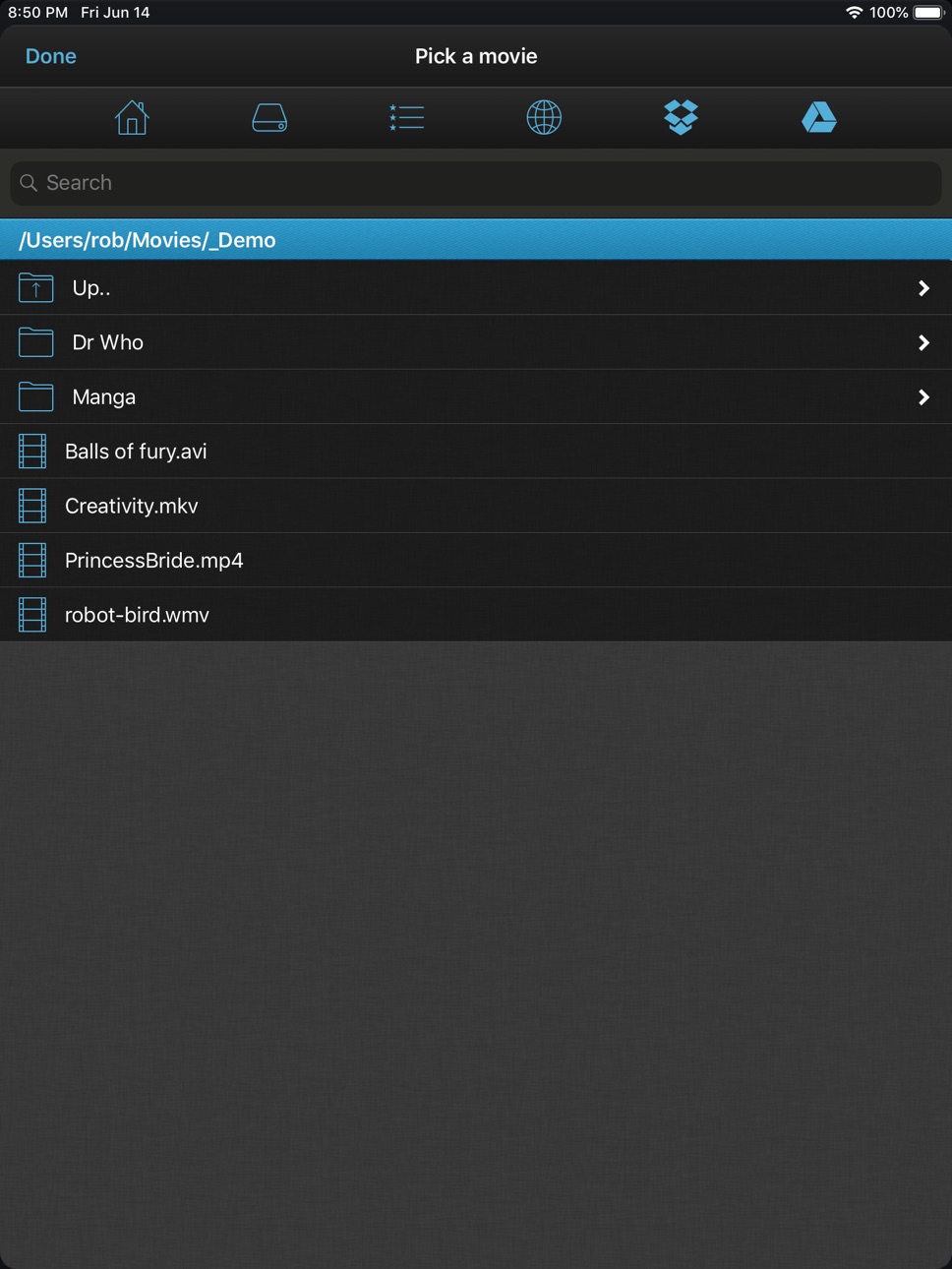
Sit anywhere in your house and watch movies or TV shows on your iPhone, iPod or iPad.
VLC Streamer streams movies from your computer to your iDevice. Winner *Best Entertainment App* Chip.de.
You can watch anything from your movie collection. No need for complex conversion processes. No need to manually transfer programs to your device.
“Can these guys do no wrong? Seriously, if only other app devs knew how to make apps as well as these guys, the world would be a better place. Or at least my device would be less buggy. I was just watching a Full HD copy of Avatar Extended Edition being streamed from my PC on my iPod Touch 2nd Generation and it looked and played amazingly.”
- UK Reviewer
“…it's as good as having the original VLC player on your iOS device…”
- CallingAllGeeks.org
“…Setup is a snap and literally takes 2 seconds. You can browse through all your movies from your device and click any one to start playing. It even works if you have the movies stored on a USB drive connected to the host computer.”
-The Times of India
“Took me seconds to setup to stream from a secondary drive in my home office. Going straight out to get a cable for my TV.”
- USA Reviewer
“….This sucker can stream off the pc and plays virtually anything you throw at it. Download it now!”
- TaxiDriver at Blippy.com
There are a huge number of movie formats, and VLC can convert most of them - but it can't convert everything. If you have any doubts, then please try the free version of this application first.
• Features include •
- Free helper app gets you streaming quickly and allows you to browse local drives, and Windows network shares
- Stream over wifi directly from your computer
- Customisable gesture controls
- Support for multiple resolutions and streaming quality levels
- Live streaming of video after a few seconds of processing
(assumes a reasonably powered computer)
• System Requirements •
- VLC Streamer will not play DRM protected videos. Videos from the iTunes store do include DRM.
- VLC Streamer is designed to work on your local network, and the free helper app has to run on your Mac or PC.
- Supports Windows, Vista, Windows 7 and Window 8
- Supports Mac OS 10.7 and above.
• Response to feedback •
-If you do have any problems streaming movies, then please just check the help instructions in the app. Feel free to drop me an email (my personal mail is in the app) if you need help.
• Subscription Information •
VLC Streamer is supported through an auto-renewing subscription which you can choose to purchase within the app.
• The subscription is called 'VLC Streamer Annual Subscription '
• It is an annual subscription. It gets rid of the adverts and unlocks all functions, including downloading movies to your device
• Payment will be charged to iTunes Account at confirmation of purchase
• Subscription automatically renews unless auto-renew is turned off at least 24-hours before the end of the current period
• Account will be charged for renewal within 24-hours prior to the end of the current period
• Subscriptions may be managed by the user and auto-renewal may be turned off by going to the user's Account Settings after purchase
• Terms of use are available at https://HobbyistSoftware.com/terms
• Privacy policy is available at https://HobbyistSoftware.com/privacy
Enjoy!
Capabilities
In-App Purchases
Accessibility
ipadiphonemacrealityDevicetvoswatch
Version history 25 versions
Build 855512000v6.23.52023-03-14 18:49:33
Fixed some bugs
Updated Google Drive integration
Updated for latest devices
Removed unnecessary padding in tables
Build 855414685v6.23.42023-03-08 20:43:46
Fixed some bugs
Updated Google Drive integration
Updated for latest devices
Removed unnecessary padding in tables
Build 855367042v6.23.32023-03-07 17:57:46
Fixed some bugs
Updated Google Drive integration
Updated for latest devices
Removed unnecessary padding in tables
Build 855341376v6.23.12023-03-05 13:36:43
Fixed some bugs
Updated Google Drive integration
Updated for latest devices
Removed unnecessary padding in tables
Build 855288893v6.23.02023-03-03 02:22:31
Fixed some bugs
Updated for latest devices
Build 853127003v6.22.02022-11-02 20:40:04
Fixed some bugs
Updated Google Drive integration
Updated for latest devices
Removed unnecessary padding in tables
Build 843245237v6.21.22021-07-24 08:15:30
More bugs squashed
Improved network scanning
Fixed manual remote entry
Updated for the latest iOS
Brought back search
Build 841613218v6.21.12021-04-22 08:47:32
More bugs squashed
Improved network scanning
Fixed manual remote entry
Updated for the latest iOS
Brought back search
Build 841343977v6.21.02021-04-14 11:43:57
More bugs squashed
Improved network scanning
Fixed manual remote entry
Updated for the latest iOS
Brought back search
Build 838317908v6.20.42020-10-22 16:17:08
More bugs squashed
Improved network scanning
Fixed manual remote entry
Updated for the latest iOS
Brought back search
Build 838217309v6.20.22020-10-14 22:45:38
More bugs squashed
Improved network scanning
Fixed manual remote entry
Updated for the latest iOS
Brought back search
Build 838123197v6.20.12020-10-08 15:45:57
More bugs squashed
Improved network scanning
Fixed manual remote entry
Updated for the latest iOS
Brought back search
Build 837927385v6.202020-09-27 10:04:05
Updated for the latest iOS
Brought back search
Build 833988160v6.152019-12-12 19:35:01
Updated with Google Drive support.
Build 833691002v6.132019-12-11 08:22:18
Tweaked for the latest devices.
Build 831644842v6.122019-06-18 18:30:59
Tweaked for the latest devices
Build 829882423v6.112019-01-10 18:44:09
Tweaked for the latest devices
Build 825112434v6.102018-02-20 10:03:39
More Updates to support iPhone X (betterer!)
Build 822585722v5.802017-06-27 12:51:56
Translation updates and tweaks to the internals
Build 820274217v5.712017-01-18 14:03:50
Everyone gets the new setup helper
Build 820206489v5.702016-12-20 14:13:54
Improvements to the setup helper
Build 818919824v5.602016-09-19 21:59:41
Added support for Dolby codecs AC-3 and E-AC-3 on iOS 9.3 and later
Various iOS 10 fixes
Build 818208640v5.522016-07-21 09:19:50
Added support for Dolby codecs AC-3 and E-AC-3 on iOS 9.3 and later
Fixed bookmarks
Build 818177636v5.512016-07-20 08:17:02
Added support for Dolby codecs AC-3 and E-AC-3 on iOS 9.3 and later
Fixed issue in adding remotes manually
Build 818155458v5.502016-07-16 22:06:45
Added support for Dolby codecs AC-3 and E-AC-3 on iOS 9.3 and later
Updated internal code for speed!
No pricing data captured yet — comparisons appear once the app has paid storefronts or in-app purchases.
Availability 1 of 1 storefronts
| Region | Language | Price | Ratings | Avg | Version |
|---|---|---|---|---|---|
| US | en-US | Free | 412 | 4.4 | 6.23.5 |
Change log 29 changes · US
✎
releaseNotes updated
Fixed some bugs
Updated Google Drive integration
Updated for latest devices
Removed unnecessary padding in tables
✎
description updated
Sit anywhere in your house and watch movies or TV shows on your iPhone, iPod or iPad.
VLC Streamer streams movies from your computer to your iDevice. Winner *B
✎
subtitle updated
Stream movies from your PC
✎
name updated
VLC Streamer
◆
Version 6.23.5 released
Fixed some bugs
Updated Google Drive integration
Updated for latest devices
Removed unnecessary padding in tables
◆
Version 6.23.4 released
Fixed some bugs
Updated Google Drive integration
Updated for latest devices
Removed unnecessary padding in tables
◆
Version 6.23.3 released
Fixed some bugs
Updated Google Drive integration
Updated for latest devices
Removed unnecessary padding in tables
◆
Version 6.23.1 released
Fixed some bugs
Updated Google Drive integration
Updated for latest devices
Removed unnecessary padding in tables
◆
Version 6.23.0 released
Fixed some bugs
Updated for latest devices
◆
Version 6.22.0 released
Fixed some bugs
Updated Google Drive integration
Updated for latest devices
Removed unnecessary padding in tables
◆
Version 6.21.2 released
More bugs squashed
Improved network scanning
Fixed manual remote entry
Updated for the latest iOS
Brought back search
◆
Version 6.21.1 released
More bugs squashed
Improved network scanning
Fixed manual remote entry
Updated for the latest iOS
Brought back search
◆
Version 6.21.0 released
More bugs squashed
Improved network scanning
Fixed manual remote entry
Updated for the latest iOS
Brought back search
◆
Version 6.20.4 released
More bugs squashed
Improved network scanning
Fixed manual remote entry
Updated for the latest iOS
Brought back search
◆
Version 6.20.2 released
More bugs squashed
Improved network scanning
Fixed manual remote entry
Updated for the latest iOS
Brought back search
◆
Version 6.20.1 released
More bugs squashed
Improved network scanning
Fixed manual remote entry
Updated for the latest iOS
Brought back search
◆
Version 6.20 released
Updated for the latest iOS
Brought back search
◆
Version 6.15 released
Updated with Google Drive support.
◆
Version 6.13 released
Tweaked for the latest devices.
◆
Version 6.12 released
Tweaked for the latest devices
◆
Version 6.11 released
Tweaked for the latest devices
◆
Version 6.10 released
More Updates to support iPhone X (betterer!)
◆
Version 5.80 released
Translation updates and tweaks to the internals
◆
Version 5.71 released
Everyone gets the new setup helper
◆
Version 5.70 released
Improvements to the setup helper
◆
Version 5.60 released
Added support for Dolby codecs AC-3 and E-AC-3 on iOS 9.3 and later
Various iOS 10 fixes
◆
Version 5.52 released
Added support for Dolby codecs AC-3 and E-AC-3 on iOS 9.3 and later
Fixed bookmarks
◆
Version 5.51 released
Added support for Dolby codecs AC-3 and E-AC-3 on iOS 9.3 and later
Fixed issue in adding remotes manually
◆
Version 5.50 released
Added support for Dolby codecs AC-3 and E-AC-3 on iOS 9.3 and later
Updated internal code for speed!