Home › Business

PDF Reader Pro Edition®
Annotate,edit & sign PDFs
 DO
DO
 USen-US
 GBen-GB
 AUen-AU
 CAen-CA
 MXes-MX
 DEde-DE
 BRpt-BR
 ITit
ITit ESes-ES
 CHde-CH
 FRfr-FR
 NLnl
NLnl ZAen-GB
 BEen-GB
 CLes-MX
 COes-MX
 INen-GB
 THen-GB
 IDen-GB
 NOen-GB
 PHen-GB
 MYen-GB
 NZen-AU
 PTpt-PT
 RUru
RUru AEen-GB
 ARes-MX
 SEsv
SEsv TRen-GB
 SGen-GB
 CNzh-Hans-CN
 GRen-GB
 JPja
JPja VNen-GB
 ATde-DE
 DKen-GB
 PEes-MX
 HKzh-Hant-HK
 IEen-GB
 KRko
KRko PLen-GB
 TWzh-Hant-TW
 LUen-GB
 SAen-GB
 CRes-MX
 ECes-MX
 HUen-GB
 ROen-GB
 CZen-GB
 SVes-MX
 FIen-GB
 ILen-GB
 KEen-GB
 KWen-GB
 QAen-GB
 UYen-GB
 AZen-GB
 BOes-MX
 EGen-GB
 HNes-MX
 LBen-GB
 OMen-GB
 PKen-GB
 SKen-GB
 SNen-GB
 VEes-MX
 AOen-GB
 BGen-GB
 BHen-GB
 BYen-GBDOes-MX
 EEen-GB
 HRen-GB
 KZen-GB
 LKen-GB
 MLen-GB
 MTen-GB
 MUen-GB
 MZen-GB
 NGen-GB
 NIes-MX
 PYes-MX
 SIen-GB
 ALen-GB
 AMen-GB
 BWen-GB
 CVen-GB
 GHen-GB
 ISen-GB
 JOen-GB
 KHen-GB
 LTen-GB
 LVen-GB
 MKen-GB
 MOzh-Hant-HK
 NEen-GB
 RSen-GB
 TNen-GB
 TTen-GB
 TZen-GB
 UAen-GB
 UGen-GB
 AFen-GB
 AGen-GB
 AIen-GB
 BAen-GB
 BFen-GB
 BJen-GB
 BMen-GB
 BNen-GB
 BTen-GB
 CDen-GB
 CGen-GB
 CIfr-FR
 CMfr-FR
 CYen-GB
 DMen-GB
 DZen-GB
 FJen-GB
 FMen-GB
 GAfr-FR
 GDen-GB
 GEen-GB
 GMen-GB
 GWen-GB
 GYen-GB
 IQen-GB
 KGen-GB
 KNen-GB
 KYen-GB
 LAen-GB
 LCen-GB
 LRen-GB
 LYen-GB
 MAen-GB
 MDen-GB
 MEen-GB
 MGen-GB
 MMen-GB
 MNen-GB
 MRen-GB
 MSen-GB
 MVen-GB
 MWen-GB
 NAen-GB
 NPen-GB
 NRen-GB
 PGen-GB
 PWen-GB
 RWen-GB
 SBen-GB
 SCen-GB
 SLen-GB
 SRen-GB
 STen-GB
 SZen-GB
 TCen-GB
 TDen-GB
 TJen-GB
 TMen-GB
 TOen-GB
 UZen-GB
 VCen-GB
 VGen-GB
 VUen-GB
 XKen-GB
 YEen-GB
 ZMen-GB
 ZWen-GB
169 of 169 storefronts
Content in es-MX
Content in es-MX
Information
Preview 2 platforms
iPhone 9 images




iPad 10 images



What’s New Version 9
• Interfaz de usuario completamente nueva, especialmente diseñada para el nuevo iPhone y iPad Pro.
• Optimizado para iOS 12.
• Soporte para iPhone Xs, Xr y nuevo iPad Pro.
• Mejoras de rendimiento. Esta actualización contiene mejoras de estabilidad.
• Actualizado para un mejor rendimiento.
• Correcciones de errores y mejoras de rendimiento.
Description
*Ganadora de los Tabby Awards como mejor app de documentos para negocios y productividad*
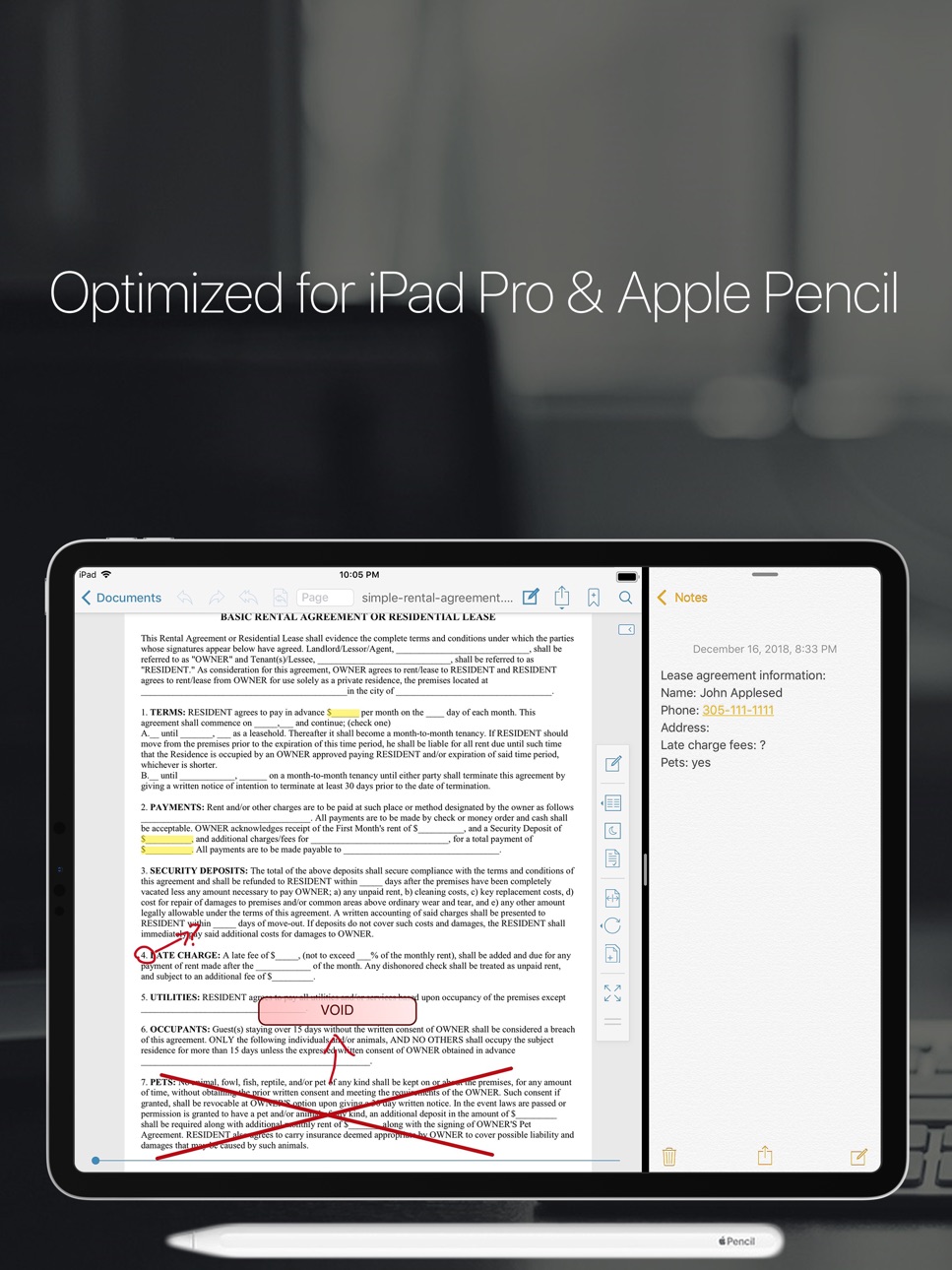
PDF Reader Pro Edition es la aplicación más potente para leer, administrar y realizar anotaciones en archivos PDF y funciona de manera excelente en iOS 12.
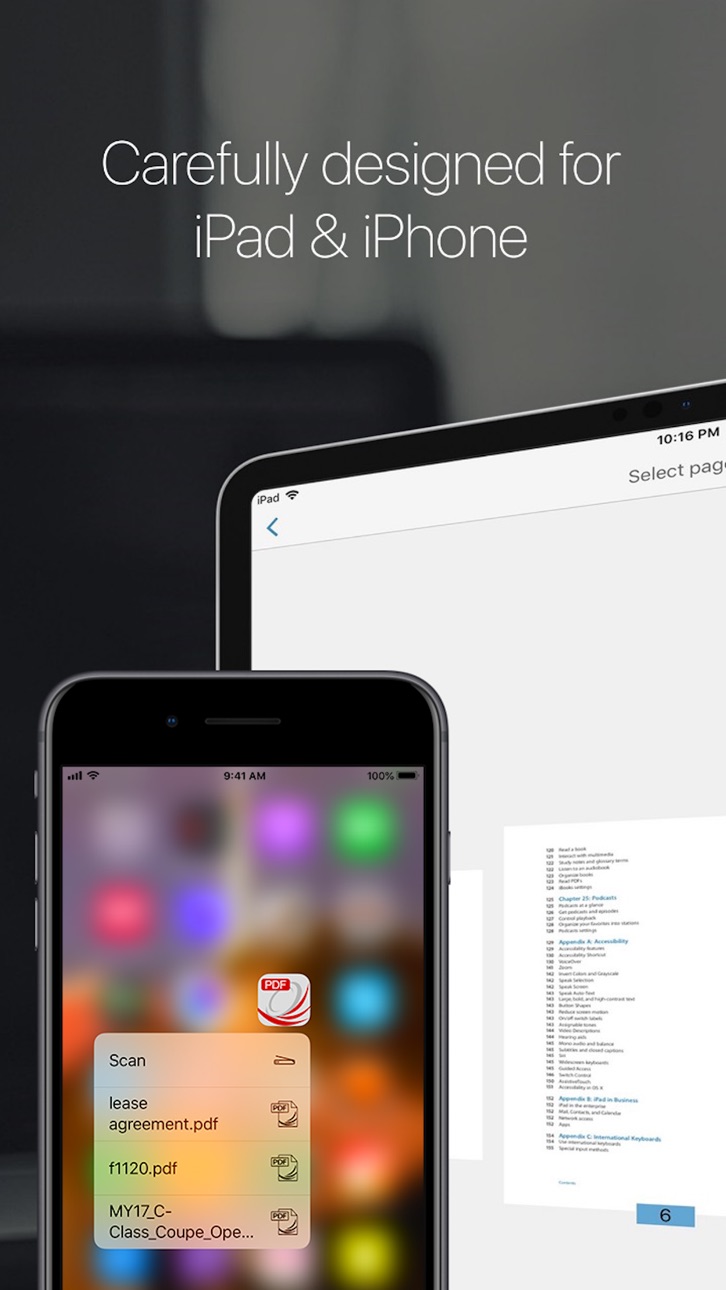
El mejor lector de PDF móvil optimizado especialmente para el iPad.
Un motor de lectura de PDF muy potente y optimizado, cuidadosamente diseñado especialmente para el iPad.
Parte de la campaña @work de Apple.
Algunas de las funciones de PDF Reader Pro Edition son:
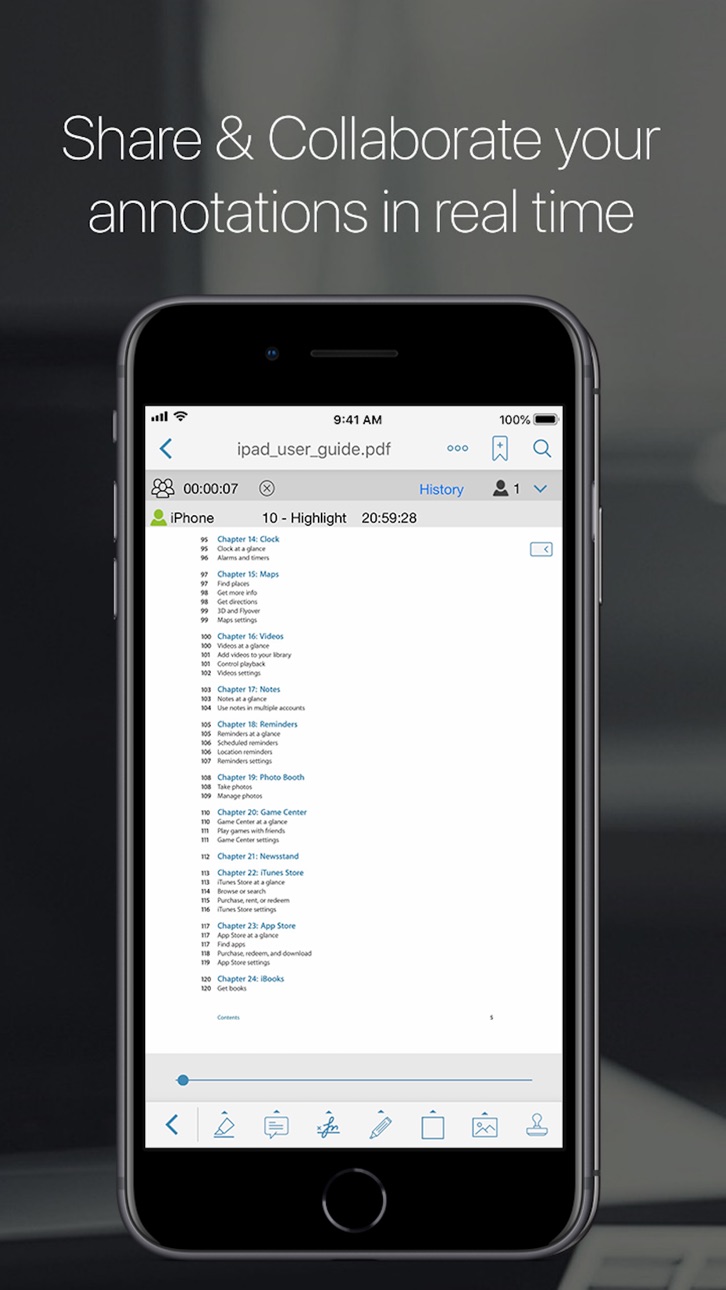
-Colaboración y chat en tiempo real.
Ahora puedes añadir anotaciones y colaborar con otros usuarios en el mismo archivo a través de wifi o internet en tiempo real y puedes chatear sobre tu progreso al mismo tiempo.
Ellos serán capaces de ver los cambios y anotaciones que estás haciendo en tiempo real.
-Nuevo modo EasyReview
Con esta nueva función podrás marcar documentos PDF más rápido y más fácil que nunca. Sólo tienes que pulsar en la parte del texto donde necesitas hacer cambios y corregirlo en el editor de texto (similar a Word). El texto será marcado como eliminado y el nuevo texto tendrá un color diferente para que puedas identificarlo fácilmente. Al guardar el archivo PDF todas las modificaciones aparecerán como anotaciones estándar (anotaciones "reemplazar texto" e "insertar anotaciones de texto").
Funciona con formas/formularios PDF.
Ahora usted puede rellenar formularios PDF.
-Todas las herramientas de anotación/resaltador
Ahora usted puede agregar notas directamente desde en cualquier parte del documento.
Resaltador, estampillas, notas adhesivas, cuadros de texto, subraya, sellos dinámicos (con fecha y hora), dibujo libre, firma digital, resaltador libre, líneas, flechas, rectángulos y óvalos, totalmente compatibles con Apple Preview y Adobe Acrobat.
Interfaz de usuario diseñada especialmente para combinar a la perfección con iOS 12.
-La única aplicación móvil que abre los archivos protegidos especiales Vitrium* (como los ebooks de la Universidad de Phoenix).
-Crear nuevos archivos PDF
Extraer paginas de un archivo PDF para crear un nuevo documento o para enviarlas por email.
-Compartir y colaborar
Conectate con tus colegas y amigos para compartir y colaborar tus archivos PDF y anotaciones en tiempo real.
Función de rotación
Puedes rotar una sola página o todo el documento.
Vault
Almacena de forma segura tus archivos PDF importantes.
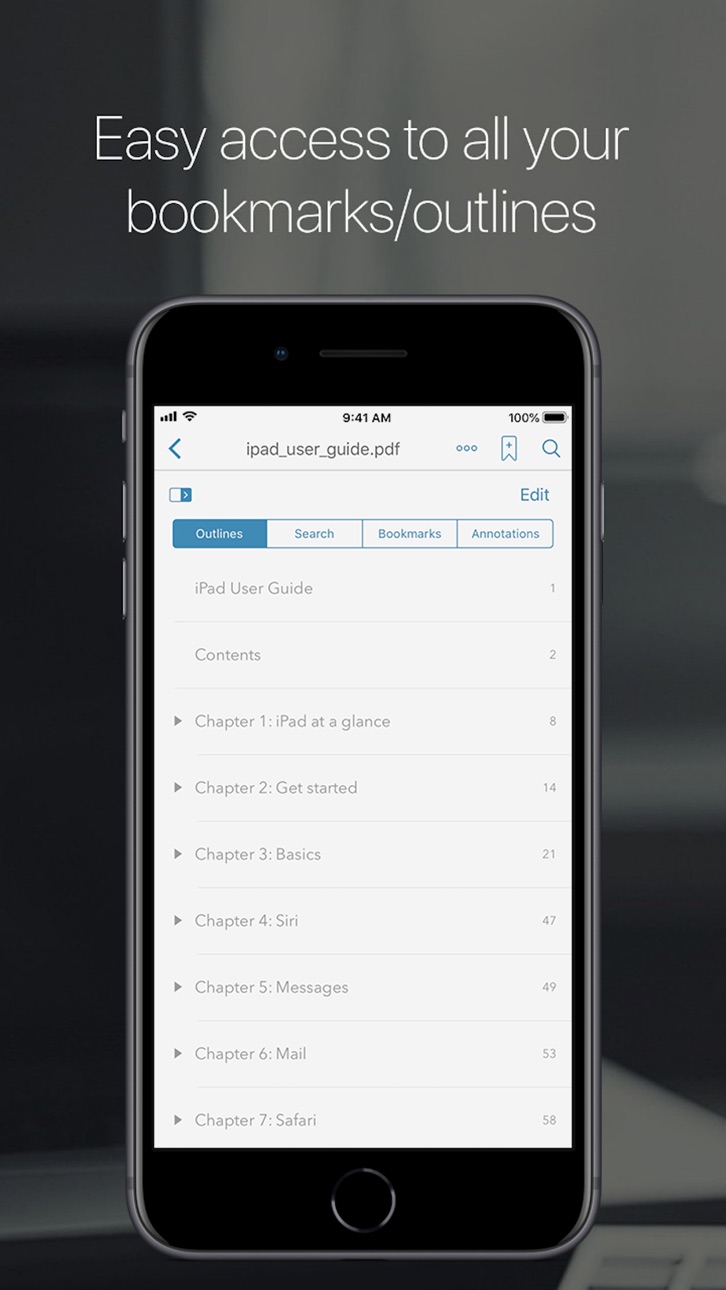
-Bookmarks/Outlines
Señala páginas de tus archivos PDF.
Crear o modificar la tabla de contenido del documento.
Modo de reflujo.
-Full navegador Web para descargar archivos PDF de la Web.
-Scanner
Cree documentos en formato PDF.
-Administrador de archivos/documentos
Copiar, cortar, pegar y borrar documentos.
Organiza tus archivos PDF en carpetas.
-Hipervínculos
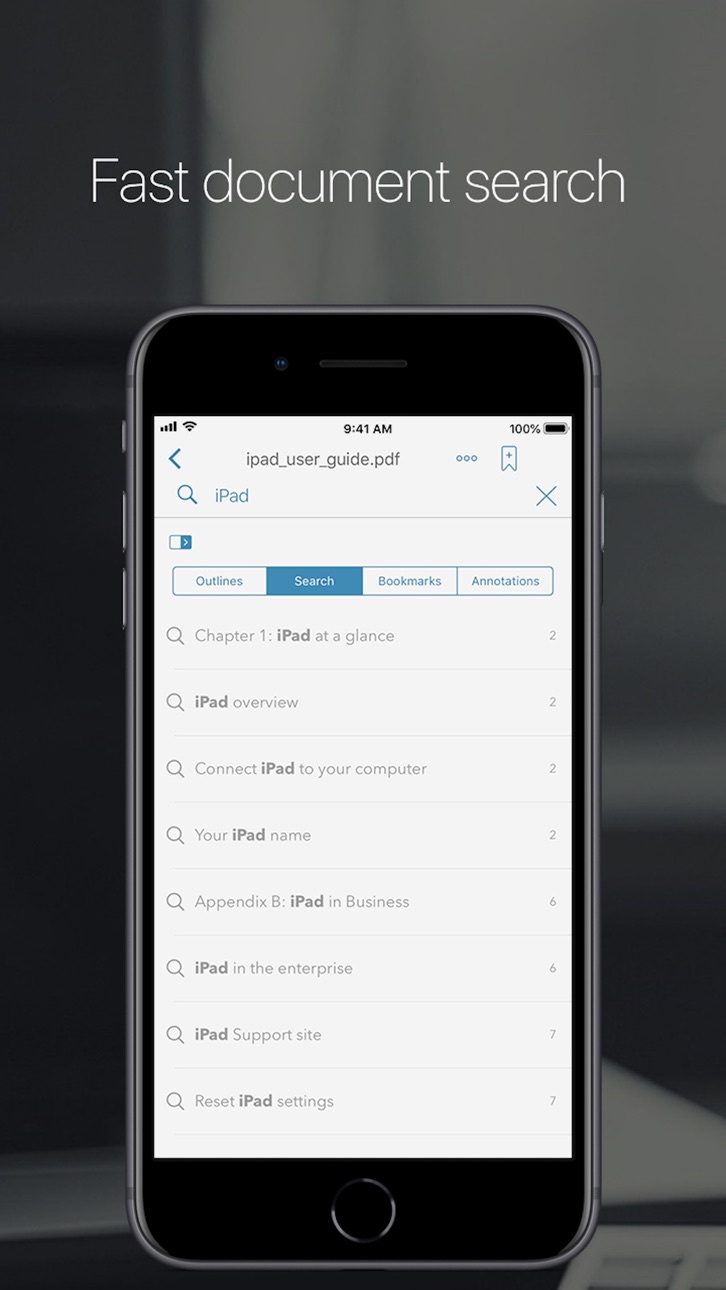
-Búsqueda de texto
Encuentre fácilmente cualquier palabra en los archivos PDF.
-Descargue archivos de su correo electrónico
-Descargar archivos PDF de Safari
-Transfiera sus archivos facilmente
Usted puede copiar fácilmente y con seguridad sus archivos PDF desde su Mac o PC utilizando Airdrop, la función de uso compartido de USB o WiFi.
-Imprimir
Imprima sus archivos PDF y anotaciones directamente desde la aplicación.
-Envíe sus archivos por email
Envíe sus archivos PDF directamente desde la aplicación, usted puede enviar el documento completo con todas las anotaciones o también puede enviar las páginas específicas de un archivo PDF. Usted también puede enviar una copia especial de su archivo PDF (flatten), esta opción comprimirá y grabará sus anotaciones en el documento para evitar que sean modificados.
-iCloud, Dropbox, Box.net, Google Drive y SugarSync.
-Excelente para presentaciones
Utilice Airplay o un cable HDMI para mostrar sus documentos en una pantalla externa mientras hace anotaciones en tiempo real.
Únete a los cientos de miles de usuarios que ya disfrutan de la gran variedad de funciones que ofrece PDF Reader Pro Edition.
Nuevas funciones pronto!
Capabilities
iMessage
Accessibility
ipadiphonemacrealityDevicetvoswatch
Version history 25 versions
Build 826474977v92019-06-25 13:41:49
• Completely new user interface especially designed for the new iPhone and iPad Pro.
• Optimized for iOS 12.
• iPhone Xs, Xr and new iPad Pro support.
• Performance enhancements. This update contains stability improvements.
• Under-the-hood updates for better performance.
• Bug fixes and performance improvements.
Build 824247002v8.62017-11-13 19:21:46
• iPhone X support
Face ID support.
• Drag and drop (iOS 11)
Now you can easily copy and move text from your PDF files to another app.
Drop text from any app to add it a text annotation to your PDF file.
Now you can easily drag PDFs from your email and other apps in and out of PDF Reader Pro Edition.
• Optimized for iOS 11
• Performance enhancements. This update contains stability improvements.
• More features coming soon!
Build 823746859v8.52017-09-23 17:07:04
• Drag and drop (iOS 11)
Now you can easily move your files from one app to another.
• Optimized for iOS 11.
• iMessage integration.
• Performance enhancements. This update contains stability improvements.
More features coming soon!!
Build 822879646v8.4.52017-07-15 21:45:41
• iMessage integration
Now it’s easier to share your PDF files with your teammates and friends.
Now you can share your PDF files right from where you’re chatting. Our new iMessage integration for iOS 10 lets you select PDF files from within iMessage. Share files in-line with your conversations without having to switch back and forth between apps.
• Improved Apple Pencil and 3D Touch integration for a better free handwriting/highlighting experience.
• Real-time online collaboration.
We want everybody to be able to use this great feature so we are making it free to all our users!
• Annotations support for special protected PDF files.
• OneDrive integration.
• Fixed an issue with Google Drive login.
• Fixed a login issue for some especial protected PDF files.
• Fix an issue for devices running iOS 9.
• Performance enhancements. This update contains stability improvements.
Build 822234617v8.42017-07-06 17:12:17
• iMessage integration
Now it’s easier to share your PDF files with your teammates and friends.
Now you can share your PDF files right from where you’re chatting. Our new iMessage integration for iOS 10 lets you select PDF files from within iMessage. Share files in-line with your conversations without having to switch back and forth between apps.
• Improved Apple Pencil and 3D Touch integration for a better free handwriting/highlighting experience.
• Real-time online collaboration.
We want everybody to be able to use this great feature so we are making it free to all our users!
• Annotations support for special protected PDF files.
• OneDrive integration.
• Fixed an issue with Google Drive login.
• Fixed a login issue for some especial protected PDF files.
• Performance enhancements. This update contains stability improvements.
Build 819201644v8.32016-10-27 18:08:05
• iOS 10 ready. PDF Reader Pro Edition is now fully compatible with iOS 10.
• Performance enhancements. This update contains stability improvements.
Build 816611996v8.22016-06-09 05:32:39
• Improved Apple Pencil support
Using free drawing and free highlight has never been better. Now thanks to the amazing technology inside the Apple Pencil you can draw lines of any weight by just applying pressure.
Press harder to draw thicker lines or just a gentle touch for wispy hairlines.
• Multitasking
Split view support (You can use it with iPad Pro, iPad Air 2 or iPad mini 4)
Slide over support (You can use it with iPad Pro, iPad Air, iPad Air 2, and iPad mini 2 or later)
Now you can read, annotate and work with your PDF files while you work on other apps.
• 3D Touch
Using free drawing and free highlight has never been better. Now thanks to the new 3D Touch technology you can draw lines of any weight by just applying pressure.
Press harder to draw thicker lines or just a gentle touch for wispy hairlines.
• Quick Actions
Access your most recent files instantly from your home screen (iPhone 6s and 6s Plus).
• Spotlight Search
Spotlight Search helps you find and open your PDF files directly from your Home Screen.
• Flatten files improvements.
Now you can save a Flatten copy of your file without having to email the file.
• Performance enhancements. This update contains stability improvements.
Build 813371976v8.12015-09-25 23:28:14
-General iOS 9 compatibility.
-New image stamp annotations
Now you can add image stamp annotations to your PDF files.
-64 bit support.
-Performance enhancements. This update contains stability improvements.
Split view and spotlight search coming soon!
Stay tuned for more updates.
Build 759153313v8.02015-06-11 03:38:51
-Universal version
1 universal version that works on iPhone & iPad.
-Review mode.
A great new way to review and annotate your PDF files, just tap on the text that you want to replace or correct and it will work as you were working on a text document (all the changes will be saved as standard annotations).
-Touch ID support
Unlock the vault using Touch ID instead of your password.
-Hand off support
Thanks to this new feature exclusively from iOS8 now you can easily switch between your iPhone and iPad. You can start reading and annotating a file on your iPhone and finish it on your iPad.
-iCloud drive support
Now thanks to iCloud drive you can safely store all your documents in your PDF Reader Pro Edition iCloud folder and access them on any device with iCloud drive support.
-Open files from iCloud Drive using Document picker
Now you can get your PDF files stored on your iCloud Drive (from other apps and devices) and open them on PDF Reader Pro Edition.
-Improved drawing/handwriting engine
A smoother writing, signing and drawing experience.
-Multiple signatures
Now you can store multiple signatures (including customer signatures) to easily sign contracts or any other important document that requires a signature.
-Custom stamps
Now you can create your own text stamps.
-Localization:
PDF Reader Pro Edition has gone global!
Now with support for Spanish, French, Italian, German, Japanese, Simplified Chinese, Traditional Chinese, Korean, Portuguese and Russian.
-Annotations support for special protected pdf files.
After a lot of work we have been able to add annotations support for special protected pdf files (in-app purchase).
-Performance enhancements. This update contains stability improvements.
Stay tuned for more updates!
Build 715483177v7.1.22014-10-02 00:55:38
iOS 8 compatibility fix
Performance enhancements. This update contains stability improvements.
Build 591142692v7.1.12014-05-22 16:42:34
The biggest update is here!!
•Fresh new user interface specially design to merge beautifully with iOS7.
•Real-time online collaboration & chat.
Now you can collaborate and add annotations with other users on the same file over the internet in real time and you can chat about your progress simultaneously.
They will be able to see what changes you are making as you make them all in real time.
•Performance enhancements. This update contains stability improvements.
•compatibility update for iOS 6 users.
Build 582752902v7.12014-05-21 07:16:23
The biggest update is here!!
•Fresh new user interface specially design to merge beautifully with iOS7.
•Real-time online collaboration & chat.
Now you can collaborate and add annotations with other users on the same file over the internet in real time and you can chat about your progress simultaneously.
They will be able to see what changes you are making as you make them all in real time.
•Performance enhancements. This update contains stability improvements.
Build 42092634v7.02013-09-20 23:22:18
New major feature:
Share & Collaborate:
Now you can share & collaborate your PDF files and annotations in real time.
iOS 7 compatibility update. Works beautifully on iOS 7.
Performance enhancements. This update contains stability improvements.
Build 14306691v6.0.12013-02-25 22:42:09
Fix an issue with protected PDF files.
New version 6.0
The best update is here!
The first and most powerful PDF reader specially designed for the iPad has been completely redesigned with a new and more powerful user interface.
We have also made a lot of improvements under the hood.
Huge improvements in the performance and rendering engine.
Vault folder: with this new feature you can securely store your important PDF files.
Performance enhancements.
Bug fixes.
Build 12133159v6.02013-02-22 16:49:44
The best update is here!
The first and most powerful PDF reader specially designed for the iPad has been completely redesigned with a new and more powerful user interface.
We have also made a lot of improvements under the hood.
Huge improvements in the performance and rendering engine.
Vault folder: with this new feature you can securely store your important PDF files.
Performance enhancements.
Bug fixes.
*Note to University of Phoenix students*
There is a problem that is only affecting some specific protected PDF files from University of Phoenix, our developers are working to resolve that issue, we will release a free update to address that issue as soon as possible so we recommend that you don't update your app until version 6.0.1 is available"
Build 10951879v5.2.62012-09-21 23:40:32
• Support for iOS 6
Build 8270685v5.2.52012-06-01 20:07:45
Performance enhancements.
Bug fixes.
Build 7885554v5.2.42012-05-17 19:57:35
Performance enhancements.
Bug fixes.
Build 7402682v5.2.32012-04-16 20:12:12
Retina display support.
Performance enhancements.
PDF forms support improvements (now most interactive fields with calculations are supported).
Flattening feature.
Bug fixes.
Build 5949050v5.2.22012-01-23 04:05:57
Performance enhancements.
PDF forms support improvements.
Bug fixes.
This update fixes an issue that was causing some problems with University of Phoenix ebooks.
Build 5836764v5.2.12012-01-14 01:03:20
Performance enhancements.
PDF forms support improvements.
Bug fixes.
ATTENTION UNIVERSITY OF PHOENIX STUDENTS:
Please do NOT update to this version, we have been getting some reports that some users are having problems when trying to unlock their ebooks, we are working to resolve this issue as soon as possible.
If you are having problems please don't leave a negative review on the App Store since we don't have a way to reply to your comments, please send us an email to support@itechdevelopmentsystems.com
We apologize for the inconvenience and we really appreciate your patience and support while we resolve this issue, we are trying our best to resolve this issue as soon as possible.
These files use a special type of protection that is extremely complicated and so far we are the only company that offers support to these files on any mobile device so we really appreciate your patience and support while we fix this issue.
A new update has been uploaded and is pending Apple's approval.
Build 4090958v5.22011-11-29 21:54:28
iCloud support (iOS 5 or later).
iOS 5 built-in dictionary support.
Google and Wikipedia Search option (now you can search a word on Google or Wikipedia).
Now you can email single pages from a PDF file.
PDF extraction (now you can extract pages from a PDF file and create a new one).
New annotations (stamps and dynamic stamps supports).
Added Author field on settings for dynamic stamps.
Now you can move the annotations tool bar to the bottom, left or right side of the screen.
New settings user interface.
Back button (now you can go back to a previous page after using a hyperlink, jump to page and other functions).
Performance enhancements.
Bug fixes.
This update improves compatibility with iOS 5.
Build 3990947v5.12011-08-03 22:04:21
Rotation function (Now you can rotate a page or the entire PDF file).
copy/paste enabled (now you can copy text from a PDF file).
Reflow Mode.
Hyperlink support (internal and external links support)
Performance enhancements.
Annotations performance enhancements.
Bug fixes.
New copy/move user interface.
New annotations (line, arrow, rectangle and circle).
NOW WHEN USING THE FULL SCREEN MODE TAP WITH 2 FINGERS TO ENABLE/DISABLE FULL SCREEN MODE.
Build 3663261v5.0.12011-04-26 02:34:21
Fixed an issue when trying to authenticate the username and password with University of Phoenix servers (for Vitrium Protected PDF files).
Our best update yet!
Added support to Vitrium PDF protected PDF files (Support for DRM protected PDF files that are used on some universities ebooks, like University of Phoenix)
New annotations features:
New signature mode (it will allow you to stamp your signature on a PDF file).
Free Highlighter mode (specially designed to highlight scanned documents).
Free handwriting mode.
DropBox, Box.net, iDisk (Mobileme.com), GoogleDocs and SugarSync support (now you can download/upload your PDF files to any of these services).
Annotations performance enhancements (fixed an issue when highlighting a 2 column format PDF file).
Performance enhancements.
Build 3544488v5.02011-04-22 22:02:03
Our best update yet!
Added support to Vitrium PDF protected PDF files (Support for DRM protected PDF files that are used on some universities ebooks, like University of Phoenix) ATTENTION: we noticed that there is an issue when trying to authenticate the username and password with University of Phoenix servers, We were able to fix the problem, we already have an update available that will be available for download soon.
New annotations features:
New signature mode (it will allow you to stamp your signature on a PDF file).
Free Highlighter mode (specially designed to highlight scanned documents).
Free handwriting mode.
DropBox, Box.net, iDisk (Mobileme.com), GoogleDocs and SugarSync support (now you can download/upload your PDF files to any of these services).
Annotations performance enhancements (fixed an issue when highlighting a 2 column format PDF file).
Performance enhancements.
Price history by region
Currency
Show
Columns
Search
Availability 169 of 169 storefronts
| Region | Language | Price | Ratings | Avg | Version |
|---|---|---|---|---|---|
| US | en-US | USD 1.99 | 1.7k | 4.4 | 9 |
| GB | en-GB | GBP 1.99 | 127 | 4.1 | 9 |
| AU | en-AU | AUD 2.99 | 103 | 4.3 | 9 |
| CA | en-CA | CAD 2.99 | 103 | 4.1 | 9 |
| MX | es-MX | MXN 39 | 87 | 4.6 | 9 |
| DE | de-DE | EUR 1.99 | 77 | 3.9 | 9 |
| BR | pt-BR | BRL 12.9 | 71 | 4.5 | 9 |
| IT | it | EUR 1.99 | 55 | 4.3 | 9 |
| ES | es-ES | EUR 1.99 | 53 | 4.4 | 9 |
| CH | de-CH | CHF 2 | 46 | 4.1 | 9 |
| FR | fr-FR | EUR 1.99 | 45 | 4.2 | 9 |
| NL | nl | EUR 1.99 | 36 | 4.5 | 9 |
| ZA | en-GB | ZAR 39.99 | 29 | 4.2 | 9 |
| BE | en-GB | EUR 1.99 | 28 | 4.1 | 9 |
| CL | es-MX | CLP 1990 | 27 | 4.3 | 9 |
| CO | es-MX | COP 9900 | 26 | 4.1 | 9 |
| IN | en-GB | INR 199 | 26 | 3.9 | 9 |
| TH | en-GB | THB 79 | 26 | 5.0 | 9 |
| ID | en-GB | IDR 29000 | 23 | 4.7 | 9 |
| NO | en-GB | NOK 29 | 21 | 4.6 | 9 |
| PH | en-GB | PHP 129 | 21 | 4.2 | 9 |
| MY | en-GB | MYR 9.9 | 20 | 3.9 | 9 |
| NZ | en-AU | NZD 3.99 | 19 | 3.9 | 9 |
| PT | pt-PT | EUR 1.99 | 17 | 4.4 | 9 |
| RU | ru | RUB 199 | 16 | 4.1 | 9 |
| AE | en-GB | AED 7.99 | 14 | 4.9 | 9 |
| AR | es-MX | USD 1.99 | 14 | 4.2 | 9 |
| SE | sv | SEK 29 | 14 | 4.0 | 9 |
| TR | en-GB | TRY 99.99 | 14 | 4.2 | 9 |
| SG | en-GB | SGD 2.98 | 13 | 4.8 | 9 |
| CN | zh-Hans-CN | CNY 15 | 12 | 4.1 | 9 |
| GR | en-GB | EUR 1.99 | 12 | 4.6 | 9 |
| JP | ja | JPY 300 | 12 | 4.1 | 9 |
| VN | en-GB | VND 59000 | 12 | 4.3 | 9 |
| AT | de-DE | EUR 1.99 | 11 | 3.9 | 9 |
| DK | en-GB | DKK 19 | 11 | 3.5 | 9 |
| PE | es-MX | PEN 9.9 | 11 | 4.6 | 9 |
| HK | zh-Hant-HK | HKD 18 | 10 | 4.4 | 9 |
| IE | en-GB | EUR 1.99 | 10 | 3.7 | 9 |
| KR | ko | KRW 3300 | 9 | 4.7 | 9 |
| PL | en-GB | PLN 9.99 | 9 | 4.0 | 9 |
| TW | zh-Hant-TW | TWD 60 | 9 | 4.6 | 9 |
| LU | en-GB | EUR 1.99 | 8 | 4.5 | 9 |
| SA | en-GB | SAR 9.99 | 8 | 4.0 | 9 |
| CR | es-MX | USD 1.99 | 7 | 4.9 | 9 |
| EC | es-MX | USD 1.99 | 7 | 5.0 | 9 |
| HU | en-GB | HUF 999 | 7 | 4.3 | 9 |
| RO | en-GB | RON 9.99 | 7 | 5.0 | 9 |
| CZ | en-GB | CZK 49 | 6 | 4.3 | 9 |
| SV | es-MX | USD 1.99 | 6 | 4.7 | 9 |
| FI | en-GB | EUR 1.99 | 5 | 3.0 | 9 |
| IL | en-GB | ILS 7.9 | 5 | 4.2 | 9 |
| KE | en-GB | USD 1.99 | 5 | 4.8 | 9 |
| KW | en-GB | USD 1.99 | 4 | 4.0 | 9 |
| QA | en-GB | QAR 7.99 | 4 | 3.5 | 9 |
| UY | en-GB | USD 1.99 | 4 | 5.0 | 9 |
| AZ | en-GB | USD 1.99 | 3 | 4.7 | 9 |
| BO | es-MX | USD 1.99 | 3 | 3.7 | 9 |
| EG | en-GB | EGP 99.99 | 3 | 4.7 | 9 |
| HN | es-MX | USD 1.99 | 3 | 4.3 | 9 |
| LB | en-GB | USD 1.99 | 3 | 3.3 | 9 |
| OM | en-GB | USD 1.99 | 3 | 5.0 | 9 |
| PK | en-GB | PKR 500 | 3 | 4.7 | 9 |
| SK | en-GB | EUR 1.99 | 3 | 5.0 | 9 |
| SN | en-GB | USD 1.99 | 3 | 5.0 | 9 |
| VE | es-MX | USD 1.99 | 3 | 5.0 | 9 |
| AO | en-GB | USD 1.99 | 2 | 4.5 | 9 |
| BG | en-GB | EUR 1.99 | 2 | 5.0 | 9 |
| BH | en-GB | USD 1.99 | 2 | 5.0 | 9 |
| BY | en-GB | USD 1.99 | 2 | 4.5 | 9 |
| DO | es-MX | USD 1.99 | 2 | 5.0 | 9 |
| EE | en-GB | EUR 1.99 | 2 | 5.0 | 9 |
| HR | en-GB | EUR 1.99 | 2 | 5.0 | 9 |
| KZ | en-GB | KZT 999 | 2 | 5.0 | 9 |
| LK | en-GB | USD 1.99 | 2 | 4.0 | 9 |
| ML | en-GB | USD 1.99 | 2 | 5.0 | 9 |
| MT | en-GB | EUR 1.99 | 2 | 5.0 | 9 |
| MU | en-GB | USD 1.99 | 2 | 4.5 | 9 |
| MZ | en-GB | USD 1.99 | 2 | 3.0 | 9 |
| NG | en-GB | NGN 3200 | 2 | 4.5 | 9 |
| NI | es-MX | USD 1.99 | 2 | 4.5 | 9 |
| PY | es-MX | USD 1.99 | 2 | 5.0 | 9 |
| SI | en-GB | EUR 1.99 | 2 | 5.0 | 9 |
| AL | en-GB | USD 1.99 | 1 | 5.0 | 9 |
| AM | en-GB | USD 1.99 | 1 | 5.0 | 9 |
| BW | en-GB | USD 1.99 | 1 | 2.0 | 9 |
| CV | en-GB | USD 1.99 | 1 | 5.0 | 9 |
| GH | en-GB | USD 1.99 | 1 | 5.0 | 9 |
| IS | en-GB | USD 1.99 | 1 | 5.0 | 9 |
| JO | en-GB | USD 1.99 | 1 | 4.0 | 9 |
| KH | en-GB | USD 1.99 | 1 | 5.0 | 9 |
| LT | en-GB | EUR 1.99 | 1 | 4.0 | 9 |
| LV | en-GB | EUR 1.99 | 1 | 5.0 | 9 |
| MK | en-GB | USD 1.99 | 1 | 5.0 | 9 |
| MO | zh-Hant-HK | USD 1.99 | 1 | 5.0 | 9 |
| NE | en-GB | USD 1.99 | 1 | 5.0 | 9 |
| RS | en-GB | EUR 1.99 | 1 | 5.0 | 9 |
| TN | en-GB | USD 1.99 | 1 | 5.0 | 9 |
| TT | en-GB | USD 1.99 | 1 | 5.0 | 9 |
| TZ | en-GB | TZS 5900 | 1 | 2.0 | 9 |
| UA | en-GB | USD 1.99 | 1 | 5.0 | 9 |
| UG | en-GB | USD 1.99 | 1 | 4.0 | 9 |
| AF | en-GB | USD 1.99 | 0 | — | 9 |
| AG | en-GB | USD 1.99 | 0 | — | 9 |
| AI | en-GB | USD 1.99 | 0 | — | 9 |
| BA | en-GB | EUR 1.99 | 0 | — | 9 |
| BF | en-GB | USD 1.99 | 0 | — | 9 |
| BJ | en-GB | USD 1.99 | 0 | — | 9 |
| BM | en-GB | USD 1.99 | 0 | — | 9 |
| BN | en-GB | USD 1.99 | 0 | — | 9 |
| BT | en-GB | USD 1.99 | 0 | — | 9 |
| CD | en-GB | USD 1.99 | 0 | — | 9 |
| CG | en-GB | USD 1.99 | 0 | — | 9 |
| CI | fr-FR | USD 1.99 | 0 | — | 9 |
| CM | fr-FR | USD 1.99 | 0 | — | 9 |
| CY | en-GB | EUR 1.99 | 0 | — | 9 |
| DM | en-GB | USD 1.99 | 0 | — | 9 |
| DZ | en-GB | USD 1.99 | 0 | — | 9 |
| FJ | en-GB | USD 1.99 | 0 | — | 9 |
| FM | en-GB | USD 1.99 | 0 | — | 9 |
| GA | fr-FR | USD 1.99 | 0 | — | 9 |
| GD | en-GB | USD 1.99 | 0 | — | 9 |
| GE | en-GB | USD 1.99 | 0 | — | 9 |
| GM | en-GB | USD 1.99 | 0 | — | 9 |
| GW | en-GB | USD 1.99 | 0 | — | 9 |
| GY | en-GB | USD 1.99 | 0 | — | 9 |
| IQ | en-GB | USD 1.99 | 0 | — | 9 |
| KG | en-GB | USD 1.99 | 0 | — | 9 |
| KN | en-GB | USD 1.99 | 0 | — | 9 |
| KY | en-GB | USD 1.99 | 0 | — | 9 |
| LA | en-GB | USD 1.99 | 0 | — | 9 |
| LC | en-GB | USD 1.99 | 0 | — | 9 |
| LR | en-GB | USD 1.99 | 0 | — | 9 |
| LY | en-GB | USD 1.99 | 0 | — | 9 |
| MA | en-GB | USD 1.99 | 0 | — | 9 |
| MD | en-GB | USD 1.99 | 0 | — | 9 |
| ME | en-GB | EUR 1.99 | 0 | — | 9 |
| MG | en-GB | USD 1.99 | 0 | — | 9 |
| MM | en-GB | USD 1.99 | 0 | — | 9 |
| MN | en-GB | USD 1.99 | 0 | — | 9 |
| MR | en-GB | USD 1.99 | 0 | — | 9 |
| MS | en-GB | USD 1.99 | 0 | — | 9 |
| MV | en-GB | USD 1.99 | 0 | — | 9 |
| MW | en-GB | USD 1.99 | 0 | — | 9 |
| NA | en-GB | USD 1.99 | 0 | — | 9 |
| NP | en-GB | USD 1.99 | 0 | — | 9 |
| NR | en-GB | USD 1.99 | 0 | — | 9 |
| PG | en-GB | USD 1.99 | 0 | — | 9 |
| PW | en-GB | USD 1.99 | 0 | — | 9 |
| RW | en-GB | USD 1.99 | 0 | — | 9 |
| SB | en-GB | USD 1.99 | 0 | — | 9 |
| SC | en-GB | USD 1.99 | 0 | — | 9 |
| SL | en-GB | USD 1.99 | 0 | — | 9 |
| SR | en-GB | USD 1.99 | 0 | — | 9 |
| ST | en-GB | USD 1.99 | 0 | — | 9 |
| SZ | en-GB | USD 1.99 | 0 | — | 9 |
| TC | en-GB | USD 1.99 | 0 | — | 9 |
| TD | en-GB | USD 1.99 | 0 | — | 9 |
| TJ | en-GB | USD 1.99 | 0 | — | 9 |
| TM | en-GB | USD 1.99 | 0 | — | 9 |
| TO | en-GB | USD 1.99 | 0 | — | 9 |
| UZ | en-GB | USD 1.99 | 0 | — | 9 |
| VC | en-GB | USD 1.99 | 0 | — | 9 |
| VG | en-GB | USD 1.99 | 0 | — | 9 |
| VU | en-GB | USD 1.99 | 0 | — | 9 |
| XK | en-GB | EUR 1.99 | 0 | — | 9 |
| YE | en-GB | USD 1.99 | 0 | — | 9 |
| ZM | en-GB | USD 1.99 | 0 | — | 9 |
| ZW | en-GB | USD 1.99 | 0 | — | 9 |
Reviews 2 reviews · DO
Change log 29 changes · DO
✎
releaseNotes updated
• Completely new user interface especially designed for the new iPhone and iPad Pro.
• Optimized for iOS 12.
• iPhone Xs, Xr and new iPad Pro support.
• Perform
✎
description updated
**Winner of the Tabby Awards for best iPad- Productivity/Documents App**
PDF Reader Pro Edition is the best app to read, manage and annotate PDF files and it w
✎
subtitle updated
Annotate,edit & sign PDFs
✎
name updated
PDF Reader Pro Edition®
◆
Version 9 released
• Completely new user interface especially designed for the new iPhone and iPad Pro.
• Optimized for iOS 12.
• iPhone Xs, Xr and new iPad Pro support.
• Performance enhancements. This update contains stability improvements.
• Under-the-hood
◆
Version 8.6 released
• iPhone X support
Face ID support.
• Drag and drop (iOS 11)
Now you can easily copy and move text from your PDF files to another app.
Drop text from any app to add it a text annotation to your PDF file.
Now you can easily drag PDFs from y
◆
Version 8.5 released
• Drag and drop (iOS 11)
Now you can easily move your files from one app to another.
• Optimized for iOS 11.
• iMessage integration.
• Performance enhancements. This update contains stability improvements.
More features coming soon!!
◆
Version 8.4.5 released
• iMessage integration
Now it’s easier to share your PDF files with your teammates and friends.
Now you can share your PDF files right from where you’re chatting. Our new iMessage integration for iOS 10 lets you select PDF files from
◆
Version 8.4 released
• iMessage integration
Now it’s easier to share your PDF files with your teammates and friends.
Now you can share your PDF files right from where you’re chatting. Our new iMessage integration for iOS 10 lets you select PDF files from
◆
Version 8.3 released
• iOS 10 ready. PDF Reader Pro Edition is now fully compatible with iOS 10.
• Performance enhancements. This update contains stability improvements.
◆
Version 8.2 released
• Improved Apple Pencil support
Using free drawing and free highlight has never been better. Now thanks to the amazing technology inside the Apple Pencil you can draw lines of any weight by just applying pressure.
Press harder to draw thick
◆
Version 8.1 released
-General iOS 9 compatibility.
-New image stamp annotations
Now you can add image stamp annotations to your PDF files.
-64 bit support.
-Performance enhancements. This update contains stability improvements.
Split view and spotlight sear
◆
Version 8.0 released
-Universal version
1 universal version that works on iPhone & iPad.
-Review mode.
A great new way to review and annotate your PDF files, just tap on the text that you want to replace or correct and it will work as you were working on a tex
◆
Version 7.1.2 released
iOS 8 compatibility fix
Performance enhancements. This update contains stability improvements.
◆
Version 7.1.1 released
The biggest update is here!!
•Fresh new user interface specially design to merge beautifully with iOS7.
•Real-time online collaboration & chat.
Now you can collaborate and add annotations with other users on the same file over the inte
◆
Version 7.1 released
The biggest update is here!!
•Fresh new user interface specially design to merge beautifully with iOS7.
•Real-time online collaboration & chat.
Now you can collaborate and add annotations with other users on the same file over the interne
◆
Version 7.0 released
New major feature:
Share & Collaborate:
Now you can share & collaborate your PDF files and annotations in real time.
iOS 7 compatibility update. Works beautifully on iOS 7.
Performance enhancements. This update contains stability improvemen
◆
Version 6.0.1 released
Fix an issue with protected PDF files.
New version 6.0
The best update is here!
The first and most powerful PDF reader specially designed for the iPad has been completely redesigned with a new and more powerful user interface.
We have also
◆
Version 6.0 released
The best update is here!
The first and most powerful PDF reader specially designed for the iPad has been completely redesigned with a new and more powerful user interface.
We have also made a lot of improvements under the hood.
Huge improve
◆
Version 5.2.6 released
• Support for iOS 6
◆
Version 5.2.5 released
Performance enhancements.
Bug fixes.
◆
Version 5.2.4 released
Performance enhancements.
Bug fixes.
◆
Version 5.2.3 released
Retina display support.
Performance enhancements.
PDF forms support improvements (now most interactive fields with calculations are supported).
Flattening feature.
Bug fixes.
◆
Version 5.2.2 released
Performance enhancements.
PDF forms support improvements.
Bug fixes.
This update fixes an issue that was causing some problems with University of Phoenix ebooks.
◆
Version 5.2.1 released
Performance enhancements.
PDF forms support improvements.
Bug fixes.
ATTENTION UNIVERSITY OF PHOENIX STUDENTS:
Please do NOT update to this version, we have been getting some reports that some users are having problems when trying to unlock
◆
Version 5.2 released
iCloud support (iOS 5 or later).
iOS 5 built-in dictionary support.
Google and Wikipedia Search option (now you can search a word on Google or Wikipedia).
Now you can email single pages from a PDF file.
PDF extraction (now you can extract p
◆
Version 5.1 released
Rotation function (Now you can rotate a page or the entire PDF file).
copy/paste enabled (now you can copy text from a PDF file).
Reflow Mode.
Hyperlink support (internal and external links support)
Performance enhancements.
Annotations per
◆
Version 5.0.1 released
Fixed an issue when trying to authenticate the username and password with University of Phoenix servers (for Vitrium Protected PDF files).
Our best update yet!
Added support to Vitrium PDF protected PDF files (Support for DRM protected PDF
◆
Version 5.0 released
Our best update yet!
Added support to Vitrium PDF protected PDF files (Support for DRM protected PDF files that are used on some universities ebooks, like University of Phoenix) ATTENTION: we noticed that there is an issue when trying to au