Home › Business

 US
US
USen-US GBen-GB
 JPja
JPja AUen-AU
 CAen-CA
 CHde-CH
 RUru
RUru NOen-GB
 NZen-AU
 TRen-GB
 TWzh-Hant-TW
 THen-GB
 SGen-GB
 ILen-GB
 INen-GB
 MYen-GB
 KRko
KRko ZAen-GB
 HKzh-Hant-HK
 CNzh-Hans-CN
 PHen-GB
 AEen-GB
 SAen-GB
 IDen-GB
 VNen-GB
 UAen-GB
 UYen-GB
 KWen-GB
 PKen-GB
 EGen-GB
 LKen-GB
 QAen-GB
 KZen-GB
 LBen-GB
 MOzh-Hant-HK
 BYen-GB
 JOen-GB
 KEen-GB
 OMen-GB
 AZen-GB
 BHen-GB
 ISen-GB
 MNen-GB
 ALen-GB
 BAen-GB
 BMen-GB
 BNen-GB
 FJen-GB
 GEen-GB
 KGen-GB
 MDen-GB
 MKen-GB
 MZen-GB
 AFen-GB
 AMen-GB
 BTen-GB
 CIfr-FR
 FMen-GB
 IQen-GB
 KHen-GB
 LAen-GB
 LCen-GB
 LYen-GB
 MEen-GB
 MMen-GB
 MRen-GB
 MVen-GB
 NPen-GB
 NRen-GB
 PGen-GB
 PWen-GB
 RSen-GB
 SBen-GB
 STen-GB
 TJen-GB
 TMen-GB
 TOen-GB
 UZen-GB
 VUen-GB
 XKen-GB
 YEen-GB
 ATNot Available
 BENot Available
 BGNot Available
 CYNot Available
 CZNot Available
 DENot Available
 DKNot Available
 EENot Available
 ESNot Available
 FINot Available
 FRNot Available
 GRNot Available
 HRNot Available
 HUNot Available
 IENot Available
 ITNot Available
 LTNot Available
 LUNot Available
 LVNot Available
 MTNot Available
 NLNot Available
 PLNot Available
 PTNot Available
 RONot Available
 SENot Available
 SINot Available
 SKNot Available
81 of 108 storefronts
Content in en-US
Content in en-US
Information
Preview 2 platforms
iPhone 5 images



iPad 5 images


What’s New Version 5.1.4
Latest updates:
Camera now supports single page and batch mode
iPad orientation fix
Bugfixes and stability improvements
Thank you for using JotNot! Please show your support by leaving us a review in the App Store.
Description
JotNot is the quickest and easiest way to save a digital version of your paper documents. With JotNot's advanced image processing algorithms, your scans come out crisp, clear, and suitable for printing every time.
JotNot is the original document scanner app, trusted by millions of people in over 150 countries. It is recommended by The New York Times, TechCrunch, and MacWorld UK.
ELIMINATE PAPER WITH JOTNOT
With a PDF scanner in your pocket, there is no need to ever keep receipts in your wallet, tax records in your filing cabinet, or notes scattered across your desk. Scan and archive digital copies, and simplify your life.
SCAN ANYTHING
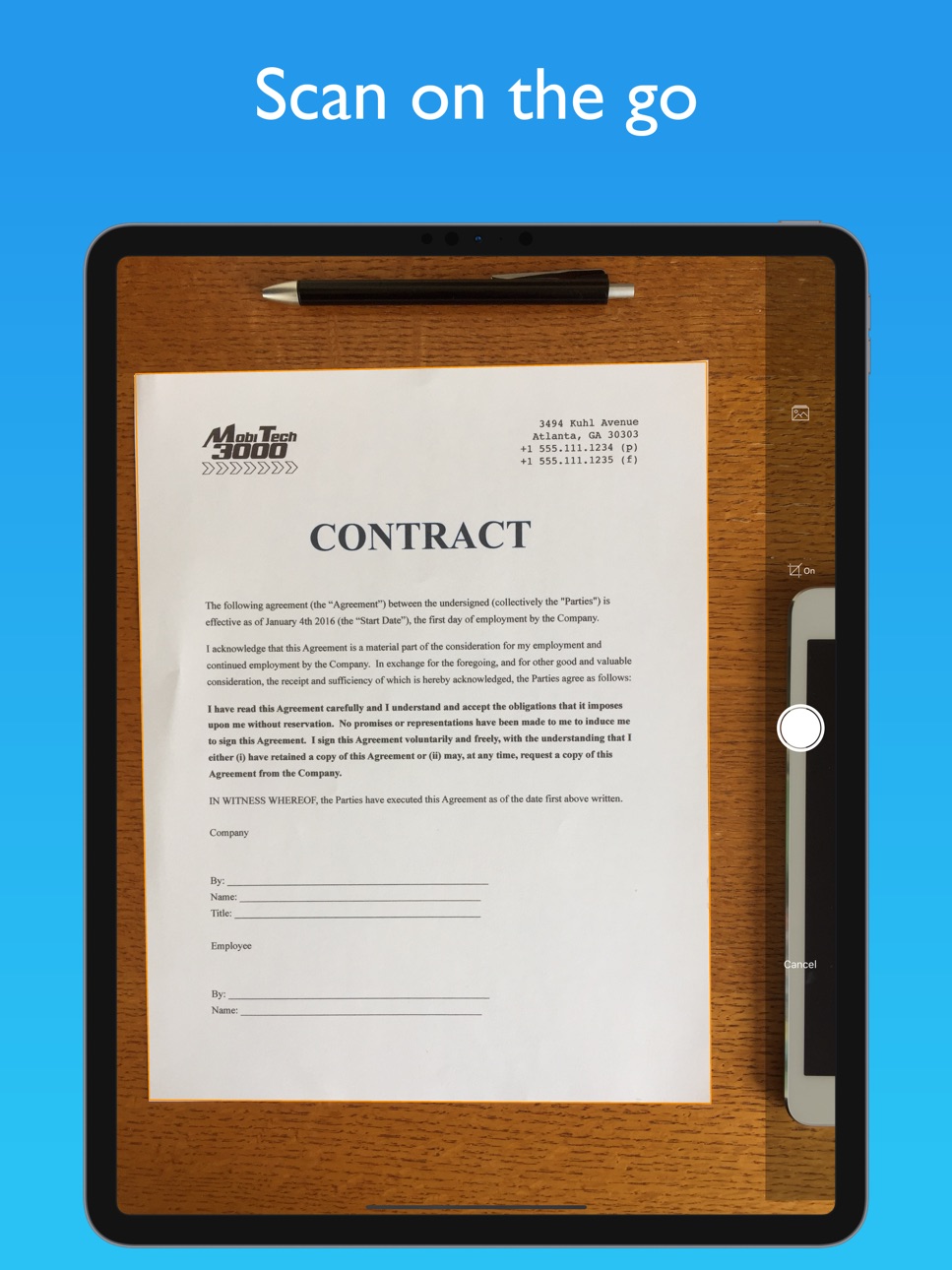
* Digitize contracts, receipts, expense forms, or business cards
* Extract text from your scans with OCR
* Save notes, recipes, or photos in cloud storage
* Scan and export sheet music to a music app like ForScore, or sketches to a drawing app
* Scan whiteboards or presentations to take notes in class or during meetings
EASILY SHARE YOUR SCANS
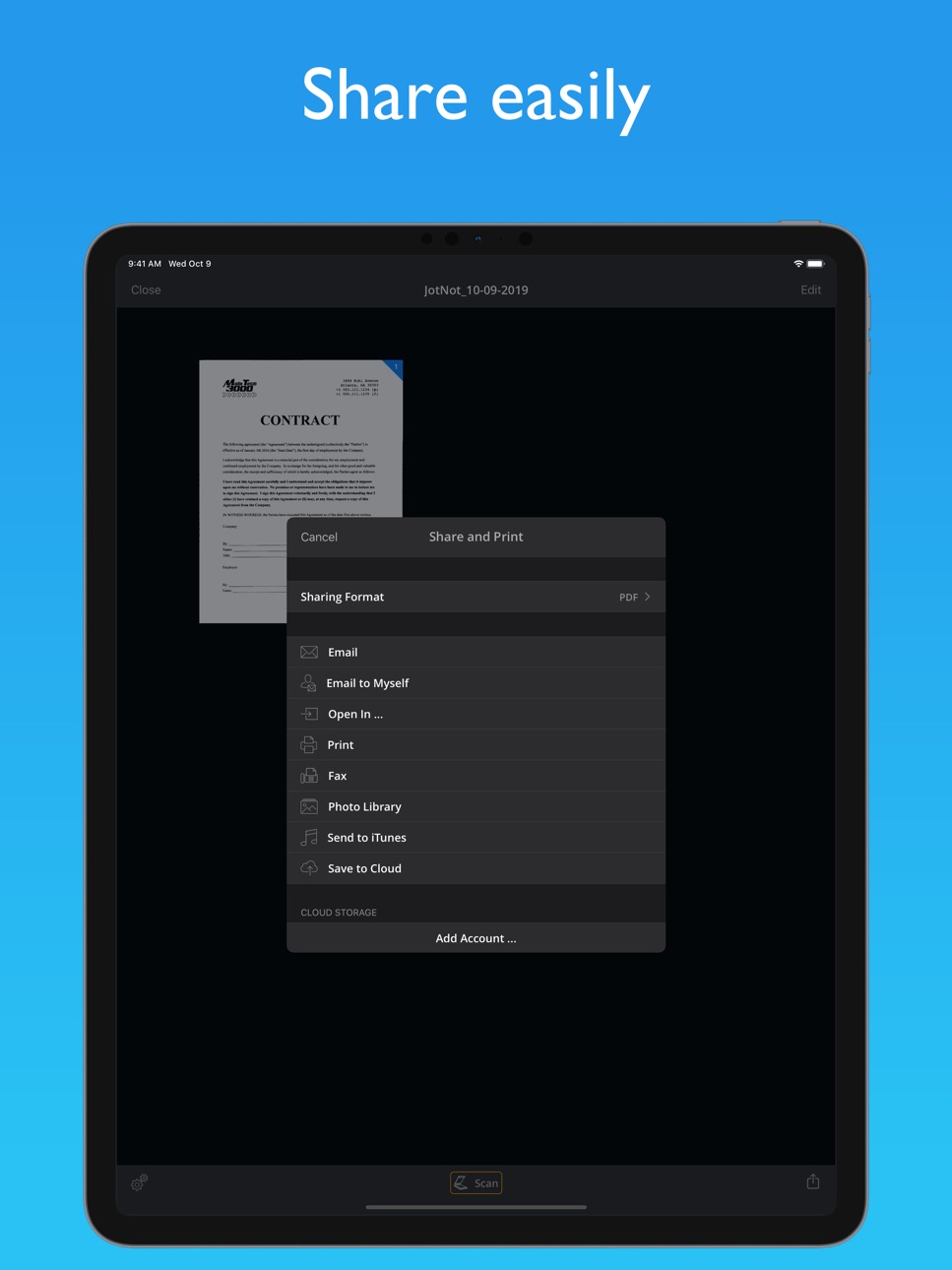
* Email your scans as PDFs
* Automatically upload your scans to the cloud
* Upload to Dropbox, Google Drive, Box, OneDrive, OneNote, Evernote, iCloud, and more
* Share documents with a computer via WiFi
ADVANCED AND EFFICIENT SCANNING
* JotNot automatically detects edges and processes images to remove shadows, correct contrast, and adjust white balance
* Scan in full color, black-and-white, and a variety of other modes
* Convert scans to PDF or JPEG
* Efficiently scan multi-page documents
ADDITIONAL FEATURES
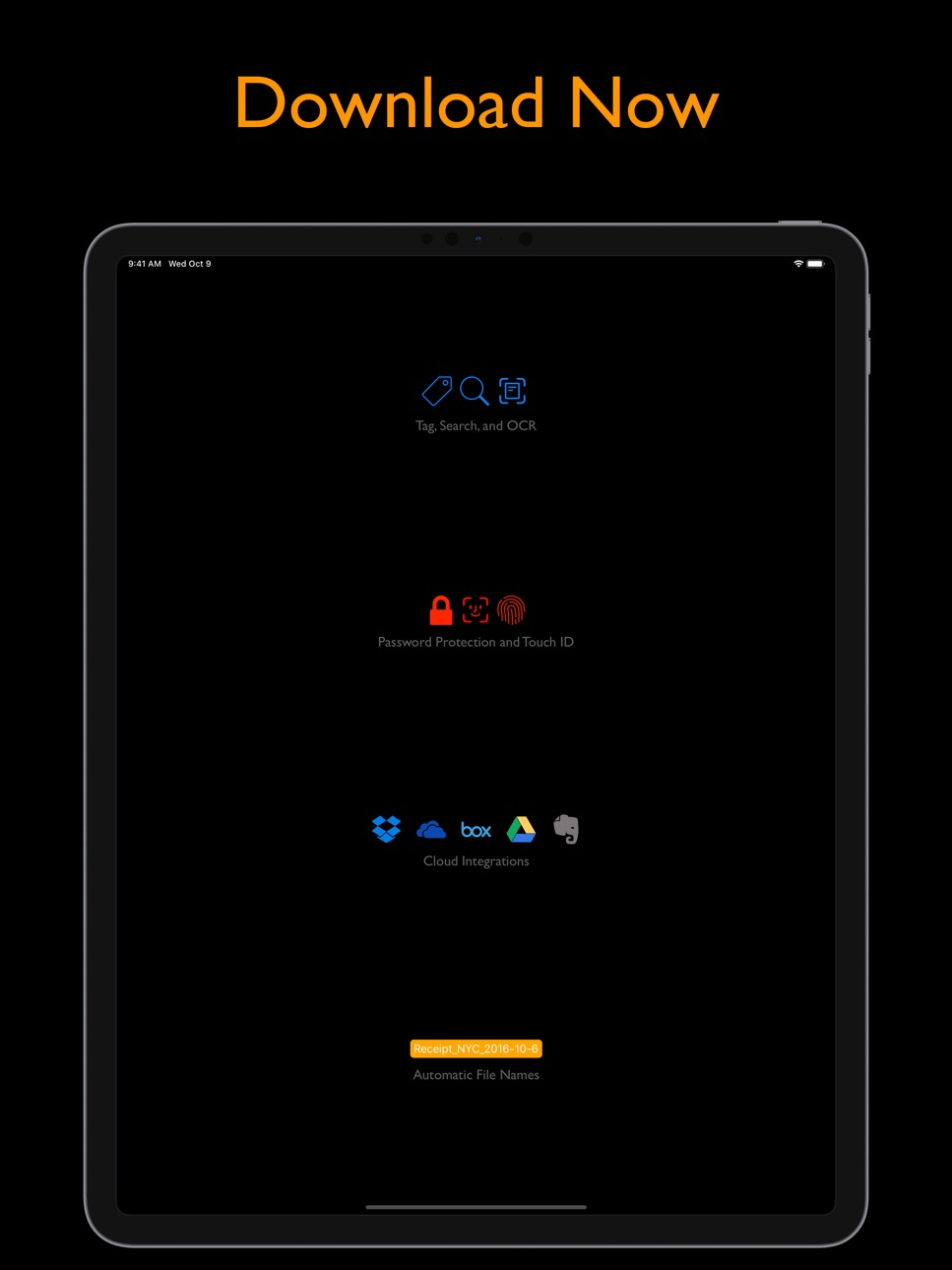
* Password-protect sensitive files
* Lock the app with a password, Touch ID, or Face ID (if supported by your device)
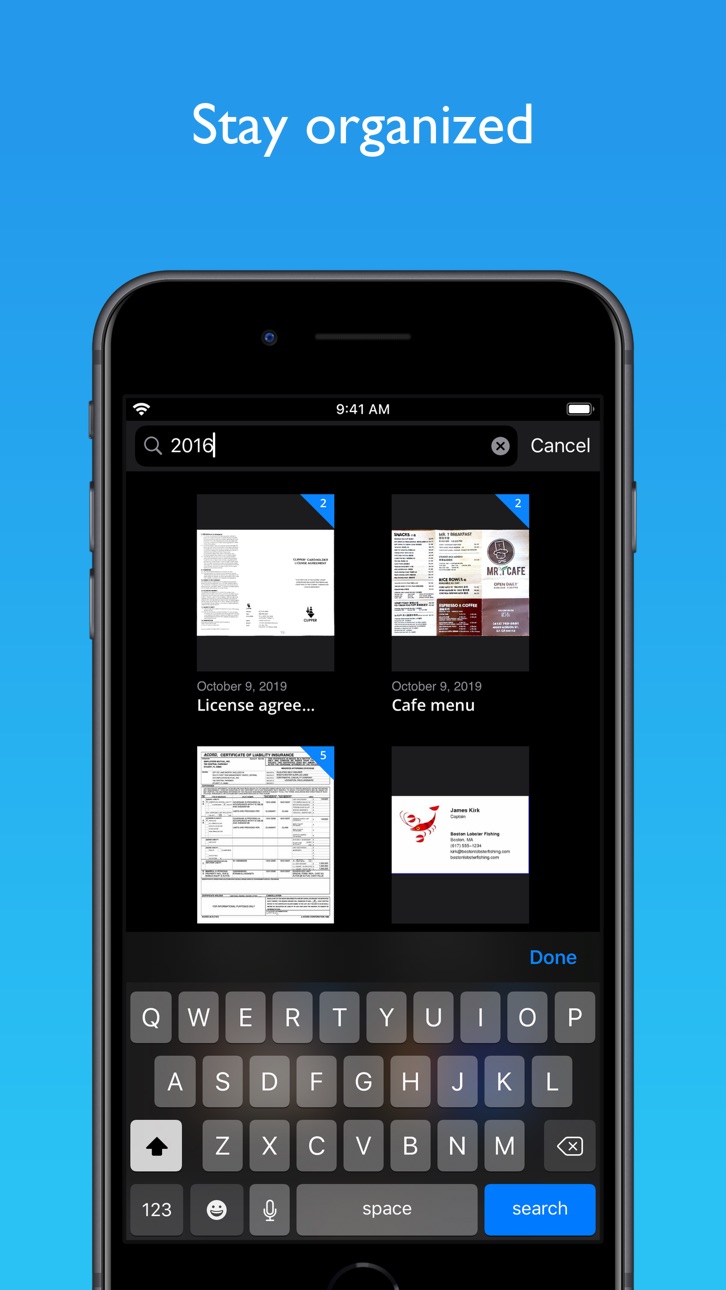
* Tag documents and search by tag or name
* Sort by name or date
* Rename or delete files to stay organized
COST
JotNot Pro is a one-time purchase. There are no automatically recurring charges or subscriptions.
QUESTIONS OR PROBLEMS?
We aim to provide the best possible user experience and service. Please contact us at support@jotnot.com for personal help from the developers to resolve any issue.
JotNot is made in the USA.
In-App Purchases US pricing
One-Time Purchases
3 Fax Credits$3.99
10 Fax Credits$9.99
20 Fax Credits$17.99
100 Fax Credits$79.99
Capabilities
In-App Purchases
Accessibility
ipadiphonemacrealityDevicetvoswatch
Version history 25 versions
Build 839712653v5.1.42020-12-18 20:50:53
Latest updates:
Camera now supports single page and batch mode
iPad orientation fix
Bugfixes and stability improvements
Thank you for using JotNot! Please show your support by leaving us a review in the App Store.
Build 839490017v5.1.32020-12-16 17:58:46
Latest updates:
Camera now supports single page and batch mode
iPad orientation fix
Bugfixes and stability improvements
Thank you for using JotNot! Please show your support by leaving us a review in the App Store.
Build 838062142v5.1.22020-10-03 20:34:09
Fixed issues where scans were processed with an incorrect resolution.
We are proud to bring you JotNot 5! There are many new features in this release:
Latest updates:
New camera with multi-selection support
On device OCR (you can copy and paste the text)
Auto-upload for multiple cloud accounts simultaneously
iOS 13 support including dark mode
OneDrive support added
Multi-page sharing
bugfixes and stability improvements
Thank you for using JotNot! Please show your support by leaving us a review in the App Store.
Build 838018669v5.1.12020-10-02 21:44:33
Fixed issues where scans were processed with an incorrect resolution.
We are proud to bring you JotNot 5! There are many new features in this release:
Latest updates:
New camera with multi-selection support
On device OCR (you can copy and paste the text)
Auto-upload for multiple cloud accounts simultaneously
iOS 13 support including dark mode
OneDrive support added
Multi-page sharing
bugfixes and stability improvements
Thank you for using JotNot! Please show your support by leaving us a review in the App Store.
Build 837999026v5.1.02020-09-29 18:38:04
We are proud to bring you JotNot 5! There are many new features in this release:
Latest updates:
New camera with multi-selection support
On device OCR (you can copy and paste the text)
Auto-upload for multiple cloud accounts simultaneously
iOS 13 support including dark mode
OneDrive support added
Multi-page sharing
bugfixes and stability improvements
Thank you for using JotNot! Please show your support by leaving us a review in the App Store.
Build 837965582v5.0.132020-09-26 15:44:00
We are proud to bring you JotNot 5! There are many new features in this release:
Latest updates:
On device OCR (you can copy and paste the text)
Auto-upload for multiple cloud accounts simultaneously
iOS 13 support including dark mode
OneDrive support added
Multi-page sharing
bugfixes and stability improvements
Thank you for using JotNot! Please show your support by leaving us a review in the App Store.
Build 837926598v5.0.122020-09-24 10:11:50
We are proud to bring you JotNot 5! There are many new features in this release:
Latest updates:
On device OCR (you can copy and paste the text)
Auto-upload for multiple cloud accounts simultaneously
iOS 13 support including dark mode
OneDrive support added
Multi-page sharing
bugfixes and stability improvements
Thank you for using JotNot! Please show your support by leaving us a review in the App Store.
Build 836463043v5.0.112020-06-24 02:31:12
We are proud to bring you JotNot 5! There are many new features in this release:
Latest updates:
On device OCR (you can copy and paste the text)
Auto-upload for multiple cloud accounts simultaneously
iOS 13 support including dark mode
OneDrive support added
Multi-page sharing
bugfixes and stability improvements
Thank you for using JotNot! Please show your support by leaving us a review in the App Store.
Build 835197566v5.0.102020-03-20 18:16:12
We are proud to bring you JotNot 5! There are many new features in this release:
Latest updates:
On device OCR (you can copy and paste the text)
Auto-upload for multiple cloud accounts simultaneously
iOS 13 support including dark mode
OneDrive support added
Multi-page sharing
bugfixes and stability improvements
Thank you for using JotNot! Please show your support by leaving us a review in the App Store.
Build 834957468v5.0.92020-03-04 00:48:47
We are proud to bring you JotNot 5! There are many new features in this release:
Latest updates:
On device OCR (you can copy and paste the text)
Auto-upload for multiple cloud accounts simultaneously
iOS 13 support including dark mode
OneDrive support added
Multi-page sharing
bugfixes and stability improvements
Thank you for using JotNot! Please show your support by leaving us a review in the App Store.
Build 833985596v5.0.82019-12-12 21:56:50
We are proud to bring you JotNot 5! There are many new features in this release:
Latest updates:
On device OCR (you can copy and paste the text)
Auto-upload for multiple cloud accounts simultaneously
iOS 13 support including dark mode
OneDrive support added
Multi-page sharing
bugfixes and stability improvements
Thank you for using JotNot! Please show your support by leaving us a review in the App Store.
Build 833951645v5.0.72019-12-10 22:58:03
We are proud to bring you JotNot 5! There are many new features in this release:
Latest updates:
On device OCR (you can copy and paste the text)
Auto-upload for multiple cloud accounts simultaneously
iOS 13 support including dark mode
OneDrive support added
Multi-page sharing
bugfixes and stability improvements
Thank you for using JotNot! Please show your support by leaving us a review in the App Store.
Build 833369862v5.0.42019-10-29 13:31:35
We are proud to bring you JotNot 5! There are many new features in this release:
Latest updates:
On device OCR (you can copy and paste the text)
Auto-upload for multiple cloud accounts simultaneously
iOS 13 support including dark mode
OneDrive support added
Multi-page sharing
bugfixes and stability improvements
Thank you for using JotNot! Please show your support by leaving us a review in the App Store.
Build 833218221v5.0.32019-10-17 20:34:25
We are proud to bring you JotNot 5! There are many new features in this release:
Latest updates:
On device OCR (you can copy and paste the text)
Auto-upload for multiple cloud accounts simultaneously
iOS 13 support including dark mode
OneDrive support added
Multi-page sharing
bugfixes and stability improvements
Thank you for using JotNot! Please show your support by leaving us a review in the App Store.
Build 833185167v5.0.22019-10-16 19:48:57
We are proud to bring you JotNot 5! There are many new features in this release:
Latest updates:
On device OCR (you can copy and paste the text)
Auto-upload for multiple cloud accounts simultaneously
iOS 13 support including dark mode
OneDrive support added
Multi-page sharing
bugfixes and stability improvements
Thank you for using JotNot! Please show your support by leaving us a review in the App Store.
Build 833152031v5.0.12019-10-14 15:11:29
We are proud to bring you JotNot 5! There are many new features in this release:
Latest updates:
On device OCR (you can copy and paste the text)
Auto-upload for multiple cloud accounts simultaneously
iOS 13 support including dark mode
OneDrive support added
Multi-page sharing
bugfixes and stability improvements
Thank you for using JotNot! Please show your support by leaving us a review in the App Store.
Build 831082197v5.02019-10-11 17:27:25
We are proud to bring you JotNot 5! There are many new features in this release:
Latest updates:
On device OCR (you can copy and paste the text)
Auto-upload for multiple cloud accounts simultaneously
iOS 13 support including dark mode
OneDrive support added
Multi-page sharing
bugfixes and stability improvements
Thank you for using JotNot! Please show your support by leaving us a review in the App Store.
Build 829966425v4.8.32019-01-16 17:46:30
Latest updates:
+ links with the latest JotNot Fax app, which provides the ability to fax multiple documents at once
+ bugfixes and stability improvements
Thank you for using JotNot! Show your support by leaving us a review in the App Store.
Build 829680327v4.8.22018-12-19 20:02:51
Latest updates:
+ bugfix to prevent crash when camera is slow to process an image
+ various bugfixes and stability improvements
Thank you for using JotNot! Show your support by leaving us a review in the App Store.
Build 828668365v4.8.12018-09-25 16:23:37
Latest updates:
+ support for iOS 12
+ added default upload folders for cloud
+ bugfix to OneNote and Evernote cloud integrations
Thank you for using JotNot! Show your support by leaving us a review in the App Store.
Build 828116660v4.82018-09-14 21:42:39
Latest updates:
+ support for iOS 12
+ added default upload folders for cloud
Thank you for using JotNot! Show your support by leaving us a review in the App Store.
Build 824247284v4.7.42017-12-01 13:10:33
Latest updates and bug fixes:
+ support for iOS 11
+ JotNot is iPhone X ready, including Face ID
+ new Open to Camera feature, available in Settings
+ fixes the Save to Cloud screen on iOS 11
+ Dropbox integration now prompts for overwrites
+ various bug fixes and performance improvement
Thank you for using JotNot! Show your support by leaving us a review in the App Store.
Build 821638934v4.7.22017-04-14 19:40:33
Latest updates and bug fixes:
+ Google Drive now allow uploads to root directory (fix for "File Not Found (0)" error message)
+ Google Drive now shows shared folders but not deleted items
+ Switch to latest Google Drive and Dropbox APIs
+ Other bugfixes and stability improvements
Thank you for using JotNot Pro! Help us improve by leaving us a review in the App Store.
Build 820169870v4.7.12017-01-06 17:39:16
New features and bug fixes:
+ added 3D Touch shortcuts to app icon
+ added 'Duplicate' menu option to allow easy copying of documents
+ bugfix to Google Drive so that uploads show up in the correct folder
+ bugfix to camera for users in 'Zoomed' display mode
+ bugfix to make ratings prompt dismiss properly when users click on the X
Thank you for using JotNot! Help us to keep improving by leaving us a review in the App Store.
Build 819546772v4.7.02016-11-15 17:48:23
New features and bug fixes:
+ Fax to 50 countries in Europe, Asia, and the Americas
+ updates to Box and Google Drive integrations
+ bugfix to Touch ID login for iOS 10 users
+ Various bug fixes and stability improvements
Thank you for using JotNot! Help us to keep improving by leaving us a review in the App Store.
Price history by region
Currency
Show
Columns
Search
App performance US
Availability 81 of 108 storefronts
| Region | Language | Price | Ratings | Avg | Version |
|---|---|---|---|---|---|
| US | en-US | USD 6.99 | 30.1k | 4.9 | 5.1.4 |
| GB | en-GB | GBP 6.99 | 1.8k | 4.8 | 5.1.4 |
| JP | ja | JPY 1100 | 1.6k | 4.6 | 5.1.4 |
| AU | en-AU | AUD 9.99 | 1.4k | 4.8 | 5.1.4 |
| CA | en-CA | CAD 9.99 | 1.4k | 4.8 | 5.1.4 |
| CH | de-CH | CHF 6 | 330 | 4.7 | 5.1.4 |
| RU | ru | RUB 599 | 248 | 4.9 | 5.1.4 |
| NO | en-GB | NOK 89 | 246 | 4.6 | 5.1.4 |
| NZ | en-AU | NZD 12.99 | 183 | 4.8 | 5.1.4 |
| TR | en-GB | TRY 399.99 | 181 | 4.8 | 5.1.4 |
| TW | zh-Hant-TW | TWD 220 | 174 | 4.9 | 5.1.4 |
| TH | en-GB | THB 249 | 158 | 4.9 | 5.1.4 |
| SG | en-GB | SGD 9.98 | 106 | 4.9 | 5.1.4 |
| IL | en-GB | ILS 24.9 | 105 | 4.8 | 5.1.4 |
| IN | en-GB | INR 699 | 102 | 4.8 | 5.1.4 |
| MY | en-GB | MYR 29.9 | 101 | 4.7 | 5.1.4 |
| KR | ko | KRW 11000 | 93 | 4.9 | 5.1.4 |
| ZA | en-GB | ZAR 149.99 | 91 | 4.7 | 5.1.4 |
| HK | zh-Hant-HK | HKD 58 | 90 | 4.6 | 5.1.4 |
| CN | zh-Hans-CN | CNY 48 | 54 | 4.9 | 5.1.4 |
| PH | en-GB | PHP 449 | 51 | 4.9 | 5.1.4 |
| AE | en-GB | AED 24.99 | 47 | 4.7 | 5.1.4 |
| SA | en-GB | SAR 29.99 | 42 | 4.7 | 5.1.4 |
| ID | en-GB | IDR 119000 | 29 | 4.9 | 5.1.4 |
| VN | en-GB | VND 199000 | 26 | 4.8 | 5.1.4 |
| UA | en-GB | USD 7.99 | 22 | 4.7 | 5.1.4 |
| UY | en-GB | USD 6.99 | 16 | 4.8 | 5.1.4 |
| KW | en-GB | USD 6.99 | 12 | 4.9 | 5.1.4 |
| PK | en-GB | PKR 1900 | 9 | 4.6 | 5.1.4 |
| EG | en-GB | EGP 399.99 | 6 | 4.8 | 5.1.4 |
| LK | en-GB | USD 6.99 | 5 | 5.0 | 5.1.4 |
| QA | en-GB | QAR 24.99 | 5 | 4.6 | 5.1.4 |
| KZ | en-GB | KZT 3990 | 4 | 5.0 | 5.1.4 |
| LB | en-GB | USD 6.99 | 4 | 4.8 | 5.1.4 |
| MO | zh-Hant-HK | USD 6.99 | 4 | 3.8 | 5.1.4 |
| BY | en-GB | USD 7.99 | 3 | 5.0 | 5.1.4 |
| JO | en-GB | USD 6.99 | 3 | 4.7 | 5.1.4 |
| KE | en-GB | USD 7.99 | 3 | 5.0 | 5.1.4 |
| OM | en-GB | USD 6.99 | 3 | 5.0 | 5.1.4 |
| AZ | en-GB | USD 7.99 | 2 | 5.0 | 5.1.4 |
| BH | en-GB | USD 7.99 | 2 | 5.0 | 5.1.4 |
| IS | en-GB | USD 7.99 | 2 | 5.0 | 5.1.4 |
| MN | en-GB | USD 6.99 | 2 | 5.0 | 5.1.4 |
| AL | en-GB | USD 7.99 | 1 | 5.0 | 5.1.4 |
| BA | en-GB | EUR 7.99 | 1 | 5.0 | 5.1.4 |
| BM | en-GB | USD 6.99 | 1 | 5.0 | 5.1.4 |
| BN | en-GB | USD 6.99 | 1 | 5.0 | 5.1.4 |
| FJ | en-GB | USD 6.99 | 1 | 5.0 | 5.1.4 |
| GE | en-GB | USD 7.99 | 1 | 5.0 | 5.1.4 |
| KG | en-GB | USD 7.99 | 1 | 5.0 | 5.1.4 |
| MD | en-GB | USD 7.99 | 1 | 5.0 | 5.1.4 |
| MK | en-GB | USD 6.99 | 1 | 5.0 | 5.1.4 |
| MZ | en-GB | USD 6.99 | 1 | 4.0 | 5.1.4 |
| AF | en-GB | USD 6.99 | 0 | — | 5.1.4 |
| AM | en-GB | USD 7.99 | 0 | — | 5.1.4 |
| BT | en-GB | USD 6.99 | 0 | — | 5.1.4 |
| CI | fr-FR | USD 7.99 | 0 | — | 5.1.4 |
| FM | en-GB | USD 6.99 | 0 | — | 5.1.4 |
| IQ | en-GB | USD 6.99 | 0 | — | 5.1.4 |
| KH | en-GB | USD 7.99 | 0 | — | 5.1.4 |
| LA | en-GB | USD 7.99 | 0 | — | 5.1.4 |
| LC | en-GB | USD 6.99 | 0 | — | 5.1.4 |
| LY | en-GB | USD 6.99 | 0 | — | 5.1.4 |
| ME | en-GB | EUR 6.99 | 0 | — | 5.1.4 |
| MM | en-GB | USD 6.99 | 0 | — | 5.1.4 |
| MR | en-GB | USD 6.99 | 0 | — | 5.1.4 |
| MV | en-GB | USD 6.99 | 0 | — | 5.1.4 |
| NP | en-GB | USD 7.99 | 0 | — | 5.1.4 |
| NR | en-GB | USD 6.99 | 0 | — | 5.1.4 |
| PG | en-GB | USD 6.99 | 0 | — | 5.1.4 |
| PW | en-GB | USD 6.99 | 0 | — | 5.1.4 |
| RS | en-GB | EUR 7.99 | 0 | — | 5.1.4 |
| SB | en-GB | USD 6.99 | 0 | — | 5.1.4 |
| ST | en-GB | USD 6.99 | 0 | — | 5.1.4 |
| TJ | en-GB | USD 7.99 | 0 | — | 5.1.4 |
| TM | en-GB | USD 6.99 | 0 | — | 5.1.4 |
| TO | en-GB | USD 6.99 | 0 | — | 5.1.4 |
| UZ | en-GB | USD 7.99 | 0 | — | 5.1.4 |
| VU | en-GB | USD 6.99 | 0 | — | 5.1.4 |
| XK | en-GB | EUR 7.99 | 0 | — | 5.1.4 |
| YE | en-GB | USD 6.99 | 0 | — | 5.1.4 |
Not available in: AT, BE, BG, CY, CZ, DE, DK, EE, ES, FI, FR, GR, HR, HU, IE, IT, LT, LU, LV, MT, NL, PL, PT, RO, SE, SI, SK
Reviews 30 reviews · US
★★★★★
Long time user
So easy to use with an iPhone. Makes organizing files, keeping records, school forms and a the go scanning a breeze. I’ve used this app for years now! Love the upgrade with picture option from your files
crisrobbenbecab2026-05-07
★★★★★
Powerful Scanner
I rarely write reviews but this is by FAR the most useful app I own! Scans beautifully and saves me having to buy a scanner for the occasional copying I need to do. Takes multiple pages and then I can email them to anyone. Can’t live without it!!
Travel lib2025-05-13
★★★★★
The Best Scanner
Best scanner hands down. The fax feature is also easy and handy to have whenever it’s needed. Simple to use and reliable. I trust it to work flawlessly each time. It is perfect, just needs folders so you can organize your documents.
SashaPosh2025-01-19
★★★★★
Just lost all my documents!
No one from support is returning my multiple emails and there isn’t a number I can call. I even got an email bounced back - undeliverable. I’ve had JotNot for many years and every time I’ve gotten a new phone I’ve always lost documents but support has always been there to help retrieve them. Not this time! Can someone from support please answer my emails and help me retrieve my documents please? Checked your faq page and you really should advise customers to back up their files first before they get a new phone. I’m really hoping my files aren’t lost I will be very upset!
Natalia Bruschi2024-10-31
★★★★★
Great app! Please Add import pdf to jpg conversion
Great app! Used forever! Please if possible maybe in next update *Add import pdf file from device to export to jpg conversion to save back to device photo library etc location (instead of low resolution screen shots I’m currently using which lack quality on zoom) thanks!
:::RGC:::2024-10-03
★★★★★
Recent updates have broken this app.
I have convinced at least five people to buy this pro version. No more.
I work in a field where I'm often compiling shipping documents, receipts, etc. This app used to have a lot of functionality where you could import images and adjust the cropping individually and then process into multi page pdf.. Now it automates so much that it imports all the images at once, then you can adjust the cropping on the final page and none of the preceding ones. Now I am forced to import one image at a time, make a single page pdf, export it to my PC. Then when I have a my documents converted, I combine. It's
Pjh3062024-06-05
★★★★★
Love the app but not with the new iPhone cameras.
I have used this app for years and love it. Unfortunately last year I purchased an iPhone 14 Pro and with the Macro/Wide Screen option camera on the 14 Pro I cannot get a good focused scan. It is either too far away or too close to capture the whole document. I wonder if the developer will update with a fix for the new iPhones cameras.
I just went to the developer's website which is only a one page site and the email link is not good. The last update was 3 years ago so unfortunately it looks like they are no longer supporting the app.
JungleNut2024-04-10
★★★★★
Indispensable
JotNot has been the undisputed most valuable app that I have used in the past ten years. It is so easy and functional. It has never failed to do what I needed from it, and we have JotFax as well which makes JotNot even easier to use.
Andy C-Note2023-12-29
★★★★★
Was a great app, still good for images
I got this years back and it has been my go-to for scanning documents. Unfortunately, I’ve recently upgraded to an iPhone 14 pro and the 5.1.4 (build 250) release doesn’t seem to auto focus properly.
Still good for converting images from the photo library, so the work around is to take pictures with the camera app, then scan using jot-not, but that gets a bit cumbersome.
CaSparky2023-03-02
★★★★★
Excellent app
I’ve used other apps for similar purposes but when I found this app I stopped even trying anything else.
Always works perfectly since it gives you options to tweak.
I’ve never been unhappy with the results.
Highly recommend.
Abe Sabe2023-02-01
★★★★★
Works perfectly & better than sending a regular document photo from my phone
I have never been disappointed with this app. I’m guessing I have had it for about 10-12 years.
White i2022-12-30
★★★★★
Just the best!
A friend turned me on to JotNot back in 2019 and have used it ever since! This app has great features - save multiple scans in one doc; removes shadows; move around docs in a file; resize scans; rename file; email to self; etc. Everything is kept in one convenient place. I recommend upgrading to the Pro version, worth every penny!
adventuredave2022-11-30
★★★★★
My trusty go to for years but…
I have used in love this for as long as I can remember. I went to the paid version when it became available and I have turn many other people onto it. I give it a five star because it has been such a fabulous product for me over the years but I have moved to Adobe Scan. I was on someone else’s device and was looking for a free alternative because I could not use my subscription and found the Adobe scan. It has become my go to now but I have a long and very happy history with JotNot
BierGatorXLG2022-10-24
★★★★★
OCR!!!
I have read at least 20–30 reviews and fully agree with comments and five-star ratings. They highlight the great functionality and utility of the program, however, I do not see any comments about the OCR function, also very useful.
To access this in Pro version, photograph a document, save it, then, with saved document highlighted, press scan button… OCR will appear to the left of scan button. Select OCR and voilà, you have a text version - useful for editing documents as well as for storing them in text format. (Line returns in text are an inconvenience.)
K&TM2022-07-23
★★★★★
Easiest and most convenient way to scan and email a document
Hands down my favorite app for scanning and sending documents via email or as needed. Super simple, reliable and I’ve been using it since my early 20’s. I’m 30 now.
The_guy_LXP2022-02-28
★★★★★
Great for sheet music
Scanning sheet music can be difficult because the usual size (9x12) doesn’t scan correctly with ADF’s or flatbed scanners without post scan manipulation of the pdf. This app scans the entire image, allows you to crop easily, then with the “enhance” function turns it into a black and white pdf which when printed out looks great. It just takes seconds to complete. With a pdf booklet app I can merge pdfs to print on 11x17 paper to get a very good looking foldable part. I tested many other apps for this purpose recently but I have been using this app for years and it is still the best.
KlbrtLl2022-02-15
★★★★★
Totally worth it
I use this quite often. So surprised that more people don’t know about it. I’ve had it for years. Converting a picture to PDF allows you to do so much more with it.
When you're at the job site and it has to get done. Sending credit applications, rental agreements or insurance certificates this app does it.
Uniform man2022-01-25
★★★★★
Scanner in Hand Wherever You Go
Works great. Have had for so many years and never felt the need to buy another app. Simple. Effective for so many different uses: doctor's reports, receipts you don't want to worry about losing, endless! Has never let me down.
JennyJenkinsNewYork2021-06-19
★★★★★
Gold standard of scanning apps
I’ve used JotNot for a decade and it’s been solid, and getting better, the whole time. It’s incredibly fast at getting documents from paper to a pdf, with enough editing power to make tweaks. It’s a key ingredient in going paper-free and I hope it sticks around for another decade!
Ryan Duane Williams2021-06-03
★★★★★
THIS IS A REALLY GREAT TOOL
I'm in the real estate business, and I'm not always near a good quality scanner. I can use JotNot to complete my contracts and do amendments. This tool is absolutely essential if you work with documents and printed materials or even pictures that need to be shared easily. I would have to go back to an office before. Not anymore!!! There is one weakness though: the scanner scans in black-and-white and not in color.
Fred A Houston2020-11-04
★★★★★
nicole
this scanner used to be amazing. crisp & clear documents every time! i could not get along without it. Now they changed it dramatically. I can’t even navigate it to take a scan and then allow me to edit the scan. What did U guys do???
nicolegabai2020-10-10
★★★★★ · edited
***UPDATE! All has been fixed!
***All has been fixed and this continues to be a 5 star app....while I was fuming with the updates, tried searching for something comparable. There just isn’t anything out there as simple and robust as this app for converting to PDFs....the only thing better...ability to annotate😬thanks for listening and responding so quickly***
js34352020-10-10
★★★★★
A Lifesaver -also can change Title of Scan
DO NOT LIKE NEW UPDATE BUT
Now instead of asking for copies when you fill out paperwork or have to send paperwork to someone else you can actually scan it in here and have a record. What's little known is that you can change the title of each scan so that you know what it is you scanned and when at a glance. We keep guardianship papers on there and health notes that can be sent by email or printed out anytime.
Only one wish is that it could be scanned in color so that it could be printed in color for certain things
everyday Americans2020-10-08
★★★★★
Used to be a great app!
New version has too many bugs, and now not user friendly at all. I have been using since 2015 and now this new version will lead me to find something else to use instead of this version now.
Bossman20!2020-10-04
★★★★★
What happened to this app??
I’ve used this app for several years. I have even bought it for several people. The last two times I’ve tried to use it this week (and I have the latest update) nothing works. I’m ready to delete it after several years of this being my favorite PDF app. So disappointing.
Roxidiva2020-10-02
★★★★★
Update ruined a good thing
A recent update has ruined what was a fantastic scanning app.
It still functions properly, but having used it before the update I can say I don’t see the improvement. There have been more unneeded steps added to the whole process.
If you want a decent scanning app this is pretty good, but hope you don’t get too used to it because it might change. Not always for the better
lfrommy2020-09-28
★★★★★
Couldn't function without it
I have been using it for years and upgraded to pro. It works well and the customer support gives support when I have had a problem. It's a 5 star app - easy to use, integrates with other apps, and I use it all the time. I rarely write reviews. This is worth purchasing.
Perseiphone2020-07-24
★★★★★
Better than others
Easy to save, size, get document edges right, pick which pages you want to send. Overall, this app has saved me time and help me with getting documents where they needed to go clearly and quickly.
Stiff back2020-07-16
★★★★★
Best mobile scanner I’ve used
Easy to use; app identifies corners of doc or lets you choose your own scan parameters. Allows for several types of scans (photo, doc, no enhancement, etc.) and multiple page scans in one file. Easy to keep files organized and several options for data transfer (save jpeg, email, etc.). Dedicated user since 2010.
Literallyblonde2020-04-18
★★★★★
Great scanning app!
I recently used this app on a visit to the National Archives in Washington, D.C. to work on family genealogy. I was able to scan 140-year old documents and immediately share them with family members to review. The resulting PDFs are just as good as if I had hauled a flatbed scanner in (some people actually were doing just that) and the ease of use of the app makes it a no-brainer.
JimA550i2019-11-05
Change log 29 changes · US
✎
releaseNotes updated
Latest updates:
Camera now supports single page and batch mode
iPad orientation fix
Bugfixes and stability improvements
Thank you for using JotNot! Pleas
✎
description updated
JotNot is the quickest and easiest way to save a digital version of your paper documents. With JotNot's advanced image processing algorithms, your scans come o
✎
subtitle updated
PDF scanner app for documents
✎
name updated
JotNot Scanner App Pro
◆
Version 5.1.4 released
Latest updates:
Camera now supports single page and batch mode
iPad orientation fix
Bugfixes and stability improvements
Thank you for using JotNot! Please show your support by leaving us a review in the App Store.
◆
Version 5.1.3 released
Latest updates:
Camera now supports single page and batch mode
iPad orientation fix
Bugfixes and stability improvements
Thank you for using JotNot! Please show your support by leaving us a review in the App Store.
◆
Version 5.1.2 released
Fixed issues where scans were processed with an incorrect resolution.
We are proud to bring you JotNot 5! There are many new features in this release:
Latest updates:
New camera with multi-selection support
On device OCR (you can cop
◆
Version 5.1.1 released
Fixed issues where scans were processed with an incorrect resolution.
We are proud to bring you JotNot 5! There are many new features in this release:
Latest updates:
New camera with multi-selection support
On device OCR (you can cop
◆
Version 5.1.0 released
We are proud to bring you JotNot 5! There are many new features in this release:
Latest updates:
New camera with multi-selection support
On device OCR (you can copy and paste the text)
Auto-upload for multiple cloud accounts simulta
◆
Version 5.0.13 released
We are proud to bring you JotNot 5! There are many new features in this release:
Latest updates:
On device OCR (you can copy and paste the text)
Auto-upload for multiple cloud accounts simultaneously
iOS 13 support including dark mo
◆
Version 5.0.12 released
We are proud to bring you JotNot 5! There are many new features in this release:
Latest updates:
On device OCR (you can copy and paste the text)
Auto-upload for multiple cloud accounts simultaneously
iOS 13 support including dark mo
◆
Version 5.0.11 released
We are proud to bring you JotNot 5! There are many new features in this release:
Latest updates:
On device OCR (you can copy and paste the text)
Auto-upload for multiple cloud accounts simultaneously
iOS 13 support including dark mode
OneD
◆
Version 5.0.10 released
We are proud to bring you JotNot 5! There are many new features in this release:
Latest updates:
On device OCR (you can copy and paste the text)
Auto-upload for multiple cloud accounts simultaneously
iOS 13 support including dark mo
◆
Version 5.0.9 released
We are proud to bring you JotNot 5! There are many new features in this release:
Latest updates:
On device OCR (you can copy and paste the text)
Auto-upload for multiple cloud accounts simultaneously
iOS 13 support including dark mo
◆
Version 5.0.8 released
We are proud to bring you JotNot 5! There are many new features in this release:
Latest updates:
On device OCR (you can copy and paste the text)
Auto-upload for multiple cloud accounts simultaneously
iOS 13 support including dark mo
◆
Version 5.0.7 released
We are proud to bring you JotNot 5! There are many new features in this release:
Latest updates:
On device OCR (you can copy and paste the text)
Auto-upload for multiple cloud accounts simultaneously
iOS 13 support including dark mo
◆
Version 5.0.4 released
We are proud to bring you JotNot 5! There are many new features in this release:
Latest updates:
On device OCR (you can copy and paste the text)
Auto-upload for multiple cloud accounts simultaneously
iOS 13 support including dark mo
◆
Version 5.0.3 released
We are proud to bring you JotNot 5! There are many new features in this release:
Latest updates:
On device OCR (you can copy and paste the text)
Auto-upload for multiple cloud accounts simultaneously
iOS 13 support including dark mo
◆
Version 5.0.2 released
We are proud to bring you JotNot 5! There are many new features in this release:
Latest updates:
On device OCR (you can copy and paste the text)
Auto-upload for multiple cloud accounts simultaneously
iOS 13 support including dark mo
◆
Version 5.0.1 released
We are proud to bring you JotNot 5! There are many new features in this release:
Latest updates:
On device OCR (you can copy and paste the text)
Auto-upload for multiple cloud accounts simultaneously
iOS 13 support including dark mo
◆
Version 5.0 released
We are proud to bring you JotNot 5! There are many new features in this release:
Latest updates:
On device OCR (you can copy and paste the text)
Auto-upload for multiple cloud accounts simultaneously
iOS 13 support including dark mo
◆
Version 4.8.3 released
Latest updates:
+ links with the latest JotNot Fax app, which provides the ability to fax multiple documents at once
+ bugfixes and stability improvements
Thank you for using JotNot! Show your support by leaving us a review in the App Sto
◆
Version 4.8.2 released
Latest updates:
+ bugfix to prevent crash when camera is slow to process an image
+ various bugfixes and stability improvements
Thank you for using JotNot! Show your support by leaving us a review in the App Store.
◆
Version 4.8.1 released
Latest updates:
+ support for iOS 12
+ added default upload folders for cloud
+ bugfix to OneNote and Evernote cloud integrations
Thank you for using JotNot! Show your support by leaving us a review in the App Store.
◆
Version 4.8 released
Latest updates:
+ support for iOS 12
+ added default upload folders for cloud
Thank you for using JotNot! Show your support by leaving us a review in the App Store.
◆
Version 4.7.4 released
Latest updates and bug fixes:
+ support for iOS 11
+ JotNot is iPhone X ready, including Face ID
+ new Open to Camera feature, available in Settings
+ fixes the Save to Cloud screen on iOS 11
+ Dropbox integration now prompts for overwrites
◆
Version 4.7.2 released
Latest updates and bug fixes:
+ Google Drive now allow uploads to root directory (fix for "File Not Found (0)" error message)
+ Google Drive now shows shared folders but not deleted items
+ Switch to latest Google Drive and Dropbox APIs
+ O
◆
Version 4.7.1 released
New features and bug fixes:
+ added 3D Touch shortcuts to app icon
+ added 'Duplicate' menu option to allow easy copying of documents
+ bugfix to Google Drive so that uploads show up in the correct folder
+ bugfix to camera for users in 'Zo
◆
Version 4.7.0 released
New features and bug fixes:
+ Fax to 50 countries in Europe, Asia, and the Americas
+ updates to Box and Google Drive integrations
+ bugfix to Touch ID login for iOS 10 users
+ Various bug fixes and stability improvements
Thank you for usi