Home › Reference

 BB
BB
 USen-US
 BRpt-BR
 MXes-MX
 ARes-MX
 COes-MX
 AGen-GB
 AIen-GB
 AOen-GBBBen-GB
 BFen-GB
 BJen-GB
 BOes-MX
 BSen-GB
 BWen-GB
 BZen-GB
 CDen-GB
 CGen-GB
 CIfr-FR
 CLes-MX
 CMfr-FR
 CRes-MX
 CVen-GB
 DMen-GB
 DOes-MX
 DZen-GB
 ECes-MX
 GAfr-FR
 GDen-GB
 GHen-GB
 GMen-GB
 GTes-MX
 GWen-GB
 GYen-GB
 HNes-MX
 JMen-GB
 KEen-GB
 KNen-GB
 KYen-GB
 LCen-GB
 LRen-GB
 LYen-GB
 MAen-GB
 MGen-GB
 MLen-GB
 MSen-GB
 MUen-GB
 MWen-GB
 MZen-GB
 NAen-GB
 NEen-GB
 NGen-GB
 NIes-MX
 PAes-MX
 PEes-MX
 PYes-MX
 RWen-GB
 SCen-GB
 SLen-GB
 SNen-GB
 SRen-GB
 STen-GB
 SVes-MX
 SZen-GB
 TCen-GB
 TDen-GB
 TNen-GB
 TTen-GB
 TZen-GB
 UGen-GB
 UYen-GB
 VCen-GB
 VEes-MX
 VGen-GB
 ZMen-GB
 ZWen-GB
75 of 75 storefronts
Content in en-US
Content in en-US
Information
Preview 3 platforms
iPhone 10 images


iPad 9 images


Apple Watch 8 images




What’s New Version 4.8.1
- Fixes widget issue
- Various other fixes
Description
Save time looking up Japanese with wishoTouch. This universal app turns your iPhone/iPad into a powerful, easy-to-use dictionary that packs some unique features.
wishoTouch comes with its own full-screen kanji handwriting pad. You need to know the stroke order, but results are sorted in such a way that most of the time you don't need to draw the whole character. You can also find kanji by radical, number of strokes, meaning etc., rotate the device to quickly thumb through related characters, and watch interactive stroke-order animations for 6,355 kanji.
And that's not all. Tight integration with a word dictionary lets you seamlessly jump between a kanji and its compounds. This integration makes use of multitouch gestures: touching a kanji shows its details, while touch-holding gives you other options.
Hunting for Japanese words and kanji has never been simpler or more enjoyable!
NOTE: Basic knowledge of hiragana and kanji stroke order is recommended.
FEATURES include:
- Incremental search in English and Japanese
- Autocorrect in English and romaji
- Bookmark, annotate and share entries
- Split View/Slide Over Multitasking Mode (iPad)
- Jump to other apps and web dictionaries
- Share Extension to look up from other apps
- Share Extension to add cards to Anki
- Speech recognition in English and Japanese
- Night mode (dark mode)
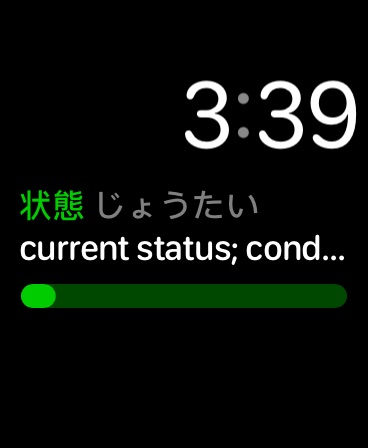
- Apple Watch app
- Home Screen Widgets
- Lock Screen Widgets
OPTIONAL ADD-ONS include:
- Kanji OCR (Optical Character Recognition)
- Watch Handwriting
- Example Sentences
- JLPT Flashcards
(Add-ons are one-time purchase, NOT subscription)
This app uses the JMDICT, KANJIDIC2 and RADKFILE Japanese dictionary files. These files are property of the Electronic Dictionary Research and Development Group at Monash University and are used in conformance with the Group’s licence.
KanjiVG is © Ulrich Apel and used under the CC Attribution Share-Alike license.
In-App Purchases BB pricing
One-Time Purchases
Example Sentences—
Kanji Recognizer (OCR)—
Enhanced Audio—
Pro Handwriting—
Premium Bundle—
JLPT Flashcards—
Capabilities
In-App PurchasesGame Center
Accessibility
ipadiphonemacrealityDevicetvoswatch
Version history 25 versions
Build 879212729v4.8.12025-11-05 01:03:40
- Fixes widget issue
- Various other fixes
Build 878047879v4.82025-10-06 15:57:59
- Larger widgets; Lock Screen widgets
- Fixes and improvements
Build 870085595v4.72025-04-23 12:19:47
- Adds Home screen widgets for kanji and words (iOS 17 or newer)
Build 865390477v4.62024-09-16 13:00:09
- Added Minchō font option
- New audio setting
- Long pressing the kanji tiles now shows a preview; double-tap selects the kanji
NOTE: Today Widget is not supported after iOS 17
Build 862426040v4.5.22023-12-29 22:17:53
- Bug fixes
Build 862364572v4.5.12023-12-21 20:21:22
4.5.1
- Fixes a crash on some devices.
4.5
- Updated for iOS 17
- Fixes and improvements
Note: Due to technical issues, the iSpeech voices are unavailable in this release. Instead please use the Enhanced iOS voices downloadable from System Settings > Accessibility > Spoken Content. Sorry for the inconvenience.
Build 851603630v4.52023-12-19 13:54:28
- Updated for iOS 17
- Fixes and improvements
Note: Due to technical issues, the iSpeech voices are unavailable in this release. Instead please use the Enhanced iOS voices downloadable from System Settings > Accessibility > Spoken Content. Sorry for the inconvenience.
Build 847936369v4.4.32022-04-22 00:40:45
- Minor fixes
Build 845736278v4.4.22021-12-31 13:35:36
- Fixes some issues on iOS 15
Build 840754364v4.4.12021-03-06 11:11:16
Fixes an issue where Handwriting becomes unavailable on the Watch
Build 840231367v4.42021-01-30 18:26:10
Fixes issues with audio playback
Build 838830946v4.3.92020-12-23 21:51:15
Minor fixes
Build 838016683v4.3.82020-10-05 23:29:11
Kanji OCR: Fixes issue with camera function on older devices
Enhanced Audio: iOS voices can now be selected (in case of networking issues, etc.)
Build 837559409v4.3.72020-09-11 01:53:58
Minor fixes
Build 837284221v4.3.62020-08-27 23:11:11
Improved compatibility with upcoming versions of iOS
Build 836242384v4.3.52020-07-20 16:03:11
Thank you for your feedback. New in this release:
- Improvements to Pro Handwriting (add-on), including the ability to use the handwriting keyboard when an external keyboard is connected
- Improvements to Today Widget; bookmarking is now done with long press
- An option to Auto Backup your data to iCloud Drive
- Various fixes and/or improvements to Watch App, Kanji OCR, Audio
Build 833923251v4.3.32020-02-06 23:19:37
Thank you for your feedback. This update includes fixes and improvements for Kanji OCR, Kanji Extension, Notes, Dark mode, Watch app, Spotlight search and Quick Help.
Build 833215889v4.3.22019-11-19 20:32:47
(Watch App) Last drawn kanji is remembered on relaunch
(Watch App) Kanji entries now include sample words that can be bookmarked and copy-pasted to main device
(Watch App) Similar to above, word entries show kanji breakdowns
- Adds infographics for Kanji OCR, Flashcards and Watch (see App Settings > Quick Help)
- Other improvements and fixes
Build 833049742v4.32019-10-12 21:19:08
Adds support for iOS 13 Dark Mode (see App Settings > Use System Appearance)
Build 832966053v4.2.22019-09-29 20:19:07
- Further fixes for Watch app
Build 832829451v4.2.12019-09-23 19:02:27
- Fixes issues with Watch app
Build 831519988v4.22019-09-16 23:14:29
- Apple Watch support! Discover kanji and words through complications. The complications use a JLPT level or custom folder that you set on the watch. Tapping a complication takes you to its entry, where you can browse by swiping left/right, copy/bookmark to the main device, and hear pronunciations. Also:
• If you have the Pro Handwriting add-on (formerly called MyScript Module) and the watch is paired, you can look up kanji by handwriting.
• If you have the Flashcards add-on and a Series 4 Watch, some complications show your progress.
The Watch app requires watchOS 5.0 or later.
This version also includes fixes and updates.
Check out our upcoming app: 1000 Japanese Onomatopoeia!
Build 829853494v4.1.22019-05-08 22:27:21
- Minor fixes and updates
Build 829717693v4.1.12018-12-22 00:05:17
Fixes issue with Game Center
v4.1
- Updated for iOS 12 and new iPhone XR/XS/Max/iPad Pro
- Kanji Extension can now be used to look up words (from other apps like Safari). If the headword contains kanji, you can tap them for details just like in the app.
- (NEW!) Flashcards Module — test your reading and comprehension of kanji and vocabulary. Features include statistics, badge reminders and Game Center integration.
Build 825943670v4.12018-12-19 20:22:39
- Updated for iOS 12 and new iPhone XR/XS/Max/iPad Pro
- Kanji Extension can now be used to look up words (from other apps like Safari). If the headword contains kanji, you can tap them for details just like in the app.
- (NEW!) Flashcards Module — test your reading and comprehension of kanji and vocabulary. Features include statistics, badge reminders and Game Center integration.
Thank you for your feedback, we hope you enjoy the update.
Price history by region
Currency
Show
Columns
Search
Availability 75 of 75 storefronts
| Region | Language | Price | Ratings | Avg | Version |
|---|---|---|---|---|---|
| US | en-US | USD 14.99 | 14 | 4.2 | 4.8.1 |
| BR | pt-BR | BRL 99.9 | 4 | 4.8 | 4.8.1 |
| MX | es-MX | MXN 299 | 4 | 5.0 | 4.8.1 |
| AR | es-MX | USD 14.99 | 1 | 4.0 | 4.8.1 |
| CO | es-MX | COP 69900 | 1 | 5.0 | 4.8.1 |
| AG | en-GB | USD 14.99 | 0 | — | 4.8.1 |
| AI | en-GB | USD 14.99 | 0 | — | 4.8.1 |
| AO | en-GB | USD 14.99 | 0 | — | 4.8.1 |
| BB | en-GB | USD 17.99 | 0 | — | 4.8.1 |
| BF | en-GB | USD 14.99 | 0 | — | 4.8.1 |
| BJ | en-GB | USD 17.99 | 0 | — | 4.8.1 |
| BO | es-MX | USD 14.99 | 0 | — | 4.8.1 |
| BS | en-GB | USD 14.99 | 0 | — | 4.8.1 |
| BW | en-GB | USD 14.99 | 0 | — | 4.8.1 |
| BZ | en-GB | USD 14.99 | 0 | — | 4.8.1 |
| CD | en-GB | USD 14.99 | 0 | — | 4.8.1 |
| CG | en-GB | USD 14.99 | 0 | — | 4.8.1 |
| CI | fr-FR | USD 17.99 | 0 | — | 4.8.1 |
| CL | es-MX | CLP 17990 | 0 | — | 4.8.1 |
| CM | fr-FR | USD 17.99 | 0 | — | 4.8.1 |
| CR | es-MX | USD 14.99 | 0 | — | 4.8.1 |
| CV | en-GB | USD 14.99 | 0 | — | 4.8.1 |
| DM | en-GB | USD 14.99 | 0 | — | 4.8.1 |
| DO | es-MX | USD 14.99 | 0 | — | 4.8.1 |
| DZ | en-GB | USD 14.99 | 0 | — | 4.8.1 |
| EC | es-MX | USD 14.99 | 0 | — | 4.8.1 |
| GA | fr-FR | USD 14.99 | 0 | — | 4.8.1 |
| GD | en-GB | USD 14.99 | 0 | — | 4.8.1 |
| GH | en-GB | USD 17.99 | 0 | — | 4.8.1 |
| GM | en-GB | USD 14.99 | 0 | — | 4.8.1 |
| GT | es-MX | USD 14.99 | 0 | — | 4.8.1 |
| GW | en-GB | USD 14.99 | 0 | — | 4.8.1 |
| GY | en-GB | USD 14.99 | 0 | — | 4.8.1 |
| HN | es-MX | USD 14.99 | 0 | — | 4.8.1 |
| JM | en-GB | USD 14.99 | 0 | — | 4.8.1 |
| KE | en-GB | USD 17.99 | 0 | — | 4.8.1 |
| KN | en-GB | USD 14.99 | 0 | — | 4.8.1 |
| KY | en-GB | USD 14.99 | 0 | — | 4.8.1 |
| LC | en-GB | USD 14.99 | 0 | — | 4.8.1 |
| LR | en-GB | USD 14.99 | 0 | — | 4.8.1 |
| LY | en-GB | USD 14.99 | 0 | — | 4.8.1 |
| MA | en-GB | USD 14.99 | 0 | — | 4.8.1 |
| MG | en-GB | USD 14.99 | 0 | — | 4.8.1 |
| ML | en-GB | USD 14.99 | 0 | — | 4.8.1 |
| MS | en-GB | USD 14.99 | 0 | — | 4.8.1 |
| MU | en-GB | USD 17.99 | 0 | — | 4.8.1 |
| MW | en-GB | USD 14.99 | 0 | — | 4.8.1 |
| MZ | en-GB | USD 14.99 | 0 | — | 4.8.1 |
| NA | en-GB | USD 14.99 | 0 | — | 4.8.1 |
| NE | en-GB | USD 14.99 | 0 | — | 4.8.1 |
| NG | en-GB | NGN 24900 | 0 | — | 4.8.1 |
| NI | es-MX | USD 14.99 | 0 | — | 4.8.1 |
| PA | es-MX | USD 14.99 | 0 | — | 4.8.1 |
| PE | es-MX | PEN 69.9 | 0 | — | 4.8.1 |
| PY | es-MX | USD 14.99 | 0 | — | 4.8.1 |
| RW | en-GB | USD 14.99 | 0 | — | 4.8.1 |
| SC | en-GB | USD 14.99 | 0 | — | 4.8.1 |
| SL | en-GB | USD 14.99 | 0 | — | 4.8.1 |
| SN | en-GB | USD 17.99 | 0 | — | 4.8.1 |
| SR | en-GB | USD 14.99 | 0 | — | 4.8.1 |
| ST | en-GB | USD 14.99 | 0 | — | 4.8.1 |
| SV | es-MX | USD 14.99 | 0 | — | 4.8.1 |
| SZ | en-GB | USD 14.99 | 0 | — | 4.8.1 |
| TC | en-GB | USD 14.99 | 0 | — | 4.8.1 |
| TD | en-GB | USD 14.99 | 0 | — | 4.8.1 |
| TN | en-GB | USD 14.99 | 0 | — | 4.8.1 |
| TT | en-GB | USD 14.99 | 0 | — | 4.8.1 |
| TZ | en-GB | TZS 39900 | 0 | — | 4.8.1 |
| UG | en-GB | USD 17.99 | 0 | — | 4.8.1 |
| UY | en-GB | USD 14.99 | 0 | — | 4.8.1 |
| VC | en-GB | USD 14.99 | 0 | — | 4.8.1 |
| VE | es-MX | USD 14.99 | 0 | — | 4.8.1 |
| VG | en-GB | USD 14.99 | 0 | — | 4.8.1 |
| ZM | en-GB | USD 17.99 | 0 | — | 4.8.1 |
| ZW | en-GB | USD 17.99 | 0 | — | 4.8.1 |
Change log 29 changes · BB
✎
releaseNotes updated
- Fixes widget issue
- Various other fixes
✎
description updated
Save time looking up Japanese with wishoTouch. This universal app turns your iPhone/iPad into a powerful, easy-to-use dictionary that packs some unique features
✎
subtitle updated
Fast Kanji Lookup, Widget, OCR
✎
name updated
wishoTouch Japanese dictionary
◆
Version 4.8.1 released
- Fixes widget issue
- Various other fixes
◆
Version 4.8 released
- Larger widgets; Lock Screen widgets
- Fixes and improvements
◆
Version 4.7 released
- Adds Home screen widgets for kanji and words (iOS 17 or newer)
◆
Version 4.6 released
- Added Minchō font option
- New audio setting
- Long pressing the kanji tiles now shows a preview; double-tap selects the kanji
NOTE: Today Widget is not supported after iOS 17
◆
Version 4.5.2 released
- Bug fixes
◆
Version 4.5.1 released
4.5.1
- Fixes a crash on some devices.
4.5
- Updated for iOS 17
- Fixes and improvements
Note: Due to technical issues, the iSpeech voices are unavailable in this release. Instead please use the Enhanced iOS voices downloadable from Syst
◆
Version 4.5 released
- Updated for iOS 17
- Fixes and improvements
Note: Due to technical issues, the iSpeech voices are unavailable in this release. Instead please use the Enhanced iOS voices downloadable from System Settings > Accessibility > Spoken Content.
◆
Version 4.4.3 released
- Minor fixes
◆
Version 4.4.2 released
- Fixes some issues on iOS 15
◆
Version 4.4.1 released
Fixes an issue where Handwriting becomes unavailable on the Watch
◆
Version 4.4 released
Fixes issues with audio playback
◆
Version 4.3.9 released
Minor fixes
◆
Version 4.3.8 released
Kanji OCR: Fixes issue with camera function on older devices
Enhanced Audio: iOS voices can now be selected (in case of networking issues, etc.)
◆
Version 4.3.7 released
Minor fixes
◆
Version 4.3.6 released
Improved compatibility with upcoming versions of iOS
◆
Version 4.3.5 released
Thank you for your feedback. New in this release:
- Improvements to Pro Handwriting (add-on), including the ability to use the handwriting keyboard when an external keyboard is connected
- Improvements to Today Widget; bookmarking is now do
◆
Version 4.3.3 released
Thank you for your feedback. This update includes fixes and improvements for Kanji OCR, Kanji Extension, Notes, Dark mode, Watch app, Spotlight search and Quick Help.
◆
Version 4.3.2 released
(Watch App) Last drawn kanji is remembered on relaunch
(Watch App) Kanji entries now include sample words that can be bookmarked and copy-pasted to main device
(Watch App) Similar to above, word entries show kanji breakdowns
- Adds infogra
◆
Version 4.3 released
Adds support for iOS 13 Dark Mode (see App Settings > Use System Appearance)
◆
Version 4.2.2 released
- Further fixes for Watch app
◆
Version 4.2.1 released
- Fixes issues with Watch app
◆
Version 4.2 released
- Apple Watch support! Discover kanji and words through complications. The complications use a JLPT level or custom folder that you set on the watch. Tapping a complication takes you to its entry, where you can browse by swiping left/right,
◆
Version 4.1.2 released
- Minor fixes and updates
◆
Version 4.1.1 released
Fixes issue with Game Center
v4.1
- Updated for iOS 12 and new iPhone XR/XS/Max/iPad Pro
- Kanji Extension can now be used to look up words (from other apps like Safari). If the headword contains kanji, you can tap them for details just li
◆
Version 4.1 released
- Updated for iOS 12 and new iPhone XR/XS/Max/iPad Pro
- Kanji Extension can now be used to look up words (from other apps like Safari). If the headword contains kanji, you can tap them for details just like in the app.
- (NEW!) Flashcards