Home › Utilities

 US
US
USen-US FRfr-FR
 NLnl
NLnl CAen-CA
 RUru
RUru GBen-GB
 ESes-ES
 PLen-GB
 AUen-AU
 ITit
ITit UAen-GB
 CHde-CH
 ATde-DE
 BEen-GB
 SEsv
SEsv TRen-GB
 CZen-GB
 DKen-GB
 ILen-GB
 NOen-GB
 GRen-GB
 ROen-GB
 SKen-GB
 AEen-GB
 FIen-GB
 HUen-GB
 IEen-GB
 LTen-GB
 LUen-GB
 NZen-AU
 PTpt-PT
 SAen-GB
 ALen-GB
 BGen-GB
 BYen-GB
 LVen-GB
 MEen-GB
 RSen-GB
 BAen-GB
 CYen-GB
 HRen-GB
 ISen-GB
 KWen-GB
 MDen-GB
 MKen-GB
 MTen-GB
 QAen-GB
 XKen-GB
48 of 48 storefronts
Content in en-US
Content in en-US
Information
Preview 3 platforms
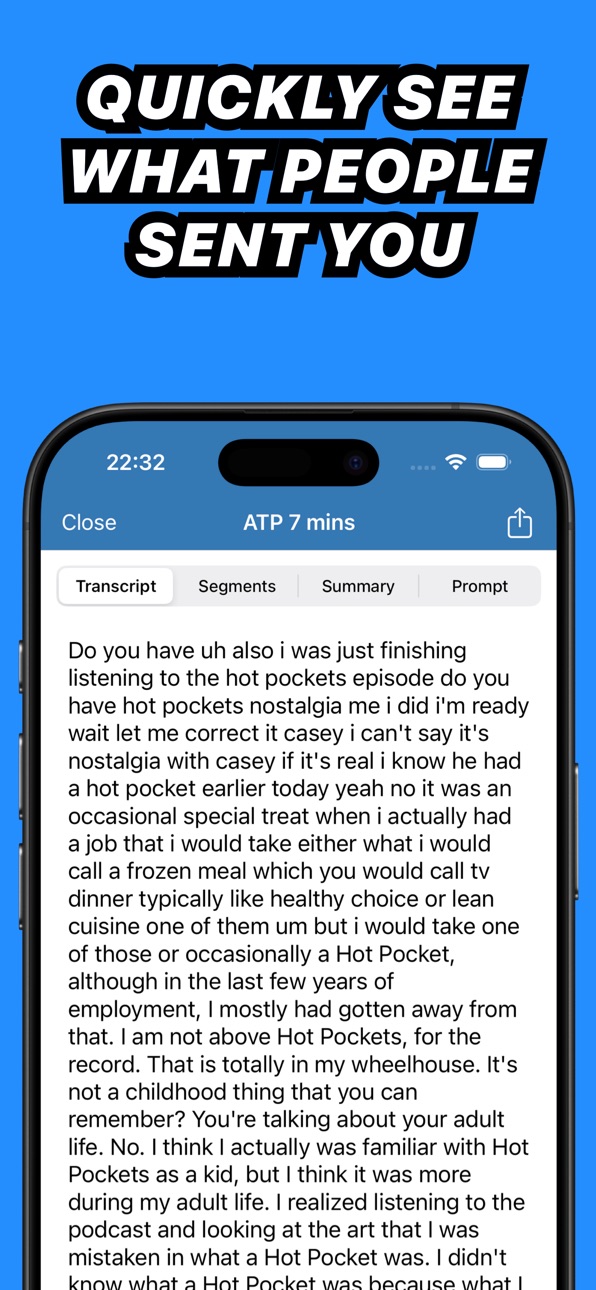
iPhone 8 images



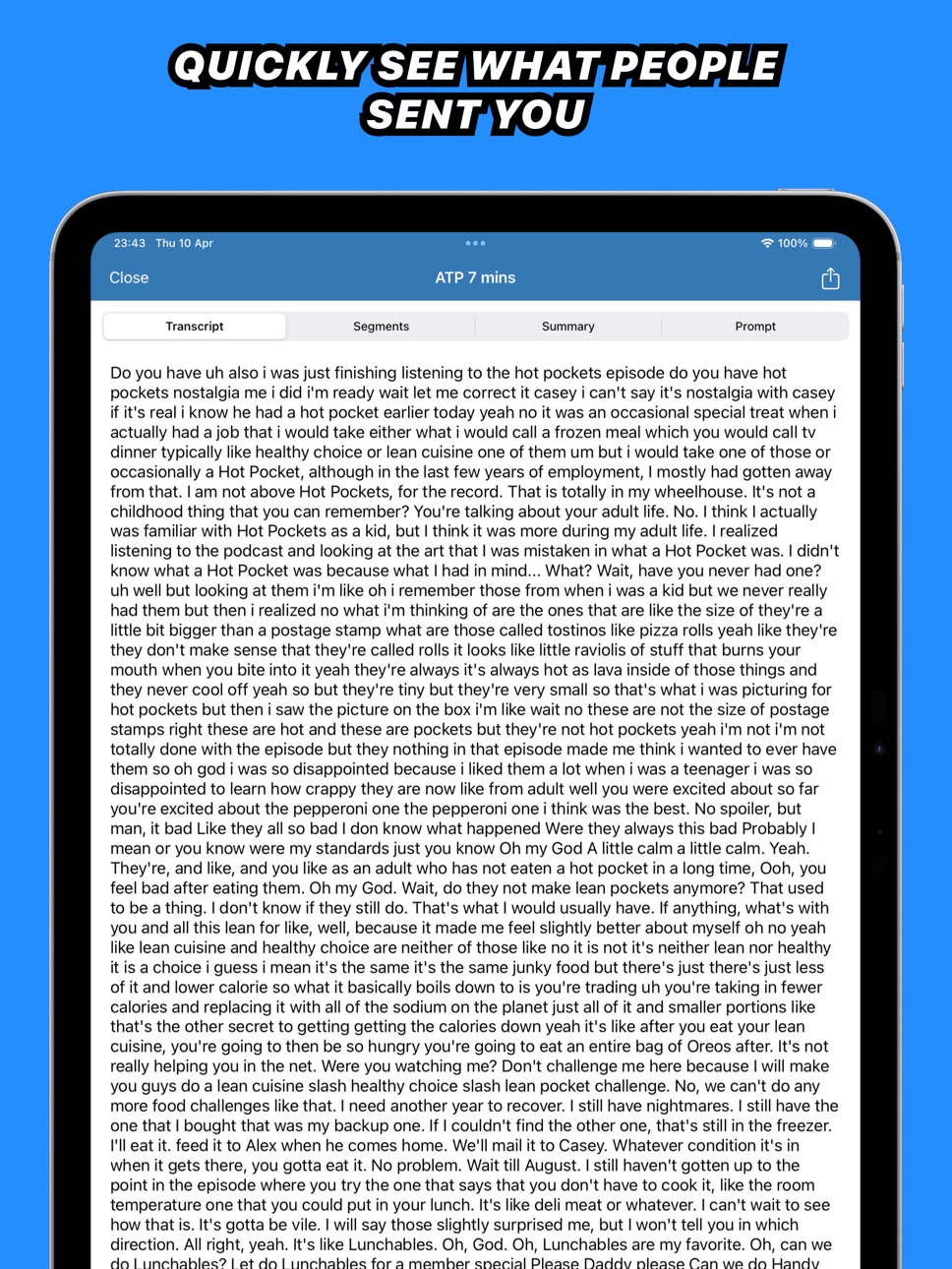
iPad 6 images




Mac 9 images


What’s New Version 4.3.0
■ Improvements
• A cleaner, more consistent look across the app, including a redesigned on-device model download screen.
• Transcribe audio-only MP4 files.
• Smoother search on the home screen.
• Sharing a video now shows "Share Video" with a video icon, audio files show audio.
• More room on iPad: the home screen shows more of your history with longer, multi-line previews that fill the screen.
• Quick paste buttons on the OpenAI and ElevenLabs API key fields.
• VoiceOver and accessibility improvements throughout - progress indicators and the playback scrubber now announce what's happening (for example "1:23 of 4:56").
■ Bugfixes
• Fixed short audio clips sometimes producing an empty transcription.
• Fixed the Share Sheet prompt on the home screen dismissing when you didn't mean it to.
Description
Quickly and easily transcribe audio files into text with state-of-the-art transcription technology Whisper. Transcribe files from other apps through the share extension and get high quality transcripts in seconds.
■ Features
- Share audio files and voice memos from apps such as iMessage, WhatsApp and Voice Memos to transcribe
- Record directly in the app and transcribe afterwards
- Transcribe at ultra high quality and top speed by using the Assistant cloud transcription
- Transcribe locally on your device with an on-device model that you can download to your device for offline use and for private audio files (iPhone 13 or newer, or iPad with M-series chip required)
- Get high quality AI summaries
- Chat with your transcripts to get useful information out of a long recording in no time
- Select transcription language (or use auto detect)
- Supported formats: mp3, wav, m4a, mp4, mov
■ Supported Languages
Whisper Transcription can transcribe audio in 100 different languages:
English, Chinese, German, Spanish, Russian, Korean, French, Japanese, Portuguese, Turkish, Polish, Catalan, Dutch, Arabic, Swedish, Italian, Indonesian, Hindi, Finnish, Vietnamese, Hebrew, Ukrainian, Greek, Malay, Czech, Romanian, Danish, Hungarian, Tamil, Norwegian, Thai, Urdu, Croatian, Bulgarian, Lithuanian, Latin, Maori, Malayalam, Welsh, Slovak, Telugu, Persian, Latvian, Bengali, Serbian, Azerbaijani, Slovenian, Kannada, Estonian, Macedonian, Breton, Basque, Icelandic, Armenian, Nepali, Mongolian, Bosnian, Kazakh, Albanian, Swahili, Galician, Marathi, Punjabi, Sinhala, Khmer, Shona, Yoruba, Somali, Afrikaans, Occitan, Georgian, Belarusian, Tajik, Sindhi, Gujarati, Amharic, Yiddish, Lao, Uzbek, Faroese, Haitian Creole, Pashto, Turkmen, Nynorsk, Maltese, Sanskrit, Luxembourgish, Myanmar, Tibetan, Tagalog, Malagasy, Assamese, Tatar, Hawaiian, Lingala, Hausa, Bashkir, Javanese, Sundanese.
Subscriptions will automatically renew unless auto-renew is turned off at least 24 hours before the end of the current period and will be charged to your iTunes account. You can turn off auto-renew/manage subscriptions in your iTunes Account Settings after purchase. Terms of Use & Privacy policy can https://impresskit.net/press-release/f5537c9f-c2c1-42d9-a870-6cecd28a8c31.
In-App Purchases US pricing
AI & Translation Subscription Subscription
Assistant Yearly · Yearly 7-day free trial$89.99
Assistant Monthly · Monthly$9.99
Assistant Weekly · 7 days$5.99
Whisper Pro Subscription
Pro & Assistant · Monthly$12.99
Pro · 7 days$6.99
Pro · Monthly$8.99
Pro · Yearly$29.99
One-Time Purchases
Pro Lifetime$89.99
Pro Lifetime$99.99
Capabilities
In-App Purchases
Accessibility
ipadiphonemacrealityDevicetvoswatch
Version history 25 versions
Build 887686240v4.3.02026-07-01 19:23:12
■ Improvements
• A cleaner, more consistent look across the app, including a redesigned on-device model download screen.
• Transcribe audio-only MP4 files.
• Smoother search on the home screen.
• Sharing a video now shows "Share Video" with a video icon, audio files show audio.
• More room on iPad: the home screen shows more of your history with longer, multi-line previews that fill the screen.
• Quick paste buttons on the OpenAI and ElevenLabs API key fields.
• VoiceOver and accessibility improvements throughout - progress indicators and the playback scrubber now announce what's happening (for example "1:23 of 4:56").
■ Bugfixes
• Fixed short audio clips sometimes producing an empty transcription.
• Fixed the Share Sheet prompt on the home screen dismissing when you didn't mean it to.
Build 887181739v4.2.02026-06-19 23:04:07
■ New
• Local transcription models now run on latest iPad models
■ Improved
• Assistant can now handle files twice as long
Build 884757056v4.1.12026-04-21 16:21:14
■ Improvements
• Improved stability when using local models
Build 881120178v4.12026-04-09 23:46:25
Due to system changes the dictation feature can no longer start automatically. You will have to move back to the previous app manually by swiping on the bottom of your screen. Sorry about that!
■ Improvements
• Dictating with local models is more reliable
■ Bugfixes
• Fixed an issue where dictation could not be activated.
• Fixed an issue where using your own API could require a pro subscription in some scenarios
Build 878406427v4.0.32025-09-24 19:27:44
- Fixes an error alert that could occur when downloading the local model
Build 878135553v4.0.22025-09-16 07:25:00
■ Improved
• You can toggle off the summary view on the homescreen
• When adding an API key, it’s automatically enabled
■ Bugfixes
• Fixed an issue where if you didn’t have an AI service setup, you could get an error alert when creating a summary
Build 878096013v4.0.12025-09-15 06:40:39
■ Improved
• Small tweaks and design improvements on iPadOS
Build 878045080v4.02025-09-13 18:44:54
■ New
• Implemented a new Liquid Glass design
• You can now browse your old transcriptions and dictations
• Added support for Apple Foundation Models to be used for AI features
• Added support for the new on device transcription engine
• A short summary is now autogenerated if you have an AI service setup
• You can adjust the prompt that is used for the long summary
• Added initial support for Shortcuts. We’ll add more soon.
• Recordings are automatically saved, even if they fail for some reason.
■ Improved
• The app is now much faster to use
• Added support for more apps for the dictation keyboard
■ Fixed
• Fixed an issue where a recording would not be saved
Build 877719664v3.2.12025-09-02 10:17:59
■ Fixed
• Fixed an issue where the local model could not be downloaded
Build 877231174v3.22025-08-15 01:16:49
■ Improvements
• Added support for more apps for the keyboard feature
■ Fixed
• Fixed a crash that could happen when running the app from a locked phone state
Build 877002599v3.12025-08-06 22:33:17
■ Improvements
• Added a check for minimum available storage space before you can download a local model. This could lead to crashes when downloading without having enough space.
• Cleaned up the dictation history detail view
• Improved dictation support for Microsoft Teams, Outlook, Claude, Drafts 5 and more.
■ Fixed
• Disabled swiping in the keyboard setup view
Build 876869776v3.02025-08-05 14:16:46
■ New
• This update introduces a new dictation keyboard you can use in any app on your iOS device! Simply select it from the Globe icon after setting it up and you can talk much faster than you can type all across the system. Let us know how it works for you. We’ll be improving it a lot over the next few weeks based on your feedback!
Build 876131310v2.22025-07-08 11:34:02
Fixed an issue where the summary could be shown in the incorrect order
Build 875824304v2.1.12025-06-24 13:46:59
■ Fixed
• It was possible for transcription segments to sometimes be displayed in the wrong order when transcribed on-device.
Build 875633605v2.12025-06-17 07:07:13
■ New
• Added support for videos
• Improved performance for local models
■ Improvements
• Improved support for files that were stored in iCloud when shared with the app
• Audio playback improvements
Build 875329431v2.02025-06-05 09:21:52
■ New
• Your transcriptions and recordings are now saved in the new history view. Quickly revisit previous transcriptions without having to transcribe them again
■ Improvements
• Improved design stuff all around the app, making it more clean and simple
• If you’re playing music it will no longer be paused when you get to the transcription view
• Added a “Are you sure you want to quit alert” to prevent data loss
• Clearer error alerts with simpler descriptions
■ Bugfixes
• Voice Memos audio files no longer show the WhatsApp icon
• Fixed an issue where the summary could be presented out of order
Build 875182491v1.112025-05-30 18:58:18
■ Improvements
• Improved the German, Dutch & French localisation
• More accurately show the origin app of the file you share to the app
Build 874968270v1.102025-05-22 15:24:02
■ Improvements
• Improved the navigation flow of the app while transcribing files from other apps
■ Bugfixes
• Due to technical changes the file size limit for cloud transcription is 50MB right now. We’re looking into more ways to increase this.
Build 874344261v1.92025-05-16 19:23:23
■ New
• Added control center, lock screen and homescreen widgets to start a recording
■ Improvements
• Increased the file size limit for cloud transcription to 1GB to support larger files
• Added support for iPad Air M1 for local models
Build 874342466v1.82025-04-27 17:52:40
Fixed an issue where you could not record the microphone
Build 874303640v1.72025-04-26 20:21:06
■ New
• Added homescreen and control center widgets to quickly start a new recording
• You can now export recordings before you start transcribing them
■ Improvements
• Increased line spacing on the transcript view for a more calm look and feel
• Recordings start immediately on the record screen now
• Fixed dark mode colors in onboarding
Build 874282465v1.62025-04-25 06:21:24
■ New
• You can now add your own API keys for OpenAI and ElevenLabs. Use them to transcribe and chat with your transcripts.
Thanks for all the feedback, more fixes and improvements are coming soon!
Build 874215830v1.42025-04-23 07:21:50
■ Improvements
• Improved the design of the chat screen
■ Bugfixes
• Fixed an issue where you could not prompt your transcript
• Fixed an issue where unsupported devices (iPhone 12 and iPad Air M1) could see local models even though they are not supported
Build 874242816v1.52025-04-23 19:36:40
■ Improvements
• Added a yearly subscription option, thanks for the feedback!
Build 874190647v1.32025-04-22 12:42:22
■ Improvements
• The prompt textfield gets cleared when you send your prompt
• Performance improvements
Price history by region
Currency
Show
Columns
Search
Availability 48 of 48 storefronts
| Region | Language | Price | Ratings | Avg | Version |
|---|---|---|---|---|---|
| US | en-US | Free | 151 | 3.8 | 4.3.0 |
| FR | fr-FR | Free | 43 | 4.1 | 4.3.0 |
| NL | nl | Free | 41 | 4.3 | 4.3.0 |
| CA | en-CA | Free | 24 | 4.1 | 4.3.0 |
| RU | ru | Free | 23 | 3.7 | 4.3.0 |
| GB | en-GB | Free | 21 | 3.9 | 4.3.0 |
| ES | es-ES | Free | 13 | 3.1 | 4.3.0 |
| PL | en-GB | Free | 13 | 3.8 | 4.3.0 |
| AU | en-AU | Free | 12 | 2.9 | 4.3.0 |
| IT | it | Free | 12 | 3.9 | 4.3.0 |
| UA | en-GB | Free | 12 | 4.6 | 4.3.0 |
| CH | de-CH | Free | 10 | 3.7 | 4.3.0 |
| AT | de-DE | Free | 8 | 3.3 | 4.3.0 |
| BE | en-GB | Free | 8 | 4.0 | 4.3.0 |
| SE | sv | Free | 8 | 3.9 | 4.3.0 |
| TR | en-GB | Free | 7 | 3.7 | 4.3.0 |
| CZ | en-GB | Free | 6 | 4.2 | 4.3.0 |
| DK | en-GB | Free | 6 | 1.3 | 4.3.0 |
| IL | en-GB | Free | 6 | 2.7 | 4.3.0 |
| NO | en-GB | Free | 5 | 4.2 | 4.3.0 |
| GR | en-GB | Free | 4 | 4.5 | 4.3.0 |
| RO | en-GB | Free | 4 | 2.0 | 4.3.0 |
| SK | en-GB | Free | 4 | 3.3 | 4.3.0 |
| AE | en-GB | Free | 3 | 3.7 | 4.3.0 |
| FI | en-GB | Free | 3 | 1.3 | 4.3.0 |
| HU | en-GB | Free | 3 | 3.7 | 4.3.0 |
| IE | en-GB | Free | 3 | 5.0 | 4.3.0 |
| LT | en-GB | Free | 2 | 4.5 | 4.3.0 |
| LU | en-GB | Free | 2 | 4.5 | 4.3.0 |
| NZ | en-AU | Free | 2 | 5.0 | 4.3.0 |
| PT | pt-PT | Free | 2 | 5.0 | 4.3.0 |
| SA | en-GB | Free | 2 | 5.0 | 4.3.0 |
| AL | en-GB | Free | 1 | 5.0 | 4.3.0 |
| BG | en-GB | Free | 1 | 5.0 | 4.3.0 |
| BY | en-GB | Free | 1 | 5.0 | 4.3.0 |
| LV | en-GB | Free | 1 | 5.0 | 4.3.0 |
| ME | en-GB | Free | 1 | 5.0 | 4.3.0 |
| RS | en-GB | Free | 1 | 5.0 | 4.3.0 |
| BA | en-GB | Free | 0 | — | 4.3.0 |
| CY | en-GB | Free | 0 | — | 4.3.0 |
| HR | en-GB | Free | 0 | — | 4.3.0 |
| IS | en-GB | Free | 0 | — | 4.3.0 |
| KW | en-GB | Free | 0 | — | 4.3.0 |
| MD | en-GB | Free | 0 | — | 4.3.0 |
| MK | en-GB | Free | 0 | — | 4.3.0 |
| MT | en-GB | Free | 0 | — | 4.3.0 |
| QA | en-GB | Free | 0 | — | 4.3.0 |
| XK | en-GB | Free | 0 | — | 4.3.0 |
Change log 29 changes · US
✎
releaseNotes updated
■ Improvements
• A cleaner, more consistent look across the app, including a redesigned on-device model download screen.
• Transcribe audio-only MP4 files.
• Sm
✎
description updated
Quickly and easily transcribe audio files into text with state-of-the-art transcription technology Whisper. Transcribe files from other apps through the share e
✎
subtitle updated
Voice, Speech, Audio Dictation
✎
name updated
Whisper Transcription
◆
Version 4.3.0 released
■ Improvements
• A cleaner, more consistent look across the app, including a redesigned on-device model download screen.
• Transcribe audio-only MP4 files.
• Smoother search on the home screen.
• Sharing a video now shows "Share Video" with
◆
Version 4.2.0 released
■ New
• Local transcription models now run on latest iPad models
■ Improved
• Assistant can now handle files twice as long
◆
Version 4.1.1 released
■ Improvements
• Improved stability when using local models
◆
Version 4.1 released
Due to system changes the dictation feature can no longer start automatically. You will have to move back to the previous app manually by swiping on the bottom of your screen. Sorry about that!
■ Improvements
• Dictating with local models
◆
Version 4.0.3 released
- Fixes an error alert that could occur when downloading the local model
◆
Version 4.0.2 released
■ Improved
• You can toggle off the summary view on the homescreen
• When adding an API key, it’s automatically enabled
■ Bugfixes
• Fixed an issue where if you didn’t have an AI service setup, you could get an error alert when creating a
◆
Version 4.0.1 released
■ Improved
• Small tweaks and design improvements on iPadOS
◆
Version 4.0 released
■ New
• Implemented a new Liquid Glass design
• You can now browse your old transcriptions and dictations
• Added support for Apple Foundation Models to be used for AI features
• Added support for the new on device transcription engine
• A
◆
Version 3.2.1 released
■ Fixed
• Fixed an issue where the local model could not be downloaded
◆
Version 3.2 released
■ Improvements
• Added support for more apps for the keyboard feature
■ Fixed
• Fixed a crash that could happen when running the app from a locked phone state
◆
Version 3.1 released
■ Improvements
• Added a check for minimum available storage space before you can download a local model. This could lead to crashes when downloading without having enough space.
• Cleaned up the dictation history detail view
• Improved di
◆
Version 3.0 released
■ New
• This update introduces a new dictation keyboard you can use in any app on your iOS device! Simply select it from the Globe icon after setting it up and you can talk much faster than you can type all across the system. Let us know ho
◆
Version 2.2 released
Fixed an issue where the summary could be shown in the incorrect order
◆
Version 2.1.1 released
■ Fixed
• It was possible for transcription segments to sometimes be displayed in the wrong order when transcribed on-device.
◆
Version 2.1 released
■ New
• Added support for videos
• Improved performance for local models
■ Improvements
• Improved support for files that were stored in iCloud when shared with the app
• Audio playback improvements
◆
Version 2.0 released
■ New
• Your transcriptions and recordings are now saved in the new history view. Quickly revisit previous transcriptions without having to transcribe them again
■ Improvements
• Improved design stuff all around the app, making it more c
◆
Version 1.11 released
■ Improvements
• Improved the German, Dutch & French localisation
• More accurately show the origin app of the file you share to the app
◆
Version 1.10 released
■ Improvements
• Improved the navigation flow of the app while transcribing files from other apps
■ Bugfixes
• Due to technical changes the file size limit for cloud transcription is 50MB right now. We’re looking into more ways to increa
◆
Version 1.9 released
■ New
• Added control center, lock screen and homescreen widgets to start a recording
■ Improvements
• Increased the file size limit for cloud transcription to 1GB to support larger files
• Added support for iPad Air M1 for local models
◆
Version 1.8 released
Fixed an issue where you could not record the microphone
◆
Version 1.7 released
■ New
• Added homescreen and control center widgets to quickly start a new recording
• You can now export recordings before you start transcribing them
■ Improvements
• Increased line spacing on the transcript view for a more calm look a
◆
Version 1.6 released
■ New
• You can now add your own API keys for OpenAI and ElevenLabs. Use them to transcribe and chat with your transcripts.
Thanks for all the feedback, more fixes and improvements are coming soon!
◆
Version 1.5 released
■ Improvements
• Added a yearly subscription option, thanks for the feedback!
◆
Version 1.4 released
■ Improvements
• Improved the design of the chat screen
■ Bugfixes
• Fixed an issue where you could not prompt your transcript
• Fixed an issue where unsupported devices (iPhone 12 and iPad Air M1) could see local models even though they
◆
Version 1.3 released
■ Improvements
• The prompt textfield gets cleared when you send your prompt
• Performance improvements