Home › Business

 BB
BB
 AEen-GB
 AFen-GB
 AGen-GB
 AIen-GB
 ALen-GB
 AMen-GB
 AOen-GB
 ARes-MX
 ATde-DE
 AUen-AU
 AZen-GB
 BAen-GBBBen-GB
 BEen-GB
 BFen-GB
 BGen-GB
 BHen-GB
 BJen-GB
 BMen-GB
 BNen-GB
 BOes-MX
 BRpt-BR
 BSen-GB
 BTen-GB
 BWen-GB
 BYen-GB
 BZen-GB
 CAen-CA
 CDen-GB
 CGen-GB
 CHde-CH
 CIfr-FR
 CLes-MX
 CMfr-FR
 CNzh-Hans-CN
 COes-MX
 CRes-MX
 CVen-GB
 CYen-GB
 CZen-GB
 DEde-DE
 DKen-GB
 DMen-GB
 DOes-MX
 DZen-GB
 ECes-MX
 EEen-GB
 EGen-GB
 ESes-ES
 FIen-GB
 FJen-GB
 FMen-GB
 FRfr-FR
 GAfr-FR
 GBen-GB
 GDen-GB
 GEen-GB
 GHen-GB
 GMen-GB
 GRen-GB
 GTes-MX
 GYen-GB
 HKzh-Hant-HK
 HNes-MX
 HRen-GB
 HUen-GB
 IDen-GB
 IEen-GB
 ILen-GB
 INen-GB
 IQen-GB
 ISen-GB
 ITit
ITit JMen-GB
 JOen-GB
 JPja
JPja KEen-GB
 KGen-GB
 KHen-GB
 KNen-GB
 KRko
KRko KWen-GB
 KYen-GB
 KZen-GB
 LAen-GB
 LBen-GB
 LCen-GB
 LKen-GB
 LRen-GB
 LTen-GB
 LUen-GB
 LVen-GB
 LYen-GB
 MAen-GB
 MDen-GB
 MEen-GB
 MGen-GB
 MKen-GB
 MLen-GB
 MMen-GB
 MNen-GB
 MOzh-Hant-HK
 MRen-GB
 MSen-GB
 MTen-GB
 MUen-GB
 MVen-GB
 MWen-GB
 MXes-MX
 MYen-GB
 MZen-GB
 NAen-GB
 NEen-GB
 NGen-GB
 NIes-MX
 NLnl
NLnl NOen-GB
 NPen-GB
 NRen-GB
 NZen-AU
 OMen-GB
 PAes-MX
 PEes-MX
 PGen-GB
 PHen-GB
 PKen-GB
 PLen-GB
 PTpt-PT
 PWen-GB
 PYes-MX
 QAen-GB
 ROen-GB
 RSen-GB
 RUru
RUru RWen-GB
 SAen-GB
 SBen-GB
 SEsv
SEsv SGen-GB
 SIen-GB
 SKen-GB
 SNen-GB
 SRen-GB
 STen-GB
 SVes-MX
 SZen-GB
 TCen-GB
 TDen-GB
 THen-GB
 TJen-GB
 TMen-GB
 TNen-GB
 TOen-GB
 TRen-GB
 TTen-GB
 TWzh-Hant-TW
 TZen-GB
 UAen-GB
 UGen-GB
 USen-US
 UYen-GB
 UZen-GB
 VCen-GB
 VEes-MX
 VGen-GB
 VNen-GB
 VUen-GB
 XKen-GB
 YEen-GB
 ZAen-GB
 ZMen-GB
 ZWen-GB
172 of 172 storefronts
Content in en-US
Content in en-US
Information
Preview 2 platforms
iPhone 5 images



iPad 3 images


What’s New Version 2.42.1
- We have made various design adjustments to the user interface to improve accessibility, with a focus on the in-app and push notification screens.
- We have refreshed the design of the tab bar so that it uses bold underline instead of the light background as a selected tab. This change is applied to the following screens in the app: Capture lead / List of the leads / Lead’s profile / Appointments / Session check-in dashboard / Live stream.
- We have optimized the user experience when converting a draft lead, so that the converted lead is now automatically displayed after mapping the lead’s information.
Description
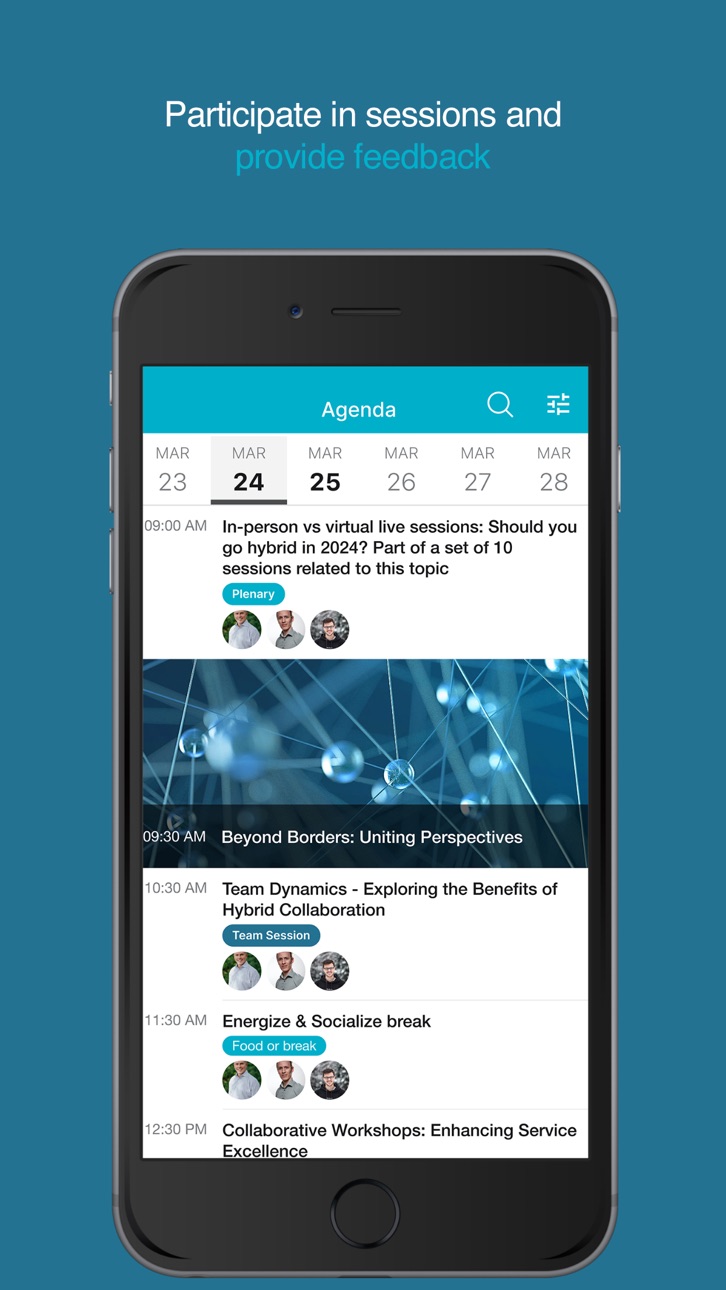
The Springer Nature Events app engages and enables active participation for Springer Nature Group employees in Springer Nature Groups’ events and activities. Providing a seamless and tailored experience, the app makes audience interaction and accessing information easy, providing opportunities for real-time feedback, collaboration, and connection.
Participants can message, exchange contacts, arrange to meet up, receive a personalised agenda, participate in live surveys and Q&A.
Their event journey can include fun, friendly challenges that reward actions and create memorable, collective experiences. Access all attendee and speaker profiles, content and session materials, location maps, share photos and experiences, and receive up to the minute notifications with all the latest information and activities.
Accessibility
ipadiphonemacrealityDevicetvoswatch
Version history 25 versions
Build 877350888v2.42.12025-08-21 13:46:12
- We have made various design adjustments to the user interface to improve accessibility, with a focus on the in-app and push notification screens.
- We have refreshed the design of the tab bar so that it uses bold underline instead of the light background as a selected tab. This change is applied to the following screens in the app: Capture lead / List of the leads / Lead’s profile / Appointments / Session check-in dashboard / Live stream.
- We have optimized the user experience when converting a draft lead, so that the converted lead is now automatically displayed after mapping the lead’s information.
Build 876502874v2.41.12025-07-18 20:28:27
- Adjustments made to support identity resolution (advanced searches) using the Universal lead capture.
- Improved readability for users with low vision or color blindness.
- UI adjustments made to the feeds and notifications screens to improve accessibility.
- Improved UI with app menu icons now moved to the left of the app menu labels.
- Adjustments have been made to improve the iPad layouts.
Build 875429090v2.40.02025-06-16 15:39:01
- Partnership with Promon protection technology: We're excited to announce that, as part of our ongoing commitment to app security and integrity, we have partnered with Promon. Promon will now handle core aspects of your app’s security, offering advanced features such as runtime protection, anti-tampering, and shielding against reverse engineering.
- Improved experience for optical scan: We have improved the optical scan user experience to make it easier for representatives to associate the draft lead's data with the existing user fields in the workspace when scanning badges.
- Resolved isolated issue where live session replays were not visible for attendees set to “attending as: in-person”, for hybrid live sessions.
Build 874828635v2.39.132025-05-16 14:51:07
- Bug fixes and improvements
Build 874750074v2.39.12025-05-13 20:10:14
- Multiple adjustments made to the mobile app user interface, in particular to the activation flow, the events list, account screens, and app menu screen (including the bottom bar). These updates focus on design and accessibility, and include:
Design and label adjustments for improved consistency.
Improved support for dynamic text, so that when the user enlarges the text via the settings of their phone, the text in the app is also enlarged.
Adjustments made to further support screen readers and voice over, as well as user navigation via gestures (swipes and double taps).
- Improved support for properly displaying Wordly closed captions based on whether the stream is enabled or not.
- Changes made to ensure that QR code values are copied when performing draft lead optical scanning (Universal lead capture module).
- Improved stability for creating meetings that are immediately back-to-back.
Build 874271114v2.38.252025-04-25 09:14:34
- Bug fixes and improvements
Build 874042400v2.38.02025-04-15 16:41:36
- Various user experience improvements made to the My account and My event screens.
- Adjustment made to ensure that theme settings set in Backstage are properly applied.
- Improved stability of the app so that it always syncs every 5 minutes when checking in/scanning attendees to sessions.
Build 873480677v2.37.62025-03-24 11:16:08
- Minor adjustments made to improve the user interface for the Appointments and Universal Lead Capture modules.
Build 872687009v2.36.32025-02-21 15:34:55
- Notifications that appear in the app when changes are made to the content or navigation can now be disabled.
- When enabled for the live session, app users will now be able to switch on closed captions to see simultaneous subtitles for the in-person live session.
- Various performance and user interface improvements for representatives using the Lead capture functionality.
- When taking notes, the Share button now visible from the start, before saving a note.
Build 870691709v2.33.52024-11-26 11:03:32
- Representatives using the app to capture leads can now delete their own captured leads as well as use the search bar to efficiently identify their captured leads.
Build 869826357v2.32.72024-10-18 22:47:43
- Notifications that appear in the app when changes are made to the content or navigation can now be disabled.
- When enabled for the live session, app users will now be able to switch on closed captions to see simultaneous subtitles for the in-person live session.
- Various performance and user interface improvements for representatives using the Lead capture functionality.
- When taking notes, the Share button now visible from the start, before saving a note.
Build 868717261v2.31.72024-09-03 19:40:13
- Changes made to support the new Lead capture functionalities, that now include QR code scan, optical scan and manual entry of lead information.
- Changes made to support the ability to post Q&A questions on on-demand videos (published live streams).
- Changes made to support closed captions in on demand videos (published live streams).
- Adjustment made so that when no captions are available, there is no “Closed captions” button displayed.
- Resolved isolated issue on iPad where upon accessing the session check-in interface, the user was immediately redirected to the dashboard.
Build 866411078v2.30.12024-06-03 16:45:34
- Various performance and stability improvements.
Build 865235756v2.29.42024-04-16 16:35:30
- Improved stability for updating feeds with the latest posts.
- Adjustments made for smoother QR code scan check-in.
- Support for the new Private Q&A option in live sessions.
- Q&A questions are now sorted based on the approval time, instead of the submission time.
Build 864380374v2.28.12024-03-12 19:19:15
- Adjustment made to support the scanning of shortlink QR codes directly using the native camera app.
- The app lock password reset mechanism has now been disabled.
- Resolved isolated issue with the session “Add to calendar” button not working on iOS 17.
- Resolved isolated issue with launched polls not showing the the session view on iPad.
Build 863312200v2.27.142024-01-31 22:09:39
- Bug fixes and improvements
Build 863112094v2.27.12024-01-23 13:55:39
- The minimum version required to use the app is now iOS 15.
- We have added the necessary functionalities to the app to support using the Session-check-in module on events.
Build 861555934v2.26.12023-11-17 19:29:27
- We have improved the QR code scanner behaviour and user experience.
- App users can now view legal documents associated with the event when they have limited access to internet.
Build 860512503v2.25.152023-10-10 02:07:37
- Improvements made to ensure that all times for meetings follow the choice made in the “Timezone” event setting.
- We have optimized the user experience for when changes are made to the app menu.
- We have improved how feed videos are loaded when attendees have a poor internet connection.
Build 859526627v2.24.12023-08-30 15:59:31
- We have improved the look and feel of the search bar in dark mode.
- In the poll side bar, after a poll notification is received, we now also indicate to the user that a poll is coming.
Build 858535110v2.23.62023-07-17 14:06:52
- App synchronization: Changes to label translations and agenda sessions updates are now visible immediately in the app, without the need to sync.
- Live session Q&A: When enabled, app users can now upvote Q&A questions/comments that are already posted, in order to indicate to the panelists which topics they are interested in.
- Polls: Multiple choice poll results can now been seen live as they come in.
Build 857662577v2.22.62023-06-07 15:39:20
- Individual poll targeting is now supported (coming June 6, 2023)
- Specific lists of words can now be prevented from being submitted during word cloud polls.
- App users now have the ability to block other users.
- Wordly closed captions and translation can now be enabled during live sessions
- If changes are made in Backstage, the app menu and navigation bar now update automatically while the app open.
Build 856656747v2.21.72023-04-25 15:55:05
- Improved support for scheduling meetings.
- Support for the new poll countdown timer.
- The Poll tab now opens automatically when opening live streamed session with a live poll.
- Poll notifications are now shown only if the user is not watching the live stream.
- Redesigned the live session content bar (access to sessions details, Q&A, polls, Viewers) for ease of use.
- Both master and track sessions are now visible in the agenda in offline mode.
Build 855463473v2.20.42023-03-10 21:28:03
- Improved support for displaying initials and user names in user profiles.
- The clap button is now only visible for attendees who are watching a live session stream.
- The live session “Details” tab has been moved to the first position on the left, and is displayed when accessing a live session with a stream.
- The “Answering now” Q&A questions now appear over the live stream when the attendee is watching the stream in full screen.
Build 854799231v2.19.22023-02-06 21:53:36
- QR codes are now accessible in the app when there is no internet connection. The QR scanner is not available offline.
- Agenda sessions are now accessible in the app when there is no internet connection. This includes the sessions for the current and next day, and is based on the data loaded upon the first synchronization of the day. If the agenda is modified during the day, after the first synchronization, then the changes will not be shown in the agenda when offline, unless the attendee has since refreshed the app. The agenda filters and search are not available offline, and neither is the agenda Discover screen (if configured).
- The app home screen, business card QR code, and documents now load faster.
- The reactions buttons on feed posts (like, comment, share) now show when they have been tapped.
No pricing data captured yet — comparisons appear once the app has paid storefronts or in-app purchases.
Availability 172 of 172 storefronts
| Region | Language | Price | Ratings | Avg | Version |
|---|---|---|---|---|---|
| AE | en-GB | Free | 0 | — | 2.42.1 |
| AF | en-GB | Free | 0 | — | 2.42.1 |
| AG | en-GB | Free | 0 | — | 2.42.1 |
| AI | en-GB | Free | 0 | — | 2.42.1 |
| AL | en-GB | Free | 0 | — | 2.42.1 |
| AM | en-GB | Free | 0 | — | 2.42.1 |
| AO | en-GB | Free | 0 | — | 2.42.1 |
| AR | es-MX | Free | 0 | — | 2.42.1 |
| AT | de-DE | Free | 0 | — | 2.42.1 |
| AU | en-AU | Free | 0 | — | 2.42.1 |
| AZ | en-GB | Free | 0 | — | 2.42.1 |
| BA | en-GB | Free | 0 | — | 2.42.1 |
| BB | en-GB | Free | 0 | — | 2.42.1 |
| BE | en-GB | Free | 0 | — | 2.42.1 |
| BF | en-GB | Free | 0 | — | 2.42.1 |
| BG | en-GB | Free | 0 | — | 2.42.1 |
| BH | en-GB | Free | 0 | — | 2.42.1 |
| BJ | en-GB | Free | 0 | — | 2.42.1 |
| BM | en-GB | Free | 0 | — | 2.42.1 |
| BN | en-GB | Free | 0 | — | 2.42.1 |
| BO | es-MX | Free | 0 | — | 2.42.1 |
| BR | pt-BR | Free | 0 | — | 2.42.1 |
| BS | en-GB | Free | 0 | — | 2.42.1 |
| BT | en-GB | Free | 0 | — | 2.42.1 |
| BW | en-GB | Free | 0 | — | 2.42.1 |
| BY | en-GB | Free | 0 | — | 2.42.1 |
| BZ | en-GB | Free | 0 | — | 2.42.1 |
| CA | en-CA | Free | 0 | — | 2.42.1 |
| CD | en-GB | Free | 0 | — | 2.42.1 |
| CG | en-GB | Free | 0 | — | 2.42.1 |
| CH | de-CH | Free | 0 | — | 2.42.1 |
| CI | fr-FR | Free | 0 | — | 2.42.1 |
| CL | es-MX | Free | 0 | — | 2.42.1 |
| CM | fr-FR | Free | 0 | — | 2.42.1 |
| CN | zh-Hans-CN | Free | 0 | — | 2.42.1 |
| CO | es-MX | Free | 0 | — | 2.42.1 |
| CR | es-MX | Free | 0 | — | 2.42.1 |
| CV | en-GB | Free | 0 | — | 2.42.1 |
| CY | en-GB | Free | 0 | — | 2.42.1 |
| CZ | en-GB | Free | 0 | — | 2.42.1 |
| DE | de-DE | Free | 0 | — | 2.42.1 |
| DK | en-GB | Free | 0 | — | 2.42.1 |
| DM | en-GB | Free | 0 | — | 2.42.1 |
| DO | es-MX | Free | 0 | — | 2.42.1 |
| DZ | en-GB | Free | 0 | — | 2.42.1 |
| EC | es-MX | Free | 0 | — | 2.42.1 |
| EE | en-GB | Free | 0 | — | 2.42.1 |
| EG | en-GB | Free | 0 | — | 2.42.1 |
| ES | es-ES | Free | 0 | — | 2.42.1 |
| FI | en-GB | Free | 0 | — | 2.42.1 |
| FJ | en-GB | Free | 0 | — | 2.42.1 |
| FM | en-GB | Free | 0 | — | 2.42.1 |
| FR | fr-FR | Free | 0 | — | 2.42.1 |
| GA | fr-FR | Free | 0 | — | 2.42.1 |
| GB | en-GB | Free | 0 | — | 2.42.1 |
| GD | en-GB | Free | 0 | — | 2.42.1 |
| GE | en-GB | Free | 0 | — | 2.42.1 |
| GH | en-GB | Free | 0 | — | 2.42.1 |
| GM | en-GB | Free | 0 | — | 2.42.1 |
| GR | en-GB | Free | 0 | — | 2.42.1 |
| GT | es-MX | Free | 0 | — | 2.42.1 |
| GY | en-GB | Free | 0 | — | 2.42.1 |
| HK | zh-Hant-HK | Free | 0 | — | 2.42.1 |
| HN | es-MX | Free | 0 | — | 2.42.1 |
| HR | en-GB | Free | 0 | — | 2.42.1 |
| HU | en-GB | Free | 0 | — | 2.42.1 |
| ID | en-GB | Free | 0 | — | 2.42.1 |
| IE | en-GB | Free | 0 | — | 2.42.1 |
| IL | en-GB | Free | 0 | — | 2.42.1 |
| IN | en-GB | Free | 0 | — | 2.42.1 |
| IQ | en-GB | Free | 0 | — | 2.42.1 |
| IS | en-GB | Free | 0 | — | 2.42.1 |
| IT | it | Free | 0 | — | 2.42.1 |
| JM | en-GB | Free | 0 | — | 2.42.1 |
| JO | en-GB | Free | 0 | — | 2.42.1 |
| JP | ja | Free | 0 | — | 2.42.1 |
| KE | en-GB | Free | 0 | — | 2.42.1 |
| KG | en-GB | Free | 0 | — | 2.42.1 |
| KH | en-GB | Free | 0 | — | 2.42.1 |
| KN | en-GB | Free | 0 | — | 2.42.1 |
| KR | ko | Free | 0 | — | 2.42.1 |
| KW | en-GB | Free | 0 | — | 2.42.1 |
| KY | en-GB | Free | 0 | — | 2.42.1 |
| KZ | en-GB | Free | 0 | — | 2.42.1 |
| LA | en-GB | Free | 0 | — | 2.42.1 |
| LB | en-GB | Free | 0 | — | 2.42.1 |
| LC | en-GB | Free | 0 | — | 2.42.1 |
| LK | en-GB | Free | 0 | — | 2.42.1 |
| LR | en-GB | Free | 0 | — | 2.42.1 |
| LT | en-GB | Free | 0 | — | 2.42.1 |
| LU | en-GB | Free | 0 | — | 2.42.1 |
| LV | en-GB | Free | 0 | — | 2.42.1 |
| LY | en-GB | Free | 0 | — | 2.42.1 |
| MA | en-GB | Free | 0 | — | 2.42.1 |
| MD | en-GB | Free | 0 | — | 2.42.1 |
| ME | en-GB | Free | 0 | — | 2.42.1 |
| MG | en-GB | Free | 0 | — | 2.42.1 |
| MK | en-GB | Free | 0 | — | 2.42.1 |
| ML | en-GB | Free | 0 | — | 2.42.1 |
| MM | en-GB | Free | 0 | — | 2.42.1 |
| MN | en-GB | Free | 0 | — | 2.42.1 |
| MO | zh-Hant-HK | Free | 0 | — | 2.42.1 |
| MR | en-GB | Free | 0 | — | 2.42.1 |
| MS | en-GB | Free | 0 | — | 2.42.1 |
| MT | en-GB | Free | 0 | — | 2.42.1 |
| MU | en-GB | Free | 0 | — | 2.42.1 |
| MV | en-GB | Free | 0 | — | 2.42.1 |
| MW | en-GB | Free | 0 | — | 2.42.1 |
| MX | es-MX | Free | 0 | — | 2.42.1 |
| MY | en-GB | Free | 0 | — | 2.42.1 |
| MZ | en-GB | Free | 0 | — | 2.42.1 |
| NA | en-GB | Free | 0 | — | 2.42.1 |
| NE | en-GB | Free | 0 | — | 2.42.1 |
| NG | en-GB | Free | 0 | — | 2.42.1 |
| NI | es-MX | Free | 0 | — | 2.42.1 |
| NL | nl | Free | 0 | — | 2.42.1 |
| NO | en-GB | Free | 0 | — | 2.42.1 |
| NP | en-GB | Free | 0 | — | 2.42.1 |
| NR | en-GB | Free | 0 | — | 2.42.1 |
| NZ | en-AU | Free | 0 | — | 2.42.1 |
| OM | en-GB | Free | 0 | — | 2.42.1 |
| PA | es-MX | Free | 0 | — | 2.42.1 |
| PE | es-MX | Free | 0 | — | 2.42.1 |
| PG | en-GB | Free | 0 | — | 2.42.1 |
| PH | en-GB | Free | 0 | — | 2.42.1 |
| PK | en-GB | Free | 0 | — | 2.42.1 |
| PL | en-GB | Free | 0 | — | 2.42.1 |
| PT | pt-PT | Free | 0 | — | 2.42.1 |
| PW | en-GB | Free | 0 | — | 2.42.1 |
| PY | es-MX | Free | 0 | — | 2.42.1 |
| QA | en-GB | Free | 0 | — | 2.42.1 |
| RO | en-GB | Free | 0 | — | 2.42.1 |
| RS | en-GB | Free | 0 | — | 2.42.1 |
| RU | ru | Free | 0 | — | 2.42.1 |
| RW | en-GB | Free | 0 | — | 2.42.1 |
| SA | en-GB | Free | 0 | — | 2.42.1 |
| SB | en-GB | Free | 0 | — | 2.42.1 |
| SE | sv | Free | 0 | — | 2.42.1 |
| SG | en-GB | Free | 0 | — | 2.42.1 |
| SI | en-GB | Free | 0 | — | 2.42.1 |
| SK | en-GB | Free | 0 | — | 2.42.1 |
| SN | en-GB | Free | 0 | — | 2.42.1 |
| SR | en-GB | Free | 0 | — | 2.42.1 |
| ST | en-GB | Free | 0 | — | 2.42.1 |
| SV | es-MX | Free | 0 | — | 2.42.1 |
| SZ | en-GB | Free | 0 | — | 2.42.1 |
| TC | en-GB | Free | 0 | — | 2.42.1 |
| TD | en-GB | Free | 0 | — | 2.42.1 |
| TH | en-GB | Free | 0 | — | 2.42.1 |
| TJ | en-GB | Free | 0 | — | 2.42.1 |
| TM | en-GB | Free | 0 | — | 2.42.1 |
| TN | en-GB | Free | 0 | — | 2.42.1 |
| TO | en-GB | Free | 0 | — | 2.42.1 |
| TR | en-GB | Free | 0 | — | 2.42.1 |
| TT | en-GB | Free | 0 | — | 2.42.1 |
| TW | zh-Hant-TW | Free | 0 | — | 2.42.1 |
| TZ | en-GB | Free | 0 | — | 2.42.1 |
| UA | en-GB | Free | 0 | — | 2.42.1 |
| UG | en-GB | Free | 0 | — | 2.42.1 |
| US | en-US | Free | 0 | — | 2.42.1 |
| UY | en-GB | Free | 0 | — | 2.42.1 |
| UZ | en-GB | Free | 0 | — | 2.42.1 |
| VC | en-GB | Free | 0 | — | 2.42.1 |
| VE | es-MX | Free | 0 | — | 2.42.1 |
| VG | en-GB | Free | 0 | — | 2.42.1 |
| VN | en-GB | Free | 0 | — | 2.42.1 |
| VU | en-GB | Free | 0 | — | 2.42.1 |
| XK | en-GB | Free | 0 | — | 2.42.1 |
| YE | en-GB | Free | 0 | — | 2.42.1 |
| ZA | en-GB | Free | 0 | — | 2.42.1 |
| ZM | en-GB | Free | 0 | — | 2.42.1 |
| ZW | en-GB | Free | 0 | — | 2.42.1 |
Change log 28 changes · BB
✎
releaseNotes updated
- We have made various design adjustments to the user interface to improve accessibility, with a focus on the in-app and push notification screens.
- We have re
✎
description updated
The Springer Nature Events app engages and enables active participation for Springer Nature Group employees in Springer Nature Groups’ events and activities. Pr
✎
name updated
SN Events
◆
Version 2.42.1 released
- We have made various design adjustments to the user interface to improve accessibility, with a focus on the in-app and push notification screens.
- We have refreshed the design of the tab bar so that it uses bold underline instead of the
◆
Version 2.41.1 released
- Adjustments made to support identity resolution (advanced searches) using the Universal lead capture.
- Improved readability for users with low vision or color blindness.
- UI adjustments made to the feeds and notifications screens to imp
◆
Version 2.40.0 released
- Partnership with Promon protection technology: We're excited to announce that, as part of our ongoing commitment to app security and integrity, we have partnered with Promon. Promon will now handle core aspects of your app’s security, off
◆
Version 2.39.13 released
- Bug fixes and improvements
◆
Version 2.39.1 released
- Multiple adjustments made to the mobile app user interface, in particular to the activation flow, the events list, account screens, and app menu screen (including the bottom bar). These updates focus on design and accessibility, and inclu
◆
Version 2.38.25 released
- Bug fixes and improvements
◆
Version 2.38.0 released
- Various user experience improvements made to the My account and My event screens.
- Adjustment made to ensure that theme settings set in Backstage are properly applied.
- Improved stability of the app so that it always syncs every 5 minut
◆
Version 2.37.6 released
- Minor adjustments made to improve the user interface for the Appointments and Universal Lead Capture modules.
◆
Version 2.36.3 released
- Notifications that appear in the app when changes are made to the content or navigation can now be disabled.
- When enabled for the live session, app users will now be able to switch on closed captions to see simultaneous subtitles for th
◆
Version 2.33.5 released
- Representatives using the app to capture leads can now delete their own captured leads as well as use the search bar to efficiently identify their captured leads.
◆
Version 2.32.7 released
- Notifications that appear in the app when changes are made to the content or navigation can now be disabled.
- When enabled for the live session, app users will now be able to switch on closed captions to see simultaneous subtitles for th
◆
Version 2.31.7 released
- Changes made to support the new Lead capture functionalities, that now include QR code scan, optical scan and manual entry of lead information.
- Changes made to support the ability to post Q&A questions on on-demand videos (published liv
◆
Version 2.30.1 released
- Various performance and stability improvements.
◆
Version 2.29.4 released
- Improved stability for updating feeds with the latest posts.
- Adjustments made for smoother QR code scan check-in.
- Support for the new Private Q&A option in live sessions.
- Q&A questions are now sorted based on the approval time, inst
◆
Version 2.28.1 released
- Adjustment made to support the scanning of shortlink QR codes directly using the native camera app.
- The app lock password reset mechanism has now been disabled.
- Resolved isolated issue with the session “Add to calendar” button not wor
◆
Version 2.27.14 released
- Bug fixes and improvements
◆
Version 2.27.1 released
- The minimum version required to use the app is now iOS 15.
- We have added the necessary functionalities to the app to support using the Session-check-in module on events.
◆
Version 2.26.1 released
- We have improved the QR code scanner behaviour and user experience.
- App users can now view legal documents associated with the event when they have limited access to internet.
◆
Version 2.25.15 released
- Improvements made to ensure that all times for meetings follow the choice made in the “Timezone” event setting.
- We have optimized the user experience for when changes are made to the app menu.
- We have improved how feed videos are load
◆
Version 2.24.1 released
- We have improved the look and feel of the search bar in dark mode.
- In the poll side bar, after a poll notification is received, we now also indicate to the user that a poll is coming.
◆
Version 2.23.6 released
- App synchronization: Changes to label translations and agenda sessions updates are now visible immediately in the app, without the need to sync.
- Live session Q&A: When enabled, app users can now upvote Q&A questions/comments that are al
◆
Version 2.22.6 released
- Individual poll targeting is now supported (coming June 6, 2023)
- Specific lists of words can now be prevented from being submitted during word cloud polls.
- App users now have the ability to block other users.
- Wordly closed captions
◆
Version 2.21.7 released
- Improved support for scheduling meetings.
- Support for the new poll countdown timer.
- The Poll tab now opens automatically when opening live streamed session with a live poll.
- Poll notifications are now shown only if the user is not w
◆
Version 2.20.4 released
- Improved support for displaying initials and user names in user profiles.
- The clap button is now only visible for attendees who are watching a live session stream.
- The live session “Details” tab has been moved to the first position on
◆
Version 2.19.2 released
- QR codes are now accessible in the app when there is no internet connection. The QR scanner is not available offline.
- Agenda sessions are now accessible in the app when there is no internet connection. This includes the sessions for the