Fruitful Registry
Home › Utilities
Ruud EcoNet icon
US flag US
USen-USCAen-CASAen-GBAENot AvailableAFNot AvailableAGNot AvailableAINot AvailableALNot AvailableAMNot AvailableAONot AvailableARNot AvailableATNot AvailableAUNot AvailableAZNot AvailableBANot AvailableBBNot AvailableBENot AvailableBFNot AvailableBGNot AvailableBHNot AvailableBJNot AvailableBMNot AvailableBNNot AvailableBONot AvailableBRNot AvailableBSNot AvailableBTNot AvailableBWNot AvailableBYNot AvailableBZNot AvailableCDNot AvailableCGNot AvailableCHNot AvailableCINot AvailableCLNot AvailableCMNot AvailableCNNot AvailableCONot AvailableCRNot AvailableCVNot AvailableCYNot AvailableCZNot AvailableDENot AvailableDKNot AvailableDMNot AvailableDONot AvailableDZNot AvailableECNot AvailableEENot AvailableEGNot AvailableESNot AvailableFINot AvailableFJNot AvailableFMNot AvailableFRNot AvailableGANot AvailableGBNot AvailableGDNot AvailableGENot AvailableGHNot AvailableGMNot AvailableGRNot AvailableGTNot AvailableGWNot AvailableGYNot AvailableHKNot AvailableHNNot AvailableHRNot AvailableHUNot AvailableIDNot AvailableIENot AvailableILNot AvailableINNot AvailableIQNot AvailableISNot AvailableITNot AvailableJMNot AvailableJONot AvailableJPNot AvailableKENot AvailableKGNot AvailableKHNot AvailableKNNot AvailableKRNot AvailableKWNot AvailableKYNot AvailableKZNot AvailableLANot AvailableLBNot AvailableLCNot AvailableLKNot AvailableLRNot AvailableLTNot AvailableLUNot AvailableLVNot AvailableLYNot AvailableMANot AvailableMDNot AvailableMENot AvailableMGNot AvailableMKNot AvailableMLNot AvailableMMNot AvailableMNNot AvailableMONot AvailableMRNot AvailableMSNot AvailableMTNot AvailableMUNot AvailableMVNot AvailableMWNot AvailableMXNot AvailableMYNot AvailableMZNot AvailableNANot AvailableNENot AvailableNGNot AvailableNINot AvailableNLNot AvailableNONot AvailableNPNot AvailableNRNot AvailableNZNot AvailableOMNot AvailablePANot AvailablePENot AvailablePGNot AvailablePHNot AvailablePKNot AvailablePLNot AvailablePTNot AvailablePWNot AvailablePYNot AvailableQANot AvailableRONot AvailableRSNot AvailableRUNot AvailableRWNot AvailableSBNot AvailableSCNot AvailableSENot AvailableSGNot AvailableSINot AvailableSKNot AvailableSLNot AvailableSNNot AvailableSRNot AvailableSTNot AvailableSVNot AvailableSZNot AvailableTCNot AvailableTDNot AvailableTHNot AvailableTJNot AvailableTMNot AvailableTNNot AvailableTONot AvailableTRNot AvailableTTNot AvailableTWNot AvailableTZNot AvailableUANot AvailableUGNot AvailableUYNot AvailableUZNot AvailableVCNot AvailableVENot AvailableVGNot AvailableVNNot AvailableVUNot AvailableXKNot AvailableYENot AvailableZANot AvailableZMNot AvailableZWNot Available
3 of 175 storefronts
Content in en-US
2.1k Ratings
4.4
★★★★
Age Rating
4+
Years
Language
EN

Information

Apple ID1610093888
Bundle IDcom.ruud.econetprod2022
SellerRheem Manufacturing Company
Min iOS16.0
Released2022-12-28

Preview — platforms

screenshotscreenshotscreenshotscreenshotscreenshotscreenshotscreenshotscreenshot

What’s New Version 6.17

What’s New Australia and New Zealand Tariff Support: New energy plans and tariff options now available for Australia and New Zealand customers. Security Upgrades: Strengthened user authentication and account protection. UI Refinements: Smoother dashboard navigation and product management. Resolved Issues Provisioning errors during setup have been fixed.

Description

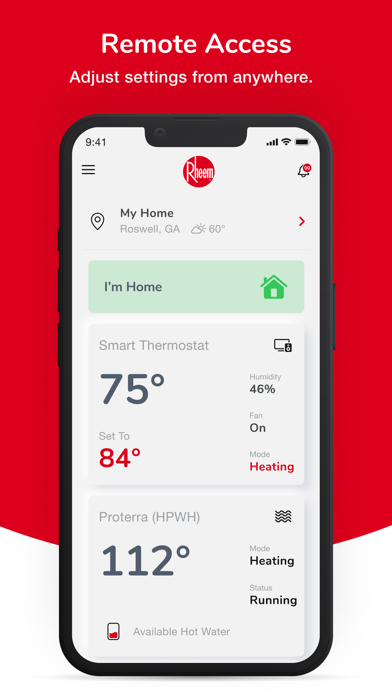
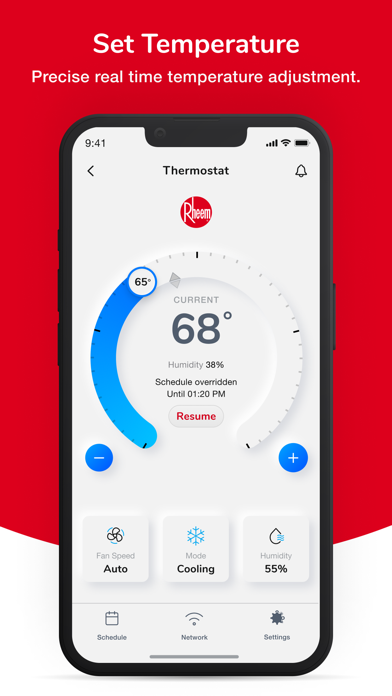
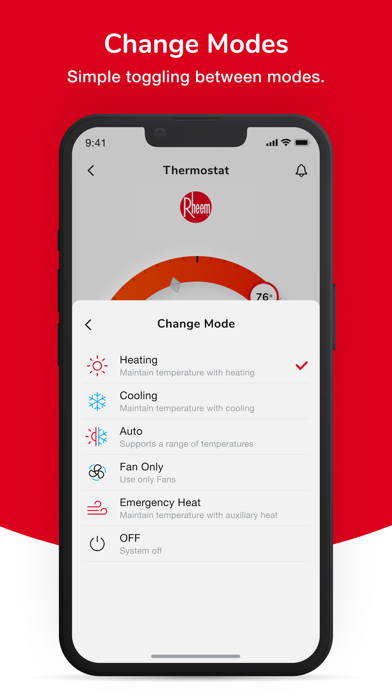
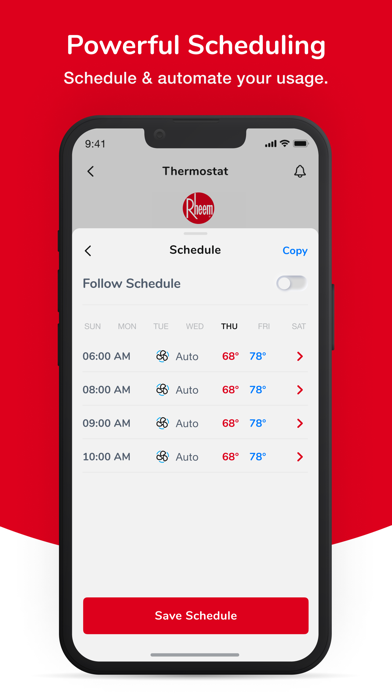
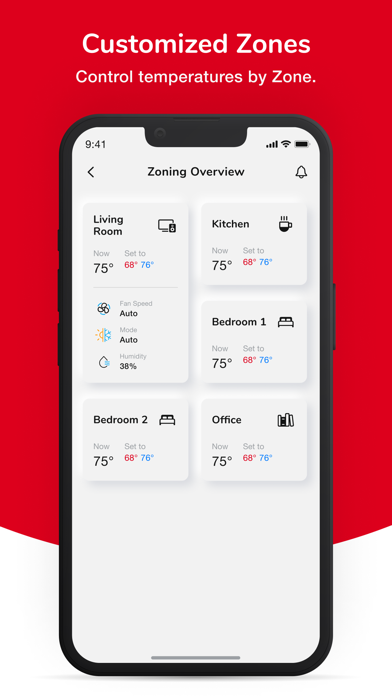
EcoNet®: Smart Control for Your Home’s Comfort Take complete control of your home’s comfort and energy efficiency. EcoNet provides seamless smart control over your HVAC and water heaters from the Rheem family of brands (Rheem, Ruud, Friedrich, Richmond, Sure Comfort, Russell by Rheem, Durastar). Experience the convenience of managing your home’s climate and hot water needs right from your smartphone. Features: - Smart Control: Easily adjust your heating and cooling settings to maintain the perfect indoor climate. - Smart Monitoring: Monitor and control your water heater’s performance for optimal efficiency and comfort. - Smart Savings: Track your energy consumption and receive tips to improve efficiency and save on utility bills. - Utility Programs: Enroll in utility programs in your area to maximize your savings. - Custom Schedules: Set personalized schedules for your HVAC and water heater to match your lifestyle and maximize energy savings. - Alerts & Notifications: Get real-time alerts and notifications for maintenance reminders, system updates, and potential issues. Quickly share these alerts with your contractor when contact info added at account creation. - Remote Access: Control your home’s systems from anywhere, ensuring comfort and peace of mind whether you’re at home or away. Download EcoNet today and transform the way you manage your home’s comfort and efficiency!

Version history 1 versions

v6.172026-06-30 12:57:40
What’s New Australia and New Zealand Tariff Support: New energy plans and tariff options now available for Australia and New Zealand customers. Security Upgrades: Strengthened user authentication and account protection. UI Refinements: Smoother dashboard navigation and product management. Resolved Issues Provisioning errors during setup have been fixed.

No pricing data captured yet — comparisons appear once the app has paid storefronts or in-app purchases.

Availability 3 of 175 storefronts

RegionLanguagePriceRatingsAvgVersion
US en-USFree2.1k4.46.17
CA en-CAFree974.46.17
SA en-GBFree06.17

Not available in: AE, AF, AG, AI, AL, AM, AO, AR, AT, AU, AZ, BA, BB, BE, BF, BG, BH, BJ, BM, BN, BO, BR, BS, BT, BW, BY, BZ, CD, CG, CH, CI, CL, CM, CN, CO, CR, CV, CY, CZ, DE, DK, DM, DO, DZ, EC, EE, EG, ES, FI, FJ, FM, FR, GA, GB, GD, GE, GH, GM, GR, GT, GW, GY, HK, HN, HR, HU, ID, IE, IL, IN, IQ, IS, IT, JM, JO, JP, KE, KG, KH, KN, KR, KW, KY, KZ, LA, LB, LC, LK, LR, LT, LU, LV, LY, MA, MD, ME, MG, MK, ML, MM, MN, MO, MR, MS, MT, MU, MV, MW, MX, MY, MZ, NA, NE, NG, NI, NL, NO, NP, NR, NZ, OM, PA, PE, PG, PH, PK, PL, PT, PW, PY, QA, RO, RS, RU, RW, SB, SC, SE, SG, SI, SK, SL, SN, SR, ST, SV, SZ, TC, TD, TH, TJ, TM, TN, TO, TR, TT, TW, TZ, UA, UG, UY, UZ, VC, VE, VG, VN, VU, XK, YE, ZA, ZM, ZW

Reviews 20 reviews · US

★★★★
The app & digital thermostat are so bad, I suggest avoiding it.
I wish I had known the app & digital thermostat were this bad BEFORE I purchased a Ruud HVAC system. Because I would have purchased a different HVAC system instead. I agree with all the other bad reviews on here. But I will add one thing - the simple fact that you cannot use the app to access the digital thermostat, while being AWAY from home is insane. That is the most basic function of every other digital thermostat available (e.g. Nest). Otherwise, what is the point of having a digital thermostat?
★★★★
Garbage
The inconsistency of this app working is amazing. It won’t auto update even if you delete the app and reinstall it. You have to go back in just to see if there’s an update and that’s why you haven’t been able to connect in days.. And it doesn’t take long before it starts up again, either the Apple won’t open at all or it just sits there clocking. And even when it does open half the time when you change the temperature it just revert right back. And even when it does work, it has the minimal functional use.
Minnie-Minerva2026-04-03
★★★★★
Decent but lacking
As a hvac technician that has installed many of thermostats this one is decent but the app needs to be closed out and refreshed too often, especially when using functions on water heater. Wish you could see more information from the app along with run time and entry usage. Also wish you could set temp ranges for alarms.
Chris T902026-01-21
★★★★★
Slow to Update and very Basic
Just moved from single stage furnace and AC to a new Ruud heat pump. Because of that, had to move from my nest to the EcoNet to manage the heat pump better. It’s just such a downgrade. So slow to update the app. The thermostat will say 70 and the app will show 68. 10 minutes later the app will catch up. The app has such basic functions compared to the nest. Honestly questioning my decision to go with a heat pump now knowing I am going to have to use this software for the next 15 years.
Cincytopher2025-12-30
★★★★★
App lacks useful features for heat pump
The app is fine, it can do the bare minimum, but right after install I already see the app is worse than ecobee. If the heat pump runs at all it registers as running for a full hour, there's no way to see kWh data from the app, and most if not all of the diagnostic data is only available on the physical thermostat, not from the app. I agree with some others, the app needs a full overhaul to be worthwhile, or let me switch back to a smart thermostat that's actually smart.
BigKeevan2025-12-20
★★★★
Great water heater terrible software
This app really needs a complete overhaul because it really is shockingly bad. So much so I’d suggest people stay away from the whole line until they can revamp the app. It’s scheduling fails often, entries duplicated, away mode (even when off) will change vacation mode. Scheduled times drift off and you have to reset the whole schedule. No mode to turn off but not disable. Can’t program over 140F in app even if you can at the heater. Please get some competent developers for this app!
JoeUeser2025-11-07
★★★★★
Scheduling doesn’t work correctly.
So I downloaded the app solely for the scheduling. My last app was amazing for that. What happens is I have my AC set in the upper 70s during the day to save electricity. I keep it 70 at night. All this is scheduled. I’ll double check now before I leave the house to make sure it’s not me. But for some reason I’ll come home and it’s down to 70 during the day. I’m like WTH. This happens all the time. Another confusing thing, not a huge deal but confusing. The schedule button is red. So it took me a while to realize red is on and not off. Why not green like all the other apps. Maybe it wouldn’t b
Beanstalk Hill2025-07-30
★★★★★
Just a terrible app
It doesn’t want to connect. It’s picky about what the type of wifi it connects to. It really struggles to change wifi. It seriously struggles to stay online or remember wifi, all while connecting through this app. I had ruud themselves come out to problem solve my connection, and why my AC kept shutting off every heat wave and they said “everything’s great because it the AC works when it isn’t hot out”🙄. A year of that, multiple emergency calls totalling over 1000 dollars on a brand new 1.5 mill home for them to just give me the thumbs up and leave, knowing the problem was still there.
Mad Reviewing2025-07-20
★★★★
Works just fine for me
I’ve seen a lot of low ratings for this app. Everyone has different needs and circumstances, but I can share that the app has not crashed for me and has worked great. It provides quick updates when I open it. The changes take effect almost immediately. It gets the job done. I have a new Ruud furnace and AC connected to it. The only thing I wish it had was the option to randomly circulate the fan. I can select about six fan speeds, so I have it set to low fan only at certain times of the day/night. One benefit this app has over my last WiFi t stat is the “auto” feature. No more switching from
Snow Runner22025-06-11
★★★★★
Usage Info Removed
This app was great for us for the first week and a half that we had it. Really enjoyed seeing the usage info. It was nice to be able to track the number of cycles the unit was running throughout the day/week. There was an update (version 6.9.0)done a few days ago to the app and suddenly the “Usage” has been removed, leaving me no way to track this. Very disappointing!! Please bring it back!
SoFloRiRi2025-04-01
★★★★
Disappointing - buggy and way less features than one expects
Upfront - setting a geofence necessary to automatically transition to “away” setting based on iPhone location does not work at all. Support has been unable to fix it in 4 weeks! While the app supports having multiple users with their phones registered, it is unclear whether the app has sufficient logic to only switch to away setting if all users/phones are outside the geofence. The app does not show whether the heater is currently heating nor any other operating state of your HVAC system other than your set values and the humidity values which are regularly out of sync with what the physica
JayB682025-03-02
★★★★★ · edited
Getting Better - Few Annoying Bugs
Been using this app or its general version EcoNet since 2018. It has progressively improved over the years. Current version has this noticeable bug…. Under General Settings/ Network, the network signal strength does not reflect the actual Wi-Fi signal strength. Maybe include in future update? Thanks in advance.
ckhm@apple2025-02-08
★★★★
Agonizingly slow and tedious
App constantly has to be hard closed (swiping up to close out) and re opened in order to show accurate temp and have connection. When you open the app, it consistently takes a literal 20 seconds to show any stats. Then, when you want to come back to the app after some time, you’ll reliably have to hard close and re open it again in order for the stats to update. A fundamentally garbage UX. I have 1000mbps internet and full WiFi signal w/ great placement of my router. It’s the app itself, not any other cause. Plenty of reviews here are similar. Pay your engineers and software engineers compe
Ted Sh3ckler2025-01-23
★★★★
Unreliable Scheduling
I’ve been using this app for a couple of years with my heat pump water heater. While it has had some improvements,there are still dumb things like with 6.6, it gets stuck in away mode. But my real disappointment is the scheduling that doesn’t work right. My goal is scheduling is to stop the water heater from running on peak which is 4pm-9pm every day. And to encourage it to heat the water from 10am-3pm when there excess solar electricity generation. I’ve tried many different schedules including setting it to off from 4pm-9pm. Yet more often than not, I find the compressor running after 4pm.
shadyhater2024-11-29
★★★★★
Schedule Control
App works well. So far no issues and user interface is nice. Wondering why it doesn’t allow you to write a schedule for cooling only or heat only. Also would be nice to be able to add more schedule time slot changes. It is limited to 4 entries.
ElliotAnnie2024-07-04
★★★★
Very Buggy App
This app is very unreliable. I use it to control a water heater. Sometimes the water heater does not follow the schedule I have set causing us to run out of hot water. At times I have the water heater set to off. But now, because of an update I suppose, instead of being off the water heater is disabled so that now I cannot see how much hot water is in the tank. The usage data appears to be unreliable. During times when the water heater is off (well, now disabled) the app shows I still use a significant amount of electricity. At times the app (or water heater, I can’t tell which) becomes total
F.R.32024-05-30
★★★★
Once I got it set up, it works great
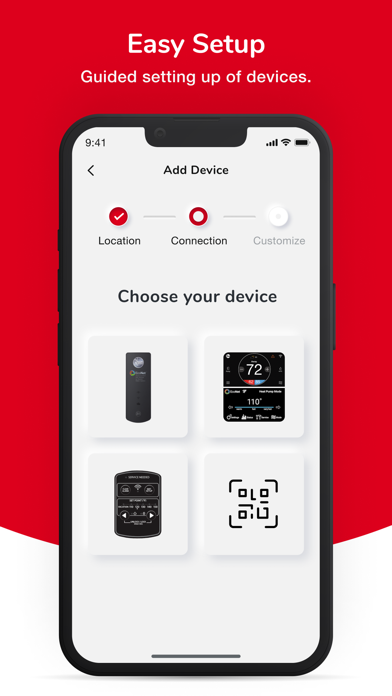
Connecting the app to the thermostat would have been a lot easier if the instructions had said you CANNOT copy and paste your WiFi password into the app. You must enter your password manually. Once I did that the app finished setting up without a a problem. The trouble shooting content should mention this as well.
BTR Calling2023-11-22
★★★★★
Room for Significant Improvement - A 2-Star Experience
As a user of the Ruud EcoNet app, I find myself compelled to express my disappointment, resulting in this two-star review. The lack of integration with Apple Home or HomeKit is a significant oversight in today’s smart home ecosystem. This missing feature diminishes the app’s utility and convenience, which is a substantial letdown for users invested in the Apple ecosystem. Furthermore, the transition from the older version of the app to the current one was poorly managed. There was a distinct absence of communication or a seamless update process. Many of us were left unaware of the new app’s e
Strutton Family2023-11-16
★★★★★
Mostly works
I used to lose the connection to my water heater every few days and would have to repeat the setup process. I had rated earlier versions of the app 1 star because it was totally useless. It’s a lot better now, I haven’t had to set it up again in a few months. The interface design is clean but has some issues where there is not enough space to show the info—“design over functionality” unfortunately. For example it shows “Compress…” in the status. Does that conclude with “… running” or “… failed” or ? There’s tons of white space which is nice, but when you can’t actually read what you need, t
★★★★★
Does the basics, but…..
This app delivers the basics pretty well: scheduling is well designed (provides up to 4 user-defined periods per day), and calculates daily energy consumption, which it reports by hour, day, week and month. But it falls short on multiple fronts: 1. Status is confusing - developers didn’t allow enough space to display a full description. 2. Hot water level is completely bogus and inconsistent. After showing “full” and system in standby, I drew one gallon to take a temperature measurement. It then reported 2/3rds full (for a 65 gallon tank). Many times the system is in standby, yet the
Jeff (Boston)2023-04-25

Change log 1 change · US

Version 6.17 released
What’s New Australia and New Zealand Tariff Support: New energy plans and tariff options now available for Australia and New Zealand customers. Security Upgrades: Strengthened user authentication and account protection. UI Refinements: Smoo
expanded screenshot