Home › Productivity

 US
US
USen-US AGNot Available
 AINot Available
 AONot Available
 ARNot Available
 BBNot Available
 BFNot Available
 BJNot Available
 BONot Available
 BRNot Available
 BSNot Available
 BWNot Available
 BZNot Available
 CDNot Available
 CGNot Available
 CINot Available
 CLNot Available
 CMNot Available
 CONot Available
 CRNot Available
 CVNot Available
 DMNot Available
 DONot Available
 DZNot Available
 ECNot Available
 GANot Available
 GDNot Available
 GHNot Available
 GMNot Available
 GTNot Available
 GWNot Available
 GYNot Available
 HNNot Available
 JMNot Available
 KENot Available
 KNNot Available
 KYNot Available
 LCNot Available
 LRNot Available
 LYNot Available
 MANot Available
 MGNot Available
 MLNot Available
 MSNot Available
 MUNot Available
 MWNot Available
 MXNot Available
 MZNot Available
 NANot Available
 NENot Available
 NGNot Available
 NINot Available
 PANot Available
 PENot Available
 PYNot Available
 RWNot Available
 SCNot Available
 SLNot Available
 SNNot Available
 SRNot Available
 STNot Available
 SVNot Available
 SZNot Available
 TCNot Available
 TDNot Available
 TNNot Available
 TTNot Available
 TZNot Available
 UGNot Available
 UYNot Available
 VCNot Available
 VENot Available
 VGNot Available
 ZMNot Available
 ZWNot Available
1 of 75 storefronts
Content in en-US
Content in en-US
Information
Preview 1 platform
iPhone 3 images
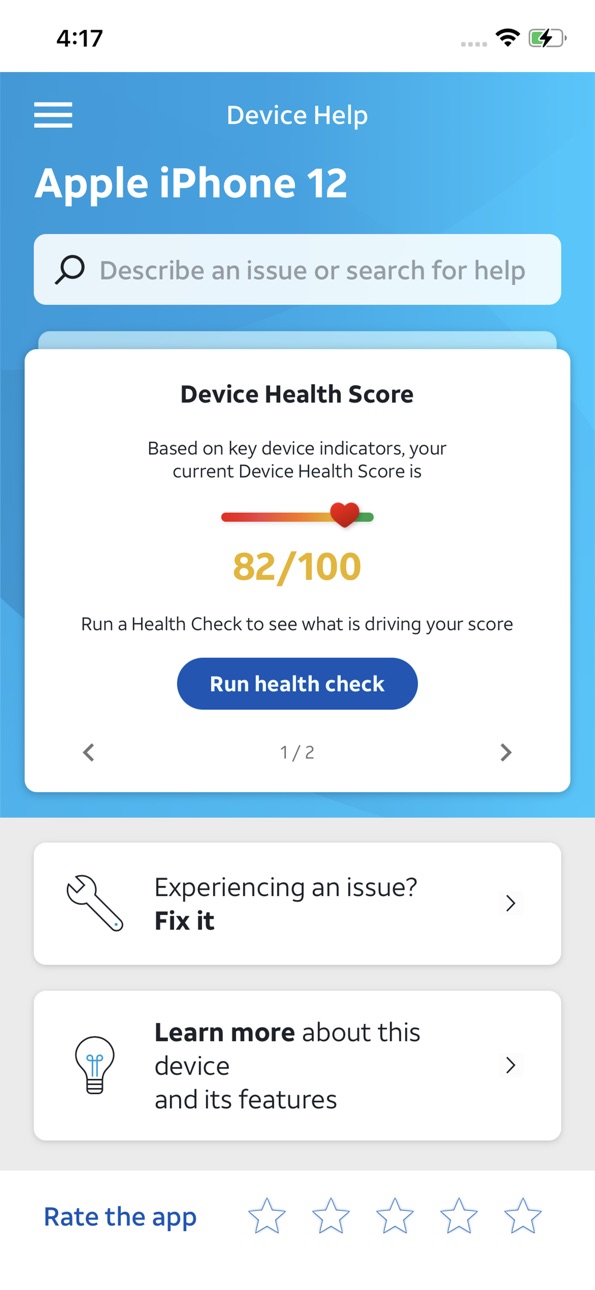


What’s New Version 3.329.4
• Enhanced step-by-step walkthroughs that perfectly match the device make & model in use
• Redesigned interactive tests for touchscreen accuracy, battery health and speaker quality
• Bug Fixes:
• Fixed volume bar appearing during camera test
Description
Get the most out of your smartphone with AT&T Device Help. Whether you’re setting up a new device or solving a problem, Device Help puts guidance and diagnostics right at your fingertips.
• Learn how to use your device with step‑by‑step guides and helpful tips
• Keep your device running smoothly with alerts for important updates
• Quickly identify and troubleshoot common issues with built‑in diagnostics
Accessibility
ipadiphonemacrealityDevicetvoswatch
Version history 24 versions
Build 887409612v3.329.42026-06-26 16:55:03
• Enhanced step-by-step walkthroughs that perfectly match the device make & model in use
• Redesigned interactive tests for touchscreen accuracy, battery health and speaker quality
• Bug Fixes:
• Fixed volume bar appearing during camera test
Build 885448041v3.329.32026-05-10 18:46:59
• Enhanced step-by-step walkthroughs that perfectly match the device make & model in use
• Redesigned interactive tests for touchscreen accuracy, battery health and speaker quality
• Bug Fixes:
• Fixed volume bar appearing during camera test
Build 882312837v3.313.52026-02-11 02:59:34
- Smart Search enhancements and improvements to search accuracy.
- Redesigned 'no connectivity' screen.
Bug fixes include:
- Removed the behavior where the volume bar was being displayed during
camera test (iOS).
- Health Score values bug corrected.
- iOS RAM usage test parameter change.
- Fix to back button not working while in Guide Me feature.
- Fixed “Voice Over” for app version area.
- Landscape screen issue with Emblem device.
- Display Tests behavior and results.
Build 878843050v3.301.32025-10-13 09:14:50
New Health Score and general updates and bug fixes
Build 876878939v3.289.02025-08-01 16:48:08
Streamlined Onboarding screen and various bug fixes
Build 873794303v3.275.12025-04-04 22:10:12
This version is the final of two major releases, which includes updates to:
• Redesigned Diagnostic results screens
• Solutions UI
• Health check journey
• Explore Tutorials & troubleshooting journey
Build 871728608v3.258.32025-01-14 18:37:52
Enhanced home screen and health check, streamlined recommendations, and new troubleshooting flows
Build 869715807v3.251.12024-10-15 16:51:43
Bug fixes and other improvements
Build 867827219v3.238.02024-07-30 19:37:31
Bug fixes and CATO compliance stuff
Build 865105505v3.218.22024-04-12 02:06:28
The new and improved Device Help app goes beyond conventional self-help tools by providing a comprehensive range of features. Through intelligent and dynamic diagnostics, the app can identify device conditions and suggest personalized recommendations and useful troubleshooting and tips specific to your device.
Build 862247592v3.206.92023-12-18 19:18:51
The new and improved Device Help app goes beyond conventional self-help tools by providing a comprehensive range of features. Through intelligent and dynamic diagnostics, the app can identify device conditions and suggest personalized recommendations and useful troubleshooting and tips specific to your device.
Build 858933028v3.187.02023-08-04 20:03:51
In this version we support CATO compliance.
Build 854129076v3.156.42023-01-03 22:18:03
In this version we introduce a new look and feel, as well as an enhanced Troubleshoot section and new Device Health report.
Build 853668946v3.153.32022-12-06 00:07:32
Home screen redesign
Build 852516872v3.138.22022-10-04 21:12:40
User interface enhancements
User experience enhancements
Feedback improvements
Build 850540265v3.130.62022-07-11 15:04:31
User interface enhancements
User experience enhancements
Feedback improvements
Build 847483677v3.115.12022-03-04 16:12:36
User interface enhancements
User experience enhancements
Feedback improvements
Build 845932920v3.105.12021-12-14 22:14:27
Getting started categories
Build 845503539v3.1032021-12-01 19:51:25
Improved UI Enhanced content flow Minor defects fixed
Build 844694999v3.96.42021-10-20 17:28:02
Improvements
.
Build 843908447v3.87.22021-09-02 17:12:14
* Improved look and feel
* Access to AT&T account support
* Same great content
Build 842809382v3.78.12021-06-28 15:04:29
Improvements.
Build 842102515v3.742021-05-10 15:42:08
Improvements.
Build 840426581v3.66.12021-03-03 23:18:41
No pricing data captured yet — comparisons appear once the app has paid storefronts or in-app purchases.
Availability 1 of 75 storefronts
| Region | Language | Price | Ratings | Avg | Version |
|---|---|---|---|---|---|
| US | en-US | Free | 399 | 4.1 | 3.329.4 |
Not available in: AG, AI, AO, AR, BB, BF, BJ, BO, BR, BS, BW, BZ, CD, CG, CI, CL, CM, CO, CR, CV, DM, DO, DZ, EC, GA, GD, GH, GM, GT, GW, GY, HN, JM, KE, KN, KY, LC, LR, LY, MA, MG, ML, MS, MU, MW, MX, MZ, NA, NE, NG, NI, PA, PE, PY, RW, SC, SL, SN, SR, ST, SV, SZ, TC, TD, TN, TT, TZ, UG, UY, VC, VE, VG, ZM, ZW
Change log 28 changes · US
✎
releaseNotes updated
• Enhanced step-by-step walkthroughs that perfectly match the device make & model in use
• Redesigned interactive tests for touchscreen accuracy, battery health
✎
description updated
Get the most out of your smartphone with AT&T Device Help. Whether you’re setting up a new device or solving a problem, Device Help puts guidance and diagnostic
✎
subtitle updated
Your Device, Simplified
✎
name updated
Device Help
◆
Version 3.329.4 released
• Enhanced step-by-step walkthroughs that perfectly match the device make & model in use
• Redesigned interactive tests for touchscreen accuracy, battery health and speaker quality
• Bug Fixes:
• Fixed volume bar appearing during camera tes
◆
Version 3.329.3 released
• Enhanced step-by-step walkthroughs that perfectly match the device make & model in use
• Redesigned interactive tests for touchscreen accuracy, battery health and speaker quality
• Bug Fixes:
• Fixed volume bar appearing during camera tes
◆
Version 3.313.5 released
- Smart Search enhancements and improvements to search accuracy.
- Redesigned 'no connectivity' screen.
Bug fixes include:
- Removed the behavior where the volume bar was being displayed during
camera test (iOS).
- Health Score values bug c
◆
Version 3.301.3 released
New Health Score and general updates and bug fixes
◆
Version 3.289.0 released
Streamlined Onboarding screen and various bug fixes
◆
Version 3.275.1 released
This version is the final of two major releases, which includes updates to:
• Redesigned Diagnostic results screens
• Solutions UI
• Health check journey
• Explore Tutorials & troubleshooting journey
◆
Version 3.258.3 released
Enhanced home screen and health check, streamlined recommendations, and new troubleshooting flows
◆
Version 3.251.1 released
Bug fixes and other improvements
◆
Version 3.238.0 released
Bug fixes and CATO compliance stuff
◆
Version 3.218.2 released
The new and improved Device Help app goes beyond conventional self-help tools by providing a comprehensive range of features. Through intelligent and dynamic diagnostics, the app can identify device conditions and suggest personalized recom
◆
Version 3.206.9 released
The new and improved Device Help app goes beyond conventional self-help tools by providing a comprehensive range of features. Through intelligent and dynamic diagnostics, the app can identify device conditions and suggest personalized recom
◆
Version 3.187.0 released
In this version we support CATO compliance.
◆
Version 3.156.4 released
In this version we introduce a new look and feel, as well as an enhanced Troubleshoot section and new Device Health report.
◆
Version 3.153.3 released
Home screen redesign
◆
Version 3.138.2 released
User interface enhancements
User experience enhancements
Feedback improvements
◆
Version 3.130.6 released
User interface enhancements
User experience enhancements
Feedback improvements
◆
Version 3.115.1 released
User interface enhancements
User experience enhancements
Feedback improvements
◆
Version 3.105.1 released
Getting started categories
◆
Version 3.103 released
Improved UI Enhanced content flow Minor defects fixed
◆
Version 3.96.4 released
Improvements
.
◆
Version 3.87.2 released
* Improved look and feel
* Access to AT&T account support
* Same great content
◆
Version 3.78.1 released
Improvements.
◆
Version 3.74 released
Improvements.
◆
Version 3.66.1 released