Home › Productivity

 EC
EC
 FRfr-FR
 DEde-DE
 USen-US
 CAen-CA
 CHde-CH
 BEen-GB
 ESes-ES
 GBen-GB
 TNen-GB
 ATde-DE
 ITit
ITit PTpt-PT
 AUen-AU
 CLes-MX
 DZen-GBECes-MX
 LUen-GB
 MXes-MX
 CDen-GB
 CGen-GB
 CIfr-FR
 DKen-GB
 NLnl
NLnl UAen-GB
 UGen-GB
 ZAen-GB
 AEen-GB
 AFen-GB
 AGen-GB
 AIen-GB
 ALen-GB
 AMen-GB
 AOen-GB
 ARes-MX
 AZen-GB
 BAen-GB
 BBen-GB
 BFen-GB
 BGen-GB
 BHen-GB
 BJen-GB
 BMen-GB
 BNen-GB
 BOes-MX
 BRpt-BR
 BSen-GB
 BTen-GB
 BWen-GB
 BYen-GB
 BZen-GB
 CMfr-FR
 CNzh-Hans-CN
 COes-MX
 CRes-MX
 CVen-GB
 CYen-GB
 CZen-GB
 DMen-GB
 DOes-MX
 EEen-GB
 EGen-GB
 FIen-GB
 FJen-GB
 FMen-GB
 GAfr-FR
 GDen-GB
 GEen-GB
 GHen-GB
 GMen-GB
 GRen-GB
 GTes-MX
 GWen-GB
 GYen-GB
 HKzh-Hant-HK
 HNes-MX
 HRen-GB
 HUen-GB
 IDen-GB
 IEen-GB
 ILen-GB
 INen-GB
 IQen-GB
 ISen-GB
 JMen-GB
 JOen-GB
 JPja
JPja KEen-GB
 KGen-GB
 KHen-GB
 KNen-GB
 KRko
KRko KWen-GB
 KYen-GB
 KZen-GB
 LAen-GB
 LBen-GB
 LCen-GB
 LKen-GB
 LRen-GB
 LTen-GB
 LVen-GB
 LYen-GB
 MAen-GB
 MDen-GB
 MEen-GB
 MGen-GB
 MKen-GB
 MLen-GB
 MMen-GB
 MNen-GB
 MOzh-Hant-HK
 MRen-GB
 MSen-GB
 MTen-GB
 MUen-GB
 MVen-GB
 MWen-GB
 MYen-GB
 MZen-GB
 NAen-GB
 NEen-GB
 NGen-GB
 NIes-MX
 NOen-GB
 NPen-GB
 NRen-GB
 NZen-AU
 OMen-GB
 PAes-MX
 PEes-MX
 PGen-GB
 PHen-GB
 PKen-GB
 PLen-GB
 PWen-GB
 PYes-MX
 QAen-GB
 ROen-GB
 RSen-GB
 RUru
RUru RWen-GB
 SAen-GB
 SBen-GB
 SCen-GB
 SEsv
SEsv SGen-GB
 SIen-GB
 SKen-GB
 SLen-GB
 SNen-GB
 SRen-GB
 STen-GB
 SVes-MX
 SZen-GB
 TCen-GB
 TDen-GB
 THen-GB
 TJen-GB
 TMen-GB
 TOen-GB
 TRen-GB
 TTen-GB
 TWzh-Hant-TW
 TZen-GB
 UYen-GB
 UZen-GB
 VCen-GB
 VEes-MX
 VGen-GB
 VNen-GB
 VUen-GB
 XKen-GB
 YEen-GB
 ZMen-GB
 ZWen-GB
175 of 175 storefronts
Content in es-MX
Content in es-MX
Information
Preview 2 platforms
iPhone 8 images


iPad 8 images



What’s New Version 1.71.0
In this version, you can:
- View from a work order's history: notes and attachments, customer, site and asset details.
Description
Mejore la gestión de sus operaciones en campo con la mejor aplicación de gestión de servicios de campo Praxedo. Con Praxedo podrá gestionar de manera efectiva su fuerza de trabajo móvil y optimizar la prestación de servicios. Su enfoque en la usabilidad, el rendimiento y las funcionalidades avanzadas convierten a Praxedo en un potente software de gestión de servicios de campo.
Beneficios clave:
Equipos móviles conectados
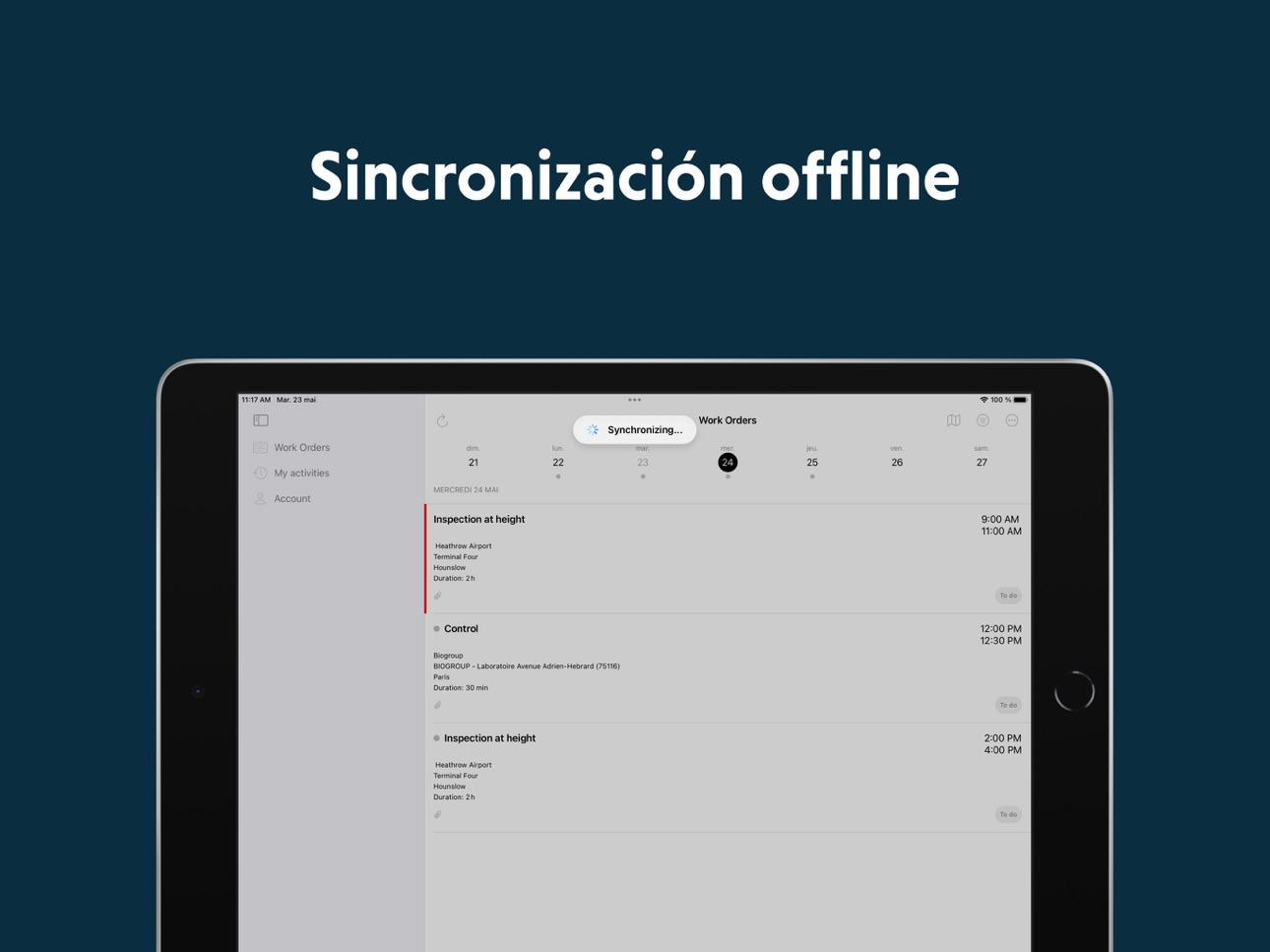
La aplicación móvil Praxedo ofrece conectividad las 24 horas a los trabajadores en campo, ¡incluso cuando están sin cobertura!
Autonomía en campo
Con la aplicación Praxedo en la mano, los técnicos optimizan su propia productividad mientras trabajan.
Intercambio de información
Los técnicos de campo están preparados con anticipación para cada llamada de servicio con acceso a los detalles e historial del trabajo. Su conocimiento sobre los clientes mejora con la información que recopilan en el campo.
Partes de trabajo digitales
Cree formularios personalizables y reciba instantáneamente informes completos en la aplicación móvil.
Características de vanguardia:
Función híbrida en línea/fuera de línea: la aplicación móvil de servicios de campo tiene capacidad en línea/fuera de línea para que sus técnicos estén siempre conectados, pase lo que pase.
Sincronización en tiempo real: responda rápidamente a los trabajos de emergencia. Se notifica a los técnicos de campo si se realizan cambios en su agenda mientras están en ruta.
Notificaciones automáticas: sus técnicos reciben notificaciones automáticas para que siempre sepan cuándo se reprograman o cancelan trabajos.
Rastreo GPS: la aplicación móvil Praxedo tiene herramientas de navegación integradas como Google Maps, Waze, TomTom y Apple Maps que ayudan a los técnicos a llegar a sus destinos de manera efectiva.
Vista de mapa: la vista basada en mapas del dispositivo móvil facilita que los técnicos de campo sigan la planificación de sus actividades y lleguen a destino.
Verifique los niveles de existencias y la disponibilidad de piezas de repuesto en tiempo real: proporcione a sus técnicos de campo información sobre la disponibilidad de existencias, tanto si una pieza se almacena en un almacén, en el vehículo del técnico o en el vehículo de un compañero de trabajo.
Verifique automáticamente los datos ingresados: el sistema de órdenes de trabajo de Praxedo convierte sus formularios en formularios inteligentes, ya que verifica que los datos ingresados por sus técnicos de campo sean precisos.
Registro de artículos consumidos: durante una llamada de servicio, los técnicos de campo registran los materiales que se utilizan en la aplicación móvil Praxedo buscando el artículo en el catálogo integrado o buscando su nombre o código de barras.
Gestión de órdenes de trabajo:
- Supervise el progreso del trabajo de sus técnicos de campo: todas las actividades se actualizan automáticamente a través de la aplicación
- Cuando los técnicos de campo están en un trabajo y se dan cuenta de que se requiere más trabajo, simplemente pueden abrir un nuevo informe de orden de trabajo en la aplicación móvil y asignárselo a ellos mismos.
- Permita a los técnicos de campo autoprogramar trabajos específicos si se encuentran en la misma área. (Esta opción facilita el trabajo con contratistas y subcontratistas).
- Permita el acceso a órdenes de trabajo pasadas directamente desde el dispositivo móvil
Praxedo se integra a la perfección con su sistema de información (SI) existente gracias a una amplia gama de conectores estándar o mediante el uso de nuestras API abiertas para crear una interfaz personalizada.
Los conectores disponibles incluyen, entre otros: Sage X3, Sage 100, Salesforce, Intuit Quickbooks, Microsoft Business Central, EBP y más.
Palabras clave :
field service management software
field service software
field service app
software fsm
field service solutions
software gestión servicios de campo
gestión operaciones en campo
herramienta fsm
Accessibility
ipadiphonemacrealityDevicetvoswatch
Version history 25 versions
Build 886991740v1.71.02026-06-29 07:51:19
In this version, you can:
- View from a work order's history: notes and attachments, customer, site and asset details.
Build 886241521v1.70.02026-06-01 05:06:26
In this version, you can:
- Have access to more information when selecting a customer, site, or asset when creating a work order and when replacing a site or asset
- Edit a past activity from more than 5 days ago
- View from a work order's history: the report, custom fields and the crew
Build 885037369v1.63.02026-05-04 06:07:55
In this version, you can:
• Display pictures in standard and items sections
• Reserve an item from another technician's stock
• See work orders notes in chronological order
• Consult main work order details from the history
Build 884106494v1.62.02026-04-07 10:04:52
In this version, you can:
- Force the work orders completion in chronological order
- Export the PDF from the service order details
Build 883102460v1.61.02026-03-09 06:00:58
In this version, I can view the history related to a customer, site, or asset from the “Referential” tab.
Build 882576547v1.60.12026-02-20 08:27:17
Bugfixes.
Build 882199253v1.60.02026-02-09 06:01:20
In this version, you can create an asset from an asset or site detail, in “Referential” tab.
Build 881326254v1.57.02026-01-12 06:07:30
In this version, you can:
• Access your list of customers, sites, and assets in the new "Referential" tab
• Search for a customer, site, or asset and view their details
• Edit asset and its custom fields (all types supported except "Dropdown" and "Photo")
• Create a new asset and its custom fields (all types supported except "Dropdown" and "Photo")
Build 880564544v1.56.02025-12-15 06:10:35
Bugfixs
Build 879767908v1.55.02025-11-17 06:03:22
Bugfixes
Build 879088779v1.54.02025-10-21 19:37:47
In this version, you can book an item from a stock or order an item.
Build 878230529v1.53.02025-09-22 04:01:32
In this version, you can:
- Send work order-related information as input parameters for an external module
- Check the available stock of an item and deduct the consumed quantity from the stock upon completion of the intervention
- Add a contract when creating a work order and view the associated contract from the work order list and details
- Click on phone numbers and email addresses in the description fields for work orders, sites, and customers.
Build 878332734v1.53.12025-09-22 23:44:24
Bugfixs
Build 877485706v1.52.02025-08-25 02:02:23
In this new version you can :
- Replace the work order asset or add an asset to a work order
- Replace the work order site
Build 876680683v1.51.02025-07-25 06:03:09
In this new version you can :
- Order nearby work orders by appointment date
- Send external module parameters in format “x-www-form-urlencoded”
Build 876322758v1.50.22025-07-14 16:08:00
Bugfixes.
Build 876073213v1.50.12025-07-02 18:42:10
Bugfixs
Build 875994957v1.50.02025-06-30 18:28:30
In this new version you can :
- Add straight lines, circle and arrow to your report pictures
- Send a table as input parameter of an external module, or update a table through an external module
- Format the external module's response based on the response type (error, warning, information, success)
- Update user profile permissions through simple synchronization
Build 875147515v1.44.02025-05-29 09:56:11
In this new version you can :
• Add shapes, and colorful drawings to your images, and crop them
• Navigate to any day in your schedule directly from a monthly calendar view
Build 874428495v1.43.02025-05-02 18:01:51
In this new version you can :
• Have highlighted buttons for accessing the report, items, and complete a work order
• Declare a new activity right after completing a work order
• Synchronize the application from the work order report
Build 873753895v1.42.02025-04-04 01:09:55
In this new version you can :
* Declare a negative value in numeric form fields
* Have a more compact display of work orders list view
Build 873150719v1.41.02025-03-11 20:33:30
In this new version you can :
• Consult unavailability and availability time slots
• Synchronize your work orders with an external calendar
• Reset your password
• Authenticate with Google and Apple SSO
Build 872499987v1.40.02025-02-16 06:00:27
In this new version you can :
• Quickly complete a work order
• Quickly access the work order report
Build 871647900v1.32.02025-01-09 23:16:15
In this new version, you can have a better accuracy of the GPS position.
Build 871101468v1.31.02024-12-12 22:08:13
In this new version you can :
- Add items on a route service order,
- Consult the initial work order of a duplicated work order,
- Edit the end date of an activity with a future date when it is manual.
No pricing data captured yet — comparisons appear once the app has paid storefronts or in-app purchases.
Availability 175 of 175 storefronts
| Region | Language | Price | Ratings | Avg | Version |
|---|---|---|---|---|---|
| FR | fr-FR | Free | 885 | 4.6 | 1.71.0 |
| DE | de-DE | Free | 110 | 4.4 | 1.71.0 |
| US | en-US | Free | 79 | 4.7 | 1.71.0 |
| CA | en-CA | Free | 34 | 4.2 | 1.71.0 |
| CH | de-CH | Free | 20 | 4.5 | 1.71.0 |
| BE | en-GB | Free | 7 | 4.6 | 1.71.0 |
| ES | es-ES | Free | 7 | 5.0 | 1.71.0 |
| GB | en-GB | Free | 5 | 5.0 | 1.71.0 |
| TN | en-GB | Free | 5 | 4.6 | 1.71.0 |
| AT | de-DE | Free | 3 | 5.0 | 1.71.0 |
| IT | it | Free | 3 | 5.0 | 1.71.0 |
| PT | pt-PT | Free | 3 | 4.3 | 1.71.0 |
| AU | en-AU | Free | 2 | 5.0 | 1.71.0 |
| CL | es-MX | Free | 2 | 3.0 | 1.71.0 |
| DZ | en-GB | Free | 2 | 3.0 | 1.71.0 |
| EC | es-MX | Free | 2 | 5.0 | 1.71.0 |
| LU | en-GB | Free | 2 | 4.0 | 1.71.0 |
| MX | es-MX | Free | 2 | 4.5 | 1.71.0 |
| CD | en-GB | Free | 1 | 5.0 | 1.71.0 |
| CG | en-GB | Free | 1 | 5.0 | 1.71.0 |
| CI | fr-FR | Free | 1 | 1.0 | 1.71.0 |
| DK | en-GB | Free | 1 | 5.0 | 1.71.0 |
| NL | nl | Free | 1 | 4.0 | 1.71.0 |
| UA | en-GB | Free | 1 | 5.0 | 1.71.0 |
| UG | en-GB | Free | 1 | 5.0 | 1.71.0 |
| ZA | en-GB | Free | 1 | 5.0 | 1.71.0 |
| AE | en-GB | Free | 0 | — | 1.71.0 |
| AF | en-GB | Free | 0 | — | 1.71.0 |
| AG | en-GB | Free | 0 | — | 1.71.0 |
| AI | en-GB | Free | 0 | — | 1.71.0 |
| AL | en-GB | Free | 0 | — | 1.71.0 |
| AM | en-GB | Free | 0 | — | 1.71.0 |
| AO | en-GB | Free | 0 | — | 1.71.0 |
| AR | es-MX | Free | 0 | — | 1.71.0 |
| AZ | en-GB | Free | 0 | — | 1.71.0 |
| BA | en-GB | Free | 0 | — | 1.71.0 |
| BB | en-GB | Free | 0 | — | 1.71.0 |
| BF | en-GB | Free | 0 | — | 1.71.0 |
| BG | en-GB | Free | 0 | — | 1.71.0 |
| BH | en-GB | Free | 0 | — | 1.71.0 |
| BJ | en-GB | Free | 0 | — | 1.71.0 |
| BM | en-GB | Free | 0 | — | 1.71.0 |
| BN | en-GB | Free | 0 | — | 1.71.0 |
| BO | es-MX | Free | 0 | — | 1.71.0 |
| BR | pt-BR | Free | 0 | — | 1.71.0 |
| BS | en-GB | Free | 0 | — | 1.71.0 |
| BT | en-GB | Free | 0 | — | 1.71.0 |
| BW | en-GB | Free | 0 | — | 1.71.0 |
| BY | en-GB | Free | 0 | — | 1.71.0 |
| BZ | en-GB | Free | 0 | — | 1.71.0 |
| CM | fr-FR | Free | 0 | — | 1.71.0 |
| CN | zh-Hans-CN | Free | 0 | — | 1.71.0 |
| CO | es-MX | Free | 0 | — | 1.71.0 |
| CR | es-MX | Free | 0 | — | 1.71.0 |
| CV | en-GB | Free | 0 | — | 1.71.0 |
| CY | en-GB | Free | 0 | — | 1.71.0 |
| CZ | en-GB | Free | 0 | — | 1.71.0 |
| DM | en-GB | Free | 0 | — | 1.71.0 |
| DO | es-MX | Free | 0 | — | 1.71.0 |
| EE | en-GB | Free | 0 | — | 1.71.0 |
| EG | en-GB | Free | 0 | — | 1.71.0 |
| FI | en-GB | Free | 0 | — | 1.71.0 |
| FJ | en-GB | Free | 0 | — | 1.71.0 |
| FM | en-GB | Free | 0 | — | 1.71.0 |
| GA | fr-FR | Free | 0 | — | 1.71.0 |
| GD | en-GB | Free | 0 | — | 1.71.0 |
| GE | en-GB | Free | 0 | — | 1.71.0 |
| GH | en-GB | Free | 0 | — | 1.71.0 |
| GM | en-GB | Free | 0 | — | 1.71.0 |
| GR | en-GB | Free | 0 | — | 1.71.0 |
| GT | es-MX | Free | 0 | — | 1.71.0 |
| GW | en-GB | Free | 0 | — | 1.71.0 |
| GY | en-GB | Free | 0 | — | 1.71.0 |
| HK | zh-Hant-HK | Free | 0 | — | 1.71.0 |
| HN | es-MX | Free | 0 | — | 1.71.0 |
| HR | en-GB | Free | 0 | — | 1.71.0 |
| HU | en-GB | Free | 0 | — | 1.71.0 |
| ID | en-GB | Free | 0 | — | 1.71.0 |
| IE | en-GB | Free | 0 | — | 1.71.0 |
| IL | en-GB | Free | 0 | — | 1.71.0 |
| IN | en-GB | Free | 0 | — | 1.71.0 |
| IQ | en-GB | Free | 0 | — | 1.71.0 |
| IS | en-GB | Free | 0 | — | 1.71.0 |
| JM | en-GB | Free | 0 | — | 1.71.0 |
| JO | en-GB | Free | 0 | — | 1.71.0 |
| JP | ja | Free | 0 | — | 1.71.0 |
| KE | en-GB | Free | 0 | — | 1.71.0 |
| KG | en-GB | Free | 0 | — | 1.71.0 |
| KH | en-GB | Free | 0 | — | 1.71.0 |
| KN | en-GB | Free | 0 | — | 1.71.0 |
| KR | ko | Free | 0 | — | 1.71.0 |
| KW | en-GB | Free | 0 | — | 1.71.0 |
| KY | en-GB | Free | 0 | — | 1.71.0 |
| KZ | en-GB | Free | 0 | — | 1.71.0 |
| LA | en-GB | Free | 0 | — | 1.71.0 |
| LB | en-GB | Free | 0 | — | 1.71.0 |
| LC | en-GB | Free | 0 | — | 1.71.0 |
| LK | en-GB | Free | 0 | — | 1.71.0 |
| LR | en-GB | Free | 0 | — | 1.71.0 |
| LT | en-GB | Free | 0 | — | 1.71.0 |
| LV | en-GB | Free | 0 | — | 1.71.0 |
| LY | en-GB | Free | 0 | — | 1.71.0 |
| MA | en-GB | Free | 0 | — | 1.71.0 |
| MD | en-GB | Free | 0 | — | 1.71.0 |
| ME | en-GB | Free | 0 | — | 1.71.0 |
| MG | en-GB | Free | 0 | — | 1.71.0 |
| MK | en-GB | Free | 0 | — | 1.71.0 |
| ML | en-GB | Free | 0 | — | 1.71.0 |
| MM | en-GB | Free | 0 | — | 1.71.0 |
| MN | en-GB | Free | 0 | — | 1.71.0 |
| MO | zh-Hant-HK | Free | 0 | — | 1.71.0 |
| MR | en-GB | Free | 0 | — | 1.71.0 |
| MS | en-GB | Free | 0 | — | 1.71.0 |
| MT | en-GB | Free | 0 | — | 1.71.0 |
| MU | en-GB | Free | 0 | — | 1.71.0 |
| MV | en-GB | Free | 0 | — | 1.71.0 |
| MW | en-GB | Free | 0 | — | 1.71.0 |
| MY | en-GB | Free | 0 | — | 1.71.0 |
| MZ | en-GB | Free | 0 | — | 1.71.0 |
| NA | en-GB | Free | 0 | — | 1.71.0 |
| NE | en-GB | Free | 0 | — | 1.71.0 |
| NG | en-GB | Free | 0 | — | 1.71.0 |
| NI | es-MX | Free | 0 | — | 1.71.0 |
| NO | en-GB | Free | 0 | — | 1.71.0 |
| NP | en-GB | Free | 0 | — | 1.71.0 |
| NR | en-GB | Free | 0 | — | 1.71.0 |
| NZ | en-AU | Free | 0 | — | 1.71.0 |
| OM | en-GB | Free | 0 | — | 1.71.0 |
| PA | es-MX | Free | 0 | — | 1.71.0 |
| PE | es-MX | Free | 0 | — | 1.71.0 |
| PG | en-GB | Free | 0 | — | 1.71.0 |
| PH | en-GB | Free | 0 | — | 1.71.0 |
| PK | en-GB | Free | 0 | — | 1.71.0 |
| PL | en-GB | Free | 0 | — | 1.71.0 |
| PW | en-GB | Free | 0 | — | 1.71.0 |
| PY | es-MX | Free | 0 | — | 1.71.0 |
| QA | en-GB | Free | 0 | — | 1.71.0 |
| RO | en-GB | Free | 0 | — | 1.71.0 |
| RS | en-GB | Free | 0 | — | 1.71.0 |
| RU | ru | Free | 0 | — | 1.71.0 |
| RW | en-GB | Free | 0 | — | 1.71.0 |
| SA | en-GB | Free | 0 | — | 1.71.0 |
| SB | en-GB | Free | 0 | — | 1.71.0 |
| SC | en-GB | Free | 0 | — | 1.71.0 |
| SE | sv | Free | 0 | — | 1.71.0 |
| SG | en-GB | Free | 0 | — | 1.71.0 |
| SI | en-GB | Free | 0 | — | 1.71.0 |
| SK | en-GB | Free | 0 | — | 1.71.0 |
| SL | en-GB | Free | 0 | — | 1.71.0 |
| SN | en-GB | Free | 0 | — | 1.71.0 |
| SR | en-GB | Free | 0 | — | 1.71.0 |
| ST | en-GB | Free | 0 | — | 1.71.0 |
| SV | es-MX | Free | 0 | — | 1.71.0 |
| SZ | en-GB | Free | 0 | — | 1.71.0 |
| TC | en-GB | Free | 0 | — | 1.71.0 |
| TD | en-GB | Free | 0 | — | 1.71.0 |
| TH | en-GB | Free | 0 | — | 1.71.0 |
| TJ | en-GB | Free | 0 | — | 1.71.0 |
| TM | en-GB | Free | 0 | — | 1.71.0 |
| TO | en-GB | Free | 0 | — | 1.71.0 |
| TR | en-GB | Free | 0 | — | 1.71.0 |
| TT | en-GB | Free | 0 | — | 1.71.0 |
| TW | zh-Hant-TW | Free | 0 | — | 1.71.0 |
| TZ | en-GB | Free | 0 | — | 1.71.0 |
| UY | en-GB | Free | 0 | — | 1.71.0 |
| UZ | en-GB | Free | 0 | — | 1.71.0 |
| VC | en-GB | Free | 0 | — | 1.71.0 |
| VE | es-MX | Free | 0 | — | 1.71.0 |
| VG | en-GB | Free | 0 | — | 1.71.0 |
| VN | en-GB | Free | 0 | — | 1.71.0 |
| VU | en-GB | Free | 0 | — | 1.71.0 |
| XK | en-GB | Free | 0 | — | 1.71.0 |
| YE | en-GB | Free | 0 | — | 1.71.0 |
| ZM | en-GB | Free | 0 | — | 1.71.0 |
| ZW | en-GB | Free | 0 | — | 1.71.0 |
Change log 29 changes · EC
✎
releaseNotes updated
In this version, you can:
- View from a work order's history: notes and attachments, customer, site and asset details.
✎
description updated
Enhance your field service operations with Praxedo's best-of-breed field service management app. Our innovative platform offers a comprehensive solution to effe
✎
subtitle updated
Field Service Management
✎
name updated
Praxedo 2026
◆
Version 1.71.0 released
In this version, you can:
- View from a work order's history: notes and attachments, customer, site and asset details.
◆
Version 1.70.0 released
In this version, you can:
- Have access to more information when selecting a customer, site, or asset when creating a work order and when replacing a site or asset
- Edit a past activity from more than 5 days ago
- View from a work order's
◆
Version 1.63.0 released
In this version, you can:
• Display pictures in standard and items sections
• Reserve an item from another technician's stock
• See work orders notes in chronological order
• Consult main work order details from the history
◆
Version 1.62.0 released
In this version, you can:
- Force the work orders completion in chronological order
- Export the PDF from the service order details
◆
Version 1.61.0 released
In this version, I can view the history related to a customer, site, or asset from the “Referential” tab.
◆
Version 1.60.1 released
Bugfixes.
◆
Version 1.60.0 released
In this version, you can create an asset from an asset or site detail, in “Referential” tab.
◆
Version 1.57.0 released
In this version, you can:
• Access your list of customers, sites, and assets in the new "Referential" tab
• Search for a customer, site, or asset and view their details
• Edit asset and its custom fields (all types supported except "Dropdow
◆
Version 1.56.0 released
Bugfixs
◆
Version 1.55.0 released
Bugfixes
◆
Version 1.54.0 released
In this version, you can book an item from a stock or order an item.
◆
Version 1.53.1 released
Bugfixs
◆
Version 1.53.0 released
In this version, you can:
- Send work order-related information as input parameters for an external module
- Check the available stock of an item and deduct the consumed quantity from the stock upon completion of the intervention
- Add a co
◆
Version 1.52.0 released
In this new version you can :
- Replace the work order asset or add an asset to a work order
- Replace the work order site
◆
Version 1.51.0 released
In this new version you can :
- Order nearby work orders by appointment date
- Send external module parameters in format “x-www-form-urlencoded”
◆
Version 1.50.2 released
Bugfixes.
◆
Version 1.50.1 released
Bugfixs
◆
Version 1.50.0 released
In this new version you can :
- Add straight lines, circle and arrow to your report pictures
- Send a table as input parameter of an external module, or update a table through an external module
- Format the external module's response based
◆
Version 1.44.0 released
In this new version you can :
• Add shapes, and colorful drawings to your images, and crop them
• Navigate to any day in your schedule directly from a monthly calendar view
◆
Version 1.43.0 released
In this new version you can :
• Have highlighted buttons for accessing the report, items, and complete a work order
• Declare a new activity right after completing a work order
• Synchronize the application from the work order report
◆
Version 1.42.0 released
In this new version you can :
* Declare a negative value in numeric form fields
* Have a more compact display of work orders list view
◆
Version 1.41.0 released
In this new version you can :
• Consult unavailability and availability time slots
• Synchronize your work orders with an external calendar
• Reset your password
• Authenticate with Google and Apple SSO
◆
Version 1.40.0 released
In this new version you can :
• Quickly complete a work order
• Quickly access the work order report
◆
Version 1.32.0 released
In this new version, you can have a better accuracy of the GPS position.
◆
Version 1.31.0 released
In this new version you can :
- Add items on a route service order,
- Consult the initial work order of a duplicated work order,
- Edit the end date of an activity with a future date when it is manual.