Home › Education

 ZM
ZM
 USen-US
 MXes-MX
 BRpt-BR
 CLes-MX
 PEes-MX
 SVes-MX
 ARes-MX
 COes-MX
 HNes-MX
 DOes-MX
 GHen-GB
 NGen-GB
 PAes-MX
 AGen-GB
 AIen-GB
 AOen-GB
 BBen-GB
 BFen-GB
 BJen-GB
 BOes-MX
 BSen-GB
 BWen-GB
 BZen-GB
 CDen-GB
 CGen-GB
 CIfr-FR
 CMfr-FR
 CRes-MX
 CVen-GB
 DMen-GB
 DZen-GB
 ECes-MX
 GAfr-FR
 GDen-GB
 GMen-GB
 GTes-MX
 GWen-GB
 GYen-GB
 JMen-GB
 KEen-GB
 KNen-GB
 KYen-GB
 LCen-GB
 LRen-GB
 LYen-GB
 MAen-GB
 MGen-GB
 MLen-GB
 MSen-GB
 MUen-GB
 MWen-GB
 MZen-GB
 NAen-GB
 NEen-GB
 NIes-MX
 PYes-MX
 RWen-GB
 SCen-GB
 SLen-GB
 SNen-GB
 SRen-GB
 STen-GB
 SZen-GB
 TCen-GB
 TDen-GB
 TNen-GB
 TTen-GB
 TZen-GB
 UGen-GB
 UYen-GB
 VCen-GB
 VEes-MX
 VGen-GBZMen-GB
 ZWen-GB
75 of 75 storefronts
Content in en-US
Content in en-US
Information
Apple ID1534437697
Bundle IDde.kruschel.flashtex
SellerSeller
Min iOS17.0
Device familiesmac, iphone, ipad
Released2020-10-12
Copyright© 2020 Miká Kruschel
Privacy policyLink ↗
Preview 3 platforms
iPhone 10 images


iPad 10 images


Mac 9 images

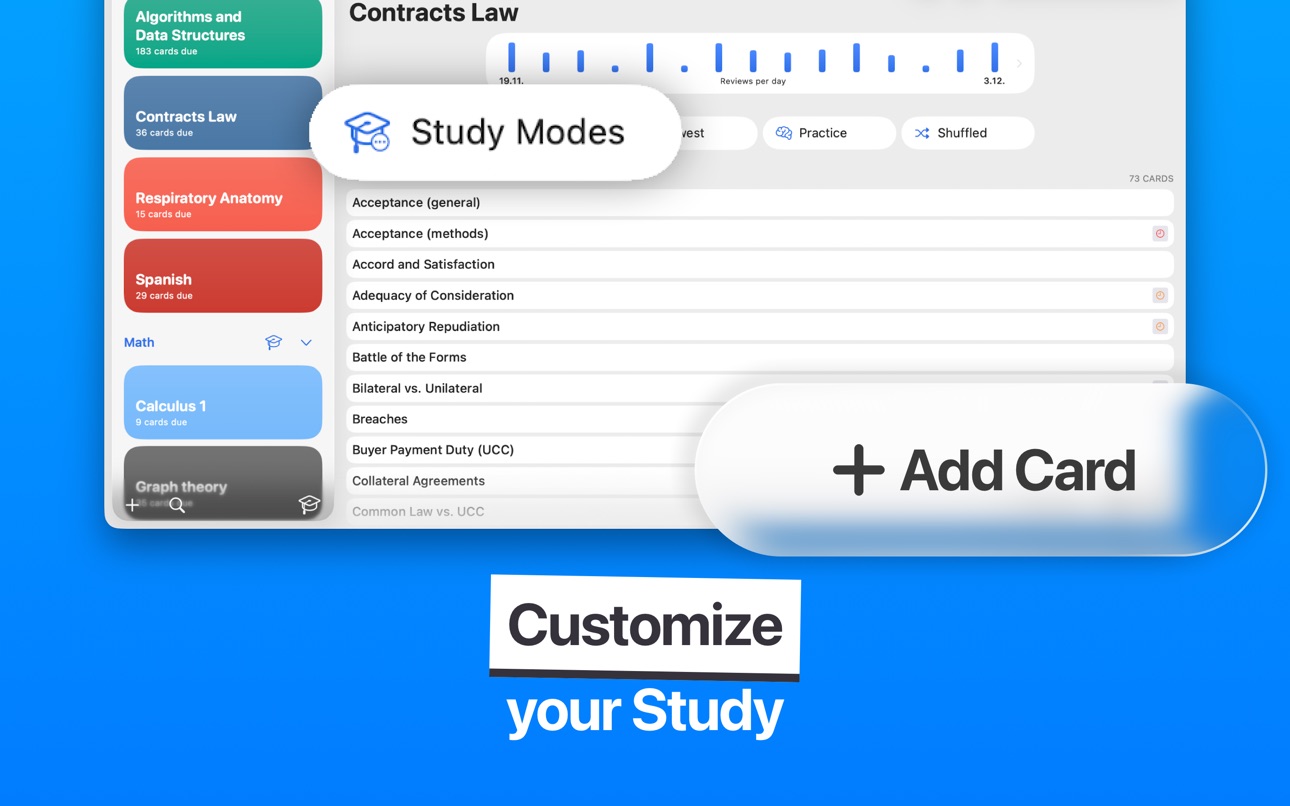
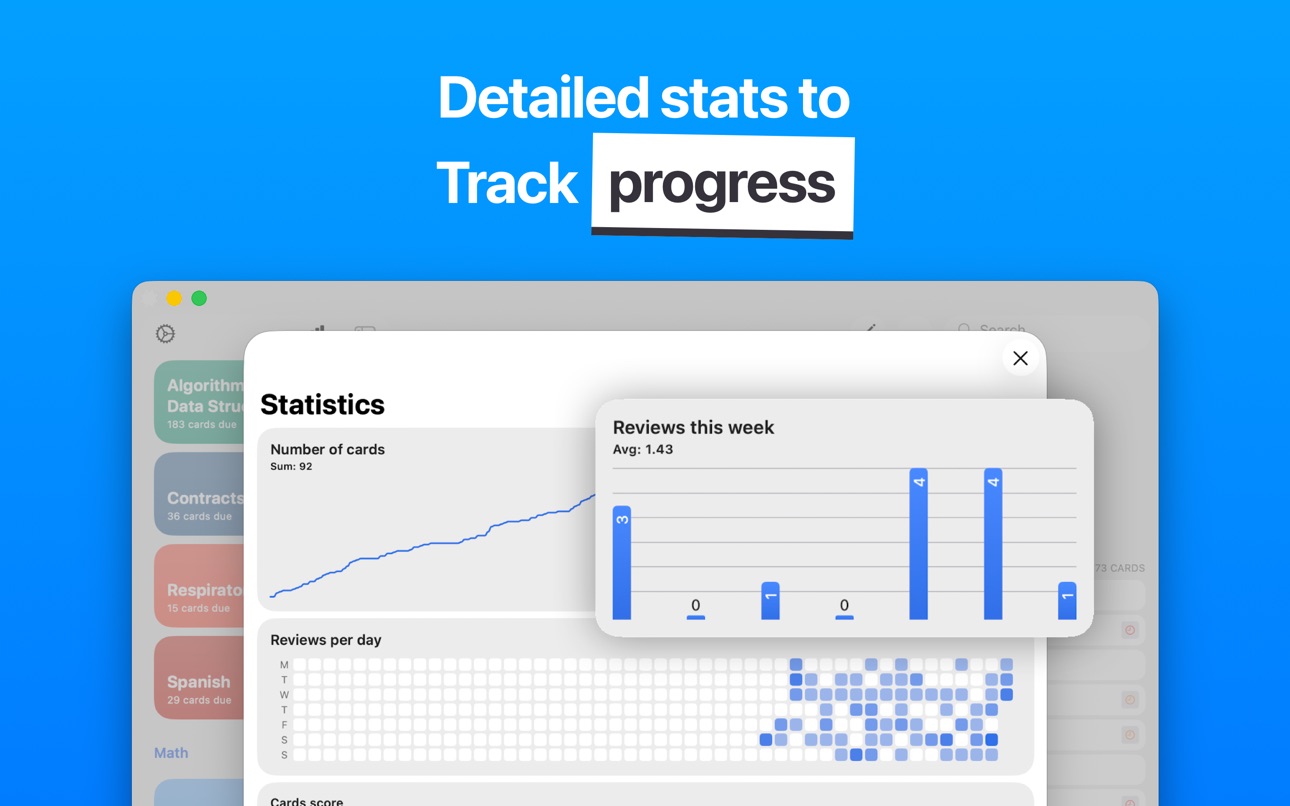
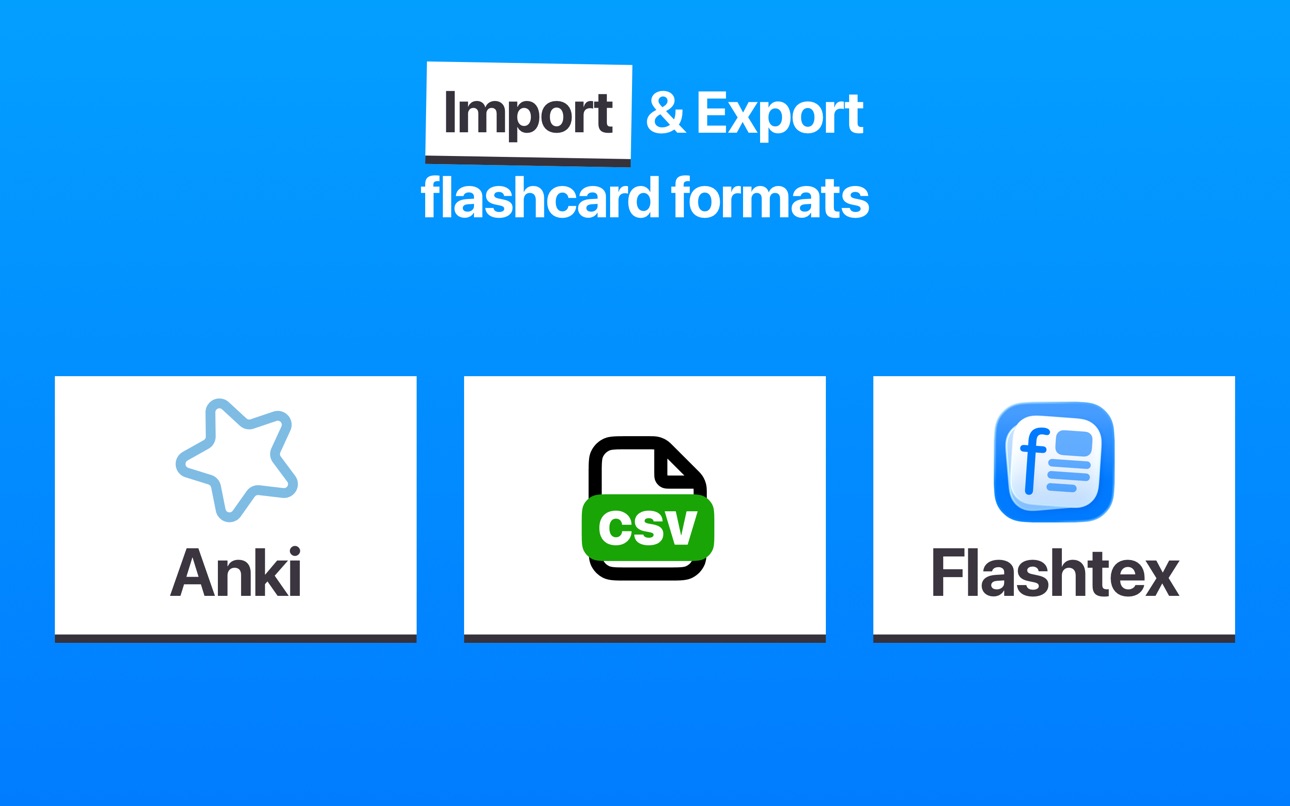
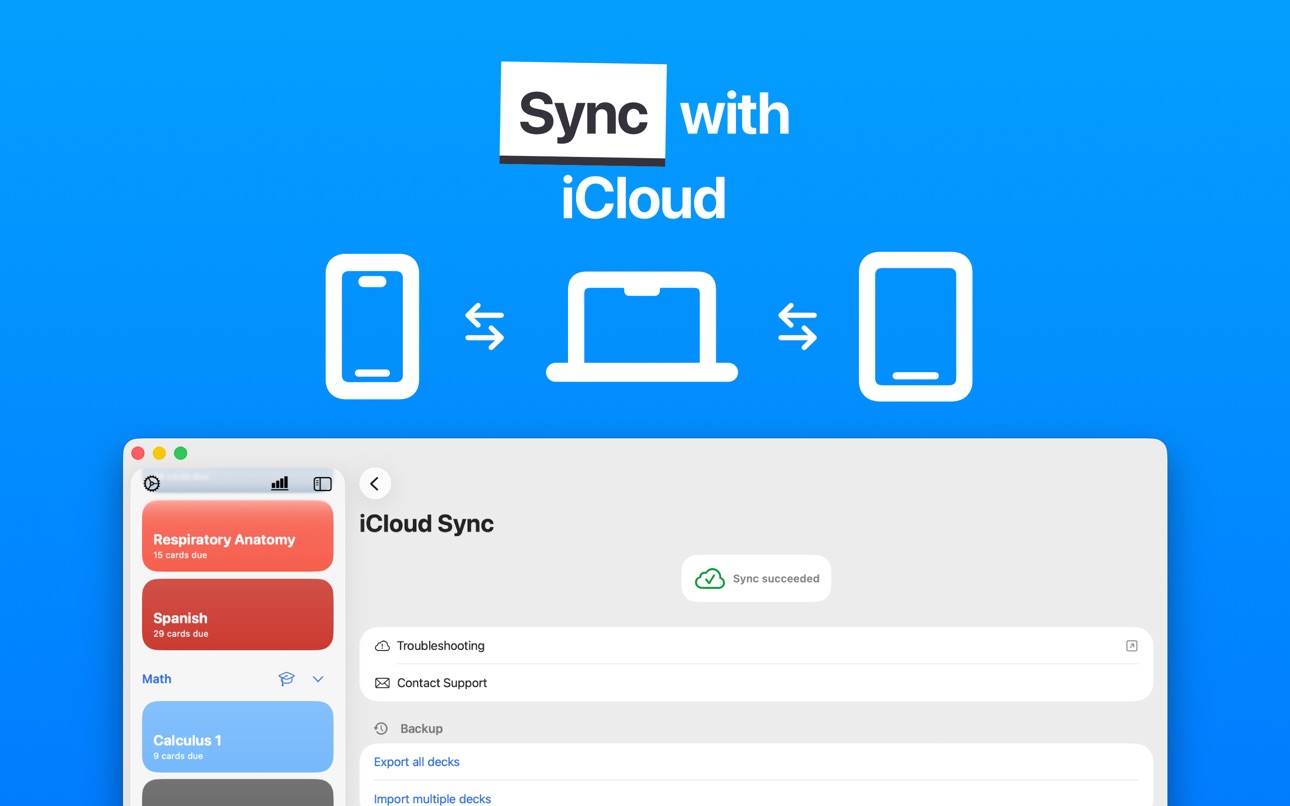
What’s New Version 2.2.2
• Fixed resetting study progress for individual cards
Description
I failed plenty of exams simply because I didn’t have a study system that actually worked, until I discovered flashcards and built this app.
If you’ve ever sat in the library wishing your study setup wasn’t a chaotic mix of screenshots, half finished notes and 20 open tabs, Flashtex is the app that finally fixes that.
Download now or keep failing exams.
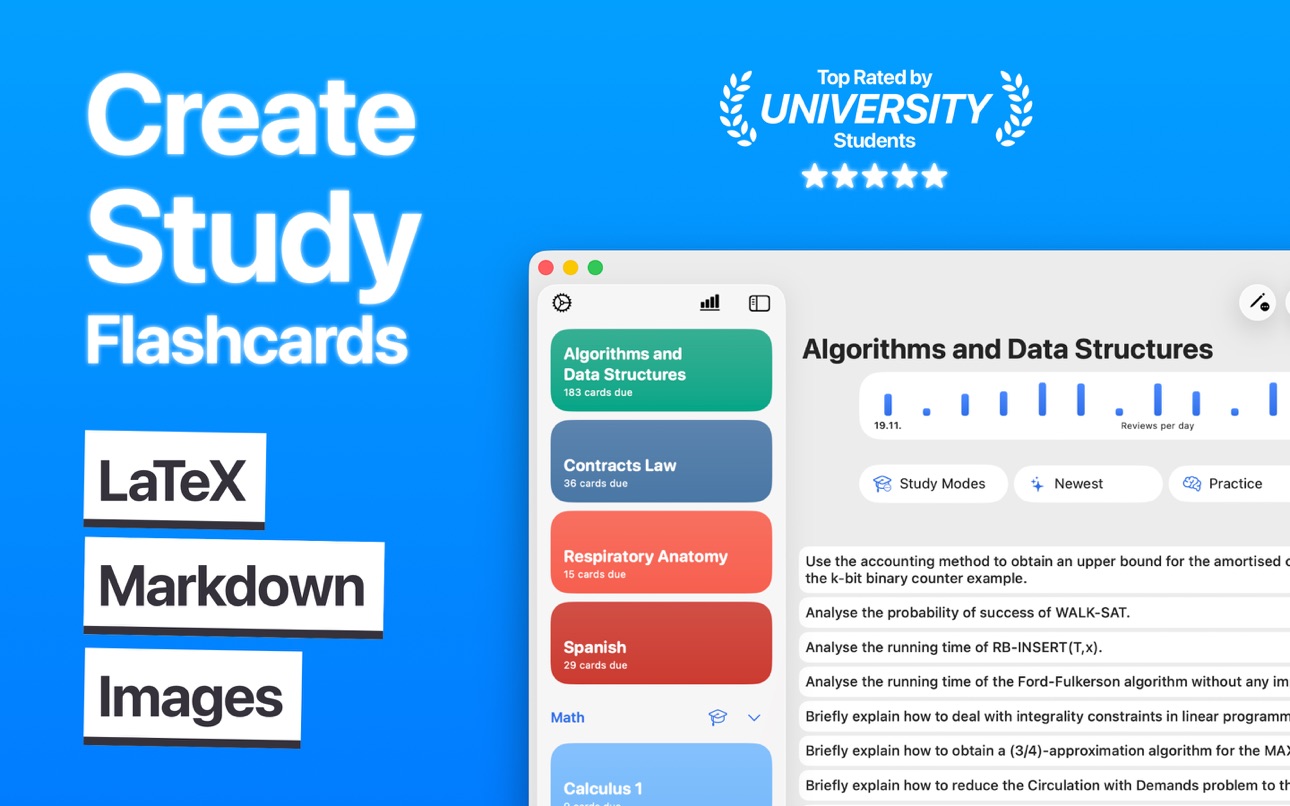
Think of it as your reliable place to learn flashcards the way real university students study: actual equations, real cases, real diagrams, real vocab. Not just simple Q&A cards.
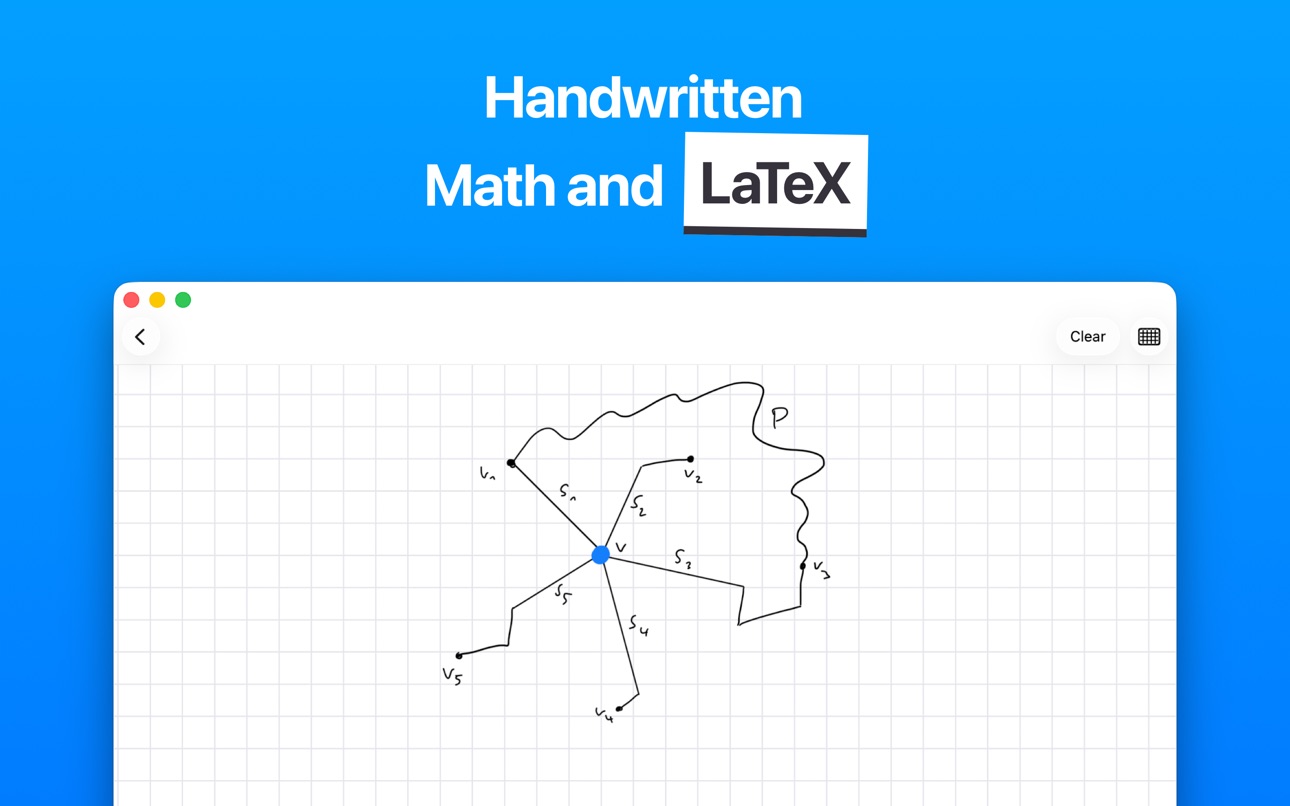
You can write cards in LaTeX, structure them neatly with Markdown, add images or even draw diagrams by hand.
It feels natural, fast and actually enjoyable to use.
Instead of forcing you into some rigid workflow, Flashtex just adapts to your style, whether you’re more of an Anki person, a Quizlet convert or someone starting fresh.
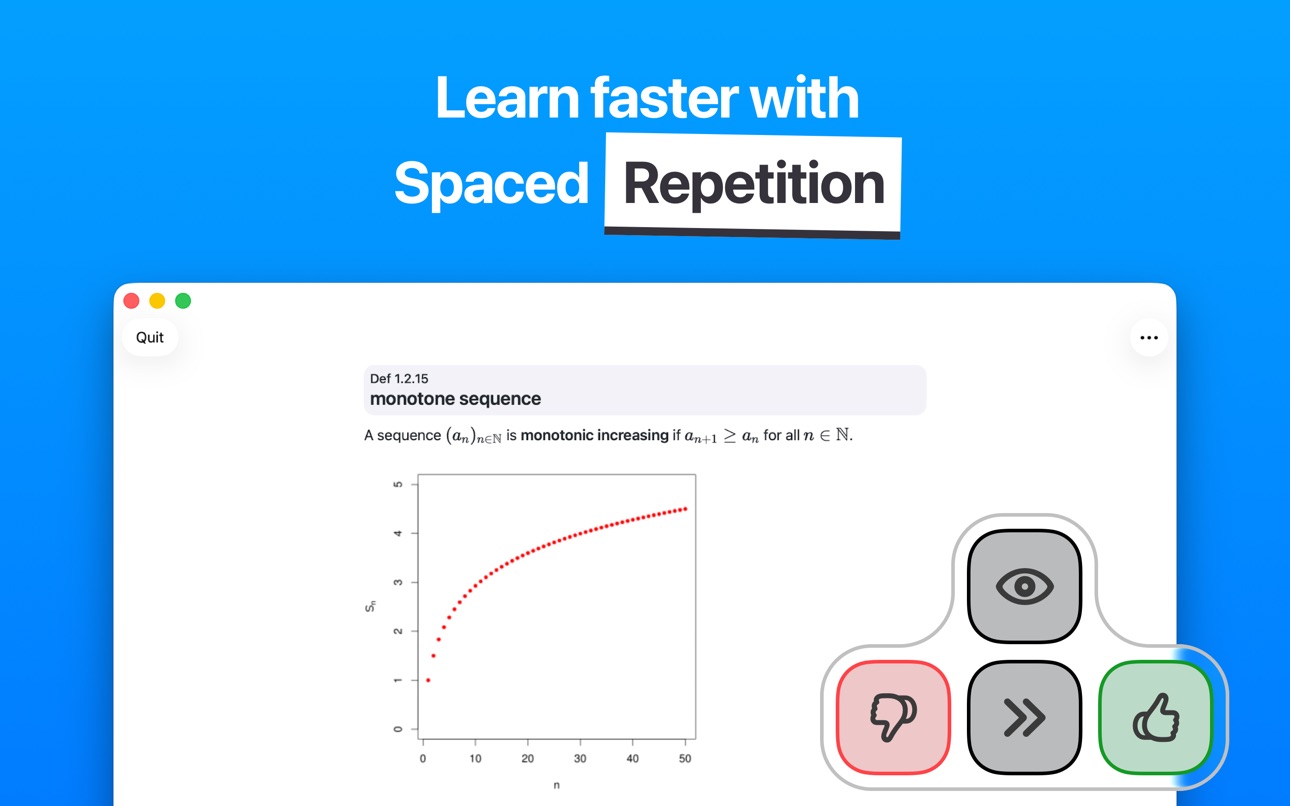
With spaced repetition built in, you study less but remember more.
Everything syncs automatically across iPhone, iPad and Mac, so you can revise on the bus, in the hallway before class or during that awkward 4 minute break between lectures.
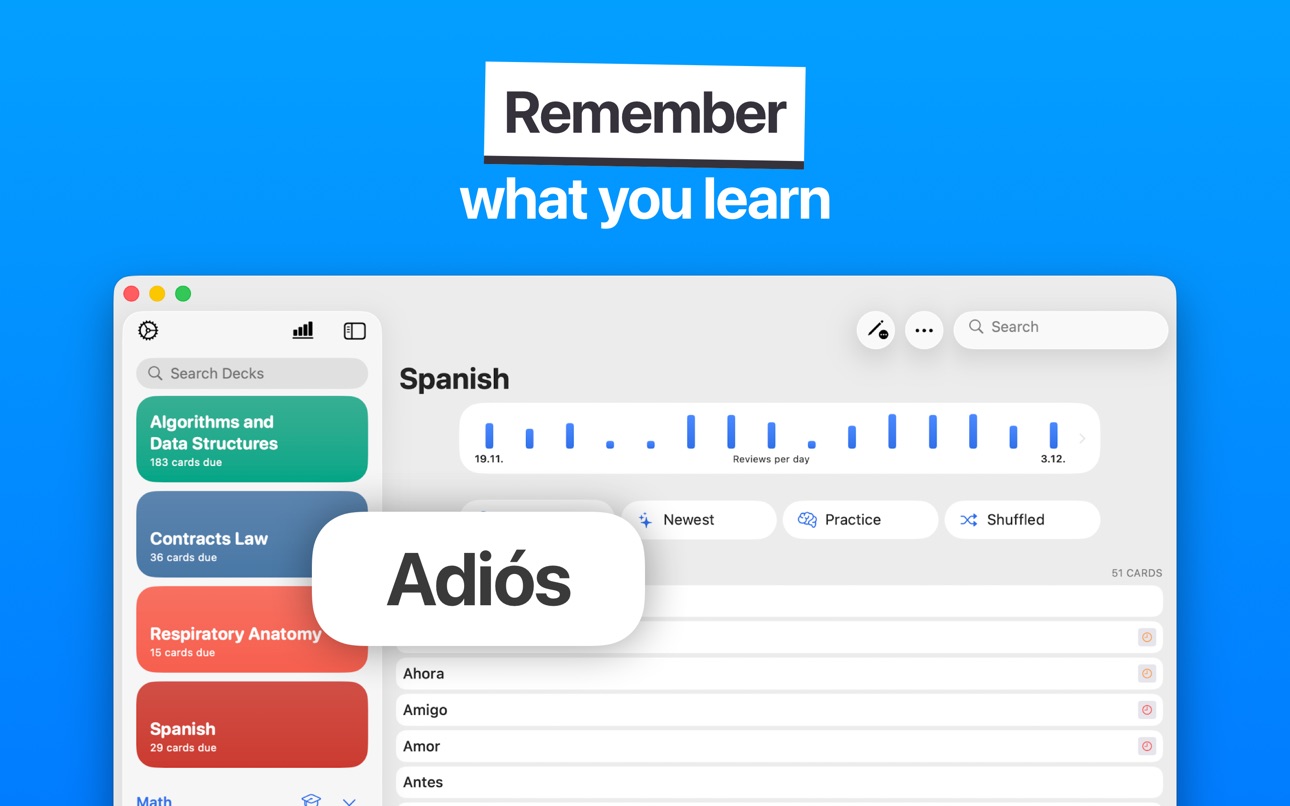
Whether you’re memorizing anatomy, reviewing legal cases, solving physics problems, drilling algorithms or learning a new language, Flashtex keeps your study routine sharp without overwhelming you.
HOW IT WORKS
– Create your cards:
Write flashcards exactly the way you think: LaTeX for maths & physics, Markdown for clean structure, handwriting for quick sketches or images when visuals help. Perfect for med school notes, case law references or step-by-step proofs.
– Build organized decks:
Set up decks for every class, topic or exam. No limits, no clutter.
– Smart spaced repetition:
Flashtex figures out when you should review each card so you don’t forget. You stay on top of things without drowning in constant revision.
– Study anywhere:
iCloud keeps everything synced. Works offline too, so terrible campus Wi-Fi can’t stop you.
BUILT FOR
• Med students tracking endless anatomy & terminology
• Law students memorizing cases, definitions & frameworks
• STEM learners using LaTeX heavy content
• Language learners drilling vocab & grammar
• Anyone who came from Anki or Quizlet and wants something cleaner and simpler
• University level learners who want a serious study tool, not a toy
WHY YOU NEED FLASHTEX
• Create useful flashcards with LaTeX, Markdown, images, handwriting, whatever works for you
• Perfect for advanced subjects like medicine, law, physics, maths & CS
• Offline mode for studying anywhere
• Clear, simple progress stats
• Text-to-speech, perfect for vocab & language study
• Daily reminders so you don’t forget to study
• Easy import and export so your decks work with Anki, Markdown and CSV
• Distraction-free interface
EXAMPLE USE CASES
• Draw anatomy diagrams by hand and label them on the spot
• Format dense legal cases into clean Markdown flashcards
• Write physics and maths equations using LaTeX that actually renders correctly
• Create algorithm walkthroughs with text + diagrams
• Use text to speech to practice language vocab on the go
• Turn your messy lecture notes into structured decks that self update via spaced repetition
QUICKLY FIND & ORGANIZE
• Decks for each class or subject
• Cards scheduled for review today
• Tags and folders for huge study collections
• Important cards before exams or quizzes
SHARE YOUR STUDY MATERIAL
• Export decks to classmates or study groups
• Share flashcards in formats compatible with Anki/Quizlet style workflows
• Swap courses or vocab sets easily
FEATURES
• LaTeX & Markdown flashcards
• Handwriting support (Apple Pencil & touch)
• Spaced repetition built-in
• iCloud sync across iPhone, iPad and Mac
• Offline learning
• Import/export in multiple formats
• Images & text-to-speech
• Widgets for home screen and lock screen
• Unlimited decks and cards
Privacy Policy: flashtex.app/privacypolicy
Terms & Conditions: flashtex.app/terms
In-App Purchases ZM pricing
Unlimited Subscription
Access · Yearly—
Access · 3 months—
Access · 6 months—
One-Time Purchases
Flashtex Unlimited—
Kind Tip—
Amazing Tip—
Great Tip—
Outrageous Tip—
Flashtex Unlimited Family—
Capabilities
In-App Purchases
Accessibility
ipadiphonemacrealityDevicetvoswatch
Version history 25 versions
Build 887424118v2.2.22026-06-25 18:01:44
• Fixed resetting study progress for individual cards
Build 886160822v2.2.12026-05-26 21:51:43
• Images are now displayed correctly on cards
Build 881588522v2.2.02026-01-19 19:47:30
• Study modes can now be deleted
Build 879809521v2.1.22025-12-05 08:31:05
Updated the App Store page
Build 879701835v2.1.12025-11-13 07:38:26
• Fixed keyboard shortcuts for formatting in the editor
• Fixed issue with multistage input for languages like Japanese or Chinese
Build 879426420v2.1.02025-11-02 20:34:23
• Fixed saving issue in card editor
Build 879167670v2.0.82025-10-24 00:46:08
• Fixed potential crash when editing cards
• Minor UI changes
Build 878950262v2.0.72025-10-16 09:39:21
• Fixed potential crash when saving cards in the editor
• Fixed issue in card view when using special keywords
Build 878757890v2.0.62025-10-09 09:33:06
• Fixed bug that the app opens with an archived deck
• Fixed a potential crash when editing the deck settings
Build 878649126v2.0.52025-10-05 15:53:47
• Drag and drop cards between different decks
• Added a button to study view to show the summary of the current session
• Fixed crashes that could occur when adding cards to a deleted deck
• Improved documentation for Markdown and LaTeX features
Build 878478341v2.0.42025-09-28 10:37:56
• Fixed missing LaTeX fonts that could cause rendering issues
• Improved card editor stability and reduced flickering
• You can now collapse folders in the sidebar again
Build 878327206v2.0.32025-09-24 21:27:57
• Fixed issue where keyboard shortcuts could sometimes paste text in the wrong field
Build 878292654v2.0.22025-09-21 03:37:02
This is Flashtex's biggest update yet! The app was completely rebuilt from the ground up and adds support for the latest operating systems with Liquid Glass and an updated app icon.
• Fixed issue with creating multiple cards in a row
• Improved card editor layout for larger text sizes
Build 878240342v2.0.12025-09-19 17:33:32
This is Flashtex's biggest update yet! The app was completely rebuilt from the ground up and adds support for the latest operating systems with Liquid Glass and an updated app icon.
• Fixed text input issue in card editor
• Added alternative app icons
Build 878109230v2.02025-09-18 13:05:13
This is Flashtex's biggest update yet! The app was completely rebuilt from the ground up and adds support for the latest operating systems with Liquid Glass and an updated app icon.
Build 872817359v1.20.22025-02-26 21:00:26
• Fixed a bug with selecting text in the editor
• Improved translations of Flashtex
Thank you for learning with Flashtex! If you have a question, a suggestion, or run into an issue, please email me at support@flashtex.app or visit https://flashtex.app.
Build 870540673v1.20.02025-01-06 07:08:16
• Added support for importing Anki .colpkg files
Thank you for learning with Flashtex! If you have a question, a suggestion, or run into an issue, please email me at support@flashtex.app or visit https://flashtex.app.
Build 871569574v1.20.12025-01-06 21:56:25
• Improved search: Searching for cards is now diacritics-insensitive.
• Stability improvements: Fixed a crash that could occur when starting a study session.
Thank you for learning with Flashtex! If you have a question, a suggestion, or run into an issue, please email me at support@flashtex.app or visit https://flashtex.app.
Build 870434747v1.19.32024-11-14 23:18:44
Thank you for learning with Flashtex! If you have a question, a suggestion, or run into an issue, please email me at support@flashtex.app or visit https://flashtex.app.
Build 869902221v1.19.22024-10-23 08:20:24
• Fixed: App might freeze when annotating images on iOS 17 and below
• Fixed: Text-to-speech now works correctly in silence mode
Thank you for learning with Flashtex! If you have a question, a suggestion, or run into an issue, please email me at support@flashtex.app or visit https://flashtex.app.
Build 869686670v1.19.12024-10-14 13:32:15
This update contains some fixes for the card view.
Thank you for learning with Flashtex! If you have a question, a suggestion, or run into an issue, please email me at support@flashtex.app or visit https://flashtex.app.
Build 867209646v1.19.02024-09-14 11:08:32
• Added tinted and dark mode app icons
Thank you for learning with Flashtex! If you have a question, a suggestion, or run into an issue, please email me at support@flashtex.app or visit https://flashtex.app.
Build 867002722v1.18.172024-06-26 22:49:21
• View All Cards: Questions can now have a background color
• Fixed textfield for creating new folders
• Fixed search of uppercased tags
Thank you for learning with Flashtex! If you have a question, a suggestion, or run into an issue, please email me at support@flashtex.app or visit https://flashtex.app.
Build 866583891v1.18.162024-06-11 07:15:27
• The card view no longer shifts while scribbling notes during study sessions
Thank you for learning with Flashtex! If you have a question, a suggestion, or run into an issue, please email me at support@flashtex.app or visit https://flashtex.app.
Build 866385996v1.18.152024-06-05 20:00:56
• Fixed bug with equal signs in code
Thank you for learning with Flashtex! If you have a question, a suggestion, or run into an issue, please email me at support@flashtex.app or visit https://flashtex.app.
Price history by region
Currency
Show
Columns
Search
Availability 75 of 75 storefronts
| Region | Language | Price | Ratings | Avg | Version |
|---|---|---|---|---|---|
| US | en-US | Free | 185 | 4.8 | 2.2.2 |
| MX | es-MX | Free | 36 | 4.8 | 2.2.2 |
| BR | pt-BR | Free | 27 | 4.8 | 2.2.2 |
| CL | es-MX | Free | 3 | 5.0 | 2.2.2 |
| PE | es-MX | Free | 3 | 4.3 | 2.2.2 |
| SV | es-MX | Free | 3 | 5.0 | 2.2.2 |
| AR | es-MX | Free | 2 | 5.0 | 2.2.2 |
| CO | es-MX | Free | 2 | 5.0 | 2.2.2 |
| HN | es-MX | Free | 2 | 5.0 | 2.2.2 |
| DO | es-MX | Free | 1 | 5.0 | 2.2.2 |
| GH | en-GB | Free | 1 | 5.0 | 2.2.2 |
| NG | en-GB | Free | 1 | 5.0 | 2.2.2 |
| PA | es-MX | Free | 1 | 5.0 | 2.2.2 |
| AG | en-GB | Free | 0 | — | 2.2.2 |
| AI | en-GB | Free | 0 | — | 2.2.2 |
| AO | en-GB | Free | 0 | — | 2.2.2 |
| BB | en-GB | Free | 0 | — | 2.2.2 |
| BF | en-GB | Free | 0 | — | 2.2.2 |
| BJ | en-GB | Free | 0 | — | 2.2.2 |
| BO | es-MX | Free | 0 | — | 2.2.2 |
| BS | en-GB | Free | 0 | — | 2.2.2 |
| BW | en-GB | Free | 0 | — | 2.2.2 |
| BZ | en-GB | Free | 0 | — | 2.2.2 |
| CD | en-GB | Free | 0 | — | 2.2.2 |
| CG | en-GB | Free | 0 | — | 2.2.2 |
| CI | fr-FR | Free | 0 | — | 2.2.2 |
| CM | fr-FR | Free | 0 | — | 2.2.2 |
| CR | es-MX | Free | 0 | — | 2.2.2 |
| CV | en-GB | Free | 0 | — | 2.2.2 |
| DM | en-GB | Free | 0 | — | 2.2.2 |
| DZ | en-GB | Free | 0 | — | 2.2.2 |
| EC | es-MX | Free | 0 | — | 2.2.2 |
| GA | fr-FR | Free | 0 | — | 2.2.2 |
| GD | en-GB | Free | 0 | — | 2.2.2 |
| GM | en-GB | Free | 0 | — | 2.2.2 |
| GT | es-MX | Free | 0 | — | 2.2.2 |
| GW | en-GB | Free | 0 | — | 2.2.2 |
| GY | en-GB | Free | 0 | — | 2.2.2 |
| JM | en-GB | Free | 0 | — | 2.2.2 |
| KE | en-GB | Free | 0 | — | 2.2.2 |
| KN | en-GB | Free | 0 | — | 2.2.2 |
| KY | en-GB | Free | 0 | — | 2.2.2 |
| LC | en-GB | Free | 0 | — | 2.2.2 |
| LR | en-GB | Free | 0 | — | 2.2.2 |
| LY | en-GB | Free | 0 | — | 2.2.2 |
| MA | en-GB | Free | 0 | — | 2.2.2 |
| MG | en-GB | Free | 0 | — | 2.2.2 |
| ML | en-GB | Free | 0 | — | 2.2.2 |
| MS | en-GB | Free | 0 | — | 2.2.2 |
| MU | en-GB | Free | 0 | — | 2.2.2 |
| MW | en-GB | Free | 0 | — | 2.2.2 |
| MZ | en-GB | Free | 0 | — | 2.2.2 |
| NA | en-GB | Free | 0 | — | 2.2.2 |
| NE | en-GB | Free | 0 | — | 2.2.2 |
| NI | es-MX | Free | 0 | — | 2.2.2 |
| PY | es-MX | Free | 0 | — | 2.2.2 |
| RW | en-GB | Free | 0 | — | 2.2.2 |
| SC | en-GB | Free | 0 | — | 2.2.2 |
| SL | en-GB | Free | 0 | — | 2.2.2 |
| SN | en-GB | Free | 0 | — | 2.2.2 |
| SR | en-GB | Free | 0 | — | 2.2.2 |
| ST | en-GB | Free | 0 | — | 2.2.2 |
| SZ | en-GB | Free | 0 | — | 2.2.2 |
| TC | en-GB | Free | 0 | — | 2.2.2 |
| TD | en-GB | Free | 0 | — | 2.2.2 |
| TN | en-GB | Free | 0 | — | 2.2.2 |
| TT | en-GB | Free | 0 | — | 2.2.2 |
| TZ | en-GB | Free | 0 | — | 2.2.2 |
| UG | en-GB | Free | 0 | — | 2.2.2 |
| UY | en-GB | Free | 0 | — | 2.2.2 |
| VC | en-GB | Free | 0 | — | 2.2.2 |
| VE | es-MX | Free | 0 | — | 2.2.2 |
| VG | en-GB | Free | 0 | — | 2.2.2 |
| ZM | en-GB | Free | 0 | — | 2.2.2 |
| ZW | en-GB | Free | 0 | — | 2.2.2 |
Change log 29 changes · ZM
✎
releaseNotes updated
• Fixed resetting study progress for individual cards
✎
description updated
I failed plenty of exams simply because I didn’t have a study system that actually worked, until I discovered flashcards and built this app.
If you’ve ever sat
✎
subtitle updated
LaTeX, Markdown flash cards
✎
name updated
Flashtex: Study Flashcards
◆
Version 2.2.2 released
• Fixed resetting study progress for individual cards
◆
Version 2.2.1 released
• Images are now displayed correctly on cards
◆
Version 2.2.0 released
• Study modes can now be deleted
◆
Version 2.1.2 released
Updated the App Store page
◆
Version 2.1.1 released
• Fixed keyboard shortcuts for formatting in the editor
• Fixed issue with multistage input for languages like Japanese or Chinese
◆
Version 2.1.0 released
• Fixed saving issue in card editor
◆
Version 2.0.8 released
• Fixed potential crash when editing cards
• Minor UI changes
◆
Version 2.0.7 released
• Fixed potential crash when saving cards in the editor
• Fixed issue in card view when using special keywords
◆
Version 2.0.6 released
• Fixed bug that the app opens with an archived deck
• Fixed a potential crash when editing the deck settings
◆
Version 2.0.5 released
• Drag and drop cards between different decks
• Added a button to study view to show the summary of the current session
• Fixed crashes that could occur when adding cards to a deleted deck
• Improved documentation for Markdown and LaTeX fea
◆
Version 2.0.4 released
• Fixed missing LaTeX fonts that could cause rendering issues
• Improved card editor stability and reduced flickering
• You can now collapse folders in the sidebar again
◆
Version 2.0.3 released
• Fixed issue where keyboard shortcuts could sometimes paste text in the wrong field
◆
Version 2.0.2 released
This is Flashtex's biggest update yet! The app was completely rebuilt from the ground up and adds support for the latest operating systems with Liquid Glass and an updated app icon.
• Fixed issue with creating multiple cards in a row
• Imp
◆
Version 2.0.1 released
This is Flashtex's biggest update yet! The app was completely rebuilt from the ground up and adds support for the latest operating systems with Liquid Glass and an updated app icon.
• Fixed text input issue in card editor
• Added alternati
◆
Version 2.0 released
This is Flashtex's biggest update yet! The app was completely rebuilt from the ground up and adds support for the latest operating systems with Liquid Glass and an updated app icon.
◆
Version 1.20.2 released
• Fixed a bug with selecting text in the editor
• Improved translations of Flashtex
Thank you for learning with Flashtex! If you have a question, a suggestion, or run into an issue, please email me at support@flashtex.app or visit https://
◆
Version 1.20.1 released
• Improved search: Searching for cards is now diacritics-insensitive.
• Stability improvements: Fixed a crash that could occur when starting a study session.
Thank you for learning with Flashtex! If you have a question, a suggestion, or ru
◆
Version 1.20.0 released
• Added support for importing Anki .colpkg files
Thank you for learning with Flashtex! If you have a question, a suggestion, or run into an issue, please email me at support@flashtex.app or visit https://flashtex.app.
◆
Version 1.19.3 released
Thank you for learning with Flashtex! If you have a question, a suggestion, or run into an issue, please email me at support@flashtex.app or visit https://flashtex.app.
◆
Version 1.19.2 released
• Fixed: App might freeze when annotating images on iOS 17 and below
• Fixed: Text-to-speech now works correctly in silence mode
Thank you for learning with Flashtex! If you have a question, a suggestion, or run into an issue, please email
◆
Version 1.19.1 released
This update contains some fixes for the card view.
Thank you for learning with Flashtex! If you have a question, a suggestion, or run into an issue, please email me at support@flashtex.app or visit https://flashtex.app.
◆
Version 1.19.0 released
• Added tinted and dark mode app icons
Thank you for learning with Flashtex! If you have a question, a suggestion, or run into an issue, please email me at support@flashtex.app or visit https://flashtex.app.
◆
Version 1.18.17 released
• View All Cards: Questions can now have a background color
• Fixed textfield for creating new folders
• Fixed search of uppercased tags
Thank you for learning with Flashtex! If you have a question, a suggestion, or run into an issue, plea
◆
Version 1.18.16 released
• The card view no longer shifts while scribbling notes during study sessions
Thank you for learning with Flashtex! If you have a question, a suggestion, or run into an issue, please email me at support@flashtex.app or visit https://flasht
◆
Version 1.18.15 released
• Fixed bug with equal signs in code
Thank you for learning with Flashtex! If you have a question, a suggestion, or run into an issue, please email me at support@flashtex.app or visit https://flashtex.app.