Home › Productivity

 BB
BB
 USen-US
 FRfr-FR
 BRpt-BR
 MXes-MX
 INen-GB
 SEsv
SEsv HUen-GB
 NOen-GB
 COes-MX
 CLes-MX
 KZen-GB
 PHen-GB
 ARes-MX
 CRes-MX
 PEes-MX
 DOes-MX
 GTes-MX
 JMen-GB
 NGen-GB
 PKen-GB
 CYen-GBBBen-GB
 BFen-GB
 BSen-GB
 ECes-MX
 KEen-GB
 MAen-GB
 MDen-GB
 NAen-GB
 PYes-MX
 AGen-GB
 AIen-GB
 AOen-GB
 BJen-GB
 BOes-MX
 BWen-GB
 BZen-GB
 CDen-GB
 CGen-GB
 CIfr-FR
 CMfr-FR
 CVen-GB
 DMen-GB
 DZen-GB
 GAfr-FR
 GDen-GB
 GHen-GB
 GMen-GB
 GWen-GB
 GYen-GB
 HNes-MX
 ISen-GB
 KNen-GB
 KYen-GB
 LCen-GB
 LRen-GB
 LYen-GB
 MGen-GB
 MLen-GB
 MNen-GB
 MSen-GB
 MTen-GB
 MUen-GB
 MWen-GB
 MZen-GB
 NEen-GB
 NIes-MX
 PAes-MX
 PGen-GB
 RWen-GB
 SCen-GB
 SLen-GB
 SNen-GB
 SRen-GB
 STen-GB
 SVes-MX
 SZen-GB
 TCen-GB
 TDen-GB
 TNen-GB
 TTen-GB
 TZen-GB
 UGen-GB
 UYen-GB
 VCen-GB
 VEes-MX
 VGen-GB
 ZMen-GB
 ZWen-GB
89 of 89 storefronts
Content in en-US
Content in en-US
Information
Preview 4 platforms

iPhone 9 images


iPad 7 images


Mac 7 images


Apple Watch 6 images



What’s New Version 7.4
• Decimal values: Counted habits now accept decimals, so you can track values like 1.5 mi or 12.5 fl oz with up to two decimal places.
• Custom circle tap action: Choose what tapping a habit's circle does: add a custom amount or ask you for the value every time. Find it in Edit habit, under the goal section – tap "Show more".
• Seconds for timed goals: Set timed goals down to the second, and see the seconds count live right on the Home tab.
• Start your week on any day: Pick any day of the week as your start of week, not just Sunday or Monday.
Description
Don't set goals, build habits.
Do you remember the last time you set out to achieve something? Perhaps you started strong, full of determination, but over time, your motivation waned. Here’s our tip – instead of setting unmanageable goals, start building and improving your regular habits and daily routines. Small and easy changes will compound into remarkable results. With our app, you will get better every day and achieve the kind of success that lasts.
Build good habits, break bad ones.
Want to live healthier, feel better, or be more productive? Possibilities are unlimited. Get inspiration from pre-defined templates, discover habit ideas with on-device Apple Intelligence, or create your own custom habit.
Achieve your daily, weekly, and monthly goals.
Using a simple overview, you can easily manage all your goals and see your achievements. Have you overachieved your goal? You can track that too.
Track your progress and streaks.
Browse history, check out your stats and see how you've improved over time.
Didn't have time to track a previous day? No problem, you can easily update any record in the past.
Features:
- Build good habits, break bad ones
- Daily, weekly, and monthly goals
- Get habit ideas with private, on-device Apple Intelligence (where available)
- Track even overachieved goals
- Track time-based goals with timers
- Powerful statistics with heatmaps
- Habit lists
- Habit notes
- 2,500+ icons and emojis, with support for Genmoji and custom stickers
- Dark Mode and appearance customization
- Health app integration
- Reminders, alarms, app badge, and Health app notifications
- Interactive widgets for Home Screen, Lock Screen, and StandBy mode
- Interactive Dynamic Island & Live Activities
- Control Center widgets
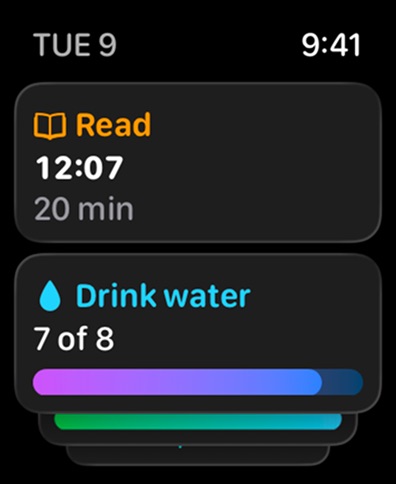
- Apple Watch complications and the Smart Stack widget
- Export to a CSV file
- Siri Shortcuts
- iCloud backup & sync
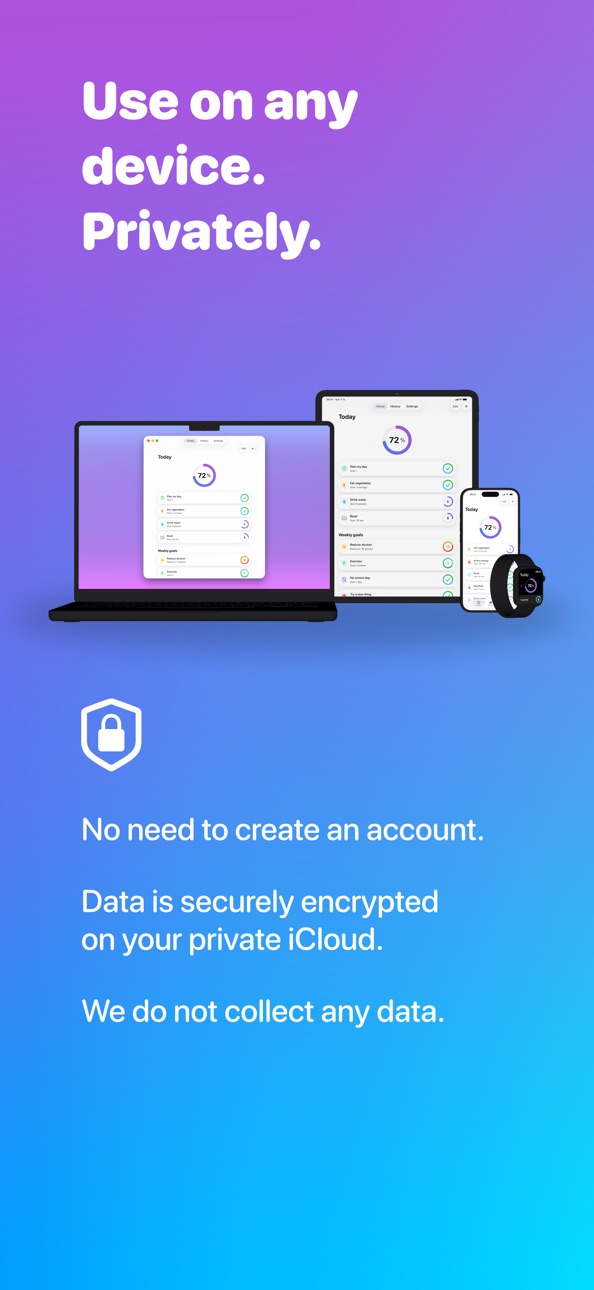
- Available on iPhone, iPad, Mac, and Apple Watch
Terms of Use: https://www.awesome-habits.com/terms-conditions
Privacy Policy: https://www.awesome-habits.com/privacy-policy
In-App Purchases BB pricing
Premium Subscription
Monthly Premium Subscription · Monthly—
Yearly Premium Subscription · Yearly—
One-Time Purchases
Lifetime Premium—
Capabilities
In-App Purchases
Accessibility
ipadiphonemacrealityDevicetvoswatch
Version history 25 versions
Build 886605888v7.42026-07-06 16:27:04
• Decimal values: Counted habits now accept decimals, so you can track values like 1.5 mi or 12.5 fl oz with up to two decimal places.
• Custom circle tap action: Choose what tapping a habit's circle does: add a custom amount or ask you for the value every time. Find it in Edit habit, under the goal section – tap "Show more".
• Seconds for timed goals: Set timed goals down to the second, and see the seconds count live right on the Home tab.
• Start your week on any day: Pick any day of the week as your start of week, not just Sunday or Monday.
Build 885801770v7.3.32026-05-31 17:55:08
• We added support for 9 new languages.
Build 885187458v7.3.22026-05-03 17:41:13
• Bug fixes and performance improvements
Build 884507685v7.3.12026-04-15 16:22:52
• Bonjour! We've added support for French.
Build 883556728v7.32026-03-22 09:15:50
• Automatic filtering in widgets: When editing a widget, set the list filter to "Mirror app" to automatically show the habit list you have selected in the app.
• Switching lists with automations: We've updated the "Show Habit List" Shortcuts action so you can run it in the background (with the "Open When Run" option disabled). Use it in personal automations—for example, to switch to a list at specific times (e.g., your morning or evening routine) or when you turn on a Focus.
• New Shortcuts action – Get Habits: Retrieve all your habits or a selected habit list. Combine it with "Repeat with Each" and "Get Habit Status" to create advanced shortcuts and automations.
• New Shortcuts action – Export to CSV File: Easily export all your data, a selected habit list, or a specific date range to a CSV file.
Build 881772499v7.22026-01-23 15:07:27
Be awesome in 2026
• Beat procrastination with alarms: Turn habit reminders and timers into real alarms. They keep ringing until you act or snooze them, making it harder to ignore your resolutions. Available on iOS 26.
• Faster sync from widgets: When you update a habit from a widget or run a shortcut in the background, changes sync to your other devices faster than before.
Build 880192853v7.1.42025-11-29 14:44:40
• Added support for German. More languages are coming soon!
• Bug fixes and performance improvements
Build 879595206v7.1.22025-11-08 14:03:52
• Custom reminder message: Add your own message to habit reminders. Use it for motivation or to display notes that help you complete your habit.
• Better handling of delivered notifications: When you take action from a notification, only older delivered notifications are now cleared. This lets you use an action like “Complete one” on each delivered notification in order.
• Improved Excel support: CSV exports are now better optimized for Excel, with improved recognition of special characters and the date format.
Build 879448743v7.12025-11-04 08:07:49
• Custom reminder message: Add your own message to habit reminders. Use it for motivation or to display notes that help you complete your habit.
• Better handling of delivered notifications: When you take action from a notification, only older delivered notifications are now cleared. This lets you use an action like “Complete one” on each delivered notification in order.
• Improved Excel support: CSV exports are now better optimized for Excel, with improved recognition of special characters and the date format.
Build 879479811v7.1.12025-11-04 13:57:41
• Custom reminder message: Add your own message to habit reminders. Use it for motivation or to display notes that help you complete your habit.
• Better handling of delivered notifications: When you take action from a notification, only older delivered notifications are now cleared. This lets you use an action like “Complete one” on each delivered notification in order.
• Improved Excel support: CSV exports are now better optimized for Excel, with improved recognition of special characters and the date format.
Build 879090913v7.0.52025-10-20 18:42:35
• Bug fixes and performance improvements
Build 878884518v7.0.42025-10-13 19:04:19
• Bug fixes and performance improvements
Build 878793370v7.0.32025-10-09 15:10:26
• Added support for Czech. More languages coming soon!
• Bug fixes and performance improvements
Build 878284578v7.0.12025-09-20 12:37:12
Reimagined for iOS 26
• Enjoy a refreshed and refined look with Liquid Glass.
• Get habit ideas privately with Apple Intelligence (available on iOS 26, in select regions, and on supported devices).
• Enjoy a smoother experience when managing a large number of habits.
• Better accessibility: We’ve added support for high contrast mode and improved large text support.
Build 877875548v7.02025-09-14 13:28:53
Reimagined for iOS 26
• Enjoy a refreshed and refined look with Liquid Glass.
• Get habit ideas privately with Apple Intelligence (available on iOS 26, in select regions, and on supported devices).
• Enjoy a smoother experience when managing a large number of habits.
• Better accessibility: We’ve added support for high contrast mode and improved large text support.
Build 877320934v6.4.62025-08-17 13:36:20
• Bug fixes and performance improvements
Build 876046479v6.4.52025-07-02 06:35:04
• Bug fixes and performance improvements
Build 875584421v6.4.32025-06-15 07:48:54
• Bug fixes and performance improvements
Build 875342095v6.42025-06-06 06:38:30
• Single habit widgets: Stay focused on what matters most with the single habit widget. Add it to your iPhone or iPad Home Screen or Lock Screen, Apple Watch face, or Mac desktop to quickly access your habit and track your progress.
• Improved medium-size widgets: The medium widget now supports up to 10 habits—even on smaller devices. You can also choose to show a large progress circle alongside your habits. To access this new configuration, first remove your existing widget and then add it again.
• Apple StoreKit 2 integration: We now use the Apple StoreKit 2 framework, which improves privacy and simplifies purchase handling in the app.
Build 875391159v6.4.12025-06-06 18:43:03
• Bug fixes and performance improvements
Build 873981964v6.32025-04-14 07:59:56
• Autostop timers: Automatically stop the timer when the goal is reached. You can enable this in Edit habit > Timer options.
• Add early timer alert: Get an alert before the timer goal is reached—e.g., 2 minutes early. Customize this in Edit habit > Timer options.
Build 871892945v6.2.42025-01-21 15:56:54
• Get started tips: We've added a new help section with tips and how-to guides to help new users get started.
• Bug fixes and performance improvements
Build 871438463v6.2.22024-12-29 23:01:26
Be awesome in 2025
• Reset habit history: Need a fresh start? Easily reset your habit history with the button on the history details screen.
• More start of day options: Prefer updating your progress the next morning? Set your start of day to any hour between midnight and noon.
• Bug fixes and performance improvements
Build 871081852v6.22024-12-13 01:09:42
• Personalize your habit icons like never before. With iOS 18.2, you can set custom stickers as habit icons or take advantage of Apple Intelligence (available in supported regions and on compatible devices) to create unique Genmoji icons.
• To maintain optimal performance and user experience on iPadOS 18, we have decided to discontinue support for the extra-large widget. We apologize for any inconvenience this may cause and appreciate your understanding.
• Bug fixes and performance improvements
Build 870757120v6.12024-11-30 03:39:05
• Quick actions menus: Touch and hold a habit to access quick actions like adding a custom value, adding a note, editing, archiving, and more. These quick actions are available throughout the app, including the Home tab, History tab, and calendar view. Available on iOS 17 and later.
• Adaptive custom repeat: For habits with a custom repeat (e.g., exercising every 3 days), the next repeats now automatically adjust based on the last completion. This ensures you maintain the intended interval, even if you complete the goal on a different day than planned.
• Bug fixes and performance improvements
Price history by region
Currency
Show
Columns
Search
Availability 89 of 89 storefronts
| Region | Language | Price | Ratings | Avg | Version |
|---|---|---|---|---|---|
| US | en-US | Free | 907 | 4.8 | 7.4 |
| FR | fr-FR | Free | 136 | 4.8 | 7.4 |
| BR | pt-BR | Free | 66 | 4.9 | 7.4 |
| MX | es-MX | Free | 66 | 4.9 | 7.4 |
| IN | en-GB | Free | 47 | 4.5 | 7.4 |
| SE | sv | Free | 34 | 4.7 | 7.4 |
| HU | en-GB | Free | 32 | 4.9 | 7.4 |
| NO | en-GB | Free | 21 | 5.0 | 7.4 |
| CO | es-MX | Free | 13 | 4.9 | 7.4 |
| CL | es-MX | Free | 12 | 4.8 | 7.4 |
| KZ | en-GB | Free | 12 | 4.7 | 7.4 |
| PH | en-GB | Free | 12 | 5.0 | 7.4 |
| AR | es-MX | Free | 9 | 4.7 | 7.4 |
| CR | es-MX | Free | 9 | 5.0 | 7.4 |
| PE | es-MX | Free | 7 | 4.7 | 7.4 |
| DO | es-MX | Free | 5 | 5.0 | 7.4 |
| GT | es-MX | Free | 3 | 5.0 | 7.4 |
| JM | en-GB | Free | 3 | 5.0 | 7.4 |
| NG | en-GB | Free | 3 | 5.0 | 7.4 |
| PK | en-GB | Free | 3 | 3.7 | 7.4 |
| CY | en-GB | Free | 2 | 5.0 | 7.4 |
| BB | en-GB | Free | 1 | 5.0 | 7.4 |
| BF | en-GB | Free | 1 | 5.0 | 7.4 |
| BS | en-GB | Free | 1 | 4.0 | 7.4 |
| EC | es-MX | Free | 1 | 5.0 | 7.4 |
| KE | en-GB | Free | 1 | 5.0 | 7.4 |
| MA | en-GB | Free | 1 | 5.0 | 7.4 |
| MD | en-GB | Free | 1 | 5.0 | 7.4 |
| NA | en-GB | Free | 1 | 5.0 | 7.4 |
| PY | es-MX | Free | 1 | 5.0 | 7.4 |
| AG | en-GB | Free | 0 | — | 7.4 |
| AI | en-GB | Free | 0 | — | 7.4 |
| AO | en-GB | Free | 0 | — | 7.4 |
| BJ | en-GB | Free | 0 | — | 7.4 |
| BO | es-MX | Free | 0 | — | 7.4 |
| BW | en-GB | Free | 0 | — | 7.4 |
| BZ | en-GB | Free | 0 | — | 7.4 |
| CD | en-GB | Free | 0 | — | 7.4 |
| CG | en-GB | Free | 0 | — | 7.4 |
| CI | fr-FR | Free | 0 | — | 7.4 |
| CM | fr-FR | Free | 0 | — | 7.4 |
| CV | en-GB | Free | 0 | — | 7.4 |
| DM | en-GB | Free | 0 | — | 7.4 |
| DZ | en-GB | Free | 0 | — | 7.4 |
| GA | fr-FR | Free | 0 | — | 7.4 |
| GD | en-GB | Free | 0 | — | 7.4 |
| GH | en-GB | Free | 0 | — | 7.4 |
| GM | en-GB | Free | 0 | — | 7.4 |
| GW | en-GB | Free | 0 | — | 7.4 |
| GY | en-GB | Free | 0 | — | 7.4 |
| HN | es-MX | Free | 0 | — | 7.4 |
| IS | en-GB | Free | 0 | — | 7.4 |
| KN | en-GB | Free | 0 | — | 7.4 |
| KY | en-GB | Free | 0 | — | 7.4 |
| LC | en-GB | Free | 0 | — | 7.4 |
| LR | en-GB | Free | 0 | — | 7.4 |
| LY | en-GB | Free | 0 | — | 7.4 |
| MG | en-GB | Free | 0 | — | 7.4 |
| ML | en-GB | Free | 0 | — | 7.4 |
| MN | en-GB | Free | 0 | — | 7.4 |
| MS | en-GB | Free | 0 | — | 7.4 |
| MT | en-GB | Free | 0 | — | 7.4 |
| MU | en-GB | Free | 0 | — | 7.4 |
| MW | en-GB | Free | 0 | — | 7.4 |
| MZ | en-GB | Free | 0 | — | 7.4 |
| NE | en-GB | Free | 0 | — | 7.4 |
| NI | es-MX | Free | 0 | — | 7.4 |
| PA | es-MX | Free | 0 | — | 7.4 |
| PG | en-GB | Free | 0 | — | 7.4 |
| RW | en-GB | Free | 0 | — | 7.4 |
| SC | en-GB | Free | 0 | — | 7.4 |
| SL | en-GB | Free | 0 | — | 7.4 |
| SN | en-GB | Free | 0 | — | 7.4 |
| SR | en-GB | Free | 0 | — | 7.4 |
| ST | en-GB | Free | 0 | — | 7.4 |
| SV | es-MX | Free | 0 | — | 7.4 |
| SZ | en-GB | Free | 0 | — | 7.4 |
| TC | en-GB | Free | 0 | — | 7.4 |
| TD | en-GB | Free | 0 | — | 7.4 |
| TN | en-GB | Free | 0 | — | 7.4 |
| TT | en-GB | Free | 0 | — | 7.4 |
| TZ | en-GB | Free | 0 | — | 7.4 |
| UG | en-GB | Free | 0 | — | 7.4 |
| UY | en-GB | Free | 0 | — | 7.4 |
| VC | en-GB | Free | 0 | — | 7.4 |
| VE | es-MX | Free | 0 | — | 7.4 |
| VG | en-GB | Free | 0 | — | 7.4 |
| ZM | en-GB | Free | 0 | — | 7.4 |
| ZW | en-GB | Free | 0 | — | 7.4 |
Change log 29 changes · BB
✎
releaseNotes updated
• Decimal values: Counted habits now accept decimals, so you can track values like 1.5 mi or 12.5 fl oz with up to two decimal places.
• Custom circle tap actio
✎
description updated
Don't set goals, build habits.
Do you remember the last time you set out to achieve something? Perhaps you started strong, full of determination, but over time
✎
subtitle updated
Streaks, days since & goals
✎
name updated
Awesome Habits: Habit Tracker
◆
Version 7.4 released
• Decimal values: Counted habits now accept decimals, so you can track values like 1.5 mi or 12.5 fl oz with up to two decimal places.
• Custom circle tap action: Choose what tapping a habit's circle does: add a custom amount or ask you for
◆
Version 7.3.3 released
• We added support for 9 new languages.
◆
Version 7.3.2 released
• Bug fixes and performance improvements
◆
Version 7.3.1 released
• Bonjour! We've added support for French.
◆
Version 7.3 released
• Automatic filtering in widgets: When editing a widget, set the list filter to "Mirror app" to automatically show the habit list you have selected in the app.
• Switching lists with automations: We've updated the "Show Habit List" Shortcut
◆
Version 7.2 released
Be awesome in 2026
• Beat procrastination with alarms: Turn habit reminders and timers into real alarms. They keep ringing until you act or snooze them, making it harder to ignore your resolutions. Available on iOS 26.
• Faster sync from wi
◆
Version 7.1.4 released
• Added support for German. More languages are coming soon!
• Bug fixes and performance improvements
◆
Version 7.1.2 released
• Custom reminder message: Add your own message to habit reminders. Use it for motivation or to display notes that help you complete your habit.
• Better handling of delivered notifications: When you take action from a notification, only ol
◆
Version 7.1.1 released
• Custom reminder message: Add your own message to habit reminders. Use it for motivation or to display notes that help you complete your habit.
• Better handling of delivered notifications: When you take action from a notification, only ol
◆
Version 7.1 released
• Custom reminder message: Add your own message to habit reminders. Use it for motivation or to display notes that help you complete your habit.
• Better handling of delivered notifications: When you take action from a notification, only ol
◆
Version 7.0.5 released
• Bug fixes and performance improvements
◆
Version 7.0.4 released
• Bug fixes and performance improvements
◆
Version 7.0.3 released
• Added support for Czech. More languages coming soon!
• Bug fixes and performance improvements
◆
Version 7.0.1 released
Reimagined for iOS 26
• Enjoy a refreshed and refined look with Liquid Glass.
• Get habit ideas privately with Apple Intelligence (available on iOS 26, in select regions, and on supported devices).
• Enjoy a smoother experience when managin
◆
Version 7.0 released
Reimagined for iOS 26
• Enjoy a refreshed and refined look with Liquid Glass.
• Get habit ideas privately with Apple Intelligence (available on iOS 26, in select regions, and on supported devices).
• Enjoy a smoother experience when managin
◆
Version 6.4.6 released
• Bug fixes and performance improvements
◆
Version 6.4.5 released
• Bug fixes and performance improvements
◆
Version 6.4.3 released
• Bug fixes and performance improvements
◆
Version 6.4.1 released
• Bug fixes and performance improvements
◆
Version 6.4 released
• Single habit widgets: Stay focused on what matters most with the single habit widget. Add it to your iPhone or iPad Home Screen or Lock Screen, Apple Watch face, or Mac desktop to quickly access your habit and track your progress.
• Impro
◆
Version 6.3 released
• Autostop timers: Automatically stop the timer when the goal is reached. You can enable this in Edit habit > Timer options.
• Add early timer alert: Get an alert before the timer goal is reached—e.g., 2 minutes early. Customize this in Edi
◆
Version 6.2.4 released
• Get started tips: We've added a new help section with tips and how-to guides to help new users get started.
• Bug fixes and performance improvements
◆
Version 6.2.2 released
Be awesome in 2025
• Reset habit history: Need a fresh start? Easily reset your habit history with the button on the history details screen.
• More start of day options: Prefer updating your progress the next morning? Set your start of day
◆
Version 6.2 released
• Personalize your habit icons like never before. With iOS 18.2, you can set custom stickers as habit icons or take advantage of Apple Intelligence (available in supported regions and on compatible devices) to create unique Genmoji icons.
◆
Version 6.1 released
• Quick actions menus: Touch and hold a habit to access quick actions like adding a custom value, adding a note, editing, archiving, and more. These quick actions are available throughout the app, including the Home tab, History tab, and ca