Home › Productivity

 ML
ML
 USen-US
 AEen-GB
 AFen-GB
 AGen-GB
 AIen-GB
 ALen-GB
 AMen-GB
 AOen-GB
 ARes-MX
 ATde-DE
 AUen-AU
 AZen-GB
 BAen-GB
 BBen-GB
 BEen-GB
 BFen-GB
 BGen-GB
 BHen-GB
 BJen-GB
 BMen-GB
 BNen-GB
 BOes-MX
 BRpt-BR
 BSen-GB
 BTen-GB
 BWen-GB
 BYen-GB
 BZen-GB
 CAen-CA
 CDen-GB
 CGen-GB
 CHde-CH
 CIfr-FR
 CLes-MX
 CMfr-FR
 CNzh-Hans-CN
 COes-MX
 CRes-MX
 CVen-GB
 CYen-GB
 CZen-GB
 DEde-DE
 DKen-GB
 DMen-GB
 DOes-MX
 DZen-GB
 ECes-MX
 EEen-GB
 EGen-GB
 ESes-ES
 FIen-GB
 FJen-GB
 FMen-GB
 FRfr-FR
 GAfr-FR
 GBen-GB
 GDen-GB
 GEen-GB
 GHen-GB
 GMen-GB
 GRen-GB
 GTes-MX
 GWen-GB
 GYen-GB
 HKzh-Hant-HK
 HNes-MX
 HRen-GB
 HUen-GB
 IDen-GB
 IEen-GB
 ILen-GB
 INen-GB
 IQen-GB
 ISen-GB
 ITit
ITit JMen-GB
 JOen-GB
 JPja
JPja KEen-GB
 KGen-GB
 KHen-GB
 KNen-GB
 KRko
KRko KWen-GB
 KYen-GB
 KZen-GB
 LAen-GB
 LBen-GB
 LCen-GB
 LKen-GB
 LRen-GB
 LTen-GB
 LUen-GB
 LVen-GB
 LYen-GB
 MAen-GB
 MDen-GB
 MEen-GB
 MGen-GB
 MKen-GBMLen-GB
 MMen-GB
 MNen-GB
 MOzh-Hant-HK
 MRen-GB
 MSen-GB
 MTen-GB
 MUen-GB
 MVen-GB
 MWen-GB
 MXes-MX
 MYen-GB
 MZen-GB
 NAen-GB
 NEen-GB
 NGen-GB
 NIes-MX
 NLnl
NLnl NOen-GB
 NPen-GB
 NRen-GB
 NZen-AU
 OMen-GB
 PAes-MX
 PEes-MX
 PGen-GB
 PHen-GB
 PKen-GB
 PLen-GB
 PTpt-PT
 PWen-GB
 PYes-MX
 QAen-GB
 ROen-GB
 RSen-GB
 RUru
RUru RWen-GB
 SAen-GB
 SBen-GB
 SCen-GB
 SEsv
SEsv SGen-GB
 SIen-GB
 SKen-GB
 SLen-GB
 SNen-GB
 SRen-GB
 STen-GB
 SVes-MX
 SZen-GB
 TCen-GB
 TDen-GB
 THen-GB
 TJen-GB
 TMen-GB
 TNen-GB
 TOen-GB
 TRen-GB
 TTen-GB
 TWzh-Hant-TW
 TZen-GB
 UAen-GB
 UGen-GB
 UYen-GB
 UZen-GB
 VCen-GB
 VEes-MX
 VGen-GB
 VNen-GB
 VUen-GB
 XKen-GB
 YEen-GB
 ZAen-GB
 ZMen-GB
 ZWen-GB
175 of 175 storefronts
Content in en-US
Content in en-US
Information
Apple ID1497746087
Bundle IDcom.veejay.cement
SellerSeller
Min iOS16.6
Min macOS13.5
Device familiesiphone, ipad
Released2020-03-06
Copyright© 2023 TrackVia, Inc.
Privacy policyLink ↗
Preview 2 platforms
iPhone 4 images
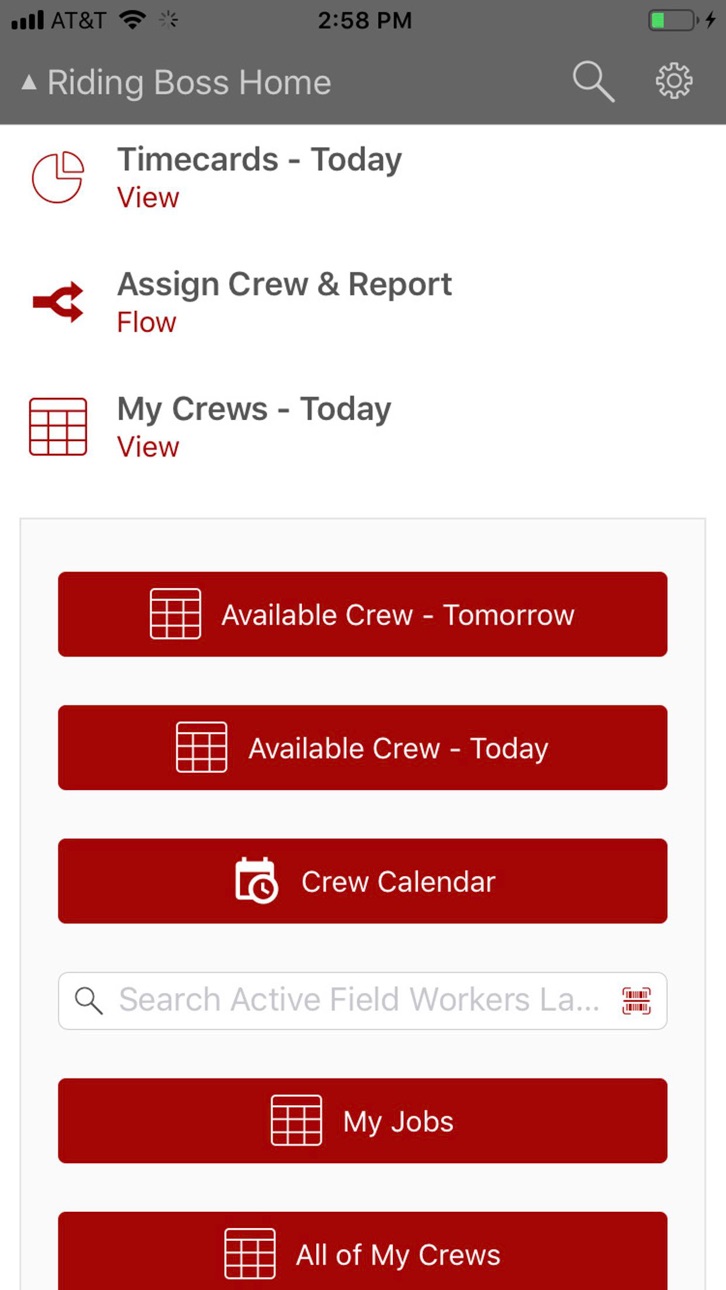
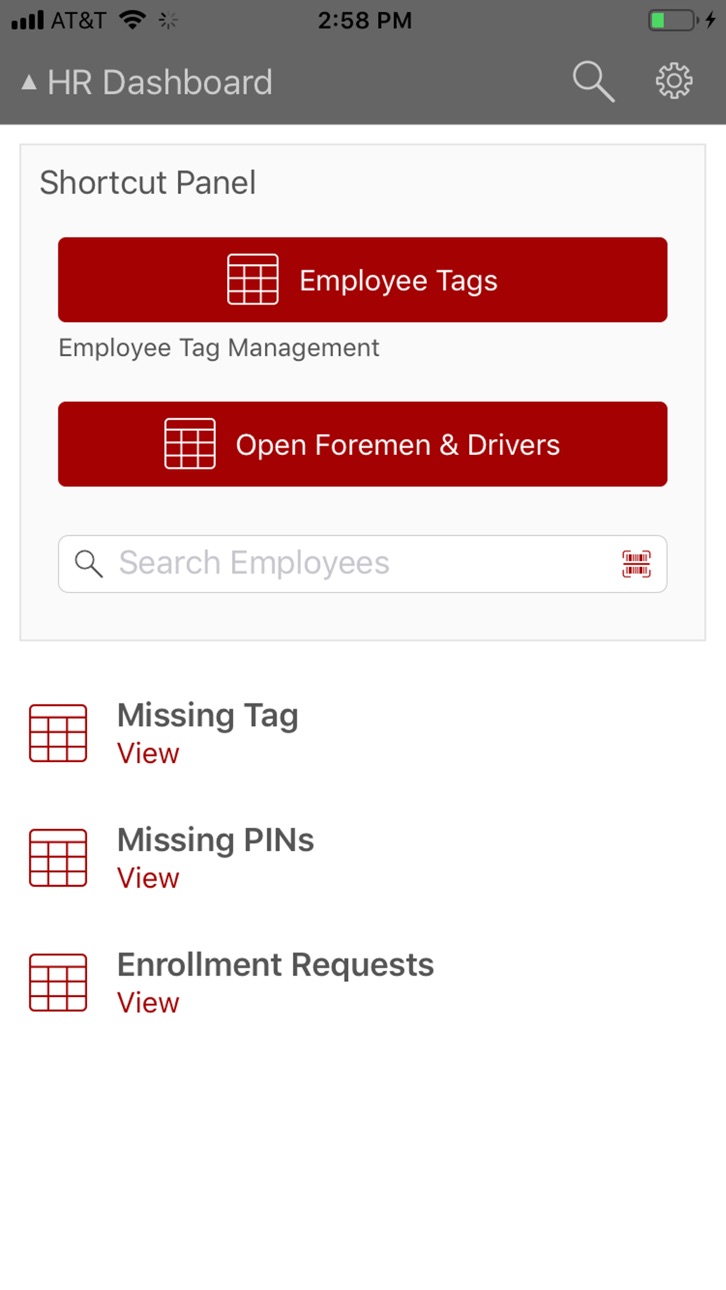


iPad 4 images


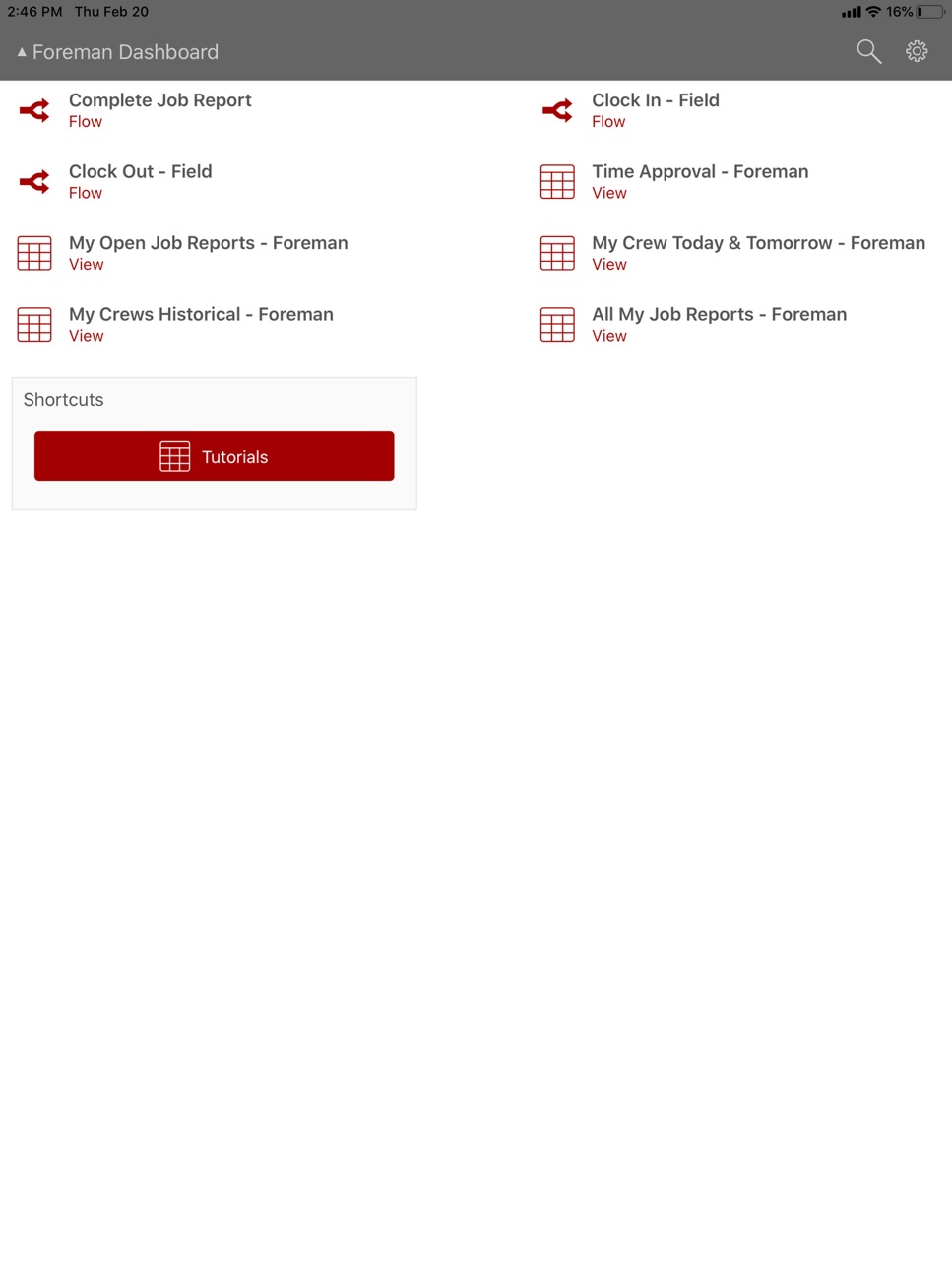

What’s New Version 6.13.1
Bug fixes and performance enhancements.
Description
Allows for the completion of work reports, and time tracking.
Accessibility
ipadiphonemacrealityDevicetvoswatch
Version history 20 versions
Build 885393686v6.13.12026-05-07 22:54:48
Bug fixes and performance enhancements.
Build 885297610v6.13.02026-05-05 23:18:59
New
- Grids can now be viewed as a list of cards.
- A new app setting can be configured to load grid views as a card list.
Enhanced
- Scheduler view records can now be filtered using search and viewed as a list of cards.
Build 878602662v6.12.02025-10-03 04:32:29
New
- Attachments fields are now supported on views and forms.
Fixed
- Text for field values in grids now respect conditional formatting.
- Inactive users no longer appear as selectable options in user form fields.
Build 874458433v6.10.02025-05-02 21:55:34
New
- Workflow dashboard resources now support custom colors.
- Record counts are now shown on grids.
- Record counts are now shown for child views on forms.
- You can now add records to child views on forms in workflows.
- You can now create a link-to-parent record on forms in workflows.
- You can now sync up to 100,000 records for offline use.
Fixed
- Selecting a document from a form field should no longer crash for iPad users.
- After switching between dashboards or accounts, sometimes the dashboard would become unresponsive to taps.
- Scheduler view should now load properly when accessed as a child view on a form.
Build 872296753v6.9.02025-02-06 19:33:15
New
- Lanes views are now supported! We are currently only enabling lanes views in accounts by request. Please contact our support team to activate lanes views and submit feedback.
Removed
- Dropped support iOS 14 & 15
Build 869900934v6.8.12024-10-24 19:36:23
Fixed
- We re-enabled the ability to retry logging if an error was encountered during app start up.
Build 865623098v6.8.02024-10-10 13:37:42
New
- When navigating through a flow, if a View has zero records in it, we added support to allow the end user to consistently see the ‘alternate step’ configured in the Flow builder, fully covering cases where:
- No records are present in a View after a search using a variable
- No records are present in a View after a search using a barcode scanner
- No records are present in a View after a manual search
- No records are present in a View and the View is initially empty
Fixed
- We fixed an issue within Flows that was leading to end users being directed to an incorrect step in the flow after passing through a View step with the optional setting for alternate routing when a View has zero records in it configured.
- We fixed an issue causing some users to see the incorrect “Add Form” when attempting to add a Parent record to a Cross-App connected Table via a Relationship Field.
- We fixed two memory consumption issues on the backend of the app leading users to seeing intermittent timeouts or experience an unresponsive app.
Build 858709027v6.5.02023-11-07 20:43:53
Changed
- We updated the font used throughout the app to be easier on the eyes, making your job that much easier.
Fixed
- Default values are now properly saved for show/hide dropdown fields.
- We resolved a bug in the file browser for our iPadOS 16 users. You should once again be able to change the file browser's source in portrait orientation.
- We fixed the format of date and datetime values recorded in the offline offload CSV files. These fields should no longer require correction in the import wizard.
Removed
- TrackVia no longer supports devices running iOS 13. Please ensure that your devices are updated to a supported iOS version to continue receiving the latest TrackVia updates.
Build 858524512v6.3.12023-07-18 19:02:24
What's Fixed?
- We fixed an issue with read-only fields being truncated and not displaying all data on certain devices.
Note:
This release will be the last release to officially support iOS 13. Please ensure that your devices are updated to the latest version supported to continue to receive the latest updates to the TrackVia app.
Build 857503902v6.2.32023-06-16 22:22:56
What’s Fixed?
This release patches a bug that was causing the 'Save' button to not be accessible on Map Views in certain situations on specific devices.
We also cleaned up some instances where text alignment on Dashboards and in the Form building flow was overlapping and causing confusion
Build 855940976v6.2.12023-03-30 21:33:09
With this version, you now have the ability to register for an account directly through the mobile app. Additionally, we made a few updates to the flow for creating new applications on the mobile app.
We fixe an edge case issue that was causing users to be unable to authenticate using biometrics after session timeout.
Build 851187057v6.2.02023-03-02 20:51:34
What's New?
With this version of TrackVia Mobile, you now have the ability to register for an account directly through the mobile app. Additionally, we made a few updates to the flow for creating new applications on the mobile app. Stay tuned for more to come soon!
What's Fixed?
We fixed an edge case issue that was causing users to be unable to authenticate using biometrics after session timeout.
Build 848757684v6.0.42022-05-10 08:39:48
Fixed an issue with show/hide rules not firing effectively in some scenarios when configured on Link to Parent fields.
Build 842010610v5.4.22021-05-13 17:35:47
What’s Fixed?
- We patched a bug deep within Apple’s codebase that was resulting in some number fields being appended with long strings of decimal places that were not entered by the user.
- In some versions of iOS users could not access the photo albums on their device when uploading images, only the camera roll of all images. We fixed this and have ensured that users can always toggle between Photos and Albums when uploading images.
- When searching in a Relationship field, type-ahead was not dynamically filtering your search options until the user clicked “Search”. We resolved this to make searching in Relationships easier.
- We fixed an issue with Dashboard information intermittently lagging when navigating between multiple Dashboards and Apps.
Build 840959423v5.4.02021-03-22 22:21:35
What’s Fixed?
- We fixed an intermittent issue causing the barcode scanner to crash.
- We fixed an intermittent issue with newly enabled Offline resources not being downloaded to the device.
- We fixed an issue with checkbox fields not displaying properly on some device types.
- Some users were experiencing an ambiguous “Unknown Error” message when attempting to save records on certain device types, causing the app to freeze. This has been resolved.
- Some users were experiencing a “Resource Unavailable” error message when attempting to launch the app for the app or switching between apps and dashboards offline. This has been resolved. Every 30 days, TrackVia issues a new refresh token for each mobile device to be able to access the TrackVia system. We streamlined the process for updating the refresh token and allowing the user to sign seamlessly back into the app if they were offline between new refresh tokens being issued.
Build 840027792v5.3.02021-01-14 11:45:16
• Toggle chart labels on/off on full screen charts. Flows in the app respect the “Proceed through an Empty Grid” configuration
• App Admins may access sandboxes through the app
• iOS 14 introduces a new privacy option for users
• Permissions for access to the photo library respect the new options in iOS 14
Build 836879557v5.2.52020-12-04 17:58:41
Improvements to Offline
- If fields on an edit form were not on a grid, the data would not display on the edit form.
- Improved sync upload performance to increase success of initial sync attempts.
Build 836598625v5.0.12020-06-27 15:51:26
What's New in version 5.0.1
Photos taken with the app are saved with a date and time stamp.
What's New in version 5.0
Dashboards! Dashboards! Dashboards!
- An updated look and feel to the Simple dashboard you use everyday.
Introducing a New Dashboard Option - Enhanced Dashboards for Tablets
- Charts display directly on the dashboard.
- A new display style for shortcut panels - access the panel through a shortcut button.
- Available for both online and offline use.
Hero Data on Dashboards!
-On both Simple and Enhanced Dashboards, view the number of records within a grid or a flow directly on the dashboard button.
Charts!
- A fresh look and feel to full screen charts
Build 836549853v5.0.02020-06-25 11:06:02
Dashboards! Dashboards! Dashboards!
- An updated look and feel to the Simple dashboard you use everyday.
Introducing a New Dashboard Option - Enhanced Dashboards for Tablets
- Charts display directly on the dashboard.
- A new display style for shortcut panels - access the panel through a shortcut button.
- Available for both online and offline use.
Hero Data on Dashboards!
-On both Simple and Enhanced Dashboards, view the number of records within a grid or a flow directly on the dashboard button.
Charts!
- A fresh look and feel to full screen charts
Build 834591998v4.5.02020-03-06 18:21:43
No pricing data captured yet — comparisons appear once the app has paid storefronts or in-app purchases.
Availability 175 of 175 storefronts
| Region | Language | Price | Ratings | Avg | Version |
|---|---|---|---|---|---|
| US | en-US | Free | 1 | 1.0 | 6.13.1 |
| AE | en-GB | Free | 0 | — | 6.13.1 |
| AF | en-GB | Free | 0 | — | 6.13.1 |
| AG | en-GB | Free | 0 | — | 6.13.1 |
| AI | en-GB | Free | 0 | — | 6.13.1 |
| AL | en-GB | Free | 0 | — | 6.13.1 |
| AM | en-GB | Free | 0 | — | 6.13.1 |
| AO | en-GB | Free | 0 | — | 6.13.1 |
| AR | es-MX | Free | 0 | — | 6.13.1 |
| AT | de-DE | Free | 0 | — | 6.13.1 |
| AU | en-AU | Free | 0 | — | 6.13.1 |
| AZ | en-GB | Free | 0 | — | 6.13.1 |
| BA | en-GB | Free | 0 | — | 6.13.1 |
| BB | en-GB | Free | 0 | — | 6.13.1 |
| BE | en-GB | Free | 0 | — | 6.13.1 |
| BF | en-GB | Free | 0 | — | 6.13.1 |
| BG | en-GB | Free | 0 | — | 6.13.1 |
| BH | en-GB | Free | 0 | — | 6.13.1 |
| BJ | en-GB | Free | 0 | — | 6.13.1 |
| BM | en-GB | Free | 0 | — | 6.13.1 |
| BN | en-GB | Free | 0 | — | 6.13.1 |
| BO | es-MX | Free | 0 | — | 6.13.1 |
| BR | pt-BR | Free | 0 | — | 6.13.1 |
| BS | en-GB | Free | 0 | — | 6.13.1 |
| BT | en-GB | Free | 0 | — | 6.13.1 |
| BW | en-GB | Free | 0 | — | 6.13.1 |
| BY | en-GB | Free | 0 | — | 6.13.1 |
| BZ | en-GB | Free | 0 | — | 6.13.1 |
| CA | en-CA | Free | 0 | — | 6.13.1 |
| CD | en-GB | Free | 0 | — | 6.13.1 |
| CG | en-GB | Free | 0 | — | 6.13.1 |
| CH | de-CH | Free | 0 | — | 6.13.1 |
| CI | fr-FR | Free | 0 | — | 6.13.1 |
| CL | es-MX | Free | 0 | — | 6.13.1 |
| CM | fr-FR | Free | 0 | — | 6.13.1 |
| CN | zh-Hans-CN | Free | 0 | — | 6.13.1 |
| CO | es-MX | Free | 0 | — | 6.13.1 |
| CR | es-MX | Free | 0 | — | 6.13.1 |
| CV | en-GB | Free | 0 | — | 6.13.1 |
| CY | en-GB | Free | 0 | — | 6.13.1 |
| CZ | en-GB | Free | 0 | — | 6.13.1 |
| DE | de-DE | Free | 0 | — | 6.13.1 |
| DK | en-GB | Free | 0 | — | 6.13.1 |
| DM | en-GB | Free | 0 | — | 6.13.1 |
| DO | es-MX | Free | 0 | — | 6.13.1 |
| DZ | en-GB | Free | 0 | — | 6.13.1 |
| EC | es-MX | Free | 0 | — | 6.13.1 |
| EE | en-GB | Free | 0 | — | 6.13.1 |
| EG | en-GB | Free | 0 | — | 6.13.1 |
| ES | es-ES | Free | 0 | — | 6.13.1 |
| FI | en-GB | Free | 0 | — | 6.13.1 |
| FJ | en-GB | Free | 0 | — | 6.13.1 |
| FM | en-GB | Free | 0 | — | 6.13.1 |
| FR | fr-FR | Free | 0 | — | 6.13.1 |
| GA | fr-FR | Free | 0 | — | 6.13.1 |
| GB | en-GB | Free | 0 | — | 6.13.1 |
| GD | en-GB | Free | 0 | — | 6.13.1 |
| GE | en-GB | Free | 0 | — | 6.13.1 |
| GH | en-GB | Free | 0 | — | 6.13.1 |
| GM | en-GB | Free | 0 | — | 6.13.1 |
| GR | en-GB | Free | 0 | — | 6.13.1 |
| GT | es-MX | Free | 0 | — | 6.13.1 |
| GW | en-GB | Free | 0 | — | 6.13.1 |
| GY | en-GB | Free | 0 | — | 6.13.1 |
| HK | zh-Hant-HK | Free | 0 | — | 6.13.1 |
| HN | es-MX | Free | 0 | — | 6.13.1 |
| HR | en-GB | Free | 0 | — | 6.13.1 |
| HU | en-GB | Free | 0 | — | 6.13.1 |
| ID | en-GB | Free | 0 | — | 6.13.1 |
| IE | en-GB | Free | 0 | — | 6.13.1 |
| IL | en-GB | Free | 0 | — | 6.13.1 |
| IN | en-GB | Free | 0 | — | 6.13.1 |
| IQ | en-GB | Free | 0 | — | 6.13.1 |
| IS | en-GB | Free | 0 | — | 6.13.1 |
| IT | it | Free | 0 | — | 6.13.1 |
| JM | en-GB | Free | 0 | — | 6.13.1 |
| JO | en-GB | Free | 0 | — | 6.13.1 |
| JP | ja | Free | 0 | — | 6.13.1 |
| KE | en-GB | Free | 0 | — | 6.13.1 |
| KG | en-GB | Free | 0 | — | 6.13.1 |
| KH | en-GB | Free | 0 | — | 6.13.1 |
| KN | en-GB | Free | 0 | — | 6.13.1 |
| KR | ko | Free | 0 | — | 6.13.1 |
| KW | en-GB | Free | 0 | — | 6.13.1 |
| KY | en-GB | Free | 0 | — | 6.13.1 |
| KZ | en-GB | Free | 0 | — | 6.13.1 |
| LA | en-GB | Free | 0 | — | 6.13.1 |
| LB | en-GB | Free | 0 | — | 6.13.1 |
| LC | en-GB | Free | 0 | — | 6.13.1 |
| LK | en-GB | Free | 0 | — | 6.13.1 |
| LR | en-GB | Free | 0 | — | 6.13.1 |
| LT | en-GB | Free | 0 | — | 6.13.1 |
| LU | en-GB | Free | 0 | — | 6.13.1 |
| LV | en-GB | Free | 0 | — | 6.13.1 |
| LY | en-GB | Free | 0 | — | 6.13.1 |
| MA | en-GB | Free | 0 | — | 6.13.1 |
| MD | en-GB | Free | 0 | — | 6.13.1 |
| ME | en-GB | Free | 0 | — | 6.13.1 |
| MG | en-GB | Free | 0 | — | 6.13.1 |
| MK | en-GB | Free | 0 | — | 6.13.1 |
| ML | en-GB | Free | 0 | — | 6.13.1 |
| MM | en-GB | Free | 0 | — | 6.13.1 |
| MN | en-GB | Free | 0 | — | 6.13.1 |
| MO | zh-Hant-HK | Free | 0 | — | 6.13.1 |
| MR | en-GB | Free | 0 | — | 6.13.1 |
| MS | en-GB | Free | 0 | — | 6.13.1 |
| MT | en-GB | Free | 0 | — | 6.13.1 |
| MU | en-GB | Free | 0 | — | 6.13.1 |
| MV | en-GB | Free | 0 | — | 6.13.1 |
| MW | en-GB | Free | 0 | — | 6.13.1 |
| MX | es-MX | Free | 0 | — | 6.13.1 |
| MY | en-GB | Free | 0 | — | 6.13.1 |
| MZ | en-GB | Free | 0 | — | 6.13.1 |
| NA | en-GB | Free | 0 | — | 6.13.1 |
| NE | en-GB | Free | 0 | — | 6.13.1 |
| NG | en-GB | Free | 0 | — | 6.13.1 |
| NI | es-MX | Free | 0 | — | 6.13.1 |
| NL | nl | Free | 0 | — | 6.13.1 |
| NO | en-GB | Free | 0 | — | 6.13.1 |
| NP | en-GB | Free | 0 | — | 6.13.1 |
| NR | en-GB | Free | 0 | — | 6.13.1 |
| NZ | en-AU | Free | 0 | — | 6.13.1 |
| OM | en-GB | Free | 0 | — | 6.13.1 |
| PA | es-MX | Free | 0 | — | 6.13.1 |
| PE | es-MX | Free | 0 | — | 6.13.1 |
| PG | en-GB | Free | 0 | — | 6.13.1 |
| PH | en-GB | Free | 0 | — | 6.13.1 |
| PK | en-GB | Free | 0 | — | 6.13.1 |
| PL | en-GB | Free | 0 | — | 6.13.1 |
| PT | pt-PT | Free | 0 | — | 6.13.1 |
| PW | en-GB | Free | 0 | — | 6.13.1 |
| PY | es-MX | Free | 0 | — | 6.13.1 |
| QA | en-GB | Free | 0 | — | 6.13.1 |
| RO | en-GB | Free | 0 | — | 6.13.1 |
| RS | en-GB | Free | 0 | — | 6.13.1 |
| RU | ru | Free | 0 | — | 6.13.1 |
| RW | en-GB | Free | 0 | — | 6.13.1 |
| SA | en-GB | Free | 0 | — | 6.13.1 |
| SB | en-GB | Free | 0 | — | 6.13.1 |
| SC | en-GB | Free | 0 | — | 6.13.1 |
| SE | sv | Free | 0 | — | 6.13.1 |
| SG | en-GB | Free | 0 | — | 6.13.1 |
| SI | en-GB | Free | 0 | — | 6.13.1 |
| SK | en-GB | Free | 0 | — | 6.13.1 |
| SL | en-GB | Free | 0 | — | 6.13.1 |
| SN | en-GB | Free | 0 | — | 6.13.1 |
| SR | en-GB | Free | 0 | — | 6.13.1 |
| ST | en-GB | Free | 0 | — | 6.13.1 |
| SV | es-MX | Free | 0 | — | 6.13.1 |
| SZ | en-GB | Free | 0 | — | 6.13.1 |
| TC | en-GB | Free | 0 | — | 6.13.1 |
| TD | en-GB | Free | 0 | — | 6.13.1 |
| TH | en-GB | Free | 0 | — | 6.13.1 |
| TJ | en-GB | Free | 0 | — | 6.13.1 |
| TM | en-GB | Free | 0 | — | 6.13.1 |
| TN | en-GB | Free | 0 | — | 6.13.1 |
| TO | en-GB | Free | 0 | — | 6.13.1 |
| TR | en-GB | Free | 0 | — | 6.13.1 |
| TT | en-GB | Free | 0 | — | 6.13.1 |
| TW | zh-Hant-TW | Free | 0 | — | 6.13.1 |
| TZ | en-GB | Free | 0 | — | 6.13.1 |
| UA | en-GB | Free | 0 | — | 6.13.1 |
| UG | en-GB | Free | 0 | — | 6.13.1 |
| UY | en-GB | Free | 0 | — | 6.13.1 |
| UZ | en-GB | Free | 0 | — | 6.13.1 |
| VC | en-GB | Free | 0 | — | 6.13.1 |
| VE | es-MX | Free | 0 | — | 6.13.1 |
| VG | en-GB | Free | 0 | — | 6.13.1 |
| VN | en-GB | Free | 0 | — | 6.13.1 |
| VU | en-GB | Free | 0 | — | 6.13.1 |
| XK | en-GB | Free | 0 | — | 6.13.1 |
| YE | en-GB | Free | 0 | — | 6.13.1 |
| ZA | en-GB | Free | 0 | — | 6.13.1 |
| ZM | en-GB | Free | 0 | — | 6.13.1 |
| ZW | en-GB | Free | 0 | — | 6.13.1 |
Change log 24 changes · ML
✎
releaseNotes updated
Bug fixes and performance enhancements.
✎
description updated
Allows for the completion of work reports, and time tracking.
✎
subtitle updated
Low-Code App Platform
✎
name updated
Vee-Jay
◆
Version 6.13.1 released
Bug fixes and performance enhancements.
◆
Version 6.13.0 released
New
- Grids can now be viewed as a list of cards.
- A new app setting can be configured to load grid views as a card list.
Enhanced
- Scheduler view records can now be filtered using search and viewed as a list of cards.
◆
Version 6.12.0 released
New
- Attachments fields are now supported on views and forms.
Fixed
- Text for field values in grids now respect conditional formatting.
- Inactive users no longer appear as selectable options in user form fields.
◆
Version 6.10.0 released
New
- Workflow dashboard resources now support custom colors.
- Record counts are now shown on grids.
- Record counts are now shown for child views on forms.
- You can now add records to child views on forms in workflows.
- You can now crea
◆
Version 6.9.0 released
New
- Lanes views are now supported! We are currently only enabling lanes views in accounts by request. Please contact our support team to activate lanes views and submit feedback.
Removed
- Dropped support iOS 14 & 15
◆
Version 6.8.1 released
Fixed
- We re-enabled the ability to retry logging if an error was encountered during app start up.
◆
Version 6.8.0 released
New
- When navigating through a flow, if a View has zero records in it, we added support to allow the end user to consistently see the ‘alternate step’ configured in the Flow builder, fully covering cases where:
- No records are present
◆
Version 6.5.0 released
Changed
- We updated the font used throughout the app to be easier on the eyes, making your job that much easier.
Fixed
- Default values are now properly saved for show/hide dropdown fields.
- We resolved a bug in the file browser for our
◆
Version 6.3.1 released
What's Fixed?
- We fixed an issue with read-only fields being truncated and not displaying all data on certain devices.
Note:
This release will be the last release to officially support iOS 13. Please ensure that your devices are
◆
Version 6.2.3 released
What’s Fixed?
This release patches a bug that was causing the 'Save' button to not be accessible on Map Views in certain situations on specific devices.
We also cleaned up some instances where text alignment on Dashboards and in the F
◆
Version 6.2.1 released
With this version, you now have the ability to register for an account directly through the mobile app. Additionally, we made a few updates to the flow for creating new applications on the mobile app.
We fixe an edge case issue that was ca
◆
Version 6.2.0 released
What's New?
With this version of TrackVia Mobile, you now have the ability to register for an account directly through the mobile app. Additionally, we made a few updates to the flow for creating new applications on the mobile app. Stay tu
◆
Version 6.0.4 released
Fixed an issue with show/hide rules not firing effectively in some scenarios when configured on Link to Parent fields.
◆
Version 5.4.2 released
What’s Fixed?
- We patched a bug deep within Apple’s codebase that was resulting in some number fields being appended with long strings of decimal places that were not entered by the user.
- In some versions of iOS users could not access th
◆
Version 5.4.0 released
What’s Fixed?
- We fixed an intermittent issue causing the barcode scanner to crash.
- We fixed an intermittent issue with newly enabled Offline resources not being downloaded to the device.
- We fixed an issue with checkbox fields not d
◆
Version 5.3.0 released
• Toggle chart labels on/off on full screen charts. Flows in the app respect the “Proceed through an Empty Grid” configuration
• App Admins may access sandboxes through the app
• iOS 14 introduces a new privacy option for users
• Permiss
◆
Version 5.2.5 released
Improvements to Offline
- If fields on an edit form were not on a grid, the data would not display on the edit form.
- Improved sync upload performance to increase success of initial sync attempts.
◆
Version 5.0.1 released
What's New in version 5.0.1
Photos taken with the app are saved with a date and time stamp.
What's New in version 5.0
Dashboards! Dashboards! Dashboards!
- An updated look and feel to the Simple dashboard you use everyday.
Introducing a
◆
Version 5.0.0 released
Dashboards! Dashboards! Dashboards!
- An updated look and feel to the Simple dashboard you use everyday.
Introducing a New Dashboard Option - Enhanced Dashboards for Tablets
- Charts display directly on the dashboard.
- A new display style
◆
Version 4.5.0 released