Home › Productivity

 PG
PG
 USen-US
 GBen-GB
 FRfr-FR
 BRpt-BR
 CAen-CA
 INen-GB
 AUen-AU
 MXes-MX
 DEde-DE
 ESes-ES
 ITit
ITit COes-MX
 TRen-GB
 ARes-MX
 JPja
JPja EGen-GB
 SAen-GB
 NLnl
NLnl VNen-GB
 ZAen-GB
 BEen-GB
 UAen-GB
 PLen-GB
 CHde-CH
 SEsv
SEsv CLes-MX
 PHen-GB
 IDen-GB
 IEen-GB
 AEen-GB
 PTpt-PT
 NGen-GB
 THen-GB
 PKen-GB
 ROen-GB
 SNen-GB
 ATde-DE
 SGen-GB
 NZen-AU
 DKen-GB
 KRko
KRko PEes-MX
 HKzh-Hant-HK
 ILen-GB
 CZen-GB
 KZen-GB
 RUru
RUru TWzh-Hant-TW
 MAen-GB
 NOen-GB
 KEen-GB
 MYen-GB
 ECes-MX
 LKen-GB
 FIen-GB
 DZen-GB
 UZen-GB
 CRes-MX
 HUen-GB
 SKen-GB
 CNzh-Hans-CN
 JOen-GB
 DOes-MX
 GTes-MX
 GHen-GB
 GRen-GB
 MNen-GB
 BGen-GB
 AZen-GB
 LTen-GB
 RSen-GB
 IQen-GB
 KWen-GB
 NPen-GB
 QAen-GB
 OMen-GB
 SIen-GB
 HRen-GB
 CIfr-FR
 GEen-GB
 TNen-GB
 AOen-GB
 EEen-GB
 UGen-GB
 PAes-MX
 UYen-GB
 LUen-GB
 LBen-GB
 VEes-MX
 TZen-GB
 ISen-GB
 BYen-GB
 LVen-GB
 MRen-GB
 AMen-GB
 ZWen-GB
 PYes-MX
 CYen-GB
 KGen-GB
 SVes-MX
 CDen-GB
 CMfr-FR
 HNes-MX
 KHen-GB
 MDen-GB
 BOes-MX
 BJen-GB
 ALen-GB
 BFen-GB
 BHen-GB
 BAen-GB
 MZen-GB
 NAen-GB
 MLen-GB
 JMen-GB
 LYen-GB
 MKen-GB
 TTen-GB
 MTen-GB
 CGen-GB
 BWen-GB
 GAfr-FR
 ZMen-GB
 YEen-GB
 MEen-GB
 MGen-GB
 NIes-MX
 RWen-GB
 GMen-GB
 AFen-GB
 MMen-GB
 XKen-GB
 MWen-GB
 TDen-GB
 BBen-GB
 SLen-GB
 GYen-GB
 LAen-GB
 MUen-GB
 NEen-GB
 TJen-GB
 FJen-GB
 MOzh-Hant-HK
 BSen-GB
 BTen-GB
 GWen-GB
 KYen-GB
 LRen-GB
 PWen-GB
 MVen-GB
 CVen-GB
 BMen-GB
 BNen-GB
 TMen-GB
 AGen-GB
 AIen-GB
 BZen-GB
 DMen-GB
 GDen-GBPGen-GB
 SBen-GB
 SZen-GB
 TCen-GB
 KNen-GB
 MSen-GB
 SCen-GB
 SRen-GB
 VGen-GB
 VUen-GB
 FMen-GB
 LCen-GB
 NRen-GB
 STen-GB
 TOen-GB
 VCen-GB
175 of 175 storefronts
Content in en-US
Content in en-US
Information
Preview 1 platform


iPhone 9 images


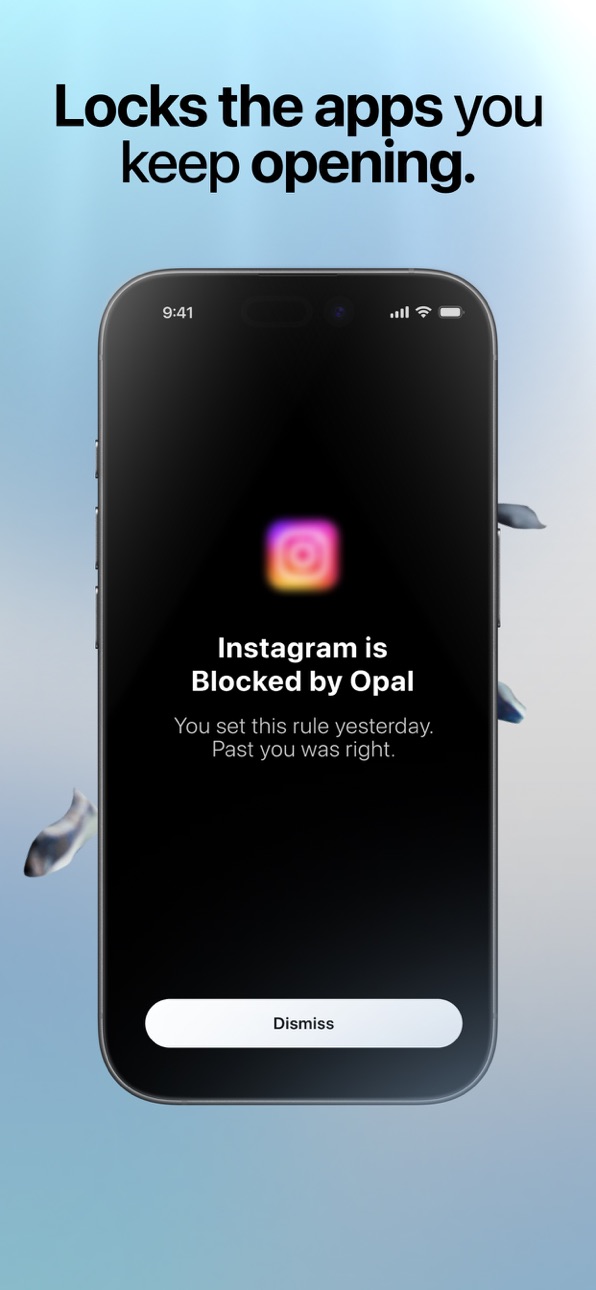


What’s New Version 4.3.2
We're keeping the updates coming. 4.3.2 is about fewer surprises and more stability. Here's what's new, what's been fixed, and what's next, in priority order.
New in 4.3.2
• You can now pick whole categories when choosing what to block during onboarding. One caution: categories can include apps you don't expect, so picking apps one by one is still the safest way
• Waiting rooms can no longer be kept on the app selection or timer screens in order to bypass waiting
• Added some more stability to syncing your Pro access
• The gem progress notification no longer appears for gemstones you've already unlocked
• Better detection of blocking silently drifting out of line, so stuck or missing blocks get found and fixed faster
Also fixed in recent updates
Rules and blocking
• Time limits work better: resets are back and usage counts again after you reach your limit (4.3.1)
• Opal quietly repairs blocking in more situations (4.3.1)
• Fixed PIN number migration + locked down disabling rules when it's active (4.3)
• Added the ability to reload blocks from your Settings or blocks tab to refresh rules (4.3)
Home screen and design
• Your daily screen time is back on the home screen, with today's total and most-used apps (4.3.1)
• Refreshed timer and unblock Live Activities, and fixed the widget gemstone color (4.3.1)
Account and Pro
• No more paywall for current Pro subscribers (4.3)
• Fixed the unexpected logouts (server fix June 24, plus 4.2.2)
• Pro access restores itself automatically, and everyone has unlimited Rules (4.2.2)
Unblocking
• One simple unblock flow everywhere, with your own unblock time, not just 5 minutes (4.2.2)
• Fixed cases where unblocking didn't work at all (4.2.1)
Streaks
• Fixed an issue that could cause your streak to be incorrectly calculated (4.3.1)
• Fixed the migration that wiped some streaks, and restored streaks for 3,500 affected people on June 25 (4.2.1)
Stability
• Cleaner screen time stats (4.3)
• Fixed crashing on launch, overheating and lag on the home screen (4.2, 4.2.1)
• Uninstall protection can no longer be turned off while blocking (4.2.1)
Things you should know
• Increasing wait time in the waiting room is in Settings => Waiting Room => Hard
• Your daily screen time is now on the home screen; tap the Screen Time card for the app-by-app view
What's next, in priority order
• Getting everyone signed back into the right account and out of duplicate accounts
• Continuing to harden against apps getting stuck blocked (better detection shipped in this release)
• Fixing referrals
• Further hardening streak resilience
• Bringing back "Leave early"
• Bringing back Session / Always On as a Rule
• Showing Focus Hours on the home screen
• Clearer onboarding so it's obvious what Opal does, what a Rule is, and how unblocking works
Every line above traces back to a message from one of you. We're still reading everything. Thank you.
Description
Achieve screen time control with the world’s most-loved screen time app! Opal is the fun, free Screen Time app to improve your focus and make the most out of every day.
5 to 6 hours. That’s the average time you’ll spend looking at your phone today, often without realizing it. It's time to fight back. With a combination of screen time control, app limits, app blockers, real time data, leaderboards and rewards, you will focus better and accomplish your dreams, just like Opal’s members.
**As of November 2024, Opal has saved humanity 120 Million hours from less screen time. **
Many of the world's top teams and companies trust Opal to help protect their focus. You can too.
**Opal cut my screen time by 2 hours per day – Marketing at Google **
**You need this app. When I first got opal my daily screen-time was about 8 1/2 hours a day. Now it's 1 hour. **
**Opal has become an indispensable tool in my quest for productivity and mindful technology usage **
**Get Opal! - Ali Abdaal, productivity expert**
BENEFITS
Save 1 hour and 23 minutes per DAY from less screen time, on average.
94% of Opal members are less distracted
93% are more productive thanks to the app
90% report improved well-being
Added benefits:
- Better screen time control
- Better productivity at work
- Reduce stress, be more mindful
- Supports focus challenges, including ADHD
- Set daily work hours, sleep, and routines
- Block apps to unplug and detox
- Stay in focus when you need it most
- You're happy and in control of your screen time
FEATURES
- #1 Screen Time Control: the most loved app for screen time control with 4.8/5.
- #1 App Blocker: Instantly Block apps and websites you choose at a specific time of day throughout the week to organize your time.
- Focus Difficulty: Make it hard, or make it a bit easier. Deep Focus won't let you cancel or bypass at all.
- App Limits: Set daily usage limits on apps and websites to automatically block them and prevent overuse.
- Mindful Block Screens: Discover quotes, puns and more every time you try to open an app or website you really shoudn't.
- Blocklist & Allowlist: Easily pick any app, game or website you want to block or allow during your Blocks.
- Focus Report: Measure your progress with clear metrics, actionable screen time stats, and benchmark against your peers.
- Focus Score: Check your screen time and focus level at any point easily spotting Focus and Distracted time.
- Calendar: Set daily working hours, sleep and routines, block apps automatically, so you don’t have to remember.
- Precious Rewards: Unlock unique MileStones you can share with friends.
- Leaderboard: Challenge friends to top the leaderboard, enhancing productivity, focus and keeping each other motivated.
- Breaks: Choose the app you want to use, write your intention, and set a timer.
- Focus Mode Integration: Sync your Opal Focus Sessions with iPhone Focus Mode to block apps.
- Shortcut Integration: Connect iPhone shortcut automations to start/stop Focus Sessions based on app opens, time, location and more!
- Focus Reminders: Get timely reminder notifications when you get distracted or reach a time limit.
- Deep Focus: Need ultimate focus? Deep Focus is the maximum level of protection — you can’t bypass or cancel.
- More Fun: Opal is guilt-free and fun.
- Widget: Have Opal on your home screen!
CREATE A PERSONALIZED APP BLOCK LIST
Easily pick any app, game or website you want to block or allow to Block Apps.
PRIVATE & SAFE
We use Apple's Screen Time API in order to monitor and block apps you use. Installation is easy and takes a few seconds on your iPhone.
Unlike most apps, Opal works entirely on your phone and personal browsing data never leaves your device.
TERMS, PRIVACY & CONDITIONS
Read on https://opal.so/terms & https://www.apple.com/legal/internet-services/itunes/dev/stdeula/
Capabilities
In-App Purchases
Accessibility
ipadiphonemacrealityDevicetvoswatch
Version history 25 versions
Build 887828938v4.3.22026-07-06 15:54:58
We're keeping the updates coming. 4.3.2 is about fewer surprises and more stability. Here's what's new, what's been fixed, and what's next, in priority order.
New in 4.3.2
• You can now pick whole categories when choosing what to block during onboarding. One caution: categories can include apps you don't expect, so picking apps one by one is still the safest way
• Waiting rooms can no longer be kept on the app selection or timer screens in order to bypass waiting
• Added some more stability to syncing your Pro access
• The gem progress notification no longer appears for gemstones you've already unlocked
• Better detection of blocking silently drifting out of line, so stuck or missing blocks get found and fixed faster
Also fixed in recent updates
Rules and blocking
• Time limits work better: resets are back and usage counts again after you reach your limit (4.3.1)
• Opal quietly repairs blocking in more situations (4.3.1)
• Fixed PIN number migration + locked down disabling rules when it's active (4.3)
• Added the ability to reload blocks from your Settings or blocks tab to refresh rules (4.3)
Home screen and design
• Your daily screen time is back on the home screen, with today's total and most-used apps (4.3.1)
• Refreshed timer and unblock Live Activities, and fixed the widget gemstone color (4.3.1)
Account and Pro
• No more paywall for current Pro subscribers (4.3)
• Fixed the unexpected logouts (server fix June 24, plus 4.2.2)
• Pro access restores itself automatically, and everyone has unlimited Rules (4.2.2)
Unblocking
• One simple unblock flow everywhere, with your own unblock time, not just 5 minutes (4.2.2)
• Fixed cases where unblocking didn't work at all (4.2.1)
Streaks
• Fixed an issue that could cause your streak to be incorrectly calculated (4.3.1)
• Fixed the migration that wiped some streaks, and restored streaks for 3,500 affected people on June 25 (4.2.1)
Stability
• Cleaner screen time stats (4.3)
• Fixed crashing on launch, overheating and lag on the home screen (4.2, 4.2.1)
• Uninstall protection can no longer be turned off while blocking (4.2.1)
Things you should know
• Increasing wait time in the waiting room is in Settings => Waiting Room => Hard
• Your daily screen time is now on the home screen; tap the Screen Time card for the app-by-app view
What's next, in priority order
• Getting everyone signed back into the right account and out of duplicate accounts
• Continuing to harden against apps getting stuck blocked (better detection shipped in this release)
• Fixing referrals
• Further hardening streak resilience
• Bringing back "Leave early"
• Bringing back Session / Always On as a Rule
• Showing Focus Hours on the home screen
• Clearer onboarding so it's obvious what Opal does, what a Rule is, and how unblocking works
Every line above traces back to a message from one of you. We're still reading everything. Thank you.
Build 887756493v4.3.12026-07-03 22:04:50
Last time we shared a list of what we'd fix next, in priority order. This update ships the top items on that list, plus a round of fixes. Here's where everything stands, version by version.
We're building Opal for the people who rely on it today, and eventually for billions of people who want a better relationship with technology. That starts with making today's Opal rock-solid, and it means making new bets so Opal can work for more people.
New in 4.3.1
• Your daily screen time is back on the home screen. A new Screen Time card shows today's total and your most-used apps
• Time limits now work better, resets are back and usage begins accumulating again after you reach your limit
• Opal now quietly repairs blocking in more situations
• Fixed an issue that could cause your streak to be incorrectly calculated
• Refreshed the design of your timer and unblock Live Activities
• Fixed the Opal gemstone color on your widgets
Also fixed in recent updates
Rules and blocking
• Fixed PIN number migration + locked down disabling rules when it's active (4.3)
• Added the ability to reload blocks from your Settings or blocks tab to refresh rules (4.3)
Account and Pro
• No more paywall for current Pro subscribers (4.3)
• Fixed the unexpected logouts (server fix June 24, plus 4.2.2)
• Pro access restores itself automatically, and everyone has unlimited Rules (4.2.2)
Unblocking
• One simple unblock flow everywhere, with your own unblock time, not just 5 minutes (4.2.2)
• Fixed cases where unblocking didn't work at all (4.2.1)
Streaks
• Fixed the migration that wiped some streaks, and restored streaks for 3,500 affected people on June 25 (4.2.1)
Stability
• Cleaner screen time stats (4.3)
• Fixed crashing on launch, overheating and lag on the home screen (4.2, 4.2.1)
• Uninstall protection can no longer be turned off while blocking (4.2.1)
Things you should know
• Increasing wait time in the waiting room is in Settings => Waiting Room => Hard
• Your daily screen time is now on the home screen; tap the Screen Time card for the app-by-app view
What's next, in priority order
• Getting everyone signed back into the right account and out of duplicate accounts
• Continuing to harden against apps getting stuck blocked
• Fixing referrals
• Further hardening streak resilience
• Bringing back "Leave early"
• Bringing back Session / Always On as a Rule (groundwork shipped in this release)
• Showing Focus Hours on the home screen
• Clearer onboarding so it's obvious what Opal does, what a Rule is, and how unblocking works
Every item above started as a message from one of you. We're still reading everything. Thank you.
Build 887598411v4.32026-07-01 09:51:00
Thank you for your feedback. We're moving fast on it. Here's a rundown of what we've done, with the version it landed in, and what we're working on next, in priority order.
Our goal as a team is to build a product that can help today's Opal users, but eventually also billions of people to build a better relationship with technology. In order to do this, we have to make new bets and figure out how we can help make Opal work for more people.
New in 4.2.3
• No longer showing a paywall to current Pro Subscribers (fixed the issue)
• Adding or Editing Rules will always work, wether you are paying are not (fixed the issue)
• A cleaner look for screen time stats
• PIN is required again to pause or delete your Rules
• PINs from the old version are restored. If you installed the new Opal recently, you'll see a message when yours is back
• A new "Reload Opal" button on the My Apps tab fixes apps that stay blocked when they shouldn't
Made this video walkthrough: https://www.youtube.com/shorts/vKF7XCYHECM
Also fixed in recent updates
Staying signed in
• Fixed the unexpected logouts that were signing people out (server fix on June 24, plus 4.2.2)
Pro access
• If you got locked out of Pro, it now restores itself automatically, no Restore needed (4.2.2)
• Everyone has unlimited Rules, so no one is wrongly capped at 3 (4.2.2)
Unblocking
• One simple unblock flow everywhere, in a few taps (4.2.2)
• You can choose your own unblock time again, not just 5 minutes (4.2.2)
• Clearer "Unblock Now" button and lock icons (4.2)
• Fixed cases where unblocking didn't work at all (4.2.1)
Restored your Rules (formerly called Blocks)
• Sleep, Open Limits and other Rules that didn't carry over correctly are fixed (4.2.1)
• Fixed Rules wrongly switched to Hard Mode that locked people out (4.2.1)
• Fixed apps being blocked that you never set (4.2.1)
• You can edit an Open Limit again when you still have all your opens left (4.2.1)
Streaks
• Fixed the migration that wiped streaks (4.2.1), and we restored streaks for 3,500 affected people on June 25
Stability and performance
• Fixed the app crashing on launch, mostly on iOS 27 (4.2)
• Less overheating and lag on the home screen (mitigated in 4.2, fixed in 4.2.1)
• No longer asking you to rate the app multiple times (4.2.2)
• Protection working as intended
• Uninstall protection can no longer be turned off while blocking (4.2.1)
• Pause Rule (formerly called "Vacation Mode" or "Disable for a few days") is back (4.2.1)
Things you should know
• Increasing wait time in the waiting room is still available, it's in settings => waiting room => hard
• Your daily screen time, broken up app by app, is available by tapping "Focus" on the home page.
What's next, in priority order
• Making "Sign in with your last method" work, so reinstalling never loses your data (we improved syncing in this release and are still working on it)
• Getting everyone signed back into the right account and out of duplicate accounts
• Continuing to harden against apps getting stuck blocked
• Making time limits clearer when you reach one (the current "Unblock" option is misleading)
• Fixing referrals
• Keeping your highest streak across major updates
• Bringing back the daily screen time view on your home screen
• Bringing back "Leave early"
• Bringing back Session / Always On as a Rule
• Showing Focus Hours and Streaks on the home screen
• Clearer onboarding so it's obvious what Opal does, what a Rule is, and how unblocking works
We read everything you send us, and it shaped this list directly. Thank you.
Build 887407526v4.2.12026-06-26 13:33:25
Thank you for all of your feedback on V4 of Opal, we're working hard to keep improving - this means we're polishing our UX, adding back the features you know and love and fixing many bugs along the way. Specifically in this version we've:
- Fixed an issue that was causing unblocks not to work correctly when using Allowlists (including Sleep Assistants)
- Increased the flexibility of App Limits by allowing blocking durations of up to 12 hours
- Fixed Focus Filters, these should now kick in more reliably
- Fixed an issue that caused you to occasionally get signed out
- Fixed an issue that could cause App Locks from V3 to have an increased difficulty in V4
- Added new functionality to recover lost streaks in V4
Your feedback allows us to keep improving quickly, please reach out if you have any suggestions, feedback or if you feel something is missing.
Build 887491329v4.2.22026-06-26 21:34:41
We're working hard to keep improving Opal and thank you for your feedback, it's helping us to quickly tackle issues and make the features you use the most easier to use in V4. As a thank you for sticking with us and helping to improve Opal, in this release you will now be able to add unlimited Rules for free. On top of this, in this release we have also:
- Made it way easier to unblock apps, you can now do this from anywhere in 2 taps
- Restore Pro subscriptions that may have been temporarily lost
- Improved Opal feeling laggy or slow
- Fixed issues that could cause you to be signed out unexpectedly
- Fixed App Uninstall Protection when in a hard mode rule
- Added a new minigame called Stroop!
- Improved UX across the app, clearing up language and improving visibility of your favorite features
Your feedback allows us to keep improving quickly, please reach out if you have any suggestions, feedback or if you feel something is missing.
Build 887204270v4.22026-06-23 08:06:19
In this version, we added a new reflex mini-game to the waiting room - a quick challenge to give your mind something to do before you reach for a blocked app. Alongside it are a range of refinements and fixes across the app. If you have any suggestions or feedback, feel free to reach out!
Build 886874785v4.12026-06-15 08:20:40
We've received a huge amount of feedback on our major update, and I've been reading it all. Thank you.
What's been especially encouraging is how many people are loving Autofocus. We're seeing some of the strongest reactions we've had to a feature in a long time.
At the same time, we've also heard frustration from many longtime users. It's absolutely fair. The good news is we're moving fast. We've been shipping updates every few days, fixing issues, restoring workflows, and acting on your feedback as quickly as we can.
Our goal is to build a product that can help today's Opal users, but eventually also billions of people build a better relationship with technology. The excitement around Autofocus and the new direction gives us confidence we're building something better. The feedback from our longtime users is giving us real fuel to make it better, faster. We're grateful for both.
Thanks for sticking with us and helping us build the next chapter of Opal.
New since the major update 4.0
- App Uninstall Protection. Stop yourself from deleting Opal while you're in a block. Turn it on in Settings.
- Opal Labs, starting with Speedbump. Opt into experimental features, with a home card that shows when Speedbump is active.
- Hard Mode for Timers. Lock yourself in for the full session, no early exits.
- Live Activities for Timers and Unblocks. Track your session right from the Lock Screen and Dynamic Island.
- Mini-games in the Waiting Room while you wait out an unblock.
- Recent Timers, so you can restart a session in one tap.
- More Shortcuts support. Start and stop timers with App Intents and automations.
- "Never Allowed" section when picking what to block, for apps you always want locked.
- Streak-loss warning before you disable your last active rule.
Improvements
- Long term users keep unlimited Rules. If you came from Opal before v.4.0, you'll get unlimited Rules, no paywall.
- Smoother performance: better frame rates, lower CPU use, and less heat.
- Timers can now start with no apps selected.
- Redesigned profile stats and a clearer score breakdown, with unblocks now factored into your Focus Score.
- Smarter Autofocus: interventions are correctly per-app, with clearer notification copy.
- New Digital Detox durations (8 hours, 1 day, 2 days, 5 days)
- App and rule sheets now close cleanly after you unblock.
- More translation coverage, including a new Polish localization and improved Chinese.
Fixes
- Fixed adult content and private browsing enabled by default. You can now set it from Never Allowed or settings.
- The Waiting Room no longer cuts off your background music unless you unmute it.
- Fixed a login issue that could lock some people out, and a separate bug that could wrongly cost you a streak.
- Clearer sign-in: better auth error messages, and your email and phone now carry over when you switch between sign in and sign up.
- Stopped a repeated Screen Time permission prompt and fixed lost-permission detection.
- Fixed several crashes, including when editing a rule that was actively blocking.
- Average screen time now compares against your real average instead of a fixed 12 hours.
- Fixed the screen time chart showing more than 24 hours.
- Fixed scheduled Rules showing "0 apps blocked" when you were actually blocking everything.
- Stopped duplicate Autofocus notifications.
- Fixed clipped rule cards and various layout and alignment issues.
ps: keep the feedback coming! Directly from contact us in Settings is the best. Keep your Opal up to date by going to the app store and hitting "update", you'll get the latest fixes quicker
Build 886490598v4.0.52026-06-08 14:06:14
A new Opal.
Opal has always worked when you set the rules. 4.0 adds something new: Opal can now read your day on its own: it learns when you sleep, when you focus, when you scroll. It steps in when it helps and stays out of the way the rest of the time.
Heads up, two things have moved:
• Blocks are now called Rules. Same feature, new name. You'll find everything in the My Apps tab,.
• Breaks are now called Unblock. You can unblock at any time from the My Apps tab.
What's new:
• Timer. One tap to focus for a set block of time, when you need to study or get in the zone.
• Opal Score. A daily reading on Focus, Sleep, and Rest.
• Sounds. A library of focus mixes and ambient tracks.
• New MileStones. Belts for attention, earned through real focus. New ones available.
• Autofocus. Intelligent nudges that keep you on track when you're distracted.
You asked, we built:
• Overlapping rules, so you can stack them.
• Always Allowed, so Opal never blocks your essentials like health, maps, or banking.
• Never Allowed, so you can set your own permanent restrictions.
• Single-app unblock, so you can open one app without breaking the rule.
• Digital Detox, longer timers for a few days at a time.
Now in 9 languages, including Simplified Chinese.
As always, share feedback through Settings, then Support. We read all of it. Let us know if any of your favourite features are missing, we removed some things but don't worry - they'll be back soon!
If you're on X, feel free to like, retweet, or comment on our launch announcement: https://x.com/opalapp
The mission is the same. Align computers with human wellbeing. 4.0 is a big step in that direction and there will be a lot more to come!
Build 886356088v4.0.42026-06-02 20:05:49
A new Opal.
Opal has always worked when you set the rules. 4.0 adds something new: Opal can now read your day on its own: it learns when you sleep, when you focus, when you scroll. It steps in when it helps and stays out of the way the rest of the time.
Heads up, two things have moved:
• Blocks are now called Rules. Same feature, new name. You'll find everything in the My Apps tab,.
• Breaks are now called Unblock. You can unblock at any time from the My Apps tab.
What's new:
• Timer. One tap to focus for a set block of time, when you need to study or get in the zone.
• Opal Score. A daily reading on Focus, Sleep, and Rest.
• Sounds. A library of focus mixes and ambient tracks.
• New MileStones. Belts for attention, earned through real focus. New ones available.
• Autofocus. Intelligent nudges that keep you on track when you're distracted.
You asked, we built:
• Overlapping rules, so you can stack them.
• Always Allowed, so Opal never blocks your essentials like health, maps, or banking.
• Never Allowed, so you can set your own permanent restrictions.
• Single-app unblock, so you can open one app without breaking the rule.
• Digital Detox, longer timers for a few days at a time.
Now in 9 languages, including Simplified Chinese.
As always, share feedback through Settings, then Support. We read all of it. Let us know if any of your favourite features are missing, we removed some things but don't worry - they'll be back soon!
If you're on X, feel free to like, retweet, or comment on our launch announcement: https://x.com/opalapp
The mission is the same. Align computers with human wellbeing. 4.0 is a big step in that direction and there will be a lot more to come!
Build 886237621v4.0.32026-05-31 17:57:52
A new Opal.
Opal has always worked when you set the rules. 4.0 adds something new: Opal can now read your day on its own: it learns when you sleep, when you focus, when you scroll. It steps in when it helps and stays out of the way the rest of the time.
Heads up, two things have moved:
• Blocks are now called Rules. Same feature, new name. You'll find everything in the My Apps tab,.
• Breaks are now called Unblock. You can unblock at any time from the My Apps tab.
What's new:
• Timer. One tap to focus for a set block of time, when you need to study or get in the zone.
• Opal Score. A daily reading on Focus, Sleep, and Rest.
• Sounds. A library of focus mixes and ambient tracks.
• New MileStones. Belts for attention, earned through real focus. New ones available.
• Autofocus. Intelligent nudges that keep you on track when you're distracted.
You asked, we built:
• Overlapping rules, so you can stack them.
• Always Allowed, so Opal never blocks your essentials like health, maps, or banking.
• Never Allowed, so you can set your own permanent restrictions.
• Single-app unblock, so you can open one app without breaking the rule.
• Digital Detox, longer timers for a few days at a time.
Now in 9 languages, including Simplified Chinese.
As always, share feedback through Settings, then Support. We read all of it. Let us know if any of your favourite features are missing, we removed some things but don't worry - they'll be back soon!
If you're on X, feel free to like, retweet, or comment on our launch announcement: https://x.com/opalapp
The mission is the same. Align computers with human wellbeing. 4.0 is a big step in that direction and there will be a lot more to come!
Build 886205140v4.0.22026-05-28 11:09:16
A new Opal.
Opal has always worked when you set the rules. 4.0 adds something new: Opal can now read your day on its own: it learns when you sleep, when you focus, when you scroll. It steps in when it helps and stays out of the way the rest of the time.
Heads up, two things have moved:
• Blocks are now called Rules. Same feature, new name. You'll find everything in the My Apps tab,.
• Breaks are now called Unblock. You can unblock at any time from the My Apps tab.
What's new:
• Timer. One tap to focus for a set block of time, when you need to study or get in the zone.
• Opal Score. A daily reading on Focus, Sleep, and Rest.
• Sounds. A library of focus mixes and ambient tracks.
• New MileStones. Belts for attention, earned through real focus. New ones available.
• Autofocus. Intelligent nudges that keep you on track when you're distracted.
You asked, we built:
• Overlapping rules, so you can stack them.
• Always Allowed, so Opal never blocks your essentials like health, maps, or banking.
• Never Allowed, so you can set your own permanent restrictions.
• Single-app unblock, so you can open one app without breaking the rule.
• Digital Detox, longer timers for a few days at a time.
Now in 9 languages, including Simplified Chinese.
As always, share feedback through Settings, then Support. We read all of it. Let us know if any of your favourite features are missing, we removed some things but don't worry - they'll be back soon!
If you're on X, feel free to like, retweet, or comment on our launch announcement: https://x.com/opalapp
The mission is the same. Align computers with human wellbeing. 4.0 is a big step in that direction and there will be a lot more to come!
Build 886122074v4.0.12026-05-27 08:12:41
A new Opal.
Opal has always worked when you set the rules. 4.0 adds something new: Opal can now read your day on its own: it learns when you sleep, when you focus, when you scroll. It steps in when it helps and stays out of the way the rest of the time.
Heads up, two things have moved:
• Blocks are now called Rules. Same feature, new name. You'll find everything in the My Apps tab,.
• Breaks are now called Unblock. You can unblock at any time from the My Apps tab.
What's new:
• Timer. One tap to focus for a set block of time, when you need to study or get in the zone.
• Opal Score. A daily reading on Focus, Sleep, and Rest.
• Sounds. A library of focus mixes and ambient tracks.
• New MileStones. Belts for attention, earned through real focus. New ones available.
• Autofocus. Intelligent nudges that keep you on track when you're distracted.
You asked, we built:
• Overlapping rules, so you can stack them.
• Always Allowed, so Opal never blocks your essentials like health, maps, or banking.
• Never Allowed, so you can set your own permanent restrictions.
• Single-app unblock, so you can open one app without breaking the rule.
• Digital Detox, longer timers for a few days at a time.
Now in 9 languages, including Simplified Chinese.
As always, share feedback through Settings, then Support. We read all of it. Let us know if any of your favourite features are missing, we removed some things but don't worry - they'll be back soon!
If you're on X, feel free to like, retweet, or comment on our launch announcement: https://x.com/opalapp
The mission is the same. Align computers with human wellbeing. 4.0 is a big step in that direction and there will be a lot more to come!
Build 884899711v4.02026-05-25 20:03:39
A new Opal.
Opal has always worked when you set the rules. 4.0 adds something new: Opal can now read your day on its own: it learns when you sleep, when you focus, when you scroll. It steps in when it helps and stays out of the way the rest of the time.
Heads up, two things have moved:
• Blocks are now called Rules. Same feature, new name. You'll find everything in the My Apps tab,.
• Breaks are now called Unblock. You can unblock at any time from the My Apps tab.
What's new:
• Timer. One tap to focus for a set block of time, when you need to study or get in the zone.
• Opal Score. A daily reading on Focus, Sleep, and Rest.
• Sounds. A library of focus mixes and ambient tracks.
• New MileStones. Belts for attention, earned through real focus. New ones available.
• Autofocus. Intelligent nudges that keep you on track when you're distracted.
You asked, we built:
• Overlapping rules, so you can stack them.
• Always Allowed, so Opal never blocks your essentials like health, maps, or banking.
• Never Allowed, so you can set your own permanent restrictions.
• Single-app unblock, so you can open one app without breaking the rule.
• Digital Detox, longer timers for a few days at a time.
Now in 9 languages, including Simplified Chinese.
As always, share feedback through Settings, then Support. We read all of it. Let us know if any of your favourite features are missing, we removed some things but don't worry - they'll be back soon!
If you're on X, feel free to like, retweet, or comment on our launch announcement: https://x.com/opalapp
The mission is the same. Align computers with human wellbeing. 4.0 is a big step in that direction and there will be a lot more to come!
Build 884638299v3.1582026-04-24 14:25:05
In this update, we’ve addressed several minor issues and made overall improvements. As always, please share your feedback with us!
Build 884379872v3.1572026-04-15 19:44:35
In this update, we’ve addressed several minor issues and made overall improvements. As always, please share your feedback with us!
Build 884104056v3.1562026-04-07 09:04:55
In this update, we’ve addressed several minor issues and made overall improvements. As always, please share your feedback with us!
Build 883934266v3.1552026-03-31 15:04:41
In this update, we’ve addressed several minor issues and made overall improvements. There might be a hidden surprise included. Can you find it? As always, please share your feedback with us!
Build 883846226v3.1542026-03-30 08:21:26
In this update we've fixed a number of small issues and made improvements across the board. As always if you have any feedback, please let us know!
Build 883346143v3.1522026-03-25 14:43:48
In this update we've fixed a number of small issues and made improvements across the board. As always if you have any feedback, please let us know!
Build 883010399v3.151.12026-03-11 16:42:49
In this update we've fixed a number of small issues and made improvements across the board. As always if you have any feedback, please let us know!
Build 882638802v3.1512026-03-03 20:00:34
In this update we've fixed a number of small issues and made improvements across the board. As always if you have any feedback, please let us know!
Build 882442459v3.1492026-02-17 14:57:05
In this update we've fixed a number of small issues and made improvements across the board. As always if you have any feedback, please let us know!
Build 882228574v3.1482026-02-10 20:18:11
In this update we've fixed a number of small issues and made improvements across the board. As always if you have any feedback, please let us know!
Build 882011939v3.1472026-01-31 16:51:40
This release adds the January Receipt feature and makes the onboarding re‑login flow smoother. We've also refreshed the waiting room with a calming forest scene. Small touches that keep the experience more polished and consistent as you stay focused with Opal.
Build 881780237v3.1462026-01-27 09:14:38
This release focuses on behind-the-scenes improvements to make Opal feel more reliable and polished. We’ve refined how certain in-app experiences behave and improved the way notifications and support communications are handled, helping everything run more smoothly. No new features to learn — just a better, more consistent experience as you stay focused with Opal.
No pricing data captured yet — comparisons appear once the app has paid storefronts or in-app purchases.
Availability 175 of 175 storefronts
| Region | Language | Price | Ratings | Avg | Version |
|---|---|---|---|---|---|
| US | en-US | Free | 82.6k | 4.7 | 4.3.2 |
| GB | en-GB | Free | 13.6k | 4.7 | 4.3.2 |
| FR | fr-FR | Free | 12.6k | 4.8 | 4.3.2 |
| BR | pt-BR | Free | 11.0k | 4.9 | 4.3.2 |
| CA | en-CA | Free | 10.8k | 4.7 | 4.3.2 |
| IN | en-GB | Free | 10.0k | 4.8 | 4.3.2 |
| AU | en-AU | Free | 7.2k | 4.7 | 4.3.2 |
| MX | es-MX | Free | 6.7k | 4.9 | 4.3.2 |
| DE | de-DE | Free | 5.2k | 4.6 | 4.3.2 |
| ES | es-ES | Free | 2.9k | 4.7 | 4.3.2 |
| IT | it | Free | 2.7k | 4.7 | 4.3.2 |
| CO | es-MX | Free | 1.9k | 4.9 | 4.3.2 |
| TR | en-GB | Free | 1.8k | 4.7 | 4.3.2 |
| AR | es-MX | Free | 1.8k | 4.8 | 4.3.2 |
| JP | ja | Free | 1.7k | 4.6 | 4.3.2 |
| EG | en-GB | Free | 1.7k | 4.8 | 4.3.2 |
| SA | en-GB | Free | 1.7k | 4.7 | 4.3.2 |
| NL | nl | Free | 1.5k | 4.6 | 4.3.2 |
| VN | en-GB | Free | 1.5k | 4.8 | 4.3.2 |
| ZA | en-GB | Free | 1.3k | 4.8 | 4.3.2 |
| BE | en-GB | Free | 1.3k | 4.7 | 4.3.2 |
| UA | en-GB | Free | 1.3k | 4.8 | 4.3.2 |
| PL | en-GB | Free | 1.2k | 4.7 | 4.3.2 |
| CH | de-CH | Free | 1.1k | 4.6 | 4.3.2 |
| SE | sv | Free | 1.0k | 4.6 | 4.3.2 |
| CL | es-MX | Free | 1.0k | 4.9 | 4.3.2 |
| PH | en-GB | Free | 988 | 4.8 | 4.3.2 |
| ID | en-GB | Free | 920 | 4.8 | 4.3.2 |
| IE | en-GB | Free | 856 | 4.8 | 4.3.2 |
| AE | en-GB | Free | 830 | 4.8 | 4.3.2 |
| PT | pt-PT | Free | 801 | 4.8 | 4.3.2 |
| NG | en-GB | Free | 786 | 4.8 | 4.3.2 |
| TH | en-GB | Free | 668 | 4.9 | 4.3.2 |
| PK | en-GB | Free | 659 | 4.6 | 4.3.2 |
| RO | en-GB | Free | 626 | 4.8 | 4.3.2 |
| SN | en-GB | Free | 616 | 4.4 | 4.3.2 |
| AT | de-DE | Free | 615 | 4.7 | 4.3.2 |
| SG | en-GB | Free | 614 | 4.7 | 4.3.2 |
| NZ | en-AU | Free | 608 | 4.7 | 4.3.2 |
| DK | en-GB | Free | 607 | 4.7 | 4.3.2 |
| KR | ko | Free | 602 | 4.8 | 4.3.2 |
| PE | es-MX | Free | 599 | 4.8 | 4.3.2 |
| HK | zh-Hant-HK | Free | 590 | 4.7 | 4.3.2 |
| IL | en-GB | Free | 580 | 4.7 | 4.3.2 |
| CZ | en-GB | Free | 570 | 4.7 | 4.3.2 |
| KZ | en-GB | Free | 530 | 4.8 | 4.3.2 |
| RU | ru | Free | 504 | 4.7 | 4.3.2 |
| TW | zh-Hant-TW | Free | 497 | 4.8 | 4.3.2 |
| MA | en-GB | Free | 490 | 4.8 | 4.3.2 |
| NO | en-GB | Free | 453 | 4.7 | 4.3.2 |
| KE | en-GB | Free | 450 | 4.8 | 4.3.2 |
| MY | en-GB | Free | 406 | 4.8 | 4.3.2 |
| EC | es-MX | Free | 378 | 4.9 | 4.3.2 |
| LK | en-GB | Free | 378 | 4.8 | 4.3.2 |
| FI | en-GB | Free | 376 | 4.6 | 4.3.2 |
| DZ | en-GB | Free | 373 | 4.8 | 4.3.2 |
| UZ | en-GB | Free | 357 | 4.8 | 4.3.2 |
| CR | es-MX | Free | 337 | 4.9 | 4.3.2 |
| HU | en-GB | Free | 299 | 4.7 | 4.3.2 |
| SK | en-GB | Free | 288 | 4.7 | 4.3.2 |
| CN | zh-Hans-CN | Free | 268 | 4.7 | 4.3.2 |
| JO | en-GB | Free | 265 | 4.9 | 4.3.2 |
| DO | es-MX | Free | 252 | 4.9 | 4.3.2 |
| GT | es-MX | Free | 248 | 4.9 | 4.3.2 |
| GH | en-GB | Free | 238 | 4.7 | 4.3.2 |
| GR | en-GB | Free | 237 | 4.8 | 4.3.2 |
| MN | en-GB | Free | 232 | 4.8 | 4.3.2 |
| BG | en-GB | Free | 213 | 4.8 | 4.3.2 |
| AZ | en-GB | Free | 188 | 4.8 | 4.3.2 |
| LT | en-GB | Free | 177 | 4.7 | 4.3.2 |
| RS | en-GB | Free | 170 | 4.8 | 4.3.2 |
| IQ | en-GB | Free | 168 | 4.6 | 4.3.2 |
| KW | en-GB | Free | 168 | 4.8 | 4.3.2 |
| NP | en-GB | Free | 166 | 4.6 | 4.3.2 |
| QA | en-GB | Free | 162 | 4.8 | 4.3.2 |
| OM | en-GB | Free | 155 | 4.7 | 4.3.2 |
| SI | en-GB | Free | 152 | 4.8 | 4.3.2 |
| HR | en-GB | Free | 148 | 4.9 | 4.3.2 |
| CI | fr-FR | Free | 145 | 4.6 | 4.3.2 |
| GE | en-GB | Free | 144 | 4.6 | 4.3.2 |
| TN | en-GB | Free | 137 | 4.7 | 4.3.2 |
| AO | en-GB | Free | 131 | 4.5 | 4.3.2 |
| EE | en-GB | Free | 131 | 4.6 | 4.3.2 |
| UG | en-GB | Free | 128 | 4.7 | 4.3.2 |
| PA | es-MX | Free | 124 | 4.9 | 4.3.2 |
| UY | en-GB | Free | 121 | 4.8 | 4.3.2 |
| LU | en-GB | Free | 100 | 4.7 | 4.3.2 |
| LB | en-GB | Free | 94 | 4.8 | 4.3.2 |
| VE | es-MX | Free | 93 | 4.9 | 4.3.2 |
| TZ | en-GB | Free | 87 | 4.7 | 4.3.2 |
| IS | en-GB | Free | 86 | 4.8 | 4.3.2 |
| BY | en-GB | Free | 85 | 4.8 | 4.3.2 |
| LV | en-GB | Free | 84 | 4.9 | 4.3.2 |
| MR | en-GB | Free | 82 | 4.4 | 4.3.2 |
| AM | en-GB | Free | 79 | 4.8 | 4.3.2 |
| ZW | en-GB | Free | 77 | 4.7 | 4.3.2 |
| PY | es-MX | Free | 73 | 5.0 | 4.3.2 |
| CY | en-GB | Free | 71 | 4.7 | 4.3.2 |
| KG | en-GB | Free | 70 | 4.9 | 4.3.2 |
| SV | es-MX | Free | 66 | 4.8 | 4.3.2 |
| CD | en-GB | Free | 65 | 4.4 | 4.3.2 |
| CM | fr-FR | Free | 63 | 4.3 | 4.3.2 |
| HN | es-MX | Free | 60 | 4.9 | 4.3.2 |
| KH | en-GB | Free | 58 | 4.5 | 4.3.2 |
| MD | en-GB | Free | 58 | 4.8 | 4.3.2 |
| BO | es-MX | Free | 57 | 4.8 | 4.3.2 |
| BJ | en-GB | Free | 56 | 4.8 | 4.3.2 |
| AL | en-GB | Free | 48 | 4.9 | 4.3.2 |
| BF | en-GB | Free | 46 | 4.5 | 4.3.2 |
| BH | en-GB | Free | 46 | 4.8 | 4.3.2 |
| BA | en-GB | Free | 44 | 4.9 | 4.3.2 |
| MZ | en-GB | Free | 44 | 4.8 | 4.3.2 |
| NA | en-GB | Free | 40 | 4.8 | 4.3.2 |
| ML | en-GB | Free | 39 | 4.7 | 4.3.2 |
| JM | en-GB | Free | 37 | 4.9 | 4.3.2 |
| LY | en-GB | Free | 37 | 4.4 | 4.3.2 |
| MK | en-GB | Free | 36 | 4.6 | 4.3.2 |
| TT | en-GB | Free | 32 | 4.8 | 4.3.2 |
| MT | en-GB | Free | 30 | 4.8 | 4.3.2 |
| CG | en-GB | Free | 26 | 4.6 | 4.3.2 |
| BW | en-GB | Free | 25 | 4.7 | 4.3.2 |
| GA | fr-FR | Free | 24 | 4.4 | 4.3.2 |
| ZM | en-GB | Free | 24 | 4.9 | 4.3.2 |
| YE | en-GB | Free | 23 | 4.8 | 4.3.2 |
| ME | en-GB | Free | 20 | 4.7 | 4.3.2 |
| MG | en-GB | Free | 20 | 4.6 | 4.3.2 |
| NI | es-MX | Free | 20 | 5.0 | 4.3.2 |
| RW | en-GB | Free | 19 | 4.8 | 4.3.2 |
| GM | en-GB | Free | 18 | 4.3 | 4.3.2 |
| AF | en-GB | Free | 14 | 4.6 | 4.3.2 |
| MM | en-GB | Free | 14 | 4.8 | 4.3.2 |
| XK | en-GB | Free | 14 | 5.0 | 4.3.2 |
| MW | en-GB | Free | 13 | 4.9 | 4.3.2 |
| TD | en-GB | Free | 13 | 4.4 | 4.3.2 |
| BB | en-GB | Free | 11 | 4.9 | 4.3.2 |
| SL | en-GB | Free | 11 | 5.0 | 4.3.2 |
| GY | en-GB | Free | 10 | 4.8 | 4.3.2 |
| LA | en-GB | Free | 10 | 4.7 | 4.3.2 |
| MU | en-GB | Free | 10 | 4.4 | 4.3.2 |
| NE | en-GB | Free | 10 | 4.4 | 4.3.2 |
| TJ | en-GB | Free | 9 | 4.9 | 4.3.2 |
| FJ | en-GB | Free | 8 | 4.9 | 4.3.2 |
| MO | zh-Hant-HK | Free | 8 | 5.0 | 4.3.2 |
| BS | en-GB | Free | 7 | 4.9 | 4.3.2 |
| BT | en-GB | Free | 7 | 4.7 | 4.3.2 |
| GW | en-GB | Free | 6 | 4.8 | 4.3.2 |
| KY | en-GB | Free | 6 | 5.0 | 4.3.2 |
| LR | en-GB | Free | 6 | 4.5 | 4.3.2 |
| PW | en-GB | Free | 6 | 4.3 | 4.3.2 |
| MV | en-GB | Free | 5 | 5.0 | 4.3.2 |
| CV | en-GB | Free | 4 | 4.3 | 4.3.2 |
| BM | en-GB | Free | 3 | 5.0 | 4.3.2 |
| BN | en-GB | Free | 3 | 4.0 | 4.3.2 |
| TM | en-GB | Free | 3 | 4.7 | 4.3.2 |
| AG | en-GB | Free | 2 | 5.0 | 4.3.2 |
| AI | en-GB | Free | 2 | 3.5 | 4.3.2 |
| BZ | en-GB | Free | 2 | 5.0 | 4.3.2 |
| DM | en-GB | Free | 2 | 5.0 | 4.3.2 |
| GD | en-GB | Free | 2 | 5.0 | 4.3.2 |
| PG | en-GB | Free | 2 | 4.5 | 4.3.2 |
| SB | en-GB | Free | 2 | 5.0 | 4.3.2 |
| SZ | en-GB | Free | 2 | 5.0 | 4.3.2 |
| TC | en-GB | Free | 2 | 5.0 | 4.3.2 |
| KN | en-GB | Free | 1 | 4.0 | 4.3.2 |
| MS | en-GB | Free | 1 | 5.0 | 4.3.2 |
| SC | en-GB | Free | 1 | 5.0 | 4.3.2 |
| SR | en-GB | Free | 1 | 3.0 | 4.3.2 |
| VG | en-GB | Free | 1 | 5.0 | 4.3.2 |
| VU | en-GB | Free | 1 | 5.0 | 4.3.2 |
| FM | en-GB | Free | 0 | — | 4.3.2 |
| LC | en-GB | Free | 0 | — | 4.3.2 |
| NR | en-GB | Free | 0 | — | 4.3.2 |
| ST | en-GB | Free | 0 | — | 4.3.2 |
| TO | en-GB | Free | 0 | — | 4.3.2 |
| VC | en-GB | Free | 0 | — | 4.3.2 |
Change log 29 changes · PG
✎
releaseNotes updated
We're keeping the updates coming. 4.3.2 is about fewer surprises and more stability. Here's what's new, what's been fixed, and what's next, in priority order.
✎
description updated
Achieve screen time control with the world’s most-loved screen time app! Opal is the fun, free Screen Time app to improve your focus and make the most out of ev
✎
subtitle updated
Focus, App Blocker & Timer
✎
name updated
Opal: Screen Time Control
◆
Version 4.3.2 released
We're keeping the updates coming. 4.3.2 is about fewer surprises and more stability. Here's what's new, what's been fixed, and what's next, in priority order.
New in 4.3.2
• You can now pick whole categories when choosing what to block dur
◆
Version 4.3.1 released
Last time we shared a list of what we'd fix next, in priority order. This update ships the top items on that list, plus a round of fixes. Here's where everything stands, version by version.
We're building Opal for the people who rely on it
◆
Version 4.3 released
Thank you for your feedback. We're moving fast on it. Here's a rundown of what we've done, with the version it landed in, and what we're working on next, in priority order.
Our goal as a team is to build a product that can help today's Opa
◆
Version 4.2.2 released
We're working hard to keep improving Opal and thank you for your feedback, it's helping us to quickly tackle issues and make the features you use the most easier to use in V4. As a thank you for sticking with us and helping to improve Opal,
◆
Version 4.2.1 released
Thank you for all of your feedback on V4 of Opal, we're working hard to keep improving - this means we're polishing our UX, adding back the features you know and love and fixing many bugs along the way. Specifically in this version we've:
-
◆
Version 4.2 released
In this version, we added a new reflex mini-game to the waiting room - a quick challenge to give your mind something to do before you reach for a blocked app. Alongside it are a range of refinements and fixes across the app. If you have any
◆
Version 4.1 released
We've received a huge amount of feedback on our major update, and I've been reading it all. Thank you.
What's been especially encouraging is how many people are loving Autofocus. We're seeing some of the strongest reactions we've had to a f
◆
Version 4.0.5 released
A new Opal.
Opal has always worked when you set the rules. 4.0 adds something new: Opal can now read your day on its own: it learns when you sleep, when you focus, when you scroll. It steps in when it helps and stays out of the way the res
◆
Version 4.0.4 released
A new Opal.
Opal has always worked when you set the rules. 4.0 adds something new: Opal can now read your day on its own: it learns when you sleep, when you focus, when you scroll. It steps in when it helps and stays out of the way the res
◆
Version 4.0.3 released
A new Opal.
Opal has always worked when you set the rules. 4.0 adds something new: Opal can now read your day on its own: it learns when you sleep, when you focus, when you scroll. It steps in when it helps and stays out of the way the res
◆
Version 4.0.2 released
A new Opal.
Opal has always worked when you set the rules. 4.0 adds something new: Opal can now read your day on its own: it learns when you sleep, when you focus, when you scroll. It steps in when it helps and stays out of the way the res
◆
Version 4.0.1 released
A new Opal.
Opal has always worked when you set the rules. 4.0 adds something new: Opal can now read your day on its own: it learns when you sleep, when you focus, when you scroll. It steps in when it helps and stays out of the way the res
◆
Version 4.0 released
A new Opal.
Opal has always worked when you set the rules. 4.0 adds something new: Opal can now read your day on its own: it learns when you sleep, when you focus, when you scroll. It steps in when it helps and stays out of the way the res
◆
Version 3.158 released
In this update, we’ve addressed several minor issues and made overall improvements. As always, please share your feedback with us!
◆
Version 3.157 released
In this update, we’ve addressed several minor issues and made overall improvements. As always, please share your feedback with us!
◆
Version 3.156 released
In this update, we’ve addressed several minor issues and made overall improvements. As always, please share your feedback with us!
◆
Version 3.155 released
In this update, we’ve addressed several minor issues and made overall improvements. There might be a hidden surprise included. Can you find it? As always, please share your feedback with us!
◆
Version 3.154 released
In this update we've fixed a number of small issues and made improvements across the board. As always if you have any feedback, please let us know!
◆
Version 3.152 released
In this update we've fixed a number of small issues and made improvements across the board. As always if you have any feedback, please let us know!
◆
Version 3.151.1 released
In this update we've fixed a number of small issues and made improvements across the board. As always if you have any feedback, please let us know!
◆
Version 3.151 released
In this update we've fixed a number of small issues and made improvements across the board. As always if you have any feedback, please let us know!
◆
Version 3.149 released
In this update we've fixed a number of small issues and made improvements across the board. As always if you have any feedback, please let us know!
◆
Version 3.148 released
In this update we've fixed a number of small issues and made improvements across the board. As always if you have any feedback, please let us know!
◆
Version 3.147 released
This release adds the January Receipt feature and makes the onboarding re‑login flow smoother. We've also refreshed the waiting room with a calming forest scene. Small touches that keep the experience more polished and consistent as you sta
◆
Version 3.146 released
This release focuses on behind-the-scenes improvements to make Opal feel more reliable and polished. We’ve refined how certain in-app experiences behave and improved the way notifications and support communications are handled, helping ever