Home › Lifestyle

 CA
CA
 KRko
KRko THen-GB
 USen-US
 PHen-GB
 CNzh-Hans-CN
 IDen-GB
 JPja
JPja MXes-MX
 MYen-GB
 TWzh-Hant-TW
 GBen-GB
 SGen-GB
 VNen-GB
 AUen-AU
 BRpt-BRCAen-CA
 INen-GB
 HKzh-Hant-HK
 ESes-ES
 FRfr-FR
 ITit
ITit AEen-GB
 CLes-MX
 CZen-GB
 DEde-DE
 HUen-GB
 PEes-MX
 RUru
RUru COes-MX
 KHen-GB
 QAen-GB
 TRen-GB
 NOen-GB
 ARes-MX
 BEen-GB
 CHde-CH
 CRes-MX
 CYen-GB
 DOes-MX
 ECes-MX
 FIen-GB
 GRen-GB
 ILen-GB
 LAen-GB
 LUen-GB
 NLnl
NLnl NZen-AU
 PTpt-PT
 SEsv
SEsv SIen-GB
 TTen-GB
 UAen-GB
 AFen-GB
 AIen-GB
 ALen-GB
 AMen-GB
 AOen-GB
 ATde-DE
 AZen-GB
 BAen-GB
 BBen-GB
 BFen-GB
 BGen-GB
 BHen-GB
 BJen-GB
 BMen-GB
 BNen-GB
 BOes-MX
 BSen-GB
 BTen-GB
 BWen-GB
 BYen-GB
 BZen-GB
 CDen-GB
 CGen-GB
 CIfr-FR
 CMfr-FR
 CVen-GB
 DKen-GB
 DZen-GB
 EEen-GB
 EGen-GB
 FJen-GB
 FMen-GB
 GAfr-FR
 GDen-GB
 GEen-GB
 GHen-GB
 GMen-GB
 GTes-MX
 GWen-GB
 GYen-GB
 HNes-MX
 HRen-GB
 IEen-GB
 IQen-GB
 ISen-GB
 JMen-GB
 JOen-GB
 KEen-GB
 KGen-GB
 KWen-GB
 KYen-GB
 KZen-GB
 LBen-GB
 LCen-GB
 LKen-GB
 LRen-GB
 LTen-GB
 LVen-GB
 LYen-GB
 MAen-GB
 MDen-GB
 MEen-GB
 MGen-GB
 MKen-GB
 MLen-GB
 MMen-GB
 MNen-GB
 MOzh-Hant-HK
 MRen-GB
 MSen-GB
 MTen-GB
 MUen-GB
 MVen-GB
 MWen-GB
 MZen-GB
 NAen-GB
 NEen-GB
 NGen-GB
 NIes-MX
 NPen-GB
 NRen-GB
 OMen-GB
 PAes-MX
 PGen-GB
 PKen-GB
 PLen-GB
 PWen-GB
 PYes-MX
 ROen-GB
 RSen-GB
 RWen-GB
 SAen-GB
 SBen-GB
 SCen-GB
 SKen-GB
 SLen-GB
 SNen-GB
 SRen-GB
 STen-GB
 SVes-MX
 SZen-GB
 TCen-GB
 TDen-GB
 TJen-GB
 TMen-GB
 TNen-GB
 TOen-GB
 TZen-GB
 UGen-GB
 UYen-GB
 UZen-GB
 VCen-GB
 VEes-MX
 VUen-GB
 XKen-GB
 YEen-GB
 ZAen-GB
 ZMen-GB
 ZWen-GB
171 of 171 storefronts
Content in en-US
Content in en-US
Information
Preview 3 platforms
iPhone 9 images


iPad 8 images


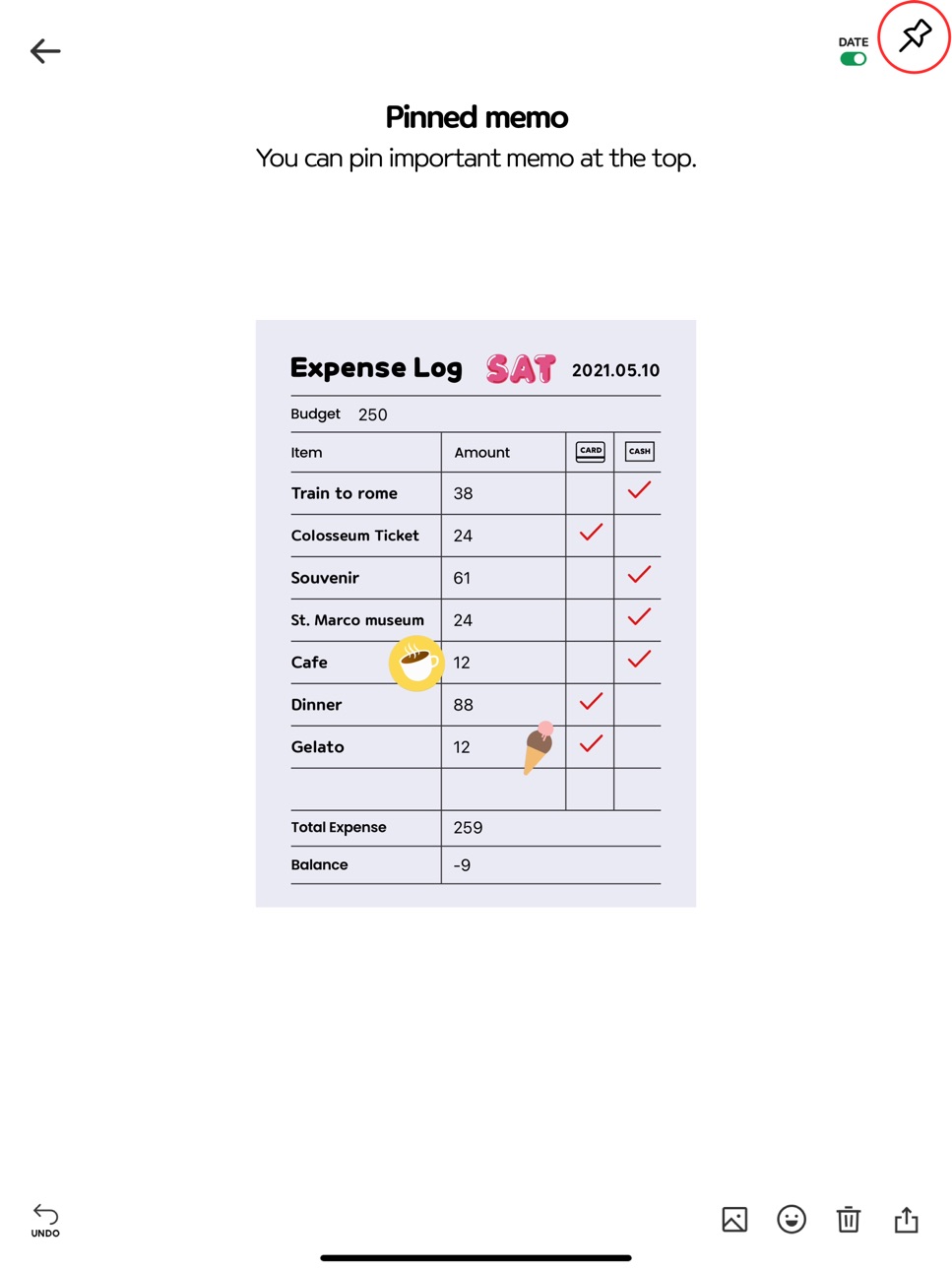
Mac 6 images


What’s New Version 2.4.6
What's New in 2.4.6
• Fixed toolbar not filling the full width on iPad and larger iPhones
• Improved stability of the emoji/symbol input picker — no more crashes when switching pages or closing the editor
• Fixed widget taps being lost when the app was still launching (splash screen)
• Added support for opening a folder directly from a widget tap
• Fixed leftover thumbnails and flashing images when scrolling through long memo lists and folders
• Fixed a rare crash when searching folders with rapidly changing results
• Smoother transitions when showing and hiding the editing toolbar
Thank you for using Memong!
Description
Memong brings notes, to-do lists, and planner pages into one organized app, so you can stop splitting everyday planning across multiple tools. It is built for people who want practical structure without giving up a more personal way to write and plan.
Use Memong for quick notes, checklists, daily plans, weekly plans, monthly plans, wish lists, expense logs, and diet logs. Start with 12 memo paper templates, then choose the layout that fits what you want to keep.
Memong makes personal pages easier to keep organized. Add stickers and photos, then keep everything tidy with folders, search, pinning, home screen widgets, iCloud backup, and iPad support when you want more room to plan.
The latest update makes notes easier to manage, revisit, and share. You can now share notes as PDFs, edit images inside your notes, browse pages in Gallery view, and use more text decoration options for clearer, more personal pages.
In-App Purchases CA pricing
One-Time Purchases
Planner Set (4Type)—
Simple Memo Set (4type)—
Party Sticke rPack—
Flower Sticker Pack—
Fruits&Vegetable Sticker Pack—
Capabilities
In-App Purchases
Accessibility
ipadiphonemacrealityDevicetvoswatch
Version history 25 versions
Build 884519527v2.4.62026-04-15 06:57:59
What's New in 2.4.6
• Fixed toolbar not filling the full width on iPad and larger iPhones
• Improved stability of the emoji/symbol input picker — no more crashes when switching pages or closing the editor
• Fixed widget taps being lost when the app was still launching (splash screen)
• Added support for opening a folder directly from a widget tap
• Fixed leftover thumbnails and flashing images when scrolling through long memo lists and folders
• Fixed a rare crash when searching folders with rapidly changing results
• Smoother transitions when showing and hiding the editing toolbar
Thank you for using Memong!
Build 884484159v2.4.52026-04-14 19:14:41
[New Features]
• Added support for sharing notes as PDF
• Added image editing in notes (crop, rotate, flip, create sticker)
• Added image gallery view to find notes
• Added a text decoration picker (dividers, mood emojis, titles, highlights, arrows, ornaments, etc.)
• Added swipe paging between notes
• Improved backup sharing flow (Email → Share Sheet)
[Performance Improvements]
• Fixed stuttering when scrolling notes with many images
• Reduced memory usage with lazy image loading
• Fixed memory leaks in the canvas engine
[Bug Fixes]
• Fixed issues where the cursor position and text selection became misaligned while editing text
• Fixed an issue where widget order could appear differently from the app
• Fixed an issue where widgets appeared white on iOS 26
• Fixed a crash that could occur during search
• Fixed intermittent crashes when installing fonts
• Fixed an issue where placeholders did not disappear in certain styled notes
• Fixed iPad layout issues
Build 884447106v2.4.42026-04-13 22:51:27
[New Features]
• Added support for sharing notes as PDF
• Added image editing in notes (crop, rotate, flip, create sticker)
• Added image gallery view to find notes
• Added a text decoration picker (dividers, mood emojis, titles, highlights, arrows, ornaments, etc.)
• Added swipe paging between notes
• Improved backup sharing flow (Email → Share Sheet)
[Performance Improvements]
• Fixed stuttering when scrolling notes with many images
• Reduced memory usage with lazy image loading
• Fixed memory leaks in the canvas engine
[Bug Fixes]
• Fixed issues where the cursor position and text selection became misaligned while editing text
• Fixed an issue where widget order could appear differently from the app
• Fixed an issue where widgets appeared white on iOS 26
• Fixed a crash that could occur during search
• Fixed intermittent crashes when installing fonts
• Fixed an issue where placeholders did not disappear in certain styled notes
• Fixed iPad layout issues
Build 883354946v2.4.32026-04-12 08:55:58
[New Features]
• Added support for sharing notes as PDF
• Added image editing in notes (crop, rotate, flip, create sticker)
• Added image gallery view to find notes
• Added a text decoration picker (dividers, mood emojis, titles, highlights, arrows, ornaments, etc.)
• Added swipe paging between notes
• Improved backup sharing flow (Email → Share Sheet)
[Performance Improvements]
• Fixed stuttering when scrolling notes with many images
• Reduced memory usage with lazy image loading
• Fixed memory leaks in the canvas engine
[Bug Fixes]
• Fixed issues where the cursor position and text selection became misaligned while editing text
• Fixed an issue where widget order could appear differently from the app
• Fixed an issue where widgets appeared white on iOS 26
• Fixed a crash that could occur during search
• Fixed intermittent crashes when installing fonts
• Fixed an issue where placeholders did not disappear in certain styled notes
• Fixed iPad layout issues
Build 870296864v2.4.22024-11-09 11:30:20
bug fix
Build 870022532v2.4.12024-10-30 12:07:57
bug is fixed
Build 863051251v2.4.02024-01-22 01:19:22
Bug fixes
Build 861753498v2.3.92023-11-27 11:15:26
- Blank Notes Bug Fix
- Other bug fixes
Build 861571941v2.3.82023-11-18 08:22:42
We apologise for the inconvenience. We've fixed an issue that caused the app to crash.
Build 860827526v2.3.72023-11-12 02:05:33
- Support for folder widgets in iOS17
- Support Lockscreen widget
- Bugs related to memo rollback and iCloud have been fixed.
Build 860192200v2.3.62023-09-26 02:51:49
iOS17 bug fixed.
Build 857296719v2.3.52023-09-25 11:57:08
iOS 17 bug fixed.
Build 856392242v2.3.42023-04-15 10:51:12
Fixed an issue that caused the app to crash when attaching a photo.
Build 855879756v2.3.32023-04-04 01:14:04
Updated the zoom-in feature on iPad
Build 852330585v2.3.22022-10-02 05:34:10
- Bug fix
Build 852306976v2.3.12022-09-20 16:18:38
- Bug fix
Build 852255576v2.3.02022-09-17 12:12:17
- bug fix
Build 852204493v2.2.92022-09-15 16:14:17
- Bug fix
Build 851840100v2.2.82022-09-12 14:20:38
Selection mode has been added.
Now, you can select memo and folder to move/delete freely.
Build 846079425v2.2.72022-01-11 11:37:59
- A memo duplication function has been added. You can duplicate it in More button on the memo page.
- Folder duplication function has been added.
Build 845760085v2.2.62021-12-08 02:03:14
- bug fix
- Updated christmas stickers
Build 845042608v2.2.42021-11-02 01:18:03
- Added Change memo background color fucntion.
- Added pastel color of folder cover.
Build 845081273v2.2.52021-11-02 09:56:05
bug is fixed
Build 844874582v2.2.32021-10-23 14:43:13
- Halloween stickers added
- Fixed an issue where the note content was hidden on the arrow button when typing
- Fixed the problem of switching to system font when inputting emoji
Build 844766986v2.2.22021-10-20 01:28:35
● Memong Stationery Store Grand Open!
You can purchase additional items below at Store!
- Monthly Plan, Study Plan, Daily Plan, Monthly Tracker Memo Set
- A set of simple memo papers with a title
- Flower, fruit and ribbon stickers
● Movie review and recipe notes have been added!
● iOS15 support
● Other bugs have been fixed.
Price history by region
Currency
Show
Columns
Search
Availability 171 of 171 storefronts
| Region | Language | Price | Ratings | Avg | Version |
|---|---|---|---|---|---|
| KR | ko | KRW 2200 | 3.2k | 4.2 | 2.4.6 |
| TH | en-GB | THB 29 | 121 | 4.2 | 2.4.6 |
| US | en-US | USD 0.99 | 120 | 4.5 | 2.4.6 |
| PH | en-GB | PHP 49 | 78 | 4.3 | 2.4.6 |
| CN | zh-Hans-CN | CNY 8 | 73 | 4.0 | 2.4.6 |
| ID | en-GB | IDR 19000 | 36 | 4.4 | 2.4.6 |
| JP | ja | JPY 150 | 25 | 3.8 | 2.4.6 |
| MX | es-MX | MXN 19 | 21 | 4.7 | 2.4.6 |
| MY | en-GB | MYR 4.9 | 21 | 4.3 | 2.4.6 |
| TW | zh-Hant-TW | TWD 30 | 19 | 4.7 | 2.4.6 |
| GB | en-GB | GBP 0.99 | 15 | 4.3 | 2.4.6 |
| SG | en-GB | SGD 0.98 | 15 | 4.4 | 2.4.6 |
| VN | en-GB | VND 29000 | 14 | 4.5 | 2.4.6 |
| AU | en-AU | AUD 1.99 | 12 | 4.8 | 2.4.6 |
| BR | pt-BR | BRL 6.9 | 12 | 4.5 | 2.4.6 |
| CA | en-CA | CAD 0.99 | 12 | 4.0 | 2.4.6 |
| IN | en-GB | INR 99 | 10 | 4.8 | 2.4.6 |
| HK | zh-Hant-HK | HKD 8 | 9 | 3.1 | 2.4.6 |
| ES | es-ES | EUR 0.99 | 7 | 4.4 | 2.4.6 |
| FR | fr-FR | EUR 0.99 | 7 | 5.0 | 2.4.6 |
| IT | it | EUR 0.99 | 7 | 4.1 | 2.4.6 |
| AE | en-GB | AED 2.99 | 4 | 4.8 | 2.4.6 |
| CL | es-MX | CLP 990 | 4 | 4.8 | 2.4.6 |
| CZ | en-GB | CZK 29 | 4 | 4.0 | 2.4.6 |
| DE | de-DE | EUR 0.99 | 4 | 4.0 | 2.4.6 |
| HU | en-GB | HUF 499 | 4 | 4.3 | 2.4.6 |
| PE | es-MX | PEN 4.9 | 4 | 4.0 | 2.4.6 |
| RU | ru | RUB 99 | 4 | 4.0 | 2.4.6 |
| CO | es-MX | COP 4900 | 3 | 4.7 | 2.4.6 |
| KH | en-GB | USD 0.99 | 3 | 4.7 | 2.4.6 |
| QA | en-GB | QAR 2.99 | 3 | 5.0 | 2.4.6 |
| TR | en-GB | TRY 49.99 | 3 | 3.7 | 2.4.6 |
| NO | en-GB | NOK 9 | 2 | 5.0 | 2.4.6 |
| AR | es-MX | USD 0.99 | 1 | 5.0 | 2.4.6 |
| BE | en-GB | EUR 0.99 | 1 | 5.0 | 2.4.6 |
| CH | de-CH | CHF 1 | 1 | 1.0 | 2.4.6 |
| CR | es-MX | USD 0.99 | 1 | 1.0 | 2.4.6 |
| CY | en-GB | EUR 0.99 | 1 | 5.0 | 2.4.6 |
| DO | es-MX | USD 0.99 | 1 | 5.0 | 2.4.6 |
| EC | es-MX | USD 0.99 | 1 | 4.0 | 2.4.6 |
| FI | en-GB | EUR 0.99 | 1 | 3.0 | 2.4.6 |
| GR | en-GB | EUR 0.99 | 1 | 5.0 | 2.4.6 |
| IL | en-GB | ILS 2.9 | 1 | 5.0 | 2.4.6 |
| LA | en-GB | USD 0.99 | 1 | 4.0 | 2.4.6 |
| LU | en-GB | EUR 0.99 | 1 | 5.0 | 2.4.6 |
| NL | nl | EUR 0.99 | 1 | 5.0 | 2.4.6 |
| NZ | en-AU | NZD 1.99 | 1 | 3.0 | 2.4.6 |
| PT | pt-PT | EUR 0.99 | 1 | 4.0 | 2.4.6 |
| SE | sv | SEK 9 | 1 | 1.0 | 2.4.6 |
| SI | en-GB | EUR 0.99 | 1 | 5.0 | 2.4.6 |
| TT | en-GB | USD 0.99 | 1 | 5.0 | 2.4.6 |
| UA | en-GB | USD 0.99 | 1 | 3.0 | 2.4.6 |
| AF | en-GB | USD 0.99 | 0 | — | 2.4.6 |
| AI | en-GB | USD 0.99 | 0 | — | 2.4.6 |
| AL | en-GB | USD 0.99 | 0 | — | 2.4.6 |
| AM | en-GB | USD 0.99 | 0 | — | 2.4.6 |
| AO | en-GB | USD 0.99 | 0 | — | 2.4.6 |
| AT | de-DE | EUR 0.99 | 0 | — | 2.4.6 |
| AZ | en-GB | USD 0.99 | 0 | — | 2.4.6 |
| BA | en-GB | EUR 0.99 | 0 | — | 2.4.6 |
| BB | en-GB | USD 0.99 | 0 | — | 2.4.6 |
| BF | en-GB | USD 0.99 | 0 | — | 2.4.6 |
| BG | en-GB | EUR 0.99 | 0 | — | 2.4.6 |
| BH | en-GB | USD 0.99 | 0 | — | 2.4.6 |
| BJ | en-GB | USD 0.99 | 0 | — | 2.4.6 |
| BM | en-GB | USD 0.99 | 0 | — | 2.4.6 |
| BN | en-GB | USD 0.99 | 0 | — | 2.4.6 |
| BO | es-MX | USD 0.99 | 0 | — | 2.4.6 |
| BS | en-GB | USD 0.99 | 0 | — | 2.4.6 |
| BT | en-GB | USD 0.99 | 0 | — | 2.4.6 |
| BW | en-GB | USD 0.99 | 0 | — | 2.4.6 |
| BY | en-GB | USD 0.99 | 0 | — | 2.4.6 |
| BZ | en-GB | USD 0.99 | 0 | — | 2.4.6 |
| CD | en-GB | USD 0.99 | 0 | — | 2.4.6 |
| CG | en-GB | USD 0.99 | 0 | — | 2.4.6 |
| CI | fr-FR | USD 0.99 | 0 | — | 2.4.6 |
| CM | fr-FR | USD 0.99 | 0 | — | 2.4.6 |
| CV | en-GB | USD 0.99 | 0 | — | 2.4.6 |
| DK | en-GB | DKK 9 | 0 | — | 2.4.6 |
| DZ | en-GB | USD 0.99 | 0 | — | 2.4.6 |
| EE | en-GB | EUR 0.99 | 0 | — | 2.4.6 |
| EG | en-GB | EGP 49.99 | 0 | — | 2.4.6 |
| FJ | en-GB | USD 0.99 | 0 | — | 2.4.6 |
| FM | en-GB | USD 0.99 | 0 | — | 2.4.6 |
| GA | fr-FR | USD 0.99 | 0 | — | 2.4.6 |
| GD | en-GB | USD 0.99 | 0 | — | 2.4.6 |
| GE | en-GB | USD 0.99 | 0 | — | 2.4.6 |
| GH | en-GB | USD 0.99 | 0 | — | 2.4.6 |
| GM | en-GB | USD 0.99 | 0 | — | 2.4.6 |
| GT | es-MX | USD 0.99 | 0 | — | 2.4.6 |
| GW | en-GB | USD 0.99 | 0 | — | 2.4.6 |
| GY | en-GB | USD 0.99 | 0 | — | 2.4.6 |
| HN | es-MX | USD 0.99 | 0 | — | 2.4.6 |
| HR | en-GB | EUR 0.99 | 0 | — | 2.4.6 |
| IE | en-GB | EUR 0.99 | 0 | — | 2.4.6 |
| IQ | en-GB | USD 0.99 | 0 | — | 2.4.6 |
| IS | en-GB | USD 0.99 | 0 | — | 2.4.6 |
| JM | en-GB | USD 0.99 | 0 | — | 2.4.6 |
| JO | en-GB | USD 0.99 | 0 | — | 2.4.6 |
| KE | en-GB | USD 0.99 | 0 | — | 2.4.6 |
| KG | en-GB | USD 0.99 | 0 | — | 2.4.6 |
| KW | en-GB | USD 0.99 | 0 | — | 2.4.6 |
| KY | en-GB | USD 0.99 | 0 | — | 2.4.6 |
| KZ | en-GB | KZT 499 | 0 | — | 2.4.6 |
| LB | en-GB | USD 0.99 | 0 | — | 2.4.6 |
| LC | en-GB | USD 0.99 | 0 | — | 2.4.6 |
| LK | en-GB | USD 0.99 | 0 | — | 2.4.6 |
| LR | en-GB | USD 0.99 | 0 | — | 2.4.6 |
| LT | en-GB | EUR 0.99 | 0 | — | 2.4.6 |
| LV | en-GB | EUR 0.99 | 0 | — | 2.4.6 |
| LY | en-GB | USD 0.99 | 0 | — | 2.4.6 |
| MA | en-GB | USD 0.99 | 0 | — | 2.4.6 |
| MD | en-GB | USD 0.99 | 0 | — | 2.4.6 |
| ME | en-GB | EUR 0.99 | 0 | — | 2.4.6 |
| MG | en-GB | USD 0.99 | 0 | — | 2.4.6 |
| MK | en-GB | USD 0.99 | 0 | — | 2.4.6 |
| ML | en-GB | USD 0.99 | 0 | — | 2.4.6 |
| MM | en-GB | USD 0.99 | 0 | — | 2.4.6 |
| MN | en-GB | USD 0.99 | 0 | — | 2.4.6 |
| MO | zh-Hant-HK | USD 0.99 | 0 | — | 2.4.6 |
| MR | en-GB | USD 0.99 | 0 | — | 2.4.6 |
| MS | en-GB | USD 0.99 | 0 | — | 2.4.6 |
| MT | en-GB | EUR 0.99 | 0 | — | 2.4.6 |
| MU | en-GB | USD 0.99 | 0 | — | 2.4.6 |
| MV | en-GB | USD 0.99 | 0 | — | 2.4.6 |
| MW | en-GB | USD 0.99 | 0 | — | 2.4.6 |
| MZ | en-GB | USD 0.99 | 0 | — | 2.4.6 |
| NA | en-GB | USD 0.99 | 0 | — | 2.4.6 |
| NE | en-GB | USD 0.99 | 0 | — | 2.4.6 |
| NG | en-GB | NGN 1500 | 0 | — | 2.4.6 |
| NI | es-MX | USD 0.99 | 0 | — | 2.4.6 |
| NP | en-GB | USD 0.99 | 0 | — | 2.4.6 |
| NR | en-GB | USD 0.99 | 0 | — | 2.4.6 |
| OM | en-GB | USD 0.99 | 0 | — | 2.4.6 |
| PA | es-MX | USD 0.99 | 0 | — | 2.4.6 |
| PG | en-GB | USD 0.99 | 0 | — | 2.4.6 |
| PK | en-GB | PKR 300 | 0 | — | 2.4.6 |
| PL | en-GB | PLN 4.99 | 0 | — | 2.4.6 |
| PW | en-GB | USD 0.99 | 0 | — | 2.4.6 |
| PY | es-MX | USD 0.99 | 0 | — | 2.4.6 |
| RO | en-GB | RON 4.99 | 0 | — | 2.4.6 |
| RS | en-GB | EUR 0.99 | 0 | — | 2.4.6 |
| RW | en-GB | USD 0.99 | 0 | — | 2.4.6 |
| SA | en-GB | SAR 4.99 | 0 | — | 2.4.6 |
| SB | en-GB | USD 0.99 | 0 | — | 2.4.6 |
| SC | en-GB | USD 0.99 | 0 | — | 2.4.6 |
| SK | en-GB | EUR 0.99 | 0 | — | 2.4.6 |
| SL | en-GB | USD 0.99 | 0 | — | 2.4.6 |
| SN | en-GB | USD 0.99 | 0 | — | 2.4.6 |
| SR | en-GB | USD 0.99 | 0 | — | 2.4.6 |
| ST | en-GB | USD 0.99 | 0 | — | 2.4.6 |
| SV | es-MX | USD 0.99 | 0 | — | 2.4.6 |
| SZ | en-GB | USD 0.99 | 0 | — | 2.4.6 |
| TC | en-GB | USD 0.99 | 0 | — | 2.4.6 |
| TD | en-GB | USD 0.99 | 0 | — | 2.4.6 |
| TJ | en-GB | USD 0.99 | 0 | — | 2.4.6 |
| TM | en-GB | USD 0.99 | 0 | — | 2.4.6 |
| TN | en-GB | USD 0.99 | 0 | — | 2.4.6 |
| TO | en-GB | USD 0.99 | 0 | — | 2.4.6 |
| TZ | en-GB | TZS 2900 | 0 | — | 2.4.6 |
| UG | en-GB | USD 0.99 | 0 | — | 2.4.6 |
| UY | en-GB | USD 0.99 | 0 | — | 2.4.6 |
| UZ | en-GB | USD 0.99 | 0 | — | 2.4.6 |
| VC | en-GB | USD 0.99 | 0 | — | 2.4.6 |
| VE | es-MX | USD 0.99 | 0 | — | 2.4.6 |
| VU | en-GB | USD 0.99 | 0 | — | 2.4.6 |
| XK | en-GB | EUR 0.99 | 0 | — | 2.4.6 |
| YE | en-GB | USD 0.99 | 0 | — | 2.4.6 |
| ZA | en-GB | ZAR 19.99 | 0 | — | 2.4.6 |
| ZM | en-GB | USD 0.99 | 0 | — | 2.4.6 |
| ZW | en-GB | USD 0.99 | 0 | — | 2.4.6 |
Change log 29 changes · CA
✎
releaseNotes updated
What's New in 2.4.6
• Fixed toolbar not filling the full width on iPad and larger iPhones
• Improved stability of the emoji/symbol input picker — no more crashe
✎
description updated
Memong brings notes, to-do lists, and planner pages into one organized app, so you can stop splitting everyday planning across multiple tools. It is built for p
✎
subtitle updated
Write, plan, and make it yours
✎
name updated
Memong: Notes & Planner
◆
Version 2.4.6 released
What's New in 2.4.6
• Fixed toolbar not filling the full width on iPad and larger iPhones
• Improved stability of the emoji/symbol input picker — no more crashes when switching pages or closing the editor
• Fixed widget taps being lost when
◆
Version 2.4.5 released
[New Features]
• Added support for sharing notes as PDF
• Added image editing in notes (crop, rotate, flip, create sticker)
• Added image gallery view to find notes
• Added a text decoration picker (dividers, mood emojis, titles, highli
◆
Version 2.4.4 released
[New Features]
• Added support for sharing notes as PDF
• Added image editing in notes (crop, rotate, flip, create sticker)
• Added image gallery view to find notes
• Added a text decoration picker (dividers, mood emojis, titles, highli
◆
Version 2.4.3 released
[New Features]
• Added support for sharing notes as PDF
• Added image editing in notes (crop, rotate, flip, create sticker)
• Added image gallery view to find notes
• Added a text decoration picker (dividers, mood emojis, titles, highli
◆
Version 2.4.2 released
bug fix
◆
Version 2.4.1 released
bug is fixed
◆
Version 2.4.0 released
Bug fixes
◆
Version 2.3.9 released
- Blank Notes Bug Fix
- Other bug fixes
◆
Version 2.3.8 released
We apologise for the inconvenience. We've fixed an issue that caused the app to crash.
◆
Version 2.3.7 released
- Support for folder widgets in iOS17
- Support Lockscreen widget
- Bugs related to memo rollback and iCloud have been fixed.
◆
Version 2.3.6 released
iOS17 bug fixed.
◆
Version 2.3.5 released
iOS 17 bug fixed.
◆
Version 2.3.4 released
Fixed an issue that caused the app to crash when attaching a photo.
◆
Version 2.3.3 released
Updated the zoom-in feature on iPad
◆
Version 2.3.2 released
- Bug fix
◆
Version 2.3.1 released
- Bug fix
◆
Version 2.3.0 released
- bug fix
◆
Version 2.2.9 released
- Bug fix
◆
Version 2.2.8 released
Selection mode has been added.
Now, you can select memo and folder to move/delete freely.
◆
Version 2.2.7 released
- A memo duplication function has been added. You can duplicate it in More button on the memo page.
- Folder duplication function has been added.
◆
Version 2.2.6 released
- bug fix
- Updated christmas stickers
◆
Version 2.2.5 released
bug is fixed
◆
Version 2.2.4 released
- Added Change memo background color fucntion.
- Added pastel color of folder cover.
◆
Version 2.2.3 released
- Halloween stickers added
- Fixed an issue where the note content was hidden on the arrow button when typing
- Fixed the problem of switching to system font when inputting emoji
◆
Version 2.2.2 released
● Memong Stationery Store Grand Open!
You can purchase additional items below at Store!
- Monthly Plan, Study Plan, Daily Plan, Monthly Tracker Memo Set
- A set of simple memo papers with a title
- Flower, fruit and ribbon stickers
● Mov