Home › Utilities

Information
Preview 2 platforms
iPhone 7 images






iPad 5 images


What’s New Version 1.2.3
Bug fixes.
Description
Incognito is a private web browser you can pull up anywhere. From any app: long-press a link or select text, tap Share, and then choose the Incognito action extension. Boom: instant web browser!
Need to lock people out of your web history or bookmarks? Incognito can do that too!
Incognito is great for:
• Viewing a web page inside the current app without jumping to Safari.
• Opening sketchy links without risking your privacy.
• Reopening a web page with cookies disabled — and yes, that means Incognito lets you dodge most paywalls.
• Searching Google from anywhere — just select the text you want to search, choose “Share” from the popup menu, and then choose the “Search in Incognito” action.
• Searching with something besides Google: use Kagi, DuckDuckGo, Bing, Brave, Qwant, Yahoo, or whatever search engine you prefer.
• Keeping your web history and bookmarks private and passcode-locked. Or you can disable browsing history and leave no trace!
Incognito is also a Swiss Army Knife of web tools:
• Open a page in another browser such as Safari, Chrome, Firefox, Opera, Brave, or DuckDuckGo.
• Remove AMP so you can browse or share the original URL.
• Translate the page using Google Translate (beta).
• Open a web page with the archive.today service (Incognito is not affiliated with archive.today or archive.is).
• Save a PDF of an entire web page.
• Set Incognito as your default browser.
• Clear your session history.
Incognito is all about privacy:
• All web browsing is in “private mode” by default, so all cookies and web data are discarded after each session.
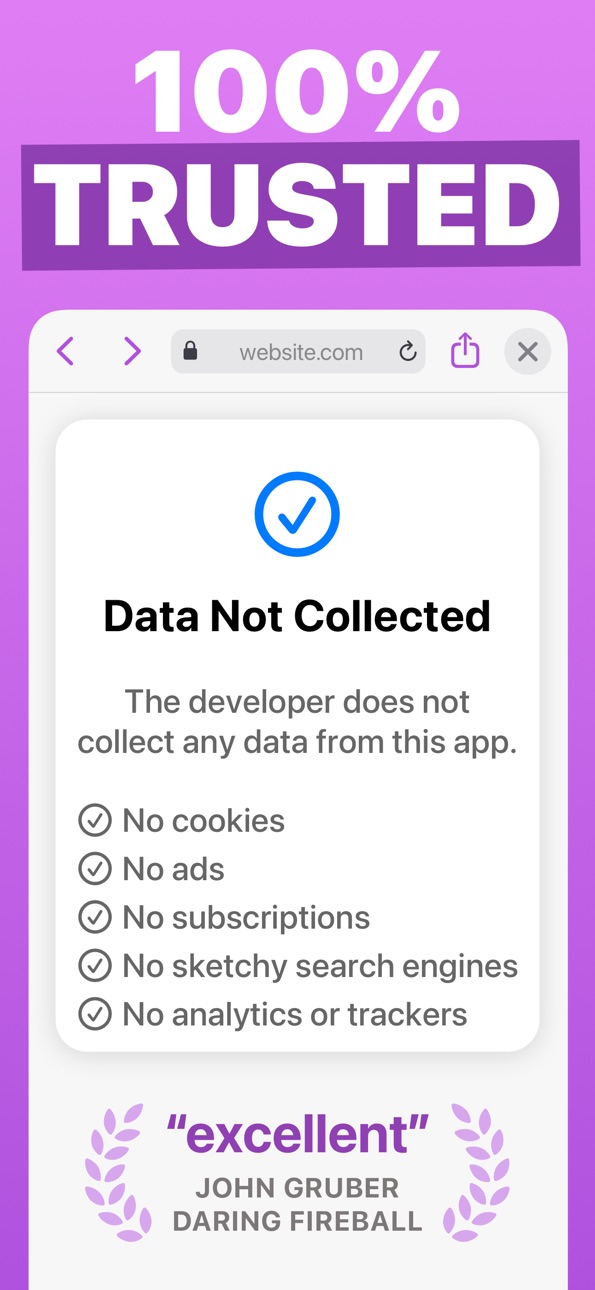
• Incognito has no ads, no third-party trackers, and does not send or re-route your web searches anywhere.
• If you require extra privacy, Incognito has options to disable browsing history and/or exclude it from your iCloud Backups.
Incognito is paid upfront with a small, one-time fee. There are no subscriptions, in-app purchases, ads, or deals with sketchy "search engines" like many of the "free" so-called private browser apps. You can trust me with your privacy because you know how I got paid: once, by you, that's it.
Incognito was created by an independent developer living in California.
Capabilities
In-App Purchases
Accessibility
ipadiphonemacrealityDevicetvoswatch
Version history 23 versions
Build 883806038v1.2.32026-06-19 17:47:53
Bug fixes.
Build 882874617v1.2.22026-03-10 01:55:58
Two new search engine options: Kagi and Custom.
• Use the Kagi search engine by providing a Session Link from your Kagi account settings (https://help.kagi.com/kagi/privacy/private-browser-sessions.html).
• Use any search engine by providing its search query URL. For example, you could enter "https://www.baidu.com/s?wd=" to search with Baidu.
Incognito now supports French, German, Hindi, Simplified Chinese, and Spanish.
Build 882208061v1.2.12026-02-06 22:01:13
Incognito is now a paid-upfront app for all new customers. Existing customers are not impacted in any way.
Build 879716606v1.22025-12-03 23:07:00
• Updated design for iOS 26.
• Added Shortcuts support with "Open URL" and "Open Bookmark" actions.
• Added a setting for opening the app into a browser window on launch.
• Added a Home Screen quick action for opening a new browser.
• Bookmarks list shows website favicons.
• Updated app icon with Liquid Glass.
• Lots of little bug fixes and performance improvements.
Build 872089606v1.12025-02-24 17:09:31
Incognito can now be set as your Default Browser.
Added dark and tinted app icons.
Build 870087553v1.0.172024-11-09 15:03:43
Added "Open in Arc Browser" option.
Added "Request Desktop Site" option.
Added "Google (Web)" as a (hopefully) AI-free search option.
Fixed a number of bugs on iOS 18.
Build 865930599v1.0.162024-05-19 15:40:27
Fixed a crash when a website accesses the microphone.
Build 863460227v1.0.152024-02-12 23:15:22
• Added "Save as PDF" action, which saves a fully-rendered version of the current web page.
• Added "Stop All Media Playback" action, which will pause all videos on a page.
• Fix: Videos can play inline on iPhone.
• Fix: "Translate" action works for languages other than English.
Build 862218350v1.0.142024-01-03 17:03:57
• Added a URL editing toolbar that will appear when typing in the URL field.
• Added Brave Search, Qwant, and Startpage as Search Engine options.
• Added an experimental new extension: "Open with Archive.today", which will attempt to open the current web page with the "archive.today" service. The page will open in SafariViewController, which allows for Reader mode but lacks many of the usual Incognito features. Incognito Browser is not affiliated with archive.today.
Build 852995865v1.0.132022-10-26 18:06:52
Bug fixes.
Build 852690574v1.0.122022-10-11 17:11:37
Bug fixes.
Build 852652490v1.0.112022-10-08 00:20:52
• Scroll to hide navigation bar (in-app only) with option to disable.
• "Find on Page" action (iOS 16 only).
• Long-press on back/forward button shows history.
• Options to clear history from last hour or today.
If you love Incognito, please consider rating or reviewing in the App Store. It helps a lot!
Build 852649936v1.0.102022-10-07 22:34:13
• Scroll to hide navigation bar (in-app only).
• "Find on Page" action (iOS 16 only).
• Options to clear history from last hour or today.
If you love Incognito, please consider rating or reviewing in the App Store. It helps a lot!
Build 852126220v1.0.92022-09-11 21:41:59
Support for new devices.
Build 851689852v1.0.82022-08-20 14:00:51
Fixed a bug on iPad.
Build 851549367v1.0.72022-08-14 12:38:44
Bookmarks can be renamed and reordered.
Build 840130695v1.0.62022-08-07 16:22:04
Bug fixes.
Build 837303580v1.0.52020-08-11 00:20:19
Added an option to disable third-party keyboards.
Build 835993446v1.0.42020-05-18 17:40:54
Bug fixes.
Build 835734919v1.0.32020-04-29 18:27:23
Fixed link sharing and text selection bugs.
Build 835601753v1.0.22020-04-23 16:09:37
Added keyboard shortcuts and pointer support on iPad.
Improved support for Voice Over and Dynamic Type.
Build 835506263v1.0.12020-04-14 15:04:07
Bug fixes and performance improvements.
Build 833911845v1.02020-04-11 21:42:17
Price history by region
Currency
Show
Columns
Search
Availability 12 of 12 storefronts
| Region | Language | Price | Ratings | Avg | Version |
|---|---|---|---|---|---|
 US US | en-US | USD 0.99 | 153 | 4.5 | 1.2.3 |
 DE DE | de-DE | EUR 0.49 | 5 | 5.0 | 1.2.3 |
 BW BW | en-GB | USD 0.49 | 0 | — | 1.2.3 |
 GD GD | en-GB | USD 0.49 | 0 | — | 1.2.3 |
 JM JM | en-GB | USD 0.49 | 0 | — | 1.2.3 |
 KG KG | en-GB | USD 0.49 | 0 | — | 1.2.3 |
 KN KN | en-GB | USD 0.49 | 0 | — | 1.2.3 |
 KZ KZ | en-GB | KZT 299 | 0 | — | 1.2.3 |
 LY LY | en-GB | USD 0.49 | 0 | — | 1.2.3 |
 MU MU | en-GB | USD 0.49 | 0 | — | 1.2.3 |
 NA NA | en-GB | USD 0.49 | 0 | — | 1.2.3 |
 PY PY | es-MX | USD 0.49 | 0 | — | 1.2.3 |
Change log 27 changes · DE
✎
releaseNotes updated
Bug fixes.
✎
description updated
Incognito is a private web browser you can pull up anywhere. From any app: long-press a link or select text, tap Share, and then choose the Incognito action ext
✎
subtitle updated
Private browsing from anywhere
✎
name updated
Incognito — Private Browser
◆
Version 1.2.3 released
Bug fixes.
◆
Version 1.2.2 released
Two new search engine options: Kagi and Custom.
• Use the Kagi search engine by providing a Session Link from your Kagi account settings (https://help.kagi.com/kagi/privacy/private-browser-sessions.html).
• Use any search engine by providin
◆
Version 1.2.1 released
Incognito is now a paid-upfront app for all new customers. Existing customers are not impacted in any way.
◆
Version 1.2 released
• Updated design for iOS 26.
• Added Shortcuts support with "Open URL" and "Open Bookmark" actions.
• Added a setting for opening the app into a browser window on launch.
• Added a Home Screen quick action for opening a new browser.
• Bookm
◆
Version 1.1 released
Incognito can now be set as your Default Browser.
Added dark and tinted app icons.
◆
Version 1.0.17 released
Added "Open in Arc Browser" option.
Added "Request Desktop Site" option.
Added "Google (Web)" as a (hopefully) AI-free search option.
Fixed a number of bugs on iOS 18.
◆
Version 1.0.16 released
Fixed a crash when a website accesses the microphone.
◆
Version 1.0.15 released
• Added "Save as PDF" action, which saves a fully-rendered version of the current web page.
• Added "Stop All Media Playback" action, which will pause all videos on a page.
• Fix: Videos can play inline on iPhone.
• Fix: "Translate" action
◆
Version 1.0.14 released
• Added a URL editing toolbar that will appear when typing in the URL field.
• Added Brave Search, Qwant, and Startpage as Search Engine options.
• Added an experimental new extension: "Open with Archive.today", which will attempt to open t
◆
Version 1.0.13 released
Bug fixes.
◆
Version 1.0.12 released
Bug fixes.
◆
Version 1.0.11 released
• Scroll to hide navigation bar (in-app only) with option to disable.
• "Find on Page" action (iOS 16 only).
• Long-press on back/forward button shows history.
• Options to clear history from last hour or today.
If you love Incognito, plea
◆
Version 1.0.10 released
• Scroll to hide navigation bar (in-app only).
• "Find on Page" action (iOS 16 only).
• Options to clear history from last hour or today.
If you love Incognito, please consider rating or reviewing in the App Store. It helps a lot!
◆
Version 1.0.9 released
Support for new devices.
◆
Version 1.0.8 released
Fixed a bug on iPad.
◆
Version 1.0.7 released
Bookmarks can be renamed and reordered.
◆
Version 1.0.6 released
Bug fixes.
◆
Version 1.0.5 released
Added an option to disable third-party keyboards.
◆
Version 1.0.4 released
Bug fixes.
◆
Version 1.0.3 released
Fixed link sharing and text selection bugs.
◆
Version 1.0.2 released
Added keyboard shortcuts and pointer support on iPad.
Improved support for Voice Over and Dynamic Type.
◆
Version 1.0.1 released
Bug fixes and performance improvements.
◆
Version 1.0 released