Home › Utilities

 PY
PY
 NOen-GB
 DEde-DE
 SEsv
SEsv GBen-GB
 DKen-GB
 NLnl
NLnl CHde-CH
 BEen-GB
 FRfr-FR
 FIen-GB
 ATde-DE
 HUen-GB
 USen-US
 ESes-ES
 LTen-GB
 UAen-GB
 LUen-GB
 PKen-GB
 ROen-GB
 AEen-GB
 AFen-GB
 AGen-GB
 AIen-GB
 ALen-GB
 AMen-GB
 AOen-GB
 ARes-MX
 AUen-AU
 AZen-GB
 BAen-GB
 BBen-GB
 BFen-GB
 BGen-GB
 BHen-GB
 BJen-GB
 BMen-GB
 BNen-GB
 BOes-MX
 BRpt-BR
 BSen-GB
 BTen-GB
 BWen-GB
 BYen-GB
 BZen-GB
 CAen-CA
 CDen-GB
 CGen-GB
 CIfr-FR
 CLes-MX
 CMfr-FR
 CNzh-Hans-CN
 COes-MX
 CRes-MX
 CVen-GB
 CYen-GB
 CZen-GB
 DMen-GB
 DOes-MX
 DZen-GB
 ECes-MX
 EEen-GB
 EGen-GB
 FJen-GB
 FMen-GB
 GAfr-FR
 GDen-GB
 GEen-GB
 GHen-GB
 GMen-GB
 GRen-GB
 GTes-MX
 GWen-GB
 GYen-GB
 HKzh-Hant-HK
 HNes-MX
 HRen-GB
 IDen-GB
 IEen-GB
 ILen-GB
 INen-GB
 IQen-GB
 ISen-GB
 ITit
ITit JMen-GB
 JOen-GB
 JPja
JPja KEen-GB
 KGen-GB
 KHen-GB
 KNen-GB
 KRko
KRko KWen-GB
 KYen-GB
 KZen-GB
 LAen-GB
 LBen-GB
 LCen-GB
 LKen-GB
 LRen-GB
 LVen-GB
 LYen-GB
 MAen-GB
 MDen-GB
 MEen-GB
 MGen-GB
 MKen-GB
 MLen-GB
 MMen-GB
 MNen-GB
 MOzh-Hant-HK
 MRen-GB
 MSen-GB
 MTen-GB
 MUen-GB
 MVen-GB
 MWen-GB
 MXes-MX
 MYen-GB
 MZen-GB
 NAen-GB
 NEen-GB
 NGen-GB
 NIes-MX
 NPen-GB
 NRen-GB
 NZen-AU
 OMen-GB
 PAes-MX
 PEes-MX
 PGen-GB
 PHen-GB
 PLen-GB
 PTpt-PT
 PWen-GBPYes-MX
 QAen-GB
 RSen-GB
 RUru
RUru RWen-GB
 SAen-GB
 SBen-GB
 SCen-GB
 SGen-GB
 SIen-GB
 SKen-GB
 SLen-GB
 SNen-GB
 SRen-GB
 STen-GB
 SVes-MX
 SZen-GB
 TCen-GB
 TDen-GB
 THen-GB
 TJen-GB
 TMen-GB
 TNen-GB
 TOen-GB
 TRen-GB
 TTen-GB
 TWzh-Hant-TW
 TZen-GB
 UGen-GB
 UYen-GB
 UZen-GB
 VCen-GB
 VEes-MX
 VGen-GB
 VNen-GB
 VUen-GB
 XKen-GB
 YEen-GB
 ZAen-GB
 ZMen-GB
 ZWen-GB
175 of 175 storefronts
Content in en-US
Content in en-US
Information
Preview 2 platforms
iPhone 7 images



Apple Watch 8 images


What’s New Version 3.0.1
New:
• Show system status card in user main page when applicable.
• Add switch to toggle charger LED brightess on/off.
• Support multi-charger bundling in site landing page for MDU sistes. Chargers on an MDU siste added to favorites will now be displayed as a multi-charger button making all chargers available in the product card.
Improvements:
• Consumption tooltip now respects selected theme.
• Make it possible to dismiss Equalizer consumption info banner.
• Now custom range consumption chart no longer displays a line chart.
• Small visual adjustments to charging wave.
Fixes:
• Fix overflow exception in new product page.
• Keep filters active when switching from "All products" to a specific product or vice versa in consumption påge.
• Fixed an issue related to the product picker page, where users could only add one product at a time.
More information about what's changed can be found here:
https://release.easee.com/
Description
Control it anytime, anywhere!
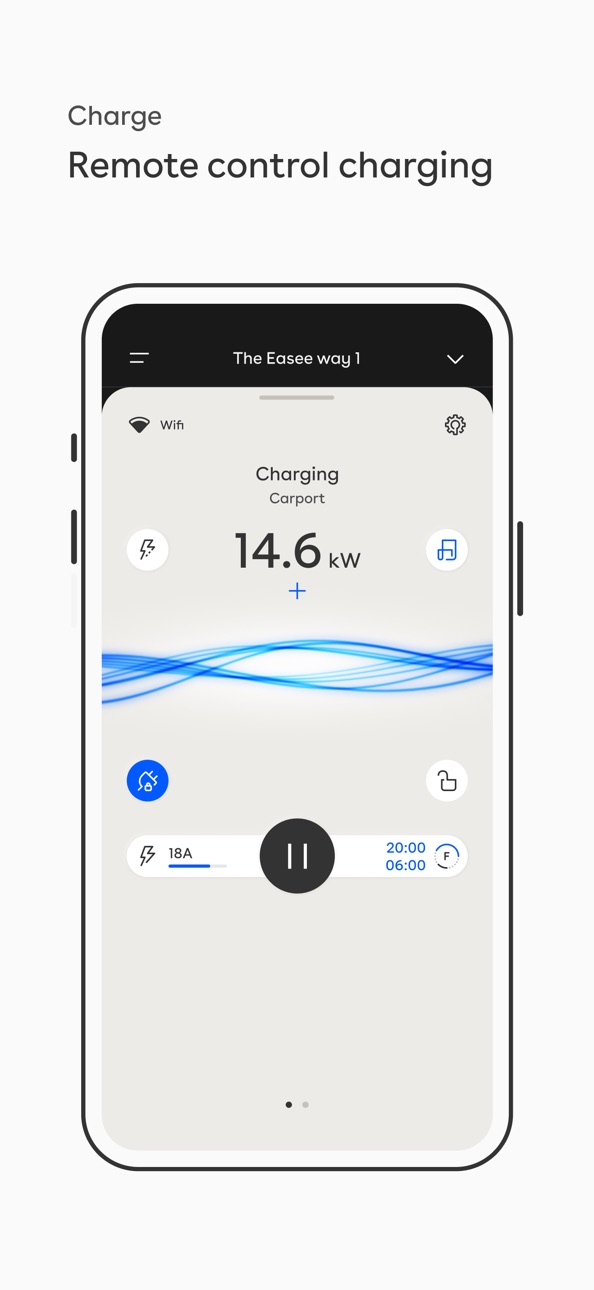
With the Easee app, you always have full control over your chargers whether at home or on the go. Easee charger is always connected as it supports both WiFi and comes with built-in eSIM. In the Easee app, you have access to all your charging sites and chargers on each site.
Insight and understanding
With the Easee app, you have insight into how much you have charged for each month, how much power you are currently charging with and how much you have topped up on the battery of your electric vehicle (EV). In addition, you can monitor the distribution of power on each phase. In addition, you can constantly check the status of the charger, whether the car is connected or not and whether charging is in progress.
Security and Access Control
Decide whether the charger should always be open or whether to use key tags to start charging. You can easily add or remove key tags to use through the app.
You can also choose whether the cable should always be locked to the charger, even when no charging session is in progress. This way you can rest assured that no one can steal your charging cable even when it is not connected to the car.
The fuse that never blows
With the Easee app, you have the ability to limit how much power your chargers can draw so that the main fuse is not overloaded. You can easily set a limited charging power from the app.
The colour scheme is yours
We have done our utmost to offer you an elegant charging solution for your home. Admittedly, whether the charging station matches the car or the house is up to you. We have front covers in five different colours. You choose the one you like best. In the Easee app, you can easily customize the app to match your charger as well as customize the look of the app during charging.
Capabilities
Wallet
Accessibility
ipadiphonemacrealityDevicetvoswatch
Version history 25 versions
Build 887203127v3.0.12026-06-23 10:43:18
New:
• Show system status card in user main page when applicable.
• Add switch to toggle charger LED brightess on/off.
• Support multi-charger bundling in site landing page for MDU sistes. Chargers on an MDU siste added to favorites will now be displayed as a multi-charger button making all chargers available in the product card.
Improvements:
• Consumption tooltip now respects selected theme.
• Make it possible to dismiss Equalizer consumption info banner.
• Now custom range consumption chart no longer displays a line chart.
• Small visual adjustments to charging wave.
Fixes:
• Fix overflow exception in new product page.
• Keep filters active when switching from "All products" to a specific product or vice versa in consumption påge.
• Fixed an issue related to the product picker page, where users could only add one product at a time.
More information about what's changed can be found here:
https://release.easee.com/
Build 886380435v3.0.02026-06-13 17:32:35
New:
• You can optionally add VAT to fixed prices for your site.
• New edit account function in Profile that lets you update information like name, email or phone number.
• Display the last 24 hours of consumption reported by Equalizer in the Consumption page (only available in Effortless app style).
• Site Keys now available - Assign RFID keys to the site itself, without needing to manage user access to the site - The old term for Site Key which is a different representation of site id has been renamed to Site ID.
Improvements:
• New App Icons.
• Default to kW for Equalizer values in product card, you can toggle between different modes by tapping the numbers card.
• Consumption for Chargers is now available via the Consumption card in the Site landing page (pull down the charger product card to display it) or via the latest session button on the product card (Effortless app style).
Fixes:
• Fixed an issue that would result in users looping back to Confirm address after already having confirmed the address when enabling Easee Flex Rewards.
More information about what's changed can be found here:
https://release.easee.com/
Build 886020083v2.8.92026-05-25 14:03:05
New:
• You can now adjust the colour used for each Easee Key in Consumption pages, available by swiping in the consumption filters page or if you Edit a key in the Keys page.
Improvements:
• Minor adjustments to Flex Rewards Details page and to onboarding of new users in the UK.
Fixes:
• Price picker number field for manually set dynamic tariffs not respecting safe areas.
• Dynamic Tariff setup via Smart Charging was using the wrong theme - Should be back to dark again now.
More information about what's changed can be found here:
https://release.easee.com/
Build 885719029v2.8.82026-05-17 17:28:40
Improvements:
• Show Play button for Flex Rewards Sites that have flex events active.
• Charging Log includes Flex Events for Flex Rewards Sites.
• Action sheets now themed according to page it launches from.
Fixes:
• Fixed an issue with large text scaling for new owners of SDU sites.
More information about what's changed can be found here:
https://release.easee.com/
Build 885125945v2.8.62026-05-03 13:28:30
Improvements:
• Upgraded Support page to make it a bit easier to navigate.
• Minor adjustments to add new Equalizer setup pages.
• Making it a bit more obvious when features or capabilities are disabled due to the charging site's operator.
• Improved ongoing session bar shown in the consumption page whilst charging.
More information about what's changed can be found here:
https://release.easee.com/
Build 884022897v2.8.42026-04-04 10:56:15
Improvements:
• Performance enhancements and minor improvements.
• Show error if trying to access Surplus Charging with an invalid Main Fuse value.
More information about what's changed can be found here:
https://release.easee.com/
Build 883843036v2.8.32026-03-29 13:12:00
Improvements:
• Performance enhancements and minor improvements.
Fixes:
• Fixes an issue with jitter in charging waves.
More information about what's changed can be found here:
https://release.easee.com/
Build 883595858v2.8.22026-03-22 11:12:16
New:
• Opens up for adding Equalizers in situations without WiFi if all you need is local main fuse protection.
Improvements:
• Performance enhancements and minor improvements.
More information about what's changed can be found here:
https://release.easee.com/
Build 883345263v2.8.12026-03-18 13:42:34
New:
• Support for Charge Pro Eichrecht and Charge Max Eichrecht.
Improvements:
• Phone numbers now optional when creating Easee Accounts.
• Performance enhancements and minor improvements.
Fixes:
• Opening the consumption page whilst charging should show the current charging session in the consumption chart in the correct place now.
More information about what's changed can be found here:
https://release.easee.com/
Build 881465174v2.7.92026-02-11 06:47:54
Improvements:
• Performance enhancements and minor improvements.
• Site admins can adjust charging prices in MDU sites.
• More information about Haptics in Preferences page to explain what it does.
• Minor adjustments to Consumption pages to clean up the UI.
Fixes:
• Improvements to SSO login issues affecting a small number of devices.
More information about what's changed can be found here:
https://release.easee.com/
Build 880850494v2.7.72025-12-21 15:19:34
Improvements:
• Performance enhancements and minor improvements.
Fixes:
• Minor layout issues for some devices fixed on the Bluetooth Connect pages.
More information about what's changed can be found here:
https://release.easee.com/
Build 880612931v2.7.62025-12-14 14:06:14
Fixes:
• Error message when you try to add an Easee Key to your own account via Charger or Phone was a bit hard to read, should be ok now.
• Added Local Keys not appearing in the app over Bluetooth.
• No longer showing Access as Open when you have Local Keys enabled in the Access page.
More information about what's changed can be found here:
https://release.easee.com/
Build 880386969v2.7.52025-12-07 11:33:18
New:
• Add ability to disable haptic feedback in Preferences.
Improvements:
• Performance enhancements and minor improvements.
More information about what's changed can be found here:
https://release.easee.com/
Build 880183026v2.7.42025-11-30 14:16:10
Improvements:
• Added Haptic Feedback for some devices.
• Performance enhancements and minor improvements.
More information about what's changed can be found here:
https://release.easee.com/
Build 879979914v2.7.32025-11-23 11:11:20
Improvements:
• Performance enhancements and minor improvements.
• Removed 1000A defaults showing up in the UI for different dynamic circuit and charger limits.
Fixes:
• Fixed up some incorrect translations for strings in Italian.
More information about what's changed can be found here:
https://release.easee.com/
Build 879798023v2.7.22025-11-16 15:42:51
Improvements:
• Performance enhancements and minor improvements.
More information about what's changed can be found here:
https://release.easee.com/
Build 879557026v2.7.12025-11-10 07:21:58
New:
• Making it easier to clear your weekly schedule via a trash button in the Weekly Schedule Editor.
Improvements:
• Enable/Disable buttons in Weekly Schedule Overview now below contents instead of a floating action button.
• Moved Changelogs button below Support articles.
Fixes:
• Enable/Disabling buttons in some Scheduling modes showing even when u shouldn't be allowed to enable/disable.
More information about what's changed can be found here:
https://release.easee.com/
Build 879085184v2.7.02025-10-31 07:09:16
New:
• Show System Status in Support Page.
• System Theming option available in Hamburger menu / Preferences / Theme allowing the app to follow the dark/light mode of your device.
Improvements:
• Lock down scheduling via app for chargers with direct OCPP enabled in preparation for changes to fw.
• Better instructions for Bluetooth Unpairing required when connecting to chargers over Bluetooth.
• Additional info about charging price in Site Backdrop Help Page.
• Adjusted header text in circuit limits page when you have an Equalizer.
• Show up-to-date tick in About charger page when you are on the latest version.
• Adds Next/Done button in Weekly schedules time editing pages.
• Allows multi select when re-adding favourites via Add product / Locate product function.
• Removes Support company cell from Site Settings when not relevant.
• Adds enable/disable buttons in all scheduling pages where relevant.
Fixes:
• Prevent swipe to delete in products list for temporary chargers.
• Adjust swipe to delete in products list for shared sites.
• Fixed issue with power estimations using the wrong initial value in the Equalizer main fuse limit page.
More information about what's changed can be found here:
https://release.easee.com/
Build 878669876v2.6.92025-10-06 19:12:10
New:
• Allow site admins to change the site operator.
• Add license attributions page to Profile page.
• Add Amp/kW switch to Available Energy page.
• Add Amp/% switch to Dynamic Charger Current (Temporary Charger Current) Page.
Improvements:
• LED strip brightness slider adjusted to make it easier to switch it off (just slide all the way down as you would expect).
• Adjusted full page animations in Equalizer wizard to remove artifacts.
• Make it more obvious when you have no data with filters active in the charger consumption page.
Fixes:
• Weekly Charger Schedule limit page would initially show the wrong power estimates when you re-open it with a non 100% limit.
More information about what's changed can be found here:
https://release.easee.com/
Build 878464166v2.6.82025-09-28 16:49:25
New:
• You can now control which circuits the Equalizer should load balance from Equalizer Settings (only shows up for multi-circuit sites).
Improvements:
• Improvements to the configuration wizard for new Equalizers.
• Improvements to configuration of the WiFi connection for Equalizers.
• Profile / Subscriptions renamed to Profile / Communications.
Fixes:
• Fixed up some post code validations for some countries.
More information about what's changed can be found here:
https://release.easee.com/
Build 878074885v2.6.62025-09-15 06:32:04
New:
• You can obtain your MID Public Key by clicking the MID certified badge in various places of the app, then clicking the 3 dots in the top left of the page (only relevant for Charge Max/Pro).
Improvements:
• App binary size reduced.
Fixes:
• Fixed an issue where the contents at the bottom of some pages would end up below system UI on some devices.
• Temporary charging limit button on the product card would incorrectly show as active with a default temporary charging limit lower than 32A.
More information about what's changed can be found here:
https://release.easee.com/
Build 877874226v2.6.52025-09-08 08:10:04
Improvements:
• Removed Paginator in Site Backdrop.
• Dynamic Charger Current should default to Circuit.rating.
• Performance enhancements and minor adjustments.
Fixes:
• Fixed some dark mode issues in Add Existing Product / Product Added Successfully pages.
• Fixes an issue where EUR prices would sometimes show as 0,00 cents when not appropriate.
• Alphanumeric PIN codes are always uppercase, so force it to uppercase whenever a pin code is entered.
More information about what's changed can be found here:
https://release.easee.com/
Build 877225122v2.6.42025-08-18 06:11:04
New:
• Italian language support.
• You can now set negative price caps for Smart Charging.
Improvements:
• Show Current OCPP Configuration State for OCPP Commissioning deep links.
• Adjustments to Smart Charging Pages in Scheduling.
• Show From-To times in tool tips for price charts in Dynamic Tariffs / Smart Charging.
• Show Dynamic Charger Current in Charger Settings.
More information about what's changed can be found here:
https://release.easee.com/
Build 875946859v2.6.32025-07-01 06:14:00
Fixes:
• Improvements in how we display smart charging times for some types of smart charging schedules.
• Scheduling icon showing correct times for more types of auto generated smart charging schedules.
• Fixed a floating point error when entering tariff prices manually.
• Timeline for certain smart charging schedules in the Smart Charging Details page improved.
More information about what's changed can be found here:
https://release.easee.com/
Build 875568168v2.6.22025-06-16 08:13:09
New:
• New Charging wave setting (Rainbow).
Improvements:
• Performance enhancements and minor adjustments.
More information about what's changed can be found here:
https://release.easee.com/
No pricing data captured yet — comparisons appear once the app has paid storefronts or in-app purchases.
Availability 175 of 175 storefronts
| Region | Language | Price | Ratings | Avg | Version |
|---|---|---|---|---|---|
| NO | en-GB | Free | 225 | 3.3 | 3.0.1 |
| DE | de-DE | Free | 141 | 3.6 | 3.0.1 |
| SE | sv | Free | 137 | 2.6 | 3.0.1 |
| GB | en-GB | Free | 62 | 3.8 | 3.0.1 |
| DK | en-GB | Free | 52 | 3.1 | 3.0.1 |
| NL | nl | Free | 34 | 3.5 | 3.0.1 |
| CH | de-CH | Free | 33 | 3.1 | 3.0.1 |
| BE | en-GB | Free | 15 | 3.3 | 3.0.1 |
| FR | fr-FR | Free | 11 | 3.1 | 3.0.1 |
| FI | en-GB | Free | 8 | 4.4 | 3.0.1 |
| AT | de-DE | Free | 4 | 4.8 | 3.0.1 |
| HU | en-GB | Free | 3 | 3.7 | 3.0.1 |
| US | en-US | Free | 3 | 3.3 | 3.0.1 |
| ES | es-ES | Free | 2 | 5.0 | 3.0.1 |
| LT | en-GB | Free | 2 | 5.0 | 3.0.1 |
| UA | en-GB | Free | 2 | 5.0 | 3.0.1 |
| LU | en-GB | Free | 1 | 5.0 | 3.0.1 |
| PK | en-GB | Free | 1 | 5.0 | 3.0.1 |
| RO | en-GB | Free | 1 | 5.0 | 3.0.1 |
| AE | en-GB | Free | 0 | — | 3.0.1 |
| AF | en-GB | Free | 0 | — | 3.0.1 |
| AG | en-GB | Free | 0 | — | 3.0.1 |
| AI | en-GB | Free | 0 | — | 3.0.1 |
| AL | en-GB | Free | 0 | — | 3.0.1 |
| AM | en-GB | Free | 0 | — | 3.0.1 |
| AO | en-GB | Free | 0 | — | 3.0.1 |
| AR | es-MX | Free | 0 | — | 3.0.1 |
| AU | en-AU | Free | 0 | — | 3.0.1 |
| AZ | en-GB | Free | 0 | — | 3.0.1 |
| BA | en-GB | Free | 0 | — | 3.0.1 |
| BB | en-GB | Free | 0 | — | 3.0.1 |
| BF | en-GB | Free | 0 | — | 3.0.1 |
| BG | en-GB | Free | 0 | — | 3.0.1 |
| BH | en-GB | Free | 0 | — | 3.0.1 |
| BJ | en-GB | Free | 0 | — | 3.0.1 |
| BM | en-GB | Free | 0 | — | 3.0.1 |
| BN | en-GB | Free | 0 | — | 3.0.1 |
| BO | es-MX | Free | 0 | — | 3.0.1 |
| BR | pt-BR | Free | 0 | — | 3.0.1 |
| BS | en-GB | Free | 0 | — | 3.0.1 |
| BT | en-GB | Free | 0 | — | 3.0.1 |
| BW | en-GB | Free | 0 | — | 3.0.1 |
| BY | en-GB | Free | 0 | — | 3.0.1 |
| BZ | en-GB | Free | 0 | — | 3.0.1 |
| CA | en-CA | Free | 0 | — | 3.0.1 |
| CD | en-GB | Free | 0 | — | 3.0.1 |
| CG | en-GB | Free | 0 | — | 3.0.1 |
| CI | fr-FR | Free | 0 | — | 3.0.1 |
| CL | es-MX | Free | 0 | — | 3.0.1 |
| CM | fr-FR | Free | 0 | — | 3.0.1 |
| CN | zh-Hans-CN | Free | 0 | — | 3.0.1 |
| CO | es-MX | Free | 0 | — | 3.0.1 |
| CR | es-MX | Free | 0 | — | 3.0.1 |
| CV | en-GB | Free | 0 | — | 3.0.1 |
| CY | en-GB | Free | 0 | — | 3.0.1 |
| CZ | en-GB | Free | 0 | — | 3.0.1 |
| DM | en-GB | Free | 0 | — | 3.0.1 |
| DO | es-MX | Free | 0 | — | 3.0.1 |
| DZ | en-GB | Free | 0 | — | 3.0.1 |
| EC | es-MX | Free | 0 | — | 3.0.1 |
| EE | en-GB | Free | 0 | — | 3.0.1 |
| EG | en-GB | Free | 0 | — | 3.0.1 |
| FJ | en-GB | Free | 0 | — | 3.0.1 |
| FM | en-GB | Free | 0 | — | 3.0.1 |
| GA | fr-FR | Free | 0 | — | 3.0.1 |
| GD | en-GB | Free | 0 | — | 3.0.1 |
| GE | en-GB | Free | 0 | — | 3.0.1 |
| GH | en-GB | Free | 0 | — | 3.0.1 |
| GM | en-GB | Free | 0 | — | 3.0.1 |
| GR | en-GB | Free | 0 | — | 3.0.1 |
| GT | es-MX | Free | 0 | — | 3.0.1 |
| GW | en-GB | Free | 0 | — | 3.0.1 |
| GY | en-GB | Free | 0 | — | 3.0.1 |
| HK | zh-Hant-HK | Free | 0 | — | 3.0.1 |
| HN | es-MX | Free | 0 | — | 3.0.1 |
| HR | en-GB | Free | 0 | — | 3.0.1 |
| ID | en-GB | Free | 0 | — | 3.0.1 |
| IE | en-GB | Free | 0 | — | 3.0.1 |
| IL | en-GB | Free | 0 | — | 3.0.1 |
| IN | en-GB | Free | 0 | — | 3.0.1 |
| IQ | en-GB | Free | 0 | — | 3.0.1 |
| IS | en-GB | Free | 0 | — | 3.0.1 |
| IT | it | Free | 0 | — | 3.0.1 |
| JM | en-GB | Free | 0 | — | 3.0.1 |
| JO | en-GB | Free | 0 | — | 3.0.1 |
| JP | ja | Free | 0 | — | 3.0.1 |
| KE | en-GB | Free | 0 | — | 3.0.1 |
| KG | en-GB | Free | 0 | — | 3.0.1 |
| KH | en-GB | Free | 0 | — | 3.0.1 |
| KN | en-GB | Free | 0 | — | 3.0.1 |
| KR | ko | Free | 0 | — | 3.0.1 |
| KW | en-GB | Free | 0 | — | 3.0.1 |
| KY | en-GB | Free | 0 | — | 3.0.1 |
| KZ | en-GB | Free | 0 | — | 3.0.1 |
| LA | en-GB | Free | 0 | — | 3.0.1 |
| LB | en-GB | Free | 0 | — | 3.0.1 |
| LC | en-GB | Free | 0 | — | 3.0.1 |
| LK | en-GB | Free | 0 | — | 3.0.1 |
| LR | en-GB | Free | 0 | — | 3.0.1 |
| LV | en-GB | Free | 0 | — | 3.0.1 |
| LY | en-GB | Free | 0 | — | 3.0.1 |
| MA | en-GB | Free | 0 | — | 3.0.1 |
| MD | en-GB | Free | 0 | — | 3.0.1 |
| ME | en-GB | Free | 0 | — | 3.0.1 |
| MG | en-GB | Free | 0 | — | 3.0.1 |
| MK | en-GB | Free | 0 | — | 3.0.1 |
| ML | en-GB | Free | 0 | — | 3.0.1 |
| MM | en-GB | Free | 0 | — | 3.0.1 |
| MN | en-GB | Free | 0 | — | 3.0.1 |
| MO | zh-Hant-HK | Free | 0 | — | 3.0.1 |
| MR | en-GB | Free | 0 | — | 3.0.1 |
| MS | en-GB | Free | 0 | — | 3.0.1 |
| MT | en-GB | Free | 0 | — | 3.0.1 |
| MU | en-GB | Free | 0 | — | 3.0.1 |
| MV | en-GB | Free | 0 | — | 3.0.1 |
| MW | en-GB | Free | 0 | — | 3.0.1 |
| MX | es-MX | Free | 0 | — | 3.0.1 |
| MY | en-GB | Free | 0 | — | 3.0.1 |
| MZ | en-GB | Free | 0 | — | 3.0.1 |
| NA | en-GB | Free | 0 | — | 3.0.1 |
| NE | en-GB | Free | 0 | — | 3.0.1 |
| NG | en-GB | Free | 0 | — | 3.0.1 |
| NI | es-MX | Free | 0 | — | 3.0.1 |
| NP | en-GB | Free | 0 | — | 3.0.1 |
| NR | en-GB | Free | 0 | — | 3.0.1 |
| NZ | en-AU | Free | 0 | — | 3.0.1 |
| OM | en-GB | Free | 0 | — | 3.0.1 |
| PA | es-MX | Free | 0 | — | 3.0.1 |
| PE | es-MX | Free | 0 | — | 3.0.1 |
| PG | en-GB | Free | 0 | — | 3.0.1 |
| PH | en-GB | Free | 0 | — | 3.0.1 |
| PL | en-GB | Free | 0 | — | 3.0.1 |
| PT | pt-PT | Free | 0 | — | 3.0.1 |
| PW | en-GB | Free | 0 | — | 3.0.1 |
| PY | es-MX | Free | 0 | — | 3.0.1 |
| QA | en-GB | Free | 0 | — | 3.0.1 |
| RS | en-GB | Free | 0 | — | 3.0.1 |
| RU | ru | Free | 0 | — | 3.0.1 |
| RW | en-GB | Free | 0 | — | 3.0.1 |
| SA | en-GB | Free | 0 | — | 3.0.1 |
| SB | en-GB | Free | 0 | — | 3.0.1 |
| SC | en-GB | Free | 0 | — | 3.0.1 |
| SG | en-GB | Free | 0 | — | 3.0.1 |
| SI | en-GB | Free | 0 | — | 3.0.1 |
| SK | en-GB | Free | 0 | — | 3.0.1 |
| SL | en-GB | Free | 0 | — | 3.0.1 |
| SN | en-GB | Free | 0 | — | 3.0.1 |
| SR | en-GB | Free | 0 | — | 3.0.1 |
| ST | en-GB | Free | 0 | — | 3.0.1 |
| SV | es-MX | Free | 0 | — | 3.0.1 |
| SZ | en-GB | Free | 0 | — | 3.0.1 |
| TC | en-GB | Free | 0 | — | 3.0.1 |
| TD | en-GB | Free | 0 | — | 3.0.1 |
| TH | en-GB | Free | 0 | — | 3.0.1 |
| TJ | en-GB | Free | 0 | — | 3.0.1 |
| TM | en-GB | Free | 0 | — | 3.0.1 |
| TN | en-GB | Free | 0 | — | 3.0.1 |
| TO | en-GB | Free | 0 | — | 3.0.1 |
| TR | en-GB | Free | 0 | — | 3.0.1 |
| TT | en-GB | Free | 0 | — | 3.0.1 |
| TW | zh-Hant-TW | Free | 0 | — | 3.0.1 |
| TZ | en-GB | Free | 0 | — | 3.0.1 |
| UG | en-GB | Free | 0 | — | 3.0.1 |
| UY | en-GB | Free | 0 | — | 3.0.1 |
| UZ | en-GB | Free | 0 | — | 3.0.1 |
| VC | en-GB | Free | 0 | — | 3.0.1 |
| VE | es-MX | Free | 0 | — | 3.0.1 |
| VG | en-GB | Free | 0 | — | 3.0.1 |
| VN | en-GB | Free | 0 | — | 3.0.1 |
| VU | en-GB | Free | 0 | — | 3.0.1 |
| XK | en-GB | Free | 0 | — | 3.0.1 |
| YE | en-GB | Free | 0 | — | 3.0.1 |
| ZA | en-GB | Free | 0 | — | 3.0.1 |
| ZM | en-GB | Free | 0 | — | 3.0.1 |
| ZW | en-GB | Free | 0 | — | 3.0.1 |
Change log 29 changes · PY
✎
releaseNotes updated
New:
• Show system status card in user main page when applicable.
• Add switch to toggle charger LED brightess on/off.
• Support multi-charger bundling in site
✎
description updated
Control it anytime, anywhere!
With the Easee app, you always have full control over your chargers whether at home or on the go. Easee charger is always connecte
✎
subtitle updated
Powering your freedom
✎
name updated
Easee
◆
Version 3.0.1 released
New:
• Show system status card in user main page when applicable.
• Add switch to toggle charger LED brightess on/off.
• Support multi-charger bundling in site landing page for MDU sistes. Chargers on an MDU siste added to favorites will no
◆
Version 3.0.0 released
New:
• You can optionally add VAT to fixed prices for your site.
• New edit account function in Profile that lets you update information like name, email or phone number.
• Display the last 24 hours of consumption reported by Equalizer in t
◆
Version 2.8.9 released
New:
• You can now adjust the colour used for each Easee Key in Consumption pages, available by swiping in the consumption filters page or if you Edit a key in the Keys page.
Improvements:
• Minor adjustments to Flex Rewards Details page a
◆
Version 2.8.8 released
Improvements:
• Show Play button for Flex Rewards Sites that have flex events active.
• Charging Log includes Flex Events for Flex Rewards Sites.
• Action sheets now themed according to page it launches from.
Fixes:
• Fixed an issue with l
◆
Version 2.8.6 released
Improvements:
• Upgraded Support page to make it a bit easier to navigate.
• Minor adjustments to add new Equalizer setup pages.
• Making it a bit more obvious when features or capabilities are disabled due to the charging site's operator.
◆
Version 2.8.4 released
Improvements:
• Performance enhancements and minor improvements.
• Show error if trying to access Surplus Charging with an invalid Main Fuse value.
More information about what's changed can be found here:
https://release.easee.com/
◆
Version 2.8.3 released
Improvements:
• Performance enhancements and minor improvements.
Fixes:
• Fixes an issue with jitter in charging waves.
More information about what's changed can be found here:
https://release.easee.com/
◆
Version 2.8.2 released
New:
• Opens up for adding Equalizers in situations without WiFi if all you need is local main fuse protection.
Improvements:
• Performance enhancements and minor improvements.
More information about what's changed can be found here:
htt
◆
Version 2.8.1 released
New:
• Support for Charge Pro Eichrecht and Charge Max Eichrecht.
Improvements:
• Phone numbers now optional when creating Easee Accounts.
• Performance enhancements and minor improvements.
Fixes:
• Opening the consumption page whilst cha
◆
Version 2.7.9 released
Improvements:
• Performance enhancements and minor improvements.
• Site admins can adjust charging prices in MDU sites.
• More information about Haptics in Preferences page to explain what it does.
• Minor adjustments to Consumption pages t
◆
Version 2.7.7 released
Improvements:
• Performance enhancements and minor improvements.
Fixes:
• Minor layout issues for some devices fixed on the Bluetooth Connect pages.
More information about what's changed can be found here:
https://release.easee.com/
◆
Version 2.7.6 released
Fixes:
• Error message when you try to add an Easee Key to your own account via Charger or Phone was a bit hard to read, should be ok now.
• Added Local Keys not appearing in the app over Bluetooth.
• No longer showing Access as Open when y
◆
Version 2.7.5 released
New:
• Add ability to disable haptic feedback in Preferences.
Improvements:
• Performance enhancements and minor improvements.
More information about what's changed can be found here:
https://release.easee.com/
◆
Version 2.7.4 released
Improvements:
• Added Haptic Feedback for some devices.
• Performance enhancements and minor improvements.
More information about what's changed can be found here:
https://release.easee.com/
◆
Version 2.7.3 released
Improvements:
• Performance enhancements and minor improvements.
• Removed 1000A defaults showing up in the UI for different dynamic circuit and charger limits.
Fixes:
• Fixed up some incorrect translations for strings in Italian.
More i
◆
Version 2.7.2 released
Improvements:
• Performance enhancements and minor improvements.
More information about what's changed can be found here:
https://release.easee.com/
◆
Version 2.7.1 released
New:
• Making it easier to clear your weekly schedule via a trash button in the Weekly Schedule Editor.
Improvements:
• Enable/Disable buttons in Weekly Schedule Overview now below contents instead of a floating action button.
• Moved Chan
◆
Version 2.7.0 released
New:
• Show System Status in Support Page.
• System Theming option available in Hamburger menu / Preferences / Theme allowing the app to follow the dark/light mode of your device.
Improvements:
• Lock down scheduling via app for chargers w
◆
Version 2.6.9 released
New:
• Allow site admins to change the site operator.
• Add license attributions page to Profile page.
• Add Amp/kW switch to Available Energy page.
• Add Amp/% switch to Dynamic Charger Current (Temporary Charger Current) Page.
Improvemen
◆
Version 2.6.8 released
New:
• You can now control which circuits the Equalizer should load balance from Equalizer Settings (only shows up for multi-circuit sites).
Improvements:
• Improvements to the configuration wizard for new Equalizers.
• Improvements to con
◆
Version 2.6.6 released
New:
• You can obtain your MID Public Key by clicking the MID certified badge in various places of the app, then clicking the 3 dots in the top left of the page (only relevant for Charge Max/Pro).
Improvements:
• App binary size reduced.
◆
Version 2.6.5 released
Improvements:
• Removed Paginator in Site Backdrop.
• Dynamic Charger Current should default to Circuit.rating.
• Performance enhancements and minor adjustments.
Fixes:
• Fixed some dark mode issues in Add Existing Product / Product Added
◆
Version 2.6.4 released
New:
• Italian language support.
• You can now set negative price caps for Smart Charging.
Improvements:
• Show Current OCPP Configuration State for OCPP Commissioning deep links.
• Adjustments to Smart Charging Pages in Scheduling.
• Show
◆
Version 2.6.3 released
Fixes:
• Improvements in how we display smart charging times for some types of smart charging schedules.
• Scheduling icon showing correct times for more types of auto generated smart charging schedules.
• Fixed a floating point error when
◆
Version 2.6.2 released
New:
• New Charging wave setting (Rainbow).
Improvements:
• Performance enhancements and minor adjustments.
More information about what's changed can be found here:
https://release.easee.com/