Home › Business

 BF
BF
 USen-US
 AGen-GB
 AIen-GB
 AOen-GB
 ARes-MX
 BBen-GBBFen-GB
 BJen-GB
 BOes-MX
 BRpt-BR
 BSen-GB
 BWen-GB
 BZen-GB
 CDen-GB
 CGen-GB
 CIfr-FR
 CLes-MX
 CMfr-FR
 COes-MX
 CRes-MX
 CVen-GB
 DMen-GB
 DOes-MX
 ECes-MX
 GAfr-FR
 GDen-GB
 GHen-GB
 GTes-MX
 GYen-GB
 HNes-MX
 JMen-GB
 KEen-GB
 KNen-GB
 KYen-GB
 LCen-GB
 MAen-GB
 MGen-GB
 MLen-GB
 MSen-GB
 MUen-GB
 MWen-GB
 MXes-MX
 MZen-GB
 NAen-GB
 NEen-GB
 NGen-GB
 NIes-MX
 PAes-MX
 PEes-MX
 PYes-MX
 SLen-GB
 SNen-GB
 SRen-GB
 SVes-MX
 TCen-GB
 TDen-GB
 TTen-GB
 TZen-GB
 UGen-GB
 UYen-GB
 VCen-GB
 VEes-MX
 VGen-GB
 ZMen-GB
 ZWen-GB
65 of 65 storefronts
Content in en-US
Content in en-US
Information
Preview 2 platforms
iPhone 6 images



iPad 5 images



What’s New Version 3.9
Bug fixes.
Description
TotalCtrl Restaurant is a digital inventory solution offering possibilities for restaurants to be more productive & efficient by saving time spent on monthly recurring delivery control and stock counting.
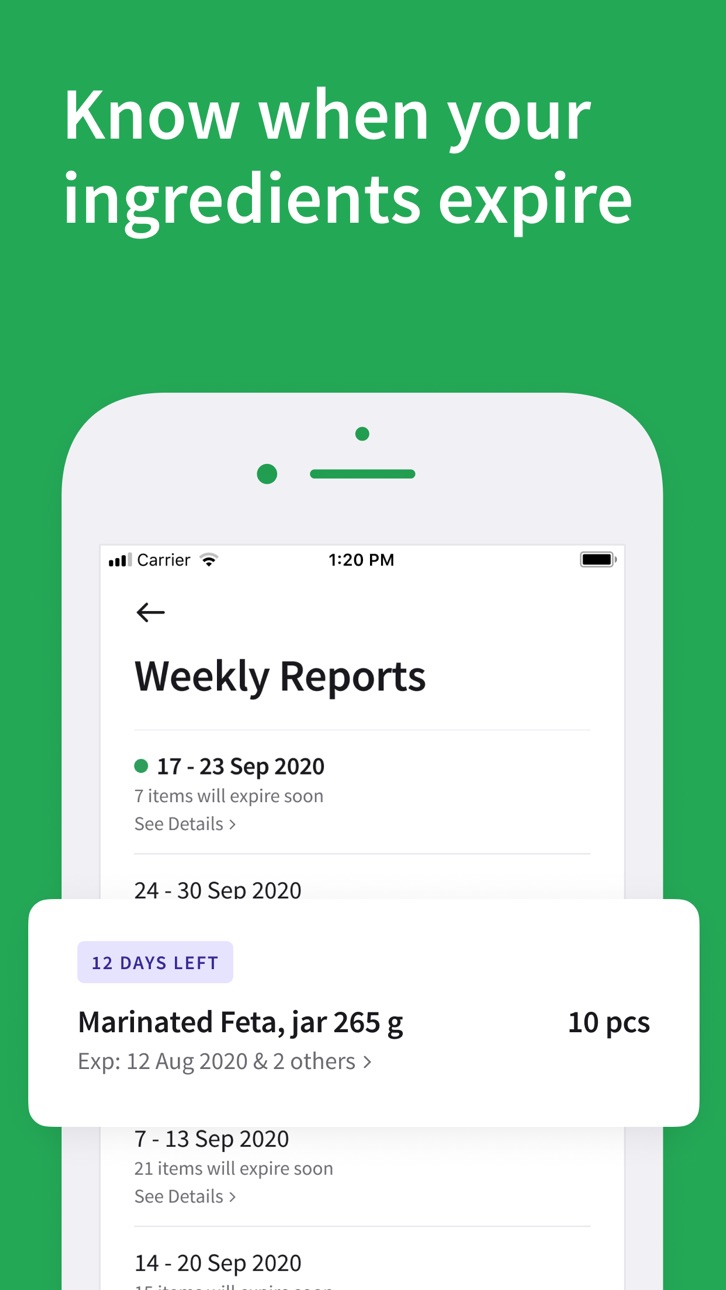
It also helps to reduce costs by having total control over inventory and by using the power of expiration dates you’ll know when products expire to use them before ending up in the trash can.
Why to use TotalCtrl Restaurant?
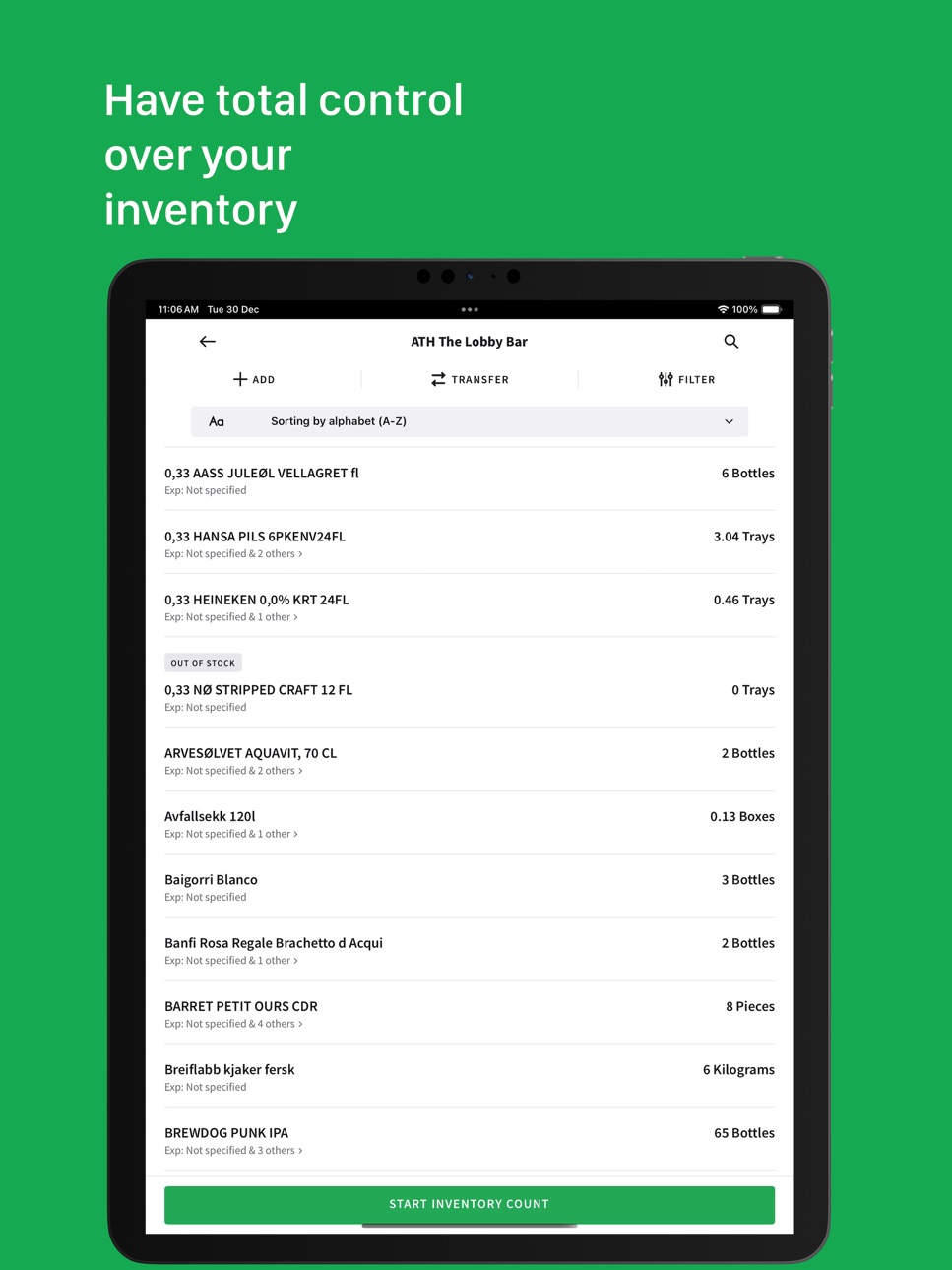
1. Take control of your inventory. Get TotalCtrl over your inventory based on the amount, price, and expiration date.
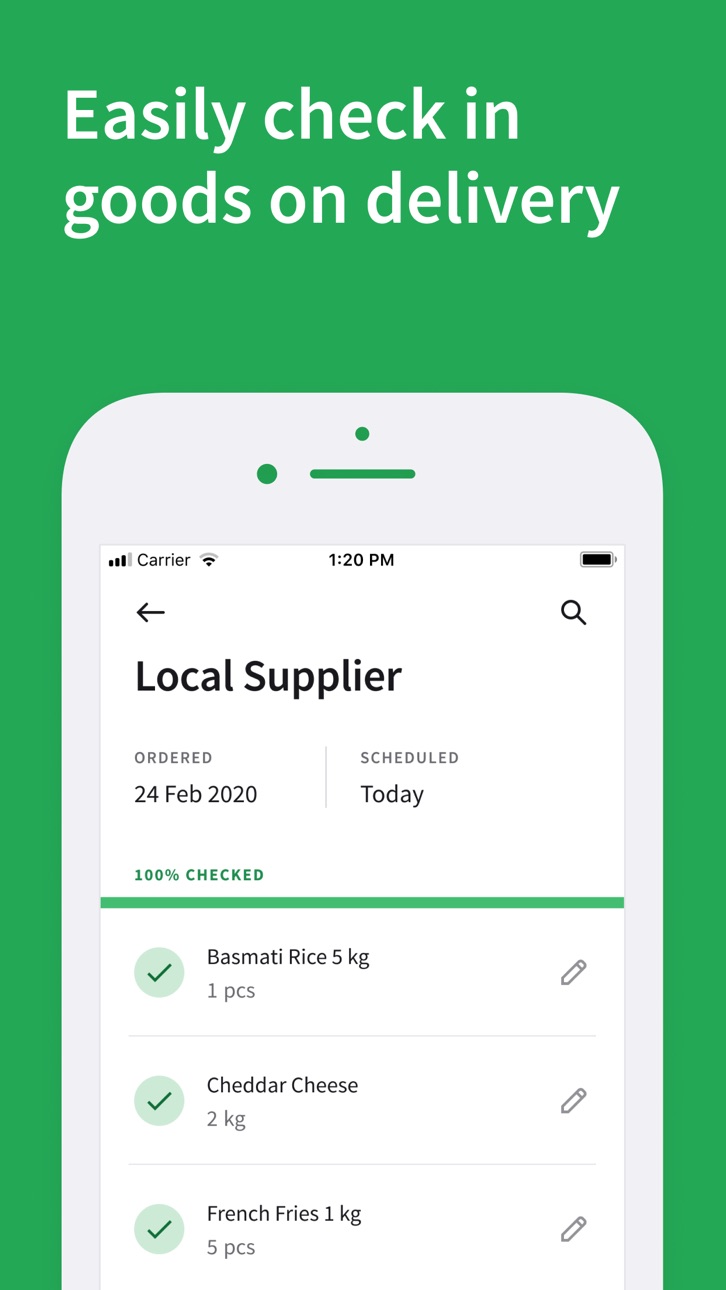
2. Spend less time on verifying delivery of food supplies.
3. Run your operations in an environmentally friendly way. Overall document digitizing process adds to your green credits and is an environmentally friendly initiative.
4. Receive operation reports. Every Monday you will receive a list of the products to expire soon in your inventory - this way prevents them from ending up in the trash can.
Also, you will receive instant reports of deliveries with submitted issues by your team in case of quantity and quality issues of the products.
5. Increase productivity in your daily operations. It takes a restaurant employee an average of 12 minutes to find the paper document they are looking for. With well-executed digitization, this can be reduced to a few seconds or less.
6. Access to real-time inventory and reports from anywhere. Reports can be easily accessed through any device that has internet, anywhere, or anytime.
For more details of the app usage, here is a daily routine explained:
1. When ordering products from suppliers you will get a receipt of that purchase. That receipt can be uploaded in the system and be used as a checklist for the person receiving the goods when the supplier delivers. When all the products have been checked and verified the digital inventory will be updated.
2. When making food or taking something out of the inventory, the person in charge will register the items out of the inventory and the digital inventory is updated accordingly.
3. If managers need to write reports at the end of the week or month this can be done with the desktop version. All the raw data for the day/week/month will be available on the web administration and can be transferred to the desired program of use.
Accessibility
ipadiphonemacrealityDevicetvoswatch
Version history 25 versions
Build 887675329v3.92026-07-06 05:01:56
Bug fixes.
Build 886492621v3.82026-06-05 04:57:27
Bug fixes.
Build 886252417v3.72026-06-02 03:22:26
UI Improvements.
Build 885522773v3.62026-05-12 09:41:47
Onboarding Improvement.
Build 881960213v3.52026-01-31 11:25:50
Enhanced user experience and usability
Build 880966701v3.42026-01-03 00:07:59
- Dashboard screen improvements
- App opening flow improvements
Build 880431655v3.32025-12-08 13:14:12
New dashboard to review recent changes in orders, inventory counts and waste, plus general performance improvements and bug fixes.
Build 879604354v3.22025-11-09 13:19:42
We’ve made several improvements and bug fixes to enhance app stability and performance.
Build 879011760v3.12025-10-17 22:07:29
Minor Improvements
Build 878756310v3.02025-10-08 12:13:44
Small Improvements
Build 878621527v2.992025-10-02 19:56:17
We’ve made small tweaks to make your ordering experience even better.
Build 877934940v2.982025-09-10 07:12:35
Enhancements in Internal Orders
- Internal order flow has been optimized for better performance and usability.
Build 877762706v2.972025-09-03 10:50:38
Bug fixes and stability improvements
Build 877610039v2.962025-08-28 08:59:17
• Improvements in Stock Count
Stock counting is now smoother, faster, and more accurate — making inventory management easier than ever.
Build 877161104v2.952025-08-12 19:59:23
Login with Username Now Supported!
In addition to logging in with your email, you can now log in using your username — making access to your account faster and more flexible!
Build 877047952v2.942025-08-08 07:08:01
Sign-Up Now Available on the App!
Previously, only login was supported — now you can create a new account directly from the app. Getting started is easier than ever!
Build 876605252v2.932025-07-23 09:15:56
Bug fixes in stock count tab.
Build 876566675v2.922025-07-22 09:44:01
• Small improvements to Inventory Count for better accuracy and usability
• Enhanced Analytics with Smartlook integration for improved user behavior insights
Build 875009455v2.912025-05-25 11:53:36
Improve Checkout Flow
Build 873941619v2.902025-04-14 11:18:39
• :receipt: New Filters for External Orders
Filter external orders by Supplier and Inventory for better organization and quicker access.
• :arrows_counterclockwise: Introducing Internal Orders (Permission-Based)
Users with permission can now place orders between store inventories.
When accepted, the quantity is deducted from the source inventory and added to the destination inventory for smooth internal stock transfers.
Update now and enjoy improved inventory control!
Build 872021912v2.882025-01-28 08:24:16
COGS Calculator: Easily calculate your Cost of Goods Sold (COGS) for better financial insights and smarter decisions.
Full Item Name Display: Full item names are now visible in the app for improved clarity and collaboration.
Update now and enjoy these enhancements!
Build 871548532v2.872025-01-08 12:24:01
We've added a new role, Guardian of Goods, which can act as a steward of inventory integrity. It is dedicated to overseeing the condition and consistency of stock without the distraction of pricing data during inventory count.
Build 871263738v2.862024-12-27 08:46:02
Add More Quantity Feature: Now you can seamlessly add more quantities to an already counted product during inventory counting. No need to replace the existing count—just add the new quantities, and we'll update the total for you!
Enhanced Stock Count Summary: We've improved the stock count summary by fixing inaccuracies in the numbers and resolving the blinking issue, making it easier and more efficient to review inventory data.
Build 871193502v2.852024-12-19 09:45:29
Improved Loading Speed for Stock Count
Build 870857515v2.842024-12-03 20:57:06
Improvements in inventory filters
No pricing data captured yet — comparisons appear once the app has paid storefronts or in-app purchases.
Availability 65 of 65 storefronts
| Region | Language | Price | Ratings | Avg | Version |
|---|---|---|---|---|---|
| US | en-US | Free | 1 | 5.0 | 3.9 |
| AG | en-GB | Free | 0 | — | 3.9 |
| AI | en-GB | Free | 0 | — | 3.9 |
| AO | en-GB | Free | 0 | — | 3.9 |
| AR | es-MX | Free | 0 | — | 3.9 |
| BB | en-GB | Free | 0 | — | 3.9 |
| BF | en-GB | Free | 0 | — | 3.9 |
| BJ | en-GB | Free | 0 | — | 3.9 |
| BO | es-MX | Free | 0 | — | 3.9 |
| BR | pt-BR | Free | 0 | — | 3.9 |
| BS | en-GB | Free | 0 | — | 3.9 |
| BW | en-GB | Free | 0 | — | 3.9 |
| BZ | en-GB | Free | 0 | — | 3.9 |
| CD | en-GB | Free | 0 | — | 3.9 |
| CG | en-GB | Free | 0 | — | 3.9 |
| CI | fr-FR | Free | 0 | — | 3.9 |
| CL | es-MX | Free | 0 | — | 3.9 |
| CM | fr-FR | Free | 0 | — | 3.9 |
| CO | es-MX | Free | 0 | — | 3.9 |
| CR | es-MX | Free | 0 | — | 3.9 |
| CV | en-GB | Free | 0 | — | 3.9 |
| DM | en-GB | Free | 0 | — | 3.9 |
| DO | es-MX | Free | 0 | — | 3.9 |
| EC | es-MX | Free | 0 | — | 3.9 |
| GA | fr-FR | Free | 0 | — | 3.9 |
| GD | en-GB | Free | 0 | — | 3.9 |
| GH | en-GB | Free | 0 | — | 3.9 |
| GT | es-MX | Free | 0 | — | 3.9 |
| GY | en-GB | Free | 0 | — | 3.9 |
| HN | es-MX | Free | 0 | — | 3.9 |
| JM | en-GB | Free | 0 | — | 3.9 |
| KE | en-GB | Free | 0 | — | 3.9 |
| KN | en-GB | Free | 0 | — | 3.9 |
| KY | en-GB | Free | 0 | — | 3.9 |
| LC | en-GB | Free | 0 | — | 3.9 |
| MA | en-GB | Free | 0 | — | 3.9 |
| MG | en-GB | Free | 0 | — | 3.9 |
| ML | en-GB | Free | 0 | — | 3.9 |
| MS | en-GB | Free | 0 | — | 3.9 |
| MU | en-GB | Free | 0 | — | 3.9 |
| MW | en-GB | Free | 0 | — | 3.9 |
| MX | es-MX | Free | 0 | — | 3.9 |
| MZ | en-GB | Free | 0 | — | 3.9 |
| NA | en-GB | Free | 0 | — | 3.9 |
| NE | en-GB | Free | 0 | — | 3.9 |
| NG | en-GB | Free | 0 | — | 3.9 |
| NI | es-MX | Free | 0 | — | 3.9 |
| PA | es-MX | Free | 0 | — | 3.9 |
| PE | es-MX | Free | 0 | — | 3.9 |
| PY | es-MX | Free | 0 | — | 3.9 |
| SL | en-GB | Free | 0 | — | 3.9 |
| SN | en-GB | Free | 0 | — | 3.9 |
| SR | en-GB | Free | 0 | — | 3.9 |
| SV | es-MX | Free | 0 | — | 3.9 |
| TC | en-GB | Free | 0 | — | 3.9 |
| TD | en-GB | Free | 0 | — | 3.9 |
| TT | en-GB | Free | 0 | — | 3.9 |
| TZ | en-GB | Free | 0 | — | 3.9 |
| UG | en-GB | Free | 0 | — | 3.9 |
| UY | en-GB | Free | 0 | — | 3.9 |
| VC | en-GB | Free | 0 | — | 3.9 |
| VE | es-MX | Free | 0 | — | 3.9 |
| VG | en-GB | Free | 0 | — | 3.9 |
| ZM | en-GB | Free | 0 | — | 3.9 |
| ZW | en-GB | Free | 0 | — | 3.9 |
Change log 28 changes · BF
✎
releaseNotes updated
Bug fixes.
✎
description updated
TotalCtrl Restaurant is a digital inventory solution offering possibilities for restaurants to be more productive & efficient by saving time spent on monthly re
✎
name updated
TotalCtrl Restaurant
◆
Version 3.9 released
Bug fixes.
◆
Version 3.8 released
Bug fixes.
◆
Version 3.7 released
UI Improvements.
◆
Version 3.6 released
Onboarding Improvement.
◆
Version 3.5 released
Enhanced user experience and usability
◆
Version 3.4 released
- Dashboard screen improvements
- App opening flow improvements
◆
Version 3.3 released
New dashboard to review recent changes in orders, inventory counts and waste, plus general performance improvements and bug fixes.
◆
Version 3.2 released
We’ve made several improvements and bug fixes to enhance app stability and performance.
◆
Version 3.1 released
Minor Improvements
◆
Version 3.0 released
Small Improvements
◆
Version 2.99 released
We’ve made small tweaks to make your ordering experience even better.
◆
Version 2.98 released
Enhancements in Internal Orders
- Internal order flow has been optimized for better performance and usability.
◆
Version 2.97 released
Bug fixes and stability improvements
◆
Version 2.96 released
• Improvements in Stock Count
Stock counting is now smoother, faster, and more accurate — making inventory management easier than ever.
◆
Version 2.95 released
Login with Username Now Supported!
In addition to logging in with your email, you can now log in using your username — making access to your account faster and more flexible!
◆
Version 2.94 released
Sign-Up Now Available on the App!
Previously, only login was supported — now you can create a new account directly from the app. Getting started is easier than ever!
◆
Version 2.93 released
Bug fixes in stock count tab.
◆
Version 2.92 released
• Small improvements to Inventory Count for better accuracy and usability
• Enhanced Analytics with Smartlook integration for improved user behavior insights
◆
Version 2.91 released
Improve Checkout Flow
◆
Version 2.90 released
• :receipt: New Filters for External Orders
Filter external orders by Supplier and Inventory for better organization and quicker access.
• :arrows_counterclockwise: Introducing Internal Orders (Permission-Based)
Users with permission can
◆
Version 2.88 released
COGS Calculator: Easily calculate your Cost of Goods Sold (COGS) for better financial insights and smarter decisions.
Full Item Name Display: Full item names are now visible in the app for improved clarity and collaboration.
Update now and
◆
Version 2.87 released
We've added a new role, Guardian of Goods, which can act as a steward of inventory integrity. It is dedicated to overseeing the condition and consistency of stock without the distraction of pricing data during inventory count.
◆
Version 2.86 released
Add More Quantity Feature: Now you can seamlessly add more quantities to an already counted product during inventory counting. No need to replace the existing count—just add the new quantities, and we'll update the total for you!
Enhanced
◆
Version 2.85 released
Improved Loading Speed for Stock Count
◆
Version 2.84 released
Improvements in inventory filters