Home › Productivity

Super Document Scanner-HD Scan
Super & Easy Document Scanner!
 ZW
ZW
 USen-US
 INen-GB
 FRfr-FR
 GBen-GB
 CRes-MX
 KHen-GB
 PKen-GB
 VNen-GB
 AEen-GB
 AFen-GB
 AGen-GB
 AIen-GB
 ALen-GB
 AMen-GB
 AOen-GB
 ARes-MX
 ATde-DE
 AUen-AU
 AZen-GB
 BAen-GB
 BBen-GB
 BEen-GB
 BFen-GB
 BGen-GB
 BHen-GB
 BJen-GB
 BMen-GB
 BNen-GB
 BOes-MX
 BRpt-BR
 BSen-GB
 BTen-GB
 BWen-GB
 BYen-GB
 BZen-GB
 CAen-CA
 CDen-GB
 CGen-GB
 CHde-CH
 CIfr-FR
 CLes-MX
 CMfr-FR
 CNzh-Hans-CN
 COes-MX
 CVen-GB
 CYen-GB
 CZen-GB
 DEde-DE
 DKen-GB
 DMen-GB
 DOes-MX
 DZen-GB
 ECes-MX
 EEen-GB
 EGen-GB
 ESes-ES
 FIen-GB
 FJen-GB
 FMen-GB
 GAfr-FR
 GDen-GB
 GEen-GB
 GHen-GB
 GMen-GB
 GRen-GB
 GTes-MX
 GWen-GB
 GYen-GB
 HKzh-Hant-HK
 HNes-MX
 HRen-GB
 HUen-GB
 IDen-GB
 IEen-GB
 ILen-GB
 IQen-GB
 ISen-GB
 ITit
ITit JMen-GB
 JOen-GB
 JPja
JPja KEen-GB
 KGen-GB
 KNen-GB
 KRko
KRko KWen-GB
 KYen-GB
 KZen-GB
 LAen-GB
 LBen-GB
 LCen-GB
 LKen-GB
 LRen-GB
 LTen-GB
 LUen-GB
 LVen-GB
 LYen-GB
 MAen-GB
 MDen-GB
 MEen-GB
 MGen-GB
 MKen-GB
 MLen-GB
 MMen-GB
 MNen-GB
 MOzh-Hant-HK
 MRen-GB
 MSen-GB
 MTen-GB
 MUen-GB
 MVen-GB
 MWen-GB
 MXes-MX
 MYen-GB
 MZen-GB
 NAen-GB
 NEen-GB
 NGen-GB
 NIes-MX
 NLnl
NLnl NOen-GB
 NPen-GB
 NRen-GB
 NZen-AU
 OMen-GB
 PAes-MX
 PEes-MX
 PGen-GB
 PHen-GB
 PLen-GB
 PTpt-PT
 PWen-GB
 PYes-MX
 QAen-GB
 ROen-GB
 RSen-GB
 RUru
RUru RWen-GB
 SAen-GB
 SBen-GB
 SCen-GB
 SEsv
SEsv SGen-GB
 SIen-GB
 SKen-GB
 SLen-GB
 SNen-GB
 SRen-GB
 STen-GB
 SVes-MX
 SZen-GB
 TCen-GB
 TDen-GB
 THen-GB
 TJen-GB
 TMen-GB
 TNen-GB
 TOen-GB
 TRen-GB
 TTen-GB
 TWzh-Hant-TW
 TZen-GB
 UAen-GB
 UGen-GB
 UYen-GB
 UZen-GB
 VCen-GB
 VEes-MX
 VGen-GB
 VUen-GB
 XKen-GB
 YEen-GB
 ZAen-GB
 ZMen-GBZWen-GB
175 of 175 storefronts
Content in en-US
Content in en-US
Information
Icon history 2 versions
Current←
 Previous
Preview 2 platforms
iPhone 6 images




iPad 6 images


What’s New Version 2.0
- bugs fixed
- more hd document scan features
- compatible with every device
- barcode scanner features
Description
Super Document Scanner - HD Scan is an amazing mobile app that allows you to take a photograph of a document, not just photograph either barcode or QR code scanner is also available in this marvelous amazing app. Convert documents into a PDF or as an image format as you like.
Super Document Scanner is new free easy Document Scanner app and a business tool for your iOS device!
Immensely useful mobile tool gives users the power to scan any type of document, transform it into PDF format and share it right from your device.
Super Document Scanner - HD easy document and photo scanner is an app for scanning documents, photos and images easily in a few couple of seconds.
Scanning documents is our need like I will give you an example In this modern era we can apply for jobs then scanned document is required so we don't have to go to the market for printing just put hand in your pocket and open this app scan document easily and send it everywhere.
And next we go to the market and raise to buy any product so we did not know how is made for just open your app and on camera scan qr bar-code so fully information is front of us either it is in link or web page as well as receipt like let give another example.
As a truck driver you probably collect a couple handfuls worth of receipts each month you are on the road. so again use of this app no one has time to go market and scan documents just put hand in pocket and get phone on camera need to fulfill own needs.
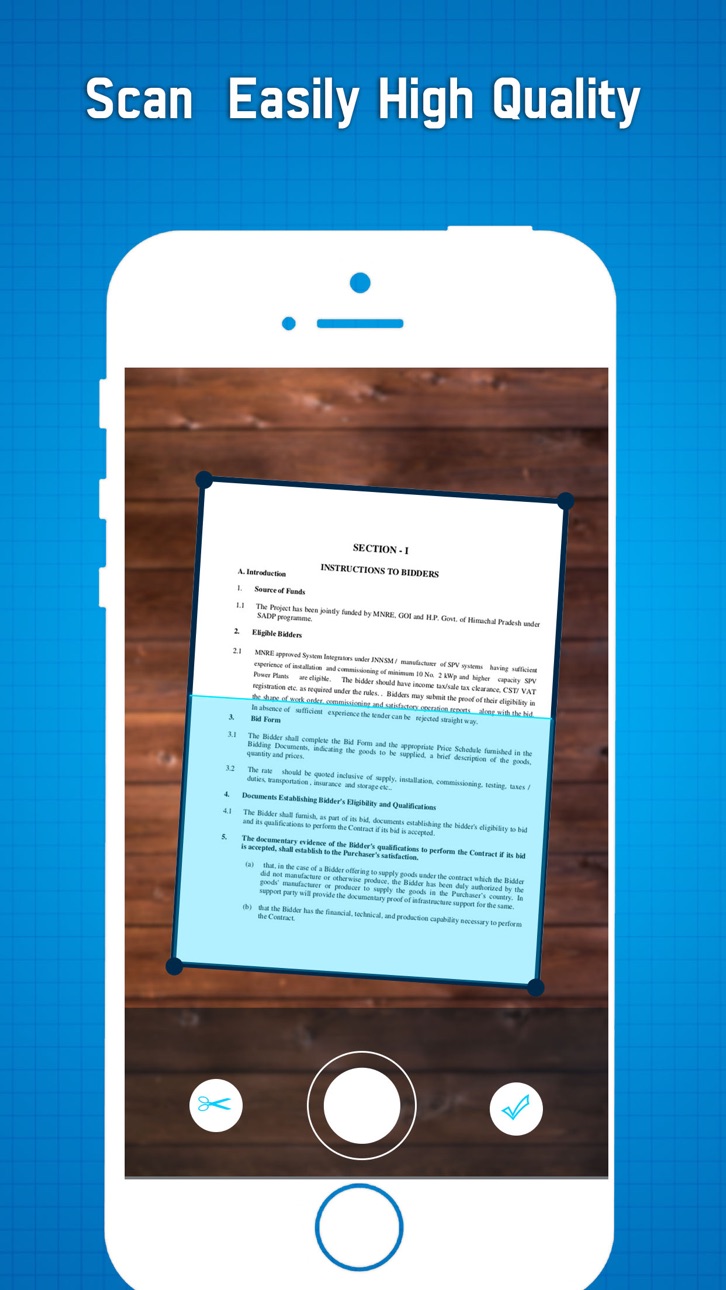
Scan documents :- It is the best document scanner app that can be used to scan documents which can be any type from receipts to bills and even multi page document.
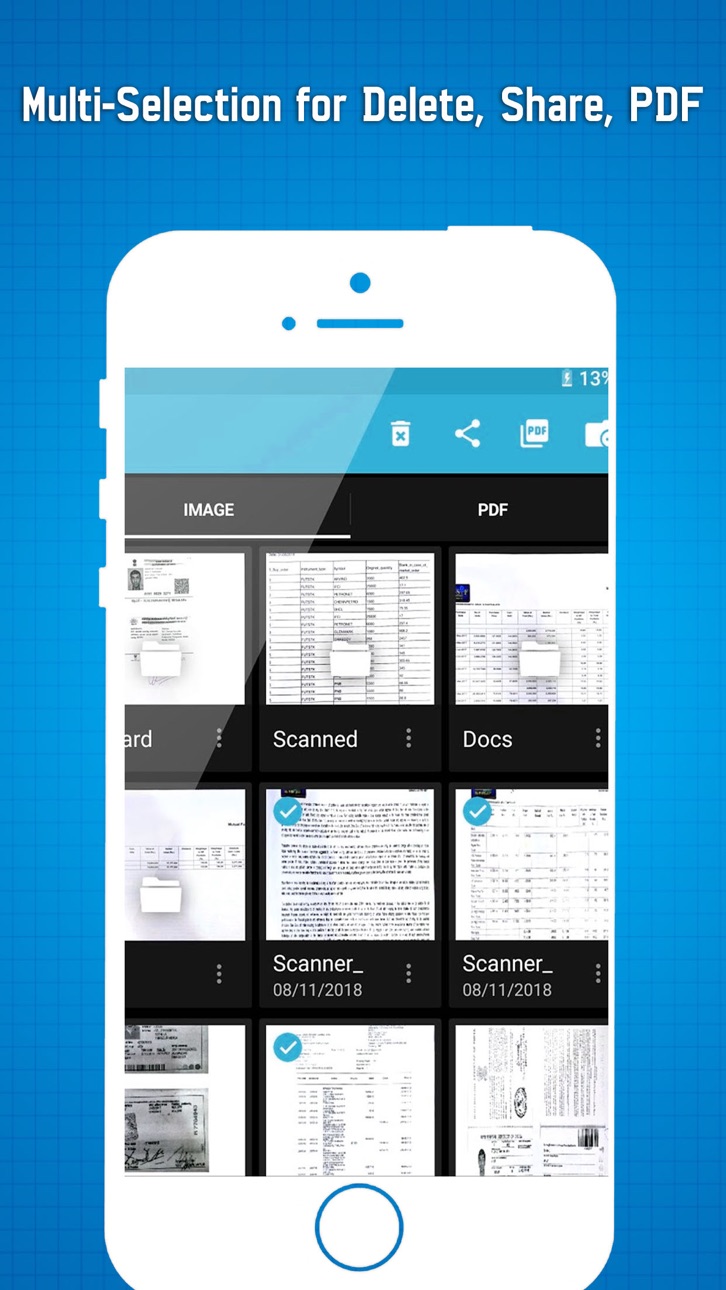
Multi page PDF :- Users can simple long TAP on an item at home page to enable selection mode to create multi page pdf.
Filters :- In-built filters to enhance the quality after scan as per need. You can use mode which are Enhance, Color, Color+, B/W, B/W+, Smooth, Sharpen and Gray to clear scan.
Features:-
Mobile Scanner
•Use your mobile phone camera to scan receipts, notes, invoices, business cards, certificates, etc.
Optimize Scan Quality
•In this app freely edge-able cropping and auto enhancing features that make the texts look clear and sharp.
Share PDF/JPEG Files
• Easily share documents in PDF or JPEG format with others via social media, email attachment etc.
Provide filter
• In this app you have black and white filter which are apply on your document.
Barcode & QR code scanner
• Scan different product barcodes with QR code & Barcode Scanner in markets and compare prices while it is actual or not so this is another way to save money.
I hope you like this amazing features app you are download from the Apple store and enjoy its marvelous feature . Your feedback is important for us.
Accessibility
ipadiphonemacrealityDevicetvoswatch
Version history 4 versions
Build 845656527v2.02021-12-01 21:14:00
- bugs fixed
- more hd document scan features
- compatible with every device
- barcode scanner features
Build 836414165v1.22020-06-17 06:04:12
There are some additional features as well in the app which makes your document after scanning more professional and good to look at.
* Scan your document.
* Enhance the scan quality automatically/Manually.
Build 832305224v22019-08-08 17:36:51
- new feature added
- minor bugs fixed
- performance enhanced
Build 832212133v1.02019-08-01 14:50:15
No pricing data captured yet — comparisons appear once the app has paid storefronts or in-app purchases.
Availability 175 of 175 storefronts
| Region | Language | Price | Ratings | Avg | Version |
|---|---|---|---|---|---|
| US | en-US | Free | 8 | 4.5 | 2.0 |
| IN | en-GB | Free | 3 | 3.7 | 2.0 |
| FR | fr-FR | Free | 2 | 5.0 | 2.0 |
| GB | en-GB | Free | 2 | 3.0 | 2.0 |
| CR | es-MX | Free | 1 | 3.0 | 2.0 |
| KH | en-GB | Free | 1 | 5.0 | 2.0 |
| PK | en-GB | Free | 1 | 5.0 | 2.0 |
| VN | en-GB | Free | 1 | 3.0 | 2.0 |
| AE | en-GB | Free | 0 | — | 2.0 |
| AF | en-GB | Free | 0 | — | 2.0 |
| AG | en-GB | Free | 0 | — | 2.0 |
| AI | en-GB | Free | 0 | — | 2.0 |
| AL | en-GB | Free | 0 | — | 2.0 |
| AM | en-GB | Free | 0 | — | 2.0 |
| AO | en-GB | Free | 0 | — | 2.0 |
| AR | es-MX | Free | 0 | — | 2.0 |
| AT | de-DE | Free | 0 | — | 2.0 |
| AU | en-AU | Free | 0 | — | 2.0 |
| AZ | en-GB | Free | 0 | — | 2.0 |
| BA | en-GB | Free | 0 | — | 2.0 |
| BB | en-GB | Free | 0 | — | 2.0 |
| BE | en-GB | Free | 0 | — | 2.0 |
| BF | en-GB | Free | 0 | — | 2.0 |
| BG | en-GB | Free | 0 | — | 2.0 |
| BH | en-GB | Free | 0 | — | 2.0 |
| BJ | en-GB | Free | 0 | — | 2.0 |
| BM | en-GB | Free | 0 | — | 2.0 |
| BN | en-GB | Free | 0 | — | 2.0 |
| BO | es-MX | Free | 0 | — | 2.0 |
| BR | pt-BR | Free | 0 | — | 2.0 |
| BS | en-GB | Free | 0 | — | 2.0 |
| BT | en-GB | Free | 0 | — | 2.0 |
| BW | en-GB | Free | 0 | — | 2.0 |
| BY | en-GB | Free | 0 | — | 2.0 |
| BZ | en-GB | Free | 0 | — | 2.0 |
| CA | en-CA | Free | 0 | — | 2.0 |
| CD | en-GB | Free | 0 | — | 2.0 |
| CG | en-GB | Free | 0 | — | 2.0 |
| CH | de-CH | Free | 0 | — | 2.0 |
| CI | fr-FR | Free | 0 | — | 2.0 |
| CL | es-MX | Free | 0 | — | 2.0 |
| CM | fr-FR | Free | 0 | — | 2.0 |
| CN | zh-Hans-CN | Free | 0 | — | 2.0 |
| CO | es-MX | Free | 0 | — | 2.0 |
| CV | en-GB | Free | 0 | — | 2.0 |
| CY | en-GB | Free | 0 | — | 2.0 |
| CZ | en-GB | Free | 0 | — | 2.0 |
| DE | de-DE | Free | 0 | — | 2.0 |
| DK | en-GB | Free | 0 | — | 2.0 |
| DM | en-GB | Free | 0 | — | 2.0 |
| DO | es-MX | Free | 0 | — | 2.0 |
| DZ | en-GB | Free | 0 | — | 2.0 |
| EC | es-MX | Free | 0 | — | 2.0 |
| EE | en-GB | Free | 0 | — | 2.0 |
| EG | en-GB | Free | 0 | — | 2.0 |
| ES | es-ES | Free | 0 | — | 2.0 |
| FI | en-GB | Free | 0 | — | 2.0 |
| FJ | en-GB | Free | 0 | — | 2.0 |
| FM | en-GB | Free | 0 | — | 2.0 |
| GA | fr-FR | Free | 0 | — | 2.0 |
| GD | en-GB | Free | 0 | — | 2.0 |
| GE | en-GB | Free | 0 | — | 2.0 |
| GH | en-GB | Free | 0 | — | 2.0 |
| GM | en-GB | Free | 0 | — | 2.0 |
| GR | en-GB | Free | 0 | — | 2.0 |
| GT | es-MX | Free | 0 | — | 2.0 |
| GW | en-GB | Free | 0 | — | 2.0 |
| GY | en-GB | Free | 0 | — | 2.0 |
| HK | zh-Hant-HK | Free | 0 | — | 2.0 |
| HN | es-MX | Free | 0 | — | 2.0 |
| HR | en-GB | Free | 0 | — | 2.0 |
| HU | en-GB | Free | 0 | — | 2.0 |
| ID | en-GB | Free | 0 | — | 2.0 |
| IE | en-GB | Free | 0 | — | 2.0 |
| IL | en-GB | Free | 0 | — | 2.0 |
| IQ | en-GB | Free | 0 | — | 2.0 |
| IS | en-GB | Free | 0 | — | 2.0 |
| IT | it | Free | 0 | — | 2.0 |
| JM | en-GB | Free | 0 | — | 2.0 |
| JO | en-GB | Free | 0 | — | 2.0 |
| JP | ja | Free | 0 | — | 2.0 |
| KE | en-GB | Free | 0 | — | 2.0 |
| KG | en-GB | Free | 0 | — | 2.0 |
| KN | en-GB | Free | 0 | — | 2.0 |
| KR | ko | Free | 0 | — | 2.0 |
| KW | en-GB | Free | 0 | — | 2.0 |
| KY | en-GB | Free | 0 | — | 2.0 |
| KZ | en-GB | Free | 0 | — | 2.0 |
| LA | en-GB | Free | 0 | — | 2.0 |
| LB | en-GB | Free | 0 | — | 2.0 |
| LC | en-GB | Free | 0 | — | 2.0 |
| LK | en-GB | Free | 0 | — | 2.0 |
| LR | en-GB | Free | 0 | — | 2.0 |
| LT | en-GB | Free | 0 | — | 2.0 |
| LU | en-GB | Free | 0 | — | 2.0 |
| LV | en-GB | Free | 0 | — | 2.0 |
| LY | en-GB | Free | 0 | — | 2.0 |
| MA | en-GB | Free | 0 | — | 2.0 |
| MD | en-GB | Free | 0 | — | 2.0 |
| ME | en-GB | Free | 0 | — | 2.0 |
| MG | en-GB | Free | 0 | — | 2.0 |
| MK | en-GB | Free | 0 | — | 2.0 |
| ML | en-GB | Free | 0 | — | 2.0 |
| MM | en-GB | Free | 0 | — | 2.0 |
| MN | en-GB | Free | 0 | — | 2.0 |
| MO | zh-Hant-HK | Free | 0 | — | 2.0 |
| MR | en-GB | Free | 0 | — | 2.0 |
| MS | en-GB | Free | 0 | — | 2.0 |
| MT | en-GB | Free | 0 | — | 2.0 |
| MU | en-GB | Free | 0 | — | 2.0 |
| MV | en-GB | Free | 0 | — | 2.0 |
| MW | en-GB | Free | 0 | — | 2.0 |
| MX | es-MX | Free | 0 | — | 2.0 |
| MY | en-GB | Free | 0 | — | 2.0 |
| MZ | en-GB | Free | 0 | — | 2.0 |
| NA | en-GB | Free | 0 | — | 2.0 |
| NE | en-GB | Free | 0 | — | 2.0 |
| NG | en-GB | Free | 0 | — | 2.0 |
| NI | es-MX | Free | 0 | — | 2.0 |
| NL | nl | Free | 0 | — | 2.0 |
| NO | en-GB | Free | 0 | — | 2.0 |
| NP | en-GB | Free | 0 | — | 2.0 |
| NR | en-GB | Free | 0 | — | 2.0 |
| NZ | en-AU | Free | 0 | — | 2.0 |
| OM | en-GB | Free | 0 | — | 2.0 |
| PA | es-MX | Free | 0 | — | 2.0 |
| PE | es-MX | Free | 0 | — | 2.0 |
| PG | en-GB | Free | 0 | — | 2.0 |
| PH | en-GB | Free | 0 | — | 2.0 |
| PL | en-GB | Free | 0 | — | 2.0 |
| PT | pt-PT | Free | 0 | — | 2.0 |
| PW | en-GB | Free | 0 | — | 2.0 |
| PY | es-MX | Free | 0 | — | 2.0 |
| QA | en-GB | Free | 0 | — | 2.0 |
| RO | en-GB | Free | 0 | — | 2.0 |
| RS | en-GB | Free | 0 | — | 2.0 |
| RU | ru | Free | 0 | — | 2.0 |
| RW | en-GB | Free | 0 | — | 2.0 |
| SA | en-GB | Free | 0 | — | 2.0 |
| SB | en-GB | Free | 0 | — | 2.0 |
| SC | en-GB | Free | 0 | — | 2.0 |
| SE | sv | Free | 0 | — | 2.0 |
| SG | en-GB | Free | 0 | — | 2.0 |
| SI | en-GB | Free | 0 | — | 2.0 |
| SK | en-GB | Free | 0 | — | 2.0 |
| SL | en-GB | Free | 0 | — | 2.0 |
| SN | en-GB | Free | 0 | — | 2.0 |
| SR | en-GB | Free | 0 | — | 2.0 |
| ST | en-GB | Free | 0 | — | 2.0 |
| SV | es-MX | Free | 0 | — | 2.0 |
| SZ | en-GB | Free | 0 | — | 2.0 |
| TC | en-GB | Free | 0 | — | 2.0 |
| TD | en-GB | Free | 0 | — | 2.0 |
| TH | en-GB | Free | 0 | — | 2.0 |
| TJ | en-GB | Free | 0 | — | 2.0 |
| TM | en-GB | Free | 0 | — | 2.0 |
| TN | en-GB | Free | 0 | — | 2.0 |
| TO | en-GB | Free | 0 | — | 2.0 |
| TR | en-GB | Free | 0 | — | 2.0 |
| TT | en-GB | Free | 0 | — | 2.0 |
| TW | zh-Hant-TW | Free | 0 | — | 2.0 |
| TZ | en-GB | Free | 0 | — | 2.0 |
| UA | en-GB | Free | 0 | — | 2.0 |
| UG | en-GB | Free | 0 | — | 2.0 |
| UY | en-GB | Free | 0 | — | 2.0 |
| UZ | en-GB | Free | 0 | — | 2.0 |
| VC | en-GB | Free | 0 | — | 2.0 |
| VE | es-MX | Free | 0 | — | 2.0 |
| VG | en-GB | Free | 0 | — | 2.0 |
| VU | en-GB | Free | 0 | — | 2.0 |
| XK | en-GB | Free | 0 | — | 2.0 |
| YE | en-GB | Free | 0 | — | 2.0 |
| ZA | en-GB | Free | 0 | — | 2.0 |
| ZM | en-GB | Free | 0 | — | 2.0 |
| ZW | en-GB | Free | 0 | — | 2.0 |
Change log 10 changes · ZW
✎
releaseNotes updated
- bugs fixed
- more hd document scan features
- compatible with every device
- barcode scanner features
✎
description updated
Super Document Scanner - HD Scan is an amazing mobile app that allows you to take a photograph of a document, not just photograph either barcode or QR code sca
✎
subtitle updated
Super & Easy Document Scanner!
✎
name updated
Super Document Scanner-HD Scan
▣
App icon changed
✎
Privacy labels 0 → 1 categories
◆
Version 2.0 released
- bugs fixed
- more hd document scan features
- compatible with every device
- barcode scanner features
◆
Version 1.2 released
There are some additional features as well in the app which makes your document after scanning more professional and good to look at.
* Scan your document.
* Enhance the scan quality automatically/Manually.
◆
Version 2 released
- new feature added
- minor bugs fixed
- performance enhanced
◆
Version 1.0 released