Home › Photo & Video

 FJ
FJ
 USen-US
 CNzh-Hans-CN
 GBen-GB
 CAen-CA
 KRko
KRko DEde-DE
 INen-GB
 FRfr-FR
 AUen-AU
 TWzh-Hant-TW
 JPja
JPja RUru
RUru MXes-MX
 ITit
ITit THen-GB
 BRpt-BR
 ESes-ES
 HKzh-Hant-HK
 IDen-GB
 ZAen-GB
 VNen-GB
 MYen-GB
 SEsv
SEsv ATde-DE
 ILen-GB
 NZen-AU
 PHen-GB
 NLnl
NLnl PLen-GB
 SAen-GB
 TRen-GB
 ARes-MX
 BEen-GB
 CHde-CH
 EGen-GB
 HUen-GB
 SGen-GB
 COes-MX
 CZen-GB
 CLes-MX
 NGen-GB
 PEes-MX
 PTpt-PT
 ROen-GB
 AEen-GB
 DKen-GB
 UZen-GB
 GEen-GB
 KZen-GB
 MTen-GB
 AZen-GB
 CIfr-FR
 ECes-MX
 GRen-GB
 GTes-MX
 HRen-GB
 UAen-GB
 BGen-GB
 BHen-GB
 CYen-GB
 IEen-GB
 IQen-GB
 ISen-GB
 JOen-GB
 KWen-GB
 LAen-GB
 LKen-GB
 LUen-GB
 MNen-GB
 MOzh-Hant-HK
 MVen-GB
 PKen-GB
 SIen-GB
 SKen-GB
 VGen-GB
 ZMen-GB
 AFen-GB
 AIen-GB
 ALen-GB
 AMen-GB
 AOen-GB
 BAen-GB
 BFen-GB
 BJen-GB
 BMen-GB
 BTen-GB
 BWen-GB
 BYen-GB
 CDen-GB
 CGen-GB
 CMfr-FR
 CVen-GB
 DZen-GB
 EEen-GBFJen-GB
 FMen-GB
 GAfr-FR
 GDen-GB
 GHen-GB
 GMen-GB
 GWen-GB
 KEen-GB
 KGen-GB
 KHen-GB
 KNen-GB
 LBen-GB
 LCen-GB
 LRen-GB
 LTen-GB
 LVen-GB
 LYen-GB
 MAen-GB
 MDen-GB
 MEen-GB
 MGen-GB
 MKen-GB
 MLen-GB
 MMen-GB
 MRen-GB
 MSen-GB
 MUen-GB
 MWen-GB
 MZen-GB
 NAen-GB
 NEen-GB
 NPen-GB
 NRen-GB
 OMen-GB
 PGen-GB
 PWen-GB
 QAen-GB
 RSen-GB
 RWen-GB
 SBen-GB
 SCen-GB
 SLen-GB
 SNen-GB
 STen-GB
 SVes-MX
 SZen-GB
 TCen-GB
 TDen-GB
 TJen-GB
 TMen-GB
 TNen-GB
 TOen-GB
 TZen-GB
 UGen-GB
 UYen-GB
 VEes-MX
 VUen-GB
 XKen-GB
 YEen-GB
 ZWen-GB
154 of 154 storefronts
Content in en-US
Content in en-US
Information
Preview 3 platforms
iPhone 5 images


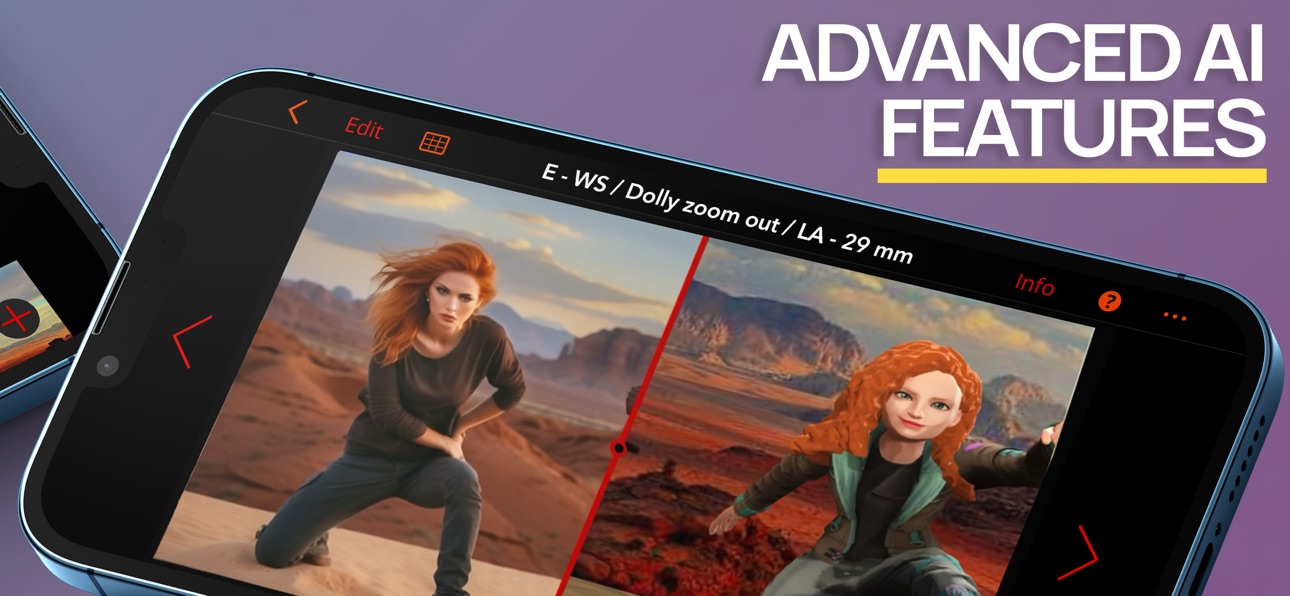


iPad 5 images


Mac 5 images


What’s New Version 3.5.6
A major visual upgrade
We've rebuilt how Previs Pro renders your scenes, and you'll see it everywhere — lighting, shadows, and surfaces now look far more realistic, bringing your storyboards closer to the real thing.
Realistic materials
Characters, props, and sets now use realistic, physically based textures that respond to light like real-world surfaces, for a richer and more lifelike look.
More light to work with
Shape mood and depth with improved lighting and support for more active lights in a single scene.
Tone-mapping options
New tone-mapping controls let you fine-tune exposure and color — from a natural look to something more cinematic.
Fixes & stability
Plus many smaller refinements and stability improvements.
Description
Create 3D storyboards in your iPad or iPhone using simple taps, swipes, and gestures that you already know.
Filmmakers, directors, cinematographers, video creators, and screenwriters know that you MUST storyboard your shots and scenes BEFORE you roll camera.
Previsualize every shot in your scene AND every scene in your script.
Experiment - with 2D and 3D real-time views - to find the very best shot for your film or video.
PURCHASE OPTIONS
Annual - under US$15 per month average
Lifetime - own it forever
STORYBOARD FAST
With Previs Pro, quickly build a 3D set populated with buildings, props, and characters. Position your camera and lights for the perfect shot.
Add a second shot - perhaps a Close-Up or Cutaway - by just moving the camera into position. Add more shots until your scene is complete.
** Final Draft Import **
Import every scene and character from your Final Draft script. You’re halfway finished before you even start. Works with Final Draft 12!
STORYBOARD EASY
Experimenting with different types of shots is a breeze. Simply move the camera around the 3D set until you find your shot. Pan left, tilt up, dolly in, or zoom. Your view of the shot is always updated in real-time. What you see is truly what you get.
STORYBOARD ANYWHERE
Storyboard where and when inspiration strikes.
If you're in the middle of production and a shot isn't working, then pull out your iPhone and design a shot that does work. Send and share the new shot with your entire cast and crew. The best storyboard is the one in your pocket — that you can change, and share whenever necessary.
** Augmented Reality **
With our A/R feature, you can place your virtual props and characters into a real-world location - the streets of London, on a bridge in Paris, or your own backyard - and start building shots in the same exact location where you plan to shoot.
Can't get there to use A/R? No problem. Import a photo or image of your location into your shot and use it as a "proxy". It's the next best thing to being there.
STORYBOARD LIKE THE PROS
At some point, you need to turn your shots in Previs Pro into storyboards for your cast and crew. If you're a director, you need to create a shot list. If you're a cinematographer or DP, you need information on camera type, lenses, and aspect ratios. If you're doing it all yourself, then you need all this information.
With Previs Pro, you can export storyboards as printable PDF's or shareable graphics files. You can include as much rich data as needed, or show nothing but the Camera View.
ADDITIONAL PREVIS PRO FEATURES
** IMPORT 3D PROPS **
Import your own 3D props from prop and object libraries like Sketchfab.
** CAMERAS AND LIGHTING **
* Camera/Sensor Types: Full Frame 35mm, Alexa LF Open Gate sensor, Super 35mm, Micro 4/3, 2/3" Video, and iPhone *
* Aspect Ratios: 1.77:1 (16:9), 1.85:1, 2.35:1, 2.39:1, 3:2, 4:3 *
* Moveable spotlights and lanterns *
** POSABLE AND EDITABLE CHARACTERS **
* Over 50 poses available - Standing, Sitting, Moving, Lying, Action, & Special Gestures
* Adjust character height, gender, body type, hair color, skin, eye, and clothing color
* Set and Custom Facial Expressions
** HUNDREDS OF PROPS **
* Choose props among Furnishing, Buildings, Nature, Exterior, Animals, Vehicles, Tools, Weapons, and Household Items
* Can't find a prop you want? Use a basic shape or add your own image
* Import 3D Props from libraries like Sketchfab
** POWERFUL AND EASY FILE MANAGEMENT AND SECURITY **
* Save your projects securely with iCloud, Dropbox, or locally *
* Share your Previs Pro files with other trusted users *
** INTEGRATIONS **
* Import Final Draft scripts. Export storyboard images back to Final Draft *
* Export storyboard images to production services like Studio Binder and Celtx *
Please visit previspro.com/terms-of-use for terms of use and previspro.com/privacy-policy for our privacy policy
In-App Purchases FJ pricing
Previs Pro Subscriptions Subscription
Monthly Subscription · Monthly—
Yearly Subscription · Yearly—
One-Time Purchases
Lifetime Membership—
Starter Pack - 100 Credits—
Standard Pack - 400 Credits—
Pro Pack - 1,200 Credits—
Capabilities
In-App Purchases
Accessibility
ipadiphonemacrealityDevicetvoswatch
Version history 25 versions
Build 887594482v3.5.52026-06-30 19:40:58
A major visual upgrade
We've rebuilt how Previs Pro renders your scenes, and you'll see it everywhere — lighting, shadows, and surfaces now look far more realistic, bringing your storyboards closer to the real thing.
Realistic materials
Characters, props, and sets now use realistic, physically based textures that respond to light like real-world surfaces, for a richer and more lifelike look.
More light to work with
Shape mood and depth with improved lighting and support for more active lights in a single scene.
Tone-mapping options
New tone-mapping controls let you fine-tune exposure and color — from a natural look to something more cinematic.
Fixes & stability
Plus many smaller refinements and stability improvements.
Build 886804857v3.5.02026-06-12 18:48:11
Character Customizer
Our legacy built-in characters have been replaced by a new robust character customization system. Build and personalize your cast right in the app — set their body type, skin tone, hair, eyes, clothing, and more.
Previs Assist
Tap the "?" in any panel to ask how-to questions and get instant, in-app answers — with suggested questions to save you some typing.
Faster startup
Cold launch into your projects is roughly twice as fast, with a smoother screenplay import.
Timeline polish
Clearer AI/Audio labels, a renamed "Enhance" tab, and better empty-state guidance.
Fixes & stability
Fixed an issue with Tripo characters importing backwards — plus many smaller fixes.
Build 885344043v3.4.02026-05-07 21:46:42
It's never been easier to create Storyboards.
Tap "Get" to see the latest, including,
- NLE Export support (Premiere, DaVinci, etc)
- Timeline HTML Export support
- New Screenplay Manager: Import screenplays into existing projects and update them with later versions
- Other bug fixes and optimizations
Build 884763323v3.3.52026-04-21 22:59:21
It's never been easier to create Storyboards.
Tap "Get" to see the latest, including,
- Expanded screenplay support: Screenplay import now supports Final Draft, Fountain, Open Screenplay Format, Fade In, and Celtx
- Fixed rendering issue with Chinese characters
- Improved support for lower-end devices with limited RAM
- Various bug fixes and optimizations
Build 884067561v3.3.42026-04-13 17:23:16
Introducing Timeline — your new editorial command center.
Arrange shots across scenes, add dialogue, music, SFX, and voiceover, generate and enhance storyboard images with AI, and share projects for real-time review with comments, annotations, and shot approvals.
Build 882329282v3.3.32026-02-11 00:15:09
It's never been easier to create Storyboards.
Tap "Get" to see the latest, including,
- Actor Gen: using the same cutting edge AI service that allows for Prop Gen, users can now generate unique characters from a prompt for use within the app
- Various bug fixes and optimizations
Build 882201727v3.3.22026-02-05 22:02:08
It's never been easier to create Storyboards.
Tap "Get" to see the latest, including,
- Actor Gen: using the same cutting edge AI service that allows for Prop Gen, users can now generate unique characters from a prompt for use within the app
- Various bug fixes and optimizations
Build 882125835v3.3.12026-02-04 22:53:35
It's never been easier to create Storyboards.
Tap "Get" to see the latest, including,
- Actor Gen: using the same cutting edge AI service that allows for Prop Gen, users can now generate unique characters from a prompt for use within the app
- Various bug fixes and optimizations
Build 881286059v3.3.02026-01-08 18:02:46
Ring in the new year with Previs Pro's latest update!
Tap "Get" to see what’s new, including:
- Anamorphic lens support: Choose from several anamorphic lens options in the camera edit panel to take your planning to the next level
- Texture support for walls: Import or use one of the built-in wall textures to give your storyboards the right look
- Door/Window support for walls: Add up to 8 openings within a wall by dragging any of the new door/window props over it
- Easier wall sizing: Enter the exact length desired for each wall via the wall edit panel
- Prop search: Find the perfect prop using the new prop search functionality
- Various other bug fixes & improvements
Build 879974377v3.2.02025-11-24 14:28:54
Introducing Video Style Grade, a groundbreaking new way to elevate your animatics and transform your visual storytelling with cinematic brilliance.
The same powerful enhancement you enjoy with Style Grade comes to animatics—bringing your shot sequences closer to polished, film-ready previews. Whether you’re crafting dynamic action, quiet character moments, or sweeping camera moves, Video Style Grade infuses your sequences with photoreal detail, dramatic lighting, and the tonal depth of real cinema.
Give your stories the atmosphere, texture, and emotional weight they deserve. Update now and experience your animatics reimagined through a truly cinematic lens.
Build 879468819v3.1.02025-11-05 14:04:54
It's never been easier to create Storyboards.
Tap "Get" to see the latest, including,
- Pose Mode: Manual adjustments of head, body, and hand positioning is now available for all ReadyPlayerMe and compatible imported characters
- Doubled the maximum canvas height allowed for objects
- Fixed issue with cross-platform purchase unlocks failing in rare cases
- Various bug fixes and optimizations
Build 877616602v3.0.02025-09-17 12:01:01
With update 3.0, Previs Pro evolves from static storyboards into dynamic pre-visualization. Bring your ideas to life by animating characters, cameras, and objects directly on the canvas—adjusting position, rotation, poses, and more—while the app smoothly generates motion between shots.
When your sequence is ready, you can review it on the 2D planning canvas, in a full 3D scene, or through the camera's lens for the true director's perspective—or export the video to share with collaborators and polish further in your favorite editing software.
This update bridges the gap between storyboards and full animatics, giving you the freedom to explore pacing, staging, blocking, movement and more.
Build 878195695v3.0.12025-09-17 16:13:43
With update 3.0, Previs Pro evolves from static storyboards into dynamic pre-visualization. Bring your ideas to life by animating characters, cameras, and objects directly on the canvas—adjusting position, rotation, poses, and more—while the app smoothly generates motion between shots.
When your sequence is ready, you can review it on the 2D planning canvas, in a full 3D scene, or through the camera's lens for the true director's perspective—or export the video to share with collaborators and polish further in your favorite editing software.
This update bridges the gap between storyboards and full animatics, giving you the freedom to explore pacing, staging, blocking, movement and more.
Build 874061872v2.8.12025-04-17 14:15:14
Introducing Light Grade – cinematic lighting, one tap away.
Transform the mood of your scenes instantly with our newest tool for creative flexibility. Light Grade lets you re-light your backgrounds in seconds—no need to rebuild your shot.
From golden hour warmth to dramatic nightscapes, explore a range of atmospheric presets to match your script’s tone or experiment with new styles.
Whether you’re previsualising a look or testing different setups, Light Grade makes it fast, intuitive, and fun.
Update now and bring your storyboards to life with Light Grade.
Build 873524354v2.8.02025-03-30 20:56:20
Introducing Light Grade – cinematic lighting, one tap away.
Transform the mood of your scenes instantly with our newest tool for creative flexibility. Light Grade lets you re-light your backgrounds in seconds—no need to rebuild your shot.
From golden hour warmth to dramatic nightscapes, explore a range of atmospheric presets to match your script’s tone or experiment with new styles.
Whether you’re previsualising a look or testing different setups, Light Grade makes it fast, intuitive, and fun.
Update now and bring your storyboards to life with Light Grade.
Build 872061001v2.7.52025-01-28 16:48:20
It's never been easier to create Storyboards.
Tap "Get" to see the latest, including,
- Stability improvements for M-series iPads
- Resolved issues some users experiences with sets
- Resolved issues some users experienced with prop generation
- Numerical values can now be used for shots
- Various bug fixes and improvements
Build 872037615v2.7.42025-01-27 18:02:02
It's never been easier to create Storyboards.
Tap "Get" to see the latest, including,
- Stability improvements for M-series iPads
- Resolved issues some users experienced with prop generation
- Numerical values can now be used for shots
- Various bug fixes and improvements
Build 872006501v2.7.32025-01-26 16:32:10
It's never been easier to create Storyboards.
Tap "Get" to see the latest, including,
- Stability improvements for M-series iPads
- Numerical values can now be used for shots
- Various bug fixes and improvements
Build 870250512v2.7.22024-11-07 14:02:11
It's never been easier to create Storyboards.
Tap "Get" to see the latest, including,
- Various bug fixes and improvements
Build 869979697v2.7.12024-10-29 15:21:03
Introducing Custom Sets, a powerful extension to the recently introduced Set Library. Custom Sets give you the freedom to create and save your own sets crafted exactly to your vision!
This update also includes a number of fixes and stability improvements, and of note particularly addresses issues with users having difficulty with file imports.
Update now and transform your creative process today!
Build 868912985v2.7.02024-09-11 14:48:22
Introducing the Set Library, a stunning collection of premade environments designed to bring your ideas to life faster than ever before!
From the sleek interiors of a modern condo to the bustling streets of New York; from a serene forest trail to the chilly heights of a snow-covered mountain, these sets are ready to immerse your scenes in a world of possibilities.
Also new for this update, additional light gobos have been added to bring a dramatic flair to your scene. Whether you're looking to cast a window frame, fence, or tree in the background or simply enable more control over the shape of your lighting, we've got you covered.
With 10+ new environments available at launch and over 100+ new gobos, setting up your next project has never been easier—or more exciting. Don’t wait—update your app now and dive into your next storyboard today!
Build 867666731v2.6.72024-07-24 13:51:25
It's never been easier to create Storyboards.
Tap "Get" to see the latest, including,
- Cameras and lights can now be set to visible via the project settings
- Image props now place vertically for easier use
- Various other bug fixes and improvements
Build 867330813v2.6.62024-07-18 13:42:02
It's never been easier to create Storyboards.
Tap "Get" to see the latest, including,
- Cameras and lights can now be set to visible via the project settings
- Image props now place vertically for easier use
- Various other bug fixes and improvements
Build 866654236v2.6.52024-06-13 13:38:18
Introducing Touch Up, a powerful new tool that redefines how you bring your storyboards to life.
Using the latest AI enhancements, Touch Up makes it easy to refine every detail of your shots. Whether you want to seamlessly add new elements or perfect existing ones, Touch Up offers a fluid and intuitive way to perfect your work.
Elevate your storytelling and transform your visions with the creativity and ease of Touch Up—update your app now and discover the magic of Touch Up today!
Build 865424089v2.6.12024-04-30 14:00:26
Introducing Prop Gen, a whole new way to experience the magic of AI. Just describe your desired 3D prop and let Prop Gen bring it to life with a complete mesh and texture—ready for use in your project. Used in conjunction with Style Grading, create stunning visuals faster than ever, saving both time and money.
Additionally, immerse yourself fully in your creative process with our new Scene Playback mode. View your shots in a beautifully streamlined interface allowing your work to stand center stage, and enabling a purer, more focused creative exploration. Shots can be viewed stacked together for a high-level overview, or individually for a deeper, more intimate examination. The entire scene can even be played back at speed, from directly within the app, to truly get a sense of the experience.
Dive into these new tools and embrace the future of digital creativity—where your imagination is the only limit!
Price history by region
Currency
Show
Columns
Search
Availability 154 of 154 storefronts
| Region | Language | Price | Ratings | Avg | Version |
|---|---|---|---|---|---|
| US | en-US | Free | 1.2k | 4.8 | 3.5.5 |
| CN | zh-Hans-CN | Free | 441 | 4.9 | 3.5.6 |
| GB | en-GB | Free | 162 | 4.7 | 3.5.6 |
| CA | en-CA | Free | 132 | 4.9 | 3.5.6 |
| KR | ko | Free | 130 | 4.8 | 3.5.6 |
| DE | de-DE | Free | 102 | 4.9 | 3.5.6 |
| IN | en-GB | Free | 85 | 4.5 | 3.5.6 |
| FR | fr-FR | Free | 79 | 4.8 | 3.5.6 |
| AU | en-AU | Free | 58 | 4.7 | 3.5.6 |
| TW | zh-Hant-TW | Free | 41 | 4.9 | 3.5.6 |
| JP | ja | Free | 37 | 4.7 | 3.5.6 |
| RU | ru | Free | 37 | 4.9 | 3.5.6 |
| MX | es-MX | Free | 34 | 5.0 | 3.5.6 |
| IT | it | Free | 29 | 4.9 | 3.5.6 |
| TH | en-GB | Free | 27 | 5.0 | 3.5.6 |
| BR | pt-BR | Free | 26 | 4.8 | 3.5.6 |
| ES | es-ES | Free | 25 | 4.6 | 3.5.6 |
| HK | zh-Hant-HK | Free | 23 | 4.9 | 3.5.6 |
| ID | en-GB | Free | 23 | 4.9 | 3.5.6 |
| ZA | en-GB | Free | 18 | 4.9 | 3.5.6 |
| VN | en-GB | Free | 16 | 5.0 | 3.5.6 |
| MY | en-GB | Free | 15 | 4.7 | 3.5.6 |
| SE | sv | Free | 15 | 4.7 | 3.5.6 |
| AT | de-DE | Free | 14 | 5.0 | 3.5.6 |
| IL | en-GB | Free | 14 | 5.0 | 3.5.6 |
| NZ | en-AU | Free | 12 | 4.5 | 3.5.6 |
| PH | en-GB | Free | 10 | 4.6 | 3.5.6 |
| NL | nl | Free | 9 | 5.0 | 3.5.6 |
| PL | en-GB | Free | 9 | 4.7 | 3.5.6 |
| SA | en-GB | Free | 9 | 4.8 | 3.5.6 |
| TR | en-GB | Free | 9 | 4.7 | 3.5.6 |
| AR | es-MX | Free | 8 | 4.9 | 3.5.6 |
| BE | en-GB | Free | 7 | 4.9 | 3.5.6 |
| CH | de-CH | Free | 7 | 4.4 | 3.5.6 |
| EG | en-GB | Free | 7 | 4.9 | 3.5.6 |
| HU | en-GB | Free | 7 | 4.7 | 3.5.6 |
| SG | en-GB | Free | 7 | 5.0 | 3.5.6 |
| CO | es-MX | Free | 6 | 5.0 | 3.5.6 |
| CZ | en-GB | Free | 6 | 4.3 | 3.5.6 |
| CL | es-MX | Free | 5 | 5.0 | 3.5.6 |
| NG | en-GB | Free | 5 | 5.0 | 3.5.6 |
| PE | es-MX | Free | 5 | 4.2 | 3.5.6 |
| PT | pt-PT | Free | 5 | 5.0 | 3.5.6 |
| RO | en-GB | Free | 5 | 4.8 | 3.5.6 |
| AE | en-GB | Free | 4 | 5.0 | 3.5.6 |
| DK | en-GB | Free | 4 | 5.0 | 3.5.6 |
| UZ | en-GB | Free | 4 | 5.0 | 3.5.6 |
| GE | en-GB | Free | 3 | 4.3 | 3.5.6 |
| KZ | en-GB | Free | 3 | 5.0 | 3.5.6 |
| MT | en-GB | Free | 3 | 4.3 | 3.5.6 |
| AZ | en-GB | Free | 2 | 5.0 | 3.5.6 |
| CI | fr-FR | Free | 2 | 4.5 | 3.5.6 |
| EC | es-MX | Free | 2 | 5.0 | 3.5.6 |
| GR | en-GB | Free | 2 | 3.0 | 3.5.6 |
| GT | es-MX | Free | 2 | 5.0 | 3.5.6 |
| HR | en-GB | Free | 2 | 4.5 | 3.5.6 |
| UA | en-GB | Free | 2 | 5.0 | 3.5.6 |
| BG | en-GB | Free | 1 | 5.0 | 3.5.6 |
| BH | en-GB | Free | 1 | 5.0 | 3.5.6 |
| CY | en-GB | Free | 1 | 5.0 | 3.5.6 |
| IE | en-GB | Free | 1 | 5.0 | 3.5.6 |
| IQ | en-GB | Free | 1 | 5.0 | 3.5.6 |
| IS | en-GB | Free | 1 | 5.0 | 3.5.6 |
| JO | en-GB | Free | 1 | 4.0 | 3.5.6 |
| KW | en-GB | Free | 1 | 5.0 | 3.5.6 |
| LA | en-GB | Free | 1 | 3.0 | 3.5.6 |
| LK | en-GB | Free | 1 | 5.0 | 3.5.6 |
| LU | en-GB | Free | 1 | 5.0 | 3.5.6 |
| MN | en-GB | Free | 1 | 5.0 | 3.5.6 |
| MO | zh-Hant-HK | Free | 1 | 5.0 | 3.5.6 |
| MV | en-GB | Free | 1 | 1.0 | 3.5.6 |
| PK | en-GB | Free | 1 | 5.0 | 3.5.6 |
| SI | en-GB | Free | 1 | 5.0 | 3.5.6 |
| SK | en-GB | Free | 1 | 5.0 | 3.5.6 |
| VG | en-GB | Free | 1 | 5.0 | 3.5.6 |
| ZM | en-GB | Free | 1 | 5.0 | 3.5.6 |
| AF | en-GB | Free | 0 | — | 3.5.6 |
| AI | en-GB | Free | 0 | — | 3.5.6 |
| AL | en-GB | Free | 0 | — | 3.5.6 |
| AM | en-GB | Free | 0 | — | 3.5.6 |
| AO | en-GB | Free | 0 | — | 3.5.6 |
| BA | en-GB | Free | 0 | — | 3.5.6 |
| BF | en-GB | Free | 0 | — | 3.5.6 |
| BJ | en-GB | Free | 0 | — | 3.5.6 |
| BM | en-GB | Free | 0 | — | 3.5.6 |
| BT | en-GB | Free | 0 | — | 3.5.6 |
| BW | en-GB | Free | 0 | — | 3.5.6 |
| BY | en-GB | Free | 0 | — | 3.5.6 |
| CD | en-GB | Free | 0 | — | 3.5.6 |
| CG | en-GB | Free | 0 | — | 3.5.6 |
| CM | fr-FR | Free | 0 | — | 3.5.6 |
| CV | en-GB | Free | 0 | — | 3.5.6 |
| DZ | en-GB | Free | 0 | — | 3.5.6 |
| EE | en-GB | Free | 0 | — | 3.5.6 |
| FJ | en-GB | Free | 0 | — | 3.5.6 |
| FM | en-GB | Free | 0 | — | 3.5.6 |
| GA | fr-FR | Free | 0 | — | 3.5.6 |
| GD | en-GB | Free | 0 | — | 3.5.6 |
| GH | en-GB | Free | 0 | — | 3.5.6 |
| GM | en-GB | Free | 0 | — | 3.5.6 |
| GW | en-GB | Free | 0 | — | 3.5.6 |
| KE | en-GB | Free | 0 | — | 3.5.6 |
| KG | en-GB | Free | 0 | — | 3.5.6 |
| KH | en-GB | Free | 0 | — | 3.5.6 |
| KN | en-GB | Free | 0 | — | 3.5.6 |
| LB | en-GB | Free | 0 | — | 3.5.6 |
| LC | en-GB | Free | 0 | — | 3.5.6 |
| LR | en-GB | Free | 0 | — | 3.5.6 |
| LT | en-GB | Free | 0 | — | 3.5.6 |
| LV | en-GB | Free | 0 | — | 3.5.6 |
| LY | en-GB | Free | 0 | — | 3.5.6 |
| MA | en-GB | Free | 0 | — | 3.5.6 |
| MD | en-GB | Free | 0 | — | 3.5.6 |
| ME | en-GB | Free | 0 | — | 3.5.6 |
| MG | en-GB | Free | 0 | — | 3.5.6 |
| MK | en-GB | Free | 0 | — | 3.5.6 |
| ML | en-GB | Free | 0 | — | 3.5.6 |
| MM | en-GB | Free | 0 | — | 3.5.6 |
| MR | en-GB | Free | 0 | — | 3.5.6 |
| MS | en-GB | Free | 0 | — | 3.5.6 |
| MU | en-GB | Free | 0 | — | 3.5.6 |
| MW | en-GB | Free | 0 | — | 3.5.6 |
| MZ | en-GB | Free | 0 | — | 3.5.6 |
| NA | en-GB | Free | 0 | — | 3.5.6 |
| NE | en-GB | Free | 0 | — | 3.5.6 |
| NP | en-GB | Free | 0 | — | 3.5.6 |
| NR | en-GB | Free | 0 | — | 3.5.6 |
| OM | en-GB | Free | 0 | — | 3.5.6 |
| PG | en-GB | Free | 0 | — | 3.5.6 |
| PW | en-GB | Free | 0 | — | 3.5.6 |
| QA | en-GB | Free | 0 | — | 3.5.6 |
| RS | en-GB | Free | 0 | — | 3.5.6 |
| RW | en-GB | Free | 0 | — | 3.5.6 |
| SB | en-GB | Free | 0 | — | 3.5.6 |
| SC | en-GB | Free | 0 | — | 3.5.6 |
| SL | en-GB | Free | 0 | — | 3.5.6 |
| SN | en-GB | Free | 0 | — | 3.5.6 |
| ST | en-GB | Free | 0 | — | 3.5.6 |
| SV | es-MX | Free | 0 | — | 3.5.6 |
| SZ | en-GB | Free | 0 | — | 3.5.6 |
| TC | en-GB | Free | 0 | — | 3.5.6 |
| TD | en-GB | Free | 0 | — | 3.5.6 |
| TJ | en-GB | Free | 0 | — | 3.5.6 |
| TM | en-GB | Free | 0 | — | 3.5.6 |
| TN | en-GB | Free | 0 | — | 3.5.6 |
| TO | en-GB | Free | 0 | — | 3.5.6 |
| TZ | en-GB | Free | 0 | — | 3.5.6 |
| UG | en-GB | Free | 0 | — | 3.5.6 |
| UY | en-GB | Free | 0 | — | 3.5.6 |
| VE | es-MX | Free | 0 | — | 3.5.6 |
| VU | en-GB | Free | 0 | — | 3.5.6 |
| XK | en-GB | Free | 0 | — | 3.5.6 |
| YE | en-GB | Free | 0 | — | 3.5.6 |
| ZW | en-GB | Free | 0 | — | 3.5.6 |
Change log 29 changes · FJ
✎
releaseNotes updated
A major visual upgrade
We've rebuilt how Previs Pro renders your scenes, and you'll see it everywhere — lighting, shadows, and surfaces now look far more realis
✎
description updated
Create 3D storyboards in your iPad or iPhone using simple taps, swipes, and gestures that you already know.
Filmmakers, directors, cinematographers, video crea
✎
subtitle updated
Storyboard Film, TV & Video
✎
name updated
Previs Pro - Storyboard Fast
◆
Version 3.5.5 released
A major visual upgrade
We've rebuilt how Previs Pro renders your scenes, and you'll see it everywhere — lighting, shadows, and surfaces now look far more realistic, bringing your storyboards closer to the real thing.
Realistic materials
Ch
◆
Version 3.5.0 released
Character Customizer
Our legacy built-in characters have been replaced by a new robust character customization system. Build and personalize your cast right in the app — set their body type, skin tone, hair, eyes, clothing, and more.
Previ
◆
Version 3.4.0 released
It's never been easier to create Storyboards.
Tap "Get" to see the latest, including,
- NLE Export support (Premiere, DaVinci, etc)
- Timeline HTML Export support
- New Screenplay Manager: Import screenplays into existing projects and upda
◆
Version 3.3.5 released
It's never been easier to create Storyboards.
Tap "Get" to see the latest, including,
- Expanded screenplay support: Screenplay import now supports Final Draft, Fountain, Open Screenplay Format, Fade In, and Celtx
- Fixed rendering issue w
◆
Version 3.3.4 released
Introducing Timeline — your new editorial command center.
Arrange shots across scenes, add dialogue, music, SFX, and voiceover, generate and enhance storyboard images with AI, and share projects for real-time review with comments, annotati
◆
Version 3.3.3 released
It's never been easier to create Storyboards.
Tap "Get" to see the latest, including,
- Actor Gen: using the same cutting edge AI service that allows for Prop Gen, users can now generate unique characters from a prompt for use within the a
◆
Version 3.3.2 released
It's never been easier to create Storyboards.
Tap "Get" to see the latest, including,
- Actor Gen: using the same cutting edge AI service that allows for Prop Gen, users can now generate unique characters from a prompt for use within the a
◆
Version 3.3.1 released
It's never been easier to create Storyboards.
Tap "Get" to see the latest, including,
- Actor Gen: using the same cutting edge AI service that allows for Prop Gen, users can now generate unique characters from a prompt for use within the a
◆
Version 3.3.0 released
Ring in the new year with Previs Pro's latest update!
Tap "Get" to see what’s new, including:
- Anamorphic lens support: Choose from several anamorphic lens options in the camera edit panel to take your planning to the next level
- Texture
◆
Version 3.2.0 released
Introducing Video Style Grade, a groundbreaking new way to elevate your animatics and transform your visual storytelling with cinematic brilliance.
The same powerful enhancement you enjoy with Style Grade comes to animatics—bringing your s
◆
Version 3.1.0 released
It's never been easier to create Storyboards.
Tap "Get" to see the latest, including,
- Pose Mode: Manual adjustments of head, body, and hand positioning is now available for all ReadyPlayerMe and compatible imported characters
- Doubled t
◆
Version 3.0.1 released
With update 3.0, Previs Pro evolves from static storyboards into dynamic pre-visualization. Bring your ideas to life by animating characters, cameras, and objects directly on the canvas—adjusting position, rotation, poses, and more—while th
◆
Version 3.0.0 released
With update 3.0, Previs Pro evolves from static storyboards into dynamic pre-visualization. Bring your ideas to life by animating characters, cameras, and objects directly on the canvas—adjusting position, rotation, poses, and more—while th
◆
Version 2.8.1 released
Introducing Light Grade – cinematic lighting, one tap away.
Transform the mood of your scenes instantly with our newest tool for creative flexibility. Light Grade lets you re-light your backgrounds in seconds—no need to rebuild your shot.
◆
Version 2.8.0 released
Introducing Light Grade – cinematic lighting, one tap away.
Transform the mood of your scenes instantly with our newest tool for creative flexibility. Light Grade lets you re-light your backgrounds in seconds—no need to rebuild your shot.
◆
Version 2.7.5 released
It's never been easier to create Storyboards.
Tap "Get" to see the latest, including,
- Stability improvements for M-series iPads
- Resolved issues some users experiences with sets
- Resolved issues some users experienced with prop generati
◆
Version 2.7.4 released
It's never been easier to create Storyboards.
Tap "Get" to see the latest, including,
- Stability improvements for M-series iPads
- Resolved issues some users experienced with prop generation
- Numerical values can now be used for shots
- V
◆
Version 2.7.3 released
It's never been easier to create Storyboards.
Tap "Get" to see the latest, including,
- Stability improvements for M-series iPads
- Numerical values can now be used for shots
- Various bug fixes and improvements
◆
Version 2.7.2 released
It's never been easier to create Storyboards.
Tap "Get" to see the latest, including,
- Various bug fixes and improvements
◆
Version 2.7.1 released
Introducing Custom Sets, a powerful extension to the recently introduced Set Library. Custom Sets give you the freedom to create and save your own sets crafted exactly to your vision!
This update also includes a number of fixes and stabili
◆
Version 2.7.0 released
Introducing the Set Library, a stunning collection of premade environments designed to bring your ideas to life faster than ever before!
From the sleek interiors of a modern condo to the bustling streets of New York; from a serene forest t
◆
Version 2.6.7 released
It's never been easier to create Storyboards.
Tap "Get" to see the latest, including,
- Cameras and lights can now be set to visible via the project settings
- Image props now place vertically for easier use
- Various other bug fixes and im
◆
Version 2.6.6 released
It's never been easier to create Storyboards.
Tap "Get" to see the latest, including,
- Cameras and lights can now be set to visible via the project settings
- Image props now place vertically for easier use
- Various other bug fixes and im
◆
Version 2.6.5 released
Introducing Touch Up, a powerful new tool that redefines how you bring your storyboards to life.
Using the latest AI enhancements, Touch Up makes it easy to refine every detail of your shots. Whether you want to seamlessly add new element
◆
Version 2.6.1 released
Introducing Prop Gen, a whole new way to experience the magic of AI. Just describe your desired 3D prop and let Prop Gen bring it to life with a complete mesh and texture—ready for use in your project. Used in conjunction with Style Grading