Home › Education

 PY
PY
 CNzh-Hans-CN
 USen-US
 JPja
JPja CAen-CA
 DEde-DE
 FRfr-FR
 GBen-GB
 MXes-MX
 DKen-GB
 INen-GB
 BRpt-BR
 VNen-GB
 RUru
RUru ESes-ES
 SEsv
SEsv AUen-AU
 NLnl
NLnl ITit
ITit COes-MX
 NOen-GB
 TRen-GB
 THen-GB
 TWzh-Hant-TW
 ZAen-GB
 SAen-GB
 GHen-GB
 HKzh-Hant-HK
 KHen-GB
 FIen-GB
 PEes-MX
 ILen-GB
 PTpt-PT
 IDen-GB
 KRko
KRko MYen-GB
 BEen-GB
 CLes-MX
 UZen-GB
 ECes-MX
 PHen-GB
 GRen-GB
 NGen-GB
 IEen-GB
 ATde-DE
 BGen-GB
 CHde-CH
 DOes-MX
 CZen-GB
 HUen-GB
 KEen-GB
 PKen-GB
 ROen-GB
 ARes-MX
 EEen-GB
 EGen-GB
 NZen-AU
 SGen-GB
 VEes-MX
 AEen-GB
 HNes-MX
 JOen-GB
 MNen-GB
 PAes-MX
 ZMen-GB
 CMfr-FR
 JMen-GB
 MAen-GB
 UGen-GB
 ALen-GB
 BOes-MX
 CDen-GB
 KWen-GB
 LVen-GB
 AOen-GB
 CRes-MX
 DZen-GB
 KZen-GB
 PLen-GB
 UAen-GB
 GMen-GB
 GTes-MX
 HRen-GB
 LKen-GB
 LRen-GB
 LYen-GB
 SNen-GB
 TNen-GB
 TZen-GB
 BSen-GB
 IQen-GB
 LTen-GB
 QAen-GB
 SVes-MX
 AMen-GB
 BJen-GB
 BYen-GB
 CYen-GB
 ISen-GB
 KGen-GB
 MZen-GB
 OMen-GB
 SKen-GB
 SLen-GB
 TTen-GB
 UYen-GB
 AFen-GB
 AZen-GB
 BHen-GB
 BWen-GB
 BZen-GB
 CIfr-FR
 DMen-GB
 FMen-GB
 GEen-GB
 GYen-GB
 LAen-GB
 MDen-GB
 MKen-GB
 MOzh-Hant-HK
 MTen-GB
 MUen-GB
 NAen-GB
 NIes-MX
 PGen-GBPYes-MX
 RWen-GB
 SIen-GB
 SZen-GB
 TJen-GB
 YEen-GB
 ZWen-GB
 AGen-GB
 AIen-GB
 BAen-GB
 BBen-GB
 BFen-GB
 BMen-GB
 BNen-GB
 BTen-GB
 CGen-GB
 CVen-GB
 FJen-GB
 GAfr-FR
 GDen-GB
 GWen-GB
 KNen-GB
 KYen-GB
 LBen-GB
 LCen-GB
 LUen-GB
 MEen-GB
 MGen-GB
 MLen-GB
 MMen-GB
 MRen-GB
 MSen-GB
 MVen-GB
 MWen-GB
 NEen-GB
 NPen-GB
 NRen-GB
 PWen-GB
 RSen-GB
 SBen-GB
 SCen-GB
 SRen-GB
 STen-GB
 TCen-GB
 TDen-GB
 TMen-GB
 TOen-GB
 VCen-GB
 VGen-GB
 VUen-GB
 XKen-GB
175 of 175 storefronts
Content in en-US
Content in en-US
Information
Preview 2 platforms
iPhone 10 images


iPad 10 images




What’s New Version 4.3.3
Try Another now supports more problem types and is available from both the results screen and the editor’s context panel.
Description
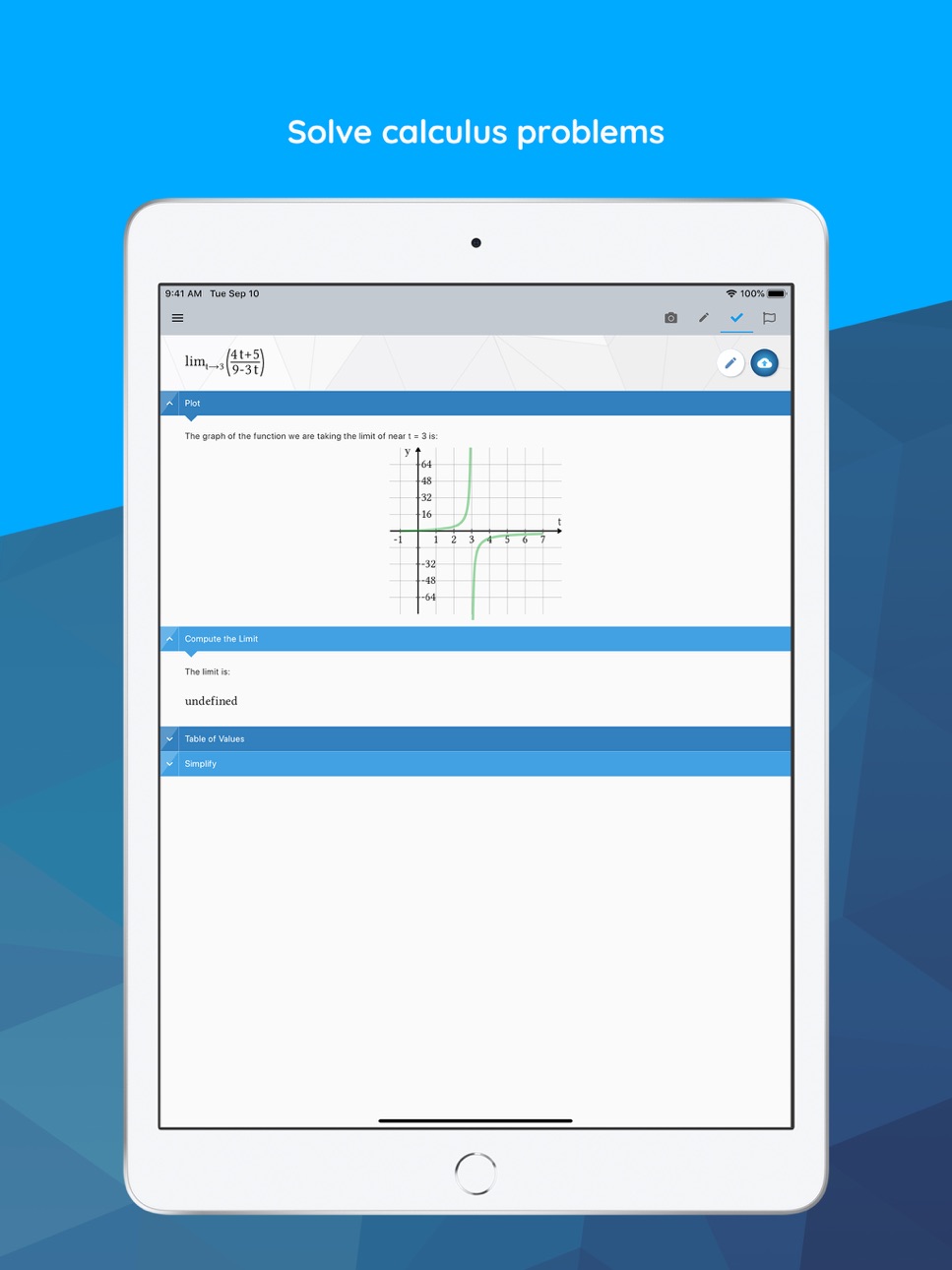
Powered by Maple, the most powerful math engine in the world, this all-in-one calculator solves math problems, generates 2-D and 3-D visualizations, and provides step-by-step solutions for a wide variety of math homework problems encountered at high school and university.
[STEP BY STEP MATH SOLUTIONS FOR HOMEWORK] This app is a graphing calculator, scientific calculator, algebra calculator, calculus calculator, and integration calculator combined all into one! Take a picture of your problem using your phone's camera or enter it via the app's built-in math editor to see the final answer or get step-by-step solutions.
[QUICK AND POWERFUL MATH SOLVER] No matter how you enter your problem, you can find derivatives and integrals, factor polynomials, invert matrices, solve systems of equations, solve ODEs, and much more. Our calculator has the power of the world-leading Maple math engine behind it, so it can do a LOT of math!
[GRAPH PROBLEMS AND RESULTS] See 2-D and 3-D graphs of your expressions instantly, and watch how the graph changes as you change the expression. On this calculator you can zoom in, pan, and even rotate 3-D plots to get a closer look at areas of interest.
[PLAY A BUILT-IN FUN MATH GAME] Play our calculator’s built in game, Sumzle, which is like Wordle but for math and equations.
FEATURES:
• Enter Math Problems Using Your Camera Or By Drawing them with the Handwriting Palette Or By Entering Directly with the Built-in Math Keyboard
• Do All Sorts Of Math Operations And Get Step By Step Solutions
• Get Answers Even When You Are Offline
• Take Quality Math Notes Through Maple Learn. Use The Calculator Camera To Automatically Send Your Handwritten Steps To Maple Learn Where You Can Uncover Mistakes And Share Your Work With Others.
• You Can Upload Mathematical Expressions From Our Calculator To Maple Desktop
• International Language Support (English, Spanish, French, German, Russian, Danish, Swedish, Japanese, Hindi, And Simplified Chinese)
MATH CAPABILITIES ON OUR CALCULATOR:
• Basic Math: Arithmetic, Fractions, Decimals, Integers, Factors, Square Roots, Powers
• Algebra: Solving And Graphing Linear Equations, Solving And Graphing Systems Of Equations, Working With Polynomials, Quadratic Equations, And Functions, Logarithmic And Exponential Functions, Trigonometric Functions, Trigonometric Identities
• Precalculus: Graphing, Piecewise Functions, Absolute Value, Inequalities, Implicit Functions
• Linear Algebra: Finding The Determinant, Inverse, Transpose, Eigenvalues, And Eigenvectors, Solving Matrices (Reduced Echelon Form & Gaussian Elimination)
• Differential Equations: Solving Ordinary Differential Equations
• And more
In-App Purchases PY pricing
Premium Subscription Subscription
1 month · Monthly—
6 months · 6 months—
12 months · Yearly—
Capabilities
In-App Purchases
Accessibility
ipadiphonemacrealityDevicetvoswatch
Version history 25 versions
Build 887295062v4.3.32026-06-25 15:19:10
Try Another now supports more problem types and is available from both the results screen and the editor’s context panel.
Build 884894578v4.3.22026-05-04 18:02:23
Try Another now supports more problem types and is available from both the results screen and the editor’s context panel.
Build 882949385v4.3.12026-03-03 14:21:44
We’ve refreshed the editor screen with a smoother, more intuitive input experience. The revamped keyboard now brings up your device’s system keyboard when needed, making it easier to enter expressions and move quickly through your work. Try Another is now available for more operations, including differentiation and integration, so you can practice and explore alternate results. A new context panel also lets you see answers instantly within the editor.
Build 880464686v4.3.02025-12-09 18:42:57
We’ve refreshed the editor screen with a smoother, more intuitive input experience. The revamped keyboard now brings up your device’s system keyboard when needed, making it easier to enter expressions and move quickly through your work. Try Another is now available for more operations, including differentiation and integration, so you can practice and explore alternate results. A new context panel also lets you see answers instantly within the editor.
Build 878442660v4.2.112025-10-02 17:40:54
Introducing "Check My Work"!
Students can now take a picture of their fully handwritten math solution, and Maple Calculator will identify where they made a mistake. No more second-guessing — get clear feedback and learn where you went wrong.
Build 878136003v4.2.92025-09-16 13:25:55
Introducing "Check My Work"!
Students can now take a picture of their fully handwritten math solution, and Maple Calculator will identify where they made a mistake. No more second-guessing — get clear feedback and learn where you went wrong.
Build 877158538v4.2.72025-08-14 13:46:33
Introducing "Check My Work"!
Students can now take a picture of their fully handwritten math solution, and Maple Calculator will identify where they made a mistake. No more second-guessing — get clear feedback and learn where you went wrong.
Build 876201402v4.2.52025-07-08 15:45:30
Introducing "Check My Work"!
Students can now take a picture of their fully handwritten math solution, and Maple Calculator will identify where they made a mistake. No more second-guessing — get clear feedback and learn where you went wrong.
Build 875631087v4.2.42025-06-18 13:41:19
Introducing "Check My Work"!
Students can now take a picture of their fully handwritten math solution, and Maple Calculator will identify where they made a mistake. No more second-guessing — get clear feedback and learn where you went wrong.
Build 874427988v4.2.12025-05-01 13:47:45
Introducing "Check My Work"!
Students can now take a picture of their fully handwritten math solution, and Maple Calculator will identify where they made a mistake. No more second-guessing — get clear feedback and learn where you went wrong.
Build 873677151v4.12025-04-01 14:00:23
Introducing "Check My Work"!
Students can now take a picture of their fully handwritten math solution, and Maple Calculator will identify where they made a mistake. No more second-guessing — get clear feedback and learn where you went wrong.
Build 872482568v4.0.42025-02-14 14:14:26
Driven by user feedback: the redesigned editor screen now supports multiple expressions and keeps a history of your calculations for easy access.
Build 870373602v4.0.12024-11-19 14:11:33
Driven by user feedback: the redesigned editor screen now supports multiple expressions and keeps a history of your calculations for easy access.
Build 870188819v4.0.02024-11-05 15:10:02
Driven by user feedback: the redesigned editor screen now supports multiple expressions and keeps a history of your calculations for easy access.
Build 869129961v3.4.12024-09-23 13:50:59
Word Problem Support: Maple Calculator now offers enhanced support for word problems. Simply take a picture of your word problem, and let the app do the rest!
Build 867691661v3.4.02024-07-25 13:31:50
Word Problem Support: Maple Calculator now offers enhanced support for word problems. Simply take a picture of your word problem, and let the app do the rest!
Build 866618434v3.3.212024-06-12 15:27:04
• The Maple Calculator now comes with a handwriting palette. Use the palette to enter math with your fingertip. You’ll find the new handwriting palette in the editor screen.
• This update includes bug fixes for plots.
Build 864739598v3.3.202024-04-01 17:09:58
• The Maple Calculator now comes with a handwriting palette. Use the palette to enter math with your fingertip. You’ll find the new handwriting palette in the editor screen.
• This update includes bug fixes for plots.
Build 863782723v3.3.192024-02-15 19:58:37
• The Maple Calculator now comes with a handwriting palette. Use the palette to enter math with your fingertip. You’ll find the new handwriting palette in the editor screen.
• This update includes bug fixes for plots.
Build 863127487v3.3.182024-01-25 15:56:04
• The Maple Calculator now comes with a handwriting palette. Use the palette to enter math with your fingertip. You’ll find the new handwriting palette in the editor screen.
• This update includes bug fixes for plots.
Build 860931760v3.3.172023-11-10 04:05:24
• The Maple Calculator now comes with a handwriting palette. Use the palette to enter math with your fingertip. You’ll find the new handwriting palette in the editor screen.
• This update includes bug fixes for plots.
Build 860433845v3.3.152023-10-06 01:41:03
• The Maple Calculator now comes with a handwriting palette. Use the palette to enter math with your fingertip. You’ll find the new handwriting palette in the editor screen.
• This update includes bug fixes for plots.
Build 860016561v3.3.142023-09-19 15:05:51
• The Maple Calculator now comes with a handwriting palette. Use the palette to enter math with your fingertip. You’ll find the new handwriting palette in the editor screen.
• This update includes bug fixes for plots.
Build 858959132v3.3.132023-08-08 15:10:01
• The Maple Calculator now comes with a handwriting palette. Use the palette to enter math with your fingertip. You’ll find the new handwriting palette in the editor screen.
• This update includes bug fixes for plots.
Build 858707412v3.3.122023-07-25 14:21:27
• The Maple Calculator now comes with a handwriting palette. Use the palette to enter math with your fingertip. You’ll find the new handwriting palette in the editor screen.
• This update includes bug fixes for plots.
Price history by region
Currency
Show
Columns
Search
Availability 175 of 175 storefronts
| Region | Language | Price | Ratings | Avg | Version |
|---|---|---|---|---|---|
| CN | zh-Hans-CN | Free | 2.1k | 4.8 | 4.3.3 |
| US | en-US | Free | 1.5k | 4.7 | 4.3.3 |
| JP | ja | Free | 1.2k | 4.7 | 4.3.3 |
| CA | en-CA | Free | 293 | 4.6 | 4.3.3 |
| DE | de-DE | Free | 284 | 4.7 | 4.3.3 |
| FR | fr-FR | Free | 215 | 4.6 | 4.3.3 |
| GB | en-GB | Free | 180 | 4.7 | 4.3.3 |
| MX | es-MX | Free | 157 | 4.8 | 4.3.3 |
| DK | en-GB | Free | 140 | 4.6 | 4.3.3 |
| IN | en-GB | Free | 111 | 4.5 | 4.3.3 |
| BR | pt-BR | Free | 84 | 4.9 | 4.3.3 |
| VN | en-GB | Free | 80 | 4.6 | 4.3.3 |
| RU | ru | Free | 68 | 4.9 | 4.3.3 |
| ES | es-ES | Free | 65 | 4.7 | 4.3.3 |
| SE | sv | Free | 62 | 4.6 | 4.3.3 |
| AU | en-AU | Free | 59 | 4.8 | 4.3.3 |
| NL | nl | Free | 50 | 4.7 | 4.3.3 |
| IT | it | Free | 41 | 4.7 | 4.3.3 |
| CO | es-MX | Free | 40 | 4.8 | 4.3.3 |
| NO | en-GB | Free | 40 | 4.8 | 4.3.3 |
| TR | en-GB | Free | 39 | 4.7 | 4.3.3 |
| TH | en-GB | Free | 38 | 4.9 | 4.3.3 |
| TW | zh-Hant-TW | Free | 36 | 4.9 | 4.3.3 |
| ZA | en-GB | Free | 34 | 4.8 | 4.3.3 |
| SA | en-GB | Free | 33 | 4.6 | 4.3.3 |
| GH | en-GB | Free | 28 | 4.7 | 4.3.3 |
| HK | zh-Hant-HK | Free | 26 | 5.0 | 4.3.3 |
| KH | en-GB | Free | 26 | 4.3 | 4.3.3 |
| FI | en-GB | Free | 25 | 4.4 | 4.3.3 |
| PE | es-MX | Free | 24 | 5.0 | 4.3.3 |
| IL | en-GB | Free | 22 | 4.3 | 4.3.3 |
| PT | pt-PT | Free | 22 | 4.4 | 4.3.3 |
| ID | en-GB | Free | 20 | 5.0 | 4.3.3 |
| KR | ko | Free | 20 | 4.8 | 4.3.3 |
| MY | en-GB | Free | 20 | 4.8 | 4.3.3 |
| BE | en-GB | Free | 19 | 4.8 | 4.3.3 |
| CL | es-MX | Free | 19 | 4.6 | 4.3.3 |
| UZ | en-GB | Free | 19 | 4.0 | 4.3.3 |
| EC | es-MX | Free | 18 | 4.6 | 4.3.3 |
| PH | en-GB | Free | 18 | 4.6 | 4.3.3 |
| GR | en-GB | Free | 17 | 4.9 | 4.3.3 |
| NG | en-GB | Free | 17 | 4.8 | 4.3.3 |
| IE | en-GB | Free | 16 | 4.4 | 4.3.3 |
| AT | de-DE | Free | 15 | 4.5 | 4.3.3 |
| BG | en-GB | Free | 15 | 4.9 | 4.3.3 |
| CH | de-CH | Free | 15 | 4.9 | 4.3.3 |
| DO | es-MX | Free | 15 | 4.7 | 4.3.3 |
| CZ | en-GB | Free | 13 | 4.8 | 4.3.3 |
| HU | en-GB | Free | 12 | 4.4 | 4.3.3 |
| KE | en-GB | Free | 12 | 4.7 | 4.3.3 |
| PK | en-GB | Free | 12 | 4.5 | 4.3.3 |
| RO | en-GB | Free | 11 | 3.9 | 4.3.3 |
| AR | es-MX | Free | 10 | 5.0 | 4.3.3 |
| EE | en-GB | Free | 10 | 4.9 | 4.3.3 |
| EG | en-GB | Free | 10 | 4.2 | 4.3.3 |
| NZ | en-AU | Free | 9 | 5.0 | 4.3.3 |
| SG | en-GB | Free | 9 | 4.4 | 4.3.3 |
| VE | es-MX | Free | 9 | 4.6 | 4.3.3 |
| AE | en-GB | Free | 8 | 4.9 | 4.3.3 |
| HN | es-MX | Free | 8 | 4.4 | 4.3.3 |
| JO | en-GB | Free | 8 | 4.8 | 4.3.3 |
| MN | en-GB | Free | 8 | 4.8 | 4.3.3 |
| PA | es-MX | Free | 8 | 5.0 | 4.3.3 |
| ZM | en-GB | Free | 8 | 4.6 | 4.3.3 |
| CM | fr-FR | Free | 7 | 3.3 | 4.3.3 |
| JM | en-GB | Free | 7 | 3.7 | 4.3.3 |
| MA | en-GB | Free | 7 | 3.9 | 4.3.3 |
| UG | en-GB | Free | 7 | 4.1 | 4.3.3 |
| AL | en-GB | Free | 6 | 4.8 | 4.3.3 |
| BO | es-MX | Free | 6 | 5.0 | 4.3.3 |
| CD | en-GB | Free | 6 | 4.5 | 4.3.3 |
| KW | en-GB | Free | 6 | 4.8 | 4.3.3 |
| LV | en-GB | Free | 6 | 3.8 | 4.3.3 |
| AO | en-GB | Free | 5 | 5.0 | 4.3.3 |
| CR | es-MX | Free | 5 | 4.8 | 4.3.3 |
| DZ | en-GB | Free | 5 | 3.8 | 4.3.3 |
| KZ | en-GB | Free | 5 | 4.6 | 4.3.3 |
| PL | en-GB | Free | 5 | 4.8 | 4.3.3 |
| UA | en-GB | Free | 5 | 4.6 | 4.3.3 |
| GM | en-GB | Free | 4 | 5.0 | 4.3.3 |
| GT | es-MX | Free | 4 | 4.8 | 4.3.3 |
| HR | en-GB | Free | 4 | 4.5 | 4.3.3 |
| LK | en-GB | Free | 4 | 5.0 | 4.3.3 |
| LR | en-GB | Free | 4 | 4.5 | 4.3.3 |
| LY | en-GB | Free | 4 | 4.5 | 4.3.3 |
| SN | en-GB | Free | 4 | 4.8 | 4.3.3 |
| TN | en-GB | Free | 4 | 5.0 | 4.3.3 |
| TZ | en-GB | Free | 4 | 5.0 | 4.3.3 |
| BS | en-GB | Free | 3 | 5.0 | 4.3.3 |
| IQ | en-GB | Free | 3 | 5.0 | 4.3.3 |
| LT | en-GB | Free | 3 | 5.0 | 4.3.3 |
| QA | en-GB | Free | 3 | 5.0 | 4.3.3 |
| SV | es-MX | Free | 3 | 4.7 | 4.3.3 |
| AM | en-GB | Free | 2 | 5.0 | 4.3.3 |
| BJ | en-GB | Free | 2 | 5.0 | 4.3.3 |
| BY | en-GB | Free | 2 | 5.0 | 4.3.3 |
| CY | en-GB | Free | 2 | 5.0 | 4.3.3 |
| IS | en-GB | Free | 2 | 5.0 | 4.3.3 |
| KG | en-GB | Free | 2 | 5.0 | 4.3.3 |
| MZ | en-GB | Free | 2 | 2.0 | 4.3.3 |
| OM | en-GB | Free | 2 | 5.0 | 4.3.3 |
| SK | en-GB | Free | 2 | 5.0 | 4.3.3 |
| SL | en-GB | Free | 2 | 5.0 | 4.3.3 |
| TT | en-GB | Free | 2 | 5.0 | 4.3.3 |
| UY | en-GB | Free | 2 | 5.0 | 4.3.3 |
| AF | en-GB | Free | 1 | 2.0 | 4.3.3 |
| AZ | en-GB | Free | 1 | 5.0 | 4.3.3 |
| BH | en-GB | Free | 1 | 5.0 | 4.3.3 |
| BW | en-GB | Free | 1 | 5.0 | 4.3.3 |
| BZ | en-GB | Free | 1 | 5.0 | 4.3.3 |
| CI | fr-FR | Free | 1 | 5.0 | 4.3.3 |
| DM | en-GB | Free | 1 | 5.0 | 4.3.3 |
| FM | en-GB | Free | 1 | 5.0 | 4.3.3 |
| GE | en-GB | Free | 1 | 5.0 | 4.3.3 |
| GY | en-GB | Free | 1 | 5.0 | 4.3.3 |
| LA | en-GB | Free | 1 | 5.0 | 4.3.3 |
| MD | en-GB | Free | 1 | 5.0 | 4.3.3 |
| MK | en-GB | Free | 1 | 5.0 | 4.3.3 |
| MO | zh-Hant-HK | Free | 1 | 5.0 | 4.3.3 |
| MT | en-GB | Free | 1 | 5.0 | 4.3.3 |
| MU | en-GB | Free | 1 | 1.0 | 4.3.3 |
| NA | en-GB | Free | 1 | 5.0 | 4.3.3 |
| NI | es-MX | Free | 1 | 5.0 | 4.3.3 |
| PG | en-GB | Free | 1 | 4.0 | 4.3.3 |
| PY | es-MX | Free | 1 | 5.0 | 4.3.3 |
| RW | en-GB | Free | 1 | 1.0 | 4.3.3 |
| SI | en-GB | Free | 1 | 1.0 | 4.3.3 |
| SZ | en-GB | Free | 1 | 5.0 | 4.3.3 |
| TJ | en-GB | Free | 1 | 5.0 | 4.3.3 |
| YE | en-GB | Free | 1 | 5.0 | 4.3.3 |
| ZW | en-GB | Free | 1 | 5.0 | 4.3.3 |
| AG | en-GB | Free | 0 | — | 4.3.3 |
| AI | en-GB | Free | 0 | — | 4.3.3 |
| BA | en-GB | Free | 0 | — | 4.3.3 |
| BB | en-GB | Free | 0 | — | 4.3.3 |
| BF | en-GB | Free | 0 | — | 4.3.3 |
| BM | en-GB | Free | 0 | — | 4.3.3 |
| BN | en-GB | Free | 0 | — | 4.3.3 |
| BT | en-GB | Free | 0 | — | 4.3.3 |
| CG | en-GB | Free | 0 | — | 4.3.3 |
| CV | en-GB | Free | 0 | — | 4.3.3 |
| FJ | en-GB | Free | 0 | — | 4.3.3 |
| GA | fr-FR | Free | 0 | — | 4.3.3 |
| GD | en-GB | Free | 0 | — | 4.3.3 |
| GW | en-GB | Free | 0 | — | 4.3.3 |
| KN | en-GB | Free | 0 | — | 4.3.3 |
| KY | en-GB | Free | 0 | — | 4.3.3 |
| LB | en-GB | Free | 0 | — | 4.3.3 |
| LC | en-GB | Free | 0 | — | 4.3.3 |
| LU | en-GB | Free | 0 | — | 4.3.3 |
| ME | en-GB | Free | 0 | — | 4.3.3 |
| MG | en-GB | Free | 0 | — | 4.3.3 |
| ML | en-GB | Free | 0 | — | 4.3.3 |
| MM | en-GB | Free | 0 | — | 4.3.3 |
| MR | en-GB | Free | 0 | — | 4.3.3 |
| MS | en-GB | Free | 0 | — | 4.3.3 |
| MV | en-GB | Free | 0 | — | 4.3.3 |
| MW | en-GB | Free | 0 | — | 4.3.3 |
| NE | en-GB | Free | 0 | — | 4.3.3 |
| NP | en-GB | Free | 0 | — | 4.3.3 |
| NR | en-GB | Free | 0 | — | 4.3.3 |
| PW | en-GB | Free | 0 | — | 4.3.3 |
| RS | en-GB | Free | 0 | — | 4.3.3 |
| SB | en-GB | Free | 0 | — | 4.3.3 |
| SC | en-GB | Free | 0 | — | 4.3.3 |
| SR | en-GB | Free | 0 | — | 4.3.3 |
| ST | en-GB | Free | 0 | — | 4.3.3 |
| TC | en-GB | Free | 0 | — | 4.3.3 |
| TD | en-GB | Free | 0 | — | 4.3.3 |
| TM | en-GB | Free | 0 | — | 4.3.3 |
| TO | en-GB | Free | 0 | — | 4.3.3 |
| VC | en-GB | Free | 0 | — | 4.3.3 |
| VG | en-GB | Free | 0 | — | 4.3.3 |
| VU | en-GB | Free | 0 | — | 4.3.3 |
| XK | en-GB | Free | 0 | — | 4.3.3 |
Change log 29 changes · PY
✎
releaseNotes updated
Try Another now supports more problem types and is available from both the results screen and the editor’s context panel.
✎
description updated
Powered by Maple, the most powerful math engine in the world, this all-in-one calculator solves math problems, generates 2-D and 3-D visualizations, and provide
✎
subtitle updated
Get math homework help
✎
name updated
Maple Calculator: Math Solver
◆
Version 4.3.3 released
Try Another now supports more problem types and is available from both the results screen and the editor’s context panel.
◆
Version 4.3.2 released
Try Another now supports more problem types and is available from both the results screen and the editor’s context panel.
◆
Version 4.3.1 released
We’ve refreshed the editor screen with a smoother, more intuitive input experience. The revamped keyboard now brings up your device’s system keyboard when needed, making it easier to enter expressions and move quickly through your work. Try
◆
Version 4.3.0 released
We’ve refreshed the editor screen with a smoother, more intuitive input experience. The revamped keyboard now brings up your device’s system keyboard when needed, making it easier to enter expressions and move quickly through your work. Try
◆
Version 4.2.11 released
Introducing "Check My Work"!
Students can now take a picture of their fully handwritten math solution, and Maple Calculator will identify where they made a mistake. No more second-guessing — get clear feedback and learn where you went wron
◆
Version 4.2.9 released
Introducing "Check My Work"!
Students can now take a picture of their fully handwritten math solution, and Maple Calculator will identify where they made a mistake. No more second-guessing — get clear feedback and learn where you went wron
◆
Version 4.2.7 released
Introducing "Check My Work"!
Students can now take a picture of their fully handwritten math solution, and Maple Calculator will identify where they made a mistake. No more second-guessing — get clear feedback and learn where you went wron
◆
Version 4.2.5 released
Introducing "Check My Work"!
Students can now take a picture of their fully handwritten math solution, and Maple Calculator will identify where they made a mistake. No more second-guessing — get clear feedback and learn where you went wron
◆
Version 4.2.4 released
Introducing "Check My Work"!
Students can now take a picture of their fully handwritten math solution, and Maple Calculator will identify where they made a mistake. No more second-guessing — get clear feedback and learn where you went wron
◆
Version 4.2.1 released
Introducing "Check My Work"!
Students can now take a picture of their fully handwritten math solution, and Maple Calculator will identify where they made a mistake. No more second-guessing — get clear feedback and learn where you went wron
◆
Version 4.1 released
Introducing "Check My Work"!
Students can now take a picture of their fully handwritten math solution, and Maple Calculator will identify where they made a mistake. No more second-guessing — get clear feedback and learn where you went wron
◆
Version 4.0.4 released
Driven by user feedback: the redesigned editor screen now supports multiple expressions and keeps a history of your calculations for easy access.
◆
Version 4.0.1 released
Driven by user feedback: the redesigned editor screen now supports multiple expressions and keeps a history of your calculations for easy access.
◆
Version 4.0.0 released
Driven by user feedback: the redesigned editor screen now supports multiple expressions and keeps a history of your calculations for easy access.
◆
Version 3.4.1 released
Word Problem Support: Maple Calculator now offers enhanced support for word problems. Simply take a picture of your word problem, and let the app do the rest!
◆
Version 3.4.0 released
Word Problem Support: Maple Calculator now offers enhanced support for word problems. Simply take a picture of your word problem, and let the app do the rest!
◆
Version 3.3.21 released
• The Maple Calculator now comes with a handwriting palette. Use the palette to enter math with your fingertip. You’ll find the new handwriting palette in the editor screen.
• This update includes bug fixes for plots.
◆
Version 3.3.20 released
• The Maple Calculator now comes with a handwriting palette. Use the palette to enter math with your fingertip. You’ll find the new handwriting palette in the editor screen.
• This update includes bug fixes for plots.
◆
Version 3.3.19 released
• The Maple Calculator now comes with a handwriting palette. Use the palette to enter math with your fingertip. You’ll find the new handwriting palette in the editor screen.
• This update includes bug fixes for plots.
◆
Version 3.3.18 released
• The Maple Calculator now comes with a handwriting palette. Use the palette to enter math with your fingertip. You’ll find the new handwriting palette in the editor screen.
• This update includes bug fixes for plots.
◆
Version 3.3.17 released
• The Maple Calculator now comes with a handwriting palette. Use the palette to enter math with your fingertip. You’ll find the new handwriting palette in the editor screen.
• This update includes bug fixes for plots.
◆
Version 3.3.15 released
• The Maple Calculator now comes with a handwriting palette. Use the palette to enter math with your fingertip. You’ll find the new handwriting palette in the editor screen.
• This update includes bug fixes for plots.
◆
Version 3.3.14 released
• The Maple Calculator now comes with a handwriting palette. Use the palette to enter math with your fingertip. You’ll find the new handwriting palette in the editor screen.
• This update includes bug fixes for plots.
◆
Version 3.3.13 released
• The Maple Calculator now comes with a handwriting palette. Use the palette to enter math with your fingertip. You’ll find the new handwriting palette in the editor screen.
• This update includes bug fixes for plots.
◆
Version 3.3.12 released
• The Maple Calculator now comes with a handwriting palette. Use the palette to enter math with your fingertip. You’ll find the new handwriting palette in the editor screen.
• This update includes bug fixes for plots.