Home › Utilities

 ML
ML
 CNzh-Hans-CN
 USen-US
 HKzh-Hant-HK
 JPja
JPja CAen-CA
 TWzh-Hant-TW
 AUen-AU
 KRko
KRko GBen-GB
 MYen-GB
 SGen-GB
 DEde-DE
 ITit
ITit NZen-AU
 RUru
RUru THen-GB
 TRen-GB
 AEen-GB
 BEen-GB
 COes-MX
 FIen-GB
 FRfr-FR
 KWen-GB
 KZen-GB
 MOzh-Hant-HK
 NLnl
NLnl NOen-GB
 SAen-GB
 VNen-GB
 AFen-GB
 AGen-GB
 AIen-GB
 ALen-GB
 AMen-GB
 AOen-GB
 ARes-MX
 ATde-DE
 AZen-GB
 BAen-GB
 BBen-GB
 BFen-GB
 BGen-GB
 BHen-GB
 BJen-GB
 BMen-GB
 BNen-GB
 BOes-MX
 BRpt-BR
 BSen-GB
 BTen-GB
 BWen-GB
 BYen-GB
 BZen-GB
 CDen-GB
 CGen-GB
 CHde-CH
 CIfr-FR
 CLes-MX
 CMfr-FR
 CRes-MX
 CVen-GB
 CYen-GB
 CZen-GB
 DKen-GB
 DMen-GB
 DOes-MX
 DZen-GB
 ECes-MX
 EEen-GB
 EGen-GB
 ESes-ES
 FJen-GB
 FMen-GB
 GAfr-FR
 GDen-GB
 GEen-GB
 GHen-GB
 GMen-GB
 GRen-GB
 GTes-MX
 GWen-GB
 GYen-GB
 HNes-MX
 HRen-GB
 HUen-GB
 IDen-GB
 IEen-GB
 ILen-GB
 INen-GB
 IQen-GB
 ISen-GB
 JMen-GB
 JOen-GB
 KEen-GB
 KGen-GB
 KHen-GB
 KNen-GB
 KYen-GB
 LAen-GB
 LBen-GB
 LCen-GB
 LKen-GB
 LRen-GB
 LTen-GB
 LUen-GB
 LVen-GB
 LYen-GB
 MAen-GB
 MDen-GB
 MEen-GB
 MGen-GB
 MKen-GBMLen-GB
 MMen-GB
 MNen-GB
 MRen-GB
 MSen-GB
 MTen-GB
 MUen-GB
 MVen-GB
 MWen-GB
 MXes-MX
 MZen-GB
 NAen-GB
 NEen-GB
 NGen-GB
 NIes-MX
 NPen-GB
 NRen-GB
 OMen-GB
 PAes-MX
 PEes-MX
 PGen-GB
 PHen-GB
 PKen-GB
 PLen-GB
 PTpt-PT
 PWen-GB
 PYes-MX
 QAen-GB
 ROen-GB
 RSen-GB
 RWen-GB
 SBen-GB
 SCen-GB
 SEsv
SEsv SIen-GB
 SKen-GB
 SLen-GB
 SNen-GB
 SRen-GB
 STen-GB
 SVes-MX
 SZen-GB
 TCen-GB
 TDen-GB
 TJen-GB
 TMen-GB
 TNen-GB
 TOen-GB
 TTen-GB
 TZen-GB
 UAen-GB
 UGen-GB
 UYen-GB
 UZen-GB
 VCen-GB
 VEes-MX
 VGen-GB
 VUen-GB
 XKen-GB
 YEen-GB
 ZAen-GB
 ZMen-GB
 ZWen-GB
175 of 175 storefronts
Content in en-US
Content in en-US
Information
Preview 2 platforms
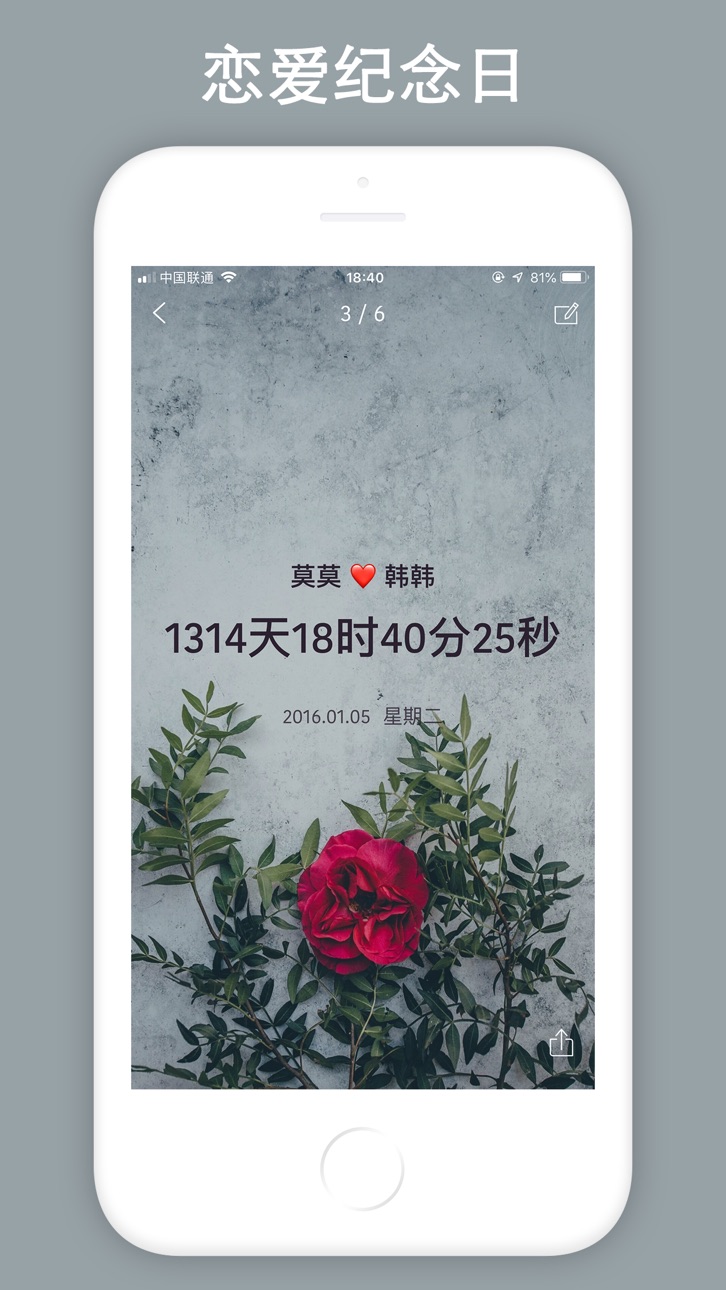
iPhone 10 images




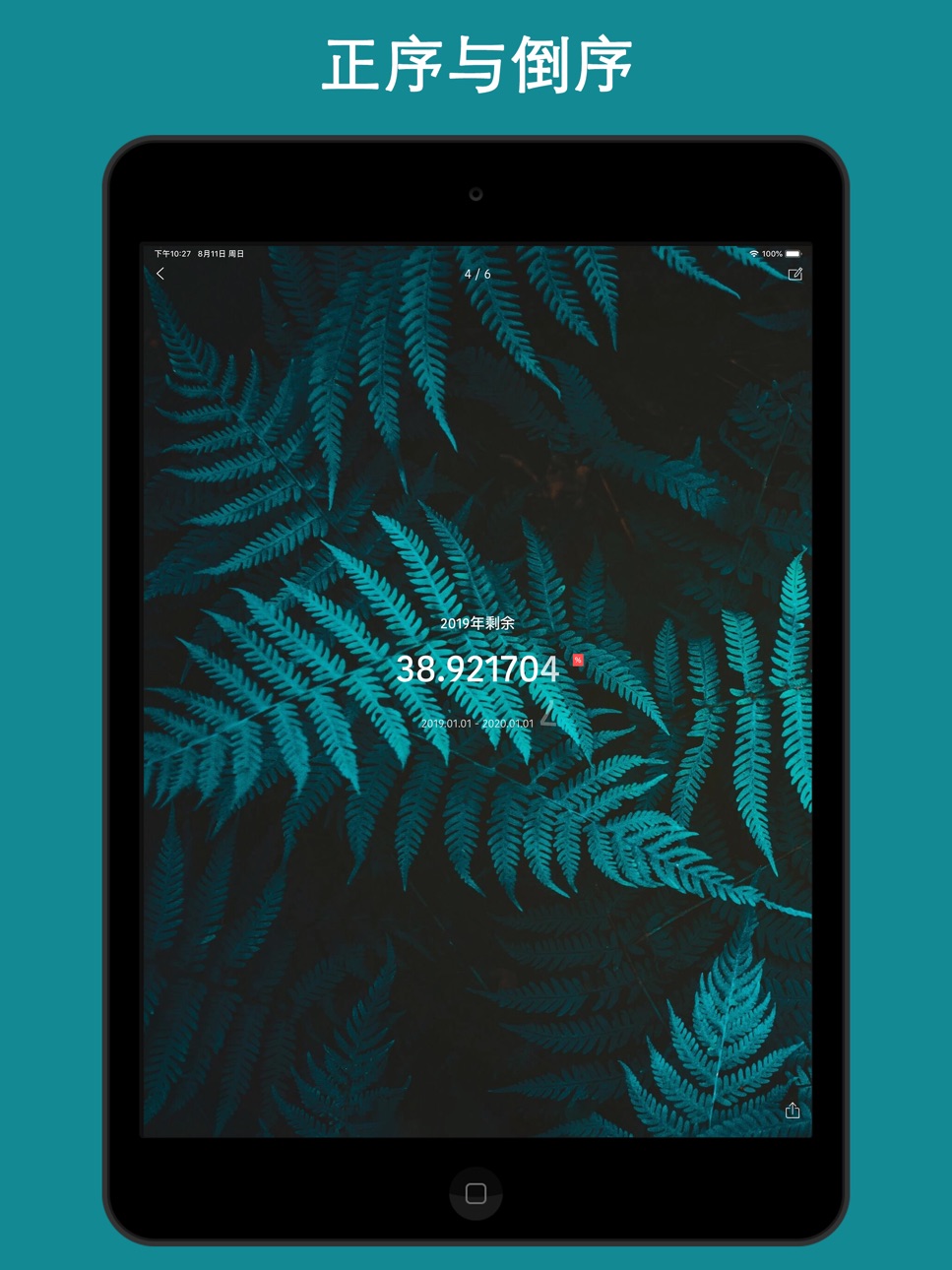
iPad 10 images




What’s New Version 5.0.0
This update from Apple will improve the functionality of this app. No new features are included.
Countdown version 5.0.0 is officially launched. Fixed known minor issues, improved user experience. Recently, add the Dynamic Island function (which can display information such as network speed, CPU, memory, storage, etc. on Dynamic Island), add CPU Panel Widget, add List • Year Month Day Desktop Widget, iOS 17 standby mode has been supported, added the "Floating window" function, which can be used for floating clock, network speed, CPU, timing, countdown and other functions, and added a custom repeat function, The new "Traffic statistics", "Nucleic acid records", "Punch", "Time Remaining" and "Remaining Year" widgets have been added. "Magic Puzzle", "Live Photo", "Timer" and many other widgets, and optimize user experience. Widgets such as "Weather" and "List-Classic" have been added. Now desktop widgets can customize the background, font, font color, transparency and blurriness. More widgets are working overtime to adapt, and the overall performance of the App is also optimized. It supports single events and list events, as well as various styles (including Minimalist White, Minimalist Black, Cool Black and Custom Background). Added the full-screen clock desktop widget, now it supports widgets in units of day, day, hour, minute, and year, month, and day. Age calculator and birthday widget have been added, more gadgets are being developed overtime.
Recent updates:
1. Add the "Dynamic Island" function (which can display information such as network speed, CPU, memory, storage, etc. on Dynamic Island)
2. Add the "CPU Panel" tools and add it to the widget (now supports background modification);
3. Add the "Hourly Reporting" tools to help you announce the time with your voice;
4. Add the "Age Calculator" tools and it can be added to the widget (now supports background modification);
5. Add "Full Screen Clock" tools, support various style customization, including modifying background, font color, style, etc .;
6. Add "Date Calculator" tools to help you calculate accurately;
7. Add "QR Code Generation" and "QR Code Scan" tools;
8. Add the "Transparent Widget" function;
9. Add the "Pedometer" widget;
10. Optimized the vision of the entire App;
11. Optimize the fluency of the app;
12. Fixed some minor issues.
[Features]
# 70+ Lock Screen Widgets and 100+ Desktop Widgets;
# Can be accurate to the second, always remind you to cherish the time and see the time change;
# Support reminders, remind you of upcoming events through push notifications;
# Support dynamic wallpapers;
# Support lunar calendar selection, do not miss every lunar festival;
# Customizable widget backgrounds, custom widget colors, and custom widget definitions;
# Support recalculation every day, every week, every month;
# Built-in multiple tools, including "CPU Panel", "Hourly Reporting", "Device Panel", "Magic Puzzle", "Live Photo", "Timer", "Age Calculator", "Full Screen clock", "pedometer", "Date cCalculator", "QR Code Generation" and other tools;
# Desktop widgets can customize the background, font, font color, transparency and blur;
# Support event pin;
# Support automatic event sequencing;
# Support classification management function, better help you manage all event reminders;
# You can set the background for each event, small and beautiful time reminder application;
# Support the function of backing up data to iCloud, no longer have to worry about data loss;
# Provide a variety of cool animations to give you a different mood;
# Customizable push notification ringtones to make you unique;
# Support network search to provide you with richer content;
# New and concise operation interface makes operation more concise;
# Supports percentage form.
Description
Countdown is a reminder and time management app, it will remind you to cherish your time at all times, which can be accurate to the second. Support lunar calendar display, support classification management function, support custom widget background, support percentage form, change percentage accuracy, so that you can see the time change every minute and every second, remind you to cherish time. At the same time, it supports "CPU Panel", "Hourly Reporting", "Age Calculator", "Full Screen clock", "Date cCalculator", "QR Code Generation" and other tools.
It can help you make project plans, set reminders for meetings, arrange your schedule, and keep you focused. It can also be used to record memo events and help you better manage your time.
[Features]
# 70+ Lock Screen Widgets and 100+ Desktop Widgets;
# Can be accurate to the second, always remind you to cherish the time and see the time change;
# Support reminders, remind you of upcoming events through push notifications;
# Support dynamic wallpapers;
# Support lunar calendar selection, do not miss every lunar festival;
# Customizable widget backgrounds, custom widget colors, and custom widget definitions;
# Support recalculation every day, every week, every month;
# Built-in multiple tools, including "CPU Panel", "Dynamic Island", "Hourly Reporting", "Device Panel", "Age Calculator", "Full Screen clock", "Date cCalculator", "QR Code Generation" and other tools;
# Desktop widgets can customize the background, font, font color, transparency and blur;
# Support event pin;
# Support automatic event sequencing;
# Support classification management function, better help you manage all event reminders;
# You can set the background for each event, small and beautiful time reminder application;
# Support the function of backing up data to iCloud, no longer have to worry about data loss;
# Provide a variety of cool animations to give you a different mood;
# Customizable push notification ringtones to make you unique;
# Support network search to provide you with richer content;
# New and concise operation interface makes operation more concise;
# Supports percentage form.
VIP features include: All Widgets, all Tools, all Static wallpapers and Dynamic wallpapers, 100% pure ad-free and automatic data backup, and can enjoy all future VIP features.
【Monthly VIP Instructions】
1. Subscription period: 1 month
2. Subscription price: 3 yuan per month
3. Payment: After the user confirms the purchase and pays, it will be credited to the itunes account
4. Cancellation of payment: If you need to cancel the renewal, please manually turn off the automatic renewal function in the iTunes/Apple ID settings management 24 hours before the current subscription expires
5. Renewal: Apple iTunes account will be debited within 24 hours before expiration, and the subscription period will be extended by one month after the deduction is successful
【Yearly VIP Instructions】
1. Subscription period: 1 year
2. Subscription price: 24 yuan per year
3. Payment: After the user confirms the purchase and pays, it will be credited to the itunes account
4. Cancellation of payment: If you need to cancel the renewal, please manually turn off the automatic renewal function in the iTunes/Apple ID settings management 24 hours before the current subscription expires
5. Renewal: Apple iTunes account will be debited within 24 hours before expiration, and the subscription period will be extended by one year after the deduction is successful
【Permanent VIP】
Unlimited permanent use of VIP features, all Widgets, all Tools, all Static wallpapers and Dynamic wallpapers, 100% pure ad-free and automatic data backup, and can enjoy all future VIP features.
Privacy Policy: https://shijianguihuaju.cn/2020/01/01/countdown-law/
User Agreement: https://shijianguihuaju.cn/2020/01/01/countdown-law/
In-App Purchases ML pricing
Continuous VIP Subscription
Monthly VIP · Monthly—
Yearly VIP · Yearly—
One-Time Purchases
Unlock all dynamic wallpapers—
Unlock all Tools—
Transparent Widget—
Permanent VIP—
Capabilities
In-App Purchases
Accessibility
ipadiphonemacrealityDevicetvoswatch
Version history 25 versions
Build 883891673v5.0.02026-03-30 03:04:51
This update from Apple will improve the functionality of this app. No new features are included.
Countdown version 5.0.0 is officially launched. Fixed known minor issues, improved user experience. Recently, add the Dynamic Island function (which can display information such as network speed, CPU, memory, storage, etc. on Dynamic Island), add CPU Panel Widget, add List • Year Month Day Desktop Widget, iOS 17 standby mode has been supported, added the "Floating window" function, which can be used for floating clock, network speed, CPU, timing, countdown and other functions, and added a custom repeat function, The new "Traffic statistics", "Nucleic acid records", "Punch", "Time Remaining" and "Remaining Year" widgets have been added. "Magic Puzzle", "Live Photo", "Timer" and many other widgets, and optimize user experience. Widgets such as "Weather" and "List-Classic" have been added. Now desktop widgets can customize the background, font, font color, transparency and blurriness. More widgets are working overtime to adapt, and the overall performance of the App is also optimized. It supports single events and list events, as well as various styles (including Minimalist White, Minimalist Black, Cool Black and Custom Background). Added the full-screen clock desktop widget, now it supports widgets in units of day, day, hour, minute, and year, month, and day. Age calculator and birthday widget have been added, more gadgets are being developed overtime.
Recent updates:
1. Add the "Dynamic Island" function (which can display information such as network speed, CPU, memory, storage, etc. on Dynamic Island)
2. Add the "CPU Panel" tools and add it to the widget (now supports background modification);
3. Add the "Hourly Reporting" tools to help you announce the time with your voice;
4. Add the "Age Calculator" tools and it can be added to the widget (now supports background modification);
5. Add "Full Screen Clock" tools, support various style customization, including modifying background, font color, style, etc .;
6. Add "Date Calculator" tools to help you calculate accurately;
7. Add "QR Code Generation" and "QR Code Scan" tools;
8. Add the "Transparent Widget" function;
9. Add the "Pedometer" widget;
10. Optimized the vision of the entire App;
11. Optimize the fluency of the app;
12. Fixed some minor issues.
[Features]
# 70+ Lock Screen Widgets and 100+ Desktop Widgets;
# Can be accurate to the second, always remind you to cherish the time and see the time change;
# Support reminders, remind you of upcoming events through push notifications;
# Support dynamic wallpapers;
# Support lunar calendar selection, do not miss every lunar festival;
# Customizable widget backgrounds, custom widget colors, and custom widget definitions;
# Support recalculation every day, every week, every month;
# Built-in multiple tools, including "CPU Panel", "Hourly Reporting", "Device Panel", "Magic Puzzle", "Live Photo", "Timer", "Age Calculator", "Full Screen clock", "pedometer", "Date cCalculator", "QR Code Generation" and other tools;
# Desktop widgets can customize the background, font, font color, transparency and blur;
# Support event pin;
# Support automatic event sequencing;
# Support classification management function, better help you manage all event reminders;
# You can set the background for each event, small and beautiful time reminder application;
# Support the function of backing up data to iCloud, no longer have to worry about data loss;
# Provide a variety of cool animations to give you a different mood;
# Customizable push notification ringtones to make you unique;
# Support network search to provide you with richer content;
# New and concise operation interface makes operation more concise;
# Supports percentage form.
Build 883246403v4.9.92026-03-12 04:36:56
Countdown version 4.9.9 is officially launched. Fixed known minor issues, and improved user experience. Recently, add the Dynamic Island function (which can display information such as network speed, CPU, memory, storage, etc. on Dynamic Island), add CPU Panel Widget, add List • Year Month Day Desktop Widget, iOS 17 standby mode has been supported, added the "Floating window" function, which can be used for floating clock, network speed, CPU, timing, countdown and other functions, and added a custom repeat function, The new "Traffic statistics", "Nucleic acid records", "Punch", "Time Remaining" and "Remaining Year" widgets have been added. "Magic Puzzle", "Live Photo", "Timer" and many other widgets, and optimize user experience. Widgets such as "Weather" and "List-Classic" have been added. Now desktop widgets can customize the background, font, font color, transparency and blurriness. More widgets are working overtime to adapt, and the overall performance of the App is also optimized. It supports single events and list events, as well as various styles (including Minimalist White, Minimalist Black, Cool Black and Custom Background). Added the full-screen clock desktop widget, now it supports widgets in units of day, day, hour, minute, and year, month, and day. Age calculator and birthday widget have been added, more gadgets are being developed overtime.
Recent updates:
1. Add the "Dynamic Island" function (which can display information such as network speed, CPU, memory, storage, etc. on Dynamic Island)
2. Add the "CPU Panel" tools and add it to the widget (now supports background modification);
3. Add the "Hourly Reporting" tools to help you announce the time with your voice;
4. Add the "Age Calculator" tools and it can be added to the widget (now supports background modification);
5. Add "Full Screen Clock" tools, support various style customization, including modifying background, font color, style, etc .;
6. Add "Date Calculator" tools to help you calculate accurately;
7. Add "QR Code Generation" and "QR Code Scan" tools;
8. Add the "Transparent Widget" function;
9. Add the "Pedometer" widget;
10. Optimized the vision of the entire App;
11. Optimize the fluency of the app;
12. Fixed some minor issues.
[Features]
# 70+ Lock Screen Widgets and 100+ Desktop Widgets;
# Can be accurate to the second, always remind you to cherish the time and see the time change;
# Support reminders, remind you of upcoming events through push notifications;
# Support dynamic wallpapers;
# Support lunar calendar selection, do not miss every lunar festival;
# Customizable widget backgrounds, custom widget colors, and custom widget definitions;
# Support recalculation every day, every week, every month;
# Built-in multiple tools, including "CPU Panel", "Hourly Reporting", "Device Panel", "Magic Puzzle", "Live Photo", "Timer", "Age Calculator", "Full Screen clock", "pedometer", "Date cCalculator", "QR Code Generation" and other tools;
# Desktop widgets can customize the background, font, font color, transparency and blur;
# Support event pin;
# Support automatic event sequencing;
# Support classification management function, better help you manage all event reminders;
# You can set the background for each event, small and beautiful time reminder application;
# Support the function of backing up data to iCloud, no longer have to worry about data loss;
# Provide a variety of cool animations to give you a different mood;
# Customizable push notification ringtones to make you unique;
# Support network search to provide you with richer content;
# New and concise operation interface makes operation more concise;
# Supports percentage form.
Build 883083280v4.9.82026-03-07 02:58:44
Countdown version 4.9.8 is officially launched. Optimized for the latest iOS system and iOS devices, fixed known minor issues, and improved user experience. Recently, add the Dynamic Island function (which can display information such as network speed, CPU, memory, storage, etc. on Dynamic Island), add CPU Panel Widget, add List • Year Month Day Desktop Widget, iOS 17 standby mode has been supported, added the "Floating window" function, which can be used for floating clock, network speed, CPU, timing, countdown and other functions, and added a custom repeat function, The new "Traffic statistics", "Nucleic acid records", "Punch", "Time Remaining" and "Remaining Year" widgets have been added. "Magic Puzzle", "Live Photo", "Timer" and many other widgets, and optimize user experience. Widgets such as "Weather" and "List-Classic" have been added. Now desktop widgets can customize the background, font, font color, transparency and blurriness. More widgets are working overtime to adapt, and the overall performance of the App is also optimized. It supports single events and list events, as well as various styles (including Minimalist White, Minimalist Black, Cool Black and Custom Background). Added the full-screen clock desktop widget, now it supports widgets in units of day, day, hour, minute, and year, month, and day. Age calculator and birthday widget have been added, more gadgets are being developed overtime.
Recent updates:
1. Add the "Dynamic Island" function (which can display information such as network speed, CPU, memory, storage, etc. on Dynamic Island)
2. Add the "CPU Panel" tools and add it to the widget (now supports background modification);
3. Add the "Hourly Reporting" tools to help you announce the time with your voice;
4. Add the "Age Calculator" tools and it can be added to the widget (now supports background modification);
5. Add "Full Screen Clock" tools, support various style customization, including modifying background, font color, style, etc .;
6. Add "Date Calculator" tools to help you calculate accurately;
7. Add "QR Code Generation" and "QR Code Scan" tools;
8. Add the "Transparent Widget" function;
9. Add the "Pedometer" widget;
10. Optimized the vision of the entire App;
11. Optimize the fluency of the app;
12. Fixed some minor issues.
[Features]
# 70+ Lock Screen Widgets and 100+ Desktop Widgets;
# Can be accurate to the second, always remind you to cherish the time and see the time change;
# Support reminders, remind you of upcoming events through push notifications;
# Support dynamic wallpapers;
# Support lunar calendar selection, do not miss every lunar festival;
# Customizable widget backgrounds, custom widget colors, and custom widget definitions;
# Support recalculation every day, every week, every month;
# Built-in multiple tools, including "CPU Panel", "Hourly Reporting", "Device Panel", "Magic Puzzle", "Live Photo", "Timer", "Age Calculator", "Full Screen clock", "pedometer", "Date cCalculator", "QR Code Generation" and other tools;
# Desktop widgets can customize the background, font, font color, transparency and blur;
# Support event pin;
# Support automatic event sequencing;
# Support classification management function, better help you manage all event reminders;
# You can set the background for each event, small and beautiful time reminder application;
# Support the function of backing up data to iCloud, no longer have to worry about data loss;
# Provide a variety of cool animations to give you a different mood;
# Customizable push notification ringtones to make you unique;
# Support network search to provide you with richer content;
# New and concise operation interface makes operation more concise;
# Supports percentage form.
Build 880583198v4.9.72025-12-12 07:02:49
Countdown version 4.9.7 is officially launched. Support the new iPad Pro, fix known minor issues and optimize user experience. Recently, add the Dynamic Island function (which can display information such as network speed, CPU, memory, storage, etc. on Dynamic Island), add CPU Panel Widget, add List • Year Month Day Desktop Widget, iOS 17 standby mode has been supported, added the "Floating window" function, which can be used for floating clock, network speed, CPU, timing, countdown and other functions, and added a custom repeat function, The new "Traffic statistics", "Nucleic acid records", "Punch", "Time Remaining" and "Remaining Year" widgets have been added. "Magic Puzzle", "Live Photo", "Timer" and many other widgets, and optimize user experience. Widgets such as "Weather" and "List-Classic" have been added. Now desktop widgets can customize the background, font, font color, transparency and blurriness. More widgets are working overtime to adapt, and the overall performance of the App is also optimized. It supports single events and list events, as well as various styles (including Minimalist White, Minimalist Black, Cool Black and Custom Background). Added the full-screen clock desktop widget, now it supports widgets in units of day, day, hour, minute, and year, month, and day. Age calculator and birthday widget have been added, more gadgets are being developed overtime.
Recent updates:
1. Add the "Dynamic Island" function (which can display information such as network speed, CPU, memory, storage, etc. on Dynamic Island)
2. Add the "CPU Panel" tools and add it to the widget (now supports background modification);
3. Add the "Hourly Reporting" tools to help you announce the time with your voice;
4. Add the "Age Calculator" tools and it can be added to the widget (now supports background modification);
5. Add "Full Screen Clock" tools, support various style customization, including modifying background, font color, style, etc .;
6. Add "Date Calculator" tools to help you calculate accurately;
7. Add "QR Code Generation" and "QR Code Scan" tools;
8. Add the "Transparent Widget" function;
9. Add the "Pedometer" widget;
10. Optimized the vision of the entire App;
11. Optimize the fluency of the app;
12. Fixed some minor issues.
[Features]
# 70+ Lock Screen Widgets and 100+ Desktop Widgets;
# Can be accurate to the second, always remind you to cherish the time and see the time change;
# Support reminders, remind you of upcoming events through push notifications;
# Support dynamic wallpapers;
# Support lunar calendar selection, do not miss every lunar festival;
# Customizable widget backgrounds, custom widget colors, and custom widget definitions;
# Support recalculation every day, every week, every month;
# Built-in multiple tools, including "CPU Panel", "Hourly Reporting", "Device Panel", "Magic Puzzle", "Live Photo", "Timer", "Age Calculator", "Full Screen clock", "pedometer", "Date cCalculator", "QR Code Generation" and other tools;
# Desktop widgets can customize the background, font, font color, transparency and blur;
# Support event pin;
# Support automatic event sequencing;
# Support classification management function, better help you manage all event reminders;
# You can set the background for each event, small and beautiful time reminder application;
# Support the function of backing up data to iCloud, no longer have to worry about data loss;
# Provide a variety of cool animations to give you a different mood;
# Customizable push notification ringtones to make you unique;
# Support network search to provide you with richer content;
# New and concise operation interface makes operation more concise;
# Supports percentage form.
Build 879658697v4.9.62025-11-11 05:15:27
Countdown version 4.9.6 is officially launched. Adapt to the latest iOS, support the new iPad Pro, fix known minor issues and optimize user experience. Recently, add the Dynamic Island function (which can display information such as network speed, CPU, memory, storage, etc. on Dynamic Island), add CPU Panel Widget, add List • Year Month Day Desktop Widget, iOS 17 standby mode has been supported, added the "Floating window" function, which can be used for floating clock, network speed, CPU, timing, countdown and other functions, and added a custom repeat function, The new "Traffic statistics", "Nucleic acid records", "Punch", "Time Remaining" and "Remaining Year" widgets have been added. "Magic Puzzle", "Live Photo", "Timer" and many other widgets, and optimize user experience. Widgets such as "Weather" and "List-Classic" have been added. Now desktop widgets can customize the background, font, font color, transparency and blurriness. More widgets are working overtime to adapt, and the overall performance of the App is also optimized. It supports single events and list events, as well as various styles (including Minimalist White, Minimalist Black, Cool Black and Custom Background). Added the full-screen clock desktop widget, now it supports widgets in units of day, day, hour, minute, and year, month, and day. Age calculator and birthday widget have been added, more gadgets are being developed overtime.
Recent updates:
1. Add the "Dynamic Island" function (which can display information such as network speed, CPU, memory, storage, etc. on Dynamic Island)
2. Add the "CPU Panel" tools and add it to the widget (now supports background modification);
3. Add the "Hourly Reporting" tools to help you announce the time with your voice;
4. Add the "Age Calculator" tools and it can be added to the widget (now supports background modification);
5. Add "Full Screen Clock" tools, support various style customization, including modifying background, font color, style, etc .;
6. Add "Date Calculator" tools to help you calculate accurately;
7. Add "QR Code Generation" and "QR Code Scan" tools;
8. Add the "Transparent Widget" function;
9. Add the "Pedometer" widget;
10. Optimized the vision of the entire App;
11. Optimize the fluency of the app;
12. Fixed some minor issues.
[Features]
# 70+ Lock Screen Widgets and 100+ Desktop Widgets;
# Can be accurate to the second, always remind you to cherish the time and see the time change;
# Support reminders, remind you of upcoming events through push notifications;
# Support dynamic wallpapers;
# Support lunar calendar selection, do not miss every lunar festival;
# Customizable widget backgrounds, custom widget colors, and custom widget definitions;
# Support recalculation every day, every week, every month;
# Built-in multiple tools, including "CPU Panel", "Hourly Reporting", "Device Panel", "Magic Puzzle", "Live Photo", "Timer", "Age Calculator", "Full Screen clock", "pedometer", "Date cCalculator", "QR Code Generation" and other tools;
# Desktop widgets can customize the background, font, font color, transparency and blur;
# Support event pin;
# Support automatic event sequencing;
# Support classification management function, better help you manage all event reminders;
# You can set the background for each event, small and beautiful time reminder application;
# Support the function of backing up data to iCloud, no longer have to worry about data loss;
# Provide a variety of cool animations to give you a different mood;
# Customizable push notification ringtones to make you unique;
# Support network search to provide you with richer content;
# New and concise operation interface makes operation more concise;
# Supports percentage form.
Build 878518319v4.9.52025-09-30 03:10:38
Countdown version 4.9.5 is officially launched. Fully compatible with iOS 26 system and iPhone 17 series cell phones. Optimize the Transparent Widget Module, fix known minor issues and optimize user experience. Recently, add the Dynamic Island function (which can display information such as network speed, CPU, memory, storage, etc. on Dynamic Island), add CPU Panel Widget, add List • Year Month Day Desktop Widget, iOS 17 standby mode has been supported, added the "Floating window" function, which can be used for floating clock, network speed, CPU, timing, countdown and other functions, and added a custom repeat function, The new "Traffic statistics", "Nucleic acid records", "Punch", "Time Remaining" and "Remaining Year" widgets have been added. "Magic Puzzle", "Live Photo", "Timer" and many other widgets, and optimize user experience. Widgets such as "Weather" and "List-Classic" have been added. Now desktop widgets can customize the background, font, font color, transparency and blurriness. More widgets are working overtime to adapt, and the overall performance of the App is also optimized. It supports single events and list events, as well as various styles (including Minimalist White, Minimalist Black, Cool Black and Custom Background). Added the full-screen clock desktop widget, now it supports widgets in units of day, day, hour, minute, and year, month, and day. Age calculator and birthday widget have been added, more gadgets are being developed overtime.
Recent updates:
1. Add the "Dynamic Island" function (which can display information such as network speed, CPU, memory, storage, etc. on Dynamic Island)
2. Add the "CPU Panel" tools and add it to the widget (now supports background modification);
3. Add the "Hourly Reporting" tools to help you announce the time with your voice;
4. Add the "Age Calculator" tools and it can be added to the widget (now supports background modification);
5. Add "Full Screen Clock" tools, support various style customization, including modifying background, font color, style, etc .;
6. Add "Date Calculator" tools to help you calculate accurately;
7. Add "QR Code Generation" and "QR Code Scan" tools;
8. Add the "Transparent Widget" function;
9. Add the "Pedometer" widget;
10. Optimized the vision of the entire App;
11. Optimize the fluency of the app;
12. Fixed some minor issues.
[Features]
# 70+ Lock Screen Widgets and 100+ Desktop Widgets;
# Can be accurate to the second, always remind you to cherish the time and see the time change;
# Support reminders, remind you of upcoming events through push notifications;
# Support dynamic wallpapers;
# Support lunar calendar selection, do not miss every lunar festival;
# Customizable widget backgrounds, custom widget colors, and custom widget definitions;
# Support recalculation every day, every week, every month;
# Built-in multiple tools, including "CPU Panel", "Hourly Reporting", "Device Panel", "Magic Puzzle", "Live Photo", "Timer", "Age Calculator", "Full Screen clock", "pedometer", "Date cCalculator", "QR Code Generation" and other tools;
# Desktop widgets can customize the background, font, font color, transparency and blur;
# Support event pin;
# Support automatic event sequencing;
# Support classification management function, better help you manage all event reminders;
# You can set the background for each event, small and beautiful time reminder application;
# Support the function of backing up data to iCloud, no longer have to worry about data loss;
# Provide a variety of cool animations to give you a different mood;
# Customizable push notification ringtones to make you unique;
# Support network search to provide you with richer content;
# New and concise operation interface makes operation more concise;
# Supports percentage form.
Build 878247176v4.9.32025-09-20 02:05:39
Countdown version 4.9.3 is officially launched. Fully compatible with iOS 26 system and iPhone 17 series cell phones. With the addition of the Dynamic Island function (which can display information such as network speed, CPU, memory, storage, etc. on Dynamic Island), fix known minor issues and optimize user experience. Recently, add CPU Panel Widget, add List • Year Month Day Desktop Widget, iOS 17 standby mode has been supported, added the "Floating window" function, which can be used for floating clock, network speed, CPU, timing, countdown and other functions, and added a custom repeat function, The new "Traffic statistics", "Nucleic acid records", "Punch", "Time Remaining" and "Remaining Year" widgets have been added. "Magic Puzzle", "Live Photo", "Timer" and many other widgets, and optimize user experience. Widgets such as "Weather" and "List-Classic" have been added. Now desktop widgets can customize the background, font, font color, transparency and blurriness. More widgets are working overtime to adapt, and the overall performance of the App is also optimized. It supports single events and list events, as well as various styles (including Minimalist White, Minimalist Black, Cool Black and Custom Background). Added the full-screen clock desktop widget, now it supports widgets in units of day, day, hour, minute, and year, month, and day. Age calculator and birthday widget have been added, more gadgets are being developed overtime.
Recent updates:
1. Add the "Dynamic Island" function (which can display information such as network speed, CPU, memory, storage, etc. on Dynamic Island)
2. Add the "CPU Panel" tools and add it to the widget (now supports background modification);
3. Add the "Hourly Reporting" tools to help you announce the time with your voice;
4. Add the "Age Calculator" tools and it can be added to the widget (now supports background modification);
5. Add "Full Screen Clock" tools, support various style customization, including modifying background, font color, style, etc .;
6. Add "Date Calculator" tools to help you calculate accurately;
7. Add "QR Code Generation" and "QR Code Scan" tools;
8. Add the "Transparent Widget" function;
9. Add the "Pedometer" widget;
10. Optimized the vision of the entire App;
11. Optimize the fluency of the app;
12. Fixed some minor issues.
[Features]
# 70+ Lock Screen Widgets and 100+ Desktop Widgets;
# Can be accurate to the second, always remind you to cherish the time and see the time change;
# Support reminders, remind you of upcoming events through push notifications;
# Support dynamic wallpapers;
# Support lunar calendar selection, do not miss every lunar festival;
# Customizable widget backgrounds, custom widget colors, and custom widget definitions;
# Support recalculation every day, every week, every month;
# Built-in multiple tools, including "CPU Panel", "Hourly Reporting", "Device Panel", "Magic Puzzle", "Live Photo", "Timer", "Age Calculator", "Full Screen clock", "pedometer", "Date cCalculator", "QR Code Generation" and other tools;
# Desktop widgets can customize the background, font, font color, transparency and blur;
# Support event pin;
# Support automatic event sequencing;
# Support classification management function, better help you manage all event reminders;
# You can set the background for each event, small and beautiful time reminder application;
# Support the function of backing up data to iCloud, no longer have to worry about data loss;
# Provide a variety of cool animations to give you a different mood;
# Customizable push notification ringtones to make you unique;
# Support network search to provide you with richer content;
# New and concise operation interface makes operation more concise;
# Supports percentage form.
Build 878116415v4.9.22025-09-15 10:38:21
Countdown version 4.9.2 is officially launched. Fully compatible with the latest systems and mobile phones, with the addition of the Dynamic Island function (which can display information such as network speed, CPU, memory, storage, etc. on Dynamic Island), fix known minor issues and optimize user experience. Recently, add CPU Panel Widget, add List • Year Month Day Desktop Widget, iOS 17 standby mode has been supported, added the "Floating window" function, which can be used for floating clock, network speed, CPU, timing, countdown and other functions, and added a custom repeat function, The new "Traffic statistics", "Nucleic acid records", "Punch", "Time Remaining" and "Remaining Year" widgets have been added. "Magic Puzzle", "Live Photo", "Timer" and many other widgets, and optimize user experience. Widgets such as "Weather" and "List-Classic" have been added. Now desktop widgets can customize the background, font, font color, transparency and blurriness. More widgets are working overtime to adapt, and the overall performance of the App is also optimized. It supports single events and list events, as well as various styles (including Minimalist White, Minimalist Black, Cool Black and Custom Background). Added the full-screen clock desktop widget, now it supports widgets in units of day, day, hour, minute, and year, month, and day. Age calculator and birthday widget have been added, more gadgets are being developed overtime.
Recent updates:
1. Add the "Dynamic Island" function (which can display information such as network speed, CPU, memory, storage, etc. on Dynamic Island)
2. Add the "CPU Panel" tools and add it to the widget (now supports background modification);
3. Add the "Hourly Reporting" tools to help you announce the time with your voice;
4. Add the "Age Calculator" tools and it can be added to the widget (now supports background modification);
5. Add "Full Screen Clock" tools, support various style customization, including modifying background, font color, style, etc .;
6. Add "Date Calculator" tools to help you calculate accurately;
7. Add "QR Code Generation" and "QR Code Scan" tools;
8. Add the "Transparent Widget" function;
9. Add the "Pedometer" widget;
10. Optimized the vision of the entire App;
11. Optimize the fluency of the app;
12. Fixed some minor issues.
[Features]
# 70+ Lock Screen Widgets and 100+ Desktop Widgets;
# Can be accurate to the second, always remind you to cherish the time and see the time change;
# Support reminders, remind you of upcoming events through push notifications;
# Support dynamic wallpapers;
# Support lunar calendar selection, do not miss every lunar festival;
# Customizable widget backgrounds, custom widget colors, and custom widget definitions;
# Support recalculation every day, every week, every month;
# Built-in multiple tools, including "CPU Panel", "Hourly Reporting", "Device Panel", "Magic Puzzle", "Live Photo", "Timer", "Age Calculator", "Full Screen clock", "pedometer", "Date cCalculator", "QR Code Generation" and other tools;
# Desktop widgets can customize the background, font, font color, transparency and blur;
# Support event pin;
# Support automatic event sequencing;
# Support classification management function, better help you manage all event reminders;
# You can set the background for each event, small and beautiful time reminder application;
# Support the function of backing up data to iCloud, no longer have to worry about data loss;
# Provide a variety of cool animations to give you a different mood;
# Customizable push notification ringtones to make you unique;
# Support network search to provide you with richer content;
# New and concise operation interface makes operation more concise;
# Supports percentage form.
Build 878021137v4.9.12025-09-11 06:00:27
Countdown version 4.9.1 is officially launched. Adapted to the latest systems and mobile phones, with the addition of the Dynamic Island function (which can display information such as network speed, CPU, memory, storage, etc. on Dynamic Island), fix known minor issues and optimize user experience. Recently, add CPU Panel Widget, add List • Year Month Day Desktop Widget, iOS 17 standby mode has been supported, added the "Floating window" function, which can be used for floating clock, network speed, CPU, timing, countdown and other functions, and added a custom repeat function, The new "Traffic statistics", "Nucleic acid records", "Punch", "Time Remaining" and "Remaining Year" widgets have been added. "Magic Puzzle", "Live Photo", "Timer" and many other widgets, and optimize user experience. Widgets such as "Weather" and "List-Classic" have been added. Now desktop widgets can customize the background, font, font color, transparency and blurriness. More widgets are working overtime to adapt, and the overall performance of the App is also optimized. It supports single events and list events, as well as various styles (including Minimalist White, Minimalist Black, Cool Black and Custom Background). Added the full-screen clock desktop widget, now it supports widgets in units of day, day, hour, minute, and year, month, and day. Age calculator and birthday widget have been added, more gadgets are being developed overtime.
Recent updates:
1. Add the "Dynamic Island" function (which can display information such as network speed, CPU, memory, storage, etc. on Dynamic Island)
2. Add the "CPU Panel" tools and add it to the widget (now supports background modification);
3. Add the "Hourly Reporting" tools to help you announce the time with your voice;
4. Add the "Age Calculator" tools and it can be added to the widget (now supports background modification);
5. Add "Full Screen Clock" tools, support various style customization, including modifying background, font color, style, etc .;
6. Add "Date Calculator" tools to help you calculate accurately;
7. Add "QR Code Generation" and "QR Code Scan" tools;
8. Add the "Transparent Widget" function;
9. Add the "Pedometer" widget;
10. Optimized the vision of the entire App;
11. Optimize the fluency of the app;
12. Fixed some minor issues.
[Features]
# 70+ Lock Screen Widgets and 100+ Desktop Widgets;
# Can be accurate to the second, always remind you to cherish the time and see the time change;
# Support reminders, remind you of upcoming events through push notifications;
# Support dynamic wallpapers;
# Support lunar calendar selection, do not miss every lunar festival;
# Customizable widget backgrounds, custom widget colors, and custom widget definitions;
# Support recalculation every day, every week, every month;
# Built-in multiple tools, including "CPU Panel", "Hourly Reporting", "Device Panel", "Magic Puzzle", "Live Photo", "Timer", "Age Calculator", "Full Screen clock", "pedometer", "Date cCalculator", "QR Code Generation" and other tools;
# Desktop widgets can customize the background, font, font color, transparency and blur;
# Support event pin;
# Support automatic event sequencing;
# Support classification management function, better help you manage all event reminders;
# You can set the background for each event, small and beautiful time reminder application;
# Support the function of backing up data to iCloud, no longer have to worry about data loss;
# Provide a variety of cool animations to give you a different mood;
# Customizable push notification ringtones to make you unique;
# Support network search to provide you with richer content;
# New and concise operation interface makes operation more concise;
# Supports percentage form.
Build 874095975v4.9.02025-04-17 07:20:18
Countdown version 4.9.0 is officially launched. Optimize the quick access widget, fix known minor issues and optimize user experience. Recently, add CPU Panel Widget, add List • Year Month Day Desktop Widget, iOS 17 standby mode has been supported, added the "Floating window" function, which can be used for floating clock, network speed, CPU, timing, countdown and other functions, and added a custom repeat function, The new "Traffic statistics", "Nucleic acid records", "Punch", "Time Remaining" and "Remaining Year" widgets have been added. "Magic Puzzle", "Live Photo", "Timer" and many other widgets, and optimize user experience. Widgets such as "Weather" and "List-Classic" have been added. Now desktop widgets can customize the background, font, font color, transparency and blurriness. More widgets are working overtime to adapt, and the overall performance of the App is also optimized. It supports single events and list events, as well as various styles (including Minimalist White, Minimalist Black, Cool Black and Custom Background). Added the full-screen clock desktop widget, now it supports widgets in units of day, day, hour, minute, and year, month, and day. Age calculator and birthday widget have been added, more gadgets are being developed overtime.
Recent updates:
1. Add the "CPU Panel" tools and add it to the widget (now supports background modification);
2. Add the "Hourly Reporting" tools to help you announce the time with your voice;
3. Add the "Age Calculator" tools and it can be added to the widget (now supports background modification);
4. Add "Full Screen Clock" tools, support various style customization, including modifying background, font color, style, etc .;
5. Add "Date Calculator" tools to help you calculate accurately;
6. Add "QR Code Generation" and "QR Code Scan" tools;
7. Add the "Transparent Widget" function;
8. Add the "Pedometer" widget;
9. Optimized the vision of the entire App;
10. Optimize the fluency of the app;
11. Fixed some minor issues.
[Features]
# 70+ Lock Screen Widgets and 100+ Desktop Widgets;
# Can be accurate to the second, always remind you to cherish the time and see the time change;
# Support reminders, remind you of upcoming events through push notifications;
# Support dynamic wallpapers;
# Support lunar calendar selection, do not miss every lunar festival;
# Customizable widget backgrounds, custom widget colors, and custom widget definitions;
# Support recalculation every day, every week, every month;
# Built-in multiple tools, including "CPU Panel", "Hourly Reporting", "Device Panel", "Magic Puzzle", "Live Photo", "Timer", "Age Calculator", "Full Screen clock", "pedometer", "Date cCalculator", "QR Code Generation" and other tools;
# Desktop widgets can customize the background, font, font color, transparency and blur;
# Support event pin;
# Support automatic event sequencing;
# Support classification management function, better help you manage all event reminders;
# You can set the background for each event, small and beautiful time reminder application;
# Support the function of backing up data to iCloud, no longer have to worry about data loss;
# Provide a variety of cool animations to give you a different mood;
# Customizable push notification ringtones to make you unique;
# Support network search to provide you with richer content;
# New and concise operation interface makes operation more concise;
# Supports percentage form.
Build 871654182v4.8.92025-01-11 02:52:31
Countdown version 4.8.9 is officially launched. Fix known minor issues and optimize user experience. Recently, add CPU Panel Widget, add List • Year Month Day Desktop Widget, iOS 17 standby mode has been supported, added the "Floating window" function, which can be used for floating clock, network speed, CPU, timing, countdown and other functions, and added a custom repeat function, The new "Traffic statistics", "Nucleic acid records", "Punch", "Time Remaining" and "Remaining Year" widgets have been added. "Magic Puzzle", "Live Photo", "Timer" and many other widgets, and optimize user experience. Widgets such as "Weather" and "List-Classic" have been added. Now desktop widgets can customize the background, font, font color, transparency and blurriness. More widgets are working overtime to adapt, and the overall performance of the App is also optimized. It supports single events and list events, as well as various styles (including Minimalist White, Minimalist Black, Cool Black and Custom Background). Added the full-screen clock desktop widget, now it supports widgets in units of day, day, hour, minute, and year, month, and day. Age calculator and birthday widget have been added, more gadgets are being developed overtime.
Recent updates:
1. Add the "CPU Panel" tools and add it to the widget (now supports background modification);
2. Add the "Hourly Reporting" tools to help you announce the time with your voice;
3. Add the "Age Calculator" tools and it can be added to the widget (now supports background modification);
4. Add "Full Screen Clock" tools, support various style customization, including modifying background, font color, style, etc .;
5. Add "Date Calculator" tools to help you calculate accurately;
6. Add "QR Code Generation" and "QR Code Scan" tools;
7. Add the "Transparent Widget" function;
8. Add the "Pedometer" widget;
9. Optimized the vision of the entire App;
10. Optimize the fluency of the app;
11. Fixed some minor issues.
[Features]
# 70+ Lock Screen Widgets and 100+ Desktop Widgets;
# Can be accurate to the second, always remind you to cherish the time and see the time change;
# Support reminders, remind you of upcoming events through push notifications;
# Support dynamic wallpapers;
# Support lunar calendar selection, do not miss every lunar festival;
# Customizable widget backgrounds, custom widget colors, and custom widget definitions;
# Support recalculation every day, every week, every month;
# Built-in multiple tools, including "CPU Panel", "Hourly Reporting", "Device Panel", "Magic Puzzle", "Live Photo", "Timer", "Age Calculator", "Full Screen clock", "pedometer", "Date cCalculator", "QR Code Generation" and other tools;
# Desktop widgets can customize the background, font, font color, transparency and blur;
# Support event pin;
# Support automatic event sequencing;
# Support classification management function, better help you manage all event reminders;
# You can set the background for each event, small and beautiful time reminder application;
# Support the function of backing up data to iCloud, no longer have to worry about data loss;
# Provide a variety of cool animations to give you a different mood;
# Customizable push notification ringtones to make you unique;
# Support network search to provide you with richer content;
# New and concise operation interface makes operation more concise;
# Supports percentage form.
Build 870120246v4.8.82024-11-01 06:07:11
Countdown version 4.8.8 is officially launched. Adapt to the latest iOS system. Recently, add CPU Panel Widget, add List • Year Month Day Desktop Widget, iOS 17 standby mode has been supported, added the "Floating window" function, which can be used for floating clock, network speed, CPU, timing, countdown and other functions, and added a custom repeat function, The new "Traffic statistics", "Nucleic acid records", "Punch", "Time Remaining" and "Remaining Year" widgets have been added. "Magic Puzzle", "Live Photo", "Timer" and many other widgets, and optimize user experience. Widgets such as "Weather" and "List-Classic" have been added. Now desktop widgets can customize the background, font, font color, transparency and blurriness. More widgets are working overtime to adapt, and the overall performance of the App is also optimized. It supports single events and list events, as well as various styles (including Minimalist White, Minimalist Black, Cool Black and Custom Background). Added the full-screen clock desktop widget, now it supports widgets in units of day, day, hour, minute, and year, month, and day. Age calculator and birthday widget have been added, more gadgets are being developed overtime.
Recent updates:
1. Add the "CPU Panel" tools and add it to the widget (now supports background modification);
2. Add the "Hourly Reporting" tools to help you announce the time with your voice;
3. Add the "Age Calculator" tools and it can be added to the widget (now supports background modification);
4. Add "Full Screen Clock" tools, support various style customization, including modifying background, font color, style, etc .;
5. Add "Date Calculator" tools to help you calculate accurately;
6. Add "QR Code Generation" and "QR Code Scan" tools;
7. Add the "Transparent Widget" function;
8. Add the "Pedometer" widget;
9. Optimized the vision of the entire App;
10. Optimize the fluency of the app;
11. Fixed some minor issues.
[Features]
# 70+ Lock Screen Widgets and 100+ Desktop Widgets;
# Can be accurate to the second, always remind you to cherish the time and see the time change;
# Support reminders, remind you of upcoming events through push notifications;
# Support dynamic wallpapers;
# Support lunar calendar selection, do not miss every lunar festival;
# Customizable widget backgrounds, custom widget colors, and custom widget definitions;
# Support recalculation every day, every week, every month;
# Built-in multiple tools, including "CPU Panel", "Hourly Reporting", "Device Panel", "Magic Puzzle", "Live Photo", "Timer", "Age Calculator", "Full Screen clock", "pedometer", "Date cCalculator", "QR Code Generation" and other tools;
# Desktop widgets can customize the background, font, font color, transparency and blur;
# Support event pin;
# Support automatic event sequencing;
# Support classification management function, better help you manage all event reminders;
# You can set the background for each event, small and beautiful time reminder application;
# Support the function of backing up data to iCloud, no longer have to worry about data loss;
# Provide a variety of cool animations to give you a different mood;
# Customizable push notification ringtones to make you unique;
# Support network search to provide you with richer content;
# New and concise operation interface makes operation more concise;
# Supports percentage form.
Build 869396137v4.8.72024-10-01 10:32:17
Countdown version 4.8.7 is officially launched. Add CPU Panel Widget, add List • Year Month Day Desktop Widget, adapt to the latest iOS system, fix known issues and optimize user experience. Recently, iOS 17 standby mode has been supported, added the "Floating window" function, which can be used for floating clock, network speed, CPU, timing, countdown and other functions, and added a custom repeat function, The new "Traffic statistics", "Nucleic acid records", "Punch", "Time Remaining" and "Remaining Year" widgets have been added. "Magic Puzzle", "Live Photo", "Timer" and many other widgets, and optimize user experience. Widgets such as "Weather" and "List-Classic" have been added. Now desktop widgets can customize the background, font, font color, transparency and blurriness. More widgets are working overtime to adapt, and the overall performance of the App is also optimized. It supports single events and list events, as well as various styles (including Minimalist White, Minimalist Black, Cool Black and Custom Background). Added the full-screen clock desktop widget, now it supports widgets in units of day, day, hour, minute, and year, month, and day. Age calculator and birthday widget have been added, more gadgets are being developed overtime.
Recent updates:
1. Add the "CPU Panel" tools and add it to the widget (now supports background modification);
2. Add the "Hourly Reporting" tools to help you announce the time with your voice;
3. Add the "Age Calculator" tools and it can be added to the widget (now supports background modification);
4. Add "Full Screen Clock" tools, support various style customization, including modifying background, font color, style, etc .;
5. Add "Date Calculator" tools to help you calculate accurately;
6. Add "QR Code Generation" and "QR Code Scan" tools;
7. Add the "Transparent Widget" function;
8. Add the "Pedometer" widget;
9. Optimized the vision of the entire App;
10. Optimize the fluency of the app;
11. Fixed some minor issues.
[Features]
# 70+ Lock Screen Widgets and 100+ Desktop Widgets;
# Can be accurate to the second, always remind you to cherish the time and see the time change;
# Support reminders, remind you of upcoming events through push notifications;
# Support dynamic wallpapers;
# Support lunar calendar selection, do not miss every lunar festival;
# Customizable widget backgrounds, custom widget colors, and custom widget definitions;
# Support recalculation every day, every week, every month;
# Built-in multiple tools, including "CPU Panel", "Hourly Reporting", "Device Panel", "Magic Puzzle", "Live Photo", "Timer", "Age Calculator", "Full Screen clock", "pedometer", "Date cCalculator", "QR Code Generation" and other tools;
# Desktop widgets can customize the background, font, font color, transparency and blur;
# Support event pin;
# Support automatic event sequencing;
# Support classification management function, better help you manage all event reminders;
# You can set the background for each event, small and beautiful time reminder application;
# Support the function of backing up data to iCloud, no longer have to worry about data loss;
# Provide a variety of cool animations to give you a different mood;
# Customizable push notification ringtones to make you unique;
# Support network search to provide you with richer content;
# New and concise operation interface makes operation more concise;
# Supports percentage form.
Build 869233673v4.8.62024-09-24 15:48:24
Countdown version 4.8.6 is officially launched. Add CPU Panel Desktop Widget, add List • Year Month Day Desktop Widget, adapt to the latest iOS system, fix some known issues and optimize user experience. Recently, iOS 17 standby mode has been supported, added the "Floating window" function, which can be used for floating clock, network speed, CPU, timing, countdown and other functions, and added a custom repeat function, The new "Traffic statistics", "Nucleic acid records", "Punch", "Time Remaining" and "Remaining Year" widgets have been added. "Magic Puzzle", "Live Photo", "Timer" and many other widgets, and optimize user experience. Widgets such as "Weather" and "List-Classic" have been added. Now desktop widgets can customize the background, font, font color, transparency and blurriness. More widgets are working overtime to adapt, and the overall performance of the App is also optimized. It supports single events and list events, as well as various styles (including Minimalist White, Minimalist Black, Cool Black and Custom Background). Added the full-screen clock desktop widget, now it supports widgets in units of day, day, hour, minute, and year, month, and day. Age calculator and birthday widget have been added, more gadgets are being developed overtime.
Recent updates:
1. Add the "CPU Panel" tools and add it to the widget (now supports background modification);
2. Add the "Hourly Reporting" tools to help you announce the time with your voice;
3. Add the "Age Calculator" tools and it can be added to the widget (now supports background modification);
4. Add "Full Screen Clock" tools, support various style customization, including modifying background, font color, style, etc .;
5. Add "Date Calculator" tools to help you calculate accurately;
6. Add "QR Code Generation" and "QR Code Scan" tools;
7. Add the "Transparent Widget" function;
8. Add the "Pedometer" widget;
9. Optimized the vision of the entire App;
10. Optimize the fluency of the app;
11. Fixed some minor issues.
[Features]
# 70+ Lock Screen Widgets and 100+ Desktop Widgets;
# Can be accurate to the second, always remind you to cherish the time and see the time change;
# Support reminders, remind you of upcoming events through push notifications;
# Support dynamic wallpapers;
# Support lunar calendar selection, do not miss every lunar festival;
# Customizable widget backgrounds, custom widget colors, and custom widget definitions;
# Support recalculation every day, every week, every month;
# Built-in multiple tools, including "CPU Panel", "Hourly Reporting", "Device Panel", "Magic Puzzle", "Live Photo", "Timer", "Age Calculator", "Full Screen clock", "pedometer", "Date cCalculator", "QR Code Generation" and other tools;
# Desktop widgets can customize the background, font, font color, transparency and blur;
# Support event pin;
# Support automatic event sequencing;
# Support classification management function, better help you manage all event reminders;
# You can set the background for each event, small and beautiful time reminder application;
# Support the function of backing up data to iCloud, no longer have to worry about data loss;
# Provide a variety of cool animations to give you a different mood;
# Customizable push notification ringtones to make you unique;
# Support network search to provide you with richer content;
# New and concise operation interface makes operation more concise;
# Supports percentage form.
Build 869031954v4.8.52024-09-18 10:58:59
Countdown version 4.8.5 is officially launched. Transparent widgets adapted to the latest iOS system, fix some known issues and optimize user experience. Recently, iOS 17 standby mode has been supported, added the "Floating window" function, which can be used for floating clock, network speed, CPU, timing, countdown and other functions, and added a custom repeat function, The new "Traffic statistics", "Nucleic acid records", "Punch", "Time Remaining" and "Remaining Year" widgets have been added. "Magic Puzzle", "Live Photo", "Timer" and many other widgets, and optimize user experience. Widgets such as "Weather" and "List-Classic" have been added. Now desktop widgets can customize the background, font, font color, transparency and blurriness. More widgets are working overtime to adapt, and the overall performance of the App is also optimized. It supports single events and list events, as well as various styles (including Minimalist White, Minimalist Black, Cool Black and Custom Background). Added the full-screen clock desktop widget, now it supports widgets in units of day, day, hour, minute, and year, month, and day. Age calculator and birthday widget have been added, more gadgets are being developed overtime.
Recent updates:
1. Add the "CPU Panel" tools and add it to the widget (now supports background modification);
2. Add the "Hourly Reporting" tools to help you announce the time with your voice;
3. Add the "Age Calculator" tools and it can be added to the widget (now supports background modification);
4. Add "Full Screen Clock" tools, support various style customization, including modifying background, font color, style, etc .;
5. Add "Date Calculator" tools to help you calculate accurately;
6. Add "QR Code Generation" and "QR Code Scan" tools;
7. Add the "Transparent Widget" function;
8. Add the "Pedometer" widget;
9. Optimized the vision of the entire App;
10. Optimize the fluency of the app;
11. Fixed some minor issues.
[Features]
# 70+ Lock Screen Widgets and 100+ Desktop Widgets;
# Can be accurate to the second, always remind you to cherish the time and see the time change;
# Support reminders, remind you of upcoming events through push notifications;
# Support dynamic wallpapers;
# Support lunar calendar selection, do not miss every lunar festival;
# Customizable widget backgrounds, custom widget colors, and custom widget definitions;
# Support recalculation every day, every week, every month;
# Built-in multiple tools, including "CPU Panel", "Hourly Reporting", "Device Panel", "Magic Puzzle", "Live Photo", "Timer", "Age Calculator", "Full Screen clock", "pedometer", "Date cCalculator", "QR Code Generation" and other tools;
# Desktop widgets can customize the background, font, font color, transparency and blur;
# Support event pin;
# Support automatic event sequencing;
# Support classification management function, better help you manage all event reminders;
# You can set the background for each event, small and beautiful time reminder application;
# Support the function of backing up data to iCloud, no longer have to worry about data loss;
# Provide a variety of cool animations to give you a different mood;
# Customizable push notification ringtones to make you unique;
# Support network search to provide you with richer content;
# New and concise operation interface makes operation more concise;
# Supports percentage form.
Build 868882035v4.8.42024-09-11 01:33:56
Countdown version 4.8.4 is officially launched. Adapt to the latest iOS system, fix some known issues and optimize user experience. Recently, iOS 17 standby mode has been supported, added the "Floating window" function, which can be used for floating clock, network speed, CPU, timing, countdown and other functions, and added a custom repeat function, The new "Traffic statistics", "Nucleic acid records", "Punch", "Time Remaining" and "Remaining Year" widgets have been added. "Magic Puzzle", "Live Photo", "Timer" and many other widgets, and optimize user experience. Widgets such as "Weather" and "List-Classic" have been added. Now desktop widgets can customize the background, font, font color, transparency and blurriness. More widgets are working overtime to adapt, and the overall performance of the App is also optimized. It supports single events and list events, as well as various styles (including Minimalist White, Minimalist Black, Cool Black and Custom Background). Added the full-screen clock desktop widget, now it supports widgets in units of day, day, hour, minute, and year, month, and day. Age calculator and birthday widget have been added, more gadgets are being developed overtime.
Recent updates:
1. Add the "CPU Panel" tools and add it to the widget (now supports background modification);
2. Add the "Hourly Reporting" tools to help you announce the time with your voice;
3. Add the "Age Calculator" tools and it can be added to the widget (now supports background modification);
4. Add "Full Screen Clock" tools, support various style customization, including modifying background, font color, style, etc .;
5. Add "Date Calculator" tools to help you calculate accurately;
6. Add "QR Code Generation" and "QR Code Scan" tools;
7. Add the "Transparent Widget" function;
8. Add the "Pedometer" widget;
9. Optimized the vision of the entire App;
10. Optimize the fluency of the app;
11. Fixed some minor issues.
[Features]
# 70+ Lock Screen Widgets and 100+ Desktop Widgets;
# Can be accurate to the second, always remind you to cherish the time and see the time change;
# Support reminders, remind you of upcoming events through push notifications;
# Support dynamic wallpapers;
# Support lunar calendar selection, do not miss every lunar festival;
# Customizable widget backgrounds, custom widget colors, and custom widget definitions;
# Support recalculation every day, every week, every month;
# Built-in multiple tools, including "CPU Panel", "Hourly Reporting", "Device Panel", "Magic Puzzle", "Live Photo", "Timer", "Age Calculator", "Full Screen clock", "pedometer", "Date cCalculator", "QR Code Generation" and other tools;
# Desktop widgets can customize the background, font, font color, transparency and blur;
# Support event pin;
# Support automatic event sequencing;
# Support classification management function, better help you manage all event reminders;
# You can set the background for each event, small and beautiful time reminder application;
# Support the function of backing up data to iCloud, no longer have to worry about data loss;
# Provide a variety of cool animations to give you a different mood;
# Customizable push notification ringtones to make you unique;
# Support network search to provide you with richer content;
# New and concise operation interface makes operation more concise;
# Supports percentage form.
Build 867219512v4.8.32024-07-04 01:37:45
Countdown version 4.8.3 is officially launched. Fix some known issues and optimize user experience. Recently, iOS 17 standby mode has been supported, added the "Floating window" function, which can be used for floating clock, network speed, CPU, timing, countdown and other functions, and added a custom repeat function, The new "Traffic statistics", "Nucleic acid records", "Punch", "Time Remaining" and "Remaining Year" widgets have been added. "Magic Puzzle", "Live Photo", "Timer" and many other widgets, and optimize user experience. Widgets such as "Weather" and "List-Classic" have been added. Now desktop widgets can customize the background, font, font color, transparency and blurriness. More widgets are working overtime to adapt, and the overall performance of the App is also optimized. It supports single events and list events, as well as various styles (including Minimalist White, Minimalist Black, Cool Black and Custom Background). Added the full-screen clock desktop widget, now it supports widgets in units of day, day, hour, minute, and year, month, and day. Age calculator and birthday widget have been added, more gadgets are being developed overtime.
Recent updates:
1. Add the "CPU Panel" tools and add it to the widget (now supports background modification);
2. Add the "Hourly Reporting" tools to help you announce the time with your voice;
3. Add the "Age Calculator" tools and it can be added to the widget (now supports background modification);
4. Add "Full Screen Clock" tools, support various style customization, including modifying background, font color, style, etc .;
5. Add "Date Calculator" tools to help you calculate accurately;
6. Add "QR Code Generation" and "QR Code Scan" tools;
7. Add the "Transparent Widget" function;
8. Add the "Pedometer" widget;
9. Optimized the vision of the entire App;
10. Optimize the fluency of the app;
11. Fixed some minor issues.
[Features]
# 70+ Lock Screen Widgets and 100+ Desktop Widgets;
# Can be accurate to the second, always remind you to cherish the time and see the time change;
# Support reminders, remind you of upcoming events through push notifications;
# Support dynamic wallpapers;
# Support lunar calendar selection, do not miss every lunar festival;
# Customizable widget backgrounds, custom widget colors, and custom widget definitions;
# Support recalculation every day, every week, every month;
# Built-in multiple tools, including "CPU Panel", "Hourly Reporting", "Device Panel", "Magic Puzzle", "Live Photo", "Timer", "Age Calculator", "Full Screen clock", "pedometer", "Date cCalculator", "QR Code Generation" and other tools;
# Desktop widgets can customize the background, font, font color, transparency and blur;
# Support event pin;
# Support automatic event sequencing;
# Support classification management function, better help you manage all event reminders;
# You can set the background for each event, small and beautiful time reminder application;
# Support the function of backing up data to iCloud, no longer have to worry about data loss;
# Provide a variety of cool animations to give you a different mood;
# Customizable push notification ringtones to make you unique;
# Support network search to provide you with richer content;
# New and concise operation interface makes operation more concise;
# Supports percentage form.
Build 867074487v4.8.22024-06-30 09:04:42
Countdown version 4.8.2 is officially launched. Fix some known issues and optimize user experience. Recently, iOS 17 standby mode has been supported, added the "Floating window" function, which can be used for floating clock, network speed, CPU, timing, countdown and other functions, and added a custom repeat function, The new "Traffic statistics", "Nucleic acid records", "Punch", "Time Remaining" and "Remaining Year" widgets have been added. "Magic Puzzle", "Live Photo", "Timer" and many other widgets, and optimize user experience. Widgets such as "Weather" and "List-Classic" have been added. Now desktop widgets can customize the background, font, font color, transparency and blurriness. More widgets are working overtime to adapt, and the overall performance of the App is also optimized. It supports single events and list events, as well as various styles (including Minimalist White, Minimalist Black, Cool Black and Custom Background). Added the full-screen clock desktop widget, now it supports widgets in units of day, day, hour, minute, and year, month, and day. Age calculator and birthday widget have been added, more gadgets are being developed overtime.
Recent updates:
1. Add the "CPU Panel" tools and add it to the widget (now supports background modification);
2. Add the "Hourly Reporting" tools to help you announce the time with your voice;
3. Add the "Age Calculator" tools and it can be added to the widget (now supports background modification);
4. Add "Full Screen Clock" tools, support various style customization, including modifying background, font color, style, etc .;
5. Add "Date Calculator" tools to help you calculate accurately;
6. Add "QR Code Generation" and "QR Code Scan" tools;
7. Add the "Transparent Widget" function;
8. Add the "Pedometer" widget;
9. Optimized the vision of the entire App;
10. Optimize the fluency of the app;
11. Fixed some minor issues.
[Features]
# 70+ Lock Screen Widgets and 100+ Desktop Widgets;
# Can be accurate to the second, always remind you to cherish the time and see the time change;
# Support reminders, remind you of upcoming events through push notifications;
# Support dynamic wallpapers;
# Support lunar calendar selection, do not miss every lunar festival;
# Customizable widget backgrounds, custom widget colors, and custom widget definitions;
# Support recalculation every day, every week, every month;
# Built-in multiple tools, including "CPU Panel", "Hourly Reporting", "Device Panel", "Magic Puzzle", "Live Photo", "Timer", "Age Calculator", "Full Screen clock", "pedometer", "Date cCalculator", "QR Code Generation" and other tools;
# Desktop widgets can customize the background, font, font color, transparency and blur;
# Support event pin;
# Support automatic event sequencing;
# Support classification management function, better help you manage all event reminders;
# You can set the background for each event, small and beautiful time reminder application;
# Support the function of backing up data to iCloud, no longer have to worry about data loss;
# Provide a variety of cool animations to give you a different mood;
# Customizable push notification ringtones to make you unique;
# Support network search to provide you with richer content;
# New and concise operation interface makes operation more concise;
# Supports percentage form.
Build 866820689v4.8.12024-06-20 14:19:39
Countdown version 4.8.1 is officially launched. Fix known issues and optimize user experience. Recently, iOS 17 standby mode has been supported, added the "Floating window" function, which can be used for floating clock, network speed, CPU, timing, countdown and other functions, and added a custom repeat function, The new "Traffic statistics", "Nucleic acid records", "Punch", "Time Remaining" and "Remaining Year" widgets have been added. "Magic Puzzle", "Live Photo", "Timer" and many other widgets, and optimize user experience. Widgets such as "Weather" and "List-Classic" have been added. Now desktop widgets can customize the background, font, font color, transparency and blurriness. More widgets are working overtime to adapt, and the overall performance of the App is also optimized. It supports single events and list events, as well as various styles (including Minimalist White, Minimalist Black, Cool Black and Custom Background). Added the full-screen clock desktop widget, now it supports widgets in units of day, day, hour, minute, and year, month, and day. Age calculator and birthday widget have been added, more gadgets are being developed overtime.
Recent updates:
1. Add the "CPU Panel" tools and add it to the widget (now supports background modification);
2. Add the "Hourly Reporting" tools to help you announce the time with your voice;
3. Add the "Age Calculator" tools and it can be added to the widget (now supports background modification);
4. Add "Full Screen Clock" tools, support various style customization, including modifying background, font color, style, etc .;
5. Add "Date Calculator" tools to help you calculate accurately;
6. Add "QR Code Generation" and "QR Code Scan" tools;
7. Add the "Transparent Widget" function;
8. Add the "Pedometer" widget;
9. Optimized the vision of the entire App;
10. Optimize the fluency of the app;
11. Fixed some minor issues.
[Features]
# 70+ Lock Screen Widgets and 100+ Desktop Widgets;
# Can be accurate to the second, always remind you to cherish the time and see the time change;
# Support reminders, remind you of upcoming events through push notifications;
# Support dynamic wallpapers;
# Support lunar calendar selection, do not miss every lunar festival;
# Customizable widget backgrounds, custom widget colors, and custom widget definitions;
# Support recalculation every day, every week, every month;
# Built-in multiple tools, including "CPU Panel", "Hourly Reporting", "Device Panel", "Magic Puzzle", "Live Photo", "Timer", "Age Calculator", "Full Screen clock", "pedometer", "Date cCalculator", "QR Code Generation" and other tools;
# Desktop widgets can customize the background, font, font color, transparency and blur;
# Support event pin;
# Support automatic event sequencing;
# Support classification management function, better help you manage all event reminders;
# You can set the background for each event, small and beautiful time reminder application;
# Support the function of backing up data to iCloud, no longer have to worry about data loss;
# Provide a variety of cool animations to give you a different mood;
# Customizable push notification ringtones to make you unique;
# Support network search to provide you with richer content;
# New and concise operation interface makes operation more concise;
# Supports percentage form.
Build 866343973v4.8.02024-06-01 04:29:11
Countdown version 4.8.0 is officially launched. Fix known issues and optimize user experience. Recently, iOS 17 standby mode has been supported, added the "Floating window" function, which can be used for floating clock, network speed, CPU, timing, countdown and other functions, and added a custom repeat function, The new "Traffic statistics", "Nucleic acid records", "Punch", "Time Remaining" and "Remaining Year" widgets have been added. "Magic Puzzle", "Live Photo", "Timer" and many other widgets, and optimize user experience. Widgets such as "Weather" and "List-Classic" have been added. Now desktop widgets can customize the background, font, font color, transparency and blurriness. More widgets are working overtime to adapt, and the overall performance of the App is also optimized. It supports single events and list events, as well as various styles (including Minimalist White, Minimalist Black, Cool Black and Custom Background). Added the full-screen clock desktop widget, now it supports widgets in units of day, day, hour, minute, and year, month, and day. Age calculator and birthday widget have been added, more gadgets are being developed overtime.
Recent updates:
1. Add the "CPU Panel" tools and add it to the widget (now supports background modification);
2. Add the "Hourly Reporting" tools to help you announce the time with your voice;
3. Add the "Age Calculator" tools and it can be added to the widget (now supports background modification);
4. Add "Full Screen Clock" tools, support various style customization, including modifying background, font color, style, etc .;
5. Add "Date Calculator" tools to help you calculate accurately;
6. Add "QR Code Generation" and "QR Code Scan" tools;
7. Add the "Transparent Widget" function;
8. Add the "Pedometer" widget;
9. Optimized the vision of the entire App;
10. Optimize the fluency of the app;
11. Fixed some minor issues.
[Features]
# 70+ Lock Screen Widgets and 100+ Desktop Widgets;
# Can be accurate to the second, always remind you to cherish the time and see the time change;
# Support reminders, remind you of upcoming events through push notifications;
# Support dynamic wallpapers;
# Support lunar calendar selection, do not miss every lunar festival;
# Customizable widget backgrounds, custom widget colors, and custom widget definitions;
# Support recalculation every day, every week, every month;
# Built-in multiple tools, including "CPU Panel", "Hourly Reporting", "Device Panel", "Magic Puzzle", "Live Photo", "Timer", "Age Calculator", "Full Screen clock", "pedometer", "Date cCalculator", "QR Code Generation" and other tools;
# Desktop widgets can customize the background, font, font color, transparency and blur;
# Support event pin;
# Support automatic event sequencing;
# Support classification management function, better help you manage all event reminders;
# You can set the background for each event, small and beautiful time reminder application;
# Support the function of backing up data to iCloud, no longer have to worry about data loss;
# Provide a variety of cool animations to give you a different mood;
# Customizable push notification ringtones to make you unique;
# Support network search to provide you with richer content;
# New and concise operation interface makes operation more concise;
# Supports percentage form.
Build 864068465v4.7.92024-02-28 13:32:13
Countdown version 4.7.9 is officially launched. Added the "Year Month Day" widget, and fix known issues and optimize user experience. Recently, iOS 17 standby mode has been supported, added the "Floating window" function, which can be used for floating clock, network speed, CPU, timing, countdown and other functions, and added a custom repeat function, The new "Traffic statistics", "Nucleic acid records", "Punch", "Time Remaining" and "Remaining Year" widgets have been added. "Magic Puzzle", "Live Photo", "Timer" and many other widgets, and optimize user experience. Widgets such as "Weather" and "List-Classic" have been added. Now desktop widgets can customize the background, font, font color, transparency and blurriness. More widgets are working overtime to adapt, and the overall performance of the App is also optimized. It supports single events and list events, as well as various styles (including Minimalist White, Minimalist Black, Cool Black and Custom Background). Added the full-screen clock desktop widget, now it supports widgets in units of day, day, hour, minute, and year, month, and day. Age calculator and birthday widget have been added, more gadgets are being developed overtime.
Recent updates:
1. Add the "CPU Panel" tools and add it to the widget (now supports background modification);
2. Add the "Hourly Reporting" tools to help you announce the time with your voice;
3. Add the "Age Calculator" tools and it can be added to the widget (now supports background modification);
4. Add "Full Screen Clock" tools, support various style customization, including modifying background, font color, style, etc .;
5. Add "Date Calculator" tools to help you calculate accurately;
6. Add "QR Code Generation" and "QR Code Scan" tools;
7. Add the "Transparent Widget" function;
8. Add the "Pedometer" widget;
9. Optimized the vision of the entire App;
10. Optimize the fluency of the app;
11. Fixed some minor issues.
[Features]
# 70+ Lock Screen Widgets and 100+ Desktop Widgets;
# Can be accurate to the second, always remind you to cherish the time and see the time change;
# Support reminders, remind you of upcoming events through push notifications;
# Support dynamic wallpapers;
# Support lunar calendar selection, do not miss every lunar festival;
# Customizable widget backgrounds, custom widget colors, and custom widget definitions;
# Support recalculation every day, every week, every month;
# Built-in multiple tools, including "CPU Panel", "Hourly Reporting", "Device Panel", "Magic Puzzle", "Live Photo", "Timer", "Age Calculator", "Full Screen clock", "pedometer", "Date cCalculator", "QR Code Generation" and other tools;
# Desktop widgets can customize the background, font, font color, transparency and blur;
# Support event pin;
# Support automatic event sequencing;
# Support classification management function, better help you manage all event reminders;
# You can set the background for each event, small and beautiful time reminder application;
# Support the function of backing up data to iCloud, no longer have to worry about data loss;
# Provide a variety of cool animations to give you a different mood;
# Customizable push notification ringtones to make you unique;
# Support network search to provide you with richer content;
# New and concise operation interface makes operation more concise;
# Supports percentage form.
Build 861193649v4.7.82023-11-03 08:12:12
Countdown version 4.7.8 is officially launched. Fix known minor issues and optimize user experience. Recently, iOS 17 standby mode has been supported, added the "Floating window" function, which can be used for floating clock, network speed, CPU, timing, countdown and other functions, and added a custom repeat function, The new "Traffic statistics", "Nucleic acid records", "Punch", "Time Remaining" and "Remaining Year" widgets have been added. "Magic Puzzle", "Live Photo", "Timer" and many other widgets, and optimize user experience. Widgets such as "Weather" and "List-Classic" have been added. Now desktop widgets can customize the background, font, font color, transparency and blurriness. More widgets are working overtime to adapt, and the overall performance of the App is also optimized. It supports single events and list events, as well as various styles (including Minimalist White, Minimalist Black, Cool Black and Custom Background). Added the full-screen clock desktop widget, now it supports widgets in units of day, day, hour, minute, and year, month, and day. Age calculator and birthday widget have been added, more gadgets are being developed overtime.
Recent updates:
1. Add the "CPU Panel" tools and add it to the widget (now supports background modification);
2. Add the "Hourly Reporting" tools to help you announce the time with your voice;
3. Add the "Age Calculator" tools and it can be added to the widget (now supports background modification);
4. Add "Full Screen Clock" tools, support various style customization, including modifying background, font color, style, etc .;
5. Add "Date Calculator" tools to help you calculate accurately;
6. Add "QR Code Generation" and "QR Code Scan" tools;
7. Add the "Transparent Widget" function;
8. Add the "Pedometer" widget;
9. Optimized the vision of the entire App;
10. Optimize the fluency of the app;
11. Fixed some minor issues.
[Features]
# 70+ Lock Screen Widgets and 100+ Desktop Widgets;
# Can be accurate to the second, always remind you to cherish the time and see the time change;
# Support reminders, remind you of upcoming events through push notifications;
# Support dynamic wallpapers;
# Support lunar calendar selection, do not miss every lunar festival;
# Customizable widget backgrounds, custom widget colors, and custom widget definitions;
# Support recalculation every day, every week, every month;
# Built-in multiple tools, including "CPU Panel", "Hourly Reporting", "Device Panel", "Magic Puzzle", "Live Photo", "Timer", "Age Calculator", "Full Screen clock", "pedometer", "Date cCalculator", "QR Code Generation" and other tools;
# Desktop widgets can customize the background, font, font color, transparency and blur;
# Support event pin;
# Support automatic event sequencing;
# Support classification management function, better help you manage all event reminders;
# You can set the background for each event, small and beautiful time reminder application;
# Support the function of backing up data to iCloud, no longer have to worry about data loss;
# Provide a variety of cool animations to give you a different mood;
# Customizable push notification ringtones to make you unique;
# Support network search to provide you with richer content;
# New and concise operation interface makes operation more concise;
# Supports percentage form.
Build 861000002v4.7.72023-10-27 01:00:07
Countdown version 4.7.7 is officially launched. Adapted to iOS 17.1, fix known issues. Recently, iOS 17 standby mode has been supported, added the "Floating window" function, which can be used for floating clock, network speed, CPU, timing, countdown and other functions, and added a custom repeat function, The new "Traffic statistics", "Nucleic acid records", "Punch", "Time Remaining" and "Remaining Year" widgets have been added. "Magic Puzzle", "Live Photo", "Timer" and many other widgets, and optimize user experience. Widgets such as "Weather" and "List-Classic" have been added. Now desktop widgets can customize the background, font, font color, transparency and blurriness. More widgets are working overtime to adapt, and the overall performance of the App is also optimized. It supports single events and list events, as well as various styles (including Minimalist White, Minimalist Black, Cool Black and Custom Background). Added the full-screen clock desktop widget, now it supports widgets in units of day, day, hour, minute, and year, month, and day. Age calculator and birthday widget have been added, more gadgets are being developed overtime.
Recent updates:
1. Add the "CPU Panel" tools and add it to the widget (now supports background modification);
2. Add the "Hourly Reporting" tools to help you announce the time with your voice;
3. Add the "Age Calculator" tools and it can be added to the widget (now supports background modification);
4. Add "Full Screen Clock" tools, support various style customization, including modifying background, font color, style, etc .;
5. Add "Date Calculator" tools to help you calculate accurately;
6. Add "QR Code Generation" and "QR Code Scan" tools;
7. Add the "Transparent Widget" function;
8. Add the "Pedometer" widget;
9. Optimized the vision of the entire App;
10. Optimize the fluency of the app;
11. Fixed some minor issues.
[Features]
# 70+ Lock Screen Widgets and 100+ Desktop Widgets;
# Can be accurate to the second, always remind you to cherish the time and see the time change;
# Support reminders, remind you of upcoming events through push notifications;
# Support dynamic wallpapers;
# Support lunar calendar selection, do not miss every lunar festival;
# Customizable widget backgrounds, custom widget colors, and custom widget definitions;
# Support recalculation every day, every week, every month;
# Built-in multiple tools, including "CPU Panel", "Hourly Reporting", "Device Panel", "Magic Puzzle", "Live Photo", "Timer", "Age Calculator", "Full Screen clock", "pedometer", "Date cCalculator", "QR Code Generation" and other tools;
# Desktop widgets can customize the background, font, font color, transparency and blur;
# Support event pin;
# Support automatic event sequencing;
# Support classification management function, better help you manage all event reminders;
# You can set the background for each event, small and beautiful time reminder application;
# Support the function of backing up data to iCloud, no longer have to worry about data loss;
# Provide a variety of cool animations to give you a different mood;
# Customizable push notification ringtones to make you unique;
# Support network search to provide you with richer content;
# New and concise operation interface makes operation more concise;
# Supports percentage form.
Build 860786796v4.7.62023-10-19 11:57:47
Countdown version 4.7.6 is officially launched. Fix known issues, adapt to the latest system. Recently, iOS 17 standby mode has been supported, added the "Floating window" function, which can be used for floating clock, network speed, CPU, timing, countdown and other functions, and added a custom repeat function, The new "Traffic statistics", "Nucleic acid records", "Punch", "Time Remaining" and "Remaining Year" widgets have been added. "Magic Puzzle", "Live Photo", "Timer" and many other widgets, and optimize user experience. Widgets such as "Weather" and "List-Classic" have been added. Now desktop widgets can customize the background, font, font color, transparency and blurriness. More widgets are working overtime to adapt, and the overall performance of the App is also optimized. It supports single events and list events, as well as various styles (including Minimalist White, Minimalist Black, Cool Black and Custom Background). Added the full-screen clock desktop widget, now it supports widgets in units of day, day, hour, minute, and year, month, and day. Age calculator and birthday widget have been added, more gadgets are being developed overtime.
Recent updates:
1. Add the "CPU Panel" tools and add it to the widget (now supports background modification);
2. Add the "Hourly Reporting" tools to help you announce the time with your voice;
3. Add the "Age Calculator" tools and it can be added to the widget (now supports background modification);
4. Add "Full Screen Clock" tools, support various style customization, including modifying background, font color, style, etc .;
5. Add "Date Calculator" tools to help you calculate accurately;
6. Add "QR Code Generation" and "QR Code Scan" tools;
7. Add the "Transparent Widget" function;
8. Add the "Pedometer" widget;
9. Optimized the vision of the entire App;
10. Optimize the fluency of the app;
11. Fixed some minor issues.
[Features]
# 70+ Lock Screen Widgets and 100+ Desktop Widgets;
# Can be accurate to the second, always remind you to cherish the time and see the time change;
# Support reminders, remind you of upcoming events through push notifications;
# Support dynamic wallpapers;
# Support lunar calendar selection, do not miss every lunar festival;
# Customizable widget backgrounds, custom widget colors, and custom widget definitions;
# Support recalculation every day, every week, every month;
# Built-in multiple tools, including "CPU Panel", "Hourly Reporting", "Device Panel", "Magic Puzzle", "Live Photo", "Timer", "Age Calculator", "Full Screen clock", "pedometer", "Date cCalculator", "QR Code Generation" and other tools;
# Desktop widgets can customize the background, font, font color, transparency and blur;
# Support event pin;
# Support automatic event sequencing;
# Support classification management function, better help you manage all event reminders;
# You can set the background for each event, small and beautiful time reminder application;
# Support the function of backing up data to iCloud, no longer have to worry about data loss;
# Provide a variety of cool animations to give you a different mood;
# Customizable push notification ringtones to make you unique;
# Support network search to provide you with richer content;
# New and concise operation interface makes operation more concise;
# Supports percentage form.
Build 860366043v4.7.52023-10-03 08:53:48
Countdown version 4.7.5 is officially launched. Fix known issues, adapt to the latest system, support iOS 17 standby mode. Recently added more dynamic backgrounds and optimized user experience, added the "Floating window" function, which can be used for floating clock, network speed, CPU, timing, countdown and other functions, and added a custom repeat function, The new "Traffic statistics", "Nucleic acid records", "Punch", "Time Remaining" and "Remaining Year" widgets have been added. "Magic Puzzle", "Live Photo", "Timer" and many other widgets, and optimize user experience. Widgets such as "Weather" and "List-Classic" have been added. Now desktop widgets can customize the background, font, font color, transparency and blurriness. More widgets are working overtime to adapt, and the overall performance of the App is also optimized. It supports single events and list events, as well as various styles (including Minimalist White, Minimalist Black, Cool Black and Custom Background). Added the full-screen clock desktop widget, now it supports widgets in units of day, day, hour, minute, and year, month, and day. Age calculator and birthday widget have been added, more gadgets are being developed overtime.
Recent updates:
1. Add the "CPU Panel" tools and add it to the widget (now supports background modification);
2. Add the "Hourly Reporting" tools to help you announce the time with your voice;
3. Add the "Age Calculator" tools and it can be added to the widget (now supports background modification);
4. Add "Full Screen Clock" tools, support various style customization, including modifying background, font color, style, etc .;
5. Add "Date Calculator" tools to help you calculate accurately;
6. Add "QR Code Generation" and "QR Code Scan" tools;
7. Add the "Transparent Widget" function;
8. Add the "Pedometer" widget;
9. Optimized the vision of the entire App;
10. Optimize the fluency of the app;
11. Fixed some minor issues.
[Features]
# 70+ Lock Screen Widgets and 100+ Desktop Widgets;
# Can be accurate to the second, always remind you to cherish the time and see the time change;
# Support reminders, remind you of upcoming events through push notifications;
# Support dynamic wallpapers;
# Support lunar calendar selection, do not miss every lunar festival;
# Customizable widget backgrounds, custom widget colors, and custom widget definitions;
# Support recalculation every day, every week, every month;
# Built-in multiple tools, including "CPU Panel", "Hourly Reporting", "Device Panel", "Magic Puzzle", "Live Photo", "Timer", "Age Calculator", "Full Screen clock", "pedometer", "Date cCalculator", "QR Code Generation" and other tools;
# Desktop widgets can customize the background, font, font color, transparency and blur;
# Support event pin;
# Support automatic event sequencing;
# Support classification management function, better help you manage all event reminders;
# You can set the background for each event, small and beautiful time reminder application;
# Support the function of backing up data to iCloud, no longer have to worry about data loss;
# Provide a variety of cool animations to give you a different mood;
# Customizable push notification ringtones to make you unique;
# Support network search to provide you with richer content;
# New and concise operation interface makes operation more concise;
# Supports percentage form.
Price history by region
Currency
Show
Columns
Search
Availability 175 of 175 storefronts
| Region | Language | Price | Ratings | Avg | Version |
|---|---|---|---|---|---|
| CN | zh-Hans-CN | CNY 3 | 376.0k | 4.9 | 5.0.0 |
| US | en-US | USD 0.99 | 74 | 4.5 | 5.0.0 |
| HK | zh-Hant-HK | HKD 8 | 39 | 4.7 | 5.0.0 |
| JP | ja | JPY 150 | 19 | 4.9 | 5.0.0 |
| CA | en-CA | CAD 0.99 | 18 | 4.9 | 5.0.0 |
| TW | zh-Hant-TW | TWD 30 | 17 | 4.8 | 5.0.0 |
| AU | en-AU | AUD 1.99 | 16 | 5.0 | 5.0.0 |
| KR | ko | KRW 1100 | 11 | 4.8 | 5.0.0 |
| GB | en-GB | GBP 0.99 | 9 | 4.9 | 5.0.0 |
| MY | en-GB | MYR 1.9 | 8 | 4.5 | 5.0.0 |
| SG | en-GB | SGD 0.98 | 6 | 5.0 | 5.0.0 |
| DE | de-DE | EUR 0.99 | 5 | 5.0 | 5.0.0 |
| IT | it | EUR 0.99 | 3 | 5.0 | 5.0.0 |
| NZ | en-AU | NZD 1.99 | 3 | 5.0 | 5.0.0 |
| RU | ru | RUB 29 | 3 | 5.0 | 5.0.0 |
| TH | en-GB | THB 19 | 2 | 5.0 | 5.0.0 |
| TR | en-GB | TRY 19.99 | 2 | 3.0 | 5.0.0 |
| AE | en-GB | AED 2.99 | 1 | 5.0 | 5.0.0 |
| BE | en-GB | EUR 0.99 | 1 | 5.0 | 5.0.0 |
| CO | es-MX | COP 1900 | 1 | 1.0 | 5.0.0 |
| FI | en-GB | EUR 0.99 | 1 | 5.0 | 5.0.0 |
| FR | fr-FR | EUR 0.99 | 1 | 5.0 | 5.0.0 |
| KW | en-GB | USD 0.99 | 1 | 3.0 | 5.0.0 |
| KZ | en-GB | KZT 199 | 1 | 5.0 | 5.0.0 |
| MO | zh-Hant-HK | USD 0.99 | 1 | 5.0 | 5.0.0 |
| NL | nl | EUR 0.99 | 1 | 5.0 | 5.0.0 |
| NO | en-GB | NOK 9 | 1 | 5.0 | 5.0.0 |
| SA | en-GB | SAR 4.99 | 1 | 5.0 | 5.0.0 |
| VN | en-GB | VND 9000 | 1 | 1.0 | 5.0.0 |
| AF | en-GB | USD 0.99 | 0 | — | 5.0.0 |
| AG | en-GB | USD 0.99 | 0 | — | 5.0.0 |
| AI | en-GB | USD 0.99 | 0 | — | 5.0.0 |
| AL | en-GB | USD 0.99 | 0 | — | 5.0.0 |
| AM | en-GB | USD 0.99 | 0 | — | 5.0.0 |
| AO | en-GB | USD 0.99 | 0 | — | 5.0.0 |
| AR | es-MX | USD 0.99 | 0 | — | 5.0.0 |
| AT | de-DE | EUR 0.99 | 0 | — | 5.0.0 |
| AZ | en-GB | USD 0.99 | 0 | — | 5.0.0 |
| BA | en-GB | EUR 0.99 | 0 | — | 5.0.0 |
| BB | en-GB | USD 0.99 | 0 | — | 5.0.0 |
| BF | en-GB | USD 0.99 | 0 | — | 5.0.0 |
| BG | en-GB | EUR 0.99 | 0 | — | 5.0.0 |
| BH | en-GB | USD 0.99 | 0 | — | 5.0.0 |
| BJ | en-GB | USD 0.99 | 0 | — | 5.0.0 |
| BM | en-GB | USD 0.99 | 0 | — | 5.0.0 |
| BN | en-GB | USD 0.99 | 0 | — | 5.0.0 |
| BO | es-MX | USD 0.99 | 0 | — | 5.0.0 |
| BR | pt-BR | BRL 2.9 | 0 | — | 5.0.0 |
| BS | en-GB | USD 0.99 | 0 | — | 5.0.0 |
| BT | en-GB | USD 0.99 | 0 | — | 5.0.0 |
| BW | en-GB | USD 0.99 | 0 | — | 5.0.0 |
| BY | en-GB | USD 0.99 | 0 | — | 5.0.0 |
| BZ | en-GB | USD 0.99 | 0 | — | 5.0.0 |
| CD | en-GB | USD 0.99 | 0 | — | 5.0.0 |
| CG | en-GB | USD 0.99 | 0 | — | 5.0.0 |
| CH | de-CH | CHF 1 | 0 | — | 5.0.0 |
| CI | fr-FR | USD 0.99 | 0 | — | 5.0.0 |
| CL | es-MX | CLP 490 | 0 | — | 5.0.0 |
| CM | fr-FR | USD 0.99 | 0 | — | 5.0.0 |
| CR | es-MX | USD 0.99 | 0 | — | 5.0.0 |
| CV | en-GB | USD 0.99 | 0 | — | 5.0.0 |
| CY | en-GB | EUR 0.99 | 0 | — | 5.0.0 |
| CZ | en-GB | CZK 29 | 0 | — | 5.0.0 |
| DK | en-GB | DKK 9 | 0 | — | 5.0.0 |
| DM | en-GB | USD 0.99 | 0 | — | 5.0.0 |
| DO | es-MX | USD 0.99 | 0 | — | 5.0.0 |
| DZ | en-GB | USD 0.99 | 0 | — | 5.0.0 |
| EC | es-MX | USD 0.99 | 0 | — | 5.0.0 |
| EE | en-GB | EUR 0.99 | 0 | — | 5.0.0 |
| EG | en-GB | EGP 19.99 | 0 | — | 5.0.0 |
| ES | es-ES | EUR 0.99 | 0 | — | 5.0.0 |
| FJ | en-GB | USD 0.99 | 0 | — | 5.0.0 |
| FM | en-GB | USD 0.99 | 0 | — | 5.0.0 |
| GA | fr-FR | USD 0.99 | 0 | — | 5.0.0 |
| GD | en-GB | USD 0.99 | 0 | — | 5.0.0 |
| GE | en-GB | USD 0.99 | 0 | — | 5.0.0 |
| GH | en-GB | USD 0.99 | 0 | — | 5.0.0 |
| GM | en-GB | USD 0.99 | 0 | — | 5.0.0 |
| GR | en-GB | EUR 0.99 | 0 | — | 5.0.0 |
| GT | es-MX | USD 0.99 | 0 | — | 5.0.0 |
| GW | en-GB | USD 0.99 | 0 | — | 5.0.0 |
| GY | en-GB | USD 0.99 | 0 | — | 5.0.0 |
| HN | es-MX | USD 0.99 | 0 | — | 5.0.0 |
| HR | en-GB | EUR 0.99 | 0 | — | 5.0.0 |
| HU | en-GB | HUF 199 | 0 | — | 5.0.0 |
| ID | en-GB | IDR 9000 | 0 | — | 5.0.0 |
| IE | en-GB | EUR 0.99 | 0 | — | 5.0.0 |
| IL | en-GB | ILS 2.9 | 0 | — | 5.0.0 |
| IN | en-GB | INR 49 | 0 | — | 5.0.0 |
| IQ | en-GB | USD 0.99 | 0 | — | 5.0.0 |
| IS | en-GB | USD 0.99 | 0 | — | 5.0.0 |
| JM | en-GB | USD 0.99 | 0 | — | 5.0.0 |
| JO | en-GB | USD 0.99 | 0 | — | 5.0.0 |
| KE | en-GB | USD 0.99 | 0 | — | 5.0.0 |
| KG | en-GB | USD 0.99 | 0 | — | 5.0.0 |
| KH | en-GB | USD 0.99 | 0 | — | 5.0.0 |
| KN | en-GB | USD 0.99 | 0 | — | 5.0.0 |
| KY | en-GB | USD 0.99 | 0 | — | 5.0.0 |
| LA | en-GB | USD 0.99 | 0 | — | 5.0.0 |
| LB | en-GB | USD 0.99 | 0 | — | 5.0.0 |
| LC | en-GB | USD 0.99 | 0 | — | 5.0.0 |
| LK | en-GB | USD 0.99 | 0 | — | 5.0.0 |
| LR | en-GB | USD 0.99 | 0 | — | 5.0.0 |
| LT | en-GB | EUR 0.99 | 0 | — | 5.0.0 |
| LU | en-GB | EUR 0.99 | 0 | — | 5.0.0 |
| LV | en-GB | EUR 0.99 | 0 | — | 5.0.0 |
| LY | en-GB | USD 0.99 | 0 | — | 5.0.0 |
| MA | en-GB | USD 0.99 | 0 | — | 5.0.0 |
| MD | en-GB | USD 0.99 | 0 | — | 5.0.0 |
| ME | en-GB | EUR 0.99 | 0 | — | 5.0.0 |
| MG | en-GB | USD 0.99 | 0 | — | 5.0.0 |
| MK | en-GB | USD 0.99 | 0 | — | 5.0.0 |
| ML | en-GB | USD 0.99 | 0 | — | 5.0.0 |
| MM | en-GB | USD 0.99 | 0 | — | 5.0.0 |
| MN | en-GB | USD 0.99 | 0 | — | 5.0.0 |
| MR | en-GB | USD 0.99 | 0 | — | 5.0.0 |
| MS | en-GB | USD 0.99 | 0 | — | 5.0.0 |
| MT | en-GB | EUR 0.99 | 0 | — | 5.0.0 |
| MU | en-GB | USD 0.99 | 0 | — | 5.0.0 |
| MV | en-GB | USD 0.99 | 0 | — | 5.0.0 |
| MW | en-GB | USD 0.99 | 0 | — | 5.0.0 |
| MX | es-MX | MXN 9 | 0 | — | 5.0.0 |
| MZ | en-GB | USD 0.99 | 0 | — | 5.0.0 |
| NA | en-GB | USD 0.99 | 0 | — | 5.0.0 |
| NE | en-GB | USD 0.99 | 0 | — | 5.0.0 |
| NG | en-GB | NGN 700 | 0 | — | 5.0.0 |
| NI | es-MX | USD 0.99 | 0 | — | 5.0.0 |
| NP | en-GB | USD 0.99 | 0 | — | 5.0.0 |
| NR | en-GB | USD 0.99 | 0 | — | 5.0.0 |
| OM | en-GB | USD 0.99 | 0 | — | 5.0.0 |
| PA | es-MX | USD 0.99 | 0 | — | 5.0.0 |
| PE | es-MX | PEN 1.9 | 0 | — | 5.0.0 |
| PG | en-GB | USD 0.99 | 0 | — | 5.0.0 |
| PH | en-GB | PHP 29 | 0 | — | 5.0.0 |
| PK | en-GB | PKR 100 | 0 | — | 5.0.0 |
| PL | en-GB | PLN 1.99 | 0 | — | 5.0.0 |
| PT | pt-PT | EUR 0.99 | 0 | — | 5.0.0 |
| PW | en-GB | USD 0.99 | 0 | — | 5.0.0 |
| PY | es-MX | USD 0.99 | 0 | — | 5.0.0 |
| QA | en-GB | QAR 2.99 | 0 | — | 5.0.0 |
| RO | en-GB | RON 1.99 | 0 | — | 5.0.0 |
| RS | en-GB | EUR 0.99 | 0 | — | 5.0.0 |
| RW | en-GB | USD 0.99 | 0 | — | 5.0.0 |
| SB | en-GB | USD 0.99 | 0 | — | 5.0.0 |
| SC | en-GB | USD 0.99 | 0 | — | 5.0.0 |
| SE | sv | SEK 9 | 0 | — | 5.0.0 |
| SI | en-GB | EUR 0.99 | 0 | — | 5.0.0 |
| SK | en-GB | EUR 0.99 | 0 | — | 5.0.0 |
| SL | en-GB | USD 0.99 | 0 | — | 5.0.0 |
| SN | en-GB | USD 0.99 | 0 | — | 5.0.0 |
| SR | en-GB | USD 0.99 | 0 | — | 5.0.0 |
| ST | en-GB | USD 0.99 | 0 | — | 5.0.0 |
| SV | es-MX | USD 0.99 | 0 | — | 5.0.0 |
| SZ | en-GB | USD 0.99 | 0 | — | 5.0.0 |
| TC | en-GB | USD 0.99 | 0 | — | 5.0.0 |
| TD | en-GB | USD 0.99 | 0 | — | 5.0.0 |
| TJ | en-GB | USD 0.99 | 0 | — | 5.0.0 |
| TM | en-GB | USD 0.99 | 0 | — | 5.0.0 |
| TN | en-GB | USD 0.99 | 0 | — | 5.0.0 |
| TO | en-GB | USD 0.99 | 0 | — | 5.0.0 |
| TT | en-GB | USD 0.99 | 0 | — | 5.0.0 |
| TZ | en-GB | TZS 900 | 0 | — | 5.0.0 |
| UA | en-GB | USD 0.99 | 0 | — | 5.0.0 |
| UG | en-GB | USD 0.99 | 0 | — | 5.0.0 |
| UY | en-GB | USD 0.99 | 0 | — | 5.0.0 |
| UZ | en-GB | USD 0.99 | 0 | — | 5.0.0 |
| VC | en-GB | USD 0.99 | 0 | — | 5.0.0 |
| VE | es-MX | USD 0.99 | 0 | — | 5.0.0 |
| VG | en-GB | USD 0.99 | 0 | — | 5.0.0 |
| VU | en-GB | USD 0.99 | 0 | — | 5.0.0 |
| XK | en-GB | EUR 0.99 | 0 | — | 5.0.0 |
| YE | en-GB | USD 0.99 | 0 | — | 5.0.0 |
| ZA | en-GB | ZAR 9.99 | 0 | — | 5.0.0 |
| ZM | en-GB | USD 0.99 | 0 | — | 5.0.0 |
| ZW | en-GB | USD 0.99 | 0 | — | 5.0.0 |
Change log 29 changes · ML
✎
releaseNotes updated
This update from Apple will improve the functionality of this app. No new features are included.
Countdown version 5.0.0 is officially launched. Fixed known mi
✎
description updated
Countdown is a reminder and time management app, it will remind you to cherish your time at all times, which can be accurate to the second. Support lunar calend
✎
subtitle updated
Remind Birthday Countdown
✎
name updated
Countdown! Reminders and Timer
◆
Version 5.0.0 released
This update from Apple will improve the functionality of this app. No new features are included.
Countdown version 5.0.0 is officially launched. Fixed known minor issues, improved user experience. Recently, add the Dynamic Island function
◆
Version 4.9.9 released
Countdown version 4.9.9 is officially launched. Fixed known minor issues, and improved user experience. Recently, add the Dynamic Island function (which can display information such as network speed, CPU, memory, storage, etc. on Dynamic Is
◆
Version 4.9.8 released
Countdown version 4.9.8 is officially launched. Optimized for the latest iOS system and iOS devices, fixed known minor issues, and improved user experience. Recently, add the Dynamic Island function (which can display information such as ne
◆
Version 4.9.7 released
Countdown version 4.9.7 is officially launched. Support the new iPad Pro, fix known minor issues and optimize user experience. Recently, add the Dynamic Island function (which can display information such as network speed, CPU, memory, stor
◆
Version 4.9.6 released
Countdown version 4.9.6 is officially launched. Adapt to the latest iOS, support the new iPad Pro, fix known minor issues and optimize user experience. Recently, add the Dynamic Island function (which can display information such as network
◆
Version 4.9.5 released
Countdown version 4.9.5 is officially launched. Fully compatible with iOS 26 system and iPhone 17 series cell phones. Optimize the Transparent Widget Module, fix known minor issues and optimize user experience. Recently, add the Dynamic Isl
◆
Version 4.9.3 released
Countdown version 4.9.3 is officially launched. Fully compatible with iOS 26 system and iPhone 17 series cell phones. With the addition of the Dynamic Island function (which can display information such as network speed, CPU, memory, storag
◆
Version 4.9.2 released
Countdown version 4.9.2 is officially launched. Fully compatible with the latest systems and mobile phones, with the addition of the Dynamic Island function (which can display information such as network speed, CPU, memory, storage, etc. on
◆
Version 4.9.1 released
Countdown version 4.9.1 is officially launched. Adapted to the latest systems and mobile phones, with the addition of the Dynamic Island function (which can display information such as network speed, CPU, memory, storage, etc. on Dynamic Is
◆
Version 4.9.0 released
Countdown version 4.9.0 is officially launched. Optimize the quick access widget, fix known minor issues and optimize user experience. Recently, add CPU Panel Widget, add List • Year Month Day Desktop Widget, iOS 17 standby mode has been su
◆
Version 4.8.9 released
Countdown version 4.8.9 is officially launched. Fix known minor issues and optimize user experience. Recently, add CPU Panel Widget, add List • Year Month Day Desktop Widget, iOS 17 standby mode has been supported, added the "Floating windo
◆
Version 4.8.8 released
Countdown version 4.8.8 is officially launched. Adapt to the latest iOS system. Recently, add CPU Panel Widget, add List • Year Month Day Desktop Widget, iOS 17 standby mode has been supported, added the "Floating window" function, which ca
◆
Version 4.8.7 released
Countdown version 4.8.7 is officially launched. Add CPU Panel Widget, add List • Year Month Day Desktop Widget, adapt to the latest iOS system, fix known issues and optimize user experience. Recently, iOS 17 standby mode has been supported,
◆
Version 4.8.6 released
Countdown version 4.8.6 is officially launched. Add CPU Panel Desktop Widget, add List • Year Month Day Desktop Widget, adapt to the latest iOS system, fix some known issues and optimize user experience. Recently, iOS 17 standby mode has be
◆
Version 4.8.5 released
Countdown version 4.8.5 is officially launched. Transparent widgets adapted to the latest iOS system, fix some known issues and optimize user experience. Recently, iOS 17 standby mode has been supported, added the "Floating window" function
◆
Version 4.8.4 released
Countdown version 4.8.4 is officially launched. Adapt to the latest iOS system, fix some known issues and optimize user experience. Recently, iOS 17 standby mode has been supported, added the "Floating window" function, which can be used fo
◆
Version 4.8.3 released
Countdown version 4.8.3 is officially launched. Fix some known issues and optimize user experience. Recently, iOS 17 standby mode has been supported, added the "Floating window" function, which can be used for floating clock, network speed,
◆
Version 4.8.2 released
Countdown version 4.8.2 is officially launched. Fix some known issues and optimize user experience. Recently, iOS 17 standby mode has been supported, added the "Floating window" function, which can be used for floating clock, network speed,
◆
Version 4.8.1 released
Countdown version 4.8.1 is officially launched. Fix known issues and optimize user experience. Recently, iOS 17 standby mode has been supported, added the "Floating window" function, which can be used for floating clock, network speed, CPU,
◆
Version 4.8.0 released
Countdown version 4.8.0 is officially launched. Fix known issues and optimize user experience. Recently, iOS 17 standby mode has been supported, added the "Floating window" function, which can be used for floating clock, network speed, CPU,
◆
Version 4.7.9 released
Countdown version 4.7.9 is officially launched. Added the "Year Month Day" widget, and fix known issues and optimize user experience. Recently, iOS 17 standby mode has been supported, added the "Floating window" function, which can be used
◆
Version 4.7.8 released
Countdown version 4.7.8 is officially launched. Fix known minor issues and optimize user experience. Recently, iOS 17 standby mode has been supported, added the "Floating window" function, which can be used for floating clock, network speed
◆
Version 4.7.7 released
Countdown version 4.7.7 is officially launched. Adapted to iOS 17.1, fix known issues. Recently, iOS 17 standby mode has been supported, added the "Floating window" function, which can be used for floating clock, network speed, CPU, timing,
◆
Version 4.7.6 released
Countdown version 4.7.6 is officially launched. Fix known issues, adapt to the latest system. Recently, iOS 17 standby mode has been supported, added the "Floating window" function, which can be used for floating clock, network speed, CPU,
◆
Version 4.7.5 released
Countdown version 4.7.5 is officially launched. Fix known issues, adapt to the latest system, support iOS 17 standby mode. Recently added more dynamic backgrounds and optimized user experience, added the "Floating window" function, which ca