Home › Photo & Video

 IT
IT
 CNzh-Hans-CN
 USen-US
 VNen-GB
 THen-GB
 JPja
JPja TWzh-Hant-TW
 TRen-GB
 MYen-GB
 HKzh-Hant-HK
 DEde-DE
 MXes-MX
 AUen-AU
 GBen-GB
 FRfr-FR
 CAen-CA
 INen-GB
 KRko
KRko SAen-GBITit
 PHen-GB
 IDen-GB
 ESes-ES
 BRpt-BR
 AEen-GB
 PLen-GB
 SGen-GB
 COes-MX
 MNen-GB
 NLnl
NLnl KHen-GB
 CHde-CH
 CLes-MX
 KZen-GB
 ATde-DE
 CZen-GB
 PTpt-PT
 ARes-MX
 BEen-GB
 PEes-MX
 SEsv
SEsv ILen-GB
 ROen-GB
 NZen-AU
 HUen-GB
 MOzh-Hant-HK
 ZAen-GB
 GRen-GB
 DKen-GB
 NOen-GB
 BGen-GB
 GTes-MX
 IEen-GB
 UZen-GB
 CRes-MX
 DOes-MX
 ECes-MX
 LKen-GB
 SKen-GB
 KWen-GB
 FIen-GB
 EGen-GB
 OMen-GB
 NPen-GB
 GEen-GB
 LTen-GB
 PAes-MX
 KGen-GB
 LVen-GB
 QAen-GB
 LAen-GB
 HRen-GB
 BYen-GB
 VEes-MX
 AZen-GB
 NGen-GB
 MAen-GB
 PKen-GB
 RSen-GB
 DZen-GB
 MDen-GB
 SVes-MX
 SIen-GB
 KEen-GB
 HNes-MX
 EEen-GB
 LUen-GB
 IQen-GB
 MMen-GB
 BHen-GB
 SNen-GB
 TZen-GB
 JOen-GB
 AMen-GB
 UYen-GB
 ALen-GB
 PYes-MX
 CYen-GB
 BOes-MX
 GHen-GB
 TNen-GB
 ISen-GB
 LBen-GB
 MVen-GB
 CIfr-FR
 MTen-GB
 BNen-GB
 UGen-GB
 NIes-MX
 MKen-GB
 CMfr-FR
 JMen-GB
 MUen-GB
 PWen-GB
 BAen-GB
 LYen-GB
 BJen-GB
 TJen-GB
 AOen-GB
 MLen-GB
 XKen-GB
 CDen-GB
 YEen-GB
 CGen-GB
 MEen-GB
 BTen-GB
 MGen-GB
 MZen-GB
 TTen-GB
 AIen-GB
 FJen-GB
 ZMen-GB
 BWen-GB
 MRen-GB
 ZWen-GB
 BFen-GB
 GAfr-FR
 LRen-GB
 PGen-GB
 BZen-GB
 GMen-GB
 NAen-GB
 RWen-GB
 SCen-GB
 AGen-GB
 BMen-GB
 BSen-GB
 CVen-GB
 KNen-GB
 KYen-GB
 MWen-GB
 SRen-GB
 TMen-GB
 AFen-GB
 BBen-GB
 GDen-GB
 GYen-GB
 NEen-GB
 NRen-GB
 SBen-GB
 SZen-GB
 TDen-GB
 LCen-GB
 VCen-GB
 VUen-GB
 DMen-GB
 FMen-GB
 GWen-GB
 MSen-GB
 SLen-GB
 STen-GB
 TCen-GB
 TOen-GB
 VGen-GB
 RUNot Available
 UANot Available
173 of 175 storefronts
Content in en-US
Content in en-US
Information
Preview 3 platforms
iPhone 10 images


iPad 8 images



Apple Watch 4 images


What’s New Version 2.10.10
What's Updated
Added support for Osmo Pocket 4P:
Added new Master Filters: Vista Pro, Grace Pro, Radiant Pro, and Retro Pro.
Color Presets now fully support D-Log 2, delivering upgraded colors for effortless creation.
Creative Editing Upgrades
1.Preset Sharing & Importing: Generate a Share Code for your custom editing presets, allowing others to apply them with just one tap.
2.Custom Live 3-Split: Easily perfect your layout by reordering, moving, or zooming in on the split screens.
3.Sports Dashboard: Now supports importing sports data from the Xingzhe app.
Description
As the all-in-one app made specifically for the DJI Osmo Pocket handheld gimbal, Osmo Action camera, Osmo Mobile 3, DJI OM4 and DJI Pocket2, Mimo offers HD live view during recording, intelligent features such as My Story for quick editing, and other tools not available with a handheld stabilizer alone. Mimo lets you capture, edit, and share the best of your moments, right from your fingertips.
Highlights:
1. Supports HD live view and 4K video recording.
2. Controls Osmo Pocket, Osmo Action or Osmo Mobile 3 via Bluetooth or Wi-Fi.
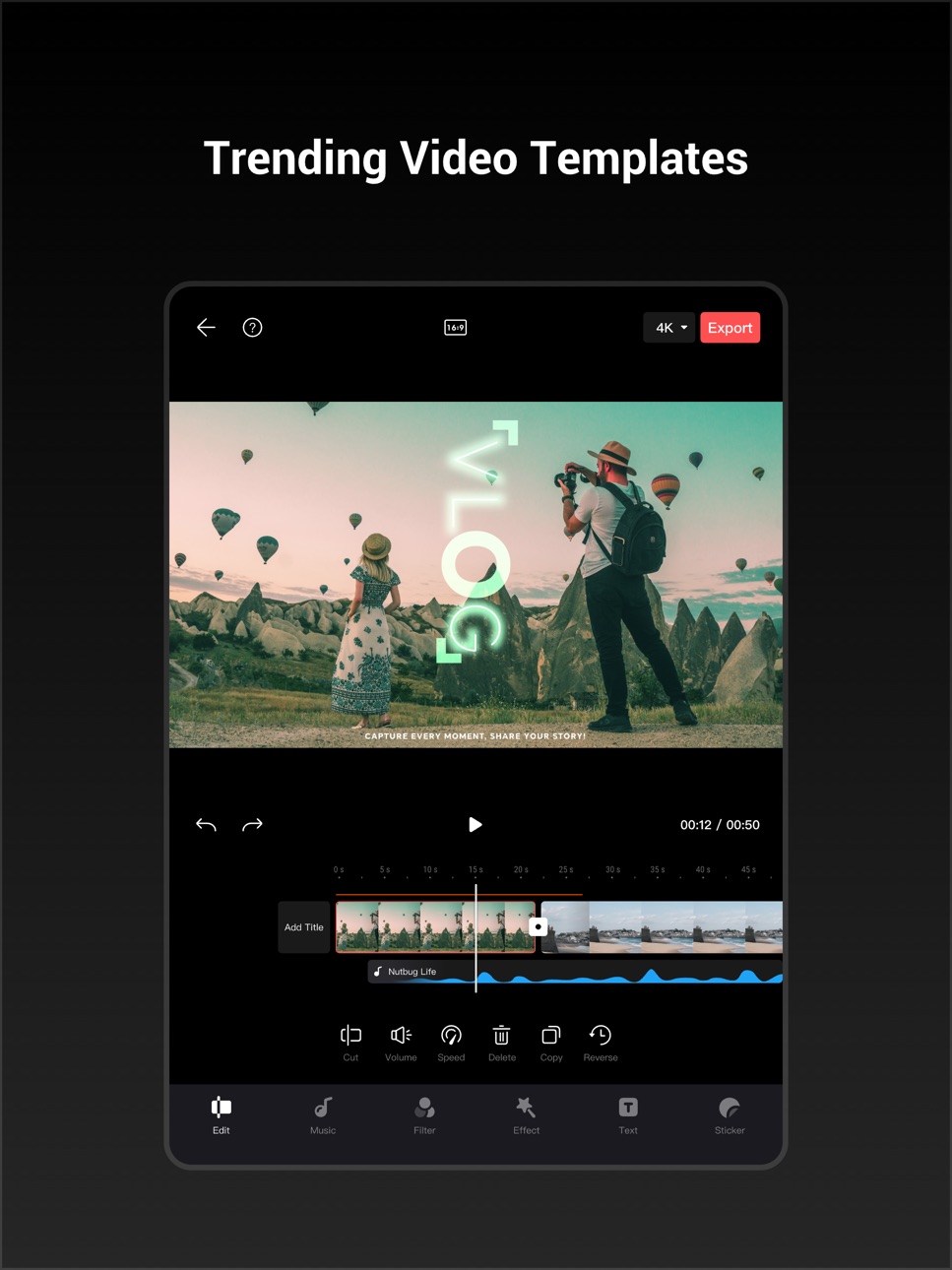
3. My Story video templates designed by professionals allow you to edit your videos in a single tap.
4. Precise face identification and real-time Beautify mode enhances photos and videos instantly.
5. Upload and share videos with just a tap.
6. Advanced video editing functions: Trim and split clips, adjust playback speed, reverse, and more.
7. Tune image quality to meet your needs: Brightness, saturation, contrast, color temperature, vignette, and sharpness.
8. Multiple filters, music templates, and watermark stickers finish your videos with a unique flair.
Accessibility
ipadiphonemacrealityDevicetvoswatch
Version history 25 versions
Build 887642789v2.10.102026-07-01 11:54:19
What's Updated
Added support for Osmo Pocket 4P:
Added new Master Filters: Vista Pro, Grace Pro, Radiant Pro, and Retro Pro.
Color Presets now fully support D-Log 2, delivering upgraded colors for effortless creation.
Creative Editing Upgrades
1.Preset Sharing & Importing: Generate a Share Code for your custom editing presets, allowing others to apply them with just one tap.
2.Custom Live 3-Split: Easily perfect your layout by reordering, moving, or zooming in on the split screens.
3.Sports Dashboard: Now supports importing sports data from the Xingzhe app.
Build 887623660v2.10.92026-06-30 11:40:20
What's Updated
Added support for Osmo Pocket 4P:
Added new Master Filters: Vista Pro, Grace Pro, Radiant Pro, and Retro Pro.
Color Presets now fully support D-Log 2, delivering upgraded colors for effortless creation.
Creative Editing Upgrades
1.Preset Sharing & Importing: Generate a Share Code for your custom editing presets, allowing others to apply them with just one tap.
2.Custom Live 3-Split: Easily perfect your layout by reordering, moving, or zooming in on the split screens.
3.Sports Dashboard: Now supports importing sports data from the Xingzhe app.
Build 887069314v2.10.82026-06-25 09:10:35
What's Updated
Added support for Osmo Pocket 4P:
Added new Master Filters: Vista Pro, Grace Pro, Radiant Pro, and Retro Pro.
Color Presets now fully support D-Log 2, delivering upgraded colors for effortless creation.
Creative Editing Upgrades
1.Preset Sharing & Importing: Generate a Share Code for your custom editing presets, allowing others to apply them with just one tap.
2.Custom Live 3-Split: Easily perfect your layout by reordering, moving, or zooming in on the split screens.
3.Sports Dashboard: Now supports importing sports data from the Xingzhe app.
Build 886875133v2.10.42026-06-15 02:18:52
What's Updated
1. Editing Presets Now Support Sharing & Import: Share your custom preset settings with a share code for one-tap use by others.
2. Custom Editing for Live Photo Triple Split: Change the split-screen order, move frames, or zoom in and out for flexible triple-split layouts.
3. New Assets Added: Multiple new effects and text templates are now available to bring your ideas to life.
4. Panoramic video editing: Upgraded Quick Framing to multi-segment selection, supporting multiple framing methods.
Build 886514042v2.10.22026-06-04 12:28:53
What's Updated
1. Editing Presets Now Support Sharing & Import: Share your custom preset settings with a share code for one-tap use by others.
2. Custom Editing for Live Photo Triple Split: Change the split-screen order, move frames, or zoom in and out for flexible triple-split layouts.
3. New Assets Added: Multiple new effects and text templates are now available to bring your ideas to life.
Build 886233803v2.10.12026-05-29 02:51:36
What's Updated
1. Editing Presets Now Support Sharing & Import: Share your custom preset settings with a share code for one-tap use by others.
2. Custom Editing for Live Photo Triple Split: Change the split-screen order, move frames, or zoom in and out for flexible triple-split layouts.
3. New Assets Added: Multiple new effects and text templates are now available to bring your ideas to life.
Build 886144278v2.10.02026-05-27 00:26:41
What's Updated
1. Editing Presets Now Support Sharing & Import: Share your custom preset settings with a share code for one-tap use by others.
2. Custom Editing for Live Photo Triple Split: Change the split-screen order, move frames, or zoom in and out for flexible triple-split layouts.
3. New Assets Added: Multiple new effects and text templates are now available to bring your ideas to life.
Build 885408719v2.9.42026-05-11 12:06:41
What's Updated
1. Now supports Osmo Pocket 4: added Theme Master color profiles, including Neon Fantasy and Moonlit Starlight, for upgraded color and effortless results.
2. New photo editing is now available, with support for filters, Beauty, and exclusive frames. You can also apply watermarks to photos and Live Photos in batches for fast, high-quality results
3. Added photo editing with support for filters, Beauty, and watermark frames for quick, easy edits.
4. Added batch editing presets: when editing videos or Live Photos in the album, you can save frequently used settings like filters, color tuning, and Beauty for faster editing.
Build 884894187v2.9.02026-04-25 00:48:24
What's Updated
Now supports Osmo Pocket 4: added Theme Master color profiles, including Neon Fantasy and Moonlit Starlight, for upgraded color and effortless results.
Creative Editing, Upgraded
1.Added photo editing with support for filters, Beauty, and watermark frames for quick, easy edits.
2.Added batch editing presets: when editing videos or Live Photos in the album, you can save frequently used settings like filters, color tuning, and Beauty for faster editing.
3.Upgraded editing experience: after exporting videos or Live Photos, you can still add album-exclusive features such as watermark frames, HDR, and color recovery.
4.Limited-time watermark: for the Osmo Action series, when editing videos or Live Photos in the album, the exclusive “LOVE IS ACTION” watermark is now available to add a romantic touch to your creations.
Supported footage: Osmo Action 4, Osmo Action 5 Pro, Osmo Action 6.
Build 884743130v2.8.32026-04-22 08:41:00
What's Updated
1. Exclusive Osmo Mobile Watermark
When shooting with Osmo Mobile, photos and videos can automatically include an exclusive watermark.
No extra editing needed—ready right after capture. Add a refined visual touch and highlight your creative gear.
2. Live Photo Capture and Editing for Osmo Action 6
Osmo Action 6 now supports Live Photos, capturing motion and sound before and after the shutter with one tap to make every shot come alive.
You can also edit Live Photos directly in DJI Mimo, with support for color adjustment, beauty effects, and personalized watermark frames. Shoot and edit in one seamless workflow for more polished Live Photos.
Build 884556135v2.8.22026-04-16 06:49:55
What's Updated
1. Exclusive Osmo Mobile Watermark
When shooting with Osmo Mobile, photos and videos can automatically include an exclusive watermark.
No extra editing needed—ready right after capture. Add a refined visual touch and highlight your creative gear.
2. Live Photo Capture and Editing for Osmo Action 6
Osmo Action 6 now supports Live Photos, capturing motion and sound before and after the shutter with one tap to make every shot come alive.
You can also edit Live Photos directly in DJI Mimo, with support for color adjustment, beauty effects, and personalized watermark frames. Shoot and edit in one seamless workflow for more polished Live Photos.
Build 884374693v2.8.12026-04-14 04:04:28
What's Updated
1. Exclusive Osmo Mobile Watermark
When shooting with Osmo Mobile, photos and videos can automatically include an exclusive watermark.
No extra editing needed—ready right after capture. Add a refined visual touch and highlight your creative gear.
2. Live Photo Capture and Editing for Osmo Action 6
Osmo Action 6 now supports Live Photos, capturing motion and sound before and after the shutter with one tap to make every shot come alive.
You can also edit Live Photos directly in DJI Mimo, with support for color adjustment, beauty effects, and personalized watermark frames. Shoot and edit in one seamless workflow for more polished Live Photos.
Build 884039497v2.8.02026-04-10 06:05:27
What's Updated
1. Exclusive Osmo Mobile Watermark
When shooting with Osmo Mobile, photos and videos can automatically include an exclusive watermark.
No extra editing needed—ready right after capture. Add a refined visual touch and highlight your creative gear.
2. Live Photo Capture and Editing for Osmo Action 6
Osmo Action 6 now supports Live Photos, capturing motion and sound before and after the shutter with one tap to make every shot come alive.
You can also edit Live Photos directly in DJI Mimo, with support for color adjustment, beauty effects, and personalized watermark frames. Shoot and edit in one seamless workflow for more polished Live Photos.
Build 883953898v2.7.92026-04-02 02:19:38
What's Updated
Live Photo Editing
-Added support for editing Live Photos captured directly with Osmo Action 6, right in Album.
-Supports color tuning, beauty effects, personalized watermark frames, and more.
Color Recipes
-The filter import feature now includes a Color Recipes community.
-Explore professional color looks in various styles, with one-tap import and application to instantly enhance your footage.
Enhanced User Experience
Refreshed Shooting Interface for Osmo Mobile
-Added Cinematic Shots, Video Teleprompter, and Color Filters to help you create more efficiently.
-Optimized the zoom dial for smoother, more responsive zoom control.
-Cleaner interface with visuals adapted to iOS Liquid Glass.
Major Upgrade to the “Profile” Page
-Added device display and management features for a clearer view of your device list and status.
-Refreshed visual design with a clean white modular layout, making features and services easier to find.
Build 883793593v2.7.82026-03-30 02:32:47
What's Updated
Live Photo Editing
-Added support for editing Live Photos captured directly with Osmo Action 6, right in Album.
-Supports color tuning, beauty effects, personalized watermark frames, and more.
Color Recipes
-The filter import feature now includes a Color Recipes community.
-Explore professional color looks in various styles, with one-tap import and application to instantly enhance your footage.
Enhanced User Experience
Refreshed Shooting Interface for Osmo Mobile
-Added Cinematic Shots, Video Teleprompter, and Color Filters to help you create more efficiently.
-Optimized the zoom dial for smoother, more responsive zoom control.
-Cleaner interface with visuals adapted to iOS Liquid Glass.
Major Upgrade to the “Profile” Page
-Added device display and management features for a clearer view of your device list and status.
-Refreshed visual design with a clean white modular layout, making features and services easier to find.
Build 883651326v2.7.52026-03-23 07:54:10
What's Updated
1. Refreshed Osmo Mobile Shooting Interface in DJI Mimo
- Added Cinematic Lens, Video Teleprompter, and Color Filters to help you create faster.
- Optimized the zoom dial for smoother zoom control.
- Cleaner UI with visuals adapted to iOS Liquid Glass.
2. Major Upgrade to the DJI Mimo “Profile” Page
- Added device display and management for a clear view of your device list and status.
- Visual refresh: the white modular layout makes it easier to find the features and services you need.
- Added a Mimo widget to view device status directly from your Home Screen.
3. Sports Dashboard Updates
- The Sports Dashboard now supports Huawei Dolphin Communication data.
Build 883040840v2.7.42026-03-18 03:07:20
What's Updated
1. Refreshed Osmo Mobile Shooting Interface in DJI Mimo
- Added Cinematic Lens, Video Teleprompter, and Color Filters to help you create faster.
- Optimized the zoom dial for smoother zoom control.
- Cleaner UI with visuals adapted to iOS Liquid Glass.
2. Major Upgrade to the DJI Mimo “Profile” Page
- Added device display and management for a clear view of your device list and status.
- Visual refresh: the white modular layout makes it easier to find the features and services you need.
- Added a Mimo widget to view device status directly from your Home Screen.
3. Sports Dashboard Updates
- The Sports Dashboard now supports Huawei Dolphin Communication data.
Build 882121637v2.7.22026-02-06 04:30:31
What's Updated
Creative Editing Enhanced
- Added a new Dynamic effects category, ideal for sports, travel, and vlog scenarios.
Osmo 360 Panorama Feature Updates
- Added Speed Tracking, enabling one-tap switching between Fast and Standard modes to support faster editing workflows.
- Added Time Watermark, allowing you to add a time watermark to panorama videos for scenario-based labeling.
- Introduced Smart Tone, enhancing detail in panorama videos for improved image quality.
- Panorama Create adds multiple Time Freeze camera moves to easily freeze highlight moments.
- Quick Framing / Motion-based Framing adds multiple Preset Camera Moves, making it easy to switch to Little Planet, 360° Orbit, and more.
Build 881807668v2.7.02026-01-26 09:37:40
What's Updated
- Osmo 360 adds multiple new style filters, helping you capture richly colored footage straight out of the camera.
- New Template Draft Save & Manage Feature: Progress in One-Click Edit and template editing can be saved anytime, with support for batch draft management, making the creative process more flexible and efficient.
- "Motion-based Framing" Adds Preset Viewpoints : Multiple new viewpoint switching modes have been added. Tap to quickly switch to the desired viewpoint and continue editing.
- Tracking Feature Adds Recommended Tracking Targets: Intelligently recommends the best tracking subjects in the frame. Start precise tracking with one tap for more efficient creation.
Build 881674730v2.6.132026-01-21 15:10:18
What's Updated
- Osmo Action 6 supports cloud uploads: automatically backs up camera footage to Google Drive, OneDrive, and NAS, enabling direct uploads for easy transfer and backup.
- Fix some known issues
Build 880966073v2.6.122026-01-14 01:08:22
What's Updated
- Osmo Action 6 supports cloud uploads: automatically backs up camera footage to Google Drive, OneDrive, and NAS, enabling direct uploads for easy transfer and backup.
- Fix some known issues
Build 880464632v2.6.82025-12-19 16:52:36
What's Updated
- “New Year 2026” limited-time watermark: Automatically unlocks when exporting videos from the album or exporting photos/Live Photos via the screenshot feature.
- Exclusive FilmTone watermark: When shooting with FilmTone on Osmo 360 or Osmo Action 6, unlock the limited "Platinum Film" watermark in editing to add a professional cinematic feel.
- Diving dashboard upgrade: Adds depth curve and max depth gauge to intuitively display depth changes throughout the dive.
- Enhanced LUT import: Use in One-Tap Edit, 360° video editing, and more. Now supports 65‑point LUT format.
Build 880114520v2.6.42025-11-28 10:15:25
What's New
- Adds support for Osmo Action 6.
What's Updated
- Adds “HDR” Dolby Vision mode for an immersive true‑to‑life color experience; upgrade your videos to cinematic quality with one tap
- Adds a “Mix” feature: when Osmo Action 6 is connected to an external microphone, you can adjust the external mic and camera body audio levels separately.
- Adds a “Filter Import” feature, supporting importing LUT files from your device as local filters; elevate image quality with one tap and easily achieve cinematic visual effects.
Build 879814957v2.6.32025-11-17 14:36:11
What's New
- Adds support for Osmo Mobile 8.
- Adds single-lens live streaming for Osmo 360 camera.
What's Updated
- Adds a "Motion Blur" effect to panoramic video on certain models, enhancing the sense of speed and visual immersion.
- Adds "Filter Import" feature, supporting importing LUT files from your device as local filters; elevate image quality with one tap and easily achieve cinematic visual effects.
- Adds "Watermark Position" setting, supporting top‑center, top‑left, and top‑right placements.
- Adds "Volume" feature, supporting adjustment of a video's global volume.
Build 879782549v2.6.22025-11-15 04:39:01
What's New
- Adds support for Osmo Mobile 8.
- Adds single-lens live streaming for Osmo 360 camera.
What's Updated
- Adds a "Motion Blur" effect to panoramic video on certain models, enhancing the sense of speed and visual immersion.
- Adds "Filter Import" feature, supporting importing LUT files from your device as local filters; elevate image quality with one tap and easily achieve cinematic visual effects.
- Adds "Watermark Position" setting, supporting top‑center, top‑left, and top‑right placements.
- Adds "Volume" feature, supporting adjustment of a video's global volume.
No pricing data captured yet — comparisons appear once the app has paid storefronts or in-app purchases.
Availability 173 of 175 storefronts
| Region | Language | Price | Ratings | Avg | Version |
|---|---|---|---|---|---|
| CN | zh-Hans-CN | Free | 301.5k | 4.9 | 2.10.10 |
| US | en-US | Free | 19.6k | 4.5 | 2.10.10 |
| VN | en-GB | Free | 10.8k | 4.9 | 2.10.10 |
| TH | en-GB | Free | 10.6k | 4.9 | 2.10.10 |
| JP | ja | Free | 9.6k | 4.5 | 2.10.10 |
| TW | zh-Hant-TW | Free | 5.6k | 4.8 | 2.10.10 |
| TR | en-GB | Free | 5.0k | 4.6 | 2.10.10 |
| MY | en-GB | Free | 3.4k | 4.8 | 2.10.10 |
| HK | zh-Hant-HK | Free | 3.4k | 4.8 | 2.10.10 |
| DE | de-DE | Free | 3.4k | 4.1 | 2.10.10 |
| MX | es-MX | Free | 3.3k | 4.8 | 2.10.10 |
| AU | en-AU | Free | 2.9k | 4.5 | 2.10.10 |
| GB | en-GB | Free | 2.8k | 4.4 | 2.10.10 |
| FR | fr-FR | Free | 2.6k | 4.4 | 2.10.10 |
| CA | en-CA | Free | 2.4k | 4.5 | 2.10.10 |
| IN | en-GB | Free | 2.2k | 4.6 | 2.10.10 |
| KR | ko | Free | 2.2k | 4.7 | 2.10.10 |
| SA | en-GB | Free | 2.1k | 4.7 | 2.10.10 |
| IT | it | Free | 2.0k | 4.5 | 2.10.10 |
| PH | en-GB | Free | 2.0k | 4.8 | 2.10.10 |
| ID | en-GB | Free | 1.7k | 4.8 | 2.10.10 |
| ES | es-ES | Free | 1.6k | 4.5 | 2.10.10 |
| BR | pt-BR | Free | 1.3k | 4.5 | 2.10.10 |
| AE | en-GB | Free | 1.1k | 4.7 | 2.10.10 |
| PL | en-GB | Free | 1.1k | 4.5 | 2.10.10 |
| SG | en-GB | Free | 1.1k | 4.6 | 2.10.10 |
| CO | es-MX | Free | 1.0k | 4.8 | 2.10.10 |
| MN | en-GB | Free | 861 | 4.9 | 2.10.10 |
| NL | nl | Free | 790 | 4.4 | 2.10.10 |
| KH | en-GB | Free | 777 | 4.7 | 2.10.10 |
| CH | de-CH | Free | 762 | 4.5 | 2.10.10 |
| CL | es-MX | Free | 649 | 4.7 | 2.10.10 |
| KZ | en-GB | Free | 595 | 4.8 | 2.10.10 |
| AT | de-DE | Free | 542 | 4.4 | 2.10.10 |
| CZ | en-GB | Free | 530 | 4.6 | 2.10.10 |
| PT | pt-PT | Free | 494 | 4.8 | 2.10.10 |
| AR | es-MX | Free | 488 | 4.7 | 2.10.10 |
| BE | en-GB | Free | 454 | 4.6 | 2.10.10 |
| PE | es-MX | Free | 451 | 4.7 | 2.10.10 |
| SE | sv | Free | 395 | 4.3 | 2.10.10 |
| IL | en-GB | Free | 381 | 4.6 | 2.10.10 |
| RO | en-GB | Free | 380 | 4.7 | 2.10.10 |
| NZ | en-AU | Free | 379 | 4.6 | 2.10.10 |
| HU | en-GB | Free | 376 | 4.6 | 2.10.10 |
| MO | zh-Hant-HK | Free | 374 | 4.8 | 2.10.10 |
| ZA | en-GB | Free | 309 | 4.4 | 2.10.10 |
| GR | en-GB | Free | 289 | 4.7 | 2.10.10 |
| DK | en-GB | Free | 258 | 4.4 | 2.10.10 |
| NO | en-GB | Free | 254 | 4.3 | 2.10.10 |
| BG | en-GB | Free | 236 | 4.8 | 2.10.10 |
| GT | es-MX | Free | 234 | 4.9 | 2.10.10 |
| IE | en-GB | Free | 226 | 4.5 | 2.10.10 |
| UZ | en-GB | Free | 226 | 4.8 | 2.10.10 |
| CR | es-MX | Free | 220 | 4.8 | 2.10.10 |
| DO | es-MX | Free | 212 | 4.9 | 2.10.10 |
| EC | es-MX | Free | 211 | 4.7 | 2.10.10 |
| LK | en-GB | Free | 202 | 4.7 | 2.10.10 |
| SK | en-GB | Free | 199 | 4.7 | 2.10.10 |
| KW | en-GB | Free | 195 | 4.8 | 2.10.10 |
| FI | en-GB | Free | 184 | 4.4 | 2.10.10 |
| EG | en-GB | Free | 171 | 4.6 | 2.10.10 |
| OM | en-GB | Free | 168 | 4.7 | 2.10.10 |
| NP | en-GB | Free | 162 | 4.8 | 2.10.10 |
| GE | en-GB | Free | 160 | 4.9 | 2.10.10 |
| LT | en-GB | Free | 157 | 4.7 | 2.10.10 |
| PA | es-MX | Free | 156 | 4.8 | 2.10.10 |
| KG | en-GB | Free | 143 | 4.9 | 2.10.10 |
| LV | en-GB | Free | 142 | 4.7 | 2.10.10 |
| QA | en-GB | Free | 140 | 4.8 | 2.10.10 |
| LA | en-GB | Free | 133 | 4.7 | 2.10.10 |
| HR | en-GB | Free | 131 | 4.6 | 2.10.10 |
| BY | en-GB | Free | 123 | 4.7 | 2.10.10 |
| VE | es-MX | Free | 121 | 4.9 | 2.10.10 |
| AZ | en-GB | Free | 120 | 4.9 | 2.10.10 |
| NG | en-GB | Free | 103 | 4.7 | 2.10.10 |
| MA | en-GB | Free | 96 | 4.7 | 2.10.10 |
| PK | en-GB | Free | 91 | 4.5 | 2.10.10 |
| RS | en-GB | Free | 89 | 4.9 | 2.10.10 |
| DZ | en-GB | Free | 82 | 4.7 | 2.10.10 |
| MD | en-GB | Free | 82 | 4.8 | 2.10.10 |
| SV | es-MX | Free | 82 | 4.7 | 2.10.10 |
| SI | en-GB | Free | 75 | 4.7 | 2.10.10 |
| KE | en-GB | Free | 74 | 4.8 | 2.10.10 |
| HN | es-MX | Free | 72 | 4.9 | 2.10.10 |
| EE | en-GB | Free | 70 | 4.8 | 2.10.10 |
| LU | en-GB | Free | 70 | 4.7 | 2.10.10 |
| IQ | en-GB | Free | 68 | 4.6 | 2.10.10 |
| MM | en-GB | Free | 68 | 4.7 | 2.10.10 |
| BH | en-GB | Free | 61 | 4.8 | 2.10.10 |
| SN | en-GB | Free | 57 | 4.7 | 2.10.10 |
| TZ | en-GB | Free | 57 | 4.9 | 2.10.10 |
| JO | en-GB | Free | 56 | 4.8 | 2.10.10 |
| AM | en-GB | Free | 50 | 4.9 | 2.10.10 |
| UY | en-GB | Free | 50 | 4.6 | 2.10.10 |
| AL | en-GB | Free | 49 | 4.9 | 2.10.10 |
| PY | es-MX | Free | 48 | 4.8 | 2.10.10 |
| CY | en-GB | Free | 47 | 4.6 | 2.10.10 |
| BO | es-MX | Free | 46 | 4.8 | 2.10.10 |
| GH | en-GB | Free | 44 | 4.5 | 2.10.10 |
| TN | en-GB | Free | 33 | 4.7 | 2.10.10 |
| IS | en-GB | Free | 32 | 4.8 | 2.10.10 |
| LB | en-GB | Free | 30 | 4.2 | 2.10.10 |
| MV | en-GB | Free | 30 | 5.0 | 2.10.10 |
| CI | fr-FR | Free | 29 | 4.3 | 2.10.10 |
| MT | en-GB | Free | 28 | 4.8 | 2.10.10 |
| BN | en-GB | Free | 24 | 4.9 | 2.10.10 |
| UG | en-GB | Free | 23 | 4.8 | 2.10.10 |
| NI | es-MX | Free | 22 | 4.5 | 2.10.10 |
| MK | en-GB | Free | 20 | 4.8 | 2.10.10 |
| CM | fr-FR | Free | 18 | 4.6 | 2.10.10 |
| JM | en-GB | Free | 18 | 4.7 | 2.10.10 |
| MU | en-GB | Free | 17 | 4.6 | 2.10.10 |
| PW | en-GB | Free | 17 | 4.8 | 2.10.10 |
| BA | en-GB | Free | 15 | 5.0 | 2.10.10 |
| LY | en-GB | Free | 15 | 4.1 | 2.10.10 |
| BJ | en-GB | Free | 14 | 4.5 | 2.10.10 |
| TJ | en-GB | Free | 14 | 4.7 | 2.10.10 |
| AO | en-GB | Free | 13 | 5.0 | 2.10.10 |
| ML | en-GB | Free | 13 | 4.7 | 2.10.10 |
| XK | en-GB | Free | 13 | 4.9 | 2.10.10 |
| CD | en-GB | Free | 12 | 4.0 | 2.10.10 |
| YE | en-GB | Free | 12 | 4.1 | 2.10.10 |
| CG | en-GB | Free | 11 | 4.5 | 2.10.10 |
| ME | en-GB | Free | 11 | 4.8 | 2.10.10 |
| BT | en-GB | Free | 9 | 4.4 | 2.10.10 |
| MG | en-GB | Free | 9 | 4.6 | 2.10.10 |
| MZ | en-GB | Free | 9 | 4.8 | 2.10.10 |
| TT | en-GB | Free | 9 | 4.9 | 2.10.10 |
| AI | en-GB | Free | 7 | 5.0 | 2.10.10 |
| FJ | en-GB | Free | 7 | 5.0 | 2.10.10 |
| ZM | en-GB | Free | 7 | 5.0 | 2.10.10 |
| BW | en-GB | Free | 6 | 4.8 | 2.10.10 |
| MR | en-GB | Free | 6 | 4.2 | 2.10.10 |
| ZW | en-GB | Free | 6 | 4.3 | 2.10.10 |
| BF | en-GB | Free | 5 | 4.2 | 2.10.10 |
| GA | fr-FR | Free | 5 | 4.6 | 2.10.10 |
| LR | en-GB | Free | 5 | 4.2 | 2.10.10 |
| PG | en-GB | Free | 5 | 4.4 | 2.10.10 |
| BZ | en-GB | Free | 4 | 5.0 | 2.10.10 |
| GM | en-GB | Free | 4 | 5.0 | 2.10.10 |
| NA | en-GB | Free | 4 | 5.0 | 2.10.10 |
| RW | en-GB | Free | 4 | 5.0 | 2.10.10 |
| SC | en-GB | Free | 4 | 4.8 | 2.10.10 |
| AG | en-GB | Free | 3 | 5.0 | 2.10.10 |
| BM | en-GB | Free | 3 | 3.7 | 2.10.10 |
| BS | en-GB | Free | 3 | 4.7 | 2.10.10 |
| CV | en-GB | Free | 3 | 5.0 | 2.10.10 |
| KN | en-GB | Free | 3 | 4.3 | 2.10.10 |
| KY | en-GB | Free | 3 | 3.7 | 2.10.10 |
| MW | en-GB | Free | 3 | 5.0 | 2.10.10 |
| SR | en-GB | Free | 3 | 5.0 | 2.10.10 |
| TM | en-GB | Free | 3 | 5.0 | 2.10.10 |
| AF | en-GB | Free | 2 | 3.5 | 2.10.10 |
| BB | en-GB | Free | 2 | 5.0 | 2.10.10 |
| GD | en-GB | Free | 2 | 5.0 | 2.10.10 |
| GY | en-GB | Free | 2 | 3.5 | 2.10.10 |
| NE | en-GB | Free | 2 | 5.0 | 2.10.10 |
| NR | en-GB | Free | 2 | 5.0 | 2.10.10 |
| SB | en-GB | Free | 2 | 5.0 | 2.10.10 |
| SZ | en-GB | Free | 2 | 5.0 | 2.10.10 |
| TD | en-GB | Free | 2 | 5.0 | 2.10.10 |
| LC | en-GB | Free | 1 | 5.0 | 2.10.10 |
| VC | en-GB | Free | 1 | 5.0 | 2.10.10 |
| VU | en-GB | Free | 1 | 5.0 | 2.10.10 |
| DM | en-GB | Free | 0 | — | 2.10.10 |
| FM | en-GB | Free | 0 | — | 2.10.10 |
| GW | en-GB | Free | 0 | — | 2.10.10 |
| MS | en-GB | Free | 0 | — | 2.10.10 |
| SL | en-GB | Free | 0 | — | 2.10.10 |
| ST | en-GB | Free | 0 | — | 2.10.10 |
| TC | en-GB | Free | 0 | — | 2.10.10 |
| TO | en-GB | Free | 0 | — | 2.10.10 |
| VG | en-GB | Free | 0 | — | 2.10.10 |
Not available in: RU, UA
Change log 29 changes · IT
✎
releaseNotes updated
What's Updated
Added support for Osmo Pocket 4P:
Added new Master Filters: Vista Pro, Grace Pro, Radiant Pro, and Retro Pro.
Color Presets now fully support D-
✎
description updated
As the all-in-one app made specifically for the DJI Osmo Pocket handheld gimbal, Osmo Action camera, Osmo Mobile 3, DJI OM4 and DJI Pocket2, Mimo offers HD live
✎
subtitle updated
Mimo, my moment.
✎
name updated
DJI Mimo
◆
Version 2.10.10 released
What's Updated
Added support for Osmo Pocket 4P:
Added new Master Filters: Vista Pro, Grace Pro, Radiant Pro, and Retro Pro.
Color Presets now fully support D-Log 2, delivering upgraded colors for effortless creation.
Creative Editing Up
◆
Version 2.10.9 released
What's Updated
Added support for Osmo Pocket 4P:
Added new Master Filters: Vista Pro, Grace Pro, Radiant Pro, and Retro Pro.
Color Presets now fully support D-Log 2, delivering upgraded colors for effortless creation.
Creative Editing Up
◆
Version 2.10.8 released
What's Updated
Added support for Osmo Pocket 4P:
Added new Master Filters: Vista Pro, Grace Pro, Radiant Pro, and Retro Pro.
Color Presets now fully support D-Log 2, delivering upgraded colors for effortless creation.
Creative Editing Up
◆
Version 2.10.4 released
What's Updated
1. Editing Presets Now Support Sharing & Import: Share your custom preset settings with a share code for one-tap use by others.
2. Custom Editing for Live Photo Triple Split: Change the split-screen order, move frames, or z
◆
Version 2.10.2 released
What's Updated
1. Editing Presets Now Support Sharing & Import: Share your custom preset settings with a share code for one-tap use by others.
2. Custom Editing for Live Photo Triple Split: Change the split-screen order, move frames, or z
◆
Version 2.10.1 released
What's Updated
1. Editing Presets Now Support Sharing & Import: Share your custom preset settings with a share code for one-tap use by others.
2. Custom Editing for Live Photo Triple Split: Change the split-screen order, move frames, or z
◆
Version 2.10.0 released
What's Updated
1. Editing Presets Now Support Sharing & Import: Share your custom preset settings with a share code for one-tap use by others.
2. Custom Editing for Live Photo Triple Split: Change the split-screen order, move frames, or z
◆
Version 2.9.4 released
What's Updated
1. Now supports Osmo Pocket 4: added Theme Master color profiles, including Neon Fantasy and Moonlit Starlight, for upgraded color and effortless results.
2. New photo editing is now available, with support for filters, Bea
◆
Version 2.9.0 released
What's Updated
Now supports Osmo Pocket 4: added Theme Master color profiles, including Neon Fantasy and Moonlit Starlight, for upgraded color and effortless results.
Creative Editing, Upgraded
1.Added photo editing with support for fi
◆
Version 2.8.3 released
What's Updated
1. Exclusive Osmo Mobile Watermark
When shooting with Osmo Mobile, photos and videos can automatically include an exclusive watermark.
No extra editing needed—ready right after capture. Add a refined visual touch and highli
◆
Version 2.8.2 released
What's Updated
1. Exclusive Osmo Mobile Watermark
When shooting with Osmo Mobile, photos and videos can automatically include an exclusive watermark.
No extra editing needed—ready right after capture. Add a refined visual touch and highli
◆
Version 2.8.1 released
What's Updated
1. Exclusive Osmo Mobile Watermark
When shooting with Osmo Mobile, photos and videos can automatically include an exclusive watermark.
No extra editing needed—ready right after capture. Add a refined visual touch and highli
◆
Version 2.8.0 released
What's Updated
1. Exclusive Osmo Mobile Watermark
When shooting with Osmo Mobile, photos and videos can automatically include an exclusive watermark.
No extra editing needed—ready right after capture. Add a refined visual touch and highli
◆
Version 2.7.9 released
What's Updated
Live Photo Editing
-Added support for editing Live Photos captured directly with Osmo Action 6, right in Album.
-Supports color tuning, beauty effects, personalized watermark frames, and more.
Color Recipes
-The filter i
◆
Version 2.7.8 released
What's Updated
Live Photo Editing
-Added support for editing Live Photos captured directly with Osmo Action 6, right in Album.
-Supports color tuning, beauty effects, personalized watermark frames, and more.
Color Recipes
-The filter i
◆
Version 2.7.5 released
What's Updated
1. Refreshed Osmo Mobile Shooting Interface in DJI Mimo
- Added Cinematic Lens, Video Teleprompter, and Color Filters to help you create faster.
- Optimized the zoom dial for smoother zoom control.
- Cleaner UI with visua
◆
Version 2.7.4 released
What's Updated
1. Refreshed Osmo Mobile Shooting Interface in DJI Mimo
- Added Cinematic Lens, Video Teleprompter, and Color Filters to help you create faster.
- Optimized the zoom dial for smoother zoom control.
- Cleaner UI with visua
◆
Version 2.7.2 released
What's Updated
Creative Editing Enhanced
- Added a new Dynamic effects category, ideal for sports, travel, and vlog scenarios.
Osmo 360 Panorama Feature Updates
- Added Speed Tracking, enabling one-tap switching between Fast and Standar
◆
Version 2.7.0 released
What's Updated
- Osmo 360 adds multiple new style filters, helping you capture richly colored footage straight out of the camera.
- New Template Draft Save & Manage Feature: Progress in One-Click Edit and template editing can be saved any
◆
Version 2.6.13 released
What's Updated
- Osmo Action 6 supports cloud uploads: automatically backs up camera footage to Google Drive, OneDrive, and NAS, enabling direct uploads for easy transfer and backup.
- Fix some known issues
◆
Version 2.6.12 released
What's Updated
- Osmo Action 6 supports cloud uploads: automatically backs up camera footage to Google Drive, OneDrive, and NAS, enabling direct uploads for easy transfer and backup.
- Fix some known issues
◆
Version 2.6.8 released
What's Updated
- “New Year 2026” limited-time watermark: Automatically unlocks when exporting videos from the album or exporting photos/Live Photos via the screenshot feature.
- Exclusive FilmTone watermark: When shooting with FilmTone on
◆
Version 2.6.4 released
What's New
- Adds support for Osmo Action 6.
What's Updated
- Adds “HDR” Dolby Vision mode for an immersive true‑to‑life color experience; upgrade your videos to cinematic quality with one tap
- Adds a “Mix” feature: when Osmo Action 6
◆
Version 2.6.3 released
What's New
- Adds support for Osmo Mobile 8.
- Adds single-lens live streaming for Osmo 360 camera.
What's Updated
- Adds a "Motion Blur" effect to panoramic video on certain models, enhancing the sense of speed and visual immersion.
◆
Version 2.6.2 released
What's New
- Adds support for Osmo Mobile 8.
- Adds single-lens live streaming for Osmo 360 camera.
What's Updated
- Adds a "Motion Blur" effect to panoramic video on certain models, enhancing the sense of speed and visual immersion.