Home › Utilities

 CD
CD
 USen-US
 BRpt-BR
 ARes-MX
 MXes-MX
 CLes-MX
 COes-MX
 CRes-MX
 DOes-MX
 GTes-MX
 SVes-MX
 UYen-GB
 ECes-MX
 NAen-GB
 NGen-GB
 PYes-MX
 TTen-GB
 AGen-GB
 AIen-GB
 AOen-GB
 BBen-GB
 BFen-GB
 BJen-GB
 BOes-MX
 BSen-GB
 BWen-GB
 BZen-GBCDen-GB
 CGen-GB
 CIfr-FR
 CMfr-FR
 CVen-GB
 DMen-GB
 DZen-GB
 GAfr-FR
 GDen-GB
 GHen-GB
 GMen-GB
 GWen-GB
 GYen-GB
 HNes-MX
 JMen-GB
 KEen-GB
 KNen-GB
 KYen-GB
 LCen-GB
 LRen-GB
 LYen-GB
 MAen-GB
 MGen-GB
 MLen-GB
 MSen-GB
 MUen-GB
 MWen-GB
 MZen-GB
 NEen-GB
 NIes-MX
 PAes-MX
 PEes-MX
 RWen-GB
 SCen-GB
 SLen-GB
 SNen-GB
 SRen-GB
 STen-GB
 SZen-GB
 TCen-GB
 TDen-GB
 TNen-GB
 TZen-GB
 UGen-GB
 VCen-GB
 VEes-MX
 VGen-GB
 ZMen-GB
 ZWen-GB
75 of 75 storefronts
Content in en-US
Content in en-US
Information
Apple ID1412557625
Bundle IDorg.OctoPod.OctoPod
SellerSeller
Min iOS12.0
Min macOS11.0
Device familiestvos, watch, iphone, ipad, ipod
Released2018-08-04
Copyright© 2018-2024 Gaston Dombiak
Privacy policyLink ↗
Preview 4 platforms
iPhone 10 images





iPad 10 images


Apple TV 2 images


Apple Watch 7 images


What’s New Version 3.32
IMPROVED: Added support for PrintTimeGenius plugin. Progress notifications will report correct progress
Description
Control your 3D printers with this free open source OctoPrint client application from your iPhone, iPad, Apple Watch, Apple TV and Siri. You can securely monitor and control all your printers from anywhere. Supports OctoPi installations, OctoEverywhere, Obico and Palette2 integrations. OctoPod supports latest iOS features like Live Activities, Lock Screen Widgets and many more. See below for all supported features.
Features:
- Safe remote access via OctoEverywhere and Obico tunneling
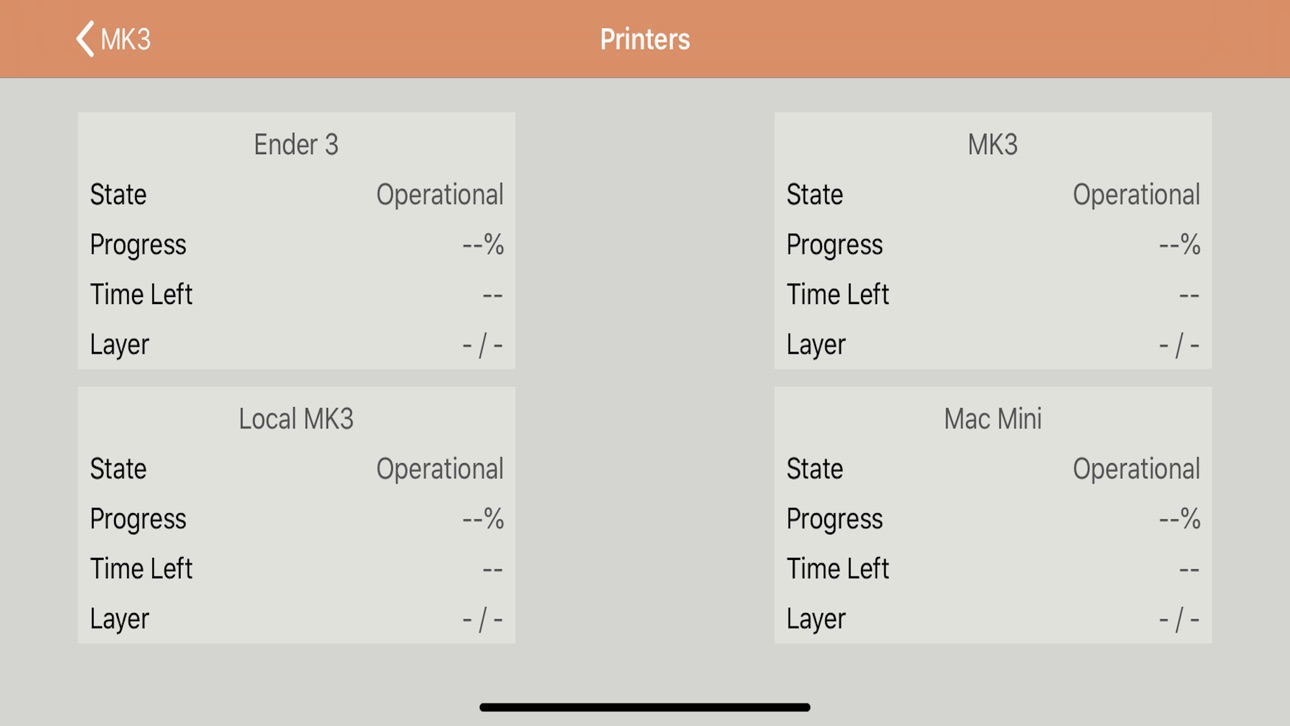
- Unlimited number of printers. Includes dashboard to monitor all printers at once
- Multiple webcams per printer including full screen & zoom in/out. MJPEG and HLS supported
- Install 'OctoPod plugin for OctoPrint' to receive push notifications and Live Activities updates
- Apple Watch support including multiple complications
- Apple TV app to monitor and control your printers from a TV
- Siri support to control and monitor printers, Palette 2 and Enclosure switches
- Support for iOS 14 widgets including Lock Screen Widgets added in iOS 16
- Palette 2 integration. Control your P2/P from the iOS app or via Siri
- Automatically discover OctoPrint installations when adding new printers
- Monitor RPi temperature and receive alerts when RPi gets too hot
- See files preview/thumbnail. Requires PrusaSlicer Thumbnails or Ultimaker Format Package plugins
- Watch Timelapse files or share them via any social app
- Use Today Widget to quickly monitor all your printers
- Get alerts when new OctoPrint plugin updates or new versions of OctoPrint are available
- Protect your prints using "App Locked" mode (aka read-only mode)
- Monitor progress of current print
- Start, stop, pause, resume, restart and cancel prints
- Set and monitor temperatures of extruders, bed and heated chamber
- Move X, Y, Z and E axis while watching the printer
- Control fan speed, flow rate, feed rate and disable each individual motor
- Watch live temp chart with Temp history
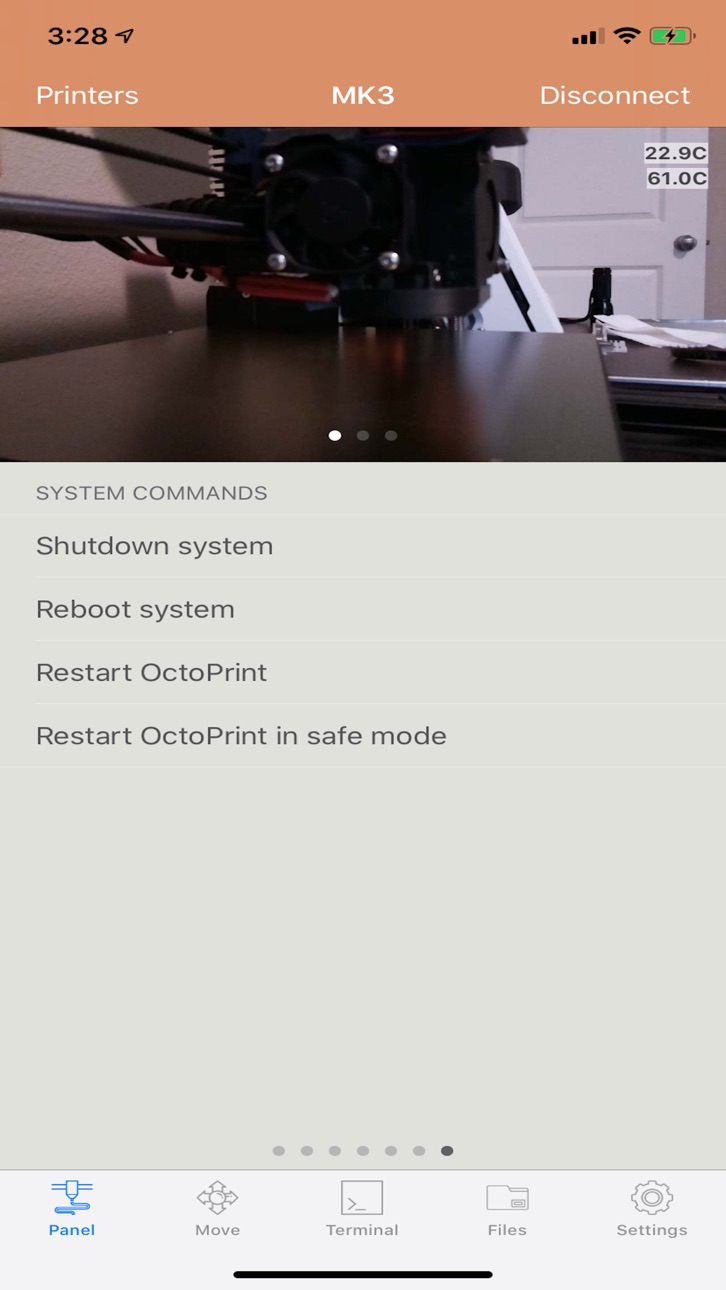
- OctoPrint's System Commands support
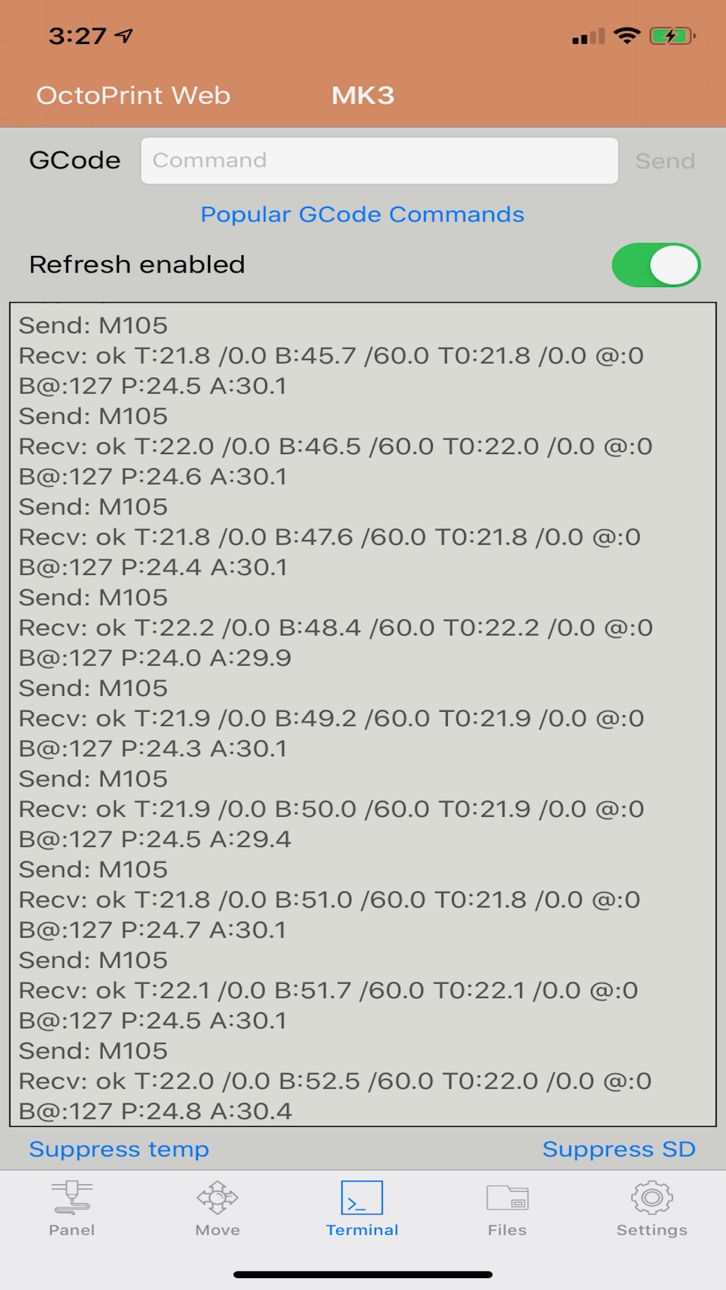
- Watch terminal and send arbitrary GCode commands
- Internationalization and localization: English, German, Italian, French, Spanish, Norwegian, Czech, Swedish, Russian, Dutch languages and Simplified Chinese supported
- Synchronization of printers between iOS devices
- File management support
- iCloud integration. Print files from iCloud/Google Drive/Dropbox/Box
- Print from files stored in OctoPrint or SD Card
- Custom Controls support
- Supported OctoPrint's plugins: Cancel Object, DisplayLayerProgress, PrintTimeGenius, OctoLight Home Assistant, Enclosure, BLTouch, Filament Manager, Spool Manager, OctoRelay, PSU Control, TPLink Smart, Domoticz, Wemo and Tasmota
- Includes Basic and Digest HTTP Authentication when running behind a reverse proxy
- Use iOS Dark Mode or choose your favorite UI theme
- iOS accessibility support for bigger fonts
- Access OctoPrint's web UI from the app
Source code is open and available to the community: https://github.com/gdombiak/OctoPod.
FAQ can be found here: https://github.com/gdombiak/OctoPod/wiki/FAQ-using-the-app
App Preview Music: https://www.bensound.com
Notifications sounds: https://notificationsounds.com/
Icons made by:
- https://www.flaticon.com/authors/freepik
- https://www.flaticon.com/authors/vitaly-gorbachev
- https://www.flaticon.com/authors/smashicons
- https://www.flaticon.com/authors/dinosoftlabs
- https://www.flaticon.com/authors/kiranshastry
- https://www.flaticon.com/authors/good-ware
- https://www.flaticon.com/authors/nikita-golubev
- https://icons8.com/icons/set/siri
- https://icons8.com/icons/set/icloud
- https://www.flaticon.com/authors/eucalyp
- https://www.flaticon.com/authors/pixelmeetup
Accessibility
ipadiphonemacrealityDevicetvoswatch
Version history 25 versions
Build 871899155v3.322025-01-22 07:34:50
IMPROVED: Added support for PrintTimeGenius plugin. Progress notifications will report correct progress
Build 870913845v3.312024-12-05 12:46:58
- ENHANCEMENT: Added support for iPad Pro (11 inch M4) and iPad (13-inch M4)
- FIXED: Fixed camera freeze when using Caddy reverse proxy
Build 869187989v3.302024-09-22 18:07:20
- ENHANCEMENT: Added support for iPhone 16 Pro and 16 Pro Max
- ENHANCEMENT: Enhanced webcam screen size when running on a Mac
- FIXED: Fixed App Crash when running on a Mac
Build 868300331v3.292024-09-03 07:52:16
- ENHANCEMENT: Camera now shows a loading indicator to know if feed is live or not
- ENHANCEMENT: Added option to manually retry loading camera feed when there is an error
- ENHANCEMENT: Added option to automatically retry loading camera feed when timeout error is detected
- ENHANCEMENT: Added support for 'OctoLight Home Assistant' plugin. Turn light on/off from camera feed.
- FIXED: Camera refresh now works when app opens after clicking on a Live Activity in the Lock Page
- FIXED: Fixed App Crash when syncing printers from iCloud
Build 861976251v3.282023-12-05 15:09:34
This release incudes two important enhancements made by Joel Baranick. Easy remote access to your OctoPrint instance and also SpoolManager plugin support.
- ENHANCEMENT: Use OctoPod outside of your home with Cloudflare Zero Trust. Thanks Joel Baranick
- ENHANCEMENT: Added support for SpoolManager plugin. Thanks Joel Baranick
- ENHANCEMENT: Display proper error message when websockets failed to connect
- FIXED: Duplicated subpanels may appear when switching between printers
- FIXED: App crash when using FilamentManager plugin panel
Build 861462851v3.272023-11-21 01:02:51
Bug fixing release with some enhancements.
- ENHANCEMENT: Added support for widgets to be displayed on the desktop (and iOS17)
- ENHANCEMENT: Background color of LiveActivities now changes when in Dark Mode
- ENHANCEMENT: Live Activity text is now easier to read
- ENHANCEMENT: Users can now change Obico server URL to enable use of self-hosted Obico servers
- ENHANCEMENT: Support OctoRelay plugin API v2 with backward compatibility. Thanks Anna Bocharova
- FIXED: LiveActivity may show data from another printer when more than 1 printer is printing
- FIXED: Tap on LiveActivity now switches to proper printer
- FIXED: Multiple app crashes due to Core Data threading
- FIXED: App crash when user opens iCloud settings in iOS
Build 855666259v3.262023-04-04 08:08:39
2 new features:
- NEW: Added support for Live Activities. Requires OctoPod plugin 0.3.15 and iPhone 14 Pro / Max
- NEW: Added support for Lock Screen Widgets. Widgets you install in Focus screens.
Build 853582453v3.252022-11-29 02:05:10
New features or improvements:
- Maintain printer list sort order when restoring on new device from iCloud
- Improve rendering of printers in dashboard when using larger text
- Rename The Spaghetti Detective to Obico
Bugs fixed:
- File thumbnail is no longer being shown when file name has spaces
Note: If you see duplicated printers then go to Settings -> Devices and select Reset printers from iCloud data
Build 852427214v3.242022-09-27 14:46:24
OctoPrint 1.8.3 introduced an error with Global API Keys that prevented correct operation of OctoPod. This version detects this situation and displays a warning with a workaround.
Improvements:
- Added support for iPhone 14 Pro and 14 Pro Max
- Updated to latest version of Charts library that is used for rendering temp charts. iOS 11 is no longer supported
Fixes:
- Several fixes to correctly support iOS 16
- Camera now refreshes after tapping on push notification
- Error is now displayed when authentication to OctoPrint fails when using websockets
Build 850518881v3.232022-06-30 12:50:01
Fixes:
- Minor fixes to Timelapses
Build 849124424v3.222022-05-16 22:12:12
Improvements:
- Added support for iPad Mini 6
- Dashboard of printers can now be sorted by user
Fixes:
- Another common app crash
- Adding Obcio / The Spaghetti Detective printers works again
- No camera feed when there is an extra space at the beginning of URL
Build 848744603v3.212022-05-05 07:53:56
Stability and performance improvements release:
- Multiple app crashes were fixed
- Multiple memory leaks were fixed
Build 848335438v3.202022-04-14 18:40:42
IMPROVED: Open printers dashboard when clicking on multi-printer widget
FIXED: Missing pause/cancel print buttons
Build 847689417v3.192022-03-14 19:36:37
Small release:
- Updated sponsors list. Sponsors can now be updated dynamically without requiring a new release
- Fixed app crash when HLS video stops playing
Build 846934969v3.182022-02-04 22:32:43
Important changes:
- NEW: Added support for tunneling (remote access) via The Spaghetti Detective
- NEW: API key is automatically generated when adding printer with OctoEverywhere
- FIXED: Authenticate with Google account when adding printer with OctoEverywhere
Build 846347329v3.172022-01-10 12:59:45
Happy New Year! Changes in this release:
. NEW: Added support for OctoRelay plugin. Thanks Bastien (bastienstefani)
. IMPROVED: Theme colors when using Dark Mode or Dark Theme
. FIXED: App crash when deleting file from Files window
. FIXED: App crash when updating temp chart
. FIXED: App crash when printer has incorrect URL
Build 845008457v3.162021-10-31 00:35:11
Mainly a bug fixing release with 2 small improvements:
- You can now mute sound when using HLS camera feed
- Split View layout improved when watching all printer cameras
Build 844746679v3.152021-10-17 19:08:49
Bugs fix release:
- Adding printers using Application Key works again
- Executing System commands with special characters works again
Build 844459879v3.142021-10-15 10:04:04
Important Changes:
- Big improvements done to printers dashboard. Click on top navigation bar for quick dashboard access.
- Added new Sponsors page under Settings. Thanks again to all sponsors!!!
- Fixed several app crashes, some small bug fixes and improvements
- Alert dialog will appear if you press button to receive layer notifications and OctoPod plugin not installed. You need both DisplayLayerProgress and OctoPod plugins
Build 843988380v3.132021-09-07 17:23:05
Important Changes:
- NEW: Added dashboard to watch cameras of all your printers
- IMPROVED: HLS video is now muted when watching multiple cameras
- IMPROVED: Display lock icon instead of save button when app is read-only and user wants to manage printers
- FIXED: Camera grid button is not displayed when printer has no cameras
- FIXED: Updated Simplified Chinese translation. Thanks 零更酱 / clementatt
Build 843325595v3.122021-08-26 08:04:30
Update OctoPod plugin for OctoPrint to get thermal runaway protection and notifications for first initial layers to confirm print is going fine!!! Also customize sound of notifications!!!
Important Changes:
- NEW: OctoEverywhere support has been added to easily use your printer when not at home!
- NEW: Grid view to monitor all printer cameras at once
- NEW: You can now control enclosure temp and humidity - requires Enclosure plugin
- NEW: You can now swipe to switch between printers from any page
- NEW: Siri command to take camera snapshot
- NEW: Recommended way for adding new printers via "Application Keys" has been added
- NEW: Use printer QR code or RFID to easily switch between printers
- NEW: Added Dutch translation. Thanks Ihsan Topcu
- NEW: Added Simplified Chinese translation. Thanks 零更酱 / clementatt
- FIXED: Camera now renders when opening up from widget
- FIXED: Printers dashboard no longer scrolls "on his own"
- FIXED: Printer URL now supports having a path
- FIXED: Preset temperatures from OctoPrint now works when there is only 1 temperature defined
Build 840396854v3.112021-02-11 16:39:42
Important changes:
- NEW: Added Timelapse support
- NEW: Added social sharing of Timelapse files
- NEW: Control your BLTouch/3D Touch via BLTouch plugin (use from Move Panel)
- NEW: Display RPi temperature (use from temperature graph subpanel)
- NEW: Assed search capability in Files Panel
- NEW: Use Siri to control PSU via PSU Control plugin
- NEW: Lock Apple TV app from iOS app. Confirmation dialogs are also controlled from iOS app
- NEW: Suppress temp/SD setting is now persistent
- NEW: Added confirmation dialog before deleting files
- NEW: New confirmation dialogs to print, pause or resume print. Configurable from Settings
- NEW: Buttons in Move Panel are now enabled when not printing and printer is operational
- FIXED: Current layer/height may remain empty until there is a change of layer/heigh
- FIXED: Display of min variance of Palette 2
- FIXED: App crashes
Build 839529923v3.102020-12-16 15:35:17
Important changes:
- NEW: Added support for HLS streaming (HTTP Live Streaming). Includes video + audio + variable bitrate
- NEW: Added Picture In Picture when using HLS streaming. Requires capable hardware
- NEW: Siri commands to turn on/off Enclosure plugin switches
- NEW: Dashboard now displays 'Print Time' and 'Print Completion Time'
- NEW: Added support for iPad Air 2020 and iPhone 12 series. Camera size optimized for screen size
- NEW: OctoPod is now available on new Apple Silicon Macs (M1)
- NEW: Support page now includes link to new Facebook Users Group and Twitter account
- FIXED: No network usage when app is closed. No more high cellular usage!
- FIXED: Apple Watch camera will now render even if there was an error fetching image from iOS app
- FIXED: Text color in Light Theme and Dark Mode
- FIXED: Multiple app crashes
Build 839216579v3.92020-11-16 15:28:58
First community release :)
- FIXED: Tapping on iOS medium size widget now opens app on correct printer. Thanks @Willmac16
- FIXED: Status of Enclosure plugin outputs now shows correct status. Thanks Bernard Spatcho (@spatcho)
Build 838462983v3.82020-11-01 17:48:09
NEW: iOS 14 Large Widget with Dashboard for 4 printers
NEW: iOS 14 Large Widget for bigger camera view
NEW: Configure background color of iOS 14 Widgets
NEW: Execute System Commands via Siri
IMPROVED: FilamentManager - Display current selection when changing spool
IMPROVED: FilamentManager - Display remaining filament instead of used
IMPROVED: FilamentManager - Disable changing spool while printing
FIXED: FilamentManager - Does not refresh selected spool when changed from web UI
IMPROVED: Display Cancel button in red
No pricing data captured yet — comparisons appear once the app has paid storefronts or in-app purchases.
Availability 75 of 75 storefronts
| Region | Language | Price | Ratings | Avg | Version |
|---|---|---|---|---|---|
| US | en-US | Free | 3.7k | 4.9 | 3.32 |
| BR | pt-BR | Free | 70 | 4.8 | 3.32 |
| AR | es-MX | Free | 29 | 5.0 | 3.32 |
| MX | es-MX | Free | 26 | 4.8 | 3.32 |
| CL | es-MX | Free | 18 | 4.9 | 3.32 |
| CO | es-MX | Free | 7 | 5.0 | 3.32 |
| CR | es-MX | Free | 4 | 5.0 | 3.32 |
| DO | es-MX | Free | 2 | 5.0 | 3.32 |
| GT | es-MX | Free | 2 | 5.0 | 3.32 |
| SV | es-MX | Free | 2 | 5.0 | 3.32 |
| UY | en-GB | Free | 2 | 5.0 | 3.32 |
| EC | es-MX | Free | 1 | 5.0 | 3.32 |
| NA | en-GB | Free | 1 | 4.0 | 3.32 |
| NG | en-GB | Free | 1 | 5.0 | 3.32 |
| PY | es-MX | Free | 1 | 5.0 | 3.32 |
| TT | en-GB | Free | 1 | 5.0 | 3.32 |
| AG | en-GB | Free | 0 | — | 3.32 |
| AI | en-GB | Free | 0 | — | 3.32 |
| AO | en-GB | Free | 0 | — | 3.32 |
| BB | en-GB | Free | 0 | — | 3.32 |
| BF | en-GB | Free | 0 | — | 3.32 |
| BJ | en-GB | Free | 0 | — | 3.32 |
| BO | es-MX | Free | 0 | — | 3.32 |
| BS | en-GB | Free | 0 | — | 3.32 |
| BW | en-GB | Free | 0 | — | 3.32 |
| BZ | en-GB | Free | 0 | — | 3.32 |
| CD | en-GB | Free | 0 | — | 3.32 |
| CG | en-GB | Free | 0 | — | 3.32 |
| CI | fr-FR | Free | 0 | — | 3.32 |
| CM | fr-FR | Free | 0 | — | 3.32 |
| CV | en-GB | Free | 0 | — | 3.32 |
| DM | en-GB | Free | 0 | — | 3.32 |
| DZ | en-GB | Free | 0 | — | 3.32 |
| GA | fr-FR | Free | 0 | — | 3.32 |
| GD | en-GB | Free | 0 | — | 3.32 |
| GH | en-GB | Free | 0 | — | 3.32 |
| GM | en-GB | Free | 0 | — | 3.32 |
| GW | en-GB | Free | 0 | — | 3.32 |
| GY | en-GB | Free | 0 | — | 3.32 |
| HN | es-MX | Free | 0 | — | 3.32 |
| JM | en-GB | Free | 0 | — | 3.32 |
| KE | en-GB | Free | 0 | — | 3.32 |
| KN | en-GB | Free | 0 | — | 3.32 |
| KY | en-GB | Free | 0 | — | 3.32 |
| LC | en-GB | Free | 0 | — | 3.32 |
| LR | en-GB | Free | 0 | — | 3.32 |
| LY | en-GB | Free | 0 | — | 3.32 |
| MA | en-GB | Free | 0 | — | 3.32 |
| MG | en-GB | Free | 0 | — | 3.32 |
| ML | en-GB | Free | 0 | — | 3.32 |
| MS | en-GB | Free | 0 | — | 3.32 |
| MU | en-GB | Free | 0 | — | 3.32 |
| MW | en-GB | Free | 0 | — | 3.32 |
| MZ | en-GB | Free | 0 | — | 3.32 |
| NE | en-GB | Free | 0 | — | 3.32 |
| NI | es-MX | Free | 0 | — | 3.32 |
| PA | es-MX | Free | 0 | — | 3.32 |
| PE | es-MX | Free | 0 | — | 3.32 |
| RW | en-GB | Free | 0 | — | 3.32 |
| SC | en-GB | Free | 0 | — | 3.32 |
| SL | en-GB | Free | 0 | — | 3.32 |
| SN | en-GB | Free | 0 | — | 3.32 |
| SR | en-GB | Free | 0 | — | 3.32 |
| ST | en-GB | Free | 0 | — | 3.32 |
| SZ | en-GB | Free | 0 | — | 3.32 |
| TC | en-GB | Free | 0 | — | 3.32 |
| TD | en-GB | Free | 0 | — | 3.32 |
| TN | en-GB | Free | 0 | — | 3.32 |
| TZ | en-GB | Free | 0 | — | 3.32 |
| UG | en-GB | Free | 0 | — | 3.32 |
| VC | en-GB | Free | 0 | — | 3.32 |
| VE | es-MX | Free | 0 | — | 3.32 |
| VG | en-GB | Free | 0 | — | 3.32 |
| ZM | en-GB | Free | 0 | — | 3.32 |
| ZW | en-GB | Free | 0 | — | 3.32 |
Change log 29 changes · CD
✎
releaseNotes updated
IMPROVED: Added support for PrintTimeGenius plugin. Progress notifications will report correct progress
✎
description updated
Control your 3D printers with this free open source OctoPrint client application from your iPhone, iPad, Apple Watch, Apple TV and Siri. You can securely monito
✎
subtitle updated
Open source OctoPrint client
✎
name updated
OctoPod for OctoPrint
◆
Version 3.32 released
IMPROVED: Added support for PrintTimeGenius plugin. Progress notifications will report correct progress
◆
Version 3.31 released
- ENHANCEMENT: Added support for iPad Pro (11 inch M4) and iPad (13-inch M4)
- FIXED: Fixed camera freeze when using Caddy reverse proxy
◆
Version 3.30 released
- ENHANCEMENT: Added support for iPhone 16 Pro and 16 Pro Max
- ENHANCEMENT: Enhanced webcam screen size when running on a Mac
- FIXED: Fixed App Crash when running on a Mac
◆
Version 3.29 released
- ENHANCEMENT: Camera now shows a loading indicator to know if feed is live or not
- ENHANCEMENT: Added option to manually retry loading camera feed when there is an error
- ENHANCEMENT: Added option to automatically retry loading camera fe
◆
Version 3.28 released
This release incudes two important enhancements made by Joel Baranick. Easy remote access to your OctoPrint instance and also SpoolManager plugin support.
- ENHANCEMENT: Use OctoPod outside of your home with Cloudflare Zero Trust. Thanks J
◆
Version 3.27 released
Bug fixing release with some enhancements.
- ENHANCEMENT: Added support for widgets to be displayed on the desktop (and iOS17)
- ENHANCEMENT: Background color of LiveActivities now changes when in Dark Mode
- ENHANCEMENT: Live Activity text
◆
Version 3.26 released
2 new features:
- NEW: Added support for Live Activities. Requires OctoPod plugin 0.3.15 and iPhone 14 Pro / Max
- NEW: Added support for Lock Screen Widgets. Widgets you install in Focus screens.
◆
Version 3.25 released
New features or improvements:
- Maintain printer list sort order when restoring on new device from iCloud
- Improve rendering of printers in dashboard when using larger text
- Rename The Spaghetti Detective to Obico
Bugs fixed:
- File thum
◆
Version 3.24 released
OctoPrint 1.8.3 introduced an error with Global API Keys that prevented correct operation of OctoPod. This version detects this situation and displays a warning with a workaround.
Improvements:
- Added support for iPhone 14 Pro and 14 Pro
◆
Version 3.23 released
Fixes:
- Minor fixes to Timelapses
◆
Version 3.22 released
Improvements:
- Added support for iPad Mini 6
- Dashboard of printers can now be sorted by user
Fixes:
- Another common app crash
- Adding Obcio / The Spaghetti Detective printers works again
- No camera feed when there is an extra space
◆
Version 3.21 released
Stability and performance improvements release:
- Multiple app crashes were fixed
- Multiple memory leaks were fixed
◆
Version 3.20 released
IMPROVED: Open printers dashboard when clicking on multi-printer widget
FIXED: Missing pause/cancel print buttons
◆
Version 3.19 released
Small release:
- Updated sponsors list. Sponsors can now be updated dynamically without requiring a new release
- Fixed app crash when HLS video stops playing
◆
Version 3.18 released
Important changes:
- NEW: Added support for tunneling (remote access) via The Spaghetti Detective
- NEW: API key is automatically generated when adding printer with OctoEverywhere
- FIXED: Authenticate with Google account when adding printe
◆
Version 3.17 released
Happy New Year! Changes in this release:
. NEW: Added support for OctoRelay plugin. Thanks Bastien (bastienstefani)
. IMPROVED: Theme colors when using Dark Mode or Dark Theme
. FIXED: App crash when deleting file from Files window
. FIXED:
◆
Version 3.16 released
Mainly a bug fixing release with 2 small improvements:
- You can now mute sound when using HLS camera feed
- Split View layout improved when watching all printer cameras
◆
Version 3.15 released
Bugs fix release:
- Adding printers using Application Key works again
- Executing System commands with special characters works again
◆
Version 3.14 released
Important Changes:
- Big improvements done to printers dashboard. Click on top navigation bar for quick dashboard access.
- Added new Sponsors page under Settings. Thanks again to all sponsors!!!
- Fixed several app crashes, some small bug
◆
Version 3.13 released
Important Changes:
- NEW: Added dashboard to watch cameras of all your printers
- IMPROVED: HLS video is now muted when watching multiple cameras
- IMPROVED: Display lock icon instead of save button when app is read-only and user wants to m
◆
Version 3.12 released
Update OctoPod plugin for OctoPrint to get thermal runaway protection and notifications for first initial layers to confirm print is going fine!!! Also customize sound of notifications!!!
Important Changes:
- NEW: OctoEverywhere support ha
◆
Version 3.11 released
Important changes:
- NEW: Added Timelapse support
- NEW: Added social sharing of Timelapse files
- NEW: Control your BLTouch/3D Touch via BLTouch plugin (use from Move Panel)
- NEW: Display RPi temperature (use from temperature graph subpan
◆
Version 3.10 released
Important changes:
- NEW: Added support for HLS streaming (HTTP Live Streaming). Includes video + audio + variable bitrate
- NEW: Added Picture In Picture when using HLS streaming. Requires capable hardware
- NEW: Siri commands to turn on/o
◆
Version 3.9 released
First community release :)
- FIXED: Tapping on iOS medium size widget now opens app on correct printer. Thanks @Willmac16
- FIXED: Status of Enclosure plugin outputs now shows correct status. Thanks Bernard Spatcho (@spatcho)
◆
Version 3.8 released
NEW: iOS 14 Large Widget with Dashboard for 4 printers
NEW: iOS 14 Large Widget for bigger camera view
NEW: Configure background color of iOS 14 Widgets
NEW: Execute System Commands via Siri
IMPROVED: FilamentManager - Display current selec